#archived-lighting
1 messages · Page 44 of 1
 jade fjord
Also shadows factor in, because Full baked bakes in shadows while Mixed will still have realtime shadows.
At least this is how I understand it, if I got something wrong, please correct me.
 cosmic breach
" only the indirect lighting is baked."
I think this might be the source of my misunderstanding. I thought a mixed light would act like a baked light for static objects but realtime for dynamic objects.
I.e. The only shadows being done realtime would be for the dynamic object
But I also might just misunderstand lighting as a whole
jade fjord
I think you're right about the shadows.
 pale pawn
Mixed lighting have multiple option in light bake. There's baked indirect only. there's shadowmask mode. You want shadowmask mode if you wanted baked shadow and indirect but only cast realtime shadow on dynamic character.
However, there's another settings in Graphics quality you need to take a look. Is it Distance shadowmask or Shadowmask.
If Distance shadowmask selected. Anything in near radius will cause those mixed lights to cast realtime shadow and realtime lights.
Go to Project Settings > Quality > Shadows > Shadowmask mode > Shadowmask
jade fjord
I see. yeah it's quite confusing all the permutations possible.
pale pawn
yeah, it is a known issues.
jade fjord
I remember Unity published a page recently that tried to explain it all.
pale pawn
Yes there is.
pale pawn
Yes, that documents is geared to include render pipeline selection 😃
jade fjord
there is also this

which has images showing various modes
but it doesn't go in depth on how to set the settings to achieve them
pale pawn
Yeah, that documents is geared towards general lighting setup and learning.
Hence Realtime GI was chosen 😃
jade fjord
yeah they need to make a wizard, where you answer questions about what you want.
and it outputs what settings to use to get them.
pale pawn
We're thinking about it.
Template and whatsoever. Problem is it's difficult and what's worse is that it might mislead the developer.
jade fjord
yeah i could see that being the case.
pale pawn
The best way to do it is to make it as EASY to understand as possible.
jade fjord
you have to understand the consequences of your choices also.
pale pawn
The chart was very helpful to some, but not others. In many cases developers usually have different needs too.
Absolutely. Not to mention hardware limitation.
jade fjord
you may want A B C but having A B C may make your game rather slow on your chosen platform.
pale pawn
Shadowmask for example, there's a limit of 4 Shadowmask light per surface.
That confuse the hell out of people.
pale pawn
because people have the assumption of well I'm baking right, so it should be unlimited lights;
The fact that mixed lighting is more like "Fixed" realtime lighting.
The reason being the shadowmask is stored in a 4 channel texture (RGBA).
jade fjord
i see, that makes a lot of sense then
pale pawn
I'm curious are you using GPU or CPU PLM?
jade fjord
well I wasn't the one who first asked the question, i was just trying to assist Acissathar.
and i'm not sure what PLM is hah
Progressive light mapper?
jade fjord
personally so far I've stuck with enlighten.
I wasn't sure if PLM was ready for prime time yet
pale pawn
are you using HDRP or Built in render pipeline?
jade fjord
built in
pale pawn
ok you're good.
jade fjord
yeah i'd love to move up to HDRP but i need a few paid assets to make the jump before i could consider it
pale pawn
There will be Realtime GI fixes for HDRP sometime in the future.
jade fjord
I'm excited about HDRP and shadergraph, i'm keeping up with their progress regardless so i'm ready 😃
pale pawn
HDRP is really nice to play around with though. Physically based lighting fall-off, SG, VFX graph.
Not to mentioned, the standard lit material is pretty sweet.
jade fjord
yeah that butterfly demo blew me away.
pale pawn
Ah yeah Volumetric system is super nice 😃
jade fjord
well i guess there's two butterfly demos now.
yeah the one for VFX is awesome also

Unity Technologies Blog
With the release of 2018.3, Shader Graph introduces a new Master Node for the High Definition Render Pipeline (HDRP). This new Master Node (called Lit Mast...
but i was thinking of this one
pale pawn
Yeah that's a good one.
cosmic breach
I appreciate the info @pale pawn.
My quality settings did have Distance Shadowmask set, so that would explain why everything was getting real time shadows and spiking the draw calls so much I think. I'll have to play with that tonight.
 vivid wharf
hello, is it possible to create a emissive object in 2d mode ?
 craggy plover
Are normal maps taken into account when baking lights?
Im losing the normal map detail when I bake
craggy plover
directional mode did the trick, thanks!
 fluid quartz
is there a trick to make gpu lightmapping to work with a radeon card?
I get the following error : OpenCL Error. Falling back to CPU lightmapper. Error callback from context: CL_INVALID_PROGRAM
unity version: 2018.3.5f1
gpu: rx 580
 stark temple
a lot of those kinds of errors are fixed in 2019.1 or have fixes coming in 2019.2, so the later your version the more luck you will have avoiding them
fluid quartz
@stark temple thanks, I will give it a try and let you know the result
 kindred inlet
Does anybody have problems with mixed baked lights not being baked onto lightmaps (some objects don't cast shadows and light onto the lightmap), too? It does work in Subtractive mode, but we need shadowmask mode. Using Unity 2018.3.4f1
 rain swan
Hey guys, i've made a hold for my boat in maya but when i import it into Unity and i navigate inside the scene , i'm surprised because it's not dark (there is a roof) so i don't know how to fix that shadow issue. I need a bit of help, i'm not very good for what's about lightning in Unity. It's just like my roof can't block the light emission 🤔 Thank you in advance guys 😉
stark temple
there seems to be some relevant warnings in the console that could point to some issues
rain swan
Hmm yes i didn't saw that 😮 i'm gonna search how to fix that
rain swan
Okay i have also found a problem about shadow distance (in quality settings). Thank you @stark temple , for the moment the problem is solved 😃 Ty for your help
pale pawn
@rain swan Create a separate lightmap parameters with lower resolution and assign that to the problematic mesh.
or break the mesh into smaller pieces.
rain swan
Hmm okay i'm gonna take a look at your advices ! Thank you for your help @pale pawn ! 😃
 viscid steeple
hello guys i have a question about the GPU lightmapper.Is it possible to use it with a gtx 1060 3gb?
 hidden mason
Found the answer, It's 2GB minimum so you should be good. However if you are using the Optix Denoiser then you need 4gb Minimum
viscid steeple
i dont see this option im currently on hdrp also i dont seem to get any real time gi anymore
btw thanks for trying to help seems like my engine is missing a lot of ui
hidden mason
what version are you on?
viscid steeple
2019.1
hidden mason
ah, to get the Optix Denoiser for the CPU bake you just need to set the Filtering to Advanced from Auto (Optix is only available for the CPU Lightmapper in 2019.1)
viscid steeple
ohhhhh cause i thought it was in gpu advanced
hidden mason
the GPU version is available in Unity 2019.2
viscid steeple
im gonna update my gpu driver and reinstall unity see if it gets fixed,thanx for the help either way man
stark temple
@rain swan That's good to hear, I was under the impression that the max shadow distance scaled when you altered the clipping planes to be lower than it - either way you may not wish for them to match so it's definitely something that will help. If you wish to create higher density shadows at certain distances you can have a play around with the Shadow Cascade settings (by pulling the bars around) to create a tighter section where the shadows are sampled on the table, and lower elsewhere
rain swan
Interesting.. , i'm a bit new to lightning in unity, but it's definatly interesting ! Thanks for the advice, i'm gonna find what i can do with this feature. Thank you for your help @stark temple, it's realy appreciated ☺️😀
viscid steeple
direct denoiser does not show up even with a 8gb VRAM is there an option to enable it ? to use Optix
 twin sun
i'm trying to bake some point lights into this scene i've built with my own tilable assets
i'm on Unity 2018.3.4f1 and use Mixed GI with Substractive lighting anddeferred rendering mode
it works everywhere in the scene except for this corner
i also checked "generate Lightmap UVs" for all of my meshes
any ideas how i can troubleshoot this situation?
(i dont have light probes, only reflection probes)
 tepid schooner
Try with shadowmask
rain swan
Hey guys, i have a little problem with this bulb. It's made with a cylinder and, under, a sphere, but when i put a light under my object, we can see the edge (the kind of yellow circle) between both of these two part. I can't find how to disable this effect of my light (point light) on this object to have something almost completely transparent. Thank you in advance for your help !
 safe pewter
Anyone here proficient with aura volumetric lighting? Is there a way to get the volumetric lighting to show in-editor?
jade fjord
@rain swan the best way to keep that from happening is to join the two parts in your modeling software, and remove the extra geometry.
it's natural any internal geometry is going to be visible in something transparent.
rain swan
Okay thank you @jade fjord it seems to be the best way to do that 😃 Thank you for your help
jade fjord
no problem 😃
@safe pewter As far as I know that's not possible with Aura 1, you might could ask raphick on the forums in the Aura thread. It may be something Aura 2 is going to support.
safe pewter
ahh kk
 undone moat
Hey everyone! Anyone has any tips about having additive scenes loaded with light probes, as of now, it seems that the lighting data gets overwritten with the last scene loaded. And such lighting for dynamic objects gets incorrectly blended.
jade fjord
yeah it can be a little tricky
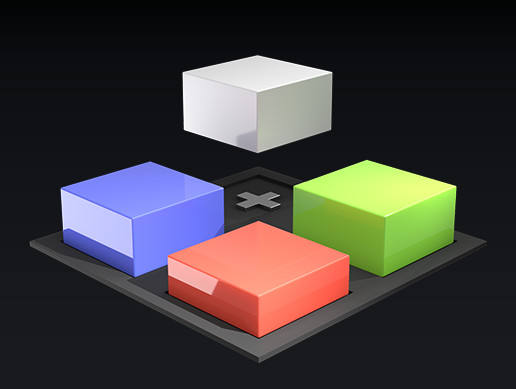
What is this?
This is a free educational project to help teach the fundamentals of working with lighting and Additive Loading in Unity. Understanding these concepts is crucial to the successful implementation of global illumination in Multi-Scene setups.
The project cont...
unity went so far as to make a project/tutorial about it
explains the ins and outs
undone moat
Wooo, awesome, thanks a lot @jade fjord !
safe pewter
Is there a way to change shadow intensity in HDRP/LDRP (even by external script/shader/tool/whatever)?
 hazy sentinel
You would have to go into the LWRP folder and edit the "lighting" script to your liking.
safe pewter
I'm not using LWRP. I'm using HDRP
hazy sentinel
Bet it'll be the same..... but with HDRP.
safe pewter
after having literally no idea what I'm doing with those scripts and literally no mention of shadow strength/opacity/whatever in any of the scripts I checked relating to lighting I just added another directional light that didn't case shadows and that worked fine.
viscid steeple
are u in 2019 and up?
 amber spade
Anybody know why my camera isn't rendering the light probes?
https://i.imgur.com/QjRlLTQ.jpg
In the top you can see the light probes firing off, but on the bottom I've zoomed into my game and it's rendering the trails but no lights.
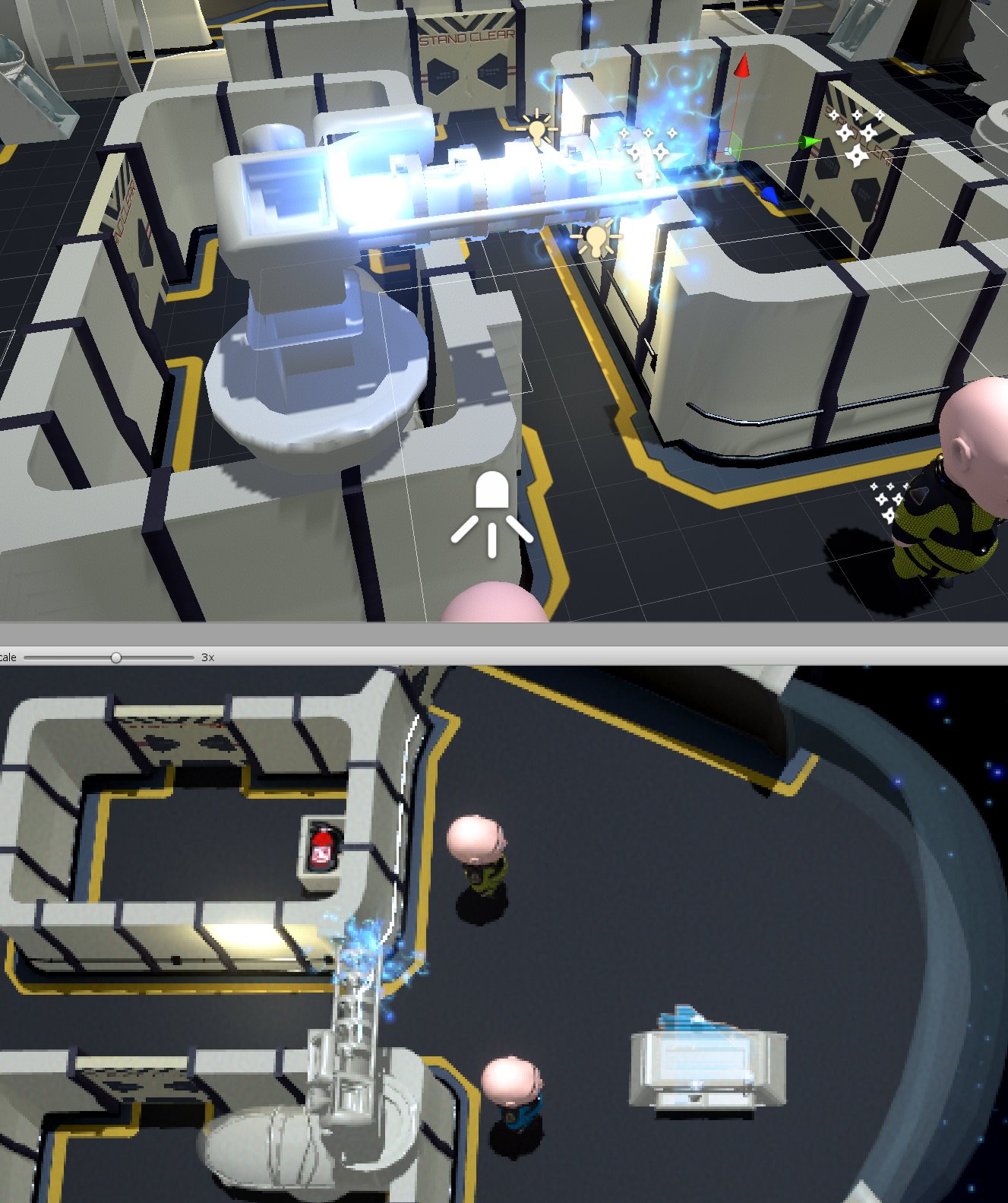
Top = Scene
Bottom = Game
 stiff hound
@amber spade do you mean lights and not light probes?
looks like forward render setup with fixed light counts.
amber spade
Yes sorry I do mean lights
amber spade
Even in the scene if I look from various angles I can't see the lights.
ahh you were right
didn't realize someone else built out a ton of lights elsewhere in the scene
@stiff hound thanks 😃
undone moat
@safe pewter if you take a closer look at the sections header of the components of the light, there is a small "+" sign all the way to the right of the panel, if you click it, you can expand the options, and in the shadows there's a dimmer control. I don't blame you, took us forever to find out that those options are exposed.
Hey guys, anyone has crossed with this issue?
A rectangular area light in HDRP baked with the GPU lightmapper, outputs this result. Is it just a bug or is there other way to bake this type of lights?
 timber lichen
can someone explain why you cant use baked lighting when you disable GI? i dont get it
timber lichen
because its global illumination
jade fjord
you're baking the global illumination. no global illumination, nothing to bake.
timber lichen
i dont understand. lights give direct and indirect lighting. direct lights can be baked into lightmaps. indirect light can be baked as well and is called baked GI. if i turn off baked GI, suddeny i cant have lightmaps for direct lights any more? whats the connection?
meaning if i want to save on performance in one way (turning off GI) i am punished with greater expense to run my regular lights. do i even gain anything at all?
neve been so confused
and no one even seems to understand my question, which makes me even more confused
 storm bolt
OK I'll explain: in unity, there's two kinds of baking (confusing I know): realtime baking and classic baking
realtime baking is when enlighten is used to propagate light. light bouncing, that sort of thing. what is ACTUALLY happening is the SAME as the other baking, just realtime and really low resolution.
So "lightmap" is "gi"
one is realtime, one is not
shadows are a different process
these can be combined from realtime shadows or baked shadowmap, and are obviously, just the shadows
 dapper prawn
Hey all, might be a silly question, but.. since a lightmap size is limited to 4k, and I have a lot of object in my scene, can I bake multiple lightmaps to better distribute their size among them? I remember Unity having an "Array size" for lightmaps, however I can't see that in 2018.2
storm bolt
Why is your lightmap limited to 4k?
and why are you not letting unity just handle having more lightmaps?
small objects should be probe lit btw, the recommendation is you do not lightmap small things if that's a concern
dapper prawn
I'm... not sure?.. I might be lacking the basic knowledge on lightmapping in general. But this option is capped at 4k, however I bake, I don't get more than one lightmap, which leads to some terrible baked artifacts
storm bolt
I see, what version? using Enlighten for prebaked lightmaps is also just a hack on Unity's side, it's always better to use the new PLM
dapper prawn
It's Unity 2018.2.0f1, using progressive doesn't change anything to be honest
storm bolt
not for older versions but newer ones will bake in no time and be higher quality
I expect enlighten to be removed from bake options eventually and just handle the realtime gi instead
dapper prawn
I've tried the same setup in 2018.3.6 as well. I'm starting to suspect that my problem is that my scene is nested under a single .fbx file. I mean.. they're imported as a single .fbx file, but all objects in the scene are separate gameobjects. Could this be the reason?
storm bolt
if your lightmaps are too big
it won't be as efficient
and can't split things
try the counter intuitive step of using a smaller lightmap, it should generate more of them then
PLM will allow much more quality and 1024 is all you'd need for arch vis tbh
dapper prawn
I'll try that, thanks. I'm doing an interior scene here and all walls are a single object. They, as well as ceiling, get the worst artifacts after baking. I tried increasing their size in lightmap, but as soon as I go above 1, it says it has reached the maximum size of the lightmap, which I guess would not be a problem if it baked to several maps
storm bolt
a ton of those artefacts aren't actually to do with lm res
but baking accuracy
using the lightmap parameters
however switching (if its possible) to beta 2019.1 and usung PLM with 1024 (the defaults basically) ought fix it
dapper prawn
is there a noticeable difference if i use lighting mode shadowmask/baked indirect?
storm bolt
a final step you can do is dice up your objects a bit
this way they will fit on their own lightmap
this ia actually advice unity gave in their blog for enlighten backend a long time ago
no, shadowmask is for runtime blending of realtime shadows
dapper prawn
sorry, what do you mean by "dice up"?
storm bolt
chop up
split
if you have a plane thats 3 miles it's going to kill any lightmapping
for example
(this is fine for an actual plane, just saying)
do you use realtime gi or baked or both? it's best to use just one or the other
dapper prawn
well the scene is not that large. actually just a single room, obviously not high-poly either, but all of the furniture and objects are exported together in the same fbx. I was wondering if it would make a difference if I exported all objects separately one-by-one
storm bolt
this sort of thing?
dapper prawn
(all objects under the .fbx are still separate gameobjects after importing of course)
storm bolt
separating the walls/floor/ceiling and removing hidden geo will dramatically increase lightmap atlas space, followed by a smaller lightmap size, say 1024. it will then be able to generate more lightmaps to compensate
if you are throwing a single merged object at it, it will be the worst possible scenario for it to deal with
dapper prawn
the picture above shows one of the issues i'm having yeah
storm bolt
yeah I know how to fix those
dapper prawn
A "shadow only" model as a cage?
storm bolt
you can control it with lightmap texel resolution and lightmap parameters. it's a lot less to do with your maximum atlas size - this is a common mistake
no. i never mentioned a shadow only model
or any of that.
dapper prawn
That was just a guess, I've seen some tips online about that
storm bolt
why would you make a shadow only object :O
I've told you exactly how to fix it
same room fixed
dapper prawn
Yep well I jumped ahead trying to guess but my bad 😄
storm bolt
just be a little more split up about things. and use smaller not bigger atlas
dapper prawn
Thank you! I'll try that. Also it's a silly question (honestly first time trying out baking), do Light Probes have any influence on baked lighting? Considering there are no dynamic objects
storm bolt
this way it will actually have more wiggle room
nope no influence
and you can ask a million questions to fix all the misconceptions that creep in from google
dapper prawn
Yeah there seems to be some inconsistency in information across the internet lol
storm bolt
probes are for giving dynamic objects the general ambient lighting of the area
wont affect bakes
timber lichen
@hippooder i dont see anywhere in the docs where it says lightmaps are only for indirect lighting? in fact, i found this: "Unity bakes direct and indirect lighting from baked Lights into light maps"
storm bolt
yes one of them is dynamic and one of them is precomputed
they are both technically lightmaps
dapper prawn
I wonder why some arch-viz scenes use light probes in their demo scenes if there are no dynamic objects in the scene
timber lichen
i dont understand this at all. i cant simply understand why i cant have baked lights when i turn off GI
storm bolt
well you should use probes with arch vis for anything around 0.2-0.5 meters or tricky to lightmap objects. Spheres, vases, etc...
these dont look better when lightmapped and just end up bloating bake times or forcing you to increase settings forever for no real gain
if there's truly no dynamic objects in the scene with probes then the person making that doesn't really know what they are doing. artists often don't but it can still look good after 6 weeks of bake!
dapper prawn
Thank you for the valuable insights! Hopefully I can get the results I want in just 6 days ;))
storm bolt
@timber lichen gi is baked lightmaps. just not baked shadows ... get it?
light is not shadow
timber lichen
@storm bolt no, i really dont. im talking about regular lights like spotlights, point lights, etc. i can set them to BAKED, but that won't do anything if i have baked GI turned off.
storm bolt
this is because they can't bake light when gi is really light.
timber lichen
when gi is really light?
timber lichen
light as in light or light as in not heavy?
sorry i dont understand where shadows come into play
storm bolt
your problem is you think "GI" is only a specific bouncy thing, but baking light is exactly that
its just baked light.
storm bolt
indirect light is baked light. REALTIME indirect light is also just baked light but combined differently, and done in realtime with very low res realtime lightmaps.
if using gi
timber lichen
my head hurts
storm bolt
dont overthink it:
turn on baked gi to bake lights. don't fight it.
timber lichen
no i really hate being confused about this
you said "indirect light is baked light", but then in the next sentence you contradict it saying "REALTIME indirect light"
im only getting more confused
storm bolt
because there's 2 kinds of baking
realtime baking and offline baking
its all baking
timber lichen
im aware of that
what is the connection between baked GI and baked lights specifically. why do BOTH have to exist or none at all?
storm bolt
baked indirect means that the bounce lighting is baked into the lightmap but the light will calculate in realime
timber lichen
but thats the opposite of what i said, isnt it
turning OFF baked GI means you MUST have realtime light according to the docs
no wait
god
but why does the light have to calculate in realtime just because of that?
timber lichen
if "baked global illumination" was called "baked illumination" or "global toggle for baking lights" i would be on the page
but alas, it is not, and unity specifically says that "global illumination" means INDIRECT lighting
screw this
dapper prawn
Hi all, let's say I have curtains in HDRP with translucent material, so some light passes through. However anything in front of the curtain is either in complete shadow ir no shadow at all, depending on it's render type. In reality some light should get diffused and pass onto the ground. Is there such feature yet?
hazy sentinel
Not from what I'm concerned....
If THAT's the case, I could've just done a subtractive projector for THAT one.
..... If that's still an option.
 steel verge
Translucency leaves a lot to be desired atm. I was trying something similar, with stained glass. It didn't seem to support the color transfer yet. Light did go through though.
timber lichen
can someone help me with some reflection probe intuition? like, how does it matter exactly where i place the probe in relation to the reflected object?
my reflection looks like it's miles away even though it just hovers over the reflective floor. doesnt matter where i put the probe
 velvet cradle
if you're using cubemaps, your reflections are always gonna look like they're at infinity, unfortunately
you can think of it like a skybox, basically. there's no depth
if you want it to look more realistic, you could think about screenspace reflections, or maybe just duplicating the objects upside down under a transparent floor. that's a common trick
jade fjord
there's also Planar reflections
I know HDRP has that, and there's a package available on the asset store for Standard pipeline
but not sure about LWRP. it's a bit of an expensive proposition to use it
velvet cradle
oh yeah! forgot about that. haven't used them yet but it'd be fun to mess around
velvet cradle
is there anything I can do about these darker texels at the edges of surfaces? i can provide more info if it's not obvious what's happening here
 echo cobalt
hi
steel verge
@timber lichen it of course matters where your probe will be located as the reflection will be captured from that point of view.
adjust the position accordingly, and also use Box mode (instead of spherical) if the reflective areas are more like a room or a corner etc. Use more than one probe if necessary.
Also you can use Planar reflections if you need to as ceebee said.
timber lichen
@steel verge i was more trying to get some intuition on what the probe will capture and where it will render it, instead of guessing where to put the probe and then adjusting via trial and error every time
 sturdy narwhal
any idea why my baked lighting looks so ehm
this
basically default lightmapping settings, using progressive, baked indirect and ye
using one area light at thetop
 mystic dew
@sturdy narwhal did you enable generate lightmap on model settings?
sturdy narwhal
what do you mean?
there is no such option
you mean make the model static, then yes, it is static
timber lichen
@sturdy narwhal In the import settings
timber lichen
much better
 rustic bobcat
@safe pewter @jade fjord Indeed Aura 2 has in editor preview 😉
timber lichen
are there any rules of thumb for how many lights per object makes forward pass rendering not worth it over deferred?
sturdy narwhal
@timber lichen which one is better, Enlighten or Progressive GPU (Preview) ? I guess i sohuld not touch the CPU one
 tired horizon
i guess progressive is only for fast preview work
also don't make to small objects static
only large ones
sturdy narwhal
hm
and is there an easy way to understand what Shadowmask vs Baked Indirect does? Ive read the docu but nah i dont really understand
tired horizon
depens on what is inside your scene
sturdy narwhal
i have a simple outdoor scene
tired horizon
aka do you have nessecary mooving lights or not
sturdy narwhal
ok, if i HAD moving lights, why does that matter?
i guess shadowmasks bakes shadow and moving lights make no sense then?
tired horizon
everything matters when using baked light and GI. because this systems interact with each others
also look into lightprobes and what they do
maybe you need to go on more basic
lights also can be realtime, mixed or static
this things matter
and it will help you a great deal understanding them.
to be honest i had a long time understanding what the all do 😃
i post you some links from unity that help understanding
tired horizon
@sturdy narwhal this is a very enlighten Video 😉

An intro to the basics of lightmapping and what it can be used for, from a beginners point of view. Hear some of the most common issues that users struggle w...
In this video we’ll learn a bunch about lighting and use it to light a simple scene using the Progressive Lightmapper. ● Get a discount on The Complete Unity...

● Get IBM Watson Unity SDK: https://www.assetstore.unity3d.com/#!/content/108831?aid=1101lPGj&pubref=IBM In this video we’ll learn how to light up a scene in...
cool explanations

Unity Technologies Blog
Being part of the Spotlight Team, I am fortunate to be involved in some very interesting projects. The Spotlight Team at Unity works on games together with...
if you have outdoor stuff in my optinion things like, Sky Master from artengame can help a great deal
but it's your choice, when doing production and you are in dense timeframe it can do a great deal
sturdy narwhal
i see
tired horizon
if performance matters in my optinion don't use any custom GI system
untiy is fast and relieable
😃
hope it helps! have fun!
sturdy narwhal
thanks 😄
timber lichen
@sturdy narwhal I use distance shadowmask enlighten
sturdy narwhal
I like how baking lighting shows the mray/s
and my gtx 1080 has the same amount as my shitty work laptop

5~
 jade marten
is there a way to smooth out these jagged (realtime) shadow edges?
preferabbly with hard shadows only. i'm still using default unity stuff here, max shadow resolution and low shadow distance.
jade fjord
you can try increasing the shadowmap resolution. but that comes at the cost of performance.
personally I use a package off the asset store called NGSS (Next Gen Soft Shadows). It's for the default pipeline and really works wonders by adding PCSS shadow filtering to smooth out those rough edges. I really consider it a must have for anyone serious about visual quality.
steel verge
Not so next gen if it only works in the old pipeline 😛
But seriously speaking I do have a similar problem and can't find a way to increase the size of the shadowmap further.
 timber plank
Hi all, I Have an issue with my shadow with the HDRP. On some object they are sharpened like on the capture bellow. I try to enable AA but it does nothing .... any idea to help me ?
 mortal oasis
Lower your max shadow distance in Scene Volume or use higher shadow resolution in light settings
steel verge
How much did you lower it?
If you do not have exteriors much, lower the distance to less than 50-60 and modify the limits of the shadow cascades.
Sadly this advice is really basic and in some cases not really helpful. Unfortunately there doesn't seem to be a straight forward way to increase the lightmap scale at will.
timber plank
Ok thx :) i will check that tomorrow, :)
steel verge
Is this a bug or is this a message telling me that it ran out of memory? 😃
OpenCL Error. Falling back to CPU lightmapper. Error callback from context: CL_MEM_OBJECT_ALLOCATION_FAILURE
steel verge
8GB
jade fjord
sounds like plenty. is it a huge scene?
steel verge
yeah quite.
jade fjord
yeah then it may just be too big
but it will still work fine, it will just be slower.
steel verge
No it falls back to CPU Lightmapper.
jade fjord
yes, it's the same thing, it's just not using the GPU to speed it up
there's an old post about that error:
We are contacting NVIDIA at the moment to solve this issue as soon as possible.

As a workaround, we suggest reverting your NVIDIA driver to the latest stably working one - which is 416.34.
We will keep you informed about this problem.```I did a test with 5 texels per unit and it was doing 37 mrays/s now it is back to 6.
jade fjord
but that was back in Nov 2018, so i doubt that's it, unless you still have really old drivers installed.
jade fjord
well i doubt that's the issue then
also i just noticed that reported 'CL_INVALID_PROGRAM' not 'CL_MEM_OBJECT_ALLOCATION_FAILURE'
so different error cause
it really does sound like there's just not enough GPU memory to handle your scene.
steel verge
yeah sounds like it. But then that is a problem for the GPU lightmapper.
Because it means it can only handle small scenes.
jade fjord

Unity Forum
Hi, i've been away from unity for a bit, can anyone explain the current status of the progressive lightbaking, is it solid and working or still wip?...
can maybe post about your problems there
steel verge
That message should read:
"You ran out of GPU memory. Try a smaller lightmap size"
Works fine with a 1024 lightmap texture.
 stray solstice
Quick question, anyone know why Unity lights seems to stretch the further they are from a camera? I have a light following my mouse and I've noticed if I go to the edges, the light stretches towards the center point of the view. It's quite ugly.
https://i.gyazo.com/c183bdf27e53d140fdddcbe83c7f6889.mp4 Here's an example of what I mean
The camera is orthographic
 sullen thunder
hey guys, I've read some manuals but this is still not clear for me. What is the difference between indirect resolution setting in the lightmapping settings and Resolution in Precomputed realtime GI (when you click "view" near the dropdown menu in Lightmap Parameters.
I've read that I need to use let's say 1 texel per unit, but I'm a big confused with these settings.
If I've set indirect resolution to 1, do I need to select default-medium (or a custom) Lightmap Parameter?
Thanks!
https://i.gyazo.com/adc621a50f583aac7347ab60057e2549.png
https://i.gyazo.com/e24657f878b6e9e3f26e79e208c26c85.png

 jade fjord
I wish your screenshots showed more of the window. I can't tell where you're finding that "indirect resolution" setting. I don't see it anywhere.
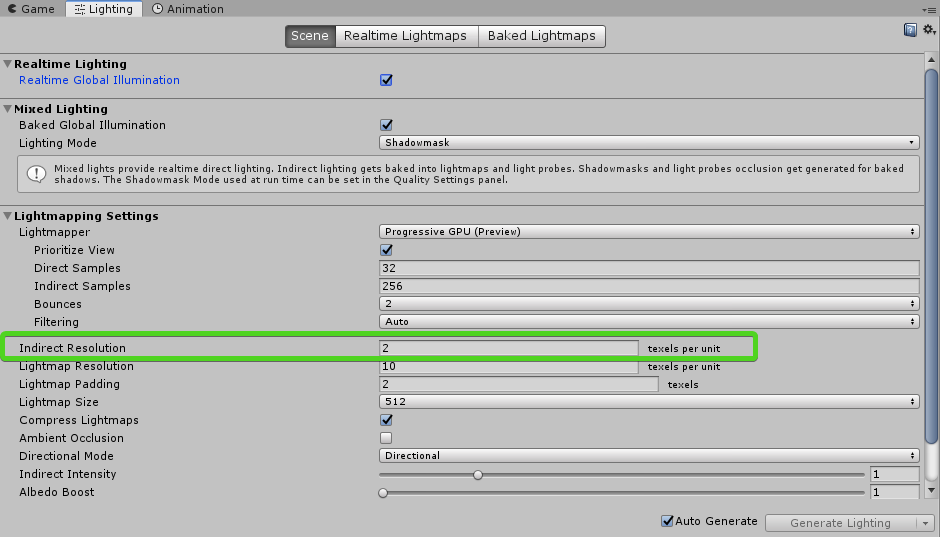
ok I think I found it.
the indirect resolution sets how many texels per unit is used when calculating the lightmaps
however the "Resoultion" in the lightmap presets is a multiplier. If it's 1, your setting is multiplied by 1 (identical)
if it's 2 it's multiplied by 2 (it would doube whatever you set the texel count to be).
If it's 0.5, then it's effectively divided by 2.
It's just a cheap way to make presets without having to make a full set of lighting controls for every level.
you can just set one value and everything else is a multiple of that value.
sullen thunder
Thanks a lot @jade fjord that's really helpful!
jade fjord
no problem
steel verge
@sullen thunder to get an idea how dense your lightmap texel resolution is, you can try enabling "UV Charts" on your scene viewport. Click where it says "Shaded" for a list of options.
hazy sentinel
Riddle me this! If I were to change the color over attenuation for baked lighting... In LWRP.
What line am I looking for?
jade fjord
there is one place that you can have a gradient, and that's in the sky
but the sky as far as I know only provides ambient lighting
hazy sentinel
True.... And I'm doing a custom shader for that one.
 low abyss
If you're doing custom shading then I'd assume it should be possible, just a matter of finding the part where lightmap sampling is done and adjust color of it.
hazy sentinel
THAT's what I'm exactly trying to do. And I did so, before.
And it looked G O O D....
Compared to the original.
steel verge
There is a main difference that I see in Unity over other engines in the way lighting is applied, it is a very subtle but meaningful difference, and I am not sure if it is Unity, or me doing something wrong.
When I bake my lighting, I expect the light of the Sun (direct light) to behave like a "kicker" light, accentuating highlights and giving my scene that extra "oomf". Instead it either burns the scene if I increase its intensity, or falls in line with the rest soft "GI" feel making lighting bland like a diffused winter day, instead of a crisp, clear sunny day with tighter GI.
I have tried improving this in many ways always with the help of post stack, but without great success, in Standard, LWRP and HDRP, I must say in HDRP I had slightly more success, but still not there.
(The photo shows exactly the feel I am trying to get.)
low abyss
Have you checked out the "Bakery" asset? It's blazing fast and offers better physically accurate baking results
steel verge
The bakery is an interesting asset and I have actually bought it, but with the amount of work on my back didn't have time to test it. I will give it a try. Thanks.
steel verge
How do we make sure a reflection probe only works for one particular object and not others around it? Even with a very accurate box it somehow affects some nearby moving objects.
hidden mason
set it and the object to a light layer
steel verge
Is there any tool for lightmap diagnostics?
The baking starts, it goes on for hours, all is well, and suddenly you hit an invisible block and your estimated completion time starts increasing. The process never ends. In a large scene it is nearly impossible to figure out which object gives you trouble.
 willow patio
@steel verge I'm not sure what the problem is, regarding the sun highlights.
Do you mean there's no specular?
steel verge
@willow patio thanks for trying to help. these terrain tiles have identical settings and materials yet behave differently. It's probably a glitch because nobody can reproduce the issue. So ultimately I may delete all tiles and redo them. In my case they are all flat, so no biggie. 😄
timber lichen
@steel verge PBR materials and HDR and linear instead of Gamma should help, I think? But you've probably tried that
steel verge
@timber lichen Thanks for the suggestions. I always work with Linear and HDR except on mobile.
steel verge
I am using compressed lightmaps and LWRP in 2018.3.8f and during cloud building the solution I get these warnings about the lightmap textures:
RGB Compressed BC6H UFloat format is not supported, decompressing texture
RGBA Compressed BC7 UNorm format is not supported, decompressing texture
A. considering this is an automated process I would expect the compression Unity itself assigns on the lightmaps should be not getting any warnings about non supported compression...
B. What does this affect? Is it only affecting package size? Or something else too?
C. What kind of compression is supported?
jade fjord
it's based on hardware platform you're targeting
some platforms support some formats and some don't
if your target doesn't support it, It has to uncompress it
steel verge
hmm... it was a PC build. I will have to look into it further, Thanks for that link.
timber plank
I could not understand why my spot light bleed out of my silo
could you help me ?
(here is the viewport)
jade fjord
it's just an artifact of how unity lighting works. you can't get perfect containment of lighting
your only choices are to reduce indirect contribution, lower the cone angle and distance
until it doesn't bleed anymore
I spent 3 weeks researching the same issue (and I figure everyone does)
timber plank
:/
timber plank
ok, thx, I spent my all day trying to find a solution and I feared that you will answers that :p
jade fjord
but it can really interfere with your game design
steel verge
so yeah HDRP lightmapping is quite slower even with basic setup, no Optix etc.
This is my scene, pretty basic, shouldn't take 2 minutes on the lowest setting. It bakes in seconds using default or LWRP.

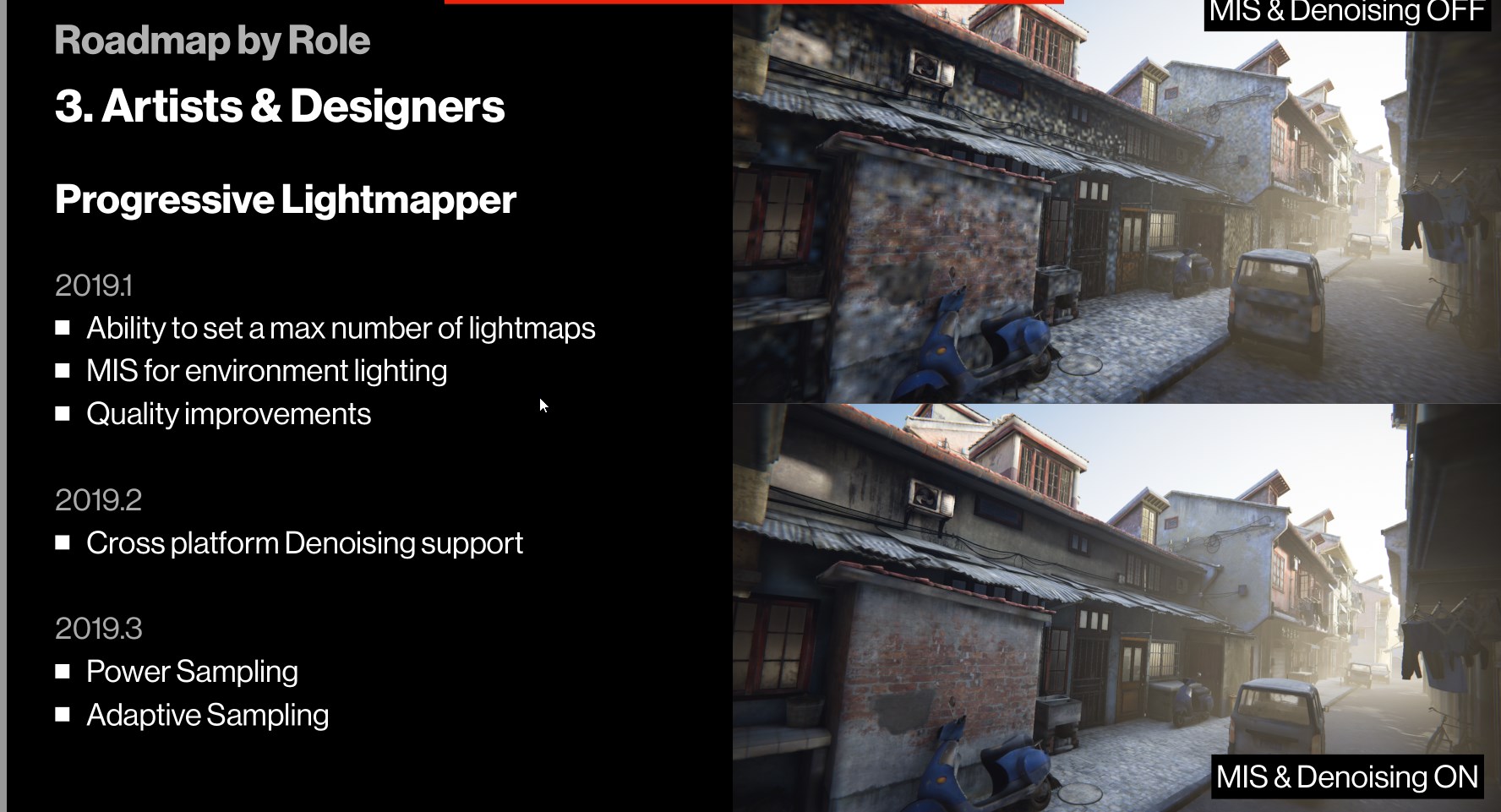 steel verge
Yeah I am in 2019.1 b8 HDRP 5.10
viscid steeple
any new on more latighting solutions like volumetric lightmappers or voxels or even occlusion probs ?
jade fjord
last i heard occlusion probes was going to become official instead of 'demo only'
was originally only in Book of the Dead
hidden mason
yea, it's also on the roadmap
jade fjord
and lot of stuff has been said about vxsm which seems to be voxel shadowmapping
hidden mason
on one of the HDRP slides
jade fjord
but there's really been no concrete info about it yet
viscid steeple
i heard is gonna be official in 2018.2,3 but it didnt come can u send me the link of the roadmap?
i would love to read what are they gonna do for better lighting
me an another dude were talking about vxsm it will be probably similar to unreals right?
 viscid steeple
yeah olento was the dude that i was talking with,he seems to be up to date with everything unity XD
jade fjord
yeah
viscid steeple
have you guys achieved anything close to the gdc demo yet ?
jade fjord
which one, the Mega City or the Heretic?
viscid steeple
heretic for lighting mostly
jade fjord
truth be told, I"m still on legacy pipeline
viscid steeple
mega city is more like optimazation i guess
viscid steeple
really is that hard to change upgrade ur project?
jade fjord
when you have a lot of custom stuff that is written for legacy pipeline? yes
i'm looking for possible replacements
but not a lot supports HDRP yet
it's still in preview so people are slow to do things for it
which I understand, it's better when it's finalized
and production ready at last
viscid steeple
yeah i started working in hdrp from the start but now i started a new project that is going well and i really want to see some examples of people actually making stuff with it
jade fjord
if it was just about switching shaders, I'd have already done it hehe
viscid steeple
well i hope it goes out of preview so it wont be so unstable some times
jade fjord
yeah. and I feel like Shadergraph still has some growing to do
viscid steeple
until we get a better solution for lighting tho games will look almost the same as before
jade fjord
it's early so i expect it will continue to improve.
viscid steeple
what is up with shader graph btw?yesterday i made a realistic grass shader and it was laggy af,i saw on my debugger that it was using a lot more gpu power than even my game view
jade fjord
i do have an apples to apples comparison of legacy to HDRP
if you want to see
same assets, just changed between pipelines
viscid steeple
sure i do want to see i love wathcing peoples projects and findings
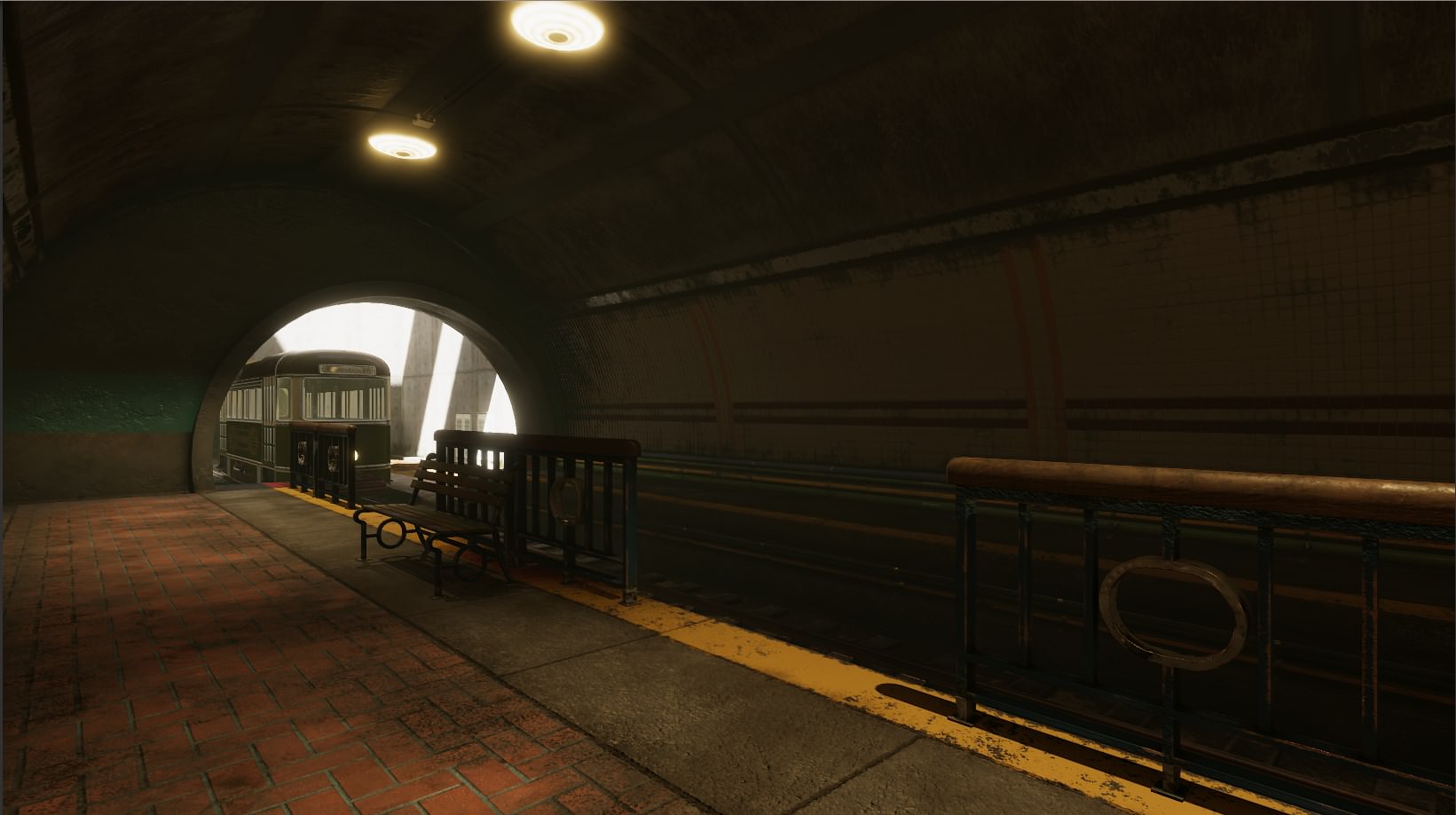
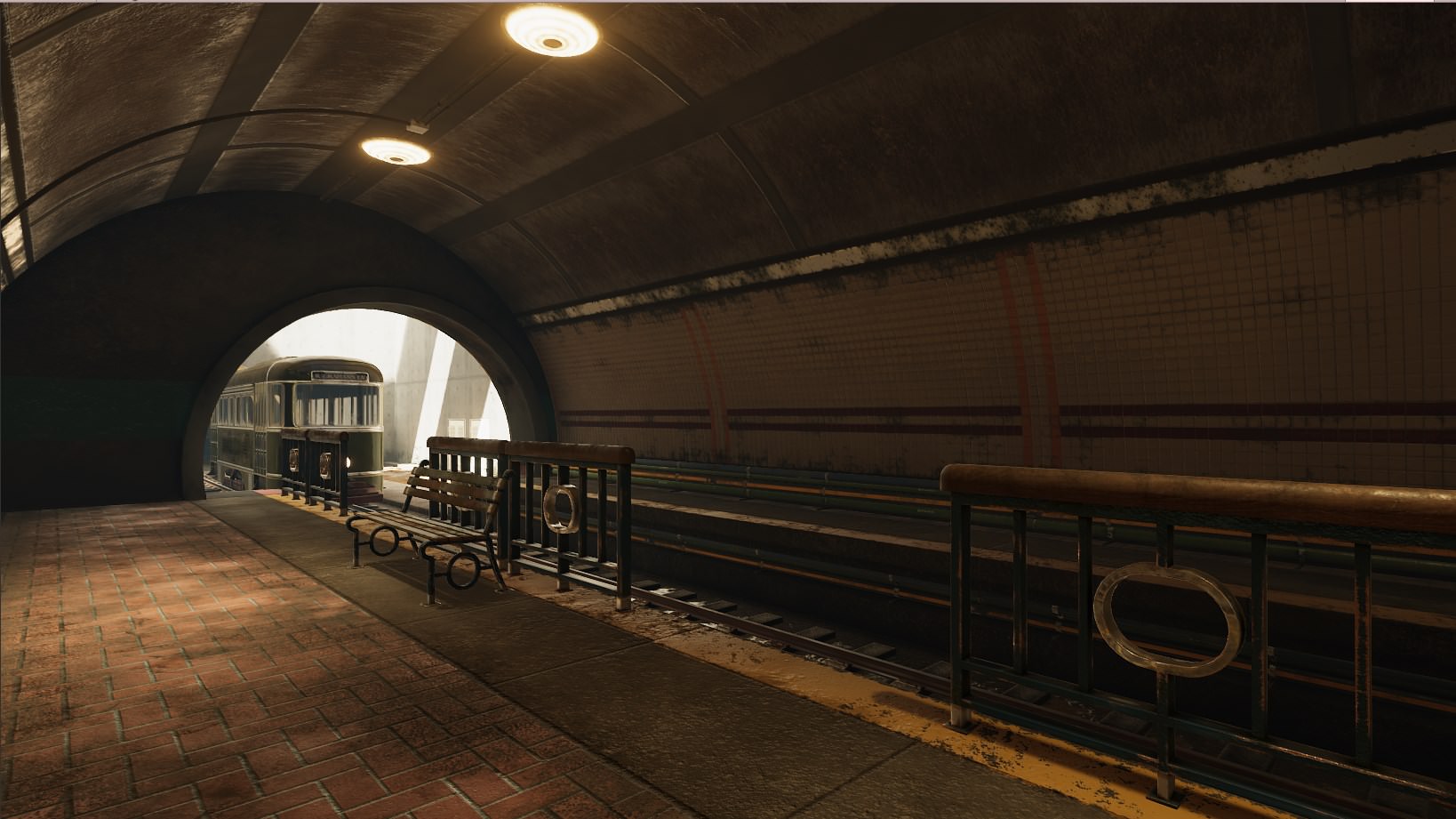 viscid steeple
exterior seems better on hdr but the interior relfections are way off
viscid steeple
did u use another reflection prob for interior with ssrr?
jade fjord
this was with 2018.3
so early HDRP
they have since improved it a lot
you can download the sets and compare yourself if you want
hidden mason
just making a switch isn't doing justice to HDRP. You would need to redo the light intensities and all that.
jade fjord
this is a unity demo
the download is on that page, and contains both legacy and HDRP versions
viscid steeple
yeah reworking the scene basically
jade fjord
yes I think unity did do that
(at least I hope they did)
but like anything, it's subjective how good a job they did
viscid steeple
i mean it still would not be super realistic since they need to do something with the lighting
jade fjord
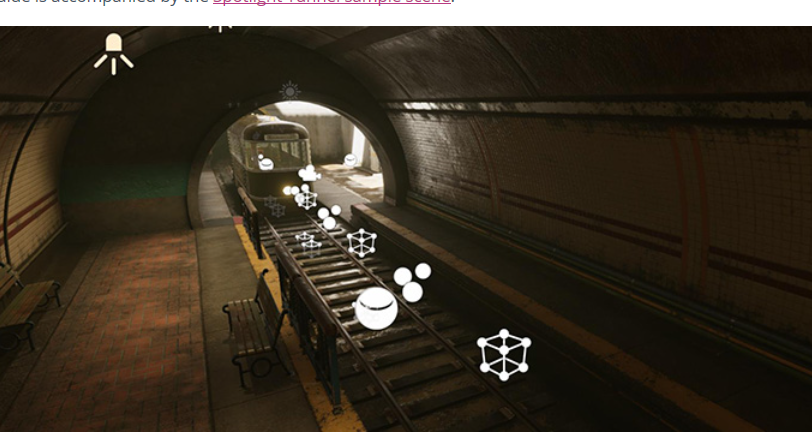 viscid steeple
but its better for sure
jade fjord
looking at the pic on that page, there is a ref probe inside and outside
viscid steeple
yeah but it didnt translate to the pic,cause if u notice the reflection on the pic you send looks better thant the actual render before
dunno what happened there
jade fjord
yeah no idea heh
 steel crescent
Hi guys, I have a problem with light in coridor...
https://ctrlv.tv/ggtE
what can it be caused by?

Fastest screen record online
Fastest screen record online in browser only without addons.
Same light just only move on X position
I deleted all torchs and put in new and works ... its strange
Edit: No ... I added right now more torchs and light they behave the same as in the video
steel verge
uhm, what is the limit of the amount of real time lights?
maybe try making sure you tag that light (player light?) as important.
steel crescent
What do you mean amount of rt lights? If I looking for an any setting yesterday, I dont found anything about limit ... It's not PlayerLight, is a Wall torch (i moving with object for example)
stark temple
looks like your normals are just wrong
steel crescent
If I have a only 2 torchs in scene the same torch is behaving normal but If I add more torchs (no matter where I give them) it does this
stark temple
are you sure the same thing doesn't happen if you disable the other lights and do the same movement again?
because it just looks like a vertex normal problem
usually if you're hitting the limit for lighting one object in forward rendering it flicks one off instantly
either way you can try changing to deferred and seeing whether that fixes your issue, but I'm still suspecting that it's normals
steel crescent
When I go with handtorch everything looks fine, but once I add more walltorch it starts to behave like this ... I still have to study it exactly what it does and under what conditions, I discovered it yesterday about twelve in night
When I copied the walltorch and put it in, the light seemed negative
steel crescent
@stark temple When I come home, try disable all torchs except that one and give a feedback
steel crescent
@stark temple https://ctrlv.tv/clGC check it ... Whats mean?

Fastest screen record online
Fastest screen record online in browser only without addons.
 jaunty turtle
Guys, what is the best practices for LPPV?
- how many lppv can exist on the scene/on screen?
- should i create one big dense lppv to cover big area or better use independent lppv per object with sparse density settings?
steel crescent
@stark temple Any idea what to do with it?
stark temple
It just seems like the forward light limits. https://docs.unity3d.com/Manual/RenderTech-ForwardRendering.html
Test running in deferred or upping the settings in quality settings
steel crescent
Thank you for the information. When I come from work I look at it
steel verge
LWRP 4.10
Real Time reflections were working just fine until recently. Today I see this message. Any ideas?
jaunty turtle
it's just a guess, but realtime cubemap reflection are relatively a heavy process which is could bogged down performance even in LWRP. by forcing initiation from script you have full control of the frequency when the cubemap should rebake. Rather than baking all cubemap each frame
or it's just a bug and they screwed up something on the reflection probe stuff
again
steel verge
Yeah it is a weird thing. Deleting the LWRP library cache momentarily fixes the issue when the editor starts. But as soon as I hit Play it goes blank. 😦
steel crescent
@stark temple You have a right... I changed render mode to Important and finally works! 😃
 worthy sapphire
Hey, not sure if this is the right place to ask, but cam anyonereccomend some good lighting tutorials?
Like not the usual "this is a point light, this is a spotlight , now let's bake a scene with a few cubes" 10 minute tutorials, but something more in depth? Like something that explains the workflow of doing lighting for levels and all that?
I have some experience in HPL3 but that doesn't have a PBR setup and doesn't have any form of light baking.
timber lichen
@worthy sapphire there's a great one on udemy (and i'm normally VERY grumpy when it comes to tutorials/courses): https://www.udemy.com/lighting-in-unity/

Udemy
Learn AAA cinematic tech art techniques in the Unity game engine (Global Illumination and Shader Graph)
 untold widget
hi, i'm using mobile skybox and original picture and skybox doesn't match together skybox in unity is darker
steel verge
If this is HDR you should adjust the exposure of it. If it is gamma controlled you should work on that. The Unity version actually looks better anyway. 😄 But also highly compressed I see some banding there.
untold widget
@steel verge
no its Not HDR
Unity version is nice but doesn't match to scene's objects and fog
steel verge
Hmm ok. is sRGB turned on when you select the texture?
Also are you using any post production effects? (i.e. color grading)
untold widget
@steel verge yes rgb turned on
and yes i have color grading but not this much
 wicked flume
Am I missing something here?
This is the view of the same window in docs.
Where is the object tab?
untold widget
@steel verge thank you it was just color grading problem
steel verge
Anytime
 eternal sphinx
ok so when my directional light is facing up my scene is still kinda bright
jade fjord
you're on 2018.3?
eternal sphinx
yes
jade fjord
well seems it changed in this version, it's gone heh
let me see if i can figure out what they did with it
even the sky stuff is gone
oh it may depend on pipeline
are you on HDRP or legacy
eternal sphinx
probably that then
jade fjord
i opened a HDRP project so probably why i can't find it ;p
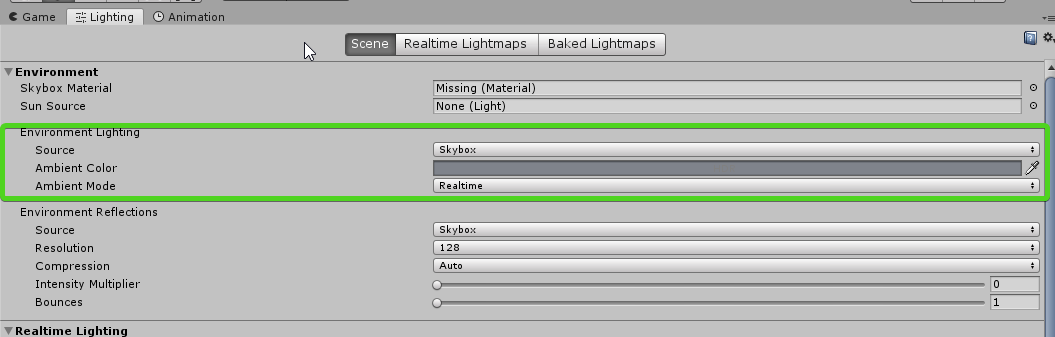
ambient settings are there
basically how dark you make the ambient color is how dark things will be without light
 slate fossil
right
so
I make maps for a game called Intruder, which runs on Unity 5
and I use a tool called SabreCSG, which usually works perfectly fine
but when I start lightmapping I end up with this monstrosity https://i.imgur.com/rl977O8.png https://i.imgur.com/DEjUokE.png
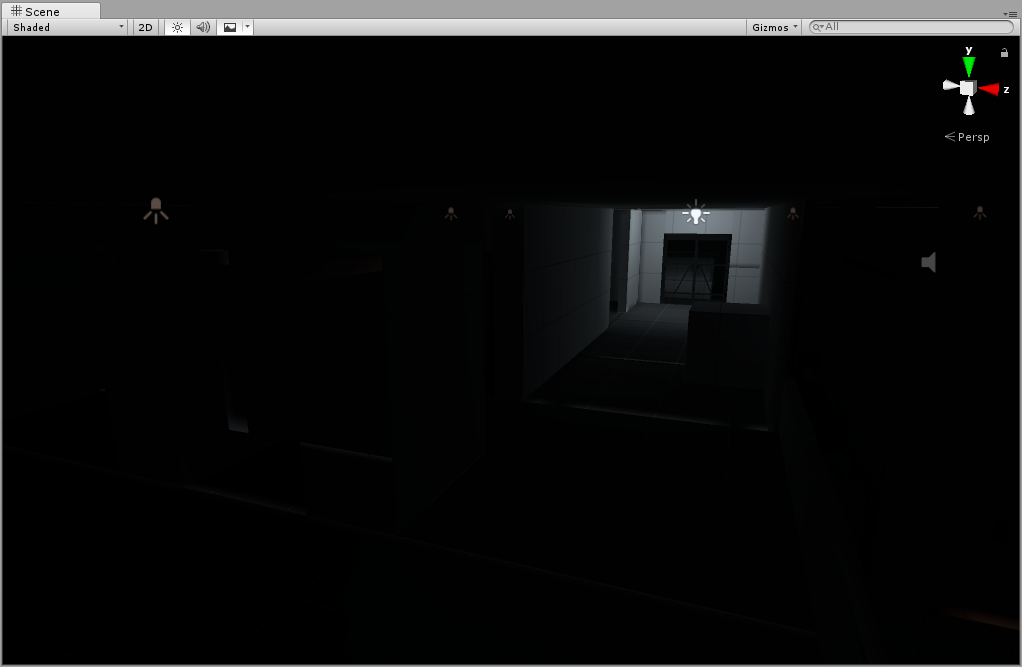
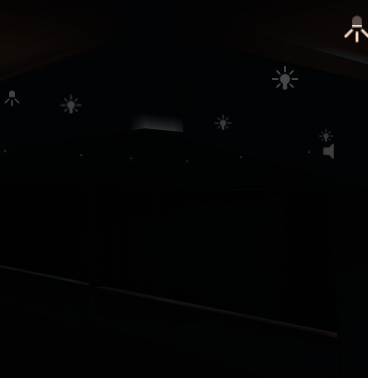
random bits of lighting along object seams coming from lights across the map
would anyone happen to know of a fix?
stark temple
Does your CSGModel have Generate Lightmap UVs ticked?
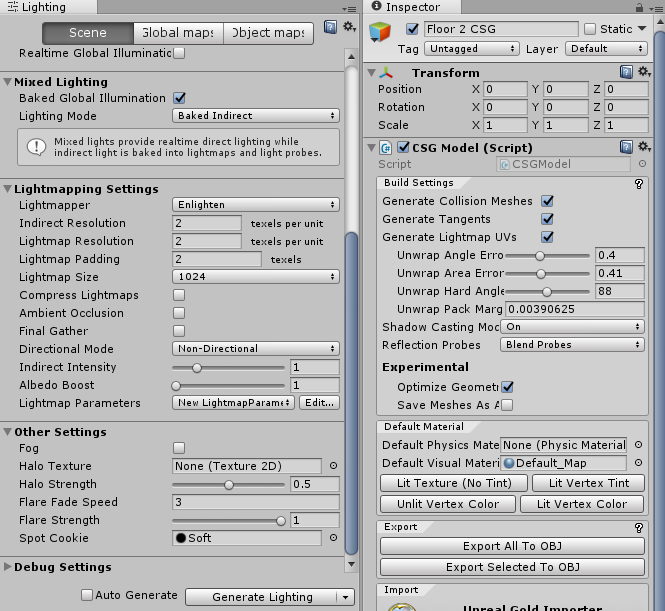
 hoary pasture
one on the right doesn't look static
slate fossil
the CSGModel isn't supposed to be static
hoary pasture
gotcha
slate fossil
SabreCSG basically uses that as the parent for everything, including the brushes
the meshes it generates from those brushes are the things that actually show up in game
here's one of the mesh renderers https://i.imgur.com/2VPuPqz.png

they're all the same
stark temple
well it seems like it is baking then, sorry - but you're just having issues with seams?
slate fossil
mostly
this junk has reappeared too for some reason https://i.imgur.com/2l4auem.png
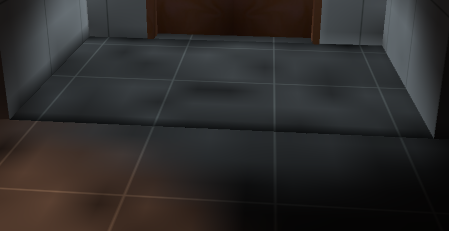
I fixed that earlier, don't know why it keeps showing up
oookay I baked again and that last bit is gone
cool
still have all this though https://i.imgur.com/lmhZaMh.png
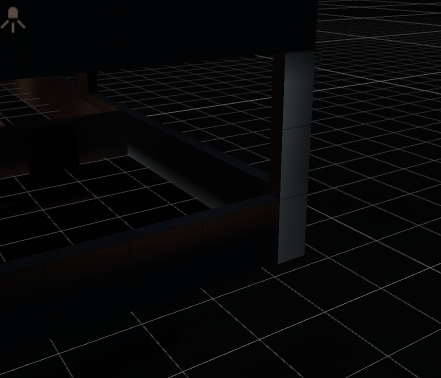
been trying to fix this since like Monday, it's getting quite old
happens with Enlighten and Progressive (Preview)
slate fossil
did it, no results
timber lichen
Rip okay
 teal stratus
@slate fossil Try using the stitch seams options,https://docs.unity3d.com/Manual/Lightmapping-SeamStitching.html. Otherwise that bleeding may be caused by low lightmap resolution. Try increasing it (It wil result in a longer bake time though) Here is a simple tut about lighting made by Brackeys that may help you a bit. https://www.youtube.com/watch?v=VnG2gOKV9dw
In this video we’ll learn a bunch about lighting and use it to light a simple scene using the Progressive Lightmapper. ● Get a discount on The Complete Unity...
slate fossil
already tried both, neither worked
teal stratus
also in the min 10:30 he talks about color bleeding
Well you will have to increase MORE the resolution.
i dont know how to fix it
teal stratus
do you have lights under the floor?
teal stratus
the resolution of the lightmap looks a little bit low
Do you have compress lightmaps disabled?
Scene parameters set to high/medium?
slate fossil
right so eventually I did get it working
now I just have the ol' random black spots everywhere to deal with
mortal oasis
Gpu lightmapper is great but i can't use optix denoising for some reason. Do i need to install it separately? https://i.imgur.com/Al1Wpi5.png

Btw i have 1080 and it says my hardware doesnt support denoising.
hidden mason
You can only use GPU lightmapper with Optix Denoise in 2019.2 forward
Also with driver 418.x up.
mortal oasis
thanks for clarification
 tight canopy
Hi all, my team is working on a new chapter of an existing game, which is not updated for more than a year - that means we have to upgrade from 5.4 to 5.6 as some plugins do not work properly anymore (we can't risk updating to newer versions for technical reasons). One of the problems we are having is that light baking process completely broken down.
We have this error everytime we try to bake. I searched on google but there is no firm answer about this and what cause the problem. Is there any lighting artists here have encountered this before?
teal stratus
Is Progressive Lightmapper available on 5.6? If it is,try using it. And if doesnt work try updating your GPU drivers,or update to the latest patch of Unity 5.6 because you may have downloaded a version with that error.
BTW,Is Baked Indirect lightmap mode similar to Realtime GI? in the sense that i can move the light and it will work just as Realtime GI. (I want to use Baked Indirect instead of Realtime GI because Progressive Lightmapper bakes the light faster than Enlighten on my Scene)
teal stratus
Hello. I am having this problem using projectors as lights in my scene. the light texture has no mipmaps so it shouldnt look like that.
Here is the light texture configuration
If im away it doesnt happen,but the camera may be close to it sometimes so i need to fix it
EDIT: Nothing to worry. I could achieve the same effect with normal lights. It may be a more expensive,but at least it works.
tired horizon
Hi guys, i ask question that i probably very simple aswered. I have no issues baking using enlighten. But i see some Light go trought other objects and i suspect it has a techniqual reason. something i don't realize.
In older unitys i did solve such thing in putting object on layers and then limit certain light to only render certain layers.
I use standart render setup no fancy LW or hdr piplines.
The thing is some point lights and the sun* aka directional light go trough some of my objects and make unwanted lights.
this light
is visible on the other side
v
any tips ? 😄
stark temple
Perhaps your normals are incorrect. Does the wall behave oddly if you move the light to the other side or other places?
tired horizon
all normals are corect, uvs are fine
but any object i put in front of this light it ignores it and goes trough it
i suspect it has something with the point light to do
the range does clip trough everything, no exceptions
it look like the baker does only see the wall and no the concrete part
and i ask myself how to solv this
is it even possible that way or do i need tomodell the wall integrated with the concrete part
the lightmap show weird contact light that come from the point light on the other side
it looks really wrong and make no sense while those modells are perfectly overlapping, no z fight nice uvs etc
you can here see to it goes trough the faces form the wall
any experience in solving such a problem?
happy for every tip or input
it even makes a shadowing it shoiuld not
steel verge
Have you enabled 2sided shadows on the object? If not, give it a try.
tired horizon
@steel verge thx for the tipp, i did place some black planes with doublesided shadows on.
and of coarse GI denoiser up
steel verge
I recreated a similar geometry layout in a scene and had no issues by enabling 2 sided shadows on the mesh renderer. all lights are baked. Sun is mixed but doesn't really do anything since it is mostly blocked by the walls.
steel verge
 glass notch
Hey guys, I have a question about positioning a light. Let's say I have a streetlight mesh and now I want to place a point light in the streetlight mesh, because I want to have is emitted in all directions. But when I bake the light it will be blocked by the streetlight mesh. Can I somehow tell the light to ignore its own mesh?
 graceful vale
@glass notch There is a Culling mask option in the Light component that controls which layers are affected by that light
glass notch
@graceful vale So I should put my light meshes on its own layer and then deactivate that layer in the lights?
graceful vale
@glass notch Exactly. I think that's the simpliest way to achieve what you were trying to do.
steel verge
One option is using the culling mask as Sergi suggested, another is to make the particular "lightbulb" mesh NOT to cast any shadows. (i.e. selecting the sub-mesh and switch off shadows)
glass notch
Thanks guys for the imput
tired horizon
@steel verge yea doublesided shadow work fine, its not only the outside light but mostly the point light inside that bleeded trough the modells.
i found also some guidancew from unity videos that showed that the further the baking goes, occlusion Final gathering and the denoiser its all gone
it's really a process
but blocking planes inside the objects helped me most
steel verge
It may be that you hit a snag somehow. I usually do not see it happen to that extent. And I never needed to add such planes. So maybe something else is the cause of it, and not default Unity behavior. (at least to my experience)
tired horizon
yea who knows waht's the cause
I found the case in many videos and post around the web. and it slowly disappeared while refining the render.
i wonder also what unity's opinion about this, maybe they know exactly what went wrong. I so far love the baker very much it's so fast and super quality, this small tweaks are no problem for me now that i know how to isolate them .
slate fossil
https://i.imgur.com/ZS0T6d2.png https://i.imgur.com/93Z4s1m.jpg early lighting on my map is finally working after like two weeks of fighting with it
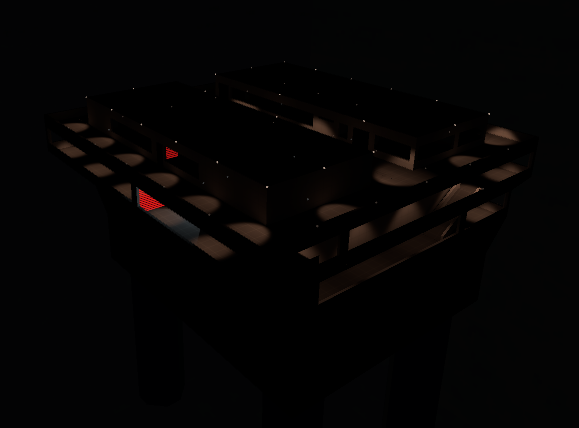
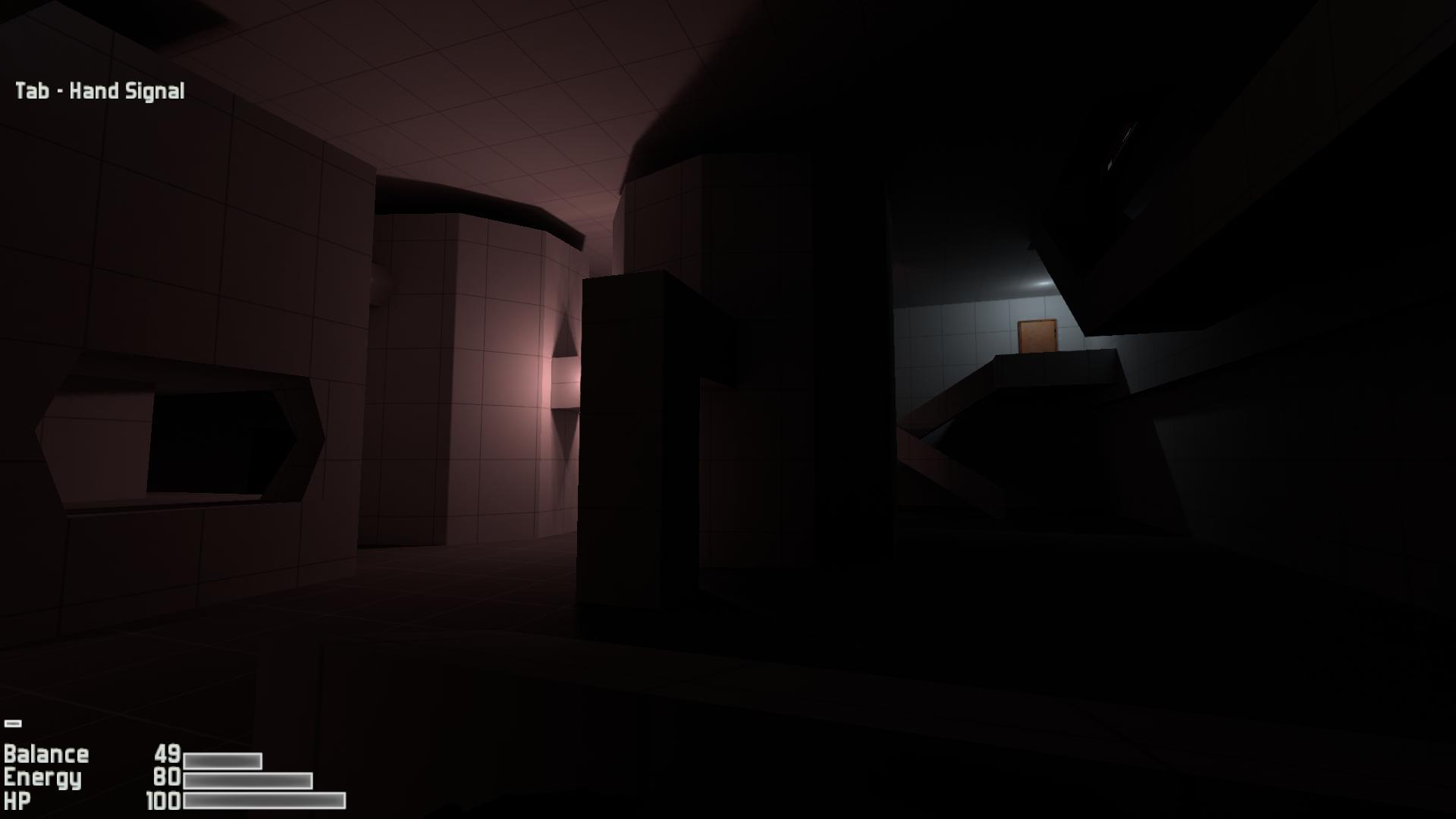
just went ahead and gave up on the normal U5 lightmappers and got Bakery
glass notch
Hey guys, do you have any rules when I should use a new light probe group and when not. I could just have one big group for the whole scene, can't I?
 zenith reef
Guys, I have a tiles wall and a point lamp (being rendered in realtime), and for some reason the light pixilates the tiles... Does anyone know why this happens and how to fix it?
Someone?
teal stratus
@zenith reef do the tiles have Normal maps?
zenith reef
yes
teal stratus
check the filtering options for it
go to the normal texture
click on the texture in the editor and something like this should appear
then check if filter mode is set to Bilinear or Trilinear
If its set to Point,it may pixelate the lighting.
zenith reef
still pixilated
zenith reef
ok
Wait, what does increasing the "Aniso level" do? Because whatever it does it solved the issue when I put the game into fullscreeen
(I increased it to 16)
teal stratus
it increases Anisotropic Filtering on Mipmaps (do you know what are mipmaps first?)
zenith reef
no xD
teal stratus
Mip maps are lower resolution versions of the texture,which are used when the texture is too far away from the camera
Let me show you an example
wait a sec
zenith reef
I think I get that
teal stratus
Left one is mip mapped. Right one has mips off. Notice how the right one is noisy.
its a "lower resolution and little bit blurred" version of the image
In the inspector,under the Texture options there is a preview of the image,and there is a slider. The slider shows the mipsmaps
zenith reef
ok
So increasing Aniso level to 16 will decrease performance?
Or increase?
Hello?
zenith reef
@teal stratus
 meager thistle
Any one here have experience with custom materials for Unity terrain + GI? I've tried my hand at using two terrain shader assets (CTS + MicroSplat) and both outputs seem to have the same problem which makes me wonder if it's the API that's the problem
The issue is that when the terrain starts to be chunked by Unity because of texel size and lightmap settings, each chunk has the same lit clusters
For example:
Test terrain (top) and 2 x 2 chunked lit clusters
second custom material results:
As a sanity check, I switched back to the Unity Standard terrain material:
^ 2 x 2 chunks but no tiling with Unity Standard terrain material
teal stratus
@zenith reef maybe,almost nothing.
slate fossil
any idea why this happens when I bake light probes in Bakery? https://i.imgur.com/O0Ofwa1.png
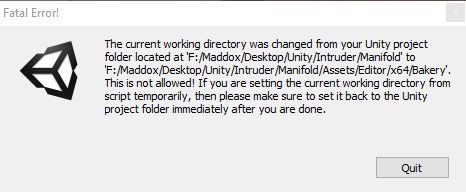





I didn't move anything in the files
slate fossil
I can tell that much, I'm just trying to work out why it's only happening when I try to bake light probes specifically
teal stratus
its like it moves assets
Light probes with bakery work the same as with Unity Lightmapping probes?
slate fossil
yeah, it's the same probes
echo cobalt
Hello
mystic dew
@echo cobalt what happened?
echo cobalt
Can I Dm you?
tired horizon
@teal stratus do you use dropbox or Gdrive sync while woring in the editor.
if yes don't do it
 formal flicker
@echo cobalt Try to keep discussion inside the server, more people can help that way! If you're still having issues you should post it here.
steel verge
I am upgrading a 2018.3 LWRP project to 2019.1
I am getting a lot of errors related to the Path tracer.
[PathTracer] Failed to add geometry; mesh is missing required attribute. Please make sure mesh contains positions, normals and texcoord0.
[PathTracer] AddGeometry job with hash: 9803f508f3791994bb12434bd0c75137 failed with exit code 1.
Any ideas how I can fix this? There is nothing wrong with the assets. I suppose this happenned when they were being re-imported.?
steel verge
"fixed in 2019.2"?? Shouldn't that be fixed in 2019.1?
It will be months before 19.2 comes out, that may be an entire development cycle for some people.
Steps to repro: 1. Open attached project and 'MaterialTypes' scene; 2. In the Lighting window press 'Generate Lighting' button. Expe...
glass notch
Hey guys,
I am using a build machine to build apk in batch mode. Now I have a problem that in the builds all baked lightmaps are not present. Is there a know issue about that?
If I open the project from another PC or even open the project on the build machine it show it correctly in editor.
Also if I make a local build on that machine within the editor it works.
Is there a problem with batch mode?
 golden remnant
I have a question concerning light probes. If I'm creating a scene with characters remaining static yet with animations in something like a point and click environment, would I still need to implement light probes, or canthey be omitted since nothing in the scene is inherently dynamic? This question relates to the Unity Learn overview on light probes in the documentation
glass notch
What do you mean with your character is static? It will not move over in the world at all? I mean if the character has an animation it is kind of moving but if you can live with a static light and shadow you can bake it and does not need light probes. Light probes are made to apply on non static objects light information from static baked lights.
echo cobalt
Anything that moves the slightest must be non-static,, I hope this helps.
With it comes to lighting just have Light Probes to the characters, it does make it lit after all!
steel verge
Well technically, he can, if these characters are just breathing in a static pose, and there is no reaction and the shadow area is smooth with no details on it (i.e. tree leaves, or a flag,) then he actually might get away with full static, but it is not worth it imo. There is no significant performance gain on a few characters in a scene being static. Why would you need to do that? If it is only a small area where your characters are, just put the probes only there. Do not make the characters static.
Is there a reason why you want to avoid probes?
timber plank
Hi all, is it possible, in HDRP, to avoid that the procedural sky influence interior like on my following capture ?
 meager crane
@timber plank Can't see a difference in your image. But, try adding a reflection probe that encapsulates the room to avoid default reflections from the sky.
timber lichen
A reflection probe should do it
timber plank
ok thx
meager crane
I'm using 2018.3.7f1 HDRP and I'm trying to change material emission values to affect the precompute GI at runtime. I can change emission values and have it update the GI in the editor when I'm not in play mode, but as soon as I'm in play mode, changing emission values doesn't update the GI.
I have the material emission set to realtime - is there a setting that I'm missing? Or does something in the GI need to be set in script?
meager crane
Responding to my own question: In order to update the emission contribution in the global illumination at run time, you need to update the renderer through script using DynamicGI.SetEmissive. That function will set the emission for all materials associated with at renderer at runtime and update their contribution to the GI. For our case we used RendererExtensions function instead.
steel verge
There is an obvious difference in that image comparison. Disabled Sky gives darker shadows resulting in higher contrast and slightly lower visibility. (probably from the automatic use for reflection)
 edgy sinew
Anyone who has run into this weird issue?
No light showing in game view, but shows fine in scene view
edgy sinew
Huh, so, apparently Spotlight doesn't work if "Suported Lit Shade" is set to "Forward Only"??
Deferred and Both makes it work
timber plank
@steel verge i could not solve my issue with reflection probe so I use a specific settings just for that inside zone that override the global scene settings
steel verge
@timber plank Just asking to make sure. Are you familiar with Unity and reflection probes or just got into it?
timber plank
With unity yes, not with reflection probes :)
I m a programmer and I learn lighting to help my artist team :)
steel verge
@edgy sinew You should try using baked lights with light probes more. Not all lights need to be real time. I usually have only one live shadow casting light in my scenes. (the sun when it's day, and perhaps the main source of lights in interior scenes or when it's night) but I think starting with all static lights as baked and using light probes is a good way to start.
steel verge
they don't you just need to bake the scene.
set your static objecs as static, (i.e. the street) lay a nice set of lightprobes over it, and then bake your lightmaps
the light probes will emit the now baked light and/or shadows to any moving objects in their proximity.
edgy sinew
So a light probe group?
steel verge
yeah
edgy sinew
Never used one of those before
steel verge
Understandable because in non real time rendering it is not necessary and most people are trained in traditional 3D before they get into engines.
Bu in real time Light and Reflection probes are a must.
steel verge
so you can create one light probe group, and then go into edit mode and you can duplicate them and create a dense network of probes all over the area where you will have moving objects.
edgy sinew
So is it like a navmesh for light or something?
steel verge
what probes do, is store light and shadow and project it on objects that pass from their proximity.
It behaves like real time shadows, but it is baked and of course, static.
steel verge
yeah like that but you can go even more dense
select the whole street model and enable the static mode on it.
stark temple
You also need lightmap uvs for this to work
which Unity can generate automatically if you tick the box in the importer
steel verge
no problem. selecct them all and then click on Static
edgy sinew
I did
steel verge
normally unless you have changed something the light will start baking automatically
edgy sinew
I've enabled HDR from the start but otherwise I don't think I changed anything
stark temple
So you also need to change your lights to be baked too
edgy sinew
stark temple
Go to Window/Rendering/Lighting Settings
that's the settings for baking and whatever else
steel verge
edgy sinew
stark temple
And you have on your models ticked the Generate Lightmap UVs button?
edgy sinew
I don't see the option
stark temple
It's at the bottom of the Model tab
edgy sinew
stark temple
Sorry, it's on the Importer for the Model - so the asset itself
edgy sinew
It's on now.
stark temple
still nothing O.o?
stark temple
it does look like the shader/material isn't working properly
edgy sinew
From the preview, yes, but it does work on the model it's applied to
stark temple
but it's purely black 😛
Oh, maybe it was just after the lighting was changed to non-realtime
edgy sinew
Nah, the model itself has material and such but the scene is supposed to be night, so it's not as pronounced as if you lit up the scene
I found a "generate light" button
waiting intensifies 👀
Nope
stark temple
Basically the end goal here is that non-realtime allows for nice bounce lighting and better lookin' lighting in general.
When you select your Mesh Renderer GameObject the tabs in the lighting settings window show nothing?
edgy sinew
When I click one of the parking lot spots (which is a Unity Quad with a material on), I see a baked lightmap in my inspector
stark temple
what's the difference between the surface that has light on it and the one that doesn't? Does that mean the lit surface is actually baking?
Hrm, I don't think a Unity Quad will work
stark temple
Hrm well then what's the difference? Is one just not marked as static properly?
stark temple
Well I'm sorta out of ideas 😛 If one thing works and another doesn't there must be a difference 😛
edgy sinew
Apparently when Metallic is 1 it doesn't light up
stark temple
hah, that's a very metallic street!
metallic 1 will be entirely reflective so that's why that's the case
edgy sinew
Well this wasn't an issue during Real-Time lighting
I just used Metallic 1 for darkness
stark temple
Just multiply a colour over the top if you want to make something darker
edgy sinew
So
If a light is Baked
It cannot be changed during runtime, right?
So, say, changing intensity?
stark temple
Yeah all the values are fixed and baked into the lightmap
edgy sinew
Hm.
I need the lightpost in the middle to flicker
I have a script for this, but won't work on a static light
steel verge
you can only have this one light do that.
but there are also ways to fake it.
a street is not metalic btw. If at all, some stones may have some metalic flecks on them but that is minimally metalic.
edgy sinew
I refer to my previous comment on that
I'm, ironically, shooting in the dark here
xD
steel verge
Using metallic for darkness is the wrong approach. It may seem to give you the result you need, but it is the wrong way to do it. It's a hack that depending on the complexity of what you do may come to bite you in the behind later on.
steel verge
there are some nice free asphalt textures at textures.com
edgy sinew
Cool
I went to the Unity store to grab something real quick. But I'd likely need to change them in the future.
steel verge
this is a basic setup of a sreet with spot lights.
edgy sinew
I see.
steel verge
says point light but i switched the type.
stark temple
You probably want a light probe section in the light, in the dark, in the light, in the dark - that way the non-static objects blend between light and dark when going down the street
steel verge
yeah you should have it as dense as you need it, to cover the changes in lighting
edgy sinew
mkay
TIL
I'm trying to be as generalist as I can with anything but programming, so I can talk with those who will do this one day for me.
Programming is my trade
stark temple
https://docs.unity3d.com/Manual/LightProbes-MovingObjects.html is a pretty good resource on this subject
edgy sinew
mkay
timber plank
thx 😃
jade marten
is there any way to copy/save lightmapping settings?
so i can use the same parameters for a few scenes.
zenith reef
If there are two mirrors in a scene, I use two separate reflection probes, right?
meager thistle
Anyone here have it such that realtime GI baking keeps failing with Failed Creating System: ..., even after clearing GI cache?
Not a whole lot going on in my scene at the moment. Just a single 1024 x 1024 terrain with a 4K height map
And some textures
pale pawn
Reduce Indirect Resolution to 0.5 Texel per Unit in Lighting tab and see if it worked. What possibly happened is that the Terrain won't fit on a single chart. IF that works, create a Lightmap Parameters unique for the terrain and just assigned it to the terrain to reduce it resolution. So Other meshes in your scene won't have to suffer the resolution reduction (then you can set back the Indirect Resolution in Lighting tab back to 1 or 2).
meager thistle
@pale pawn Hmm, interesting. I'll give this a go.
Just on the side: Even when Unity automatically chunks the terrain, could said chunks still be too large for the charts?
meager thistle
Thanks for the advice @pale pawn, it totally worked and allowed me to bake!
steel verge
Why is the Lightmapper (Progressive CPU, any Unity version) performance affected when the scene and settings are identical?
It's not something that I see for the first time. Happens in all versions that use that method. What could be the reason of such huge performance drop?
i.e. was 4.xx mrays/sec and on the second bake it is 1.xx mrays/sec.
 trail agate
Hey folks, hope all is well.
Long story short, we have a game with a few possible Reflection Probe performance related issues and I was wandering what exactly could be causing the problem.
They are all baked, we do have quite a few, and all set to 64x64.
One thing that caught my attention is the mention of Culling Masks here https://docs.unity3d.com/Manual/RefProbePerformance.html
Seems odd but would this have an effect during runtime?
"General tips
The following issues affect both offline baking and runtime performance."
is this accurate?
trail agate
Or any idea of what exactly causes ReflectionProbeAnchorManagerUpdate to be so high...
 unreal saffron
Hey all - does anyone know if it's possible to load a scene with baked lighting without the baked lighting effecting other loaded scenes? Using 2018.3.12f1 and can't seem to avoid it at the moment
trail agate
Hey Stefan, really depends on your lighting setup. Shadowmask?
unreal saffron
Hi Ricardo - the one baked scene in the game is Shadowmask - the others have not been setup to use baked lighting. As soon as the baked scene is loaded, the others seem to use those lightmaps as well even when the baked scene is not the 'active' one. It's a bit of an unconventional setup which is a bit of an issue
trail agate
Ideally, you would maintain the same setup across different scenes. It's a tricky subject, probably best for a forum post with a couple of examples.
On our game, the worst was actually handling light probes baked in different scenes with different lighting conditions; we ended up baking active scenes with adjacent transitional scenes....this process had to be repeated on all main scenes.(semi-open world game)
unreal saffron
Yeah it's not easy to try and deal with, particularly as our scenes can vary so drastically in terms of environment and lighting. I'm thinking we may just need to go through the process of baking for every scene and setting up light probes for any dynamic objects to use and that may deal with it. Outside of that I may need to load and unload the lightmapping data at runtime if possible
timber lichen
whats the best volumetric light asset?
Also, is the PPv2 the superior one or are there better 3rd party/asset store alternatives?
unreal saffron
are you using HDRP or SRP?
unreal saffron
are you looking for free or paid?
timber lichen
Paid is ok too
I'm interested in Volumetric Light (probably Aura2), volumetric fog, the best ambient occlusion asset (if it is better than unity's) and an anti aliasing option that works with deferred (SMAA doesnt work with deferred) and a height fog asset maybe.
unreal saffron
so Aura is a really good volumetric lighting asset
there's Aura 1 which is free and open source, or Aura 2 which is paid
timber lichen
My insta buy is going to be amplify color too
unreal saffron
Amplify AO is very good
I think Aura 2 will do most of what you're after there
AO i'd recommend amplify
timber lichen
How about anti aliasing?
unreal saffron
you need to apply it on the camera with the post process layer
it's a setting on there
though if you're in 2019 it may be ont he camera now.. not sure
timber lichen
This?
Ah I see TAA is pretty good, don't see any CTAA though
Wow nevermind, I move my camera and all of a sudden the entire image is messed up
Also, is Amplify Bloom better than PPV2?
unreal saffron
CTAA is an asset store
Most amplify effects are better than the PPV2 alternatives i'd say
timber lichen
Im gonna pm you some more links\
 gaunt river
Does anyone know how to get light bounces ? I mean - what if I want this spot light to cast light beams onto the wall on the right after bouncing off the mirror ball?
stark temple
Fake it with another light 🤷
 lusty sparrow
Is there a way to toggle deferred reflection at runtime?
I would like to turn it off to save some GPU time in scenes where the effect is not obvious.
mystic dew
Someone know better setting for bake light for that scene?
Big interior factory scene
 iron coyote
Hey! 😃
Started to get these errors whenever i try to bake, using the Progressive CPU:
[PathTracer] Failed to add geometry; mesh is missing required attribute. Please make sure mesh contains positions, normals and texcoord0.
[PathTracer] AddGeometry job with hash: c5cf7f46b6d406d0067cdf15314ec5a8 failed with exit code 1.
It stalls the bake, and looks like it never gets started.
Progressive GPU can bake the scene, but i have massive issues with the baked light not loading in the builded version of the game, as well as in the editor in play mode when changing scenes :/
Anyone experienced this or have heard of a fix? 😦
We are basically closing in on our release, and the only thing is the lighting messing up all of a sudden :/
 river swallow
Does anyone here know GI? I wanna try get the GI system to recompile it's precomputed data when I call it, I have a game that changes the look of the environment on the fly, and I wanna be able to update the GI quickly to adapt to that
jaunty turtle
anybody know why instantiated object from asset bundle not receiving lightprobe?
scene are baked and contain lightprobe data already
jaunty turtle
oh nvm i found the problem
 jovial drift
Hey guys, I would like to know if there is any way how to animate sky [HDRI] in Volume HDRP component. I am able to animate main settings of this component [weight...], but the other overrides do not animate. Do you think there is any way how to do it? I am mainly interested in animating the HDRI sky Multiplier.
jade marten
is it possible to have lens flares be blocked by (skinned) Meshes only and not require mesh colliders?
river swallow
maybe look up third party solutions, i use sc post effects pack, works real nice with v2 postprocessing, and has a nice screen space lens flare
 tropic aurora
I read that "HDRP uses a new set of Shaders and new lighting units" and that the new lighting units are supposed to produce more realistic lighting. Does this mean that the HDRP cannot be used for stylized/very custom looks that require strange light setups?
timber lichen
I have a question about the GPU lightmapper. In my project (2019.3) as i try to bake using the GPU lightmapper it jumps back to the CPU bake, it was working before this. not sure what the issue is . anyone had experience with this ? HDRP scene
 velvet panther
if I want to bake lightmap info for an object whose texture set is not square, how do you indicate that to the lightmapper? like I have a mesh that uses distorted UVs (2x scale on X axis so they still cover 0..1) and a 512x1024 texture set
how do you avoid it creating a 1024x1024 lightmap and then getting double texel resolution on the X axis?
actually for my case it looks like automatic lightmap UV unwrapping by unity will work, nvm!
 slim wind
does anyone bake AO to vertex colors? from within unity or in something like blender
 elfin cypress
I would like to bake lighting, but then also be able to turn the lights off later. As if i had some way to raise or lower the influence of the lightmap on the scene objects' color. I know this sounds like the exact opposite of baking, but i also know that Lucas Pope did something like this in Unity for Obra Dinn. I think he made his own lightmapper for that and i'd like to avoid it. Any ideas?
I think i'm gonna have to implement this with a global float representing the light intensity, but then i have a great many shaders to modify. 😢
 median adder
Any idea why my shadows are so dark, like I have a mesh behind a tree that is blocking direct light but the mesh is basically black
should still have some illumination from indirect light bounces or something
here's an example
 supple fable
Hmm! I think we'd have to see your general lighting settings + how the lights directly influencing that horse are set up.
stark temple
@median adder you've set up your light probes?
steel crescent
Hi, I have a little problem ... If I added into scene object (.fbx) size about 1.3mb than every times make baking but baking is too slow (about 15minutes) how I can fix it?
Edit: After disable AutoGenerate in light settings is ok
timber lichen
Hello, I hope it is the right place to ask about Reflection Probe issues.
I'm on Unity 2018.3.12f1, my project uses HDRP, and so far the Reflection Probes worked fine but, all of suddent they don't work anymore.
The "ball" stays grey and no baking happens (my reflection probe are set to "baked"). I haven't added any shaders or anything since.
I tried to delete the reflection probe and create a new one but it still doens't work.
Planar reflection probe works just fine, for information.
EDIT : issue fixed! For some reason, the probes used to bake automatically but, now I have click on the "bake" button in the Custom Settings of the probe.
Any idea why it is not automatic anymore?
 spiral wyvern
hi ! does anyone knows how to use light probe with shifting origin script ?
because I can't figure out how to move light probe position at run time :/
 willow matrix
how might I modify the shadows of my project in unity?
they are really overly dark atm. ideally I would like to be able to see more of the character in shade
pale pawn
you're missing ambient light, depending on the pipeline. You can try to just hit generate lighting even with realtime GI/baked unchecked. Just to kick off the ambient rebuilt.
jaunty turtle
anyone know what causing this?
OpenRL reported error code 501: OpenRL error occured in function rlViewport: RL_INVALID_VALUE: Argument "width" or "height" is negative
using progressive lightmapper
 quick tree
Question: Is there a way, in normal Unity, to cast shadows given a predefined shadow map? Use case: A 2D game in which sprites have emissive components. Thus, using the shadow map as a translucent sprite between the camera and the map background won't work.
meager thistle
Is it me, or does the lighting in a build look different than what is viewed from the editor? I've made sure to clear my GI cache + rebake lighting, and my builds are brighter than my editor.
Currently using Unity 2019.1.0f2 on Windows 10
 manic pawn
Hello, what's the difference between emmisve GI and Bloom(post processing)?
 rich pagoda
@spiral wyvern lightprobes are meant to be static, picking light from their position and applying to non-static objects
spiral wyvern
thanks
I've tried to make them move by C# reflection, but they are "static forced"
So I can't use them in my game :/
spiral wyvern
I would like to use light probe in a huge world
the new Render Pipeline "kind of solve" this issue by making camera coords always to zero
but the built in needs Origin shift to avoid floating point issue
rich pagoda
Look up level streaming. Games with huge worlds break up into smaller levels.
It is not wise to have one map for the whole world, break it into smaller, easier to control scenes. New unity versions allow multi-level editing sorta
spiral wyvern
I've already got 25 terrains splits
the thing is that I need to be able to see all terrains at any time
I can't load and unload (stream)
but thanks for the answer
 molten bloom
Hi friends, i've started a little project using the HDRP but for some reason the only lights that work are Directional lights, anyone know why and more importantly how to fix it? thanks
 fallow sail
So here's a basic question.
In Unity's manual page about lightmapping, it says that I need to check the Generate Lightmap UVs on all models that I want lightmaps to apply to.
Is there any reason not to just check this box for all models I import by default? Since lightmaps won't be generated for objects not set as lightmap static anyway, right?
Is there a performance impact on enabling this for all models despite not ending up lightmapping them?
fallow sail
So after the build that usually takes 5 minutes took me over 2 hours, I think I now know the answer.
steel crescent
Where is the problem? https://ctrlv.tv/EyM2

Fastest screen record online
Fastest screen record online in browser only without addons.