modern spade
Hello everyone,
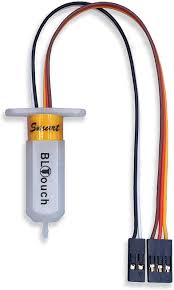
I’m using ABL on my Ender 3 Max. Suddenly, I’m getting an M112 error when starting a print.
I’ve already checked the following:
BLTouch pin is fine
No filament stuck on the nozzle, BLTouch, or bed
No major bed-level difference
BLTouch itself is relatively new (only about 2 months old)
So far, the only thing that helps is restarting the printer and trying again — often 2–3 times. Then, suddenly, it works without any issues...
I saw the same problem with my brother’s printer. He ended up buying a new BLTouch, even though his old one was nearly new.
My questions:
Could this be related to a Marlin bug (and maybe there is already a fix)?
Under what exact conditions does M112 get triggered in Marlin?
There must be a proper solution to this instead of just replacing the probe again, right?
Thanks in advance!
 olive vortex