#h1-tech-support
1 messages · Page 24 of 1
 past pendant
 stray elm
o7
stray elm
what's the issue?
 stoic geyser
If it's an issue while playing the technical beta, best to submit it in #beta-technical-issues-june20
 lavish sorrel
oh, ok
 fiery eagle
I have a Ryzen 3600 and an RX5700 but I get severe lag when lots is going on screen (non beta) is that normal?
I've tried a fair few things (overlay, resolution, drivers etc)
 rain cradle
Non-beta runs at openGL you will see much better performance on next patch
as nest version have brand new renderer which run nice on AMD
 remote mirage
does anyone out there have issues with a PDP wired xbox controller not giving rumble?
to clarify: it rumbles once after an attack and then doesn't rumble ever again in game no matter the button press. Rumble works in other games, and my SOs wired xbox controller (a different brand: Easy SMX) works just fine
 fading gull
What else do we know about the technical update, besides it switching from OpenGL to DirectX
rain cradle
It support multi-threading
That's mean it no longer use 1-2 cores, but can utilize almost all threads.
fading gull
Thanks @rain cradle .
 torn yew
So I had copied my Hades save files in C:...\Document\Saved Game\Hades to the clipboard, but in a fit of stupid, didn't actually paste them someplace different until I fired up the technical beta... Which opended with my saves just fine.
The only glitch being that my Weapon & Companion were zeroed out... Well, I finished my run, did some stuff at the house, and closed the Beta & fired up regular Hades... And my saves were gone.
Closed Hades, and opened up the Beta, and the saves were gone there too.
So cue profound sadness.
And a reboot and it's back.
 wispy orbit
Hey, im not sure if this is an intended patch for the update, but one of the aspects for spear ||(guan yu), the charged attack no longer deflects/blocks ranged attacks. Was this intended?||
 sharp narwhal
If you think you've encountered a bug in the game, please report it with F10!
sharp narwhal
In-game!
 neon pebble
i forgot to f10 this, but i noticed a difference in the snap targeting on controller with the bow when upgraded to the double shot. almost as if each draw was competing for lock
like whoever coded just copy pasted their shoot code for the upgrade instead of making a new one and averaging the the center target 😛
could be my imagination as well
the game is awesome
 heavy arrow
Hmm so I'm like after helping Orpheus to meet again euridicie
Like rly many attempts after
And now I had talk with Hades about
Is there anything to help them
That's a small thing but I think that's kinda a small mistake
 deep elbow
Please put that in #beta-technical-issues-june20 @delicate swan
wispy orbit
Hey, just an update from earlier. So i realized all spear charge attacks can't deflect/block ranged attacks with recent beta update. I reported my original findings via bug reporter... but I really hope this isn't intentional. Specifically because for one of the aspect: ||I personally find guan yu aspect much weaker than rest of its counterpart aspects at its current state. You become extremely squishy, and even with the life-steal this one feels more like a downgrade, compared to other unlockable aspects. If i could add something to the suggestion, it's this: Please let guan yu's aspect Frost Fair Blade block/deflect range attacks. It would make sense to let that one stand out from other aspect, given that it's a uniquely acquired aspect. Thank you! ||
actually, is there any way for me to add this to the suggestion thread? Sorry I'm pretty new here
stoic geyser
@wispy orbit If you want to make a suggestion while you are playing the technical beta, you can do so in #hades-feedback . Read the pins there for rules & instructions. This channel is for technical support outside the technical beta.
wispy orbit
@stoic geyser Hello! I can't send my message on that channel;;
it says i need a permission
stoic geyser
Yes. Read the pins for rules & instructions on how to be permitted to post there.
Also, hi!
wispy orbit
am I allowed to post this on feedback without spoilers?
nvm, I figured it out. Thanks!
 fallen horizon
Game crashed.
So, my Profle1.sav and Profile1.sav.bak are both date stamped last night.
My Profile1_Temp.sav and Profile1_Temp.sav.bak are both date stamped a few minutes ago.
Thoughts?
sharp narwhal
The temp profiles update while you're in the middle of a run, the regular profiles update while you're at the house
fallen horizon
Good to know. Thank you. I made a copy and just assumed (the pinned message in #h1-tech-fixes makes no mention of Temps.) Much appreciated.
 cedar plume
Hey, just tested the beta and switched back to the non-beta, and had to realize that my progress is lost. Is there an way to restore it?
sharp narwhal
@cedar plume Your progress isn't lost - saves that have been modified by the beta version won't work on the current non-beta version of Hades.
If you don't want to play the beta, you can wait until the next major update rolls out and your saves should work again.
cedar plume
@sharp narwhal Thanks a lot. I might as well switch to the beta now. Had minor performance issues with it.
fading gull
Guide to making the most of windowed mode (may grant better performance with Intel HD Graphics 500 and 600 series)
- Change desktop resolution to 1280x720
- Set Windows taskbar to auto-hide
- Change in-game display settings to windowed, borderless, and 1280x720 resolution.
This results in a game that looks fullscreen, but may give better performance on some systems.
^ Took me a while to figure out, but helped a lot. Posting in case it helps someone
 obtuse blaze
Can i transfer save from epic to steam?
fading gull
I think you can, yeah. In fact I think they save to the same folder
*use the same save folder
 clever trellis
Having issues with saving, specifically that the autosave seemingly isn't autosaving. Completed a couple of runs and on the next time relogging it seems to have rolled them back. God mode not active or anything like that
 west dragon
Hey so i'm in the browse local game files for Hades right now cause for some reason my save isn't there for the regular game but i made a backup, how would i go to finding my save again through Browse Local Files?
ah wait i checked the above reply so are we using the beta as the main game now?
 uneven topaz
guys something weird happened to my save and idk how
it split into 2 saves and the new save has all the darkness but its a fresh start
uneven topaz
and my total darkness is bugged on my save
fading gull
@west dragon what are you trying to do?
west dragon
I was trying to opt out of beta to play, but when I tried to click my save, the game showed Charon gold at the top of the save but there was no save and when I clicked it, it sent me back to when you first start the game, so I didn't have anything
I switched back to beta and my save was there, so when beta goes live will that progress be saved over?
fading gull
In general, you can't use a beta save in nighty night
But you can wait for the full update later in June, and then your (beta) save will work in the main release again
What does the Charon gold above the save mean? I have that too
Did you find where the saves are?
 flint compass
the obol indicates which profile youre using
fading gull
Check the pin in #test-branch-readme , it is difficult to copy the file path on mobile
 cinder ingot
I raised this as a bug in-game but the cursor stays locked to the window even in menus. During gameplay I appreciate it but when I press escape or tab out you should release the mouse
sharp narwhal
@cinder ingot That's a bug unique to the beta version. We're aware of it and it should have been possibly addressed in the latest beta update. If you're still having this issue, report it in-game with F10.
 spiral dew
Hey I've played at least 20 runs with the shield and i've never come across the charged throw to complete the prophecy, its the last one i've got and i've had it for ages. Im starting to think its a glitch im on heat 17 now surely it would have showed up
 velvet fog
Have you used the Zag aspect?
Charged Throw doesn't work on either of the two named aspects.
@spiral dew
clever trellis
Hey everyone, I've been having issues with the game screen freezing recently (although it clearly is still running as I get hit/move around until the game unfreezes) as well as some pretty nasty lag. Tried verifying files but hasn't made any sort of difference. Anyone encountered something similar/have any suggestions?
sharp narwhal
There are some recommendations here: https://supergiantgames-kb.groovehq.com/help/hades-graphical-issues
and here: https://supergiantgames-kb.groovehq.com/help/hades-performance-issues
Check here for solutions for black screen, invisible screen, or frozen screen issues.
Check here for suggestions to improve lag and stuttering.
clever trellis
Thanks @sharp narwhal , ill give them a shot.
 warped obsidian
does anyone else get stuttering when they switch to m+kb?
clever trellis
ive had freezing/stuttering the last couple of days but nothing regarding mouse and keyboard
 smoky summit
Can any one help me in replacing my old save file
I backed up the entire hades folder before getting on the beta and I’ve have a save breaking bug
spiral dew
@velvet fog I did not know that. I havent played as many with that aspect. Thank you kindly
 vast comet
hi guys my runs aren't saving - something to do with one drive as files are pending sync everytime i quit? i love the game and would love to play more . is there anything i can do?
sharp narwhal
You can disable onedrive sync for your documents folder - there should be instructions under step 5 of this page, "Use Command Prompt to reset permissions"
https://windowsreport.com/access-is-denied-windows-10/
 wind pelican
has anyone had this bug?
 slender moth
I'm having sound effect problems guys
On both the Epic version and the Steam version
Traps don't sound when triggered, when going into a new room and click on whatever boon/coin/darkness you want and the glass breaks, that sound gets cut off too soon and when launching up the game the sound effect in the main menu gets abruptly ended too
I tried to verify game files and that didn't work either.
I did try to search for "sound" in here but its such a common phrase that I get too many results
slender moth
it does not no
thanks though
I think I had this issue very early on too, and I stopped playing for a while and it just fixed itself
stoic geyser
Aw, DEATH, hope Ven can help you out soon 
slender moth
@stoic geyser @deep elbow I think I fixed it. If you want to pin it or something for future people that may need help. I had to change resolution to native and fullscreen to fix the bug
deep elbow

slender moth
strange how a sound effect bug was tied to resolution but I'm no game coder
stoic geyser
Aw, way to go 😍
remote mirage
does anyone out there have issues with a PDP wired xbox controller not giving rumble?
to clarify: it rumbles once after an attack and then doesn't rumble ever again in game no matter the button press. Rumble works in other games, and my SOs wired xbox controller (a different brand: Easy SMX) works just fine
slender moth
I don't have an exact fix but I'm going to list out some options. If you have tried these then I don't know.
- Reinstall the driver
- Turn rumble off and on for the game
- change res to full screen native
I know it isn't much in terms of help but that's all I can think off
 vagrant parcel
heya, i've switched to a new PC but my save data didn't transfer. Cloud saves are enabled and I can't seem to find the option to transfer it manually
Own it on the EGS
flint compass
saves are located in Documents>Saved Games>Hades, just transfer that folder over to the new pc @vagrant parcel
vagrant parcel
Much appreciated
remote mirage
I'll try those after work today @slender moth thanks
 chrome sail
Hi there ! First, I really love this game, but I have a really annoying issue with controller recognition. I have 2 PS4 controllers I plug and unplug according to my needs. I use DS4 sometimes for games, so I know how it works, but sometimes when I plug my controller (1 or 2 of them) the game don't recognize it and I can't play 😦
 frosty tiger
how do i update my game? for whatever reason its still in the march version
 elfin plinth
June update isn't out yet @frosty tiger
frosty tiger
ahh ok
 fringe tree
I downloaded the tech beta and played it. When I went to switch my version back to the live version, my save file was deleted. Is there a way to restore it?
rain cradle
The save created in beta is not backward compatible
it is there but the old version doesnt read it.
do you still see the save in beta?
fringe tree
Yes, I was able to play my save in the beta.
Actually, I haven't checked the beta since switching back, just a sec.
My old save file isn't in the beta either.
 fringe void
did you save it before? like somewhere else
fringe tree
I didn't do a back up, if that's what you're asking 😦
remote mirage
does anyone out there have issues with a PDP wired xbox controller not giving rumble?
to clarify: it rumbles once after an attack and then doesn't rumble ever again in game no matter the button press. Rumble works in other games, and my SOs wired xbox controller (a different brand: Easy SMX) works just fine.
I tried Deaths suggestions but still no dice
fading gull
In one of the tech fixes / pins places, I saw mention of a known problem with vibration not working, or turning off vibration. Did any of that help?
 arctic wind
I don't get any dialog before the hydra fight, been that way for a few months now... Any fixes?
Like no voice interactions that is hah
remote mirage
@fading gull looks like that fir wireless/blutooth controllers, of which mine is not. BUT I've also tinkered with teh vibration settings but it doesnt seem to make a difference
fading gull
If you've already reported it with F10, keep hanging out in here in case someone knows, and keep trying the new patches in case they fix it silently. Did it work in NIghty Night?
arctic wind
Is that to me or to Michi?
fading gull
It was to Michi, sorry
arctic wind
No worries 
fading gull
yours is pretty strange too
arctic wind
been that way since around/before demeter's release
it was a known issue IIRC around then
fading gull
I wonder if it has to do with your saves; like maybe if you started a new file, it would work?
arctic wind
Zag and Lernie just stare at each other awkwardly for a bit then fight begins
Entirely possible
but I would like to not lose all of my unlocks
and I never finished the save file editor I was working on haha
fading gull
But I don't know anything actually; better wait for the experts
remote mirage
I havent done an f10 but i will. Im gonna hold out for the june update and hope something may make it work. I only started playing during the nighy night update and had no idea the game used/had rumble until my SO mentioned that it rumbles for fishing ^^;
sharp narwhal
@arctic wind Yeah that's a known issue, should be fixed in the coming update
remote mirage
omg i dont know what i did as i thre a bunch of things at it but rumble works now
huzzah
should have documented it better. As an IT person i really should have
but im off the clock so
¯_(ツ)_/¯
arctic wind
@sharp narwhal Thanks for that confirmation.
at one point I had been working on digging into the save data and Lua scripts but I lost interest. such is life
 still swallow
is it me or i cannot hear anything everybody says except for zag?
 lilac carbon
So I tried the beta version and switched back later. Now it seems like my save file is gone :/. (And hell mode is on? Which I can't even turn off)
 sharp narwhal
@lilac carbon Saves that have been modified by the tech beta aren't compatible with the current live version of the game. Once the next major update rolls out, you'll be able to use your saves with the "regular" version of the game again.
lilac carbon
Ight :(
 sharp pond
hello
 gusty vale
The cursor has starting flickering randomly in and out of existence while i'm playing and it's very distracting
after updating drivers and shutting down and waiting to restart it appears to have partially fixed itself?
 limpid mist
Gz, that flicker considering how big the Hades cursor is had to be distracting
 pine tartan
hello a few days ago I had a problem that was that trying to return my beta game to the normal vercion lost part of my progress this I think is due to some reason after downloading the data from the steam cloud (later change pc) copy the data from the folder points out that those are the old data of a game with 25% of the progress of my lost game this is because steam created 2 folder in different places and therefore lost about 40 hours of play my question is this can be fixed can be restored all that time played
frosty tiger
Hey does the x64 version launch as default or do I need to set a separate parameter in Steam?
pine tartan
I think that doesn't have much to do with my problem. My problem is that steam created an attached folder and that's why I lost 40 hours of progress (the game and everything on the pc works x64).
frosty tiger
I wasnt asking about your problem I only needed to know what version runs as default and if I need to set a parameter to launch x64 or not.
pine tartan
I do not understand what to start with x64 could you explain it to me, sorry my language is not English I am from Argentina I speak Spanish norinally
 foggy burrow
If I have a save with ||Guan Yu|| unlocked and one without it, is it possible to copy the specific unlock from one save to the other?
 hexed dew
I doubt it
foggy burrow
it would be in the file Profile1.sav, correct?
clever trellis
super frustrating when the autosaves don't work and you lose completed runs seemingly at random. Does anyone have any experience with this issue?
 hollow moss
Only once and because I accidentally caused the game to crash
clever trellis
mine isn't crashing, it just feels like even if I see the autosave symbol when I load in the following time its clear that it didn't save
pine tartan
hello a few days ago I had a problem that was that trying to return my beta game to the normal vercion lost part of my progress this I think is due to some reason after downloading the data from the steam cloud (later change pc) copy the data from the folder points out that those are the old data of a game with 25% of the progress of my lost game this is because steam created 2 folder in different places and therefore lost about 40 hours of play my question is this can be fixed can be restored all that time played
I have this problem since the early beta of the new patch came out but nobody does anything, why is this discord if nobody helps lost 40 hours of progress but apparently the creators do not care about the customers of their product
rain cradle
From what you say its looks like its not game issue but somehow steam probably reverted your game progress (cloud saves) . What can you do is to check cloud saves to see if there is an newer one.
It happen as steam saves sometimes doesnt sync, and in another moment download old save , and sync it again. Making your progress to lost.
Also remember that Beta always was like this. Thats why its never recommended to these who dont aware some things which can happen during playing it. Like bluescreens, and freezes (in worst scenarios,-- happen once for me), losing progress (your case) and more.
pine tartan
they are justified in that way, of course it is understandable since I already paid the product and I see the type of people who are grateful for the "help"
 toxic trout
that trying to return my beta game to the normal vercion lost part of my progress
this is your issue right here, you can't do that
 mystic jewel
@pine tartan Bruh I still remember its clearly stated that beta save file will not be carried over to the original save file, how about trying to read before saying anything that blames the developer and making yourself looks stupid
flint compass
hey, please keep it civil. @mystic jewel
 lyric kernel
hey, for the past two hours i've had issues launching the game, everything was fine for the last three days and now suddenly it won't launch properly
i tried all the things in the #h1-tech-fixes channel
and the only thing that lets me play the game at all is launching the exe outside of steam
but one problem persists either way, launching the game now takes about a minute and a half when before it was almost instant
when i launch it through steam it takes the same amount of time to launch but as soon as i click anything the game freezes and i have to force quit
yeah that's about it
lyric kernel
UPDATE: i managed to fix the issue after installing the latest Visual C++ redistributable as suggested on https://supergiantgames-kb.groovehq.com/help/hades-won-t-start
Check here if Hades won't start, or crashes shortly after launch.
sharp narwhal
Glad that fixed it! The same set of solutions is also listed in #h1-tech-fixes too, for future reference and easier access!
lyric kernel
god damn for some reason i didn't see it in the channel, only found it on the website 😅 glad it's working again now either way, was starting to show withdrawal symptoms
 dull jetty
so i have now purchased Hades on both Epic and Steam and have run into the same problem, the game opens to a black screen and then says not responding. I have gone through all of the listed trouble shooting options with running as admin ect, any other ideas as to what might be going wrong?
Message #beta-technical-issues-june20
 restive stump
Anyone knows how to get the playstation controller layout for controller settings? Im using a ps4 controller but i get the xbox button layout
 grave urchin
yeaaaah!! AMD Card fix!!! YEAAAH!!! 4 months!!!!!
 strong ruin
I'm bumping into some weird issues post blood price update
regardless of if I use my internal Intel GPU or my Nvidia 980 the game launches but the screen is completely black
I can hear the menu working as I click around and navigate it using my controller but nothing shows up even if I try and run it in windowed mode
 dim spruce
hi @strong ruin sorry to hear that! could you try updating your graphics drivers to the latest version? and if that doesn't help could you send me your DxDiag following the instructions here:
https://support.microsoft.com/en-us/help/4028644/windows-open-and-run-dxdiagexe
 abstract lagoon
Just wanted to check if I can use my tech beta save on the now-released Blood Price update? Will stuff break? Will I lose all the progress I did in tech beta? 😮 I remember reading about the tech beta before it started and about how the save could be damaged, but don't remember specifics, and it seems all the tech beta channels were already cleared
strong ruin
@dim spruce drivers were updated, ran the DxDiag. DMing it to you now
 undone flame
Hey, since the update, I have some weird visual glitches. Fires going pixelated, screen has slight distortion during fights. Interestingly enough, this doesn't happen in the respawn room or in my quarters.
I have a GTX1080, checked the drivers, everything is up to date, never had this problem before.
PS: Also, the first room when I exit the hub is way too dark. For some reason it light up for a few seconds after I dash. Weird.
 safe rapids
my save file seems to have re-written itself upon opening the game post update
I did not participate in the beta
I'm on the Epic games store so I am working out if there is an older cloud save I can pull from
there are no previous versions listed in windows file viewer
 minor pewter
I'm also curious if I can use my beta save
dim spruce
hey @safe rapids yes that's strange it appears there is no save file in your folder there. is it possible you changed or reformatted computers at some point? Epic Cloud Saves were not active for Hades before now unfortunately
@abstract lagoon @minor pewter yes you should be able to continue your bea saves no problem!
minor pewter
Oh whew, thanks!
abstract lagoon
Great to know, I did backup my save pre-beta but would be throwing away a lot of beta-earned gems, blood, and nectar 😛
safe rapids
I haven't changed or re-formatted my PC, the only thing slightly odd I notice was that when launching it did perform a cloud save check/sync (cant' quite remember what the terminology used was) which I have not noticed it do before
dim spruce
@safe rapids yea sorry about that, we just enabled cloud saves and will look into what's going on with that
safe rapids
bummer, thanks for the assistance anyways
 icy onyx
Has anyone else had performance issues since the update? I'll try updating my drivers/installing the latest c++ after work, but I am getting slow downs where I used to get none and now when I watch anything on PotPlayer in the other monitor (haven't checked Netflix, Hulu, etc) I get major skipping in game. i7 7700k, 1080ti, G Sync 144 Hz monitor if that helps.
 thin flicker
I can't even a launch a game... trying reinstall now
 wide grove
I feel like all the improvements for AMD GPUs which were great in the tech beta have been partially undone on the official release.
Gameplay is smooth until 5 or more enemies appear on screen, then it tanks to sub 20fps, particularly in the fight vs furies on EM3 vs Alecto.
I was running this game at 1440p during tech beta at 60fps on a Radeon RX 560X.
Now I can barely play at 1080p.
Do I need a clean install?
dim spruce
hi @icy onyx we are aware of some potential issues with GSync and 144hz monitors. you could try disabling VSync and toggling fullscreen off in the display settings and see if that helps, though we are looking into it too. disabling your extra monitors may also help though i know that's inconvenient
@wide grove that's strange, does toggling VSync and/or Fullscreen help with the framerate at all?
wide grove
Will try
icy onyx
@dim spruce I figured it was something to do with GSync. I'll try that and updating everything after work, just hopped on during lunch to check out the update. Disabling the extra monitor when I want to watch content while grinding kinda defeats the point but I understand. Thank you for the ultra fast response and I'll try common fixes/etc after work and update when I can. Thanks again Gavin.
dim spruce
@icy onyx of course, we want to make sure your ideal setup runs smoothly for you. please let me know when you get back and have a chance to try how it goes
wide grove
No does not help @dim spruce
Now It's back to being locked at 30fps like it was pre tech beta.
I'm gonna mess around with some other settings
dim spruce
thanks @wide grove keep me updated!
wide grove
When I got to Asphodel it was 30fps lock. I restart my run and it's 60fps.
Gonna see if it replicates after giving up
Nah.. I'm gonna do a clean install. Something's not right
safe rapids
Little unrelated but I managed to find a recent enough backup lying around, copy and pasted it into the file and it worked fine @dim spruce
dim spruce
@safe rapids great to hear, thanks for letting me know!
dim spruce
hi @merry zealot would you mind DM-ing me your DxDiag following the instructions here:
https://support.microsoft.com/en-us/help/4028644/windows-open-and-run-dxdiagexe
and also this file if it exists:
\Documents\Saved Games\Hades\Hades.log
thin flicker
Same problem. Reintall doesn't help
dim spruce
hi @thin flicker same as above, would you mind DM-ing me your DxDiag following the instructions here:
https://support.microsoft.com/en-us/help/4028644/windows-open-and-run-dxdiagexe
and also this file if it exists:
\Documents\Saved Games\Hades\Hades.log
 verbal willow
I just wanted to let you know in case it's helpful information - i've had issues with FPS/choppy game and (after disabling vsync, going windowed, etc) tried to uninstall and reinstall. I AM able to launch the game, however i still have the same choppy issues as before
dim spruce
@verbal willow do you have FreeSync, GSync, or additional displays? you might try disabling those as well to see if it helps
verbal willow
I do have a second display. As soon as I'm able to disable the second monitor and give it a shot I'll report back.
wide grove
@dim spruce clean install did not help.
It's almost like all the improvements didn't transition into the update
 frosty widget
After this update it seems I lost my Mirror upgrades for 'Dark Foresight' and 'Gods Legacy'. No "darkness" has been refunded either
anyone else?
wide grove
I have a freesync TV, turned off vsync, no dice.
Performance is terrible again
dim spruce
@wide grove sorry about that, we're looking into getting that restored
foggy burrow
hmm, my game stutters a lot on the live branch when i had no issues at all playing last night on the final beta build.
 edgy heron
stoic geyser
edgy heron
stoic geyser
@weak beacon Hello! Regarding your message from #hades-feedback :
For some reason I can't move up or left and I've suddenly got so much lag when it was super smooth before
Whenever you find a bug, please send a report via the bug reporter by pressing F10 while being inside the game, preferably as soon as you experience the bug. If you think game performance overall is being affected, please provide more details and an expert will help you with your case. #hades-feedback is not intentioned for bugs or technical issues 🙂
@wide grove Hello! Regarding your message from #hades-feedback :
I feel like all the improvements for AMD GPUs which were great in the tech beta have been partially undone on the official release.
Gameplay is smooth until 5 or more enemies appear on screen, then it tanks to sub 20fps, particularly in the fight vs furies on EM3 vs Alecto.
I was running this game at 1440p during tech beta at 60fps on a Radeon RX 560X.
Now I can barely play at 1080p.
Do I need a clean install?
Whenever you find a bug, please send a report via the bug reporter by pressing F10 while being inside the game, preferably as soon as you experience the bug. If you think game performance overall is being affected, please provide more details and an expert will help you with your case. #hades-feedback is not intentioned for bugs or technical issues 🙂
@fast iris Hello! Regarding your message from #hades-feedback :
Game bugged out for me and I can't select a boon. Unfortunately will have to re-start the run
Whenever you find a bug, please send a report via the bug reporter by pressing F10 while being inside the game, preferably as soon as you experience the bug. If you think game performance overall is being affected, please provide more details and an expert will help you with your case. #hades-feedback is not intentioned for bugs or technical issues 🙂
@short sparrow Hello! Regarding your message from #hades-feedback :
First of all, the game looks amazing! Love all the new content, the game feels a bit harder and I think that's a good thing! The performance however, something is off here, the game definitely doesn't feel quite as smooth as before and movement feels a bit weird sometimes. One thing I was able to reproduce, if I move my joystick VERY slightly forward, Zagreus kind off starts spazzing out, like a constant transition from a standstill to moving.
Whenever you find a bug, please send a report via the bug reporter by pressing F10 while being inside the game, preferably as soon as you experience the bug. If you think game performance overall is being affected, please provide more details and an expert will help you with your case. #hades-feedback is not intentioned for bugs or technical issues 🙂
 candid spear
My game is being hit with constant slow down stutters
dim spruce
hi @candid spear we are looking into why that is happening for some players. in the meantime, here are a few things you can try:
- Update your graphics drivers to the latest version
- Toggle Fullscreen and/or VSync in the game's Display settings
- If available, in your graphics device control panel, set "Maximum Performance" and "Fast VSync"
- If you have FreeSync or GSync, disable that
- Disable any secondary displays you may have (though I understand this is inconvenient!)
 dense parcel
I dont think could saves for epic store works
I logged in from the new pc and still
no saves
cloud*
dim spruce
hi @dense parcel we've just enabled Cloud Saves for Epic Game Store, and hope it will start working soon
dense parcel
Aaah @dim spruce Im sorry I thought its working already. It probably needs sometime 🙂 thanks a lot! Got kinda impatient here! hehe
 warped escarp

Hello
how can i make my game notice that i use ps4 controller and not xbox controller
dim spruce
@warped escarp the game should recorgnize it automatically, but if it's not, try adding this to your launch options: /PS4Gamepad=true
warped escarp
didnt work
dim spruce
ok sorry about that, we will look into it!
icy onyx
@dim spruce I just did a un and then reinstall and the problem seems to be gone. Had a minute to check. Just wanted to let you know in case it helps with troubleshooting other users.
dim spruce
@icy onyx hmm strange, but glad to hear it, thanks for updating me!
icy onyx
Thought the same thing lol
And no problem.
@dim spruce Oops I lied. That was just in the transition area between worlds. I'll try the fixes later. Sorry for the false alarm lol
 dim spruce
@warped escarp ah ok, good to know!

 unreal token
Hi, I updated the game and when I cleared one of the room in elysium I had to close the game, but it showed me the "Quit" button was obscured and it forced me to click on "Give Up", resulting on making me do the whole room again. (I have the game on epic launcher)
 faint jewel
"Give up" should cancel the whole run, taking you back to the House of Hades (as it says in description). Did that happen? Or you just had to do the same room again? "Quit" is enabled at the start of each encounter or after you clear the chamber from enemies and collected the reward. It's disabled in some situations (like Chaos' realm)
unreal token
I was doing a screenshot with F10 but for bug report and the game suddently crashed
faint jewel
it brought me back to the house
@unreal token So it sounds that it works as it's supposed to
faint jewel
As I said, there are certain situations where "Quit" is not allowed
unreal token
but if we clean a room, aren't we allowed to quit?
sharp narwhal
@jovial grove Report bugs in-game with F10! This channel is for reporting technical issues with the game, like if it fails to start or crashes without a bug reporter window.
faint jewel
Yea, after you picked up a reward. If you did that and still weren't able to quit I think it's worth F10ing
 jovial grove
Got it! Thanks a bunch
unreal token
yeah and the game crashed while i was doing that
 short sparrow
Got it! @stoic geyser
 sudden relic
 golden lagoon
is it possible i lost my save file cuz my computer broke had to swich to old one but i installed the broken computer's hard disk to my old one it had the files in it
 feral bone

 sudden osprey
my crusor is blinking very little when moving in the main menu
on the new update
what do i do?
 vague ore
ehy guys
https://imgur.com/eIWMpdK is it normal that i can't find the mirror talents and the pact conditions on the security logbook like the patch notes said?
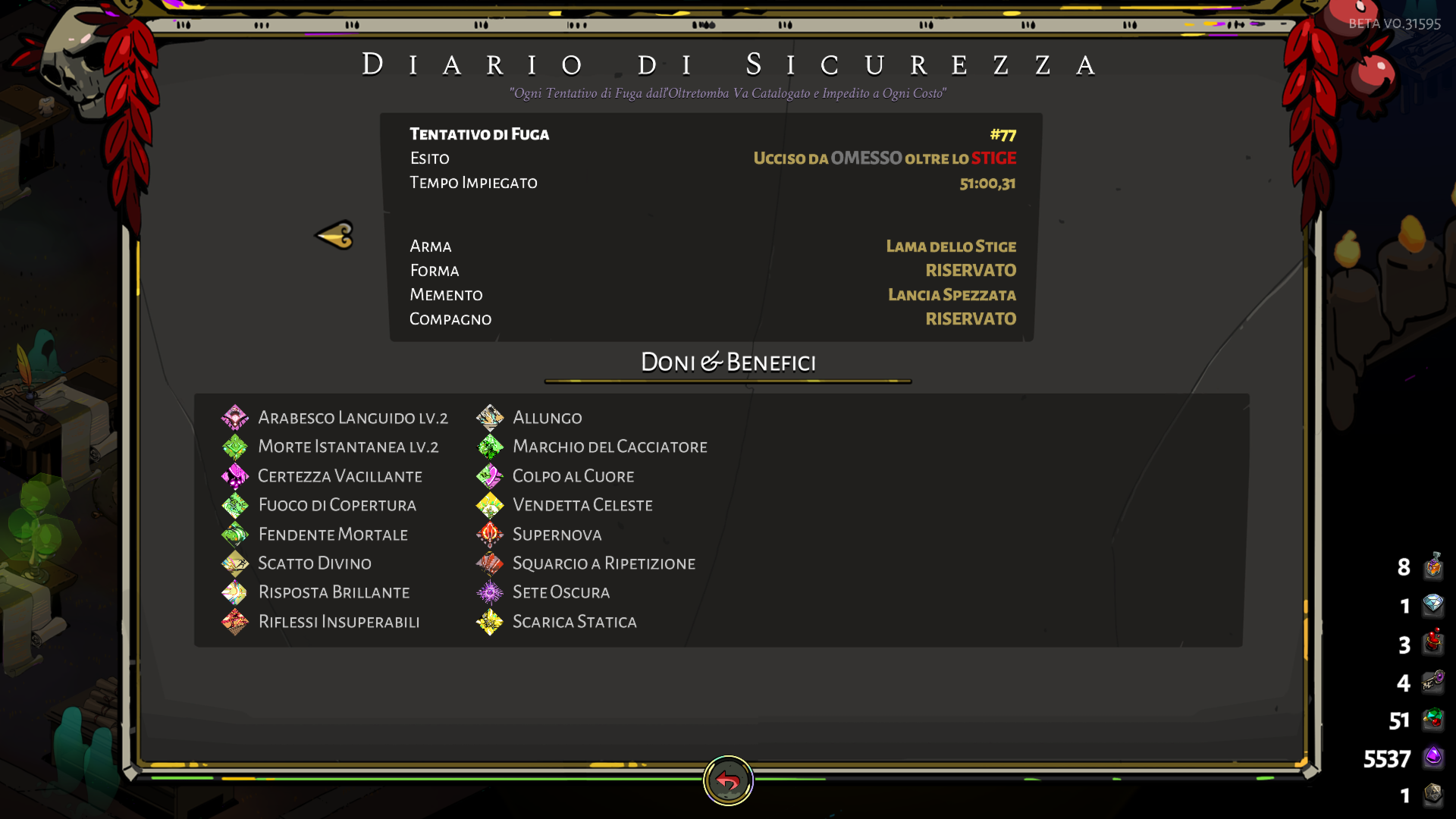 dim spruce
@sudden osprey try toggling Fullscreen and/or VSync in the game's Display Settings menu
@vague ore unfortuantely those may not be available for older runs, but should be recorded for new runs going forward
 eager pivot
sounds like people have already brought up having framerate issues when vsync is enabled, but I can add another instance to the pile
sudden osprey
@sudden osprey try toggling Fullscreen and/or VSync in the game's Display Settings menu
@dim spruce i tried all combinations still blinking..
eager pivot
Geforce RTX 2060, latest driver, 446.14
dim spruce
@eager pivot are you saying disabling vsync fixes it, or it's bad either way? and do you have gsync or multiple displays by chance?
eager pivot
disabling vsync corrects my framerate issues, but does have tearing (which I would expect) - I don't have gsync, but do have multiple displays
 quaint hare
personally disabling vsnync didn't help me but i have multiple displays
dim spruce
@eager pivot that is good info, thank you, we are looking at fixing that for real
sudden osprey
could it be a setting in nvidia control panel?
dim spruce
in the Nvidia Control Panel you should be able to set "Maximum Performance Priority" and "Fast VSync", which might also help
eager pivot
appreciate it, I'm sure you've been swamped with the same requests over and over, good luck!
dim spruce
yes, thanks everyone for your patience through our launch day hiccups, as we collect all this info and sort it out!
unreal token
i had my vsync on and the game was kinda slow, after i disabled it it was runninsg smoothly (AMD A10-9620P RADEON R5)
sudden osprey
in the Nvidia Control Panel you should be able to set "Maximum Performance Priority" and "Fast VSync", which might also help
@dim spruce what about triple buffering?
applying settings and reastarting just in case brb
 lilac heath
helloo, just wanted to post a few screenshots of out of bounds, you can see the character is behind the pillar, untargetable.. i dashed there somehow, took the screenshots and dashed out with no issues. Was charging bull rush so you can see the exact position
frosty tiger
After the recent update it said that my old data was corrupted? I wasnt 100% sure if that was normal orrrr
dim spruce
@frosty tiger your old saves should be intact and able to continue, though it's possible the game is having trouble reading them for some reason
make sure you don't have any antivirus software or other system restricting access to those files
sudden osprey
@dim spruce didint work, still blinking, i guess the game is playable, its just kinda annoying lol
dim spruce
@sudden osprey thanks for the update, we will look into it more, sorry for the inconvenience!
sudden osprey
any other suggestions? i can send my nvidia control screencap to you if you want
and anything else
also, if anyone else had a blinking mouse
and manged to fix it
sharp narwhal
@lilac heath Please report bugs in-game using F10! You can include imgur or other external image links in your bug report if you want to share multiple images.
sudden osprey
please do share lol
@sudden osprey thanks for the update, we will look into it more, sorry for the inconvenience!
@dim spruce np mate, great game yall made!
frosty tiger
Hmmm... I have no antivirus running At the moment actually. I just get this message
lilac heath
@sharp narwhal oh, will do, thanks.. didn't know about it
 wet wedge
I cannot get the game to start 😦
I updated my drivers and verified my files (I have the game on Epic)
Any tips to try now?
frosty tiger
I don't want to sound like an a** or anything lol 😅
dim spruce
@wet wedge please try some of the steps listed in our support FAQ here:
https://steamcommunity.com/app/1145360/discussions/1/1753520467359788156/
and if none of that helps would you mind DM-ing me your DxDiag following the instructions here:
https://support.microsoft.com/en-us/help/4028644/windows-open-and-run-dxdiagexe

On behalf of all of us at Supergiant Games, thank you for choosing Hades. If you're experiencing any issues with the game, please check this post as a starting point. If you don't find a solution to your issue, please browse the topics here, or feel free to create a new topic....
@frosty tiger the next thing to try is to run the game EXE directly as an Administrator, can also find instructions in that same FAQ link above
frosty tiger
Appreciate it
sharp narwhal
@frosty tiger You should also try disabling Windows Controlled Folder Access if you haven't already: https://support.microsoft.com/en-us/help/4046851/windows-10-allow-blocked-app-windows-security
vague ore
i also think i have some framerate problems, if framerate problems manifest with the camera following zagreus after he dashes slower than usual and with the graphics being a bit wackier (this is what i could show, they're very small to notice but trust me they're there
wet wedge
@dim spruce Working on getting the diagnostic stuff now. Is there a support FAQ for Epic Game Store users? Most of what's in there doesn't apply to me (like Steam overlay stuff)
dim spruce
@wet wedge apologies, it's mostly the same. obviously skip the Steam overlay stuff, and Epic launch options can be found under Settings -> Manage Games -> Hades -> Additional Command Line Arguments. and the install path is different of course
 wicked gull
since the update i have been experiencing fps drops at the gorgon mini boss
vague ore
also it says for me that i'm still playing the beta, when i just clicked on the update button on steam and never played the beta anyway
 signal ether
@cinder python sorry to hear about your issue. Are you playing on Steam or the Epic Games Store?
frosty tiger
Just tried everything listed above. Idk if im computer illiterate or not lol
strong ruin
@dim spruce fixed my weird issue. Turns out the monitor was using the intel card after an update to Windows 10 for some reason
dim spruce
@strong ruin glad to hear it, thanks for the update!
 cinder python
@signal ether Epic. I've had a thing for a while where I need to run EGS as admin to update the game (the regular permission popup from the not-admin launcher leads to a failed install every time), and then if I open Hades from the as-admin launcher, it takes me to an empty set of save files. Closing the launcher and reopening it as normal gets me back to the normal save files.
In this case, I updated the game, opened Hades from the as-admin launcher (oops), closed the game and launcher, reopened the normal launcher and game, took the most recent cloud save (oops again) and it overwrote my save with what I assume is the empty one from my admin account.
I don't know how much of this might just be a janky accounts setup from my end, or something funky with EGS itself. At any rate, it was my mistake to take the cloud save, and I do have a backup save.
 upper aurora
anyone else feeling the game get suddenly sluggish or slower in asphodel?
im not sure if its lower framerate or what
signal ether
@cinder python got it -- thanks for letting us know your experience with it. We'll see if there's something we can do for this case.
cinder python
Thanks! :)
frosty tiger
Q: Is there any other suggestions as to something im doing wrong? I just want to make sure I havent done something incorrectly
dim spruce
@frosty tiger if you've explored all the suggestions here and in #h1-tech-fixes then we will keep looking into it and let you know, sorry for the launch day inconvenience!
frosty tiger
Thats totally ok! thanks otherwise
 shadow abyss
The lag is really bad for me this patch, maybe more so in asphodel
 subtle raven
Hello
I am a fan of SuperGiant games
I have been able to enjoy all their games in the last decade
but I am afraid the deal with Epic will damage Linux players as me
since Hades is the first game SuperGiant don't release a buid
I already bought it on Steam of course, Bastion, Transistor, Pyre, and Hades
golden lagoon
i tried to reclaim my old save files but aparently and some how those got deleted so i have to restart all the grind i did since the games been out :/
subtle raven
I asked in the Steam forum about a Linux build
but I didn't have a straight answer..
my question is, are you guys, SuperGiant devs, not releasing a Linux build because of some Epic thing?
I would appreciate a lot an answer
dim spruce
@golden lagoon very sorry to hear that if you lost the saves on our old PC and weren't backed up to the cloud. if you ask around the Discord, someone might be able to share their save with you if you'd like to continue from theirs
golden lagoon
it would be a huge help
subtle raven
directly ignoring me
am I asking something bad?
I just want to play Hades on Linux without having to rely on Proton
Transistor and Pyre works perfect
flint compass
i can give you my save if you'd like, @golden lagoon
vague ore
also it says for me that i'm still playing the beta, when i just clicked on the update button on steam and never played the beta anyway
@vague ore I tried restarting steam and the files, just got the updated banner. When i open the game it still shows me the "if you're reading this you're playing the beta etc." message and BETA VO.31595 on the top right. Like i said i never even touched the beta and updated the game like any normal steam game
golden lagoon
@flint compass it would be a huge help 🙂
 small sonnet
Been getting some weird slowdowns and hangups in Tartarus and only Tartarus after updating today. Kinda surprised as I've got a pretty powerful laptop that has never had an issue before. It was always when loading new rooms or new encounters.
dim spruce
@vague ore looks like that text mistakenly didn't get updated, but the game should be correct, we will get that fixed!
small sonnet
It also just happened when trying to open the Mirror
 frigid fog
@subtle raven We appreciate your patience. I was responding to as many threads as possible on Steam and may not yet have seen yours yet.
subtle raven
@frigid fog no problem please
strong ruin
@dim spruce final update: what I had to do was disable my intel card in my device manager to get the game working properly. I don’t know why it doesn’t use the card (NVIDIA) when I set the app to high performance under display settings in windows 10, but the game seems to run properly now without the black screen
vague ore
@dim spruce ooh that's what it is? Thank you so much i was starting to get worried!  Then i'll wait
frigid fog
@subtle raven There's kind of a lot to unpack in terms of what you're saying. It appears you're speculating that the availability of Hades on the Epic Games Store has something to do with the fact that Hades is not available for Linux?
To be perfectly clear, there is zero connection between those two things. None whatsoever.
subtle raven
that's a relief to read
can I ask why you haven't build a "SteamOS/Linux" build then?
frigid fog
Hades is not available for Linux at this time for the same reason it's not available for the Switch, PS4, Xbox One, Mac, and any other platform players may want this game on: We're still in Early Access, and have not yet made any decisions about which platforms we will ultimately support. Supporting additional platforms is a big undertaking for our small team and not something we take on lightly.
subtle raven
that's perfectly understandable
 opal iron
@shadow abyss Ive been haivng really bad FPS issue since update too
frigid fog
We have made no commitments to having Hades on specific platforms other than the ones where it's currently available (Windows for Steam and Epic Games Store). We have just said that we expect to bring Hades to other platforms once our Early Access is complete sometime later this year, though we haven't decided on all those platforms just yet. -- thank you for your understanding here.
signal ether
@cinder python while investigating this, our understanding is that your saves should never be removed. When you say that the cloud sync downloaded an 'empty save', did it remove your saves completely when performing the sync?
If that's the case, can you see if you have logs here. We can try to pass them along to and see if there is an issue:
AppData\Local\EpicGamesLauncher\Saved\Logs
subtle raven
I really really wish you will release a build for Linux when the game is out of early access... in the past you always delivered
 wanton wind
Hello there! After the update my game is really sluggish and with constant FPS drops. Is this the right channel to talk about this?
 jolly tide
This update has dropped my fps to like 5 and my cpu to 100%...Was able to play smoothly with like no hitches before, is there something I can do to make it playable?
I've got up to date driver according to GeForce exp
Verified install on Epic Launcher
Nothing has worked yet...
 last wharf
Hello, since the update when I change the window the game consumes a lot of resources. It is a bug it seems to me.
Yes same 100% CPU and GPU
Before update the game had never exceeded 50%
But when I come back to full screen, it becomes normal again
cinder python
@signal ether
The sync appears to have removed any "Profile#.sav" type files from my save data, but it looks like the Profile#.sav.bak is still there and about the same size as it used to be. (Opening the game still shows empty saves, but the "coin" indicator for current save is still where it used to be on slot 3.)
I can also pass along my EGS logs if you have somewhere to send em.
 dusty plover
hades is not working i keep getting game unresponsive
dim spruce
hey @wanton wind @shadow abyss @opal iron @jolly tide @last wharf yes we are aware of some bad framerate drops happening on some setups. we appreciate the info you're providing and your patience while we get that sorted out! in the meantime, the main things you can try on your end are:
- Ensure your graphics drivers are updated
- Toggle off Fullscreen and/or VSync in the game's Display settings
- If available, in your graphics device control panel, set "Maximum Performance" and "Fast VSync"
- If you have FreeSync or GSync, disable that
- Disable any secondary displays you may have (though I understand this is inconvenient)
signal ether
@cinder python yes -- please DM them to me. You should be able to copy and back up your .bak files, and then rename them .sav to restore your profiles.
opal iron
Thank you very much for the fast answer @dim spruce appreciate it ! Already the game is more playable in windowed mode !
jolly tide
Yeah tried all that now and nothing has changed unfortunately. Guess I'll wait to see if there is a fix later on 🙂 Cheers
dim spruce
thanks everyone!
flint compass
hey @weak beacon, im moving your post from the #hades-feedback channel here as its a technical issue -
I would give feedback on the update, However I can't physically play the game, I can't move up or right at all and just moving the curser around lags like crazy now. I love this game so It'd be cool if I could actually play the update, I have done everything I can to try and fix this and nothing works, Please patch this whenever you get the time
wanton wind
Oh, that fixed it @dim spruce . Thank you very much!
flint compass
hey @somber linden, im moving your post from the #hades-feedback channel here as its a technical issue -
Hey there I get uncontrolled movement from my Xbox controller on windows, when I tab left very slightly. Last build this was not the case
small sonnet
Purchasing items from the Pool shop also causes a good 1-2s long hangup before running smoothly again.
sudden osprey
asking again just in case
have anyone had a flickering mouse pointer problem?
i cant even seem to find a solution searching on the internet lol
 tardy frost
Received this error code when installing a small patch soon after the new update. Ran a full game with the full update, game crashed, and it started download another patch which gave me this error: A file access error occurred. Please check your running processes IS-MF03-5
I get the same error when I try to uninstall the game
smoky summit
I can’t seem to play I’ve had a lot of issues in the beta with saving during runs and now it’s doing the same thing. I logged off just after the first boss fights with meg and now I can’t load the save. Every time I do I try to walk into the next area and it freaks out and sends me to a bug report and kicks me off the game. It’s done this to me a bunch this run and the last time it did this is ended up resetting my run back to the house of hades. Is there some way I can do this myself if I get to load? I may be an idoit in asking this but I have close to 90 hours in this save with my closest back save being before beta
 fair adder
Hello ! I'm playing on Epic Games and my game wouldn't launch since the last update. First, it says that "D3DCompiler_47.dll" is missing, and after downloadiing it in the x64 folder, it says that "api-ms-win-core-libraryloader-l1-2-0.dll" is now missing. So I've downloaded it in the same folder but now when i launch the game nothing happens, even if I try to start it as an admin... any clue ?
dim spruce
hi @smoky summit sorry to hear about your trouble, would you mind DM-ing me your DxDiag following the instructions here:
https://support.microsoft.com/en-us/help/4028644/windows-open-and-run-dxdiagexe
hey @fair adder try using both of the following updates:
- Download and install the latest Visual C++ redistributable:
https://support.microsoft.com/en-us/help/2977003/the-latest-supported-visual-c-downloads - Download and install the latest .NET version:
https://support.microsoft.com/en-us/help/4054531/microsoft-net-framework-4-7-2-web-installer-for-windows
 somber linden
Hey there anyone experiencing that Zagreus Auto runs into some direction sometimes? Playing on Xbox controller
dim spruce
@somber linden try increasing the deadzone setting slightly in the options menu and see if that helps
 opaque nacelle
Has anyone else had their saves disappear after the update??
somber linden
@dim spruce I will try, thanks
opaque nacelle
It's been a minute since I played, but I definitely had two saves and now I have zero saves. I also had uninstalled and reinstalled at some point but Steam does have the almighty cloud...
icy onyx
@dim spruce I THINK updating my driver did it. Could have been a restart as well, who knows. But I didn't have to do any reinstalls of C++ redist. I also had more stuff running when it was lagging earlier, so that may have been it. Usually my pc handles whatever I throw at it so I thought it no big deal.
Anyway, TL;DR Driver update fixed it I THINK.
opaque nacelle
I may have figured it out....when I uninstalled and reinstalled I went from one hard drive to another and I think my saves stayed on the old drive? But I'm not sure where to put them. I think I found them, I just don't know where they go.
upper aurora
@dim spruce found out that my bad framerate issues were happening because I was watching youtube on another monitor. When I stopped watching the framerate immediately picked up to where it was. Not sure if this is helpful but passing it along anyway
dim spruce
@opaque nacelle the save file location is here:
\Documents\Saved Games\Hades
just drop them in and you should be good to go!
@upper aurora glad to hear you found a workaround for now! we will of course get that fixed so you can still watch
opaque nacelle
@dim spruce I have a whole folder with that filepath, but the game isn't finding them, because they're on two separate drives. Is there a spot I should place the folder among the other games files, like the Content folder or somewhere else? I can DM with screenshots or something if need be.
dim spruce
@opaque nacelle the simplest method is to go start a new game, and see where Hades writes the new save file to, then put your old saves in there
opaque nacelle
@dim spruce this is why you're the game developer and not me haha. I'll give that a shot and follow up
 runic ocean
Can't do a report in game due to obvious reasons, first crash I've had for about 130 hours of gameplay. Notice ||Nyx ||there, not sure if it's a voice line conflict, I interacted with the Boon icon at the same time nyx started saying something.
dim spruce
@runic ocean sorry you ran into that, thanks for letting us know!
runic ocean
Not an issue at all though, love the game and the update is stellar. Good luck hunting that down!
If it helps it was the voice line from chaos where they || tell you the line to activate the Aegis aspect||.
runic ocean
They @runic ocean chaos is genderless
@deep elbow you are right! my bad and fixed!
 magic scaffold
has anyone's cursor started flickering in game?
 odd aspen
are you supposed to get hit by projectiles while holding up the new shield and facing them directly?
opaque nacelle
@dim spruce no dice. I even found my most recent save file from before, moved it to the drive I think is correct so there's a copy in both places, and the only save I have is the one I just started. I also believe it was less of an issue of me moving the game to a different drive, I had migrated all of my documents from one drive to another and that included my saves, which also might have been where things broke. Attempting a reinstall.
wide grove
I think there was a small patch after the official update which has helped a tiny bit on the performance side of things for AMD GPUs but still seeing huge fps drops below 30 in specific room layouts and all of Asphodel.
Bug report submitted
 weak thunder
Hi so I dont know if this is meant for Tech Support but I found a rather strange glitch, where when entering zagreus's room would put you outside of it
i have a video if that helps alittle
 merry zealot
Still no luck on getting the game to launch post update (devs have my logs and are working on it) did all the fixes in the tech support and a number of other things. If anyone has any ideas outside of the stuff provided in the fixes channel im all ears
am enjoying watching my friend play though. update looks rad
deep elbow
That's best to report with the in game bug reporter (F10) @weak thunder
opaque nacelle
@dim spruce my saves are toast as far as my problem solving knowledge goes. RIP 67 hours, you were good to me. But now I get to experience everything from the beginning, which I'm not super mad about
 uncut crown
hi
 tall flame
Serious problem when the update is installed all I see is black screen. I see the cursor and hear the music and somehow I can interact but it is only a black screen.
dim spruce
@opaque nacelle you're saying you found a location where the game created a new save file (Profile1.sav), made sure it had a timestamp from just now, and then overwrote your old Profile1.sav file over it and it didn't work?
opaque nacelle
Profile3, but yes
dim spruce
i see, that's strange
uncut crown
Could somebody help me with fixing my game cause when i start it on steam it pops as launched but then just shuts down after a second
dim spruce
@tall flame can you try launching the game in a smaller game window via these steps:
- Right-click on Hades in your Steam Library
- Select 'Properties...'
- Press the button that says 'Set Launch Options...'
- /FullScreen=false /X=1280 /Y=720
Also, if you have multiple graphics cards, please see if you can get the game to use the more powerful one in your control panel
opaque nacelle
@dim spruce NEVER MIND I DID IT. Somehow. WE ARE BACK IN BUSINESS.
Thanks for your time!
wide grove
@dim spruce I have more feedback for you.
Fps issues persist, no matter if I drop resolution down to 1280x720
This is exactly the problem from before tech beta.
I know you all are likely working on it, but just wanted to give you feedback and let you know that I don't think the issue is the settings on my end.
dim spruce
yep, we will get that fixed again, thanks @wide grove
tall flame
it works somehow the game bug revolves on the selected resolution I set for the before the update happen.
dim spruce
@uncut crown plese try the following steps:
- Update your graphics drivers to the latest version.
- Disable any AntiVirus software you may have, or whitelist Hades in it
- Run the .EXE file outside of Steam while in Admin mode:
Navigate to the following directory, or wherever the game is installed:
\Program Files\Steam\SteamApps\common\Hades
Then open either the x64 or x86 folder, as fits your machine. Finally, run Hades.exe as Administrator by right clicking on it and selecting "Run as Administrator..." Note: If one of these doesn't work, please try the other just in case. - Download and install the latest Visual C++ redistributable:
https://support.microsoft.com/en-us/help/2977003/the-latest-supported-visual-c-downloads - Download and install the latest .NET version:
https://support.microsoft.com/en-us/help/4054531/microsoft-net-framework-4-7-2-web-installer-for-windows
And if none of that helps, please DM me your DxDiag from the instructions here:
https://support.microsoft.com/en-us/help/4028644/windows-open-and-run-dxdiagexe
tall flame
I think you have a resolution adjustment bug tried selecting a different resolution and it black out
dim spruce
@tall flame ok good to know, we will look into that!
tall flame
from the maximum setting it is where it black out, the rest works normal selected one by one I think you need to fix the game to enable full screen again
tried clicking full screen that blacks out too
uncut crown
@dim spruce So i followed every step and it only worked when i opened it as administrator x86 folder but then it doesnt show up on steam
When i opened it via steam it froze my whole computer for like 8 seconds then shutted it self down
dim spruce
@uncut crown ok but you're saying it's working when you run directly it just doesn't say you're playing the game in Steam?
uncut crown
yea
 pallid venture
keep getting the issue
"The program can't star because D3DCOMPILER_47.dll is missing from your computer. Try reinstalling the program to fix this problem."
anyone know a fix?
stoic geyser
@calm sail Hello! Regarding your message from #hades-feedback :
Had an issue where all voiced lines except those of Zagreus could not be heard. This happened in the middle of a run, although not initially.
Interactions with Gods when offering nectar/ambrosia, interactions with any characters in the house, etc... were just Zagreus voicing his lines while the other character would have their audio completely muted. Did not experience this in previous patches.
Was in the middle of a run when I downloaded the patch. Saw some buggy tooltips for skills that probably didn't exist due to the new patch as well. Going to restart and see what other issues I have.
Whenever you find a bug, please send a report via the bug reporter by pressing F10 while being inside the game, preferably as soon as you experience the bug. If you think game performance overall is being affected, please provide more details and an expert will help you with your case. #hades-feedback is not intentioned for bugs or technical issues 🙂
dim spruce
@pallid venture please try updating the following:
- Download and install the latest Visual C++ redistributable:
https://support.microsoft.com/en-us/help/2977003/the-latest-supported-visual-c-downloads - Download and install the latest .NET version:
https://support.microsoft.com/en-us/help/4054531/microsoft-net-framework-4-7-2-web-installer-for-windows
 hasty tapir
Issue present in code test with monitor duplication causing heavy lag is fixed in release - however it locks FPS to the FPS of the capture card, which wasn't the behaviour prior to blood price. Not a bug/issue exactly, but mentioning regardless in case it's relevant. (Might be more appropriate in feedback, unsure)
uncut crown
@dim spruce i still cannot play it via steam cause it just shuts down
dim spruce
@uncut crown thanks for the details, hopefully you can play the game outside of Steam as a workaround for now and we can fix that issue soon
stoic geyser
@unkempt lintel Hello! Regarding your message from #hades-feedback :
Just had an incident with the particular boon Strong Drink. After taking it, managed to get the rarity upgraded by certain means, but the description text has stated that the bonus damage percentage has gone from %4 to %0. Little bug there, no?
Edit: Text changed to 5% once I managed to defeat a boss and take a victory swig. The text seems to be the only thing amiss, looks like gameplay is unaffected.
Whenever you find a bug, please send a report via the bug reporter by pressing F10 while being inside the game, preferably as soon as you experience the bug. If you think game performance overall is being affected, please provide more details and an expert will help you with your case. #hades-feedback is not intentioned for bugs or technical issues 🙂
dim spruce
@hasty tapir thanks for the update!
uncut crown
@dim spruce I can send u a video how it looks
pallid venture
@dim spruce
Will do, thanks!
stoic geyser
@storm drift Hello! Regarding your message from #hades-feedback :
Interesting font choice ? 🙂 https://i.imgur.com/RPStSPH.png
Whenever you find a bug, please send a report via the bug reporter by pressing F10 while being inside the game, preferably as soon as you experience the bug. If you think game performance overall is being affected, please provide more details and an expert will help you with your case. #hades-feedback is not intentioned for bugs or technical issues 🙂
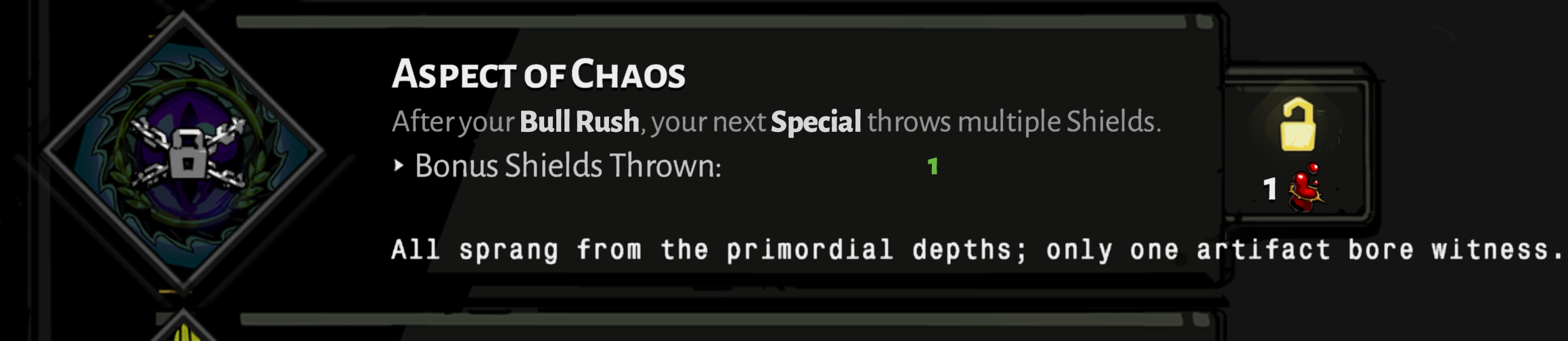
 storm drift
OK - Thanks. I've just closed and re-opened the dialog and it's reverted to the correct font now.
stoic geyser
@tired cedar Hello! Regarding your message from #hades-feedback :
There are framedrops whenever it's packed. I experienced framedrops on lots of stages and all of the boss fights (went from 60fps to 30fps). I hope there will be quick patch.
Whenever you find a bug, please send a report via the bug reporter by pressing F10 while being inside the game, preferably as soon as you experience the bug. If you think game performance overall is being affected, please provide more details and an expert will help you with your case. #hades-feedback is not intentioned for bugs or technical issues 🙂
storm drift
OK. Just to try to experience what F10 does, I just pressed it, got a flash of blue, and now a black screen with only a cursor. I'm not sure what I should expect to see. But it might be hard to report a bug if the bug reported is bugged 🙂 - Game is now crashed. Will have to kill it.
 proven pawn
I submitted in game tickets already but just want to check to see if there is anything identified regarding keepsake progress to be lost. One of my keepsakes has reverted to level 1 with 0 progress. It was level 2 and I was working on leveling it. I started the run after the Blood Prince update, stopped, and continued it after the hotfix patch. Not sure there is much to do but I'd rather this not affect my other keepsakes.
storm drift
Found the bug reporter now, but only after accessing task manager and switching to the task.
stoic geyser
@upbeat glacier Hello! Regarding your message from #hades-feedback :
I was bugged out and lost an entire run as if nothing has ever happened
There was no crash log either https://youtu.be/tj6l1TUmVU8
Whenever you find a bug, please send a report via the bug reporter by pressing F10 while being inside the game, preferably as soon as you experience the bug. If you think game performance overall is being affected, please provide more details and an expert will help you with your case. #hades-feedback is not intentioned for bugs or technical issues 🙂
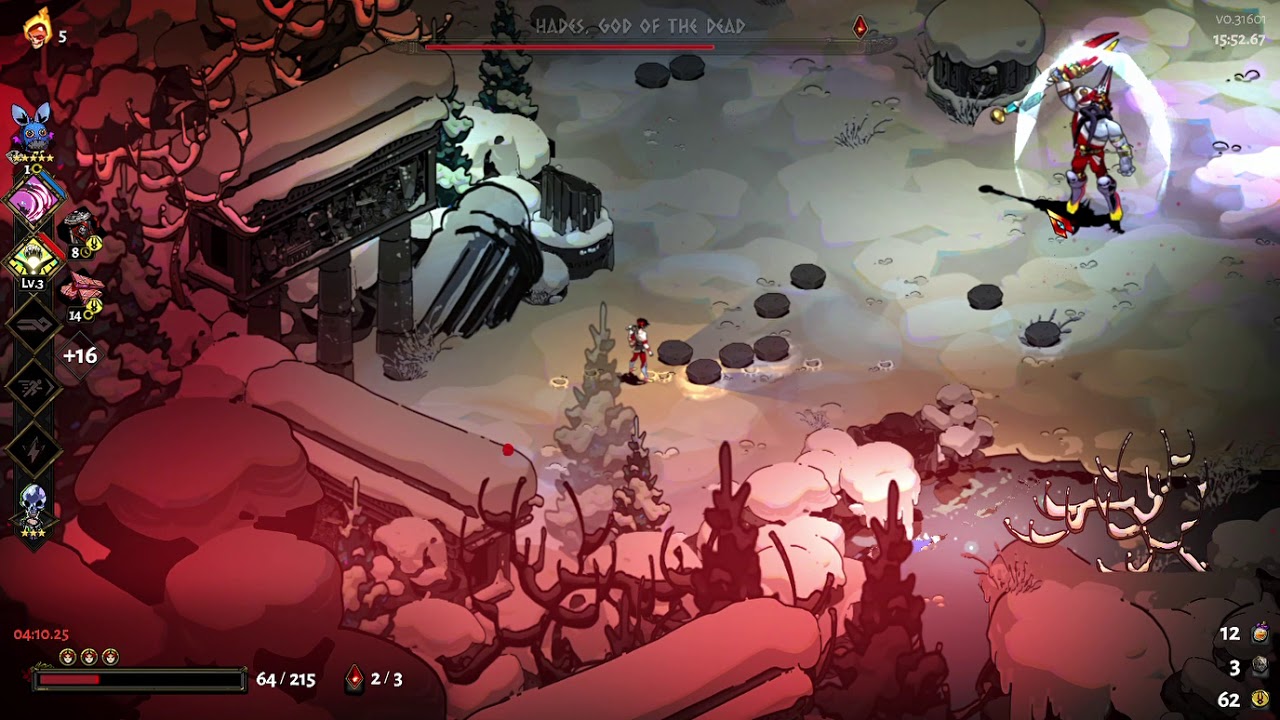
 upbeat glacier
thanks for that
the game crashed before I could press f10 tho, so idk if it works now
 autumn epoch
I pressed F10 to send feedback of a bug and the game crashed. It happened a second time after I restarted and tried again.
 grand raven
Hey, did they fix the stuttering?
If there's any staff here I'm happy to run some kind of trace enabled build to see if it's my machine or the game causing the stuttering and bad franerate
dim spruce
hey @grand raven we're still working on it, thanks for your patience! we'll definitely let you know should we need more info
 opaque ravine
First time playing in a while, and it seems to no longer recognize my save file. The profile appears to still be there, but it's coming up blank in-game for profiles. Please advise, thank you!
 craggy sparrow
yo anyone else having the problem not launching the game
when trying to play the update
from the beta or just me?
dim spruce
hey @opaque ravine unfortunately those are just the settings file. the save files with your progress should have .sav extensions if you can locate those
hey @craggy sparrow here are the first steps to try if the game isn't launching for you:
- Update your graphics drivers to the latest version.
- Disable any AntiVirus software you may have, or whitelist Hades in it
- Run the .EXE file outside of Steam while in Admin mode:
Navigate to the following directory, or wherever the game is installed:
\Program Files\Steam\SteamApps\common\Hades
Then open either the x64 or x86 folder, as fits your machine. Finally, run Hades.exe as Administrator by right clicking on it and selecting "Run as Administrator..." Note: If one of these doesn't work, please try the other just in case. - Download and install the latest Visual C++ redistributable:
https://support.microsoft.com/en-us/help/2977003/the-latest-supported-visual-c-downloads - Download and install the latest .NET version:
https://support.microsoft.com/en-us/help/4054531/microsoft-net-framework-4-7-2-web-installer-for-windows
If none of that helps, please DM me your DxDiag from the instructions here:
https://support.microsoft.com/en-us/help/4028644/windows-open-and-run-dxdiagexe
craggy sparrow
hmm okay
will try
first i will reinstall the game
as im sure i have all of these things downloaded
will cry more if it doesnt work then
dim spruce
we will be sure to get your game fixed, thanks for your patience while we sort out the launch day issues!
opaque ravine
Hm..well I guess my save has just disappeared then. That's a bummer
opaque ravine
less than ideal. May take the opportunity to just re-buy it on Steam so it backs up to the cloud
opaque ravine
nope, I've been playing since day 1 on Epic 😦
 mortal kiln
Huh, freezing while getting a boon still here. But now with sound of getting boon looping. Curious.
frosty tiger
im having some issues during the meg fight. like, game lags and crashes. id hoped this would have been fixed with this update, but it wasn't. no issue whatsoever with any of the other furies, but meg just, breaks it.
mortal kiln
@frosty tiger you see lags when she fires at you or when she doing area attack?
frosty tiger
During the last bit of dialog, and her jumping into the air causes it to crash.
i had a video of this on an older build, look like its the same issue
 dense grail
Hey guys. I'm experiencing a bug in the game. Lernie the Hydra does not attack at all, and once I get his HP to 2/3, he just stays invulnerable and I can't progress at all. Any suggestions?
mortal kiln
@dense grail after last update?
dense grail
Yep
mortal kiln
Hm, somehow appearing of other heads broke.
dense grail
Yeah, none of the other heads are coming out.
craggy sparrow
lol tf
i literally
reinstalled
the game still the same thing persists
i click play nothing happends
dim spruce
hey @craggy sparrow thanks for trying re-installing! could you try the steps posted above next and DM me your DxDiag at the end if none of them work?
 muted kelp
so when launching hades after doing the update I get this error message, i've tried to reinstall hades and haven't touched any of the hades files since I last played and am lost to how to fix it
when closing this menu it cloud syncs for anywhere to 20 seconds to 5 minutes the launch option reappears and repeat
 zealous sinew
i'm about 6 chambers in to my first run since the patch on steam, so far i've gotten two "oops! couldn't save" messages
frosty tiger
take a look at 8:30 https://www.youtube.com/watch?v=M5fnFwfnzJ4

this time i was able to suffer trough the fight, but its just getting worse with every attempt
do be warned, i swear like a sailor
 vagrant locust
I'm watching a streamer and he used the sisyphus companion against tisiphone and when the area changed he was unable to get the drops because they were stuck outside. I figure that could be considered a bug, though he didn't F10
 mellow dock
so when launching hades after doing the update I get this error message, i've tried to reinstall hades and haven't touched any of the hades files since I last played and am lost to how to fix it
when closing this menu it cloud syncs for anywhere to 20 seconds to 5 minutes the launch option reappears and repeat
@muted kelp
I’m having the exact same trouble with the “The program can’t start because the D3DCOMPILE_47.dll is missing” error message. Reinstalling didn’t help.
 timber adder
Hi @dim spruce I ran into the same issue as Mithrandir, I've tried all the suggestions in your post above and they haven't worked either 😦
dim spruce
hey @mellow dock please try the following:
- Download and install the latest Visual C++ redistributable:
https://support.microsoft.com/en-us/help/2977003/the-latest-supported-visual-c-downloads - Download and install the latest .NET version:
https://support.microsoft.com/en-us/help/4054531/microsoft-net-framework-4-7-2-web-installer-for-windows
hey @timber adder sorry to hear that, would you mind DM-ing me your DxDiag follow those same instructions and also this file:
\Documents\Saved Games\Hades\Hades.log
mellow dock
Thanks, @dim spruce that seems to have worked.
smoky summit
This is ridiculous when will it be safe to play? I’ve done all these thing and there is no way to save my game save? I was literally just playing. Is it just not safe to leave a game mid run? I have sent dxdiag to people before but what does this do for me to save my game file? Will it be playable eventually or should I just load my pre beta save and say screw it to the last 20 plus hours? Why do I have to download more things and give my information to people?
dim spruce
hi @smoky summit sorry for the delay, you're getting the error message that says the game is unable to save?
smoky summit
I had that earlier and managed to get it to save when entering elisum and as I try to turn it back on I can’t load it now
Is there any way to at least save my run or save game info
I’m sorry I probably sound like a total ass and I’m not trying to
dim spruce
np @smoky summit why don't you go to \Documents\Saved Games\Hades and look at what the timestamps are for the files that say .sav and see if one was very recently
 celest garnet
@Gavin
I am having video performance issues since the update. Before the update, everything ran fine, no lag or other performance issues. After updating, there was some lag noticeable throughout my first run where it seemed like there would be a couple frames of lag every few seconds. I am using a NVidia GTX 1060 6GB. I did try updating the video driver/reinstalling the driver, as well as verifying the install files through Steam. This did not fix the problem, and may have actually made it worse. After further testing, it seems that the game lags whenever I am moving the mouse, but does not otherwise. The mouse pointer will flash in and out of being visible as the pointer moves. It is very prominent on the initial splash screen after starting the game. I have tried using application-driven graphics settings as well as manually disabling VSync without any noticeable difference.
dim spruce
hey @celest garnet thanks for the detailed breakdown. we are working on fixing that issue and hope to have something soon, appreciate your patience on our launch day. i think the one thing to try that it sounded like you may not have already, is if you have a secondary display, try disabling it
smoky summit
For sure I think I’m gonna take a step away. I really love this game and have been playing video games almost 30 years. I would for sure put this in my top five or three games of all time. I’m not very computer savvy and I’m sure that doesn’t help much at all either. This game has been a life saver of a side project during a otherwise terrible time in and around life in general. I’ll try to take a closer look at all the things you all mentioned here and give a detailed breakdown after. Sorry and thanks.
dim spruce
@smoky summit thanks for the update, yes whenever you're ready to take another look let us know and we will do our best to help get everything sorted!
celest garnet
@dim spruce
Not a problem at all! I love the work that you all do, and am very much looking forward to the finished version of Hades.
As a quick update: I do have a secondary, as well as a tertiary, display (only secondary was turned on). I did disconnect both, through physically unplugging from the ports on my GPU. One was running off a DisplayPort (secondary) and the other an HDMI port (tertiary). The primary display is connected through the DVI. Disconnecting the additional screens does seem to entirely fix, or at least ameliorate >95%, on a quick check. I will try a run or two tomorrow and report if the issue recurs/persists with only one display, or if any other graphic performance issues arise.
Thanks for the suggestion, that is not something I had thought of trying during my troubleshooting.
 spare pilot
Is there a reason why the game is asking for admin privilege suddenly? It asks me if I want to run the game from runasadmin.vdf; denying it still starts the game
dim spruce
hi @spare pilot the game is likely trying to install some dependencies that it may need, but if it works fine without it then don't worry about it!
muted kelp
@mellow dock @dim spruce thanks for the @ earlier the directions provided fixed my hades
 spare rover
Heya. I don’t know if it’s become more prominent since the update or whether it was always like that and I didn’t notice it as much, but whenever I perform an action like attacking or dashing on certain levels the models lose their sharpness and there’s this ‘’blurriness’’ to the image. It’s not as bad on some stages as on others, but its particularly glaring on the first floor. I changed resolutions and tried windowed mode, but it doesn’t seem to make a difference. It doesn’t make the game impossible to play or anything, but can get rough on the eyes, so I wondering if this is a known issue/design decision I can turn off somehow, or if it will be addressed. Love the update so far though!
 slate garnet
is this where I write how Steam Hades doesn't start anymore? It was working fine in the tech beta but after updating, I cliked on start and steam installed a framework I think? Can't remember the name, and now when I click start it doesn't start. I'm not sure what specifics I need to provide so if anyone has any idea on how to properly explain please do tell.
I'm doing a "check file integrity" or however you say it in English to see if it's enough to fix it.
Nope the files are okay, the game simply won't start. What mystery changes have been added from the tech beta to public to make this happens? Anyone has any suggestions? (yes I know it's night for most of you, but I'm Italian so I'm awake now so might as well write it down now xD )
frosty tiger
Hi guys, I've been having a few issues with the game, but I am on Linux. Do you want report anyway?
So far, my issues have been that sprites get stuck on walls and start to stutter. This morning, I enter Charon's shop and audios for the dash and the fish spot kept being played again and again. Talking to Charon didn't trigger the sound effects or dialogues' audio, and when entering Erebus (because of L***), the same fish and dash sound kept repeating themselves. I'm restarting now.
celest garnet
@slate garnet
Going by a response from @Gavin earlier, what was possibly the .NET framework if you are running a windows installation. You could try uninstalling/reinstalling that:
slate garnet
Yeah I suspected it might have been that (my internet has been choppy so I haven't been able to check on everything including the change to official update until now). I'll try and reinstall it.
celest garnet
Per the wonders of google translate:
in bocca al lupo!
 craggy pilot
Find a bit cheating thing:
while using Coronacht and Flurry Shot from Daedalus upgrades you can fire arrows 2 times faster by pressing Special attack while Zag just fired an arrow (Standart attack button always pressed in this case). So the attack animation recovers faster than usual and arrows fire more often.
slate garnet
@celest garnet so, uh, apparently the framework in win10 is a bit of a hassle to work with. It says can't be un-installed in win10, the update I downloaded from microsoft says "it's already installed" and does nothing, the framework repair tool says there's nothing wrong, etc. In the meanwhile I updated the Visual C++ and the video drivers as suggested by @dim spruce in their post above, and tried everything they wrote, but they didn't work. I'll be busy in a bit today so I'll focus on this later. Hopefully it can be fixable...
 trim cairn
I'm having the same problem as ladyshardust
 vocal crystal
Not sure if it's just my comp, but I keep crashing when i press F10 to send a bug. I'll try to uninstall then reinstall.
 last axle
OK. Just to try to experience what F10 does, I just pressed it, got a flash of blue, and now a black screen with only a cursor. I'm not sure what I should expect to see. But it might be hard to report a bug if the bug reported is bugged 🙂 - Game is now crashed. Will have to kill it.
@storm drift Same thing is happening to me. My Zagreus will only face one direction, no matter where he's moving towards. Basically moonwalking all over the place. This direction gets updated whenever I dash. Doesn't seem to affect combat or gameplay beyond the visual bug.
Not sure if it's just my comp, but I keep crashing when i press F10 to send a bug. I'll try to uninstall then reinstall.
@vocal crystal Yeah, me too. Just verified the steam files but that didn't resolve it.
vocal crystal
I was supposed to report a bug where Zag won't stop running even if I'm not touching the dpad anymore...I'll probs wait until they manage a fix on the F10
frosty tiger
Strange issue here, I'm missing 9 ranks of God's Legacy. The save file has everything else correct as far as I can tell, including things past when I put the darkness into it, but it's now just at 0. I'm sure 1350 darkness isn't that much to some people who've been playing longer, but it's still a bit of darkness to me, anything I can do? Not quitting the game over it, but it does suck losing progress. I played just before the update and everything was fine.
celest garnet
@slate garnet, @trim cairn
Ah, the wonders of Windows10 and the decisions Microsoft has made restricting users in troubleshooting sometimes. I have thankfully not had an issue with .Net since upgrading and did not realize they had locked it down as much as they have.
There is this: https://support.microsoft.com/en-us/help/2698555/microsoft-net-framework-repair-tool-is-available
Which may help detect/fix errors in the installation, presuming this is a .Net issue. If that does not work, then going by what I am seeing the options would be to do a clean Win10 installation and try again, or try a third party program of some kind. The former is a major hassle, and for the latter this is an area in which I am not adroit enough to know what may or may not be available; and more importantly what would be safe to use (especially as that may involve some registry edits).
If the repair tool does not work, I would advise to wait and defer to the Supergiant team for further advice or troubleshooting.
slate garnet
@celest garnet repair tool didn't work and while I love Hades I ain't reinstalling the whole of win10 just for it sorry xD (as other games work fine I'm pretty sure it's definitely the new .Net steam installed after I updated Hades that's broken) so I'll just wait for the devs to hopefully find an answer.
trim cairn
thank you parabombay, but it didn't work for me either. I'm okay to just wait as well
slender moth
It installed a framework for me too. Just wait until it installs, if it gets stuck then you can exit out of steam and game (if it is secretly running in the background) and go back and try again and it should launch
slate garnet
it acted as if it installed it correctly, then the game simply refuse to start. I restarted the PC and everything and if the installation was stuck it would have restarted but it didn't, so there must be something between Win10 .Net and Hades that got broken up somewhere. Ah well, I'll just wait...
slender moth
Have you tried to reinstall hades
You could try running this script in powershell I think it was. I had a problem with pubg and redistribution C++ and netframe too back in the day and used this to fix it

Gist
Removes Windows Installer product registration for products where the locally cached MSI is missing and no registered source can be found. - Unregister-MissingMSIs.ps1
it will probably not work for you issue but give it a shot
 fringe helm
Hi @dim spruce @signal ether
After updating the game, I cannot launch it from Epic Store Launcher. First I thought it's because 'cloud syncing', but I turned off this option and nothing changed. I updated my graphic card drivers as well as VC++, but I'm still unable to launch Hades :c
 gritty canyon
signal ether
gritty canyon
signal ether
@slate garnet @slender moth and @trim cairn sorry about the issues you are having on launch day. We hope to be able to follow up with you once we've pushed a fix for them, or when we come up with additional workarounds to try.
slender moth
No problem and understandable. At least mine is just a visual game cover thing. 
 ruby tendon
Rama aspect+Charm of Aphrodite=nearly 100% chance to charm. Honestly - looking like a bug when Father just standing there with heart
rain cradle
Love 😍
signal ether
@low fog thanks for letting us know about the issues you are encountering with mouse movement. If possible, can you let us know what settings you have active here:
 low fog
@signal ether The settings are the same as shown here.
signal ether
Got it -- thank you
stray elm
(I will note, I had the same issue in the beta, minus having aim assist on)
 strange robin
hey i have updated my hades and when i try to lunch it from steam it just doesn't open
 dusky geyser
@low fog I didn't find your original message, but if the mouse is moving slowly/jittery try turning off VSync
fixed it for me
signal ether
@strange robin are you getting any error messages when you try to launch the game?
strange robin
nope
stray elm
Denny, that was in reference to #hades-feedback
dusky geyser
Ah right, never mind then
signal ether
@strange robin
Sorry for these issues you are having. Here are the first steps to try if the game isn't launching for you:
-
Update your graphics drivers to the latest version.
-
Disable any AntiVirus software you may have, or whitelist Hades in it
-
Run the .EXE file outside of Steam while in Admin mode:
Navigate to the following directory, or wherever the game is installed:
\Program Files\Steam\SteamApps\common\Hades
Then open either the x64 or x86 folder, as fits your machine. Finally, run Hades.exe as Administrator by right clicking on it and selecting "Run as Administrator..." Note: If one of these doesn't work, please try the other just in case. -
Download and install the latest Visual C++ redistributable:
https://support.microsoft.com/en-us/help/2977003/the-latest-supported-visual-c-downloads -
Download and install the latest .NET version:
https://support.microsoft.com/en-us/help/4054531/microsoft-net-framework-4-7-2-web-installer-for-windows
If none of that helps, please DM me your DxDiag from the instructions here:
https://support.microsoft.com/en-us/help/4028644/windows-open-and-run-dxdiagexe
 chilly quarry
Anyone else experienced brief, but severe hitching in the Administrative room? I was just dashing past a bunch of the shades.
Also, I feel like the audio in my game is a bit... muffled.
frosty tiger
Sorry to be nerdy, but I am, what did the last 20mb update fix exactly?
signal ether
@frosty tiger we are continuing to hotfix stability issues for players as we receive reports
frosty tiger
Cool, thanks, 🙂
chilly quarry
Is there any known issue that might make sounds a bit muffled/muted?
signal ether
@chilly quarry Not that I am aware of (though please check your volume settings in-game). Please F10 from within the game if you are having a persistent issue with audio being muffled and muted.
chilly quarry
Alright, for now I think I'll try to hold off unless I can find a consistent cause. Or figure out whether I'm just imagining things.
vague ore
just wanted to say that today, even if the beta message still appears and there's beta written on the top right, it changed to BETA VO.31619, which is, aside from the word beta of course, the number of the blood price update from what i know. So yeah, strange
(now the patch notes also appeared on my steam, so this is better than yesterday)
signal ether
@vague ore Thank you for the update. Are you able to run the game?
vague ore
yeah i can, apart from what i believe are some framerate issues the game runs perfectly. Gavin told me it's probably because they forgot to eliminate the beta messages...? Does a 31619 version of the beta exist?
signal ether
@vague ore Ok -- glad the game is working. 31619 is our most up-to-date release. We are continuing to work on performance issues that some players are having.
vague ore
alright then i have the update, the only things wrong are the outdated message at the start and the "beta" near the version number. Thanks, i was a bit worried something went wrong with the installation!
low fog
@chilly quarry This happened to me after picking up a pom, reloading the save fixed it for me at least.
vague ore
omg... now i think i know what happened
I was playing in italian all along! the beta messages updated to non-beta messages only in the english version!
 mortal hamlet
Anything we can do to help with the perf issues or you already have enough info?
signal ether
@vague ore ahhh, got it -- thanks for letting us know.
vague ore
Np!
 shut island
I have Hades on Epic, is it ok to delete the tech beta?
frosty tiger
Hey, yesterday I bought the game on Steam and today I was wishing to play it but the game does not start at all. I tried all the tips on the #h1-tech-fixes of updating all the components and running as administrator but nothing happens. The game looks awesome and I really want to try it out
 crude acorn
hey @frosty tiger are you getting any error messages or does a windows open for you?
frosty tiger
nothing happens at all
crude acorn
if you run it from the Steam library, does the button change from PLAY at any point?
frosty tiger
It does. It goes to Cancel then to Stop and then back to Play again
all in like 2 or 3 seconds
 hybrid sun
hello
 fading leaf
Hi, I can't seem to stream Hades on Steam after the Update. Playing on the host PC is fine, but i'm hoping to stream it to my laptop
crude acorn
@frosty tiger do you have a Saved Games\Hades\Hades.log file in your Documents folder?
 grand juniper
My game won't start on Steam after the recent update, and I have tried many things, like restarting my pc, updating my graphics drivers, etc.
crude acorn
@fading leaf how does the issue manifest? does the game crash?
 true matrix
Guys, info for you. Settings change don't work after restart game (like back to default sound, controls.) Hades don't speak at boss fight like a half npc on hub place.
fading leaf
Nope, game doesn't crash, I just don't have the option to stream at all
There is no option to select the host
I still can stream other games though
crude acorn
@fading leaf are both computers running Windows?
fading leaf
Yep
crude acorn
@fading leaf I'll test locally, just a min
hybrid sun
help
Im getting like 5-10 fps in the game
im using a8 7600 and gtx 750 ti
I just updated my drivers
crude acorn
@hybrid sun can you try switching the Vsync, Borderless and Fullscreen options in the menu to see if they help? Also, how many monitors do you have?
 lyric remnant
the new fated prophecy ||regarding speaking to ares after 10k kills... i have over 10k, have spoken to him several times now, but nothing.|| is it bugged or is it just random in terms of when you get further dialogue?
frosty tiger
I have @crude acorn
crude acorn
can you send it to me in a PM?
hybrid sun
@crude acorn I have only one monitor, I tried doing those things as well but it didn't help
 placid mesa
hello i found a bug but i only notice it after finishing a run and this regarding to fishing, should i explain it here or somewhere else?
grand juniper
My game won't start on Steam after the recent update, and I have tried many things, like restarting my pc, updating my graphics drivers, etc.
mortal hamlet
@crude acorn @hybrid sun Same issue for me. I checked the drivers, vcredist, borderless, vsync, keep only one monitor, etc.
 last kettle
hi @lyric remnant, this is a known issue we are working to resolve!
@placid mesa, feel free to report in-game with F10 and we'll follow up from there
crude acorn
@fading leaf I've just tried on my machine and have the same issue, we're looking into it now
fading leaf
Alright, thanks for the update. Hope to get it resolved soon.
crude acorn
@mortal hamlet what's your CPU & GPU?
mortal hamlet
@crude acorn i5-4670k - nvidia gtx 770
crude acorn
@grand juniper which GPU do you have?
 whole dagger
Good time of day. I ran into this problem. That during the try, when I want to reset an try I didn't like, when I click the "give up" button. I go to the main menu as if I'm just out of the game. Before the update, all this worked correctly. Now in order to reset "give up" I didn't like, I need to commit suicide. Please fix it.
fringe helm
Hi
After updating the game, I cannot launch it from Epic Store Launcher. First I thought it's because 'cloud syncing', but I turned off this option and nothing changed. I updated my graphic card drivers as well as VC++, but I'm still unable to launch Hades :c
mortal hamlet
@crude acorn Just got a second of enlightenment and I found the issue. I started using citrix (remote work app) recently and it's messed up some software on my pc. most unity games in particular. I just uninstalled and GHades runs smoothly. I think it got pretty popular recently and it could be an issue for more people.
hybrid sun
@mortal hamlet ill try to uninstall and reinstall the game as well
mortal hamlet
@hybrid sun I uninstalled citrix, not the game.
lyric remnant
woah seriously, citrix?
hybrid sun
i need citrix for work
lyric remnant
same haha
crude acorn
thanks @mortal hamlet!
@grand juniper , @frosty tiger do you have Citrix installed as well?
grand juniper
no
frosty tiger
no
mortal hamlet
Yep. citrix. From my experience it's quick to un/install. I just uninstall when playing, reinstall in the morning.
crude acorn
We're creating a hotfix for the Citrix issues
 teal wraith
Hello everyone, i bought the game this morning and i downloaded the 11go of game. 👍
It's the first time that I launch the game and I have a problem with the settings: nothing is saved when i exit and restart the game.
On Steam discussions, I see similar comments. Is there a solution ?
build v0.31619
sharp narwhal
@teal wraith Whitelist Hades with any antivirus software you have installed. You should also try disabling Windows Defender Controlled Folder Access: https://support.microsoft.com/en-us/help/4046851/windows-10-allow-blocked-app-windows-security
teal wraith
why will there be a problem with this game and not all the others i have?
I will test now
rain cradle
It's because hades is a name of a virus
And some bad antiviruses are too heuristic and block files even without skanning.
teal wraith
Seems to work, thanks! 👍
I hope windows will correct this because I am not alone in this case.
 surreal pike
Bugs can be reported in-game with F10!
sharp narwhal
@lunar wedge Try verifying your installation through the launcher first!
rain cradle
Seems to work, thanks! 👍
I hope windows will correct this because I am not alone in this case.
@teal wraith I do believe that windows Defender actually work fine. At least for me it doesn't block hades on any of my pc's
 wintry raft
is the text from ruthless reflex and block not meant to show up now?
sharp narwhal
I believe ruthless reflex at the very least was replaced with VFX; if you're not seeing text or VFX to indicate the ruthless buff, report with F10. Same for blocking, that sounds like a bug.
@pure geyser Report bugs in-game with F10 please!
 vestal blaze
Yeah I can get mine to run when it isn't fullscreened but I'm running on a 4k monitor and I can't push the game at stable framerates unless have it set to 1080 but it's just a little box in the middle of my screen at 1080 not fullscreened lmao
It worked fine yesterday
Gone through all the fixes as well
Shame, I enjoyed a few runs yesterday
 idle star
Good afternoon! The game does not start after the release of the "the blood prince update". I checked through the Epic Store app and it didn't help. The latest video card drivers are installed. I followed the recommendations from the "tech-fixes" section in the Discord channel. At startup, nothing happens at all. Please help me understand. Sorry for my English, I write through a translator.
teal wraith
@rain cradle I do believe that windows Defender actually work fine. At least for me it doesn't block hades on any of my pc's
I am in windows 10 pro 64 (clean install and last version 2004). It's strange that it works for you, but not for me. some on steam also have the same problem, it will be interesting to compare the versions; but it can also be something else. 😩
 lilac grotto
Hello!, I would like to know, is the Cloud Support for Epic disabled?, I was able to check the option on the Epic Launcher, and I played on my PC yesterday, hoping to upload my progress to play in my other PC today, but, I don't see the option to synchronize my save anymore on the Epic Launcher... Is there a way to make it work again or is it temporary disabled?, thank you!
rain cradle
2004 too. weird
teal wraith
😩
 warped crest
Does anyone else have difficulty reporting bugs with F10? It always makes my screen turn cyan and freeze
And then I'm locked out of the game, basically
frosty tiger
I just installed the game and tried to play it. But after launching I can only see the cursor while it's in motion. I can't see it if I don't use(move) the mouse.
I have already checked the faq(tech - fixes) and I'm not using any program called f.lux.
Also tried restarting the game a few times
Looking for immediate help
sharp narwhal
@idle star Could you send a private message to @dim spruce with a DxDiag.txt file? Instructions for running DxDiag and creating the Dxdiag.txt file here: https://support.microsoft.com/en-us/help/4028644/windows-open-and-run-dxdiagexe
idle star
OK, thanks!
frosty tiger
please help
warped crest
This is a picture of the cyan screen I'm greeted with when I try to press f10 to report a bug.
sharp narwhal
@warped crest Often the F10 window can open up behind the main game screen. Try tabbing through your available windows with alt+tab to see if it's somewhere else
warped crest
@sharp narwhal that worked!!! Thank you
Didn't show there being another screen there until I did it
last kettle
hi @lilac grotto, this is not intentionally disabled but is something we are looking into. just in case, would you mind DMing me your DxDiag? Instructions for running DxDiag and creating the Dxdiag.txt file here: https://support.microsoft.com/en-us/help/4028644/windows-open-and-run-dxdiagexe
frosty tiger
Can anyone help me?
sharp narwhal
@frosty tiger I'm looking into possible solutions now; it's taking a few minutes
vestal blaze
it seems we're just waiting for a patch to fix this
frosty tiger
Thanks for looking into it. Let me know. I really want to play this game as soon as possible. @sharp narwhal
sharp narwhal
One other thing you can try is disabling pointer trails, if you have them enabled: https://www.isunshare.com/windows-10/display-or-hide-mouse-pointer-trails-in-windows-10.html
If you have another mouse available, could you try it out and see if there's any difference or improvement? That will help us narrow down if it's an issue with your mouse and/or its drivers specifically.
@shut willow Hades has a built-in screenshot key mapped to F11 by default; does this not function with your setup?
frosty tiger
I don't have pointer trails enabled. I was using a wireless mouse and just tried disconnecting it and using my TouchPad.
The problem is still there
sharp narwhal
If you play in windowed mode, are you still unable to see your mouse when hovering over the window?
 shut willow
@sharp narwhal I didn't even realize this was a thing lol
sharp narwhal
Give that a try! It'll probably work better than the snipping tool 😄
teal wraith
There is something else please,
did you know the problem of displaying the keys on the keyboard, when we change the language?
for example (with AZERTY keyboard), if I define the Z key to interact with the environment: in the menu and in the game, it shows me the W key, but when I press the Z key it works well.
It's disturbing.
frosty tiger
The problem is still there in the windowed mode@sharp narwhal
sharp narwhal
Alright - could you send a description of your problem and a DxDiag to @dim spruce ? Instructions for generating the DxDiag.txt log are here: https://support.microsoft.com/en-us/help/4028644/windows-open-and-run-dxdiagexe We're working on a number of issues right now so we may not have an immediate solution, but we'll look into the issue, it just may take a little bit. Sorry for the inconvenience!
frosty tiger
I bought the game yesterday and was really excited to play today. It's really a bummer 😔 @sharp narwhal
 terse bolt
Having a blast with v0.31624 on a MacBook Air 2019 (Intel integrated graphics) -- excellent frame-rate, far above previous builds and betas.
last kettle
@teal wraith, could you please report that in-game with F10?
vestal blaze
That's the thing, yesterday the game ran better for me than it ever had before
idk what's changed in one day that broke it for so many people
teal wraith
@teal wraith, could you please report that in-game with F10?
@last kettle it's already done
 boreal vale
Hello all. After today's update, I have encountered problems with the stability and smoothness of the game. I did everything as directed and after a few hours the effect is that I have a black screen and the game does not load. Perhaps it is the fault of my weak laptop which has an i3 processor, 3GB of RAM, windows 10. Drivers have been updated. I will only add that before the latest update everything worked as it should.
dim spruce
hi @vestal blaze to clarify the game running much better yesterday do you mean right after the Blood Price Update was released it was working well, or only the Nighty Night Update was working well previously?
vestal blaze
Right after the blood price update was released
I actually did 2 full runs
I had better frame rates than I ever had before the update
dim spruce
@vestal blaze thanks, could you try this now:
- Right-click on Hades in your Steam Library
- Select 'Properties...'
- Press the button that says 'Set Launch Options...'
- Enter the following: /UseSwapEffectDiscard=true
 jagged socket
Good afternoon, I ran into an issue where after installing the latest update launching the game nothing happens. Some notes regarding this situations: I have played the beta version of The blood price. What I have tried: reinstall the game, Verify the integrity of game files, Launch the game via the .exe, Restart the Steam/PC. As a note, I don't have an antivirus and I am on Windows 10. Thank you in advance
vestal blaze
Sure thing, I'll report back shortly
That seems to have allowed it to fullscreen without black screening
I'm going to actually open my file and see if everything's working correctly
frosty tiger
I also have a issue where the screen doesn't cover the bottom part and the right most part and I have to disable and re-enable full screen mode to get a full screen. Any fix?
dim spruce
ok great, back to the best performance you've had with the game?
vestal blaze
It seems so but I won't know for sure until I get into a room with lots of dudes and see if it chugs
I will say actually yesterday I noticed the beowolf shield didn't defend at all while charging it's rush
I assumed that was like, a trade off of the shield
but looking at the moveset now it seems like it's still intended to block things
What's the button for bug reporting again? F11 I think
dim spruce
F10 to report bugs, thanks
vestal blaze
gotcha
dim spruce
@boreal vale to clarify, was the game running smoothly yesterday after the Blood Price Update or on Nighty Night still?
 inner wing
I was unsure where to put this bug. As you can see though i can visually walk into the pillar. This one was recreateable by just walking in at a certain angle right next to the side of it.
if i had 2 braincells i would have looked 3 messages up and saw how to report bugs. unfortunately i am no longer there so this will be all i can show for the bug
 warm kiln
Hi to whomever this is supposed to be directed at. I'm getting big lag and smoothness issues in my game after the Price version update. The game ran smoothly and without stutter during the Nighty Night update, but it is lagging significantly as of this new patch
boreal vale
@dim spruce The game ran smoothly before the blood price update
@dim spruce I will reinstall and install again, maybe it will help something I doubt
dim spruce
@boreal vale thanks, if you're on version 31624 and still having those issues, please also try the following:
- Right-click on Hades in your Steam Library
- Select 'Properties...'
- Press the button that says 'Set Launch Options...'
- Enter the following: /UseSwapEffectDiscard=true
@warm kiln can you also do the same, if you're on version 31624 and still having framerate issues, please also try the following:
- Right-click on Hades in your Steam Library
- Select 'Properties...'
- Press the button that says 'Set Launch Options...'
- Enter the following: /UseSwapEffectDiscard=true
boreal vale
@dim spruce If I reinstall it, I will do what you wrote to me. Thanks
I will add that in the graphics card settings I changed the options to super efficient and after starting the game I had a black screen for a long time. Only the mouse cursor was visible.
I fight it half a day....
Anywaj, thanks for help 🙂
*Anyway
dim spruce
@boreal vale yes thank you for your patience while we sort out our launch issues. did that option help you at all?
 silent thorn
Hey I have an issue. I just loaded my game from last night. I have the drift dash from hermes and the animation is not showing up but I am getting the speed boost. I tried reloading the save and it didn't work. As far as I can tell everything is working but I just can't see the animation that makes Zag look like the flash
 slim pendant
Hey everyone! Since the update I am having troubles running the game. I have an old laptop but it was still running fine with the Nighty Nighty update. Currently on launch I only get a black screen, no loading, but I hear the menu music and I can see the cursor if I move it once. Because of the black screen I can only guess the version number, but with the previous update version (31617 ?) I had other problems so I assume I am on 31624
silent thorn
never mind its not just the flash animation its also some enemy attacks are not showing up
boreal vale
@dim spruce I'm downloading the game right now. I'll let you know
slim pendant
Actually it seems like the game works properly but only shows a black screen. I can navigate via sound effects and can load into my save file
boreal vale
@slim pendant Hi 😄
dim spruce
@slim pendant thanks for the info, you're saying that is somewhat improved since yesterday?
boreal vale
@slim pendant I have the same problems 😛
slim pendant
@dim spruce before the update everything worked perfectly. The first version of the new update seemed to crash Steam while loading into the save file, or otherwise had trouble loading into the main menu. Currently it seems like the game runs properly under the hood but the whole screen is black
So in a sense 31624 has improved compared to 31617(?) But i had trouble with both
dim spruce
@slim pendant thanks for clarifying. next could you do this:
- Right-click on Hades in your Steam Library
- Select 'Properties...'
- Press the button that says 'Set Launch Options...'
- Enter the following: /FullScreen=false /NoBorder=true /X=1280 /Y=720 /UseSwapEffectDiscard=true
 lunar wedge
Hey, I verified the integrity of the game files AND tried to re-install the game but the VFX of the Bow and the Rail are still missing for me
slim pendant
@dim spruce it is the same like this as well. It is in windowed but still just black, have sounds, menu reacts to inputs
dim spruce
@slim pendant ok thank you, would you mind DM-ing me your DxDiag following the instructions here:
https://support.microsoft.com/en-us/help/4028644/windows-open-and-run-dxdiagexe
slim pendant
Sure thing, give me a minute
silent thorn
I'm going to finish this run and start a new one to see if maybe it was just my save file that got messed up.
rain cradle
Hey, I verified the integrity of the game files AND tried to re-install the game but the VFX of the Bow and the Rail are still missing for me
@lunar wedge I think its broken right now, I have still beta version and it works fine, but doesnt on live version
 solemn fog
I'm playing mouse and keyboard but since last update cursor is vanishing every second and the tooltip of gamepad button appears instead of M&K.
frosty tiger
@solemn fog Same problem with me. I just reported it and they are looking for a fix.
lunar wedge
I wonder if those problems are present in the beta version of this patch
surely not, right? They would have fixed it by now
warm kiln
@Gavin How do I do the swapeffects thing on the Epic Games version of the game?
dim spruce
@warm kiln yes on Epic that is Settings -> Manage Games -> Hades -> Additional Command Line Arguments
warm kiln
Also, don't know how to properly tag people haha
Thank you very much @dim spruce , fixed the issue right away
 tardy jewel
I'd report my bugs with F10 except uh. It's F10 that is bugged for me 😂
 fair maple
Hello, so I have 2 computers both with version 31624 on Steam and up to date drivers:
Computer 1 (laptop)
Windows 8.1
GTX 760M
i7-4702MQ
Computer 2 (desktop)
Windows 10
RTX 2070
Ryzen 5 2600
Computer 1 has performance issues since the Blood Price update, was running very well with Nighty Night now the frames sometimes drop hard (for example during Asphodel new Witches miniboss fight) and the game overall feels "choppy" even if the framerate shows 60+. I tried to reinstall and use the launch option /UseSwapEffectDiscard=true but it didn't change anything.
Computer 2 has no issues whatsoever, the game runs very well.
I was wondering if I could use the in-home streaming option from Steam but the game doesn't seem to have it? Could you confirm if it's supposed to support this feature or not?
Hopefully the performance issue can be solved too, I prefer playing on my laptop (linked to TV) :)
Thanks
tardy jewel
When I hit F10 to try and report something, my game turns really cyan and then freezes+crashes.
I've run into it 3x now in different situations:
- I saw a small graphical glitch with one of the lines of text when looking at Aspect of Achilles, and it crashed when I tried to report.
- I tried reporting again when I was fighting Theseus and Asterius in my last run because the target indicator was stuck on Zagreus even after Theseus threw his spear. After the game crashed, I lost my progress for that run (I was sent back to Skelly).
- Just pressing F10 in Skelly's room crashed my game again, so I'm pretty sure it's just the bug reporting function that is causing the crash.
It's not a huge issue to me personally because I can just avoid hitting F10, but I'm not sure what's causing it so I wanted to point it out in case it's affecting other people.
sharp narwhal
@tardy jewel Have you tried using alt+tab to pull the bug reporter window to the front?
tardy jewel
@sharp narwhal Just tested it on the menu screen and that works, but I think it didn't work one of the times because it froze. I'll keep an eye out if it happens again though!
 pine canyon
Hey, guys. Just sharing, but I was having hard sttutering and consistent drop fps on random tartarus chambers and in all Asphodels chambers after this patch; I would try to reinstall, but first I checked my Hades.exe and it was in "Run compatibility with Win 7", so I disabled it and now it works smoothly. Having some performance issues, but this is with my PC and it's really better that it was before this patch.
 open trail
F10 should take a screenshot or not?
sharp narwhal
@open trail It should take a screenshot and attach it to your bug report. There should also be a copy saved locally to Documents\Saved Games\Hades\Screenshots
open trail
looks like it aint really work. report submitted though
 chilly saffron
I have the same problem as Riyango and Neferneith above with the flickering mouse cursor which also causes the FPS to drop whenever you move the cursor. There are also by default controller button prompts that change to M&K whenever you move the mouse, even when there is no controller plugged in. Reinstalling the game, restarting the computer, changing the mouse and screen resolution/mode from full to borderless window and back didn't resolve the issue
dim spruce
@chilly saffron @frosty tiger @solemn fog could you try the following please:
- Right-click on Hades in your Steam Library
- Select 'Properties...'
- Press the button that says 'Set Launch Options...'
- Enter the following:** /AllowControlHotSwap=false /UseMouse=true**
silent thorn
so far my game seems to be working properly although with all this heat I added I didn't make it back to Elysium where I noticed the issues and also on my way there the hermes boon was not offered to me.
boreal vale
@dim spruce Unfortunately, there is still no improvement. There is a black screen, no loading bar or main menu. Darkness, I see darkness.
dim spruce
@boreal vale ok thanks for trying, would you mind DM-ing me your DxDiag following the instructions here:
https://support.microsoft.com/en-us/help/4028644/windows-open-and-run-dxdiagexe
and also the file here:
\Documents\Saved Games\Hades\Hades.log
 tawdry owl
@frigid fog sorry to bother but I just switched to beta version from tech, I'm from EGS I changed the options once inside and tried to create a new game and the result is that it resets the option each time, I see the game saving something when I click an empty save slot
chilly saffron
@dim spruce Okay, putting in these 2 commands did the following:
-during the initial loading screen the cursor does not flicker anymore and is movable
-as soon as I am in the main menu however, it vanishes completely and the mouse is basically unusable
Thanks for the quick reply though
frigid fog
Hikigane, we're actively investigating this issue and appreciate your patience. You can always report bugs to us by pressing F10 directly from within the game. Are you saying you're playing the beta version? Please discontinue using that version if so, as the beta is concluded.
dim spruce
@chilly saffron thanks that is helpful. do you have any type of controller device plugged into your PC? if so, could you unplug it and remove thoes options?
chilly saffron
I already unplugged my controller as soon as the initial issue with the flickering came up; removing the "/AllowControlHotSwap=false" brings up the original error, removing only the "/UseMouse=true" changes nothing, removing both still results in the original issues
jagged socket
Regarding the game chashing upon launch issue I've described above, after looking at the Hades.log it appears that this is the issue: filesysteminternal.cpp:169 ERR| Path string '_saveData' is not an absolute path
2020-06-24 19:50:19 [MainThread ]. Any idea how to fix that?
tawdry owl
@frigid fog Idk, on the image it's written early access I've got 2 Hades on EGS, one got tech the other not, I uninstalled the one with tech
I made a clip to show what happens
However tried with all the slot, click one of the slots seems to proc something and he saves the game but while doing so take back some options not even all not tested yet
jolly tide
i take it that perf is still tanked
dim spruce
@jolly tide we believe performance is fixed for some users on today's update, please let me know if that is not the case for you
jolly tide
Interesting, I tried at lunch (~5 hours ago and it was "slightly" better) I'll try again now 🙂
sharp narwhal
@silent thorn In what way is your game not working correctly? What kinds of issues are you seeing? If you can use F10 in-game, visible content bugs and performance issues can be reported using the F10 key.
@tawdry owl If you could, please submit a report about your settings being reset with F10 in-game - we plan to look into this issue soon, though we don't have any proposed solutions right now.
silent thorn
I did report the bugs with f10. I had the drift dash from hermes and the animation for it was gone when I loaded up my game this morning. I would dash and run fast but the part that makes zag look like the flash was missing. Also the enemies with the swords (this is all taking place in elysium) their ranged slash attack was missing. Sadly I died to the bull shortly after discovering this and have yet to recreate the issue. @sharp narwhal
sharp narwhal
That's fine! We'll look into the report - thanks!
solemn fog
@dim spruce /AllowControlHotSwap=false /UseMouse=true works for me. Thanks a lot. As a side problem, if I click on play->gameprofile1 the cursor will be invisible. If I press space for play and gameprofile1 the cursor is visible. Not really a problem for me as I can now play Hdes. Thank you again.
silent thorn
p.s. thanks for working so hard! This game is great!
jolly tide
looking promising so far (loading isn't choppy at least)
yeah! looks good 🙂 Off to play 😄
chilly saffron
Oh wow, so yeah, using again both commands the result for me is:
- cursor is not visible in main menu
- loading into a run the cursor is visible and usable
- loading into the main menu the cursor stays and is still usable (so basically everything is almost working fine now)
Thanks for the quick responses @dim spruce , you guys are awesome!
dim spruce
thanks @chilly saffron so to clarify, you're clicking blindly through the main menu the first time to get into a run? or using arrow keys or such?
chilly saffron
Using the arrow keys yea, but thats fairly easy, you just hit enter twice basically 😅
 olive urchin
After this update, the game performance is worse than the previous version. It feels choppy even if the frames are 60. My computer has a GT650M graphic card. So How can I do to rebuild my game experience
dim spruce
@olive urchin to clarify do you mean after downloading the Blood Price Update initially yesterday it was bad? or it was ok and then this morning became worse?
olive urchin
After the blood price update initially. And the little update this morning didn't fix the problem
The previous version means the version 3 months ago
dim spruce
@olive urchin thanks for clarifying, can you try this as well:
- Right-click on Hades in your Steam Library
- Select 'Properties...'
- Press the button that says 'Set Launch Options...'
- Enter the following: /UseSwapEffectDiscard=true
olive urchin
OK i would have a try. thanks
 fair delta
Hello! Got problem with a game launching. It's only black screen, i see cursor and hear music, but can't do anything.
 ebon widget
I think there is a bit of a hit reg bug with this lazer cannon guy
https://clips.twitch.tv/InexpensiveSleepyFiddleheadsPeoplesChamp
 dim spruce
hi @fair delta would you mind DM-ing me your DxDiag following the instructions here:
https://support.microsoft.com/en-us/help/4028644/windows-open-and-run-dxdiagexe
as well as this file:
\Documents\Saved Games\Hades\Hades.log
silent thorn
Ok so I just made it back to elysium and the sword guys attack is still messed up. I still haven't been offerd drift dash but I'm still trying
fair delta
@dim spruce
jagged socket
Good afternoon, I ran into an issue where after installing the latest update launching the game nothing happens. Some notes regarding this situations: I have played the beta version of The blood price. What I have tried: reinstall the game, Verify the integrity of game files, Launch the game via the .exe, Restart the Steam/PC. As a note, I don't have an antivirus and I am on Windows 10. After looking at the Hades.log it appears that this is the issue: filesysteminternal.cpp:169 ERR| Path string '_saveData' is not an absolute path
2020-06-24 19:50:19 [MainThread ]. Any idea how to fix that?Thank you in advance
 upbeat mountain
Hello! I'm not sure if this is the right place for asking this, I'm sorry if it isn't. I just wanted to know if you guys plan to give support to Nintendo Switch Pro/PowerA wired controllers? Or maybe you already give? My PowerA works on every game on Steam that supports controllers, but Hades won't recognize it. Thanks in advance!
dim spruce
hi @jagged socket would you mind DM-ing me your DxDiag following the instructions here:
https://support.microsoft.com/en-us/help/4028644/windows-open-and-run-dxdiagexe
as well as this file:
\Documents\Saved Games\Hades\Hades.log
signal ether
@silent thorn We have a forthcoming patch that will fix the missing visual effects.
silent thorn
ok awesome!
ebon widget
any thoughts on my clip above? seems to be related to the autoaim
silent thorn
@upbeat mountain I'm using a switch pro controller right now!
signal ether
@ebon widget if possible, can you use F10 to report that bug from in-game and include a link to your video clip. This will allow us to investigate any potential issues with it.
ebon widget
sorry, not anymore, maybe next time
signal ether
@ebon widget no problem, thanks for letting us know.
jagged socket
Hi @dim spruce , thank you for a quick response
upbeat mountain
@silent thorn I used to play with a Pro controller, but it broke and I got a PowerA. Could you share with me if you had to install something specific for it to work? I've tried lots of controller emulators but couldn't make anything work...
silent thorn
@upbeat mountain are you playing on steam or egs? I'm playing on steam and have had no issues. I just plugged it in and it worked. Maybe you have to go into the steam settings (if that is what you are using) and identify the controller. PowerA is not Nintendo, they just have a license to make Nintendo products as I understand it, so they may not have any pc support as of right now.
 umbral crown
I have two weapons missing in the courtyard, i've killed Hades several times already but I can't unlock aspects because of the infernal arms missing. Am I missing something super obvious or is this a problem?
upbeat mountain
@silent thorn I have the game both on EGS and Steam (lol) and the controller won't work on any version, even with other games recognizing it just by plugging. Well, I'll keep trying to find a solution then! Thank you for your replies 💜
sharp narwhal
@umbral crown Report with F10 in-game, we'll take a look!
umbral crown
ok, thanks
 neon pollen
Can I report a bug here if it involves a game crash?
Couldn't quite use the in-game reporter in time
signal ether
@neon pollen did the crash occur while playing the game or when starting the game / loading a save?
neon pollen
This is probably the first time the game's ever crashed for me, so I assume it may have been really specific circumstances
playing the game
I killed Theseus with Aphrodite's greater call and the game basically froze. I was also out of time on tight deadline if that helps.
It also erased that entire run 
signal ether
@neon pollen sorry about this issue. If the game did not prompt the in-game reporter to send us the crash information, you do not need to F10 it as a follow-up. We're continuing to work on stability issues in the game and hope to have fixes for issues like these in coming patches.
neon pollen
alrighty
 half ice
@signal ether I was running the game on 3840x2160 for three hours yesterday but when I hop on today I am getting severe frame lag until I lower it to 2560x1440.
sharp narwhal
@half ice When you're having severe lag, you can report that in-game using F10 to send us information about your setup and where you're having the issues!
dim spruce
@half ice if you can also please also try as well:
- Right-click on Hades in your Steam Library
- Select 'Properties...'
- Press the button that says 'Set Launch Options...'
- Enter the following: /UseSwapEffectDiscard=true
half ice
That helped fix the issue, thank you!
 warm violet
I cannot start the game from steam.
I have uninstalled and fully reinstalled the game.
 sage elm
Hi all! I'm getting an error message that says "Unable to save" with some steps to fix it, but the steps have not worked. I have tried setting the documents>Saved Games> Hades folder to check OFF read only, as well as running the game as an administrator and whitelisting hades and restarting the game. I have noticed that the game still does save despite that message. Any advice on removing that message?
 feral vine
Just bought the game, excited to support the team! But now the game will freeze in the middle of random fights usually mid animation... and then it freezes, and when I reload I have no progress.
dim spruce
hi @warm violet we've just released an update that may fix the issue for you if you can try it out. if it's still not working would you mind DM-ing me your DxDiag following the instructions here:
https://support.microsoft.com/en-us/help/4028644/windows-open-and-run-dxdiagexe
as well as this file:
\Documents\Saved Games\Hades\Hades.log
sharp narwhal
@sage elm Try turning off controlled folder access in Windows Defender: https://support.microsoft.com/en-us/help/4046851/windows-10-allow-blocked-app-windows-security
 strange mesa
Hello. I've got a huge issue since last patch. Whenever I'm in full screen mode (in any way possible) my FPS drops from usual 250+ to 30-60 and it's kind of locked at 60. It's also causing sound stutter problems, so It's kinda unplayeable. Turning off vsync worked once yesterday, but today it didn't help at all. Tried changing vsync in nvidia and it doesn't help too. The only way I was able to play today is via borderless gaming app and some random luck. It seems to me that the issue is connected to the fact that I'm doubling my main screen to share it into the Elgato 4k (which is 60 fps lock) for streaming and for some reason the game thinks that it should lock itself accordingly to this 60 fps and not even consider my main monitor. So when I turn off Elgato it's all fine. But I can't do that, because I won't be able to stream. Any ideas how to fix this 60 fps lock? 
sharp narwhal
@strange mesa Try the steps here:
- Right-click on Hades in your Steam Library
- Select 'Properties...'
- Press the button that says 'Set Launch Options...'
- Enter the following: /UseSwapEffectDiscard=true
If you're on Epic, launch options are located under "Settings" (the gear icon) > scroll down to "Hades" > check the box for "additional command line arguments"
feral vine
Okay, updated the game, updated drivers, tried a couple other options with turning overlay in Steam off and on, etc. Game seems to crash in the middle of certain animations? This time it was after clearing a room it froze while the reward was appearing?
strange mesa
Yeah. It helped! When I turn off vsync it's fine now. Amazing how fast you could help. Great game and great devs! Thank you! :3 @sharp narwhal
sharp narwhal
@feral vine Could you submit a report in-game using F10 before it freezes and describe the issue you're seeing again there? The F10 key sends along diagnostic information about your setup that we can hopefully use to pinpoint what's going on.
feral vine
Will do!
sage elm
@sharp narwhal hi ellis, I double checked controlled folder access in windows defender and it is already turned off
sharp narwhal
Alright, it could be a problem with the error message, especially if your saves appear to be working fine - @dim spruce ?
open trail
stbi_write_png failed to create screenshot
found in hades.log this, so yeah there was no screenshot sent. could it be because Cyrillic letters in system username?
 hollow wedge
does this screen mean a game crushed?
sharp narwhal
@hollow wedge Yes - you can click submit to send that to us directly and we'll take a look.
hollow wedge
thanks
sage elm
@sharp narwhal @dim spruce i actually just restarted my pc to see if that may fix the error (it did not) but also when I went to load up my game it did not load my saves from today. before I had restarted my pc I was able to load into the game where I had saved earlier today
sharp narwhal
@open trail Not sure - we're aware that sometimes the screenshot function attached to F10 isn't working and we're still looking into that. It might be related.
slate garnet
PRAISE BE the steam update worked and the game started. Now I can check for eventual other bugs xD
signal ether
@slate garnet glad to hear you're up and running! Let us know how it goes.
slate garnet
will do!
slate garnet
Other than making the foolish decision to go heat 5 (got that before it got out of beta) and barely see Asphodel (I'm bad at this game), I haven't seen anything weird yet but will definitely update later on if I see something. Thanks so much for the quick responses and hard work to make the game as good as it is!
sharp narwhal
@umbral shoal Please report bugs in-game using F10!
open trail
had random game hang/crash in a middle of the escape. how to report extras for it?
 sullen whale
Hi, I got difficulties of unable to remap my buttons on controller, just installed it too on Steam. Anyone can guide me? Update: It's OK now, turns out I just need to turn on xbox controller support in the steam controller setting, but the keys shows in xbox style rather than ps4 which I currently use, negligible.
 tranquil ocean
I have a question: on the first Hades launch I changed the game's language from English to Russian. For the second launch the language changed back to English. And this thing happens after every exit from the game. I guess this is a bug, or I am not right?
sharp narwhal
@tranquil ocean Yes, that's a bug - the next time it happens, could you close out of the game and send the file "Hades.log" (located at Documents\Saved Games\Hades) in a private message to me?
@raven arrow Report bugs in-game with F10 please!
signal ether
@raven arrow Also, that issue should be fixed if you quit your game and download the latest small patch.
 sweet viper
For some reason, I am now encountering framerate issues and I have no idea what is causing them nor how to fix them. I was not encountering any issues prior in the previous two updates. Please let me know if you have any suggestions.
sharp narwhal
@sweet viper Try the steps here:
- Right-click on Hades in your Steam Library
- Select 'Properties...'
- Press the button that says 'Set Launch Options...'
- Enter the following: /UseSwapEffectDiscard=true
If you're on Epic, launch options are located under "Settings" (the gear icon) > scroll down to "Hades" > check the box for "additional command line arguments"
 weary oriole
I'm not sure if this counts as an issue, but I find that I'm unable to stream Hades from my tower to my laptop even though they're on the same network and Steam Remote play is setup. This is the first game I've run into this on. Is the option to stream games a choice by the devs or is this more of a steam issue?
frosty tiger
More than halp of the time my framerates dips into choppy range. And some of the time it's smooth. I did not have this problem before the update. Please fix.
sharp narwhal
@frosty tiger Did this start happening when you started playing the new major update, or did it happen after some of the hotfixes that have gone out today?
 fossil idol
Hey theres a serious visual bug happening on the starting room and fury fight.
sharp narwhal
You can report bugs in-game using F10!
 nimble jetty
Hi, i'm still having framerate/stuttering issues. Wasn't happening before the Blood Price update (Nighty night I played a few weeks ago), the hotfix today seems to have had no effect. I've tried all of the fixes listed above and nothing has worked. Can't wait to play the new update once all the bugs are squared away! Supergiant team, you really outdid yourselves with this title. I absolutely love it. Thank you! 
 modest socket
Anyone get a situation where attack sounds get sort of muted out? Sounds muffled, underwater - that sort of thing
Music and other sounds unaffected
dim spruce
@nimble jetty to clarify did you try this fix and it didn't help?
- Right-click on Hades in your Steam Library
- Select 'Properties...'
- Press the button that says 'Set Launch Options...'
- Enter the following: /UseSwapEffectDiscard=true
@modest socket we're aware of that issue, when it happens if you just wait for the next save ponit, quit and resume it should fix itself
nimble jetty
@dim spruce Yes, I have.
dim spruce
@nimble jetty would you mind DM-ing me your DxDiag following the instructions here:
https://support.microsoft.com/en-us/help/4028644/windows-open-and-run-dxdiagexe
chilly quarry
Has anyone noticed certain visual effects looking... 'corrupted' into white squares?
Like I remember one of Zagreus' animations in the final boss room breaking in that way
nimble jetty
@dim spruce Yes, I will as soon as I can, thank you for your responses.
 opal sail
Hi there, was told to come here with my issue from the steam discussion forums.
Getting microstuttering randomly while playing and upon trying to remedy this I noticed that the fps is capped at 144 fps while running 1920x1080 resolution with vsync on(figured the stuttering may have been a vsync issue) and if I drop the res down to 1680x1050 the fps shoots up to 500+ but the microstutters still exist.
dim spruce
hi @opal sail could you try the following alongside toggling vsync and see if that helps?
- Right-click on Hades in your Steam Library
- Select 'Properties...'
- Press the button that says 'Set Launch Options...'
- Enter the following: /UseSwapEffectDiscard=true
opal sail
Alright I've set that, will play a bit and report back.
 subtle belfry
I apologize if I missed the hotfix someone mentioned but Hades runs much worse after the update. I updated my drivers to no avail. I get artifacting in the load screen as well as extreme frame rate drops and what feels like input lag even?
dim spruce
hi @subtle belfry can you try the same launch option as above and also vsync?
subtle belfry
Happy to try!
 gaunt arch
Hey folks! I don't have a tech support issue but I do want to bring up that I was doing a run and I activated Demeter's Boon at the time, and I got flickering text as a part of one of the boons. I have photos for support to show too.
sharp narwhal
@gaunt arch Please report bugs in-game using the F10 key!
teal wraith
Hello, I still have a problem since the last patch: settings are not saved when i exit and i restart the game. I was told it could come from the antivirus, so i put the savegames folder in whitelist, but that doesn't change anything, I so completely disabled my antivirus (windows defender / windows 2004), but again all the parameters are reset when i restart the game.
Do you have a solution ?
subtle belfry
@dim spruce lol why did that work - this is much better
dim spruce
hi @teal wraith could you DM me this file: \Documents\Saved Games\Hades\Hades.log after you try to save your settings?
teal wraith
ok i will do it now
opal sail
played for about 5 minutes and had stuttering, adding that to the launch options did not resolve it.
dim spruce
ok thanks for trying @opal sail could you DM me your DxDiag following the instructions here:
https://support.microsoft.com/en-us/help/4028644/windows-open-and-run-dxdiagexe
opal sail
sure thing
celest garnet
@dim spruce
Tried the /UseSwapEffectDiscard=true in launch options, this did not affect the fps stutter with a second monitor plugged in. The hotfix today did not affect this. Can confirm again that stuttering with mouse pointer movement halts immediately on unplugging of secondary monitor; even while game is already running. Stuttering recurs immediately on plugging secondary monitor in again and is unaffected by having the secondary monitor being on or off. This happens with the primary monitor output from DVI port, with secondary monitor coming from either Displayport or HDMI port. Have not tried other combinations of primary display(s). GPU is again NVIDIA GTX 1060 6GB.
The only other thing I have noticed is a slight... blurring(?) when the focus of the screen moves when directing the mouse pointer to the edge of the screen. Hard to describe, subtle and not associated with FPS drop or graphical stuttering. Unsure if this was always present and I just notice now after scrutinizing things. Otherwise, no additional performance issues so far.
dim spruce
hi @celest garnet thanks for the detailed breakdown, glad you have a workaround with the monitor now whlie we work on a real fix
trim cairn
it works for me too now! thank you everyone who helped
celest garnet
@dim spruce
So am I, and of course. I know that the more detailed information I can provide the better you are able to interpret/assess.
spare pilot
er, the game just popped up a bug report message window without my command/pressing f10 and there's a lot of stuff in the input box
celest garnet
@spare pilot
It did that to me yesterday when it crashed, I think it is an automatic crash log/bug report prompt.
spare pilot
yeah i was closing the game when it popped up, should i just sent it then?
celest garnet
Yes
 storm pivot
Hi, loving the new update. I am finding however that the new graphics gives me some issues. There is a slightly nauseating blur when I move Zag around. Also, when a character card comes up.with some text, there is a short blackout blink. It also happens with overlays like low health or burning. It got very bad during the Hydra bossfight.
Performance is way up, however.
chilly quarry
@summer granite sounds like a bug, f10 report it ingame
 cerulean mirage
im on epic games, and each time i launch the game i have to "update" it. this process only lasts a few seconds, but otherwise acts just like updating the game normally
frosty tiger
Meg is still causing my game to crash. any ideas?
signal ether
@frosty tiger Hi Stony -- sorry that you're having trouble with the game (and thank you for the video of your issue from yesterday). If none of the solutions from #h1-tech-fixes have solved your issues (like verifying your game cache), let us know. We'll continue to investigate.
If possible, it would be great if you could submit an F10 when the issue occcurs in game.
 young phoenix
I unlocked a secret passageway in Zagreus' room! Some features include: walking around in the dark without a character sprite, being trapped by barriers that seem to be in the shape of the room, and being soft-blocked until you quit! /s
In all seriousness, I feel like there have been more and more bugs with these patches. Hades actually crashed when Steam registered an update to the game and ejected me from the Hades window, and trying to close Hades just opened a second iteration of Hades, which I could tell from two windows with two separate soundtracks in Elysium.
Hades also seems to be doing worse performance-wise over the last few patches. I neglected to say anything because I thought the performance optimizations were an in-progress thing, but they don't seem to be doing better regardless of upgrading my graphics and turning off all background applications with fullscreen mode on Hades.
 proper flume
my game is crashing on start up on the notes screen. Can't f10 fast enough to submit logs. Any suggestions?
dim spruce
hey @young phoenix if you're having framerate issues could you try the following alongside toggling vsync and see if that helps?
- Right-click on Hades in your Steam Library
- Select 'Properties...'
- Press the button that says 'Set Launch Options...'
- Enter the following: /UseSwapEffectDiscard=true
@proper flume can you clarify the game is crashing at the start every time so you can't play at all?
proper flume
@dim spruce it does the loading screen, and then the notes show up before the main menu, the program gives me a non responding message to either close or wait for response
dim spruce
thanks, would you mind DM-ing me your DxDiag following the instructions here:
https://support.microsoft.com/en-us/help/4028644/windows-open-and-run-dxdiagexe
as well as this file:
\Documents\Saved Games\Hades\Hades.log
 ionic kindle
Hey there! I suppose everybody knows how the new update improved optimization, but I thought I also must tell you about it. I have Dell OptiPlex 9010 All-in-One, with integrated Intel HD Graphics 4000. Before The Blood Price Update the game felt like 10-15 FPS on "heavy" moments, but with this new one it is at least 30 FPS. It's just a huge optimization, and thank you guys, because if not this update I would not enjoy the game as much as I do now
timber adder
Hello, just wanted to update that my game will actually launch now! No performance issues so far. Thanks for all the hard work devs 😄
frosty tiger
@frosty tiger Did this start happening when you started playing the new major update, or did it happen after some of the hotfixes that have gone out today?
@sharp narwhal
After I started playing the update.
 livid viper
Hi, i was having FPS issues after the new patch, but with the new hotfix it's perfect now. Thanks and GJ!
chilly quarry
I don't know if this is just an uncommon experience, but ever since the update I've been running at a perfect 120FPS in game... except with persistent hitches in the House.
Only the House of Hades currently makes my frames dip, and it's always a really dramatic hitch for a few seconds before it goes back to normal.
Once in the administrative room, a couple times elsewhere.
Other than that, though, performance has been fantastic for my laptop; it always used to chug with huge particle effects, but spamming away all day has gotten me no dips that I noticed in gameplay.
 ancient tide
im not sure how to hide what i'm syaing under the spoiler tag, anyone help? i have an issue with a boon
saying*
 vast gull
||spoiler||
ancient tide
thanks!
vast gull
alternatively, /spoiler but that hides your whole message
ancient tide
i think the first one works, thank you!
||Artemis's boon the one which sends an arrow with every auto attack seems to be glitching on the Hades fight for me it just circles around him||
oh yikes i meant the second one
 rose kestrel
Hi,
I have problem with controls. I don't have any controller connected to my PC while playing Hades, however game thinks that the Xbox controller is connected. When I move mouse the controls change to mouse and keyboard for a second, but they turn buck again to controller. And because of that, I can't change keyboard controls in the setting, becasue controls change to fast to xbox controller.
frosty tiger
can't remap the keys in keyboard. When I attempt to change a key, it doesn't register any key and the message "press any key" is just keep showing.
last axle
For anyone else with the 'Zagreus only faces one direction, updated when casting/dashing/RMB (for directional attacks), but doesn't face the mouse cursor when WASDing' - uninstalling and reinstalling did not resolve this 😦
 steep fiber
my aiming curser for the special move on the guns disappeared
it was working before and i did a run and it disappeared
 tardy lynx
uhhh, i tried to bug report
you still can see the timer up there
oh, bug report opened but like this
okay, its alright now
Trying to bug report again does the same thing, blue screen and broken screenshot
Anyway, he is stuck badly  He couldn't unstuck himself for 3 whole minutes, so, guess there something to be done about pots
 proven wolf
 verbal tundra
any known fixes for stuttering issues? I didnt have these issues last major patch, once I updated and restarted a few times, Im still getting massive stuttering while playing
 green stratus
my mouse cursor keeps flickering in and out- any fixes?
faint jewel
@verbal tundra Have you tried turning VSync on or off in the settings?
verbal tundra
Yes
faint jewel
Have you tried updating your graphic card drivers? (It's sometimes best to do it manually instead of relying on automatic updates - sometimes it doesn't work for me for some reason) And getting latest Visual C++ redistributable? Or basically trying other stuff enlisted here: #h1-tech-fixes message
 delicate fossil

