#h1-tech-support
1 messages · Page 13 of 1
 stone gull
 thick lava
Are you on the latest patch? And what's the serial number on the back of your PS4 controller?
thick lava
err "Model Number" should look like CUH-XYZWQ
stone gull
Model CUH-ZCT1U
 analog fjord
Are you running the game through Steam or anything?
thick lava
If you have DS4 support enabled in Steam's Big Picture mode I'd try closing Steam
stone gull
Nah just through Epic
thick lava
@stone gull When the game crashes, does the bug reporter appear? If not, I can walk you through finding the windows error log, which might have more info
stone gull
No it doesn't
Just option to report to windows
gonna verify my files since my friend in voice is able to play on controller fine
 hard crane
I just had a crash as well, no error popped up
shortly before the crash, the game lagged? I guess. Seemed to get stuck on a frame for a fraction of a second. Never had issue like that before
Only error in past 24 hours on windows logs is a runtime error for microsoft one.connect
stone gull
how do I open up window error log
hard crane
search for event viewer
stone gull
okay
I have the error log for Hades here
@thick lava do you want me to send you something in particular
thick lava
PM me everything in the details window from the Hades.exe error
 wraith crown
When Meg dies the other monsters don't disappear and i take massive amount of damages durring the time I see Meg falling in blood (loading screen after battle)
also if you use the new weapon and dash as soon as it is reloading you can cancel reload time... just wanted to warn you
 late tulip
As of this patch I'm getting some serious stutter-frame when fighting the second mini-boss ||Megagorgan|| that I haven't encountered before. What can I do to make sure this isn't an issue on my end before reporting it as feedback?
 kind fractal
Just got this stutter as well, didn't stop afterwards either
late tulip
yeah it just killed my run at that fight
and you're right, it isn't stopping
nope, nvm it cleared up in the house
kind fractal
I thought maybe it has to do with the new weapon? The bossfight worked well before that, just when I tried it with the new update and the latest weapon it got messed up
late tulip
Nope, I was using sword
kind fractal
Also I just joined the Discord to report that issue 😂
late tulip
My CPU usage was 100% during that fight
kind fractal
Ah alright, then nvm
late tulip
I atleast know it isn't just me 😛
kind fractal
Didn't check my CPU though
I'll try loading up the game and see if the run will continue normally
 wooden plume
I got that slowdown as well - after the boss fight quitting and reloading brought performance back to normal
wraith crown
Btw the new pact which increase the number of ennemy per rooms makes it impossible for the boat with 3 blue cristals, so many shield between you and crystal you die before behind able to hit a single one of them ^^'
and Hydra feels to easy in comparison of all the rest ^^'
kind fractal
So yes, simply reloading fixes the problem with the stuttering
analog fjord
@wraith crown That is more for #hades-feedback than here
wraith crown
can't write in this channel for now
 cinder totem
To write in the feedback channel please check out the pins there and follow the directions to post 👍
late tulip
Made a proper bug-report for the stutter via f10, hope it helps 😦
analog fjord
Thank you! That's the best way to do it since we can see if your build had something to do with the issue much easier when it's F10'd!
kind fractal
Also did a bug report via F10 just now, since it seems to be CPU related it's probably better when you have different set-ups it was confirmed on I guess
 tardy musk
Took the Chaos boon that increases the number of enemies per room and the game crashed when entering the next room. Now I can't get back in the game since I just constantly load back into the room and the game crashes. 😦
analog fjord
Try renaming Profile1.sav.bak to Profile1.sav
It should be located in Documents\Saved Games\Hades
Did a crash report window appear?
tardy musk
Just a "Hades has stopped responding" window
analog fjord
Can you DM me your save?
tardy musk
Just did
 swift dawn
iam in a powerup area
everytime i powerup game crashes
and i cant give up........
i can only quit game
by powerup i mean eating that fruit
analog fjord
Can you please use F10 to report this bug?
Then try deleting your Profile1_temp.sav files to reset yourself to before the current run
 unborn tree
getting some major slowdown issues on the Megagorgon room
analog fjord
Please report this, and other bugs using F10 in game!
 inland obsidian
Umm.. I crashed it at a save point and I'm stuck
inland obsidian
analog fjord
@swift dawn yes!
analog fjord
@inland obsidian
Try renaming Profile1_temp.sav.bak to Profile1_temp.sav - Saves are located in Documents\Saved Games\Hades
analog fjord
Booo try deleting the _temp files
Sadly it will reset you to before this run started
But just the _temp files!
 fierce oriole
Non-game related but it looks like the discord bot is having a bit of a bad day?
Recent feedback comments aren't getting all 3 reactions added 
unless that was a change that happened? My discord is broken and doesn't show pinned messages
 dense saffron
hey guys! the megagorgon fight seems to be unplayable for me, it was goin 5fps and comepletely freezing up constantly
 mellow fernBOT
Thanks for reporting a game freeze! The most common solution to this issue can be found in #hades-tech-fixes-old
cinder totem
Hey @fierce oriole , it's an issue we're currently investigating. Good looking out! 👍
fierce oriole
No worries! Great job to you and the team on the latest update  looking forward to the next NoClip
 subtle spindle
@dense saffron - I just had the same issue myself. I did a bug report.
I don't know what it is - but after the Chaos Update, and after this update, my mouse feels like it's moving through mud. It responds poorly in the game, even at the highest DPI settings. I sent another report for it.
dense saffron
yeah looks like we are not the only ones
 tidal pike
I have the same issue with lag, not only for the megagorgon, but also in the biggest chambers of asphodel when there is a lot going on (lots of foes or chain attacks). I have no problems with the rest of the game though..
analog fjord
If you quit and reload the game does it happen in the same place every time, or does it get better?
tidal pike
quit and reload while in the chamber ? I haven't tried that yet, I've had these lag issues before the update but it was still playable, actually, it's worse only on the megagorgon which really freezes, the big rooms are just kinda laggy.
mellow fernBOT
Thanks for reporting a game freeze! The most common solution to this issue can be found in #hades-tech-fixes-old
hard crane
I have the early access rank, but it's not letting me post in the feedback channel
Is there another step I'm missing?
I was able to post in it last patch
analog fjord
It's locked while we work on our bot!
dense saffron
@tidal pike did you have performance issues before this update?
hard crane
Ooh, alright thanks for everything Morgan! (reply, update, awesomesauceness) XD
cinder totem
@hard crane Feedback has reopened, thank you for your patience! 👍
tidal pike
@dense saffron : yes, it happened once or twice (only in asphodel & I'm not exactly good so i don't reach it often..) if i remember well it was in big rooms with a lot of wretches and jumping skeletons
dense saffron
@tidal pike do you by chance have 8gb of ram?
tidal pike
yes ?
dense saffron
yeah i had the same issues as u, just upgraded to 16gb and now it runs alot better except for the gorgon fight
tidal pike
yeah, but the game is supposed to run on 4gb ram, so there might still be something to fix ^^'
analog fjord
We'll for sure be optimizing the game over the course of Early Access!
tidal pike
I've also run into a tiny graphic bug in asphodel : lava bubbles which were supposed to be behind, coming on top of next chamber's reward (not sure if this is the place to report that though ? I also took a screenshot just in case)
analog fjord
Bugs like that should be submitted via F10!
 toxic trout
yeah i've f10d that one where i saw it come up
analog fjord
But this one we are aware of 😃
 short star
The 5-burst special on the rail gun makes the big horde rooms lag big time, both in Tartarus and Asphodel.
analog fjord
Please report this via F10 when it occurs! Thanks!
 true compass
I just had the game crash when I was killed by a Skull Crusher. The game restarts without issue, though, and I continue from the House of Hades.
analog fjord
Did the bug report window appear when the game crashed?
true compass
No, the game just exited.
 deep vessel
Is it know that the game can crash when trying to buy a pom?
true compass
Yeah, they have known issues in #hades-tech-fixes-old
 opal owl
Hey my game crashed on the new build, i dont know if i can recall the items and the floor since i used the new weapon and got new dionysos stuff but should i just restard and do F10?
Ah i see im not the only one
 velvet fulcrum
So i have had a reoccurring issue with coins not transferring their value between runs despite perks made available. their gold coins not transferring over between runs? I have the Deep Pockets perk leveled to 50 and i have also unlocked the Hypnos boon. Whenever i am killed between runs I always have no coins remaining tho. This issue has affected me since the first patch in January. Just wondering if this is intentional or not 😃
 lament cliff
Anytime I enter my save it crashes, making it impossible to press f10. I was between the two zones before the update, it shows me walking out, then it freezes, and crashes
mellow fernBOT
Thanks for reporting a game freeze! The most common solution to this issue can be found in #hades-tech-fixes-old
 sharp narwhal
This is a known issue mentioned in #hades-tech-fixes-old , but if you encounter bugs in-game again, please report them using F10! That will pull up the game's bug reporter
@wary spire
 flint compass
@velvet fulcrum the coin purse no longer saves your money between runs, but gives you money to spend when you start a new run, same as deep pockets. So you’ll have the money once you go out again, just not in the house
 wary spire
thx
sharp narwhal
@molten sundial please report bugs using the in-game F10 bug reporter!
 warped hamlet
Hello, I have a problem, my game crashes somewhere in 2nd or 3rd room of Asphodel, rendering my save game worthless and all my progress as well, can you guys help?
 pallid basin
My game crashed without any message. do I report that with F10?
sharp narwhal
Hi Ida, the game is having a lot of issues with crashes right now, but a patch should be coming out soon, according to #hades-tech-fixes-old
warped hamlet
Thanks ^_^
sharp narwhal
If you're still having trouble after the next patch is released, let us know!
pallid basin
Alright, cool 👍 thank you
 river junco
my game seems to only crash during and after the gorgon head fight if that helps the devs in fixing it
 wild drift
Just happened likewise, game crashed after the gorgon sub-boss fight, but just starting the game again didn't cause any issues so my safe file still works.
But there's another I guess bug to report?
Premium Vintage boon causes it's effect to trigger, healing you that is, whenever you gift anyone after obtaining the said boon, while it says it should only do so when you pick a new one up? Not sure where on discord should I post that about in-game bugs
pallid basin
I've had the game skip frames after picking Aphrodite boon instead of Dionysus in Trial of the gods. I started to fight some brimstones and skeletons, after that the game crashed and it reset me back to the house of hades. I had 2 Zeus powers and was causing a lot of lightning to chain on enemies.
Hope that helps the devs.
 frosty tiger
not entirely sure if this is the right area, but does anyone know how i can permanently turn of subtitles? it gets kinda annoying to redo it every single time i open the game lmao
 steady cypress
I can't post in the "feedback" section, so here it is: idk if i'm the only one that experienced this (or if it's already been talked about), but my encounter with Medusa (the boss battle) lags very very veryyyyy much.
toxic trout
it's listed as a known issue in tech fixes
 spice radish
I had the stuttering issue in the same spot.
 tired minnow
Is it known that the fullscreen + borderless options don't seem to work as expected?
analog fjord
Fullscreen is borderless
Borderless only effects Windowed
I am curious how you expected it to work?
 celest sail
This is probably known, but when the game starts to stutter and moving downwards is impossible unless you dash. And it keeps being around when you restart the game. Is there a way to solve it or should i calmly wait for the next patch?
tired minnow
Hmm, best way to describe would be..
fullscreen > whole screen, no chrome, exclusive context
borderless > no chrome, not necessarily full screen, can switch context without screen flash
fullscreen borderless > whole screen, no chrome, can switch context without screen flash
So when I go fullscreen + borderless, it has to do the same screen flashing and loading of something outside the exclusive context, but it does show the window you switched to over the game as expected
analog fjord
I think you want Windowed + Borderless to achieve what you are describing!
tired minnow
Yeah, that's why I was saying, is it known that there's a huge performance hit when switching context while using borderless + full screen?
analog fjord
Note the Borderless option description: Removes window borders in Windowed display mode
tired minnow
Not performance in fps, just.. it takes forever, much like it does when doing just full screen
Yeah, I tried doing just borderless max res, and that was much the same experience, but also same delay when alt-tabbing
analog fjord
Yes, Borderless doesn't effect Fullscreen, so it is known. It only effects the game when you are also set to Windowed.
tired minnow
The lag when switching is what I'm trying to convey
Not the behavior
Sorry if I'm fumbling it 😉
analog fjord
You can file a bug with F10 so we can get your DxDiag. That will be the best way to report this.
analog fjord
It is most likely due to your Graphic's Card (or at least that would be my guess)
It's not a bother! I was just trying to explain that the Borderless option had no bearing on Fullscreen!
analog fjord
You're welcome! If you have example of games where Borderless effects Fullscreen I'd be interested in checking them out 😃
Maybe we can try something similar
tired minnow
Yeah, I'll look for examples~
 dim sage
hey guys dunno if im right here in this channel.
I have immense frame rate drops in hades as soon as some effects appear on the screen.
Running on a Ryzen 5 2600 and a RTX 2070
i mean like from 120+ to below 30
toxic trout
hey so i tried to start a new save and my game crashed
then i tried a second time and it worked
 bronze ibex
hi! love the game, but I just wanted to say that on my game my sudden sunder doesn't give me my automatic dash. Just thought I should put in my two cents
oh wait never mind my bad.
analog fjord
@dim sage Please refer to #hades-tech-fixes-old
@toxic trout Did you get a Bug Reporter window?
toxic trout
i did not!
dim sage
@analog fjord Hey i tried everything that is said in the tech fixes but nothings works. The game doesnt care about my resolution or window / border Mode
analog fjord
@dim sage Sorry it didn't help! Can you report this using the in-game F10 bug reporter when it is at its worst? That will give us additional system info. Thanks!
analog fjord
Thanks!
 wooden bloom
Yo I got a couple of wild bugs just now. I think I killed the Hydra and he killed me at the same time because I blew up and got sent back but it briefly showed the win stats and Zaggy was all 'woo hoo' I won. Then right after that I got a new lore entry for Nyx and when I tried to open the lore screen LB, the game crashed.
It was neat
 dense rune
Did you report this in-game with F10, and/or did it auto generate a bug report?
wooden bloom
I didn't, and I didn't see any report. The process just quit instantly
 sacred barn
not anything game breaking, but i found a very minor spelling error in some dialogue with meg
 surreal pike
What word?
dense rune
Yeah, I don't see anything wrong there?
wooden bloom
inasmuch is a word. A weird one, but it's correct
 tall inlet
I was using whipped frenzy max and I noticed the ending scene after killing the bone hydra is sped up as well
sacred barn
Ah, my mistake. It looked weird, so i assumed it was an error.
dim sage
Hey i made a new bug report . I figured out that as long i charge the spear attack my framerate drops constantly below 20
dim sage
Okay now i know whats the deal with the framerate. i played with a controller on pc( xbox one controller). Today a played with keyboard and mouse and i had no framerate issues. As soon as i connected the controller via internal bluetooth ( mainboard intel bluetooth chipset) i got issues again.
I just tried to connect the controller via die official microsoft blueooth adapter and the issues is gone even with the controller.
So it seems der is a problem with the internal bluetooth and hades.
I don´t know if its just me but other games work fine with onboard bluetooth.
hope this helps !
 grizzled needle
@analog fjord
On the fullscreen borderless issue, Rosseyn tackled before, usually, both windowed and fullscreen, if borderless, won't lag you when you use alt+tab. Example of games that I play fullscreen + borderless are league of legends and tree of saviors. Also, it doesn't seem to change anything if I select or not the fullscreen option, if I use the 1600x900 display settings (max for me, as it's my whole monitor)
oh ok, I decided to uncheck everything, and if I don't either, I get the desired fullscreen + borderless, lol
weird
@tired minnow so, uncheck both boxes and you'll get what we wanted
it's making my fps lower tho, but it might be the obs as I'm streaming 🤔
tired minnow
K, ah with the chrome on?
grizzled needle
chrome...? you mean the browser? idk, never use it, I'm a firefox person
 limber sleet
Been having weird crashes ever since Hades update, and today with the latest update I got freezes that I couldn't even end process out of. Any ideas?
mellow fernBOT
Thanks for reporting a game freeze! The most common solution to this issue can be found in #hades-tech-fixes-old
toxic trout
@weak beacon That's a bug, not feedback, and should be reported in-game when it happens. It's also a known issue that the Megagorgon fight is laggier than it should be; Patch 12 should have fixed it for some players but it might still be an issue.
 terse perch
Yeah, so uh, my Chthonic Purse went from maxed out at level 3 back to level 1 as if I hadn't used it for any encounters...this happend after the new update which added Dionysus. Might've had something to do with the fact it was the very first item I got up to level 3. Not a huge inconvenience, but figured I should mention it
toxic trout
it's because the effect changed, i assume
similar to how when they add/swap abilities on the mirror you need to re-unlock them
terse perch
The description didn't change afaik, it still says I get to keep up to 100 coins I had on me the last time I died, which is exactly what it used to do at level 1
toxic trout
then something's gone wrong with your game, because the description has definitely updated
"Recieve 100 💰 to spend as you please (once per escape attempt)."
terse perch
or maybe I didn't really bother to read it...
toxic trout
wait, no, i had the description right before, haha
it's changed so that you no longer have to have had that many coins previously, you just get them now
terse perch
I didn't really mind the way it worked previously but it's the sort of update that makes me wonder "why couldn't they have done that to begin with"
analog fjord
We all ask ourselves that every day about many things
terse perch
Also why couldn't I just get the level 3 version of this new purse since I had it maxed out previously? Again minor inconvenience but still
analog fjord
Well, that was something we looked into, and it wasn't technically possible. We're in Early Access, and while we try to preserve as much of your save as we can between patches, some things can not be done. It's much better than, say, breaking every save each update I hope!
terse perch
guess it is 
 lone nacelle
hello, it looks like the new weapon doesn't appear on 3rd save slot. or at least i think that the saves are the problem. i use the 3rd slot and had the weapon there since the update, but my brother (3rd slot) doesn't have it, locked or not
 mellow escarp
Has your brother unlocked all the other weapons on the 3rd slot?
lone nacelle
no, altrought i thought that all the weapons used to appear, even as locked
if i am mistaken and not unlocking all the previous weapons is the cause of the problem, then I'm sorry and thank you very much!!
mellow escarp
Yes, to get the gun to appear all the previous weapons should be unlocked first. Hope that solves the issue for your brother 😀
lone nacelle
it did, thanks! ^^
 wide orbit
deflection works weird for me since the last patch mostly with hydras purple ranged attack they just turn around and stick in mid air sometimes
and I dont know if it is intended but the projectiles that turn into small enemies and into lava just fall to the ground or change how they fly but except for the lava one which you can redirect under the hydra doesnt do much but can also land under you if you are unlucky
analog fjord
Please report bugs of this nature using F10 in-game as soon as they occur. Thanks!
analog fjord
Yay! Thanks for saying so 😃
 inner blaze
@dim sage I've got the same problem. I get it on megagorgon fight. As soon as she sends those stone balls out my frames drop like hot potatoes. It's like "next frame please" 🤔
analog fjord
What version number do you see in the upper left corner of the game?
inner blaze
Morgan the update fixed it. Thank you for asking nontheless :)
 ionic mirage
Is there a way to turn off those black frames?
sharp narwhal
Don't think so; it's just a part of the gui after the last update
ionic mirage
It is so anoying. It should be an option to turn it off
 gritty yoke
Message: Window could not be created!
Detailed Message: SDL Error: No matching GL pixel format available
Module: Hades.exe
Source: Unable to load symbols (pdb)
Stack trace:
at Game.Windows.Program.SDLError(String message)
at Game.Windows.Program.Main(String[] args)
hey having a problem with this tried uninstalling the game and the problem persisted
sharp narwhal
Hi, do you have an Nvidia graphics card? If so, can you check to make sure Hades is running on that card, and not on default graphics?
gritty yoke
okay so ive hit a roadblock i cant seem to find any way to switch what card its running on from epic launcher or nvidia or anywhere ive looked in my computers settings any guidance?
sharp narwhal
you should have an "Nvidia Control Panel"
gritty yoke
yea i cant find it in there
sharp narwhal
hold on, let me DM you
gritty yoke
k thx
dense rune
If you don't have the option in the NVIDIA Control Panel, you'll have to do it through your BIOS
Restart, load into your BIOS and disable Intel HD. Also make sure that your default video is set to PCIe and not Auto
sharp narwhal
They do, it sounds like - I'm walking them through it now ^^
dense rune
Ven is so helpful, such a delight 
sharp narwhal
Hahaha not so helpful
They don't have the option to change the graphics card. Wight, I don't know the BIOS process - do you think you could walk them through it?
dense rune
It varies for different motherboards and operating systems, but I can provide some general advice and direction here, sure
sharp narwhal
Cool, thanks. Shoot them a DM please?
dense rune
Will do
sharp narwhal
👍
dense rune
To follow up on undeadsnipers13's problem, it was not GPU related. The error code led me to a problem of not having the correct display settings. Changing to a different 32 bit colour depth fixed their problem. This is the guide I ended up recommending https://www.sevenforums.com/tutorials/258-color-bit-depth-display-settings.html
Windows 7 Forums is the largest help and support community, providing friendly help and advice for Microsoft Windows 7 Computers such as Dell, HP, Acer, Asus or a custom build.
This problem may arise from having either the wrong 32 bit depth selected, or else having 16 bit depth selected
sharp narwhal
Noted! Thanks Wight!
 wispy hare
anyone elses save date suddenly disappear after the major update?
decided to log on today but my save file was nowhere to be found
sharp narwhal
oh no! Can you give this a try and see if it helps?
Try renaming Profile1_temp.sav.bak to Profile1_temp.sav - Saves are located in Documents\Saved Games\Hades```I dont even see any files like that sadly
all i have is
activeProfile ,activeProfile.bak, DebugLo, Profile1, and Profile1.xml.bak
is there a chance it could be any of those?
sharp narwhal
Ah...no, doesn't sound like it :/
wispy hare
i guess my actual save got deleted then with the update
 tepid fable
Hi, I'm running into problems with my wireless XB1 controller. In the past I would just need to have it on in order for it to work with the game (turning it on after wouldn't work) but now the game doesn't recognize it at all. Does anyone have any suggestions or advice?
 cyan zenith
i founded bug with animation and recorded it on video (23 mb) but in-game bug report only takes printscreen and i can't attach anything to it. Don't think that image can somehow help with animation issues.
sharp narwhal
Don't worry about trying to record it - as long as you describe the bug and send a report, it'll be helpful! The report sends your build and save info too so the bug can be replicated
@cyan zenith
@tepid fable Have you tried it with other games? Is Hades the only one causing trouble?
sharp narwhal
That's odd...I haven't had any issues with my 360 controller. I'd say it was a driver or something but not if it's working fine elsewhere...
tepid fable
The strange part is that it was working yesterday.
 woven notch
I thought the patch said that "Codex unlock requirements reduced in most cases". Is this how you meant it ? Talking to him so many times will take a very long time and my completionist side is suffering :D. Thank you for your time, great game 😄
toxic trout
in most cases!
dense rune
@cyan zenith if you want to include a video in your bug report, you need to upload it somewhere and include a link to it in the report. I recommend using streamable.com for short clips like that
 sharp girder
i just had hades turn into a slideshow, is there a known cause for this? because i have no idea how to reproduce this https://www.youtube.com/watch?v=Y1X0AyDAYPg&feature=youtu.be
 shadow wave
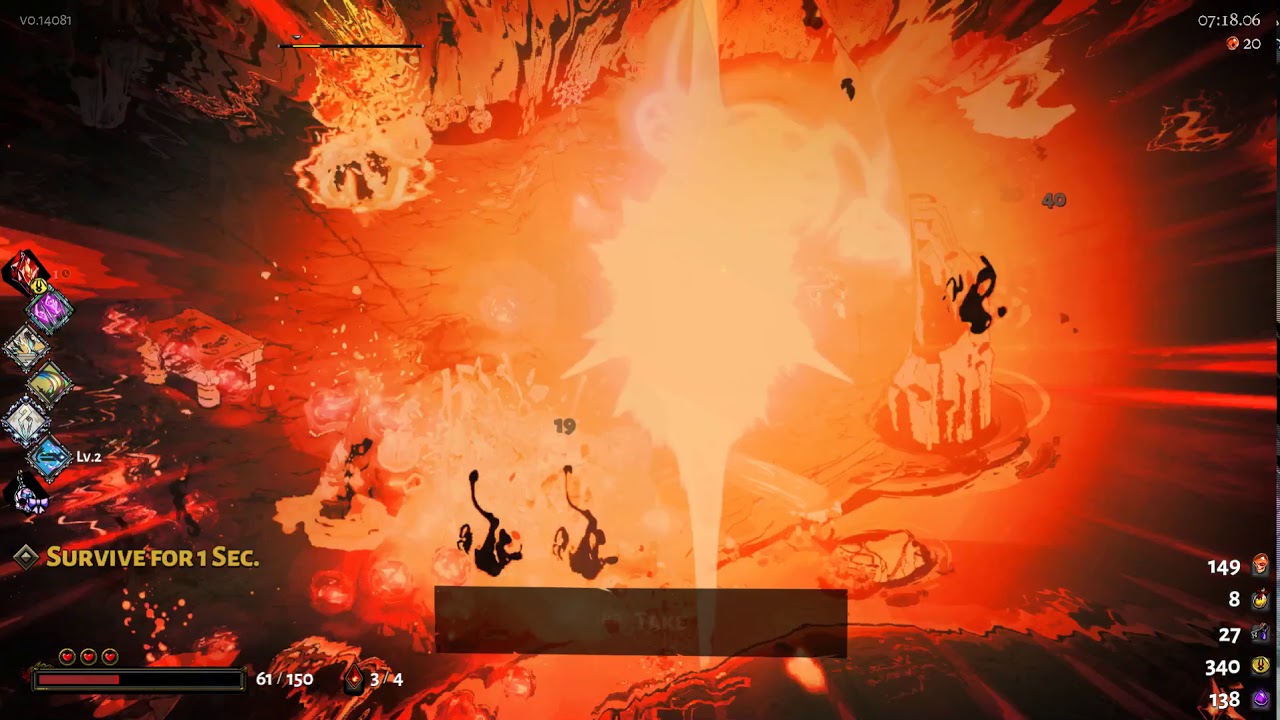
I changed the resolution from 2160 to 1080 because of stuttering and the screen is black but the mouse icon still appears. Is there a file I can edit to change the resolution back to 2160?
dense rune
https://discordapp.com/channels/456889434672201729/521144863023169536/521145565455581195 Follow the instructions here, and adjust accordingly for your preferred settings
shadow wave
Yay! That worked.
 digital lichen
I'm having trouble starting Hades with my DS4 controller attached through USB. With the controller connected, the game refuses to start, hanging at a black screen. Disconnecting the controller during the black screen allows the game to load. Connecting the controller via USB during the game causes the game to crash.
@digital lichen I figured out the issue - the controller was connected through my monitor's USB ports (a USB hub). Connecting the controller directly into the computer addressed the issue.
 fresh torrent
when leaving the house of hades to zag's room during one of the Orph songs, if you attempt to come back the song's source appears to be coming from near zag's room and not from orph. Ive reported it before, just making another msg on it since i noticed the bug still exists in this patch.
sharp girder
Apparently the slideshow thingy was caused by closing the epic launcher mid upgrade and then launching the hades executable
 mint gale
Have i overread somewhere that there was a save reset? I started hades from a new laptop and my old save is lost
toxic trout
there's no cloud saves in the epic launcher
you need to transfer saves manually if you play on a different computer
mint gale
good to know, thank you
stone gull
cant launch Hades without it crashing
I get the bug report but Hades freezes my computer until I force close it so i cant even send the report
mellow fernBOT
Thanks for reporting a game freeze! The most common solution to this issue can be found in #hades-tech-fixes-old
stone gull
I've made sure its whitelisted in my anti-virus and I've tried running as admin
sharp narwhal
Have you tried running the application directly rather than using the Epic Launcher shortcut?
 cerulean flame
my hades just crashes when I try to load up my save
it doesnt crash it just doesnt respond
sharp narwhal
Only when you try to load your save? Does it also give you problems when you try loading a different save or starting a new game?
flint compass
restarting his computer fixed it
 small kite
I think I found a bug with one of the Chaos Boons. It was one where you take extra damage for three encounters. I think after those three encounters, I was still taking extra damage for the remainder of the run. I didn't report it in-game because I thought I had extra damage turned on in Pact of Punishment, but after dying I found this not to be the case.
 tender locust
hello, im looking for a solution about not being able to purchase hades
flint compass
@tender locust, have you tried paypal? cards didnt work for me but through paypal it did
tender locust
only have a visa
flint compass
are you buying it through the desktop client?
tender locust
yessir, also tried through website with no success
accumulated 10 errors soon 😃
it keeps telling me my transaction has been voided, and honestly its impossible to look for solutions in this whiny sea of fortnite gamers on forums
 vague brook
Could it be your bank blocking it?
tender locust
thats the biggest problem, im just getting an error with no context... i cant really identify it myself
it might be my bank blocking it 😛
frosty tiger
Is this still crashing for anyone else since Friday's crash-patch?
I can't get the game to stay open. I've disabled internal GPU in bios, but still crashing.
sharp narwhal
When is it crashing?
frosty tiger
The first time was after taking the Dionysus boon for the first time, going through to the next dungeon and froze.
Now it crashes on load screen or main menu.
I just sent a bug report. for the most recent one.
I've run it both streaming and not streaming several times since the 15th and keeps crashing. I relaunched now and I've gone two rooms so far. The longest it's stayed stable since the 15th.
I also started a fresh run too, so maybe it's a problem with my save file too?
sharp narwhal
Maybe! If there's an issue with your save, the bug reporter will help with that. I assume you've tried verifying your game files? Something could have gone wrong during the update.
frosty tiger
Okay, thank you
 abstract steeple
Does anyone know if you can uncap the framerate or does it only play at 60 fps?
 iron marsh
so Hades has become unplayable, saying slide show is a bit of an understatement. Followed the steps in the tech fixes, uninstalled and reinstalled the game, changed the resolution and The audio seems to be in time with my controller but video is borked, help?
dense rune
Sounds maybe like the same thing this person had? https://discordapp.com/channels/456889434672201729/520430049003044864/546748804984995840
frosty tiger
Good day everyone. Since last patch, Hades is crashing all the time on my Intel® NUC Kit NUC6i7KYK (Skull Canyon). It worked flawlessly before. I've check what is posted in tech-fixes but doesn't seem to apply to my case.
sharp narwhal
There was someone else who was having a lot of issues with crashes; have you verified your game files through the Epic Launcher?
frosty tiger
thank you for your reply @sharp narwhal - yes 100% verified no other messages
version 14115-x64
my NUC6i7KYK is up-to-date with all latest drivers
game worked flawlessly until this patch
sharp narwhal
I see. I don't know if it will help but it's worth a shot to rule everything out - have you tried running the game directly from its .exe file in your program files, rather than through the Epic Launcher?
If it's still crashing when you do that, you're probably going to need to talk to an engineer; they're asleep right now, but you can fetch the crash data and talk with them in a few hours. I can walk you through that
frosty tiger
Thanks, let me know how i can fetch the crash data. The game crashes after few minutes of game play (randomly)
sharp narwhal
Type "error" or "event logs" into your search bar and pull up the "View Event Logs" screen. On the left side you'll see several folders; click the dropdown arrow next to the one that says "Windows Logs", and then when it opens, click "Application". A long list of notifications and errors should pop up in a viewing window; look for errors from the Hades crashes
Errors will be marked by red circles with exclamation points
Copy and save the text data from the "General" and "Details" fields and hold onto them, for now
https://media.discordapp.net/attachments/520430049003044864/540703020736839680/unknown.png
should look like this
 frosty tiger
thanks @sharp narwhal
i'm checking which of those may be related or may be related to the crash
well, total PC freeze
sharp narwhal
👍
tender locust
gonna try this again, unable to purchase Hades from Epic Games store, same goes for website
i've tried on two different accounts and i've also had a mate try for me on my account
sharp narwhal
I'm sorry to hear that, but we don't really have much we can do about the Epic Store here - if you've already tried the common suggestions, your best bet is to submit a support ticket with Epic Games
tender locust
but under which category?
tender locust
im gonna give update epic games account a shot
and also, i would like to point out that if this is a common problem then this should be a concern for the creators as it gives absolutely no information about the error. i realize it might be epic games fault, but its still a concern for the creators 😃
who knows, might just be me
sharp narwhal
There were definitely issues early on, but they haven't been reported as much lately
I don't know if that's because there aren't as many people buying the game, or if it's because the issues have mostly been fixed
tender locust
well ill try to come back to you if i find a solution
sharp narwhal
Thanks!
 sage rock
Is there a way to play my saved game on a different PC? I'm using the same epic games account but I'm not familiar with they handle it.
toxic trout
you'll need to manually transfer your saves!
sharp narwhal
They're located in Documents\Saved Games\Hades
sage rock
Thanks guys!
frosty tiger
uhm... nothing, i've been trying to run the game in x86 mode and compatibility mode, still hangs after a while. There are other Intel related errors happening, probably this new patch has changed something that on my NUC SkullCanyon architecture doesn't work
those Iris integrated intel cards are pretty bad
funny thing, there is a NUC called Hades as well..
meaning that whatever google research to find someone with the same issue, is resulting ending up on some Intel product
great
@sharp narwhal to whom shall i send the event logs?
 full crater
vens asleep rn but you could send to @analog fjord
tender locust
just gonna ask again @sharp narwhal (sorry) , no1 has ever gotten the taste of "error your transaction has been voided" when trying to purchase Hades?
 torn yew
I've been taking lot's o' screenshots, and the game decided it had enough... I'd love to get that fixed.
toxic trout
what do you mean by "decided it had enough"
torn yew
My apologies, when I attempt to take a screenshot, it posts the "Screenshot Failed" error message, and rebooting my machine didn't seem to help.
My apologies for not thinking to error report it, I was getting a quick run in on my way to work.
toxic trout
i've had that happen before but usually just trying to re-take the screenshot has it work
torn yew
Unfortunately, it's not worked since I first saw the error message.
tender locust
seems like hades cannot be purchased 😄
stone gull
still unable to start the game
sharp narwhal
@tender locust People have gotten their transactions voided before...you don't live in an area where it's unavailable, do you?
@frosty tiger Dexter or Morgan can help you if you haven't messaged anyone yet
@stone gull Sorry, I asked this before but, did you try running the game from its .exe file directly rather than through the Epic Launcher? Sometimes issues with the launcher and internet connectivity can prevent the game from starting
stone gull
yeah I did
just gives me the bug reporter
but i cant report the bug because it freezes
sharp narwhal
Hmm. Alright, I think you should also probably talk to @thick lava
thick lava
@stone gull Do you see any .zip files in %TEMP% or in Saved Games\Hades?
@frosty tiger Please DM me your event logs and DxDiag. If you're on a SkullCanyon, I'd suggest updating to the latest drivers directly from Intel
stone gull
none in Saved Games\Hades, how do I see temp
frosty tiger
@thick lava - i've the latest driver directly from intel. I will send you the Logs and DxDiag. Thank you
thick lava
@stone gull Best way to get to temp is to open file explorer, go to the address bar, type %temp% and hit enter
you're looking for BugReport_Hades_??????.zip files
stone gull
got nothing that mentions Hades
thick lava
Is there anything in the windows error log?
https://media.discordapp.net/attachments/520430049003044864/540703020736839680/unknown.png
Start Menu > "Event Viewer"
To refresh, you're crashing on launch and the bug reporter is freezing, yes?
thick lava
Generic app hang, unfortunately.
Can you DM me your DxDiag information? https://support.microsoft.com/en-us/help/4028644/windows-open-and-run-dxdiagexe
Open and run DxDiag.exe
tender locust
@sharp narwhal if norway/germany is unavailable i do, but i dont think so 😄
sharp narwhal
Well, I hope Epic support gets back to you soon...!
tender locust
@sharp narwhal you'll be pleased to know that they have responded 2 times and both times they mentioned a "fix" which is the one thing that i have told them isnt the issue LUL
 sweet halo
I'm getting terrible fps drops since last patch, is this a known issue? Especially on ||Hydra and Mobs blessed by Poseidon ||
sharp narwhal
Some people have been having frame drops, yeah, though it's not been as commonly reported as it was before the patch
sweet halo
I didn't experience it at all before chaos patch, that's for sure
 muted kelp
using enemy increase with heat causes me to lag when there's 30+ enemies on the screen
 ivory shoal
Hi. I'm in Japan right now and I'm trying to buy Hades right now. However, Epic Games store is blocking me from the purchase screen because my account's region is set as Korea. Does anyone know any solution to this?
 earnest copper
every time i attack or dash i feel like the overrall quality of the game deccreases for a split second.
and after i dash the game sttuters for a second
i this a problem of having a slow coumputer or the game?
game is awsome btw
sharp narwhal
Hi there! Some people have been having some performance issues after this update, yeah. The game's minimum requirements are posted in #hades-faq , so you can check your graphics card against those!
If you have an Nvdia card, you should also check to make sure that Hades is running on the Nvidia card rather than on the computer's default graphics. You can check that using the Nvidia control panel
@ivory shoal If there's no clear option to set your account region in your settings, I'd submit a ticket with Epic Games support. There's a category on their help website for updating account information.
You might also be able to check the browser version and see if the Japanese region internet connection changes the browser store region
Alternatively: try making a new account! I think I remember hearing from you before about this actually, haha
If you make a new account while in Japan, maybe you can change the locale
@muted kelp There have been reports of some performance issues with this patch. I imagine it's something SGG is going to continue optimizing
frosty tiger
I have only a one and only question: I love your games, and have all of it. But will be Hades after the finalised game support linux? If not i wont buy Hades!.I ask this because Epic will be never linux support!^^
full crater
After the completion SGG will most likely be working on making the game more widely available- we can certainly hope for Linux support!
However, nothing is certain yet
frosty tiger
thx for answer! O and i LOVE your games! And thx for supporting Linux!
full crater
haha theyre not my games im just modding! and yes, i hope they will!
 maiden hollow
Game takes picture of menu when i use print screen. By the way i made this screenshot to show how to impossible to survive when on map 5 skullomats and 3-4 wretched witches.
Actually print screen works strange all the time. For exemple It shoot a frame where i go from the blood pool instead of picture i want.
flint compass
@maiden hollow you can take screenshots in-game with F11!
 subtle haven
my savings has been removed from hades is there some way to get it back
i reinstalled my whole computer and suddenly its gone
full crater
Hi, theres no cloud saves in epic so you need to import a previous save file...do you have backuped saves from your computer somewhere?
i....im blanking on what the save folder is called i think it is profile_save_01?
surreal pike
Kam are you thinking of \Documents\Saved Games\Hades ?
full crater
YEAH hdjcjfh thank u
stone gull
connecting controller still crashes but Im afraid its something to do with ym controller drivers. any advice for this?
sharp narwhal
If you think it's your controller drivers, have you updated them?
maiden hollow
@flint compass i made it but inscription where they are stored disappears too fast. Can u tell me where the screenshots are? 😅
flint compass
documents>saved games>hades>screenshots
the screenshots from your F10 bug reports should also be there, if you made any
maiden hollow
Yea there they are. Thanks
 chilly fjord
Hi, my game randomly crash without any message. Don't know where to look for an answer, as i have no idea on what cause the crash. Thanks
Looking at windows event viewer, it's .net runtime that crash. I have the last version installed.
Tried netfxrepairtool, no changes
sharp narwhal
I assume you've tried googling the error code for specific fixes?
chilly fjord
Yes, no answer related to my problem (uninstal Avast, i don't even have it)
sharp narwhal
Alright, I'm going to suggest that you hold onto the error data, maybe save it in a text file or something, and hopefully an engineer can help you out during business hours
chilly fjord
Ok thanks
 potent talon
Not sure if gameplay issues belongs here, but the damage % increase of the Artemis’ boons aren’t consistent. The increase is different for every hit of my attack, working very differently from other attack % increase boons where those would give a flat and consistent boost.
 uncut frost
I have issue where I am stuck on first level no monster spawn or token powerup spawns and I unable to die or leave the level. I have uninstalled and reinstalled the game. This bug affects every file and new game.
 placid dust
Rail occassionally keeps firing with no input and won't let you dodge while this bug is active. It's gotten me hit wayyyy to often. On top of the other issues reported in feedback, this makes the Rail extremly hard to use.
sharp narwhal
Do you use controller or kbm? It sounds like it could be a sticky key or input
dense rune
I don't think I've ever come across this... sounds like a sticky key to me
placid dust
kbm. both brand new and don't have issues in any other game I play.
For instance, I play a lot of Battlefield as an Assault/Support. I can do controlled burst or fire a single shot even in full auto with consistency. (I mean... my aim isn't that great... but at least I can control my recoil)
sharp narwhal
Same key?
placid dust
left click.
sharp narwhal
Hmm
placid dust
is my primary attack in Hades.
as is my Shoot button in battlefield
and I only have this issue with the rail.
it's not like I run sword and he just swings over and over.
sharp narwhal
It's not an issue I've heard reported before with the rail, is all, so it's just odd. Report it as a bug, I guess? Use F10 and include details about when/how it happens
placid dust
oh yeah they did change it so you gotta report in game now huh?
sharp narwhal
Yeah, that way they can see your setup and save details, it helps them pin down the issue
sharp narwhal
Hi, this channel's only for people who need tech support, so I'm going to clear this message out ^^
 weak lily
so i dunno if this should be reported as a bug (if so I will) but I just beat the current final bos and after like 100 tries I was very pround since it was pretty hard for me so i took a screenshot but that second the game froze and would not respond. I have the screenshot still tho if I shoud dattach that
so basically I just want to know if there is a way to get the pact of punishment still, when I restarted I was also respawened in the house of hades and not the chamber before the boss
toxic trout
it'll still register that you beat the boss, as far as i know
weak lily
unfortunatelly it didnt but luckily I managed to beat her again , feels pretty good after all this time
 mystic breach
Just got a bug where changed my resolution from 4K to 2560x1440 and it placed the game in a small corner of my screen and now I can't play. I can hear the menu feedback and sound but the game isn't responding.
I had to quit the game from Task Manager. Now my game launches with a black screen. I can hear music but none of the menus or title screens show up. I'm gonna try and reboot.
dense rune
Try setting the launch options as detailed here https://discordapp.com/channels/456889434672201729/521144863023169536/521145565455581195
toxic trout
you could also try going into the savegame folder (Documents\Saved Games\Hades) and moving the Profile1/2/3.xml files someplace else and relaunching to see if that kicks it back to default settings
mystic breach
I had to run the command line options to be able to play again. I then changed back to my 4K resolution and switched to Full Screen as a workaround. Then I disabled the command line options.
frosty tiger
Hello everyone
few days ago i was here to report a crash on intel NUC skullcanyon after the last patch. I found the source of the crash...
if you play hades with an xbox ONE Bluetooth joypad
the game crashes very quickly, but it is the BT stack that is crashing not the game
the game gets stuck
if you quickly remove the battery from the xbox one pad, the game recovers because the Intel NUC loses the connection over BT
before this patch, the game was running just fine, so something has changed
analog fjord
@thick lava ☝
thick lava
We talked in DMs. There isn't really a workaround at the moment
 somber prairie
im wondering if this has happened to anyone else, but this has happened to me multiple times! sometimes when i hit exit on the main menu, my computer/screen completely freezes up - this only has happened with hades, and i cant ctrl+alt+delete out of it. i cant ctrl+tab out either!
the only thing i can do is hard restart my computer by holding down the power button....
mellow fernBOT
Thanks for reporting a game freeze! The most common solution to this issue can be found in #hades-tech-fixes-old
 olive basalt
Playing on pc and the game froze at this screen
Was able to exit with task manager
 digital frost
Game Freeze, i had Spear on Chaos Realm. Chamber 10 with (Blade Dash) (Ocean's Bounty) (Lv 2 Lightning Strike) (Dark Thirst) (Myrmidon Bracers -25%)
mellow fernBOT
Thanks for reporting a game freeze! The most common solution to this issue can be found in #hades-tech-fixes-old
digital frost
cant find the cause but gave as much details as possible hope it helps 😄
maiden hollow
Sometimes Meg's immortality doesn't show up. I can see it for a second only if i hit her.
surreal pike
You can report that ingame with F10!
torn yew
Quick question, I haven't been able to use Window's 10 game capture interface in Hades with ease... Is there any recommended capture software that works well with Hades on Windows 10?
thick lava
I generally recommend OBS, or capture software provided by your GPU manufacturer (e.g. Nvidia's ShadowPlay, or AMD's ReLive)
dense rune
Can corroborate, OBS works well
torn yew
Thanks!
 ornate stratus
Hi!
I can't get the game to actually go into Windowed mode. I've done what was listed in the tech-fixes section and I have Fullscreen unchecked.
I've attempted to toggle back and forth, restarting the game etc but nothing seems to work. Are there any suggestions?
thick lava
@ornate stratus You can try the following launch options: /FullScreen=false /NoBorder=false
You'll need to set that up under settings in the Epic launcher and then scroll down to Hades, and enter them in Additional Command Line Arguments
You might need to specify /X= and /Y= depending on your desired window size
ornate stratus
Thanks for the response @thick lava ! I did end up doing that from the Tech-Fixes section. This is what I am currently using per the info from that section. Should I alter it?
/FullScreen=false /NoBorder=true /X=1920 /Y=1080
Thank you!
thick lava
Yes, you want to change /NoBorder=true to /NoBorder=false to launch the game in windowed mode. If your desktop resolution is 1920 x 1080, you may want to set /X=1600 and /Y=900 if you don't want the game window to fill the entire screen
torn yew
And what is the command to show your chamber count?
dense rune
It's the same button that brings up your boons during your run. Left Trigger on controller or I think Tab on KBM
potent talon
so if you open the codex at the edge you can attack with your weapons, pretty sure that isnt intentional
sharp narwhal
@potent talon please report that using F10 within the game!
potent talon
oh @sharp narwhal cheers
sharp narwhal
👍
potent talon
sorry 'bout that 
sharp narwhal
no problem! that's a pretty wild bug, i'm sure sgg will be glad to see it reported
potent talon
one of those random button press into bugs discovery
full crater
hfhchf yeah youre never getting that bloodstone back zag
 pulsar sonnet
Anyone having issues with the game freezing up right when you enter the first room?
mellow fernBOT
Thanks for reporting a game freeze! The most common solution to this issue can be found in #hades-tech-fixes-old
frosty tiger
I'm not sure where to post but I can't purchase the game cause I keep getting a message that its not available in my region but I can't find anything that says its unavailable in the US. Is this a mistake or is it really unavailable in the US?
sharp narwhal
It's available in the US for sure - make sure your computer's region isn't set to somewhere else, that you're not using a VPN, etc. Maybe try reinstalling the Epic Launcher, and if you're still having trouble, contact Epic Store Support.
frosty tiger
I get it online and in the app
sharp narwhal
Alright. Please contact Epic Support then. Sorry about the trouble!
frosty tiger
Done and done. Thanks for the help
sharp narwhal
No problem!
frosty tiger
So I haven't heard from Epic about my region problem so I did a little digging and realized my account says I'm in Korea! And that region does not support changing your country...
sharp narwhal
Well that would explain it! Can you make a new account from the US?
 strong dagger
Can I transfer my save from one compiuter to another? Since I'm planing to buy new one. The last thing I want to do is play the whole game all ower again.
toxic trout
documents/saved games/hades and then either profile1, 2 or 3 depending on which slot your save is in!
strong dagger
Thanks
frosty tiger
If it can't be fixed I'll make a new account.
mellow fernBOT
Thanks for reporting a game freeze! The most common solution to this issue can be found in #hades-tech-fixes-old
 rigid flare
Hi, I bought the game a few days ago, and ever since I've never been able to quit the game from the main menu. Whenever I hit "Quit" my whole computer freezes and I can't do anything (although my cursor still moves), including ctrl+alt+del. I've checked my Nvidia setting and it is using the Nvidia graphics card. I am on Windows 10.
The game itself runs fine and does not freeze. It's only when I hit "Quit" in the main menu
sharp narwhal
Sounds like it could possibly be an Epic problem? Have you tried running the game from its .exe file directly instead of through the launcher, and running it as an administrator?
sharp narwhal
Alright, see if that helps. If it doesn't, the next thing I'd look at would be the error codes, if there are any - you can find them by searching "error" or "event logs" and clicking on "view event logs". Under the windows logs > application, look for the errors caused around the time of the crash, specifically any caused by Hades.exe.
You could also verify your game files using Epic to make sure there are no issues there
rigid flare
Actually what I thought was the .exe was just the shortcut for the Epic Games launcher, oops. Where I can find the actual exe though? The game is installed through Epic, so it seems to be only available from their launcher
sharp narwhal
Nope, it's DRM free! go to your epic games install directory and you should be able to find it there. C:\Program Files\Epic Games\Hades
rigid flare
Ah found it, thanks. Well launching from the exe still causes freezing, with or without running as admin :(
sharp narwhal
That sucks, I'm sorry. Guess that's one thing ruled out at least - can you check to see if there are any error codes?
rigid flare
Hmm nothing in "Application", they're all info logs
sharp narwhal
Hmmm
Well that's all I've got, I'm sorry. Working hours on the west coast are already over, but hopefully tomorrow somebody from SGG can help you out, or maybe other users have had the same issue and know a fix.
rigid flare
Okay, thank you anyway
analog fjord
@rigid flare This is the first we've heard of this on Hades. If there's no error log, it sounds like the issue may be with Windows rather than the game. What version of Windows are you running? Is it up to date? Are your video card drivers up to date? Can you run DxDiag, hit Save All, and DM me the resulting file?
rigid flare
@analog fjord I'm running Windows 10. I believe it's up to update but not sure about the drivers. I'm away right now but tonight when I get back I'll try updating the drivers to see if there's a difference. If it still freezes I'll get you the DxDiag results, thanks.
mellow fernBOT
Thanks for reporting a game freeze! The most common solution to this issue can be found in #hades-tech-fixes-old
rigid flare
I see at least one other player further up that had the same issue actually
It's @somber prairie , reported 2/26. Except I run into this every time, not just sometimes.
rigid flare
Updated the graphics driver and it works, thank you!
analog fjord
Awesome!
 low ermine
Hey guys, technical question (don't own the game yet). Has there been any updates on the Linux version? I own every Supergiant game and was disappointed that this one wasn't available at the same time as Windows unlike with Transistor and Pyre.
toxic trout
it's still in early access; additional platforms may happen after early access is finished
 dreamy coral
^^
toxic trout
Will Hades ever come to Steam or other platforms? We expect to bring Hades to a variety of other platforms once Early Access is complete, including Steam. That’s not for a while so we can't make any promises here yet.
low ermine
Alright, so no news. Just sad since all previous titles had Linux releases much faster (though Bastion was late, that was a long time ago).
I figured the engine being ported would make it easy 😦
analog fjord
The engine port won't be done until much later this year either. It's a substantial undertaking.
low ermine
Ah, ok thanks for the update. Wasn't sure if it was similar to the one used by prior games.
I'm in for day 1 whenever the Linux build comes out fwiw, as I was with Pyre. Bit late with Transistor but huge fan of it.
 maiden tulip
Anyone else had any problems with their mouse sort of freezing sometimes? And an error sound playing? Hades was working fine yesterday, and I have no problems while playing anything else?
mellow fernBOT
Thanks for reporting a game freeze! The most common solution to this issue can be found in #hades-tech-fixes-old
 obsidian lava
I've had the mouse freeze, but no error sound plays
mellow fernBOT
Thanks for reporting a game freeze! The most common solution to this issue can be found in #hades-tech-fixes-old
 pseudo plover
I have massive freezes each time I fight the MegaGorgon, at a point that I can't even play anymore, and if I manage to beat it, I can't play anymore the game is full laggy. The game even crashed earlier.
mellow fernBOT
Thanks for reporting a game freeze! The most common solution to this issue can be found in #hades-tech-fixes-old
analog fjord
That's actually good advice for this case ^
 sonic kettle
Has anyone else had the issue where the cursor wont show? i can still select things but no cursor (ive tried restarting both game and computer and having nothing open on my second screen)
 half flint
Good morning.
Finally I found time to play Hades.
All were well until the keyboard stopped responding. I have not managed to pinpoint under which circumstances this occurred but it has happened to me 3 times over 20 or so runs.
Troubleshooting: unplug the keyboard and plug it in again which fixes the issue. Nevertheless I have not experienced it on any other games on my current setup.
 light birch
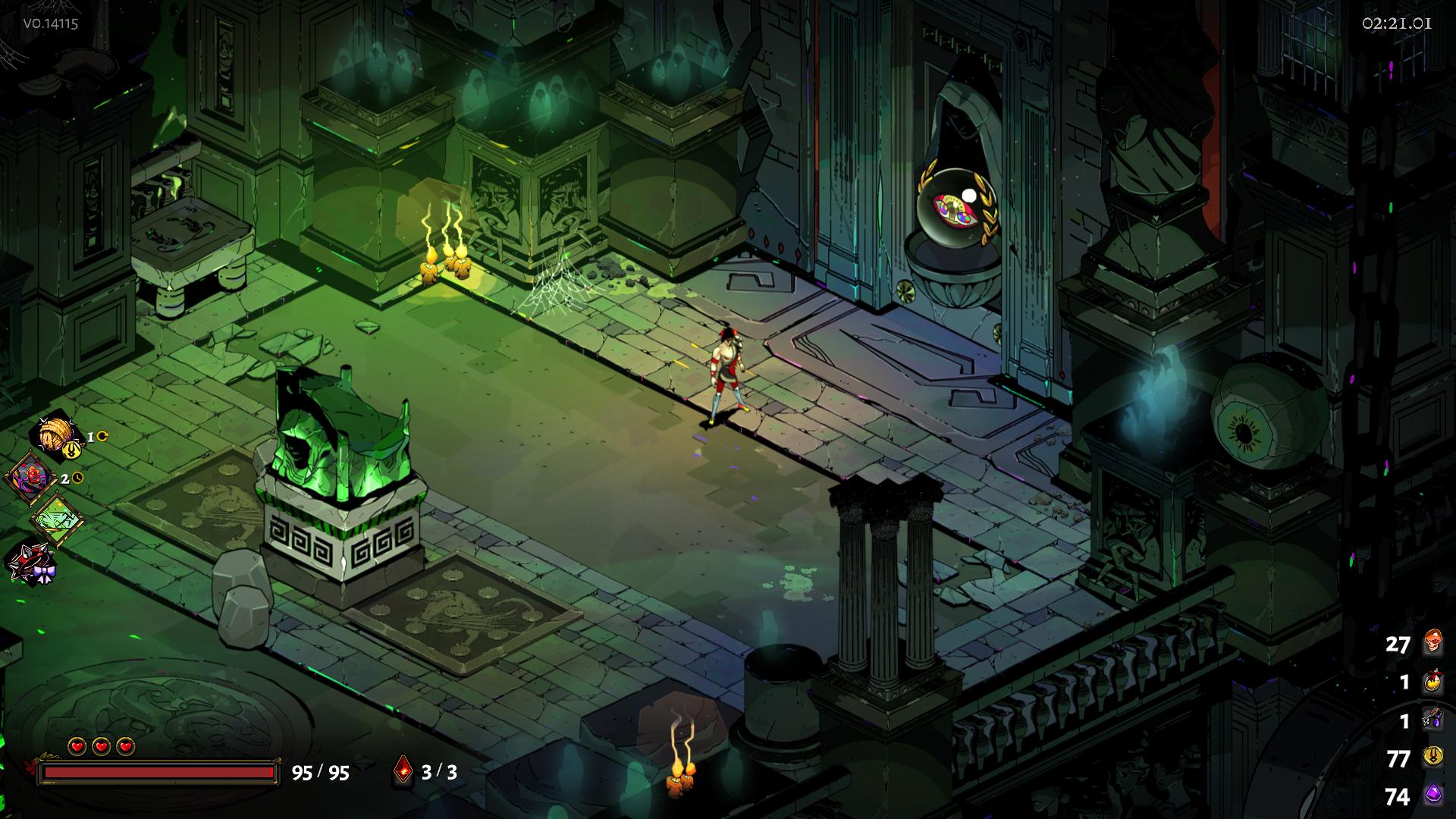
reported the bug for this but was curious if anyone has seen this where the chaos icon overwrites all the door icons?
 toxic trout
i mean..... that's not a bug?
dreamy coral
it is a bug
toxic trout
you have the enshrouded chaos boon
toxic trout
@light birch That's not a bug, that's your Chaos curse working exactly as it's supposed to by hiding all chamber reward previews
light birch
First time I've ever taken a chaos boon where that's happened
With something like 20 runs
toxic trout
that's
dreamy coral
the chaos boon says it does that
toxic trout
proto, that just means you haven't taken an enshrouded boon before.
dreamy coral
^^
toxic trout
that's what it's supposed to do.
light birch
Well then my bad, figured that would be something in the boon text saying that would happen
toxic trout
it literally does say that
light birch
Unless I'm just speeding through that fast
dreamy coral
it does
toxic trout
For the next X encounters, chamber reward previews are hidden.
dreamy coral
take a minute, hold tab, and read the boon info
toxic trout
(or left trigger if you use controller)
 tame moat
I didnt grab any screen caps because I don’t actually know how to screen cap on a Mac running Windows, but in the hydra fight, my bull rush preview as well as my actual bull rush shortened to 1/3 to 1/4 of its intended length
sharp narwhal
If you use F10 it should still pull up the bug report window, which will automatically take a screenshot and let you report the issue
tame moat
Aw dang I’ll keep that in mind if I see it again
 proven halo
so like i wanna download it after i just bought it but says unavailable
lol
nvm lol fixed it
maiden hollow
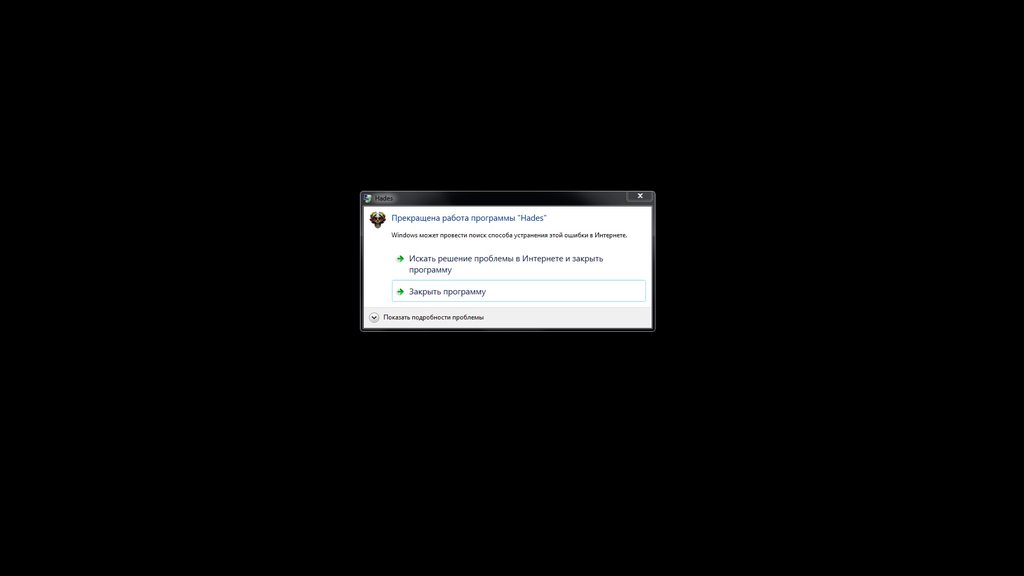
Can't start the game
Actually it starts but crash after it fast as hell
Afterpatch problem
analog fjord
Have you tried everything in #hades-tech-fixes-old ?
bronze ibex
After the update I'm am getting serious frame drops, and it's only gotten worse the farther in the game I get, and I (in hindsight stupdily) got the explosive arrow upgrade.
weather-update I tried tech fixes and went borderless, it reduced the frame drops significantly, but it still happened every now an then.
 formal basin
Game wouldnt patch, not even acknowledge the update
tried to uninstall and reinstall and the game deleted from my library and the launcher treats it like I don't own the game
maiden hollow
@analog fjord i tried the first advice about nvidia card and done everything that was written but in list of programms i dont have Hades, only Epic Games launcher
analog fjord
@formal basin I'd recommend contacting Epic Support! We don't have any control over the launcher.
@maiden hollow
Can you please check your Windows crash error logs?
http://www.cyberlink.com/support/faq-content.do?id=10449
Please copy-paste me all the information in the General and Details tabs of the logs (in a DM)
frosty tiger
help pls
im black screening when i start hades
and im in hades itself not the launcher
i tried reinstalling
and when it did work it doesnt have video only audio
analog fjord
Please check #hades-tech-fixes-old for known work arounds!
frosty tiger
trying to see if it works will get back to you
did not fix it
im still on a black screen @analog fjord
analog fjord
Can you use the F10 bug reporter when you have the black screen?
frosty tiger
i tried the website, but i didnt get a drop down menu
idk if i can
do i just hit f10?
analog fjord
yes
frosty tiger
it's trying to load and immeadtly says hades stopped working after 10seconds or so
so idk if the bug reporter wil work
gonna try it
analog fjord
Did you try this:
- In the Epic Launcher open the Settings Menu
- Scroll to the bottom until you see Hades.
- Expand Hades
- Click "Additional Command Line Arguments"
- Type/FullScreen=false /NoBorder=true /X=1920 /Y=1080 into the text box that appears
frosty tiger
the launcher via epic games does work
with that
i get vision and sound now
but does it have to be so small?
can i adjust the border or does it have to be like that forever?
analog fjord
I'm not sure! Now that you can see the game I would recommend trying to change the resolution using the In-Game Display menu
analog fjord
Sounds like you must be using a 4K monitor, is that true?
frosty tiger
yeah
think so
idk how do i check that
i know it's HD
when it comes to hardware specs im not allways on top of what my system is
analog fjord
Can you hit windows key, type in DxDiag, run that program, click the "Save All" button, and DM me the file that it generates?
analog fjord
No prob thank you!
analog fjord
Yay!
frosty tiger
aight
so i dm'd you
my actual name is different from the server name
i was kindly reminded it was not within guidelines
maiden hollow
@analog fjord should i paste everything u need here or in private messages?
frosty tiger
oof he crashed when going to the next room
guess i can't play it on full screen res then ..>
cant even get past the first screen XD
analog fjord
@maiden hollow PM please
 hoary glade
Anyone else having small FPS drops after the patch ?
 grim forge
anyone else having hades.exe flagged as ransomeware?`
thick lava
@grim forge That happens, unfortunately. You'll want to disable controlled folder access or whitelist Hades in Windows Defender
grim forge
okay thanks
thick lava
@maiden hollow Can you PM me your DxDiag information? (https://support.microsoft.com/en-us/help/4028644/windows-open-and-run-dxdiagexe)
Open and run DxDiag.exe
thick lava
Yeah just send me the txt file, that'll be easier than pasting it in to DMs
 nocturne helm
Anyone else having controller issues with the patch?
dense rune
What do you mean?
That's not a bug?
They changed the UI to list DPS instead of per-tick damage
Not sure if that's what you're talking about, or something else
'cause it looks fine to me
For future though, bugs should be reported in-game using F10
 bright pasture
Ok thanks ❤
 elfin hedge
Has anyone found a good way to screenshot the list of boons? Windows snipping tools aren't seeming to work (even using the delay option, then refocusing the windows)
 quick loom
When I start the game the following error occurs CLR20r3
The screen turns black, but the #Hades_tech_fixes solution did not work.
Can someone help me?
sharp narwhal
@thick lava sorry to bother you, but if you have time
thick lava
I am summoned
@quick loom First thing to try is making sure .NET 4.5 is properly installed: https://www.microsoft.com/en-us/download/details.aspx?id=30653

Microsoft Download Center
.NET Framework 4.5 is a highly compatible, in-place update to .NET Framework 4.
If that doesn't fix it I'd also run a system scan, which will find and fix any corrupted system files: https://support.microsoft.com/en-us/help/929833/use-the-system-file-checker-tool-to-repair-missing-or-corrupted-system
Describes how to use the System File Checker tool to troubleshoot missing or corrupted system files in Windows 8.1, Windows 8, Windows 7 or Windows Vista.
tardy musk
Some particle effects completely destroy my framerate down to 5-10 fps. Zeus's lightning and Artemis's wrath mostly.
 quiet siren
Seems like my client is stock on the feb 15th update through the epic games store. Tried toggling auto update, but it didn't fix it. Maybe the splash screen is just bugged, but this is what I'm seeing when launching the game
obsidian lava
Try playing, you'll know it isn't updated if you don't get Poseidon's wrath at the very start of the run
quiet siren
Just looked at the controls, there isn't a wrath binding option so I think its out of date
quiet siren
And yeah just did a run and no wrath
 past parrot
Have you tried uninstalling/reinstalling the game?
dense rune
Or using the "verify" option
 halcyon grail
i have 2 bugs to report but im not sure if they are bugs i have pics
blade rift shows as 50 damage instead of 5 (still does 5)
nvm just one bug
nvm just one bug
dense rune
That's not a bug, they just changed how damage is displayed for it
It now shows DPS instead of damage per-tick
It ticks 10 times per second
halcyon grail
ahh ok
 iron pine
The game crashed when i met for first time Thanatos 😦
 shadow skiff
I really wish i could play the new patch, but my epic games launcher can't update hades
it's so slow, considering my connection speed should be faster as I live in Korea
it's so frustrating i tried chunk download stuff they provide on epicgames website tech support
shadow skiff
took me like 3 hours XD
potent talon
not sure if anyone else got this problem but I kept hearing some sounds like a bell ringing or something in the background.
sharp narwhal
Is it in rooms with a chaos gate?
potent talon
no its in the house and normal encounter rooms
theyre gone went I quit to menu and re-enter
potent talon
but still I'm not sure if I can even use the bug report or not because it's audio not visual
sharp narwhal
the bug reports are useful because they send your save data to SGG; using that, they can try to replicate the bug
potent talon
maybe new run I'll try to locate what room or event is causing the ringing to start
quick loom
My problem continued ;/
Can't start the game, It Crash after starting.
 past sky
anyone had this bug in the first room where you cant pickup your boon?
 rapid tundra
All buttons were remapped to default, so if you had custom controls you may need to re-do those
 muted sphinx
Is there a quick way to check where the game is installed?
Doing a fresh windows installation and need to move it
thick lava
@shadow skiff and @quiet siren thanks for letting us know. Make sure to verify, or do a full reinstall if you haven't already
@muted sphinx I think the default location is C:\Program Files\Epic Games\Hades but it's possible you installed somewhere else. AFAIK there's no shortcut in the launcher. Also, before you do your fresh reinstall, remember to copy your save files somewhere safe
muted sphinx
I just tried to install another game and saw where that led me
thick lava
That works too!
hoary glade
Anyone else having FPS drop issues since the last patch ?
 dreamy rapids
Since new patch there's a lot more going on on the screen. When there's a lot of enemies and especially when using Wrath, my fps really drops. Maybe that's just my PC, but everything was okay before. Just letting you guys know.
hoary glade
Omg same !
My FPS was perfect before but ever since the patch I have been having issues , even with rooms with ONE ENEMY
dreamy rapids
Glad to hear I'm not the only one
hoary glade
What graphic card you are using ? I am using AMD
dreamy rapids
Nvidia 950
hoary glade
Hmm so its not a specific card issue
I am asking in order to provide more info the guys at Supergiant
my cpu is AMD too
 tall valve
After the update my game crash on start.
thick lava
@dreamy rapids and @hoary glade if you find a room where you have bad FPS (or even if it's just generally bad everywhere) please F10 it so we can get your system info and the location of the bad performance. This helps us a lot!
@tall valve Is the bug reporter appearing for you when you crash? If not, could you find out if the error appears in the Windows Event Viewer?
dreamy rapids
Sure
tall valve
it did I reported it there. Was hoping there was a quick fix.
maiden hollow
Sooo, i just start the game and it started
If somebody remember my problems
After i crossed the hell of hells ofc
And i dont know how i done that
thick lava
Did you end up doing a windows update?
maiden hollow
no, im slowly as i can write to u the cool story
analog fjord
please do!
frosty tiger
Hello, tried to find fix in tech-fixes but nothing clicket. I switched PCs recently and installed Hades on my new one, but i found out that save files dont carry over. Do i have to manually go into my old PC Hades files and copy the save file to my new pc or is there some other solution?
clicked*
thick lava
Yeah, unfortunately you'll need to manually copy over your save files onto the new PC.
frosty tiger
oh ok, thats also good- was worried that if i do that, game might consider it as tempering or cheating
thanks
thick lava
nah, you should be fine to copy your Profile files into C:\Documents\Saved Games\Hades
frosty tiger
can I just copy the whole hades folder? or should only copy the specific missing save files?
thick lava
the whole folder should be fine, this will include any screenshots you've taken
 wanton goblet
Crashed in Asphodel when picking up a Darkness reward after clearing the room. Possibly related to the sound of the exits opening, as the sound of three of them opening looped infinitely.
analog fjord
Did a Bug Reporter window open? If so, please send the bug report in!
quiet siren
Hey Dexter, ended up resolving the not updating issue by logging into epicgames. I don't turn off my computer much and never noticed I was running the epic games launcher without being logged in, which apparently makes it so owned games can't update.
analog fjord
That makes sense! Good to know the solution!
past sky
Does this game work with the Nintendo switch Pro controller?
analog fjord
It should!
past sky
That's fantastic. May I ask if there's any information on a switch port? That would be a life changer
analog fjord
All the info we have on a Switch Port is in #hades-faq 😃
 tepid canyon
 humble onyx
has anyone else had mouse moving extremely slow in main menu
dense saffron
hey guys! just want to report that the hydra fight is having some framerate issues for me, most of the game is fine tho!
surreal pike
Heyo! You can report that in-game with f10 !
thick lava
Hey @humble onyx I've seen some reports of slow/bizarre mouse behavior. Could you tell me what kind of mouse you have?
Actually, a DxDiag would be even better! https://support.microsoft.com/en-us/help/4028644/windows-open-and-run-dxdiagexe
Open and run DxDiag.exe
frosty tiger
huh didn't have a problem with slow mouse movement
i did have a bug where some voice lines wouldn't play tho
and it's not that my sound was off because some played and some didn't
thick lava
If that happens again, please report it with F10. Definitely sounds like a bug
Okay, the pun was unintended
 dusk ferry
I'm assuming this is the right place to post this stuff
I just finished a Thana encounter in Asphodel, and although there are no enemies present and I've picked up the reward, everything is still locked
The ferries, the trove, even talking to Thana, are as if I haven't actually beaten the room yet
I don't know if it's relevant, but I'm pretty sure he got the final kill of the encounter
humble onyx
@thick lava just send a pm to you with dxdiag?
thick lava
@humble onyx Yeah that'd be best
@dusk ferry You're posting in the right place. However, it's best for those types of reports to come through F10 (in-game bug reporter) so that we have access to your save file
dusk ferry
Done it
analog fjord
@dusk ferry We have tracked this down and are hoping to hotfix it today, although you may have to pause and "Give Up" at this point.
 foggy jasper
I can personally vouch for you having to choose Give Up, sadly.
humble onyx
for those with mouse issues feeling weird, turn off mouse lock in game settings, it fixed it for me
thick lava
@dreamy rapids and @hoary glade another thing that's worth trying is setting the following launch option: /UseNativeOpenGLRenderer=false
past sky
I have a lot of buffs during my run, they stacked up so high I can't see my last couple buffs, any way to scroll down?
 ripe hill
greetings - Hades just got quarantined as ransomware by Avast
anyone else having this issue?
dense rune
Sounds like the same issue as this https://discordapp.com/channels/456889434672201729/520430049003044864/555134047613878278
ripe hill
ah, yep. glad it isn't just me...
dense rune
Easy fix, at least
potent talon
does anyone have the problem where the boons list will go out of screen?
dense rune
Yeah, it just happens if you get too many
sharp narwhal
Yeah, it's been a problem since day one lol
dense rune
No fix for it yet
 thin stratus
hi, i checked the faq and subreddit and can't find any threads on this; Is anyone else getting a long freeze after using the Cast ability ? i just started playing today and it seems every 5-10 seconds the game freezes for several seconds while my cast is in the air.
mellow fernBOT
Thanks for reporting a game freeze! The most common solution to this issue can be found in #hades-tech-fixes-old
thin stratus
I only have one graphics card
hoary glade
@thick lava , I shall try , thank you so much for your help ❤
 latent beacon
Have anyone had this problem: when pressing launch in the epic game store I get the following error:
System Error
Sorry, An unexpected system error occured while processing. Please try again.
Error Code: EU-FA-0
It might have to do with the windows update that was installed yesterday before I went to bed, since everything worked fine until then.
sharp narwhal
Not sure, but the game can be run independently of the epic launcher
the .exe file is located is C:\Program Files\Epic Games\Hades
latent beacon
Oh nice, I will try that and see what happens 😃
Yep, that works perfectly 😃 Thank you.
 broken wasp
Does anyone else have a EU-FA-0 system error and can't log in?
latent beacon
I just did, and venhe, just told how you can run it manually to avoid the problem 😃
broken wasp
Oh, just noticed. Thanks!
sharp narwhal
We should probably still look for a solution, since the epic client is necessary to update the game, but there's no rush
dreamy rapids
same EU-FA-0 error
 shut island
Hi im having the same problem but when I run the .exe file it opens the bug report and not the game itself
 delicate cape
Same error here
 strong sedge
also same error this morning https://i.imgur.com/dXr1PQx.png, whether launching the game or trying to verify the cache
 sharp narwhal
everyone, if you find a solution, be sure to share it with the class
toxic trout

sharp narwhal
ok, well there's solution one: turn it off and turn it back on again
strong sedge
i restarted epic and my pc several times, which did not help immediately
but it work now 
sharp narwhal
last ditch solution: turn it all off and back on again
Wish i could troubleshoot from my end but my Epic is working fine, and I just had the windows update...
hoary glade
hey @thick lava , your command line and the patch ( i guess?) increased my FPS
thank you so much ❤
 olive thicket
Hey guys - watched the teaser video for the game and loved it. Just picked it up. Unfortunately, any time there are any actions going on (attacks, etc), the sound gets extremely stuttered to the point where it’s better to just mute it. Is there any place I can post more details to help out?
Love the game so far!
toxic trout
you can hit f10 ingame to provide a bug report and it'll send information to supergiant :D
olive thicket
Thanks Sparrow!
dreamy rapids
Like IonianAryn said, my performance improved as well
thin stratus
i'll try the f10 thing too thanks @toxic trout 😃
 static nebula
Hey, guys! I'm trying to move the save game files manually from an old drive to a new one, and I can't seem to pin down the right method. Any ideas?
toxic trout
So your old drive most likely has the saves on C:\Users\[NAME]\Documents\Saved Games\Hades
static nebula
I tried manually moving the file from the saved games folder on the old drive, but the documents parent folder in my new drive is totally empty. I tried just moving the whole Saved Games folder, but that doesnt seem to have worked.
toxic trout
have you actually played the game with the new drive in yet?
static nebula
Yeah, I installed it and started a new game in the hopes that it would create a folder for me, but it hasn't. In fact, I can't even find where my new drive is getting that new save data from. As, like I said, my documents folder doesn't even have a saved games folder on my new drive.
toxic trout
okay, so, try launching the game, saving a screenshot, and then seeing what file path comes up on the screen
static nebula
Okay, brb. Thanks
toxic trout
it'll show up like this and that should tell you where the game is saving to
static nebula
Uh, maybe this is a dumb question, but by saving a screenshot, you just mean hitting "print screen," right? Or, is there an in-game function I don't know about.
static nebula
Ah, it was using onedrive, for some reason! Thanks a lot! I'll try copy pasting the files there, instead
That worked! @toxic trout you're a life saver! Didn't want to grind that 3,000 darkness over again XD
toxic trout
👌
 dim garnet
Something weird is going on with the cursor - standart windows cursor sometimes appears over in-game one, also mouse moves quite jittery or something.
Here's how it looks or something https://youtu.be/sX14EmLaW8E
 analog fjord
Does turning Mouse Acceleration on/off help? What type of mouse are you using?
dim garnet
Turning Mouse Acc on/off has no effect. Good ol' logitech m100.
analog fjord
Hmmm @thick lava has been looking into mouse issues and may have some more advice.
thick lava
@dim garnet Please PM me your DxDiag information! https://support.microsoft.com/en-us/help/4028644/windows-open-and-run-dxdiagexe
Open and run DxDiag.exe
 maiden hollow
So, every time I launch the game, the game audio resets audio tracks and I cannot control how loud the game is until I get into the menu and manually change it. Does anyone have a solution that will force the game to remember where audio output should be?
I use a GoXLR mixer for reference. All of my games use the Game audio track, but, Hades defaults to System every time and blows my ears out. Thank you!!
 frigid ember
help! cant find my last enemy.
rapid tundra
F10 it if you've cleared the room of enemies but the doors won't open
frigid ember
but is there anyway to actually continue the run
cuz i had such good luck with it too
sharp narwhal
Might not be :/
frigid ember
well that sucks
maiden hollow
@frigid ember Also need to pick up your reward
small kite
I submitted an F10 bug report on this, but I feel like I didn't explain it well so In trying again here.
On my most recent Hydra fight, I got 2 heads, then 6 heads, then another 6 heads instead of the usual 2, 4, 6.
And just for the record, I still beat him. 
 gusty swift
guys, i have low fps and low gpu usage, do anyone can help me?
dense rune
 raw plank


 rigid flare
Hi, I wanna ask here before submitting it to feedback. My laptop shut off when I was near the end of the Hydra fight (I was an idiot and forgot to plug my laptop in). Turned my laptop back on and none of my progress of the run was saved. I started again at Skelly's. Is this supposed to happen? I thought the game would be autosaving along the way.
toxic trout
that can happen if the game crashes mid-run! it'll 'give up' - which puts you back at skelly as if the run never happened - instead of 'quit'
 stoic viper
Hi, The launcher doesn't appear to be updating my game (its pre Murder death Kill) it also removed all the non installed free games I had claimed. Not sure if the two issues are linked but just thought id mention that too.
flint compass
this seems like its a problem with the launcher, maybe contact epic about this?
maybe also back up your save files, uninstall and then reinstall
stoic viper
Yea I submitted an support ticket yesterday about the games, I am just now noticing the updating issue so I'm filling out another ticket now
flint compass
see if mdk is installed then
stoic viper
might be worth mentioning theres literally nothing in my payment history
which is odd
might be worth mentioning theres literally nothing in my payment history
stoic viper
Over break someone tried to access my account, but was stopped by MFA, I'm just worried that maybe that had something to do with it.
 tawny mist
Hello! Is that possible to add info about changing default renderer to tech-fixes? I mean the one with "/UseNativeOpenGLRenderer=false" launch option. It actually fixed CLR20r3 error when game crashed on startup and it looks like it's also making the game more smooth for some people. I hope I'm not breaking any rules since this option was previously suggested by Dexter.
 rain cradle
what are you refering to ? i would like to test if it help mine laptop to run the game a bit better
tawny mist
@rain cradle Check the last post in tech-fixes channel above. Also, if you don't know how to add launch options in epic game launcher, check the first post there as well.
@thick lava Thank you for adding the option to other solutions, I hope it will help other people with the same error. Also thanks for letting us know about it too 👍
thick lava
No problem 😄
 devout bear
Hey, can anyone help me? I reinstalled my windows and now all my progress is gone, there are no saves. Is there anyway to get it back?
sharp narwhal
If you backed up your hard drive before reinstalling, the saved files should have been on there, but if not, I imagine they're gone. Epic doesn't currently support cloud saves, so the only copy of your saves would have been in your Documents folder on your machine.
devout bear
Ok, thanks. I thought Epic Games had cloud saves, but yeah...
dense rune
Epic Games is aiming to introduce cloud saves in May, hopefully. Source: https://trello.com/b/GXLc34hk/epic-games-store-roadmap
Organize anything, together. Trello is a collaboration tool that organizes your projects into boards. In one glance, know what's being worked on, who's working on what, and where something is in a process.
frosty tiger
Do people that have gotten hades on Epic get a steam key IF it launches on steam?
dense rune
No, you'll likely have to buy it again on Steam if you want it there
 fervent dagger
So, two bugs during my fight with the Hydra using Aegis: the first was that, graphically, the first vertebrae of the Hydra's spine got stuck on 'top of' the layer of the head when it retracted. The second bug was that once, while spamming the Aegis' special, it got stuck, spinning in midair. I couldn't attack, I couldn't use the special. That quickly led to my death.
sharp narwhal
Hi there, please report bugs in-game using F10!
fervent dagger
Ok
 tribal cargo
Just a heads up I've beaten the hydra once, like 1 hour ago, and after that have run into a few sound clip issues. The voice actors lines just aren't playing. I can still read them but yeah the sound clip is muted. 😃
dense rune
Please report in-game with F10 if you haven't already
tribal cargo
yerp already did
 safe topaz
Since the last mini update probably 2 days ago, the game is not launching at all...what's going on...:((
sharp narwhal
Have you tried launching the game from its .exe file directly instead of through the epic launcher?
safe topaz
hahahah...oh you genius...yup that worked. thanks 😄 though wonder why launching it thatw ay wasnt working, used to work before.
sharp narwhal
If Epic is having issues or can't connect to the internet, it won't run the game
Running the game from its .exe is a good way to rule out issues with the launcher ;)
 fickle mist
I get a very weird audible beeping while entering rooms. This includes starting the game loading into the game etc.
thick lava
@fickle mist Have you tried updating your audio drivers through device manager?
fickle mist
Yes I did.
What I have realized is that for some reason the epic game launcher is starting in compatibility mode so i wonder if that may have an effect?
thick lava
Yeah it might be worth trying to fix that. Although, I'm not sure what effect (if any) compatibility mode might have on Hades
You can try launching the .exe directly without the launcher and see if that improves things
fickle mist
Compatibility mode is not on and its still making the beeping. Drivers are updated. I also noticed that it seems like the speed of the mouse is different on the x and y axis.
either that or i its random mouse acceleration
thick lava
@fickle mist Try disabling Mouse Lock in Settings. If that doesn't work, try unplugging and then re-plugging in an xbox controller (if you have one).
Would also recommend updating any/all mouse drivers, installing any pending Windows updates, and checking system integrity: https://support.microsoft.com/en-us/help/929833/use-the-system-file-checker-tool-to-repair-missing-or-corrupted-system
Describes how to use the System File Checker tool to troubleshoot missing or corrupted system files in Windows 8.1, Windows 8, Windows 7 or Windows Vista.
If you're seeing something like this person, you may need to troubleshoot startup processes: https://www.reddit.com/r/Windows10/comments/9rw13g/windows_10_stuttering_and_beeping/

 granite narwhal
hades has stopped working entirely on epic games where as soon as i clicked it it would stop working, I've tried verifying it and uninstalling and reinstalling it and resetting it but it still won't work. is there any solution you can think of?
dense rune
Can you launch the game successfully straight from the .exe file located in your install directory? (Epic Games\Hades\x64\Hades.exe)
or x86 if you're on a 32 bit OS for some reason
granite narwhal
how do i access it through the files
dense rune
I just gave you the directory in the last post
Whichever directory you installed it in, find the Epic Games folder, then Hades, then x64 (assuming you use a 64-bit OS), then Hades.exe
granite narwhal
no windows immediately pops up and says hades.exe has stopped working any other solutions
dense rune
Hmmm... That's odd
You might have to wait for @thick lava to come around, then. I don't have any other tips that I can think of off the top of my head
He may ask you for DxDiag and/or Windows Event Log info
There should be posts about how to get both of these in the #hades-tech-fixes-old channel
I guess you could try running the .exe as Admin
I was wrong about that info re: DxDiag and the Event Log being in that channel, give me a minute I'll look up the posts in this channel
obsidian lava
Oh shoot, ignore the last message
I was trying to report a bug and it started lagging a lot while I was trying to fix some of the text I had put
 full wharf
the game keeps eating my cursor but its inconsistent so im stuck restarting over and over untill it doesnt bug every time I wanna play :/
Actually it used to be inconsistent before but now it seems to have decided to consistently not show a cursor.
sharp narwhal
Does turning mouse acceleration on/off help?
full wharf
never had that on in my life
I actually recvently went over all my cursor settings for a different game I was having the same issue with so its def a problem on my end somewhat but I dont know how to fix it and it stopped being an issue in the other game after messing around with a bunch of ingame settings
sharp narwhal
I see...Dexter's been looking into the mouse issues, I think, so he might want your DxDiag info, but it's a weekend so he's not at work.
Check in tomorrow during working hours and he may be able to help you!
full wharf
OK thanks will do!
 hybrid jacinth
Gan I get some help with an Hades issue?
sharp narwhal
Hi, could you describe the issue you're having?
flint compass
thats what this channel is sure! make sure to read #hades-tech-fixes-old first though
it might have your issue there already
hybrid jacinth
Hello, thanks I have already checked but sadly its not my case. My saved slot just dissappeared without reason, it was just 3 empty gears. I didnt reinstalled or restarted my lap
 oblique canyon
Hello, are there any known issues with input lag on a Nintendo Switch controller? I was originally using the alternative method of running the game through Steam for controller support, but now the game seems to support it better natively. I disabled Steam controller support and tried it through Steam, but the input lag is still fierce.
thick lava
@oblique canyon Well, not sure about input lag (will have to double check) but I've seen general lag when using a switch controller with rumble enabled
wired or wireless?
oblique canyon
Wired, but the rumble is enabled. I will try turning it off and see if that helps.
oblique canyon
That worked perfectly, buttons felt solid, no more delay, and no more lag. Did I miss a note about that in the tech fixes?
thick lava
Nope, but I'll update tech-fixes with this info
I discovered it relatively recently but I guess I forgot to add it to the list
oblique canyon
Hey, you and the rest of the team are doing an amazing job with this game. I have loved every minute I've played and every update. I wish I had more time to play it. Thank you for all of your hard work and thanks for the help!
 marsh latch
Hey, I don't know if this is just a problem I'm having but since the game updated I can't alt-tab away from it when I don't have another program open (chrome etc). In the past I've just been able to alt-tab back to my desktop screen but I can't anymore, which means if I want to leave the game and don't have another program open I have to close it. Is this just me, and does anyone have suggestions?? It doesn't matter if the game is windowed, I still can't click away from it.
oblique canyon
Have you tried hitting the Windows button or losing Alt+Tab @marsh latch? I was having a similar issue when I posted my issue earlier yesterday and holding Alt+Tab after hitting the Windows button worked.
marsh latch
I’ll try that, thanks!
fickle mist
You can also try Windows + Tab. Generally I find this occurs when the game is stuck in windowed mode.
 patent bronze
Hi, there is this issue with Hades: I've been playing this game for a while and then suddenly fps started to drop anormally. It starts with dropping to 1-5 (?) fps for a second or two, and btw I don't know if this is related but my controller also disconnects from my pc entirely while this is happening, and then it turns back to normal. It does happen time to time, but eventually it becomes unplayable. Also the menu gets really weird after I restart the game, which means controller doesn't function at all, mouse and keyboard somehow functions but not properly.
Here is what I did: Checked my drivers if they were uıpdated (they are), read through tech fixes and tried everything there, I tried launch commands with borderless, reduced resolution etc etc. After I restart my computer this cycle goes back to start but eventually it becomes unplayable again.
patent bronze
Update: Honestly I still don't know if it's related but after I connected my controller with a usb game works just fine
thick lava
@patent bronze For the record what's your wireless controller?
hybrid jacinth
So, theres nothing I can do about a disappeared saved slot?
surreal pike
Check #hades-tech-fixes-old, there should be an answer there detailing how to convert a backup to a proper save file
patent bronze
@thick lava xbox one
hybrid jacinth
You mean renaming Profile1_temp.sav.bak? I already tried that one
 glossy glade
alright gamers i have a tough one. i'm playing hades on my ancient-ass laptop and for the most part it runs well enough to not cause me problems. the issue is i haven't once been able to beat the bone hydra because that's when my CPU performance (specifically the framerate) eats dirt. as soon as you start introducing like four extra heads that are all throwing stuff at you, my poor computer understandably gets kind of sad.
basically: if any of you guys have been playing on a lower-end laptop, is there a way to maximize CPU performance for this game? i really don't think i'd be stuck at the bone hydra if it weren't for my framerate but i don't know what to do about this and i really don't want to be told the answer of "lol get a new computer (that you can't afford)"
dense rune
Maybe you've already tried this, but lowering resolution may help
Running in windowed borderless may also help
 silk cove
hello guys, I'm trying to run the game offline but it says "the given key was not present in the dictionary" I do not know what to do to try to solve, could someone help me?
sharp narwhal
You mean run the game from its .exe file, right? Are you getting a windows error? If there's an error code, a supergiant engineer can probably help you, but they won't be available until working hours on Monday.
 misty summit
Pretty sure no one is awake at this time of night but my game has recently started crashing
I get this error message
it happens as soon as I start a run in the game
sharp narwhal
Have you verified your game files through the epic launcher?
misty summit
That's a good idea
should probably do that first
well my game doesnt crash anymore
but im getting an odd stuttering issue
silk cove
@sharp narwhal has no Windows error, only the crash screen of the game appears after a black screen, I did not find any specific error in it (I checked all the necessary software if they were updated before running the game)
 true cosmos
ok i figured it out but using /UseNativeOpenGLRenderer=false didn't solved my problem with CLR20r3
can someone help ?
sharp narwhal
Hi, if you're still having trouble, @thick lava may be able to help. Same for you, @silk cove
thick lava
@true cosmos Try reinstalling .NET 4.5: https://www.microsoft.com/en-us/download/details.aspx?id=30653
Microsoft Download Center
.NET Framework 4.5 is a highly compatible, in-place update to .NET Framework 4.
true cosmos
thanks
thick lava
@silk cove If you submitted the F10 we'll have it in our database over here. I'll look over it. In the meantime, I'd recommend verifying the game install. It's possible you have bad files. Would also suggest updating any video drivers if you haven't already
np, let me know if it works
true cosmos
@thick lava I reinstalled net framework 4.5 and after that installed 4.5.2
and nothing changed
thick lava
What version of windows are you running?
Depending on your windows you might need this, too: https://support.microsoft.com/en-us/help/2999226/update-for-universal-c-runtime-in-windows
Describes an update for Universal C Runtime (CRT) in Windows 8.1, Windows RT 8.1, Windows Server 2012 R2, Windows 8, Windows RT, Windows Server 2012, Windows 7 SP1, Windows Server 2008 R2 SP1, Windows Vista SP2, or Windows Server 2008 SP2.
thick lava
Yeah, download the universal C runtime for x86, windows 7 from that page
and/or install any pending windows updates if you have them
true cosmos
@thick lava the problem is i have illegal copy of win 7 so i can't install updates
windows update is just disabled
thick lava
If that's the case, then you're likely missing the update that installs the universal C runtime. I would try installing it from my last link. However, if that doesn't work, I'm not sure what else I can advise
true cosmos
i have "this update is not applicable to your computer" error
@thick lava
i'll just buy other games then
anyway
thanks for help
 distant basin
hey devs,
I have a notification that keeps appearing on the game that says "Settings for current profile is corrupted, and cannot be read. Default settings restored".
The game also has problem with saving, apparently it doesn't save even though it says that it was saved a few mins ago.
I was wondering if there's a solution for this problem atm ?
sincerely,
JUSTLIKEMIKEZ
I already tried verifying & then reinstalling
sharp narwhal
Have you checked to make sure that any antivirus software that you have isn't interfering with the game's autosave?
There are tips on that in #hades-tech-fixes-old