#technology
1 messages · Page 79 of 1
 tame topaz
No it is RGB
 severe falcon
the plastic around it
tame topaz
Ah fine
A more reputable brand, namely Adata: https://www.newegg.com/p/32K-00G4-00001?Description=rgb mousepad&cm_re=rgb_mousepad-_-9SIAJNUA7S0660-_-Product
tame topaz
No brands do that
Even the reputable ones
You might as well buy an Arduino and do it yourself
it's always only round the edges
tame topaz
wdym inside
tame topaz
Oh, like you want printed?
severe falcon
nono like
severe falcon
if they made it where the whole pad is rgb like that miku heart, then i could make my own waifu part to put over it
and now i get like an AL siren but her glow IS the rgb
tame topaz
Sounds like a DIY project to me
But do note that these cheaper pads don't have software control for the RGB
you press a button to cycle through the modes (of which there are not that many)
Anyway here's the slightly modified part list
Doesn't include wristrest and mousepad.
severe falcon
i have an idea
tame topaz
Go on
severe falcon

Carousell
Buy Barracuda Frosted Edge hard plastic dual sided translucent mousepad in Singapore,Singapore. Condition 6.5/10
Transparent dual-sided mouse pad - Smooth and Rough surface for optical and trackball mouse
Off-white colour
Cool aesthetic effect when used wi Chat to Buy
and then you put rgb under it
severe falcon
i have 2
tame topaz
And a ton of 5V LED strips
severe falcon
yeah which means i can do BETTER than what the professional companies can do
tame topaz
lol nice
Should be fun

An easy, cheap way to make an awesome DIY RGB mousepad!
Patreon: https://www.patreon.com/nerdforge
Music: epidemicsound.com
PARTS USED:
- Chopping board: http://www.ikea.com/us/en/catalog/products/90202268/
- Thin RGB LED strip: http://bit.ly/thin-rgb
- Neoprene fabric: http...
A guy did it with a cutting board
But still only lights up the edges
tame topaz
How big do you want it to be again?
severe falcon
and then i can get a custom printed waifu mousepad, cut out the bits i want to glow, and then glue it on the top
tame topaz
You'd need like 2 cutting boards for 80-ish cms
severe falcon
nah ill just get it for the mouse
tame topaz
See-Thru Mousepads. Frame-It Lift Mouse Pad. Flip Top Mousepad. Lift Top Window Mousepad. Custom Printed Graphic Insert Mouse Pad. Document Holder Mouse Pad
These guys do custom printing too, but seems like it's only for businesses
Also the one you posted is used
 vast sand
@severe falcon why not just get a big rgb mousepad
like those desktop mousepads
then get another waifu mousepad on top of it
its much easier
severe falcon
nono like
rgb mousepads are only the ring around the pad
im talking about the entire pad glowing
vast sand
why tho
severe falcon
cuz itll look cool
severe falcon
yeah cuz the rgb mouse and keyboard aint distracting
vast sand
its gonna look weird tho
severe falcon
how
vast sand
So ok
Imagine your desk
With a rgb keyboard
then you have this one pad beside it that is just like bright light
cycling through colours
and then you have another mouse on top of it
severe falcon
big assumption that its gonna be cycling
 severe falcon
idk
 severe falcon
its all gonna be the same color, but i might change that color
severe falcon
like all the rgb of everything is gonna be solid
vast sand
A4 A3 LED Art Craft Design Tracing Photo Drawing Tattoo Light Box Pad Lamp Lightbox for S$45 https://sg.carousell.com/p/187452864

Carousell
Buy A4 A3 LED Art Craft Design Tracing Photo Drawing Tattoo Light Box Pad Lamp Lightbox in Singapore,Singapore. A4 @ $35
A3 @ $45
LED Art Craft Design Tracing Photo Drawing Tattoo Light Box Pad Lightbox Lamp. Ideal For Art, Craft, Design, Drawing, Stencilling, Tattoo and Chat...
inagine this
but its like bright red
or bright blue
severe falcon
yeah but then im stuck with the rest of my rgb having to be that color
the way im talking means i get 16,777,216 colors at the touch of a button
but like look at all the yellow on this image, now make it glow
vast sand
yeah i dont think thats gonna work
severe falcon
how
severe falcon
or i get a translucent mousepad, put rgb under it, and then put a template and clear pad on top
vast sand
still wont work
severe falcon
yeah?
 subtle hawk
also are you sure it's all 24-bit color without being limited by PWM frequency? 
severe falcon
its UNDER two pads
vast sand
will make weird bumps under your mousepad
yeah
it still will have bumps
unless the pads are hard
severe falcon
ok, then ill do the cutting board thing
vast sand
you also need to learn soldering
severe falcon
and then ahve the clear pad
vast sand
because rgb by itself rarely exists
severe falcon
or i just use a breadboard
vast sand
its usually just strips
severe falcon
i have an arduino with a built-in breadboard
vast sand
then you need a power source
subtle hawk
lol this guy just jamming solderless breadboard into everything
severe falcon
USB
vast sand
usually rgb strips use 2 pin connectors
2-4 pins
then you also need a template
that is custom printed
vast sand
still you cant just pring a picture
subtle hawk
2 pins?
subtle hawk
TWI?
vast sand
idk
severe falcon
uhh then ill make it more than 4k
vast sand
you'll need a very good printer
severe falcon
or i just need to know how to use a printer
vast sand
you'll also need to consider the fact that paper does turn yellow after a few years
subtle hawk
don't know any other way to implement LED strip with pin count that low
subtle hawk
I remember it's just a big shift register cascade
vast sand
not all printers can print high res images
subtle hawk

severe falcon
uhh thats usually cuz you dont mess with the DPI settings
vast sand
Not all printers have 4k printing
subtle hawk
what about 600dpi cmyk
vast sand
You cant force a printer to print something more than it can print
subtle hawk
or even 300
vast sand
300dpi is too low
severe falcon
yeah but DPI settings are what the printer can actually do
subtle hawk
but the thing is you can't print 600dpi cmyk on consumer printer lol
vast sand
300dpi is 1080p 
severe falcon
pingable, you have no idea how dpi works
severe falcon
you cannot ever convert dpi to resolution unles you have the physical size
no wrong
vast sand
its pixel density
subtle hawk
it still matters though
subtle hawk
you forget to account for distance from the eyes
severe falcon
yeah so 300 dpi on a 6.4" x 3.6" area is 1080p
subtle hawk
most of the time you look at the screen at nearly your fov
severe falcon
because its 300 dots per inch
vast sand
i mean still
its not reccomended to print your own picture out for a mousepad
justlikewhythorgbmousepad
severe falcon
cuz its cool and custom
even on this standard office mousepad, i can get 2550x2400 at 300 dpi
vast sand
yeah but the point for mousepads is to give better surface for the laser of the mouse to track the surface
vast sand
you gonna use bread boards for it
its gonna be thick
you also need spacing for your cables dont forget that
severe falcon
or i just keep the arduino off the end of the pad
vast sand
cables are at least 0.3mm thick
severe falcon
so i only need space for wires and the rgbs
vast sand
yeah you still need cables to route your rgb under the mousepad
i dont see how its gonna work out
severe falcon
ok so 0.3mm + thickness of translucent part + 0.1mm + clear pad
so thats still very thin
considering how thicc my current pad is
vast sand
you still have your breadboard
severe falcon
outside the pad
vast sand
yeah but its part of it right?
severe falcon
you think i can fit an arduino in a mousepad?
severe falcon
thats the translucent part
severe falcon
well yeah you dont want to be looking directly into bright rgbs
severe falcon
hmmm
and if i get a thicker one, i can still cut areas to put the wires and rgbs in
vast sand
yeah i still dont think it will work out
you're still better off using a cheap tablet as a mousepad
severe falcon
thats not the same tho
with mine, there is glow only on certain parts
a tablet is full glow all the time everywhere
 vast sand
everywhere
if you want glow on certain parts you need to learn soldering
to solder lets say a single rgb light to a cable
vast sand
yeah
severe falcon
where the picture and locations could change
severe falcon
why
vast sand
because you cant possibly bend a stripl 180 degs around and continue it
and rgb strips arent fully covered with leds
there are spacing between each rgb led
and paper isnt fully opaque
light can pass through it
so it would create this weird halo effect
severe falcon
then ill put black construction paper behind the image
vast sand
what if the area where you want the light to be so happens to fall on one of the spacing between the leds
also arduino boards cant program led strips for one of the leds to light up only
led strips function as a whole
you'll also need a backplate behind the leds
vast sand
yeah about that you'll need a back plate
so that they wont move around
and also the "dead spots"
would be another problem
severe falcon
what dead spots
vast sand
the spacing between the leds
vast sand
then the lighting wont be as balanced
severe falcon
what do you mean
vast sand
some may appear bright and some may appear darker
severe falcon
how
vast sand
because even if its translucent it doesnt fully spread the light source
light doesnt magically evenly spread itself
severe falcon
well i assume its the same level of translucency
vast sand
its gonna be really thick as well
severe falcon
there might be darker areas at the corners of the pixels
but it shouldnt matter when alot of it will be covered by something
vast sand
probably about 1cm thick if you could find a really thing cutting board
and its gonna be expensive
thats another thing
those leds cost 13 for just 8x8
severe falcon
listen, ill figure it out
vast sand
you'll need at least 12 of them for
a 3x4 setup
i mean if it works for you go ahead
but lemme tell you its not gonna work out
severe falcon
and your other idea was to buy a tablet
vast sand
yeah a tablet would be probably better
severe falcon
its about the same price
vast sand
ehh sort of
depends on what you get
still not reccomended tho
spending 100+ for a mousepad
i dont even have a mousepad
i prefer the cold feeling of my table
makes my build look cleaner as well
just black with white lights
 stone wave
mouse pad is more for protecting the table and the mouse feet
severe falcon
yeah but i want it to look cool
stone wave
get a desk mat with a design you like
severe falcon
keyboard would cover most of it
stone wave
This is what my desk looks like rn
im using a different keyboard cable than usual cause the one i got for it is in a box somewhere and im too lazy to dig it out rn
stone wave
yeah finally managed to ditch my cheap ass particle board desk when i moved
i could fit in a full sized if i like but 75% is that sweet spot for me
 vagrant holly
that's the nerdiest looking keyboard i have ever seen
subtle hawk
still surprised how you managed to convert that
my model m's a 1988 one so it has the left-shift gray logo & lock lights instead lol
still pretty surprised I got it new in box for roughly $110 shipped
subtle hawk
desk update 
wow wtf is all that light coming from
my window is closed 
there was a bolt modded ibm ssk up on ebay going for like $350 the other day
i was soooooo tempted to get it since it was lubed too but

subtle hawk
i'd get a unicomp ssk but
then i'd have to source old caps
plus their ssks have the fuuuuugly lock lights randomly on the top
stone wave
if you're not particular then go for the terminal ones
 stone wave
nah
stone wave
linear gateron inks sound great too
subtle hawk
apparently they give vintage mx blacks a run for their money
ooh lubed gateron inks are
ridiculous
stone wave
im happy with my current keyboard so i havent been eyeing anything else recently
not that i can get anything shipped over from china rn anyways
stone wave
Ikea Gerton table top
vast sand
i kinda aiming for that setup
stone wave
solid beech wood @ like 100 lbs.
vast sand
my table is made of marble
vast sand
rip
stone wave
my monitors are on gas spring mounts, my mic is also mounted on a boom arm type of thing and i have a lamp that is mounted on the edge of the desk as well
stone wave

IKEA
IKEA - GERTON, Tabletop, beech, Solid wood is a durable natural material. Pre-drilled leg holes for easy assembly. May be completed with GERTON legs. Should be treated with STOCKARYD wood treatment oil for indoor use once prior to usage.
vast sand
like everything has to be on my desktop
stone wave
2 legs and an ALEX drawer
vast sand
i cant mount anything behind it or on the sides

the amount of cable management i'll have to do
vast sand
i mean its still pretty clean because you can just dump ur cables behind ur desk
stone wave
vast sand
i literally have to use those cable clips that you stick to the wall to cable manage stuff
i mean its still clean
wait
is that a psu
stone wave
no that's a UPS
stone wave
I got a WiFi range extender plugged into the the UPS which has an ethernet cable going into that white box which hides a surge protector and a network switch
cause the modem is too far away
vast sand
i have to put my pc on my desk
stone wave
and i don't want to route an ethernet cable across the damn floor
vast sand
my ethernet cable is most likely gonna be conmected to the router i have in the hallway
stone wave
im looking at 160ms ping
stone wave
its bad but i dont really do much online gaming now adays
if it becomes an issue in the future i can deal with it then
vast sand
whats ur download speed
stone wave
errr 300 mbps or so if im plugged directly to the modem
vast sand
nani
stone wave
i used to have gigabit but i down graded after moving
stone wave
cause i didnt feel like paying the extra
vast sand
300mbps is still pretty good tho
vast sand
my wifi speed goes up to like 2gbps but it drops quite constantly
stone wave
idk what my download speeds over this wifi range extender is
in theory it caps out at 300 mbps
but i havent bothered trying

 vast sand

vast sand
i mean af least u have somewhere to plug ur ethernet cable
stone wave
it's ethernet but it's still wifi
lmao
if i still played any sort of online game i'd be annoyed
vast sand
i need an ethernet cable about 7 metres long if i were to link it to the secondary router in my hallway
the main router is like another 10 metres away
vast sand
its better than my weakass xiaomi range booster i have in my room rn
i bought it because my old potato laptop barely hits 20mbps in my room
after i bought it i got around 30-50mbps
still kinda depressing when you're download games
steam usually records 1-5mbps download speeds

stone wave
i might pony up for a higher end thing later down the line if i decide i need to
vast sand

Carousell
Buy Xiaomi wifi extender in Singapore,Singapore. used once
working
not for fussy buyer
helps with the wifi range Get great deals on Computer Parts & Accessories Chat to Buy
i have this potato thing in my room
stone wave
im eyeing something like https://www.amazon.com/dp/B01MR90E3A/
vast sand
damn
stone wave
thats if i happen to need it later down the line
cause i dont need low latency to stream videos or music or play fucking AL or AK
tame topaz

Asrock X299 Creator: https://www.asrock.com/mb/Intel/X299 Creator/index.asp
Support us on Patreon: https://www.patreon.com/hardwareunboxed
Merch: http://crowdmade.com/hardwareunboxed
Actually Hardcore Overclocking: https://www.youtube.com/channel/UCrwObTfqv8u1KO7Fgk-FXHQ
G...
HW Unboxed talks AMD graphics drivers
 maiden plume
I mean amd drivers have been up there with the space heater jokes since time in memoriam though?
 brave anchor
 valid acorn
Are they ok right now? Or they need to pay a visit to psychology
 severe falcon
its called being cheap
valid acorn
What kind of an ergonomic design is this
 gloomy tinsel
Is the K55 Corsair keyboard good for budget?
vagrant holly
k55 was membrane wasn't it?
i think i remember it because it was one of the keyboards i was considering for my new system
ye it's that one i just checked
tbh, if you're gonna spend that much for a keyboard, if it ends up being membrane anyway, you're pretty much just paying a premium for the backlight
gloomy tinsel
The backlight is only green rgb
vagrant holly
nah it has icue
unless we're talking about different keyboards
The K55 RGB is your first step towards enhanced performance. Intuitive RGB backlighting modes, 6 dedicated macro keys, multi-key anti-ghosting, and on-the-fly media controls provide the customization and control essential for victory. Compatible with CORSAIR iCUE
this is the k55
gloomy tinsel
Oh it is. maybe I was seeing it was set on green only
vagrant holly
don't base yourself off of the product picture
it has full range rgb with icue but i still wouldn't go for it, i mean i didn't go for it
i opted to go for a mechanical keyboard with red switches
it was about the same price because it's not a big manufacturer (rii gaming, never heard of it before)
it has outemu reds tho and i only heard good things about outemu so eh
only catch is, it's not rgb, it only has red backlight
but i don't really give a dam about rainbow puke so it's whatever
if you're on a budget, getting an entry level mechanica keyboard, maybe even with limited color selection like i did, could be more cost effective in the long run
since mechanical keyboards last much longer than membrane
gloomy tinsel
So I'm seing that keyboard as Mechanical in other webs are Hoax?
vagrant holly
if they are advertising it as a mechanical, yes, it's a hoax
the k68 from corsair is a mechanical keyboard they make
tho it only has red backlight
and it is much more expensive
gloomy tinsel
I have budget about 150usd for the keyboard and mouse
gloomy tinsel
Osaka ¥
vagrant holly
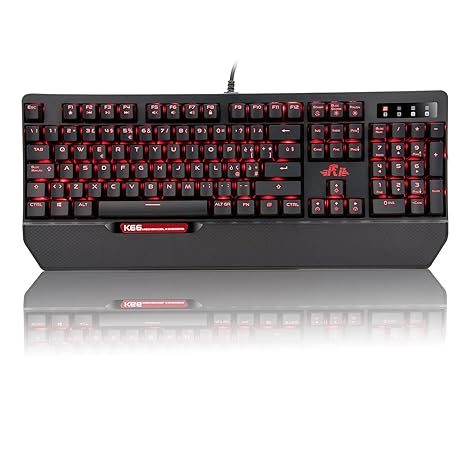
my keyboard is a "rii gaming k66"
it only has red backlight, no rgb
but it has various options for various effects if that's your thing
breathing, wave, or even custom macro
it doesn't have dedicated macro keys like the corsair k55

this is what i have
it's pretty cheap for what you get
seeing as you live in japan, the import costs should lower the price even more compared to me (Italy)
altho, be careful about packages from China
at least for now, there is no evidence against the corona virus actually surviving on the surface of packages/products from china
 vagrant holly
it's what i bought, it works well, build quality is decent for the price, only issue i personally found is when i press keys, the backplate emits a bit of a metallic sound, depending on the person, it could be a deal breaker, to me personally, since i'm wearing ear buds anyway, i can't really hear the metallic sound, as for the switches, they are outemu reds, outemu is somewhat reputable when it comes to mechanical switches as far as i know
if you want, you can wait until a few more people give you feedback, some people are nuts about keyboards here, and they likely know more about mechanical switches than i do
if you want to stick with corsair, as i said, they have the k68
it doesn't have rgb, it only has red backlight, but it's mechanical
and has the same design as the k55
wait mb
i'm talking about the k70
k68 has a slimmer design
gloomy tinsel
I need slimmer design because My hand is small
vagrant holly
oh
gloomy tinsel
and this is the first time I'm going to pc stuff. since I use my brother pc
vagrant holly
this is the k68
it does have an rgb variant but considering how much more expensive it is, i don't think it's worth the price
gloomy tinsel
and I was going to make my own pc so I don't need to borrow my brother pc.
With the budget my friend give me advice to use the Amd ryzen 5 and gtx 1070
I forgot which ryzen 5 type of processor
vagrant holly
1st gen 1600
2nd gen 2600
3rd gen (latest) 3600
gloomy tinsel
I think it was the 3600
vagrant holly
good choice
tame topaz
Apparently Biostar made an H61 mobo in 2020
BIOSTAR is experienced IPC manufacturing, industrial PC manufacturers.We offer a wide range of industrial PC motherboard
gloomy tinsel
And my budget it about 100k ¥ to 120k ¥ that's for building my pc
tame topaz
ooh, a Japanese?
vagrant holly
that's a good budget
you don't need alot of money to make a strong pc nowadays
even a budget build will perform very well
gloomy tinsel
with that specs it's pretty strong right?
gloomy tinsel
@tame topaz I'm not actually japanese. I'm from singapore but I lived in japan nowadays
vagrant holly
wanted to check how prices were on the 1070 to see if there was a upgrade for a small premium, doesn't seem like it 
vagrant holly
we're here to help
gloomy tinsel
So the build
Amd ryzen 3600
Gtx 1070
asroc b450m Micro atx
amd wraith cpu cooler
Kingston hyperfury 2x8gb 3200
samsung evo 970 500gb
2tb Hdd seagate
and corsair 550W power supply
that's from my friend link
tame topaz
@vagrant holly cyber
gloomy tinsel
He is the one know things about pc?
gloomy tinsel
oh ok
gloomy tinsel
He said the case I can give you one of mine that I don't use
tame topaz
Looks good, though I am definitely not certain about the airflow
Hold up it takes front fans to the side?
Huh
gloomy tinsel
I've looked at it's review in youtube. the air flow from the top
wait the front fan, covered by glass
that means the front fan is not useful
tame topaz
@gloomy tinsel no the front fan goes to the side
The side has holes for fans to suck air in
Not a bad idea honestly
Helps aesthetics too
vagrant holly
sorry was busy
tame topaz
From the sounds of it it seems like the mobo is the Pro4
vagrant holly
i think b450s need a bios update to work with 3rd gen ryzen
tame topaz
God help him if it's the HDV tho
vagrant holly
they aren't compatible out of the box
tame topaz
His friend is gonna give him a case
Front fans go to the side
(with pretty decent-looking air holes)
mATX
 vagrant holly
ducky are for keyboard freaks
 bleak owl

tame topaz
I got this combo for 28 bucks
bleak owl
🚮
tame topaz
Mouse is serviceable but I already have a Harpoon I bought a few weeks prior
Keyboard is nice.
Full RGB, Outemu blues.
bleak owl
Why not g203?
 tame topaz
Oh, mouse?
bleak owl
Mercury sensor
tame topaz
Too ubiquitous, not to mention small
bleak owl
Around 20-25€
tame topaz
I want something a bit different
vagrant holly
203 is crazy good for the price
tame topaz
I heard many reports of double clicking too
bleak owl
Pretty good then
tame topaz
Prior to that I was using Kailh blue
bleak owl
Budget mechanicals have blue switch
bleak owl

tame topaz
Used it for 2 years until I missed the numpad again
bleak owl
Are u a hentai artist? 
tame topaz
 tame topaz
Side fans

 tame topaz
It has holes for that
I just realized
It might as well not be the best idea either
You'd have to route cables so that it doesn't block the ventilation
And it's an mATX case
Not to mention having those fans there kinda make dust prevention somewhat useless
(Unless he buys filters)
bleak owl
How much is that?
tame topaz
In the case of the person asking, free
 free wtf
 wary depot
One message removed from a suspended account.
tame topaz
Yeah
bleak owl
Oh ok
@gloomy tinsel the build is fine, ask for the model of the psu
And for 150 u can buy premium keyboard
bleak owl
The cx is fine
The Vs is literally 🚮
Premium brand ducky varmilo wasd durgod leopold
Don't buy gaming brand keyboard
tame topaz
Yeah but the 150
bleak owl
150usd?

MechanicalKeyboards.com - The ultimate Mechanical Keyboard catalog.
Switch options: Cherry MX Brown, Blue, Red, Black, Silver, or Silent RedKailh BOX White.
tame topaz
Yeah but he doesn't mention the 150 anywhere
tame topaz
That K70 is already 22k yen, jesus
tame topaz
But yeah
Did you simply suggest the 150 price point
Because he doesn't mention it
idk where you're getting that from
I want Varmilo's deskmats so bad
Too bad there isn't space
Seriously why tf do they look so good
 tame topaz
High end keyboards are no no for me
Mostly because price
I feel like there's little justification to spend a hundred bucks on one when I can put it into what's inside the PC instead
bleak owl
Well
Here s my logic
I use the keyboard like everyde
It's the same logic as buying a expesive
tame topaz
An expensive wut
maiden plume
monitor
keyboards, mice and monitors are an investment 
buy a good one and you dont have to buy anothher for 5-10 years
tame topaz

maiden plume

maiden plume
if it fits it sits i say 
valid acorn
is ergonomic keyboard good for gaming?
bleak owl
Get a wrist pad for keyboard
maiden plume
^true
valid acorn
I asked that when I came over to this design
maiden plume
I feel that if you want an ergo keyboard it would be better to have two seperate ones but thats just me.
maiden plume
And by separate ones I mean something like these.
bleak owl

maiden plume
There are also "gamery" ones from razer etc
gloomy tinsel
@bleak owl corsair tx550m 80 plus gold
gloomy tinsel
and what is the difference on Power supply with gold,bronze or titanium things?
it's new
bleak owl
get a 2060 super then
maiden plume
cleaner energy= less power draw, more efficiency
gloomy tinsel
How about the AMD Gpu it can save money?
maiden plume
higher end psus= more OC head room and better capacitors too
tame topaz
@gloomy tinsel AMD is kinda meh for the price
might as well don't
How much is the 1070?
tame topaz
Get a 2060 Super for 400 bucks
gloomy tinsel
that's new?
tame topaz
Yes
gloomy tinsel
That's a pretty good upgrade from ddr5 to ddr6
Just adding a bit more
Money
I'm going for it
tame topaz
gloomy tinsel
But that's not going to bottle neck the Ryzen 5 3600?
maiden plume
i mean 2060 is like a 1070 but +8-10% performance, cant you just OC 1070 and call it a day? 
tame topaz
As for 2060S vs 5700 XT, see this vid
https://youtu.be/oej2ev3g-sM

Support us on Patreon: https://www.patreon.com/posts/30945560
Merch: http://crowdmade.com/hardwareunboxed
Radeon RX 5700 XT - https://amzn.to/2Js33xB
Radeon RX 5700 - https://amzn.to/2FYq5v5
Radeon VII - https://amzn.to/2NoLPX7
Radeon RX Vega 64 - https://amzn.to/2CNzJ3U
Rade...
Also no it's absolutely not gonna bottleneck
gloomy tinsel
So the 5700 is a bit stronger but 2060 is more optimized?
bleak owl
they are the same
tame topaz
AMD FineWine is kinda a bygone era now
bleak owl
but 5700 is cheaper
tame topaz
and really your choice depends on what games you play
bleak owl
and has no rtx
maiden plume
and what rez
tame topaz
Yeah, resolution matters too
maiden plume
i mean its 80-90% still on 1080p
gloomy tinsel
I don't play game thats very heavy
bleak owl

tame topaz
Now I'm trying to figure out why Division 2 is running kinda like shit
bleak owl
and whats the purpose of the pc
tame topaz
Maybe because I haven't turned on DX12 yet
bleak owl
@tame topaz bad optimization
gloomy tinsel
Usually play CSGO,Wows,Wot, sometime MH world, and The heaviest game I had is MH world and RE2 Remake
tame topaz
Yes, that too
maiden plume
well MH world would mostly be more CPU intensive i think?
maiden plume
more cpu than gpu, kinda like world of warcraft
imean my PoS 880m can still handle it at 1440p
then again its on custom vbios so it wont be a PoS
maiden plume

tame topaz
What resolution then?
tame topaz
1440 eh
maiden plume
yup
Didnt even know there was a 1920 x 1440 monitor. Usually you could fiddle with that in the settings but its normally 2560 x 1440
gloomy tinsel
the curved screen is borderless type?
tame topaz
Wdym
maiden plume
Bezels maybe?
gloomy tinsel
I was thinking about that but I just realized it was different
maiden plume
Its sad pcpartpicker doesnt have a jp site 😦
gloomy tinsel

severe falcon
Going by the industry definition of monitor sizes for _K, 1920x1080 is 2K
Because idiots came up with it
gloomy tinsel

stone wave
I say ultrawide is the way to go.
Left is 3440x1440, right is 2560x1080.
1080 ultrawide (UWFHD) isn't too expensive and if you want a higher refresh rate it's not that bad either.
vagrant holly
i have a 2560x1080 monitor and it goes up to 144hz stock, 160hz OC
vagrant holly
it's legit the first "high end" monitor i ever owned
stone wave
but that's cause i was strict with what I wanted (UWQHD, IPS display, over 100hz, GSync)
vagrant holly
didn't even know monitors could be that smooth
ye mine is g sync too

LG USA
Get information on the LG 34UC89G-B. Find pictures, reviews, and tech specs for the LG 34UC89G-B 34UC89G-B 34 Inch 21:9 UltraGear™ Full HD IPS Curved LED Gaming Monitor with G-SYNC™
i got this
it actually broke after 2 weeks, got it repaired under warranty and all is right as rain now
stone wave
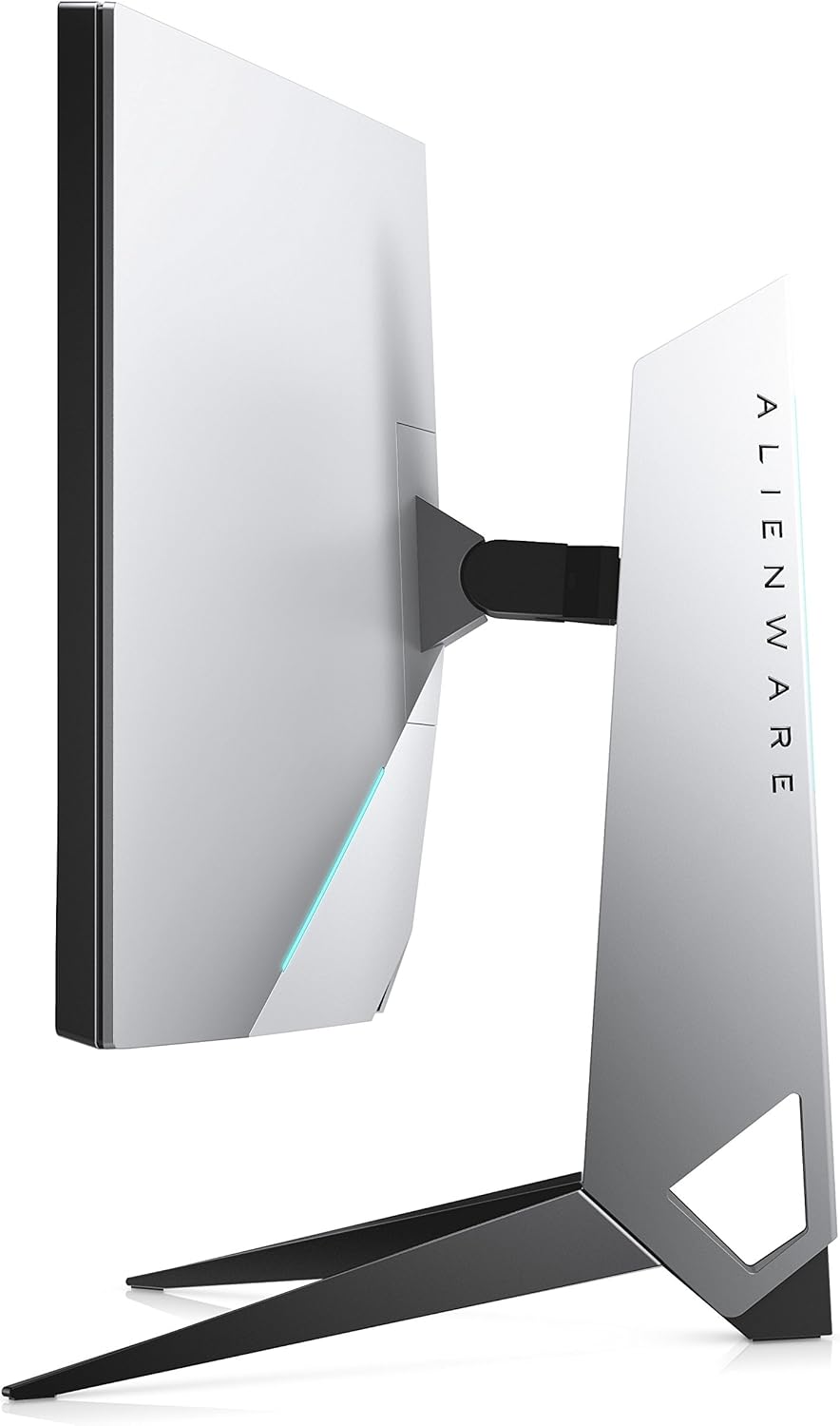
Mine is the Dell Alienware AW3418DW
Yours is higher spec'd than mine
but mine is a bit old
vagrant holly
they look about the same
stone wave
$200 USD difference
but yours is higher refresh reate
*rate
difference is mine being more expensive
vagrant holly
https://images-na.ssl-images-amazon.com/images/I/710z63KEKYL._AC_SL1500_.jpg if anything that looks like it'll take alot of desk space

slick design tho
subtle hawk
damn tim with the arknights whaling
stone wave
subtle hawk

stone wave
once you mount your shit to the desk or the wall you never go back to peasant ass monitor stands
its like going ultrawide
stone wave
i got a window too but i never open it
bleak owl
Secondary monitor is 1080p?
stone wave
1080p monitors are cheap used if you're after one
at least here in the US, if you know where to look that is
stone wave
How about the updated version of my main display: https://www.amazon.com/Alienware-Curved-NVIDIA-Edgelight-Monitor/dp/B07YLGH9Q5
fucking 1g
I "only" paid 860 USD for my AW3418DW
stone wave
nah it isnt but i hear the color accuracy is rather spot on
bleak owl
Aim for some aoc lol
bleak owl
@stone wave
I know
vagrant holly
aoc bezel less monitors 
stone wave
i dont give a shit about bezels personally
bleak owl

vagrant holly
they look so sick tho
stone wave
shit speaking of which i wish they'd add top and bottom bezels to fucking phones
like some tiny ass shit just so they can add front facing speakers to phones again
and just slide the front camera there
and i don't accidentally touch shit with my palm
stone wave
S10+ I love you but how tf am I suppose to hold your ass
bleak owl

stone wave
I didn't have internet for half of Feb, and I had to use my phone.
bleak owl
Nice setup anyway
stone wave
I was like holy shit the ergo is kinda shit for phones.
ty, just an Ikea desk
Gerton table top, Alex drawer and 2 legs
vagrant holly
ikea desks are all you need
bleak owl

stone wave
Sucker is nice though, $100 for the table top but it's beech wood, none of that veneer shit.
vagrant holly
nice
stone wave
Problem is you gotta treat it so if you want something totally maintenance free I'd look elsewhere.
Also is that Texas?
 no
no bleak owl
Pramanix is cuter
stone wave
but yeah at my previous place i was stuck with a shitty Office Depot particle board table that I never bothered to get rid of
so this time around I went out of the way to get a more workable desk setup
gloomy tinsel
You guys use 2 monitors 
stone wave
Yeah easier multi-tasking.
bleak owl
 ah well it took like 1 year to build this setup
stone wave
Or if you play Tarkov like all my friends you can look up the map while you play.
stone wave
I don't have anywhere for my desktop lol.
All that color matching down the drain lmao.
I could get a shelf or something for it later
but im lazy rn
bleak owl
U have a ups 
stone wave
Since I still need to organize my kitchen
Yeah, I've only ever had it kick in due to a blackout once.
bleak owl

I have too
I had some blackouts during summer
But the problem was the washing machine
Now we changed it so no more blackouts
stone wave
I burnt out a power supply a few years back cause of bad power
bleak owl
Which ups u have?
bleak owl
I have a powerwalker
stone wave
it keeps my computer, main monitor and 2 2-bay NAS running for ~30 minutes at near idle usage
and my desktop is only ever on when i'm home
bleak owl
gloomy tinsel
AOC CQ32G1 Monitor is quite good?
stone wave
I hear the AOC stuff is good bang for your buck
bleak owl
Yea
vagrant holly
1440p 144 hz VA
stone wave
Does the PowerWalker UPS have PC connectivity?
vagrant holly
free sync
bleak owl
Isn't 32' too big?
vagrant holly
never too big
bleak owl

gloomy tinsel
there is also size for it
vagrant holly
that's the point
vagrant holly
surround me with skyrim
gloomy tinsel
If I don't have big desk space should I hang it on the wall?
bleak owl
Yes
stone wave
only if you know how to drill the holes properly
you have to install the mount on studs
 gloomy tinsel
I was thinking about the equipment that you can move it forward and backward
stone wave
You have to know how to find the studs in your wall and drill through the dry wall (or whatever wall) and through into the stud.
Oh yeah, those work too.
All mountable monitors use the same VESA standard.
TVs too.
A stand that sits on the ground might take up a lot of ground space though.
Since it has to act as a counterweight to the monitor.
gloomy tinsel
oh wait wth did I googled
This is just going to RIP my arm since there is no arm rest
stone wave
Yeah that's not really ideal.
The sort that clamp to the desk are ideal in my personal opinion.
A wall mount is really only viable if you own the place you're at and know how to find the wall stud to drill into.
gloomy tinsel
that means I'm going to change the layout in my room for those?
stone wave
Those as in?
gloomy tinsel
but desk clamp I don't think that is safe enough
bleak owl
@gloomy tinsel wait u from Japan right?
stone wave
it's fine I have a heavy monitor on mine
gloomy tinsel
Yea
bleak owl
akihabara has some cool pc builds
stone wave
my monitor is like 25 lbs / 11.3 kg
gloomy tinsel

vagrant holly

stone wave
The only issue is with gas spring arm mounts, you have to check if it's rated for the weight of your monitor
 stone wave
if you can drill a hole in your desk you can mount it in the hole
but the clamp mount is far simpler
you know how some computer desks have a grommet for cables, you can mount a monitor through one of those holes if you have the right type of mount
gloomy tinsel
About that I must consult with my dad where I want to put holes in, I decide to use the wall mount
stone wave
Ok, but be sure you're not randomly drilling holes into the wall otherwise the mount and monitor will fall right out as most walls themselves are not load bearing.
bleak owl

stone wave
And if you rent or lease the money to patch the holes will come out of your security deposit.
Just a heads up.
 gloomy tinsel
my house isn't rent
stone wave
Have you seen the fucking stand for my Dell monitor
I could kill TWO motherfuckers with that thing.
bleak owl
kill the table
stone wave
look at the size of the fucking stand
also it's all metal
so it's gonna scratch my table
bleak owl
Well at least u have ur father helping u with the setup
gloomy tinsel
bleak owl
I literary build my setup on my own
stone wave
i had to drag all my shit over and do it myself as well
gloomy tinsel
Oh yea and the wifi is in the living room
stone wave
like 100lbs of Ikea shit that I had to man handle
stone wave
yeah im in a different room than my modem/router

 bleak owl
I have the modem right behind my pc
gloomy tinsel

bleak owl
stone wave
thats a wifi range extender with ethernet out that has a network switch plugged into it
bleak owl

stone wave
also i bought a better range extender cause the one i have sucks ass
gloomy tinsel
But anyone feels the 1gb/s wifi isn't actually running at 1gb/s but around 600-700mb/s
stone wave
it cant take full advantage of my mere 300 mbps connection
and it adds like 100ms ping
bleak owl
U have 600-700 mb/S
stone wave
but to be fair it cost me like $25 USD
gloomy tinsel
yea
bleak owl
I'm getting 4 mb/S down and 1mbs up
gloomy tinsel
wifi in here is like 20 times faster than cellular data
stone wave
I'm paying $50 a month + $10 a month modem rental fee for fiber from AT&T.
bleak owl
Paying modem aswell
stone wave
Could have paid another $20 for gigabit but I don't really have a use for it.
bleak owl
At least u have gigabit
stone wave
I have a really nice DOCSIS 3.1 cable modem but I'm not using cable cause there isn't any good service here.
gloomy tinsel
it got 630mb/s upload speed and 800mb/s download speed
bleak owl
What is That
gloomy tinsel
I just try on ookla
stone wave
VDSL is the DSL that superseded ADSL
bleak owl
Well mb cyberius has better wifi connection than mine ( he is living a better zone from mine)

stone wave
These were my options. (all need a $10 modem rental fee)
vagrant holly
italian internet varies alot depending on were you live ye
bleak owl
Rome has gigabit iirc
stone wave
Spectrum (cable) has ONE option and that's 200 mbps for $44 a month with a 2-year contract term.
gloomy tinsel
If you live in shinjuku like me the lowest internet speed on fiber optics is 100mb/s and the highest is 2gb/s
which actually doesnt run that fast only like 80% of the real speed
bleak owl