#technology
1 messages · Page 58 of 1
 subtle hawk
 severe falcon
pig, try to debug my code above
subtle hawk
this really won't happen if my switch supports 802.11x enterprise
severe falcon
i just realized the problem and have no idea how it didnt break in a worse way
NO WAIT
IT CANT BE THAT
yeah so i still have no idea
wait yep figured it out
im just dumb
as always
subtle hawk
can consumer wifi access point do that
connect to a wifi network and share it on a different local network
subtle hawk
yes but you're 100% stuck on mobile data as a source
severe falcon
no not mobile hotspot
its tethering
yeah USB tethering
so your phone works like a wifi adapter
subtle hawk
I can't have my phone recognize a USB LAN adapter
severe falcon
like you connect phone to comp with usb and it gives your comp wifi
subtle hawk
that's not how usb tethering works
severe falcon
wait then is it the opposite?
subtle hawk
yes
severe falcon
oh so the phone steals wifi from the comp
subtle hawk
you share the mobile data over usb to the connected device
severe falcon
what
thats not how my phone explained it at all
well that explains why its permanently disabled just like my mobile hotspot
 valid acorn
@unborn flicker Isn't that a new laptop?
How can it be ruined?
I'll check your spare parts later
valid acorn
Cheap 
subtle hawk
not sure about shipping though
@subtle hawk to do that you need a device with 2 wireless cards
or a wireless repeater
yeah
can wifi router do that too
not rlly
a wifi card can only be in 1 mode at a time
station which is the mide where is makes a wifi access point
or client when it connects to another wifi AP
I see
hm wait can you actually make wifi repeater repeat under the different network
depends
but most of them can
you can always check the user guide to see if it has that
 stone wave
0/10 would not recommend
https://i.vgy.me/MCsLFU.jpg
 subtle hawk
also @subtle hawk what does this mean
station which is the mide where is makes a wifi access point
valid acorn
Guess we wait for the money to fly to you @unborn flicker 💸
subtle hawk
@subtle hawk a wifi router by default is in station mode
ah
so it can't be configured to be a wifi receiver and access point at the same time?
nope
only one
that's why you need two cards
for pc?
my pc's card can actually do both at the same time but it's slow
the mobile hotspot button is enabled even though it's connected to the wifi network
when I boot to windows
not ur pc
the device ur try to use to make a new hotsport from
ah 
subtle hawk
oof
valid acorn
sold for scrap
 tame topaz
@flint bobcat naisu. When are you building it?
 flint bobcat
Idk
Today
Because
Amazon and USPS is being dumb
USPS says it's arriving today, but Amazon says tomorrow 
tame topaz
oof
stone wave
I hope you enjoy the strong reading materials Aria.

 stone wave
Aria gonna be too busy reading my 1st edition signed copy of The Lusty Argonian Maid to even use his PC.
flint bobcat

stone wave
(This is a TES III, IV, V reference)
flint bobcat
@stone wave so do I match the 2 notches together
stone wave
?
stone wave
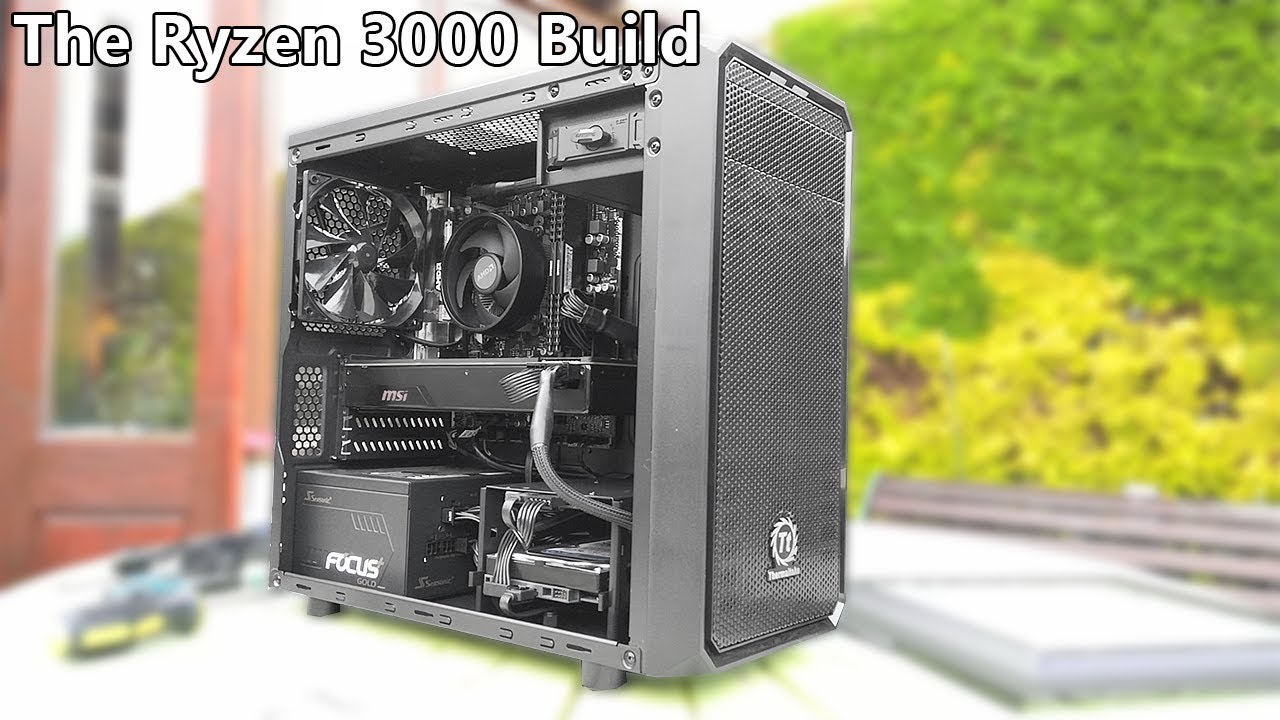
Today at the request of a lot of you guys we're building an AMD Ryzen 5 3600 based gaming PC. In this video I'll be talking about the parts I used, putting t...
line up the triangles
flint bobcat
Ok
stone wave
oh also don't screw the motherboard directly onto the case
it has to sit on the risers
subtle hawk

stone wave
screws for the motherboard as well as the motherboard risers tend to come with the case and not the motherboard, and since you're working with a pre-built... IDK if you can scavenge any risers or whatever
stone wave
yeah worst case scenario that motherboard box is is new case
subtle hawk

subtle hawk
ye
stone wave
screw diagonally
subtle hawk
ye
flint bobcat
Ye
subtle hawk
it a cross pattern
stone wave
in an X shape
Yamato, if he can't transplant the motherboard he's gonna have to jump the pins to turn on his new computer
subtle hawk
I think his mobo has buttons
flint bobcat
Bruh I can't get them to screw in together
stone wave

flint bobcat
Does it matter which way I connect it to the sys fan1
stone wave
you connect the CPU cooler to the one that says CPU or CPU FAN or w/e
usually located towards the top of the motherboard
stone wave
no but you're gonna want to go dual channel at some point
maybe after you get a different case
cause i'm thinking the dell optiplex isn't built to mount standard ATX compliant motherboards
flint bobcat
subtle hawk
it's the top one u dum dum
stone wave
otherwise itll send too little power to the CPU cooler fan
flint bobcat
Oh
stone wave
are they?
flint bobcat
Wait how do I take itout
stone wave
either way, plug the fan cable for the CPU to the top
subtle hawk
just pull it
stone wave
pull on the heat shrink tubing
not the nylon sleeve
Yamato, did he install the heatsink the wrong way?
doesn't look like he has clearance on RAM slot 1
@flint bobcat if you had another stick of RAM would it fit in the empty slot, or is the CPU cooler in the way?
flint bobcat
I would have to rotate the CPU cooler
stone wave
yeah, i suggest you do that
the video i linked even mentioned about that AMD thing potentially obstructing a RAM slot
stone wave
is that the mounting bracket that was behind the motherboard?
flint bobcat
Uh idk
flint bobcat
Shit did I mess up
tame topaz
don't worry just take it out, screw in the backplate then put the heatsink back on
flint bobcat
It's all unscrewed
stone wave
Aria RTFM
 quartz atlas
low end mobos are sexy too
tame topaz
No MOSFET heatsinks but still can OC my 2200G easily
quartz atlas
look at them lines on this boi
flint bobcat
It's like really stuck
stone wave
I got mine dirt cheap, it's a Z170 that was discounted and came with Mafia III and I'm running Kaby Lake on it curtsey of a BIOS update.
quartz atlas
really gets my voltage ramped
subtle hawk
U want me to whip out my mobo? 
tame topaz
It's probably the thermal paste
quartz atlas
like wiggle it abit
stone wave
lefty loosey, righty tighty
flint bobcat
I've unscrewed the screws already
quartz atlas
like wiggle wiggle the whole heatsink
 flint bobcat
Fish
stone wave
yeah you might have to wiggle or push down on it to unscrew
flint bobcat
Thanks
tame topaz
My board is this lowly thing right here
flint bobcat
It worked
quartz atlas
tame topaz
Alrighty
stone wave
cause the captive springs push on the remaining screws
quartz atlas
my motherboard is in my laptop
tame topaz
Now put that heatsink face down so you won't get the thermal paste on the surface
and screw in the backplate
It's kinda finnicky tbh this whole thing
stone wave
Shit guys, Aria is the big mod version of EN doesn't read. 
quartz atlas
quartz atlas
wtf yama
tame topaz
tf
quartz atlas
just find a pic online smh
flint bobcat
Do u put it on like this?
subtle hawk
nah fish
stone wave
no
tame topaz
No
stone wave
its a backplate
tame topaz
The backside
flint bobcat
How
tame topaz
Put it on the backside then screw it in
quartz atlas
boi them lines are fine
subtle hawk
DEM CURVES
tame topaz
a little detailing on budget mobo is quite nice
flint bobcat

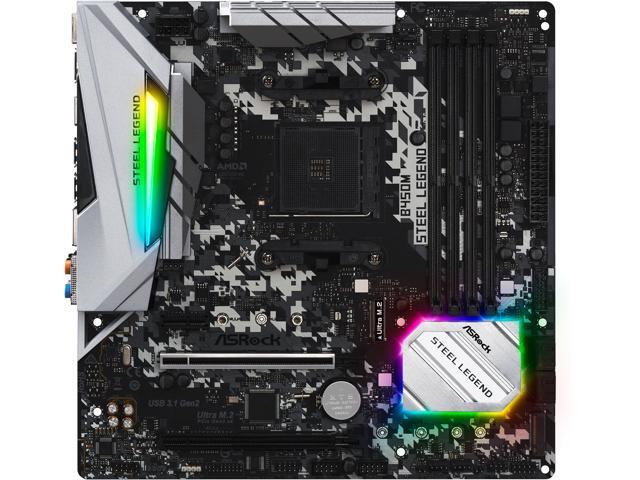 flint bobcat
That's the backside of it
tame topaz
no the backside of the mobo
quartz atlas
why silver+rgb on black
flint bobcat
Oh
tame topaz
believe it or not it actually looks quite nice
subtle hawk
alright lemme power it off
stone wave
but Aria did you RTFM to see if you need the backplate
stone wave
it's different depending on the make and model
tame topaz
rich bastard
quartz atlas
also
stone wave
so we can't really blindly tell you
quartz atlas
is that 2 different gpus 
stone wave
Yamato be running that PhysX card like it's 2008.
tame topaz
 stone wave
 tame topaz
best part about the thing is that the RGB is addressable
quartz atlas
oh ye, that looks much better
stone wave
no RGB except on bootup and shutdown for me
quartz atlas
i like the digital camo kinda vibe
stone wave
ye that looks right
quartz atlas
the board looks tiny now
stone wave
RAM slots unobstructed, CPU cooler fan plugged in the right place
yeah thats microATX
flint bobcat
quartz atlas
inb4 it doesnt boot
flint bobcat
Now to I install into case
tame topaz
y'all havin' fun while I'm stuck with this https://cdn.discordapp.com/attachments/530650730592206857/580378572104138752/P90521-190646.jpg
 quartz atlas
and aria shorted the whole board with static
stone wave
Aria probably gonna end up pulling out is PSU and running without a case unless he lucc saccs with his Optiplex case.
tame topaz
Optiplexes aren't exactly known for being DIY-friendly...
stone wave
those OEM pre-builts aren't full ATX standard
tame topaz
wait a sec
stone wave
so your guess is as good as mine
tame topaz
is it SFF or mini tower?
stone wave
err its some microATX i3 thing
subtle hawk
stone wave
if you're asking about Aria's
stone wave
Yamato go full metal hardline open loop 
tame topaz
no that's AIO
stone wave
I'm saying he should.
stone wave
IDK cause his case might not have the right mounting holes
tame topaz
Taking that original mobo out is gonna be a PITA tho
stone wave
and Dell probably doesn't bother drilling out holes for risers
we'll see I guess
cause it's been like a decade since I've completely torn apart a Dell Optiplex of any sort.
tame topaz
standoff, standoffs...
stone wave
I don't think Dell even uses standoffs/risers in their cases.
tame topaz
Note to aria: sort your screws when you unscrew them.
stone wave
unless you count the welded on shit
stone wave
¯_(ツ)_/¯
It would be amusing to see Aria's build log and the complete build has his case being the mobo box, and his start button being a screw driver and him starting it by jumping the mobo pins.
worst case scenario, find a plastic milk box and some cable ties
subtle hawk
@stone wave that's the plan
but for that I need to change the case
this one only supports a dual rad in the front and a single one in the back
top is too thin to fit one
stone wave
How about one of those Lian Li cases
tame topaz
In Win Z Tower
stone wave
push on the tab and pull
subtle hawk
push on the clip
stone wave
hard
subtle hawk
then pull
stone wave
pull the plastic part and not the cables
subtle hawk
mind u it's a bitch to take out
subtle hawk
alright pc rebooted
subtle hawk
meh
subtle hawk
it's rare but sometimes the connectors might get out of the plastic housing
tame topaz
and oh god
How are we even gonna guide you through the most nightmarish part
or maybe just plain annoying
 subtle hawk
cable management
tame topaz
front panel headers
subtle hawk
that's ez
flint bobcat
Panel headers?
flint bobcat
Oh
subtle hawk
activity LED
tame topaz
I suggest plugging those things in right now
tame topaz
outside of the case so you don't have to mess around with it later
 flint bobcat

tame topaz
Yeah just buy a case now
stone wave
 tame topaz
for like 30-40 you can get a half-decent one
flint bobcat
Well by the time I get a new case, I'll be getting a new PSU also
tame topaz
Alrighty
flint bobcat
Btw,do I need to reinstall drivers or stuff
stone wave
umm do you have anything that isn't plug and play?
stone wave
flint bobcat
I did get a disk
tame topaz
chipset drivers too
stone wave
just download
flint bobcat
Oh ok
stone wave
anyways g2g
tame topaz
among other stuff like audio and LAN
stone wave
that stuff was all plug and play for me, either that or W10 got them all for me and i never noticed
tame topaz
oh yeah radeon software too
flint bobcat
So would I need to reinstall windowsalso
subtle hawk
@stone wave w10 handled it for you
@flint bobcat you only need the chipset driver from ur manufacturer
 stone wave
Remember when you needed drivers off of physical media, even your NIC
I don recall but I think I needed them to use a SATA hard drive at one point or something...
subtle hawk
idk if u can
@flint bobcat you can try to push it inwards
but if it doesnt come out then you're SoL
and either have to dremmle or new case
subtle hawk
blacklist?
flint bobcat
How do I click it in
flint bobcat
Push what
subtle hawk
if it stays in place then u gucci
the I/O shield
then you allign the mobo to the shield
stone wave
Aria didn't cut himself with the I/O shield?
flint bobcat
No?
stone wave
Well there goes that meme.
stone wave
For some reason people seem to cut themselves with the I/O shield.
stone wave
wat
subtle hawk
ye
stone wave
did it not come with it
subtle hawk
well technically
stone wave
makes sense, cause people finish their builds but forget the IO shield
then gotta tear that shit apart
stone wave
Is that a SATA cable? can't really tell from the side
flint bobcat
stone wave
yeah its a sata cable
for plugging into the motherboard then the hard drive/ssd
or optical drive (CD/DVD/Blu Ray)
stone wave
notice how there's a bent notch make sure it lines up with the mobo or device and just push it in place
if it has a tab like the one you have you need to depress the tab when pulling when unplugging the cable
flint bobcat
I see sata3 sata4
stone wave
you should have 4 sata ports with that motherboard
 tidal grove
can anyone recommend me a good case
stone wave
just stick it where ever
Err I got the Phanteks P600s and I like it, what kinda case did you have in mind?
flint bobcat
I am so confused
tidal grove
is there a case that won't get so much dust in there
LOL i get too much dust in my current one
stone wave
Aria notice the L shape?
match it on the cable
and the cable is for SSDs, hard drives, CD/DVD or Blu Ray drives
For dust issues I think your fan configuration is what matters most, then having some removable filters would make maintenance easier.
stone wave
yeah those are SATA ports
flint bobcat
There are 2 sata 1 ports on the bottom
Wait NVM
On the bottom there is sata 1 and 2
Do I plug Into Sata 1 @stone wave
flint bobcat
Ok I got HDD done
flint bobcat
Wait wtf
stone wave
WDYM
flint bobcat
This old mobo only fitted 4 slots
stone wave
no SATA power?
stone wave
stone wave
that's CPU power
flint bobcat
Oh I can do that?
subtle hawk
well aria needs new PSU
stone wave
not ideal
subtle hawk
subtle hawk
not even sure if it will boot in the first place
stone wave
it either will or it wont
flint bobcat
Which way left or right
stone wave
it's either gonna start up fine cause the 2400g doesn't eat that much power or it won't start cause not enough power
but if you see blue smoke, that's why you buy from amazon
stone wave
where ever
nah
or just run with no optical drive
i havent used a dvd or cd in nearly a decade
flint bobcat
stone wave
you can plug it in to the motherboard
or if you dont want the dvd drive just leave it unplugged
flint bobcat
Yeah I'll leave it unplugged
Ok for the sys fan 1, do I plug the external fan into it
stone wave
Is that to detect if the case is open
flint bobcat
Idk
subtle hawk
that's a intrusion sensor
flint bobcat
stone wave
lmao
flint bobcat
Lol
stone wave
leave it
stone wave
i wouldnt bother with it
flint bobcat
So don't even plug it in?
stone wave
nah
idk if there even is a place to plug it in unless it just runs off of molex or sata power
or 3-pin or some shit
flint bobcat
Ok I think I'm done
stone wave
is your hard drive connected with a power cable?
stone wave
ok did you do the motherboard headers for front usb and audio?
stone wave
do you have usb ports in the front of your case
or audio jacks
and do you use them?
subtle hawk
mine are well hidden
stone wave
my vertically mounted GPU was blocking that shit in my defense
subtle hawk
somewhere at the bottom of the mobo
stone wave
it should be obvious like it will say USB
or HD AUDIO
and one of the pins should be blanked/covered
just match that
flint bobcat
There's JAUD1, JLED1, JCOM1, JTPM1, JUSB1-2
flint bobcat
I don't have any wording on it
stone wave
err what do you have the MSI B450M pro something
flint bobcat
B450 PRO-M2
stone wave
like do the cables not have words or can you not find it on the motherboard?
stone wave
USB 2.0 header cable is 2x5 with 1 blanked
if they're both like that they're both USB
the blanked pin should be in the corner
flint bobcat
Yeah
flint bobcat
Oh ok found it
stone wave
Audio is the same but the blanked pin IS NOT in a corner
it's the 2nd one, or 2nd to last depending on which direction you're looking at it
flint bobcat
Got those 2 in
stone wave
And just to be safe, you didn't screw the motherboard directly to the case right?
It's sitting on standoffs/raisers right?
stone wave
i can't tell with a side view
flint bobcat
It was with the USB and audio connectors
stone wave
it might be USB 3
flint bobcat
flint bobcat
I could just skip it
stone wave
yeah
stone wave
did you do the power/reset/led
stone wave
lol
stone wave
IDK what it's like for your case/motherboard but for me it's like this shit
subtle hawk
go for broke
flint bobcat
Wut
stone wave
That shit
bottom right
blurry ass picture so it took me a second to notice where it was
stone wave
JFP1
subtle hawk
LED PWR
LED RST
flint bobcat
Oh ok
subtle hawk
idk which LED is which doe
stone wave
there are these loose cables either single or pair
and you match that shit and plug it in according to the diagram
nah every case should have it
flint bobcat
Can't find it
stone wave
it runs from the case not the power supply or anything else
stone wave
they should be loose cables
flint bobcat
Err
stone wave
unless we're looking at proprietary Dell shit
subtle hawk
like tiny single strand shits
stone wave
its fine if you don't have them
it just means you're starting your computer with a screw driver or paper clip
until you can order a new case or order a power button
all you really need is the power switch it's fine if you're missing the other ones
flint bobcat
Wait what
But my power from the old mobo worked perfectly
How else did I turn it on
stone wave
that unknown cable must have done the same thing
it's just that that cable is only for dell's shit
stone wave
does this match your motherboard? https://cdn.discordapp.com/attachments/516951507065765888/601188372454834176/firefox_2019-07-17_16-07-55.png

the bottom right
stone wave
flint bobcat
Yeah that one
stone wave
flint bobcat
Wut
stone wave
bridge those 2 pins with a metal object
flint bobcat
stone wave
a power button?
subtle hawk
or u can just use a screwdriver
flint bobcat
Uh
subtle hawk
anything metal works
if u want you can put 2 wires there and just bridge them want to turn on the pc
we habe yet to see it boot
stone wave
theres almost no power running there
stone wave
so no danger to you
flint bobcat
Uh so those 2 pins to that red area right?
flint bobcat
I'll plug it in then now
stone wave
just bridge the 2 that say PWR SW
stone wave
nah its less scary than starting a PSU without a motherboard
stone wave
yeah
subtle hawk
smh aria
stone wave
its very low voltage
flint bobcat
subtle hawk
ur not gonna fuking die
flint bobcat
I'm more scared about the mobo blowing up than my life
subtle hawk
in a pc the biggest power rail is 24V
stone wave
all you're doing is the same thing the power button does
subtle hawk
remember to not hold it
stone wave
so if your shit dies from that it would have died if you used the proper power button
just tap it and the computer will turn on if you plugged everything in and the PSU is turned on
subtle hawk
inb4 not enough juice
flint bobcat
Ok now where do I find 2 metal objects
subtle hawk
flint bobcat
stone wave
oh right he's running 4 pin on an 8 pin
subtle hawk
2
stone wave
screw driver
stone wave
the pins are 1mm apart or something
flint bobcat
Oh ok
tidal grove
 stone wave
 🇦 🇷 🇮 🇦 🔌 ⛈
flint bobcat
I'll use a paperclop
stone wave
TFW no microcenter near you 
tidal grove
stone wave
ehhh
subtle hawk
that a spicy ass deal
stone wave
is that mobo worth 100
subtle hawk
X570 and a 3600
tidal grove
250
flint bobcat
Man wtf
subtle hawk
ain't some cheapo B board
flint bobcat
It's hard to do it
stone wave
did it work?
tidal grove
holy shit all rtx 2060 is sold out
stone wave
all you need to do is touch the 2 pins
subtle hawk
well ye @tidal grove
subtle hawk
rtx 2060 super is coming
subtle hawk
dam
flint bobcat
ITS ON
stone wave
either get a new case or https://www.amazon.com/SoundOriginal-Desktop-Computer-Motherboard-Supply/dp/B074891DJP/
and yes that thing is fugly
flint bobcat
DW, lll get a new case in like a week
stone wave
lol did you plug it in
 stone wave
unplug the monitor cable from the PC and plug it back in
if that doesnt work turn the pc off and turn it back on
probably just hit the button on the PSU, not recommended but it will work
stone wave
if it worked normally just shut down via Windows
but in your case you can bridge the power switch until it turns off
(this is like holding the power button)
or just hit the rocker switch behind the PSU
flint bobcat
stone wave
I don't recommend doing the latter often
flint bobcat
I'll just do it once


.png)

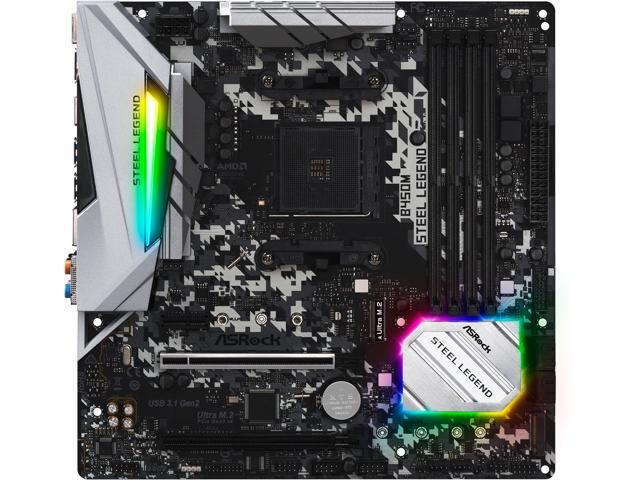
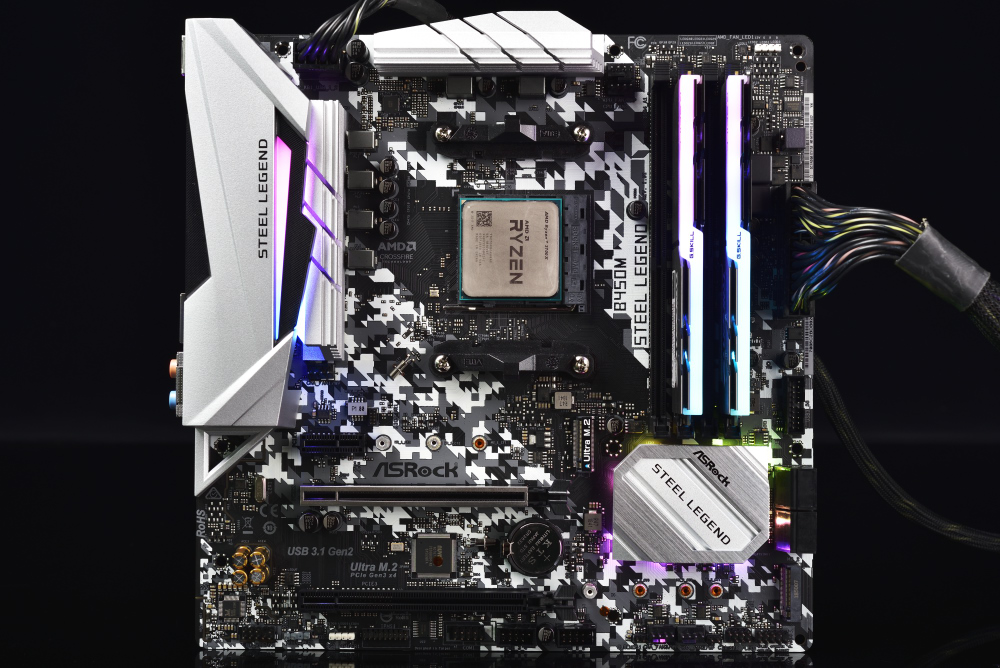


 stone wave
double check the cable for the monitor Aria
IDK what sort of cable it is, DVI, VGA, DP, HDMI etc
flint bobcat
Oh shit it turned on
stone wave
oh lol
yeah you see this is why when you call tech support they tell you to unplug whatever cable and plug it back in
cause shit either don't get plugged in right or contacts got dust in them
but
Aria made a computer
stone wave
you mean idiot #4245 and Yamato
stone wave
Windows might just pull most of them once it gets online
flint bobcat
Do I just go on amd web
stone wave
just get the drivers for the 2400g APU
idk what they're called cause i never used an APU before
it might be under 2400g, Vega 11 or they might just have a universal installer
stone wave
remember to uninstall them when you get a graphics card
flint bobcat
Right
stone wave
you internet works, if sound works that should be it since you're DL the APU drivers
the only thing is any odd hardware you have that needs its own drivers/software
stone wave
did you install Windows 32 bit?
flint bobcat
Wow, I guess I need another 8 then
stone wave
you should get another stick ASAP if you want to do any 3d gaming
flint bobcat
Right
stone wave
to change the allocation i think you go into BIOS to do it
flint bobcat
First is new case + PSU then more ram
stone wave
i sent you three 140mm fans
flint bobcat
stone wave
and they were cheaper than me finding more packing material
flint bobcat
I could use them on my new case
stone wave
cause i didnt want to send the shit in an envelope
cause shit keeps getting lost, damaged or delivered to the wrong place
flint bobcat
Bruh idk why, but my inet speed is fukin slow
stone wave
Probably Windows downloading shit
stone wave
how cheap do you want to get with that case?
flint bobcat
I found one already
stone wave
ok
flint bobcat
It's $40
stone wave
shipped?
flint bobcat
Total
stone wave
nice
just be careful when moving the parts over if it's a really cheap case
cause sharp edges
they don't debur the metal on the cheaper cases usually
flint bobcat
It's a coolmaster case
stone wave
for the time being you can leave the computer on
probably eats a dollar a day in electricity
flint bobcat
Ye I put it to sleep
stone wave
oh right kagerou retro is lvl 85
subtle hawk
my kagerou is already lv98 
tame topaz
@flint bobcat how are things turning out?
tame topaz
Managed to mount the thing in the case?
flint bobcat
yeah i got everything done
tame topaz
Cool
stone wave
reset CMOS
flint bobcat
How do I do that
stone wave
I mean BIOS
let me check if you have a button for it
i think yours is supposed to use a jumper but your motherboard is brown so i cant see shit
unplug the PSU
and remove the battery
and wait a few minutes
flint bobcat
Battery?
stone wave
depress the tab?
im dling the manual for your mobo
err
in the manual theres a section called JBAT1: Clear CMOS
you can follow that
or remove the battery and wait a few minutes
tame topaz
but do they even include a jumper cap
tame topaz
Not sure about my mobo
stone wave
it might come in the accessory bag
subtle hawk
so it turned on huh
stone wave
look there
flint bobcat
Ye I took it off
subtle hawk
aria u big dum
flint bobcat
I see JBAT1
subtle hawk
why would you OC when you have half the CPU power
flint bobcat
 cause I'm dumb
stone wave
/blacklist Aria
 unkempt slateBOT
You do not have permission to use this command
tame topaz
a little bit too early?
flint bobcat
Should I wait longer?
stone wave
the jumper looks like this
but probably black in your case
that's for size reference so you know how tiny it is
flint bobcat
Wat
stone wave
flint bobcat
Wat
stone wave
the green thing in the middle is what im telling you to find
flint bobcat
Ye I see it
stone wave
it can be different colors but thats what one looks like
stone wave
thats what i was trying to find out
they might not have included it or it might be in the BIOS reset jumper pins
or maybe a tiny bag
flint bobcat
Only bag I got was forsata connectors
stone wave
anyways next time you need to reset the BIOS
you can remove the battery and etc
or jump JABT 1 with a screwdriver or paperclip
like when you turn on your computer
you need to connect the 2 pins in JBAT 1 for 5-10 seconds to clear your BIOS
and all that does is reset everything in the BIOS to factory default
The battery is there to keep those settings saved, removing it for a few minutes is effectively the same thing.
Like when the battery in a GB/GBC/GBA game dies the save data goes with it,