#tech-support
1 messages · Page 94 of 1
 versed hollow
 sinful yoke
try using a vpn on your original server
 tiny sluice
@stray tiger i see, genymotion probably does the same thing, but it's somehow running very smoothly (consistent 60fps), even with my crap cpu
i am seeing a GPU process still (i have a gtx 1060) so maybe it's still somehow passing opengl instructions straight to the GPU (?) and only doing arm translation when needed (??)
i am a software engineer by trade but this is unfortunately not my area of expertise so i may just be completely off base
 stray tiger
@tiny sluice 4 emulators work for me at the same time and on each exec heawy soft/game + another soft
 cursive folio
@sinful yoke tried. Keep having the same error.
 spring grotto
@cursive folio Oh you've got that error. Sorry for the miscommunication. For that one, please check the first pinned message in this channel
stray tiger
@tiny sluice i talk about cpu opcodes that depend of arch. For translation need convert arm to x86 opcodes and it's doing on runtime by soft
 edgy mauve
My cpuntry play store doesnt allow azur lane how can ı update my game?
cursive folio
@spring grotto if the account is not binded and the second option is not working my save is pretty fucked up?
spring grotto
@edgy mauve You'll need to download the update from the third part site that you got the APK from (such as QooApp or APKPure)
@cursive folio You already did the second step? Going into your phone's file explorer and fully deleting the cache folder manually from there?
 mellow yacht
So if we got the same thing than Yuu, and we want to update it by the play store, we cant if i understand that well?
spring grotto
If it's not available in your region, yes. You'll need to get the update from a third party provider (such as QooApp or APKPure). If the game is available in your region on the Play Store, you can download it directly from them
 bleak plover
@spring grotto have u fixed this problem yet?
spring grotto
There is not. Staff is not currently in the office (they're based on CN timezone). So the earliest we'll get a response will be when they come back into the office in around 7-8 or so hours
cursive folio
@spring grotto same error.
mellow yacht
did u get the version of the game Toaster?
cursive folio
@spring grotto done. Not solved. I've registered the screen with log but I don't know how to post it here
spring grotto
@mellow yacht I'm not sure what you mean, sorry. Are you asking if I've got the most recent game update from the Play Store? Yes, I have
@cursive folio Hm...that'd be a first that we haven't seen the cache option work. But if it truly didn't work, unfortunately the only option would be a reinstall that we know of. But if you didn't bind it, you would have to go through the recovery process \
mellow yacht
@spring grotto yea, i mean the lastest version update, cuz on mine, they say 3.1.10, so maybe need to wait another update
 fast python
Any help please? Tried clearing cache
cursive folio
@spring grotto I don't understand if reinstalling the app will erase my save progress?
sinful yoke
@fast python do you have your account bound?
fast python
Yeah @sinful yoke
spring grotto
@cursive folio Yeah. 9/10 cases, when you reinstall the app, your progress will be lost. And if you didn't have it bound, the only way to get your account back would be through customer support
cursive folio
@spring grotto how to contact customer support?
spring grotto
/techsupport
 pale pagodaBOT
Z23 Sensei
If you experience a specific technical issue, such as a bug not encountered by others; an issue with a purchase, or a loss of items, please email al.cs@yo-star.com with your UID (it can be found in your in-game profile menu), in-game name, server and issue as well as device brand, model and operating system.
Please do not DM Yostar staff or discord mods about your issues and use e-mail instead.
Please note that the answer may take a while due to high load, so we ask you to be patient.
spring grotto
 their email is in the bot message
cursive folio
Thx a lot
 tiny vapor
I've got the download bug. Google play store says it's only 492mb update but I downloaded 780+ and the progress bar was at 49%. I clicked cancel and clicked update again hoping it gets fixed somehow and now it informs me I have to update 1.4gb (which is basically the game before you launch it and have to download 4900 files). Any way to download the correct patch so I won't have to do a full reinstall to fix it?
 torpid thistle
I'm stuck on the mikasa loading screen and I tried both deleting the cache and redownloading the game from qooapp yet neither of them worked...
 carmine hedge
i re-install game twice, and still has this problem
@spring grotto I can log back into my account
sinful yoke
@fast python can you try reinstalling then?
 unique patrol
 dusk flower
Is there an Android OS that works in the current version of Azur Lane right now?
 carmine arch
Hello, I just updated the game but it's making me start from the beginning. Why is it doing that? How do I recover my almost 1 year of gameplay?
I have checked the server and was in the one I played, so it wasn't an issue there
It took me back to the tutorial, making me select the starter ships, I exited the game there, not wanting to screw anything up. Could some one help me someway?
 void bay
that is an upgrade from my situation, crashing at the login screen
carmine arch
My account was connected to twitter, manjuu, Facebook
 echo heath
Did you re-install the game? If so you'd need to log-in via one of your bound methods.
Otherwise, you shouldn't have any issues. Try doing all servers first to make sure you haven't accidentally picked the wrong one. (even if you know what server you're on)
carmine arch
I'll try again.
I had uninstall before updating since I didn't have enough space. Where should I log in?
unique patrol
i sadly had re install game and still it cant let me log into my fb
echo heath
At the log-in page
carmine arch
On server log in?
echo heath
https://i.imgur.com/roy6tih.jpg
follow step 4 & 5
 sinful yoke
yes
carmine arch
It worked, thanks! I was scared for my shipfus 
 surreal skiff
So, Google Play is taking concerningly to start the AL update. What should I do?
spring grotto
Concerningly long? You could try restarting your device, using a different network connection, or try waiting it out. You could also try a free VPN as well just to see if it might be some type of regional issue
surreal skiff
Restarting worked. Thank you.
void bay
did anyone find a solution for crashing whenever the login screen shows up?
sinful yoke
reinstalling may work
void bay
i have tried that and restarted my device but it didn't work
carmine hedge
@spring grotto My game still crashes. I’ve restarted my phone and reinstalled the app but nothing works
void bay
^ yea sounds exactly like my situation
spring grotto
@mortal niche Hm...are you trying to log in w/ FB, Twitter, or Yostar?
@carmine hedge Are you using an X series iPhone?
 mortal niche
FB
spring grotto
Gotcha. There are some API issues for some people when trying to use third party logins. Try restarting your device, downloading/updating the FB app, using a different network. See if those options might help. Not a guarantee, but their easy first steps to try
 toxic flame
so I just installed Bluestacks because Nox was lagging. I verified through my Yostar account and yet the game still takes me to the tutorial. What do I do?
I've tried relaunching and reverifying my account several times. Do you need to paly the tutorial on a new device no matter what?
spring grotto
You need to choose the correct server. Your account will stay on the server that it was created on originally. So try logging into all the servers to see if any of them have your account
toxic flame
Do I have to play through the tutorial to select the server?
spring grotto
No, you're able to do it from the title screen
carmine hedge
@spring grotto yes I’m using an iPhone X
toxic flame
@spring grotto oh! It was on the second screen. Thanks!
spring grotto
@carmine hedge Gotcha. Yeah, there are some issues it seems w/ just the X series. Unfortunately no workaround has been found, sorry to say. We'll be informing the staff when they get back into the office though
@toxic flame 
mortal niche
@spring grotto I did everything as you wrote, nothing helped :(
unique patrol
fixed it by doing some mathematic witchcraft aka third time re install
spring grotto
Darn. Well I would say just keep trying it every now and again. As said, there are some known issues w/ API connections to third party logins
@mortal niche Although, if you don't mind, can you open log mode on your device and take a screenshot of the logs?
/logmode
pale pagodaBOT

On any screen, hold your right thumb on the right side of the screen and then pinch the fingers of your left hand together. Not my video, provided to me by a...
spring grotto
steps for activating log mode
mortal niche
Can I open log mode by another way, because game try to log me in and then show me the "network error"?
spring grotto
Be sure you're holding your right thumb down firmly on the right side and then pinch inward w/ your left fingers while holding your right thumb down
holding your thumb down will hold off registration of your touching
mortal niche
spring grotto
Gotcha. And that's when you're logging in w/ FB right? You get that infinite loading and then the network error?
mortal niche
Yes
spring grotto
Gotcha. Thank you very much. Can you also take a screenshot after you get the error code or while you're getting it?
mortal niche
spring grotto
Got it. Thanks! I'll get these sent over to the team incase they need some more examples of the issue
 quasi flicker
am actually affected by the lag on emulator, is there a type of setting i can adjust to alleviate that?
mortal niche
And what should I do now? Just wait?
spring grotto
@quasi flicker Unfortunately not that I know of. The only thing I can say is that a good few users were saying Mumu was working well and smooth. But as for fixing one, I can't say much
@mortal niche Sorry to say, but yeah for now. But I would recommended trying it every now and again to see if it ever randomly starts working. It possibly could
mortal niche

quasi flicker
rip, i am using mumu as well too
toxic flame
Well, Nox was slower after the update so I just installed Bluestacks and performance is awful! Anyone have any tips?
Yeah, I got 40-60FPS in Nox with some jittering, but I get 9-20FPS in Bluestacks.
 quick sorrel
@tacit rivet same thing happened to me
 warm sedge
Because it sent me to the tutorial
toxic flame
did you select the correct server?
warm sedge
Yes
toxic flame
Same issue happened to me
warm sedge
Lexington
toxic flame
yeah the server selection screen was not obvious
warm sedge
Oh
 tacit rivet
Hahahaha
spring grotto
@quick sorrel Did you have your account bound?
@warm sedge If you're sure you had your account bound, please do try all servers just to be sure
warm sedge
Yes
tacit rivet
Guys better bound ur acc to twitter its more safer
warm sedge
It says Lexington server
warm sedge
Should I do the tutorial then log into yostar
spring grotto
Can you try logging into all of them though? To be sure?
And no, no need to do the tutorial
toxic flame
if it takes you to the tutorial it does not have your account
warm sedge
Oh no
tacit rivet
@warm sedgeits up to you.. Finish ur tutorial log out and sign in ur twitter or fb or yostar acc bro
I just finish tutorial and sign in my acc
It works like a charm
 cold thicket
so, since the last update the top part of the screen which is where the camera is located is now part of the game too and my camera is blocking a part of the game, someone else with this problem? Tried the change UI Display setting but is already at the minimum.
spring grotto
But there's no need to do the tutorial. Just log in w/ your bind option on the title screen, the try logging into all the servers. If the server starts you in the tutorial, fully close the app and then try again
the settings menu in game is for binding only. Not for retrieving accounts
tacit rivet
Make sure remember ur acc server as well
warm sedge
Ah
quick sorrel
Yea I did I’m trying. One by one now
spring grotto
@cold thicket Yeah, it's a known issue #known-bugs
cold thicket
a sry, my bad
 modern otter
Help the game say 523 of 900 in the new update and this are not downloading i close the app and open it and this say hash error
 spring grotto
@modern otter Stopping on the download and then getting a hash error is some form of connection issue. If you haven't tried it yet, restart your device (and possibly your network router) or using a different network connection
@warm sedge No problem at all

 fast python
Game stuck on blank screen
 nocturne sorrel
Stuck on loading screen, keeps saying loading over and over
 clear rain
I'm on the washington server and since the update i've been getting network error, I've already tried using data and switching wi-fi
quick sorrel
I had to uninstall was doing the same for me
 median fable
 knotty lagoon
MuMu App Player is having more consistent performance than Nox for me. I haven't tried Bluestacks due to having issues with it in the past.
median fable
It wont let me iiiiiinnnnnnn
knotty lagoon
Getting 55-60 most of the time and dips to 30fps on screen transitions
 frozen ruin
I'm having the same issue as Wolfram812, the loading screen never ends
quasi flicker
im dipping into 19 fps when doing w12
median fable
I’ve tried both iPad and phone
Network error over and over again yet everything else that needs internet works
 crisp heron
I'm getting that problem as well
 real inlet
Saratoga virtual idol background not working?
sinful yoke
that is her bg
real inlet
Is it? I don't remember it ever being just a white screen
sinful yoke
@nocturne sorrel check the most recent pinned message to fix your issue
nocturne sorrel
Thank you
 bright forge
@ripe sapphire here
sinful yoke
yes that is her bg, its reminiscent of kizuna ai and her white bg in videos
 ripe sapphire
my only problem is that i can't login and it keeps loading
real inlet
Ok thanks!
ripe sapphire
i relaunched it several times
sinful yoke
@frozen ruin @ripe sapphire check the most recent pinned message to fix your mikasa loading screen
bright forge
^
sinful yoke
@median fable @crisp heron are you two still experiencing the same exact issue?
sinful yoke
this is on iOS for phone?
median fable
Ipad and Android phone
frozen ruin
Thank you
median fable
Nope ipad wont let me in
sinful yoke
got it, can you try resetting your router to shake off any issues from your side of wifi? and have you yet tried reinstalling?
median fable
Not yet on the reinstall, I just opened it
Also i cant restart the router since its not my internet e.e
sinful yoke
what specific device are you using?
median fable
ipad air2 and samsung j7pro
crisp heron
I'm able to connect while useing Wi-Fi but if I'm useing mobile data I'm unable to connect
sinful yoke
@crisp heron have you been able to connect to mobile data before?
crisp heron
Yes
sinful yoke
@median fable one moment I need to check some things 
@crisp heron what is your UID and who is your data provider along with region?
crisp heron
Uhh
sinful yoke
you can dm me if you would prefer, I will be handing this over to staff so they may find if the issue is on their end (likely)
clear rain
What can i do if my yostar account bind isn't working?
 onyx kindle
updating to the newest nox version seems fix my lag
spring grotto
@clear rain How is it not working exactly?
sinful yoke
@crisp heron are you able to login to other servers fine?
clear rain
i'm trying to relogin in after reinstalling and it doesn't seem to register the login
spring grotto
@clear rain How so? Do you not get the "Login successful" notice? Or does it just start you in the tutorial?
clear rain
it starts me in the tutorial
carmine hedge
@spring grotto I play on the Japanese side of the game I’m experiencing a bug but I don’t know who should I get in contact to solve my issue so could you tell me who should I speak too
spring grotto
@clear rain Okay. Make sure you're selecting the correct server. Your account stays on the server that it was created on (such as Washington, Sandy, etc). So please do try logging into all of them just to be sure
sinful yoke
try asking the #help channel in Azur Lane English Community discord server, their invite is located in #welcome @carmine hedge they can answer JP client questions
ahsit
spring grotto

sinful yoke
you typed a message and sent it first so you went to the top of the @ list 
clear rain
Okay i'll try that, thanks 🙂
 cold tundra
i can play normally in mumu but in phoenixos it keeps crashing
sinful yoke
this is after updating the client?
 sly ember
how can i fix this? game runs fine, this just pops up every few seconds.
cold tundra
yes, i redownloaded in qoapp and apk pure but it's still crashing
 limber comet
I have the same issue with @clear rain
I can login with Facebook, but when trying to login to my server Washington it returns Network error
I can login to other server (Lexington)
I have tried reinstalling the game, same result
 torpid galleon
Reinstalled Azur lane on iPhone, still crashes every time I get to login screen
ripe sapphire
so uh
i tried reinstalling the game and clearing it's cache, but it made it worse, i binded my fb account but it made it look like it isn't binded at all. i can't login anymore
please, fix this if this is a bug. i don't want to lose all of my progress.
:c
 lost tide
I logged in using facebook it shows me "log in successful and this error:
http://prntscr.com/pwwdft
and when I start the game it gives me the tutorial, anyone know this problem ?
 tiny sluice
i am still unable to get past the login screen -- i'm able to login, but when i "press to start", the game crashes immediately at the server select screen
i
i'm on android 9
does anyone else have the same issue?
i have reinstalled in multiple different ways and rebooted multiple times
ripe sapphire
I can't get into my account
i relaunched the game 17 times now and it doesn't work at all
and also, i tried to reinstall and clear the cache, but it's just the same. Tf is happening please help i don't want to lose my progress
this is really frustrating
:C
 lost grove
I can't get into the game it just keeps loading witht the little bird loading thing disappearing and then reappearing
ripe sapphire
yeah me too
Did it happened after you updated the game as well?
Because it happened to me
spring grotto
@ripe sapphire So you had it bound to FB and logged in on the title screen w/ FB?
@lost grove Can you take a screenshot of the loading?
sinful yoke
@ripe sapphire did you do the message that is pinned?
ripe sapphire
Yes. But it's just the same.
This is actually my first time encountering this kind of disaster
I had my account bound to my fb, and i can't login on my account
spring grotto
If it still shows the Mikasa loading screen (if that's the issue you were encountering) even after a full uninstall, it sounds like not all the files were deleted
 cyan ridge
@tiny sluice Exactly the same issue here, on Bluestacks emulator.
ripe sapphire
Aight then, I'll do the reinstalling again
tiny sluice
@cyan ridge This is on my real phone 
i do not have google play services installed on my phone
spring grotto
If possible, do try to check through your file expolrer on your phone to see if you see any AL files still there. And also use a stable connection like Wi-Fi if possible
@ripe sapphire
tiny sluice
perhaps that is why -- although the previous versions of azur lane ran just fine with the same setup
ripe sapphire
My internet connection is fast, there is no way that it's a connection error. Currently I'm doing the reinstallation right now, im gonna download the files; again.
cyan ridge
@tiny sluice As we both have the same problem, Google Play is unlikely to be the issue.
tiny sluice
@cyan ridge I ran the Genymotion emulator (with Google Play), and it ran fine there. That's why I thought it was a GP issue. If you have google play services installed on bluestacks though, then I guess we can rule that out
ripe sapphire
I'm gonna see the results for myself, so I'll be right back to tell if my problem is fixed.
tiny sluice
(Now the emulator itself is broken, but that's a Genymotion problem, not an AL one)
lost grove
@spring grotto here is a video
cyan ridge
@tiny sluice More than likely the latest patch is just incompatible with our emulators. I'm hoping it's not, but that's just hoping against hope.
spring grotto
@lost grove Ah, yeah. Just wanted to see if it was indeed the Mikasa loading screen. If you see that, the first steps to try would be the pinned message in this channel
tiny sluice
@cyan ridge Think you may have misunderstood -- it actually runs beautifully on my emulator. It doesn't run on my real, physical phone (neither my real, physical tablet, which is on Android 7.1 and also does not have Google Play services installed)
cyan ridge
@tiny sluice Oh I see. Well at least you can access the game -_-
 sleek crag
this build seems kind of buggy in general
lost grove
@spring grotto thank you for the advice that is why I had just joined this server because I was hoping for some real good and quick help and you have done both so thank you
cyan ridge
@tiny sluice ...which is interesting then. The same problem on a phone AND an emulator.
tiny sluice
@cyan ridge Could for a little bit -- now the emulator itself is bugged and won't even start the VM That's an emulator issue though, not an AL one, so it should be fixable.
I will continue to hope for a patch for my phone
 dense widget
Aw man, I still can't get in ;^;
cyan ridge
Is it always like this post-patch?
echo heath
No
 wispy dove
Hey, I have a problem, fellas.
 inner monolith
Hi AL tech. Im using Pocophone F1. Notch used for status. AL proceeds to full screen (taking the notch space too). AL JP doesnt have that issue. Will you patch this soon?
wispy dove
Well, I am well aware that while updating I should never uninstall the game but due to lack of phone space I had to do it for one of my devices (one of two phones). I did not need to do the same thing for my other device and I thought that device would remember my game for me. When I finally reinstalled my game on my 1st one my saved file in no longer there but still remains in the other.
Any way I can get my 1st device to remember?
 real skiff
i cant seem to update the game. i launch, hit the update button, it takes me to the app store but the app store page does not say the game needs updating. going back into the game leads me to a "checking for updates screen" and it does not seem to be doing anything. (iOS)
 real walrus
I'm not able to purchase gems due to API not meeting the requirements. What do I do?
sinful yoke
@inner monolith does changing the slider in game settings help the issue?
@real skiff can you try changing your connection or restarting your phone?
@real walrus can you send a screenshot when the error appears?
real skiff
i have restarted my device and changing my connection, same results
real walrus
I'll try
 jaunty trail
After the Update I can't seem to log in on my phone and any time I try I get an error for some reason
inner monolith
@sinful yoke it does a tiny bit. Left side screen is still almost unpressable. If i pinky touch it. Tried changing phone notch settings, still no luck. After initial game loading, it full screens.
sinful yoke
can you tell me your uid? I will be talking to staff about this issue and they may ask for your uid but I dont think they should
@real skiff does using a vpn help?
@jaunty trail are you able to login on other devices?
 plush garden
I've got the same issue as @jaunty trail Is this a known issue?
carmine hedge
I use a downloading service called aptoide instead of google play since i have a huawei phone and for this update whenever I press confirm to download it takes me to aptoide but dosent install the update so I cant update the game
real skiff
vpn does not seem to help
real walrus
It somewhat like this.
sinful yoke
@carmine hedge try using a different service like qooapp
carmine hedge
ok thanks ill try it
sinful yoke
@real walrus does it resolve itself after a reinstall?
@real skiff is your account bound?
inner monolith
@sinful yoke I'll send a pic. Just a sec.
 feral light
I can't login to my account on Lexington server. It's loading for eternity.
cyan ridge
@sinful yoke Hello. Do you know if the latest patch is still compatible with the Bluestacks emulator (on a Mac)? I've been stuck at the opening logo screen every time I start the game, even with reinstalls.
real skiff
i do not know if my account is bound. is there some way to check outside of the game itself?
sinful yoke
yes it is compatible, try using a vpn or resetting your router, infinite loading is generally a connection error @cyan ridge
@real skiff do you have your uid? its a string of numbers
@feral light are you able to login to other servers?
real skiff
no i do not
wispy dove
I got my account back.
Thanks, tech guy
real walrus
Haven't tried it yet. I'll give an update regarding after reinstalling the game.
dense widget
I can't get into my game; it keeps looking with "Network error"
jaunty trail
@sinful yoke same problem with my tablet
sinful yoke
try checking your facebook’s apps and permissions for azurlane, try checking your twitter app permissions for azur lane, and check your email for an email regarding a yostar account  @real skiff
dense widget
My poor dork must be starving;^;
sinful yoke
@dense widget @jaunty trail try changing connections like data/wifi, try restarting your wifi router, or try using a vpn if they do not work
feral light
I can create and play new acc on avora. Also, i have mikasa loading screen
plush garden
Network error box pops up regardless of data or wifi for me, I don't have a vpn >.>
inner monolith
@feral light had same problem. Fixed by clear data and re DL files.
dense widget
Same with @plush garden
sinful yoke
@feral light check the most recent pinned message to fix that specific issue
inner monolith
@feral light just make sure your acct is bound
cyan ridge
@sinful yoke Actually, it's less that my game is stuck at the logo screen and more that it freeze-crashes every time I start it on Bluestacks.
jaunty trail
Just turned off the wifi, seems to work again, thx
sinful yoke
can you try reinstalling azur lane then? if your account is bound @cyan ridge
cyan ridge
@sinful yoke I have tried that multiple times. Same results.
 toxic wind
Even after reinstalling my game is still crashing at the login screen
dense widget
No, i've not. I'll try that
cyan ridge
@sinful yoke Good point. I was hoping I didn't have to do a full emu reinstall as I'd have to reinstall a whole bunch of apps, but I guess I'll have to try that now.
sinful yoke
@toxic wind what device do you have?
real skiff
@sinful yoke i dont seem to have it linked to facebook or twitter, nor can i find an email about a yostar account. does this mean all my game data will be gone if i uninstall?
sinful yoke
@real skiff it would, do you have an android device?
toxic wind
@sinful yoke iPhone Xs Max
real skiff
no
sinful yoke

real skiff
:(
sinful yoke
that screen means corrupted data since it is not connection based, accounts are recoverable, but it takes awhile to get the account back in your hands
real skiff
alright. should i uninstall the app?
sinful yoke
@toxic wind have you tried restarting your device?
toxic wind
I can try 
sinful yoke
reinstalling is the only thing you can do unfortunately @real skiff do you remember your username and server?
 stone olive
Removing old Obb is ok?
lost tide
after the update I keep getting the tutorial when I try to start the game, I've linked my account to facebook and yostar. any ideas ?
real skiff
@sinful yoke server was Sandy, username was NedFlanders or NedFlanders77 :(
are usernames case sensitive?
sinful yoke
removing files manually may require you to reinstall if you break it accidentally @stone olive
toxic wind
@sinful yoke still crashing after restarting my device 
sinful yoke
@lost tide login to the right server 
@real skiff I believe so but if you provide variants of the name they will be able to find it regardless
lost tide
I'm sure I logged in the right server
carmine hedge
game stuck at "loading game" screen. restarted my device to no effect.
stone olive
Em..
I have 2obb lol
And that make bit laggy at game....
 round glen
anyone who tried reinstalling after the mikasa infinite loading can tell me if it worked?
real skiff
ok, what i gave you should work then
carmine hedge
@sinful yoke hello I’m experiencing a bug that won’t allow me to change or add secretaries and I deleted the game multiple time and also restarted the app and is still the same thing
sinful yoke
@round glen reinstalling should fix it, alternatively you can follow the steps in pins to fix that issue
@real skiff you will have to email CS the info so they can take you through the process
/techsupport
pale pagodaBOT
Z23 Sensei
If you experience a specific technical issue, such as a bug not encountered by others; an issue with a purchase, or a loss of items, please email al.cs@yo-star.com with your UID (it can be found in your in-game profile menu), in-game name, server and issue as well as device brand, model and operating system.
Please do not DM Yostar staff or discord mods about your issues and use e-mail instead.
Please note that the answer may take a while due to high load, so we ask you to be patient.
sinful yoke
their email is above 
real skiff
ok, thanks for all your help!
anything in specific i need to say in the email or should i just ask for help recovering an account?
sinful yoke
@toxic wind I will talk to staff about the issue and see if its something on their side
also, do you have enough storage or does your device run a bit slow?
toxic wind
Storage/speed is fine
sinful yoke
@real skiff ask for recovery of the account just make sure to provide your account info and anything you believe is helpful
toxic wind
Still have like 180gbs left
sinful yoke
@carmine hedge what happens when you try?
real skiff
ok, will do
carmine hedge
@sinful yoke I keep pressing the secretary bottom and nothing happens
sinful yoke
can you send a video showing this?
 wild barn
I need cbt code plz
sinful yoke
cbt codes are no longer provided
carmine hedge
@sinful yoke here is the video
sinful yoke
since this is on JP there is not much I can do for you except the standard trouble shooting like reinstalling or restarting your device
carmine hedge
@sinful yoke I have already done that multiple times
@sinful yoke is there a way I can contact the jp side
inner monolith
@sinful yoke Sending screenshot
sinful yoke
you can ask the Azur Lane English Community in their #help channel as they can help with jp/cn/kr/en @carmine hedge their server invite is in #welcome
inner monolith
JP ver
EN ver
@sinful yoke EN ver fully extends up to the notch. While JP ver doesn't. It also makes dual screen mode difficult since screen extends way too much.
Both have the same notch setting in phone settings.
UI Slider is also maxed down.
sinful yoke
noted, what is your phone again?
inner monolith
Xiaomi Poco / Pocophone F1
sinful yoke
I know the issue is forward to staff bur I will be collecting the devices this is affecting
thanks!
inner monolith
@sinful yoke That's great, hope this gets patched soon.
carmine hedge
@sinful yoke I can’t seem to find the #help that you told me
sinful yoke
@carmine hedge you will have to type a message to get access to the whole server, try poking around the channels to find out how
inner monolith
@sinful yoke Thanks so much. Will be waiting for the fix. Have a nice day!
sinful yoke
you as well
cyan ridge
@sinful yoke I've updated my Bluestacks and I've got past the logo screen. Seems like it was a dumb issue on my part. Thanks very much though.
carmine hedge
@sinful yoke thanks a lot my issue is fixed
 torn gust
hello, i just recently updated my azur lane app but when I log in, it says Unable to find mission config. Update may be erquired. Error ID 15195, Error ID 15209, Error ID 15181
torn gust
yep
sinful yoke
can you try reinstalling? unable to find mission config is a missing file
torn gust
 okay will do
round glen
managed to fix mikasa infinite loading by reinstalling, I WANT APOLLOGEMS 
thanks for the support mods
carmine hedge
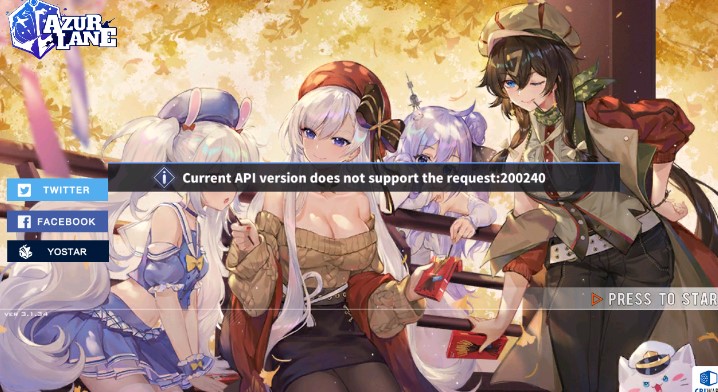
@sinful yoke welp it seems ive run into a second issue, whenever i try to login with twitter it says current API version does not support the request
so i have the game updated
but i cant login
sinful yoke
another user is also experiencing this issue, can you take a screenshot of the error with log mode? here is how to enable it
/logmode
pale pagodaBOT
On any screen, hold your right thumb on the right side of the screen and then pinch the fingers of your left hand together. Not my video, provided to me by a...
sinful yoke
I will forward it to staff, in the meantime, do you have another bind or device you can login to?
carmine hedge
Yes I have a iPad that I can use for now
sinful yoke
you can try binding another method on the ipad like yostar and try connecting on your huawei with yostar and see if that works around it
 faint gulch
I get this error upon logging in on Nox, running Android 5. It just logs in normally either way and I can play, just wondering if android 5 support is going to be dropped soon-ish?
sinful yoke
it could be possible but I still need to discuss with staff regarding the error
faint gulch
while I was searching the channels for this message, someone suggested for the twitter thing to install the twitter app on your emulator/phone and log in on the app first, then try the game again
 south garden
Hello! I had purchased gems but haven’t received any. I have been billed but no gems. I sent an email 2 weeks ago containing my uid, username, server, purchase receipt, and that I’m on iOS. Is it normal to wait this long?
sinful yoke
@south garden currently their response time is around 6-13 business days, atm it is normal, but you may send follow up emails by replying to your original email
south garden
Aight Will do! Thank you too btw
 restive grove
Hey there, I had downloaded the game several weeks ago and had a ton of fun playing it (even spending a bit of money), although I had uninstalled the game without binding my account and reinstalled it, is there a way to recover it or is there no possible way?
spring grotto
If you didn't have it bound, please contact customer support via email w/ your account information and they'll help you recover it
/techsupport
pale pagodaBOT
Z23 Sensei
If you experience a specific technical issue, such as a bug not encountered by others; an issue with a purchase, or a loss of items, please email al.cs@yo-star.com with your UID (it can be found in your in-game profile menu), in-game name, server and issue as well as device brand, model and operating system.
Please do not DM Yostar staff or discord mods about your issues and use e-mail instead.
Please note that the answer may take a while due to high load, so we ask you to be patient.
spring grotto
 email in case you need it
restive grove
Alrighty, thanks!
dense widget
Oh thank god, i'm in guys. Just had to reinstall the app
 livid void
Hey, is there a way to disable full screen for notched phone on Android without disabling the notch from Developer Options?
With the new update, Azur Lane has full screen support (it goes into the notch area) and now the notch is covering a portion of the screen
spring grotto
Unfortunately not that we know of. But we have brought up the issue of the notches being cut off to the team. So hopefully they'll be able to apply a fix for it
livid void
Ah ok. Thanks
 storm terrace
Hi so I reinstalled the game recently and my account isn't there anymore, I didn't have it connected to a account is there a way to recover it? I'm on IOS.
echo heath
You didn't bind the account and you reinstalled the game?
 bronze inlet
facebook bound account cant login help
 wicked kayak
How can a men disconnect his Facebook account
It gives continue option for the same account every time
 desert bane
Wait so is everyone having trouble with logging back into their accounts? Cause I am too
 rough crow
i havr trouble i can enter my acount
wicked kayak
Did you bind yours?
rough crow
can't
wicked kayak
😐 Gz
rough crow
I linked in all but no appers
desert bane
I thought I binded my account but after trying to login with all the different ways, I guess I didn’t
 smoky orbit
Are you in the correct server?
(i.e Lexington)
desert bane
Yes
rough crow
my acount is lv 40 but i tried all login option and can1t enter
wicked kayak
Avrora yes
spring grotto
If you have your account bound, log in on the title screen and then choose the correct server. Your account stays in the server that it was created in. Try logging into all servers just to be sure please.
rough crow
Can find the clan HMS Perdragon please?
rough crow
i don't know my server i try all
spring grotto
@wicked kayak Did you log in on the title screen w/ your correct social media account?
bronze inlet
i press the facebook login button but get error
rough crow
i did
spring grotto
@bronze inlet What error exactly?
wicked kayak
Yes I did I had to do the tutorial
wicked kayak
After that
I linked my account with wrong Facebook account
So I can't disconnect it from Facebook
It gives continue option for the same account every time
bronze inlet
api does not support request 200240
rough crow
the issus is facebook try login and desconect.
wicked kayak
@rough crow yes
spring grotto
@wicked kayak Wait...so is your original account bound to FB in the first place? B/c if it was bound in the settings menu in the first place, you can't overwrite that bind. You just need to log in on the title screen
 golden flare
Hello! I couldn’t even get in to the game, the game keep crashing. I had reinstalled it for three times and restart my iPhone but it still not work. I’m IPhoneXS
spring grotto
@bronze inlet Ah, the API error? There are some ongoing API issues for some players when logging in w/ third party binds where they'll get that error. We're informaing staff but in the meantime unfortunately the only advice we can offer is to keep trying, restarting your device, and perhaps installing/updating the FB app on your device
@Rev.#2222 Good to hear and no problem
bronze inlet
fb app is newest version
spring grotto
@golden flare There are some known issues w/ the X series right now. Sorry to say, but we don't have any true workarounds right now. Staff are being informed though
golden flare
...Thanks for let us know
rough crow
thanks
golden flare
Maybe waiting for a new update
spring grotto
I'm sorry I can't offer a solid solution  hopefully it will be fixed very quickly
wicked kayak
My account was bounded with yo star but when but when I logged it it just made me. An new account
I got like solid evidence
When I bounded
spring grotto
Gotcha. And did you generate a new code on the title screen of the game w/ that same email?
spring grotto
Okay. And you got a "Login successful" when you did?
spring grotto
What happens on all the servers? Do they all put you into the tutorial or...?
storm terrace
@echo heath Correct
spring grotto
Hm...not too sure then. If you logged in on the title screen w/ it and got a "Login successful" and also checked all the servers, you'd probably have to contact customer support at that point w/ your account information so that they can check your account on the backend for you to see about your binds and everything
echo heath
/techsupport
pale pagodaBOT
Z23 Sensei
If you experience a specific technical issue, such as a bug not encountered by others; an issue with a purchase, or a loss of items, please email al.cs@yo-star.com with your UID (it can be found in your in-game profile menu), in-game name, server and issue as well as device brand, model and operating system.
Please do not DM Yostar staff or discord mods about your issues and use e-mail instead.
Please note that the answer may take a while due to high load, so we ask you to be patient.
echo heath
@storm terrace You'll have to contact customer support and give them any identifying account information to help you recover it. E-mail in the bot message
bronze inlet
i got in thanks my dude
 wicked kayak
@spring grotto
spring grotto
Oh, don't pay attention to the character icon on that server screen. That icon won't show up until you actually try logging into the server
wicked kayak
There should be a character in ever server
Bruh
Okay so I should be fine logging in
Any server
Due to I got character in ever server
Bruh
Sorry this is my first time witnessing this
 Thanks for the help
spring grotto
Oh no problem at all and yeah, it's a bit confusing (especially w/ the character icon)
 median citrus
Hello .-. , why im stuck on there?
wicked kayak
Yeah that was the main reason I was probably confused
@median citrus bad internet connection
median citrus
Seriously? There is no problems when i open YouTube
median citrus
Idk,its suddenly change
wicked kayak
Wait
median citrus
I have updated it on ps and in-game
wild barn
How do i get aovora the cbt reward ship
median citrus
Yes,but its suddenly changes to mikasa
echo heath
@wild barn you can't anymore
wicked kayak
Or clear junk
wild barn
Sad face
 elfin light

 fickle panther
Can't seem to log in
it just keeps on loading
Followed what the pinned message said and deleting cache didnt work
will try to reinstall
fast python
Guys , I tried reinstalling , deleting cache , installing game from third part and on PC , still stuck at blank screen
Any help please?!
 spice epoch
Im having similair issues, forever loading, old background of mikasa
im not sure whats going on quite
spring grotto
@fast python Hm...unfortunately I'm not sure if you've tried all of those options already. Perhaps try a different internet connection at that point, if at all possible? Or a free VPN. If you already tried it on your PC instead of your phone and still get that same issue, we know it's not a device issue most likely
@spice epoch Please check the pinned message in this channel for that issue 
wicked kayak
Wait
I heard an announcement
About
Firework84 or
Some things
It was about emulators
 prisma panther
Is there a way to check if my account is already bound?
wicked kayak
Let me find it
spring grotto
@spice epoch So you mean you've already tried both of those steps in the message?
@prisma panther Are you currently logged into the account?
prisma panther
Yes but it’s stuck on the Mikasa loading screen
spice epoch
I have not fully restarted the game, in fear I am not positive if my account is bound, and since I cant log in. I dont know how to make sure
spring grotto
Ah, gotcha. Hm...if you're not able to log in, the only easy to check for binds is if you have your UserID from the account. It's a long string of numbers that would've been found in your profile in game
wicked kayak
All the peeps who are having trouble playing the game on there emulator take a look at that
prisma panther
What happens if I don’t have my userId?
wicked kayak
Basically you lose your account
spring grotto
If you don't have it, the only way to confirm would be through customer support unfortunately. They'd have to check your account on the backend
wicked kayak
prisma panther
sinful yoke
do you know your username and server
sinful yoke
restart will not fix that
 steel atlas
when is General Voice open
prisma panther
do you know where to start customer support? ;-;
@wicked kayak but I just married Essex yesterday ;-;
sinful yoke
@prisma panther check your social media apps and permissions
wicked kayak
Well I saw one option I have spend many gems and married many waifu pls help me get my account back
You need to get in game
Go to setting
Click help
Click account
Than explorer
You can also get in a call with some one
Which might help you
A lot
pro tip's boi
sinful yoke
the spam pepehands
prisma panther
@sinful yoke how do i check what’s bound to my facebook?
sinful yoke
if you go to settings on fb, there is an option called Apps and Permissions
azur lane is located there, it is bound, if not, it is not
sinful yoke
no one would be able to understand me anyways  ive worked out issues on text before, I can do it again
wicked kayak
Doubt it help him. Then
He needs to contact customer support
The pro's
The guys who work's for yostar
sinful yoke
ultimately he may need to, but I am not going to send him there first 
 sinful yoke
this channel exists for a reason, not to send to staff and go on merrily way
so please refrain from being disruptive in this channel
wicked kayak
@sinful yoke bruh they work for yostar
You can't just bring his account back can you
prisma panther
@sinful yoke you could send me to text support lol
sinful yoke
@prisma panther it is not bound then? send them your username and server for now, they will locate your account and get it back to your hands in due time
to fix mikasa screen you will have to reinstall or follow the instructions in the most recently pinned message, so your account will ultimately be in the hands of cs for awhile
/techsupport
pale pagodaBOT
Z23 Sensei
If you experience a specific technical issue, such as a bug not encountered by others; an issue with a purchase, or a loss of items, please email al.cs@yo-star.com with your UID (it can be found in your in-game profile menu), in-game name, server and issue as well as device brand, model and operating system.
Please do not DM Yostar staff or discord mods about your issues and use e-mail instead.
Please note that the answer may take a while due to high load, so we ask you to be patient.
prisma panther
ok yeah I’m just going to email them
sinful yoke
their email is above
prisma panther
thanksss
sinful yoke
@wicked kayak I will not ask again, please stop being disruptive in this channel
wicked kayak
Okie 👌
prisma panther
depends on the character restrictions
sinful yoke
send both variations
prisma panther
@wicked kayak @sinful yoke thanks both of you ^u^
sinful yoke
well, before we send an email, I can go ahead and get you started on recovery @prisma panther
prisma panther
@sinful yoke seriously? thank you so much!
sinful yoke
it will save you a lot of time from emailing cs, it is simple though 
after reinstalling you’ll want to go ahead and just make a new account, it doesnt matter what server
write down the username, server, and uid
bind the account in settings to something, take a screenshot of the binds, and then send all that information including the screenshot in the recovery request
they will merge the new account binds into the old account so that you may login, and it will take you to your missing account @prisma panther
 vague crypt
Good afternoon to all. I have a slight problem here. I've stopped getting notifications whenever my commissions, research, etc. is finished even though it's turned on. Is there any solution for this?
prisma panther
@sinful yoke ok thank you!
 charred skiff
hey is anyone having an issue where fullscreen is being forced on phones with notches
sinful yoke
yes its a known issue, what device are you using? @charred skiff
charred skiff
note 10+
it makes it so that i can't access the back and home buttons when i'm playing split screen lol
sinful yoke
@vague crypt this is an old bug that affects users randomly, unfortunately we have no fix or workaround atm as it also seems to fix itself randomly
 heady raven
Where is the recovery request if i may add 
sinful yoke
@charred skiff got it thank you
@heady raven do you need to recover an account? inquiries are generally sent to customer support at al.cs@yo-star.com
carmine hedge
@bronze inlet can you help me out? I have same issue as u how did u get in?
heady raven
Alright, better start working on binding a new account and send them the old uid?
vague crypt
@sinful yoke Oh, I see. So that's why the first time it happened to me, it got resolved. I thought it was because of the update back then but apparently it fixes itself as you said. Oh well, I'll use my alarm clock back then to notify me. Thanks for taking the time to answer me.
sinful yoke
@heady raven that is optimal, are you sure you have never bound your account before?
if you have your uid I can check your binds
bronze inlet
@K~#6923 restart phone and try to login with facebook button
carmine hedge
thanks
heady raven
Never binded any in the lexington server which is the one i play on now but i do have the UID in a screenshot if that helps somehow
carmine hedge
guess I'm making a Facebook account now
sinful yoke
@heady raven yes that will help them find your account easier
@carmine hedge you are unable to login with twitter right? what device do you have? (if you said before, I do not remember)
heady raven
So send the UID to the support and wait correct?
sinful yoke
yes send the uid and uid of the new account
heady raven
Alrighty, darn guess the yukikaze oath will have to wait a couple of days =^=
Much thanks for the help <3
 floral flame
What IS the API (200204) error? I can log in and play, but that keeps popping up during login
carmine hedge
@sinful yoke I have a Huawei p30 lite
yes Twitter I have not tried Facebook yet
I am working on it
 hollow meadow
Um I finished the update, tries to log in but it's just stuck with the four chicken loading screen?
Tried different network, restart the game
 hollow elbow
spring grotto
hollow elbow
spring grotto
@hollow meadow Can you screenshot your screen for me real quick?
hollow meadow
@spring grotto
spring grotto
@hollow elbow Most likely either a network error or the network gateway is closed. Try turning your network connection on and then off to see if that fixes it. If not, a restart of the app should ideally
hollow meadow
It goes away after a few seconds then appears again
spring grotto
@hollow meadow Okay. The Mikasa loading screen. One sec. We're talking w/ the team about this issue and they might wanna try and get some information from your case
hollow meadow
I tried with a different server be4 but it sent me to tutorial
spring grotto
@hollow meadow Okay. So if it's possible for you, can you turn on log mode on your device, and then record the game when you're loading up the game?
/logmode
pale pagodaBOT
Enjoy the videos and music you love, upload original content, and share it all with friends, family, and the world on YouTube.
spring grotto
steps for log mode are in this youtube video
spring grotto
sure, that'll work
hollow meadow
@spring grotto it's not working?
Also I'm using an android so dragging from the top of the screen brings out the thing
spring grotto
You need to hold down on the right side w/ your thumb if you weren't already
 pearl breach
Can you from the title screen tho
sinful yoke
yes
spring grotto
You probably won't be able to open up log mode once the game starts the infinite loading, but if you're able to open log mode before that starts, that'd be great
spring grotto
Yeah, currently the only fix is the steps listed in the pinned message in this channel. But we're trying to get more information to the team about it so they can hopefully look into getting it prevented for future players
spring grotto
Hm...are you able to be at the title screen at all w/o the infinite loading? Or does it go into infinite loading as soon as you get to the title screen?
hollow meadow
Um it's the Belfast laffey screen at first
pearl breach
Even if I hold the right it just proceeds to infinite loading
hollow meadow
Hen it changes to mikasa
pearl breach
Mines just mikasa
hollow meadow
If I press once it goes to the server screen
And I press again and there goes the chickens
spring grotto
Okay. And you're holding down on the right side and while having it held, you're pinching in w/ your two left fingers?
Before you get the infinite loading, that is
pearl breach
Yea
spring grotto
Okay! That's good! Alright, so can you get a recording of it w/ log open? Like, as soon as you start up the game and get to the title screen, turn on log mode, then while log mode is open, go to the infinite loading w/ the Mikasa screen
 obtuse cloak
anyone got problem with notched phone??
sinful yoke
yes, what device do you have? @obtuse cloak
obtuse cloak
poco f1
sinful yoke
ok thanks
 kindred barn
Is there any Android os for pc that can support arm64?
tiny sluice
i can't seem to get log mode to activate? is it just really finicky or am i brain blasted
sinful yoke
emulators? nox and bluestacks work
carmine hedge
Anyone with the API problem, only twitter dosent work rn yostar and facebook apparently work
i jsut got in with yostar
kindred barn
No I mean a direct os like the Phoenix os
pearl breach
Where do I go from log mode to log in
sinful yoke
@tiny sluice is your finger on the right side of the screen while you pinch?
median fable
@sinful yoke allo again but I would just like to say that the game is letting me now
spring grotto
@pearl breach It won't let you get into the game. It's just debug logs that I'm collecting to help the team locate the issue
tiny sluice
yeah, i treid following the video. right finger held down, pinch in with left hand. should i be doing it while the game is loading? i unfortunately can't get passed the "press to start" screen so i can't do it anywhere else
tiny sluice
okay nvm i'm just brain blasted it just worked lmao
spring grotto
@pearl breach Yeah, your logs are different than all the previous ones so they might contain so good information. I got it sent off. Thank you
pearl breach
How long do you guys think this would be going on?
And did yostar have to skip this weeks event because of the anime?
spring grotto
@pearl breach Unfortunately we have no timeframe. But since we've got some good information already regarding the issue and we're hopefully getting a recording, you can follow the pinned message in this channel if you wanna try to get it fixed
pearl breach
Should I leave Azur lane open while log mode is on because I have the infinite loading going?
 hollow igloo
Can anyone help me with finding my lost account
 misty crow
/techsupport
pale pagodaBOT
Z23 Sensei
If you experience a specific technical issue, such as a bug not encountered by others; an issue with a purchase, or a loss of items, please email al.cs@yo-star.com with your UID (it can be found in your in-game profile menu), in-game name, server and issue as well as device brand, model and operating system.
Please do not DM Yostar staff or discord mods about your issues and use e-mail instead.
Please note that the answer may take a while due to high load, so we ask you to be patient.
misty crow
@hollow igloo ^ the email is in there
 old geode
My game stuck at this screen after the update. i try reinstalled but nothing change
 heady vault
Is everyone having this problem?
misty crow
@old geode for now try to restart your emulator and possibly your computer
@heady vault please refer to the pinned message for how to deal with this
heady vault
My Twitter screwed up and I can’t log in so I have nothing linked
I’m on an iOS device too
misty crow
Well either way, your game is stuck

There's no way to get out of that without reinstalling
heady vault
Would an update fix it?
pearl breach
They’re collecting data on how to
misty crow
No, since the very files you downloaded are corrupted
There are some people who get stuck there despite multiple reinstalls
In most cases a single reinstall fixes it
heady vault
But I don’t wanna lose my progress...
spice epoch
Reinstalled, but my account is lost. I swore I had it binded to a yostar account.
spring grotto
We're getting data on how it occurs to hopefully make it to where it doesn't happen in the future
spice epoch
Game is making me go through tutorial atm
misty crow
Did you select the correct server
misty crow
It defaults you to Lexington
spice epoch
that was my original server
pearl breach
Washington was my original
old geode
@misty crow still stuck
heady vault
Like I don’t wanna lose anything
misty crow
Like I said, you really don't have a choice
heady vault
Can I bind Facebook from the mikasa screen?
heady vault
...
spice epoch
is there any way to recover an already binded to yostar account?
misty crow
Do you have your old UID by any chance?
heady vault
Me?
spice epoch
UID? the odds are no
misty crow
Just check glitch
misty crow
spice epoch
No i dont remember or have that number on hand
Where do I begin to attempt and find it
misty crow
@heady vault you will need to reinstall regardless, no way around it, you'd need to do account recovery afterwards
pearl breach
Can I get my uid from Facebook?
misty crow
@old geode try clearing cache, if that fails, just outright reinstall
 rose nexus
Question guys, how come live 2d seems to be zoomed out sometimes? I’ve noticed it’ll look farther away for no reason at times and can’t figure out why. On the regular screen. Any ideas?
spice epoch
Ill do that after this tutorial gets out of my way
spice epoch
mhm
misty crow
Yeah just close the game and try all servers
@rose nexus send a screenshot in #bug-reports
 midnight plover
Can anyone help me here in recovering my account?
 sturdy mural
hello good night everyone, im having this error every time y play a stage it says : conection to play services failed 200360 and also this version not support 200310
this apeared only after the update today
misty crow
@sturdy mural try to ensure your playstore version is up to date
@midnight plover did you bind your account?
midnight plover
Yea both facebook and twitter
midnight plover
Then my phone broke down so i switched to emlators
misty crow
@midnight plover follow steps 4 and 5 to log in https://imgur.com/roy6tih
Please ensure that you've selected the correct server
midnight plover
Yea i already did this
I logged in in the main screen
But instead i faced another tutorial and my twitter is now bound to this new account i made
spice epoch
Im in the exact same issue
midnight plover
It bounded by itself
misty crow
Ok that means you selected the wrong server
So try to go back out and ensure you select the correct server
midnight plover
But in the server list it shows that i dont have an acoount in the sandy server
misty crow
If that fails, try all the other servers
Yes, on a new device it won't show anything
Assuming you logged in correctly
midnight plover
Ok i will try
sturdy mural
ok im back my appstore version is updated but the error still remains,
spice epoch
I have tried all other servers, I need a new form to recover my account
misty crow
When you logged into your yostar account, did you generate a code?
spice epoch
yes
one moment, my friend managed to get on his game
hes going to try and get my UID
My username GlitchyUmbreon, apparently he cant see my UID
is there any way he can?
misty crow
@sturdy mural alright for now, can you take a screenshot of your game in logmode when getting that error so we can investigate in detail?
/logmode
pale pagodaBOT
On any screen, hold your right thumb on the right side of the screen and then pinch the fingers of your left hand together. Not my video, provided to me by a...
misty crow
For how to activate
sturdy mural
ok
misty crow
@spice epoch no there isn't unfortunately, but if you did log in thru yostar correctly there shd be no issues 
spice epoch
this is my account
but i can not get back to it
It is a bit outdated, because I passed lvl 80 recently
and my secretary is now Z46
I have tried every server, like you suggested, and nothing
hollow igloo
I tried contacting tech support through email and they never responded
spice epoch
so what do I do now? just ignore my entire works progress
misty crow
You'll have to go thru account recovery
heady vault
Ok
spice epoch
like so many other, I feel bad for your technical crew
heady vault
It’s failing to bind my account
hollow igloo
I swear I binded my stuff a few months ago but I guess it never worked
misty crow
Wait how did you get in?
heady vault
Delete reinstall
 urban saddle
Hello, I've been having a problem with my game and was told to come here for help.
misty crow
That's not how you log in to your account...
heady vault
But it’s not letting me bind
misty crow
Why are you trying to bind?
heady vault
I did it on the opening screen tho
heady vault
Why don’t I have my account then?
misty crow
You're on the wrong server
sturdy mural
ok sorry for the dealy this are the screens
misty crow
@urban saddle what kind of issue are you facing
urban saddle
I downloaded the update today and it downloaded fine. When I went to load into the game, it would display the usual loading Manjuus, and would very briefly display the "press to start" thing before kicking me out to my home screen.
heady vault
@misty crow thank you ❤️
sturdy mural
after this message pop up abut 5 times the game closes a goes back to login screen
misty crow
Ok can you try to take a ss of log mode when you get those errors
urban saddle
I don't get any error messages. It just sends me back to my phone's main screen.
misty crow
Can you explain in more detail?
misty crow
@turbid agate there's no fix for it now unfortunately, Devs are still investigating
Though try to ensure your playstore/appstore is updated
 turbid agate
ok i'll try
spice epoch
urban saddle
Okay, so I've just managed to get in on an emulator and binded my account to my Twitter.
spice epoch
Trying to do account recovery
urban saddle
Is it safe to reinstall it on my phone?
spice epoch
I can’t even bind the new account
misty crow
@urban saddle what device are you using?
urban saddle
I normally use my iPhone XR.
But I just managed to get into my account on an android emulator.
 uneven whale
i have same issue as @urban saddle get to start game screen and crashes immediately, already reinstalled twice
using xs max
misty crow
Yes, we've determined that there's an issue with the iPhone X series of phones
Unfortunately we're still lacking information on what causes it
 misty crow
Try a diff account
uneven whale
@misty crow so nothing i can do but wait for a fix?
urban saddle
I've never had the issue before, just after this update.
But using an emulator, I've binded my account to my twitter account.
misty crow
Hmm, right now we're lacking information, so if possible could you try to turn on log mode the moment you open the game, and record until it crashes?
 rugged jungle
ive been stuck on game update screen 1/912 for 3 hours now
misty crow
/logmode
pale pagodaBOT
On any screen, hold your right thumb on the right side of the screen and then pinch the fingers of your left hand together. Not my video, provided to me by a...
rugged jungle
ive tried reinstalling
urban saddle
I just want to make sure I'm safe to reinstall the game.
misty crow
It's an issue with the iPhone X series, though we're lacking information on what causes it
If you wish to help, please follow the instructions I listed above
@rugged jungle try using a vpn
uneven whale
i tried but game doesnt stay open long enough to enable it it seems
misty crow
Or just changing connection in general
rugged jungle
👌
misty crow
Try a few times if you can
sturdy mural
ok i try reinstalling the game , sometimes it also pop up a message that says : this app version cannot 200310 but is only somethimes and i cannot take a ss
sturdy mural
btw i have a huawei Y6 not sure if have anithig to do about this
rugged jungle
um it updated but my account disappeared??
misty crow
Log in to the correct server
urban saddle
Is this issue with the X series a new thing with this update?
uneven whale
must be cuz it only happened to me this update too @urban saddle
urban saddle
I just reinstalled it on my phone and it's the same issue. At least I managed to get into my account on the emulator.
misty crow
Yes
urban saddle
Alright, thank you.
 gritty temple
So... This is still a thing? Stuck in the home screen I mean
spice epoch
I want to add a quick 2 sense, For those who are having log in issues, Make sure that when on the home screen you click on the left side the "twitter" "facebook" "yostar" it will then start up a verification
I lost my account, emailed them. This is what they pointed out to me. And now I want to share what I know in hopes others will have use of it
 spring hawk
I have the same iPhone X issue. The app has become unsuable for my XS Max iphone.
 willow echo
to get around emu lag, should I switch from memu to bluestacks?
misty crow
Memu seems to have the least issues actually
willow echo
o
misty crow
It helps to have up to date emulators though
And might need to unbloat
Still won't be as smooth unfortunately
willow echo
I didnt update it since I installed it 
misty crow
I know, I'm like that too
misty crow
@KnightRider378#0805 @uneven whale Can you guys open your phone setting-private-analyze-data analysis ,and send us a azurlane analysis data? @hollow meadow
@KnightRider378#0805 ^
Wait he left goddammit
hollow meadow
Um I sent one to toast?
misty crow
Not the recording
hollow meadow
The log?
 topaz sky
Ender once there is a fix for this error it will be there in pinned messages right?
hollow meadow
Ok and what's that @misty crow
ripe sapphire
Alright, I reinstalled the game again, it's working fine now
though i need to download some files
topaz sky
Okay thank you
misty crow
Never mind jack, it's ok
torpid thistle
@hollow meadow I would like to know that too tbh...
gritty temple
Missed a day, what to do to fix this?
misty crow
@gritty temple please delete the game and redownload it as per #game-news
 verbal crow
no boss spawn in 9.3 , how to fix ?
hollow meadow
@misty crow um I didn't download it thru play store cos it was not available in my region
Would it work the same if i used qoo app website?
 lofty ridge
hi! not sure if I need to tag anyone but basically I had to re-download my app and I can't remember if I had it binded to anything (Twitter/FB/etc) so now I'm having trouble logging in. My username is gloms and I play on Avrora. I have my UID as well
topaz sky
@verbal crow try closing the game and opening it again
topaz sky
I don't think they are there right now but what's the problem?
 golden creek
erm do anyone had been report about screen resolution?
topaz sky
I don't think so
golden creek
oo then i going to report...
topaz sky
Do u use emulator to play the game?
topaz sky
Can u send a screen shot


 topaz sky
Nah just normal person who is online
topaz sky
Sigh