#bug-reports
1 messages · Page 24 of 1
 rotund violet

 north flume
is it a bug or am I missing something?
It looks OK on another wall, so I'll report it anyway
rotund violet
it's because it's overlapping the door
north flume
I'm talking about it being mirrored on a wall
rotund violet
oh yeah that happens in all releases, though you could report it anyway
 brave fjord
XdxdxxdxdD
 thin bison
So it’s a “feature”?
north flume

thin bison
^なにこれ可愛い
 steel quarry
is Ayanami supposed to be obtainable as a drop or is she just a collection reward ?
 untold condor
Ayanami should be a collection rewards and a drop once you unlock her from collection
That’s how other server handled it
steel quarry
because someone I know dropped her before getting the collection thingy
untold condor
Yep, that's a bug
 fossil condor
there seems to be, seeing it in the archive and working for the live 2d ships
 storm sand
Oh no
 sand sphinx
fossil condor
sand sphinx
fossil condor
A bit unnecessary maybe, considering they can't be enhanced, but the Enhancing Complete voiceline for the bullin's are unlocalized in text
 frosty gyro
why is your ratio like that..
fossil condor
sidesync, maybe.
 next field
rather than the text, my first focus was the ratio lol
anyway, it should be reported anyway, regardless it is used or not
@steel quarry Ayanami supposed to be dropable only once you've unlocked her from collection, but it seems there is a bug where instead of Z23 being dropable, Ayanami does.
untold condor
Anyone else having this bug, where you can put Auto Combat on even though you haven't beat 1-3?
It didn't put it on auto for me, but I can replicate it again and again
 buoyant hemlock

frosty gyro
when text goes off the yellow it bothers me
buoyant hemlock
I can't play it yet but 6 attempts on Hard mode?
frosty gyro
yikes
north flume
you mean 6/6?
buoyant hemlock
don't know if it's visual bug or legit bug  my team is too weak
north flume
isn't it normal missions completed or something?
north flume
why tho?
frosty gyro
??
north flume
why limited attempts?
frosty gyro
loot
north flume
oh, makes sense
frosty gyro
people could spend all day getting hard mode materials
 chilly sluice
Is Z23 supposed to have her kai yet? becuase Z23's kai skill is listed on starter selection, but Laffey and Javelin dont have it listed.
 round cypress
Long Island's "Starting a mission" quote has a misspelling, pary should be party.
 sand glade
anyone mentioned after getting extra ammo you need to click twice before your ship moves in any mission?
it happened to me all the time in 3-4
 outer schooner
censors these days getting out of control
 tame void
lol
 pulsar sorrel
She looks like she has so much gorgeous hair with the two pictures overlapping, lol
 weary pivot
I kinda hit 2D and hit inspect while the 2D live was still loading lol
 pine geyser
 nocturne chasm
 haughty osprey
I hit pause, unpaused and the game went at like 100x speed
next field
@untold condor the auto has visual bug. it's been discussed way before here I believe, but dunno whether is included in #known-bugs or not yet.
you can set it to ON in the fleet screen prior to battle without even clearing 1-3, but when you enter battle it does not actually turned on.
feel free to report it tho
untold condor
Reported like 5 hrs ago
next field
@nocturne chasm as for fb bind, iOS user may done it by logging in manually. while Android, since it's defaulted to API auth, it's broken.
since the one that buggy is the API itself
buoyant hemlock
that bug happened on any server too
just reset the game
boss should appear once you restart it
 karmic perch
ok ty
next field
it's connection error instead of bug anyway
your connection got interrupted for a brief time when clearing the battle, render the following steps (enemy appearance loading) isn't working properly
next field
each time you got connection error, whatever the case
relaunching the game always fix it
it just need to redownload the latest data
karmic perch
now rip won't clear the boss 😭 . Ok thanks for the advice :)
next field
@wicked veldt mind adding that Ayanami drop is bugged?
it's been mentioned several times since yesterday....
She isn't supposed to be dropable before collection completes
buoyant hemlock
So I don't know if it has been repertoriated. Probably has been but it seem text constantly break from a line over jumping a word. The formart doesn't seem centered. Here's an example: https://cdn.discordapp.com/attachments/382791369011363842/475922155532582914/DjneoFdXsAEKqnT.png
https://cdn.discordapp.com/attachments/382791369011363842/475922156723634177/DjnelDpW4AAfsiM.png

 next field
Text-wrapping has been mentioned in #known-bugs
 urban night
I also think the sentence doesn't make sense "hate the existence of thin, I want to reverse attack"
next field
now you mentioned it...
the text indeed are off
lemme check with the original kanji first
since I haven't got her in EN yet www
 quick relic
that happens when the season resets
 dusty beaconBOT
please use this form to report bugs and translation errors/typos! Be sure to check #known-bugs to make sure you're not reporting something that is already known! https://goo.gl/forms/YVtYNnG7PWsYEuSn2
 tiny pine

buoyant hemlock
okay Hard mode is seriously bugged on my side
I did 3 attempts, it went to 3/6
then did one more and suddenly it's 4/6?
one more and it's back to 3/6 but giving this
next field
yes it is
and try scrolling #known-bugs up to see whether if its already there or not
there is not too much post there
buoyant hemlock
Yea it's easier ty
next field
@buoyant hemlock I think they change the visual into 6 hard limits, but use the limitation implemented in other server, which is 3. it's definitely a bug and has not been mentioned before, I believe. go ahead and report it.
@wicked veldt this one might worth to be put up, since this is the first time I spotted this reported here
 prisma raptor
took a while to capture, but a random white screen crash
 viral sphinx
 carmine scaffold
there's so much wrong with that line, these guys should hire me to fix all the text strings
 manic crater
Is this a bug?
 prisma garnet
I dunno how to explain this
carmine scaffold
oh, interesting, it must be bugged because the oil cost is set to zero on that one
prisma garnet
manic crater
Aaand, i don't know which one i should choose in reporting those bug
chilly sluice
Did they change how to access the page to see a ship's affection, or is it broken?
clicking on their current affection status on their dockyard page doesnt open it :l
quick relic
it's because the "marriage" system isn't in yet
chilly sluice
ah
 wicked veldt
@next field I'm not sure the nature of the bug(s) in hard mode is clear enough to add it to known issues and feedback
carmine scaffold
it's a known issue @chilly sluice
 silent sleet
What should i point out in a bug report if i constatly experiencing app crashes on my phone? Is it considered a bug? Havent found it in #known-bugs
 spring crane
are typos worth sending? 
north flume
yes
spring crane
okay, thanks
spring crane
already checked, some of these are not in there 
north flume
then go ahead
buoyant hemlock
Should we be throwing up images of typos in here?
So they can be put into the imgur album
wicked veldt
if they're really common, maybe, but like I said
manic crater
Put it in here please
manic crater
So we know what kind of typos that already sent
buoyant hemlock
It’s counting on your for guidance
 finite dock
Is there a way you can just have all the dialogue on a spreadsheet and make it commentable? I think it would be easier to report that way.
carmine scaffold
if they do that then I'll edit the whole thing
silent sleet
We kinda have a pastebin with a dialog already, but i dont think its up to date now
most of the issues got fixed already
Can you please explain me something? Is it okay for Long Island in a tutorial to have BB barrage button instead of an airstrike? I cant send you a screenshot because this is tutorial exclusive and i cant recreate it
spring crane
isn't it a Hood there instead?
silent sleet
Its a before Hood comes over
spring crane
oh
silent sleet
Thats the problem
silent sleet
Iiirc there is a Bismarck fight or a Prinz Eugen bossfight, Long Island says she will provide an air support and nothing happens until Hood comes over. There is no airstrike button until that moment
silent sleet
yeah this one
buoyant hemlock
Hood and Prince of Wales are the ships in the tutorial battle and they’re both battleships
 verbal crypt
In the dorm, the happiness description says "total sum of the n most comfortable decorations".
It looks like it's meant to be a number or word there.
silent sleet
Well, i will try to recreate it in an obt i guess
quick relic
you're right that Long Island doesn't get an airstrike after you clear 1-1 but I think that is intentional
buoyant hemlock
@verbal crypt that entire information box needs to be rewritten
spring crane
is control stick moving when you tap anywhere on the victory screen considered a bug? 
buoyant hemlock

carmine scaffold
nope
buoyant hemlock
I got that too
verbal crypt
"n" is the name of a variable it looks like.
chilly sluice
n is referring to the number of maximum furniture items of each category that can be placed in the house
but it ought to explain that
buoyant hemlock
First off the term they used on the interface is "Happiness" but the tooltip says "comfort level"
floor 2) [has a close bracket for no reason] followed by a capitalized "Arrangements"
the entire box is a huge mess
verbal crypt
I only just noticed that weird bracket.
chilly sluice
it is variable tho, dependant on how much you've expanded your house
verbal crypt
That entire box is a mess. XD
buoyant hemlock
should be something like this instead, and "Happiness" should be changed to comfort, or vice versa
Decorations placed on floor 2 do not count towards the comfort value```i actually have no idea what the variable is supposed to mean lol, is it the most comfortable decoration from each category?
verbal crypt
Because to a newcomer like me it just looks odd leaving an undefined variable midsentence.
carmine scaffold
its just the cap on how many it counts
chilly sluice
its effectively the max possible comfort of items you're allowed to put into your house, but without actually having to place them in the house
verbal crypt
In that case. Would it not be better to say
"Comfort value is the total sum of your most comfortable decorations owned."
chilly sluice
the reason that makes it slightly complicated to explain in a short tooltip, is because the amount of items you're allowed to put in the house depends on what type of item it is (i.e. the limits on wall items, floor items, etc. are different in each category)
simply saying "the sum of your 20 most comfortable furniture items" would imply, for example, that you could have just 20 wallpapers
and that they'd all count
when only 1 wallpaper can count towards the comfort level
verbal crypt
Hmm...
wicked veldt
Yeah it's a whole thing
carmine scaffold
i mean you cant use them all at once so it should be obvious
wicked veldt
You also don't need to place furniture for it to count towards comfort score
verbal crypt
"Comfort value is the total sum of your most comfortable decorations owned of each type."
chilly sluice
tbh, if they could implement a table like that, that'd be the simplest way to explain it
buoyant hemlock
yeah i feel like this can't be fit in a tooltip lol
if they want to bother explaining the score then it needs to bring up a table
spring crane
 accidentally sent a bug report that was fixed already
a question though - why are level rewards "When level reaches lv X"?
carmine scaffold
if you dont have to place the objects for it to count, why are the last two lines there at all
verbal crypt
Good point.
 stone raven
Korean text when trying to retreat and enter another stage
verbal crypt
If you don't need to place them to have them affect comfort value, why state ones placed on the 2nd floor don't affect it
wicked veldt
I think that exact screenshot has been posted before
verbal crypt
What I mean is.
chilly sluice
yeah, i know, its explained wrong
steel quarry
because the space added with the 2nd floor doesn't count as an expansion ?
chilly sluice
but it would still need something to explain that the second floor wont count
steel quarry
so it doesn't raise the cap
carmine scaffold
not at all
verbal crypt
You could have 100 floors. But if you only need to have the items for them to add to the comfort.
Then it doesn't really matter what floor you put it on surely?
chilly sluice
nope
but since the limits of how many count are equal to the limits of how many you can place
verbal crypt
Wait.
chilly sluice
it needs explaining that adding a second floor (which would let you place twice the number of items total) wouldnt increase the limit of how many count towards comfort
steel quarry
^
verbal crypt
I get it now.
It's based on how many you can place. But you don't have to actually place them for it to count.
chilly sluice
i mean, the quickest way to explain it would be to say "only x items count", and then state what the value of x is, for each item (either using a table like shown above, or by just listing you what it is for your current floor size for each item type)
buoyant hemlock
the tooltip is really bad, it's covering a fairly complicated mechanic which is most easily described by a table
if they don't plan to work on an additional interface i think they should just remove it imo
so players dont even wonder about the comfort value
wicked veldt
I think the most efficient "tool tip" level explanation you can have is just "Comfort level increases as more decorations are acquired up to a certain number of each kind. Furniture does not need to be placed to increase comfort."
buoyant hemlock
if they are interested they will look on the wiki
yeah something like that but not concrete will be good
carmine scaffold
that makes sense, it explains how it works without using values
buoyant hemlock
this way, people will just see a value go up as they buy better stuff and go "oh ok"
spring crane
"Mainly aim battleships' guns" 
carmine scaffold
yes
spring crane
more reports
wicked veldt
Please refer to #server-news for proper bug reporting procedure of translation bugs
I'll repost it here too and pin it
I've noticed people wanting to report a larger number of translation errors at once. Your best bet for doing this is to create an Imgur album of related screenshots and point out the translation errors on each screenshot when filling out the bug form, and possibly even doing it in the imgur image descriptions as well. This can be useful for example if you are watching a cutscene and notice multiple pages of dialogue with errors: you can take screenshots of each one and submit it as a single bug report for "the cutscene that plays when ___"
However, Please do not combine random or unrelated screenshots together when reporting translation errors to create fewer reports. If the screenshots are unrelated, it may make things more difficult to look through or explain in the bug report. It's perfectly fine to submit the form multiple times if you find multiple translation errors.
As always, be sure to check #known-bugs before reporting bugs. Thanks for all of your hard work everyone!
 spring crane
is this referring to my album too? because i just made it after filling all the bug reports separately 
wicked veldt
I mean, that's fine I guess
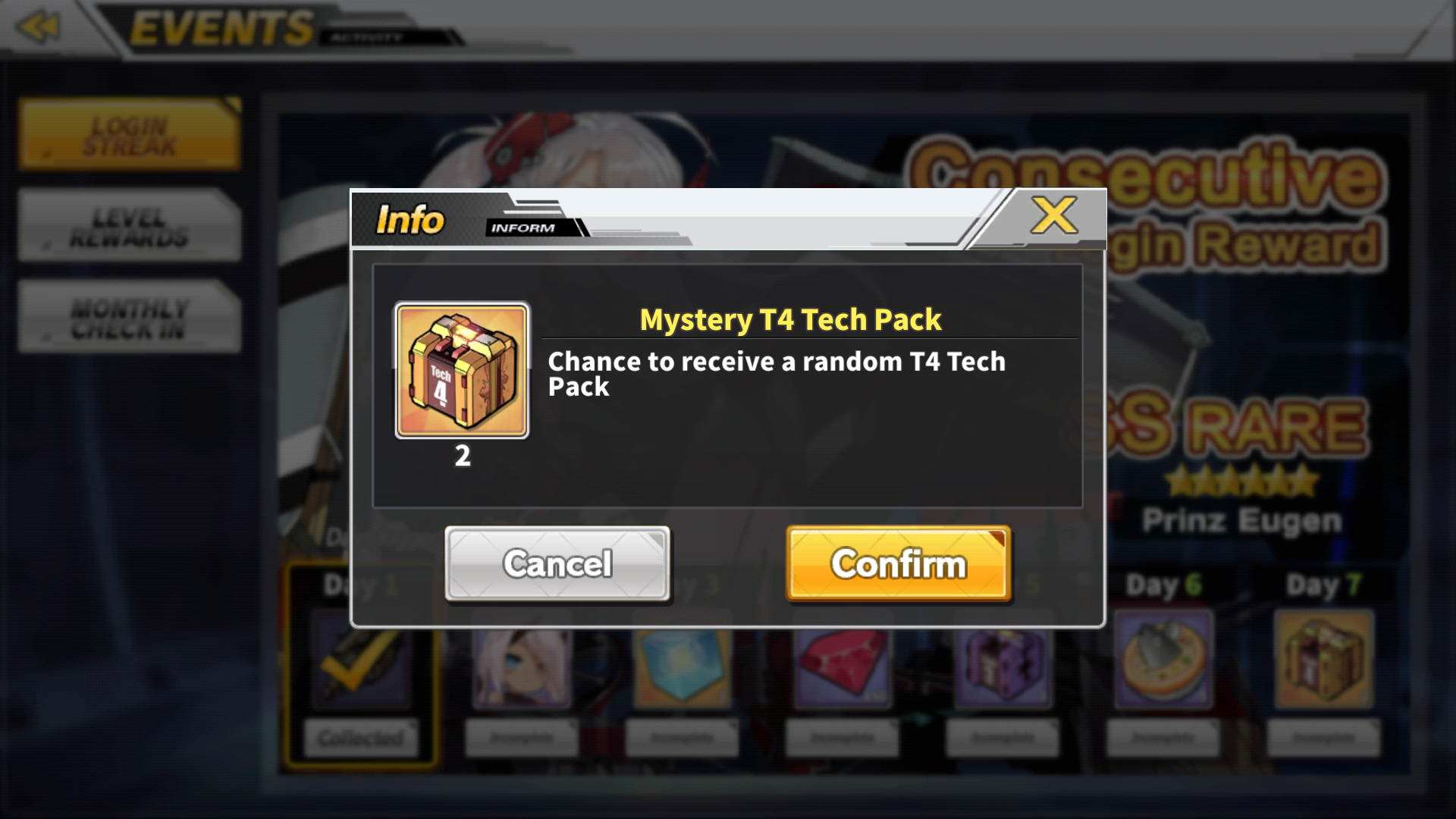
https://i.imgur.com/LZjpcTa.png This particular one has been reported many times in many places, and the general consensus is that it makes slightly more sense to have "Back/Ok" instead
 gloomy saddle
spring crane
gloomy saddle
spring crane
well, there's no reason for 2 buttons since both of them don't do anything
spring crane
except closing that info screen
gloomy saddle
Non-english text when I changed the difficulty to hard on the first level
gloomy saddle
Shit, sorry dude
spring crane
a single button "Ok" would work
 normal hawk
ahh i see
so and yeah i think its not a big problem but this BC need a bit center
verbal crypt
It should say "a user" not "an user".
 scenic willow
is ayanami intended to drop from world 2? seeing as EN get the same starters as CN i thought u could only get her through max limitbreaking
spring crane
already in #known-bugs
scenic willow
ah i see
spring crane
both text wrap and Ayaya drop
 half delta
@verbal crypt "An user" is correct since you use "an" when the next word starts with a vowel
Oh wait
User is part of the exceptions
@verbal crypt send it to the bug report forms
 civic relic
chilly sluice
civic relic
chilly sluice
Not really a bug as such, but this tooltip is incorrect - it implies you have to place (set out) the furniture to get the comfort, which you dont
civic relic
not sure if this is a bug or not, but when clicking on inspect the game would move into portait mode, and when you would click on the screen it would kinda glitch out and then the screen way and go back to normal
wicked veldt
That's present in other versions as well Rofu. The game is locked to landscape except for when viewing art
outer schooner
It's getting worse
 midnight igloo
Edit: nevermind it was just a mistake of mine. i started just a bit after the daily reset.
 empty geode
For some reason, construction speed up using the drill can be interpreted by touching before it shows the screen
Unfortunately before I can take a pic, it disappears
Happened three times before it stopped
empty geode
I use speed up(Quick Finisher) on the construction, before it shows the display of which ship you got. I touched the screen, the process got stopped and the speed up is stopped
tame void
Is the built ship in your dock?
empty geode
Nope
wicked veldt
Hmm... that doesn't happen for me. Are you sure you have drills? I noticed it would play the cube animation like it was constructing the ship but then just didn't work when I was lacking drills
empty geode
Nothing happens
wicked veldt
Also tfw my test craft turned out to be Takao
 worthy narwhal
Is the CBT actually in EST? In monthly checkin, it say "refreshes at 00:00 est" but won't actually do anything til several hours later
 drowsy dagger
Z[23] Is incorrectly highlighted in the this skill description. I assume that's because she's one of the few ships with a number included in the name
empty geode
But something's called Error 6 or something
drowsy dagger
oh that error I know what you're talking about
empty geode
Huh? You got that too?
drowsy dagger
That happens when you build multiple ships. quick finish one and then try to quick finish the other. They haven't correctly linked/updated the remaining ship.
so you're forced to exit out of the screen and back in to reload the data.
empty geode
No?
I mean that I was doing that but I didn't need to exit
I am low on gold so I can't test it again....
wicked veldt
I'd submit the Z23 thing as a bug under graphics/interface
drowsy dagger
I'm probably describing another bug then Mutsu haha.
fossil condor
Another unlocalized thing, will be submitting a report unless already covered
empty geode
No, our are the same. Just the condition and after effect are different @drowsy dagger
wicked veldt
Go for it. It's possible it was covered but I haven't heard of it at least
worthy narwhal
So was the EST thing in monthly login a bug or?
wicked veldt
Did you try restarting the game and trying again Cat Bro?
tame void
Lel
manic crater
I see, that commission already gone btw, and i took that screenshots a few hours ago
 stiff tundra
wicked veldt
stiff tundra
wicked veldt
Probably not a bug, but feedback on that has been given
fossil condor
Few issues, imo, but the biggest to point out is intimacy mispelled
also, this is sorta a thing that I'm unsure of whether to report, but skills that indicate number with roman numerals have odd spacing
I can confirm the odd spacing with laffey's EX Barrage and all out assault
 weary kelp
 raw trail
I think that's asking for permission to download files and media into your phone?
fossil condor
Here's pics of the spacing for reference
drowsy dagger
Confusing Skill Description, Consider
"Deploys a/an ____ second shield to the vanguard when she launches an airstrike. DMG absorbed is ____% of her HP"
Also is it Max hp or current hp?
half delta
Max I think
Can't really see the shield values in game
So I think keeping it the same as the tooltip of "5% of HP" would work best
drowsy dagger
yeah but that changes as you skill up so that's why i left it with ____
half delta
since that is also how it is listed in other servers
so I think it is 5% of her current HP then
yeah
current HP seems good
so just % HP
wicked veldt
@drowsy dagger @fossil condor Make sure to submit bug reports as well
wicked veldt
Also @drowsy dagger alternative phrasing that better fits the game
"Deploys a shield for _ seconds to the vanguard when launching own airstrike. DMG absorbed is __% of own max HP"
 grim socket
some texture bugs in 3- 2
 dense sinew
Not sure if this is a bug per se, but the app isnt recognized as a game by my phone (galaxy s7) so I cant open game tools
wicked veldt
@grim socket not sure if other people have encountered that, but go ahead and submit a bug report
You can report that as well Bob
grim socket
where?^^
wicked veldt
!bugreport
dusty beaconBOT
please use this form to report bugs and translation errors/typos! Be sure to check #known-bugs to make sure you're not reporting something that is already known! https://goo.gl/forms/YVtYNnG7PWsYEuSn2
grim socket
ty
wicked veldt
it's also in the channel description, and pinned
 umbral stirrup
wicked veldt
umbral stirrup
wicked veldt
@umbral stirrup I asked you once in DMs to comply with the nickname rule. If you fail to do so again, you will be banned from the server.
 wispy parrot
The text here overlaps once you get to triple digits
wicked veldt
Go ahead and report it
 worn kite
Vestal does not speak as secretary and the text is not displayed either
wicked veldt
 dull marlin
This may not be the best example, but I don't have more ships to construct to show it better. Also as far as I know, I haven't seen this in known issues, so let me know if it's been addressed. The issue is after collecting a ship after construction finishes, when you return to the "orders" screen, you are usually sent to the end of the queue, where you can't even take action on any ship orders (since they're all at the front). It's not a major issue, but kind of annoying.
frosty gyro
you can scroll
dull marlin
Ah, I just didn't remember it being like that in CN
But I haven't played it in about a month
frosty gyro
are you saying you cant scroll through the queue?
dull marlin
No, you can still scroll. But if you have say, 10 ships in construction, after collecting one of them, it auto scrolls you down to the last ships that haven't even started construction yet.
 eternal flare
Should be Sakura fleet not Sukura
dull marlin
So no need to report it?
eternal flare
Ah I see didn't know it was already down on the sheet sorry
frosty gyro
you could suggest it in #game-feedback probably cheeto
dull marlin
Okay, will do
I'll probably wait until I have more cubes so I can better picture the "issue", unless someone does it first.
eternal flare
is there a bug with the Cubes?
and @frosty gyro i just saw it my apollogies but still thought i let you know
frosty gyro
ur good just many typos are already reported especially sukura since cbt has been out for awhile
eternal flare
i see had no idea my apoologies
wicked veldt
@eternal flare the spreadsheet is just a summary of #game-feedback , not bugs
 edgy plover
Sometimes when you change images to gifs it stays that way
!bugreport
frosty gyro
thats been reported iirc
 robust drum
Just for the sake of knowing, do we anticipate there being another update mid-CBT? Or are we staying on this build through Friday? (Want to know to figure out where I should focus my effort going forward)
next field
since I see someone mentioned about Game Center....
I'm playing on A8+ and I must assign the game manually to be added to the Game Center, not automatically as usual when I installed a new game
since this is still a beta game, I don't give it much thought tho
it's rather usual that beta game won't get included
 round cedar
you guys tried playing EN in nox/other emus?
buoyant hemlock
working fine on my Nox
round cedar
when I try to play it often crash, I had to reopen nox always
is it because of the pc/nox/al?
 solid remnant
Does anyone else have issues with ship icons and health bars flickering in PVP?
drowsy dagger
No problem with nox here as well. how much memory did you allocate to nox?
drowsy dagger
@solid remnant That's cause the main (backline) fleet actually appears in pvp. It's probably hovering between icon and model distance just slightely off screen. Not sure about the healthbar though
 pure chasm
Wait is the FINISH ALL in construction bugged
I did a x7 construction, pressed finish all and every time I got a SSR or SR, the rest of the constructions weren’t automatically finished
So I had to press it again
I’ll try if I can do it again
Though it happened once with San Diego and once with unicorn
 Just did x3 and got Belfast but everything else finished too
I’ll report it anyway
wicked veldt
next field
@pure chasm I've just done a mass construct but cannot see the same error like you have....
Just for reference, on which craft it happened? I'll try it out too to see whether it happened or not
pure chasm
I tried on light ship construction
Not sure how it really happened though? I thought maybe SSRs and SRs stopped it but
prisma raptor
Crash is gey
 dapper cairn
In formation after i select second fleet and add some ship i can't back or choose first fleet
Cancel that because my connection i guess after i reset my network it work
 granite swift
on #known-bugs it says that the gem icon is missing when you try to buy coins and it also doesn’t show up if you try to buy oil (posting this since there’s a question mark next to other resources)
 patent mountain
Somehow, my game keeps crashing whenever I try to start battle with this fleet on 1-2 normal.
 little ice
try taking out Sandy
patent mountain
Will try to find which ship causing it. I will laugh if it's Sandy indeed
frosty gyro
I think they were joking
patent mountain
Turns out it is San Diego that has this bug
I'm not sure if I should laugh about this or not

frosty gyro
 wary forge

 quick coral
I didn't take a screenshot, but on Norfolk's 2nd limit break screen, "courage" is spelt "urage"
it was something like, "commander gives me urage"
little ice
I figured the game wouldn't let you make that mistake 
wispy parrot
another text overlap bug
 warm cave
Not exactly sure if this is a translation error or intentional, but one thing I noticed with the County Class's All Out Assault skills: London and Shropshire speak of London Class, Kent and Suffolk of Kent Class, and Norfolk of Norfolk Class - so that leaves me a bit confused if the skill only works in pairs or for all ships of that class
(noticed this because I was expecting Norfolk and Suffolk to buff each other ...)
rotund violet
they're just seperate classes
warm cave
But collection lists them all as County Class
little ice
All Out Assault skills may either be class or ship dependent, but their activation has no bearing on your fleet comp
it just means they share the same All Out Assault if it's not unique
rotund violet
i mean they are all county-class, but in-game their all out skills are based off of sub-classes
warm cave
In that case mentioning the class in the skill description is even more confusing, because I'd expect it to activate for all ships of that class in my formation (i.e. Suffolk activates it, and both her and Kent get the effect)
little ice
as I said, All Out Assault skills activation is not dependent on your fleet comp
it just means that, for instance, London and Shropshire have the same All Out Assault
warm cave
I got that, but then why not condense the description down to "deal x% more damage every nth time the main gun fires", without mentioning the class?
little ice
All Out Assault itself is a bad name, tbh
All Out Assault (I prefer Full Barrage) is a special shot barrage that triggers every X shots from the main gun
the class mention lets you know if it's unique, or if it's the same as another boat
one of the main reason is because certain ships of certain classes have a unique barrage, rather than sharing the same one as their sisters
for instance, Shiratsuyu, Shigure and Yuudachi are all Shiratsuyu class ships, but only Shiratsuyu and Shigure have a Shiratsuyu class All Out Assault, while Yuudachi's is unique to her and her alone
buoyant hemlock
meanwhile Laffey still have her skill as "EX Barrage: Laffey"
warm cave
@little ice but that only means the pattern they shoot, right?
like, if it's === or > or )
little ice
that's all the All Out Assault does, it's a special barrage skill
so yes
unique barrages will look different
warm cave
also, yeah, calling it Full Barrage might be better, because that's what it's called in the wiki
chilly sluice
is this a known bug on daily raid?
 mental sapphire
The day before yesterday, I reported 2 bugs through forms. I think I should post them here too.
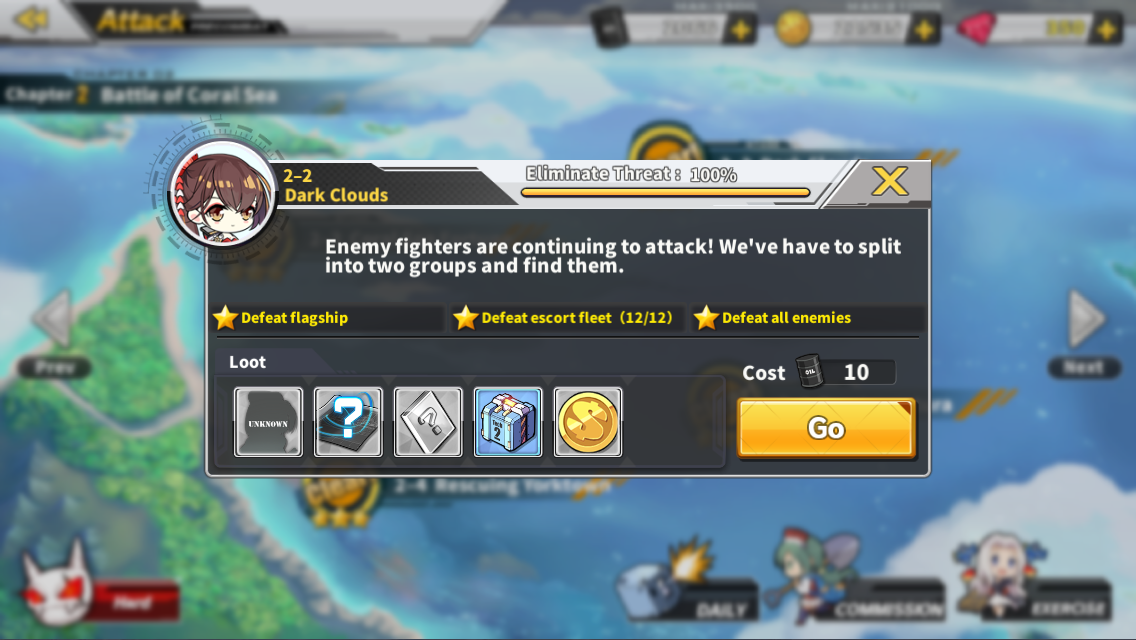
One is translation. In stage 2-2's description, "'ve" in "We've have to" should be removed. https://i.imgur.com/qVT5RLi.png
The other is interface (perhaps, that's how I posted the form for this bug). Look at the Raleigh on top left and other Raleighs on bottom right. https://i.imgur.com/AzAUxaJ.jpg
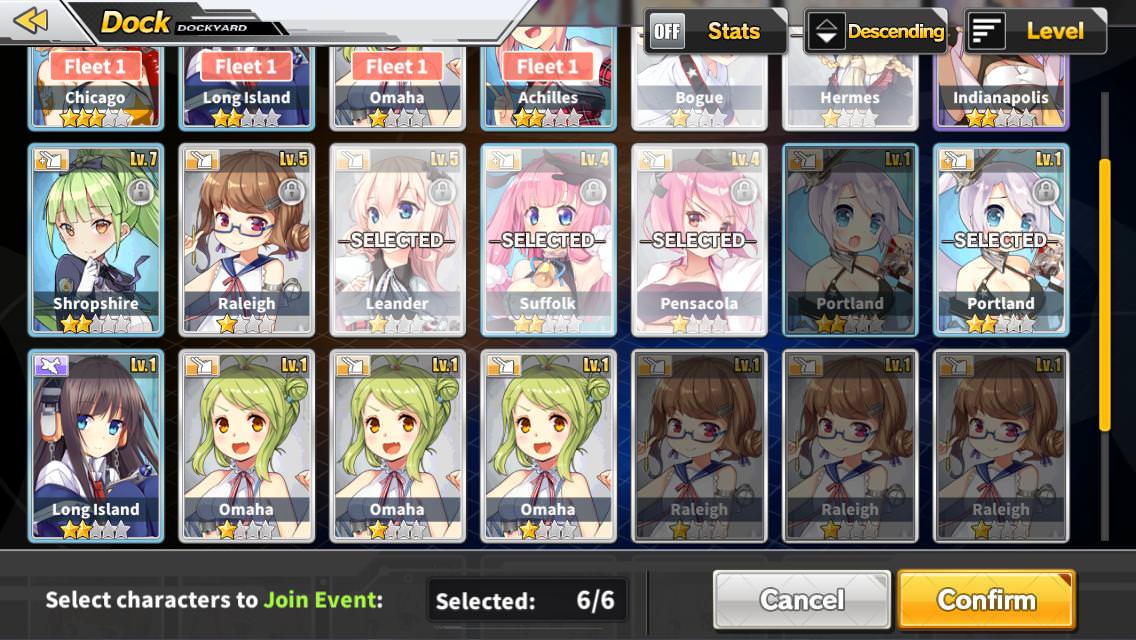
^ If you try to tap on another ship while the commission team is already full, the other ships of the same type with the ship you've just tapped on will still get blacked out.
In the pic, the Raleigh on top left was not chosen due to the team being full. However, all the Raleigh's on bottom right were still blacked out.
manic crater
Edited, nothing is wrong
 sage urchin
I have noticed that when Z23(?) shoots blue bullets and it destroys ship game stutters, I have stock gun on her.
next field
@manic crater just report it if you are unsure whether someone has did it or not
better be redundant rather than missed outright
 tiny brook
its only her introduction part that she says was told her to say so... dont see where the problem is in the part he shows...
buoyant hemlock
already reported this but don't know if it's intended to have 6 Hard attempts a day
 mossy shoal
It was the same on jp. Got changed to 3 when the core data shop was patched
 tawdry basalt
The old one was 6 then they change it to 3 but increase the number of bp to 2 for each sortie.
 tawdry basalt
welp 3
mossy shoal
But you get double blueprints
tawdry basalt
yep
next field
all server starts with 6 attempts on hard
round cypress
Softlock when assigning multiple ships to a expiring urgent(may have been a night) commission. After reloading from the softlock, urgent commissions dissappear and are unacessable*I was wrong here, New Urgent comissions still show up, the dissappearing commissions are night missions.
fak, my gif is too big
I'll try and shorten, 1 sec
The top screenshot is just the soft-locked screen
unfortunately, I wasn't paying enough attention at the time to remember which Urgent mission it locked up on
mental sapphire
Those look like Night Commissions.
buoyant hemlock
When u tap on purchased item in dorm there are overlapping issues present.
If someone already reported it, mb
round cypress
@mental sapphire didnt even know those were a thing, let me see if I can unlock a normal urgent commission
 heavy sparrow
I think i cant upload a video in discord, so i upload it on my youtube. Here a bug (maybe) when i try to clear 2-4 stage normal. I have cleared it once, and i change my formation. And when i want to enter the battle, the app keep restarting https://youtu.be/hk7jKt81vsk

Idk what the problem is, maybe the stage, my formation, or one of the ship has a bug
mental sapphire
@round cypress Night commissions are commissions that are open for a limited time at night everyday. Normal urgent commissions are RNG when doing missions so farm hard and you will get them.
 shy robin
I have a problem. Game doesnt works with 4G, only with wifi. When i launch out of home it says «unable to retrieve last game version»
silent sleet
Which is true translation of a ship skill: Chain Gun or Double Gun? 
Idk should i report it as incorrect translation or not
 hexed radish
Where do we report gramatical errors
It says "sadly we didnt caught them" when it should say "sadly i didnt catch them"
wicked veldt
@hexed radish it's been reported many times, it's in the imgur album of general ship translation errors in #known-bugs . In the future, you can report translation issues via the form Linbot posts repeatedly in this channel and in the pins of this channel as well. You can also use !bugreport to bring it up instantly
!bugreport
dusty beaconBOT
please use this form to report bugs and translation errors/typos! Be sure to check #known-bugs to make sure you're not reporting something that is already known! https://goo.gl/forms/YVtYNnG7PWsYEuSn2
thin bison
Honestly with the number of grammer and spelling errors they should just post text of the entire translation. There's just so many errors
wicked veldt
Can you imagine anywhere from a few dozen to hundreds of people all trying to edit the same text either all in the same document or in parallel and then submitting it and trying to combine everything?
I can, it's not pretty
robust drum
I mean FWIW part of it is that new ppl coming in are reporting bugs and errors we found days ago. We’re going to continue having double-up on reports until either a new patch is pushed or the CBT ends. Kinda just is what it is at this point.
wicked veldt
That will happen no matter what. I'm sure you've seen me point out double reported bugs where I have them in #known-bugs already or people saying "where do I post translation errors" when it's pinned and repeats in the channel every hour and the bug report form is in the channel description too
It's like I always say: You can lead a user to the instructions, but you can't make them read
half delta
I raise you the question how many people read terms and conditions
Only things I read is Data collection, personal info and legal liabilities.
 red garnet
The text in the pop up window when you open the dorms is poorly placed
Also i had some trouble adding other ships to the dorms right after putting in it the starter ship during the tutorial. I selected two ships but they wouldnt appear. I let it be some time and the ships appeared and i havent had any problem since then, only that one time (unfortunately i dont have any footage)
 fast oracle
:large_orange_diamond: People are of the opinion that Light Cruiser should be abbreviated CL instead of LC that has little to do with opinion, it's what the US navy and others used https://en.wikipedia.org/wiki/Hull_classification_symbol#Warships, LC would be "Landing Craft" https://en.wikipedia.org/wiki/List_of_hull_classifications
The United States Navy, United States Coast Guard, and United States National Oceanic and Atmospheric Administration (NOAA) use a hull classification symbol (sometimes called hull code or hull number) to identify their ships by type and by individual ship within a type. The ...
The list of hull classifications comprises an alphabetical list of the hull classification symbols used by the United States Navy to identify the type of a ship.
The combination of symbol and hull number identify a modern Navy ship uniquely. A heavily modified or repurposed s...
wicked veldt
Some people just like LC better though because of "Light Cruiser"
I've seen it both ways
fast oracle
by that logic heavy cruiser should be HC
raw trail
It's weird to have pretty much everything else be their proper designation but light cruisers be just an abbreviation though
fast oracle
^
wicked veldt
I'm not here to pass judgment, I'm just conveying what people have said
fast oracle
consistency is important for UX design
neiher am i judging, just voicing my thoughts
wicked veldt
I mean it sounds like you'd like me to change the wording
since you brought it up here
 sudden wolf
LC should be fixed to CL in future updates 
empty geode
For some reason my Nevada is firing twice instead of once.
First in slow Mo, then again without slow Mo.
fast oracle
no i just noticed it and waned to tell my thoughts, nothing more, sorry if it came across differenly
raw trail
Is she limit broken at least twice?
empty geode
Once
wicked veldt
That's just like a thing that happens Mutsu, it's an actual game mechanic
empty geode
Oh... sorry
raw trail
oh I'm misremembering, yeah that's the extra gun mount from LBing at work
That's what "X Gun Mount +1 on artillery ships mean on the LB screen
 subtle bronze
 wicked veldt
The untranslated part is known https://imgur.com/a/HDNBNsr
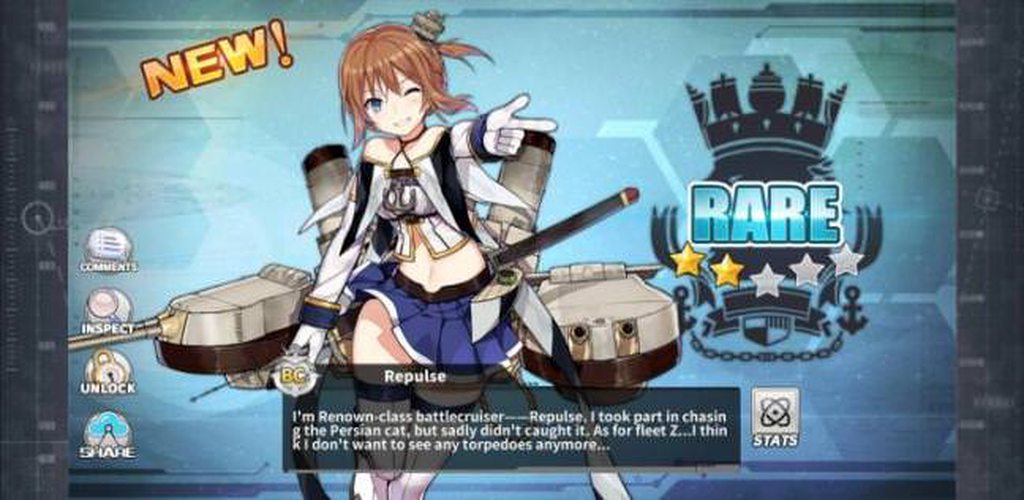
I'll add a bit about the squished buttons in the description too though
 swift cloak
The bug here is that Prinz Eugen should be slotted in the dorm, but she isn't in
I got the 3rd slot with gems, then slotted her
wicked veldt
Can you put other ships in the third slot or is it specifically just Prinz? If it's just Prinz, can you put her in another slot?
swift cloak
I can't slot any other ship
wicked veldt
Did you try restarting your game?
 median gyro
I copy the 300 slot purchase and put another ship in. Helena work normally
I would think this is another UI bug when Prinz is slotted
swift cloak
I restarted the game and it fixed
median gyro
UI bug then. Can be fix with a hotfix I think
wicked veldt
Hmm... I guess you could report it but if restarting fixed it, could have been a communication issue between the client and server or something
swift cloak
I'll report it if it happens again
buoyant hemlock
same dorm error happened to me and i reported it like 2 hours ago, and restarting the game fixed it too, but the problem is that if you don't restart i think your girl stops gaining exp from the dorm
dense sinew
I think some text on happiness description may be cut off, since theres a bracket close without a bracket open. Is this a misplaced bracket or a text error?
wicked veldt
That whole text box is a mess, I think we had an extensive discussion on rewriting it that should be in the feedback summary now
 spice saffron
Not sure if this is caught yet, but in the tip, aircraft needs to be changed to anti-aircraft (unless the wiki is wrong)
wicked veldt
I think you're right since in the game it says wheel formation improves anti-air
good catch
My game loads too fast for me to read those
Make sure to report it with the form
 wicked veldt
Yeah
wicked veldt
Did you try restarting the game
 plain hinge
it worked after I waited a bit
 simple kernel
wicked veldt
simple kernel
wicked veldt
Wall Decor = Wall decorations
But I do agree they could do without the accent mark
Go ahead and report it
 hasty tinsel
@hardy basalt That's been noted before in the channel.
 hardy basalt
Ah, good good, I looked in the known issues tab and didn't see it
hasty tinsel
Actually, looking again, that error is already logged in the #known-bugs tab.
 finite peak
As this is naval based game, this should be "Seafire" which is naval version of Spitfire with arresting hook, strenghtened landing gear and folding wings.
wicked veldt
Not sure that's really a bug per se... Maybe feedback. I don't know what the original text is supposed to translate to anyway
cc @tame void
frosty gyro
that was a discussion before..
wicked veldt
Did we manage to come to a consensus?
tame void
its a seafire
eternal flare
spitfire is the air/army pattern while seafire is the sea/naval combat
 lament stump
The Sakura Torpedo Bomber "Nakajima B5N" I think it is (noticed this error while scraping it so don't have the plane anymore but pretty sure it's that one), has its weapon listed as a "Sakura Empire Torpedd" instead of "Torpedo"
empty geode
Isn't there supposed to be Gems image before 50?
Same is with gold, the image is missing when I tap on the plus
wicked veldt
it's been reported many times
empty geode
Oh sorry... Didn't see it in channel
hasty tinsel
Not only in this channel - it's been in the #known-bugs log since last Thursday.
frosty gyro
yep
 potent grove
'Out of ammo' seems out of place here
frosty gyro
I think someone reported that since its food and not ammo...
potent grove
So I shouldn't report it?
solid remnant
If in doubt, report.
eternal flare
better safe then sorry if its been missed out yes?
solid remnant
By the way, are light cruisers supposed to show up in heavy/special construction?
frosty gyro
honestly they show up everywhere
north flume
not sure was it reported or not, but in Maritime Attack mission ends when timer shows 00:10 Dunno if the timer is slow for some reason ( ) or mission actually only takes 50 seconds, but there's that
(I know it's hard to see, I noticed only on a third try, so can't take screenshot again)
also for some reason for a second, mission goals were shown as if for a normal mission (faster than 120 seconds, don't lose anyone, stuff like that)
frosty gyro
its 60 seconds exactly
fossil condor
Reload comes off slightly odd when in skill descriptions, as it says things like "increase own Reload by 40.0%", might be better to append Speed to those descriptions
hasty tinsel
That or phrase it as "decrease Reload time by __%" - would that work?
fossil condor
that would work too, probably
though there are a few things that do multiple things together like Laffey's
fossil condor
I understand that, but just saying reload increases comes off as odd
north flume
maybe, but still
fossil condor
I would assume that it took longer in most situations if I heard that
north flume
I doubt a lot of people would actually understand it as "makes reloading worse"
but yes, it should be clearer
just not sure how
frosty gyro
I understood it as faster until flyflu said otherwise lol
north flume
just "decrease Reload time" wouldn't really work, because I think math on stats isn't as simple
but I dunno
fossil condor
also quick affirmation, is it Eagle Union? the archives says that the ships are from "Eagles Union"
north flume
its 60 seconds exactly
you mean it goes down to 0 in your game? or just that the mission itself takes 60 seconds and problem is in the timer?
because it's not like it goes to 0 and then jumps up to 10 for me
it's actually 13, 12, 11, 10, stop
I'll try tomorrow, but maybe it was one time bug
 timber chasm
Oh, that. I noticed that too today about the 60 seconds timer. It stops at 10 seconds.
hasty tinsel
@fossil condor According to the wiki, it's "Eagle Union" - and having checked one of my ships, yeah that's a problem.
fossil condor
mmm, another typo for the list then
 neat thicket
I received a push notification that a Tactical Classroom session has finished approximately three minutes before its completion. I am using Android 7.0.2.
frosty gyro
@north flume I mean the raid is 60 seconds long not 50
north flume
I know that it supposed to be, yes. But for some reason it ends when timer reaches 10
little ice
that's just how this raid is setup
the last suicide ship dies around the 10 seconds mark
I guess it's to account for the Ark Royal slowdown skill
wicked veldt
@frosty gyro don't forget to check the Public Feedback spreadsheet in #known-bugs , it's in there
frosty gyro
oh I forgot that spreadsheet was there
wicked veldt
@north flume As far as I know the timer always ends early. I think it's because you kill the last wave of enemies before the timer runs out.
north flume
ok then
wicked veldt
@fossil condor maybe "increase own reload stat" would work, since technically that's what it's doing.
fossil condor
That might be the best solution, as it doesn't try to change too much. I'll suggest that when I'm done compiling my list of things
wicked veldt
I already added it
fossil condor
Oh, that's fine then. I have a larger list of minor typos and things I'm building up, and will cross reference with the known issues page and imgur album when I have the time to
 noble ledge
Seems I got stuck here
Just cleared 1-2 and unlocked commissions, tutorial led me to Attack screen which automatically closed out of chapter menu
Tutorial still asks to close that menu
Can’t seem to tap anything
 eternal rampart
The food isn't working in the dorm. They are always hungry. I buy food but the gauge never fills up.
eternal rampart
Lmao. Okay.
noble ledge
Worked?
eternal rampart
Yes.
noble ledge
👌
eternal rampart
😱
noble ledge
Just confirmed I can’t tap anything on the screenshot I posted earlier
dapper cairn
I dont if this a bug or not but when in combat if i press the right side of the screen that move the analog so when i press skill sometimes i can't handle the analog any more that make the control become uncomfortable
noble ledge
Alright, thanks
north flume
maybe they're testing does this even work
next field
Even though buying is possible, I won't risk on buying before the actual release
north flume
you really shouldn't
 crisp dune
not even that, you'd be dumb to even try buying on a cbt that's going to be wiped in a few days
¯_(ツ)_/¯
robust drum
@wicked veldt Not sure if this is something I could do, but I put in a bug report for 2D images cutting out during artillery strikes on occasion. Was wondering if I could add another detail to my report that I remembered about when I started seeing that problem, in case it helps diagnose.
wicked veldt
I can go add it I guess if you know where it goes
robust drum
I just submitted it a short while ago, but the only thing I was going to add is that I didn't notice it happening until I hit Chapter 4
wicked veldt
The part that starts During high-density firefights, using the Artillery option will cause the screen to pan
I just added "This started happening around chapter 4" to the end of your description
wicked veldt
You're welcome
noble ledge
@eternal rampart just FYI your email is shown on that screenshot you posted, not sure if you're ok w/ that
 balmy sorrel
rotund violet
balmy sorrel
rotund violet
the sprites cutting out during sprites thing is in JP too
if i were to guess why it happened, maybe the game is loading too much stuff at much that it can't load the sprite? it does seem to happen when there's alot of garbage on screen
robust drum
Which would probably make sense why I wasn't seeing it until the screen actually starts getting busy in Chapters 4+
🤔
 distant flax
Another mistranslation, should be: You don't look like you know how to put up a fight.
rotund violet
put in form 
hasty tinsel
!bugreport
dusty beaconBOT
please use this form to report bugs and translation errors/typos! Be sure to check #known-bugs to make sure you're not reporting something that is already known! https://goo.gl/forms/YVtYNnG7PWsYEuSn2
 lethal ember
Anyone know if the Daily Refresh at 0:00 EST is correct or is it a bug? It just passed the time and no refresh
lethal ember
I see. Thanks 😃
next field
been curious about one thing...
since this is an EN server
shall it follow the daylight savings rule regarding the server hours, and thus will got a 1h fallback later at October?
 silent sleet
Guys, is skin aqquisition promt working correctly? I've bought a skin and got a promt "Do you want to discard it? Y\N", if i press "Confirm" it will not swap out base skin on the one i've bought recently. Am i missing something?
 mellow beacon
@silent sleet I had that happen to, but you can still change it from the dock
 static slate
And boom.
next field
@silent sleet I think it is the translation error.
In JP ver, this window box is asking whether you wish to manually assign it or no.
If confirm is pressed, then no ship will applied with the mentioned skin and you need to apply it manually for each ship
 severe bobcat
static slate
severe bobcat
static slate
Avrora missing voice lines glitch reported.
next field
also, did anything happened again today for intern-senpai?
two days straight his vault was robbed by Akashi XD
silent sleet
Its kinda counter-intuitive tbh, should be "You wish to apply this skin now? Y\N" instead
 cobalt tide
A question: If I encountered a sprite bug, but then realised that there was a software update pending installation, is the bug worthy of reporting?
next field
yeah I know
try to update your app first
then try to reproduce the previous error you've encountered
if persist, then report it
always report on the latest app to ensure you've get all the fixes and does not reporting fixed issues
cobalt tide
I just downloaded the app and encountered the bug during the tutorial.
But, understood. I shall make sure to do so.
severe bobcat
I get random white screen and the game restarts
 rugged siren
avroras arrival message is wrong, the russian part cuts off halfway and repeats itself
silent sleet
@severe bobcat use bug-report form and choose "Game Freezing\Crashing" category
next field
@severe bobcat try to record the whole play until whitescreen kicks in if possible
just to let the devs figures out the error easier
silent sleet
Is Avrora's aura name "Worldbuster Cannon" worth a report? Sounds cool
 lofty silo
OwO what's this
next field
welcome to the bugged screen!
silent sleet
try to restart an app?
next field
press report and relaunch your app
frosty gyro
I dont think thats a bug you can encounter often?
next field
it's actually a quite rare bug imo
 arctic skiff
am i only one who still hearing game sounds after my phone goes to sleep?
frosty gyro
ive never seen it before.. so
lofty silo
Its okay not to report?
next field
glitch when loading the map is interrupted
frosty gyro
I’d say report it
arctic skiff
android 8 miui
next field
report it
lofty silo
let just keep that
silent sleet
Report it
next field
it need to be reported lol
lofty silo
Okok
next field
it's not fun if the game released with such bug lol XD
silent sleet
Well, jp got this issue too
arctic skiff
what about my issue?
lofty silo
!report
silent sleet
its a rare bug. but still a bug which could be fixed with our reports
next field
!bugreport
dusty beaconBOT
please use this form to report bugs and translation errors/typos! Be sure to check #known-bugs to make sure you're not reporting something that is already known! https://goo.gl/forms/YVtYNnG7PWsYEuSn2
next field
you might notice that all those buttons are loaded once map is loaded initially right?
lofty silo
I'm restarting the app
next field
after all button loaded, it'll then hide and show the button appropriate for your map
if this get bugged or interrupted, then that's the screen you'll stuck with
@arctic skiff I haven't encountered that issue yet, since I usually gracefully close all app upon exiting
arctic skiff
hmmm
next field
to prevent them drying out my phone juices
lofty silo
Yeah its English
 sharp sage
next field
sharp sage
next field
it's on #known-bugs
severe bobcat
this
lofty silo
Which category...should I report?
next field
Graphics/Interface, I suppose
frosty gyro
interface
next field
@severe bobcat attach the video on your report
I believe you can use the discord video link, as some of the devs are also on this server
severe bobcat
Sent it
empty geode
Yeah I know, I was showing him this
next field
lol client-server mismatch
empty geode
Huh?
empty geode
Oh
 lofty vale
frosty gyro
lofty vale
frosty gyro
isn’t that S smaller
lofty vale
A minor bug in In daylie raid it shows wrong for a couple of seconds instead of showing the survived for 120 seconds
it does swap back though after 2 seconds
frosty gyro
o_o
lofty vale
also not sure if its a bug or not? but it shows diffrent loot from info box pre-start, and formation scene.
can screenshot if needed
 dapper osprey
empty geode
dapper osprey
empty geode
It's normal I believe
north flume
Hm, did I miss it or was Avroras screen really not reported yet?
Should be just "Здравствуйте"
Basically now it says "GreetiGreetings"
Also font, but I guess it would be fixed later
frosty gyro
nah greeti greetings everyone
north flume
I mean... It's not in English. But I'll use this one anyway
wicked veldt
@static slate I don't think it's a glitch, I actually don't think Avrora has voice lines. Not all ships to
static slate
Ooooooh, that's why?
wicked veldt
Also low key the game would be better if they just used whatever font they're using for that russian text
like in the rest of the game
static slate
Oh
wicked veldt
At least I think so
 hollow wolf
Just reported this https://imgur.com/a/t4bkbLz
 hasty tinsel
I think the better way to check is to see if the image of what you're reporting looks similar to something already on file.
neat thicket
I am unable to start the commissions "Forest Protection Commission I" and "Small-scale Oil Extraction II." I receive the notice "System Error: 27: Collect Point Does Not Exist." Other commissions currently available function as expected.
I am unsure which category within the Google Form to use for this report.
buoyant hemlock
Graphics/interface?
neat thicket
It affects only these commissions. They became available after three long-term commissions were completed.
wicked veldt
Have you tried restarting the game?
Also, I think I'd use Technical/Hardware. Make sure to reference the system error in the report (if it persists after restarting the game)
 hot forge
About this, I think "Current Limit" should be fit than "Current Score"
hot forge
Also, I can't exit game with back button on phone in this version
If at JP, I can Exit game with Back Button on Phone without logout from Setting Menu
wicked veldt
You can submit that as a bug report, but I'm not sure what you're talking about just from the text description
hot forge
I mean, when I play in the JP version, I usually can exit the game with the back button on my cellphone. However, that doesn't work for this version
Btw, I didn't get Avrora reward now
Sad
wicked veldt
 split quail
mb
 spare elk
I haven't gotten the mail for Avrora yet.
Is this a bug or a problem on the server end?
 vestal wren
https://i.imgur.com/sfEj5wd.png uhh can anyone check?
 neat thicket
After restarting Azur Lane, the commissions "Forest Protection Commission I" and "Small-scale Oil Extraction II" are no longer listed. They have been replaced with Daily Resource Extraction II and Daily Resource Extraction IV.
wicked veldt
@neat thicket The missions probably expired, which is normal
neat thicket
I had to restart the app fully to remove them from my listing. Would this be classified as a bug?
Additionally, there was no indication that there was a deadline to initiate these commissions.
wicked veldt
I don't think it's a bug, or at least, that's how it also works in JP/CN. Basically, the game isn't always communicating with the server, only after certain actions (since it would be taxing on both your battery and data to do so). So if you leave the game idle on screens that are dependent on server information, you'll get errors like that which is basically "the data on the client and the data on the server is no longer consistent"
 upper wagon
That bug exists in JP as well
just means you've had the game open for too long, usually
 polar umbra
neat thicket
polar umbra
neat thicket
Upon completion of a stage, some ships' graphics can become slightly corrupted. This occurs only during the ending animation.
It appears to occur at random.
 silver sonnet
is this the place to showcase typos as well
north flume
yes
silver sonnet
this should be "break", yes.
north flume
check #known-bugs
wicked veldt
@neat thicket What corruption are you talking about?
And yeah that's been brought up quite often @silver sonnet
neat thicket
The area around the ship's eyes is filled with black and gray squares.

 empty geode
Lol
buoyant hemlock

neat thicket
Is this intended behavior? I have observed it only on Prinz Eugen.
wicked veldt
Yeah it's intended lmao
neat thicket
I did not install any upgraded equipment or otherwise alter her stats prior to this, so it appears to me to be an unusual occurrence.
worthy narwhal
It's intended lmao I forgot who else has those glasses
tiny brook
thinking the characters own accessory is a bug ^^
neat thicket
Is the nature of this accessory revealed later in the storyline? It clashes heavily with the established graphical style of the rest of the game.
 nocturne helm
@wicked veldt Hey Navi, I got a notification from the game that says "Out of ammo" No more food blah blah.
Shouldn't that just say, "Dorm out of food"?
Do you want me to bug report that?
nocturne helm
Thank you
wicked veldt
hexed radish
Not sure if its been reported but sometimes laffey says "dont shake me to heard" instead on dont shake me to hard not sure why anyone would shake her tho adorable little ball of torpedos
No screenshot wasnt able to get it in time
wicked veldt
It's been reported
Instead of saying "not sure it's been reported," please take the time to check to see if it's been reported
hexed radish
Ok
 brittle bay
Finished all battles in 1-4 Sakura Fleet, the scene didn't triggered and progress showed only 80% complete
Had to redo mission
north flume
you need to play it few times to complete all missions
 sudden atlas
I didn't find it in the known issues so I'll report it as a bug: Receiving 2 ships from the mail (which probably is a rare occurence) shows the first ship's stats and skill even after switching to the second. here south dakota still showing Elridge's skills.
wicked veldt
Interesting. Yeah, it's unlikely that will occur in the actual game but still good to report it
@brittle bay star attainment and stage completion are independent of each other. You don't need 100% stage completion to get 3 stars and vice versa
wicked veldt
there isn't always a scene
it doesn't usually play until 100% completion
so if you were at 80% complete, that would make sense
brittle bay
i think it didn't count as finishing the boss
wicked veldt
Are you saying you were at 80%, beat the boss, and were still at 80%?
brittle bay
yes
north flume
No, Navi, he was at 80 after first time
 covert trail
north flume
covert trail
north flume
yea, I also had that one
wicked veldt
Basically, every time you beat the stage you get closer to getting to 100% completion. The amount of times you need to beat a stage to reach 100% completion varies by stage. The cut scene when defeating a boss (if one exists) doesn't usually play until you get to 100% completion
worthy narwhal
You need to beat boss 3 times to 100% it starting at 3-3 iirc
frosty gyro
@neat thicket its a play on with her ethical history, being german, having dank, dank glasses, vielen dank (at least in my opinion)
unless anyone actually has a reason go ahead but thats why I think its there but I love it
steel quarry
what would be the explanation for CleveDad's glasses, I wonder... x)
wicked veldt
I think they just like memes. I mean, we have the jojo reference
worthy narwhal
The defensive shield that ships have, it say they can't block torps, main guns, etc.
Does that include the enemy's defensive shield as well?
Because sometimes I see my CA's main guns splash against those shields and sometimes I see them go through it
wicked veldt
Armor piercing shots might go through? I'm not sure. I do know you can break the shield though, so if you are shooting a lot of shots at once maybe one of those is actually breaking the shield and the rest are making it through
worthy narwhal
It's like half and half
Some AP get absorbed by the shield while the other doesn't. HE and normal just get absorbed. All are CAs main gun shots. I asked because shield skills block smaller ammo shots but not large ones like main guns, torps, etc. Wanted to know if CA can and if so, whether the enemy's shield is bugged or not
If it's following the same concept
little ice
the shields rotates and have gaps in their protection
it can hit on the edge and just pass through
worthy narwhal
I know that but I'm not asking for that. I'm asking whether the shield should block CAs main guns or not because those bullets aren't small
little ice
should block
 tepid musk
Belfast won’t speak after I click her on the main screen
north flume
tepid musk
Sorry... I missed it
north flume
It's ok. Just make sure you check #known-bugs next time
 manic hemlock
During multi-pulls, it automatically scrolls to the end. Very annoying to have to scroll back to continue completing orders.
During enhance screen, pop-up for gear hides experience gain.
Artillery piece says "calibration"
Gem amount does not show in collection screen
Characters hide the tile directly above them during mission select.
Sometimes artillery queueing shoves your front line all the way to the right
Please sort or expand your dock: clicking sort takes you to the retire screen.
Opening the Coins screen says "Spend 100 to buy 3000 coins." No description of gem expendtiure.
hasty tinsel
A few of those issues you list have already been noted, either in this channel or in #known-bugs, especially the gems one.
frosty gyro
the first one has been suggested in #game-feedback
 quiet brook
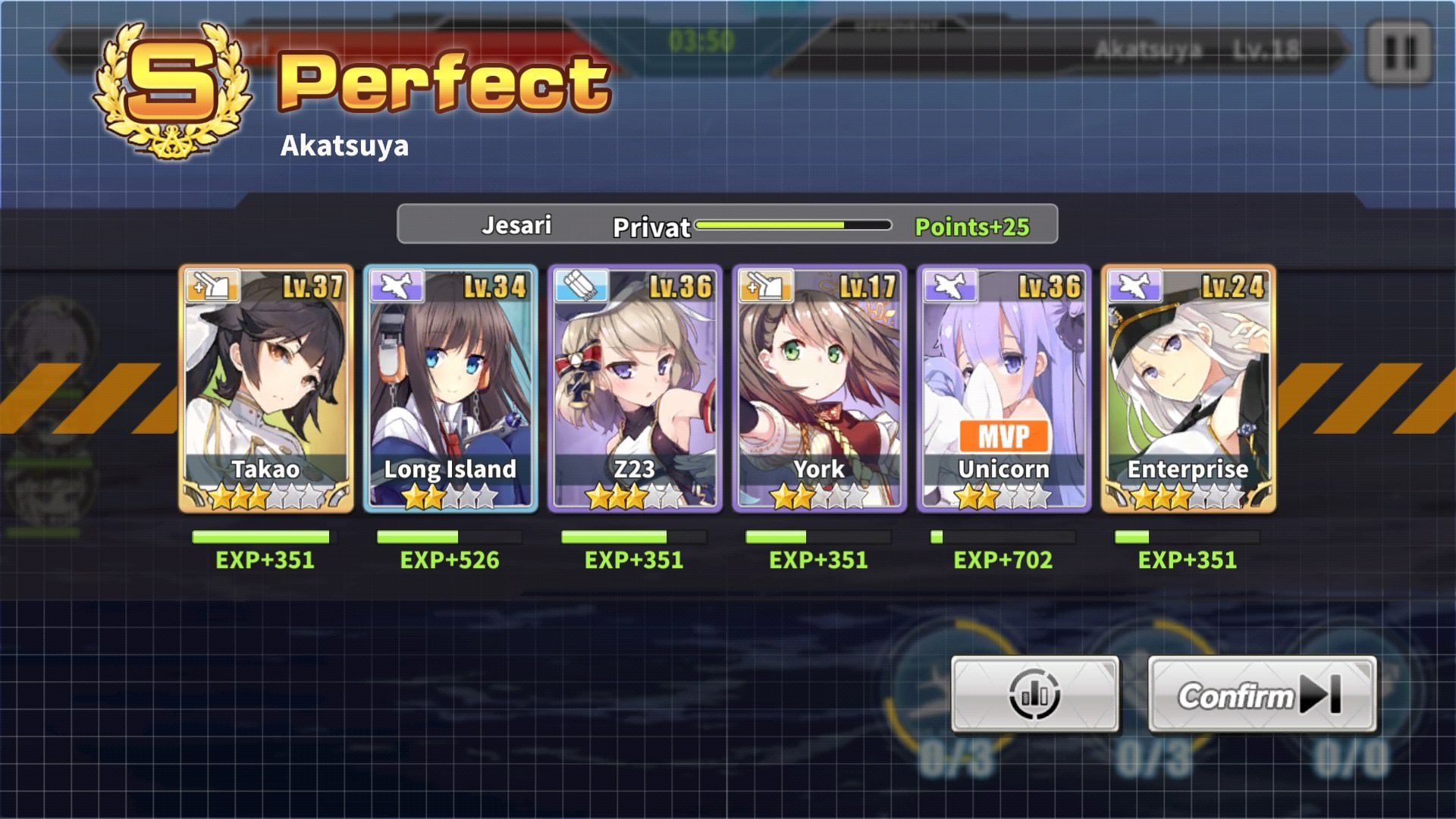
https://i.imgur.com/Ea8NuuK.jpg ranking text cut off on end of battle screen. Submitted a report.


 next field
Should be "Already purchased xx times today"
wicked veldt
Good one, make sure to submit it with the bug report form
 fading solstice
Maybe not a bug but cant find it anywhere else, apparently you cant combine the cases to make a higher tiered one?
worthy narwhal
You can't combine purple, only blue and common
wicked veldt
Regretfully, it's a feature
worthy narwhal
^
I might need help double checking something. During the loading screen like before you start a battle, the one which gives you random hints and stuff like that, one of them included manually aiming battleship's gun and I think I saw a typo there. Been trying to get the same screen but no luck :C
frosty gyro
its been reported @worthy narwhal a lot
fossil condor
Another dorm interface oddity
frosty gyro
you can report it again if u want but ive definitely seen it more than once in here
worthy narwhal
Can you share? I kinda want to read what it says since it disappear so fast
frosty gyro
p sure it was “if you mainly aim your gun”
worthy narwhal
^ that
frosty gyro
I know
worthy narwhal
Was it a screenshot they posted here?
worthy narwhal
Kinda want to know the whole thing. I think the second part is like higher chance of something dmg???
Thanks anyways
frosty gyro
fossil condor
I have a few concerns about this text, since it seems directly lifted from the wiki's translation but first and foremost looks should be look
sentence also feels like it could be phrased slightly better
last small nitpick is that dreamt is an English convention, on an Eagle Union ship maybe changing it to dreamed
frosty gyro
I think looks is fine
frosty gyro
?
fossil condor
the look verb refers to faces or figures, so it should be look
not looks
the faces look similar, not the faces looks similar
distant flax
Any idea what category to put the fact that equipment that buffs evasion increases the speed stat and equipment that buffs speed does nothing? httpsimgur.com/a/TgtLVfS