


4 messages · Page 1 of 1 (latest)
 lament furnace
never had this issue before but now my monitor just seems to not recognise my pc as being plugged into to the hdmi? i’ve tried switching the usb to hdmi 2 but it gives me the same issue. my monitor can still recognise my xbox on either hdmi. i don’t really have a clue about pc’s or computer systems in general so any help is appreciated thanks.
 plush forge
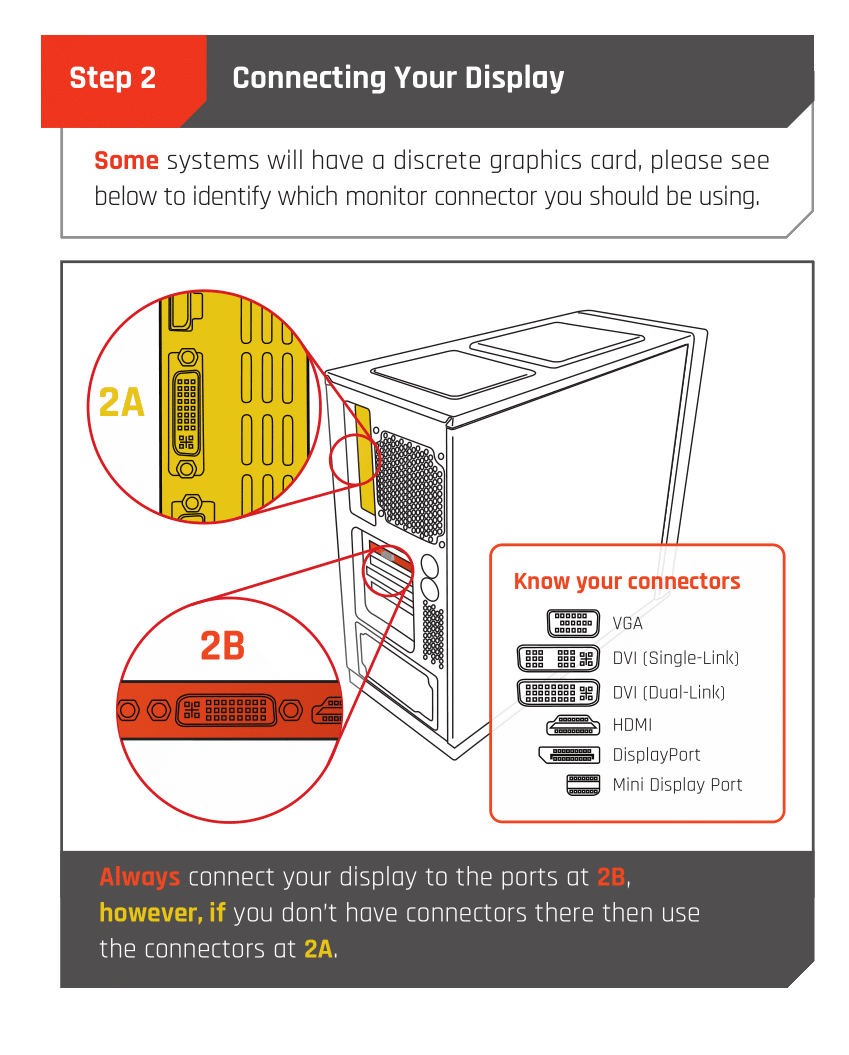
You're plugged into the wrong port on the PC
the HDMI needs to be plugged into the graphics card
 obsidian nimbusBOT
 Monitor Cables
If you have a discrete GPU then you need to plug your monitor cable into the graphics card, not the motherboard. This can be found on the Quick Start Guide which was emailed to you, or you can download it with the /tag guide command.
 CyberPowerPC UK 🔸 0333 323 7776 🔸 https://www.cyberpowersystem.co.uk