#🏃︱animating
490104 messages · Page 508 of 491
 vague fog
You can press CTRL+H to hide the UI instead of trying to hide it by moving it to the side
 random oracle
oh thx
 misty wasp
probly scripted to spin around a piviot
@eternal meadow can u help me how to do this
 light cape
@random oracle ranked
random oracle
wha
light cape
you
random oracle
letssss gooooo
random oracle
ty
https://gyazo.com/bca1e9e44ee66299c23e182df9e9eaa7
@eternal meadow I had to change the character cuz my friends accessories covered the 1st person camera so i switched to my character. Does the first person look better??
 eternal meadow
@random oracle much better
random oracle
ty
 deft jacinth
hot
random oracle
oh ik what u mean
 prime prawn
 vague fog
Please make this into a game so I can redirect people to it when they hit the play button on a game I hype :)
prime prawn
nah lol
 fast berry
vague fog
fast berry
vague fog
Naisu, though I can't imagine a scenario where someone would be walking like that 
eternal meadow
nice blender anim tho
 fossil egret
fast berry
fossil egret
fast berry
yeese
 jovial field

 azure river
W h e r e s t h e r e c o i l
 fair minnow
probably slow motion
fast berry
Ahhh
azure river
But the recoil
And the slide should go back more
Unless the bullet casing is the size of a coin.
random oracle
The no recoil is giving me anxiety
 trail cloud
Gun
 inner saffron
https://gyazo.com/18e5a5d69d68ef0632b5798db110e6ec hows my punch? (first time making a punch)
ah k ill fix that
@eternal meadow https://i.gyazo.com/1944b60d3a25fcfc3af221b6da04e60f.mp4
oh thats intentional
ye
i cant move i can only rotate
oh
ight ill use that instead then
now i know r is to move
trail cloud
Don’t make the feet slide
Since he’s turning there should be a point where he is turning
Like for example his foot
If you were you spin irl, you wouldn’t spin from the middle of your torso, but from your leg
 oblique pasture
No epic
vague fog
Depends on what animator you use 🤔
If it's something like moon, you just add the second rig the same you did for the first
Mhm
trail cloud
Mans has animator and I don’t yet :((
 lusty sluice
it is an animation, so I guess?
 tardy hill
No
eternal meadow
gotta make something better then
tardy hill
Maybe create a little more action and make their movements more natural
eternal meadow
ok
lusty sluice
animation 1 just means you can animate from what I understand
b1 means you can build, even if it's trash or basic
s1 means you can script, even if it's basic
so a1 is probably the same
eternal meadow
aint all animations movements LOL
fair minnow
you arent right about s1
i didnt get scripter 1 for hundreds of lines of code
so
and i've seen people get turned down for b1 too

 torpid wigeon
Animation made by me
 robust osprey
looks unnatural
fair minnow
doing a flip without moving makes no sense really
torpid wigeon
I only made it like that to showcase
fair minnow
oh
tardy hill
No r6 good
Wdym lmao
@torpid wigeon R6 doesn't have joints
That's why it makes a nicer animation
torpid wigeon
Ye which makes animations easier
 young siloBOT
 ** You are now Level 2! **
tardy hill
R15 has a bunch of joints
That stick out
But then it's hard to create precise movement
torpid wigeon
R15 though could offer more potential in animations
vague fog
R6 does have joints, the difference is it has less
tardy hill
Oop
torpid wigeon
Wait when did I get market access
vague fog
I gotta go test that joint count theory lol, idk where that 6th joint is coming from
All I remember is seeing someone saying and thinking it sounded about right ;-;
torpid wigeon
6 joints: Arms (2), Legs (2), Head, Torso
tardy hill
imarket
 upper spruceBOT
:information_source: You need to level up to Level 2 to talk in the marketplace. Chat, share some creations or send your best #😂︱memes and #🦊︱staff-furry-rp
torpid wigeon
o
vague fog
Oh, 6 parts, not joints, alright
tardy hill
It's just block
torpid wigeon
R15 has about 3 joints in the arm
Similar to human rigd
rigs
Makes more natural anims maybe but harder to animate
More joints = More work
vague fog
Eee, terminology, I'm still going to hang onto that cause joints are joints, and R6 has them 
tardy hill
Because with more joints you have to worry about it sticking out
fair minnow
other way around
tardy hill
Doubt
fair minnow
for me at least
torpid wigeon
Ig it's all a matter of preference and what their better at
Seems apothicon is better at R15, me and tsuki at R6
vague fog
In other words it's subjective, it's a matter of time consumption but someone who's impatient may struggle and find it "hard"
tardy hill
It's not necessarily "hard" but imo more time means it's of higher difficulty
 fair minnow
nice
tardy hill
Dance
fair minnow
rly smooth
 fringe wasp
cuz 60 fps
vague fog
I mean, if something takes more time, it takes more effort, and I would consider the amount of effort required to be tied into the difficulty 
torpid wigeon
It looks good
 fair minnow
i dont consider effort to mean difficulty
torpid wigeon
Me a1 and s1 when
fair minnow
i remember back when i modded terraria
fringe wasp
i forgot terraria existed
fair minnow
the other modders and stuff were always talking about how long it took to texture armor
tardy hill
Effort is difficulty
tardy hill
It's directly related
fair minnow
just made it time consuming
and more time consuming means that you need to have enough effort to not give up
tardy hill
Let's just leave it as being "subjective"
fair minnow
yeah
k i can agree with that
same
i used R15 ever since my first animation i think
even with r7 i can spend like 40 minutes on a few seconds of an animation
and yes i mean r7 its not a typo
custom rig, not for humans
fair minnow
ye
 wanton cargo
oh and what are easing styles
fair minnow
the timing overall is off
light cape
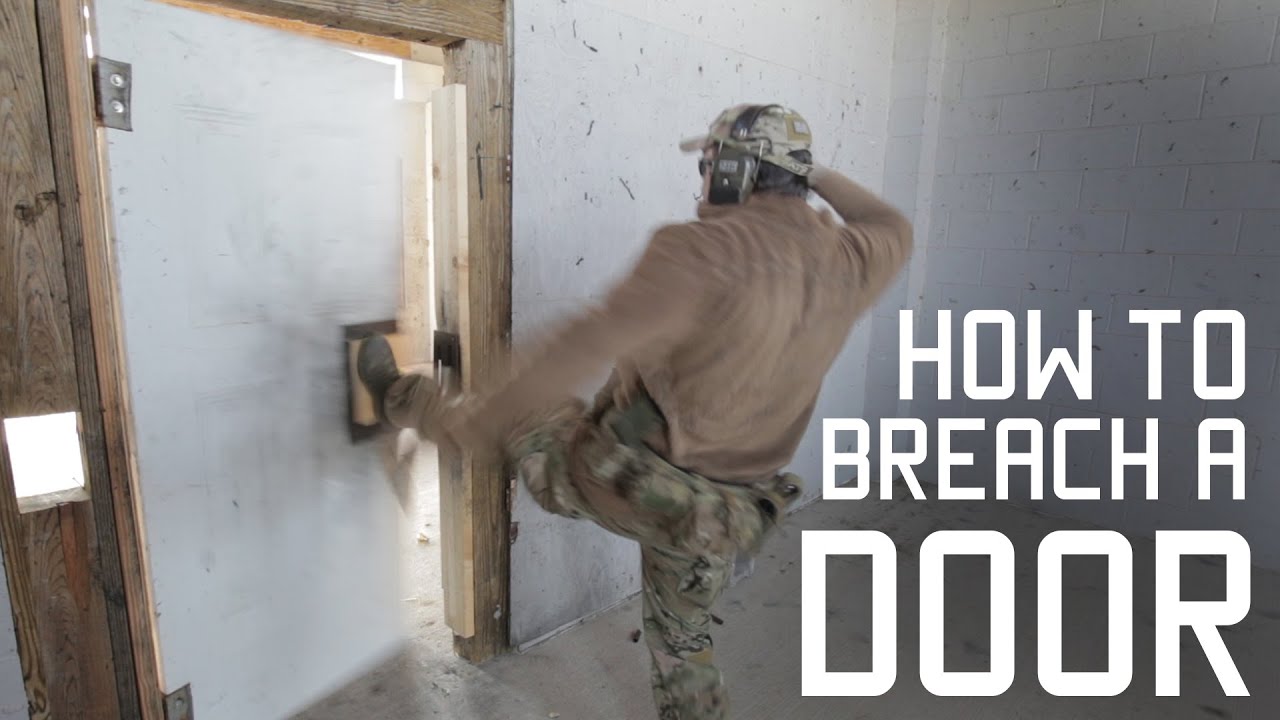
Our operators, overseas, find themselves faced with doors in every shape and size. Whether it is a hostage rescue or a hit to snatch an HVT, they need to be able to get through these doors as quickly as possible.
Without getting too deep into Standard Operating Procedures...
dont let burgulars see this
i might get anim 3 once i get to making the enemies for my game
wanton cargo
better?
fair minnow
^
wanton cargo
aye
fair minnow
usually takes a fraction of a second to kick
fair minnow
u dont have to worry about easing if u use default anim editor
which it looks like you are
fair minnow
there is
wanton cargo
OHO
fair minnow
it applies to everything
wanton cargo
breh
fair minnow
automatically
wanton cargo
no not frame smoothing
like if you have an edited frame and apply that the movement at the end will be smoothed
i guess there isnt
fair minnow
yeah thats what i was talking about
if there wasnt then when you moved a limb it would instantly teleport to the destination
fair minnow
oh then ye
wanton cargo
i meant movement end smoothing
fair minnow
there is
wanton cargo
how
fair minnow
i can see it
wanton cargo
???


 eternal meadow
yo what the-
 tardy hill
you do realize moon has fat tween
random oracle
yes
but it is still alot cuz i am not even halfway done
i am done for today tho
its going pretty well so far i think
@tardy hill do u wanna see the animation so far or should i actually finish it
tardy hill
Yes I wonna seee
Wait wtf
I knew it was going to be something like that
I had a gut feeling
random oracle
lmao
time to delete before any professional steals my idea and does it in 2 seconds
eternal meadow
😳
 thorny forge
Rlly cool
trail cloud
I see jojo
 eternal meadow
@smoky geode i suggest making the feet plant in one spot
 nimble hamlet
To stop the sliding move the torso instead of the feet
 smoky geode
That's kind of a bit difficult due to the torso change
The torso rotates alot and the feet position will look awkward
Trust me, I've tried, this animation was made 2 days ago
eternal meadow
eh, understandable
nimble hamlet
Well
When someone in baseball actually swings they don’t rlly move their feet
They have it planted
So try keeping the feet planted and move only the torso
smoky geode
Yeah but the way the r6 body is rigged is going to make the leg position extremely awkward
Almost as if it was broken limbs
smoky geode
Sometimes you just have to sacrifice accuracy to make it look more pleasing to the eye
Most combat animations have alot of feet sliding 🤷
eternal meadow
First moon anim. Usually use Roblox's anim plugin but moon is nicer imo.
young siloBOT
** You are now Level 2! **
 elder sigil
I'm trying to move this gun around, however it seems to be stuck in place?
elder sigil
none of the blocks are, but the welds are?
azure river
That doesn't matter I think.
Did you use weld or motor6d
Like, did you checked the "Animatable" box when you welded it?
elder sigil
let me re do it
Yes, I did
ok, I closed moon animator and opened it again, and it works...
well, I'm glad it works, but I'm still kind of confused lol
 boreal grail
who help me
im not good
but i did a idle animation
but when i spawn i don't have animations
elder sigil
First reload animation :D https://gfycat.com/amusedglumkob

 clear tundra
the orange piece on a p90 is the clip...?
elder sigil
Mag yeah
clear tundra
my cod career is a lie
oblique pasture
Epic first animation
oblique pasture
I meant to say epic first reload animation
elder sigil
Oh then thanks :D
 agile pollen

 thick tinsel
inspired by avatar the last airbender
just need to add the ground coming up
npc idle
@eternal meadow its a ninja game lol
i just had the npc as my starter character to test the walk animation
yeah yeah xd
azure river
Bruh
Theniub
I literally have that animation in R6 form
For an avatar game I'm working for.
random oracle
 eternal meadow
random oracle
eternal meadow
random oracle
I kinda fix it a bit https://gyazo.com/a82c926a580232f558ffa56e18a17e8b

@eternal meadow i love how he just passes away at the end
eternal meadow
fax
random oracle
well shit i didnt save the animation
clear tundra
well shit he didnt save the animation
eternal meadow
day 3 of animating: https://gyazo.com/75907ff07ad12d76fa5f93f59af9c342
eternal meadow
i think its pretty bad tbh
shoudve animatied him jumping
insted of coming through the air
azure river
here's an animation I made after a week of discovering animation

still using Roblox default animator
eternal meadow
nic e
azure river
Particles?
Look up RFMC animation tutorials
Unless you don't use moon
Great.
Watch RFMC
They make movies in Roblox.
Well if you need effects then I guess particles
Or Cframes.
random oracle
@eternal meadow remember to change the easing
azure river
It's like normal frames
The difference is you use the model tab on roblox to move it
Pretty much
azure river
Yea
You can change size, transparency, texture, colour, and others
I'll get an example
azure river

The beam and sphere is moved by using cframes and transparency
Meanwhile the staff is using normal keyframes
Cause it's welded to the hand
random oracle
ye
azure river
Therefore, "rigged"
random oracle
u can connect it to the rig
random oracle
u need a plugin for it tho
azure river
Moon suite has a built in welder
azure river
Yes
random oracle
it sucks but whatever

 random oracle
how do u rotate the particles like that
azure river
That's a union
azure river
No the fire crescent
young siloBOT
** You are now Level 8! **
random oracle
wait the fire isnt a particle
azure river
No
The fire punches are particles
The fire half circle wasnt
Uhh
Yes
You move it with the mode l tab
Model
random oracle
how does the union work??
azure river
@random oracle for particles you use particles, but for specific shapes you would use parts
 random oracle
ohhhh
azure river
Union is just a bunch of parts grouped up together to make one part.
random oracle
so yeah the shape
azure river
Yeah
random oracle
oh cool cool
azure river
Click 9
Select the part
Select transparency
@random oracle see those blue shapes I posted

You use them like that
Oh then select transparency in your timeline
Press +
Select the frame you just added
Press 7
Go to value
The higher it is, the more transparent
The node
Click transparency
Yeah
You can click it
So click it and press +
Did you get a node
random oracle
 random oracle
OHHH
vague fog
+ then 7 while the keyframe is selected
azure river
The circle left of transparency
The text that says "Transparency"
The left of it is a holkow circlw
Hollow circle
You click that hollow circle
Wtf
Show me where your mouse is clicking
Bruh
Where then
Wyt
Wtf
It should be filled
What the fuck
Ok just click the text transparency
Is it highlighted
Great now press +
Node?
Did you get a node
Did you get a node?
AAAAAA
yes
Do that
Bruh
Why the fuck you press 9
random oracle
i have no clue what i am doing
azure river
Click transparency and press +
Bruh
Ok I don't know your moon suite is fuckin haunted bro
Ok try pressing G instead
Select transparency and press G-
Dude
Your moon is actually haunted
clear tundra
yall really having a whole session in here bro
azure river
But that works so whatever
Ok so now click transparency
Press G
Press G
I'm done
Your moon suite is broken or smth
azure river
You make it happen
random oracle
like how to make the fire appear and disappear
azure river
Open it up and select particleemitter
Check enable, and press done.
Done?
okcool
 azure river
yeaaa
random oracle
alr ty
azure river
Now just make the part holding it transparent
azure river
go ahead
I teach animation all the time
Before I accidently got myself banned in a server
One of them became a dev so that's cool
azure river
okok I got it
@eternal meadow
So select transparency again and make sure it's highlighted
But this time after doing that
Find "Track" on top of the timeline
Click it
Then click "Add keyframe"
BROOOO
ok so do that again
If it's not in Track find it in Keyframe
 young siloBOT
** You are now Level 8! **
azure river
that's good
random oracle
im gettin the hang of itt
azure river
no
just add the transparency frame
Then you can add the cframe
That's fine
Click it
Now.
Is there a nose
Node*
bro
What the fuck
aaaaaaaa
Ok try it I guess
waht
fuck ok that might be the problem
I thought you got it in already
Press transparency
Press +
And?
why
press G
Select transparency and press G
SELECT TRANSPARENCY AND CLICK ADD KEYFRAMES
Or default keyframes
But you didn't have the part in?
i don't have that without adding the part
@eternal meadow
Grat
Great
Now try it again
bruh
ok I have no idea
Your moon suite is haunted
It should work but it's not working for you
I'm so mad
That's what I've been referring to this whole time
Nodes
Keyframes
 azure river
Whatever
random oracle
i made it move
azure river
So now select it
Click 7
Go to value
Set it to whatever you want
FINALLY
Oh my god that was tiring
Your teacher right here
What's up
ow
Let me see some
what when
So what are the requirements to get Animator II
What's the second and third one supposed to be?
Then if the requirements to get Animator II is Animator I
Then can I uhh 👉👈
hehehe
Shit.
Yeah me
What's up
Oh shut I can actually get Animator 2
What part do you need help with?
Yeah I know
young siloBOT
** You are now Level 1! **
azure river
Mhm
So
Are you using moon suit
I only know how to teach moon suite
You should try moon suite
It looks complicated but it's far easier
Look up RFMC animation tutorials
They make alot of movies
I'll help you also if you got a part you didn't get in their videos
😎
Yes
Anytime.
a
It's not showing
random oracle
ye ik im waiting for it to show
random oracle
there we go
azure river
Very nice
random oracle
ty
azure river
Tho I wouldn't zoom in.
The screen didn't fit and too much movements happened with no background
Too lively I guess.
random oracle
ye idk what to do
random oracle
https://gyazo.com/8365222903c45e594f33aa9b026a500a i made the fireball go to you but i dont feel like animating
i do lol
random oracle
dam
azure river
So I tried animating in R15 with the assets
azure river
To like honor it or smth
It was really good


Camera goes zoom
random oracle
that looks so nice
azure river
Animator II time
azure river
Tho it's weird I want to make a tribute to entry point using stolen entry point assets
Smh
azure river
I'm absolutely not making an entry point game.
random oracle
lol
azure river
I can't and Cish doesn't want a second entry point or fan games.
random oracle
ohh
clear tundra
i really thought it was a entry point thing
azure river
You know what I do want to make though?
young siloBOT
** You are now Level 9! **
azure river

I cant monetization this video tho :c
Music used:
Riding High - Steve Ouimette (I don't own this music)
From The Ashes - Adam Salkeld, Neil Pollard (I don't own this music)
Software:
Bandicam
Vegas Pro 14
Roblox Studio
Adobe Photoshop CS6
Play this game: https://www.roblox...
This thing
I want to make an alternate ending
Smh
azure river
They used Riding High very well in the video
random oracle
ye
azure river
Tho it kinda hints at an entry point 2
I would've used Wind of Change as a sign of absolute ending.
No part 2, just dead.
random oracle
ye ye
azure river
I don't like how the ending didn't revealed much, but I prefer it than an entry point part 2
Of course if it was made by Cishato I change my mind 100%
random oracle
fr
i mean it looks like a part 2 is going to happen
the ending made it look like that
or mabye that is just for the characters
idk
azure river
It's fanmade
Cish quit Roblox development and wont be making any games
Except for that visual novel game.
random oracle
yeh
elder sigil
Bullpup sniper reload. https://gfycat.com/remarkablegenerousafricangoldencat
 fast berry
mag drops WAY to quick
elder sigil
it needs to be away by the time it's put in the guy's hand, but I could probably slow it down.
yeah, I slowed it down to the frame before it appears in the hand
 fast berry
could you use a constant transition?
azure river
bro
Back Out is such a good fucking thing to exist

the back step is good as well
why havent i discovered back out a long time ago
Could also have 2 mags.
god back out is my new favorite easing now
yeah absolutely not
fuck linear
all my homies hate linear
nah jk tho i love linear for spins and stuff
how
young siloBOT
** You are now Level 3! **
random oracle
lol
@elder sigil change the easing, it'll look waaaayyyyy better
@azure river back out is amazing
@eternal meadow how do u like linear???
young siloBOT
** You are now Level 6! **
random oracle
ig
elder sigil
How do I change easing? @random oracle
elder sigil
I’m not at my computer at the moment
elder sigil
Yeah sure, thanks. I’ll read it when I can.
random oracle
alr so u select a keyframe
you can go to track and click on edit track items or just press 7
This will show up:

Sine, Quint, Back, etc...
those are the easing options
u can play around with them and see which ones you like
The in's and out's are important
If you select In, the easing will go in but not out.
Same with the other one.
InOut is both.
The easing make the animation look more lively and less robotic.
Unless u want it robotic, it's your choice.
@elder sigil
I pinged u just in-case my bad
elder sigil
As long as it’s relevant and not at everyone, I don’t mind being pinged.
tardy hill
🤷
random oracle
ty i will try to do that
what would this be??

or even this
@tardy hill
last time im pinging lol
i promise
tardy hill
Still a1
random oracle
fuck
random oracle
in the first one or both??
tardy hill
Both
elder sigil
Alright, here's a version where everything's somewhat smoothed out https://gfycat.com/bountifulpotabledinosaur

the jitter is just from the recording, not the actual animation
 tough comet

 frail bolt
woah
 next flax
nice


 balmy elk
nice
thorny forge
Hehe
vague fog
It would be perfect if you matched the camera manipulation
https://gyazo.com/66cfd2ad8bd009cc1312b41e2afcce58
eternal meadow
it reminds me of the school bully
vague fog
After you move it, just add a keyframe, make sure you're already on the frame you want
young siloBOT
** You are now Level 29! **
vague fog

+
Keypad to be exact
Mhm
Wait, you can still use the =+ button e.e
Just tried it ;-;
Shift =+ doesn't work which would technically be + 🤷
So = or keypad +
I should actually read it next time, sorry for the confusion :PP
random oracle
@azure river u shoud animate the camara
eternal meadow
got a cool new rig :)

maybe a little quicker

looks much better
made a reload animation using blenda, i tried ok this is my first time animating a gun :((
 vestal sentinel
@eternal meadow is that a punch
eternal meadow
@vestal sentinel more or less just a test of the rig but if you wanna label it something i guess a left hook is what i would call it
im not done with it tho
vestal sentinel
ahok


 eternal meadow
@silent zealot its kinda long but if you sped it up and added a little more shake
it would be a great anim
it already is tho
 silent zealot
idk first ok animation i made bro!!!
https://gyazo.com/1d344e23bfe32b0bf7625cc83b76b27e uwuzi (ik i tried to port over an uzi animation i made to this but it didnt work out)
 eternal meadow
whaat for a first
thats pretty good
not bad
im in the middle of making this
 silent zealot
loading
silent zealot
i told my friend i was making an uwuzi
she didnt understand then when i finished and showed her she called me gay bro!!
https://gyazo.com/a29c2f2f5f8b6a4fb297a788f8e10a3e

women dont understand
random oracle
@silent zealot u should ask for a role
random oracle
ye
fast berry
fingahs
eternal meadow
AT YOU
random oracle
lol
fast berry
urine
eternal meadow
pls give animator 2!!!11!!!
random oracle
wdym
u have to go back and forth
u have to move the object on roblox studio then go back to moon
press +
and yes
its a fucking stretchhhh
ye its confusing
just remember that tho
wait wdym
once u have the object as cframe just press + for the default keyframe
u go back to the Roblox tool and move it wherever u want
once u put it somewhere u go back to cframe and press +
did u move the timeline??
umm
u able to record it
cuz i wanna see whats happening
oh ok
silent zealot
@random oracle what roel
random oracle
like an animator role
ping a moderator and they will give u a role
Animator 1, 2 , or 3
they will decide
@silent zealot
yeah or star
send it again and ping a mod or pika
eternal meadow
i animate more then roblox cuz im cool like that 🦢

imagine the back hand holding
a sword
please
silent zealot
random oracle
Oh yeah
that ones kinda confusing
i think u have to clean the model
theres this addition to the moon plugin
click on easy weld
cleaner should be there
u just click the model and click clean
alr
the model should have a part that has welds
eternal meadow
why sword freaking break it 😔
https://gyazo.com/3302abcac06b03773b36682c0ba253fd
 silent zealot
@eternal meadow role pls thx very much
https://gyazo.com/a29c2f2f5f8b6a4fb297a788f8e10a3e https://gyazo.com/bd40c2fa378b3d43fd19c0d052142645
o
choose one
f
the kriss vector i spent 2 hours and 30 mins on
its one of the best i made
eternal meadow
:(
random oracle
dam
ye
idk
wait the problem is that it is teleporting??
@eternal meadow
it did save
but it does
its on the same place
im rewinding it
its in the same place
wait what
stick??
yeah sure
ig general
ye
no do it again real quick
move the timeline
oh i see
oohhhhh
thats actually weird
https://gyazo.com/3f3d7716672db80a14d86aafc388d787
@eternal meadow
i have no clue
@eternal meadow did u try to restart it
like save the animation and restart studio
@eternal meadow SAVE IT
dont forget
just in case
ur joking
fuck
god damnit
u did ;((
well shit
zoom out
zoom thing
like there is a zoom thing in the bottom left corner in moon
its shows more of a result
ye ik
dont zoom out the keyframe

ye
it shows more of a result
ye max
u could put it back
wait what
oh yeah cuz they take seconds
u can move the key frame
also check the easing
idk
u dont know easing??
more lively animations
u can do whatever u want
i usually do it to all of them
u can select one or all
or whatever number
if u want to select a certain number of keyframs u have the hold shift and click on the keyframs u want
if u want to select all, the fastest way is to press ctrl
Whatever u like
u can do it to the rigs too
ye it is actually i have no clue how to help
just do it multiple times ig
is your moon updated??
dam i have no clue then
@eternal meadow gl ig
i tried
np
 covert heath
this is my first animation
is it animating 1

medal.tv
my first animation is one of the millions of gameplay clips & videos on Medal. Join Today and see more clips.
random oracle
thats pretty good for the first time
covert heath
thanks
covert heath
no whats easing
random oracle
alr so
click on track and click select all
once u do that click on track again, then click edit track items
this pop up will show up
for example click on quad
and in the bottom click on InOut
u will see a change
U can select individual keyframes and change them up too
is there any problems with the animation??
@covert heath
covert heath
@eternal meadow is my animation animating 1
random oracle
send the new one
covert heath
medal.tv
my first animation is one of the millions of gameplay clips & videos on Medal. Join Today and see more clips.
random oracle
@covert heath the new one lmao
covert heath
ok
random oracle
@covert heath nvm u good
covert heath
thanks
random oracle
@eternal meadow nice
covert heath

eternal meadow
young siloBOT
** You are now Level 4! **
eternal meadow
m o o d
 halcyon basin
So that's what you did to get animator II
azure river
@dry holly Hello yes can I DM you some of my animations to get Animator II role, if you're available.
azure river
aaaaaa

 sacred elbow
Nice
azure river
bruh thats amazing
fair minnow
Yes
azure river
is that moon suite
 tall dagger
funny
silent zealot
tiny detail of the radio antena (yeah i didnt know howto spelll it)
Of it moving
is nice
balmy elk
trying animation for the first time
tall dagger
but i thought i saw u post before
balmy elk
@tall dagger when?
tall dagger
prob some other guy then lol

 eternal meadow
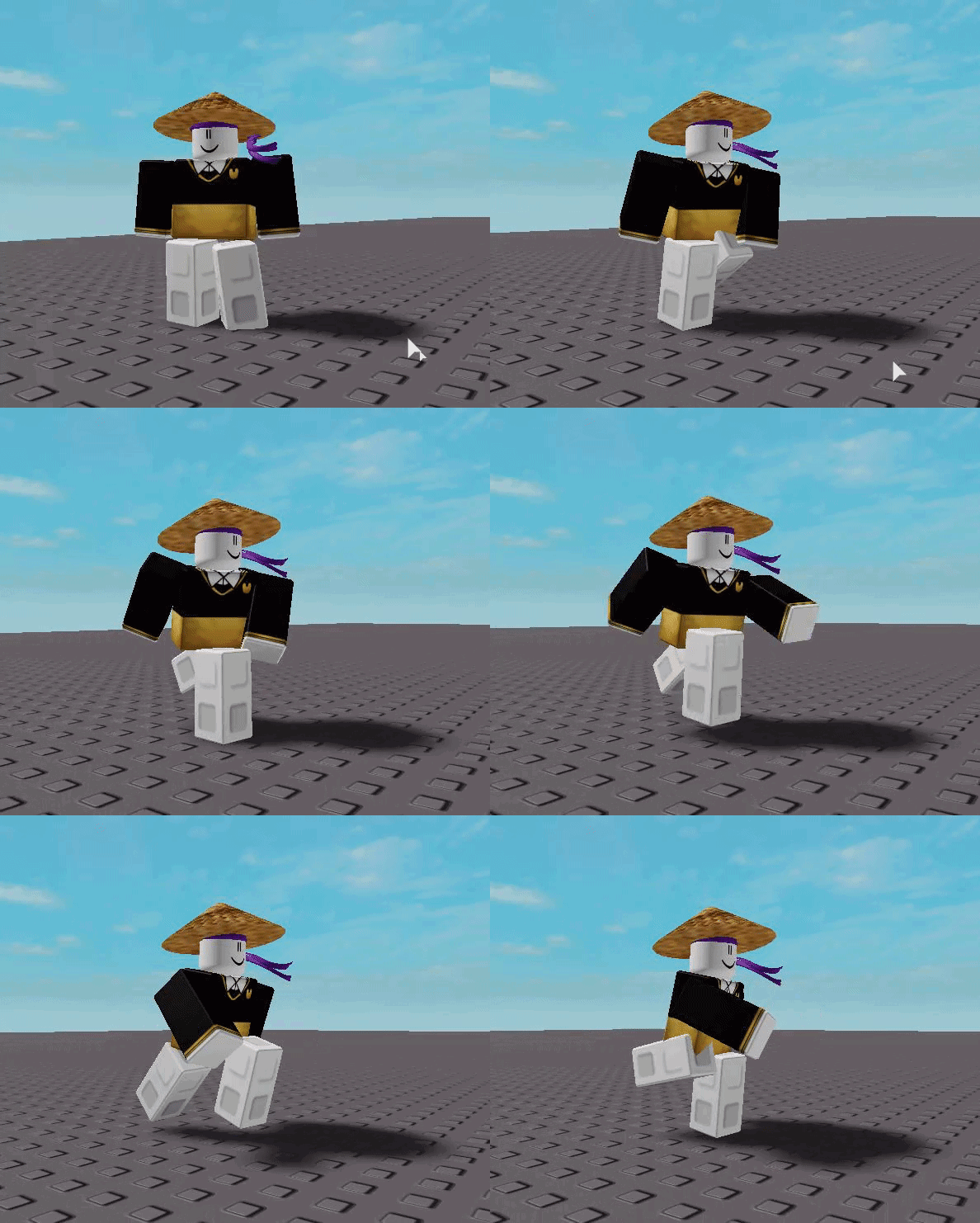
Mhm the pain of wanting to make an animated tool. But roblox says fuck off and just dosent move the handle in the animation ;V;
eternal meadow
Just using the normal animation editor x)