#🏃︱animating
490104 messages · Page 501 of 491
 hot halo
Also I was never ranked to animation 1
I’m gonna try an make a climbing animation next
@worldly hinge are you able to rank me
 worldly hinge
hot halo
worldly hinge
hot halo
Okay thanks
hot halo
@hot halo Consider adding anticipation phases ;3;
@vague fog I don’t need it it’s for a roblox movie
and boi did this animation take FOREVER https://gyazo.com/b5f035057d470c1488d32ca650078797
But I could seriously Implement that in to a game if I really wanted to
and heres the non first person view https://gyazo.com/20915d9d5741c19eaf7c0b6524b5a9ff
What do y’all think
 haughty field
Try to make the falling a bit slower and make the camera move around more during the fall to simulate tumbling midair
 charred estuary
nyoooooom
hot halo
and i managed to make it slower
tumblin through air time baby
okay ima remake the entire thing cause its kinda broken
haughty field
Ping me when you've changed it, i wanna see the result @hot halo 👀
hot halo
@haughty field https://gyazo.com/fcb5cbfd7f8c2ea3793f02ca432054d4
 native trellis
 native trellis
Modeled, animated, and recorded in low FPS by me
custom rigs are such a pain
do I get like mesh I? @chrome shell
 chrome shell
native trellis
chrome shell
native trellis
oh ic ty man
 vague fog
@hot halo Try using back on the last frame for the camera to give a bounce so it doesn't feel so stiff
haughty field
@hot halo the landing is a little weird, but that one is a significant improvement over the previous fall animation
hot halo
@hot halo Try using
backon the last frame for the camera to give a bounce so it doesn't feel so stiff
@vague fog I have no idea what you mean I’m using moon animation suite
vague fog
It's an easing style :P
but if you don't utilize them right your better off using them when you feel lazy, otherwise stick to linear and edit the frame yourself to recreate the effect
hot halo
I’m using Sine+InOut
 spiral scarab
@hot halo quad is also good for ending phases. it matches well with sines.
hot halo
I would voice act these animations, like grunts and stuff, but I can’t ;-;
 hollow falcon
 robust osprey
falco in the making here
 eternal meadow
perhaps
vague fog
Audios are too expensive
All my robux is saved for them, clothing and gp's are useless 


 vague fog
Smooth but a bit long
 tough comet
They aren't supposed to be fast because they deal lots of damage, so in return you could take damage from someone else while attacking
So yeah, Sluggish is my goal

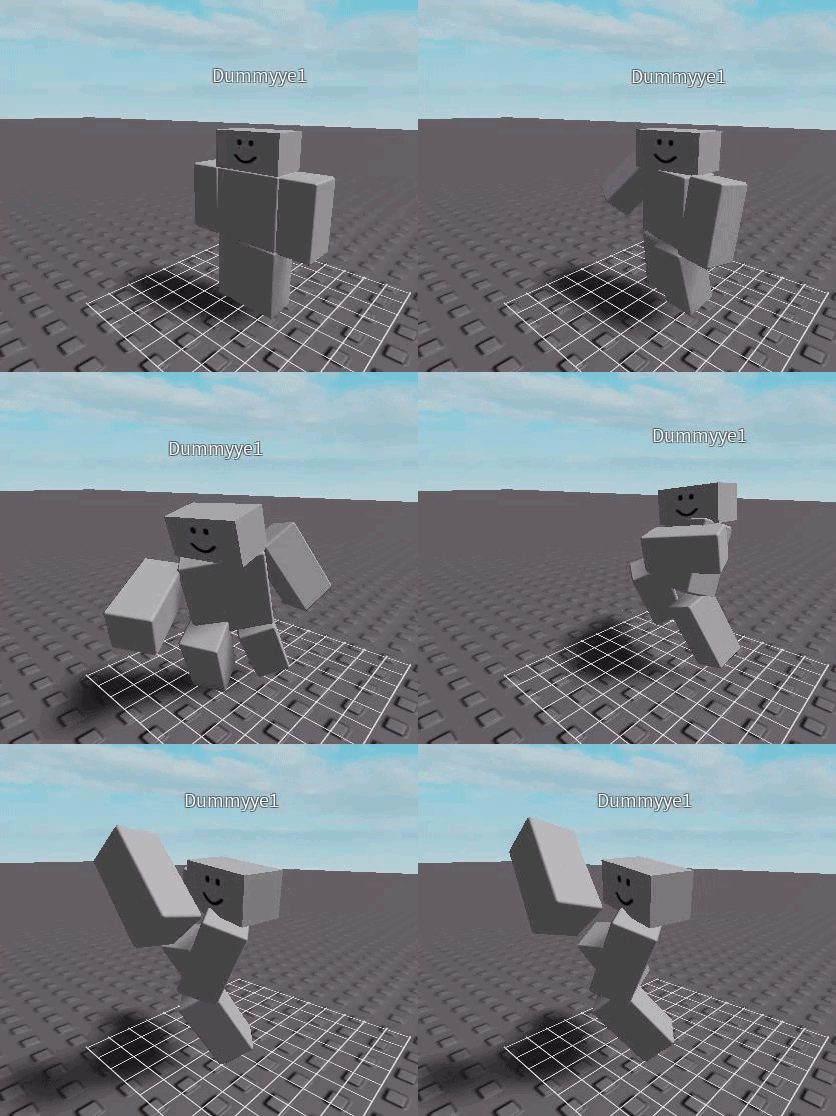
Ngl these don't take long to make at all.
eternal meadow
Tried anymating with guns for the first time https://gyazo.com/e8a25f2d954f69bccb83df1faa116fa9
vague fog
The gun shouldn't be that far from the center of the hand
 young siloBOT
 ** You are now Level 8!**
vague fog
Then it shifts into the center 🤔
The starting frame doesn't feel appropriate either
Weld the gun to the hand so it travels with it
 strange wagon
Also, usually when someone reloads a magazine they wouldn't hold it so far out
vague fog
The gun shouldn't be facing you that much regardless
but it's alright, keep practicing
strange wagon
^
strange wagon
How does this look / what should I change? This is a simple equipping animation and my first try at animating: https://gyazo.com/be485733c5ff36eebeea042b082b0def

Also it's played twice
vague fog
Use an extended cylinder to represent the sword
or whatever the item is
If it's meant to be universal, then that works, goodo jobo 👍
vague fog
Roblox is pretty limiting so don't shoot yourself over it
hot halo
Well if you use moon animator then smoothing is pretty easy
 verbal nymph
pfffft... You guys call yourselves 'Animators'...

Support the upcoming 2020 Killer Bean Series on Patreon!
https://www.patreon.com/KillerBeanAnimation
The Influencer Tier on the Killer Bean Patreon allows patrons to vote on all aspects of the Killer Bean series production! Vote on character designs, music selections, even st...
eternal meadow
lmao
 autumn siren
jeff is everybodys waifu
 tame mauve

 rancid smelt
i know someone you could teach
spiral scarab
guys i got a poll for yalls
Does animation affect the realism of a game or not? (Blender anims work too.)
👍 for yes
👎 for no
 chilly linden
obviously
I don't know where to post an ANIMATED GUI
My first animation, leave your opinion please
eternal meadow
y u use file
eternal meadow
 vague fog
Nice use of easing styles but I see no reason for the head to come up with the arm 
robust osprey
maybe you have to look where you pull out the gun
young siloBOT
** You are now Level 24!**
vague fog
I have no experience in combat but I doubt you want to look away from your target to unholster a gun
vague fog
I have no idea what his goal is, so I'm just suggesting realistic shiz
 chilly girder
should i go here for help with animating? Its just something that I think is breaking my game
eh screw it ill post it here anyway
chilly girder
when i play my animation, the white squares(?) move up and down and stuff instead of the thing im animating
in game, instead of it moving i am
you can see that im clipping through the floor
chilly girder
bruh
young siloBOT
** You are now Level 1!**
chilly girder
but do you know why the white sqaure thing is moving and how to not make it do that
vague fog
I use moon, even if I didn't, there's no valid reason for that to be moving
chilly girder
aaaa
eternal meadow
can you upload moon animations to the roblox website?
so that you can use them in games
vague fog
@eternal meadow Of course ;3;
@eternal meadow You went with R6 cause easier > anything else
The knockback has no impact and is out of sync, but you'll get good one day, keep practicing
vague fog
Idk tbh, I don't really mind either
My friends prefer the old one but I've just been sticking to the new one
eternal meadow
new one has fixed a lot of common bugs
and the way it implements animation with non humanoid parts is very helpful
8/8 very great
vague fog
The new one still requires a "HumanoidRootPart" if I recall correctly
It doesn't search for the root part of the model
Which I hate

vague fog
That's just animating the CFrame though
eternal meadow
you just move them in normal studio and add keyframes
yeah it's good for cinematic purposes
it can also animate other properties like transparency and colour
size, etc
vague fog
Yea, the cinematic aspect is nice, I only find myself using it for rigs though
In terms of features, I can see why the new one would be more favorable
but a few my friends still prefer the old one
eternal meadow
im gonna try the new one
bro I swear if any animator implements a graph editor
for easing
I'm instantly switching to that
young siloBOT
** You are now Level 11!**
eternal meadow
nope not yet
just blender for now
https://www.youtube.com/watch?v=OAk68_FGPmg this is my friend's video

As I told you again, don't you ever take my pizza, EVER!
I helped by animating
vague fog
I'm not sure if I like the camera manipulation, I like it though, goodo jobo 
verbal nymph
Can anybody teach me roblox animating for free please 😦
vague fog
It's not really something that can be taught, when it comes to animating, unlike most of the fields, you're given the tools first and are expected to figure it out on your own
Just use the critique and opinions of other people to better yourself
The more methods you learn, the better
The faster you can work, the better
The more errors you can spot for yourself, the better
Just keep going at it
verbal nymph
Ah, I see, thank you for not going ape on me 👍
vague fog
If anybody goes ape on you, just go ape on them, then when someone else tries to go ape on you for going ape on them, tell them what the issue is, then the other person will ape the ape, since there's 2 apes, it's only natural that a human would join the winning side, 2 apes vs 1, most of the other apes would just join the other 2, essentially ripping apart the ape who aped you.

vague fog
Yes.
 vague fog
Nice, but don't ignore ending frames and try not to move it that far from the root
Let scripting handle movement
tough comet
Scripting does handle movement, i'm just extending it out to move smoothly, aswell i can ignore ending the frames because it automatically moves back into an idle position
That's how all my animations are and they all work perfectly
Aswell it's a stand and has 2meters of movement distance from the user
vague fog
I think you misunderstood what I meant by letting it handle movement but if it works it works, whatever floats your boat
I was just suggesting the end frames cause the snap back can look wonky sometimes, instead of waiting to find out, I just make the end frames myself, it also gives me a clear frame count to use to document
I like developing fighting games so end frames are important to me, that's why I thought I'd suggest it
 bleak oxide
vague fog
bleak oxide
vague fog
The arm is a bit janky there but that's really nice 👍
vague fog
Impressive, you took a lot of factors into consideration that most people wouldn't for their first walk animation
bleak oxide
Yea i followed a guide chart
very very helpful
how can i save this animation tho
any idea
vague fog
Export it
vague fog
That'll work too
haughty field
Does anyone know a good tutorial video for making custom rigs?
verbal nymph
Can people animate rthrto?
Oh btw @vague fog some words of wisdom, will definitely take into account
autumn siren
https://gyazo.com/47e1df2654ad4e584b83127dd20a00a3 every martial artist watching please ignore the fact that i didnt make anything optimal and i misused every single stance

 thick agate
https://streamable.com/y0ntm2 I now know how to move parts in moon.

 pure jewel
https://streamable.com/bl9o0y
a really rough animation of my first project. i spent most of my time building so i'm gonna continue it tomorrow.

 frigid snow
Looks nice, where is the torso?
eternal meadow
first person animation is the only guess i have < - <
but then again
Someone stole his torso
hot halo
The stance got really wide at the end, also you can do ctrl+h to hide the GUI
robust osprey
reminds me of a spider
 agile pollen
vague fog
agile pollen
vague fog
Interesting arm positioning
I have no idea what you're going for but uh, I think the arms are supposed to swing, not punch...
agile pollen
the arms are suppose to go like that
 agile pollen
now he punch https://gyazo.com/4a3b7d7f433babf388d4757797751c8e
vague fog
👌
robust osprey
the problem with r6 is that you have to dislocate the arms to move them :/
vague fog
That's how it's always been
robust osprey
mii
young siloBOT
** You are now Level 2!**
 exotic laurel
De🤲👋💪👊🤞 G👋🤞ST🤙 HAS ERASED THESE MESSAGES.
robust osprey
out of 10
verbal nymph
duck dude
robust osprey
m & m man
 tidal raven
im a trash animator but yeah https://i.gyazo.com/ef619a509811df7d09310b22af03e1bc.mp4 :/ stiff gang alert
 ornate marsh
One message removed from a suspended account.
haughty field
No, just wanted to try making a hand
ornate marsh
One message removed from a suspended account.
vague fog
@haughty field Could be smoother but good job
young siloBOT
** You are now Level 14!**
vague fog
@tidal raven It's lacking anticipation phases, that's why it looks so stiff
haughty field
If I add more keyframes will it be smoother?
vague fog
The way you space them would effect it
tidal raven
wtf does anticipation phases means
young siloBOT
** You are now Level 4!**
vague fog
👍
eternal meadow
japanese guy
vague fog
@tidal raven The frames that tell the viewer the what the next action will be
eternal meadow
u have fighting game right?
vague fog
Like pulling back a punch
@eternal meadow No
I just dev for myself
I make projects but never release them or make them with an intent to let others see it ;)
eternal meadow
i swear you mentioned a fighting game..
vague fog
I mentioned my love for fighting games
vague fog
I rarely play them myself but it's always cool to see the complexity behind mechanics and how it gets as far as frame counts
@tidal raven After the first swing, have the character pull back a little more before the second
Give it some weight
tidal raven
ok
vague fog
The same goes for the first swing, don't have the starting position be so close to where the attacking frame will be
eternal meadow
OOOOII @full copper i see you trying to hide stuff? Never knew you made something for Tower defense sim O_o https://gyazo.com/c31dc58c79634dfbdcaabbe5e263698d

Ngl
Dats hot
robust osprey
so much elastic lol

 uneven citrus
he do be walking doe 
eternal meadow
 turbid vessel
vague fog
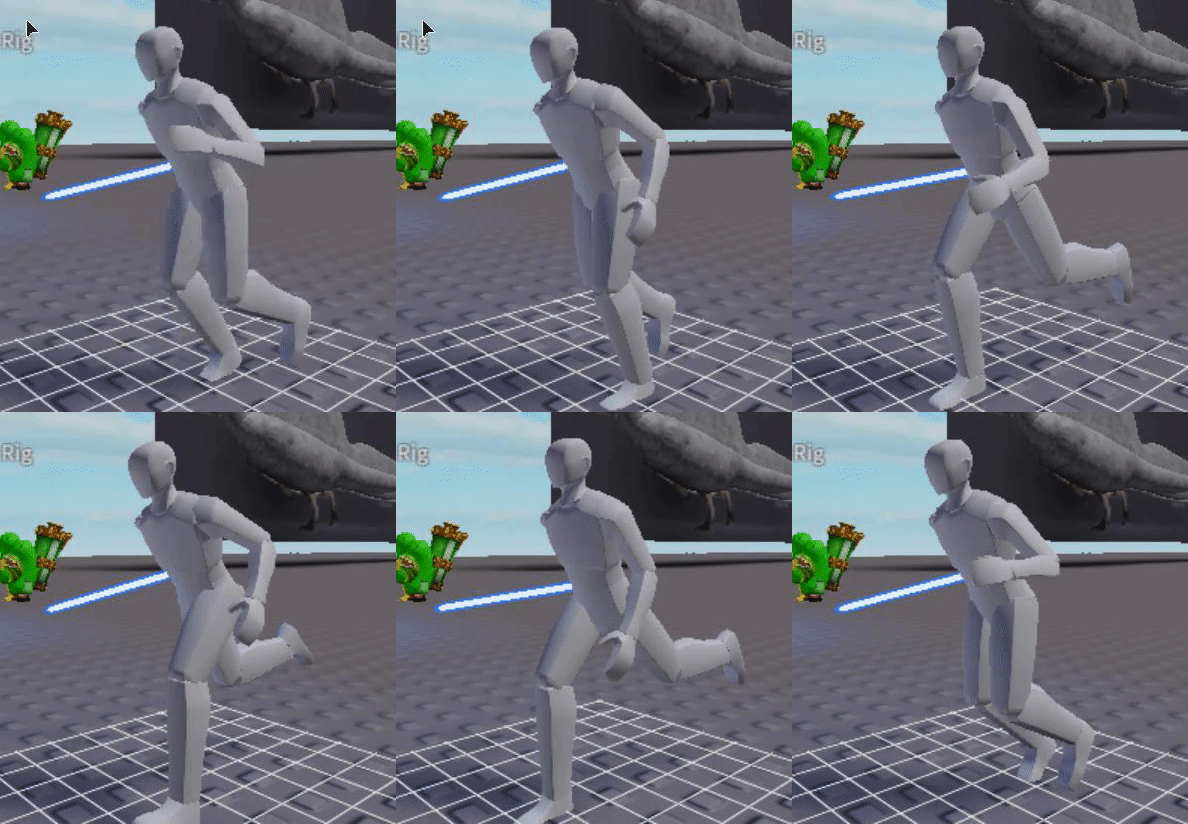
I don't think you land on your feet flat when you take a step while running
 light cape
do the back
and then falt
flat

Improve your body mechanics shots with hundreds of body mechanics animation reference videos
visit https://endlessreference.com to get the complete collection.
it goes the heel then falt
flat
 raven burrow
 light cape
arm
haughty field
Arms be like mitosis
 light cape
leg
 young siloBOT
** You are now Level 4!**
light cape
giornos theme plays
 vague fog
I'm not sure about the inconsistency of the amount of arms/legs there are at a time but you can barely tell in the cinematics, good job 👍
 dry holly
doesnt look like punchimg at all lol
and when he's hit his limb dislocate from his body
 full copper
@eternal meadow yes
 polar walrus
Falco is hot
 fast berry
yes
 rustic nebula
yes
light cape
yes
exotic laurel
Please I need a scripter that can accept this deal. I can pay them 25$ and they get 5% of what I earn from the game if they permanently script for it or can model/animate using blender or some other high resolution stuff. Also please DM me if interested.
haughty field
In other words "Make this game for me and I'll give you a percentage of the profits of the game you made for me"
rustic nebula
lmao
spiral scarab
ikr
strange wagon
Probably why they had to post it in #🏃︱animating since no one wanted to do it
polar walrus
In other words "Make this game for me and I'll give you a percentage of the profits of the game you made for me"
"Even if i know that my game won't have any profits"
 unique knot
ahahHahahHHhahahah
eternal meadow
https://www.youtube.com/watch?v=vq9A5FD8G5w see
@light cape perfect
Improve your body mechanics shots with hundreds of body mechanics animation reference videos
visit https://endlessreference.com to get the complete collection.
young siloBOT
** You are now Level 3!**
robust osprey
hmhmhm
 sonic hound

 atomic flare
did you actually give it 4 arms?
if so looks convincing
my only criticism is you should try and make it have more of a rebound and faster punch since it looks like hes furiously tapping something
no offense
tidal raven

 round plume
i dont think legs move like that
polar walrus
still legs doesn't move like that
tidal raven
how should i move em than
polar walrus
You should work moving the entire character
Not only the legs
or it would looks weird
also use r15
tidal raven
that is r15
polar walrus
ur it properly then bruh
tidal raven
?
polar walrus
You are only moving the UpperLeg and some UpperArm
Try to use all the parts
to make it more realistic
 tidal raven
oh ok
polar walrus
to the character
tidal raven
i don't like my torso
looking weird when i turn it to much
cause than the shit looks weird
u animate in blender?
or roblox
polar walrus
in blender now
polar walrus
watch falco's tutorial
tidal raven
idk the link to it
polar walrus

Blender Roblox Addon: https://gist.githubusercontent.com/anonymous/08965641f2fe3825c480eb7faacf9fb6/raw/429fed6ff0670e2612feca8e9d537c1b9dfe4b62/rbxblender.py
Roblox Studio Plugin: https://www.roblox.com/library/716953901/Blender-rig-exporter-animation-importer
2.8 plugin (u...
he is an Animator 3
in this server
polar walrus
just keep practice until you improve
 copper nova
Stab
 crystal galleon
I just have to put this out, It is an animation, it is good, however, you could maybe make the person in a pose or something to make it look more interesting.
copper nova
Ok
Thanks for the advice
I'll probably add that in some time later when i actually get the code working
 vivid finch
made a short stop motion anim
young siloBOT
** You are now Level 2!**
dry holly
animator 2 is too easy compared to animator 3
vivid finch
i really need to get into blender
its such a better animator
compared to roblox studio
polar walrus
I sell a roblox ban only for 300k ROBUX! who want it contact me in dm No scam
eternal meadow
F
young siloBOT
** You are now Level 2!**
atomic flare
little moon animation i did
https://i.gyazo.com/4850a53a48c7a07a978fe06876d3b018.gif

oh heck the arm move didnt register
if you couldn't tell its a joke animation btw)
robust osprey
pickle go yeet
copper nova
Woah that's cool
rancid smelt
scared
eternal meadow
i really like the effect in his eyes
atomic flare
hows this run so far
https://i.gyazo.com/aa8dfe067db39bfa54fddc143b86cac9.gif

gif is a little tiny bit glitchy
 lost junco
same
atomic flare
yeah im gonna attempt to fix that
vague fog
A lot of things are off
atomic flare
it moves a bit quick
atomic flare
you gonna say whats off?
lost junco
just the arm bit to fast
vague fog
The leg movement is inconsistent, arm moves too much, and the torso is way too stationary, makes the legs clip through more obviously, other than that, just keep practicing and put time into it, "haste makes waste"
atomic flare
yeah idk why but whenever i play the animation the feet clip
vague fog
I wasn't referring to that, but I guess that's another thing
atomic flare
oh did you mean it being snappy?
vague fog
If you recorded yourself running and put a dot on your lower torso, I doubt the dot would be at the same height throughout it all
atomic flare
after all im still workin on it
atomic flare
ty for the constructive criticism
eternal meadow
theres no criticism in that
 autumn shale
Can someone teach me how to animate weapons?
Ive tried like every yt vid on it step by step but it wouldnt work
 hybrid jay
you use the animator plugin
and a rig with the tool in it
and you use the animator plugin on the rig.
then export animation, or save it
use the id as animation id load it into the humanoid with a script
and play it
hybrid jay
not really, as long as the tool is properly welded and everything
autumn shale
hmm
hybrid jay
but place it into the model of the rig, it's recommended.
hybrid jay
nah, I usually ignore DMs
autumn shale
oh ok
hybrid jay
well, then you have proper context to ask a proper question that I can answer in polynomial time.
eternal meadow
he was talking so normally 😔
hybrid jay
please define normal, actually
because through social conformity, the term normal may differ depending on geographic location or through some other filter.
eternal meadow
im out
autumn shale
arent you the chat god tho
eternal meadow
lol
eternal meadow
you can create the animation fresh from code
i like that way best
i can show you in help channel
autumn shale
ok
young siloBOT
** You are now Level 4!**
 onyx spear
thank you, I know it looks super bland because I even touch the graph editor (i use blender) lol
tidal raven
https://gyazo.com/8ed0af9d722b3f60c45462d80b4d0d76 first gun animation simple reload

i wish i knew how counter blox did there arm thingy so i can animate like that with those big arms but idk
onyx spear
Also would I be able to get a role for my previous animation I posted?
onyx spear
Just any mod?
young siloBOT
** You are now Level 4!**
onyx spear
Updated the scar animations and also @golden basin could you maybe rank me?
or any mod lol
crystal galleon
@tidal raven, Sorry If I pinged you in something important, then stop reading and do later. However, If not, I know how counter Blox does it, They use blender, see Falco Blockland’s video about the blend animations, It’s useful for FPS if you know what to do, It’s only for FPS.
young siloBOT
** You are now Level 7!**
 golden basin
Alright so if I don’t get to you guys on time that probably mean that I’m alseep... u pinged me at 4:38 this morning
tidal raven
aw dang it that sucks
 hybrid leaf
Im Ash, i dont want money, and i dont want anyone, thats only here for money, i want to hire people that are willing to make a game, a game to let people have fun, a game to help people to have a good time playing our game, if we earn any robux, great! ill distribute i t evenly between all members ^^. Im hiring anyone that has experience with, Modeling, Texures, Scripting, Programming, and if u have any experience, show me what u can do to be entered to make our roblox game, good luck have fun (dm to enter)
i need an animator 😄
 spiral fjord
robust osprey
spiral fjord
robust osprey
@hybrid leaf You have been warned! Go to #💵︱hiring or it’s the firing squad for you!
eternal meadow

onyx spear
poor guy just wanted to advertise lmao
 frosty basin
ow
vague fog
eternal meadow
 thick mauve
onyx spear
thick mauve
onyx spear
I need to know how to export blender animations into roblox
because I can only animate in blender rip
 strange frigate
read this article:
https://devforum.roblox.com/t/blender-rig-exporter-animation-importer/34729

Roblox Developer Forum
I’ve developed a plugin for Roblox that can export any Roblox rig into Blender and generate a Blender Armature (rig) equivalent to the Roblox one using the accompanying Blender addon. Then, in Blender an animation can be designed. When done, the Blender addon can be used to ge...
robust osprey
lol
polar walrus
I need to know how to export blender animations into roblox
Watch falco's video
 icy sphinx
What animation plugin do you guys use?
eternal meadow
Default Animator
robust osprey
default is the best
haughty field
@eternal meadow watch alvinblox 👀
golden basin
umm the motion is fluid on the arms... but what happened to the feet
vague fog
The whole thing kind of looks awkward, not sure if it's just me but there's something weird about detaching limbs on R15
icy sphinx
I mean to be fair it looks better than it would detaching limbs on r6 with this animation lol
vague fog
Sounds like a good challenge
I've seen things that are pretty distinct for just 6 blocks moving
vague fog
The legs got no love.
golden basin
rip
polar walrus
So uh i am not the best with moon animator but when i try to animate into r6 and export it into the default animator it breaks the joints basically

i noticed it happened with blender too
 eternal meadow
Make an animate when Space X dragon capsule gonna get suck by ISS.
young siloBOT
** You are now Level 2!**
polar walrus
heres how it is supposed to be
eternal meadow
Make an animate when Space X dragon capsule gonna get suck by ISS.
Oh btw.

After standing down from launch on Wednesday May 27, SpaceX is now targeting Saturday, May 30 for Falcon 9’s launch of Crew Dragon’s second demonstration (Demo-2) mission from Launch Complex 39A (LC-39A) at NASA’s Kennedy Space Center in Florida. This test flight with NASA ast...
polar walrus
no?
eternal meadow
Oh ok.
vague fog
@eternal meadow Let's talk here
I'll also screen share so I can walk you through, my mic doesn't work though
verbal nymph
Hello
vague fog
Which is why were using this channel to talk ;3;
@eternal meadow Join team create
The vc
Alright
Can you see?
So right now, what parts do you have?
Alright, so when you're rigging, no matter how many parts there are, you want to have it go from the core out, I'm not sure if that makes sense and I can't really explain the tree
I'll just use R15 as an example
Actually, I can't even explain that without a tree .-.
Just raise out your arm, imagine it in sections, then take your other hand and draw a line from your shoulder to your palm
That's the order you want to rig it in
That would be a joint so...
My internet crashed for a sec xd
Go to the Model tab
then look at the constraints section
Find the one that toggles it
Oh, with the plugin, well yea
That's how it's supposed to be
Not with the plugin active
The whole point of the plugin is to let you place the joints properly
What you have now though looks like a mess .-.
That's what I'm about to explain x)
So refresh what you have, I'll do it from scratch with you
Alright
rEaDdy?
So first, choose the part that's going to be the palm
Choose the primary part of the palm
Though it shouldn't be a group
Sure ig
Just take mine
@eternal meadow
If possible, could you screen share too?
So I can see what you're doing and I can point out things
Just drag the file from documents into the viewport
Alright, cool
Now open the plugin and select the model
Now select the palm and the lowest part of the thumb
It's named 4
Do you know how to multi select?
Select the palm and part 4
Now create a joint
You don't want it centered like that so move it to where it should be spinning around
Which is close to the edge of the palm
That works too
Now select 4 and 5, then create a joint
Now that's the thumb, so just repeat this for ever finger
Yea
I think
I missed what happened cause my internet crashed again
Try to center the joints a bit more
When it comes to between the fingers
You should be able to see where they overlap, that's what I use as the reference point for the center
Depends on how you selected it, the order in which you select the parts matters
I probably should've noted that first but I thought you would already know
Run this in the command bar
for _, b in pairs(workspace.Model:GetDescendants()) do
    if b:IsA("Motor6D") then
        b:Destroy()
    end
end```It'll destroy the joints you created
👍
I guess?
It doesn't click delete for you but it destroys any motors found in the model
Looks good to me
Now this is just in my model but the palm has external parts, you'll want to create joints on those too, just select the palm and both part 2 and 3
Yea, just multi select both
Were not going to move them so don't worry about moving the joints and yes
Now for the last part
Even though the hand is alone, you still need a root part
So our base was the palm, so select the hrp and the palm
Yea
Now make sure the hrp is the models primary part
Select the model
eternal meadow

vague fog
The model, not the hrp
Yea, cause that's how I exported it
but in the case you're making it from scratch
You need to make sure the main part is the primary
I don't think roblox looks for a humanoid, but I'm pretty sure moon does so that's why there's one
Now you should be able to animate it though
I just walked you through this one...did you not retain anything
young siloBOT
** You are now Level 11!**
vague fog
Only if you're animating the hand alone
Correct
At least for a still animation
You don't
Mhm
I don't think roblox looks for a humanoid, but I'm pretty sure moon does so that's why there's one
There's nothing to apologize for ;3;
 oak tundra
hey guys so i wanna get into animating since i am bored with building lol
i need to know the basics atleast
 narrow glacier
 smoky raven
What kind of animation is this?
eternal meadow
We are too dumb we cant understand this animation
unique knot
Listen mortals
This is an animation
It's just so fast you can't see it.
It's on animator 3 level
strange wagon
Flip that number 3 on it's side and fill in the gaps. Now you have animator ♾️
unique knot
damn
 upbeat slate
@unique knot only 3?
 rich willow
Any animators who can also make custom gear such a helmets.
@keen mountain I've heard you have experience in the ancient genre
young siloBOT
** You are now Level 1!**
 rich willow
Shush ab it
I need you for my rome
My dev is really busy and I need Simone to help her and to make custom gear
 keen mountain
dms
unique knot
Lmao
eternal meadow

I made it for a new game "Project Royale" this is essentially the roblox version of the fortnite mini potion animation
 tardy hill
It looks awkward
the right arm is facing straight down
and the lower arm is sticking out a bit
 quick sequoia
hi, i need help making something not kill me, but still want to follow me, how do i do this
im using modules i found in the shop or whatever
i want my siren head to not kill me
@mystic smelt @sly tundra @onyx spear
 deft surge
just make it do no damage
quick sequoia
how?
young siloBOT
** You are now Level 1!**
deft surge
i'll dm you the process
 lusty sluice
how does that have anything to do with animation?
 tall ravine
Made for a project i'm an animator in. criticism is welcome.
tall ravine
thx
tall ravine
dx
 mellow salmon
abd copy animation not work how to fix?
 sly tundra
polar walrus
sly tundra
polar walrus
lol
Yo @sly tundra it happen that when i animate a r6 rig with moon animator and then import the animation saved on the default animator the rigs looks weird and they doesn't work properly, does it happen to you?
sly tundra
wha
polar walrus
hold on
that's on moon animator
that's on default animator
it's the same animation but it looks weird
do you know how to fix it?
sly tundra
no
 robust osprey
it took me ages to realise it wasnt a bad backflip but was walking lol

 livid crater
If you just wanna see how it looks in a animation, maybe you should just put the katana inside the hand in that position, Im not sure on how to actually
I've never tried to animate with an object
haughty field
@wind spoke weld
 fast zealot
neither did i
young siloBOT
** You are now Level 1!**
fast zealot
oh lit
 half narwhal
yo
i need some help for animating
i tryin to animate with a model
but idk how i weld the model
 wind spoke
@half narwhal https://www.youtube.com/watch?v=hYWH_tlRRW8&t

A lot of people also requested this, so here is the solution. Let me know if anything goes wrong, and I'll try to answer every question!
Links
Animation Editor - THERE IS NO LINK YOU HAVE TO OPEN THIS IN ROBLOX STUDIO Open Roblox Studio, Press "Plugins," Press "Manage Plu...
found this
2 years old though
 cosmic thicket

Climbing Simulator Trailer?
Climbing Simulator is a Roblox game in development being worked on by a great team of developers including EzCreations! We decided to make this Roblox Animation for some reason.
DONT TEXT AND CLIMB!
 stable briar


Some of my animations
cosmic thicket
WOW
young siloBOT
** You are now Level 4!**
onyx spear
I need to use moon animator because the normal animator is doodoo
polar walrus
try blender too
 iron oasis
can someone tell me how to add crouch animation

 strange grail
NICE NOICE
golden basin
@tough comet it goes really far off the origin point
thats not a good thing if your making a game with it
native trellis
it seems to be a single combo move so as a skill, should be fine
if it were repeatable single punches, going off the origin point would be bad
@onyx spear I actually only use normal animator 
onyx spear
Oh nice
I don't animate much on the normal animator I need to get on that lol
I only animate guns and stuff so I use blender
native trellis
that's pretty cool
I want to get into blender animations for like short animations in the game, like waking up or dying idk lol
 zenith wyvern
who can help me make the next best basketball game im only 13 and need help
eternal meadow
About to animate.
robust osprey
col
 lime star
@eternal meadow yes
 earnest stream
haughty field
earnest stream
haughty field
ok but this is literally who just called someone out for opening a rig
strange wagon
That's a serious scar face if I've ever seen one. Very serious
haughty field
He's seen dangerous things
strange wagon
Things you can only imagine
haughty field
That's why he's serious
eternal meadow
tbh that serious scar face reminds me of military groups
haughty field
it's usually the only face used in military ads and thumbnails
native trellis
that and the glasses with a speaker one
haughty field
Oh right, the secret service face
eternal meadow
i havent sent something in a while so here
this is meant to be fire bending
he gets propelled into the air by a shockwave of fire
 daring tangle
lol
native trellis
so uh I'm getting into blender animations
the animation is for laugh over life so uh don't try to steal it because you'll get copyright striked
probably
tough comet
@tough comet it goes really far off the origin point
@golden basin Our scripters are re writing the whole game to use only animation to move the user
native trellis
@golden basin Our scripters are re writing the whole game to use only animation to move the user
@tough comet
That sounds really interesting! I've heard of that in unity and unreal games but wasn't sure how it'd work with roblox
golden basin
k cool u didnt have to copy and paste what he said
u could have just taken a screen shot
 proud night
 robust osprey
wtf
unique knot
Cursed
 smoky echo
landing animation was in the wrong direction, how can I change
 native trellis
Lol feels bad
Should be fixable by changing orientation though
Seems like it's only the landing animation orientation that's the other way around
smoky echo
ya
polar walrus
add keyframes and move the parts
 quartz ice

ROBLOX
Check out Google [INSIDE OF ROBLOX!]. It’s one of the millions of unique, user-generated 3D experiences created on Roblox. Google
no animations but good to have a wack
light cape
why
this is like a condo game but worse
its like a condo game because you LITERALLY MADE PORNHUB
i think i should call a mod
light cape
Google [INSIDE OF ROBLOX!] ?
light cape
oh
quartz ice
ok
umm so..
ROBLOX
Check out Google [INSIDE OF ROBLOX!]. It’s one of the millions of unique, user-generated 3D experiences created on Roblox. Google
this one
light cape
thats the same game
light cape
suuureee
quartz ice
the links i use the most are always in copy paste fux sake
light cape
ye u send that on purpose
i looked in general
and gui
soo
1️⃣ 2️⃣ No selling or buying Roblox accounts, Ingame items, Offsite assets, or things against TOS the last part of that
things against tos
so
@eternal meadow hes spamming links, and he broke roblox tos for his game.
eternal meadow
y are you pinging lipz
light cape
OH CRAP
i just saw in the place
and pinged the first person i saw in the spot
XD
i thought it was the mod area
lol
 obsidian cedar
..
young siloBOT
** You are now Level 3!**
eternal meadow
someone pls animate for me and ill give u pot platinum
light cape
abd

 split hazel
robust osprey
split hazel
robust osprey
yes
 prime prawn
 light cape
toot
strange wagon
Harbinger of death and toot
polar walrus
That's sick
sly tundra
young siloBOT
** You are now Level 4!**
robust osprey
mk
 robust osprey
bruh
robust osprey
SAME
unique knot
Lmfaoo
eternal meadow
yall gotta relax bruh
 dusty kindle
fr
young siloBOT
** You are now Level 6!**
dusty kindle
chill
crystal galleon
First Gun Animation, I know the recoil is really slow but moon wouldn’t let me move the keys so yeah.
eternal meadow
@crystal galleon moon suite best
crystal galleon
Yes.
eternal meadow
and also,
try making the keyframes closer to each other
that'll make the recoil a lot more
crystal galleon
I did.
eternal meadow
ok
 stone canyon
yea
crystal galleon
Time for M4.
eternal meadow
much better
eternal meadow
hehe felx @crystal galleon
crystal galleon
Lol.
eternal meadow
seriously tho im really proud of that animation
crystal galleon
I’m gonna try making a Roblox movie animation,
Like,
Maybe a month worth of work.
I’m getting started on animation.
eternal meadow
ok
unique knot
It's cuz of the light
I once had the sun literally bursting in around me and I took a pic of the screen and it showed myself perfectly
crystal galleon
Lol.
unique knot
Lol
unique knot
Yeah, I got guns in my country, when I was little I remember watching my dad at the shooting range
crystal galleon
Even recording destroys my PC.
Well,
Makes it worse,
Also, my CPU fan ain’t working.
So I either record on PC,
I can’t afford it,
unique knot
I'm getting a new laptop cuz I'm gonna be going out with my friends after corona
cuz life
crystal galleon
I guess,
But I might changed the knockback.
Knockback looks weird, I need to change the stuff.
Knockback looks a bit weird, but yeah.
 unique knot
If you shoot a gun it aims a bit up and your torso moves backwards a bit before going back into place
because of the force
crystal galleon
Not the whole torso.
It only moves like, a side.
The right one since that’s where the gun is.
Okay.
crystal galleon
Uh...
The torso doesn’t make a massive back,
But a twitch,
I don’t wanna animate that.
Since you need to animate the crouching position with the legs and arms and head.
I mean, in roblox,
It won’t look good going back and back.
For crouching,
And,
You can’t move back a lot crouching,
Or you fall over.
Wait.
I just realised,
My character does move back and forth, I accidentally made the animation.
And it does look realistic, but only a tiny bit of movement,
Or it looks weird.
What gun should I animate next?
I did pistol, assault rifle.p
Okay#
I guess the mini gun,
Since my collection doesn’t have a flamethrower.
I can make one, but on roblox, not blender.
?
What the hell...
obsidian cedar
.
vague fog
A bit too laggy to give any valid feedback
vague fog
I was going to make a remark to quality affecting file size and discords limit for non-nitro members but this server has a level 3 boost, try using OBS or an external recording software, the upload limit is 100MB so I guess you wouldn't have to be too worried about the duration
eternal meadow
roblox decided to be extra mean today and thought it would be funny if they removed all my progress
Thanks, ROBLOX.
light cape
f
sly tundra
dry holly
the little poke is weird
strange wagon
Poke
dry holly
lol
eternal meadow
just gonna archive my animations here because roblox deleted all my progress and thought it was funny
robust osprey
why u slapping that gun lol
eternal meadow
https://gyazo.com/b17ba2ecea02ce50f17a26a608dd7b70 GIMME ANIMATOR 2 or 3 i spent time on this ;~;
no its not mocap I SWEAR
vague fog
The legs also twist inward for no apparent reason and it doesn't loop smoothly, it makes it look like the walk has a limp, not sure what your goal was so I won't say more than that but if you had to go out of your way to deny it's not something before anyone said anything, I'm going to fact-check it
polar walrus
https://gyazo.com/b17ba2ecea02ce50f17a26a608dd7b70- GIMME ANIMATOR 2 or 3 i spent time on this ;~;
i don't think the rate is given based on how much time u spent on it
btw it looks like it's falling while he is walking
dry holly
prove it
sly tundra
Ayee the animation is good cut him some slack
 fickle ruin
oof

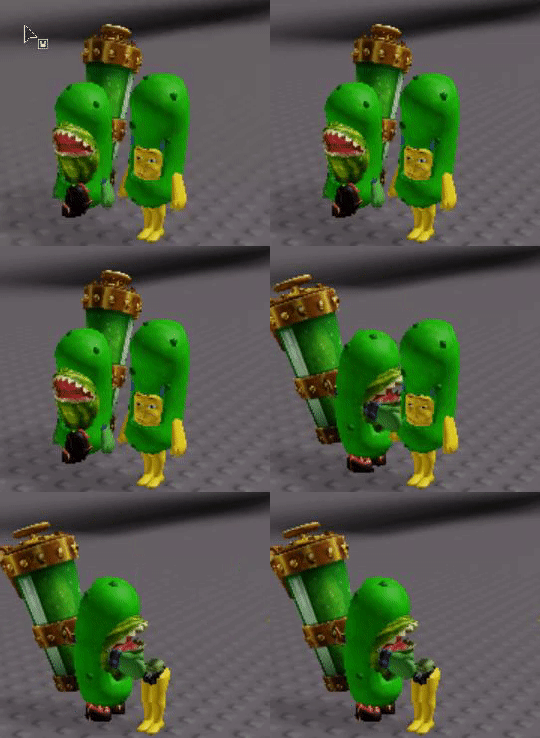
 light cape
what
 wraith adder
You will just understand when you see the skill
sly tundra