
#🔥︱curseforge-support
1 messages · Page 627 of 1
 void tangle
 lyric crescent
select c drive
void tangle
how?
lyric crescent
click the folder icon, click the c drive
lyric crescent
why cant you

 vague tundra
I still got the errors on curseforge
 mild cradle
How do I fix exit code 1
 red patioBOT
Error/Exit codes are useless. Follow these steps so someone can actually help you.
- Right-click the modpack profile icon OR click the
 button in the modpack profile.
 - Click

Open Folder. - Open the
logsfolder. - Drag and drop the FILE named
latestORdebuginto discord.
mild cradle
oh ight
 fallen loom
vague tundra
**I still got the errors on curseforge**
fallen loom
vague tundra
**I still got the errors on curseforge**
?ow-logs and I'll get back to you when I get home
Any day now Carl..
 queen storm
!owlogs
red patioBOT
<:overwolf:857375414002384916> How to get CurseForge App logs! <:overwolf:857375414002384916>
- Click the

Create logs zipin the menu.
menu. - Drag and drop the file it just made to this chat room to upload it.
- Wait for someone to look at it so they can help you.
Backup method:
https://support.overwolf.com/en/support/solutions/articles/9000176827-how-to-get-your-overwolf-logs
 fallen loom
Oh ffs
 young bone
He wants to be contrary
fallen loom
Why is there no hyphen in that one but all the mc commands have one
young bone
They all need to match
queen storm
fallen loom
Why is there no hyphen in that one but all the mc commands have one
Blame Clay
vague tundra
fallen loom
?ow-logs and I'll get back to you when I get home
sorry for pinging. Just in case the chat get's flooded.
It effects Curseforge.
Having it open lags my game with errors.
 alpine elbow
guys i need help i cant update my mod if i update it it will be at the same verson
 wanton olive
Hi, How do I put a server pack on my modpack ?
young bone
?mc-serverpack
red patioBOT
Serverpacks are special files uploaded alongside an existing project file. If the main file is rejected the server pack is also rejected.
You require an already uploaded export file to upload a server pack!
- Make the server pack by zipping up the required files by selecting the required folders & files. It should include the config and mod folders at a minimum, plus anything else you specifically required to run the server. Start/Run/Setup scripts are optional. Don't include modloader files or the minecraft server jar.
- Go to the
Filestab on the project. - Click the name of the file you wish to upload the server pack to. The pack and server should match pack versions.
- Click
Upload Additional File. - Fill out the form.
 eager vigil
!status
red patioBOT
Project Moderation Time
Project/File moderation is done on these days unless otherwise mentioned:
Sunday, Monday, Tuesday, Wednesday, Thursday: <t:1631170800:t> - <t:1631199600:t> (Your time)
Friday, Saturday: No Moderation!
Projects are moderated First in, First out. If you submit late in the work day, it will likely get left until the next day!
New Projects or anything flagged for manual review: 1-3 Working Days
Updates to approved projects not needing manual approval: 1 Hour
-If your file has been "Under Review" for more than an hour, then it is at manual review!
Changes will only show in the app if the project meets the requirements in the ?sync command and up to 24 hours has passed from when it was accepted.
 trim valley
Hey guys, is it disrespectful to develop a mod identical to another if it hasn't been updated in a few years? I've attempted to contact the mod maker to sort of have his blessing, but I've had no luck.
 misty dawn
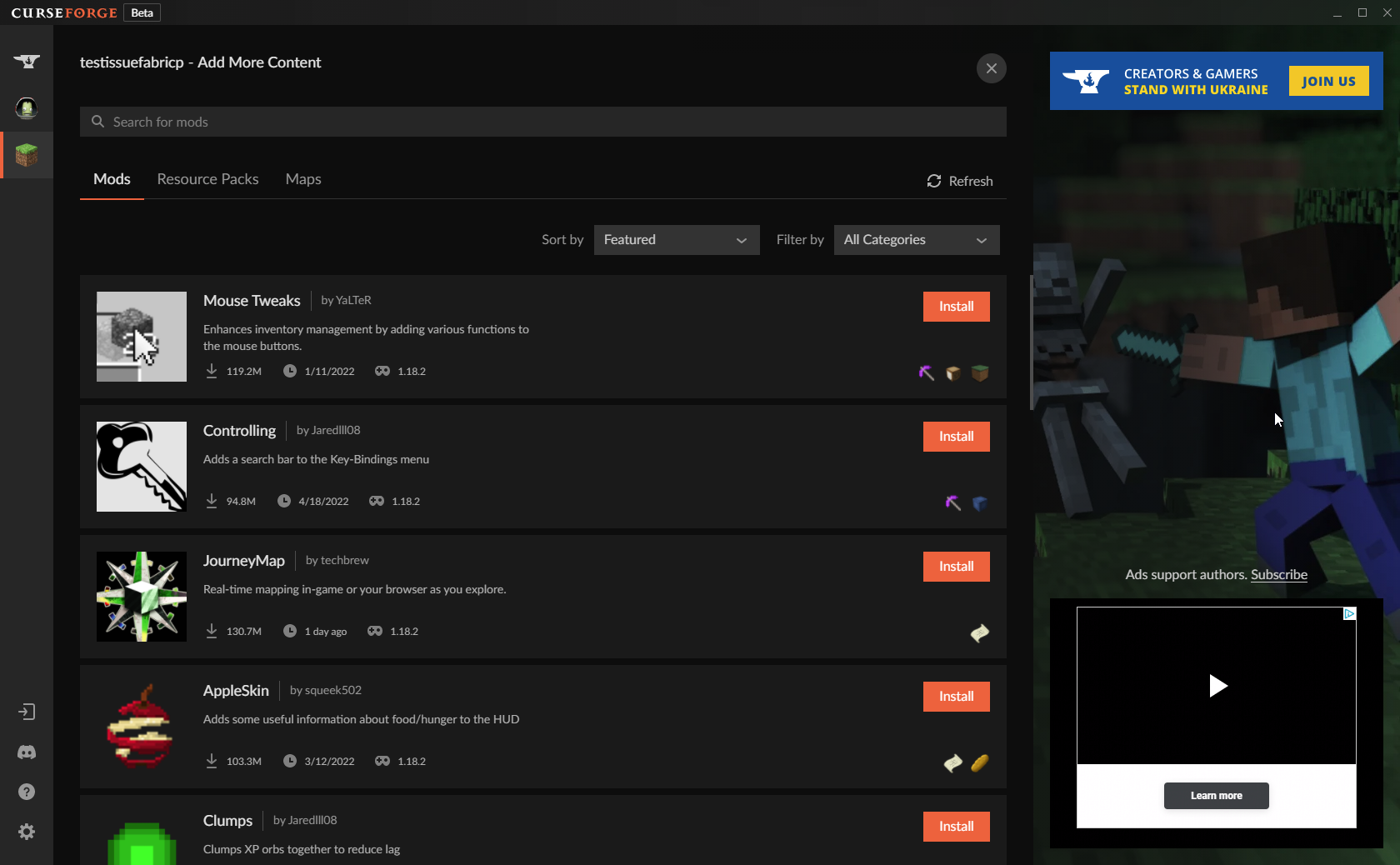
With the latest update is anyone else experiencing the inability to make the mod window bigger when scrolling like it was before the most recent update?
lyric crescent
trim valley
Hey guys, is it disrespectful to develop a mod identical to another if it hasn't...
As long as you are making the code yourself and/or following the license you can do whatever you like. If you can't contact them and they arn't updating I don't see why anyone would be upset about it.
trim valley
lyric crescent
As long as you are making the code yourself and/or following the license you can...
they are still making other content, just not related to the mod in question
lyric crescent
Ok. If you want an opinion on the morality of it you should check the mods community if it exists.
lyric crescent
misty dawn
With the latest update is anyone else experiencing the inability to make the mod...
If you mean this, it seems to stretch fine, or im not understanding.
https://i.imgur.com/WeCwIT2.png
 misty dawn
lyric crescent
If you mean this, it seems to stretch fine, or im not understanding.
https://i.i...
misty dawn
lyric crescent
If you mean this, it seems to stretch fine, or im not understanding.
https://i.i...
this window
 lyric crescent
guess ill check when i get that update
misty dawn
this is what i am experiencing
lyric crescent
poked them about it
misty dawn
ty
fallen loom
vague tundra
That's why I use replies. @ On or off, doesn't matter.
The ping does matter in many servers, so be careful
 thin sapphire
Today I uploaded a file to my project on curseforge and it's been 3 hours and it's still under review any ideas?
 young bone
Take a look at this #📢︱news message
lyric crescent
it's also normally 3 days, not 3 hours
 meager magnet
thin sapphire
Today I uploaded a file to my project on curseforge and it's been 3 hours and it...
meager magnet
thin sapphire
Today I uploaded a file to my project on curseforge and it's been 3 hours and it...
Same problem. Patches are normally between 5 and 10 minutes. Almost an hour now and still nothing.
lyric crescent
then its at manual review
 dusky gust
I can't install forge. it keeps opening the installer in internet explore instead of running it.
red patioBOT
Your question is not related to CurseForge owned/maintained features or services.
Please use the appropriate game room by getting a game role from #786424115535544350.
Otherwise use #👽︱game-support for game related help.
CurseForge does not make or maintain any of the content or games used on the site or app. Just because it's on the site/app does not make it a problem with CurseForge. Move rooms as requested, arguing about it will result in you being removed from the discord.
 fossil plinth
+1 for curseforge window extending all the way in my vertical aligned monitor.
 manic vapor
Any clue why curseforge does this?

 opal cipher
Has things under review? Because moderation, and it's probably marked for manual review
!status and check #📢︱news
red patioBOT
Project Moderation Time
Project/File moderation is done on these days unless otherwise mentioned:
Sunday, Monday, Tuesday, Wednesday, Thursday: <t:1631170800:t> - <t:1631199600:t> (Your time)
Friday, Saturday: No Moderation!
Projects are moderated First in, First out. If you submit late in the work day, it will likely get left until the next day!
New Projects or anything flagged for manual review: 1-3 Working Days
Updates to approved projects not needing manual approval: 1 Hour
-If your file has been "Under Review" for more than an hour, then it is at manual review!
Changes will only show in the app if the project meets the requirements in the ?sync command and up to 24 hours has passed from when it was accepted.
 dry flint
Says it can't load CurseForge, I'm not having network issues at all though
 fleet bear
!owlogs
red patioBOT
<:overwolf:857375414002384916> How to get CurseForge App logs! <:overwolf:857375414002384916>
- Click the
Create logs zipin the menu. - Drag and drop the file it just made to this chat room to upload it.
- Wait for someone to look at it so they can help you.
Backup method:
https://support.overwolf.com/en/support/solutions/articles/9000176827-how-to-get-your-overwolf-logs
dry flint
fleet bear
Seems like there's a networking issue?? Does anything else not work?
dry flint
No, everything else is fine
I tried refreshing the screen but it still says CurseForge wasn't able to load
fleet bear
have you tried a reinstall
dry flint
Not yet, I'll go do that
 molten hedge
Hello guys, I need help: What must I do?/Who is the problem?
I made a Modpack and I want to upload this modoack. This is my first modpack and I've followed all the instructions so far but I can't get any further. The status of the file This modpack is in the 1.7.10 and it is suitable for multiplayer war servers! () has been changed to Rejected
File is a duplicate of an existing file. That's the first official Version of Minecraft Air. The Mod list is not 100% correct, but I try my best!
If you have any questions please contact our support

CurseForge Support
We're here to get you informed on everything you need to know about CurseForge, including helpful guides and troubleshooting articles to back you up when you get in a pickle
 upper root
Can you please show a screenshot of the error
 fleet bear
molten hedge
fleet bear
molten hedge
You uploaded two of the same exports?
opal cipher
We've poked the staff about it, it appears not only did the staff go on holiday, it seems like the automated review system also took some time off (That is our guess at least, as we don't have more information)
 copper forge
Ohh ok, thank you for the answer 🤷♂️
opal cipher
Yeah, I know it doesn't help much, but there's nothing we can do about it, until they look at our messages and fix the issue itself. :)
copper forge
No no, it's okay, I have to wait anyway because mods are complicated to update to 1.18.2 lol
meager magnet
its some 2-day holiday in Israel
copper forge
meager magnet
its some 2-day holiday in Israel
good for you lol
meager magnet
me?
copper forge
I replied to you, so yes lol
copper forge
meager magnet
how is it good for me?
It was a figure of speech
copper forge
meager magnet
thats where overwolf is based, and why they're away
Okay then 🤷♂️
 scenic python
can some1 help me fix some addons like i got weakaura but it doesnt work, same for masque
upper root
Try ask in #🧙🏼♂️︱warcraft-support, its less likely to get buried. (Also provide some more information)
 boreal pagoda
My project for curseforge has been approved for a while now, and i started to wonder why it wasn't showing up in the curseforge app. I did some research and found out it was because i put it on alpha instead of beta or release, but now when i'm trying to change it, i can't press the "submit file" button at the bottom of the page. I don't know what to do
molten hedge
fleet bear
You uploaded two of the same exports?
Yes but the first was wrong and than I Archiv this file. What I musst do?
upper root
Upload an export that is different
Update a mod, or put a random text file in the export
upper root
boreal pagoda
My project for curseforge has been approved for a while now, and i started to wo...
Can you send a screenshot?
boreal pagoda
upper root
Can you send a screenshot?

 upper root
Full page screenshot please
boreal pagoda
upper root
Full page screenshot please


 upper root
You need to choose a file to upload
It wont let you submit a file without a file to submit
boreal pagoda
upper root
You need to choose a file to upload
what kind of file am i supposed to upload?
upper root
A modpack export, like the first time.
If you just want to edit an existing file then that isnt how, that is for uploading new files (like a modpack update). Click on the files name then on Edit to edit a single files properties (like release type)
 boreal pagoda
upper root
A modpack export, like the first time.
If you just want to edit an existing file...
boreal pagoda
upper root
A modpack export, like the first time.
If you just want to edit an existing file...
Okay i think i got it, thank you for the help :)
 night wagon
hey guys why is it so hard to get a picture for the modpack harder than hacking a whole game or building a pc
can anyone help me please been stuck on it for 4 days ive got a cursed forge modpack i have a server with the modpack on but people cant join plus how to i share my modpack so people can download it please help about to rip my last bit of hair out because of this
red patioBOT
Hey there, it is Curseforge, not "Cursed forge"
 carmine ore
I can't download the application because I am getting an error

Apply for the Overwolf discord?
 oblique crater
queen storm
oblique crater
queen storm
What error do you get?
 thorny glacier
i cant seem to down load the complementary shader pack
lyric crescent
what
lyric crescent
can you be specific about your issue
thorny glacier
when i try and download optifine i cant get it to install into my game profile and because of that i cant get the shader packs in as well. is there a better way to get shaders into minecraft?
or whats the best way to insatll shadewrs in minecrafty
lyric crescent
?mc-optifine
red patioBOT
We do not offer support for Optifine!
If you have issues with Optifine, remove it. If you want further support try the discord found on their website.
https://www.optifine.net/home
Installing Optifine with modpacks on Curseforge:
- Right click the modpack icon, select
Open Folder. - Put the
Optifine.jarinto themodsfolder. - Now start the modpack.
thorny glacier
what should i be opening with cause in have winrar
lyric crescent
why are you opening anything
young bone
The optifine jar is both a mod and the installer, to use it as a mod you do what that bot says
thorny glacier
im completley lost
thorny glacier
well what do i do once downlaoded
young bone
Do what the bot says
thorny glacier
where is thje modpack icon i rightclick
lyric crescent
on the curseforge app
lyric crescent
🤷♂️
thorny glacier
theyre on the webstie and not the app
lyric crescent
you cant install shaders with the app
thorny glacier
that was the whole point of me asking you guys for help
lyric crescent
then you should be more clear about what you are asking from the beginning
thorny glacier
i did i asked why arent my shaders installing
lyric crescent
the app cannot install shaders as they require usage of a mod curseforge isnt allowed to manage. you need to install them manually
 frail crane
I reinstalled wow onto a different hard drive and now my addons aren't showing up. They're still on the original hard drive on curse forge so I'm wondering if there's a simple way to transfer them over
thorny glacier
i got it all figured out thanks
queen storm
frail crane
I reinstalled wow onto a different hard drive and now my addons aren't showing u...
carmine ore
carmine ore
I can't download the application because I am getting an error
Can anybody help me?
lyric crescent
what error
 carmine ore
lyric crescent
what error
carmine ore
lyric crescent
what error
I can't run curse forge because I get an error
lyric crescent
that's an overwolf error, you should use overwolf support linked right in that message
carmine ore
Ok
opal cipher
!mc-path
red patioBOT
Instructions for changing CurseForge Minecraft install path!
If Minecraft is not installed in CurseForge App:
- Click the
 in the top left.
 - Select Minecraft from the list of games.
- Select the
Advancedoption and select:
--- Windows:Local Disk (C:)at the left side of the window. If you do not see it, clickThis PCfirst.)
--- Mac:/Users/Shared/CurseForge, If it does not exist, make it. - Click
Continue.
If Minecraft is installed in CurseForge App:
- Click the
 in the bottom left.
 - Select the Minecraft tab.
- Click
Change. - Select the location:
--- Windows:Local Disk (C:)at the left side of the window. If you do not see it, clickThis PCfirst.)
--- Mac:/Users/Shared/CurseForge, If it does not exist, make it.
 digital forge
i havent used curseforge in about 4 months and i decide to install a new mod pack and it keeps telling me installation failed and im not sure exactly whats going on
red patioBOT
Hey there, it is Curseforge, not "Cursed forge"
lyric crescent
Seems there is some slowness on the backend currently. Feel free to try again, or wait a while and try again. It's being looked at.
 cursive cobalt
ive had this problem for ab half a week
lyric crescent
what problem would that be
lyric crescent
this issue has only been for like an hour at best, so if its been a week you have something else going on
lyric crescent
i suggest waiting a few hours for the current server issues to hopefully be resolved, and if you still have problems we can look at it. cant really do anything currently.
 rich elbow
there is problem with cf servers? or smth?
lyric crescent
cant read the last message written or smth
 slow wigeon
im getting an error: missing file for mod "silent gear", while that mod isnt in the modpack
rich elbow
i dont know what it refers to
lyric crescent
 rich elbow

cursive cobalt
"Failed to install modpack" or "Operation failed" messeages
lyric crescent
The CurseForge servers are currently experiencing heavy load
This means that installing the CF app may be slow or fail to load. If you have the following errors, try again later:
App fails to load
"Missing file for mod"
"Failed to install modpack"
"Operation failed"
"An unexpected error has occurred"
cursive cobalt
Ight cool
 rustic birch
i have a problem with curseforge. i downloaded it and then i try to launch it and it says failed to launch. im having some kind of tech issue any ideas? i have mods that needs updating and i cant update cause it
 blazing oasis
can someone help me i install the mod better minecraft, but when it starts minecraft and i press play its crashs
 astral tide
when adding content on curseforge when you are a few pages down it lags for me (I am guessing cause it scrolls infinitely and keeps everything loaded) if anyone has a fix please say
lyric crescent
blazing oasis
can someone help me i install the mod better minecraft, but when it starts minec...
!mc-logs ⤵️
red patioBOT
Sending logs for support.
- Right-click the modpack profile icon OR click the button in the modpack profile.
- Click
Open Folder. - Open the
logsfolder. - Drag and drop the FILE named
latestORdebuginto discord.
lyric crescent
astral tide
when adding content on curseforge when you are a few pages down it lags for me (...
there is no fix for this, though it's probably made worse due to the issues mentioned above
astral tide
i know this isnt suggestions channel (dont see one in the discord anyways) but maybe have a toggle to display the mod listings in pages rather than infinite scrolling. just a thought
lyric crescent
?FEEDBACK
red patioBOT
<:CFidea:798388634972717066> Have an idea on how to improve CurseForge? <:CFidea:798388634972717066>
CurseForge is looking for great ideas and user feedback! Get into the CurseForge Community by providing some feedback and voting on what's important to you!
Think some game should be supported? Post an idea and explain why!
Got a to die for feature idea? Let's hear it!
Location In-app
- Click the button on the bottom left of the app.
- Click on

Suggest a Featureoption!

 glad wren
for some reason when i open curseforge i get this orange loading bar doing its thing for 15 or more seconds then it disappears and nothing is loaded
 tight wyvern
sane
glad wren
i had it happened a lot of times
tight wyvern
its slow as hell when i search
 undone otter
glad wren
for some reason when i open curseforge i get this orange loading bar doing its t...
undone otter
glad wren
for some reason when i open curseforge i get this orange loading bar doing its t...
unplug internet, servers are broken/ slow
 signal ridge
undone otter
signal ridge
undone otter
if you want to just load modpacks disable internet
then replug in/ enable internet afterwards, so you can play your installed modpacks
or enable an offline mode in curseforge if it exists (dunno)
opal cipher
It does not
 digital roost
It never loads, stays on this screen. same with browse modpacks

My connections is good
 spiral creek
hi! can someone help me pls? i am trying to load the modpacks on my laptop but for some reason i can not see the packs i already played
i can only see the loading bar
i have the same as cookiemonster
digital roost
Oh, ig we can wait
tight wyvern
signal ridge
https://discord.com/channels/428228256236306434/782027635252920322/9718120060238...
'
:(
digital roost
Ah, I have all day to wait, I hope they arent under stress
 trim tangle
its awesome that u need an internet connection to play a allready downloaded modpack GG
digital roost
Well I cant unplug my internet connection
 livid tiger
It's not loading for me either
 placid nimbus
App is down, AGAIN. haha Love it
digital roost
Its a global issue
 uncut crane
Why Browse Modpacks isnt loading??
digital roost
Nothing we can do rn
spiral creek
big rip
 iron trench
sad
 fallow drum
down ?
trim tangle
y
livid tiger
Goofy ahh server is down
spiral creek
oh it is working again for me
placid nimbus
Last time it was like a day right?
digital roost
well when was last time
placid nimbus
Like two or so days ago
fallow drum
for me its still not working
spiral creek
i closed it down and started up again and it is working now!
lyric crescent
The CurseForge servers are currently experiencing heavy load
This means that the CF app may be slow or fail to load. If you have the following errors, try again later:
App fails to load
"Missing file for mod"
"Failed to install modpack"
"Operation failed"
"An unexpected error has occurred"
placid nimbus
They should upgrade the servers then honestly. I know it costs money but dang dude, this is becoming a frequent thing for the servers to crash from heavy load.
Definitely doesn't make me want to buy premium when it keeps going down.
lyric crescent
the issues are not the fault of the servers, dont worry about that
digital roost
Itll get fixed, theyre working on it, complaining wont hasten it
digital roost
undone otter
https://ptb.discord.com/channels/428228256236306434/782027635252920322/971817406...
Im not using internet 🤷♂️
 jovial panther
so curseforge not working?
cursive cobalt
Ain't no way he just said that
placid nimbus
jovial panther
so curseforge not working?
Not atm nope
cursive cobalt
Lmao
 steady palm
I am having difficulty where curseforge is showing no installed addons for WOW. I have many addons for curseforge installed but I have zero listed inside curseforge atm. Works fine in game though.
jovial panther
steady palm
I am having difficulty where curseforge is showing no installed addons for WOW. ...
life
placid nimbus
steady palm
I am having difficulty where curseforge is showing no installed addons for WOW. ...
Experiencing "Heavy load"
digital roost
patience
steady palm
I had to reinstall curseforge because it was stuck on loading screen too.
cursive cobalt
Learn how to scroll up first
steady palm
Is it server issues?
lyric crescent
might have to lock these channels again so people read the message
jovial panther
curseforge turned into roblox nice
digital roost
maybe slowmode
cursive cobalt
Fr @lyric crescent
steady palm
I was curious if it is on my end or is it related to server?
digital roost
so its easier to find
 remote gale
Ahh good (Kind of) not just me then 🙂
 versed kiln
i need help my curseforge keeps loading and loading but nothing happens
jovial panther
remote gale
Ahh good (Kind of) not just me then 🙂
i thought god hates me. cuz firstly my server couldnt start cuz of a mod and then curseforge bugged out
digital roost
Read CFNEWS
jovial panther
💀
versed kiln
ok ty
 umbral spear
That's a known issue then? I'm glad that this is being worked on!
 jovial panther
curseforge experiencing that what roblox does on daily basis
placid nimbus
versed kiln
i need help my curseforge keeps loading and loading but nothing happens
"Heavy load"
digital roost
Slowmode can help people keep up 😄
 spark sierra
Dos attack? or only a huge load?
lyric crescent
if it was only one person spamming
placid nimbus
 plush rain
Im just reading this, having a good chuckle.
digital roost
Not DOS
spark sierra
ok
 molten tapir
When trying to add mods to my own modpack no MODS load. The same when I try to view modpacks nothing loads.
 cursive cobalt
😐
spark sierra
People are bad. They dont really care what they dos.
placid nimbus
molten tapir
When trying to add mods to my own modpack no MODS load. The same when I try to v...
spark sierra
digital roost
No reason to dos emm
.
digital roost
Maybe lock it with the message
 rapid jolt
Hai, I am trying to load up MineCraft, and all of my modpacks are gone. It also wont let me look for any
placid nimbus
rapid jolt
Hai, I am trying to load up MineCraft, and all of my modpacks are gone. It also ...
umbral spear
Can we start blaming one country now, as its always done if there are issues?
rapid jolt
Sometimes it pops up telling me to select a mod folder, but then it wont let me click anything
placid nimbus
lyric crescent
<#525372338653626389>
Your idea stopping messages at your report is the best idea I'd think.
 dire path
Hello, I tried to open curse forge and it asked me to select the modding folder that I already set months ago, the problem is, I cant click any button on the popup menu.

 fleet panther
alrighty
plush rain
Will People just READ the news page!?
dire path
plush rain
Will People just READ the news page!?
Yeah, I asked for extra safety as they didn't write this problem
fleet panther
nerdf
digital roost
lets just lock it
 shell oriole
So I realize the servers are screwed up after reading the message, but before I read that I've been troubleshooting for like twenty minutes. I'm less complaining about the issue and more wondering if, because I tried so many things, if it's gonna just cue up like fifty downloads of the same modpack over and over once it does come back
lyric crescent
just close the app
 frozen topaz
This isn't a tragic event but I am trying to update my modpack and none of the recent versions are coming up and there's something i can tick that says update to new profile.
 sleek jungle

frozen topaz
Ok thank you
 lilac moss
Have you investigated where this traffic is coming from?
frozen topaz
It also says cannot read property of 'id' undefined
 minor forum
servers are good now ?
lyric crescent
are they?
lilac moss
You really need to invest in cloudflare.
lyric crescent
it uses cloudflare lol
 supple echo
cloudflare can easily be bypassed
 dense cloak
Been sitting here for 5 mins.
 lyric crescent
yea, not loading for me, nothing is fixed
dire path
Evrything is fine now for me
lyric crescent
yep seems fine now lol
 tame dove
Does anyone know why i cant install "Better Vendor Prices" for Wow TBC?
 livid tiger
It still doesn't work for me
dense cloak
 hidden fern
Looking into it
hidden fern
Looking into it
God Curse's servers realllllly like to poop themselves
tame dove
Okey, it seems to been that way for a while now just asking and now i know 🙂
hidden fern
I'm pretty sure
 stoic dawn
Does this happen alot?
lyric crescent
dense cloak
God Curse's servers realllllly like to poop themselves
#📛︱rules 5
 scenic lynx
Keep an eye on #📢︱news . Unless you see anything new there. Assume it's ongoing and not much point to ask
livid tiger
digital roost
It worksss
why u lyin'? 
 digital drift
Hey, im trying to install FTB on cursed forge and I keep getting the error "Failed to install modpack 227724"
red patioBOT
Hey there, it is Curseforge, not "Cursed forge"
 bitter agate
My curseforge doesnt load the page that displays my modpacks
it is stuck on a loading bar
signal ridge
Read my message above yours....
bitter agate
o srry
 quasi elk
hello, when I go to curseforge on the server better minecraft (plus) 1.18.2 and I want to change version of that I press version my crash application would anyone have an explanation?
signal ridge
See #📢︱news or #🆘︱current-issues🆘
uncut crane
Why did you block messages? YOYOK9
lyric crescent
Why are you DMing them
shell oriole
Can you just rename the discord to "The Servers Are Down"
 steady hearth
hi, the cause of HTTP 504 from mods API is #🆘︱current-issues🆘 ?
uncut crane
I wanted to DM community support
uncut crane
Oh
digital roost
I'm starting to have a bug where if I press on a modpack, nothing shows up.
 bitter agate
I think it is working again
lyric crescent
digital roost
I'm starting to have a bug where if I press on a modpack, nothing shows up.
livid tiger
bitter agate
I think it is working again
nah
digital roost
Ah, I thought it was a bug. Apologies.
 onyx wolf
 red patioBOT
Your question is not related to CurseForge owned/maintained features or services.
Please use the appropriate game room by getting a game role from #786424115535544350.
Otherwise use #👽︱game-support for game related help.
CurseForge does not make or maintain any of the content or games used on the site or app. Just because it's on the site/app does not make it a problem with CurseForge. Move rooms as requested, arguing about it will result in you being removed from the discord.
livid tiger
its working 😵😵
 hollow coral
When i open up the CurseForge launcher it keep coming up with this and idk how to fix it. Can someone help
 young bone
livid tiger
young bone
livid tiger
its working for me
young bone
Just because it’s working for you doesn’t mean it’s working for everyone else
signal ridge
Consider it a fluke, unless stated otherwise in #📢︱news / #🆘︱current-issues🆘
 steel stirrup
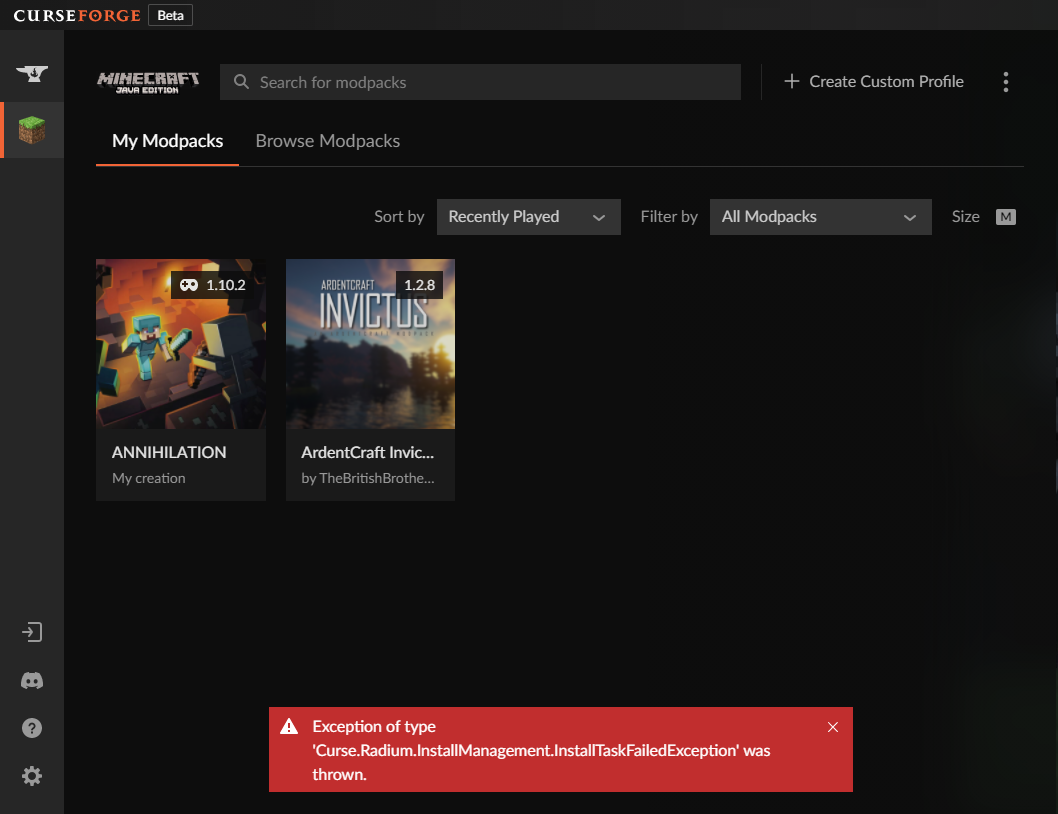
Anyone know why im getting this?
Started last night I can install fabric and Vanilla when creating a custom pack, But If i try forge I get this everytime, I also cant download any packs....
Tried re-installing and running as admin to no avail
 young bone
signal ridge
young bone
signal ridge
If only there was a channel directly above this one that was about the server issues 🤔
steel stirrup
young bone
https://discord.com/channels/428228256236306434/782027635252920322/9718300448235...
No problem, Had it since yesterday thats all.. But if thats the reason then awesome ❤️ Thanks
scenic lynx
Any ongoing issues right now will be impossible to tell apart.
If it's not related please wait until after everything is settled and if it's still going on then ask.
digital roost
any one can help when i try too donwload a mincraft mod pack wiht the curse forge app it says
Object refernce not set to an instance of an object
lyric crescent
 fair ridge
Any else had a General Install Error?
I am trying to download mods and am having trouble because a couple gave me a general install error.
plush rain
fair ridge
Awesome!! Thank you!
 cloud arrow
When do the holidays end?
alpine elbow
i cant load cf
 proud grove
do you know when this server issues is gonna end?
lyric crescent
hopefully after they get fixed
digital roost
its fixed for me
signal ridge
Consider it a fluke, unless stated otherwise in #📢︱news / #🆘︱current-issues🆘
digital roost
its working even after i restart it lol
proud grove
i just got curseforge and there just happens to be server issues lol
 inner pendant
when i try install a modpack it says "object reference not set to an instance of an object" how can i fix this?
signal ridge
#🆘︱current-issues🆘 read this
inner pendant
oh my bad thank you
 summer cove
For whatever reason when I open the client through curseforge I can't get onto any server, just immediate cannot connect.. This isn't an issue with the vanilla client
 raven stratus
Is "An exception occurred during a WebClient request" error comes because of the server issues?
lyric crescent
yes
raven stratus
Alright, thank you.
digital roost
hello
what is this objectum thing when i try to download ntc2?
can somebody help please
signal ridge
If your having app issues read #🆘︱current-issues🆘
digital roost
cool
dense cloak
May wanna tweet the server issues as well, for those who aren't on here.
 lyric crescent
what are you doing
digital roost
I just want to install a mod and this message appears
lyric crescent
mod..pack?
slow wigeon
damn servers arent back?
digital roost
yeah
lyric crescent
you'll probably want to wait until the servers are working correctly
digital roost
is it a problem from curseforge ?
lyric crescent
look at the channel above
 brittle fractal
hopefully the new api that is getting installed will improve the situation
should be on the 9th right?
digital roost
yesterday i had the same problem but there wasn t any problem with cursforge
 north abyss
yo anyone know how to fix the error " object reference not set to an instance of an object"
i get it when i try installing a modpack
eternal mc specifically
signal ridge
Read the channel above this one
north abyss
alr thx
mild cradle
Yeah it happened to me too because I had issues with ddss so I uninstalled it and then tried to install it again so I came to the server and saw that it was a problem with the servers
 lyric crescent
to what
 tall veldt
lyric crescent
to what
tall veldt
lyric crescent
to what
Just that, i'll write a big description later

I didn't understand " A project's summary and description will never be seen together - you should add actual information to the description. "
What i should do?
They are different
lyric crescent
write an actual description
tall veldt
lyric crescent
write an actual description
But i did that
What is an " actual description "?
lyric crescent
what you wrote is not a description
 tall veldt
lyric crescent
what you wrote is not a description
tall veldt
lyric crescent
what you wrote is not a description
Where is the description?
lyric crescent
An explaination of what your pack is, a description of it.
if you have nothing more to write than that, then your pack doesnt need to be there
Look at any of the big packs if you need inspiration. Not going to write one for you, I dont even know what your pack is.
tall veldt
tall veldt
So what i should write?
But its here that i write the description, right?
lyric crescent
yes
tall veldt
lyric crescent
yes
That's enough?

I'll change later
I just want the modpack to be approved
lyric crescent
still doesnt say anything useful or informative. if you cant be bothered to describe it now, then dont upload it now. wait until you can.
tall veldt
But why need be useful or informative?
ATM 6 doesn't have a useful or informative description
signal ridge
So players know what they are downloading?
tall veldt
So basically i need create a wiki page?
lyric crescent
beacuse you want it to be approved
there is no need to be hyperbolic
explain your pack
tall veldt
I never published a modpack on curseforge, idk how its works
steady hearth
tall veldt
That's enough?
I think the description is too generic... maybe trying add categories (magic, indstrial, farming, etc.) and features (e.g. altering recipe) ? (idk it's enough to be approved trough)
scenic lynx
Hey rammosz. You want your description to make users want to download your pack. Right now it's not explaining at all what kind of experience it is.
If you're not sure what to write I recommend looking at some other descriptions on the site.
It doesn't have to be fully formatted to perfection but think you're describing a game to someone
lyric crescent
Saying "my modpack has mods", which is how yours reads, doesn't mean anything.
tall veldt
scenic lynx
Hey rammosz. You want your description to make users want to download your pack....
But, for example, ATM6 doesn't have that information in the description
lyric crescent
You arn't ATM6. ATM6 was approved when no one cared about the rules.
tall veldt
lyric crescent
You arn't ATM6. ATM6 was approved when no one cared about the rules.
I would do a detailed wiki document about modpack, but that wouldn't be in the description.
lyric crescent
Then make that into a description.
scenic lynx
ATM is sort of a "known brand" by now. I know not everything is aligned. Part of it is also what Yamza said.
What mods do you have in your pack rammosz?
tall veldt
lyric crescent
Then make that into a description.
There's more than 250 mods
tall veldt
scenic lynx
What mods do you have in your pack rammosz?
More than 250
steady hearth
https://www.curseforge.com/minecraft/modpacks/regrowth-an-hqm-pack
you may get inspiration from regrowth (iirc regrowth has around 150 mods), it said "this pack has main concept" (btw regrowth is my favorite one)
tall veldt
scenic lynx
What are the main ones? Like top 5?
Idk, I would say Mekanism, Ice and Fire, Thermal, Refined Storage, Ars Nouveau
But have a lot of important mods
Mana and Artifice, Mysthical Agriculture, Draconic, Applied, Silent Gear ecc...
I want create quests too, so its a lot of things
lyric crescent
It sounds like this isn't a pack that is ready to be released to the public. There is a lot of things you want to do, you should do those things first. Making major changes to a modpack that people are playing is very bad for the experience of playing it. Figure out what you actually want from your selection of mods first, then tell people what that is.
scenic lynx
So technical, dragons, magic. You familiar with Shadowrun?
tall veldt
scenic lynx
So technical, dragons, magic. You familiar with Shadowrun?
Idk what is that
tall veldt
lyric crescent
It sounds like this isn't a pack that is ready to be released to the public. The...
Sure, you're right
I'll change all recipes that i want, and make all quests first
So then i'll publish
scenic lynx
I'd say figure out what you're main themes for the pack are: Survival, Hardcore, fantasy/sci-fi adventure? etc..
tall veldt
scenic lynx
I'd say figure out what you're main themes for the pack are: Survival, Hardcore,...

I already did the categories
scenic lynx
categories are good but you need some description of what it's like playing your pack
Look for example at Ars Nouveau. It let's you know what you can actually do in their mod.
 tall veldt
Well, the modpack its taking a good way.
scenic lynx
Now you don't need to list every feature of every mod. But general highlight ones
tall veldt
scenic lynx
Look for example at Ars Nouveau. It let's you know what you can actually do in t...
Yeah but i'm not creating a mod xd
scenic lynx
Same principal applies
lyric crescent
it's an example of a description
tall veldt
Ok, i'll do that things, thanks guys
 zenith temple
not sure that this is the good place to ask but anyway:
is there any "app" to automaticaly download mods (for Minecraft) with all the dependency on Ubuntu ? to wait until the app come out for minecraft.
Thanks in advance (and sorry for my bad english)
(by the way, you can ping me to answer)
upper root
There are other launchers, such as GDLauncher or ATlauncher that use the curseforge API
zenith temple
so the curseforge api can be used to request mods ? at the begining , i wanted to make my app (without using illegal technics like scrapping) but i did not figured out how using the API.
soo thanks !
steel stirrup
https://i.imgur.com/D9r1qgW.png My issue still persist's
upper root
zenith temple
so the curseforge api can be used to request mods ? at the begining , i wanted t...
Yes, it can. There is documentation for it somewhere, and if you want more help with using it there is the curseforge developers server
digital roost
helllo
i moved wow from hdd to ssd
all my addons are on 'retail 3' which is old folder thart doesnt exist
no option to pick new folder for game?,
help
fleet bear
did you try restarting the app or using the settings menu?
red patioBOT
How to add WoW flavours to CurseForge!
WoW installs are only shown valid mods for the install selected.
If the app didn't find all of your installed game versions use these steps to fix it!
- Make sure Sync is disabled. It's not aware of the game versions and can cause issues!
- Try the

Scan computer for gamesoption from the menu, then click the  button by
 Game Specific - If the app didn't find all the versions, you use the
Manually add a gameoption and point it to one of the following locations.
a._retail_for the main game.
b._classic_for BCC.
c._classic_era_for the new classic install.
steady hearth
zenith temple
so the curseforge api can be used to request mods ? at the begining , i wanted t...
please read https://docs.curseforge.com/
you need basic knowledge about how to send a HTTP request and about JSON
abstract:
- you need developer account. can be logged in by your Google account.
- grub your token
- list up your “mod ID” and “file ID” (note: It is same as Project ID on mods page. note: file ID can be found at the URL)
- POST /v1/mods/{modId}/files/{fileId}
- it yields a download URL inside JSON, so download from there
- iterate over all mods
zenith temple
steady hearth
please read https://docs.curseforge.com/
you need basic knowledge about how to ...
okay thx, i have the knowledge needed (since i made app using Riot API that work with requests too)
but when i search i did not find a search request , is this exist ?
maybe i should move to the dev server
steady hearth
zenith temple
but when i search i did not find a search request , is this exist ?
yes, there’s GET /v1/mods/search
zenith temple
steady hearth
yes, there’s GET /v1/mods/search
okay thx !
steady hearth
you would like to specify gameId, otherwise it returns mods of all game ;)
zenith temple
thx for the advice, i will definitely check more in details tomorrow (since it's 11:30), and making my app in TUI for making my modpack
 zinc pumice
Got this while trying to access your website.
Is there something going on?

 eternal stump
yup
 elfin mesa

 lyric crescent
ok?
elfin mesa
Ok yeah, I guess it's still getting back up c:
 past sand
yo my curse forge keeps saying something went wrong in the login process can anyone help
lyric crescent
on the website?
past sand
no on the app when i play a mod it asks me to chose an acc and then when i press my acc it says eroor in login process
lyric crescent
you mean the vanilla launcher?
 lyric crescent
there are many modded launchers, curseforge is not a launcher though
past sand
thats the launcher thung
lyric crescent
what is the thing you are loggin into
 lyric crescent
that is the minecraft launcher.
your issue is either that your account info is wrong (relog)
the minecraft servers are down
or you have something blocking the connection.
past sand
ok thank u cuz i didnt used to have this problem so i will check
it might be cuz minecraft launcher needs a pretty big update that i havent done yet
lyric crescent
you cant update the launcher that curseforge opens
past sand
idk bro im confused and just tryna play a mod lol ill get back if it works
yeah i get the same message on the launcher so its def not curseforge sry for wasting ur time
lyric crescent
good luck
 neon bison
i need help
red patioBOT
╰( ͡° ͜ʖ ͡° )つ──☆*:・゚ *˜”*°•.˜”*°• Many Help •°*”˜.•°*”˜* <:curselit:796985620550385705>
Please provide a description of your issue with as much detail as possible. If you have an issue with a mod or modpack, tell us the name. Explain what you can see happening. Be specific!
 Tell us what is happening, we already know it "doesn't work".
Avoid using words like "it", tell us exactly what "it" is.
Don't assume anyone knows what you are talking about, be specific.
Tell us what you expected to happen.
Provide screenshots or video if possible.
Provide a log if possible. ?mc-log
neon bison
i got error code 1
red patioBOT
Error/Exit codes are useless. Follow these steps so someone can actually help you.
- Right-click the modpack profile icon OR click the button in the modpack profile.
- Click
Open Folder. - Open the
logsfolder. - Drag and drop the FILE named
latestORdebuginto discord.
lyric crescent
perhaps if you have some patience

 wet bobcat
im using fancymenu and when i hover over button, it looks really weird. (i changed button background)
and the buttons are in the wrong places
 jaunty cobalt
does anyone know what to do when it says play demo?
lyric crescent
You can quit being rude to people.
lyric crescent
jaunty cobalt
does anyone know what to do when it says play demo?
Relog, or log in with an account that owns java minecraft.
lyric crescent
wet bobcat
im using fancymenu and when i hover over button, it looks really weird. (i chang...
!notcf
red patioBOT
Your question is not related to CurseForge owned/maintained features or services.
Please use the appropriate game room by getting a game role from #786424115535544350.
Otherwise use #👽︱game-support for game related help.
CurseForge does not make or maintain any of the content or games used on the site or app. Just because it's on the site/app does not make it a problem with CurseForge. Move rooms as requested, arguing about it will result in you being removed from the discord.
lyric crescent
neon bison
!mc-installfix
red patioBOT
This is NOT instructions for Repair Profile! They are NOT the same! You need to do this!
- Click on the Minecraft Tab on the Left side of the CurseForge App.
- Click button next to the
Create Custom Profileoption. - Click

Repair Installationoption. - Play game.
NOTE: You will not lose any modpacks or worlds!
wet bobcat
mb
 old thunder
hey there is only one modpack that works, anybody know any way to fix this?
lyric crescent
explain the problem with others
lyric crescent
This is the 2nd time you're being told to read the rules, and the last.
blazing oasis
lyric crescent
!mc-logs ⤵️
lyric crescent
read the rules...
blazing oasis
u ask me to send the logs a couple of hours ago but i wasnt on my pc sorry
lyric crescent
yet i did not ask you to ping me
blazing oasis
oh sorry
 peak herald
Can someone help me? I have everything installed and I can't get past error code 1
red patioBOT
Error/Exit codes are useless. Follow these steps so someone can actually help you.
- Right-click the modpack profile icon OR click the button in the modpack profile.
- Click
Open Folder. - Open the
logsfolder. - Drag and drop the FILE named
latestORdebuginto discord.
peak herald
upper root
Missing mandatory dependencies: crafttweaker
peak herald
upper root
`Missing mandatory dependencies: crafttweaker`
what does that mean?
upper root
It means there is a mandatory (required) dependency (other mod) that is missing called crafttweaker
peak herald
upper root
It means there is a mandatory (required) dependency (other mod) that is missing ...
Can you tell me how to download it if you know?
upper root
Please stop with the pings, #📛︱rules 5️⃣
And do i really need to explain how to install a mod?
You seem to have managed plenty already by yourself
 scenic warren
How does one create one of these on their page?
 upper root
They are images which update. use a site like https://shields.io/ to generate them
scenic warren
Perfect, thank you!
 vague bobcat
Hi, my friend is taking a while to 'Download 12.2 Packages', is this normal?
 grim grotto
hello, i would like to play a minecraft mod but it said i needed to update curseforge, how would i do that?
so if its a dumb question, i just got curseforge yesterday
red patioBOT
Wording is important!
Forge = Minecraft Forge, This is a modloader often just called "Forge".
Fabric = Fabric MC, this is another modloader, just called "Fabric".
CurseForge = A Website/App that has content for games.
Mods = Individual mod files.
Modpacks = Multiple mods put into the mods folder or downloaded from CurseForge.
These are not Interchangeable! Please use the correct terms as it allows us to help you faster!
grim grotto
upper root
Are you sure its asking you to update Curseforge?
ill check
grim grotto
upper root
Are you sure its asking you to update Curseforge?
It says Minecraft forge
 red patioBOT
You can update the mod loader within the same game version in the CurseForge app by following these steps!
- Click on the modpack profile you are working with.
- Click on the button next to the play button.
- Click on the
 Profile Options button.
 - Select the mod loader version you want from the dropdown.
- Play!
If you need to update to a new game version, a new profile is required.
grim grotto
There are no buttons but play or am I dumb.
 upper root
Just click
grim grotto
Thanks
opal cipher
To take screenshots on windows, you can press Windows + Shift + S, instead of phone camera images.
fleet bear
also wash your dang screen
 tranquil rapids
See have a few people seeing a few small errors with the Curseforge app- I made them aware of yesterdays update on #📢︱news
 upper root
So.. does it work now?
jovial panther
opal cipher
To take screenshots on windows, you can press `Windows + Shift + S`, instead of ...
i love when i take a screen shot and it wont even pop up
queen storm
Now press ctrl+v
boreal pagoda
Why is there no "download server pack" option for my custom modpack, and how do i get it?
 queen storm
!mc-serverpack
red patioBOT
Serverpacks are special files uploaded alongside an existing project file. If the main file is rejected the server pack is also rejected.
You require an already uploaded export file to upload a server pack!
- Make the server pack by zipping up the required files by selecting the required folders & files. It should include the config and mod folders at a minimum, plus anything else you specifically required to run the server. Start/Run/Setup scripts are optional. Don't include modloader files or the minecraft server jar.
- Go to the
Filestab on the project. - Click the name of the file you wish to upload the server pack to. The pack and server should match pack versions.
- Click
Upload Additional File. - Fill out the form.
jovial panther
queen storm
Now press ctrl+v
gaw dam i didnt know u can do it like that too
i thought u need to copy it urself
digital roost
is there a way to make my username capitalized
like atm it's radoncoding but i would like it to be RadonCoding
upper root
Accounts are currently done by twitch, change your display name there then sign out and then back into curseforge
digital roost
alr
my username is still the same eeven though i changed the display name
oh nvm
it's different when i goto my mod page
ty
 winter roost
I need some help, me and my friend can't play Better Minecraft 1.18.2. It worked fine yesterday
 inland cave
hi guys i am looking forward to make a modded server using curseeforge mods with aternos but everytime i try the server doesn't work. can anyone pls help me to make a server
upper root
!notcf
red patioBOT
Your question is not related to CurseForge owned/maintained features or services.
Please use the appropriate game room by getting a game role from #786424115535544350.
Otherwise use #👽︱game-support for game related help.
CurseForge does not make or maintain any of the content or games used on the site or app. Just because it's on the site/app does not make it a problem with CurseForge. Move rooms as requested, arguing about it will result in you being removed from the discord.
jovial panther
wha
 upper root
Install kotlin for forge
boreal pagoda
I'm trying to set up my server with bisecthosting and curseforge, but it looks like some things in my server pack is missing to make my server work, these are the only things in my server pack, do i need to add something?
 red patioBOT
Your question is not related to CurseForge owned/maintained features or services.
Please use the appropriate game room by getting a game role from #786424115535544350.
Otherwise use #👽︱game-support for game related help.
CurseForge does not make or maintain any of the content or games used on the site or app. Just because it's on the site/app does not make it a problem with CurseForge. Move rooms as requested, arguing about it will result in you being removed from the discord.
 shut lava
hey guys, I'm new here, just wondering is the any way to pay for promotion on curseforge?
queen storm
No
 unique helm
How do I get the modpacks I created in Curseforge without downloading the app?
queen storm
You want them in curseforge without downloading curseforge? What?
unique helm
When I was using the app I created some modpacks. Now I'm not using the app and can't download it, but still want to access the modpacks I have previously created. Is there a way to see/download my modpacks without using the app?
cloud arrow
How do I disable my curseforge 2FA? I asked in a ticket on how do I change from authenticator to authy and they said me to do it and configure it again.
lyric crescent
why are you not using the app
unique helm
lyric crescent
why are you not using the app
Linux
 lyric crescent
how did you make them with the app then
unique helm
I was using Windows before I switched to Linux
lyric crescent
then you copy the pack files from windows
unique helm
As I said, I'm not using Windows anymore and don't have the files I had there.
lyric crescent
did you upload the packs to the website?
unique helm
I did not, does CurseForge not backup the modpacks I create in the app?
lyric crescent
no, that would be a ton of wasted storage space lol
unique helm
I mean, just the links of each mod's curseforge page
lyric crescent
if you didnt upload it then it doesnt have a page
 green shuttle
unique helm
I did not, does CurseForge not backup the modpacks I create in the app?
green shuttle
unique helm
I did not, does CurseForge not backup the modpacks I create in the app?
In windows the profiles you have are un c/users/{username}/curseforge
so if you backed up windows they will be there ^^
 signal ridge
Mod wants 1.8 your using 1.8.9. Also not a cf issue
 hollow vapor
signal ridge
Mod wants 1.8 your using 1.8.9. Also not a cf issue
hollow vapor
signal ridge
Mod wants 1.8 your using 1.8.9. Also not a cf issue
so what i do
bro what
i need 1.8.9
doesnt it exist?
red patioBOT
Your question is not related to CurseForge owned/maintained features or services.
Please use the appropriate game room by getting a game role from #786424115535544350.
Otherwise use #👽︱game-support for game related help.
CurseForge does not make or maintain any of the content or games used on the site or app. Just because it's on the site/app does not make it a problem with CurseForge. Move rooms as requested, arguing about it will result in you being removed from the discord.
signal ridge
Read the bot.
green shuttle
go to #👽︱game-support lol
lyric crescent
hollow vapor
WHY WOULD I DO THAT IM HERE FOR FREAKING HELP PPL
This attitude is unacceptable for receiving help. Gave you an hour to cool down. Hope you can follow the server's rules and instructions at that point.
 elder path
Hey People i have a question😊
Im Playing All the mods 7 currently, i have played it for a longer time and im pretty far. However if i want to update the mod to an newer Version it says files are allready in use even if i have nothing else open especially mot minecraft. i hvae triede starting my pc new oppening and closesing minecraft asked some friends. does anyone has an idea how to fix it?
lyric crescent
sounds like you have something on your pc interacting with the folders. probably should change the install location to somewhere else. you will need to move your packs over with copy and paste as well after
!mc-path
red patioBOT
Instructions for changing CurseForge Minecraft install path!
If Minecraft is not installed in CurseForge App:
- Click the in the top left.
- Select Minecraft from the list of games.
- Select the
Advancedoption and select:
--- Windows:Local Disk (C:)at the left side of the window. If you do not see it, clickThis PCfirst.)
--- Mac:/Users/Shared/CurseForge, If it does not exist, make it. - Click
Continue.
If Minecraft is installed in CurseForge App:
- Click the in the bottom left.
- Select the Minecraft tab.
- Click
Change. - Select the location:
--- Windows:Local Disk (C:)at the left side of the window. If you do not see it, clickThis PCfirst.)
--- Mac:/Users/Shared/CurseForge, If it does not exist, make it.
elder path
thank u will try that👍
 velvet snow
 wary oyster
Hi, i cant install this (https://www.curseforge.com/minecraft/modpacks/minecolonies-getting-started) modpack. I send error code. How can i fix it?
 young bone
That is Xaero’s world map that it can’t download
 broken marlin
Hey everyone! I used to play enigmatica 2 expert on my old laptop and had no problems. I got a new laptop and I imported the instances folder with all my data of modpacks. I tried to open the enigmatica 2 modpack with curseforge but the loading takes almost 2 hours and it freezes at 6/7. Also yes I have tried to allocate more ram. My laptop has 8 of ram and i have tried from 4 to 7.
My question is why cant I open the new modpack, did I import it the wrong way?
digital roost
Hello! I am setting up a curseforge minecraft server and was wondering if there is an official way to run a curseforge minecraft client on Linux.
I know there is a workaround through wine but I'd rather not use it if I dont have to.
queen storm
Not yet
digital roost
Got it. Ty. I'll take a look at the Arch User Repository. Thank you!
 whole stag
Hi I keep seeing this error when I try to login to the Minecraft medieval [forge] mod. What is there to be done about this?
 queen storm
!MC-LOGS
red patioBOT
Sending logs for support.
- Right-click the modpack profile icon OR click the button in the modpack profile.
- Click
Open Folder. - Open the
logsfolder. - Drag and drop the FILE named
latestORdebuginto discord.
raven stratus
Can you add mods to a Minecraft modpack/use the mods from one modpack to have your own modpack with them? If so, how?
young bone
It’s better to build your own version based on a preexisting pack as adding/removing mods from a preexisting pack can cause problems
 long shell
whats this red thing saying bc it wont let me download barely anything
 lyric crescent
?owlogs
red patioBOT
<:overwolf:857375414002384916> How to get CurseForge App logs! <:overwolf:857375414002384916>
- Click the
Create logs zipin the menu. - Drag and drop the file it just made to this chat room to upload it.
- Wait for someone to look at it so they can help you.
Backup method:
https://support.overwolf.com/en/support/solutions/articles/9000176827-how-to-get-your-overwolf-logs
 main rain
how to play with friends
lyric crescent
make a server, buy a server, or find a server. this isn't a curseforge issue.
main rain
thank you
 long grove
hi, i wanted to download some stardew valley mods but curseforge says i dont have stardew installed even tho i do. any idea on how to resolve issue?
lyric crescent
!stardew
red patioBOT
Overwolf maintains a known list of issues here, some with solutions, others without.
https://support.curseforge.com/en/support/solutions/articles/9000196615-curseforge-known-issues
Scroll down, look at "Other games"
long shell
so what do i do now that i did the create logs zip?
lyric crescent
step 2?
long shell
yes?
lyric crescent
do it
long shell
what do u mean "do it"
lyric crescent
...
long shell
but thx
lyric crescent
!getcf
red patioBOT
Looking to install the CurseForge app?
<:windows:798410728188936222> Windows
Minimum Requirements:
- OS Version: 7 (64 bit), 8.1, 10, 11
- 64 bit Required.
- 350MB storage space.
- Microsoft .Net 4.8
- Intel/AMD quad-core CPU
- 8GB ram
[Windows Download]
[Windows Alternative Download]
If you are having issues with the Windows Download use the Windows Alternative Download to install Overwolf. Then download CurseForge from the App Store.
<:mac:798410654418862130> Mac
:penguin: Linux
Minimum Requirements:
Yes. SOON:tm: ( ͡~ ͜ʖ ͡°)
Download: :person_shrugging:
lyric crescent
use [Windows Alternative Download]
 alpine orchid
When i open minecraft it just stays not responding ive done this many times idk why its not working right now
lyric crescent
?mc-ram
red patioBOT
How to set Global Minecraft RAM value.
- Click the icon in the bottom left to open settings.
- Click the Minecraft tab.
- Scroll down.
- Slide slider to recommended ram range as seen below.
 alpine orchid
Gonna try to restart my pc
 meager path
@lyric crescent heads up, Mojang/Microsoft server authentication is down, so you may get people here asking about it
lyric crescent
cool, didnt need a ping for that though
meager path
Sorry, wasn't sure if you were currently active
meager path
Didn't see that. My bad
 bold trench
how do i change the forge verison i have the 1.18 on and i want the to play some mods that is 16.5? i tried installing the 16.5 but it crashes
upper root
How are you installing 1.16.5 forge?
 final zealot
I have a few questions about modpack publishing
How do I include mods that aren't on curseforge (ie replay mod)
What file do I need to upload?
fallen loom
?mc-3rdparty
red patioBOT
Minecraft Modpack 3rd party
Mods not on CurseForge must be on the 3rd-party list to be included in modpacks uploaded to CurseForge. If a mod is not on this list it can't be included in the export of a modpack and must be removed before uploading. If you upload with a mod that isn't on this list the file will be rejected.
List of approved 3rd party mods:
https://docs.google.com/spreadsheets/d/176Wv-PZUo9hFxy6oC6N8tWdquBLPRtSuLbNK-r0_byM
fallen loom
If your mods folder is selected to be exported any mods not on Curse will be directly included in the pack zip
final zealot
I know I don't upload a .zip to curseforge
fallen loom
For modpacks you do
final zealot
?
fallen loom
If it's asking for something other than a zip you selected the wrong project type
final zealot
Hmmm
lyric crescent
you upload a zip made by exporting
final zealot
Interesting
fallen loom
If you need more assistance please provide a screenshot of what is confusing you
final zealot
I thought it was a .Json because that is what I have gotten when I downloaded it from the web
lyric crescent
what did you download that gave a .json
final zealot
A modpack
lyric crescent
which
fallen loom
I get the feeling they might have downloaded the "open in Curse" link instead of having Curse open it directly
lyric crescent
what, how would you even do that
final zealot
Let me get on my computer
fallen loom
lyric crescent
what, how would you even do that
Huh... now that I try it on my own PC I don't think that's what happened
final zealot
I clicked that download button
 lyric crescent
ok, show the file you got
final zealot
zip
lyric crescent
so you didnt get a .json then?
final zealot
hmmm
this was quite a while ago when I still thought that modpacks were mods
I am silly
thanks for the explanation
 final bone
Is there a way to switch to a newer minecraft version on a pack?
lyric crescent
no
 fast prairie
Hello I created a modpack and everything launches just fine until I get to creating a world and it crashes and giving my exit code -1
red patioBOT
Error/Exit codes are useless. Follow these steps so someone can actually help you.
- Right-click the modpack profile icon OR click the button in the modpack profile.
- Click
Open Folder. - Open the
logsfolder. - Drag and drop the FILE named
latestORdebuginto discord.
fast prairie
fast prairie
Hello I created a modpack and everything launches just fine until I get to creat...
upper root
oculus is erroring, remove it
fast prairie
Can I replace it with optifine?
final zealot
try it and see
young bone
If you do, you’d have to remove rubidium too
fast prairie
young bone
If you do, you’d have to remove rubidium too
Oh I didn’t even know I had that
Unless it’s a lib mod or something for oculus
young bone
Rubidium is a sodium port
fast prairie
Oh
young bone
Rubidium is a performance mod
fast prairie
Oh ty I didn’t remeber adding it
young bone
It was likely installed automatically when you installed oculus as it’s required
 amber viper
squizzle question
when reading the logs what do u look for when a error pops up i just wanna learn sorry XD
young bone
To be honest with you, I don’t really know what to look for either
final zealot
look for when an error comes
young bone
I know some things to look for in the case of servers, like when a server is in offline mode
final zealot
if it doesn't make sense maybe the crash log will help
if neither of those try to see if anyone else can help
upper root
amber viper
like im looking at it and i wanna know how chiefarug got it so fast
Stuff that says error or fatal and is near the bottom of the log. Then looking in that for a mod name or two
Its often indented a bit
final zealot
if no one else can help just remove mods till it works agian
amber viper
im at the bottom i see his mod lists but i dont see fatal or error for oculus
upper root
Sometimes you need to scroll up a bit, often it just dumps a mod list at the bottom
In this case its line 728
amber viper
i see a error at 780 or is it cus hes not making a server that the line says server brand Error
 fresh berry
My friend who uses mac can't boot up minecraft when using these mods, can anybody tell me which ones i need to get rid of?
 amber viper
chief can we dm so u can help me understand a bit if u dont mind
fresh berry
me?
amber viper
are u chief?
fresh berry
oh
amber viper
lol jk no
upper root
fresh berry
My friend who uses mac can't boot up minecraft when using these mods, can anybod...
!mc-logs post this into #👽︱game-support
red patioBOT
Sending logs for support.
- Right-click the modpack profile icon OR click the button in the modpack profile.
- Click
Open Folder. - Open the
logsfolder. - Drag and drop the FILE named
latestORdebuginto discord.
amber viper
that chief i was asking XD
upper root
amber viper
chief can we dm so u can help me understand a bit if u dont mind
I can try explain a bit more, but not in dms. maybe #🥑-off-topic-chat instead
fresh berry
upper root
!mc-logs post this into <#778097796410376242>
I made the modpack
amber viper
okay ill be there
upper root
Still, without the logs i dont know whats wrong
fresh berry
well, the pack isn't uploaded to forge
i just put some mods in a big folder
it works for me
just not my mac friend
young bone
So you’re manually modding
young bone
You can’t get mods from the Forge site
upper root
Are you using the vanilla launcher then?
fast prairie
young bone
You can’t get mods from the Forge site
I think he means like add them to a custom modpack and click and drag from the folder
upper root
!!=
red patioBOT
Wording is important!
Forge = Minecraft Forge, This is a modloader often just called "Forge".
Fabric = Fabric MC, this is another modloader, just called "Fabric".
CurseForge = A Website/App that has content for games.
Mods = Individual mod files.
Modpacks = Multiple mods put into the mods folder or downloaded from CurseForge.
These are not Interchangeable! Please use the correct terms as it allows us to help you faster!
upper root
Forge and Curseforge are not the same thing
fresh berry
ooh
upper root
We still offer support with forge, but not in the Curseforge channel
fresh berry
so curseforge is the app
young bone
upper root
Forge and Curseforge are not the same thing
👆 That’s what I’m talking about
young bone
fresh berry
so curseforge is the app
And the website
fresh berry
what chat would I go to then
young bone
fresh berry
thx
young bone
Like you were told to do here #🔥︱curseforge-support message
 bold gorge
Um, anyone know if curseforge is having an issue with Bitdefender, I keep getting trojan notifications with pretty much every mod I have in my instance
lyric crescent
probably, windows defender was too
 coral atlas
So im trying to upload my project to curseforge and it keeps telling me
The name of my project contains words or phrases that are not allowed:
- Game name: Minecraft
I have seen alot of modpack with Minecraft in the name
coral atlas
yes it is.
ohh, so what would i call the title of my project then?
Cause it is called Minecraft Enhanced at the moment
queen storm
What does it enhance?
Because it sounds like one of those vanilla + packs now
coral atlas
it enhances the survival and exploration aspects of Minecraft.
Yeah it is a Vanilla+ pack
queen storm
"explore and survive"?
coral atlas
maybe, Would Survival Enhanced sound good?
queen storm
Better than Minecraft enhanced
coral atlas
thanks for your help
coral atlas
Also i have a question about how long does it normally take for projects to be reviewed?
long shell
what do i do bc this keeps coming up
 queen storm
coral atlas
Also i have a question about how long does it normally take for projects to be r...
queen storm
coral atlas
Also i have a question about how long does it normally take for projects to be r...
!status
red patioBOT
Project Moderation Time
Project/File moderation is done on these days unless otherwise mentioned:
Sunday, Monday, Tuesday, Wednesday, Thursday: <t:1631170800:t> - <t:1631199600:t> (Your time)
Friday, Saturday: No Moderation!
Projects are moderated First in, First out. If you submit late in the work day, it will likely get left until the next day!
New Projects or anything flagged for manual review: 1-3 Working Days
Updates to approved projects not needing manual approval: 1 Hour
-If your file has been "Under Review" for more than an hour, then it is at manual review!
Changes will only show in the app if the project meets the requirements in the ?sync command and up to 24 hours has passed from when it was accepted.
 neat inlet
am I allowed to link a specific optifine download on my curseforge modpack page? or their home page?
queen storm
As long as it is not packed
coral atlas
Thanks Timtower.
So I put my project on CurseForge at 5:24PM AEST, Saturday 7th.
So it will take 1-3 Working Days
digital roost
hey, uhm i have this weird problem with curseforge, basically whenever i try to start a modpack from curseforge it opens my mc launcher, it logs in my account and thats okay, but then it tells me i can only play the minecraft demo amd that i have to buy the game, but when i use the normal mc launcher (without going trough curseforge) and log in the same account it tells me i can play the full game and that i own the game, is it s current problem or is it just me?
queen storm
coral atlas
Thanks Timtower.
So I put my project on CurseForge at 5:24PM AEST, Saturday 7th....
Will always be 3 working days
coral atlas
okay cool thanks
queen storm
digital roost
hey, uhm i have this weird problem with curseforge, basically whenever i try to ...
Show a screenshot of both launchers
digital roost
queen storm
Show a screenshot of both launchers
ok give me a moment that i am on cellphone atm
digital roost
but it was not a ping? i just answered to you, but anyway idk what happened but not it works? the problem was last night for me, well anyway sorry for wasting your time
queen storm
Reply pings if you don't turn it off.
digital roost
alright, also meant that now it works, sorry again
neat inlet
queen storm
As long as it is not packed
Thank you for the confirmation!
digital roost
I have a problem with my Curseforge I can't install a modpack can someone help me?

the message says that access to one of my files is denied and i don't know how to do it
 upbeat anvil
Does moderator has time to approve this mod?🙏
https://www.curseforge.com/minecraft/mc-mods/geode-forge
young bone
The moderators here have nothing to do with approving mods
red patioBOT
Project Moderation Time
Project/File moderation is done on these days unless otherwise mentioned:
Sunday, Monday, Tuesday, Wednesday, Thursday: <t:1631170800:t> - <t:1631199600:t> (Your time)
Friday, Saturday: No Moderation!
Projects are moderated First in, First out. If you submit late in the work day, it will likely get left until the next day!
New Projects or anything flagged for manual review: 1-3 Working Days
Updates to approved projects not needing manual approval: 1 Hour
-If your file has been "Under Review" for more than an hour, then it is at manual review!
Changes will only show in the app if the project meets the requirements in the ?sync command and up to 24 hours has passed from when it was accepted.
young bone
👆
coral atlas
Also is there a way to send someone your Modpack without it being approved on curseforge and with all the mods so they dont have to download anything?
young bone
?mc-packshare
red patioBOT
There are two ways to share a modpack you've made with others...
Export and Share - For Friends to Small Groups.
- Click the Icon for the modpack.
- Click the button next to play.
- Click

Export. - Select the files that should be included.
- Send the zip to the people that want it! They can follow the instructions in
!mc-installpackto install the pack!
Upload to Curseforge - For Public Release to Everyone.
This options will make your pack public to EVERYONE, it comes with extra requirements and will take some effort to set up.
- Go to here: https://www.curseforge.com/project/432/4471/create
- Fill out the information with a proper description of the pack. This should allow anyone to understand what the pack is.
- Click the Icon for the modpack in the CurseForge app.
- Click the button next to play.
- Click
Export. - Select the files that should be included.
- Open your Project you made on the CurseForge site and Upload the file you just made.
- Wait for Moderation & Sync so it can show up in the client! (See
!syncfor limitations)
young bone
The first set of instructions
red patioBOT
How to install modpacks with the search features in app.
- Open the

Minecraftsection of the app. - Click the top search bar where it says
Search for modpacksOR Click theBrowse ModpacksTab. - Find the Modpack you want to install and click install on it.
- Wait for CurseForge app to download and unpack all the required files.
- Once finished, click
Play!
======================================================
** **
======================================================
How to install modpacks from a Export. (Custom/Private/Site downloaded Modpack zip)
- Get CurseForge App if you don't have it, use
!downloadfor a link. - Get the exported modpack from CurseForge or someone else,
!mc-packshareexplains how to make them. - Open the
Minecraftsection of the app. - Click
Create Custom Profile - Click the
Importoption. - Find the file you just downloaded in step 2 and select it.
- CurseForge app will now attempt to download and unpack the modpack. If it fails, try steps 4-6 again.
- Once finished, click
Play!

 bold swan
are there still server issues? MultiMC is struggling to load the list of modpacks or versions on my PC
queen storm
Talk to multimc then
bold swan
I'm also having issues loading the list on GDLauncher
 novel walrus
I ma having an issue where Curseforge cant see World of Warcraft and its acting like I dont have a profile .
queen storm
bold swan
I'm also having issues loading the list on GDLauncher
Then find out what issues they have
queen storm
novel walrus
I ma having an issue where Curseforge cant see World of Warcraft and its acting ...
#🧙🏼♂️︱warcraft-support please
 fading stirrup
i cant launch curseforge without it crashing
used it yesterday and the days before with zero issues
 quartz ocean
My curse forge is tuck at loading the mods that I already have downloaded
digital roost
when i try to install the curseforge app the installer deleted itself in seconds is there a sollution?
 unreal rampart
!download
red patioBOT
Looking to install the CurseForge app?
<:windows:798410728188936222> Windows
Minimum Requirements:
- OS Version: 7 (64 bit), 8.1, 10, 11
- 64 bit Required.
- 350MB storage space.
- Microsoft .Net 4.8
- Intel/AMD quad-core CPU
- 8GB ram
[Windows Download]
[Windows Alternative Download]
If you are having issues with the Windows Download use the Windows Alternative Download to install Overwolf. Then download CurseForge from the App Store.
<:mac:798410654418862130> Mac
:penguin: Linux
Minimum Requirements:
Yes. SOON:tm: ( ͡~ ͜ʖ ͡°)
Download: :person_shrugging:
fading stirrup
nevermind it finally launched
unreal rampart
fading stirrup
nevermind it finally launched
yeah it takes times first time
fading stirrup
took a few tries
 rough tusk
hi, i was trying to update my modpacks and it seems stuck at the part of "validating manifest file", after a while, it says error occurs and cancelled the download
fading stirrup
unreal rampart
yeah it takes times first time
huh
unreal rampart
rough tusk
hi, i was trying to update my modpacks and it seems stuck at the part of "valida...
try reinstalling
rough tusk
rough tusk
hi, i was trying to update my modpacks and it seems stuck at the part of "valida...
I was playing minecraft
rough tusk
unreal rampart
try reinstalling
u mean the whole curseforge?
unreal rampart
no the modpack
rough tusk
i tried but dont work, it happens on other modpacks as well
unreal rampart
rough tusk
i tried but dont work, it happens on other modpacks as well
then reinstall curseforge
lyric crescent
wait a few minutes and try again
rough tusk
ok let me try that out
queen storm
Alternative download should not do that.
It is your antivirus
digital roost
queen storm
Alternative download should not do that.
It is your antivirus
the alternative just doesnt show up on my desktop
very weird
unreal rampart
digital roost
the alternative just doesnt show up on my desktop
go to windows defender settings
windows defender i mean
digital roost
mhm
rough tusk
unreal rampart
then reinstall curseforge
reinstalled but still error
rough tusk
stuck at the part of "validating manifest file" and then it just says one or more error occurs
 sly olive
Hi I need help I can't install any Minecraft modpacks on the CurseForge app today
unreal rampart
digital roost
like it just doesnt want to downnload
try searching windows security
unreal rampart
sly olive
Hi I need help I can't install any Minecraft modpacks on the CurseForge app toda...
what
digital roost
wdym?
sly olive
I thought I made it pretty clear
unreal rampart
digital roost
wdym?
in search bar search it
sly olive
There is an error and the modpacks don't download
unreal rampart
sly olive
There is an error and the modpacks don't download
what is the error
digital roost
i did
sly olive
doesn't say. It just says it can't install them
rough tusk
sly olive
doesn't say. It just says it can't install them
same for me!!
no error code or sth like that
red patioBOT
Error/Exit codes are useless. Follow these steps so someone can actually help you.
- Right-click the modpack profile icon OR click the button in the modpack profile.
- Click
Open Folder. - Open the
logsfolder. - Drag and drop the FILE named
latestORdebuginto discord.
digital roost
@unreal rampart i opened it
rough tusk
didnt specified which types of error
unreal rampart
digital roost
<@768050113007845407> i opened it
now go to virus and threat protection
unreal rampart
digital roost
mhm
turn it off
sly olive
There is no folder it never intstalls in the first place
unreal rampart
digital roost
you on windows 11?
which os are u on?
digital roost
os?
sly olive
It say validating manifest files
unreal rampart
windows version
digital roost
im on 11
unreal rampart
me too


 sly olive
then a red bar shows up at the bottom of the window saying failed to install the the modpack number
digital roost
thats what pops up
unreal rampart
i cant read that language
unreal rampart
oh i see
digital roost
ye
queen storm
digital roost
it doesnt say turn off
Settings
unreal rampart
is there an option called virus and threat protection
digital roost
thats the page i was on
queen storm
digital roost
like show my prooviders?
No, can you disable it in settings?
And less messages please
unreal rampart
digital roost
thats the page i was on
beside it there will be a option called manage settings
queen storm
Try it
digital roost
me?
queen storm
Yes
digital roost
alright
but it asks me perms to turn it off and its on so i cant mess with settings
unreal rampart
digital roost
alright
click yes
queen storm
digital roost
but it asks me perms to turn it off and its on so i cant mess with settings
Then ask somebody who can help with it
digital roost
where?
unreal rampart
digital roost
but it asks me perms to turn it off and its on so i cant mess with settings
you got anydesk?
digital roost
wait
queen storm
unreal rampart
you got anydesk?
That won't fix permission issues
digital roost
i turned it off
unreal rampart
queen storm
That won't fix permission issues
I mean i will do it for him
digital roost
but still nothing
unreal rampart
digital roost
i turned it off
just reinstall
queen storm
unreal rampart
I mean i will do it for him
If you would have permissions to do so
digital roost
it deleted itself in like 3 secs
queen storm
digital roost
i dont have it on my pc
!overwolf-support
red patioBOT