#🔥︱curseforge-support
1 messages · Page 595 of 1
 lyric crescent
 red patioBOT
The following files belong to CurseForge-hosted projects, and should therefore not be added directly to zip files:
-
Remove any mods listed in the error message from the profile you exported. Then reinstall them with the CurseForge app. DO NOT drag and drop files from the site.
-
Export the profile again, open the new zip that was just made. Check for the
overrides/modsfolder. If you still see any mods in that folder do the step above again for each mod. -
Upload the zip once complete and no more mods show in the
overrides/modsfolder.
 digital roost
okay thanks
digital roost
lyric crescent
? reject-cfhosted
do i reinstall all the mods in overrides or just the ones stated to me?
is there any way I can create a modpack then sharing it with my friends?
red patioBOT
There are two ways to share a modpack you've made with others...
Export and Share - For Friends to Small Groups.
- Click the Icon for the modpack.
- Click the
 button next to play.
 - Click

Export. - Select the files that should be included.
- Send the zip to the people that want it! They can follow the instructions in
!mc-installpackto install the pack!
Upload to Curseforge - For Public Release to Everyone.
This options will make your pack public to EVERYONE, it comes with extra requirements and will take some effort to set up.
- Go to here: https://www.curseforge.com/project/432/4471/create
- Fill out the information with a proper description of the pack. This should allow anyone to understand what the pack is.
- Click the Icon for the modpack in the CurseForge app.
- Click the button next to play.
- Click
Export. - Select the files that should be included.
- Open your Project you made on the CurseForge site and Upload the file you just made.
- Wait for Moderation & Sync so it can show up in the client! (See
!syncfor limitations)
digital roost
tyy
 grizzled rivet
does anyone know how to upload a server pack to curseforge
 dim prairie
One message removed from a suspended account.
dim prairie
One message removed from a suspended account.
red patioBOT
The following files belong to CurseForge-hosted projects, and should therefore not be added directly to zip files:
-
Remove any mods listed in the error message from the profile you exported. Then reinstall them with the CurseForge app. DO NOT drag and drop files from the site.
-
Export the profile again, open the new zip that was just made. Check for the
overrides/modsfolder. If you still see any mods in that folder do the step above again for each mod. -
Upload the zip once complete and no more mods show in the
overrides/modsfolder.
digital roost
curseforge sucks again
i have never ran into this issue with other uploads
why is the export making over rides?
lyric crescent
it failed to identify the mods correctly
lyric crescent
you literally made the bot say the fix
digital roost
so how to fix without deleting all the mods that are there
lyric crescent
if you dont want to follow the instructions to fix it, that's your problem.
digital roost
and making all my players on my server redownload the mods
why has this become an issue /
and why now?
lyric crescent
make a ticket if you want to know why
lyric crescent
i'm not curseforge, and they cant fix it for you. do what it said. if your next message is more rudeness im going to mute you.
 silent moth
Am I able to deactivate two factor Authentication again after it's enabled once?
dim prairie
One message removed from a suspended account.
silent moth
for curseforge
dim prairie
One message removed from a suspended account.
silent moth
ik
But my weird authentication app somehow managed to remove my 2fa code for curseforge
So I'd somehow need to set up this again
dim prairie
One message removed from a suspended account.
silent moth
nope I sadly don't
lyric crescent
!ticket-site to reset your 2fa
red patioBOT
:bug: Reporting via Website :bug:
Can't open the app or would rather use the website? You can do so here: https://support.curseforge.com/en/support/tickets/new
Fill out the form with accurate detailed information, "It doesn't work" isn't helpful! What exactly doesn't work and why doesn't it work should be easy to answer!
Make sure to upload your Overwolf logs with the Upload File option on the ticket, information on how to get these logs can be found here https://support.overwolf.com/en/support/solutions/articles/9000176827-how-to-get-your-overwolf-logs
silent moth
Thanks 👍
 foggy schooner
so umm curseforge wont let me download modpacks past a certain percent of completion
 lunar terrace
Hi, i got this error and tried everything that support page have but even so i cant launch overwolf/curseforge.
 lyric crescent
need to use overwolf support for that
 regal nexus

 teal pebble
hi again I messaged here yesterday about my curse forge i did all the steps curse forge told me to do but it still isn't working

 slate osprey
Curseforge report project button is not working. Is this intentional?
 eager zinc
yo guys, i downloaded a server pack, where can i find instructions on how the get the server running
slate osprey
Nevermind, it was a cached page for a mod that has already been dealt with (it had malicious code in it that prevented users from playing minecraft if it detected any mods that generated copper ore)
 upper root
eager zinc
yo guys, i downloaded a server pack, where can i find instructions on how the ge...
upper root
eager zinc
yo guys, i downloaded a server pack, where can i find instructions on how the ge...
ask in #👽︱game-support
 high patrol
1.16 mods cannot load
red patioBOT
Sending logs for support.
- Right-click the modpack profile icon OR click the button in the modpack profile.
- Click

Open Folder. - Open the
logsfolder. - Drag and drop the FILE named
latestORdebuginto discord.
 rich flint
net.minecraftforge.fml.ModLoadingException: Mod §etconstruct§r requires §6forge§r §o36.2.4 or above§r - pretty clear. your forge version is 36.2.0 .
use #👽︱game-support for crashes in the future
red patioBOT
You can update the mod loader within the same game version in the CurseForge app by following these steps!
- Click on the modpack profile you are working with.
- Click on the button next to the play button.
- Click on the
 Profile Options button.
 - Select the mod loader version you want from the dropdown.
- Play!
If you need to update to a new game version, a new profile is required.
upper root
Send a new log into #👽︱game-support
 peak agate
Is there a way I can run curse forge offline? There are certain modpacks I would like to play but I can't launch it or if it does launch the game, the game won't launch the modpack
upper root
No
peak agate
Rip
 opal cipher
But after you launch the game, you can close CurseForge.
red patioBOT
Project Moderation Time
Project/File moderation is done on these days unless otherwise mentioned:
Sunday, Monday, Tuesday, Wednesday, Thursday: <t:1631170800:t> - <t:1631199600:t> (Your time)
Friday, Saturday: No Moderation!
Projects are moderated First in, First out. If you submit late in the work day, it will likely get left until the next day!
New Projects or anything flagged for manual review: 1-3 Working Days
Updates to approved projects not needing manual approval: 1 Hour
-If your file has been "Under Review" for more than an hour, then it is at manual review!
Changes will only show in the app if the project meets the requirements in the ?sync command and up to 24 hours has passed from when it was accepted.
 pine needle
hey so I am trying to download Sky Factory 4 on CurseForge but it isnt showing up in the modpacks. Am I missing something here?
upper root
Try SkyFactory 4
pine needle
nothing
 west folio

 queen storm
Screenshot please
 fallow iris
Are there plans to improve the CurseForge site? I am primarily interested in the design of the projects. I think it's no secret that the text editor does not work properly, to put it mildly. What you write and design in the editor looks completely different in finished form. For example, text scaling with links doesn't work, video is not centered, extra indents appear or are removed next to a images, formatting doesn't always apply to text, and so on.
opal cipher
Yes, there is. But it's a big project, since it's really old code.
fallow iris
Everything has an old code until it is updated. The question is whether there are any plans to change it at all. Because the design of your own project is what all authors and ordinary participants face in the first place. The application people download after they became acquainted with the design of the modification itself. And this design lame in most of the mods because of the bad editor.
rich flint
Can manually edit the html to make it somewhat better but yeah
fallow iris
rich flint
Can manually edit the html to make it somewhat better but yeah
I know and do it, but not all participants can use it. And even using html doesn't save all the problems I listed. 
queen storm
Full rewrite is in the works
 eager zinc
I am trying to install KSP Interstellar but it gets stuck on 33% and then stops
queen storm
With what error?
 idle sentinel
I cant creative profiles
eager zinc
what
idle sentinel
*create
idle sentinel
Yes when i hit it i add the name but when i press "minecraft version" nothing shows
eager zinc
thats weird
opal cipher
!owlogs
red patioBOT
<:overwolf:857375414002384916> How to get Overwolf logs! <:overwolf:857375414002384916>
opal cipher
Send these here.
eager zinc
mine works perfectly
opal cipher
Yes, that is why I want you to grab the logs for CurseForge, so I can pass them forward to the people over at CurseForge.
idle sentinel
Whats the overwold tray
 idle sentinel
I'll just use fabric
queen storm
So you want help but not get help?
idle sentinel
There are the logs
 unborn basin
idle sentinel
There are the logs
unborn basin
idle sentinel
There are the logs
"The remote name could not be resolved: 'launcher.mojang.com'"
Try restarting your router
 narrow minnow
@unborn basin might be an ISP/parental control block
@idle sentinel can you access mojang.com on your browser?
 tall zinc
unborn basin
"The remote name could not be resolved: 'launcher.mojang.com'"
tall zinc
unborn basin
"The remote name could not be resolved: 'launcher.mojang.com'"
mojang launcher got removed when they started integrating windows accounts aswell iirc
queen storm
I can open it fine though
tall zinc
x2 check the requirements under yourje runtime enviroment loc
 onyx vortex
Hi i have this problem and idk how to resolve it.
The status of the file Aventuria 1.12.2 (Aventuria) has been changed to Rejected
Notes:
The following files belong to CurseForge-hosted projects, and should therefore not be added directly to zip files:
overrides/mods/astralsorcery-1.12.2-1.10.27.jar
overrides/mods/DragonMounts2-1.12.2-1.6.3.jar
overrides/mods/DynamicTrees-1.12.2-0.9.26.jar
overrides/mods/FoodExpansion1.3.3-1.12.2.jar
overrides/mods/lycanitesmobs-1.12.2-2.0.7.2.jar
overrides/mods/MCA-1.12.2-6.1.0-universal.jar
overrides/mods/NetherEx-1.12.2-2.2.5.jar
overrides/mods/PrimalCore-1.12.2-0.6.105.jar
overrides/mods/RecurrentComplex-1.4.8.2.jar
overrides/mods/Rex's-Additional-Structures-1.12.x-(v.2.4.1).jar
overrides/mods/Tough-As-Nails-Mod-1.12.2.jar
overrides/mods/vulcanite-1.5.2-mc1.12.x.jar
overrides/mods/Waystones_1.12.2-4.1.0.jar
overrides/mods/wolfarmor-1.12.2-3.7.5-universal-signed.jar
overrides/mods/xpbook-1.12-0.0.3-beta.jar
overrides/mods/EnchantmentDescriptions-Forge-1.18.1-9.0.7.jar
overrides/mods/IvToolkit-1.3.3-1.12.jar
overrides/mods/SoManyEnchantments-0.5.5.jar
overrides/mods/bettercaves-1.12.2-1.5.0.jar
overrides/mods/dooglamooworlds-1.12.2-1.1.7.jar
overrides/mods/wildnature-1.2.jar
overrides/mods/themidnight-0.3.5.jar
overrides/mods/SpartanShields-1.12.2-1.5.4.jar
overrides/mods/backpack-3.0.2-1.12.2.jar
These files should, instead, be referenced in the manifest.json file generated by the Twitch Desktop App during a profile export.
queen storm
!reject-cfhosted
red patioBOT
The following files belong to CurseForge-hosted projects, and should therefore not be added directly to zip files:
-
Remove any mods listed in the error message from the profile you exported. Then reinstall them with the CurseForge app. DO NOT drag and drop files from the site.
-
Export the profile again, open the new zip that was just made. Check for the
overrides/modsfolder. If you still see any mods in that folder do the step above again for each mod. -
Upload the zip once complete and no more mods show in the
overrides/modsfolder.
onyx vortex
ok...but exist a tutorial on yt?
queen storm
Remove the mod using curseforge, install it again.
Does that require a tutorial on youtube?
onyx vortex
but i need to unistall all mods from mod file?
i installed them from curseforge website
queen storm
That is where it goes wrong. Install them using the app, not the website
red patioBOT
How to install mods in CurseForge App.
- Click
+ Create Custom Profile - Name it, select the required Minecraft version, select the modloader & modloader version (usually the highest number), click
Create. - Click the profile icon.
- Click
Add More Content - Search and install the desired mods.
- Start the game!
How to install mods not on CurseForge.
- Right click the profile picture or Open the profile and click the Icon next to the play button.
- Click
Open Folder. - Drag the mod(s) into the
modsfolder. (Note: Some mods will require others, to run. Make sure to read the instructions for the mod!) - Start the game!
 onyx vortex
i install them and?
the mods putted on that mods file from profile i need to uninstall them?
queen storm
And install them again using the app
onyx vortex
ok
onyx vortex
now i reinstalled now?
queen storm
You export again
onyx vortex
how?
queen storm
Same as before?
unborn basin
onyx vortex
Hi i have this problem and idk how to resolve it.
The status of the file Aventur...
Can you please send me the file you are trying to upload?
lyric crescent
think you might be too late on this one
unborn basin
Alrighty then
 snow dragon
hello how can i resolve this?
 queen storm
@unborn basin
 deep flume
you're kidding me
 lyric crescent
doesnt look like a joke
deep flume
but.. origins is an MIT-licensed mod for the exact reason that people would make addons to their mod
lyric crescent
This doesn't say anything about a license..?
 bold axle
I have a bit of a weird issue, trying to export my modpack. Was denied due to this, but the thing is, there were still mods in the mods folder override

 lyric crescent
send your zip please
bold axle
I exported the mods folder, and the modlist.html generated, with everything except these two mods
I tried again, same result, its like these two mods continuously fail to generate in the modlist.html
lyric crescent
go to the mods folder of your profile, do you have these mods duplicated in there?
bold axle
I see no duplicates
lyric crescent
bold axle
can you screenshot the area where these mods are in your instance, just want to confirm no dupes
bold axle
 deep flume
lyric crescent
This doesn't say anything about a license..?
deep flume
lyric crescent
This doesn't say anything about a license..?
an MIT license already grants permission for such things, thats why the project rejection makes no sense
 lyric crescent
This isnt about a license. They are checking that you have permission to use origins in the name of your project. if you do, make a ticket and submit that.
If you don't agree with this, make a ticket and submit that instead.
deep flume
permission should already be assumed, but i will make a ticket
lyric crescent
and the other mod
bold axle

I am trying to export again rn
If it doesnt work I could try reinstalling the mods??
lyric crescent
no, just wait. getting someone to look at this
bold axle
alright
lyric crescent
?owlogs
red patioBOT
<:overwolf:857375414002384916> How to get Overwolf logs! <:overwolf:857375414002384916>
lyric crescent
send this please
 lyric crescent
What version of curseforge are you on? ⚙️ then bottom left
bold axle
 lyric crescent
Ok, just a moment.
 late charm
Uh, how do you upload server packs to your project?
lyric crescent
use the additional files option when looking at your uploaded file
bold axle
Any update on my issue?
lyric crescent
Poked them again.
 gloomy vale
Everytime I load curseforge it says "Oops, something went wrong..."
Im thinking its because I was messing with the curseforge files a while back so is there a way to redownload all of the files
or something
opal cipher
Uninstall and reinstall, would be one solution
gloomy vale
I did, many times, and it still doesnt work
im on osx

just redownloaded it, textibng nwo

it happens after i click this
should I change the location?
lyric crescent
!oops
red patioBOT
You had an "Oops, that was not supposed to happen!"
https://support.curseforge.com/en/support/solutions/articles/9000194900-curseforge-troubleshooting#oops
Please follow these instructions
gloomy vale
thank you
quick question, if im installing external mods, like a skyblock mod, can I just put the .jar into the profiles "mod" folder or do I need to do something more
lyric crescent
bold axle
Any update on my issue?
Well since they arnt replying, just delete and reinstall the mods that are going into overrides.
!reject-cfhosted
red patioBOT
The following files belong to CurseForge-hosted projects, and should therefore not be added directly to zip files:
-
Remove any mods listed in the error message from the profile you exported. Then reinstall them with the CurseForge app. DO NOT drag and drop files from the site.
-
Export the profile again, open the new zip that was just made. Check for the
overrides/modsfolder. If you still see any mods in that folder do the step above again for each mod. -
Upload the zip once complete and no more mods show in the
overrides/modsfolder.
 outer trench
Hey I’m trying to load a mod pack and I need some help, I’ve never loaded one before and I’m not sure if I’m doing anything wrong but it won’t show up
gloomy vale
outer trench
Hey I’m trying to load a mod pack and I need some help, I’ve never loaded one be...
I have the same question. are you using an external mod or just a curseforge one?
like
outer trench
Wdym? I downloaded it from curseforge’s site. It’s Valhelsia 3
gloomy vale
oh
queen storm
outer trench
Hey I’m trying to load a mod pack and I need some help, I’ve never loaded one be...
!getcf
red patioBOT
Looking to install the CurseForge app?
<:windows:798410728188936222> Windows
Minimum Requirements:
- OS Version: 7 (64 bit), 8.1, 10, 11
- 64 bit Required.
- 350MB storage space.
- Microsoft .Net 4.8
- Intel/AMD quad-core CPU
- 8GB ram
Download: https://download.overwolf.com/install/Download?&PartnerId=4047
If you are having issues with the installer use the URL below to install Overwolf then go to the app store to download CurseForge.
https://content.overwolf.com/downloads/setup/latest/regular.html
<:mac:798410654418862130> Mac
Minimum Requirements:
- OS Version 10.14 or newer.
- 64 bit Required.
Download: https://curseforge.overwolf.com/downloads/curseforge-latest.dmg
:penguin: Linux
Minimum Requirements:
Yes.
Download: :person_shrugging:
outer trench
No I’ve installed the app
lyric crescent
gloomy vale
quick question, if im installing external mods, like a skyblock mod, can I just ...
?mc-installmods
red patioBOT
How to install mods in CurseForge App.
- Click
+ Create Custom Profile - Name it, select the required Minecraft version, select the modloader & modloader version (usually the highest number), click
Create. - Click the profile icon.
- Click
Add More Content - Search and install the desired mods.
- Start the game!
How to install mods not on CurseForge.
- Right click the profile picture or Open the profile and click the Icon next to the play button.
- Click
Open Folder. - Drag the mod(s) into the
modsfolder. (Note: Some mods will require others, to run. Make sure to read the instructions for the mod!) - Start the game!
outer trench
It’s just I put the thing in the mods folder and it wont show up
queen storm
Then use the app to install the pack
lyric crescent
modpacks are not mods. you need an app to install modpacks
outer trench
Ah what app do I need
lyric crescent
the one tim just told you to use
outer trench
Oh sorry
lyric crescent
outer trench
Thanks y’all
So if I install a mod pack on the app, can I also get individual mods off the forge website?
queen storm
!mc-editpack
red patioBOT
How to add/remove mods in a modpack.
- Click on the picture of the modpack.
- Click the

Add More Contentbutton, IF this button is not there, see below before continuing. - Find the Mods, Resource Packs or Maps you wish to Install and click
Installon them. - Wait for all the required mods to be downloaded.
- Start the modpack.
How to Enable/Disable content management for modpacks.
- Click on the picture of the modpack.
- Click on the button next to the
Playbutton. - Click on
Profile Options. - Check the
Allow content management for this profileoption if you want to edit the content of the modpack, uncheck it to disable.
NOTE: The Allow content management for this profile option is what allows you to Delete, Disable, Update or Install any Mods, Resource Packs or Maps managed by CurseForge. It must be on to modify any of them! (Currently)
outer trench
Oh thanks!
 fleet bear
Its not broken. Those projects got deleted from the site.
queen storm
Those projects got deleted from the site.
lyric crescent
what's in the overrides folder then
queen storm
Show screenshots of all errors you get instead of random lines please
fleet bear
Delete and reinstall the mods in the list.
bold axle
bold axle
ok now its getting worse btw
Every time I try to export, it just adds more and more mods
that are still in the overrides and not added to the modlist.html
lyric crescent
?reject-cfhosted
red patioBOT
The following files belong to CurseForge-hosted projects, and should therefore not be added directly to zip files:
-
Remove any mods listed in the error message from the profile you exported. Then reinstall them with the CurseForge app. DO NOT drag and drop files from the site.
-
Export the profile again, open the new zip that was just made. Check for the
overrides/modsfolder. If you still see any mods in that folder do the step above again for each mod. -
Upload the zip once complete and no more mods show in the
overrides/modsfolder.
lyric crescent
what does a text editor have to do with a modpack..?
 lost cipher
am i allowed to ask here about why my modpack isnt booting?-
lyric crescent
lost cipher
oh aight
lyric crescent
there is nothing "generally" broken about it
unborn basin
snow dragon
hello how can i resolve this?
Use this, relaunch CF and try again
Open your modpack's mods folder and see if can spot any mods that appear twice with a different version, if so delete the undesired ones
lyric crescent
what you originally reported was not a broken export function. 
lyric crescent
unborn basin
Open your modpack's mods folder and see if can spot any mods that appear twice w...
how about doing this, unless you are just here for complaint and not to fix the problem?
@unborn basin
like what
it has instructions on the page you just sent
bold axle
If you ever find a solution please ping me
 valid valve
yo for anyone i got a question how do I use multiple mods for Minecraft a once I'm not used to the app yet
red patioBOT
How to install mods in CurseForge App.
- Click
+ Create Custom Profile - Name it, select the required Minecraft version, select the modloader & modloader version (usually the highest number), click
Create. - Click the profile icon.
- Click
Add More Content - Search and install the desired mods.
- Start the game!
How to install mods not on CurseForge.
- Right click the profile picture or Open the profile and click the Icon next to the play button.
- Click
Open Folder. - Drag the mod(s) into the
modsfolder. (Note: Some mods will require others, to run. Make sure to read the instructions for the mod!) - Start the game!
lyric crescent
?mc-installmods
bold axle
Have you also had trouble with it taking a long time to load the file selection screen in the export window?
yep
high mod count maybe?
I have 200+
ah
well, Yamza has been trying to get people to take a look at this
lyric crescent
The problem needs to be identified first. I doubt there is any local CurseForge "workshop" that can look at it for you.
so do the same as the first one
ask the developer for help then
You said the fix given didn't work right? That means this problem is now different than it normally is and needs to be investigated.
Have you tried restarting the cf app or your computer at all?
lyric crescent
bold axle
I also sent the overwolf logs
Yea, i passed them on to the CF devs. just waiting for them to look at it 🤷♂️
?owlogs send yours as well
red patioBOT
<:overwolf:857375414002384916> How to get Overwolf logs! <:overwolf:857375414002384916>
lyric crescent
It's being looked at.
bold axle
I just hope this can be resolved today thats all; yall are doing the best you can ¯_(ツ)_/¯
unborn basin
!owlogs send me your logs please
red patioBOT
<:overwolf:857375414002384916> How to get Overwolf logs! <:overwolf:857375414002384916>
unborn basin
Do you have Alex's Mobs in your modpack btw?
bold axle
Does alex’s mobs cause issues because i do
unborn basin
Not sure yet
bold axle
(apologies if you werent talking to me, we have the same problem though)
lyric crescent
report that to the developer
unborn basin
bold axle
(apologies if you werent talking to me, we have the same problem though)
Can you please send me your logs?
!owlogs
red patioBOT
<:overwolf:857375414002384916> How to get Overwolf logs! <:overwolf:857375414002384916>
unborn basin
bold axle
this
Relaunch CF and try exporting again
bold axle
ok, might take a bit because its been taking a long time to load the file selection
or not
didnt take 10 minutes to load this time around
still have these in overrides though

there is no more than last time though, I might just reinstall
 unborn basin
bold axle
should I just try to reinstall?
unborn basin
bold axle
should I just try to reinstall?
No
unborn basin
bold axle
updated logs if needed
Perfect thanks
bold axle
I do notice its not removing any more mods from the modlist, and its not taking as long to export
but its still putting these same mods in overrides
unborn basin
bold axle
but its still putting these same mods in overrides
Could you send me the zip file please?
bold axle
 neon comet
my modpack was approved, but I don't see it when I search for it on the website. is it because its a new modpack and therefore needs more time to be visible?
bold axle
it takes some time, also if its listed as an alpha version it wont appear
from my experience
queen storm
neon comet
my modpack was approved, but I don't see it when I search for it on the website....
!sync
red patioBOT
Sync and your Project.
CurseForge App and site do not share the same requirements! You can find things on the site but this does not mean it will be in the app!
For a mod to show up in the app:
- Projects MUST have a file marked as RELEASE
 or BETA
- Projects MUST be APPROVED
- Projects MUST have a file marked for the GAME VERSION SELECTED/LOADED
- Projects CAN'T be EXPERIMENTAL
- Projects CAN'T be ABANDONED
Files can take a while to show up in the app. If your files still have not shown up either your project is new and you have yet to mark a file as Release/Beta or there is issues with the sync system making it slow.
Vote this issue up if you would like to know when the last sync was! https://curseforge-ideas.overwolf.com/ideas/CF-I-1617
neon comet
queen storm
!sync
thank you!
digital roost
I just got the app and it doesnt load
bold axle
oh nice. building modlist file rn
taking a while again but if it doesnt work I will relaunch and try again
oh
I still have the same mods in override
it worked for you tho?
empty mods folder in override?
I just restarted my PC I'll try it again
 quick remnant
hi, im here to ask how can i put ressource pack and shaders pack on my modpack, it's " better minecraft" from frabric, and i dont know which ressource pack i can use for the Fabric modpack ? can someone explain me how to get ressource pack on it please ? thx
unborn basin
bold axle
I still have the same mods in override
We will resolve this as well don't worry
bold axle
do you want updated logs again
bold axle
quick remnant
hi, im here to ask how can i put ressource pack and shaders pack on my modpack, ...
put resource packs in the resourcepack folder, use a mod called "iris" for shaders
quick remnant
any ressource pack works ?
bold axle
probably

 jolly grove
You have 2 of the same mods
 night sparrow
I downloaded a modpack from curseforge it works.I installed the map that goes with it from the creators patreon.How do I play the map using the mods at the same time?
lyric crescent
right click the pack, open folder. put save in saves folder.
digital roost
What do I do lol
 lyric crescent
!oops
red patioBOT
You had an "Oops, that was not supposed to happen!"
https://support.curseforge.com/en/support/solutions/articles/9000194900-curseforge-troubleshooting#oops
Please follow these instructions
 floral arch
ill send a dm
night sparrow
lyric crescent
!oops
I right clicked the modpack and clicked open folder than I moved the map into the saves and It didnt work
lyric crescent
Then you should ask the person who provided the file how to use it.
night sparrow
ok
night sparrow
lyric crescent
Then you should ask the person who provided the file how to use it.
I had to extract the file and it worked
bold axle
unborn basin
We will resolve this as well don't worry
logs round 3 if you need. Works for V4M0N0S but not me yet, tried like 15 minutes ago
 warm cedar
So CurseForge isn't supported by Windows 11 yet? I'm not in the window insider program yet it saying I'm running a "Windows Insider Program" version of Windows.
unborn basin
bold axle
logs round 3 if you need. Works for V4M0N0S but not me yet, tried like 15 minute...
Give it 5 min, relaunch CF ,try again
unborn basin
warm cedar
So CurseForge isn't supported by Windows 11 yet? I'm not in the window insider p...
It is supported
west folio
warm cedar
So CurseForge isn't supported by Windows 11 yet? I'm not in the window insider p...
in addition to the actual developer, i am saying it is supported, as im on windows 11 now :p
lyric crescent
warm cedar
So CurseForge isn't supported by Windows 11 yet? I'm not in the window insider p...
Click "Learn More" and follow the instructions provided.
bold axle
unborn basin
Give it 5 min, relaunch CF ,try again
no go
 bold axle
is removing alexs mobs still a thing that should be tested
bold axle
I exited through the tray, and exited overwolf too
bold axle
 frank thorn
how do i know how much ram my modpack needs
red patioBOT
Your question is not related to CurseForge owned/maintained features or services.
Please use the appropriate game room by getting a game role from #786424115535544350.
Otherwise use #👽︱game-support for game related help.
CurseForge does not make or maintain any of the content or games used on the site or app. Just because it's on the site/app does not make it a problem with CurseForge. Move rooms as requested, arguing about it will result in you being removed from the discord.
bold axle
not open in tray means its closed completely right
 unborn basin
Yes
bold axle
okay gotta do something i'll try again in 10-15 minutes
red patioBOT
Your question is not related to CurseForge owned/maintained features or services.
Please use the appropriate game room by getting a game role from #786424115535544350.
Otherwise use #👽︱game-support for game related help.
CurseForge does not make or maintain any of the content or games used on the site or app. Just because it's on the site/app does not make it a problem with CurseForge. Move rooms as requested, arguing about it will result in you being removed from the discord.
 formal pasture
K
 jovial bear
I am assuming I am in the Right channel for this.
rich flint
Curseforge app problems here, game problems in other channels like #👽︱game-support
formal pasture
Thnks
bold axle
unborn basin
Yes
ehhfghhhh

 waxen pumice
i don't understand what to do here when i try uploading a file to curseforge website
 bold axle
is there anything else i should be doing
rich flint
Often using the app to remove mods that get sent to overrides folder, then using app to reinstalling mod file, then redoing export file - fixes bad app linkage
unborn basin
No I'm on it
rich flint
Zappah on it like a cheetah
bold axle
fr
unborn basin
rich flint
Often using the app to remove mods that get sent to overrides folder, then using...
You should try this though because why not
Meanwhile I am trying something
bold axle
i'll try
opal cipher
My guess would be that the instance contains a lot of files and folders, which can take time for the system to display.
unborn basin
bold axle
i'll try
That is very weird, I am not sure at this point
But it's already too late for me, I'll keep you posted tomorrow
unborn basin
gl
 south cape
why this happen?

 fallow forge
Does curse forge still work with Windows 7? I recently tried to play a minecraft mod pack and it kept crashing and the error code being 0 (I know its mostly useless but maybe it can tell you something afterall)
I can't currently get to the support folder until tomorrow
red patioBOT
Error/Exit codes are useless. Follow these steps so someone can actually help you.
- Right-click the modpack profile icon OR click the button in the modpack profile.
- Click
Open Folder. - Open the
logsfolder. - Drag and drop the FILE named
latestORdebuginto discord.
fallow forge
fallow forge
Does curse forge still work with Windows 7? I recently tried to play a minecraft...
Doesn't matter the mod pack btw, its the same all across
lyric crescent
south cape
why this happen?
describe "this"
narrow minnow
idle sentinel
Yes
then i guess it isn't being blocked by your ISP - if CF continues to fail on that - maybe you have local software blocking it (firewall/anti-virus/killer network etc..)
bold axle
rich flint
Often using the app to remove mods that get sent to overrides folder, then using...
This somewhat worked, all the other mods were removed from it. a new mod was added though, trying again; this is progress ig
 jaunty plaza
My last two pack updates have been hanging up in CF, admittedly the last one was during the massive crash last week. Is there anyway to find out why my current upload is sitting for so long?
https://www.curseforge.com/minecraft/modpacks/taraxia-new-age/files/all
Please @ me with response
bold axle
bold axle
This somewhat worked, all the other mods were removed from it. a new mod was add...
it keeps making more

this is the third try now
lyric crescent
jaunty plaza
My last two pack updates have been hanging up in CF, admittedly the last one was...
How long?
jaunty plaza
4 hours
red patioBOT
Project Moderation Time
Project/File moderation is done on these days unless otherwise mentioned:
Sunday, Monday, Tuesday, Wednesday, Thursday: <t:1631170800:t> - <t:1631199600:t> (Your time)
Friday, Saturday: No Moderation!
Projects are moderated First in, First out. If you submit late in the work day, it will likely get left until the next day!
New Projects or anything flagged for manual review: 1-3 Working Days
Updates to approved projects not needing manual approval: 1 Hour
-If your file has been "Under Review" for more than an hour, then it is at manual review!
Changes will only show in the app if the project meets the requirements in the ?sync command and up to 24 hours has passed from when it was accepted.
jaunty plaza
Oof a manual review... That's gonna suck. Any idea why a project would be tagged as a manual review?
lyric crescent
Bot rejected it. All I know.
jaunty plaza
Gotcha, thanks!
 thin kiln
cant open mc 1.18.1 with java 17
i dont know why
1.16.5 packs working fine they see the java 8
fleet bear
post the error
thin kiln
starting the luncher > i click the play button > error 1
[00 19] [main/INFO]: ModLauncher 9.0.7+91+master.8569cdf starting: java version 17.0.1 by Microsoft
java version 17.0.1 by Microsoft
what
fleet bear
thats not posting the error

 drowsy elbow
i cant find the same mod on the curseforge website as in the app
thin kiln
some mods are alpha they dont show or new uploaded mods are not in cache
drowsy elbow
ok
west folio
drowsy elbow
i cant find the same mod on the curseforge website as in the app
is your custom profile set to the same version as the mod on the website?
(minecraft version, and modloader)
thin kiln
restarted pc still not working
fleet bear
thin kiln
there is no log or eror other than this
if you can't supply an error I can't help you.
thin kiln
[00 25] [main/INFO]: ModLauncher running: args [--username, AtariKafaa, --version, forge-39.0.43, --gameDir, D:\Minecraft\MCInstances\Instances\YeraltiSurvival V5, --assetsDir, D:\Minecraft\MCInstances\Install\assets, --assetIndex, 1.18, --uuid, 283efdba94d841d7b5515fd021bc8a31, --accessToken, ????????, --clientId, ZTM3YjQ1NTktZTU0NS00ZmFmLTgzZjctMTBkZmEyOWQ5OTg1, --xuid, 2535442356413242, --userType, msa, --versionType, release, --width, 1024, --height, 768, --launchTarget, forgeclient, --fml.forgeVersion, 39.0.43, --fml.mcVersion, 1.18.1, --fml.forgeGroup, net.minecraftforge, --fml.mcpVersion, 20211210.034407]
[0025] [main/INFO]: ModLauncher 9.0.7+91+master.8569cdf starting: java version 17.0.1 by Microsoft
this is the only log
drowsy elbow
west folio
is your custom profile set to the same version as the mod on the website?
i am making a custom profile now
 tight mango
im having troubloe setting up a server can someone help me real quick
fleet bear
tight mango
im having troubloe setting up a server can someone help me real quick
!notcf
red patioBOT
Your question is not related to CurseForge owned/maintained features or services.
Please use the appropriate game room by getting a game role from #786424115535544350.
Otherwise use #👽︱game-support for game related help.
CurseForge does not make or maintain any of the content or games used on the site or app. Just because it's on the site/app does not make it a problem with CurseForge. Move rooms as requested, arguing about it will result in you being removed from the discord.
fleet bear
thin kiln
this is the only log
Then what is the issue....
tight mango
fleet bear
!notcf
im kinda dumb, so you want me to ask my question in the #👽︱game-support channel or no?
drowsy elbow
west folio
is your custom profile set to the same version as the mod on the website?
ok now it is
thin kiln
tight mango
im having troubloe setting up a server can someone help me real quick
use the server ready modpacks
they come with everything ready usualy
you just clic kstart.bat and server starts
tight mango
its more of a problem with my pc its self
thin kiln
popular modpacks have server packs browse some
tight mango
thin kiln
you just clic kstart.bat and server starts
also not all server packs are like this
thin kiln
tight mango
also not all server packs are like this
i know just browse some
FTB packs usualy gives everything ready server packs
tight mango
well i want to play a specific modpack
thin kiln
tight mango
well i want to play a specific modpack
wel lthat takes time
you have to know
clietn mods srever mdpos
one by one
you need to filter them
it is really pain
🙂
noone have tiem to spen for you like that
fleet bear
Can you take this to the other room.
thin kiln
find a good popular pack and use serverpack 😉
tight mango
bruv chill, i didnt even ask for YOUR help and again its more of a problem woth my pc then the server pack
thin kiln
fleet bear
Can you take this to the other room.
clay can help me the right java place to download for java 17
tight mango
thats why i aske if anyone was willing, if you dont wanna help then dont, somone else might want to tho
drowsy elbow
also when i did another mod it took me to a differnet kind of load screen then the regular one. I just wanted to get them into the regular minecraft
west folio
yeah atari, you can chill on the attempt at support
thin kiln
i think this java wrong i dont know really
fleet bear
thin kiln
clay can help me the right java place to download for java 17
I already told you that unless you have an error I can't help you.
tight mango
fleet bear
Can you take this to the other room.
sorry, just kinda confused rn
fleet bear
IDK what your problem is.
 fleet bear
thats not an error
opal cipher
CurseForge provides its own version of java for Minecraft.
thin kiln
problem is java not starting the mdopack on curse 1.18.1
opal cipher
Show the error of the modpack not starting instead.
thin kiln
i post it log up there
thin kiln
thin kiln
[00<:20:884028031948193832>25] [main/INFO]: ModLauncher running: args [--usernam...
.
this is the only log
not much info
java just not starting the pack
west folio
did you go to the profile, and into the log folder, and grab the latest.log?
thin kiln
west folio
did you go to the profile, and into the log folder, and grab the latest.log?
yep
that is it
west folio
why didnt you drag the log not copy paste the text
couldve only pasted a bit of the log
fleet bear
are you waiting for the game to launch...?
thin kiln
it just cant start the mc dies directly
fleet bear
!mc-installfix
red patioBOT
This is NOT instructions for Repair Profile! They are NOT the same! You need to do this!
- Click on the Minecraft Tab on the Left side of the CurseForge App.
- Click button next to the
Create Custom Profileoption. - Click

Repair Installationoption. - Play game.
NOTE: You will not lose any modpacks or worlds!
thin kiln
ok tryin
frank thorn
when i export my custom modpack in the mods folder it only shows 3/81 mods
thin kiln
frank thorn
when i export my custom modpack in the mods folder it only shows 3/81 mods
exporting saves the list of mods not the mods itself
when someone imports it downloads automaticly
lyric crescent
there should be 0/81, the only issue there is that 3 didnt export correctly
frank thorn
but they are not matched
lyric crescent
what
frank thorn
idk this is just so stressful
i have been working on this for 4 hours and nothing is working
lyric crescent
export is used for uploading packs to the website or sending to other people. it's not for putting on hosted servers.
frank thorn
then how do i put my modpack on shockbyte
thin kiln
red patio
yep profile was broken even it was a fresh new profile 🙂
making new profile fixed the java problem
frank thorn
i followed a shockbyte tutorial
lyric crescent
ask them for instructions for how to set up a server
thin kiln
frank thorn
THEY GAVE ME THE TUTORIAL TO EXPORT
try soem youtube videos 🙂
lyric crescent
i have no idea how their stuff works, this isnt shockbyte support.
if exporting failed, reinstall the mods that didnt export.
frank thorn
thin kiln
try soem youtube videos 🙂
cant find any
it says i need to download the server pack but my modpack does not have one and idk how to make one
lyric crescent
How about instructions for when you dont have one?
frank thorn
it says to download server pack
 analog dove
I recently changed the download location of my mod packs from my c drive to my d drive is there any way to get my old worlds and modpacks back after i switch
frank thorn
my modpack does not have the button
lyric crescent
did you upload the pack to the website?
lyric crescent
then you would never have the button. and you shouldnt need it anyway.
frank thorn
THEN HOW DO I DO IT
lyric crescent
ASK YOUR HOST
frank thorn
THEY ARE NOT DOING ANYTHING
THEY GAVE ME THE TUTORIAL TO EXPORT IT
BUT YOU SAID IT DOES NOT WORK
lyric crescent
doesnt make it our problem. Move to #👽︱game-support or im muting you now.
 mild aurora
everytime i click on the curseforge, is says launching app but nothing happens
lyric crescent
tried a pc restart?
analog dove
I recently changed the download location of my mod packs from my c drive to my d drive is there any way to get my old worlds and modpacks back after i switch
lyric crescent
copy the saves folder from those instances to the new ones
analog dove
do you happen to know the default file location forge uses
lyric crescent
could be several things
users/yourname/curseforge, or users/yourname/twitch usually
analog dove
lyric crescent
users/yourname/curseforge, or users/yourname/twitch usually
okay thank you so much!!
 fervent wyvern
This is getting sickening, this crap pops up every two minutes.
 dim prairie
fervent wyvern
This is getting sickening, this crap pops up every two minutes.
dim prairie
fervent wyvern
This is getting sickening, this crap pops up every two minutes.
One message removed from a suspended account.
dim prairie
bold axle
I use brave, should I disable shields for curseforge ig
One message removed from a suspended account.
bold axle
unfortunate
fervent wyvern
I use chrome with privacy badger.. hmm
 dim prairie
fervent wyvern
I use chrome with privacy badger.. hmm
dim prairie
fervent wyvern
I use chrome with privacy badger.. hmm
One message removed from a suspended account.
 stark oak
Is there a way to let you install resource packs that are not for that specific version? Like its for 1.18 but I am playing 1.18.1 like I am 99% sure there will be no problem. Like I am just going to manually download it but is there like a toggle that you know what you are doing lol
lyric crescent
no
 dire scarab
I am getting this error any help would be appreciated. Not expecting much from discord.

 foggy wing
How do I change my profile picture on CurseForge? The account page says "coming soon," and if I change the picture of the associated Twitch account, I get an empty profile pic in some spots and a broken picture link in others
lyric crescent
just relog after you change it on twitch
foggy wing
I have
lyric crescent
dire scarab
I am getting this error any help would be appreciated. Not expecting much from d...
?mc-installfix
red patioBOT
This is NOT instructions for Repair Profile! They are NOT the same! You need to do this!
- Click on the Minecraft Tab on the Left side of the CurseForge App.
- Click button next to the
Create Custom Profileoption. - Click
Repair Installationoption. - Play game.
NOTE: You will not lose any modpacks or worlds!
foggy wing
it has been nearly 10 hours so I don't think it is a cache thing either
but I may be wrong
huh, I just relogged again and it worked
Thanks!
 sullen igloo
bold axle
it keeps making more
sullen igloo
bold axle
it keeps making more
I'm having an identical problem right now. just deleted+reinstalled the mods that were wrongfully showing up in overrides, exported again, and now over 90 mods have hopped in there. At this point I'm on the verge of unzipping it, deleting those files, and finding the file IDs to manually type into manifest. Also I figured this might be good to have a thread about.
sullen igloo
appreciate it
 shadow osprey
Im trying to launch All of fabric 5 but keep getting this error every time. Ive tried every fix i was able to find online. This doesnt happen for any other mods, just aof5. Anyone know why?
 lyric crescent
remove your additional arguments from your settings on curseforge
shadow osprey
I don't have any
lyric crescent
what version is your curseforge app
shadow osprey
v.0.174.1.22
lyric crescent
reinstall curseforge
shadow osprey
I just reinstalled java earlier
shadow osprey
lyric crescent
reinstall curseforge
Apparently that did the trick, ty
 fleet apex
My modpack doesn't have an install button. Look it up, Sample Text Modpack. Every single other pack in existence has a fancy "install with curseforge" button, but mine does not. I have opened a support ticket about this, and it's been two months since they started investigating it with no updates. If anyone knows why or how I don't have an install button, PLEASE ping me.
lyric crescent
link?
fleet apex
People are able to manually download the modpack and install it from the zip file, but that is functionally worse than the quick install.
Sure gimme a second.
lyric crescent
Neat. Passed it on to the devs.
lyric crescent
?mc-path
red patioBOT
Change your install path to the following:
For Windows: C:\CurseForge
For Mac: /Users/Shared/CurseForge
If Minecraft is not installed in CurseForge App:
- Click the
 in the top left.
 - Select Minecraft from the list of games.
- Select the
Advancedoption and pickC:\drive. - Click
Continue.
If Minecraft is installed in CurseForge App:
- Click the
 in the bottom left.
 - Select the Minecraft tab.
- Click
Change. - Select the
C:\drive.
:no_entry_sign: Minecraft Files should NOT be installed inside the following locations :no_entry_sign:
:no_entry_sign: .minecraft folder.
:no_entry_sign: OneDrive folders.
:no_entry_sign: Desktop folder.
:no_entry_sign: iCloud enabled folders.
:no_entry_sign: or any other cloud saved folder.
:no_entry_sign: or folders with non-English characters in them.
If any of the above are in the path you need to change/move it!
 ember shadow
I downloaded different mods into different folders, is there any way to use them all at once?
lyric crescent
put them in the same folder
lyric crescent
no idea, you will find out when you try to play it
lyric crescent
could use the curseforge app to install mods, would make it a lot easier for you
 rare aspen
anyone now how to fix this
 rich flint
!oops
red patioBOT
You had an "Oops, that was not supposed to happen!"
https://support.curseforge.com/en/support/solutions/articles/9000194900-curseforge-troubleshooting#oops
Please follow these instructions
 tired salmon
Can someone help me? im trying to download a modpack and it says "failed to get loader from manifest" i have never had this happen to me before
lyric crescent
link the pack
 wanton sundial
I set up a modded server on 1.16.5, and everything in it didn't spawn work but they all were there when I went into creative and searched for it, very confused.
red patioBOT
Your question is not related to CurseForge owned/maintained features or services.
Please use the appropriate game room by getting a game role from #786424115535544350.
Otherwise use #👽︱game-support for game related help.
CurseForge does not make or maintain any of the content or games used on the site or app. Just because it's on the site/app does not make it a problem with CurseForge. Move rooms as requested, arguing about it will result in you being removed from the discord.
rich flint
?notcf
red patioBOT
Your question is not related to CurseForge owned/maintained features or services.
Please use the appropriate game room by getting a game role from #786424115535544350.
Otherwise use #👽︱game-support for game related help.
CurseForge does not make or maintain any of the content or games used on the site or app. Just because it's on the site/app does not make it a problem with CurseForge. Move rooms as requested, arguing about it will result in you being removed from the discord.
 raven sparrow
The game crashed whilst unexpected error
Error: java.lang.NullPointerException: Unexpected error
Exit Code: -1
Anyone know what this means??
red patioBOT
Error/Exit codes are useless. Follow these steps so someone can actually help you.
- Right-click the modpack profile icon OR click the button in the modpack profile.
- Click
Open Folder. - Open the
logsfolder. - Drag and drop the FILE named
latestORdebuginto discord.
raven sparrow
rich flint
looks "like the one probe". which is an odd thing to get sent to error stack
use #👽︱game-support for game problems
 mighty mortar
if i make a modpack in curseforge how to i upload it to make it public
fleet bear
!mc-packshare
red patioBOT
There are two ways to share a modpack you've made with others...
Export and Share - For Friends to Small Groups.
- Click the Icon for the modpack.
- Click the button next to play.
- Click
Export. - Select the files that should be included.
- Send the zip to the people that want it! They can follow the instructions in
!mc-installpackto install the pack!
Upload to Curseforge - For Public Release to Everyone.
This options will make your pack public to EVERYONE, it comes with extra requirements and will take some effort to set up.
- Go to here: https://www.curseforge.com/project/432/4471/create
- Fill out the information with a proper description of the pack. This should allow anyone to understand what the pack is.
- Click the Icon for the modpack in the CurseForge app.
- Click the button next to play.
- Click
Export. - Select the files that should be included.
- Open your Project you made on the CurseForge site and Upload the file you just made.
- Wait for Moderation & Sync so it can show up in the client! (See
!syncfor limitations)
mighty mortar
thx 🙂
 open bone
i keep trying to download a mod and i press download to cursed foge app but its not instaling
rich flint
use the app itself to 'add more content' on a profile and search for the mod you want
if it does not appear in the search then there are no file versions for that mod published with the same minecraft version
open bone
ok thx
 spice valve
curseforge will launch and instantly crash with the error oops something went wrong saying it unexpectedly crashed ive tried reinstalling but that did nothing
rich flint
!oops
red patioBOT
You had an "Oops, that was not supposed to happen!"
https://support.curseforge.com/en/support/solutions/articles/9000194900-curseforge-troubleshooting#oops
Please follow these instructions
spice valve
thankyou reinstalling via overwolf worked
unborn basin
rare aspen
anyone now how to fix this
Does this still happen?
digital roost
Can I just update Forge or I have to reinstal?
upper root
!mc-updatemodloader
red patioBOT
You can update the mod loader within the same game version in the CurseForge app by following these steps!
- Click on the modpack profile you are working with.
- Click on the button next to the play button.
- Click on the Profile Options button.
- Select the mod loader version you want from the dropdown.
- Play!
If you need to update to a new game version, a new profile is required.
 quasi jolt
hello Whats up, i have a trouble on app
 queen storm
!oops
red patioBOT
You had an "Oops, that was not supposed to happen!"
https://support.curseforge.com/en/support/solutions/articles/9000194900-curseforge-troubleshooting#oops
Please follow these instructions
quasi jolt
same trouble
queen storm
!owlogs
red patioBOT
<:overwolf:857375414002384916> How to get Overwolf logs! <:overwolf:857375414002384916>
queen storm
Drop them here
quasi jolt
i have reinstalled and read the topic for mac, but same trouble
queen storm
I wanted those logs though
quasi jolt
on my library
Local user > Library > Application support > CurseForge > Agent > Logs > CurseClient
i have none forlder named CurseForge >.<
 dim prairie
quasi jolt
on my library
Local user > Library > Application support > CurseForge > Agent > ...
dim prairie
quasi jolt
on my library
Local user > Library > Application support > CurseForge > Agent > ...
One message removed from a suspended account.
quasi jolt
yep
dim prairie
One message removed from a suspended account.
quasi jolt
cmd+shift+. fir hidden forder on
dim prairie
One message removed from a suspended account.
One message removed from a suspended account.
 vale ember
Its a mod seen before that just name random things random things that can include racist stuff
quasi jolt
 dim prairie
One message removed from a suspended account.
queen storm
vale ember
Its a mod seen before that just name random things random things that can includ...
Forwarding to staff, removed link to stop people from downloading
vale ember
Thanks 🙂
quasi jolt
dim prairie
One message removed from a suspended account.
queen storm
Staff needs it, they already know
vale ember
queen storm
!owlogs
Hes refering to this probably
queen storm
I know, and I gather them for the staff
vale ember
oh sorry then
dim prairie
One message removed from a suspended account.
quasi jolt
queen storm
And where did you find that?
You don't have the permissions to access /Applications/World of Warcraft/_retail_/
quasi jolt
queen storm
And where did you find that?
but this app ahve benn acess on full disk, look

firewall adress 1.1.1.1
so i don't know how to do it
queen storm
Just wait for the staff to contact you
quasi jolt
ok thx
queen storm
vale ember
Its a mod seen before that just name random things random things that can includ...
It is gone now
 final rivet
Hello,
Since Optifine is not accepted, is there a similar mod that can be used instead?
queen storm
!notcf
red patioBOT
Your question is not related to CurseForge owned/maintained features or services.
Please use the appropriate game room by getting a game role from #786424115535544350.
Otherwise use #👽︱game-support for game related help.
CurseForge does not make or maintain any of the content or games used on the site or app. Just because it's on the site/app does not make it a problem with CurseForge. Move rooms as requested, arguing about it will result in you being removed from the discord.
shadow osprey
how long does this usually take? been waiting for over 1.5 hours
 queen storm
Full size screenshot please, not just an error
 queen storm
That is mojang, not curseforge
shadow osprey
huh
queen storm
Curseforge is not doing that, Mojang / microsoft / minecraft is
 near grove
why does the dam cf filter not work
shadow osprey
just been having so many curseforge issues so i assumed it was
near grove

I put a filter for 1.7.1 mods only but the mods are 1.16 and 1.17?
is the filter broken
queen storm
Do the 1.16 projects also have 1.17 files?
near grove
I dont know the filter wont work properly some of the listed mods arent 1.12 1.17 and i dont see them having a 1.7 but some do have 1.7
 mortal forge
do i have to put biome o plenty to my client side too
queen storm
Yes
unborn basin
quasi jolt
Nope, not what we needed. Please follow the instructions
unborn basin
quasi jolt
PMed you
quasi jolt
unborn basin
PMed you
thx i read this today ^^
unborn basin
quasi jolt
thx i read this today ^^
What?
quasi jolt
unborn basin
What?
I'll watch it in a few minutes
bold axle
@unborn basin My issue from yesterday is fixed btw
unborn basin
bold axle
<@724559318288039937> My issue from yesterday is fixed btw
Awesome
 blissful raven
 dark spruce
when i try to install mods on curse forge it says 'I/O error occurred.'
lyric crescent
fleet apex
People are able to manually download the modpack and install it from the zip fil...
Invalid file reference in manifest: File ID 3537113 references project ID 419699, which appears more than once.
This is apparently what has broken your project.
@open wasp You can DM @narrow minnow on the issue.
 open wasp
Roger
fleet apex
lyric crescent
`Invalid file reference in manifest: File ID 3537113 references project ID 41969...
Thank you so much oh my god
onyx vortex
The status of the file (...) has been changed to Rejected .File is a duplicate of an existing file.
how i can resolve this?
dim prairie
One message removed from a suspended account.
lyric crescent
upload a file that is diffrent than one you've uploaded already
 timber smelt
hay yamza am i able to put a link to my curseforge idea post in this server somewhere so it can get more votes on it
lyric crescent
timber smelt
thx
onyx vortex
lyric crescent
upload a file that is diffrent than one you've uploaded already
how???
lyric crescent
by not uploading a file you've already uploaded?
lyric crescent
The message is quite self explanatory, so I'm not sure where you are getting confused here.
You uploaded a duplicate file. Don't.
If that doesn't make sense to you then explain why.
onyx vortex
 onyx vortex
descrption,summary or what
lyric crescent
 opal cipher
I think what Yamza is trying to say, is the "Status" drop down
I don't have a video on how to change that dropdown, yet.
onyx vortex
lyric crescent
https://i.imgur.com/H9rjhqG.png
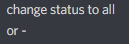
yes and put...
lyric crescent
 onyx vortex
and
lyric crescent
and what is there?
im not going to bother continuing this if all you're going to give is 1-4 word replies
onyx vortex
k
 rare pewter
hello, I have some problems with uploading my minecraft resource pack to curse forge, it gets rejected as soon as I upload it even though everything seems to be ok
lyric crescent
show the reject message
digital roost
i can download anyting it just says error
rare pewter
lyric crescent
show the reject message
it was a notification and since I've clicked on it's gone
lyric crescent
so click on all notifications
rare pewter
oh yes, I found it
lyric crescent
digital roost
i can download anyting it just says error
show the error
rare pewter
January 18
The status of the file Simple Tweaks.zip (Rcky's Simple Tweaks Texture Pack) has been changed to Rejected
File is not a valid resource or texture pack.
If you have any questions please contact our support team https://support.curseforge.com.
12 mins ago
queen storm
digital roost
i can download anyting it just says error
Then show the error?
rare pewter
sorry, I didn't mean to copy the link
lyric crescent
rare pewter
sorry, I didn't mean to copy the link
download another resourcepack and compare your zip with it
lyric crescent
send a log in #👽︱game-support
lyric crescent
dunno
rare pewter
it didn't work
jaunty plaza
Is there a way to search for a mod based on projectID?
lyric crescent
search bar on the app
jaunty plaza
ty
 hoary ginkgo
I have a badge and I'm not sure how to add it to the description
lyric crescent
it's an image isnt it?


 lyric crescent
put the image, then use the link option with it
hoary ginkgo
Thank you
 copper forge
Exporting modpack's interface takes too long to load
copper forge
copper forge
Exporting modpack's interface takes too long to load
Guys, please help me
Is there a way to bypass this, at least for now?
lyric crescent
no
copper forge
So what can I do?
lyric crescent
wait for it to load
lyric crescent
see #932780874037092414, send the log requested in there
copper forge
Where can I find it?
lyric crescent
the place i said to look
digital roost
why cant i download anything?
lyric crescent
If you explain more maybe we can answer that.
digital roost
when i press install it says installing... forever and when its done it just comes up with a fail message
lyric crescent
show the message
digital roost
cant atm dont have it rn
lyric crescent
Come back when you do.
digital roost
will do
 candid flicker
Hello guys! Any ideas why the app is very long to respond / download / installing ?
Site Web is no problem
 serene schooner
It's because they made everything faster with this recent update, and an update that's going to fix everything being so slow (because of the update that was supposed to make everything fast and smooth) is coming in like 1-2 days.
candid flicker
Oh so it's no just me
 topaz lynx
i can't download modpacks, is it because of that too?
candid flicker
Cool stuff
serene schooner
candid flicker
Oh so it's no just me
Nope, exporting is just impossible, and everything is slow.
candid flicker
Alright, I guess no Minecraft for a day or two
candid flicker
serene schooner
Nope, exporting is just impossible, and everything is slow.
Thx for the infos
serene schooner
candid flicker
Thx for the infos
Np, I was just searching for the same thing and Yamza, said that atleast the exporting being impossible it's a know issue that's going to be fixed in the next update that should come in a day or two.
topaz lynx
@serene schooner is downloading modpacks only possible after the update?
candid flicker
topaz lynx
<@!746422007146610829> is downloading modpacks only possible after the update?
I can download but can't install modpacks
serene schooner
topaz lynx
<@!746422007146610829> is downloading modpacks only possible after the update?
I'm trying to download a modpack now, it's seems like it's download and doing all it's shenanigans but slower than usual.
candid flicker
Yes, very much so
dim prairie
One message removed from a suspended account.
candid flicker
and nothing after that
topaz lynx
i get an error "one or more errors have occured"
candid flicker
topaz lynx
i get an error "one or more errors have occured"
I just have the same error right now LOL
serene schooner
dim prairie
One message removed from a suspended account.
Oh yeah, that's apparently true. Because instead of diagnosing the problem that made users receive a timeout when trying to download a modpack they've just increased the timeout wait time from 6 minutes to 20, that's hella smart.
I don't want to talk crap or anything but, when they've bragged in an update today, that they've made everything faster than ever, calling it the fastiest it's ever been and now it's slower than it's ever been.
So yeah, if anybody is looking here for support, yes people are having issues with: downloading, installing, exporting modpacks.
candid flicker
topaz lynx
worked just fine for me
I already did, first thing
dim prairie
One message removed from a suspended account.
serene schooner
But why would something like the Export Profile function be related to any server?
serene schooner
topaz lynx
<@!138619254437183488> try reinstalling the app
It works for me too now, haven't reinstalled it tho.
opal cipher
Because it looks at all the mods in your profile/pack, and checks it against the mods available on CurseForge, to make sure that all mods added, can be installed properly.
And sometimes, the servers are having bad moments, and go a bit slow.
 fringe ermine
hey! so my friend us on mac, and whenever they try to start minecraft they get something saying "crash thread 33" i dont really have the details of it, but anyone know whats happening with this based on just that? please ping when reply
rich flint
Have your friend come to the discord and post a pic of the error message
 bright magnet
hey my friend is trying to play a minecraft modpack and everything installs fine, but when he hits play, it loads up the minecraft launcher fine but when he hits play in the minecraft launcher the launcher closes and nothing happens, he dosent have mcafee, only thing that looks different from mine is the java version modloader. Thanks!
lyric crescent
They should be here to explain their issue
 remote robin
lyric crescent
They should be here to explain their issue
remote robin
lyric crescent
They should be here to explain their issue
And then what? They'll join just so you can tell them to give you a picture of their game crashing?
rich flint
Tech support through an intermediary is never ideal
lyric crescent
Unsure why you're replying me to be sassy with me.
dim prairie
One message removed from a suspended account.
fringe ermine
rich flint
Have your friend come to the discord and post a pic of the error message
their parents wont let them get it ill try and get them to send ke a pictute
 grim magnet
how do i install a server pack for minecraft?
theres no run.bat
and when i double click the forge file it does nothing
oh i think its cause its not whatever java version i need
ok i tried java 16-17 but turns out java 8 was what i needed
 outer kayak
Is there a way to make it so curseforge works with Lunar Client?
red patioBOT
Your question is not related to CurseForge owned/maintained features or services.
Please use the appropriate game room by getting a game role from #786424115535544350.
Otherwise use #👽︱game-support for game related help.
CurseForge does not make or maintain any of the content or games used on the site or app. Just because it's on the site/app does not make it a problem with CurseForge. Move rooms as requested, arguing about it will result in you being removed from the discord.
red patioBOT
Your question is not related to CurseForge owned/maintained features or services.
Please use the appropriate game room by getting a game role from #786424115535544350.
Otherwise use #👽︱game-support for game related help.
CurseForge does not make or maintain any of the content or games used on the site or app. Just because it's on the site/app does not make it a problem with CurseForge. Move rooms as requested, arguing about it will result in you being removed from the discord.
Your question is not related to CurseForge owned/maintained features or services.
Please use the appropriate game room by getting a game role from #786424115535544350.
Otherwise use #👽︱game-support for game related help.
CurseForge does not make or maintain any of the content or games used on the site or app. Just because it's on the site/app does not make it a problem with CurseForge. Move rooms as requested, arguing about it will result in you being removed from the discord.
digital roost
Im trying to add already made and custom modpacks (imported) modpacks but it's constantly cancelling itself after it's done, I tried with and without anything running in the background. Good and bad connected and it installed modpacks just fine even with bad connect back then. but it wont work at all now.
lyric crescent
How were they made? Did the person who made them import them?
digital roost
a friend of mine made it
he made modpacks before and they work but this one doesnt, same thing with already made modpacks on 'Browse Modpacks'
loads it in, ports the mods into my lib and then cancels itself
lyric crescent
you didnt answer either question
digital roost
and to let you know, Im using the microsoft's version of Minecraft launcher
digital roost
lyric crescent
you didnt answer either question
idk how he made them
lyric crescent
Ok, can you find out?
 steady leaf
I have a modpack that i'm testing to add onto a server and when I try to make a new single player world, it makes this error:
The game crashed whilst exception in server tick loop
Error: java.lang.NullPointerException: Exception in server tick loop
Exit Code: -1
red patioBOT
Error/Exit codes are useless. Follow these steps so someone can actually help you.
- Right-click the modpack profile icon OR click the button in the modpack profile.
- Click
Open Folder. - Open the
logsfolder. - Drag and drop the FILE named
latestORdebuginto discord.
steady leaf
rich flint
?notcf
red patioBOT
Your question is not related to CurseForge owned/maintained features or services.
Please use the appropriate game room by getting a game role from #786424115535544350.
Otherwise use #👽︱game-support for game related help.
CurseForge does not make or maintain any of the content or games used on the site or app. Just because it's on the site/app does not make it a problem with CurseForge. Move rooms as requested, arguing about it will result in you being removed from the discord.
rich flint
Use a game channel ^
 quartz hawk
Ok so im still having this Pixelmon issue and this is what it says every time when it gets to 30%

Please help
this is the 100th time of it happeneiong
 remote junco
The game crashed whilst rendering overlay
Error: java.lang.IllegalArgumentException: No model for layer twilightforest:hydra_head#main
Exit Code: -1 Someone help me with this trying to install twilight forest mod into singleplayer mode but as soon as i start the forge play it crashes my game
red patioBOT
Error/Exit codes are useless. Follow these steps so someone can actually help you.
- Right-click the modpack profile icon OR click the button in the modpack profile.
- Click
Open Folder. - Open the
logsfolder. - Drag and drop the FILE named
latestORdebuginto discord.
quartz hawk
so can i get some help?
remote junco
rich flint
remote junco
Post the crash-report.txt talked about at the end of log to #👽︱game-support
quartz hawk
I beg someone who knows how to fix it
rich flint
quartz hawk
I beg someone who knows how to fix it
did you click the button to 'learn more'?
quartz hawk
rich flint
did you click the button to 'learn more'?
yea but it just sent me here
red patioBOT
Timeout/WebClient errors are from networking issues to your computer. You can try a few things to fix it:
- Restart the computer.
- Restart your router/modem.
- Try another internet source like a hotspot, wired connection or moving closer to the WiFi.
- Pause/Stop other things using the internet. (Streams, music, etc)
- If this still doesn't work, try again in an hour and hope your connection is stable.
rich flint
try some of those.
quartz hawk
i already have:/
rich flint
the pixelmon modpack has an absurdly large mod file that often gets stuck from poor connectivity (400mb)
 gray violet
Can someone please help me on how i can fix this
this modpack has worked fine up until just now
 grim path
hello
 outer bramble
Vaporeon, what version of fabric are you using?
Did you make sure all your mods run the version of fabric your using on that modpack?
gray violet
0.12.11
how can i update the fabric version on the modpack?
actually i figured it out and updated it
but it still doesnt work 😦
 plush void
I have an issue
Im using the launcher and whenever I want to change the icon or the ram usage in the mc launcher it never saves
I dont know whats happening
red patioBOT
How to set Global Minecraft RAM value.
- Click the icon in the bottom left to open settings.
- Click the Minecraft tab.
- Scroll down.
- Slide slider to recommended ram range as seen below.
 rich flint
when you launch using the CF launcher > the settings set by the launcher app are pushed to the vanilla launcher
digital roost
when i join my rlcraft server
 rich flint
?notcf
red patioBOT
Your question is not related to CurseForge owned/maintained features or services.
Please use the appropriate game room by getting a game role from #786424115535544350.
Otherwise use #👽︱game-support for game related help.
CurseForge does not make or maintain any of the content or games used on the site or app. Just because it's on the site/app does not make it a problem with CurseForge. Move rooms as requested, arguing about it will result in you being removed from the discord.
gray violet
Can anyone please help me with this, ive tried to fix it for hours with no luck
upper root
You clearly haven't tried for hours: A potential solution has been determined: - Replace mod 'Sodium' (sodium) 0.4.0-alpha5+build.9 (C:\Users\Dylan\curseforge\minecraft\Instances\ImprovedCraft\mods\sodium-fabric-mc1.18-0.4.0-alpha5+build.9.jar) with version 0.4.0-alpha6. - Replace mod 'Fabric Loader' (fabricloader) 0.12.11 (C:\Users\Dylan\curseforge\minecraft\Install\libraries\net\fabricmc\fabric-loader\0.12.11\fabric-loader-0.12.11.jar) with version 0.12.12 or later.
gray violet
well i dont really know what im doing
not really an expert in this stuff
i tried getting the newer version of sodium
but then then iris doesnt work
dim prairie
One message removed from a suspended account.
upper root
!mc-updatemodloader make sure this is latest
red patioBOT
You can update the mod loader within the same game version in the CurseForge app by following these steps!
- Click on the modpack profile you are working with.
- Click on the button next to the play button.
- Click on the Profile Options button.
- Select the mod loader version you want from the dropdown.
- Play!
If you need to update to a new game version, a new profile is required.
dim prairie
One message removed from a suspended account.
gray violet
all versions of iris are alpha or just the latest?
also how did you do the potential solution thing i have no idea how to do taht
dim prairie
One message removed from a suspended account.
dim prairie
gray violet
also how did you do the potential solution thing i have no idea how to do taht
One message removed from a suspended account.
gray violet
oh yeah i read it earlier i just thought he did something different
never mind me lmao
dim prairie
One message removed from a suspended account.
upper root
red patio
Vaporeon, make sure to do this too! ^^^^^ Its probably the cause of the issue (not iris)
dim prairie
One message removed from a suspended account.
 languid ore
I added few mods to my modpack and when I try to launch the game,it loads and then shows me this:
 upper root
!mc-logs put this ⤵️ into #👽︱game-support, one of those mods conflicts with another
red patioBOT
Sending logs for support.
- Right-click the modpack profile icon OR click the button in the modpack profile.
- Click
Open Folder. - Open the
logsfolder. - Drag and drop the FILE named
latestORdebuginto discord.
languid ore
upper root
Arghhh. Its this mod again.
One of your mods that changes the sky in some way is conflicting with another.
It may be ice and fire
 pale grotto
is there any way to download curseforge on mac osx 10.11 (el captian)?
upper root
!getcf
red patioBOT
Looking to install the CurseForge app?
<:windows:798410728188936222> Windows
Minimum Requirements:
- OS Version: 7 (64 bit), 8.1, 10, 11
- 64 bit Required.
- 350MB storage space.
- Microsoft .Net 4.8
- Intel/AMD quad-core CPU
- 8GB ram
Download: https://download.overwolf.com/install/Download?&PartnerId=4047
If you are having issues with the installer use the URL below to install Overwolf then go to the app store to download CurseForge.
https://content.overwolf.com/downloads/setup/latest/regular.html
<:mac:798410654418862130> Mac
Minimum Requirements:
- OS Version 10.14 or newer.
- 64 bit Required.
Download: https://curseforge.overwolf.com/downloads/curseforge-latest.dmg
:penguin: Linux
Minimum Requirements:
Yes.
Download: :person_shrugging:
upper root
Seems not, the min requirement is 10.14
 iron dawn
HELP
 red patioBOT
Timeout/WebClient errors are from networking issues to your computer. You can try a few things to fix it:
- Restart the computer.
- Restart your router/modem.
- Try another internet source like a hotspot, wired connection or moving closer to the WiFi.
- Pause/Stop other things using the internet. (Streams, music, etc)
- If this still doesn't work, try again in an hour and hope your connection is stable.
iron dawn
guys
so whenever i try to search for any item it says
The game crashed whilst rendering item
Error: java.lang.IllegalStateException: Not building!
Exit Code: -1
red patioBOT
Error/Exit codes are useless. Follow these steps so someone can actually help you.
- Right-click the modpack profile icon OR click the button in the modpack profile.
- Click
Open Folder. - Open the
logsfolder. - Drag and drop the FILE named
latestORdebuginto discord.
iron dawn
what ?
red patioBOT
Your question is not related to CurseForge owned/maintained features or services.
Please use the appropriate game room by getting a game role from #786424115535544350.
Otherwise use #👽︱game-support for game related help.
CurseForge does not make or maintain any of the content or games used on the site or app. Just because it's on the site/app does not make it a problem with CurseForge. Move rooms as requested, arguing about it will result in you being removed from the discord.
 hasty trellis
I tried to download a modpack for minecraft twice now, but when downloading i got the errormessage: remote name could not be resolved. What exactly does this mean and what can I do about it? Sorry if this is a naive question, im pretty new to this stuff 😄
lyric crescent
can you show the error
hasty trellis
The error was the message: The remote name could not be resolved: edge.forgecdn.com
That was all I got sadly, no errorcode or anything else
lyric crescent
yea, just wanna see it
hasty trellis
 lyric crescent
?owlogs
red patioBOT
<:overwolf:857375414002384916> How to get Overwolf logs! <:overwolf:857375414002384916>
lyric crescent
send that here
hasty trellis
okay, thank you
 daring delta
hello, so my friend has downloaded curseforage but when he tries to open it doesnt even open
opal cipher
So, get your friend in here, so we can ask your friend for their logs, so that we can forward those logs to the devs.
 opal kettle
hasty trellis
opal kettle
hasty trellis
DNS problem/Internet problem
 lean plover
opal cipher
So, get your friend in here, so we can ask your friend for their logs, so that w...
lean plover
opal cipher
So, get your friend in here, so we can ask your friend for their logs, so that w...
Alright so I have curse forge and overwolf installed but if I click on either a loading page opens, it says preparing for first launch but then goes away after a minute or two and nothing happens
opal cipher
!owlogs
red patioBOT
<:overwolf:857375414002384916> How to get Overwolf logs! <:overwolf:857375414002384916>
opal cipher
Thank, sending them to the devs.
lean plover
alright thanks
daring delta
opal cipher
Thank, sending them to the devs.
just asking and no offesne
do u know how long it will take to find the problem
opal cipher
No clue sadly.
daring delta
ok thanks
lyric crescent
Those arnt the correct logs btw
 polar jay
Issue: So, I have tried installing and playing two different modpacks for 1.18.1 (Better Minecraft 1.18.1 and Team Rustic 4, in case needed) based on forge loader. Everything seems to install just fine. When I open the profile on the minecraft launcher (using the play button on those curseforge profiles) it opens it properly too. But when I hit play there, the game doesn't load and always end with Exit code 0. I have tried launching other modpack based on Fabric 1.18.1 and it plays perfectly fine.
Why is this happening? I don't get a error log since it seems to exit with code 0.
Some settings of importance(I think?):
Allocated ram: 4 GB (4096MB)
Resolution: Auto/1080p(desktop resolution)
Java: 1.17/auto
Would appreciate if anyone could help me rectify why it's happening. I must be doing something wrong. But no settings tweaks i tried seemed to work. So, I've to resort to asking for help here.
PS: Btw, Forge launcher works fine when I am playing using normal minecraft launcher. At least the forge for 1.18 is.
red patioBOT
Error/Exit codes are useless. Follow these steps so someone can actually help you.
- Right-click the modpack profile icon OR click the button in the modpack profile.
- Click
Open Folder. - Open the
logsfolder. - Drag and drop the FILE named
latestORdebuginto discord.
polar jay

PPS: the only apparent log i have is latest.log that only contains lines such as "Found mod file".
lyric crescent
?mc-installfix try this
red patioBOT
This is NOT instructions for Repair Profile! They are NOT the same! You need to do this!
- Click on the Minecraft Tab on the Left side of the CurseForge App.
- Click button next to the
Create Custom Profileoption. - Click
Repair Installationoption. - Play game.
NOTE: You will not lose any modpacks or worlds!
polar jay
I have tried the "Repair Installation", it doesn't seem to fix it. Giving the same issue.
red patioBOT
Missing the debug.log file? Enable it by following these steps.
- Click the icon in the bottom left.
- Click the

Minecrafttab. - Turn on the
Enable Forge debug.logoption.
lyric crescent
send that log
polar jay
Alright
lyric crescent
you will need to run the game again after enabling that
polar jay
lyric crescent
still nothing that i can see here
i would suggest asking in the forge discord, maybe they can see something in this log
!mc-forge
red patioBOT
lyric crescent
lmk if they cant figure it out
polar jay
I have messaged in their support channel detailing the problem and sending log and debug files. I'll contact once I get reply.
polar jay
So... the last message I got from them is this: Looks to me like curse launcehr messed up the installation.
After they asked to see the launcher_log.txt file.
lyric crescent
do install fix again, but restart your pc before you open anything again
polar jay
okay. Btw, are you also part of the forge discord community. I was confused when I saw your message there. Thought I got forge and curseforge mixed or something. XD
lyric crescent
only so that i can see how they handle issues to prevent having to send people there in the future
digital roost
how do i update my modpack when i have a modpack released i need to update it with 2 mods but down really know how
 tired sluice
hey so i uploaded a mod, and it has been aprooved, but when i search for it i cant find it
is it not aprooved? i uploaded 2 files and both said they got aprooved but my mod is like invisible
lyric crescent
link your project
lyric crescent
digital roost
how do i update my modpack when i have a modpack released i need to update it wi...
same way you uploaded it to begin with, just do it all again.
tired sluice
digital roost
delete the modpack and ad it again ? or just ad it ontop of the last uploaded
lyric crescent
why would you be deleting things?
lyric crescent
tired sluice
https://www.curseforge.com/minecraft/mc-mods/relda-mod
?sync
red patioBOT
Sync and your Project.
CurseForge App and site do not share the same requirements! You can find things on the site but this does not mean it will be in the app!
For a mod to show up in the app:
- Projects MUST have a file marked as RELEASE or BETA
- Projects MUST be APPROVED
- Projects MUST have a file marked for the GAME VERSION SELECTED/LOADED
- Projects CAN'T be EXPERIMENTAL
- Projects CAN'T be ABANDONED
Files can take a while to show up in the app. If your files still have not shown up either your project is new and you have yet to mark a file as Release/Beta or there is issues with the sync system making it slow.
Vote this issue up if you would like to know when the last sync was! https://curseforge-ideas.overwolf.com/ideas/CF-I-1617
digital roost
lyric crescent
why would you be deleting things?
im asking because i dont know a thing about this. okay so i have a modpack on curse right... now i want to update the modpack with 2 mods. now i dont know how to do that thats why i replied if i should delete the mod pack and add it again or can i just upload it on top of the same mod pack ?
lyric crescent
you upload a new file, just like you did the first time (feel like i said this)
?mc-packshare
red patioBOT
There are two ways to share a modpack you've made with others...
Export and Share - For Friends to Small Groups.
- Click the Icon for the modpack.
- Click the button next to play.
- Click
Export. - Select the files that should be included.
- Send the zip to the people that want it! They can follow the instructions in
!mc-installpackto install the pack!
Upload to Curseforge - For Public Release to Everyone.
This options will make your pack public to EVERYONE, it comes with extra requirements and will take some effort to set up.
- Go to here: https://www.curseforge.com/project/432/4471/create
- Fill out the information with a proper description of the pack. This should allow anyone to understand what the pack is.
- Click the Icon for the modpack in the CurseForge app.
- Click the button next to play.
- Click
Export. - Select the files that should be included.
- Open your Project you made on the CurseForge site and Upload the file you just made.
- Wait for Moderation & Sync so it can show up in the client! (See
!syncfor limitations)
digital roost
now i get these errors
The following files belong to CurseForge-hosted projects, and should therefore not be added directly to zip files:
overrides/mods/CraftTweaker-1.16.5-7.1.2.489.jar
overrides/mods/inventorysorter-1.16.1-18.1.0.jar
lyric crescent
?reject-cfhosted
red patioBOT
The following files belong to CurseForge-hosted projects, and should therefore not be added directly to zip files:
-
Remove any mods listed in the error message from the profile you exported. Then reinstall them with the CurseForge app. DO NOT drag and drop files from the site.
-
Export the profile again, open the new zip that was just made. Check for the
overrides/modsfolder. If you still see any mods in that folder do the step above again for each mod. -
Upload the zip once complete and no more mods show in the
overrides/modsfolder.
vale ember
Hey my new modpack says (You should add actual information to the description) even tho it has i tried to open a ticket but captcha verification failed each time even tho i finished it. https://www.curseforge.com/minecraft/modpacks/efm-prevalence-adventures
lyric crescent
link doesnt show anything since it's not approved
vale ember
Dont it show for curseforge staff?