#🔥︱curseforge-support
1 messages · Page 522 of 1
 signal ridge
 lament shale
everytime i play the minecraft zombie apocalypse mod this happens after 1 minute

i need help
 lyric crescent
?mc-log
 red patioBOT
Sending logs for support.
Right-click the modpack profile icon OR click the  button in the modpack profile.
Click 
Open Folder.
Open the logs folder.
Find the file called debug.log OR latest.log and drag it into discord.
lament shale
found it
red patioBOT
Please visit the project page for the content you posted about and look for a way to contact the developer.
Somewhere on the page there is usually a method of contact. Look for one of the following things:
Issuestab like the image below.- Discord link.
- Twitter link.
- Comments section below the project.
If no contact method exists you will either have to remove the project or find a solution on your own.
 lament shale
thanks
 azure cliff
hey, so my friend cant join my server coz of auth even tho i turned off online mode
 hardy spoke
why turn off?
:V
azure cliff
coz it was a problem when he tried to join
lyric crescent
why would that be a problem
azure cliff
and even tho i turned it off it still somehow works
azure cliff
lyric crescent
why would that be a problem
it was kicking him out when authorizing
lyric crescent
do they own minecraft?
azure cliff
nope
lyric crescent
then you will not be getting support here.
 dusky sundial
can anyone help me?
red patioBOT
╰( ͡° ͜ʖ ͡° )つ──☆*:・゚ *˜”*°•.˜”*°• Many Help •°*”˜.•°*”˜* <:curselit:796985620550385705>
Please provide a description of your issue with as much detail as possible. If you have an issue with a mod or modpack, tell us the name. Explain what you can see happening. Be specific!
 Tell us what is happening, we already know it "doesn't work".
Avoid using words like "it", tell us exactly what "it" is.
Don't assume anyone knows what you are talking about, be specific.
Tell us what you expected to happen.
Provide screenshots or video if possible.
Provide a log if possible. ?mc-log
dusky sundial
when i start forge 1.16.5 from the launcher of minecraft (whit 7 mod loaded) it kip crashing when it's loading
red patioBOT
The question you are asking about isn't related to CurseForge. Please use the appropriate game rooms by getting the role from #786424115535544350 or use #👽︱game-support for help.
This room is only for CurseForge Owned & Maintained features/services.
 native blade
If a big community were to want to upload a custom mod pack of their own to CurseForge. How would they go about that?
lyric crescent
?mc-packshare
red patioBOT
There are two ways to share a modpack you've made with others...
Export and Share - For Friends to Small Groups.
- Click the Icon for the modpack.
- Click the button next to play.
- Click

Export. - Select the files that should be included.
- Send the zip to the people that want it! They can follow the instructions in
!mc-installpackto install the pack!
Upload to Curseforge - For Public Release to Everyone.
This options will make your pack public to EVERYONE, it comes with extra requirements and will take some effort to set up.
- Go to here: https://www.curseforge.com/project/432/4471/create
- Fill out the information with a proper description of the pack. This should allow anyone to understand what the pack is.
- Click the Icon for the modpack in the CurseForge app.
- Click the button next to play.
- Click
Export. - Select the files that should be included.
- Open your Project you made on the CurseForge site and Upload the file you just made.
- Wait for Moderation & Sync so it can show up in the client! (See
!syncfor limitations)
 trim torrent
why isnt the ore excavation mod showing when i type it in. i want to add it to my mod pack.
lyric crescent
how are you searching for it
trim torrent
i open curse forge and i click on my mod pack and click add mods, and type in ore excavation and it has no results
lyric crescent
is ore excavation available for your profile version
trim torrent
im not sure how do i tell
lyric crescent
look at the mod page
trim torrent
thank you for your help i got it figured out!!!
 delicate void
How Come My Modpack Still Isn't On The Curse Forge App?
lyric crescent
link?
delicate void
https://www.curseforge.com/project/510033/files/upload For Some Reason It Did Not Save The Changes I Made To It
lyric crescent
need a link to the actual pack
lyric crescent
!sync
red patioBOT
Sync and your Project.
CurseForge App and site do not share the same requirements! You can find things on the site but this does not mean it will be in the app!
For a mod to show up in the app:
- Projects MUST have a file marked as RELEASE
 or BETA
- Projects MUST be APPROVED
- Projects MUST have a file marked for the GAME VERSION SELECTED/LOADED
- Projects CAN'T be EXPERIMENTAL
- Projects CAN'T be ABANDONED
Files can take a while to show up in the app. If your files still have not shown up either your project is new and you have yet to mark a file as Release/Beta or there is issues with the sync system making it slow.
Vote this issue up if you would like to know when the last sync was! https://curseforge-ideas.overwolf.com/ideas/CF-I-1617
 flat pewter
i cant find addons for tbc classic in curseforge app. Some friends told me i need to change to bbc from retail. but i cant find the folder it should be to the right for search for addons..
lyric crescent
then you should probably tell what the issue is..
 near drift
i cant install forge '
lyric crescent
!notcf
red patioBOT
The question you are asking about isn't related to CurseForge. Please use the appropriate game rooms by getting the role from #786424115535544350 or use #👽︱game-support for help.
This room is only for CurseForge Owned & Maintained features/services.
delicate void
lyric crescent
!sync
When I Mark It As Release It Dose Not Save Same When I Try To Mark It's Game Version
lyric crescent
!TICKET-SITE
delicate void
How Do I Save It
red patioBOT
:bug: Reporting via Website :bug:
Can't open the app or would rather use the website? You can do so here: https://support.curseforge.com/en/support/tickets/new
Fill out the form with accurate detailed information, "It doesn't work" isn't helpful! What exactly doesn't work and why doesn't it work should be easy to answer!
Make sure to upload your Overwolf logs with the Upload File option on the ticket, information on how to get these logs can be found here https://support.overwolf.com/en/support/solutions/articles/9000176827-how-to-get-your-overwolf-logs
 fleet bear
flat pewter
i cant find addons for tbc classic in curseforge app. Some friends told me i nee...
trim torrent
fleet bear
flat pewter
i cant find addons for tbc classic in curseforge app. Some friends told me i nee...
trim torrent
what mod has EMC?
red patioBOT
The question you are asking about isn't related to CurseForge. Please use the appropriate game rooms by getting the role from #786424115535544350 or use #👽︱game-support for help.
This room is only for CurseForge Owned & Maintained features/services.

 lyric crescent
make a ticket if it doesnt work
delicate void
How Do I Make A Ticket?
lyric crescent
LOOK UP
fleet bear
That's an upload page...
You cant upload an empty file
You need to edit the file not add a new one.
 digital roost

 burnt plover
Hey guys,I have already activated the Sync option,but when I try to apply it on my new computer,it doesnt transfer the addons Ç(
😦
delicate void
I Fixed It
digital roost
why?
 fleet bear
digital roost
why?
fleet bear
digital roost
why?
Restart overwolf.
 grand nebula
Dont suppose someone can tell me how to transfer curseforge to a new drive? the method Im using doesnt seem to be worknig
lyric crescent
?mc-path
red patioBOT
Change your install path to the following:
For Windows: C:\CurseForge
-Go to C:\ drive. Make a new folder. Name it Curseforge.
For Mac: /Users/Shared/CurseForge
If Minecraft is not installed in CurseForge App:
- Click the
 in the top left.
 - Select Minecraft from the list of games.
- Select the
Advancedoption and pick the folder you just made. - Click
Continue.
If Minecraft is installed in CurseForge App:
- Click the
 in the bottom left.
 - Select the Minecraft tab.
- Click
Change. - Select the folder you just made.
:no_entry_sign: Minecraft Files should NOT be installed inside the following locations :no_entry_sign:
:no_entry_sign: .minecraft folder.
:no_entry_sign: OneDrive folders.
:no_entry_sign: Desktop folder.
:no_entry_sign: Drive roots I.E. Directly into the C:\ drive.
:no_entry_sign: iCloud enabled folders.
:no_entry_sign: or any other cloud saved folder.
If any of the above are in the path you need to change/move it!
grand nebula
cheers mate
 slender viper
how long does it take for a file to go thru?

 cobalt bolt
hey i need help
i tried to install SCP Wilderness Survival but its just not showin up in my modpacks at all.
 viral briar
slender viper
how long does it take for a file to go thru?
viral briar
slender viper
how long does it take for a file to go thru?
!status
red patioBOT
It is 02:20AM on Friday for CurseForge my dudes.
Project Moderation Time
Project/File moderation is done on;
Sunday, Monday, Tuesday, Wednesday, Thursday: 10AM - 6PM GMT+2
Friday, Saturday: No Moderation!
This process is First in, First out. Thus files submitted late in the work day may not be checked until the next work day.
New Projects or uploads requiring manual approval: 1-3 Working Days
Updates to approved projects not needing manual approval: 1 Hour
File sync to the Curseforge app may take up to 24 hours after approval.
 limpid pollen
So I’m trying to download the curse forge app,, but everytime I download and try to launch, it says that the version is broken and I should download the latest version
(Im downloading directly from the overwolf website)
I tried a different download link from another website and it still wouldn’t launch at all
I just get the “do you want to allow this app to make changes” popup and nothing happens after that
 lyric crescent
This is not an issue to ping moderators for.
 covert plank
well, im sorry but i dont know what to do
lyric crescent
wait for an answer
covert plank
from who?
lyric crescent
someone who wants to answer
 tropic scaffold
How can I update my mods for my modpack. Just found out that this whole time it's been uploaded that CurseForge only actually took 9 of the mods because the others were "old versions" without telling me. So now I have 190 or so mods that need to be updated to fix my pack without any way of doing it that's not manually downloading and changing all the .jar files. When I load the pack into the Launcher it only shows the up-to-date mods
EDIT: Okay actually with some help from friends it looks like its not reading ANY of the mods I imported, just adding mods from the "related projects" I have selected, which is even more confusing
 winter kindle
Im trying to run my 1.12.2 forge mc in eclipse but Im getting this error:
https://paste.md-5.net/bedufajoso.bash
Could someone help me out?
 fallen loom
covert plank
fallen loom
covert plank
Where is your MC Path set to?
hardy spoke
^^^^
<@&524645667818307596>
fallen loom
!help
red patioBOT
╰( ͡° ͜ʖ ͡° )つ──☆*:・゚ *˜”*°•.˜”*°• Many Help •°*”˜.•°*”˜* <:curselit:796985620550385705>
Please provide a description of your issue with as much detail as possible. If you have an issue with a mod or modpack, tell us the name. Explain what you can see happening. Be specific!
Tell us what is happening, we already know it "doesn't work".
Avoid using words like "it", tell us exactly what "it" is.
Don't assume anyone knows what you are talking about, be specific.
Tell us what you expected to happen.
Provide screenshots or video if possible.
Provide a log if possible. ?mc-log
 wary goblet
i have this problem it says an exeption has occured during a webclient
fallen loom
!webclient
red patioBOT
WebClient errors are from networking issues to your computer. You can try a few things to fix it:
- Restart the computer.
- Restart your router/modem.
- Try another internet source like a hotspot, wired connection or moving closer to the WiFi.
- Pause/Stop other things using the internet. (Streams, music, etc)
- If this still doesn't work, try again in an hour and hope your connection is stable.
wary goblet
oki
fallen loom
?mc-path
red patioBOT
Change your install path to the following:
For Windows: C:\CurseForge
-Go to C:\ drive. Make a new folder. Name it Curseforge.
For Mac: /Users/Shared/CurseForge
If Minecraft is not installed in CurseForge App:
- Click the in the top left.
- Select Minecraft from the list of games.
- Select the
Advancedoption and pick the folder you just made. - Click
Continue.
If Minecraft is installed in CurseForge App:
- Click the in the bottom left.
- Select the Minecraft tab.
- Click
Change. - Select the folder you just made.
:no_entry_sign: Minecraft Files should NOT be installed inside the following locations :no_entry_sign:
:no_entry_sign: .minecraft folder.
:no_entry_sign: OneDrive folders.
:no_entry_sign: Desktop folder.
:no_entry_sign: Drive roots I.E. Directly into the C:\ drive.
:no_entry_sign: iCloud enabled folders.
:no_entry_sign: or any other cloud saved folder.
If any of the above are in the path you need to change/move it!
fallen loom
You guess?
covert plank
what to do?
covert plank
fallen loom
You guess?
well... i said that because i didnt get what u r asking
so...
but i can find my minecraft inside the appdata folder
fallen loom
Did you read what the bot said?
tropic scaffold
Any idea about my issue, Umbra? Basically what seems to be happening is that when I export my pack it's not putting the mods in the manifest.json or something? Because when I upload it to CF and then download it through the official version none of the mods are there
lyric crescent
?mc-log
red patioBOT
Sending logs for support.
Right-click the modpack profile icon OR click the button in the modpack profile.
Click Open Folder.
Open the logs folder.
Find the file called debug.log OR latest.log and drag it into discord.
 fallow wagon
bro every time i get into my world on my server it says error with kubejs and then when i walk around a little it crashes ???
fallen loom
Please read the message directly before yours...
signal ridge
fallow wagon
bro every time i get into my world on my server it says error with kubejs and th...
#📛︱rules 4
fallen loom
!help
red patioBOT
╰( ͡° ͜ʖ ͡° )つ──☆*:・゚ *˜”*°•.˜”*°• Many Help •°*”˜.•°*”˜* <:curselit:796985620550385705>
Please provide a description of your issue with as much detail as possible. If you have an issue with a mod or modpack, tell us the name. Explain what you can see happening. Be specific!
Tell us what is happening, we already know it "doesn't work".
Avoid using words like "it", tell us exactly what "it" is.
Don't assume anyone knows what you are talking about, be specific.
Tell us what you expected to happen.
Provide screenshots or video if possible.
Provide a log if possible. ?mc-log
digital roost
hi can someone help me pls
signal ridge
digital roost
hi can someone help me pls
Read bot message above your message
digital roost
i want to play a mod i am playing mod for first time i dont know how to use mods stuff so could someone help me
signal ridge
digital roost
i want to play a mod i am playing mod for first time i dont know how to use mods...
This for minecraft?
digital roost
ye
signal ridge
Do you have the curseforge app?
digital roost
ye
signal ridge
Have you created a custom profile?
digital roost
no
signal ridge
OR are you wanting to play pre-made modpacks?
digital roost
premade
signal ridge
!mc-installpacks
red patioBOT
How to install modpacks with the search features in app.
- Open the

Minecraftsection of the app. - Click the top search bar where it says
Search for modpacksOR Click theBrowse ModpacksTab. - Find the Modpack you want to install and click install on it.
- Wait for CurseForge app to download and unpack all the required files.
- Once finished, click
Play!
How to install modpacks from a Export. (Custom/Private/Site downloaded Modpack zip)
- Get CurseForge App if you don't have it, use
!downloadfor a link. - Get the exported modpack from CurseForge or someone else,
!mc-packshareexplains how to make them. - Open the
Minecraftsection of the app. - Click

Create Custom Profile - Click the
Importoption. - Find the file you just downloaded in step 2 and select it.
- CurseForge app will now attempt to download and unpack the modpack. If it fails, try steps 4-6 again.
- Once finished, click
Play!
 digital roost
!mc-packshare
red patioBOT
There are two ways to share a modpack you've made with others...
Export and Share - For Friends to Small Groups.
- Click the Icon for the modpack.
- Click the button next to play.
- Click
Export. - Select the files that should be included.
- Send the zip to the people that want it! They can follow the instructions in
!mc-installpackto install the pack!
Upload to Curseforge - For Public Release to Everyone.
This options will make your pack public to EVERYONE, it comes with extra requirements and will take some effort to set up.
- Go to here: https://www.curseforge.com/project/432/4471/create
- Fill out the information with a proper description of the pack. This should allow anyone to understand what the pack is.
- Click the Icon for the modpack in the CurseForge app.
- Click the button next to play.
- Click
Export. - Select the files that should be included.
- Open your Project you made on the CurseForge site and Upload the file you just made.
- Wait for Moderation & Sync so it can show up in the client! (See
!syncfor limitations)
signal ridge
Packshare is if someone gave you a zip file created from the cf app OR you downloaded a pack from the site
digital roost
can u help me?
digital roost
signal ridge
Packshare is if someone gave you a zip file created from the cf app OR you downl...
k
signal ridge
What modpack are you wanting to play? OR do you want to make your own?
signal ridge
ok, so search for RLcraft and hit the install button in the app
limpid pollen
limpid pollen
So I’m trying to download the curse forge app,, but everytime I download and try...
can you help with this after, no rush tho @signal ridge
signal ridge
limpid pollen
can you help with this after, no rush tho <@217048549706301442>
#📛︱rules 5
digital roost
i have installed it but after that idk
signal ridge
Hit play
digital roost
ok
signal ridge
limpid pollen
can you help with this after, no rush tho <@217048549706301442>
!getcf try the second link for windows
red patioBOT
Looking to install the CurseForge app?
<:windows:798410728188936222> Windows
Minimum Requirements:
- OS Version: 7, 8.1, 10
- 64 bit Required.
- 350MB storage space.
- Microsoft .Net 4.8
- Intel/AMD quad-core CPU
- 8GB ram
Download: https://download.overwolf.com/install/Download?&PartnerId=4047
If you are having issues with the installer use the URL below to install Overwolf then go to the app store to download CurseForge.
https://content.overwolf.com/downloads/setup/latest/regular.html
<:mac:798410654418862130> Mac
Minimum Requirements:
- OS Version 10.14 or newer.
- 64 bit Required.
Download: https://curseforge.overwolf.com/downloads/curseforge-latest.dmg
:penguin: Linux
Minimum Requirements:
Yes.
Download: :person_shrugging:
digital roost
then?
signal ridge
If you havent sign into the Launcher that pops up with the account that owns the Java Edition of minecraft. Then hit the Green Play button and let it load
signal ridge
I also recommend you go to #786424115535544350 and get the Minecraft role , so if you have any questions about rlcraft you can ask in #🧱︱minecraft-chat
digital roost
can someone help me
i have a few custom profiles on the curseforge app
and
it just loads up minecraft and when i click play it says exit code 0
@fleet bear
sry
message: /tableflip
(╯°□°)╯︵ ┻━┻
red patioBOT
╰( ͡° ͜ʖ ͡° )つ──☆*:・゚ *˜”*°•.˜”*°• Many Help •°*”˜.•°*”˜* <:curselit:796985620550385705>
Please provide a description of your issue with as much detail as possible. If you have an issue with a mod or modpack, tell us the name. Explain what you can see happening. Be specific!
Tell us what is happening, we already know it "doesn't work".
Avoid using words like "it", tell us exactly what "it" is.
Don't assume anyone knows what you are talking about, be specific.
Tell us what you expected to happen.
Provide screenshots or video if possible.
Provide a log if possible. ?mc-log
fallen loom
?mc-installfix
red patioBOT
- Click on the Minecraft Tab on the Left side of the CurseForge App.
- Click button next to the
Create Custom Profileoption. - Click

Repair Installationoption. - Play game.
NOTE: You will not lose any modpacks or worlds, These are saved in the Instances folder. DO NOT TOUCH THIS FOLDER OR YOU WILL LOSE EVERYTHING
digital roost
thanks i think its working
it doesnt work
i fixed the curseforge and the profile
and it still says exit code 0
digital roost
on the app?
yeah
click on 3 dots next to the profile you want to put otpifine in
then open folder
 swift agate
hi everytime i try to downlaod a mod on the the curseforge app it says an exception occured during a webclient request and i cant download any mods so i was wondering if you know how to fix that
 opal cipher
swift agate
hi everytime i try to downlaod a mod on the the curseforge app it says an except...
opal cipher
swift agate
hi everytime i try to downlaod a mod on the the curseforge app it says an except...
!webclient
red patioBOT
WebClient errors are from networking issues to your computer. You can try a few things to fix it:
- Restart the computer.
- Restart your router/modem.
- Try another internet source like a hotspot, wired connection or moving closer to the WiFi.
- Pause/Stop other things using the internet. (Streams, music, etc)
- If this still doesn't work, try again in an hour and hope your connection is stable.
swift agate
okay thx
digital roost
what can i do about exit code 0 after launching a custom profile
;-;
ok
someone pls help i have a mc log if u need it
fleet bear
!status
red patioBOT
It is 11:05AM on Friday for CurseForge my dudes.
Project Moderation Time
Project/File moderation is done on;
Sunday, Monday, Tuesday, Wednesday, Thursday: 10AM - 6PM GMT+2
Friday, Saturday: No Moderation!
This process is First in, First out. Thus files submitted late in the work day may not be checked until the next work day.
New Projects or uploads requiring manual approval: 1-3 Working Days
Updates to approved projects not needing manual approval: 1 Hour
File sync to the Curseforge app may take up to 24 hours after approval.
fleet bear
!sync
red patioBOT
Sync and your Project.
CurseForge App and site do not share the same requirements! You can find things on the site but this does not mean it will be in the app!
For a mod to show up in the app:
- Projects MUST have a file marked as RELEASE or BETA
- Projects MUST be APPROVED
- Projects MUST have a file marked for the GAME VERSION SELECTED/LOADED
- Projects CAN'T be EXPERIMENTAL
- Projects CAN'T be ABANDONED
Files can take a while to show up in the app. If your files still have not shown up either your project is new and you have yet to mark a file as Release/Beta or there is issues with the sync system making it slow.
Vote this issue up if you would like to know when the last sync was! https://curseforge-ideas.overwolf.com/ideas/CF-I-1617
 clear stag
just a quick question, is there some way to make a fresh install COPY of a modpack, to get a newer update without updating an existing version of a modpack?
 queen storm
Go to browse, install again?
fleet bear
Update, select "update to new profile"
Or you can do it via the versions tab on the search I believe.
 shrewd apex
every time i run mione craft with forge or fabric , thia happend!! can any one help me ?

 tacit monolith
How to find out which mod is causing this?
 opal cipher
Copy the file ID, google that number and curseforge
tacit monolith
Not sure
 lyric crescent
gotta look in the manifest for which project has that file id, then google the project id
tacit monolith
Ok thanks I'll try when I'm back home
 empty lagoon
hi im having an issue with launching a modpack for minecraft i keep getting error code 0, they have been able to launch it fine but im the only one having issues
empty lagoon
shrewd apex
every time i run mione craft with forge or fabric , thia happend!! can any one h...
same issue as this guy but im using forge
 sly quiver
I have little problem 😄 i'm using curseforge for the first time
 lyric crescent
?mc-path
red patioBOT
Change your install path to the following:
For Windows: C:\CurseForge
-Go to C:\ drive. Make a new folder. Name it Curseforge.
For Mac: /Users/Shared/CurseForge
If Minecraft is not installed in CurseForge App:
- Click the in the top left.
- Select Minecraft from the list of games.
- Select the
Advancedoption and pick the folder you just made. - Click
Continue.
If Minecraft is installed in CurseForge App:
- Click the in the bottom left.
- Select the Minecraft tab.
- Click
Change. - Select the folder you just made.
:no_entry_sign: Minecraft Files should NOT be installed inside the following locations :no_entry_sign:
:no_entry_sign: .minecraft folder.
:no_entry_sign: OneDrive folders.
:no_entry_sign: Desktop folder.
:no_entry_sign: Drive roots I.E. Directly into the C:\ drive.
:no_entry_sign: iCloud enabled folders.
:no_entry_sign: or any other cloud saved folder.
If any of the above are in the path you need to change/move it!
lyric crescent
?mc-log @empty lagoon@shrewd apex
red patioBOT
Sending logs for support.
Right-click the modpack profile icon OR click the button in the modpack profile.
Click Open Folder.
Open the logs folder.
Find the file called debug.log OR latest.log and drag it into discord.
empty lagoon
lyric crescent
remove optifine then send another log if it still happens
empty lagoon
ok ill give it a shot and let you know
lyric crescent
need to close the launcher after making changes
shrewd apex
lyric crescent
?mc-log <@!250614715007369216><@!748208566929719406>
how to find it ?
empty lagoon
that means curseforge too?
lyric crescent
no
lyric crescent
shrewd apex
how to find it ?
read the message..
empty lagoon
ok so its still doing it ive closed the launcher and tried again a few times ill send another log
lyric crescent
?mc-installfix
red patioBOT
- Click on the Minecraft Tab on the Left side of the CurseForge App.
- Click button next to the
Create Custom Profileoption. - Click
Repair Installationoption. - Play game.
NOTE: You will not lose any modpacks or worlds, These are saved in the Instances folder. DO NOT TOUCH THIS FOLDER OR YOU WILL LOSE EVERYTHING
empty lagoon
testing it now ill let you know the outcome
Yamza im not sure what you did but it worked, thanks a bunch lmao
lyric crescent
!notcf ⬇️
red patioBOT
The question you are asking about isn't related to CurseForge. Please use the appropriate game rooms by getting the role from #786424115535544350 or use #👽︱game-support for help.
This room is only for CurseForge Owned & Maintained features/services.
 royal oxide
so community support is the right chat room?
lyric crescent
as it says
royal oxide
kk sry
 jaunty plaza
digital roost
someone pls help i have a mc log if u need it
jaunty plaza
digital roost
someone pls help i have a mc log if u need it
can you send me the log if no one else has helped you out?
 rugged quiver
!status
red patioBOT
It is 06:06PM on Friday for CurseForge my dudes.
Project Moderation Time
Project/File moderation is done on;
Sunday, Monday, Tuesday, Wednesday, Thursday: 10AM - 6PM GMT+2
Friday, Saturday: No Moderation!
This process is First in, First out. Thus files submitted late in the work day may not be checked until the next work day.
New Projects or uploads requiring manual approval: 1-3 Working Days
Updates to approved projects not needing manual approval: 1 Hour
File sync to the Curseforge app may take up to 24 hours after approval.
wary goblet
!support
!crash
can someone please help everytime I go into a mod it just crashes]
!status
red patioBOT
It is 06:26PM on Friday for CurseForge my dudes.
Project Moderation Time
Project/File moderation is done on;
Sunday, Monday, Tuesday, Wednesday, Thursday: 10AM - 6PM GMT+2
Friday, Saturday: No Moderation!
This process is First in, First out. Thus files submitted late in the work day may not be checked until the next work day.
New Projects or uploads requiring manual approval: 1-3 Working Days
Updates to approved projects not needing manual approval: 1 Hour
File sync to the Curseforge app may take up to 24 hours after approval.
wary goblet
damn it
red patioBOT
╰( ͡° ͜ʖ ͡° )つ──☆*:・゚ *˜”*°•.˜”*°• Many Help •°*”˜.•°*”˜* <:curselit:796985620550385705>
Please provide a description of your issue with as much detail as possible. If you have an issue with a mod or modpack, tell us the name. Explain what you can see happening. Be specific!
Tell us what is happening, we already know it "doesn't work".
Avoid using words like "it", tell us exactly what "it" is.
Don't assume anyone knows what you are talking about, be specific.
Tell us what you expected to happen.
Provide screenshots or video if possible.
Provide a log if possible. ?mc-log
 lost sun
i am trying to create a mod pack for minecraft, i googled how to do it and found a helpful guide, i did it but the guide says that i need to upload my pack file, i have it but i was never prompted to upload it. Is there something else i need to do?
red patioBOT
There are two ways to share a modpack you've made with others...
Export and Share - For Friends to Small Groups.
- Click the Icon for the modpack.
- Click the button next to play.
- Click
Export. - Select the files that should be included.
- Send the zip to the people that want it! They can follow the instructions in
!mc-installpackto install the pack!
Upload to Curseforge - For Public Release to Everyone.
This options will make your pack public to EVERYONE, it comes with extra requirements and will take some effort to set up.
- Go to here: https://www.curseforge.com/project/432/4471/create
- Fill out the information with a proper description of the pack. This should allow anyone to understand what the pack is.
- Click the Icon for the modpack in the CurseForge app.
- Click the button next to play.
- Click
Export. - Select the files that should be included.
- Open your Project you made on the CurseForge site and Upload the file you just made.
- Wait for Moderation & Sync so it can show up in the client! (See
!syncfor limitations)
digital roost
Is the dev role request only for people who publish mods on CF? I have a few bukkit plugins uploaded
queen storm
Also counts for plugins
 blazing edge
When I start a mod pack at the end of the starting thing it keep loading so the only way the solve this is to end the process, solution?
queen storm
How long are you waiting?
lost sun
I just don't know how to upload the file for the modpack, i don't know where to put it, it says source but i need to have github or something
 queen storm
lost sun
I just don't know how to upload the file for the modpack, i don't know where to ...
queen storm
lost sun
I just don't know how to upload the file for the modpack, i don't know where to ...
Then don't set a source?
queen storm
 flat fractal
How do i fix this
flat fractal
How do i fix this
How are you getting it?
flat fractal
I just tryign to delete seablock rustic waters
I just went into the folder and deleted it
lost sun
do i not need to to have the pack review
queen storm
lost sun
do i not need to to have the pack review
No, it just gets opened
lost sun
is it connected to my curseforge account, so they can open from there. i'm sorry if these are dumb questions, i have no idea what i'm doing
ah i got it thank you
blazing edge
queen storm
How long are you waiting?
I fixed it by giving him 32gb of ram instead of 8gb thanks
queen storm
Bit overkill
blazing edge
queen storm
Bit overkill
I don’t speak English very well what do you mean?
 quasi spruce
Is there a way to stop curseforge from removing a mod's dependencies when you take it out of a custom modpack?
queen storm
quasi spruce
Is there a way to stop curseforge from removing a mod's dependencies when you ta...
Nope, not yet
queen storm
blazing edge
I don’t speak English very well what do you mean?
12 would also worked
flat fractal
If im playing RAD (Roguelike Adventures and Dungeons) Do i just make an ormal world and it generates as the Mod world or do i need to do something special?
queen storm
Best to ask them instead
flat fractal
I cant really i have to wait 10 minutes to talk
queen storm
Then you try it in the meantime
flat fractal
I did it crashed my game
 stiff canyon
Is there a way to get a modlist from a profile?
stiff canyon
flat fractal
I did it crashed my game
From my experience, RAD should generate with the default world type.
However, it is a heavy pack, so your hardware may be too weak (though that also seems weird, as you gave it 32 gb of ram lol)
queen storm
stiff canyon
Is there a way to get a modlist from a profile?
Profile or uploaded pack?
stiff canyon
Profile
queen storm
Export it, open zip, see html file
stiff canyon
aight, this is the way to go then
I wondered if there was an easier way, but that's it then
 sterile oriole
sorry but the fabric category link seems to be broken for me (on the site), is this just me or is this for others as well?
sterile oriole
ah alright thanks
 frozen pelican
I need help, my minecraft is saying that the modpack I just downloaded doesn't exist? like my minecraft launcher wont even start it up
queen storm
frozen pelican
I need help, my minecraft is saying that the modpack I just downloaded doesn't e...
Tried a pc restart?
flat fractal
Whoops wrong server
queen storm
frozen pelican
I've also tried re downloading everything
How are you starting your launcher?
frozen pelican
queen storm
How are you starting your launcher?

Like this?
I press play
and it gives me an error
queen storm
frozen pelican
and it gives me an error
Should have started with that
frozen pelican
queen storm
Should have started with that
Wdym
queen storm
frozen pelican
Wdym
!mc-logs
red patioBOT
Sending logs for support.
Right-click the modpack profile icon OR click the button in the modpack profile.
Click Open Folder.
Open the logs folder.
Find the file called debug.log OR latest.log and drag it into discord.
queen storm
latest.log please
queen storm
Modpack is broken
frozen pelican
How do I fix it
queen storm
Yell at the developer of the pack
 grizzled aspen
MrCrayfish's device mod appears on the CurseForge website, but in the app, I can't find it. I am using the correct version of minecraft.
queen storm
Link it please
queen storm
Because it is an alpha file, needs a manual install
grizzled aspen
oh ok I will just use multiMC then
queen storm
Or just download the file and drop it in by hand?
 honest heron
I have a mod that supports both forge and fabric, but since the files are maked as supporting forge, curse won't let me add it. I want to upload this modpack to curse eventually, so I can't add it in manually. How do i fix this, and if I can't how do I contact someone to suggest that curse add something that recognizes this.
 queen storm
Single file that supports both?
queen storm
Nothing in place for that now.
honest heron
Yikes :/
queen storm
!feedback
red patioBOT
<:CFidea:798388634972717066> Have an idea on how to improve CurseForge? <:CFidea:798388634972717066>
CurseForge is looking for great ideas and user feedback! Get into the CurseForge Community by providing some feedback and voting on what's important to you!
Think some game should be supported? Post an idea and explain why!
Got a to die for feature idea? Let's hear it!
Location In-app
- Click the
 button on the bottom left of the app.
 - Click on

Suggest a Featureoption!
honest heron
Will do
 vast verge
I keep trying to launch forge 1.17 but it keeps bringing me back to the launcher saying exit code 0
and idea why?
fleet bear
!mc-log
red patioBOT
Sending logs for support.
Right-click the modpack profile icon OR click the button in the modpack profile.
Click Open Folder.
Open the logs folder.
Find the file called debug.log OR latest.log and drag it into discord.
fallen loom
Doesn't change the response...
vast verge
sorry here you go
fallen loom
Are you trying to use Forge or Fabric?
vast verge
fore
fallen loom
Why do you have the Forge installer in your mods folder?
vast verge
forge
fallen loom
Why do you have Fabric mods installed if you're trying to use Forge?
fallen loom
Remove the Forge installer from your mods folder, it should never be there
fallen loom
Then provide a fresh log
vast verge
honest heron
fleet bear
Dev needs to release two files.
Why? If it's a simple mod that can easily be made to support both modloaders in one file, why add the extra clutter, hassle, annoyance, etc. of multiple unnecessary files?
fallen loom
honest heron
Why? If it's a simple mod that can easily be made to support both modloaders in ...
This is currently the way the system is designed
fallen loom
vast verge
Provide launcher_log.txt out of .minecraft please
honest heron
fallen loom
This is currently the way the system is designed
Is there a reason for this besides archaicity?
vast verge
fleet bear
Yes, because 99.9% of mods don't support two modloaders in one file.
fallen loom
honest heron
Is there a reason for this besides archaicity?
Are you expecting things to change on a whim to suit you? The suggestion has probably already been passed up the chain... it takes time for updates to be developed
honest heron
fallen loom
Are you expecting things to change on a whim to suit you? The suggestion has pro...
Of course not, but if the app can be improved and give mod developers more reach, modpack developers more options, and players more features I consider that a positive.
vast verge
@fallen loom Sorry but could you please tell me whats wrong?
fleet bear
And there's nothing saying more loaders don't come down the line in the future.
having multi-loader support isn't very likely and rather than fully replace the whole thing that's been there for ~2 years on a site with tons of problems in doing so it was decided this was the current best way.
honest heron
fleet bear
Yes, because 99.9% of mods don't support two modloaders in one file.
Well some do, (the one I'm talking about has 450k downloads, for example), and is it not positive to have more choices? Especially for mod developers, who by defenition know what they're doing and can handle choices?
fallen loom
honest heron
Of course not, but if the app can be improved and give mod developers more reach...
Again you are the minority here, if you want your mod to work properly right now, you need to do it the way the system intended... regardless of the possibility of things changing in the future
fallen loom
vast verge
<@!107667673684377600> Sorry but could you please tell me whats wrong?
Still looking
vast verge
Ok thanks
fleet bear
Yes, and some people also make mods that don't conform to any standard at all but you can't support everything.
looks at all the mods that are installed together than break each other
Why don't they just add support for eachother?
fallen loom
vast verge
Ok thanks
Jax, did you edit the log at all?
vast verge
I have no idea how so im guessing not? Would you like me to send it again
fallen loom
I've never seen this error before... is there anything else in your mods folder?
fleet bear
that looks like a launcher log
vast verge
he asked for that
vast verge
lol its all good
fallen loom
Yeah launcher log tends to have extra info when the game crashes super super early
 pearl ingot
How do I get CloudBot for Twitch through Curseforge? I tried to get it through Twitch, but I got a notice message that it's now through Curseforge.
fleet bear
vast verge
lol its all good
C:\Users\jaxpo\AppData\Roaming.minecraft
You don't seem to be using curseforge in any of these logs as it shouldn't be pointing to.minecraft
fleet bear
pearl ingot
How do I get CloudBot for Twitch through Curseforge? I tried to get it through T...
what is "cloudBot"
vast verge
fleet bear
> C:\Users\jaxpo\AppData\Roaming\.minecraft
You don't seem to be using curseforg...
Could you simplify please
fleet bear
Are you using the CurseForge app?
fleet bear
Then this is out of scope. You messed something up with the launcher it seems and you should just fresh install it.
I'd also recommend using CurseForge app.
vast verge
i have the app
but i only use that for modpacks
btw
how do i fresh install because ive deleted the installation and redownload forge?
fleet bear
are you not currently trying to play a modpack..?
pearl ingot
fleet bear
what is "cloudBot"
CloudBot is a bot for Twitch. I tried to get it through Twitch, but it said it's moved to CurseForge. But I can't find a section for Twitch addons on CurseForge.
fleet bear
vast verge
no
that would be a modpack by definition.
vast verge
oh ok
fleet bear
!mc-installmods
red patioBOT
How to install mods in CurseForge App.
- Click
+ Create Custom Profile - Name it, select the required Minecraft version, select the Forge version (usually the highest number), click
Create. - Click the profile icon.
- Click
Add More Content - Search and install the desired mods.
- Start the game!
How to install mods not on CurseForge.
- Right click the profile picture or Open the profile and click the Icon next to the play button.
- Click
Open Folder. - Drag the mod(s) into the
modsfolder. (Note: Some mods will require others, to run. Make sure to read the instructions for the mod!) - Start the game!
 fallen loom
I don't think he's using Curse and I just noticed where we are
fleet bear
Try using the app
fallen loom
I keep doing this...
fleet bear
pearl ingot
CloudBot is a bot for Twitch. I tried to get it through Twitch, but it said it's...
Curseforge has nothing to with twitch bots
vast verge
is the website like discontinued now?
vast verge
oh
fleet bear
No, but why would you use the site when the app does everything you are doing manually for you in a better way?
vast verge
i had no idea you could use the app for that, sorry
fleet bear
You aren't the only one. It's very common, no worries
pearl ingot
fleet bear
Curseforge has nothing to with twitch bots
Thank you, regardless.
fallen loom
Clay do we have a command for telling people to enable debug.log?
fleet bear
!mc-debuglog
red patioBOT
Missing the debug.log file? Enable it by following these steps.
- Click the icon in the bottom left.
- Click the
Minecrafttab. - Turn on the
Enable Forge debug.logoption.
fallen loom
Good
pearl ingot
You might want to contact Twitch and inform them. Because they're directing people to CurseForge for their mods now.
fleet bear
It's also in the command docs page
fleet bear
pearl ingot
You might want to contact Twitch and inform them. Because they're directing peop...
I don't think you quite understand what you are looking for.
fleet bear
Twitch doesn't have and never has had addons. I think your looking for Extensions found in your dashboard.
It used to own CurseForge, a site about hosting mods for games.
pearl ingot
 lyric crescent
that's mods for games, not mods for twitch
fallen loom
I don't see how you get from CloudBot to Mods
pearl ingot
CloudBot IS a mod.
lyric crescent
cloudbot is a bot..
pearl ingot
Oof
fallen loom
You think Cloudbot is a mod for what?
fleet bear
As I said, Twitch doesn't and has never had "mods"
pearl ingot
Gotcha.
pearl ingot
I get all my addons for WoW from CurseForge. But I'm completely new to bots for Twitch.
Thank you kindly for the link to CloudBot, btw. I think that's all I needed. I suppose I was looking where it used to be due to the YouTube tutorial l was watching and using for reference.
So wait, what DID Twitch move to CurseForge?
Extensions?
pearl ingot
Ahhh okay okay.
vast verge
fleet bear
You aren't the only one. It's very common, no worries
Hey so i did the modding on the app and its still crashing on the launcher
lyric crescent
Nothing was moved anywhere. Twitch owned curseforge, then sold it to Overwolf.
fallen loom
and that was always Curse, Twitch just slapped their branding on top
pearl ingot
Thanks again for all the help. Sorry if I caused any confusion. Have a wonderful day.
fallen loom
Did you close the launcher completely at any point?
fleet bear
vast verge
and i used the app
!mc-log
red patioBOT
Sending logs for support.
Right-click the modpack profile icon OR click the button in the modpack profile.
Click Open Folder.
Open the logs folder.
Find the file called debug.log OR latest.log and drag it into discord.
 supple iron
I really need help, when i launch the minecraft launcher it launches RLcraft from curseforge launcher But i want my own minecraft launcher with my texturepacks etc
lyric crescent
?mc-modifypack
red patioBOT
How to add/remove mods in a modpack.
- Click on the picture of the modpack.
- Click the

Add More Contentbutton, IF this button is not there, see below before continuing. - Find the Mods, Resource Packs or Maps you wish to Install and click
Installon them. - Wait for all the required mods to be downloaded.
- Start the modpack.
How to Enable/Disable content management for modpacks.
- Click on the picture of the modpack.
- Click on the button next to the
Playbutton. - Click on

Profile Options. - Check the
Allow content management for this profileoption if you want to edit the content of the modpack, uncheck it to disable.
NOTE: The Allow content management for this profile option is what allows you to Delete, Disable, Update or Install any Mods, Resource Packs or Maps managed by CurseForge. It must be on to modify any of them! (Currently)
lyric crescent
do that, then use add more content to add resource packs
supple iron
No like when i click the minecraft launcher it launches rlcraft instead of %appdata% .minecraft
lyric crescent
as intended
supple iron
I hate it
lyric crescent
ok
supple iron
How do i fix it so my minecraft launcher isn't rlcraft folder but the actual .minecraft folder
lyric crescent
go to that folder and launch from there
supple iron
I am uninstalling curseforge sorry 🙂 It just annoys me But thanks for the help
 random rivet
Hello. New here and need help. It seems I can't play a 1.17.1 modpack with the newest optifine. Exit 0 when putting the optifine in the modpack's mod folder.
lyric crescent
?mc-optifine
red patioBOT
Optifine and Curseforge
To install Optifine with modpacks on Curseforge:
Right click the modpack icon, select Open Folder.
Put the Optifine.jar into the mods folder.
Now load the modpack normally.
We do not offer support for Optifine. If you have issues with Optifine, remove it. If you want further support try the discord found on their website.
https://www.optifine.net/home
random rivet
I did that. still crashes.
lyric crescent
read it all please
random rivet
Oh man. ]: then i cant play that modpack with shaders then. bummer.
Thanks anyways ❤️
viral briar
optifine is not yet compatible with forge 1.17.1 is the reason why
lyric crescent
unsure why you are asking in another channel now. ask optifine for help..
random rivet
I assumed its two different channels, where one is responded by a curseforge staff/mod and another the general public.
my bad
random rivet
viral briar
optifine is not yet compatible with forge 1.17.1 is the reason why
thanks for the info
 long hazel
Normally that means you exited the game safely. just means you are crashing
long hazel
 cold valley
crash code 0, how to fix?
cold valley
crash code 0, how to fix?
is curseforge or just regular mc?
cold valley
curse forge
cold valley
ic2, thaumcraft, galacticraft, ae2, botania, tinkers construct, davincis vessels etc.
long hazel
custom one then.
sometimes it occurs when nkt having the right amount of ram allocated
from personal experience
cold valley
i singled 4 gb ram
long hazel
does it say anything else when giving the report
cold valley
no
sterile oriole
could you pass the crash report? via pastebin or something
long hazel
yeah corgi yk this stuff right? im busy xd
cold valley
now i will update my drivers and try again
sterile oriole
yeah i deal with this kind of stuff everyday xd
sterile oriole
cold valley
now i will update my drivers and try again
if you could pass the crash report (via https://pastebin.com/) i could help you out
 timber wasp
Curseforge keeps wanting me to log into Minecraft Java using an older version of the launcher 1.6.93 to use a new mod. However I use version 1.17.1 and login with my Microsoft account. I cannot figure out how to login on the older version with my Microsoft account. Any tips?
fleet bear
that shouldn't be possible. Uninstall the app and reinstall
timber wasp
Claycorp, For me?
fleet bear
yes
timber wasp
thank you. so uninstall and reinstall the mod?
timber wasp
oh! ok. I'll try that again. Thank you
fleet bear
Already did it?
timber wasp
no, i mean install it again. sorry...
 flat pumice
where is the saves located on curseforge for mac?
I cannot find it in either the app bundle or the application support
timber wasp
So, I uninstalled both overwolf and curseforge and it still brought up 1.6.93 launcher. what should i try next?
If I hit register, it brings me to my online minecraft profile.
fleet bear
timber wasp
So, I uninstalled both overwolf and curseforge and it still brought up 1.6.93 la...
whats the modding folder set to in the setting screen?
fleet bear
flat pumice
where is the saves located on curseforge for mac?
Right click the profile and select the "open folder" option
flat pumice
ok
thru the app?
ok i foun it
tysnm
bruh why is the saves in the documents folder
xD
timber wasp
I'm, sorry, where would I find that information?
flat pumice
just put it in appdata
 sage glade
how do i update modpack
fleet bear
flat pumice
bruh why is the saves in the documents folder
because that's where you put it?
sage glade
no i added some new mods
fleet bear
timber wasp
I'm, sorry, where would I find that information?
click the in the bottom left, then the minecraft tab, first entry
flat pumice
fleet bear
because that's where you put it?
no... 99% of apps put stuff like that in application support in the library of mac
documents folder is like a folder like desktop or downloads folder meant for users
to put files in
thats why its called documents folder
but noone really uses it
sage glade
how do i update my modpack i added new mods and watched a youtube video but when i do what it said it gets rejected why is that and how do i update it?
lyric crescent
did you read the reject message
timber wasp
who?
sage glade
yes
lyric crescent
so what did it say
sage glade
then i changed the file and redid it but still rejected
lyric crescent
so what did it say
sage glade
it said this
The status of the file TheNightmareGame (TheNightmareGame) has been changed to Rejected
Invalid file extension, expected zip.
what am i doing wrong?
lyric crescent
link your project
timber wasp
is there something wrong with the modding folder?
lyric crescent
and show the file you tried to upload
sage glade
idk i just started and am trying to learn more
fleet bear
click edit and point it somewhere else quick
 gusty mesa
Claycorp, hello, can i ask you? how long can take waiting for dev. role? im only asking. I saw this feature there for the first time
yesterday
lyric crescent
gusty mesa
Claycorp, hello, can i ask you? how long can take waiting for dev. role? im only...
until someone checks it, whatever amount of time that is
 timber wasp
fleet bear
click the <:CFsettings:798388925072408577> in the bottom left, then the minecraf...
timber wasp
fleet bear
click the <:CFsettings:798388925072408577> in the bottom left, then the minecraf...
Ok, did I do something wrong?
timber wasp
fleet bear
click edit and point it somewhere else quick
I deleted the messages and then I think I did what you asked. Did I do something wrong? Pretty big noob.
fleet bear
What does the box say?
timber wasp
fleet bear
What does the box say?
am i supposed to type that in here? or is that why you said to point is somewhere else quick?
fleet bear
Well did you change it yet or not?
timber wasp
yes, or added to it.
fleet bear
Ok, now install a modpack and see if it launches with the old launcher
fleet bear
sage glade
idk i just started and am trying to learn more
!mc-packshare
red patioBOT
There are two ways to share a modpack you've made with others...
Export and Share - For Friends to Small Groups.
- Click the Icon for the modpack.
- Click the button next to play.
- Click
Export. - Select the files that should be included.
- Send the zip to the people that want it! They can follow the instructions in
!mc-installpackto install the pack!
Upload to Curseforge - For Public Release to Everyone.
This options will make your pack public to EVERYONE, it comes with extra requirements and will take some effort to set up.
- Go to here: https://www.curseforge.com/project/432/4471/create
- Fill out the information with a proper description of the pack. This should allow anyone to understand what the pack is.
- Click the Icon for the modpack in the CurseForge app.
- Click the button next to play.
- Click
Export. - Select the files that should be included.
- Open your Project you made on the CurseForge site and Upload the file you just made.
- Wait for Moderation & Sync so it can show up in the client! (See
!syncfor limitations)
 bold rock
im seeing a 1.17.1 minecraft serie rn and it has schematics on the modpack, but when i search schematics on curseforge the only version is 1.12.2, why does it happens?
fleet bear
the dev didn't release it yet?
bold rock
well, no
timber wasp
fleet bear
Ok, now install a modpack and see if it launches with the old launcher
I cant find the modpack I wanted to add now.
fleet bear
timber wasp
I cant find the modpack I wanted to add now.
just install any pack and try to play it
 coral ledge
hey I cant update curse forge? i click on the "restart now"button and nothing happens. is there an easy fix to this? if not, I don't wanna waste your time
bold rock
oh wait i said sht i mean the dev did release it but when i search it only shows 1.12.2 version
lyric crescent
then it is only released for 1.12.2
fleet bear
coral ledge
hey I cant update curse forge? i click on the "restart now"button and nothing ha...
uninstall the app and reinstall it
coral ledge
will I lose my profiles??
fleet bear
no
coral ledge
ok I will try it thank you
 final bison
every time i launch a modpack it gets to the minecraft start up i hit play and i get crash code 0
timber wasp
fleet bear
Ok, now install a modpack and see if it launches with the old launcher
It still launched with the old launcher
fleet bear
timber wasp
It still launched with the old launcher
Alright well I'm going to have a CF person help you when they are in next.
timber wasp
fleet bear
Alright well I'm going to have a CF person help you when they are in next.
Thank you. What is a CF person?
fleet bear
Someone who works for CurseForge.
They will contact you when they are around. Till then, you will just need to wait.
timber wasp
fleet bear
They will contact you when they are around. Till then, you will just need to wai...
Sounds good! Thank you for your time and help!
 fresh egret
hey um whenever i launch forge on minecraft it just crashes before i can get in, btw its on 1.17.1-forge-37.0.27
 mild seal
For some reason my custom pack for Modded Minecraft is taking ~2000 more MB that I have allocated through the launcher according to Task Manager.
lyric crescent
that's pretty normal, also not related to curseforge. minecraft has memory leaks, modded minecraft even more so.
mild seal
but to be using more than I have allocated?
lyric crescent
yes
mild seal
Even when just joining a single player world? Right after launching it?
fresh egret
hey um whenever i launch forge on minecraft it just crashes before i can get in, btw its on 1.17.1-forge-37.0.27 (also sorry for posting this like 2 times)
mild seal
Got a Crash log?
fresh egret
umm whats a crash log?
(sorry im not very good with this kind of stuff)
btw it didnt do this before it just started today
mild seal
then try to revert your changes?
whatever you changed is probably what is causing it one way or another
fresh egret
hmmmmm
the only change i guess is me using a site that makes free minecraft severs but that wouldnt interfier with that.... i did install a crazy craft mod on my minecraft mod files tho, mabye that could be the issue?
mild seal
where'd you get the mod from?
fresh egret
Forge
mild seal
Do you mean Curse Forge? Forge is the mod loader
also make sure it's for that version of Minecraft
fresh egret
oh yeah another thing acually
mild seal
Can't have say a 1.12.2 mod in a 1.17.1 instance
fresh egret
i did have a forge vesion for the mod
but
i cant find it anymore
also i think when i went into it before it didnt have that little mod butten in the menu so i thought it was broken so i deleted all of forge and reinstalled it..
so mabye i should try installing that one version for forge
mild seal
Also make sure the mod you want to use for the version you're using is able to be ran in that version of Minecraft
fresh egret
yeah
ok
so the mod is 1.16 and im using 1.17.1 so yeah
but i dont know how to get the 1.16 vesion of forge
mild seal
You using the CurseForge App by chance?
fresh egret
well i have the app on my desktop but im not using this current mod with the app
like for example i have kinda crazy craft on the app right? but im using a diffrent crazy craft and i put it in my minecraft files instead of using the app
mild seal
So I looked it up, "kinda crazy craft" is a pack, not a mod
can't put that in a mods folder
fresh egret
yeah so thats why its in the app
but the thing in the file is another crazy craft
which is not related to kinda crazy craft
but mabye this could be fixed if i install forge for the correct version but i dont know how
 gentle heart
I been having problems lately with forge , I just download one modded block and it was running at 1 FPS
mild seal
The app works real well for managing instances of different version
gentle heart
Is there something I can do for that?
 clever lintel
Can i get galatic craft cause if i look it up it wont show up
fresh egret
ok so i got the right version, launched the game, and now it says for theis mod to load it needs a languwage provider (sorry for bad spelling)
mild seal
not sure what that is, so my help ends here
 runic wigeon
so im trying to make my mod 1.17.1 after its been 1.16.5 but when i luanch the game it keeps crashing
fallen loom
?mc-logs
red patioBOT
Sending logs for support.
Right-click the modpack profile icon OR click the button in the modpack profile.
Click Open Folder.
Open the logs folder.
Find the file called debug.log OR latest.log and drag it into discord.
runic wigeon
i dont have any logs
fallen loom
Screen shot of your mods folder please

 fallen loom
Gah I meant the logs folder, not mods folder
fallen loom
What happened to "I don't have any logs"?
runic wigeon
well when i said that i didnt know there was a sepret folder for logs
also i thought it would tell me the logs
fallen loom
When you said that you evidently hadn't actually paid attention to what5 the bot said
fallen loom
Please provide launcher_log.txt from the Install folder (in your case: C:\Users\thoma\curseforge\minecraft\Install)
fallen loom
Just noticed we're in the wrong channel, I REALLY need to stop doing this...
Move to #👽︱game-support
runic wigeon
ugh ok
 weak heart
che 👃
I've been trying to download curseforge app for several days and this always appears

 foggy wing
Curseforge works for me, except this one page. Can anyone access it? https://www.curseforge.com/minecraft/mc-mods/cloth-config/relations/dependents
 foggy wing
Thanks!
 dense current
whats the command for the allowed mods in packs
fleet bear
!mc-3rdparty
red patioBOT
Minecraft Modpack 3rd party
Mods not on CurseForge must be on the 3rd-party list to be included in modpacks uploaded to CurseForge. If a mod is not on this list it can't be included in the export of a modpack and must be removed before uploading. If you upload with a mod that isn't on this list the file will be rejected.
List of approved 3rd party mods:
https://docs.google.com/spreadsheets/d/176Wv-PZUo9hFxy6oC6N8tWdquBLPRtSuLbNK-r0_byM
dense current
thank u
 lofty trellis
um i just downloaded a custom CurseForge modpack and launched it in the minecraft launcher then it gave me a exit code 0 crash how can i fix it?
 plush rivet
i need to find the curse folder in documents to help download rlcraft vr but i cant find it. is it in a different folder?
fallen loom
lofty trellis
um i just downloaded a custom CurseForge modpack and launched it in the minecraf...
!notcf
red patioBOT
The question you are asking about isn't related to CurseForge. Please use the appropriate game rooms by getting the role from #786424115535544350 or use #👽︱game-support for help.
This room is only for CurseForge Owned & Maintained features/services.
 exotic crypt

 atomic lily
My Windows PC is telling me this:
 atomic lily
My Windows PC is telling me this:
atomic lily
atomic lily
My Windows PC is telling me this:
Please help
 glad viper
does amongus epicgames support forge mods?
 grim ledge
my curseforge uninstalled the minecraft launcher and now it says i cant download it again. The recommended one tells me "Modding folder cannot be set on onedrive" please help
nvm fixed it
 tame parrot
my 2 newest files have been under review for really long

is that normal
3 and 4 took under 10 mins
 bold cargo
hey guys sorry if this is common knowledge but how do i add optifine/shaders to the mod pack i want to play
tame parrot
you place the mod file into the mods folder
red patioBOT
Optifine and Curseforge
To install Optifine with modpacks on Curseforge:
Right click the modpack icon, select Open Folder.
Put the Optifine.jar into the mods folder.
Now load the modpack normally.
We do not offer support for Optifine. If you have issues with Optifine, remove it. If you want further support try the discord found on their website.
https://www.optifine.net/home
bold cargo
and what about the shaders themselves?
pretty new to modded mc so thanks for the help
tame parrot
do it like you normally would install shaders in the open folder
queen storm
tame parrot
3 and 4 took under 10 mins
Is normal, marked for manual approval
bold cargo
ok i just got back 1 more quick question, do i need to each different version of optifine for modpacks on different versions?
 sharp willow
hey team just after a little help with downloading Modpack "Better minecraft" but im getting FML incompatible and were having trouble resolving, any ideas or anyone able tro help???
queen storm
bold cargo
ok i just got back 1 more quick question, do i need to each different version of...
It is version specific
bold cargo
alright that would explain why the 1.17 optifine isnt showing up on rl craft lol Thanks tim
viral briar
Why are trying to use 1.17 pre optifine on a 12.2 modpack . Least you know now 😂
bold cargo
yea im new to optifine and mods and really mc in general lol
 jagged oar
Troll craft isn't there anymore?
viral briar
Type it as trollcraft
viral briar
The search function can be very picky with stuff like that
 forest verge
Hi guys, is it possible to download modpacks for a no premium launcher?
queen storm
forest verge
Hi guys, is it possible to download modpacks for a no premium launcher?
No
 serene galleon
Whenever I try to boot up curseforge, this pops up. Anyone know how to fix it?

 barren tiger
I cant download a Mod or Modpack. Whenever I click on Download nothing happens
serene galleon
I can't even launch the freaking app
 true cliff
serene galleon
I can't even launch the freaking app
true cliff
serene galleon
I can't even launch the freaking app
U can try downloading trough the browser
serene galleon
whats that?
serene galleon
But what I am trying to do i create a custom profile which I cant do on the browser
queen storm
serene galleon
But what I am trying to do i create a custom profile which I cant do on the brow...
Tried a pc restart?
serene galleon
queen storm
Tried a pc restart?
I am cued for an update, that might work.
digital roost
why not
queen storm
digital roost
why not
Who are you talking to?
serene galleon
digital roost
why not
this pops up every time
 digital roost
queen storm
Who are you talking to?
digital roost
queen storm
Who are you talking to?
i typed it by mistake i wanted to type to another person
queen storm
!ticket-site Or come back in 24 hours
red patioBOT
:bug: Reporting via Website :bug:
Can't open the app or would rather use the website? You can do so here: https://support.curseforge.com/en/support/tickets/new
Fill out the form with accurate detailed information, "It doesn't work" isn't helpful! What exactly doesn't work and why doesn't it work should be easy to answer!
Make sure to upload your Overwolf logs with the Upload File option on the ticket, information on how to get these logs can be found here https://support.overwolf.com/en/support/solutions/articles/9000176827-how-to-get-your-overwolf-logs
 peak hamlet
I have the same started yesterday pls ping me w/e u find the issue or got an ETA (i got this issue after an windows update if that could be the cause) also can´t load twich on PC if that in anyway is related
 lyric crescent
make a ticket, info is above your message
peak hamlet
lyric crescent
make a ticket, info is above your message
thx sent one 🙂
 marsh sierra
lyric crescent
marsh sierra
lyric crescent
?
 jolly ocean
Why when i click in PLAY Pixelmon it doesn´t go to Minecraft?
Can you help me pwease?
lyric crescent
what does it do
jolly ocean
It uploads but dont open Minecraft
lyric crescent
?mc-installfix
red patioBOT
- Click on the Minecraft Tab on the Left side of the CurseForge App.
- Click button next to the
Create Custom Profileoption. - Click
Repair Installationoption. - Play game.
NOTE: You will not lose any modpacks or worlds, These are saved in the Instances folder. DO NOT TOUCH THIS FOLDER OR YOU WILL LOSE EVERYTHING

 proven matrix
jolly ocean
kk ty
proven matrix
jolly ocean
kk ty
i had the same problem
proven matrix
gentle heart
I lost my mod packs
oof
gentle heart
But I been getting a problem where my FPS drops , when I downloaded one modded block and tried to play it
I was only getting 1 FPS
 pearl dove
I installed a mod on curseforge and don't know how to play it on minecraft. Does anyone know how?
proven matrix
gentle heart
I was only getting 1 FPS
press play on the mod in cursed forge
red patioBOT
Hey there, it is Curseforge, not "Cursed forge"
pearl dove
It shows up on browser but I can't find it on the app.
red patioBOT
How to install mods in CurseForge App.
- Click
+ Create Custom Profile - Name it, select the required Minecraft version, select the Forge version (usually the highest number), click
Create. - Click the profile icon.
- Click
Add More Content - Search and install the desired mods.
- Start the game!
How to install mods not on CurseForge.
- Right click the profile picture or Open the profile and click the Icon next to the play button.
- Click
Open Folder. - Drag the mod(s) into the
modsfolder. (Note: Some mods will require others, to run. Make sure to read the instructions for the mod!) - Start the game!
lyric crescent
?mc-installmods
gentle heart
Nop, I’m sad now
jolly ocean
But i play in PixelmonCraft server if i do a profile it goes down all my pokemons and advenciments?
queen storm
What? Data is saved in the instance
jolly ocean
The same as when i was playing in original pack?
LOL

I was doing this rn and this message is now in my Curse Forge
 deft shell
can someone help me with downloading cursefore?
when i download it it says " do you want this app to make changes to your device" I click yes and nothing happens
queen storm
deft shell
can someone help me with downloading cursefore?
!getcf Second link
red patioBOT
Looking to install the CurseForge app?
<:windows:798410728188936222> Windows
Minimum Requirements:
- OS Version: 7, 8.1, 10
- 64 bit Required.
- 350MB storage space.
- Microsoft .Net 4.8
- Intel/AMD quad-core CPU
- 8GB ram
Download: https://download.overwolf.com/install/Download?&PartnerId=4047
If you are having issues with the installer use the URL below to install Overwolf then go to the app store to download CurseForge.
https://content.overwolf.com/downloads/setup/latest/regular.html
<:mac:798410654418862130> Mac
Minimum Requirements:
- OS Version 10.14 or newer.
- 64 bit Required.
Download: https://curseforge.overwolf.com/downloads/curseforge-latest.dmg
:penguin: Linux
Minimum Requirements:
Yes.
Download: :person_shrugging:
queen storm
jolly ocean
I was doing this rn and this message is now in my Curse Forge
What is "this"
jolly ocean
THIS message
queen storm
Yeah, not seeing anything
 digital roost
yall is admin nabusing lmaoo
queen storm
That is the message, but you said it happened after you did something, I want to know that something
queen storm
digital roost
yall is admin nabusing lmaoo
Then don't be a spammer
jolly ocean
When i made the custom profile
queen storm
digital roost
bro i was just putting 3 dots
Multiple times, not related to convo, not adding anything, don't do it
digital roost
queen storm
Multiple times, not related to convo, not adding anything, don't do it
...
queen storm
jolly ocean
When i made the custom profile
! ticket-site
red patioBOT
:bug: Reporting via Website :bug:
Can't open the app or would rather use the website? You can do so here: https://support.curseforge.com/en/support/tickets/new
Fill out the form with accurate detailed information, "It doesn't work" isn't helpful! What exactly doesn't work and why doesn't it work should be easy to answer!
Make sure to upload your Overwolf logs with the Upload File option on the ticket, information on how to get these logs can be found here https://support.overwolf.com/en/support/solutions/articles/9000176827-how-to-get-your-overwolf-logs
queen storm
Do it again and it will be a ban Fwossy

 lament wadi
Hey guys i was just wondering what versions of forge for minecraft support fabric mod?
queen storm
lament wadi
Hey guys i was just wondering what versions of forge for minecraft support fabri...
None
queen storm
Nope, different modloaders
queen storm
 covert junco
i think im dumb but idk what to do
covert junco
i think im dumb but idk what to do
! mc-path
red patioBOT
Change your install path to the following:
For Windows: C:\CurseForge
-Go to C:\ drive. Make a new folder. Name it Curseforge.
For Mac: /Users/Shared/CurseForge
If Minecraft is not installed in CurseForge App:
- Click the in the top left.
- Select Minecraft from the list of games.
- Select the
Advancedoption and pick the folder you just made. - Click
Continue.
If Minecraft is installed in CurseForge App:
- Click the in the bottom left.
- Select the Minecraft tab.
- Click
Change. - Select the folder you just made.
:no_entry_sign: Minecraft Files should NOT be installed inside the following locations :no_entry_sign:
:no_entry_sign: .minecraft folder.
:no_entry_sign: OneDrive folders.
:no_entry_sign: Desktop folder.
:no_entry_sign: Drive roots I.E. Directly into the C:\ drive.
:no_entry_sign: iCloud enabled folders.
:no_entry_sign: or any other cloud saved folder.
If any of the above are in the path you need to change/move it!
queen storm
jolly ocean
I made everything
Not uploading what?
jolly ocean
Minecraft
queen storm
I told you to make a ticket, not upload a game...
jolly ocean
Ticket?
queen storm

 queen storm
! mc-installmods
red patioBOT
How to install mods in CurseForge App.
- Click
+ Create Custom Profile - Name it, select the required Minecraft version, select the Forge version (usually the highest number), click
Create. - Click the profile icon.
- Click
Add More Content - Search and install the desired mods.
- Start the game!
How to install mods not on CurseForge.
- Right click the profile picture or Open the profile and click the Icon next to the play button.
- Click
Open Folder. - Drag the mod(s) into the
modsfolder. (Note: Some mods will require others, to run. Make sure to read the instructions for the mod!) - Start the game!
covert junco
queen storm
! mc-path
thanks for the help
 carmine cove
If I uploaded a modpack is it still supposed to have the "new" status
queen storm
Yes, needs to be approved first
carmine cove
Kk I just assumed it would change to something like "needs review"
Also does it usually take more than 48 hours for a review
queen storm
!status When uploading in the weekend it does
red patioBOT
It is 06:23PM on Saturday for CurseForge my dudes.
Project Moderation Time
Project/File moderation is done on;
Sunday, Monday, Tuesday, Wednesday, Thursday: 10AM - 6PM GMT+2
Friday, Saturday: No Moderation!
This process is First in, First out. Thus files submitted late in the work day may not be checked until the next work day.
New Projects or uploads requiring manual approval: 1-3 Working Days
Updates to approved projects not needing manual approval: 1 Hour
File sync to the Curseforge app may take up to 24 hours after approval.
carmine cove
Lmao I uploaded it on the 2 days moderation isn't done
 steady shard
are we allow to use Galaticcraft mod to be included within curseforge modpacks?
it mentions here that the author allow that. https://wiki.micdoodle8.com/wiki/Modpack_Permission
queen storm
Yes, you are
steady shard
and the approval bot wont be rejecting the pack because the mod no longer is on curseforge right?
queen storm
Nope, might mark it for manual approval though (just means a longer wait)
steady shard
ah alright well thank you
 bronze flume
my friend downloaded 1.12.2 forge and when he downloaded it all the correct steps like me, mine opens fine however he can't open his and crashes every time he presses play to play it
crash report ^
 jade loom
is the website down? wont load for me but my internets working fine
 boreal elbow
jade loom
is the website down? wont load for me but my internets working fine
boreal elbow
jade loom
is the website down? wont load for me but my internets working fine
Yeah I think it's down, same things happening to me
 cinder sigil
same
boreal elbow
never mind its not down for me, its just loading slowly
jade loom
yea the pages load for me too now just takes a long time
cinder sigil

 sweet hornet
^^^
queen storm
To all with website issues: try again later
sweet hornet
thanks ig
 urban hemlock
okay
 fervent summit
it's most likely just the servers being a bit overloaded, it should be fine in about 30 minutes
cinder sigil
ok it's working now
urban hemlock
ye but slow as hell
 tight garnet
is there like an easy option to make a server of an instance (custom profile)?
or do I have to make one manually
lyric crescent
manually
tight garnet
aight thx
 celest tapir
stuck on could not load Curseforge ?? any suggestion
lyric crescent
!ticket-site
red patioBOT
:bug: Reporting via Website :bug:
Can't open the app or would rather use the website? You can do so here: https://support.curseforge.com/en/support/tickets/new
Fill out the form with accurate detailed information, "It doesn't work" isn't helpful! What exactly doesn't work and why doesn't it work should be easy to answer!
Make sure to upload your Overwolf logs with the Upload File option on the ticket, information on how to get these logs can be found here https://support.overwolf.com/en/support/solutions/articles/9000176827-how-to-get-your-overwolf-logs
 narrow minnow
cinder sigil
narrow minnow
cinder sigil
Should be fine now
 narrow minnow
no
 abstract bane
help pls
narrow minnow
this isn't what you should be getting
abstract bane
i have error
 shadow current
yeah idk
narrow minnow
shadow current
yeah idk
DM me
shadow current
ive resinatlled, updated, restarted, tried without my firewall, reins frameworks on windows
shadow current
narrow minnow
DM me
ah alright ill add you
abstract bane
when i try to open 1.12 forge (recomended version) it doesnt open
can someone say to me how i can do manual install?
tried to install 1.12.1 forge and the installer doesnt open too..
narrow minnow
For client/server?
 edgy shadow
With the curseforge desktop app, how do I have the mods I already installed hidden?
digital roost
Hello, I am a non-premium user and I would like to know how to download a mod from the app
queen storm
We don't support piracy here
queen storm
edgy shadow
With the curseforge desktop app, how do I have the mods I already installed hidd...
Bug
 still lotus
Hi my friend is trying to install CurseForge but he cannot because he is stuck in extracting file. Can you help us please?
queen storm
Get your friend here instead
still lotus
Okay
 eternal ice
hey it's me
queen storm
!getcf Second link
red patioBOT
Looking to install the CurseForge app?
<:windows:798410728188936222> Windows
Minimum Requirements:
- OS Version: 7, 8.1, 10
- 64 bit Required.
- 350MB storage space.
- Microsoft .Net 4.8
- Intel/AMD quad-core CPU
- 8GB ram
Download: https://download.overwolf.com/install/Download?&PartnerId=4047
If you are having issues with the installer use the URL below to install Overwolf then go to the app store to download CurseForge.
https://content.overwolf.com/downloads/setup/latest/regular.html
<:mac:798410654418862130> Mac
Minimum Requirements:
- OS Version 10.14 or newer.
- 64 bit Required.
Download: https://curseforge.overwolf.com/downloads/curseforge-latest.dmg
:penguin: Linux
Minimum Requirements:
Yes.
Download: :person_shrugging:
queen storm
What do you get then?
still lotus
It is still stuck in extracting files
queen storm
Come back in 12 hours please
still lotus
Okay
abstract bane
abstract bane
when i try to open 1.12 forge (recomended version) it doesnt open
pls..
queen storm
What does happen then when you hit play in curseforge?
queen storm
Close curseforge, delete the modding folder
 copper pilot
How long should it take for my modpack to get approved on average
fallen loom
!status
red patioBOT
It is 11:06PM on Saturday for CurseForge my dudes.
Project Moderation Time
Project/File moderation is done on;
Sunday, Monday, Tuesday, Wednesday, Thursday: 10AM - 6PM GMT+2
Friday, Saturday: No Moderation!
This process is First in, First out. Thus files submitted late in the work day may not be checked until the next work day.
New Projects or uploads requiring manual approval: 1-3 Working Days
Updates to approved projects not needing manual approval: 1 Hour
File sync to the Curseforge app may take up to 24 hours after approval.
viral briar
well depends when you uploaded it , if it was uploaded thursday evening/ friday or saturday
only day 1 of a possible 3 starts sunday, doesn't neccessarily mean it will be approved on sunday
 rocky compass
s
 chilly kindle
how can I update curse forge, I can't find it anywhere
 hallow lodge
my minecraft world is corrupted can anyone help me look at the logs to see what is corrupting it exactly?
copper pilot
viral briar
well depends when you uploaded it , if it was uploaded thursday evening/ friday ...
Yeah, I uploaded it like 5 hours ago
tropic scaffold
When I export my modpack from the launcher in order to make a zip to upload to the website, it doesn’t actually export any of my mods with it (I think they go in the manifest right?). I have the mods box checked off, and uncheck all the mods it tells me I don’t need selected. I also tried checking literally every box except for those mods to see if that was it. The zip file has all the mods in it (I unzipped and looked), but when I upload it to the website and then open the uploaded version on the launcher, it doesn’t have any mods in it.
 stoic plover
if i downloaded a mod, what do i do to get it on to curse forge to use
fleet bear
Just download it inside the app..?
 dawn shuttle
I need a little help with something
I have fabric downloaded and im trying to use the mod but when i put it in the folder it crashes the game immediately but as soon as I remove the mod it works completely fine.
Like do i need a specific fabric version for it to work or?
(Btw im using “dropz”)
 drifting sundial
when i start up to play the modpack at the top the memory gets to max and the mod pack wont finish loading how can i add more memory to it
fleet bear
dawn shuttle
I have fabric downloaded and im trying to use the mod but when i put it in the f...
!notcf
red patioBOT
The question you are asking about isn't related to CurseForge. Please use the appropriate game rooms by getting the role from #786424115535544350 or use #👽︱game-support for help.
This room is only for CurseForge Owned & Maintained features/services.
fleet bear
drifting sundial
when i start up to play the modpack at the top the memory gets to max and the mo...
!mc-ram
red patioBOT
How to set Global Minecraft RAM value.
- Click the icon in the bottom left to open settings.
- Click the Minecraft tab.
- Scroll down.
- Slide slider to recommended ram range as seen below.
 drifting sundial
what happens if i put to much
fleet bear
it lags
fleet bear
It says right in the picture.
 hoary thunder
Anyone know how to fix “internal server error” when trying to connect to my own Minecraft modded server I am hosting on my pc?
fleet bear
hoary thunder
Anyone know how to fix “internal server error” when trying to connect to my own ...
!notcf
red patioBOT
The question you are asking about isn't related to CurseForge. Please use the appropriate game rooms by getting the role from #786424115535544350 or use #👽︱game-support for help.
This room is only for CurseForge Owned & Maintained features/services.
 wary root
Sorry if this is the wrong place for this (you guys need a suggestion area or a link if that is website based)
How about a favorites or a bookmark option for mods you're looking at, but maybe aren't release status, or maybe you're just thinking of adding them but haven't made up your mind yet? I know, lists are great, but would just make things a bit simpler and a nice QOL addition to CurseForge.
fleet bear
You mean the feedback link on the top bar of every page?
wary root
What? Feedback bar and I missed it? Sorry. Can delete the post if you wish.
 warped sinew
I am opening my curseforge launcher and this is the screen I'm getting. I've tried deleting and redownloading curseforge but it didn't work. Does anyone know how to fix this problem?

 wary root
Ummm, I see no feedback bar here at the top of curseforge support area here in the discord.
I see it on the website, being here, which I wasn't on at the time. I'll move to there. Thanks
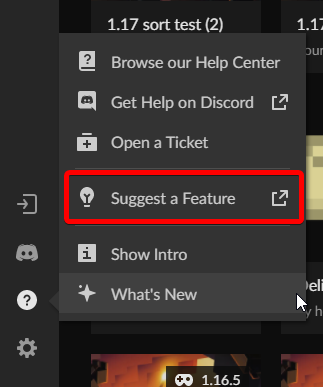 wary root
I am in discord, not on this other app, nor the website. Why would you have it here? For people that are here that didn't know about the website area for it? Wow.
fleet bear
I'm unsure of how you use Curseforge and not use the site or the app...?
wary root
Is THIS CurseForge or the app you speak of?
fleet bear
The first image is a picture of the CurseForge site, Nearly every page has that bar on it.
The second is of the app.
If you don't use either one of them and want to suggest things I'm confused at how you know what exists or doesn't exist.
wary root
So basically, what you're telling me, is I should have opened the CurseForge app, and looked there. Got it. Thanks. I'll go there.
fleet bear
No, I'm responding to this specifically:
you guys need a suggestion area or a link if that is website based
wary root
Thanks Clay, forget it. Sorry that I'm obviously not being clear enough. Let me try this, maybe a pinned thing about suggestions somewhere and using the app, or the website, instead of here for those, like me, that didn't realize it.
warped sinew
warped sinew
I am opening my curseforge launcher and this is the screen I'm getting. I've tri...
If anyone could help, again that would be great...
fleet bear
wary root
Thanks Clay, forget it. Sorry that I'm obviously not being clear enough. Let me ...
So... Like this one in? #👋︱welcome
https://i.imgur.com/8JDIbgE.png
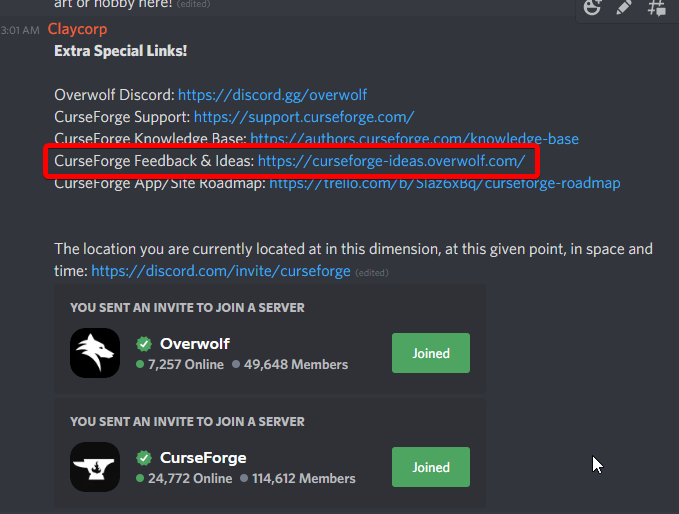 wary root
OK, fine, I missed it obviously. I did look around, but anyways, thanks for the direction.
dawn shuttle
fleet bear
!notcf
I was manly asking because i was doing forge and fabric
fleet bear
You can't use forge and fabric together.
dawn shuttle
fleet bear
You can't use forge and fabric together.
I got immersive portals (fabric) and create (forge) to work on the same modpack
And within minecraft without error
But i put dropz mod in and it just says nope
dawn shuttle
Then how did i get forge and fabric to work in a modpack?
That said it was using forge
Then how does it work im confused
fleet bear
it 100% does not.
dawn shuttle
Hmm.. well it’s 9:00 I gotta sleep
But I’ll provide proof tomorrow
fleet bear
It's literally impossible for you to prove.
They don't load mods from each-other.
viral briar
that proof will not be valid as it's just certainly not true.
fabric and forge just do not mix
fleet bear
I'd hope as someone who makes mods I would know this.
 placid sleet
 meager robin
can anybody help me, I'm trying to download the curseforge app, but everytime I try to download it, it says virus scan failed, or network issue, I don't know why it's doing this
fleet bear
!getcf
red patioBOT
Looking to install the CurseForge app?
<:windows:798410728188936222> Windows
Minimum Requirements:
- OS Version: 7, 8.1, 10
- 64 bit Required.
- 350MB storage space.
- Microsoft .Net 4.8
- Intel/AMD quad-core CPU
- 8GB ram
Download: https://download.overwolf.com/install/Download?&PartnerId=4047
If you are having issues with the installer use the URL below to install Overwolf then go to the app store to download CurseForge.
https://content.overwolf.com/downloads/setup/latest/regular.html
<:mac:798410654418862130> Mac
Minimum Requirements:
- OS Version 10.14 or newer.
- 64 bit Required.
Download: https://curseforge.overwolf.com/downloads/curseforge-latest.dmg
:penguin: Linux
Minimum Requirements:
Yes.
Download: :person_shrugging:
fleet bear
use the second link
meager robin
thank you
 severe bear
hello does 2 dynamic tree mod collide with each other?
fleet bear
!notcf
red patioBOT
The question you are asking about isn't related to CurseForge. Please use the appropriate game rooms by getting the role from #786424115535544350 or use #👽︱game-support for help.
This room is only for CurseForge Owned & Maintained features/services.
severe bear
okay thanks
 hallow flax
hey guys i want to integrate a custom modpack for my server, how would i go about doing that
 timber quest
do you have curseforge for linux?
fallen loom
!getcf
red patioBOT
Looking to install the CurseForge app?
<:windows:798410728188936222> Windows
Minimum Requirements:
- OS Version: 7, 8.1, 10
- 64 bit Required.
- 350MB storage space.
- Microsoft .Net 4.8
- Intel/AMD quad-core CPU
- 8GB ram
Download: https://download.overwolf.com/install/Download?&PartnerId=4047
If you are having issues with the installer use the URL below to install Overwolf then go to the app store to download CurseForge.
https://content.overwolf.com/downloads/setup/latest/regular.html
<:mac:798410654418862130> Mac
Minimum Requirements:
- OS Version 10.14 or newer.
- 64 bit Required.
Download: https://curseforge.overwolf.com/downloads/curseforge-latest.dmg
:penguin: Linux
Minimum Requirements:
Yes.
Download: :person_shrugging:
hallow flax
timber quest
do you have curseforge for linux?
no i got it for windows
 night pasture
bonjour depuis quelque temps mon minecraft moddé crash au bout d'un certain temps (all the mod 6 ) et je ne sais pas pourquoi?
fleet bear
English only please.
night pasture
hello for some time my modded minecraft crash after a while (all the mod 6) and i don't know why?
fleet bear
!notcf
red patioBOT
The question you are asking about isn't related to CurseForge. Please use the appropriate game rooms by getting the role from #786424115535544350 or use #👽︱game-support for help.
This room is only for CurseForge Owned & Maintained features/services.
 opal tundra
Hi
I would like to ask where can I change the Forge version from Forge - 14.23.5.2847 to 14.23.5.2854, as this version did not install on our server and now it is not compatible with the server.
I changed it in Profile options, but when I turn on the game I still have the old version.
fleet bear
Did you exit the vanilla launcher after you changed it?
Cause you need to hit play again in curseforge for it to apply.
opal tundra
I didn't even have the Vanilla launcher turned on when I changed the Forge version on CF. Then I turned on modpack, which opened the Vanilla launcher. There was new version, but after launching and loading the modded Minecraft, the version was still the old one.
 cyan owl
hey anyone knows how to change game default fonts in version 9.1?
queen storm
!notcf
red patioBOT
The question you are asking about isn't related to CurseForge. Please use the appropriate game rooms by getting the role from #786424115535544350 or use #👽︱game-support for help.
This room is only for CurseForge Owned & Maintained features/services.
 tacit crater


 tacit rose
how do i change the modloader to fabric in the client
queen storm
Make a new profile
tacit rose
i mean for all the fabric 3
queen storm
Installs the correct one when installing the pack
queen storm
Then they need to make an updated version
 heady depot
Why can't I go to fabric mods?
when I hover over it
it dosent show its clickable
but when I click it
i get this
 tame parrot
!status
red patioBOT
It is 04:24PM on Sunday for CurseForge my dudes.
Project Moderation Time
Project/File moderation is done on;
Sunday, Monday, Tuesday, Wednesday, Thursday: 10AM - 6PM GMT+2
Friday, Saturday: No Moderation!
This process is First in, First out. Thus files submitted late in the work day may not be checked until the next work day.
New Projects or uploads requiring manual approval: 1-3 Working Days
Updates to approved projects not needing manual approval: 1 Hour
File sync to the Curseforge app may take up to 24 hours after approval.
 sharp crane
Hey when using the curseforge app, i've done making the modpack then i exported it, now to use it, do i put the zip file of the modpack in "mods" then start the game ?
sharp crane
sharp crane
Hey when using the curseforge app, i've done making the modpack then i exported ...
?
red patioBOT
There are two ways to share a modpack you've made with others...
Export and Share - For Friends to Small Groups.
- Click the Icon for the modpack.
- Click the button next to play.
- Click
Export. - Select the files that should be included.
- Send the zip to the people that want it! They can follow the instructions in
!mc-installpackto install the pack!
Upload to Curseforge - For Public Release to Everyone.
This options will make your pack public to EVERYONE, it comes with extra requirements and will take some effort to set up.
- Go to here: https://www.curseforge.com/project/432/4471/create
- Fill out the information with a proper description of the pack. This should allow anyone to understand what the pack is.
- Click the Icon for the modpack in the CurseForge app.
- Click the button next to play.
- Click
Export. - Select the files that should be included.
- Open your Project you made on the CurseForge site and Upload the file you just made.
- Wait for Moderation & Sync so it can show up in the client! (See
!syncfor limitations)
sharp crane
Like how do i play with a modpack that i've created with the curseforge app instead of pressing "Play" from the app itself, i don't wanna publish it, i just wanna play with it