#🔥︱curseforge-support
1 messages · Page 447 of 1
 crude wigeon
 fleet bear
you look for it in the mod folder and delete it or you unlock the pack and use the slider.
 steady geode
uh, here.
crude wigeon
fleet bear
you look for it in the mod folder and delete it or you unlock the pack and use t...
mod folder?
 red patioBOT
How to add/remove mods in a modpack.
- Click on the picture of the modpack.
- Click the

Add More Contentbutton, IF this button is not there, see below before continuing. - Find the Mods, Resource Packs or Maps you wish to Install and click
Installon them. - Wait for all the required mods to be downloaded.
- Start the modpack.
How to Enable/Disable content management for modpacks.
- Click on the picture of the modpack.
- Click on the
 button next to the
 Playbutton. - Click on

Profile Options. - Check the
Allow content management for this profileoption if you want to edit the content of the modpack, uncheck it to disable.
NOTE: The Allow content management for this profile option is what allows you to Delete, Disable, Update or Install any Mods, Resource Packs or Maps managed by CurseForge. It must be on to modify any of them! (Currently)
 signal ridge
steady geode
uh, here.
signal ridge
steady geode
uh, here.
need the log called latest like the bot said not the latest crash report
steady geode
this?
fleet bear
the second part on how to enable content management
signal ridge
steady geode
this?
have you done any scripting with crafttweaker? and buildersbag
steady geode
none, i'm not even aware of what scripting is.
crude wigeon
fleet bear
the second part on how to enable content management
fixing this problem would also allow me to play other modpacks right?
fleet bear
no
signal ridge
steady geode
none, i'm not even aware of what scripting is.
this a pack you made? or someone else?
crude wigeon
fleet bear
the second part on how to enable content management
because it applies to rlcraft, stoneblock 2, ATM6
oh-
fleet bear
if they have foamfix, then you can do the same thing
steady geode
this is a pack i've made just to fiddle around with. I was planning to FIGURE out how to use those types of mods but I haven't started
crude wigeon
fleet bear
if they have foamfix, then you can do the same thing
?
fleet bear
if the other modpacks also have foamfix
you can follow the same directions to see if that fixes it
crude wigeon
the hecc is foamfix
signal ridge
crude wigeon
the hecc is foamfix
its a mod
crude wigeon
._.
signal ridge
steady geode
this is a pack i've made just to fiddle around with. I was planning to FIGURE ou...
Try removing buildersbag to see if it boots. There was an issue between it an crafttweaker, but I cant see if thy every figured it out or not
steady geode
signal ridge
Try removing buildersbag to see if it boots. There was an issue between it an cr...
got into the menu, il keep u updated.
thanks btw
signal ridge
np


 digital roost
!mc-path
red patioBOT
**Minecraft Files should NOT be installed inside the following locations
.minecraft folder.
OneDrive folders.
Desktop folder.
Drive roots I.E. Directly into the C:\ drive.
iCloud enabled folders.
If any of the above are in the path you need to change/move it by following the instructions below!**
If Minecraft is not installed, start here.
Click the  in the top left.
Select Minecraft.
Click "Edit".
Move to the "Continue here:" section below.
If Minecraft is installed, follow these steps.
Click the  in the bottom left.
Select the Minecraft tab.
Click "Change".
Move to the "Continue here:" section below.
Continue here:
Make a folder in the root directory called CurseForge.
Select the folder you just made.
The text box should show something like the following:
For Windows: C:\CurseForge
For Mac: /Users/Shared/CurseForge
 digital roost
@bold hull do above
 bold hull
do i do not installed or is installed one?
digital roost
idk. thats depends if you have minecraft installed or not on the Curseforge app
i dont have access to your PC
 sterile otter
Is there a way to find out which mod has a certain file id/project id? I'm trying to add a minecraft pack and the file is getting rejected for an invalid fileid in the manifest file
 lyric crescent
google the id
 subtle sail
Hey, when i tried to mod stardew valley, it said it was an invalid directory or unsupported game? I have it on steam, if that changes anything.
lyric crescent
?knownissues in other games
red patioBOT
Known Issues with solutions or status of the issue.
Overwolf maintains a known list of issues here, some with solutions, others without.
https://support.curseforge.com/en/support/solutions/articles/9000196615-curseforge-known-issues
sterile otter
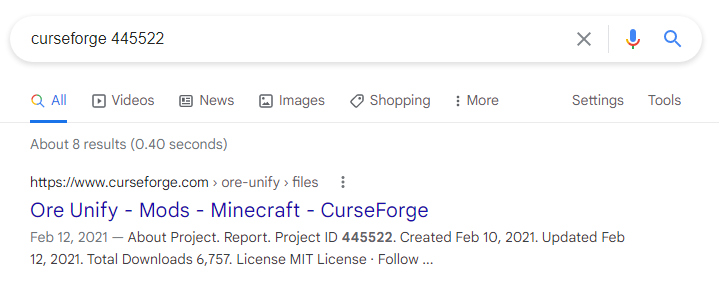
When I google the id, nothing comes up, presumably why it is considered invalid. But it is in the manifest file that comes from exporting the pack...
lyric crescent
show the reject message
sterile otter
Notes:
Invalid manifest.json file:
References invalid fileIDs: fileID: 3202098, projectID 445522 (project-445522).
lyric crescent
 fleet bear
I should talk with wolf and see if we can get a fix for this.
sterile otter
hmm, i guess putting "project id" in front made it not show for some reason
lyric crescent
probably wont get fixed until new site, but yea it should at least say the project. really cannot fathom why it doesnt
fleet bear
because the way it works
The names of projects are stored with ID's. If a project is deleted the name is removed from the pool of used ID's and because everything is dealt with based off ID (Names are only user facing) when it goes to look up that ID's name it returns itself as the name isn't in the pool of used names any longer.
So, to fix it you would need to track every name an ID has ever had and then give that list instead.
I don't know if they store that currently.
lyric crescent
could still store the name but leave it unused
fleet bear
It is stored in the project data, but the system can't retrieve a name that's been removed as it can be reused again and then would point to the wrong project.
The name existing is also what stops duplicate names from being used.
It's not a crazy difficult thing to handle if this was getting built from scratch, but due to the way everything relies on how it currently works makes it more difficult than it needs to be.
 carmine forge
when my friend tries downloading forge it keeps trying to open with winrar is there a way to fix this
or it will ask him for another app to open it with i dont have this happen to me is there an app he needs for his pc
signal ridge
?
 ivory mason
thats for a diffrent server sorry
signal ridge
ok?
 glossy wave
hi, i want to upload a mod that is in an archived project cause i want to use it in an aternos server
fleet bear
glossy wave
hi, i want to upload a mod that is in an archived project cause i want to use it...
the person that owns it needs to upload it
glossy wave
but who made the project isnt even the mod owner
its Dragon Block C, and various kids made projects with older versions, mod, library and core in same project as versions, and when downloading from the app it deletes the other files cause it thinks oyu are changing versions
fleet bear
glossy wave
but who made the project isnt even the mod owner
and thus why it doesn't exist on the platform anymore.
glossy wave
I just wanted to upload the last version cause Aternos doesnt let you upload files, you need to download them form the curseforge net, and found there was a project called "Dragon Block C 2" with the last files, but its archived, with those last files, the project uploader is zemowarudo, not the mod owner
fleet bear
That's not a curseforge problem
glossy wave
and there are other uploads from other people
fleet bear
Then they can be reported and removed
glossy wave
nor of them Jim
fleet bear
I'll gladly forward on any projects that have files uploaded so they can be removed.
glossy wave
cant a moderator upload the last version if the mod owner didnt do it?
just asking, id like it
fleet bear
No
That's not how the platform works
CurseForge has nothing to do with the content provided.
glossy wave
well, that makes me to wait if someday the mod owner wants to upload, or try another server platform, thanks for your time
 muted trail
does anybody know how to get into the configuration files for the upgraded netherite mod I’ve been looking for about an hour and I haven’t been able to figure it any help you can provide would be very appreciated
fleet bear
muted trail
does anybody know how to get into the configuration files for the upgraded nethe...
!mc-logs
red patioBOT
Where to find the log on the CurseForge Client.
Right-click the modpack profile icon OR click the button in the modpack profile.
Click 
Open Folder.
Open the logs folder.
Find the file called latest.log and drag it into discord.
fleet bear
same place but instead of going to the logs folder open the config folder
 sterile sparrow
are ther omoung us mods
fleet bear
Only on the site for now. App support will come in the future
sterile sparrow
i dont see it
fleet bear
 small zodiac
Minecraft is really laggy. Is there a way to add more RAM for the game to use?
fleet bear
!mc-ram
red patioBOT
How to set Global Minecraft RAM value.
- Click the icon in the bottom left to open settings.
- Click the Minecraft tab.
- Scroll down.
- Slide slider to recommended ram range as seen below.
 small zodiac
Awesome, thanks!
 tame gazelle
My pack's update was rejected because of this. I updated Quark and Supplementaries in the CurseForge launcher and exported them as usual, so what's the matter?
 fleet bear
delete and install them again
 rapid tide
@fleet bear May I ask you something?
fleet bear
that's the purpose of the discord is asking questions. Just pick the appropriate room.
rapid tide
That's the thing, I think it is a curseforge issue but I'm not entirely certain
fleet bear
Then shoot here
rapid tide
We downloaded the "Explorico" mod pack and when he tries to join the server, that has been live for a couple of weeks, he gets an error message stating "Internal Exception: io.netty.handler.codec.DecoderException: The received encoded string buffer length is longer than maximum allowed (99 > 64)"
 grizzled sleet
I know this one. They have not updated the modpack version. You have to find out which version they are playing on.
signal ridge
Was just wondering that myself
grizzled sleet
Got his ass.
signal ridge
grizzled sleet
Got his ass.
Not helping
rapid tide
Yes, because I don't/didn't know which is appropriate. I apologize
grizzled sleet
rapid tide
Yes, because I don't/didn't know which is appropriate. I apologize
You have an answer now my friend.
fleet bear
I mean, the whole conversation is right there as to why it's here.
Not a big deal.
but yes, this isn't likely a curseforge issue.
Sounds like the pack versions might not match or there's an issue with one of the mods/world.
rapid tide
So I, who can join and play, am on 36.0.21. His Forge has been defaulting to 36.1.0, when he tries to change it to the one I am currently running (36.0.21) he get's an an error message stating "18 errors have occurred during loading" and then it lists each mod.
digital roost
have him update the pack itself
not forge
bc youd have to update the mods too
which is fine and dandy just takes longer imo
grizzled sleet
Look at that, I had the right answer.
fleet bear
Ok Now I see why the others are complaining. You asked the same question in the other room while already getting help
rapid tide
fleet bear
Ok Now I see why the others are complaining. You asked the same question in the ...
Yeah because I am unsure of the difference. I'm sorry if my smooth brain has annoyed anyone. I'm just trying to help out my friend.
fleet bear
Stick to one room Next time.
rapid tide
ok
 manic haven
this keeps happening even tho I did the repair profile as well as uninstalling and reinstalling. and tips
 signal ridge
!mc-logs
red patioBOT
Where to find the log on the CurseForge Client.
Right-click the modpack profile icon OR click the button in the modpack profile.
Click Open Folder.
Open the logs folder.
Find the file called latest.log and drag it into discord.
manic haven
signal ridge
manic haven
Need to increase the amount of memory allocated to the curse app
!mc-ram
red patioBOT
How to set Global Minecraft RAM value.
- Click the icon in the bottom left to open settings.
- Click the Minecraft tab.
- Scroll down.
- Slide slider to recommended ram range as seen below.
signal ridge
Depends on the pack, try 6ish
manic haven
the mod pack is McEternal
signal ridge
Mc Eternal recommends a minimum of 5.5Gb. So start there and increase if needed
MC Eternal is recommended to have at least 5.5GB+ (8gb for maximum performance)
 livid hamlet
can someone help me none of my games show up on forge please help
digital roost
!mc-path
red patioBOT
**Minecraft Files should NOT be installed inside the following locations
.minecraft folder.
OneDrive folders.
Desktop folder.
Drive roots I.E. Directly into the C:\ drive.
iCloud enabled folders.
If any of the above are in the path you need to change/move it by following the instructions below!**
If Minecraft is not installed, start here.
Click the in the top left.
Select Minecraft.
Click "Edit".
Move to the "Continue here:" section below.
If Minecraft is installed, follow these steps.
Click the in the bottom left.
Select the Minecraft tab.
Click "Change".
Move to the "Continue here:" section below.
Continue here:
Make a folder in the root directory called CurseForge.
Select the folder you just made.
The text box should show something like the following:
For Windows: C:\CurseForge
For Mac: /Users/Shared/CurseForge
signal ridge
livid hamlet
can someone help me none of my games show up on forge please help
Which game?
livid hamlet
it finally worked
 vagrant pond
!mc-modifypack
red patioBOT
How to add/remove mods in a modpack.
- Click on the picture of the modpack.
- Click the
Add More Contentbutton, IF this button is not there, see below before continuing. - Find the Mods, Resource Packs or Maps you wish to Install and click
Installon them. - Wait for all the required mods to be downloaded.
- Start the modpack.
How to Enable/Disable content management for modpacks.
- Click on the picture of the modpack.
- Click on the button next to the
Playbutton. - Click on
Profile Options. - Check the
Allow content management for this profileoption if you want to edit the content of the modpack, uncheck it to disable.
NOTE: The Allow content management for this profile option is what allows you to Delete, Disable, Update or Install any Mods, Resource Packs or Maps managed by CurseForge. It must be on to modify any of them! (Currently)
vagrant pond
is optifine not available in add mods option?
digital roost
No
bc of licensing issues
youd have to download it from optifine.com and drag and drop
vagrant pond
ok
signal ridge
vagrant pond
is optifine not available in add mods option?
?mc-optifine
red patioBOT
Optifine and Curseforge
To install Optifine with modpacks on Curseforge:
Right click the modpack icon, select Open Folder.
Put the Optifine.jar into the mods folder.
Now load the modpack normally.
We do not offer support for Optifine. If you have issues with Optifine, remove it. If you want further support try the discord found on their website.
https://www.optifine.net/home
 signal ridge
vagrant pond
how to solve this error? :/
signal ridge
vagrant pond
how to solve this error? :/
!mc-logs
red patioBOT
Where to find the log on the CurseForge Client.
Right-click the modpack profile icon OR click the button in the modpack profile.
Click Open Folder.
Open the logs folder.
Find the file called latest.log and drag it into discord.
 signal ridge
!mc-installfix Try this
red patioBOT
- Click on the Minecraft Tab on the Left side of the App.
- Click button next to the
Create Custom Profileoption. - Click

Repair Installationoption. - Play game.
NOTE: You will not lose any modpacks or worlds, These are saved in the Instances folder. DO NOT TOUCH THIS FOLDER OR YOU WILL LOSE EVERYTHING
vagrant pond
ok
 fresh shale
I just recently updated to macOS Big Sur: Version 11.2.3, and now Curseforge won't launch the modpack I'm trying to play. I know for sure it works, because it worked yesterday when I played it with friends, and it worked on my Windows computer the day before that. Also, now the modpack says "No Mods installed in this modpack."
- I click "Play", and it says "Could not verify Minecraft version."
- I attempt to duplicate the modpack, and it says "Access to the path '/Users/[my username]/Documents/curseforge/minecraft/Instances/[modpack name]' is denied."
- I attempt to download a new modpack, and it says "Object reference not set to an instance of an object."
- I attempt to create a new custom profile, and it says "Access to the path '/Users/[my username]/Documents/curseforge/minecraft/Install/versions/forge-28.2.23/forge-28.2.23.json' is denied."
I appreciate any help you guys can give me
signal ridge
!mc-path start with this, will go from there
red patioBOT
**Minecraft Files should NOT be installed inside the following locations
.minecraft folder.
OneDrive folders.
Desktop folder.
Drive roots I.E. Directly into the C:\ drive.
iCloud enabled folders.
If any of the above are in the path you need to change/move it by following the instructions below!**
If Minecraft is not installed, start here.
Click the in the top left.
Select Minecraft.
Click "Edit".
Move to the "Continue here:" section below.
If Minecraft is installed, follow these steps.
Click the in the bottom left.
Select the Minecraft tab.
Click "Change".
Move to the "Continue here:" section below.
Continue here:
Make a folder in the root directory called CurseForge.
Select the folder you just made.
The text box should show something like the following:
For Windows: C:\CurseForge
For Mac: /Users/Shared/CurseForge
 gusty star
Anytime I try to launch a minecraft modpack, the modpack says it is launching for a second before returning to the play button. I've tried allocating more RAM, restarting my PC, reinstalling Java and CF but with no luck. I've tried the most popular solutions I found online but still couldn't get it to work. It was working fine a couple of weeks ago so I don't know what happened
 slim dune
!status
red patioBOT
It is 08:00AM on Tuesday for CurseForge my dudes.
Project Moderation Time
Project/File moderation is done on Sunday - Thursday from 10am - 6pm GMT+2
This process is First in, First out. Thus files submitted late in the work day may not be checked until the next work day.
New Projects or uploads requiring manual approval: 1-3 Working Days
Updates to approved projects not needing manual approval: 1 Hour
File sync to the Curseforge app may take up to 24 hours after approval.
vagrant pond
what's child addon not fount error?
 queen storm
Screenshot please
 whole wedge
How do I install optifine in Crosforge?
 opal cipher
!mc-optifine
red patioBOT
Optifine and Curseforge
To install Optifine with modpacks on Curseforge:
Right click the modpack icon, select Open Folder.
Put the Optifine.jar into the mods folder.
Now load the modpack normally.
We do not offer support for Optifine. If you have issues with Optifine, remove it. If you want further support try the discord found on their website.
https://www.optifine.net/home
queen storm
@limber berry That is not for curseforge support -.-
 limber berry
ok where should i go then
queen storm
#💬︱general-chat ? One of the offtopic channels?
limber berry
ok then
opal cipher
!mc-installmods
red patioBOT
How to install mods in CurseForge App.
- Click
+ Create Custom Profile - Name it, select the required Minecraft version, select the Forge version (usually the highest number), click
Create. - Click the profile icon.
- Click
Add New Content - Search and install the desired mods.
- Start the game!
How to install mods not on CurseForge.
- Right click the profile picture or Open the profile and click the Icon next to the play button.
- Click
Open Folder. - Drag the mod(s) into the
modsfolder. (Note: Some mods will require others, to run. Make sure to read the instructions for the mod!) - Start the game!
 digital roost
Thanks bot o
 uneven briar
Hello. I dunno If this is only happening to me, but recently when I launch a modpack on curseforge, it doesn't launch the minecraft launcher( meaning I can't play any modpacks). Is there a way to fix this?
fleet bear
!mc-installfix
red patioBOT
- Click on the Minecraft Tab on the Left side of the App.
- Click button next to the
Create Custom Profileoption. - Click
Repair Installationoption. - Play game.
NOTE: You will not lose any modpacks or worlds, These are saved in the Instances folder. DO NOT TOUCH THIS FOLDER OR YOU WILL LOSE EVERYTHING
 short kayak
This hasnt happened before, but CurseForge's path restarted from my original one and i keep trying to set the path again, but it complains that the path can only include english letters and numbers. Ive tried with other folders with the same result and have even restarted my pc. Any help?
 fleet bear
short kayak
This hasnt happened before, but CurseForge's path restarted from my original one...
fleet bear
short kayak
This hasnt happened before, but CurseForge's path restarted from my original one...
!mc-path
red patioBOT
**Minecraft Files should NOT be installed inside the following locations
.minecraft folder.
OneDrive folders.
Desktop folder.
Drive roots I.E. Directly into the C:\ drive.
iCloud enabled folders.
If any of the above are in the path you need to change/move it by following the instructions below!**
If Minecraft is not installed, start here.
Click the in the top left.
Select Minecraft.
Click "Edit".
Move to the "Continue here:" section below.
If Minecraft is installed, follow these steps.
Click the in the bottom left.
Select the Minecraft tab.
Click "Change".
Move to the "Continue here:" section below.
Continue here:
Make a folder in the root directory called CurseForge.
Select the folder you just made.
The text box should show something like the following:
For Windows: C:\CurseForge
For Mac: /Users/Shared/CurseForge
short kayak
oh, thanks
 keen pebble
Hi, I come in at CurseForge today and my assembly does not start. Been through Repair Installation did not help. Then I went to curseforge \ minecraft \ Install and tried to run minecraft.exe gave me a bug.(0xc000007b)
 verbal copper
anyone know what could be causing this issue? modpack gets around 100 mods into installing and it stops and shows this

 river jungle
Hi there
How do you add CurseForge 2FA when you already have Twitch 2FA ?
opal cipher
I think I remember someone linking: https://2fa.curseforge.com/, which redirects you to twitch.
river jungle
river jungle
Hi there
How do you add CurseForge 2FA when you already have Twitch 2FA ?
I'm following this tutorial here
https://support.curseforge.com/en/support/solutions/articles/9000197245
But I don't even know how to reach the first screen


CurseForge Support
We're here to get you informed on everything you need to know about CurseForge, including helpful guides and troubleshooting articles to back you up when you get in a pickle
queen storm
It is your curseforge profile page
Might not be possible at the moment though as account managment is under construction
river jungle
opal cipher
I think I remember someone linking: <https://2fa.curseforge.com/>, which redirec...
It prompts me a 6 digit code. I enter the code generated by Authy for Twitch and it says it's invalid...

 narrow minnow
river jungle
It prompts me a 6 digit code. I enter the code generated by Authy for Twitch and...
narrow minnow
river jungle
It prompts me a 6 digit code. I enter the code generated by Authy for Twitch and...
It isn't the Twitch 2fa - it is a different one
river jungle
narrow minnow
It isn't the Twitch 2fa - it is a different one
Yes, Twitch 2FA works fine with Twitch
river jungle
narrow minnow
It isn't the Twitch 2fa - it is a different one
Seems that there is a CurseForge 2FA somewhere which is another 2FA but there is no way to set it...
Like it prompts me to enter my 2FA token to set my 2FA token
narrow minnow
river jungle
Seems that there is a CurseForge 2FA somewhere which is another 2FA but there is...
This is where you'd set it originally - should have
it is new
narrow minnow
This was it - did you not set it?
river jungle
In the reward store I used to enter the Twitch 2FA and it worked fine
Now it's broken
narrow minnow
That used to be it - but we changed it (due to requirements from Twitch)
river jungle
ok
narrow minnow
I'll DM you
river jungle
thanks
 wraith vector
forge wont run at all????
no black screen or anything
its just nothing
running it with java(it was already running java in the first place) and it doesnt work
javafix doesnt help eiher
i literally cant play hypixel because without my mods im useless
queen storm
!mc-installfix
red patioBOT
- Click on the Minecraft Tab on the Left side of the App.
- Click button next to the
Create Custom Profileoption. - Click
Repair Installationoption. - Play game.
NOTE: You will not lose any modpacks or worlds, These are saved in the Instances folder. DO NOT TOUCH THIS FOLDER OR YOU WILL LOSE EVERYTHING
wraith vector
for whos question is that
digital roost
I need help
 grim laurel
when i start the forge installer i get the error "Exception in thread "main" java.lang.ExceptionInInitializerError" can someone help?
queen storm
digital roost
I need help
Rule 10
queen storm
wraith vector
for whos question is that
Yours
queen storm
grim laurel
when i start the forge installer i get the error "Exception in thread "main" jav...
Screenshot please
 manic kiln
How can i Import Modpack? Cus i cant find it in Curseforge app
queen storm
manic kiln
How can i Import Modpack? Cus i cant find it in Curseforge app
Link it please
digital roost
same
red patioBOT
How to install modpacks with the search features in app.
- Open the

Minecraftsection of the app. - Click the top search bar where it says
Search for modpacksOR Click theBrowse ModpacksTab. - Find the Modpack you want to install and click install on it.
- Wait for CurseForge app to download and unpack all the required files.
- Once finished, click
Play!
How to install modpacks from a Export. (Custom/Private/Site downloaded Modpack zip)
- Get CurseForge App if you don't have it, use
!downloadfor a link. - Get the exported modpack from CurseForge or someone else,
!mc-packshareexplains how to make them. - Open the
Minecraftsection of the app. - Click

Create Custom Profile - Click the
Importoption. - Find the file you just downloaded in step 2 and select it.
- CurseForge app will now attempt to download and unpack the modpack. If it fails, try steps 4-6 again.
- Once finished, click
Play!
 queen storm
But if it is the alpha file: alpha does not show up on the app
 full thistle
Hello, I'm having a problem with the CurseForge app. I wanted to choose the Minecraft modding folder and whenever I try to do so I get the " Path can only include English letters and numbers. " message, I'm not sure on what I did wrong. 🙏

 junior hull
You can't use the .minecraft folder
full thistle
oh
junior hull
!mc-path
red patioBOT
**Minecraft Files should NOT be installed inside the following locations
.minecraft folder.
OneDrive folders.
Desktop folder.
Drive roots I.E. Directly into the C:\ drive.
iCloud enabled folders.
If any of the above are in the path you need to change/move it by following the instructions below!**
If Minecraft is not installed, start here.
Click the in the top left.
Select Minecraft.
Click "Edit".
Move to the "Continue here:" section below.
If Minecraft is installed, follow these steps.
Click the in the bottom left.
Select the Minecraft tab.
Click "Change".
Move to the "Continue here:" section below.
Continue here:
Make a folder in the root directory called CurseForge.
Select the folder you just made.
The text box should show something like the following:
For Windows: C:\CurseForge
For Mac: /Users/Shared/CurseForge
full thistle
thank you
queen storm
@manic kiln Was due to the reason that the project was only approved 2 hours ago, system didn't have time yet to sync it
grim laurel
can someone help me please? my computer is always lagging when i use curseforge
 slow forge
i cant play my pks htru CF. can u help?
queen storm
pks?
slow forge
packs
i only have 2, iskalls VH and his original version but it wont open the launchers so i can play'
queen storm
!mc-installfix
red patioBOT
- Click on the Minecraft Tab on the Left side of the App.
- Click button next to the
Create Custom Profileoption. - Click
Repair Installationoption. - Play game.
NOTE: You will not lose any modpacks or worlds, These are saved in the Instances folder. DO NOT TOUCH THIS FOLDER OR YOU WILL LOSE EVERYTHING
 twilit oar
hey i cant open ftb ultimate reloaded can anyone help?
 native flax
Hey someone can help I am unable to install any mods from curseforge
queen storm
native flax
Hey someone can help I am unable to install any mods from curseforge
!mc-installmods
red patioBOT
How to install mods in CurseForge App.
- Click
+ Create Custom Profile - Name it, select the required Minecraft version, select the Forge version (usually the highest number), click
Create. - Click the profile icon.
- Click
Add New Content - Search and install the desired mods.
- Start the game!
How to install mods not on CurseForge.
- Right click the profile picture or Open the profile and click the Icon next to the play button.
- Click
Open Folder. - Drag the mod(s) into the
modsfolder. (Note: Some mods will require others, to run. Make sure to read the instructions for the mod!) - Start the game!
queen storm
twilit oar
hey i cant open ftb ultimate reloaded can anyone help?
Not open how?
twilit oar
i click play and it dosent open
queen storm
queen storm
Why did you put the server there then?
twilit oar
what?
queen storm
Your world won't get removed, read the entire message
queen storm
twilit oar
<@!525950791710801921> how long dose it take?
No idea
twilit oar
on this

 waxen trellis
when i did all that i pressed play and a update bar popped up but went away right after
slow forge
i cant open Vaukt Hunters thru CF
waxen trellis
Can someone help me with this
 mossy sigil
does someone know how to fix curseforge? cause if i open curseforge it wont open
 mortal quarry
hi together. i hope someone can help me. i have a selfmade mod package for a server, since i create that no problem with it. but since now i started the pc and this creation dont star when i push the play button.
 gritty vault
i have that too but for all mods i have installed
mortal quarry
ok. maybee its a curseforge problem?
 green shuttle
I have my modpack on curseforge, now when i search for it it doesn't exist apparently. Do i have to do anything or is it just i have to wait?
 gritty vault
cuz it happened 10 min after i added a new mod so pc crash or something?
lyric crescent
green shuttle
I have my modpack on curseforge, now when i search for it it doesn't exist appar...
link your pack
green shuttle
lyric crescent
link your pack
mortal quarry
i dont changed anything. same as normal. and dont work
gritty vault
hmmmm
green shuttle
mortal quarry
i dont changed anything. same as normal. and dont work
did you restart your pc?
mortal quarry
yes i do
mortal quarry
i played yesterday with no problem.
mortal quarry
possible, but whats wrong with mine?
gritty vault
idk
lyric crescent
green shuttle
https://www.curseforge.com/minecraft/modpacks/nextgencraft
passed that on to the OW team, think there are some back end issues going on right now
green shuttle
lyric crescent
passed that on to the OW team, think there are some back end issues going on rig...
ok, no problem, thanks for the help
mortal quarry
help?
queen storm
mortal quarry
help?
Restart pc, try again
mortal quarry
ok
 wary orbit
Having a problem about the file directory thing
Because it only supports English letters
My user has a non English letter and now i cant continue , help please?
mortal quarry
i restartet again. same problem, dont work
opal cipher
wary orbit
My user has a non English letter and now i cant continue , help please?
!mc-path
red patioBOT
**Minecraft Files should NOT be installed inside the following locations
.minecraft folder.
OneDrive folders.
Desktop folder.
Drive roots I.E. Directly into the C:\ drive.
iCloud enabled folders.
If any of the above are in the path you need to change/move it by following the instructions below!**
If Minecraft is not installed, start here.
Click the in the top left.
Select Minecraft.
Click "Edit".
Move to the "Continue here:" section below.
If Minecraft is installed, follow these steps.
Click the in the bottom left.
Select the Minecraft tab.
Click "Change".
Move to the "Continue here:" section below.
Continue here:
Make a folder in the root directory called CurseForge.
Select the folder you just made.
The text box should show something like the following:
For Windows: C:\CurseForge
For Mac: /Users/Shared/CurseForge
lyric crescent
green shuttle
ok, no problem, thanks for the help
should be good now
green shuttle
yeah i see it thanks!
whole wedge
!mc-path
red patioBOT
**Minecraft Files should NOT be installed inside the following locations
.minecraft folder.
OneDrive folders.
Desktop folder.
Drive roots I.E. Directly into the C:\ drive.
iCloud enabled folders.
If any of the above are in the path you need to change/move it by following the instructions below!**
If Minecraft is not installed, start here.
Click the in the top left.
Select Minecraft.
Click "Edit".
Move to the "Continue here:" section below.
If Minecraft is installed, follow these steps.
Click the in the bottom left.
Select the Minecraft tab.
Click "Change".
Move to the "Continue here:" section below.
Continue here:
Make a folder in the root directory called CurseForge.
Select the folder you just made.
The text box should show something like the following:
For Windows: C:\CurseForge
For Mac: /Users/Shared/CurseForge
whole wedge
!mc-installmods
red patioBOT
How to install mods in CurseForge App.
- Click
+ Create Custom Profile - Name it, select the required Minecraft version, select the Forge version (usually the highest number), click
Create. - Click the profile icon.
- Click
Add New Content - Search and install the desired mods.
- Start the game!
How to install mods not on CurseForge.
- Right click the profile picture or Open the profile and click the Icon next to the play button.
- Click
Open Folder. - Drag the mod(s) into the
modsfolder. (Note: Some mods will require others, to run. Make sure to read the instructions for the mod!) - Start the game!
queen storm
whole wedge
!mc-path
#🟢︱user-bot-spam
 remote topaz
eh\
is there anyway to share my custom made modpack.
like my profile with the installed mods on the launcher.
?
opal cipher
Trying to show the instructions, but the bot doesn't like me right now.
remote topaz
oh lol.
opal cipher
You can export the profile from CurseForge, and upload it to the website.
digital roost
Hello i want to use Simple Voice Chat on my server,but i can't use the voice chat,and i have a spigot server.Do i have to change the spigot server to Forge server to work?
help,

i cant play anything on curseforge no more
restart your oc
or
i have
close minecraft from task manager
and forge
its not there

then restart your pc mate 🙂
now?
remote topaz
bro
digital roost
i did before?
remote topaz
do i seriously have to upload my modpack have it be approved and stuff
digital roost
press more details
remote topaz
i just want to share it with my close friend group.
 chrome shoal
remote topaz
i just want to share it with my close friend group.
chrome shoal
remote topaz
i just want to share it with my close friend group.
Yes i believe so
remote topaz
wtf
red patioBOT
There are two ways to share a modpack you've made with others...
Export and Share - For Friends to Small Groups.
- Click the Icon for the modpack.
- Click the button next to play.
- Click

Export. - Select the files that should be included.
- Send the zip to the people that want it! They can follow the instructions in
!mc-installpackto install the pack!
Upload to Curseforge - For Public Release to Everyone.
This options will make your pack public to EVERYONE, it comes with extra requirements and will take some effort to set up.
- Go to here: https://www.curseforge.com/project/432/4471/create
- Fill out the information with a proper description of the pack. This should allow anyone to understand what the pack is.
- Click the Icon for the modpack in the CurseForge app.
- Click the button next to play.
- Click
Export. - Select the files that should be included.
- Open your Project you made on the CurseForge site and Upload the file you just made.
- Wait for Moderation & Sync so it can show up in the client! (See
!syncfor limitations)
chrome shoal
lyric crescent
no.. you do not
oh my bad then 🙂
digital roost
Hello i want to use Simple Voice Chat on my server,but i can't use the voice chat,and i have a spigot server.Do i have to change the spigot server to Forge server to work?
remote topaz
ayo thanks g
digital roost
dosn't work
 feral nebula
How do you make a sever to play with a friend ? It’s not easy
digital roost
still cant play curseforge
queen storm
feral nebula
How do you make a sever to play with a friend ? It’s not easy
!mc-installserver
red patioBOT
How to **manually** install a server - **On your own PC**
- Go to the Forge website http://files.minecraftforge.net/ and download the Installer for the forge version the pack is using.
- Run the installer and choose
Install server. Do not install to your desktop. Also do not install inside a OneDrive folder. - Run the server using the forge.jar. A file called
eula.txtwill be generated. Open it and changeeula=falsetoeula=true - From the Client; Copy the
modsfolder,configfolder, and any other folders needed for the pack to work into the server folder. If the modpack has a server pack, use this instead! - Run the server again.
queen storm
digital roost
Hello i want to use Simple Voice Chat on my server,but i can't use the voice cha...
Or use discord?
digital roost
this for me?
queen storm
No
grizzled sleet
that would be cool af
digital roost
what?
grizzled sleet
ill go look into some mods for it if you want
lyric crescent
digital roost
Hello i want to use Simple Voice Chat on my server,but i can't use the voice cha...
This is not an issue related to cursefroge, please take it to #👽︱game-support or #🧱︱mc-other-help (after getting the mc role).
digital roost
i
digital roost
lyric crescent
This is not an issue related to cursefroge, please take it to <#7780977964103762...
ok thank you
queen storm
digital roost
why cant u use curseforge
!mc-installfix
red patioBOT
- Click on the Minecraft Tab on the Left side of the App.
- Click button next to the
Create Custom Profileoption. - Click
Repair Installationoption. - Play game.
NOTE: You will not lose any modpacks or worlds, These are saved in the Instances folder. DO NOT TOUCH THIS FOLDER OR YOU WILL LOSE EVERYTHING
digital roost
that is what a'm currently doing. Hopefuly it works
this thing wont let me choose, it just says somethign like cant use it

 grizzled sleet
digital roost
grizzled sleet
digital roost
Try changing to file directory to something else honestly see if that works.
digital roost
k
queen storm
digital roost
this thing wont let me choose, it just says somethign like cant use it
!mc-path
red patioBOT
**Minecraft Files should NOT be installed inside the following locations
.minecraft folder.
OneDrive folders.
Desktop folder.
Drive roots I.E. Directly into the C:\ drive.
iCloud enabled folders.
If any of the above are in the path you need to change/move it by following the instructions below!**
If Minecraft is not installed, start here.
Click the in the top left.
Select Minecraft.
Click "Edit".
Move to the "Continue here:" section below.
If Minecraft is installed, follow these steps.
Click the in the bottom left.
Select the Minecraft tab.
Click "Change".
Move to the "Continue here:" section below.
Continue here:
Make a folder in the root directory called CurseForge.
Select the folder you just made.
The text box should show something like the following:
For Windows: C:\CurseForge
For Mac: /Users/Shared/CurseForge
digital roost
Not quiet sure how to follow these steps..
grizzled sleet
@digital roost Watch the gif above if not already it tells you what to do.
grim laurel
    at net.minecraftforge.installer.ClientInstall.getSponsorMessage(ClientInstall.java:326)
    at net.minecraftforge.installer.InstallerAction.getSponsorMessage(InstallerAction.java:59)
    at net.minecraftforge.installer.InstallerPanel.updateFilePath(InstallerPanel.java:236)
    at net.minecraftforge.installer.InstallerPanel.<init>(InstallerPanel.java:217)
    at net.minecraftforge.installer.SimpleInstaller.launchGui(SimpleInstaller.java:153)
    at net.minecraftforge.installer.SimpleInstaller.main(SimpleInstaller.java:40)
Caused by: java.lang.ArrayIndexOutOfBoundsException: 1
    at net.minecraftforge.installer.MirrorData.buildMirrorList(MirrorData.java:84)
    at net.minecraftforge.installer.MirrorData.<init>(MirrorData.java:63)
    at net.minecraftforge.installer.MirrorData.<clinit>(MirrorData.java:17)
    ... 6 more
``` I always get this error code when i want to install forge on 1.8.9 can someone help me pleaseIf you don’t get it, just create a new folder in C:\ called Curseforge then go to settings click minecraft then change the modding path to the file you just created. @digital roost
grizzled sleet
grim laurel
```Exception in thread "main" java.lang.ExceptionInInitializerError
at net.m...
Did you launch 1.8.9 first? Then tried installing it?
grim laurel
no, i will try it thanks
grizzled sleet
🙂
digital roost
ok, so now i copy and paste the packs i had on the last curseforge?
grizzled sleet
I would reinstall them again if i’m not mistaken.
grim laurel
it doesn't work 😦
digital roost
huh, i reinstall them? r u sure?
grizzled sleet
grim laurel
it doesn't work 😦
Then I am at a loss lol I only know so much and can help in certain ways.
grizzled sleet
digital roost
huh, i reinstall them? r u sure?
Ask staff just to make sure.
grim laurel
okay thanks anyways.
grizzled sleet
grim laurel
okay thanks anyways.
I tried friend.
digital roost
@staff
grizzled sleet
<@&524645667818307596>
digital roost
i type that?
queen storm
Don't ping roles
grizzled sleet
sorry
digital roost
but i need help
grizzled sleet
just trying to get help for this man
queen storm
Still, no need to ping
grizzled sleet
Apologies.
digital roost
do i copy paste mods i already had or download on new?
queen storm
digital roost
do i copy paste mods i already had or download on new?
Just install any pack
digital roost
like on new?
grizzled sleet
He had to change file directory.
digital roost
so i delete the ones i had befoure
grizzled sleet
Tim.
grizzled sleet
digital roost
so i delete the ones i had befoure
Yea just do that, cause I don’t even know if curseforge will pick them up if you just drag and drop them into the new directory. I wish you luck and I hope I helped you in a way that was helpful.
digital roost
🙂 how kind of you:D
grizzled sleet
I wish I had more knowledge on these types of things.
digital roost
pain
queen storm
You need to start anything, I don't care what you start
digital roost
still!! i cant play
queen storm
Just try to start it
digital roost
i did, wont load
queen storm
!ticket-app
red patioBOT
:bug: Reporting via the CurseForge App :bug:
-
Click the
 icon in the bottom left.
 -
Select

Open a Ticket. -
Fill out the form with accurate detailed information, "It doesn't work" isn't helpful! What exactly doesn't work and why doesn't it work should be easy to answer!
-
Make sure to upload your Overwolf logs with the
Upload Fileoption on the ticket, information on how to get these logs can be found here https://support.overwolf.com/en/support/solutions/articles/9000176827-how-to-get-your-overwolf-logs -
Submit!
 digital roost
 grizzled sleet
click continue
if you didn’t start up a minecraft instance before then just ignore it and click continue.
@digital roost
digital roost
i am writing it 🙂
queen storm
Okay
digital roost
what is cf
grizzled sleet
Thats so odd...
digital roost
 queen storm
digital roost
what is cf
queen storm
digital roost
what is cf
Curseforge
 wary reef
How can I upload my own mod?
digital roost
so i type curseforge
queen storm
digital roost
so i type curseforge
No, it is the username that you have on curseforge
digital roost
the bar my mouse is on
queen storm
There is no mouse
digital roost
project link cf
grizzled sleet
You would like the pack maybe?
queen storm
wary reef
How can I upload my own mod?
digital roost
ptojrct cf link
 grim laurel
sorry
queen storm
When is that happening?
wary reef
queen storm
https://www.curseforge.com/project/432/6/create
Thx
grim laurel
when i try to run the forge installer
queen storm
grim laurel
when i try to run the forge installer
#👽︱game-support or the forge discord
grim laurel
where can i find the forge discord
queen storm
grim laurel
where can i find the forge discord
Google it?
grim laurel
i can't find it
digital roost
appreciate it
grim laurel
but thanks anyways
queen storm
grim laurel
but thanks anyways

Discord
Check out the The Forge Project community on Discord - hang out with 8,870 other members and enjoy free voice and text chat.
grim laurel
thank you
 keen steeple
hello, im having truble with RLCraft not wanting to launch trough the curseforge launcher, tired reintalling the mod, and even reintaling minecraft but still wont launch
 wooden hemlock
unsure if this is a problem on my friends end or if it's a curseforge problem but we don't know how to fix it. My friend is trying to download the modpack that i made that y'all just approved but when he clicks the download button apparently nothing happens any idea's?
lyric crescent
wooden hemlock
unsure if this is a problem on my friends end or if it's a curseforge problem bu...
download button where?
wooden hemlock
on the browser for curse i believe
i'll see if he can send me some ss or something to show you
lyric crescent
try using the app instead
 stable rampart
I'm having issues installing forge 1.8.9 onto my PC as it doesnt seem to want to load, i have reinstalled java, minecraft, etc. Nothing seems to be working but when I install any other version of forge it works perfectly fine.
digital roost
THAT that is th same problem i have!!
not being able to launch after clicking play on a modpack in curseforge!!
Same dude
Whats going on
You got ideas on how to fix?
I tried google
m2
It didn't seem to help
lyric crescent
what modpack
digital roost
lyric crescent
what modpack
my own
keen steeple
Wont lauch
lyric crescent
so where are we getting stuck exactly?
keen steeple
At the play button
digital roost
yes
keen steeple
It goes troughr launch super quick and the nothibg
lyric crescent
which
keen steeple
MC my modpacks and the playbutton when u hower over it
lyric crescent
play on curseforge or play on the minecraft launcher..
digital roost
i have restarted and deleted minecraft and curseforge in order to proceve, it didindeed not work:(
keen steeple
Curseforge launcher
lyric crescent
try a pc restart, then reply back if its still not working
lyric crescent
then do it again, now
digital roost
i did 2 min ago...
lyric crescent
!ticket-app
red patioBOT
:bug: Reporting via the CurseForge App :bug:
-
Click the
icon in the bottom left. -
Select
Open a Ticket. -
Fill out the form with accurate detailed information, "It doesn't work" isn't helpful! What exactly doesn't work and why doesn't it work should be easy to answer!
-
Make sure to upload your Overwolf logs with the
Upload Fileoption on the ticket, information on how to get these logs can be found here https://support.overwolf.com/en/support/solutions/articles/9000176827-how-to-get-your-overwolf-logs -
Submit!
lyric crescent
read step 4 to get a log, then DM me that log
lyric crescent
keen steeple
MC my modpacks and the playbutton when u hower over it
have you tried a restart as well?
keen steeple
yea
lyric crescent
send your log as well
keen steeple
how?
digital roost
ayooo how
lyric crescent
forwarded both those logs to OW
keen steeple
thanks
lyric crescent
digital roost
ayooo how
can you show what path is being used for your install folder?
digital roost
path=?
keen steeple
C:\Users\User\Curseforge\Minecraft
lyric crescent
nvm wolfgang got that
wooden hemlock
lyric crescent
try using the app instead
So he was using the app and even after hitting the manual download button it wouldn't download
lyric crescent
link your pack
lyric crescent
!sync
red patioBOT
Sync and your Project.
CurseForge REQUIRE a project to have one file marked Released on them for the projects to show up in search. Otherwise only Direct links to the project work.
Files can take a while to show up in the app. If your files still have not shown up either your project is new and you have yet to mark a file as Release or there is issues with the sync system making it slow.
wooden hemlock
so it was my end ok thx
muted trail
What's the highest weight I can give a chest item in Minecraft?
 vast mortar
curse forge is really acting strange

the text gets so blurry when I look at a different window and go back
digital roost
restart your pc mabey
queen storm
Does it show good again when you go back to the page?
vast mortar
nope
It updates only when the ui has to change
like scrolling in the text and hovering over buttons
vast mortar
digital roost
restart your pc mabey
that won't help
I have had such a problem before
queen storm
! ticket-app
red patioBOT
:bug: Reporting via the CurseForge App :bug:
-
Click the
icon in the bottom left. -
Select
Open a Ticket. -
Fill out the form with accurate detailed information, "It doesn't work" isn't helpful! What exactly doesn't work and why doesn't it work should be easy to answer!
-
Make sure to upload your Overwolf logs with the
Upload Fileoption on the ticket, information on how to get these logs can be found here https://support.overwolf.com/en/support/solutions/articles/9000176827-how-to-get-your-overwolf-logs -
Submit!
digital roost
oh, thats odd
vast mortar
I'm not sure what's causing it but I'm not in the mood to report a issue when I just want to make my mod
lyric crescent
what was the point then..
whole wedge
!mc-installmods
red patioBOT
How to install mods in CurseForge App.
- Click
+ Create Custom Profile - Name it, select the required Minecraft version, select the Forge version (usually the highest number), click
Create. - Click the profile icon.
- Click
Add New Content - Search and install the desired mods.
- Start the game!
How to install mods not on CurseForge.
- Right click the profile picture or Open the profile and click the Icon next to the play button.
- Click
Open Folder. - Drag the mod(s) into the
modsfolder. (Note: Some mods will require others, to run. Make sure to read the instructions for the mod!) - Start the game!
vast mortar
lyric crescent
what was the point then..
Well I rather figure out a way than reporting a issue that may take a whole day to get an answer from
if even
queen storm
So you don't want it fixed?
lyric crescent
well since it's just you it's more like
Ticket: maybe get an answer in a day or so
No Ticket: no answer
vast mortar
queen storm
So you don't want it fixed?
I want it fixed but making a ticket would mean I would need to do more work than to fix it in my opinion
digital roost
right.. so you may as well live with it?
vast mortar
I mean I mean I already got it fixed
queen storm
vast mortar
I want it fixed but making a ticket would mean I would need to do more work than...
If not reported: never fixed
vast mortar
Restarting the program was enough though bluevortex recommendation would have technically fixed it for me
digital roost
vast mortar
Restarting the program was enough though bluevortex recommendation would have te...
y wlcm
Hello, can i get some help here?
i have problem. When i want to choose folder for my modpacks it shows
"Path can only include English letters and Numbers"
queen storm
!mc-path
red patioBOT
**Minecraft Files should NOT be installed inside the following locations
.minecraft folder.
OneDrive folders.
Desktop folder.
Drive roots I.E. Directly into the C:\ drive.
iCloud enabled folders.
If any of the above are in the path you need to change/move it by following the instructions below!**
If Minecraft is not installed, start here.
Click the in the top left.
Select Minecraft.
Click "Edit".
Move to the "Continue here:" section below.
If Minecraft is installed, follow these steps.
Click the in the bottom left.
Select the Minecraft tab.
Click "Change".
Move to the "Continue here:" section below.
Continue here:
Make a folder in the root directory called CurseForge.
Select the folder you just made.
The text box should show something like the following:
For Windows: C:\CurseForge
For Mac: /Users/Shared/CurseForge
digital roost
thats not the point. i forget about it bc im nervous, anyways
i have special letter in this place but i cant change it
queen storm
Then make a folder in the root folder?
digital roost
digital roost
ayooo how
i had to log in on minecraft again
digital roost
queen storm
Then make a folder in the root folder?
wut dunno how to do it cuz ive never done it
i have special letter next to word "Users"
lyric crescent
so follow the instructions you were given
digital roost
guess what. i followed
queen storm
digital roost
guess what. i followed
Mac or Windows?
digital roost
windows
queen storm
C:\Curseforge, make that folder, select it
 short scarab
Ok but im a new guy here
queen storm
short scarab
Ok but im a new guy here
And this is for curseforge support how?
digital roost
nothing changed
I can select a folder. its problem with one letter thats not a letter in folder name
queen storm
digital roost
nothing changed
I can select a folder. its problem with one letter thats not a l...
What are you selecting then?
digital roost
can i send a pic?
queen storm
Yes
digital roost
thats not a screenshot, i didnt instaled discord on new pc

 viral solstice
Why i cant fabric mod
queen storm
Messages you missed
queen storm
viral solstice
Why i cant fabric mod
!mc-fabric
red patioBOT
Fabric modpacks or the use Fabric mods require you to install a mod called Jumploader.
Fabric mods do not work with Forge.
Forge mods do not work with Fabric.
Fabric mods should be marked with a Fabric Icon like this: 
 south wharf
yo, if me and a friend download the same modpack, would we be able to play in the same world? or would i need to make a server?
queen storm
south wharf
yo, if me and a friend download the same modpack, would we be able to play in th...
Need a server
digital roost
my game crashes after starting a modpack
Minecraft just won't load if I use a modpack
queen storm
digital roost
Minecraft just won't load if I use a modpack
Where is your minecraft modding folder?
queen storm
digital roost
my game crashes after starting a modpack
!mc-logs
red patioBOT
Where to find the log on the CurseForge Client.
Right-click the modpack profile icon OR click the button in the modpack profile.
Click Open Folder.
Open the logs folder.
Find the file called latest.log and drag it into discord.
 prime yarrow
is there crazy craft or just kinda crazy craft
queen storm
prime yarrow
is there crazy craft or just kinda crazy craft
Google it?
digital roost
It worked yesterday though
prime yarrow
ok
queen storm
digital roost
r<
!mc-installfix
red patioBOT
- Click on the Minecraft Tab on the Left side of the App.
- Click button next to the
Create Custom Profileoption. - Click
Repair Installationoption. - Play game.
NOTE: You will not lose any modpacks or worlds, These are saved in the Instances folder. DO NOT TOUCH THIS FOLDER OR YOU WILL LOSE EVERYTHING
 violet harness
in ksp, the addons keep saying "this addon might be corrupt" even when its for the most recent update. continues to say the same message after trying to update and reinstall. mods not showing up at all in game as well
digital roost
ok i will try
queen storm
violet harness
in ksp, the addons keep saying "this addon might be corrupt" even when its for t...
Please check your GameData folder where they should show up
digital roost
This modpack crashed when loading, and said exit code ), maybe one of the mods caused it?
lyric crescent
try without optifine
digital roost
k
Im dumb
I forgot forgelin

k it works now
thank you for the help
Weird forgelin deleted itself
when I added a mod
well hopefully it doesnt happen again
 void locust
'
violet harness
mods are showing up in the gamedata folder but they still arent showing up within the game when i start it up
uninstalled mods, cleared the folder, reinstalled mods, still nothing
 vivid scaffold
How do you Combine mods?
 tepid igloo
when i try to go into the app for minecraft it says i have to put in a file for mods but it says i can only use english letters and numbers how do i get past that because i cant seem to fix it
vivid scaffold
app?
tepid igloo
nvm i found it i had to change my pc name becuase it had a ' in it
 umbral trout
hey i had a survival world in the modpack ATM6, and today when i updated to the new version i went to enter my world and it just disappeared, i had automatic backups i went to the folders but there was nothing in the saves or backups, can somone help me?
 quick yacht
hey I'm making my own mod pack and I can't add mods to it
fleet bear
!mc-installmods
red patioBOT
How to install mods in CurseForge App.
- Click
+ Create Custom Profile - Name it, select the required Minecraft version, select the Forge version (usually the highest number), click
Create. - Click the profile icon.
- Click
Add New Content - Search and install the desired mods.
- Start the game!
How to install mods not on CurseForge.
- Right click the profile picture or Open the profile and click the Icon next to the play button.
- Click
Open Folder. - Drag the mod(s) into the
modsfolder. (Note: Some mods will require others, to run. Make sure to read the instructions for the mod!) - Start the game!
 turbid solar
how can i remove a modpack as it says the files are locked
 subtle remnant
hi i need help i have the mod but it isnt launching
 midnight wyvern
subtle remnant
hi i need help i have the mod but it isnt launching
midnight wyvern
subtle remnant
hi i need help i have the mod but it isnt launching
Restart probably
subtle remnant
reastart what my pc
midnight wyvern
Yes
midnight wyvern
oh then I don't know sorry
subtle remnant
ok thanks anyways
midnight wyvern
How to remove mods from already made modpacks (not by me)
subtle remnant
?
 slim thunder
midnight wyvern
How to remove mods from already made modpacks (not by me)
slim thunder
midnight wyvern
How to remove mods from already made modpacks (not by me)
?mc-modifypack
red patioBOT
How to add/remove mods in a modpack.
- Click on the picture of the modpack.
- Click the
Add More Contentbutton, IF this button is not there, see below before continuing. - Find the Mods, Resource Packs or Maps you wish to Install and click
Installon them. - Wait for all the required mods to be downloaded.
- Start the modpack.
How to Enable/Disable content management for modpacks.
- Click on the picture of the modpack.
- Click on the button next to the
Playbutton. - Click on
Profile Options. - Check the
Allow content management for this profileoption if you want to edit the content of the modpack, uncheck it to disable.
NOTE: The Allow content management for this profile option is what allows you to Delete, Disable, Update or Install any Mods, Resource Packs or Maps managed by CurseForge. It must be on to modify any of them! (Currently)
 tidal pulsar
So when i try to open a modpack it starts loading when it finish loading nothing happens
 narrow salmon
well im logging to my mojang acc and it is saying that i dont own the gam wth do i do
game
narrow minnow
tidal pulsar
So when i try to open a modpack it starts loading when it finish loading nothin...
You mean when you click Play?
 tidal pulsar
narrow minnow
You mean when you click Play?
tidal pulsar
narrow minnow
You mean when you click Play?
No dont worry now only because im stupid i forgot to update the launcher So that was making the modpack dont open
 unborn barn
how do i chang the place the mods go. i put min in downloeds and thats not where there suposed to go
lyric crescent
?mc-path
red patioBOT
**Minecraft Files should NOT be installed inside the following locations
.minecraft folder.
OneDrive folders.
Desktop folder.
Drive roots I.E. Directly into the C:\ drive.
iCloud enabled folders.
If any of the above are in the path you need to change/move it by following the instructions below!**
If Minecraft is not installed, start here.
Click the in the top left.
Select Minecraft.
Click "Edit".
Move to the "Continue here:" section below.
If Minecraft is installed, follow these steps.
Click the in the bottom left.
Select the Minecraft tab.
Click "Change".
Move to the "Continue here:" section below.
Continue here:
Make a folder in the root directory called CurseForge.
Select the folder you just made.
The text box should show something like the following:
For Windows: C:\CurseForge
For Mac: /Users/Shared/CurseForge
 royal matrix
when i click play on a modpack nothing seems to happen any ideas?
 rigid linden
When i try to access minecraft on my curseforge, it cant find the folder and when i find it it cant access it, says path can only be enlish letters and numbers
slim thunder
rigid linden
When i try to access minecraft on my curseforge, it cant find the folder and whe...
?mc-path
red patioBOT
**Minecraft Files should NOT be installed inside the following locations
.minecraft folder.
OneDrive folders.
Desktop folder.
Drive roots I.E. Directly into the C:\ drive.
iCloud enabled folders.
If any of the above are in the path you need to change/move it by following the instructions below!**
If Minecraft is not installed, start here.
Click the in the top left.
Select Minecraft.
Click "Edit".
Move to the "Continue here:" section below.
If Minecraft is installed, follow these steps.
Click the in the bottom left.
Select the Minecraft tab.
Click "Change".
Move to the "Continue here:" section below.
Continue here:
Make a folder in the root directory called CurseForge.
Select the folder you just made.
The text box should show something like the following:
For Windows: C:\CurseForge
For Mac: /Users/Shared/CurseForge
slim thunder
royal matrix
when i click play on a modpack nothing seems to happen any ideas?
?mc-installfix
red patioBOT
- Click on the Minecraft Tab on the Left side of the App.
- Click button next to the
Create Custom Profileoption. - Click
Repair Installationoption. - Play game.
NOTE: You will not lose any modpacks or worlds, These are saved in the Instances folder. DO NOT TOUCH THIS FOLDER OR YOU WILL LOSE EVERYTHING
 narrow minnow
What version are you on?
click the cogwheel on the bottom left
The error should say OneDrive is not allowed
rigid linden
v. 0.172.1.5
slim thunder
rigid linden
<@!640339552073940993> i dont even get the minecraft tab there
i wasn't talking to you when i said the installfix command
?mc-path
red patioBOT
**Minecraft Files should NOT be installed inside the following locations
.minecraft folder.
OneDrive folders.
Desktop folder.
Drive roots I.E. Directly into the C:\ drive.
iCloud enabled folders.
If any of the above are in the path you need to change/move it by following the instructions below!**
If Minecraft is not installed, start here.
Click the in the top left.
Select Minecraft.
Click "Edit".
Move to the "Continue here:" section below.
If Minecraft is installed, follow these steps.
Click the in the bottom left.
Select the Minecraft tab.
Click "Change".
Move to the "Continue here:" section below.
Continue here:
Make a folder in the root directory called CurseForge.
Select the folder you just made.
The text box should show something like the following:
For Windows: C:\CurseForge
For Mac: /Users/Shared/CurseForge
rigid linden
so i need to delete minecraft and redownload?
slim thunder
no
rigid linden
okay so i'll just create a new folder called curseforge then
 west folio
game crashes with the error message "mods.toml missing metadata for modid null" i have a horribly large amount of mods so i cant really tell what could be causing it myself
rigid linden
i think it works now, thanks kinetic and wolfgang
royal matrix
i keep getting this
 digital roost
i keep crashing then it says Not building was the error
im just trynna play zombies
wtf i literally just right clicked and it already came up
 narrow minnow
royal matrix
i keep getting this
narrow minnow
royal matrix
i keep getting this
?mc-installfix
red patioBOT
- Click on the Minecraft Tab on the Left side of the App.
- Click button next to the
Create Custom Profileoption. - Click
Repair Installationoption. - Play game.
NOTE: You will not lose any modpacks or worlds, These are saved in the Instances folder. DO NOT TOUCH THIS FOLDER OR YOU WILL LOSE EVERYTHING
digital roost
i didn't even load in fully
and i C R A S H E D
i think i hit the world record time for crashing tbh
 meager moat
Hey, after the bug with us from Norway not beeing able to launch minecraft the curseforge will not launch RLcraft. (The default launcher is working now for me atleast) I tried reinstalling curseforge and rlcraft mod. But the launcher wont pop up.
 fringe zodiac
is there any way to play curse forge on mac without updating? it was working before, i reopened it recently and now it says i can't use it without updating my os
digital roost
cant do nothing rn
 frank remnant
meager moat
Hey, after the bug with us from Norway not beeing able to launch minecraft the c...
frank remnant
meager moat
Hey, after the bug with us from Norway not beeing able to launch minecraft the c...
if it's physically not opening the minecraft launcher, I was having the same problem, and after I repaired the instillation, it started working again
meager moat
frank remnant
if it's physically not opening the minecraft launcher, I was having the same pro...
how do i repair it?
frank remnant
?mc-installfix
red patioBOT
- Click on the Minecraft Tab on the Left side of the App.
- Click button next to the
Create Custom Profileoption. - Click
Repair Installationoption. - Play game.
NOTE: You will not lose any modpacks or worlds, These are saved in the Instances folder. DO NOT TOUCH THIS FOLDER OR YOU WILL LOSE EVERYTHING
frank remnant
😄
meager moat
and i also love this way of playing modded mc, so easy. Good job guys!
narrow minnow
meager moat
Hey, after the bug with us from Norway not beeing able to launch minecraft the c...
how did you solve the "Norway bug" ?
I have another issue, from Norway, with that same Modulnavn med feil: ucrtbase.dll, versjon: 10.0.19041.789, tidsangivelse: 0x82dc99a2
issue
 stuck portal
Does anyone know how to combine mod packs with the CurseForge Launcher?
Because I want to play with these 2 mod packs but i dont want to switch every 3 seconds
meager moat
The so called "Norway Bug" was an issue with Mojang. It's partly solved which made the Default Minecraft Launcher working for some people from Norway. But not for everyone. And thanks to AwesomeDragon telling me how to fix the new issue with CurseForge just needing an "reperation" after the Default Minecraft Launcher got Half-Fixed.
Here is the bug that is still ongoing https://bugs.mojang.com/browse/MCL-17664
meager moat
narrow minnow
I have another issue, from Norway, with that same Modulnavn med feil: ucrtbase.d...
I think this might be the 2nd error. Join the Minecraft Discord, and ask for help on the community-support channel. I know someone there had same problem and got it fixed. But I don't know who or how
narrow minnow
the user solved it after repairing c++ runtimes fro the add or remove menu
and then rebooting machine
meager moat
Ye, that sounds correct
narrow minnow
wow - very strange stuff
 stiff birch
Would I be allowed to reupload a mod from a user that was removed from the site?
If so, what project license would I use?
 vale oxide
pls help how does this have letters that arent english
 signal ridge
!mc-path
red patioBOT
**Minecraft Files should NOT be installed inside the following locations
.minecraft folder.
OneDrive folders.
Desktop folder.
Drive roots I.E. Directly into the C:\ drive.
iCloud enabled folders.
If any of the above are in the path you need to change/move it by following the instructions below!**
If Minecraft is not installed, start here.
Click the in the top left.
Select Minecraft.
Click "Edit".
Move to the "Continue here:" section below.
If Minecraft is installed, follow these steps.
Click the in the bottom left.
Select the Minecraft tab.
Click "Change".
Move to the "Continue here:" section below.
Continue here:
Make a folder in the root directory called CurseForge.
Select the folder you just made.
The text box should show something like the following:
For Windows: C:\CurseForge
For Mac: /Users/Shared/CurseForge
vale oxide
oh alright thanks
 heady drum
what does internal and external issue tracker mean?, which one would i choose to give the public the option to report crashes
 old jasper
hey i need help im trying to run a mod but when press play it doesn't run the mod it don't even open the game can anybody help me with that problem
?
signal ridge
old jasper
hey i need help im trying to run a mod but when press play it doesn't run the mo...
!mc-installfix
red patioBOT
- Click on the Minecraft Tab on the Left side of the App.
- Click button next to the
Create Custom Profileoption. - Click
Repair Installationoption. - Play game.
NOTE: You will not lose any modpacks or worlds, These are saved in the Instances folder. DO NOT TOUCH THIS FOLDER OR YOU WILL LOSE EVERYTHING
stiff birch
Yoyok, would you know any answers to my questions? Or someone I could go to that would have relevant information?
old jasper
thank you
signal ridge
stiff birch
Yoyok, would you know any answers to my questions? Or someone I could go to that...
Would need consent from the original author as far as I know.
stiff birch
But if they were removed from the website, how could I even contact them?
I will double check that they were removed, and that the project wasn't simply deleted for a different reason
 drowsy lava
so uh im a dumbass and deleted a curseforge installation cause my friend told me to, but i didnt delete the backups when it asked me if i wanted to. Is there any way for me to get my world back?
stiff birch
If the project no longer exists on curseforge, am I still allowed to use it in a pack?
slim dune
!STATUS
red patioBOT
It is 11:35PM on Tuesday for CurseForge my dudes.
Project Moderation Time
Project/File moderation is done on Sunday - Thursday from 10am - 6pm GMT+2
This process is First in, First out. Thus files submitted late in the work day may not be checked until the next work day.
New Projects or uploads requiring manual approval: 1-3 Working Days
Updates to approved projects not needing manual approval: 1 Hour
File sync to the Curseforge app may take up to 24 hours after approval.
lyric crescent
stiff birch
If the project no longer exists on curseforge, am I still allowed to use it in a...
Only if it's on the approved 3rd party list
!mc-3rdparty
red patioBOT
Minecraft Modpack 3rd party
Mods not on CurseForge must be on the 3rd-party list to be included in modpacks uploaded to CurseForge. If a mod is not on this list it can't be included in the export of a modpack and must be removed before uploading. If you upload with a mod that isn't on this list the file will be rejected.
List of approved 3rd party mods:
https://docs.google.com/spreadsheets/d/176Wv-PZUo9hFxy6oC6N8tWdquBLPRtSuLbNK-r0_byM
fleet bear
stiff birch
Would I be allowed to reupload a mod from a user that was removed from the site?...
The person that made it needs to upload it unless you have permission from them to make and manage the project.
west folio
get this when i try to launch my modpack
 signal ridge
west folio
get this when i try to launch my modpack
signal ridge
west folio
get this when i try to launch my modpack
!mc-logs
red patioBOT
Where to find the log on the CurseForge Client.
Right-click the modpack profile icon OR click the button in the modpack profile.
Click Open Folder.
Open the logs folder.
Find the file called latest.log and drag it into discord.
signal ridge
why....
west folio
i want to suffer
(it worked and opened to the main menu at 500 mods, so it isnt the amount of mods being the problem)
signal ridge
Something you added broke it.
west folio
uh huh
signal ridge
But with the amount of mods you have not sure which...
May have to revert back to what ever the 500 that worked was and add one by one. OR start over. Way too many mods to find the true issue. Compatibility issues
west folio
i would rather die than that, im going to sleep, my morning self can deal with this
signal ridge
This is what happens when you add mods and dont look at what is compatible with what.
 dawn chasm
hello, i have a tiny problem when it comes to open minecraft trough curseforge. yesterday it worked compleatly fine. sorry if this is not the place to ask this kind of questions. 🙂
 hot shell
A lot of words for an incomplete question, there was no description of your problem in that
 supple dew
Everytime i launch a modpack it crashes how do i fix this?
hot shell
!mc-installfix
red patioBOT
- Click on the Minecraft Tab on the Left side of the App.
- Click button next to the
Create Custom Profileoption. - Click
Repair Installationoption. - Play game.
NOTE: You will not lose any modpacks or worlds, These are saved in the Instances folder. DO NOT TOUCH THIS FOLDER OR YOU WILL LOSE EVERYTHING
dawn chasm
i try to press play but nothing pops up
will try this nnow
hmm minecraft install directory not found in a red box appeared :L
thnnx Zyferus this helped me 😄
 stoic mesa
i tried starting a minecraft modpack and it said i wasnt using enough ram, how do i change this?
signal ridge
!mc-ram
red patioBOT
How to set Global Minecraft RAM value.
- Click the icon in the bottom left to open settings.
- Click the Minecraft tab.
- Scroll down.
- Slide slider to recommended ram range as seen below.
stoic mesa
how much should i use?
hot shell
and depends on how much you have in the system, you don;t want to assign ALL of it to MC
signal ridge
that too
hot shell
I would sugest you find out, cause if you have 8Gb, then assigning 6 to MC may impact the rest of your syswtem
signal ridge
stoic mesa
i honestly have no idea how much i have
Windows or Mac?
signal ridge
then 6-8 gb should be enough.
stoic mesa
okay thanks
signal ridge
Wouldnt go any higher then 8gb
hot shell
😄 I have 32Gb and run my MC instances at 10Gb every time, it;s lovely 😄
 steady shard
So, I'm using in my packs is LucraftCore mod and it's a mod design to create superheroes. However, it has an directory called "addonpacks" It seem that by my assumption that the approval bot doesn't detect this addonpacks for a faster approval rate. So, most of the time I have to wait for a curseforge staff member to look at my pack for approval/or deny. I want to ask will this bot be improve ?
Because I don't want my users having to wait for the release of the update because the system is slow on Curseforge, while other platforms are much faster in fact it's instant.
fleet bear
steady shard
So, I'm using in my packs is LucraftCore mod and it's a mod design to create sup...
Tell the mod dev to change how it works, that's the only option.
This is what the configs folder and mods folder is for.
steady shard
This wasn't an issue before the merge with overwolf
digital roost
Ok so I am trying to download the CurgeForge app but when I click on it it either gets removed or nothing happens anyone know the answer to this?
signal ridge
digital roost
Ok so I am trying to download the CurgeForge app but when I click on it it eithe...
Have you installed the overwolf app first?
digital roost
no do I need to?
signal ridge
 quick storm
uhh, so i play minecraft on curse and it out of nowhere started crashing and giving me exit code 0 on minecraft, yet all of it worked yesterday.
signal ridge
quick storm
uhh, so i play minecraft on curse and it out of nowhere started crashing and giv...
!mc-logs
digital roost
Ill try this link
fleet bear
steady shard
This wasn't an issue before the merge with overwolf
That's because nearly anything was getting approved before. Things have changed.
signal ridge
digital roost
CurseForge still aint working
signal ridge
digital roost
CurseForge still aint working
Did you install overwolf?
digital roost
yes
quick storm
do I put the file here?
signal ridge
digital roost
yes
Did you use overwolf to install the curse app?
digital roost
no
signal ridge
quick storm
do I put the file here?
Yes drag and drop it into discord
signal ridge
digital roost
no
Do that
quick storm
this?
signal ridge
quick storm
this?
Try this #🔥︱curseforge-support message
small zodiac
I downloaded a bunch of minecraft modpacks yesterday. When I opened CurseForge just now, all the modpacks are gone. Do they not save?
signal ridge
small zodiac
I downloaded a bunch of minecraft modpacks yesterday. When I opened CurseForge j...
They should, did you change the path?
small zodiac
I'm trying to check that right now.
 tight cradle
i need help pls
signal ridge
ok
tight cradle
someone call me or something
signal ridge
Just say the issue
small zodiac
Yeah, path was indeed changed. Thanks Yoyo 🙂
signal ridge
np
tight cradle
i downloaded curseforge MC 1.12.2 and i selected open with internet explorer (im on windows) and now its just a loop of downloading checking and requesting to download\
signal ridge
huh? So much of that sounds off
tight cradle
ye im confused
signal ridge
How did you download curseforge app?
tight cradle
https://files.minecraftforge.net/net/minecraftforge/forge/index_1.12.2.html and click instaler then skip and it downloaded

Forge Files
Downloads for Minecraft Forge for Minecraft 1.12.2
Latest: 14.23.5.2854
Recommended: 14.23.5.2854
signal ridge
Ok that forge which is different from curseforge
tight cradle
oh
signal ridge
yeah
tight cradle
can you still help?
signal ridge
tight cradle
why?
signal ridge
Need overwolf app to install curseforge
tight cradle
ok\
signal ridge
What you download can be used to make a server or mod the vanilla launcher(hard way)
signal ridge
Open the overwolf app and scroll down till you find the Curseforge app > install that
tight cradle
know what, ill just find the forge support if this will be harder
signal ridge
The curse app will make playing modded soo much easier
But if you wanna try the just forge route and use the harder / unstable way have at it
tight cradle
ok
 wooden salmon
can someone help me make a server with mod packs?
signal ridge
#👽︱game-support Curseforge doesnt do servers
 vestal viper
There are some mods that I can’t download in the app and you can download in the the website. Is it not on there yet or is it not able to be downloaded ?
 magic sleet
im not able add folder for my minecraft curse forge how i can make it😭
signal ridge
vestal viper
There are some mods that I can’t download in the app and you can download in the...
make sure the mods you are wanting are for the same version of MC
signal ridge
magic sleet
im not able add folder for my minecraft curse forge how i can make it😭
? Like the path
magic sleet
yes
signal ridge
!mc-path
red patioBOT
**Minecraft Files should NOT be installed inside the following locations
.minecraft folder.
OneDrive folders.
Desktop folder.
Drive roots I.E. Directly into the C:\ drive.
iCloud enabled folders.
If any of the above are in the path you need to change/move it by following the instructions below!**
If Minecraft is not installed, start here.
Click the in the top left.
Select Minecraft.
Click "Edit".
Move to the "Continue here:" section below.
If Minecraft is installed, follow these steps.
Click the in the bottom left.
Select the Minecraft tab.
Click "Change".
Move to the "Continue here:" section below.
Continue here:
Make a folder in the root directory called CurseForge.
Select the folder you just made.
The text box should show something like the following:
For Windows: C:\CurseForge
For Mac: /Users/Shared/CurseForge
signal ridge
Try that ^^^
magic sleet
ok thx i go see
ok wait i need change language of my pc...
OK my problem is solved its that my pc was in french so sorry to have disturbed you if its happened 😦
signal ridge
all good, glad it works now
fresh shale
Thanks for your guys' help yesterday, I managed to get it working
I just have one more problem that I haven't been able to find anywhere else, and it didn't start happening until I was using Curseforge
Whenever I have a 4 px skin applied, it will always change to a 3 px skin when I load into a modpack. Any way to prevent this?
 marsh topaz
I'm kinda new to the mods why doesn't the mods work? I downloaded the curseforge 1.16.5 then I put in my mods folder idk whats happening
 fleet bear
fresh shale
Whenever I have a 4 px skin applied, it will always change to a 3 px skin when I...
fleet bear
fresh shale
Whenever I have a 4 px skin applied, it will always change to a 3 px skin when I...
I don't know what you mean by this.
fleet bear
marsh topaz
I'm kinda new to the mods why doesn't the mods work? I downloaded the curseforge...
!mc-fabric
red patioBOT
Fabric modpacks or the use Fabric mods require you to install a mod called Jumploader.
Fabric mods do not work with Forge.
Forge mods do not work with Fabric.
Fabric mods should be marked with a Fabric Icon like this:
fresh shale
Am I allowed to send screenshots to clarify the issue?
fleet bear
yes
fresh shale
First image: As you can see in the launcher, I have a 4 px arm skin applied

In the second and third images, after loading into the world, the skin has changed to the 3 px arm format

 digital roost
OH
i know this one
its a skin setting on minecraft.net i think
under the skin tab
fresh shale
Okay, so it applies until I enter my inventory or third person, then it reverts in-game when I do

 fleet bear
that sounds like an issue with the client/settings of the game not Curseforge.
 cedar blade
ive been trying to download a modpack for minecraft for around 2 hours, but every time i try to download it, this comes up. please someone help.

 lunar herald
Got a prob with starting the mod
When I press the mod to start it doesn't load or anything
 coral edge
hey so im trying to share my modpack with my friend so we can play together but he cant find it anywhere how do i make it public so he can see it
fleet bear
cedar blade
ive been trying to download a modpack for minecraft for around 2 hours, but ever...
Sounds like your internet is too slow.
fleet bear
lunar herald
Got a prob with starting the mod
When I press the mod to start it doesn't load o...
what isn't starting
fleet bear
coral edge
hey so im trying to share my modpack with my friend so we can play together but ...
!mc-packshare
red patioBOT
There are two ways to share a modpack you've made with others...
Export and Share - For Friends to Small Groups.
- Click the Icon for the modpack.
- Click the button next to play.
- Click
Export. - Select the files that should be included.
- Send the zip to the people that want it! They can follow the instructions in
!mc-installpackto install the pack!
Upload to Curseforge - For Public Release to Everyone.
This options will make your pack public to EVERYONE, it comes with extra requirements and will take some effort to set up.
- Go to here: https://www.curseforge.com/project/432/4471/create
- Fill out the information with a proper description of the pack. This should allow anyone to understand what the pack is.
- Click the Icon for the modpack in the CurseForge app.
- Click the button next to play.
- Click
Export. - Select the files that should be included.
- Open your Project you made on the CurseForge site and Upload the file you just made.
- Wait for Moderation & Sync so it can show up in the client! (See
!syncfor limitations)
 toxic badger
I'm trying to make a script that updates my minecraft mods via curseforge's api, but the api's documentation is... not very verbose. Is there an endpoint that lets you get mod info/download urls or is it just for managing projects that I create?
fleet bear
toxic badger
I'm trying to make a script that updates my minecraft mods via curseforge's api,...
No
lunar herald
I am on Mac btw
fleet bear
lunar herald
I am on Mac btw
You aren't using the CurseForge Launcher?
lunar herald
I have cursed forge installed
red patioBOT
Hey there, it is Curseforge, not "Cursed forge"
fleet bear
ok, then use it to install the mods you want to play
toxic badger
fleet bear
No
is such an endpoint a future possibility?
lunar herald
I did install the mod
fleet bear
toxic badger
is such an endpoint a future possibility?
at some point yes. It will be a while yet and the availability of it is still undecided.
lunar herald
 fleet bear
lunar herald
I did install the mod
fleet bear
lunar herald
I did install the mod
ok, then start the game you added the mod to
lunar herald
I pressed play it didnt work for some reaspn
red patioBOT
- Click on the Minecraft Tab on the Left side of the App.
- Click button next to the
Create Custom Profileoption. - Click
Repair Installationoption. - Play game.
NOTE: You will not lose any modpacks or worlds, These are saved in the Instances folder. DO NOT TOUCH THIS FOLDER OR YOU WILL LOSE EVERYTHING
digital roost
My wow is only starting up in 13.6 so I cant play with addons but if i go to battle net its updated. How do I update the game from curse forge
fleet bear
top right it should have a dropdown
 earnest token
only English letters and numbers can be used in the modpack pathname
i dont have any special letters or numbers the folder name is only "mods"
lunar herald
So I did it
digital roost
It has 3 options and I think I have the right one but ill start a different one to see what comes up
lunar herald
Idk If I did something wrong but it still isnt starting
fleet bear
earnest token
`only English letters and numbers can be used in the modpack pathname`
i dont ha...
mods isn't a valid path.
What's in the whole box?
earnest token
fleet bear
`mods` isn't a valid path.
What's in the whole box?
nothing
digital roost
I guess it some how ended up being classic 2 thank you for the help!
fleet bear
NP

 fleet bear
That's clearly not empty and not only mods
you can't have Desktop in the path
!mc-path
red patioBOT
**Minecraft Files should NOT be installed inside the following locations
.minecraft folder.
OneDrive folders.
Desktop folder.
Drive roots I.E. Directly into the C:\ drive.
iCloud enabled folders.
If any of the above are in the path you need to change/move it by following the instructions below!**
If Minecraft is not installed, start here.
Click the in the top left.
Select Minecraft.
Click "Edit".
Move to the "Continue here:" section below.
If Minecraft is installed, follow these steps.
Click the in the bottom left.
Select the Minecraft tab.
Click "Change".
Move to the "Continue here:" section below.
Continue here:
Make a folder in the root directory called CurseForge.
Select the folder you just made.
The text box should show something like the following:
For Windows: C:\CurseForge
For Mac: /Users/Shared/CurseForge
earnest token
Ty for the help
lunar herald
Does it usually not allow you to make a custom profile?
Idk what I did but it stopped making custom profile
@fleet bear
fleet bear
Just click create profile and fill it out?
fleet bear
restart the computer
lunar herald
Alright Ill be back
It still doesnt work
I think I broke it or something
@fleet bear
fleet bear
then reinstall the app
lunar herald
Okay I got the file
Now what?
Sorry if it's taking quite awhile I am kinda new to this @fleet bear
opal cipher
You don't need to ping every message, they will read sooner or later
lunar herald
Do you know how to install the mods for RL Craft if you heard of it before?
Since it's a large mod pack after all
lunar herald
For the RL Craft mod or the Custom Made?
fleet bear
Just now clicked play
lunar herald
You son of AN AMAZING PERSOn
It works 😄
Thanks very much I guess I needed to delete it and redownload it
I am sorry for all the trouble I have caused
Thanks so much for the help
lunar herald
You too! And thanks again!!! :DDDD
digital roost
Me and a friend are trying to play with each other on MC Eternal we have added 1 extra mod but we both have it and were using hamachi to play he has a lan up and i can see him in the server but whenever i try to join this appears

Do you know if this is a forge problem our a client side problem?
fleet bear
that's a mojang issue
 high verge
hey i want to install this mod Super Smart Swampy Mansion
TAG: MODERN MANSION but i cat find it. I m pretty noob at installing mods so plz tell me all possibilities on how to install
red patioBOT
How to install mods in CurseForge App.
- Click
+ Create Custom Profile - Name it, select the required Minecraft version, select the Forge version (usually the highest number), click
Create. - Click the profile icon.
- Click
Add New Content - Search and install the desired mods.
- Start the game!
How to install mods not on CurseForge.
- Right click the profile picture or Open the profile and click the Icon next to the play button.
- Click
Open Folder. - Drag the mod(s) into the
modsfolder. (Note: Some mods will require others, to run. Make sure to read the instructions for the mod!) - Start the game!
opal cipher
!mc-installmod
Doesn't look like they have uploaded it to CurseForge.
And it looks like it's a map, from what I can see, for both Minecraft and Minecraft PE.
high verge
opal cipher
!mc-installmod
on aternos server
opal cipher
That I have no clue how to do.
fleet bear
That's an aternos problem, not curseforge.
 twilit blaze
https://www.curseforge.com/minecraft/modpacks/roguelike-adventures-and-dungeons in curseforge app i installed this mod pack click start then minecraft opened and i click play then it download 30 megabayt then when game opened it crush and it didnt open
but all of fabric 3 is working
west folio
game crashes when i try to play my modpack,

 viral briar
Not all mods will work happily with each other
west folio
is that a compatibility error?
viral briar
What is your modpack ?
west folio
selfmade one
viral briar
This the first time trying it with all the mods?
west folio
with the current amount of mods, yes
viral briar
With modding it’s best to do it one by one or a couple and adding on and testing . As then you can easily pinpoint the one that doesn’t agree with another
west folio
and i didnt think of that when i was adding the mods
viral briar
There will always be one that’s doesn’t work with another one . Will always happen
A lot of them do work happily together but there is usually the odd one that won’t
west folio
is there a thing in the curseforge app that shows you the latest mods you downloaded?
i know its some mod in the latest 50 that i have downloaded
as when i tried with like 550 mods it worked fine
viral briar
Surely you would’ve needed some serious ram allocation for 550 😂
west folio
6 gigs
viral briar
Ok that’s reasonable