#🔥︱curseforge-support
1 messages · Page 402 of 1
 lyric crescent
 smoky night
is that when I open the curseforge and and I click on it to play in modpack but not showing up minecraft native launcher and I tried everything I've reinstalled the curseforge and minecraft but nothing has happened in other case has not improved and theoretically you should go but not
 languid garnet
how do i use a .jar file for a minecraft mod
lyric crescent
smoky night
is that when I open the curseforge and and I click on it to play in modpack but ...
you press play and the launcher doesnt open?
or the wrong launcher opens?
smoky night
yes a im pressing play but the launcher doesnt open
 queen storm
languid garnet
how do i use a .jar file for a minecraft mod
queen storm
languid garnet
how do i use a .jar file for a minecraft mod
You drop it in the mods folder
languid garnet
i did that
queen storm
languid garnet
i did that
Now hit play
languid garnet
says there are no mods installed
queen storm
languid garnet
says there are no mods installed
What mod did you install?
lyric crescent
smoky night
yes a im pressing play but the launcher doesnt open
?mc-installfix
 red patioBOT
- Click on the
 icon in the bottom left.
 - Click the

MinecraftTab. - Click
Changenext to theMinecraft Modding FolderOption. - Select the folder named
Install. - Delete it.
- Restart CurseForge App.
- It will ask to install MC again, do so.
- Play game.
NOTE: You will not lose any modpacks or worlds, These are saved in the Instances folder. DO NOT TOUCH THIS FOLDER OR YOU WILL LOSE EVERYTHING
languid garnet
Xaroa's minimap
queen storm
languid garnet
Xaroa's minimap
Just ignore that it isn't showing
languid garnet
ok
 misty talon
How do you make modpacks public?
 digital roost
how can I change the Java runtime from the bundled one to the one I want
without it changing back when I open the minecraft launcher again
queen storm
misty talon
How do you make modpacks public?
!mc-packshare
red patioBOT
There are two ways to share a modpack you've made with others...
Export and Share - For Friends to Small Groups.
- Click the Icon for the modpack.
- Click the
 button next to play.
 - Click

Export. - Select the files that should be included.
- Send the zip to the people that want it! They can follow the instructions in
!mc-installpackto install the pack!
Upload to Curseforge - For Public Release to Everyone.
This options will make your pack public to EVERYONE, it comes with extra requirements and will take some effort to set up.
- Go to here: https://www.curseforge.com/project/432/4471/create
- Fill out the information with a proper description of the pack. This should allow anyone to understand what the pack is.
- Click the Icon for the modpack in the CurseForge app.
- Click the button next to play.
- Click
Export. - Select the files that should be included.
- Open your Project you made on the CurseForge site and Upload the file you just made.
- Wait for Moderation & Sync so it can show up in the client! (See
!syncfor limitations)
queen storm
digital roost
how can I change the Java runtime from the bundled one to the one I want
!mc-ram
red patioBOT
How to set Global Minecraft RAM value.
- Click the icon in the bottom left to open settings.
- Click the Minecraft tab.
- Scroll down.
- Slide slider to recommended ram range as seen below.
 queen storm
digital roost
i want to change the java runtime
queen storm
digital roost
i want to change the java runtime
You can do that in the additional arguments right?
digital roost
no
queen storm
digital roost
no
Why do you want to change it?
lyric crescent
you can, but you need to find the args for it
 arctic python
so i have a big problem
some of the best mods are just not there that where there 3 days ago like there just gone when i look them up and it more than one
lyric crescent
generic description isnt helpful, provide examples and proof
arctic python
like mystical world mod wont show up on the app but it shows up on the web stie
queen storm
Show a screenshot of where you are searching and link the thing
smoky night
I'm doing everything again but nothing happened
 native imp
hi im from iran i downloaded app curseforge on my mac but i cant log in it have error that notics is your conection is not availabe
what should i do
queen storm
native imp
hi im from iran i downloaded app curseforge on my mac but i cant log in it have ...
Login where?
native imp
queen storm
Login where?
in curseforge app on my mac
queen storm
native imp
in curseforge app on my mac
Don't need to login there
native imp
queen storm
Don't need to login there
login where...!?
queen storm
native imp
login where...!?
You don't need to login besides the minecraft launcher.
native imp
before that i login in twich
lyric crescent
now you login on the launcher
queen storm
If you want to, because it does nothing useful
native imp
lyric crescent
now you login on the launcher
luncher ...!?
wich luncher
corseforge
twich
where
queen storm
native imp
luncher ...!?
wich luncher
corseforge
twich
where
Why do you need to login?
native imp
get addon for wow
native imp
queen storm
Why do you need to login?
get addon for wow
queen storm
native imp
get addon for wow
You don't need to login for that
native imp
queen storm
You don't need to login for that
so plz guild me
queen storm
native imp
so plz guild me
Guild me? What?
native imp
queen storm
Guild me? What?
guid i mean
queen storm
native imp
guid i mean
Open curseforge, click wow, install addons
native imp
queen storm
Open curseforge, click wow, install addons
that is my problem
i cant open curseforge on my mac
native imp
lyric crescent
what happens
ill take picture and send it soon
 wanton urchin
I keep getting a error code 0 when i try to load stone block 2
 ionic oar
Hello, I appear to be having difficulties setting up a modpack and trying to make it public, is there a specific tutorial article or video you would recommend to read or watch on how to do it, cause the way I did it, did not work properly
ionic oar
I am not sure, I got a response about the upload having CurseForge projects that belong to CurseForge which is confusing in nature because I exported the mods folder from CurseForge
from the Modpack I created
queen storm
Screenshot
lyric crescent
you need to delete those mods and reinstall them with the app, then export again. it is a known issue
after you export, open the zip and make sure no mods are in overrides/mods if they are, do the same thing until they arnt.
ionic oar
alright thank you, I can still supply a screenshot if you'd like as well, while I go back and do what you said.
queen storm
Just do the steps first
wanton urchin
I keep getting a error code 0 when i try to load stone block 2
lyric crescent
?mc-installfix
red patioBOT
- Click on the icon in the bottom left.
- Click the
MinecraftTab. - Click
Changenext to theMinecraft Modding FolderOption. - Select the folder named
Install. - Delete it.
- Restart CurseForge App.
- It will ask to install MC again, do so.
- Play game.
NOTE: You will not lose any modpacks or worlds, These are saved in the Instances folder. DO NOT TOUCH THIS FOLDER OR YOU WILL LOSE EVERYTHING
wanton urchin
im still getting exit code 0
lyric crescent
?mc-path
red patioBOT
Path too long/Path must be English letters or numbers only fix!
If Minecraft is not installed, start here.
Click the  in the top right.
Select Minecraft.
Click "Edit".
Move to the "Continue here:" section below.
If Minecraft is installed, follow these steps.
Click the in the bottom left.
Select the Minecraft tab.
Click "Change".
Move to the "Continue here:" section below.
Continue here:
Make a folder in the root directory called CurseForge.
Select the folder you just made.
The text box should show something like the following:
For Windows: C:\CurseForge
For Mac: /CurseForge
 ionic oar
It has been resubmitted and approved, thank you for your help, but I do have one last question, is there a waiting period for the modpack to be posted on the application?
queen storm
ionic oar
It has been resubmitted and approved, thank you for your help, but I do have one...
!sync
red patioBOT
Sync and your Project.
CurseForge REQUIRE a project to have one file marked Released on them for the projects to show up in search. Otherwise only Direct links to the project work.
Files can take a while to show up in the app. If your files still have not shown up either your project is new and you have yet to mark a file as Release or there is issues with the sync system making it slow.
queen storm
And it needs to be approved first
ionic oar
thank you again! 🙂 it does say approved so I will just have to be patient then, hope you guys have a good day!
digital roost
Hey me and a friend are trying to play on LAN and we have the exact same versions but it keeps saying he cant connect to my LAN game. Any known/possible solutions?
<@&761437432791957535>
lyric crescent
neither of those questions are related to curseforge
 verbal marsh
hey i have some questions related to low fps issues in with minecraftmodpacks
its not my hardware i have i i7 10th gen and an rtx 2060 6gb
with 16 gigs ddr4 memory
and i cant get more then 10 fps in for example rl craft
i think i know why because its running on my cpu and not gpu but how do i change that
just fixed that its running on my card but still extremely low fps
10-20 fps
 buoyant bobcat
When will add registration not using Twitch?
lyric crescent
someday
 pine cipher
Anyone know why when I search sky factory 4 it doesn't come up?
native imp
i have this message
i cant login in curseforge
i dont have problem aboute my internet
 fleet bear
native imp
i have this message
i cant login in curseforge
i dont have problem aboute my i...
fleet bear
native imp
i have this message
i cant login in curseforge
i dont have problem aboute my i...
!mc-installfix try this
red patioBOT
- Click on the icon in the bottom left.
- Click the
MinecraftTab. - Click
Changenext to theMinecraft Modding FolderOption. - Select the folder named
Install. - Delete it.
- Restart CurseForge App.
- It will ask to install MC again, do so.
- Play game.
NOTE: You will not lose any modpacks or worlds, These are saved in the Instances folder. DO NOT TOUCH THIS FOLDER OR YOU WILL LOSE EVERYTHING
fleet bear
!mc-java
red patioBOT
Forge & Fabric currently only officially support Java 8 as this is what the game downloads, Download java 8 from here.
https://adoptopenjdk.net/?variant=openjdk8&jvmVariant=hotspot
digital roost
witch one do i download?
 celest folio
when I'm downloading a Minecraft mod it gets stuck at a certain percent how do I fix this?
digital roost
go to website and download it i guess
fleet bear
celest folio
when I'm downloading a Minecraft mod it gets stuck at a certain percent how do I...
what mod?
fleet bear
restart overwolf and curseforge
digital roost
Didnt help
celest folio
fleet bear
what mod?
its a Pixelmon mod
fleet bear
restart your computer then
fleet bear
celest folio
its a Pixelmon mod
its a 430MB mod, it will take some time to download
fleet bear
native imp
i cant the first icon
then do it through the minecraft game install
 buoyant torrent
pine cipher
Anyone know why when I search sky factory 4 it doesn't come up?
buoyant torrent
pine cipher
Anyone know why when I search sky factory 4 it doesn't come up?
just type sky
fleet bear
99.999999% of the time yes
 sturdy ridge
ok thanks
 latent bridge
i loaded to my modpack and this happened
 finite spear
While loading a world in a modpack, it crashed and gave me the report that an entity failed to render. Anything I can do?
 sick swift
maybe reinstall it
 pure quarry
how do i choose a folder? whenever i select one and try to put it in it says the folder name can only contain letters and numbers, but all the folders i select have "/" put in automatically and i can't manually edit them. (mac) (blurred out my name for privacy reasons lol)
pure quarry
how to fix it??
sick swift
try making a custom folder some where else like on your desktop and press edit and put it to that folder
 slim thunder
pure quarry
how do i choose a folder? whenever i select one and try to put it in it says the...
slim thunder
pure quarry
how do i choose a folder? whenever i select one and try to put it in it says the...
?mc-path
red patioBOT
Path too long/Path must be English letters or numbers only fix!
If Minecraft is not installed, start here.
Click the in the top right.
Select Minecraft.
Click "Edit".
Move to the "Continue here:" section below.
If Minecraft is installed, follow these steps.
Click the in the bottom left.
Select the Minecraft tab.
Click "Change".
Move to the "Continue here:" section below.
Continue here:
Make a folder in the root directory called CurseForge.
Select the folder you just made.
The text box should show something like the following:
For Windows: C:\CurseForge
For Mac: /CurseForge
pure quarry
ty!!
 tidal quiver
Rpg cd
 candid forge
I'm having a bit of difficulty installing Cursed forge. After i click download the installer comes up on my desk top ok but when i click it and it asks me for permission i accept then it dose nothing after. (windows)
red patioBOT
Hey there, it is Curseforge, not "Cursed forge"
candid forge
never mind got it working
 fading wagon
Hi, I just have a simple question. Whenever I try to make a profile, it says that I have a "NameResolution Faliure." Is there anything causing this that I can avoid?
Also, I am on mac.
digital roost
is there a way to have Curseforge to not install its own separate Minecraft but to use the existing installation?
fleet bear
No.
digital roost

so I can't point it at my already installed Minecraft I have to manage two different Minecraft installations
fleet bear
why would you continue to use the vanilla profile?
digital roost
I'm not talking about separate game profiles I'm talking about the game itself I don't want to manage two different installations of it
I just want it to do what forge does and just work off of that
fleet bear
Ok, why would you continue to use the vanilla install you installed
digital roost
because it would be unnecessary to install a separate version of Minecraft
when a lot of other things don't require that
digital roost
then how am I supposed to start Minecraft without using the stupid curse forge launcher
 digital roost
then how am I supposed to start Minecraft without using the stupid curse forge l...
digital roost
digital roost
then how am I supposed to start Minecraft without using the stupid curse forge l...
my guy i dont
understand a single thing you're saying
So you want to use your .minecraft
For the mods
Right?
fleet bear
The CurseForge app is how you start modded minecraft profiles...
fleet bear
So unless you plan on modding by hand or installing another instance of minecraft you don't get an option.
digital roost
digital roost
I'm not talking about profiles
then explain what do you want

I don't want 2 installations of the game like I installed Minecraft twice
fleet bear
Then delete one...?
digital roost
bro, it only installs two times, the install folder is the minecraft game files basically
.exe file and stuff
thats why instances are lighter than .minecraft
fading wagon
I don't mean to interrupt or anything, but I need some guiding in the right direction
digital roost
fading wagon
I don't mean to interrupt or anything, but I need some guiding in the right dire...
Turn right and walk forward
yeha whats the issue
fading wagon
Great advice
anyways
I downloaded CurseForge beta but I don't see the actual like version thing when I open up my minecraft launcher
digital roost
fading wagon
I downloaded CurseForge beta but I don't see the actual like version thing when ...
wdym version thing
digital roost
You need to launch the profile via curseforge launcher
Its not gonna be in the vannila launcher
fading wagon
Oh about that
As I said before It has some sort of problem with the name that I give. Not that It's taken or that anything's wrong, but it says there's some sort of error called "NameResolutionFaliure"
digital roost
Whats the profile's name
fading wagon
My twitch name since that's the only Idea that I have that could make sense
I've tried just plain old "Minecraft" too
digital roost
So whats your twitch name
fading wagon
Prodigol
digital roost
huh doesnt have any weird charactees so i dont know whats wrong
fading wagon
Oh
digital roost
clay you got any idea?
fleet bear
Picture of the error please
digital roost
Its in the curseforge mc launcher
fading wagon
digital roost
Not the vinnila mc launcher
digital roost
digital roost
Its in the curseforge mc launcher

fading wagon
This is what I currently see
fading wagon
Basically I'm trying to get Forge to work
That error keeps popping up
Is it possible that It's my internet
fleet bear
I've never seen that error before
!bug-site Open a support ticket with that screenshot, your log files and mention me in the ticket.
red patioBOT
:bug: Reporting via Website :bug:
Can't open the app or would rather use the website? You can do so here: https://support.curseforge.com/en/support/tickets/new
Fill out the form with accurate detailed information, "It doesn't work" isn't helpful! What exactly doesn't work and why doesn't it work should be easy to answer!
Make sure to upload your Overwolf logs with the Upload File option on the ticket, information on how to get these logs can be found here https://support.overwolf.com/en/support/solutions/articles/9000176827-how-to-get-your-overwolf-logs
 turbid abyss
i try to play minecraft FTB skyFactory 3 but it keeps coming up with game crash code
 pearl kiln
i am trying to run mc eternal from the launcher and it keeps crashing at 1/7 or 2/7 how do i fix that?
 rich flint
step 1 - how much ram/memory do you have allocated in curseforge launcher settings? because mc eternal us huuuuuuge
pearl kiln
6gb ram and its not the ram problem it doesnt use 100% memory it just crashes at 2/7 or 1/7
i tried to run sky factory 4 and it does the same thing
rich flint
does it say 'game crashed' and generates a crash report .txt file in the modpack folder?
pearl kiln
no it just randomly shuts down after it reaches 2/7
and i use ubuntu 20.04 if that helps
not windows
fleet bear
and this is related to CurseForge how then?
rich flint
without more info idk if we can help
pearl kiln
so i used lutris to get curseforge launcher and got the modpack installed and i have a microsoft account
and i allocated 6gb ram
and when i hit play it starts loading
but at 2/7 it just crashes with no prompt
and this happens to other packs as well
i tried to load sky factory 4 the same thing happened
fleet bear
!mc-logs
red patioBOT
How to get a Minecraft log file.
Where to find the log on the CurseForge Client.
Right-click the modpack profile icon OR click the button in the modpack profile.
Click 
Open Folder.
Open the logs folder.
Find the file called latest.log and drag it into discord.
 void valley
im trying to download pixelmon and it keeps saying that it is being timeout is there a way to fix that?
pearl kiln
cant open the crash log on ubuntu it says there is no windows program to load that
rich flint
can't load a txt file?
pearl kiln
i can take a screenshot and show it to you
rich flint
either crash log or latest.log file - doens't matter if you can't read it - just post it here
pearl kiln
fleet bear
void valley
im trying to download pixelmon and it keeps saying that it is being timeout is t...
Nope. All you can do is open a ticket and complain.
void valley
oof
pearl kiln
so does that crash log help?
rich flint
latest.log isn't a crash log, it's the log of everything the console has been spitting out during the game run. that one doesn't end in a crash, it ends in enderio mods being updated
rich flint
it doesn't mean that's the problem, it means that's the end of the file
pearl kiln
is there any crash log in the pack i can post to help?
or is there anything else i can do so that you can help?
rich flint
it could be a folder called crash logs in the instance root folder
crash-reports
if none was made than it was an external thing that caused it to go away
 frail cosmos
does curseforge work with macOS or just windows/linux
fleet bear
?getcf
red patioBOT
Looking to install the CurseForge app?
Todo: Place system requirements here.
<:windows:798410728188936222> Windows
<:mac:798410654418862130> Mac
Linux
:person_shrugging:
frail cosmos
thanks
 plucky drift
can i share my own modpack to a friend?
 dense cloak
Export the files or zip the modpack manually.
fleet bear
!mc-packshare
red patioBOT
There are two ways to share a modpack you've made with others...
Export and Share - For Friends to Small Groups.
- Click the Icon for the modpack.
- Click the button next to play.
- Click
Export. - Select the files that should be included.
- Send the zip to the people that want it! They can follow the instructions in
!mc-installpackto install the pack!
Upload to Curseforge - For Public Release to Everyone.
This options will make your pack public to EVERYONE, it comes with extra requirements and will take some effort to set up.
- Go to here: https://www.curseforge.com/project/432/4471/create
- Fill out the information with a proper description of the pack. This should allow anyone to understand what the pack is.
- Click the Icon for the modpack in the CurseForge app.
- Click the button next to play.
- Click
Export. - Select the files that should be included.
- Open your Project you made on the CurseForge site and Upload the file you just made.
- Wait for Moderation & Sync so it can show up in the client! (See
!syncfor limitations)
fleet bear
@plucky drift ^
 south sparrow
can i promote suggestions on this server or is it against the rules
fleet bear
south sparrow
can i promote suggestions on this server or is it against the rules
Sure? Just not here. #💬︱general-chat or whatever game it pertains to would be the place to do so
south sparrow
tnx
queen storm
Then what does happen?
frail cosmos
this for about 15 mins now
fir both mod packs i tried
still the same
maybe its just too big ill try smaller
fleet bear
!mc-installfix
red patioBOT
- Click on the icon in the bottom left.
- Click the
MinecraftTab. - Click
Changenext to theMinecraft Modding FolderOption. - Select the folder named
Install. - Delete it.
- Restart CurseForge App.
- It will ask to install MC again, do so.
- Play game.
NOTE: You will not lose any modpacks or worlds, These are saved in the Instances folder. DO NOT TOUCH THIS FOLDER OR YOU WILL LOSE EVERYTHING
 uncut knot
all my modpacks for mc launch as vanilla and im completely lost on what to do
 tardy nacelle
i can't open any of my mods off the CureForge launcher keeps saying ''Could not verify Minecraft version''
 night crater
Anyone have a fix for curseforge giving the "can not find file" error on mod install? I alrady checked cmd.exe and its fine.
frail cosmos
mods are so confusing now a days
i miss just downloading random sketch links from websites like nordus or haxus or whatever they were
really want some sort of tnt mod but this thing buggin
night crater
To add to my "can not find file error" when installing a modpack. The log file shows this error"Cannot read property 'gameId' of null".
 fair condor
How much people make up curseforfe?
 opal cipher
fleet bear
Do you need some covfefe?
opal cipher
fleet bear
Do you need some covfefe?
Yes please, with sugar and milk please.
 slate moth
queen storm
slate moth
queen storm
Then do that?
 vagrant crypt
How can I add Stardew Valley to Curse Forge please? I keep seeing people say to use SAMPI but there is a mod I want to use which requires Curse Forge and I cannot add it to my CF to mod it
 smoky shoal
does sodium have 1.8.9?
queen storm
vagrant crypt
How can I add Stardew Valley to Curse Forge please? I keep seeing people say to ...
SAMPI might make the game detectable for CF
queen storm
smoky shoal
does sodium have 1.8.9?
Tried to google it? As it is not a curseforge question
 still mountain
so i downloaded curseforgew and a modpack on it and when i click play it opens the mc launcher but i don't get a new profile or anything to play my new modpack, idk what im doing lmao
queen storm
still mountain
so i downloaded curseforgew and a modpack on it and when i click play it opens t...
Screenshot of minecraft launcher please
still mountain
queen storm
And you started that through curseforge?
still mountain
yeah
queen storm
Close that other minecraft instance first
still mountain
i changed mod directory when installing which maybe why it's not working, i changed from my hdd to ssd so i could re install curseforge and it would probably work
wait nvm i didnt relaise i had mc open
yeah i've sorted it now thanks
 candid vapor
Hello, my name is Deniz. I want to be a mod creator. How can I do that?
queen storm
candid vapor
Hello, my name is Deniz. I want to be a mod creator. How can I do that?
Make a mod, done
candid vapor
queen storm
Make a mod, done
Okey, but I have a mod and I create it.
queen storm
Then what is a "mod creator" ?
candid vapor
queen storm
Then what is a "mod creator" ?
I have a mod and I want to play this mod in CurseForge.
queen storm
Did you upload it to curseforge?
queen storm
candid vapor
Yes.
Did you upload your mod to curseforge?
Not asking about modpacks
If you uploaded it: link it
candid vapor
No. I want upload it.
queen storm
Modpack or mod?
candid vapor
queen storm
Modpack or mod?
Its mod.
queen storm
candid vapor
Its mod.
Then make a project on the website for it
candid vapor
Ok.
candid vapor
I made project. How play my mod?
queen storm
candid vapor
I made project. How play my mod?
Your project is not approved yet, so you can't using that way.
Make a custom profile, drop the mod in your mods folder
red patioBOT
How to install mods in CurseForge App.
- Click
+ Create Custom Profile - Name it, select the required Minecraft version, select the Forge version (usually the highest number), click
Create. - Click the profile icon.
- Click
Add New Content - Search and install the desired mods.
- Start the game!
How to install mods not on CurseForge.
- Right click the profile picture or Open the profile and click the Icon next to the play button.
- Click
Open Folder. - Drag the mod(s) into the
modsfolder. (Note: Some mods will require others, to run. Make sure to read the instructions for the mod!) - Start the game!
 candid vapor
It didn't work.
queen storm
Define "Didn't work"
candid vapor
So what should I do?
queen storm
Nothing, just play
candid vapor
But it is not loaded.
queen storm
Then show in what folder you put it, screenshot
candid vapor
it is folder? I drag the jar file
queen storm
candid vapor
it is folder? I drag the jar file
Screenshot of the folder, without cropping things away
queen storm
That is the wrong place
candid vapor
where should be?
candid vapor
ok
queen storm
Follow the instructions, and again: next screenshot without removing things from the screen
candid vapor
thank you very much!
queen storm
Why didn't you follow the instructions the first time?
 iron heart
Hello, my name is Pluszower and I would like to download mods for mecraft but your coursforge application when I want to choose a mod I have install the application and I have two options or that it can be downloaded for the elevator or for appla but I already have this application when I download one of it to me is displayed to select the file to continue but when I select it, I have that something is wrong and that you can read more about it, but anyway each of these unrepairable things that I have already done and nothing works and I really would like these mods so please answer in advance, thank you, I'm from Polish, the text is from the translator, so please, if the text is inconsistent
candid vapor
I'm not speak English so I don't understand.
iron heart
you polish?
queen storm
This is an english only discord so don't try to speak other languages please
queen storm
iron heart
Hello, my name is Pluszower and I would like to download mods for mecraft but yo...
Mod or modpack?
iron heart
this and this
queen storm
It is a choice, which one of the two is it?
iron heart
it's all about worldedita
queen storm
iron heart
it's all about worldedita
Link what you try to install
queen storm
candid vapor
<@!525950791710801921> its give error :
Remove your mod, try again
candid vapor
ok
iron heart
queen storm
iron heart
Link I said, not post jar.
queen storm
iron heart
!mc-installmods
red patioBOT
How to install mods in CurseForge App.
- Click
+ Create Custom Profile - Name it, select the required Minecraft version, select the Forge version (usually the highest number), click
Create. - Click the profile icon.
- Click
Add New Content - Search and install the desired mods.
- Start the game!
How to install mods not on CurseForge.
- Right click the profile picture or Open the profile and click the Icon next to the play button.
- Click
Open Folder. - Drag the mod(s) into the
modsfolder. (Note: Some mods will require others, to run. Make sure to read the instructions for the mod!) - Start the game!
candid vapor
its give error too
queen storm
candid vapor
its give error too
!mc-installfix
red patioBOT
- Click on the icon in the bottom left.
- Click the
MinecraftTab. - Click
Changenext to theMinecraft Modding FolderOption. - Select the folder named
Install. - Delete it.
- Restart CurseForge App.
- It will ask to install MC again, do so.
- Play game.
NOTE: You will not lose any modpacks or worlds, These are saved in the Instances folder. DO NOT TOUCH THIS FOLDER OR YOU WILL LOSE EVERYTHING
candid vapor
I delete the Install File?
queen storm
candid vapor
I delete the Install File?
That is what the instructions say to do 🤷
candid vapor
but its delete my games!
queen storm
No, read the message!
You will not lose any modpacks or worlds
Why would it delete games?
Show me
queen storm
Show me
queen storm
Now show your instances folder.
And stop removing things from the screenshots, I want to see the entire window, nothing removed
candid vapor
Its empty.
queen storm
That could be paint for all I know. Where is the location bar? Anything that shows what I am looking at?
queen storm
candid vapor
Did you remove that folder or just the install folder?
candid vapor
queen storm
Did you remove that folder or just the install folder?
I remove the install folder
queen storm
candid vapor
I remove the install folder
Then make a new modpack
candid vapor
ok
 long cedar
everytime i want to start my game with the mods and stuff i cant play mods that are fabric and i dont know what that means it says : "... is a fabric mod a cant b loaded"
queen storm
long cedar
everytime i want to start my game with the mods and stuff i cant play mods that ...
Custom modpack?
long cedar
yes
queen storm
Is it fabric and forge mods combined?
long cedar
no
queen storm
If only fabric: install jumploader
queen storm
Yes
long cedar
ok thanks bro ::33
candid vapor
queen storm
Then make a new modpack
I made a new modpack.
Then?
I drag my mod in mod's file ?
queen storm
No, first you test if it runs
candid vapor
ok
 zealous escarp
Do anyone know how i can delete my account?
candid vapor
queen storm
But before that: show a screenshot
Its error too
queen storm
zealous escarp
Do anyone know how i can delete my account?
Which account?
queen storm
candid vapor
Its error too
Screenshot or I don't believe it
 pseudo meadow
how do i get RF in team rustic?
zealous escarp
@queen storm My courseforge account
queen storm
zealous escarp
<@!525950791710801921> My courseforge account
https://support.curseforge.com/en/support/tickets/new
This is probably the best place for now.

CurseForge Support
We're here to get you informed on everything you need to know about CurseForge, including helpful guides and troubleshooting articles to back you up when you get in a pickle
candid vapor
@queen storm ?
queen storm
candid vapor
<@!525950791710801921> ?
Waiting on that error screenshot
long cedar
i know why
 winged raven
Why is there fabric mods on curse?
long cedar
@candid vapor
queen storm
winged raven
Why is there fabric mods on curse?
Because it is not for just forge mods
winged raven
How do I make a fabric modpack?
long cedar
@candid vapor u dont have any mods in the test profile
long cedar
yes u need to have mods to start i think
candid vapor
but its give error
long cedar
i am not sure but i think
lyric crescent
man this channel has been painful to read today
queen storm
winged raven
How do I make a fabric modpack?
Jumploader
candid vapor
sorry
lyric crescent
winged raven
How do I make a fabric modpack?
install jumploader, then add the fabric mods you want
queen storm
long cedar
<@!629992488941256723> u dont have any mods in the test profile
Not all mods are found, happens with ones that don't exist on CF
queen storm
candid vapor
but its give error
Where is that error then?
candid vapor
@queen storm its error text.
long cedar
@queen storm if i search jump loader it does not show jump laoder mod
winged raven
Can there be an option to show you all forge mods and another one for all fabric mods? Or is there already one?
queen storm
winged raven
Can there be an option to show you all forge mods and another one for all fabric...
Is number 1 on the feedback list
lyric crescent
someday, for now there is an option to only show fabric
queen storm
candid vapor
<@!525950791710801921> its error text.
Close overwolf, start curseforge, try again
winged raven
Ok
queen storm
long cedar
<@!525950791710801921> if i search jump loader it does not show jump laoder mod
For which mc version?
candid vapor
@queen storm
I got back the install file works in 1.12.2 but not working at 1.15.2
queen storm
Ok
candid vapor
I think I find the error
queen storm
Which is?
long cedar
if have jump loader in my mod pack can it also load forge mods?
lyric crescent
no
long cedar
ok
queen storm
candid vapor
its didnt launc
No need to update us on everything you are doing, just let us know when you fixed it
candid vapor
Okey
iron heart
hese mods do not work all the time, but it shows me that the file is something something and that in any case I can not
give it to continue but if I do not do it, it will not work
lyric crescent
???
iron heart
i call you ok?
lyric crescent
nope
lyric crescent
clearly describe your issue, use a translator if you need to. send pictures so we can see the problem.
queen storm
Hit "Continue"
iron heart
queen storm
!mc-path
red patioBOT
Path too long/Path must be English letters or numbers only fix!
If Minecraft is not installed, start here.
Click the in the top right.
Select Minecraft.
Click "Edit".
Move to the "Continue here:" section below.
If Minecraft is installed, follow these steps.
Click the in the bottom left.
Select the Minecraft tab.
Click "Change".
Move to the "Continue here:" section below.
Continue here:
Make a folder in the root directory called CurseForge.
Select the folder you just made.
The text box should show something like the following:
For Windows: C:\CurseForge
For Mac: /CurseForge
 willow carbon
where do you find the morph mod like where you can morph into anything
queen storm
willow carbon
where do you find the morph mod like where you can morph into anything
Google?
willow carbon
fair but that didnt work for me
queen storm
willow carbon
fair but that didnt work for me
Define "didn't work"
willow carbon
said some bs
like doesnt have the client to run it
event tho i have curse forge downloaded
queen storm
Screenshot please
willow carbon
nvm i think i have it
red patioBOT
Path too long/Path must be English letters or numbers only fix!
If Minecraft is not installed, start here.
Click the in the top right.
Select Minecraft.
Click "Edit".
Move to the "Continue here:" section below.
If Minecraft is installed, follow these steps.
Click the in the bottom left.
Select the Minecraft tab.
Click "Change".
Move to the "Continue here:" section below.
Continue here:
Make a folder in the root directory called CurseForge.
Select the folder you just made.
The text box should show something like the following:
For Windows: C:\CurseForge
For Mac: /CurseForge
queen storm
You did not do that
iron heart
and is it enough to watch the movie and get what's on it?
I don't have a local disk
 patent bronze
After signing in a twitch account multiple times its finally installed
But now i can't download any mods how do i fix it
queen storm
iron heart
and is it enough to watch the movie and get what's on it?
printscreen button, no photo's with phone
queen storm
patent bronze
But now i can't download any mods how do i fix it
Mods or modpacks?
patent bronze
Modpacks and mods
queen storm
Do you get an error?
patent bronze
Yes
queen storm
Show the error
iron heart
I have the same
lyric crescent
how can you have the same when we dont even know this person's issue
iron heart
because I also logged in via twiter and just like this person I can't download mods and modpacks
queen storm
Twitter? What?
Why are you even logging in? It is useless
iron heart
if he says no, yes I do
queen storm
Screenshot of errors.
No help without
patent bronze
 alpine flower
Hello, I´d have a quick question, I've already downloaded some Minecraft modpacks, but my pc was way too bad for all.
Hence the question there are also modpacks with lower requirements
queen storm
patent bronze
!ticket-app
red patioBOT
:bug: Reporting via the CurseForge App :bug:
-
Click the
 icon in the bottom left.
 -
Select

Open a Ticket. -
Fill out the form with accurate detailed information, "It doesn't work" isn't helpful! What exactly doesn't work and why doesn't it work should be easy to answer!
-
Make sure to upload your Overwolf logs with the
Upload Fileoption on the ticket, information on how to get these logs can be found here https://support.overwolf.com/en/support/solutions/articles/9000176827-how-to-get-your-overwolf-logs -
Submit!
 lyric crescent
alpine flower
Hello, I´d have a quick question, I've already downloaded some Minecraft modpack...
lyric crescent
alpine flower
Hello, I´d have a quick question, I've already downloaded some Minecraft modpack...
Probably yes, but we do not track requirements. You're pretty much on your own in that regard.
queen storm
patent bronze
You posted that already -.-
queen storm
patent bronze
Here is the error
Gave you a command to follow
alpine flower
lyric crescent
Probably yes, but we do not track requirements. You're pretty much on your own i...
okay thanks, do you have a tip or something like that to find a suitable one?
lyric crescent
not really, depends on your specs. probably better off making something yourself or just playing vanilla.
alpine flower
lyric crescent
not really, depends on your specs. probably better off making something yourself...
thx
patent bronze
Now it says it isn't compatible with the native minecraft launcher
queen storm
Screenshot
patent bronze
opal cipher
Have you closed the launcher?
opal cipher
Well, it says it cannot update the launcher. And that probably means that it's still running in the background or something.
Reboot the computer and try again, and it might work.
patent bronze
It didn't work
queen storm
Start vanilla, close it, try again
 jagged valve
how do i play without installing garbage bloatware?
lyric crescent
?getcf
red patioBOT
Looking to install the CurseForge app?
Todo: Place system requirements here.
<:windows:798410728188936222> Windows
<:mac:798410654418862130> Mac
Linux
:person_shrugging:
lyric crescent
you do to use curseforge
opal cipher
Well, CurseForge needs Overwolf.
But you can also manage mods manually, it's just more tedious.
That way the only bloat would be the extra time to manage the mods, and extra instances to be able to play different mod packs.
jagged valve
one way to piss people off
lyric crescent
yeah, it's very common for me to get mad at apps that do tedious things for me
opal cipher
And then of course, there are other mod managers out there as well, but we can't help you with that in this channel, as it is for CurseForge questions. :)
 clear stream
!help
red patioBOT
╰( ͡° ͜ʖ ͡° )つ──☆*:・゚ *˜”*°•.˜”*°• Many Help •°*”˜.•°*”˜* <:curselit:796985620550385705>
Please provide a description of your issue with as much detail as possible. If you have an issue with a mod or modpack, tell us the name. Explain what you can see happening. Be specific!
 Tell us what is happening, we already know it "doesn't work".
Avoid using words like "it", tell us exactly what "it" is.
Don't assume anyone knows what you are talking about, be specific.
Tell us what you expected to happen.
Provide screenshots or video if possible.
Provide a log if possible. ?mc-log
clear stream
That’s now what I wanted •~•
 proven dagger
How long does it take for packs to be approved or looked at?
red patioBOT
It is 05:48PM on Thursday for CurseForge my dudes.
Project Moderation Time
Project/File moderation is done on Sunday - Thursday from 10am - 6pm GMT+2
This process is First in, First out. Thus files submitted late in the work day may not be checked until the next work day.
 vast yew
How do i scroll onto a next page on the curseforge website while searching something specific like "Ores" because there is no next page button or anything like it
red patioBOT
:bug: Reporting via Website :bug:
Can't open the app or would rather use the website? You can do so here: https://support.curseforge.com/en/support/tickets/new
Fill out the form with accurate detailed information, "It doesn't work" isn't helpful! What exactly doesn't work and why doesn't it work should be easy to answer!
Make sure to upload your Overwolf logs with the Upload File option on the ticket, information on how to get these logs can be found here https://support.overwolf.com/en/support/solutions/articles/9000176827-how-to-get-your-overwolf-logs
vast yew
i dont really know if its there and im blind or its a bug and it isnt there
lyric crescent
its not there and is a bug
vast yew
ah, so do i report it to the thing that the bot said?
lyric crescent
yup
 torpid lance
Hello! I would like to know how can i transfer data ect from a account to another one
digital roost
for some reason when playing a modpack that i used to get 60 fps in consistently, is running at 5-10 frames now. i haven't played in a few days and haven't added any new mods. i've allocated a lot of ram to curseforge and it was running smoothly before, so idk what the issue could be. can someone help ? :>)
 lavish apex
hey, im trying to download "Maiden's Marvelous Materials" mod for minecraft but dont know how. i downloaded the forge app but come up umpty handed when i search for it and i cant download it off the internet cuse i dont know what the whole 12.2.2 or any other number thing is so how do i find mine? any body who can help me out???
 nocturne ridge
Go to your modpacks, click "Browse modpacks" then you can search for it
12.2.2 is the version of minecraft its in.
lavish apex
ok, i know that but i dont know what mine is and as i had said when i search for it its not coming up yet i know others who have downloaded it so what am i doing wrong
nocturne ridge
Then look it up on youtube or something I guess, thats all i really know
lavish apex
thats where i got the link then i clicked download, thats not working so i downloaded the app, please read my message more clearly
i had specified that all
sp please what am i doing that isnt obvious to me?
and here, here what is looks like
opal cipher
Is that thing a modpack or a mod? In case of mod, click "Create custom profile" in the upper right, and then you can add mods there.
lavish apex
but i dont own it so how do i add it
slim thunder
lavish apex
but i dont own it so how do i add it
?mc-installmods
red patioBOT
How to install mods in CurseForge App.
- Click
+ Create Custom Profile - Name it, select the required Minecraft version, select the Forge version (usually the highest number), click
Create. - Click the profile icon.
- Click
Add New Content - Search and install the desired mods.
- Start the game!
How to install mods not on CurseForge.
- Right click the profile picture or Open the profile and click the Icon next to the play button.
- Click
Open Folder. - Drag the mod(s) into the
modsfolder. (Note: Some mods will require others, to run. Make sure to read the instructions for the mod!) - Start the game!
slim thunder
it's a mod, so do that
opal cipher
The mod supports 1.12.2, so use that ^^
lavish apex
ok
fleet bear
torpid lance
Hello! I would like to know how can i transfer data ect from a account to anothe...
You would need to explain.
 spice basin
I cant get my curse forge to load today
torpid lance
fleet bear
You would need to explain.
I would like to transfer my work from my account to another one
Without losing everything
fleet bear
What work? what accounts? Where? Why?
torpid lance
Minecraft texture pack
We have a team that create packs
But I'm the only one who put a pack on my account
And we would like to put it
On the pack team
lavish apex
one more question, if you download the minecraft intsaller and then begin the minecraft download will they connect?
fleet bear
Download what installer? Minecraft doesn't have one.
torpid lance
fleet bear
And both accounts currently exist?
Yes
fleet bear
Then just add the account to the project and transfer the ownership.
torpid lance
Okay
lavish apex
well i downloaded windows 10 edition and wanted to get a mod, i the mod downloaded to the installer
and if theyre not connected then whta
queen storm
Win 10 edition does not have mods
opal cipher
Yeah.. the win10 version doesn't do mods
spice basin
Still can't get my curseforge to load
lavish apex
so then
i cant do anything...
is there any way i can get mods on minecraft withou spending money?
lyric crescent
do you own minecraft java?
lavish apex
no, no other versions
lyric crescent
then no
lyric crescent
buy the game, then it wont be pointless
lyric crescent
get a new keyboard when you get the game, it'll help
fading wagon
Whenever I try to use the profile now, it says that the minecraft version is not verified
queen storm
!mc-installfix @fading wagon
red patioBOT
- Click on the icon in the bottom left.
- Click the
MinecraftTab. - Click
Changenext to theMinecraft Modding FolderOption. - Select the folder named
Install. - Delete it.
- Restart CurseForge App.
- It will ask to install MC again, do so.
- Play game.
NOTE: You will not lose any modpacks or worlds, These are saved in the Instances folder. DO NOT TOUCH THIS FOLDER OR YOU WILL LOSE EVERYTHING
fleet bear
!mc-packshare
red patioBOT
There are two ways to share a modpack you've made with others...
Export and Share - For Friends to Small Groups.
- Click the Icon for the modpack.
- Click the button next to play.
- Click
Export. - Select the files that should be included.
- Send the zip to the people that want it! They can follow the instructions in
!mc-installpackto install the pack!
Upload to Curseforge - For Public Release to Everyone.
This options will make your pack public to EVERYONE, it comes with extra requirements and will take some effort to set up.
- Go to here: https://www.curseforge.com/project/432/4471/create
- Fill out the information with a proper description of the pack. This should allow anyone to understand what the pack is.
- Click the Icon for the modpack in the CurseForge app.
- Click the button next to play.
- Click
Export. - Select the files that should be included.
- Open your Project you made on the CurseForge site and Upload the file you just made.
- Wait for Moderation & Sync so it can show up in the client! (See
!syncfor limitations)
digital roost
thx
digital roost
Can you update your minecraft version of a profile if you've installed mods ?
digital roost
Okay, thanks
 grave cosmos
I am trying to download RAD the modpack and it gets to about 70 percent and says "the specified path, file name, or both are too long. The fully qualified file name must be less than 260 characters, and the directory name must be less than 246 characters." I dont know whats going on
digital roost
Can I put my discord development server link in description of my accepted project?
lyric crescent
yes
lyric crescent
grave cosmos
I am trying to download RAD the modpack and it gets to about 70 percent and says...
?mc-path
red patioBOT
Path too long/Path must be English letters or numbers only fix!
If Minecraft is not installed, start here.
Click the in the top right.
Select Minecraft.
Click "Edit".
Move to the "Continue here:" section below.
If Minecraft is installed, follow these steps.
Click the in the bottom left.
Select the Minecraft tab.
Click "Change".
Move to the "Continue here:" section below.
Continue here:
Make a folder in the root directory called CurseForge.
Select the folder you just made.
The text box should show something like the following:
For Windows: C:\CurseForge
For Mac: /CurseForge
digital roost
lyric crescent
yes
Thank you
grave cosmos
@lyric crescent thank you. it worked
 ember crypt
Hey there!
I'm trying to locate ESO game on my macbook but scanning can't find it and choosing folders manually doesn't help as well.
Is it known issue or something?
 subtle sail
Quick question, is there an option to install mods individually?
lyric crescent
?mc-installmods
red patioBOT
How to install mods in CurseForge App.
- Click
+ Create Custom Profile - Name it, select the required Minecraft version, select the Forge version (usually the highest number), click
Create. - Click the profile icon.
- Click
Add New Content - Search and install the desired mods.
- Start the game!
How to install mods not on CurseForge.
- Right click the profile picture or Open the profile and click the Icon next to the play button.
- Click
Open Folder. - Drag the mod(s) into the
modsfolder. (Note: Some mods will require others, to run. Make sure to read the instructions for the mod!) - Start the game!
subtle sail
Thanks!
lyric crescent
welcome 🙂
 worldly basalt
got a quick question, trying to download a modpack from the website, it opens the app when i click install but doesnt do anything, any fix?
lyric crescent
install it on the app?
lyric crescent
link?
 high warren
yo how am able to get my friends to install the modpack i made without them just remaking it
lyric crescent
?mc-packshare
red patioBOT
There are two ways to share a modpack you've made with others...
Export and Share - For Friends to Small Groups.
- Click the Icon for the modpack.
- Click the button next to play.
- Click
Export. - Select the files that should be included.
- Send the zip to the people that want it! They can follow the instructions in
!mc-installpackto install the pack!
Upload to Curseforge - For Public Release to Everyone.
This options will make your pack public to EVERYONE, it comes with extra requirements and will take some effort to set up.
- Go to here: https://www.curseforge.com/project/432/4471/create
- Fill out the information with a proper description of the pack. This should allow anyone to understand what the pack is.
- Click the Icon for the modpack in the CurseForge app.
- Click the button next to play.
- Click
Export. - Select the files that should be included.
- Open your Project you made on the CurseForge site and Upload the file you just made.
- Wait for Moderation & Sync so it can show up in the client! (See
!syncfor limitations)
high warren
thanks dad
lyric crescent
np hun
lyric crescent
worldly basalt
https://www.curseforge.com/minecraft/modpacks/the-realm-of-the-jedi
since this is in alpha it will not be installable or visible on the app.
?sync
red patioBOT
Sync and your Project.
CurseForge REQUIRE a project to have one file marked Released on them for the projects to show up in search. Otherwise only Direct links to the project work.
Files can take a while to show up in the app. If your files still have not shown up either your project is new and you have yet to mark a file as Release or there is issues with the sync system making it slow.
lyric crescent
it'll take 1-24 hours for it to show on the app after you fix that
worldly basalt
heck okay. so basically id have to make the modpack an actual "release" first. yes i made the pack and trying to explain to others how to download it lol
lyric crescent
they should be able to download the file and use the import function on the app
worldly basalt
thank you!
 winged cloak
Does anyone know how to write a correct valid time span for the mail notifications?
queen storm
Where even is that?
winged cloak
Notification settings when going to your profile settings in the top right of the corner (below your icon)
queen storm
They messed it up
winged cloak
For some reason after using the mailing notification for 3 years or so, the mailing system stopped working since 1 month or so (I guess during the change to Overwolf). Tried checking my mailing settings today and for some reason I can't find a valid setting for the time span
That's annoying. Discord webhooks stopped working around the same time. Almost feels like Curseforge is pushing us away due to the change to Overwolf 😛
queen storm
What discord webhooks?
And forwarded to staff
alpine flower
Hello,
One Question, where i can buy a server for the modpack HiveCraft Tech 2021?
winged cloak
I myself use the following option (subscribed to file updates) which stopped working (at least the mailing part, I can still see the messages below the notification bell). Another server owner I know uses a webhook (Discord feature) to start up to date with file updates but that stopped working as well. I don't know the details but it is very suspicious that both stopped working for over a month now
@alpine flower From the modpack's Curgeforge page
alpine flower
thanks, but i check this page already but i cant find this pack
lyric crescent
buying servers is not related to curseforge
winged cloak
Then ask their support or try another minecraft host. Either way this is not related to Curseforge at all. Could try the modpack's discord instead
alpine flower
okay anyway thanks a lot
 clever nebula
all versions of rlcraft can be played on multiplayer right?
lyric crescent
i would assume so?
 timid crest
Can anyone answer me why my Minecraft crashes every time I try to create a world on ''ALL THE MODS 6'' do i need to uninstall it and try again or do i need to do something else?
lyric crescent
?mc-log
red patioBOT
How to get a Minecraft log file.
Where to find the log on the CurseForge Client.
Right-click the modpack profile icon OR click the button in the modpack profile.
Click Open Folder.
Open the logs folder.
Find the file called latest.log and drag it into discord.
timid crest
Here?
 flint sentinel
are project analytics gone? if so, will they come back?
fleet bear
flint sentinel
are project analytics gone? if so, will they come back?
Yes they are gone, they will come back eventually.
flint sentinel
alright ty
lyric crescent
timid crest
Here?
do you have any issues loading normal minecraft?
 unborn rock
Hello, I need help because when I launch the mod pack and I try to join the server or there are my friends its tells me that I'm not login I try a lot of things
lyric crescent
show the error
nocturne ridge
can anyone suggest any good modpacks i can try?
nocturne ridge
oh sorry
lyric crescent
unborn rock
Hello, I need help because when I launch the mod pack and I try to join the serv...
already replied to you, no need to put the same thing elsewhere.
#🔥︱curseforge-support message
lyric crescent
that message says all there is to say
unborn rock
ok but my friends is connect in this server
lyric crescent
so friends connected before the servers went down?
unborn rock
how to fix my problem ?
lyric crescent
wait
 hazy fractal
how do you load fabric mods off the curseforge app
lyric crescent
install the mod called jumploader
hazy fractal
ok
timid crest
lyric crescent
do you have any issues loading normal minecraft?
No, its only that mod, i have other mods installed and it works fine
lyric crescent
how much ram allocated? how long are you waiting?
 orchid folio
1.5.0 is released for all the mods 6, how long does it usually take for it to appear on the curseforge app?
fleet bear
1-24hrs
patent bronze
It finally works for now
 tawdry vine
HEY
ANYONE
I NEED HELP
PLEASE
how do i play multiplayer with the mods installed?
fleet bear
join a server with the same mods
tawdry vine
there are no servers up with the mods
fleet bear
then make one is the only option
tawdry vine
YOU GUYS ARE FUCKING USELESS YOU PIECES OF SHIT FUCKING idiots

 still basin
can i get some help
when i try to play a modpack for minecraft it says the version cant be verified
fleet bear
!mc-installfix
red patioBOT
- Click on the icon in the bottom left.
- Click the
MinecraftTab. - Click
Changenext to theMinecraft Modding FolderOption. - Select the folder named
Install. - Delete it.
- Restart CurseForge App.
- It will ask to install MC again, do so.
- Play game.
NOTE: You will not lose any modpacks or worlds, These are saved in the Instances folder. DO NOT TOUCH THIS FOLDER OR YOU WILL LOSE EVERYTHING
still basin
Thank you
 upbeat prism
Is downloading Curseforge just like downloading Optifine?
 long axle
The loot in half of the world generated structures dosent spawn in my 1.15.2 modpack how can i fix this
lyric crescent
not a curseforge issue
long axle
Okay
Then who to ask
lyric crescent
someone related to the mods your using perhaps?
get the minecraft role and ask down there
 jade vigil
how do one let their friends download a custom modpack?
slim thunder
jade vigil
how do one let their friends download a custom modpack?
?mc-sharepack
dang it
!mc-sharepack
ummmm
slim thunder
i forgot the command
jade vigil
!mc-sharepack
slim thunder
you want to share it with friends right?
jade vigil
yea
slim thunder
right click the pack icon
click export and check the folders you want
give it to your friends
then they'll have to create a custom profile and import from zip and select the .zip
slim thunder
?mc-packshare
red patioBOT
There are two ways to share a modpack you've made with others...
Export and Share - For Friends to Small Groups.
- Click the Icon for the modpack.
- Click the button next to play.
- Click
Export. - Select the files that should be included.
- Send the zip to the people that want it! They can follow the instructions in
!mc-installpackto install the pack!
Upload to Curseforge - For Public Release to Everyone.
This options will make your pack public to EVERYONE, it comes with extra requirements and will take some effort to set up.
- Go to here: https://www.curseforge.com/project/432/4471/create
- Fill out the information with a proper description of the pack. This should allow anyone to understand what the pack is.
- Click the Icon for the modpack in the CurseForge app.
- Click the button next to play.
- Click
Export. - Select the files that should be included.
- Open your Project you made on the CurseForge site and Upload the file you just made.
- Wait for Moderation & Sync so it can show up in the client! (See
!syncfor limitations)
slim thunder
oh i had it backwards lol
 jaunty ginkgo
!sync
red patioBOT
Sync and your Project.
CurseForge REQUIRE a project to have one file marked Released on them for the projects to show up in search. Otherwise only Direct links to the project work.
Files can take a while to show up in the app. If your files still have not shown up either your project is new and you have yet to mark a file as Release or there is issues with the sync system making it slow.
jade vigil
!mc-installpack
red patioBOT
How to install modpacks with the search features in app.
- Open the
Minecraftsection of the app. - Click the top search bar where it says
Search for modpacksOR Click theBrowse ModpacksTab. - Find the Modpack you want to install and click install on it.
- Wait for CurseForge app to download and unpack all the required files.
- Once finished, click
Play!
How to install modpacks from a Export. (Custom/Private/Site downloaded Modpack zip)
- Get CurseForge App if you don't have it, use
!downloadfor a link. - Get the exported modpack from CurseForge or someone else,
!mc-packshareexplains how to make them. - Open the
Minecraftsection of the app. - Click

Create Custom Profile - Click the
Importoption. - Find the file you just downloaded in step 2 and select it.
- CurseForge app will now attempt to download and unpack the modpack. If it fails, try steps 4-6 again.
- Once finished, click
Play!
jaunty ginkgo
im guessing the sync system is having issues
 zealous pelican
Hi! I saw the Streamer Vs Chat mod for Minecraft on the website but I can't seem to find it on CurseForge?
slim thunder
zealous pelican
Hi! I saw the Streamer Vs Chat mod for Minecraft on the website but I can't seem...
?mc-installmods
red patioBOT
How to install mods in CurseForge App.
- Click
+ Create Custom Profile - Name it, select the required Minecraft version, select the Forge version (usually the highest number), click
Create. - Click the profile icon.
- Click
Add New Content - Search and install the desired mods.
- Start the game!
How to install mods not on CurseForge.
- Right click the profile picture or Open the profile and click the Icon next to the play button.
- Click
Open Folder. - Drag the mod(s) into the
modsfolder. (Note: Some mods will require others, to run. Make sure to read the instructions for the mod!) - Start the game!
 silent jasper
how to fix this
fleet bear
 wise kindle
when will other account support gonna happen?
wise kindle
when will other account support gonna happen?
when it does.
fleet bear
zealous pelican
Hi! I saw the Streamer Vs Chat mod for Minecraft on the website but I can't seem...
you can only see mods marked as working for the version you select.
red patioBOT
Known Issues with solutions or status of the issue.
Overwolf maintains a known list of issues here, some with solutions, others without.
http://support.curseforge.com/en/support/solutions/articles/9000196615-known-issues
 rotund eagle
hey everyone every time i try downloading something on Curseforge its says that there is a missing install path what do i do
red patioBOT
Hey there, it is Curseforge, not "Cursed forge"
rotund eagle
sorry
 tribal sand
Hi I was wondering if anyone had the problem with Sky Factory 4 on Minecraft where the Prestige is not enabled on the server?
hazy fractal
how do you get forge and fabric mods to work in the same modpack for me either just forge or fabric works
 fiery kernel
I am having an issue where I try to download a modpack and it goes for a few minutes, then it comes up with a link in a red box that says "timeout attempting to download." Is there any way I can fix this?
fleet bear
rotund eagle
hey everyone every time i try downloading something on Curseforge its says that ...
!mc-path
red patioBOT
Path too long/Path must be English letters or numbers only fix!
If Minecraft is not installed, start here.
Click the in the top right.
Select Minecraft.
Click "Edit".
Move to the "Continue here:" section below.
If Minecraft is installed, follow these steps.
Click the in the bottom left.
Select the Minecraft tab.
Click "Change".
Move to the "Continue here:" section below.
Continue here:
Make a folder in the root directory called CurseForge.
Select the folder you just made.
The text box should show something like the following:
For Windows: C:\CurseForge
For Mac: /CurseForge
fleet bear
tribal sand
Hi I was wondering if anyone had the problem with Sky Factory 4 on Minecraft whe...
This isn't a CurseForge problem and don't spam rooms.
fleet bear
fiery kernel
I am having an issue where I try to download a modpack and it goes for a few min...
no, you can open a ticket and complain though.
 inner kelp
okay then fine
plucky drift
!sync
red patioBOT
Sync and your Project.
CurseForge REQUIRE a project to have one file marked Released on them for the projects to show up in search. Otherwise only Direct links to the project work.
Files can take a while to show up in the app. If your files still have not shown up either your project is new and you have yet to mark a file as Release or there is issues with the sync system making it slow.
 willow garden
!help
red patioBOT
╰( ͡° ͜ʖ ͡° )つ──☆*:・゚ *˜”*°•.˜”*°• Many Help •°*”˜.•°*”˜* <:curselit:796985620550385705>
Please provide a description of your issue with as much detail as possible. If you have an issue with a mod or modpack, tell us the name. Explain what you can see happening. Be specific!
Tell us what is happening, we already know it "doesn't work".
Avoid using words like "it", tell us exactly what "it" is.
Don't assume anyone knows what you are talking about, be specific.
Tell us what you expected to happen.
Provide screenshots or video if possible.
Provide a log if possible. ?mc-log
red patioBOT
╰( ͡° ͜ʖ ͡° )つ──☆*:・゚ *˜”*°•.˜”*°• Many Help •°*”˜.•°*”˜* <:curselit:796985620550385705>
Please provide a description of your issue with as much detail as possible. If you have an issue with a mod or modpack, tell us the name. Explain what you can see happening. Be specific!
Tell us what is happening, we already know it "doesn't work".
Avoid using words like "it", tell us exactly what "it" is.
Don't assume anyone knows what you are talking about, be specific.
Tell us what you expected to happen.
Provide screenshots or video if possible.
Provide a log if possible. ?mc-log
plucky drift
!mc-installpack
red patioBOT
How to install modpacks with the search features in app.
- Open the
Minecraftsection of the app. - Click the top search bar where it says
Search for modpacksOR Click theBrowse ModpacksTab. - Find the Modpack you want to install and click install on it.
- Wait for CurseForge app to download and unpack all the required files.
- Once finished, click
Play!
How to install modpacks from a Export. (Custom/Private/Site downloaded Modpack zip)
- Get CurseForge App if you don't have it, use
!downloadfor a link. - Get the exported modpack from CurseForge or someone else,
!mc-packshareexplains how to make them. - Open the
Minecraftsection of the app. - Click
Create Custom Profile - Click the
Importoption. - Find the file you just downloaded in step 2 and select it.
- CurseForge app will now attempt to download and unpack the modpack. If it fails, try steps 4-6 again.
- Once finished, click
Play!
slim thunder
hazy fractal
how do you get forge and fabric mods to work in the same modpack for me either j...
you don't
jaunty ginkgo
is the synch broke rn or is this an entirely client my side issue cause i have no way of telling anymore
 mighty field
does curseforge have gta mods
 opal berry
can anyone help me my curseforge isn't working dm me
 sturdy marsh
I downloaded mods for KSP on the CF app. how do I get them to show up in the game?
 stable nest
is there a way to download individuel mods on CF
opal cipher
Yes.
Create a custom profile, and then click "Add more content"
Be vary of what version you select though, it filters what mods you can use
stable nest
ok thanks for that
 sturdy raven
how i enter in the server?
queen storm
sturdy raven
how i enter in the server?
What server?
 short jacinth
how i can upload my modpack into curseforge?
fleet bear
!mc-packshare
red patioBOT
There are two ways to share a modpack you've made with others...
Export and Share - For Friends to Small Groups.
- Click the Icon for the modpack.
- Click the button next to play.
- Click
Export. - Select the files that should be included.
- Send the zip to the people that want it! They can follow the instructions in
!mc-installpackto install the pack!
Upload to Curseforge - For Public Release to Everyone.
This options will make your pack public to EVERYONE, it comes with extra requirements and will take some effort to set up.
- Go to here: https://www.curseforge.com/project/432/4471/create
- Fill out the information with a proper description of the pack. This should allow anyone to understand what the pack is.
- Click the Icon for the modpack in the CurseForge app.
- Click the button next to play.
- Click
Export. - Select the files that should be included.
- Open your Project you made on the CurseForge site and Upload the file you just made.
- Wait for Moderation & Sync so it can show up in the client! (See
!syncfor limitations)
 plain pilot
How long does it usually take to get a new Modpack "Verified"?
queen storm
plain pilot
How long does it usually take to get a new Modpack "Verified"?
!status
red patioBOT
It is 11:59AM on Friday for CurseForge my dudes.
Project Moderation Time
Project/File moderation is done on Sunday - Thursday from 10am - 6pm GMT+2
This process is First in, First out. Thus files submitted late in the work day may not be checked until the next work day.
plain pilot
Oh oke :/
short jacinth
fleet bear
!mc-packshare
but i want to public the mod pack
opal cipher
Literally read the second part of the instructions
The part that says "Upload to Curseforge - For Public Release to Everyone."
winged raven
Does anyone know what mod removes the void on 1.12.2 because I am trying to make a modpack and for some reason a mod has removed the void and it isnt a mod that is meant to remove the void
 brisk radish
my steam game stardew valley can't be found, why?
queen storm
brisk radish
my steam game stardew valley can't be found, why?
!knownissues
red patioBOT
Known Issues with solutions or status of the issue.
Overwolf maintains a known list of issues here, some with solutions, others without.
http://support.curseforge.com/en/support/solutions/articles/9000196615-known-issues
digital roost
FOR rlcraft i cant play it for some reasonm
 fair ferry
i cant get my account in a mod it just creats a new account
i mean my my minecraft account
 hollow eagle
so ive been trying to join my friends server and we are using the valhelsia 3 pack with a couple mods extra. i did everything they did and i keep getting an error about synchronization and cant join. any help would be appreciated
queen storm
fair ferry
i cant get my account in a mod it just creats a new account
Screenshot please
fair ferry
Thats not my account
and when i try to log in to my account it dosent let me
i can still play on my account but not modded
queen storm
! mc-installfix
Try that
red patioBOT
- Click on the icon in the bottom left.
- Click the
MinecraftTab. - Click
Changenext to theMinecraft Modding FolderOption. - Select the folder named
Install. - Delete it.
- Restart CurseForge App.
- It will ask to install MC again, do so.
- Play game.
NOTE: You will not lose any modpacks or worlds, These are saved in the Instances folder. DO NOT TOUCH THIS FOLDER OR YOU WILL LOSE EVERYTHING
 spice tree
you can play the modpacks in multiplayer right?
fair ferry
yes
spice tree
oh ok
queen storm
If you have a server to play on
 sick aspen
hi
fair ferry
Thank you now i have a free account
spice tree
queen storm
If you have a server to play on
how do you get one?
queen storm
spice tree
how do you get one?
Need to pay for it
queen storm
Yes
 covert radish
Hello is there anyone can help me about my friends error?
We download forge 1.12.2
queen storm
And the error is?
covert radish
queen storm
And the error is?
Can i send the latest log?
queen storm
Might want to do that in #👽︱game-support
covert radish
queen storm
Might want to do that in <#778097796410376242>
Oki dokie
 keen cliff
Fabric ModLoader, is that in the works for the CurseForge client as an alternative to Forge?
lyric crescent
it's on the list
keen cliff
Hmmm...."Create Custom Profile" under ModLoader i only find Forge
lyric crescent
the list of things to be done (in the future)
keen cliff
Aha...i see 😋
 midnight robin
Hey
Is there any mods you would recommend for a low end pc
Is there any mods you would recommend for a pc With 64 GB and 4 GB ram
lyric crescent
that isnt a question related to curseforge #👽︱game-support
midnight robin
Please
lyric crescent
quit spamming or you're out
lyric crescent
english in this discord
 velvet pumice
how do i install a jar file from world edit so i can play just minecraft with world edit because i just want a download not a jar file so if anyone knows how i can automatically install world edit only by just pressing a like that would be amazing
 rigid arch
Can you get the Identity mod through the Curseforge application?
lyric crescent
velvet pumice
how do i install a jar file from world edit so i can play just minecraft with wo...
?mc-installmods
red patioBOT
How to install mods in CurseForge App.
- Click
+ Create Custom Profile - Name it, select the required Minecraft version, select the Forge version (usually the highest number), click
Create. - Click the profile icon.
- Click
Add New Content - Search and install the desired mods.
- Start the game!
How to install mods not on CurseForge.
- Right click the profile picture or Open the profile and click the Icon next to the play button.
- Click
Open Folder. - Drag the mod(s) into the
modsfolder. (Note: Some mods will require others, to run. Make sure to read the instructions for the mod!) - Start the game!
lyric crescent
rigid arch
Can you get the Identity mod through the Curseforge application?
try looking for it?
lyric crescent
if i did, i would have answered you
midnight robin
Okey
rigid arch
I did but all it shows is some Among Us SMP mod, I'm looking for the one that let's you turn into mobs
velvet pumice
red patio
yes but i cant find just world edit if i search world edit a mod with dragons comes up its called world edit++ or somethinf
opal cipher
rigid arch
I did but all it shows is some Among Us SMP mod, I'm looking for the one that le...
Did you create your custom profile for the correct version that Identity supports?
lyric crescent
velvet pumice
yes but i cant find just world edit if i search world edit a mod with dragons co...
screenshot?
rigid arch
Found it. Much appriciated @opal cipher
velvet pumice
here
velvet pumice
lyric crescent
screenshot?
i sended the screenie
lyric crescent
i can see that
create custom profile, make a profile that matches whatever version worldedit is for
?mc-installmods
red patioBOT
How to install mods in CurseForge App.
- Click
+ Create Custom Profile - Name it, select the required Minecraft version, select the Forge version (usually the highest number), click
Create. - Click the profile icon.
- Click
Add New Content - Search and install the desired mods.
- Start the game!
How to install mods not on CurseForge.
- Right click the profile picture or Open the profile and click the Icon next to the play button.
- Click
Open Folder. - Drag the mod(s) into the
modsfolder. (Note: Some mods will require others, to run. Make sure to read the instructions for the mod!) - Start the game!
velvet pumice
and if i do create custom profile it says java runtime environment is missing or out of date
lyric crescent
 sinful latch
hey mod can you help me ?
lyric crescent
?help
red patioBOT
╰( ͡° ͜ʖ ͡° )つ──☆*:・゚ *˜”*°•.˜”*°• Many Help •°*”˜.•°*”˜* <:curselit:796985620550385705>
Please provide a description of your issue with as much detail as possible. If you have an issue with a mod or modpack, tell us the name. Explain what you can see happening. Be specific!
Tell us what is happening, we already know it "doesn't work".
Avoid using words like "it", tell us exactly what "it" is.
Don't assume anyone knows what you are talking about, be specific.
Tell us what you expected to happen.
Provide screenshots or video if possible.
Provide a log if possible. ?mc-log
sinful latch
yamza I have a problem with the launcher, can you help me please?
lyric crescent
no, you havent said the problem
sinful latch
I installed blockstone on curseforge
o sorry my english i very bad xd
I installed the blockstone modpack right away I click on play and the game does not start why ??
@lyric crescent
lyric crescent
dont ping
lyric crescent
?mc-installfix
red patioBOT
- Click on the icon in the bottom left.
- Click the
MinecraftTab. - Click
Changenext to theMinecraft Modding FolderOption. - Select the folder named
Install. - Delete it.
- Restart CurseForge App.
- It will ask to install MC again, do so.
- Play game.
NOTE: You will not lose any modpacks or worlds, These are saved in the Instances folder. DO NOT TOUCH THIS FOLDER OR YOU WILL LOSE EVERYTHING
- Click on the icon in the bottom left.
- Click the
MinecraftTab. - Click
Changenext to theMinecraft Modding FolderOption. - Select the folder named
Install. - Delete it.
- Restart CurseForge App.
- It will ask to install MC again, do so.
- Play game.
NOTE: You will not lose any modpacks or worlds, These are saved in the Instances folder. DO NOT TOUCH THIS FOLDER OR YOU WILL LOSE EVERYTHING
midnight robin
Is there any mods you would recommend for a pc With 64 GB and 4 GB ram
lyric crescent
follow the instructions..
lyric crescent
they usually can
sinful latch
okay thanks
yamza
the sound servers provided by the modpack or can we do it ourselves to play with our friends?
lyric crescent
🤷♀️
sinful latch
a xd
okay sorry for the
disturbance
I must used google translate XD
good day yamza ❤️
velvet pumice
i have this problem
i keep on getting this
is there any way i can change that outcome?
lyric crescent
velvet pumice
what do i do with the link
lyric crescent
click it?
rigid arch
What should I do when this pops up?
lyric crescent
install the mod called jumploader to make it a fabric profile
rigid arch
Now it's giving me this message
lyric crescent
no idea
rigid arch
Well I guess me playing the mod is just not meant to be. Thanks for your time and help nonetheless
keen cliff
rigid arch
Now it's giving me this message
Did you download the Fabric API?
lyric crescent
that's what jumploader should be doing
rigid arch
@keen cliff Now it works, thanks a bunch!
 wide trench
Does anyone know how to install mods in Stardew Valley?
digital roost
Can you install the mod the random crafting recipe with full of other mods?
 hoary ruin
Does anyone know what to do if my Minecraft not starting it gets stuck on "Constructing Mods"??
nocturne ridge
kk
 placid thicket
does anybody have a mod that will give me more strength in minecraft?
lyric crescent
#786424115535544350 get the minecraft role and ask in the minecraft channels
placid thicket
where?
lyric crescent
where what?
placid thicket
never mind
 velvet lantern
why can't curseforge find stardew on my pc
lyric crescent
velvet lantern
thanks
digital roost
any idea why i cant download ftb ultimine on the website? i'm gonna try and download another mod to check
huh, i cant download any other mod too apparently, my internet is completely fine tho
the pages load completely and stuff
it just doesnt download
it says edge.forgecdn.net timed out
I tried to install jei and it didnt work either so i suppose its not in my side
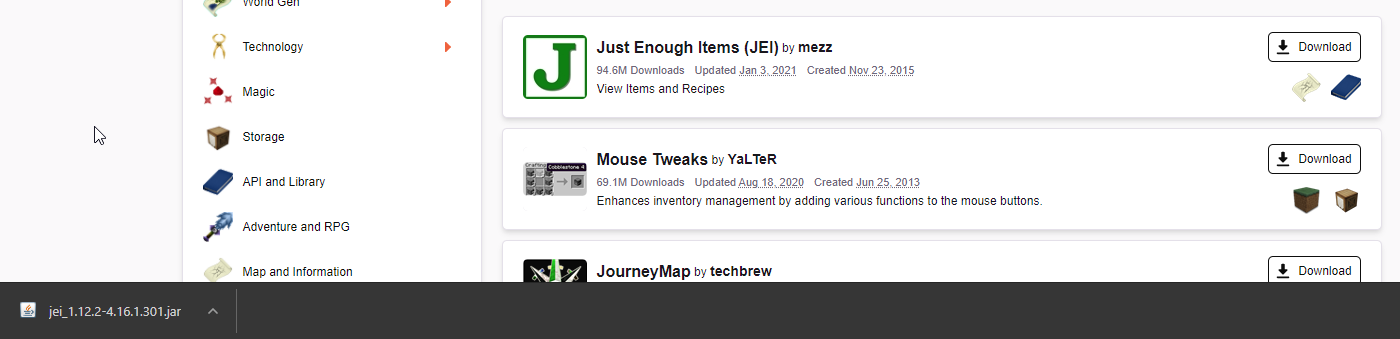
 fallow lichen
For some reason curseforge is saying that none of my modpacks have any mods installed. I've checked the files, there are definitely mods in all my profiles.
queen storm
Known issue
queen storm
Just ignore it and play
 cinder tree
maybe a dumb question but how do i change where modpacks download to? i keep getting "The specified path, file name, or both are too long. The fully qualified file name must
be less than 260 characters and the directory name must be less than 248 characters." but can't see where i go to actually change the path
lyric crescent
?mc-path
red patioBOT
Path too long/Path must be English letters or numbers only fix!
If Minecraft is not installed, start here.
Click the in the top right.
Select Minecraft.
Click "Edit".
Move to the "Continue here:" section below.
If Minecraft is installed, follow these steps.
Click the in the bottom left.
Select the Minecraft tab.
Click "Change".
Move to the "Continue here:" section below.
Continue here:
Make a folder in the root directory called CurseForge.
Select the folder you just made.
The text box should show something like the following:
For Windows: C:\CurseForge
For Mac: /CurseForge
 harsh torrent
how does one go about manually adding a file to a manifest.json for a curseforge mc modpack
queen storm
 vagrant light
 fleet bear
..... did you just make a tiktok of a crash...?
lyric crescent
lmaooooooo
fleet bear
I cant even right now.
 woeful cypress
Can someone help me please? I'm trying to play a mod-pack I made, but then i hit play it opens a Minecraft launcher that's completely different to the one i actually bought Minecraft on. I have no idea what I'm doing and any youtube videos that I've watched are how to download mods from Twitch and it cant be done that way anymore. please im super frustrated
lyric crescent
 "Old" Minecraft launcher 1.6.89 opens
What to do: On the Curseforge app, go to
woeful cypress
Minecraft is on native launcher already
lyric crescent
might be a problem then
woeful cypress
Yea, i tried copying the innfo form the New launcher into my original launcher but it still doesn't actually install the mods when i start up a world
lyric crescent
do you have a modpack downloaded?
woeful cypress
i made one on my curse forge account so i believe so
lyric crescent
right click it and open folder
backup two folders, you should see a folder called install go in there and start the launcher in that folder
woeful cypress
this is what pops up when i right click and hit download
lyric crescent
as expected
lyric crescent
pic
woeful cypress
slim thunder
exe*
woeful cypress
shit i have to restart my pc, it wont let me open minecraft sometimes after ive closed it once already brb
lyric crescent
sus
woeful cypress
Srsly
oky pc is back up
Ok I pulled up the minecraft launcher from the previous steps
lyric crescent
is it the normal one or the old one?
woeful cypress
normal one, the one ive been using