#🔥︱curseforge-support
1 messages · Page 271 of 1
 frank wraith
 bronze bluffBOT
frank wraith
bronze bluffBOT
frank wraith
Paste link generated for file uploaded by caden_dust.
bronze bluffBOT
 ocean lichen
!host
ocean lichen
!host
How to get your hosts-file
On Windows
- Press
 +R on your keyboard, and paste:
 notepad %windir%\system32\drivers\etc\hosts - Screenshot the contents and paste it into the chat.
On Mac/Linux
- Open a terminal window, paste:
cat /etc/hosts - Screenshot the contents and paste it into the chat.
frank wraith
 ocean lichen
Looking* at the slide bar in the side there is a lot of entries in the file. Can you screenshot everything inside, or straight up send the file here?
You can find it in C:\Windows\System32\drivers\etc\
frank wraith
these?
 frank wraith
ocean lichen
Looking* at the slide bar in the side there is a lot of entries in the file. Can...
frank wraith
ocean lichen
Looking* at the slide bar in the side there is a lot of entries in the file. Can...
i have a good amount of apps, sone more personal so that may be why
 sudden turtle
if i get exit code 1, how can i know which mode is broken?
bronze bluffBOT
sudden turtle
if i get exit code 1, how can i know which mode is broken?
Error/Exit codes aren't helpful. Follow these steps to receive support.
- Right-click the modpack profile icon OR click the
 button in the modpack profile.
 - Click

Open Folder. - Open the
logsfolder. - Drag and drop the FILE named
latestORdebuginto Discord.
Please continue in #🧱︱mc-other-help.
 proper glen
so i need help. i cant update the curseforge app and it keeps crashing.
ocean lichen
frank wraith
these?
Yes, only the hosts file
ocean lichen
proper glen
so i need help. i cant update the curseforge app and it keeps crashing.
Have you tried to reinstall the app?
frank wraith
ocean lichen
Yes, only the hosts file
im guessing i drag the file into discord?
ocean lichen
Yes
ocean lichen
frank wraith
Alright... Delete everything in below # ::1 localhost.
A clean hosts file should look like the below screenshot, everything else is not needed for anything and is probably malicious if anything.

I also advise to run a antivirus scan. The presence of these extra lines in your hosts file scream malware
 surreal wind
i installed the broken script mod, created a world(the mod has a command /safemode which basically disables crashes) but i cant seem to be able to type that command
frank wraith
ocean lichen
Alright... Delete everything in below ``# ::1 localhost``.
A clea...
ok, how do i delet them?
ocean lichen
Open your host file, like you did earlier, and delete everything extra lines below the comments.
The file should look like screenshot I sent you, with nothing more
frank wraith
ocean lichen
Open your host file, like you did earlier, and delete everything extra lines bel...
do i open it in notepad?
ocean lichen
frank wraith
do i open it in notepad?

 cloud gust
what make my modpack get rejected
 frank wraith
ocean lichen
frank wraith
ocean lichen
Is there a faster way to do this than manually because this is going to take forever I'm only on c right now
ocean lichen
cloud gust
what make my modpack get rejected
Look at the notifications
ocean lichen
frank wraith
Is there a faster way to do this than manually because this is going to take for...
You can CTRL + A and delete everything. Then you can copy paste the below:
#
# This is a sample HOSTS file used by Microsoft TCP/IP for Windows.
#
# This file contains the mappings of IP addresses to host names. Each
# entry should be kept on an individual line. The IP address should
# be placed in the first column followed by the corresponding host name.
# The IP address and the host name should be separated by at least one
# space.
#
# Additionally, comments (such as these) may be inserted on individual
# lines or following the machine name denoted by a '#' symbol.
#
# For example:
#
#      102.54.94.97     rhino.acme.com          # source server
#       38.25.63.10     x.acme.com              # x client host

# localhost name resolution is handled within DNS itself.
#    127.0.0.1       localhost
# ::1 localhost```I don't believe the comments are needed, but it's a little cleaner to make the file like fresh
 steady sigil
@fluid tusk thanks Man my Problem Got Fixed Apreciate Yout work And help have a Nice day 🫂
frank wraith
ocean lichen
You can CTRL + A and delete everything. Then you can copy paste the below:
```# ...
this correct?

 bold river
i keep getting error code 1 in minecraft since create 1.6 is out
bronze bluffBOT
bold river
i keep getting error code 1 in minecraft since create 1.6 is out
Paste link generated for file uploaded by Timijimi_11.
ocean lichen
frank wraith
this correct?
Yes
Now try a repair installation again + computer restart
ocean lichen
bold river
i keep getting error code 1 in minecraft since create 1.6 is out
Move in #🧱︱mc-other-help
bold river
there is nobody helping me there
frank wraith
ocean lichen
Now try a repair installation again + computer restart
do i save it and do this?
 ocean lichen
I will let Yoyok guide you
 signal ridge
bold river
there is nobody helping me there
signal ridge
bold river
there is nobody helping me there
Room jumping to the incorrect support room wont get you help faster. It will actually just slow this room down meaning youll have to wait even longer for us, as we have to answer non cf app/site related issuws.
bold river
signal ridge
Room jumping to the incorrect support room wont get you help faster. It will act...
yeah sorry
ocean lichen
ocean lichen
I will let Yoyok guide you
Unless you are busy. I assumed you wanted to take Caden's issue for a second
 tawny basin
Would having an AMD GPU effect my ability to use curse forge? I keep getting told "access to path denied" and am unable to import anything
signal ridge
ocean lichen
Unless you are busy. I assumed you wanted to take Caden's issue for a second
You seem to be doing fine, I can if you want. Otherwise your on the right track
ocean lichen
frank wraith
do i save it and do this?
You are not supposed to "save" anything. Just editing the already existing-file you opened earlier
cloud gust
ocean lichen
Look at the notifications
???

 ocean lichen
tawny basin
Would having an AMD GPU effect my ability to use curse forge? I keep getting tol...
ocean lichen
tawny basin
Would having an AMD GPU effect my ability to use curse forge? I keep getting tol...
The access to path denied is not related to your GPU. Do you get the same error when trying a repair installation within the app?
 acoustic sailBOT
Project 1070004 is: project-1070004
Create: Block Plus Addons of Create for Forge 1.20.1


 ocean lichen
cloud gust
???
ocean lichen
cloud gust
???
The project you are using is still recognised in the app, but have been deleted and cannot be used in a modpack anymore.
frank wraith
ocean lichen
You are not supposed to "save" anything. Just editing the already existing-file ...
but the host file is still the same when i re-open it
cloud gust
ocean lichen
The project you are using is still recognised in the app, but have been deleted ...
oh ok so i just have to delet it
ocean lichen
cloud gust
oh ok so i just have to delet it
Yes
ocean lichen
frank wraith
but the host file is still the same when i re-open it
What do you means by "in the same"?
tawny basin
ocean lichen
The access to path denied is not related to your GPU. Do you get the same error ...
Yeah I done the "repair installation" a few time, dose not seem to change anything, and tbh didn't think it was the GPu tbh, just saw mention on old redit post about it not playing well with AMD products so thought 'd check
frank wraith
ocean lichen
What do you means by "in the same"?
i mean when i go to files and open the host file again in notepad, its the version i didnt delete anything in
ocean lichen
tawny basin
Yeah I done the "repair installation" a few time, dose not seem to change anythi...
By "does not seem to change anything", do you means it's showing you the same error or success but do not fix the issue?
ocean lichen
frank wraith
i mean when i go to files and open the host file again in notepad, its the versi...
Then open this version again, and do what you already did.
Once the file is correct, use CTRL + S to save the change
tawny basin
ocean lichen
By "does not seem to change anything", do you means it's showing you the same er...
still dose not let me import and still says accesses to path was denied
ocean lichen
Do you have any modpack already installed?
cloud gust
and what about the server file
 ocean lichen
cloud gust
and what about the server file
ocean lichen
cloud gust
and what about the server file
Why do you hide the file?
cloud gust
ocean lichen
Why do you hide the file?
i dont know if i showd it i will be get muted or not
is it ok to show it?
ocean lichen
You can show it
tawny basin
ocean lichen
Do you have any modpack already installed?
Yeah I had some in the past downloaded
cloud gust
ocean lichen
You can show it
 tawny basin
oh shit was that for me? if not sorry
cloud gust
so why did the file get rejected
ocean lichen
tawny basin
Yeah I had some in the past downloaded
Open the modding folder and save the instances folder or the path of the location.
Then try changing the path of the minecraft installation like the below:
!mc-path
bronze bluffBOT
ocean lichen
!mc-path
Changing your Minecraft install path on the CurseForge App
- Click the
 in the bottom left.
 - Select the Minecraft tab.
- Click
Change. - Select the location:
- Windows:
Local Disk (C:)at the left side of the window. If you do not see it, clickThis PCfirst.) - Mac:
/Users/Shared/CurseForge, If it does not exist, make it.
:small_orange_diamond: If Minecraft is not installed yet in CurseForge App:
- Select Minecraft from the list of games, then select the
Advancedoption. - Continue with step 4 above.
 final gorge
Hi
I am guessing that the topic has already been rolled out many times, but it appears that I am unable to search probably ¯_(ツ)_/¯
So my project has been approved, but it's not available on the CurseForge app. (Project ID: 1211106, just in case).
Why? and how to make it accessible? Should I just wait?
ocean lichen
final gorge
Hi
I am guessing that the topic has already been rolled out many times, but it a...
Can you send the web link of your project?
frank wraith
ocean lichen
Then open this version again, and do what you already did.
Once the file is corr...
this happens when i press save, do i change what its saved as?
 final gorge

CurseForge
Modpack specially created for people from the Discord server named ‘K!DAŁOWICE’
ocean lichen
final gorge
<@568451593276751891> https://legacy.curseforge.com/minecraft/modpacks/kidalowi...
On my side, I manage to find your modpack in the app
 final gorge
ocean lichen
On my side, I manage to find your modpack in the app
final gorge
ocean lichen
On my side, I manage to find your modpack in the app
Yes, there is such an option, but when pressed, a message pops up saying that this modification cannot be installed because it is not on the application :/
 young bone
Are you trying to use the install button on the site?
tawny basin
ocean lichen
Open the modding folder and save the instances folder or the path of the locatio...
Ok so change it to a new folder? and thanks btw
final gorge
young bone
Are you trying to use the install button on the site?
Yes
young bone
Don’t use that
ocean lichen
frank wraith
this happens when i press save, do i change what its saved as?
There is the steps you need to do:
- Press +R on your keyboard, and paste:
notepad %windir%\system32\drivers\etc\hosts - Delete every extra lines that should not be there
- Do ctrl + S to save the file
young bone
Use the project ID in the app, like matteo did to find your pack
ocean lichen
tawny basin
Ok so change it to a new folder? and thanks btw
Yes, change the location directly to C:\, like the bot mentionned. Assuming you are on windows
final gorge
ocean lichen
On my side, I manage to find your modpack in the app
So I need to put in search bar only project ID?
Because when I type the name of my modpack, it doesn't display it for me
final gorge
young bone
Use the project ID in the app, like matteo did to find your pack
Oh okay
Thanks for help then 🙂
tawny basin
ocean lichen
Yes, change the location directly to ``C:\``, like the bot mentionned. Assuming ...
ok thanks
final gorge
 young bone
Because with the pack name you have, it looks like it would be nearly impossible to find
final gorge
young bone
Because with the pack name you have, it looks like it would be nearly impossible...
Ok, but I still don't see it even though I'm typing in the project id
final gorge
young bone
Because with the pack name you have, it looks like it would be nearly impossible...
All because of special characters and the letter „Ł”?
young bone
Not everyone can type out that pack name
frank wraith
ocean lichen
There is the steps you need to do:
1. Press <:zCFwindows:1319318736561373316>+R ...
i do that and it shows me this
 final gorge
young bone
Not everyone can type out that pack name
final gorge
young bone
Not everyone can type out that pack name
Okay, but still I can't search my project modpack when I write ID in search bar
tawny basin
ocean lichen
Yes, change the location directly to ``C:\``, like the bot mentionned. Assuming ...
Thanks again, but saddly that did not work
ocean lichen
final gorge
All because of special characters and the letter „Ł”?
It's in the list for me
 ocean lichen
frank wraith
i do that and it shows me this
ocean lichen
frank wraith
i do that and it shows me this
Click "Yes"
final gorge
Oh okay, I see it right now xD
ocean lichen
tawny basin
Thanks again, but saddly that did not work
If you try a repair installation again, do you get any error?
!mc-installfix
bronze bluffBOT
ocean lichen
!mc-installfix
How to repair your Minecraft installation on CurseForge - **NOT** the same as `Repair Profile` - please follow these exact steps
- Click on the Minecraft Tab on the left side of the CurseForge App.
- Click button in the Top Right Corner of the app
- Click

Repair Installationoption.
NOTE: Although this might seem similar to the instructions of repairing profile, it's different and required. No worries, you will not lose any modpacks or worlds.
 frank wraith
ocean lichen
Click "Yes"
frank wraith
ocean lichen
Click "Yes"
it shows these, do i click save again?
 ocean lichen
Why are you saving the file in your documents?
Oh it's just Windows putting you in the wrong folder
frank wraith
when i clicked yes it asked me if i wanted to save it there
tawny basin
ocean lichen
If you try a repair installation again, do you get any error?
yep, I do it, take a sec then says its fixed, then I run into the same problem
ocean lichen
Save the file in Windows\system32\drivers\etc\ and screenshot the folder afterward
frank wraith
ocean lichen
Save the file in Windows\system32\drivers\etc\ and screenshot the folder afterwa...
so do i change the "save as type" from text documents to all files?
ocean lichen
frank wraith
so do i change the "save as type" from text documents to all files?
No, just move to the location
Double click at the right of This PC -> Document, copy past %windir%\system32\drivers\etc\hosts and enter
cloud gust
is that mean that they are test the server file for me?
 ocean lichen
It's still processing the file, it's not again approuved or rejected
frank wraith
ocean lichen
Double click at the right of This PC -> Document, copy past ``%windir%\system32\...
in search documents?
tawny basin
ocean lichen
If you try a repair installation again, do you get any error?
says access violation
ocean lichen
frank wraith
in search documents?
Search documents?
ocean lichen
tawny basin
says access violation
Can you screenshot me the installation path?
frank wraith
ocean lichen
Search documents?
top right if it, like a search bar i think

 frank wraith
do i delet the word documents and then put ''%windir%\system32\drivers\etc\hosts''?
cloud gust
ocean lichen
It's still processing the file, it's not again approuved or rejected
i mean for the server file are they testing it before approuved it?
ocean lichen
frank wraith
do i delet the word documents and then put ''%windir%\system32\drivers\etc\hosts...
Yes
 near patio
https://www.reddit.com/r/CurseForge/comments/1j1vfd6/installation_curseforge_impossible/
Can someone help me please ?
Reddit
Explore this post and more from the CurseForge community
frank wraith
ocean lichen
Yes
ok, when i press save it ask this
 ocean lichen
frank wraith
ok, when i press save it ask this
ocean lichen
frank wraith
ok, when i press save it ask this
"Yes"
Wait you are still not in the right location
You are supposed to go there
 tawny basin
ocean lichen
Can you screenshot me the installation path?
tawny basin
ocean lichen
Can you screenshot me the installation path?
copyed from the top bit C:\Windows\System32\drivers\etc
ocean lichen
tawny basin
copyed from the top bit C:\Windows\System32\drivers\etc
It's not the installation path you are supposed to put at all
 ocean lichen
So the path look like this?;
 tawny basin
yep
ocean lichen
If you try the repair installation in this path, it's still giving you access violation?
frank wraith
ocean lichen
Wait you are still not in the right location
when i delete the word documents and paste %windir%\system32\drivers\etc\hosts and click enter it ask how i want to open it
ocean lichen
frank wraith
when i delete the word documents and paste %windir%\system32\drivers\etc\hosts a...
Oops just enter %windir%\system32\drivers\etc\ without the hosts at the end
near patio
when I launch the installation .exe, nothing happens but a file ¨Overwolf¨ is created in Appdata/local what can I do ?
 tawny basin
still says "access to path C:\user\AMD\AppData\local\temp\cf" denied
frank wraith
ocean lichen
Oops just enter %windir%\system32\drivers\etc\ without the hosts at the end
i do and it brings me to it and when i press save

like a loop
ocean lichen
tawny basin
still says "access to path C:\user\AMD\AppData\local\temp\cf" denied
!reinstall Try these steps
bronze bluffBOT
tawny basin
still says "access to path C:\user\AMD\AppData\local\temp\cf" denied
-# Trigger requested by mattéo 35.
Reinstalling Overwolf & CurseForge
Please uninstall by following the instructions here
Once you're done, you can install again from the main download page
*These steps will not remove any installed mods/addons/modpacks or associated files (worlds, configs etc)
ocean lichen
frank wraith
i do and it brings me to it and when i press save
Are you the administrator/owner of this computer? Or do anyone else use or own it?
frank wraith
ocean lichen
Are you the administrator/owner of this computer? Or do anyone else use or own i...
im pretty sure i own it, how would i check tho?
and nobody else uses it
tho i did get it from a friend, i think they fact reset it tho
tawny basin
ocean lichen
!reinstall Try these steps
good idea thanks
ocean lichen
frank wraith
im pretty sure i own it, how would i check tho?
Open the "account" section in windows settings or control panel and look and that should tell you if you are administrator or not
frank wraith
ocean lichen
Open the "account" section in windows settings or control panel and look and tha...
it says im the administrator
ocean lichen
frank wraith
it says im the administrator
Alright. Then you can try to open the file in powershell.
Open Powershell and do the below command:
powershell -command "Start-Process notepad $env:windir\system32\drivers\etc\hosts" -Verb runas, then you should be able to save the file without lacking permissions
And by the ways sorry if it's pretty troubleshoot to edit this file 😅
I really hope cleaning up the mess inside will help with the game's installation
frank wraith
so i put "powershell -command "Start-Process notepad $env:windir\system32\drivers\etc\hosts" here?
 ocean lichen
Exactly
frank wraith
i pressed enter and it just put >>
frank wraith
ocean lichen
Exactly
literally this
 signal ridge
powershell -command "Start-Process notepad $env:windir\system32\drivers\etc\hosts" -Verb runas
Exactly the above, your missing parts

 round skiff
hello im having issues with getting cursed forge to find my palworld (xbox version) can someone possible help
young bone
?palworldcf
bronze bluffBOT
young bone
?palworldcf
Palworld version support
Palworld version support
At the moment only the steam version is detectable. This is due to how Microsoft handles filer permissions for the Gamepass. No eta on when/if the Gamepass will be usable.
Other games have had issues with Gamepass as well.
round skiff
ok thank you
signal ridge
frank wraith
it says this now
Make sure you click Save not Save as
frank wraith
signal ridge
Make sure you click Save not Save as
the one beside cancel? and where do you see "save as"?
signal ridge
File > save
frank wraith
signal ridge
File > save
i only see the bottom right save option
signal ridge
In notepad itself, Hit cancel, then click File in the upper left > save
frank wraith
signal ridge
In notepad itself, Hit cancel, then click File in the upper left > save
sent me here
 signal ridge
Show your hosts file text
frank wraith
this?
 signal ridge
save and replace I guess
 vestal quiver
hey could i have help on something rq
signal ridge
!help
bronze bluffBOT
signal ridge
!help
Please provide some more information to receive assistance
Providing the following information will help the team in assisting you:
- A detailed description of the issue you're experiencing
- If a mod/modpack/addon is involved, please specify the name
- Any screenshot/video/gif of the issue if you have
Some tips for explaining yourself better to save time and additional questions:
- Avoid using words such as 'it', say what it is :]
- Instead of simply saying something doesn't work, try to describe what's happening when you're running it
 fluid tusk
Well you have to explain what it is first
frank wraith
signal ridge
save and replace I guess
uhh
 signal ridge
Close this all, restart your pc. Then run the powershell command again
 vapid wolf
how do i import custom mod into curseforge if anyone knows
signal ridge
Mod or modpack? 2 very different things
vestal quiver
fluid tusk
Well you have to explain what it is first
So im trying to add mods to Cursed Walking, like scary mods to make it even more scary, but CW keeps on crashing and my crash assistant is telling me that MC dosent have a crash report
 quick inlet
Good evening, who knows where I can check a list of mods I put in section "Favourite"? Because can't find it anywhere
signal ridge
frank wraith
uhh
Also when you get back, what started this issue? like from the start, not the hosts file
vapid wolf
oops sorry i meant to say how do i import custom map into curseforge
fluid tusk
Modifying modpacks is not a good idea. Regardless, crash reports tell us nothing anyway
vestal quiver
Ok thanks
fluid tusk
?mc-logs if you insist on adding mods anyway, please get this file
bronze bluffBOT
fluid tusk
?mc-logs if you insist on adding mods anyway, please get this file
How to get your profile logs on CurseForge for support
- Right-click the modpack profile icon OR click the button in the modpack profile.
- Click
Open Folder. - Open the
logsfolder. - Drag and drop the FILE named
latestORdebuginto discord.
You can also view this video
signal ridge
vapid wolf
oops sorry i meant to say how do i import custom map into curseforge
!mc-profilefolder Put it in your saves folder
bronze bluffBOT
vapid wolf
oops sorry i meant to say how do i import custom map into curseforge
-# Trigger requested by YOYOK9.
How to open profile folders
- Right-click the modpack profile icon OR click the button in the modpack profile.
- Click
Open Folder.
vapid wolf
word figured it out
frank wraith
signal ridge
Also when you get back, what started this issue? like from the start, not the ho...
this

 proven stirrup
Can someone help? I've updated my driver but it still is crashing.
https://mclo.gs/LDqGQhx
bronze bluffBOT
proven stirrup
Can someone help? I've updated my driver but it still is crashing.
https://mclo....
Paste link generated for file uploaded by NERDY.
signal ridge
frank wraith
this
Oh ok, have you done a repair installation?
signal ridge
proven stirrup
Can someone help? I've updated my driver but it still is crashing.
https://mclo....
#🧱︱mc-other-help for this
proven stirrup
signal ridge
<#768367574001778729> for this
Ok I'll put it there
frank wraith
signal ridge
Oh ok, have you done a repair installation?
maybe? how do it
signal ridge
!mc-installfix this
bronze bluffBOT
signal ridge
!mc-installfix this
How to repair your Minecraft installation on CurseForge - **NOT** the same as `Repair Profile` - please follow these exact steps
- Click on the Minecraft Tab on the left side of the CurseForge App.
- Click button in the Top Right Corner of the app
- Click
Repair Installationoption.
NOTE: Although this might seem similar to the instructions of repairing profile, it's different and required. No worries, you will not lose any modpacks or worlds.
signal ridge
Make sure your doing Repair installation, not repair profile
frank wraith
signal ridge
Make sure your doing Repair installation, not repair profile
trying it rn
signal ridge
As soon as its successful, restart your pc
frank wraith
frank wraith
this
so, it loads for a sec then this again
signal ridge
!mc-path
bronze bluffBOT
signal ridge
!mc-path
Changing your Minecraft install path on the CurseForge App
- Click the in the bottom left.
- Select the Minecraft tab.
- Click
Change. - Select the location:
- Windows:
Local Disk (C:)at the left side of the window. If you do not see it, clickThis PCfirst.) - Mac:
/Users/Shared/CurseForge, If it does not exist, make it.
:small_orange_diamond: If Minecraft is not installed yet in CurseForge App:
- Select Minecraft from the list of games, then select the
Advancedoption. - Continue with step 4 above.
 slate night
hey guys, i try to make my own modpack but when i start it it only comes a crash log, can someone help?
 blissful totem
Hello, I need help where should I specify the URL of the CurseForge image?
signal ridge
slate night
hey guys, i try to make my own modpack but when i start it it only comes a crash...
Send the log to #🧱︱mc-other-help
frank wraith
signal ridge
!mc-path
minecraft is there

 indigo temple
hi
signal ridge
blissful totem
Hello, I need help where should I specify the URL of the CurseForge image?
When you add the image to your description. When editing your description, click the ... on the far right of the editor > insert imagae.
signal ridge
frank wraith
minecraft is there
Click this pc on the left side > Click on your strorage drive of choice > then click select folder.
App should show something along the lines of C:\curseforge
indigo temple
im trying to make a all the mods10 server but it keeps crashing to the loading screen can anyone help me
this is the text ı get, from this point onwards nothing happens it doesnt open the server
 blissful totem
signal ridge
When you add the image to your description. When editing your description, click...
blissful totem
signal ridge
When you add the image to your description. When editing your description, click...
For some reason, it is not being set.
 signal ridge
indigo temple
im trying to make a all the mods10 server but it keeps crashing to the loading s...
signal ridge
indigo temple
im trying to make a all the mods10 server but it keeps crashing to the loading s...
!i-atm report to atm devs
bronze bluffBOT
indigo temple
im trying to make a all the mods10 server but it keeps crashing to the loading s...
-# Trigger requested by YOYOK9.
indigo temple
thx
frank wraith
signal ridge
Click this pc on the left side > Click on your strorage drive of choice > then c...
so like local disk (C:)?
signal ridge
blissful totem
For some reason, it is not being set.
Click in the chat box where you want the pic, then try the button
signal ridge
frank wraith
so like local disk (C:)?
If that is your drive of choice, yes
frank wraith
signal ridge
If that is your drive of choice, yes
showed this
 young bone
That's new to me
signal ridge
click yes

 signal ridge
Oh ok I see now, should be doing this from your dashboard, not the legacy site
frank wraith
signal ridge
click yes
i did and now the mineceaft modding folder says C:\CurseForge
signal ridge
blissful totem
Cancel this edit.
Click your user in the upper right corner > dashboard > projects > click the beside your project you want to edit > Description.
signal ridge
frank wraith
i did and now the mineceaft modding folder says C:\CurseForge
See if the pack boots
frank wraith
signal ridge
See if the pack boots
so try playing it again?
signal ridge
yes
frank wraith
it didnt work
blissful totem
signal ridge
Cancel this edit.
Click your user in the upper right corner > dashboard > proje...
Here? What should I do next?
 frank wraith
signal ridge
yes
frank wraith
signal ridge
yes
 signal ridge
blissful totem
Here? What should I do next?
signal ridge
blissful totem
Here? What should I do next?
The picture steps I gave you before, do them in this version of the editor
signal ridge
frank wraith
I had a look at the hosts file you sent before. Your pc is infected with some nsfw malware of sorts... You will need to get this cleaned first. As its likely screwing with how your pc sees the internet.
frank wraith
signal ridge
I had a look at the hosts file you sent before. Your pc is infected with some ns...
ok, do i gotta factory reset or sum?
signal ridge
Run a deap all file clean with Windows Defender.
Factory resets can actually miss malware
frank wraith
signal ridge
Run a deap all file clean with Windows Defender.
where do i do that
blissful totem
signal ridge
Click in the chat box where you want the pic, then try the button
Thank you so much, I couldn't figure out what the problem was for 3 years!
frank wraith
frank wraith
where do i do that
im still getting use to pc related stuff
near patio
when I launch the installation .exe, nothing happens but a file ¨Overwolf¨ is created in Appdata/local what can I do ?
 signal ridge
frank wraith
where do i do that
signal ridge
frank wraith
where do i do that
In your windows task bar search: Virus and Threat detection
Open that app
 ocean lichen
near patio
when I launch the installation .exe, nothing happens but a file ¨Overwolf¨ is cr...
ocean lichen
near patio
when I launch the installation .exe, nothing happens but a file ¨Overwolf¨ is cr...
You are talking about this issue?: https://www.reddit.com/r/CurseForge/comments/1j1vfd6/installation_curseforge_impossible/
Reddit
Explore this post and more from the CurseForge community
near patio
ocean lichen
You are talking about this issue?: https://www.reddit.com/r/CurseForge/comments/...
yes this is my reddit post
signal ridge
frank wraith
where do i do that
Click Scan options > Change to Full scan. Then scan now
frank wraith
its running now
signal ridge
It may take a few hours. Full scans will scan every file on your pc for malware/viruses.
frank wraith
this, might take a while
signal ridge
or any other junk you picked up from the internet.
Depending on what it finds, you may have to clean then run it again.
frank wraith
k, ill return when it done
frank wraith
signal ridge
Depending on what it finds, you may have to clean then run it again.
btw do i gotta stay on my pc so it doesnt turn off?
signal ridge
Your pc just needs to stay awake, you dont need to babysit it. Tho would check on it every hour or so to make sure it didnt get stuck.
If you type power and sleep into the task bar > open the settings and set sleep to never the pc will stay on.
 shell knoll
my curseforge isnt opening on google or when i open app nothing will download? help pls
 signal ridge
Send the url for what gave you this.
shell knoll

CurseForge
CurseForge is one of the biggest mod repositories in the world, serving communities like Minecraft, WoW, The Sims 4, and more. With over 800 million mods downloaded every month and over 11 million active monthly users, we are a growing community of avid gamers, always on the hunt for the next thing in user-generated content.
signal ridge
!dns try the below
bronze bluffBOT
signal ridge
!dns try the below
Changing your DNS server
-
Please follow these instructions to change your DNS server. The default one (provided by your router/ISP) can sometimes block CurseForge and other programs/websites.
-
After changing the DNS server to be used by your computer, you can enter the following command into a
CMDorpowershellwindow (Windows search either and open).
ipconfig /flushdns
This will reset your DNS records so that new web requests get new addresses using the new DNS.
signal ridge
then Ctrl + F5 on the site
shell knoll
this is also showing on app when i try download stuff
 shell knoll
signal ridge
!dns try the below
shell knoll
signal ridge
!dns try the below
alright i will try that now, thank you
near patio
ocean lichen
You are talking about this issue?: https://www.reddit.com/r/CurseForge/comments/...
yes this is my post do you have a solution ?
signal ridge
app is likely related to you not being able to reach the site.
shell knoll
signal ridge
app is likely related to you not being able to reach the site.
i tried the steps, it did not work
signal ridge
What didnt work? chnaging the ip? the flush?
shell knoll
changing the bit where you add 1 . 1 . 1 . 1
signal ridge
Did it spit out an error?
shell knoll
no
signal ridge
Did you do the flush after?
 neat socket
is there a way to jst see addons/mods for bedrock?
young bone
You go to its page in the site
 knotty patio
Man I need some serious help
neat socket
young bone
You go to its page in the site
i cant find tgt
young bone
You go to the main CurseForge page, then you can get to it
bronze bluffBOT
knotty patio
Man I need some serious help
-# Trigger requested by YOYOK9.
Please provide some more information to receive assistance
Providing the following information will help the team in assisting you:
- A detailed description of the issue you're experiencing
- If a mod/modpack/addon is involved, please specify the name
- Any screenshot/video/gif of the issue if you have
Some tips for explaining yourself better to save time and additional questions:
- Avoid using words such as 'it', say what it is :]
- Instead of simply saying something doesn't work, try to describe what's happening when you're running it
 urban oasis
what this mean
 knotty patio
Curseforge keeps on crashing constantly, I manually have to restart NET 4.8 each time for it to work again and even then it only works shortly and HORRIBLY. No idea whats going on
urban oasis
urban oasis
what this mean
i cant launch curseforge
signal ridge
!ticket-site for both of you
bronze bluffBOT
signal ridge
!ticket-site for both of you
How to open a support ticket on the CurseForge website
Can't open the app or would rather use the website? You can do so here.
Fill out the form with accurate detailed information, keep in mind that simply saying 'it' or 'doesn't work' is very vague. The more details you provide, the more efficient help you will get.
If your problem is with the app, make sure to upload your CurseForge logs with the Upload File option in the ticket. Information on how to get these logs can be found here
shell knoll
please can someone send the download link to curseforge - i had to reinstall it because i cannot play any games without crashing and it will not let me access its website on google
@signal ridge
signal ridge
!getcf
bronze bluffBOT
signal ridge
!getcf
Where and how to install the CurseForge app
Windows
-
Windows app
[Windows download]
Minimum Requirements:
OS Version: Windows 10 or 11 - (64-bit)- If you are having issues with the
Windows Downloaduse the [Windows alternative download] to install Overwolf. Then download CurseForge from the App Store.
- If you are having issues with the
-
Windows Standalone app
[Windows Standalone app download]
Note: Games supported - World of Warcraft, Minecraft, and The Sims:tm: 4.
 Mac
Mac
- [Mac download]
Minimum Requirements:
OS Version: MacOS 10.15 or newer - (64-bit)
:penguin: Linux
- [Linux download]
Note: Games supported - World of Warcraft, Minecraft Java.
shell knoll
thankyou 🙏
 proven goblet
How do i post on lfg?
young bone
Did you not read what the bot said in the channel you last tried to send something in
proven goblet
I did but i dont know what it means by that because i reacted to the rules and nothing happened
young bone
Reread the rules there
young bone
?noping
bronze bluffBOT
young bone
?noping
📛 Please do __**NOT**__ ping or DM unless asked (Rule #6)
Please take the time to read our #📛︱rules
Keep in mind that the reply feature pings the original message's sender by default, so please turn it OFF with every reply (you can hold down shift when replying to do the same), or don’t use the reply feature and simply write your response in the channel.
The Moderators & Helpers volunteer their time and knowledge to help, you might not get your answers instantly. Describe what you need help with in detail and please patiently wait for someone to check and reply.
Do NOT DM staff members without being asked to do so.
Breaking this rule will result in being timed out / banned according to moderation judgment.
 sage kiln
Can you recover a deleted modpack that you owned on curseforge, or is your modpack permanently deleted?
 halcyon ivy
i can dont open curse forge i need help
fluid tusk
sage kiln
Can you recover a deleted modpack that you owned on curseforge, or is your modpa...
Unless it's in your recycle bin, it's gone.
fluid tusk
halcyon ivy
i can dont open curse forge i need help
What happens when you try to open it?
sage kiln
fluid tusk
Unless it's in your recycle bin, it's gone.
Nah like you deleted a project you uploaded to curseforge, if it stays permanently deleted
fluid tusk
Oh, I've never uploaded anything to their servers.
sudden turtle
i see minecraft files have backup folder, can (if i can) i make back up?
 little quiver
If I'm having trouble with getting Mods to work in Minecraft for CurseForge in Linux would that best be suited here or the MineCraft support chat?
Wanna make sure I'm in the right place so I get the right info put together for some help
frank wraith
@signal ridge yeah it found malware, its taking action rn
signal ridge
frank wraith
<@217048549706301442> yeah it found malware, its taking action rn
Remember once your done taking action, to do another scan. Make sure its clean and nothing was missed or hidden by the malware
frank wraith
signal ridge
Remember once your done taking action, to do another scan. Make sure its clean a...
another deep scan? ok
 light sedge
why my game
i can't start minecraft
i play 2day's inh my world and when i start it now it crash why is that???
fluid tusk
Could be any number of reasons. Go to #🧱︱mc-other-help and post your latest.log file
light sedge
sorry i don't are good in english
light sedge
fluid tusk
Could be any number of reasons. Go to <#768367574001778729> and post your latest...
how i can make this
fluid tusk
?mc-logs
bronze bluffBOT
fluid tusk
?mc-logs
How to get your profile logs on CurseForge for support
- Right-click the modpack profile icon OR click the button in the modpack profile.
- Click
Open Folder. - Open the
logsfolder. - Drag and drop the FILE named
latestORdebuginto discord.
You can also view this video
fluid tusk
Remember to post it in #🧱︱mc-other-help and NOT in this channel
light sedge
thanks i will try it
frank wraith
@signal ridge should i just dm you instead of here?
 red tide
I'm unable to play any for my mod packs for Minecraft they open and then immediately close but I'm not getting the game crashed error.
fluid tusk
?noping
bronze bluffBOT
fluid tusk
?noping
📛 Please do __**NOT**__ ping or DM unless asked (Rule #6)
Please take the time to read our #📛︱rules
Keep in mind that the reply feature pings the original message's sender by default, so please turn it OFF with every reply (you can hold down shift when replying to do the same), or don’t use the reply feature and simply write your response in the channel.
The Moderators & Helpers volunteer their time and knowledge to help, you might not get your answers instantly. Describe what you need help with in detail and please patiently wait for someone to check and reply.
Do NOT DM staff members without being asked to do so.
Breaking this rule will result in being timed out / banned according to moderation judgment.
fluid tusk
red tide
I'm unable to play any for my mod packs for Minecraft they open and then immedia...
?mc-logs post the file mentioned below in #🧱︱mc-other-help
bronze bluffBOT
red tide
I'm unable to play any for my mod packs for Minecraft they open and then immedia...
-# Trigger requested by bunnyman14.
How to get your profile logs on CurseForge for support
- Right-click the modpack profile icon OR click the button in the modpack profile.
- Click
Open Folder. - Open the
logsfolder. - Drag and drop the FILE named
latestORdebuginto discord.
You can also view this video
 buoyant anvil
red tide
sudden turtle
buoyant anvil
red tide
sudden turtle
how can i create backup of my modpack?
signal ridge
Make a copy of it, duplicating it works, so does making an export. I prefer exports due to space reasons
signal ridge
red tide
Didnt need to resend the paste link, we can all see that. Move to #🧱︱mc-other-help for mc issues

 cosmic jetty
What does this mean?

 odd shadow
My game keeps Crashing when i try to use some mods i googled how to fix it and it didnt work anyone know why?
 left herald
anyone know how to fix curseforge not opening?
 untold burrow
left herald
anyone know how to fix curseforge not opening?
untold burrow
left herald
anyone know how to fix curseforge not opening?
open it from the
 left herald
untold burrow
open it from the
left herald
untold burrow
open it from the
cursefroge isnt in that like list of menu things
left herald
when i click i get the blue loading wheel for like a quick moment and then it goes away and nothing else happens
 mortal sandal
bronze bluffBOT
mortal sandal
mortal sandal
bronze bluffBOT
mortal sandal
Paste link generated for file uploaded by Iron Bandito.
mortal sandal
where did it go wrong
 rigid gazelle
bronze bluffBOT
rigid gazelle
rigid gazelle
bronze bluffBOT
rigid gazelle
Paste link generated for file uploaded by FawnDinosaur414.
 lethal tree
hi im trying to download "complementary shaders" for my wife to play but have no idea how to get it to work on minecraft, i have them downloaded in curse forge but thats as far as ive gotten. can anyone guide me through it?
@bronze bluff
frank wraith
something changed after i got rid of the malware @signal ridge

 tawdry spruce
updated modpack by mistake, keeps crashing on startup, please help
bronze bluffBOT
tawdry spruce
updated modpack by mistake, keeps crashing on startup, please help
Paste link generated for file uploaded by dodofard.
 dapper crane
hello i cant download any modpack

 woeful radish
Hey, I accidentally deleted a profile on curseforge
it had a important minecraft world on it, is there any way to recover it? I JUST did it
Any way at all??
nvm got it back
 formal garnet
what does it mean by "Worlds" in the modpack
 bronze bluffBOT
 cyan mica
?moderation
cyan mica
?moderation
ARK Manual moderation process
Each moderation review can end with one of three possible outcomes:
Approved - The mod meets the CurseForge community and the various console guidelines and is approved.
Changes required - Some issues were identified and need to be fixed before the mod is allowed to be published. In such a case, the author will get a list of issues to fix and once resolved, the mod will be reviewed again by the moderation team.
Rejected - If your project was rejected, you will not be able to publish it. You will be required to go through the creation process again with a new project. Is some edge cases, a project is rejected and the author is banned from submitting a new mod.
bronze bluffBOT
cyan mica
?help
Please provide some more information to receive assistance
Providing the following information will help the team in assisting you:
- A detailed description of the issue you're experiencing
- If a mod/modpack/addon is involved, please specify the name
- Any screenshot/video/gif of the issue if you have
Some tips for explaining yourself better to save time and additional questions:
- Avoid using words such as 'it', say what it is :]
- Instead of simply saying something doesn't work, try to describe what's happening when you're running it
bronze bluffBOT
cyan mica
?moderation
Trigger not found
Did you mean the ?arkmoderation trigger?
Match probability: 86.96%
bronze bluffBOT
cyan mica
?modpack review
How to add/remove mods in a modpack
How to add/remove mods in a modpack:
- Click on the picture of the modpack.
- Click the

Add More Contentbutton, IF this button is not there, see below before you continue. - Find the Mods, Resource Packs or Maps you wish to Install and click
Installon them. - Wait for all the required mods to be downloaded.
- Start the modpack.
How to Enable/Disable content management for modpacks:
- Click on the picture of the modpack.
- Click on the button next to the
Playbutton. - Click on

Profile Options. - Check the
Allow content management for this profileoption if you want to edit the content of the modpack, uncheck it to disable.
NOTE: The Allow content management for this profile option is what allows you to Delete, Disable, Update or Install any Mods, Resource Packs or Maps managed by CurseForge. It must be ON to modify any of them! (Currently)
woeful radish
cyan mica
okay
U just have to wait, sometimes they just busy sometimes they here all the time but nobody can be here all the time
 warm sluice
I have a problem when my game crashes on load up and this just started happening can anyone help me out
 sly hornet
 deep ginkgo
For some reason only the CurseForge version of my launcher won't connect to the internet, I can't play on my modded servers. Anyone got any idea? 🙏
 deep ginkgo
For some reason only the CurseForge version of my launcher won't connect to the ...
deep ginkgo
deep ginkgo
For some reason only the CurseForge version of my launcher won't connect to the ...
Fixed, had to switch to the Microsoft Store launcher in the CurseForge settings

 cursive sundial
hi how can i remove this?
 bronze bluffBOT
cursive sundial
hi how can i remove this?
bronze bluffBOT
cursive sundial
hi how can i remove this?
Project uploaded with the 'experimental' status
If you've uploaded a project and selected the experimental status, it won't be visible to others and its files won't synchronize across CurseForge. To remove the experimental option you will need to click the link as shown in the image below.
You will need to go to the legacy site for this, just add the word "legacy" at the start of the url. (legacy.curseforge)
Click here to read more about Project statuses

 twilit void
https://mclo.gs can anyone help?
Easily paste your Minecraft logs to share and analyse them.
 desert sparrow
can someone help me? im making a mod pack, and i havent changed anything in a while, but now its crashing. can someone please help?
bronze bluffBOT
desert sparrow
Paste link generated for file uploaded by King Russell III.
 ocean halo
i keep crashing. and i dont know why. first i only crashed when i loaded into my world, now i crash when i load in to the game. can someone help me please?
bronze bluffBOT
ocean halo
i keep crashing. and i dont know why. first i only crashed when i loaded into my...
Paste link generated for file uploaded by Hampta.
 plain pawn
@tranquil lava @agile storm @opal cipher @ashen willow @upper root @fallen loom @sage granite @formal hare @lucid tiger @digital roost @sterile kestrel @queen charm @quasi basalt @zealous sequoia @worthy wind GET @ocean halo SOME HELP
 rough nightBOT
 @raccoonn827 kicked
Reason: Pinged too many people
 digital roost
🍿
 opal cipher
The trash took themselves out.
ocean halo
hes right you should get me some help
opal cipher
!patience
bronze bluffBOT
opal cipher
!patience
Please be patient, we're helping as fast as we can
The Moderators & Helpers on this server volunteer their time and knowledge to help people as they can.
Not everyone here will have an answer for you the moment you want it.
Time zones, work/life schedules etc. also vary when people are around to help.
TL;DR: Please have patience. IF and WHEN someone knows how to help, they will assist you.
*Note that you can also open a support ticket and wait for a response.
opal cipher
I'm currently busy at work, so I can't really help you
 zealous sequoia
plain pawn
<@125260256312819712> <@340135500461375488> <@139126154492641282> <@596600255810...
zealous sequoia
plain pawn
<@125260256312819712> <@340135500461375488> <@139126154492641282> <@596600255810...
No
why do people even do that
opal cipher
ocean halo
hes right you should get me some help
!mc-launcherlog Closest help I can give you, need this log, post it in #🧱︱mc-other-help
bronze bluffBOT
ocean halo
hes right you should get me some help
-# Trigger requested by NoLifeKing.
How to get your launcher log
- Click button in the Top Right Corner of the app
- Click the
Open Modding folderbutton - Open the Install folder
- Drag the
launcher_log.txtfile into discord. If there are multiple only send the one without a number in its name
 bronze bluffBOT
 small acorn
Paste link generated for file uploaded by Aarush.
small acorn
This is the main thing I could find in the logs
Mixin config okzoomer.mixins.json does not specify "minVersion" property
opal cipher
!mc-essential
bronze bluffBOT
opal cipher
!mc-essential
Support for Essential Mod
To get better help with the Essential mod issues, we recommend going to their Discord for further assistance. They have a better understanding of their own mod and things around it.
https://essential.gg/en/
We can help with issues not related to Essential. You can try to remove it and see if the issue persists. If it does, you can ask us.
 limber marlin
Hi, the Steam wallet key option no longer available? On Reward Store?
opal cipher
!notcf If you need help with Minecraft, you need to actually post the logs, and best would be in #🧱︱mc-other-help
bronze bluffBOT
opal cipher
!notcf If you need help with Minecraft, you need to actually post the logs, and ...
This is not related to CurseForge owned/maintained features or services
CurseForge does not make or maintain any of the content or games used on the site or the app.
Just because it's on the site/app does not make it a problem with CurseForge.
Please move to the respective channels as requested, OR use #👽︱game-support for game-related help.
 molten night
Hi - Have a question. I am playing WoW and use CurseForge. I have a cabin and a home, and therefore have two PC's. One PC is new and I was hoping that all my addons would be able to transfer when I got an account and password. Does not seem to happen. Is there anything I can do, or do I just have to write down all addons next time I go to the cabin?
 trim ocean
Is there a way I can access a previous sync? Using the sync feature on my laptop deleted all my addons and replaced the state with the new one 👍
Guess I'm done playing WoW. Not setting that all up again lmao. Maybe a warning "Are you sure you want to replace your current sync with nothing?" if that's what it going to do, rather than, you know, syncing.
 bitter marlin
is this CF or MC issue?

 wanton spindle
cyan mica
?review
wanton spindle
cyan mica
?review
woooah fella
signal ridge
bitter marlin
is this CF or MC issue?
This would be MC as the error is in minecraft not the cf app/site.
Issue is supplementaries has some create support, but that was broken in create's 6.0.0 update. Supplementaries dev would need to fix this
 hollow cobalt
I'm trying to add Manor Lords to my Curseforge app, however it can not locate the game installed file on a scan or a manual install. Any tips?
 celest condor
How can this issue be fixed?
 bitter marlin
signal ridge
This would be MC as the error is in minecraft not the cf app/site.
Issue is su...
bitter marlin
signal ridge
This would be MC as the error is in minecraft not the cf app/site.
Issue is su...
I did downgrade the create mod
 deft aspen
Is there a proper place to ask for help with the API? I'm a bit lost in the docs 😅
 willow matrix
I’m having issues joining a world. I just bought astreos the other day and when I downloaded it. It crashed my Xbox. And now I can’t join any world. Anyone got any ideas.
ocean lichen
willow matrix
I’m having issues joining a world. I just bought astreos the other day and when ...
!notcf
bronze bluffBOT
willow matrix
I’m having issues joining a world. I just bought astreos the other day and when ...
-# Trigger requested by mattéo 35.
This is not related to CurseForge owned/maintained features or services
CurseForge does not make or maintain any of the content or games used on the site or the app.
Just because it's on the site/app does not make it a problem with CurseForge.
Please move to the respective channels as requested, OR use #👽︱game-support for game-related help.
willow matrix
bronze bluff
-# `Trigger requested by mattéo 35.`
It isn’t with just one map. It’s with all maps. Even the official ones.
 obtuse cedar
is anyone having issues updating mods from Curseforge?
bitter marlin
what's siyntra connector?
obtuse cedar
I keep getting this for no reason

 sage horizon
Why is my curgeforge blocking here?

I added 13G of ram into it and it didn't fix anything
ocean lichen
sage horizon
Why is my curgeforge blocking here?
!notcf
bronze bluffBOT
sage horizon
Why is my curgeforge blocking here?
-# Trigger requested by mattéo 35.
This is not related to CurseForge owned/maintained features or services
CurseForge does not make or maintain any of the content or games used on the site or the app.
Just because it's on the site/app does not make it a problem with CurseForge.
Please move to the respective channels as requested, OR use #👽︱game-support for game-related help.
ocean lichen
It's a issue with #🧱︱mc-other-help, not CurseForge.
ocean lichen
willow matrix
It isn’t with just one map. It’s with all maps. Even the official ones.
It's still a game issue
 stable seal
is this real bro?
 young bone
?mt
bronze bluffBOT
young bone
?mt
Project moderation time
Project/File moderation is done on these days unless otherwise mentioned:
Sunday, Monday, Tuesday, Wednesday, Thursday: <t:1631170800:t> - <t:1631199600:t> (Your time)
Friday, Saturday: No Moderation!
Projects are moderated First in, First out. If you submit late in the work day, it will likely get left until the next day!
New Projects or anything flagged for manual review: 1-3 Working Days
Updates to approved projects not needing manual approval: 1 Hour
-If your file has been "Under Review" for more than an hour, then it is at manual review!
 young bone
That’s for them to look at it
signal ridge
Its part of the automated review process, ex malware scans
young bone
If your project is brand new, it’s not going to be immediately approved
stable seal
young bone
If your project is brand new, it’s not going to be immediately approved
2 years is new?
they accept all my version in 20 minutes max
xd
signal ridge
Files can enter manual review even in projects that are already approved. You can see the how minecraft moderation works in the link at the bottom of the mt bot.
stable seal
when is my file going to be accept?
signal ridge
Did you read the bot? 1-3 ow working days
stable seal
cause i'm losing players on my server and is sus sending in other dowload thing
stable seal
signal ridge
Did you read the bot? 1-3 ow working days
oh okk
signal ridge
This is the same process for all users.

 wide vigil
?mt
bronze bluffBOT
wide vigil
?mt
Project moderation time
Project/File moderation is done on these days unless otherwise mentioned:
Sunday, Monday, Tuesday, Wednesday, Thursday: <t:1631170800:t> - <t:1631199600:t> (Your time)
Friday, Saturday: No Moderation!
Projects are moderated First in, First out. If you submit late in the work day, it will likely get left until the next day!
New Projects or anything flagged for manual review: 1-3 Working Days
Updates to approved projects not needing manual approval: 1 Hour
-If your file has been "Under Review" for more than an hour, then it is at manual review!
mortal sandal
mortal sandal
Anyone ?
 nimble lily
mortal sandal
Anyone ?
nimble lily
mortal sandal
Anyone ?
It seems to be an error with the "God" mod, could it be that there is a missing dependent mod?
shell knoll
bruh what is this i cant instal anything
 desert sparrow
where do i put this?
bronze bluffBOT
desert sparrow
where do i put this?
Paste link generated for file uploaded by King Russell III.
desert sparrow
im sorry, im such a noob when it comes to this stuff- can someone help me?
bitter marlin
Anyone know if this means anything
The game crashed: rendering overlay
Error: java.lang.RuntimeException: null
I'm just lost atp
 wintry spear
Hello, my curseforge isnt getting me a code to use to sign in. is there another way to sign in?
 mortal sandal
nimble lily
It seems to be an error with the "God" mod, could it be that there is a missing ...
mortal sandal
nimble lily
It seems to be an error with the "God" mod, could it be that there is a missing ...
there is not really one
yet errors


thats the mod


 brave gulch
Hey , i recently tried to launch curseforge but i got that stupid problem where i can't update the application and also since i can't do that i sometimes have problem even trying to launch my modpack :c

Even after trying to reinstall , still the same problem
Anyone ? :c
 tacit sinew
could it be a full storage issue
brave gulch
Oh.. maybe
 floral gull
hello @signal ridge
Within how many hours i would get an answer for my ticket?
 sturdy pivot
how i can make my modpack public for other ppl
 civic zephyr
got a problem with adding shaders to my FORGE Modpack 1.21.4
i've searched for so many mods that include shaders to forge on 1.21.4 yet i fail to find one. does anyone know howto fix it? also adding just shaders directly into the shader folder still doesn't work.
 compact pecan
civic zephyr
got a problem with adding shaders to my FORGE Modpack 1.21.4
i've searched for...
compact pecan
civic zephyr
got a problem with adding shaders to my FORGE Modpack 1.21.4
i've searched for...
there's just no mod that loads it then for that version
brave gulch
Why can't I change the folder when i install Curseforge ?
signal ridge
floral gull
hello <@217048549706301442>
Within how many hours i would get an answer for my ...
Im not a part of the team that does the tickets. But keep an eye on the email you used to make the ticket as any replies would show there.
signal ridge
brave gulch
Why can't I change the folder when i install Curseforge ?
The app itself saves in appdata. You can change where the games that use the app save tho.
!mc-path
bronze bluffBOT
signal ridge
!mc-path
Changing your Minecraft install path on the CurseForge App
- Click the in the bottom left.
- Select the Minecraft tab.
- Click
Change. - Select the location:
- Windows:
Local Disk (C:)at the left side of the window. If you do not see it, clickThis PCfirst.) - Mac:
/Users/Shared/CurseForge, If it does not exist, make it.
:small_orange_diamond: If Minecraft is not installed yet in CurseForge App:
- Select Minecraft from the list of games, then select the
Advancedoption. - Continue with step 4 above.
brave gulch
brave gulch
Hey , i recently tried to launch curseforge but i got that stupid problem where ...
like just right there
signal ridge
How much space is left on your C drive?
brave gulch
4,35*
signal ridge
So under 5gb free?
signal ridge
Its recommended you have a minimum of at least 10gb free on your C drive. As if that drive completely fills, your os wont boot anymore.
brave gulch
i'll try my best to free some space lol x')
signal ridge
Does your pc have another drive in it?
brave gulch
Actually i'm moving all my mod to another drive
Just hope it fixes the problem cause it was quite tiring of having to speedlaunch my modpacks
signal ridge
If it still has an issue we can try other things. But generally low disc space isnt good in general for over all pc health. Least on the boot drive anyways
brave gulch
I know x') but heh
signal ridge
sturdy pivot
how i can make my modpack public for other ppl
!mc-packshare
bronze bluffBOT
sturdy pivot
how i can make my modpack public for other ppl
-# Trigger requested by YOYOK9.
Two ways to share a modpack you made with others
:small_orange_diamond: Export and Share - For Friends / Small Groups
- Click the Icon for the modpack.
- Click the button next to play.
- Click

Export. - Select the files that should be included.
- Send the zip to the people that want it! They can follow the instructions in
!mc-installpackto install the pack.
:small_blue_diamond: Upload to Curseforge - For Public Release to Everyone
This option will make your pack public to EVERYONE, it comes with extra requirements and will take some effort to set up.
- Go to create a new project
- Fill out the information with a proper description of the pack. This should allow anyone to understand what the pack is.
- Click the Icon for the modpack in the CurseForge app.
- Click the button next to play.
- Click
Export. - Select the files that should be included.
- Open your Project that you made on the CurseForge site and Upload the file you just made.
- Wait for Moderation & Sync so it can show up in the client! (See
!syncfor limitations and!statusto learn about the moderation process and how long it will take to approve/decline)
signal ridge
 jovial nova
hello guys i got problem with the mod asa evo giga evo rex
jovial nova
hello guys i got problem with the mod asa evo giga evo rex
For stuff related specifically to a mod, best to contact the mods author. They would know more about their mod(s).
If you havent been answered yet*
signal ridge
mortal sandal
yet errors
Your missing geckolib mod. According to a snippets anyways. Next time please send the log file to #🧱︱mc-other-help
signal ridge
brave gulch
I know x') but heh
Reason for the fr? Without asking first
shell knoll
helppppppppppppppp i cant download anything man
 brave gulch
signal ridge
Reason for the fr? Without asking first
brave gulch
signal ridge
Reason for the fr? Without asking first
Oh huh..sorry >< i just wanted to ask a question
that question is not for curseforge
signal ridge
Can ask in a public room. Just in case I dont have the answer but someone else might
signal ridge
shell knoll
helppppppppppppppp i cant download anything man
!mc-installfix try the below then restart your pc
bronze bluffBOT
shell knoll
helppppppppppppppp i cant download anything man
-# Trigger requested by YOYOK9.
How to repair your Minecraft installation on CurseForge - **NOT** the same as `Repair Profile` - please follow these exact steps
- Click on the Minecraft Tab on the left side of the CurseForge App.
- Click button in the Top Right Corner of the app
- Click
Repair Installationoption.
NOTE: Although this might seem similar to the instructions of repairing profile, it's different and required. No worries, you will not lose any modpacks or worlds.
brave gulch
Well , thing is like i said in the pm , i wanted to know a precise way of finding what is the most heavier in my C:/ Folder , sadly the Windows system doesn't seem to find it
shell knoll
bronze bluff
-# `Trigger requested by YOYOK9.`
ive already tried that nothing happend.
restarted my pc 10 times beeen happening since yesterday
jovial nova
signal ridge
For stuff related specifically to a mod, best to contact the mods author. They w...
who is the author
signal ridge
brave gulch
Well , thing is like i said in the pm , i wanted to know a precise way of findin...
If you have things like: documents, videos, pictures, full downloads folder, or other user specific files saved to the drive. They could all be part of the issue. You would need to look at the properties for each folder to see whats filling it up.
brave gulch
ooh.. okay x') thanks !
signal ridge
jovial nova
who is the author
Have you looked on the mods project page on the Curseforge site?
signal ridge
shell knoll
restarted my pc 10 times beeen happening since yesterday
!dns try the below with cf fully closed
bronze bluffBOT
shell knoll
restarted my pc 10 times beeen happening since yesterday
-# Trigger requested by YOYOK9.
Changing your DNS server
-
Please follow these instructions to change your DNS server. The default one (provided by your router/ISP) can sometimes block CurseForge and other programs/websites.
-
After changing the DNS server to be used by your computer, you can enter the following command into a
CMDorpowershellwindow (Windows search either and open).
ipconfig /flushdns
This will reset your DNS records so that new web requests get new addresses using the new DNS.
jovial nova
 shell knoll
bronze bluff
-# `Trigger requested by YOYOK9.`
shell knoll
bronze bluff
-# `Trigger requested by YOYOK9.`
my pc cooked i cant even open that link...
signal ridge
Send the url for this page. Ill be back a a pc in a sec
signal ridge
shell knoll
my pc cooked i cant even open that link...
Do you use a vpn or have a 3rd party antivirus?
 crude onyx
civic zephyr
crude onyx
civic zephyr
whys my realm not working when i try to use mods? i transfered my modded mc singleplayer sv to realm, and when i try joining the realm it doesnt work. anyone know how to fix??
nimble lily
mortal sandal
thats the mod
Did it work normally before? If so, try downgrading to another version.
 distant bramble
what can i do
 signal ridge
!mc-path
bronze bluffBOT
signal ridge
!mc-path
Changing your Minecraft install path on the CurseForge App
- Click the in the bottom left.
- Select the Minecraft tab.
- Click
Change. - Select the location:
- Windows:
Local Disk (C:)at the left side of the window. If you do not see it, clickThis PCfirst.) - Mac:
/Users/Shared/CurseForge, If it does not exist, make it.
:small_orange_diamond: If Minecraft is not installed yet in CurseForge App:
- Select Minecraft from the list of games, then select the
Advancedoption. - Continue with step 4 above.
signal ridge
See the 🔶 section as minecraft isnt installed yet
distant bramble
no
signal ridge
no what? no you dont want to read the bot? Or no you cant see the bot section?
distant bramble
what is the name of the section
signal ridge
Can you see the bot above?
distant bramble
above what
signal ridge
!mc-path can you see the bot message
bronze bluffBOT
signal ridge
!mc-path can you see the bot message
Changing your Minecraft install path on the CurseForge App
- Click the in the bottom left.
- Select the Minecraft tab.
- Click
Change. - Select the location:
- Windows:
Local Disk (C:)at the left side of the window. If you do not see it, clickThis PCfirst.) - Mac:
/Users/Shared/CurseForge, If it does not exist, make it.
:small_orange_diamond: If Minecraft is not installed yet in CurseForge App:
- Select Minecraft from the list of games, then select the
Advancedoption. - Continue with step 4 above.
distant bramble
yes
signal ridge
Did you read the whole thing,
distant bramble
yes
signal ridge
Including the last 3 lines at the bottom
distant bramble
yes
signal ridge
Did you click the Advanced option in the cf app?
distant bramble
yes
signal ridge
Did you fill in what the bot said to put for the folder?
distant bramble
no how
signal ridge
What operating system are you on?
distant bramble
ok i got it thanks so much
 cunning dragon
exit code 1
bronze bluffBOT
cunning dragon
exit code 1
Paste link generated for file uploaded by 𝖌𝖔ś𝖈𝖎𝖚𝖚!.
 native verge
How can i add asa to my curseforge account couse it wont find the game on my pc
 sacred pewter
Chat, where can I install curseforge?
signal ridge
sacred pewter
Chat, where can I install curseforge?
!getcf
bronze bluffBOT
sacred pewter
Chat, where can I install curseforge?
-# Trigger requested by YOYOK9.
Where and how to install the CurseForge app
Windows
-
Windows app
[Windows download]
Minimum Requirements:
OS Version: Windows 10 or 11 - (64-bit)- If you are having issues with the
Windows Downloaduse the [Windows alternative download] to install Overwolf. Then download CurseForge from the App Store.
- If you are having issues with the
-
Windows Standalone app
[Windows Standalone app download]
Note: Games supported - World of Warcraft, Minecraft, and The Sims:tm: 4.
Mac
- [Mac download]
Minimum Requirements:
OS Version: MacOS 10.15 or newer - (64-bit)
:penguin: Linux
- [Linux download]
Note: Games supported - World of Warcraft, Minecraft Java.
sacred pewter
signal ridge
!getcf
ty
signal ridge
cunning dragon
exit code 1
Please dont room jump, this just slows your support down, this also isnt the room for mc issues #🧱︱mc-other-help
signal ridge
cunning dragon
exit code 1
#🧱︱mc-other-help message I also replied already
bronze bluffBOT
signal ridge
https://discord.com/channels/428228256236306434/768367574001778729/1346215597096...

✉️ by YOYOK9
[Message](#🧱︱mc-other-help message) in #🧱︱mc-other-help :arrow_down:
MC Dungeons Weapons is having mixin issues, report to the dev
 night plover
I'm trying to create a 1.21.1 Neoforge profile, and the app just sits there after clicking the Create button. This is on Linux (Ubuntu).
signal ridge
!mc-installfix try the below
bronze bluffBOT
signal ridge
!mc-installfix try the below
How to repair your Minecraft installation on CurseForge - **NOT** the same as `Repair Profile` - please follow these exact steps
- Click on the Minecraft Tab on the left side of the CurseForge App.
- Click button in the Top Right Corner of the app
- Click
Repair Installationoption.
NOTE: Although this might seem similar to the instructions of repairing profile, it's different and required. No worries, you will not lose any modpacks or worlds.
mortal sandal
signal ridge
Your missing geckolib mod. According to a snippets anyways. Next time please sen...
it worked, ty
night plover
signal ridge
!mc-installfix try the below
It ended up creating after about 40 minutes. Not sure why it took so long, but it did.
 trim sinew
so like
i searched how to update the launcher
its not under addons in settings or im blind
cant start mc pls help 
oh my
last messages were an hour ago
 marsh ivy
trim sinew
i searched how to update the launcher
marsh ivy
trim sinew
i searched how to update the launcher
Which launcher?
Are you referring to a mod loader?
trim sinew
marsh ivy
Are you referring to a mod loader?
im sorry idk y i didnt get a BING curseforge
 sweet rock
trim sinew
im sorry idk y i didnt get a BING curseforge
sweet rock
trim sinew
im sorry idk y i didnt get a BING curseforge
a bing what ?
sweet rock
trim sinew
its ping with a 🇧
if you have curseforge n just wanna update curseforge itself, the app should prompt for you to update (or use the settings cog in bottom left, and select search for updates)
or wtvr the option actually is - if you're trying to update forge in a modpack profile, that's diff
trim sinew
maaan so im in settings
where now
ur speaking hyroglyphics for the simpleton linda herez
i just dont see search for updates
anywhere
crazy
sweet rock
trim sinew
ur speaking hyroglyphics for the simpleton linda herez
im lost on what you're trying to update to begin with - i think that's why someone asked if you meant a mod loader
trim sinew
sweet rock
im lost on what you're trying to update to begin with - i think that's why someo...

Literally this, the thing that allows the mods to run. Curseforge started by overwolf whatever idk how else to describe it
Sorry that seems kinda
sweet rock
why are you looking to update it?
sweet rock
https://www.curseforge.com/ just get the curseforge.exe download, and run it. if things need to be repaired or updated, running the original installer should fix it
CurseForge
CurseForge is one of the biggest mod repositories in the world, serving communities like Minecraft, WoW, The Sims 4, and more. With over 800 million mods downloaded every month and over 11 million active monthly users, we are a growing community of avid gamers, always on the hunt for the next thing in user-generated content.
if your game isn't starting (assuming you're using minecraft) that could be a different issue altogether. but i would start by running the original installer exe for curseforge and go from there
trim sinew
Sorry I guess I’m being a bit simple minded since this is literally the curseforge discord and it doesn’t revolve around mc modding. Yes I’m playing mc. Sorry lmao
I’ll figure it out thanks for ur help
sweet rock
trim sinew
Sorry I guess I’m being a bit simple minded since this is literally the cursefor...
it's not being simple minded, you're fine. just run the installer for curseforge again, and it will force updates/repairs for the launcher itself first. once you get it updated, you can come to #🧱︱mc-other-help and users can observe ur mc problems if they're still occuring
 hearty steppe
Hey im having an error with the curseforge launcher being unable to update is there anyone who can help me
 primal pagoda
hello i have a problem with the curseforge launcher whenever i launch it even with zero mods off curseforge it gives me exit code 1, any fixes please?
bronze bluffBOT
primal pagoda
hello i have a problem with the curseforge launcher whenever i launch it even wi...
Error/Exit codes aren't helpful. Follow these steps to receive support.
- Right-click the modpack profile icon OR click the button in the modpack profile.
- Click
Open Folder. - Open the
logsfolder. - Drag and drop the FILE named
latestORdebuginto Discord.
Please continue in #🧱︱mc-other-help.
 marsh parrot
Anyone know how to solve this, this is my own pack too
 primal pagoda
hello i have a problem with the curseforge launcher whenever i launch it even with zero mods off curseforge its give me exit code 1, any fixes please?
bronze bluffBOT
primal pagoda
hello i have a problem with the curseforge launcher whenever i launch it even wi...
Paste link generated for file uploaded by Twatch.
hearty steppe
Can someone help me please? Curseforge says it needs to update but then fails to do so for an unknown reason. The app crashes after that.
bronze bluffBOT
hearty steppe
Can someone help me please? Curseforge says it needs to update but then fails to...
Zip paste links generated for archive uploaded by MatiasFMelo.
digital roost
.
 unborn merlin
exit code 1
bronze bluffBOT
unborn merlin
exit code 1
Error/Exit codes aren't helpful. Follow these steps to receive support.
- Right-click the modpack profile icon OR click the button in the modpack profile.
- Click
Open Folder. - Open the
logsfolder. - Drag and drop the FILE named
latestORdebuginto Discord.
Please continue in #🧱︱mc-other-help.
digital roost
exit code 1
bronze bluffBOT
digital roost
exit code 1
Error/Exit codes aren't helpful. Follow these steps to receive support.
- Right-click the modpack profile icon OR click the button in the modpack profile.
- Click
Open Folder. - Open the
logsfolder. - Drag and drop the FILE named
latestORdebuginto Discord.
Please continue in #🧱︱mc-other-help.
 opal cape
Hey, so when I try to delete a mod, it says “Files are locked, cannot delete”. What do I do from here? I’m on Mac btw
 violet dragon
its not letting me login my acc
 plain pawn
uhh why
bronze bluffBOT
plain pawn
uhh why
Paste link generated for file uploaded by RACCOONN.
bronze bluffBOT
Paste link generated for file uploaded by Johnsan.
 cunning fjord
Oop, wrongchannel.
primal pagoda
opal cape
Hey, so when I try to delete a mod, it says “Files are locked, cannot delete”. W...
its cuz u have minecraft open
 icy cave
1.20.1 Mincraft won't work anymore
All my mods use to work together but after the last Nvidia updated, all I get is a sky blue screen after it says "Joining World".
 ancient island
Hi am having an issue where my modpack was approved to rejected status successfully without any indication on why the modpack was not approved. Any help would be appreciated
sweet rock
opal cape
Hey, so when I try to delete a mod, it says “Files are locked, cannot delete”. W...
Hi friend, what launcher are you using? + what macos version are you using? (sonoma, sequoia, etc)
 zenith swallow
does anyone know how to fix "Java Virtual Machine Launcher"
 crystal berry
zenith swallow
does anyone know how to fix "Java Virtual Machine Launcher"
crystal berry
zenith swallow
does anyone know how to fix "Java Virtual Machine Launcher"
Could you share some kind of screenshot of the issue you’re facing?
zenith swallow
 crystal berry
zenith swallow
crystal berry
zenith swallow
!mc-java you need to install Java on your system for it to work
bronze bluffBOT
zenith swallow
-# Trigger requested by Capto_7.
Specific Java versions required for running Minecraft
Minecraft requires specific Java versions to run, pick the correct one for the version of Minecraft you are playing!
Minecraft versions 1.16.5 and older - Java 8
Java 8 Windows Installer
Minecraft 1.18 to 1.20.5 - Java 17
Java 17 Windows Installer
Minecraft 1.20.6 and newer - Java 21
Java 21 Windows Installer
Java for other operating systems & Versions
Adoptium website
zenith swallow
what one do I pick
crystal berry
zenith swallow
what one do I pick
Read which one that is for each Minecraft version
 somber stump
When I try to open the modpack that I put together it simply doesn't appear and these things appear in the logs that I don't understand, does anyone know how to solve it?
[03:52:35] [main/INFO]:ModLauncher running: args [--username, zReat_, --version, forge-47.3.0, --gameDir, C:\Users\Dalthon\curseforge\minecraft\Instances\reats - 1.20.1, --assetsDir, C:\Users\Dalthon\curseforge\minecraft\Install\assets, --assetIndex, 5, --uuid, c8c5f611b31f48d497a1101407e9c743, --accessToken, ????????, --clientId, 354cbb-d8f4e7-1013372-979445-d5db5d, --xuid, 2535469339381068, --userType, msa, --versionType, release, --width, 800, --height, 598, --launchTarget, forgeclient, --fml.forgeVersion, 47.3.0, --fml.mcVersion, 1.20.1, --fml.forgeGroup, net.minecraftforge, --fml.mcpVersion, 20230612.114412][03:52:35] [main/INFO]:ModLauncher 10.0.9+10.0.9+main.dcd20f30 starting: java version 17.0.8 by Eclipse Adoptium; OS Windows 10 arch amd64 version 10.0[03:52:36] [main/INFO]:Loading ImmediateWindowProvider fmlearlywindow[03:52:36] [main/INFO]:Trying GL version 4.6
crystal berry
somber stump
When I try to open the modpack that I put together it simply doesn't appear and ...
!mc-logs go to #🧱︱mc-other-help and send your log there
bronze bluffBOT
somber stump
When I try to open the modpack that I put together it simply doesn't appear and ...
-# Trigger requested by Capto_7.
How to get your profile logs on CurseForge for support
- Right-click the modpack profile icon OR click the button in the modpack profile.
- Click
Open Folder. - Open the
logsfolder. - Drag and drop the FILE named
latestORdebuginto discord.
You can also view this video
zenith swallow
crystal berry
Read which one that is for each Minecraft version
I installed it and It still shows the same message
crystal berry
zenith swallow
I installed it and It still shows the same message
Ah right! I forgot the app uses Java 21 to install the modloader files as well! Install that one too. But I’d also recommend to install all three just in case so you don’t have to worry about any of them again even if you want to play older versions of modded MC or not
 craggy compass
hello Im having issues downloading a mod with ark asa, I spoke with the modder and he has pointed me to curseforge this mod Cyber structures will not download even when uninstalling all mods, verifying files and uninstalling and reinstalling ark. I have 152 gb of memory on the pc so am not sure why it wont download
bronze bluffBOT
 rich flint
!ticket-site
rich flint
!ticket-site
How to open a support ticket on the CurseForge website
Can't open the app or would rather use the website? You can do so here.
Fill out the form with accurate detailed information, keep in mind that simply saying 'it' or 'doesn't work' is very vague. The more details you provide, the more efficient help you will get.
If your problem is with the app, make sure to upload your CurseForge logs with the Upload File option in the ticket. Information on how to get these logs can be found here
craggy compass
ok thank you
 wooden phoenix
i was playing server normally with my friends. but now for some reason skin is not loading and i cant join online any ideas how to fix it?
it says when i try to join
failed to log in : The authentication servers are currently not reachable : please try again.
rich flint
!mc-ipv4
bronze bluffBOT
rich flint
!mc-ipv4
Setting prefer IPv4 stack to Minecraft
Occasionally the Minecraft game when launched tries to use the IPv6 stack to contact Minecraft authorization (auth) services.
Usually this is when trying to join a server but can also happen because of mods trying to contact services.
- To set the game to prefer using the IPv4 stack - put the following string in the 'Additional Arguments' box.
-Djava.net.preferIPv4Stack=true- The text box is located in Curseforge App settings > Minecraft tab
 > scroll to bottom of window
- The text box is located in Curseforge App settings
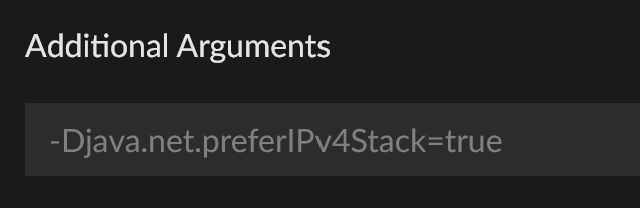 rich flint
have people with issues do that
wooden phoenix
thanks
 bold slate
I can NOT get voxelmap to work on 1.21.4 on neoforge
the game will be maximizing, about to load into the main menu, and i crash.
Pastebin
Pastebin.com is the number one paste tool since 2002. Pastebin is a website where you can store text online for a set period of time.
 fervent dock
Hi, i downloaded some mods on the curseforge website and put them into the mods folder but they dont show up in game. I already checked the game and mod version but it doesnt change anything
 steep perch
The mods need to be for the right modloader and game version
fervent dock
steep perch
The mods need to be for the right modloader and game version
Oh and which modloader do i use ?
Idk if forge is one
steep perch
Forge is a modloader
Depends on version you want to play and what mods you want to play. You can also add mods in the app itself
!mc-installmods
bronze bluffBOT
steep perch
!mc-installmods
How to install mods in the CurseForge App
- Click
+ Create Custom Profile - Name it, select the required Minecraft version, select the modloader & modloader version (usually the highest number), click
Create. - Click the profile icon.
- Click

Add More Content - Search and install the desired mods.
- Start the game!
How to install mods that are not on the CurseForge app
- Right click the profile picture or Open the profile and click the Icon next to the play button.
- Click
Open Folder. - Drag the mod(s) into the
modsfolder. (Note: Some mods will require others, to run. Make sure to read the instructions for the mod!) - Start the game!
 fervent dock
Tysm
limber marlin
Hi, the Steam wallet key option no longer available? On Reward Store?
opal cipher
Depends if Tremendous has it, otherwise, it's gone.
marsh parrot
Any ideas?

 somber tundra
If my power goes out in the middle of me playing Minecraft, is my cursedforge world lost forever?
 brave prairie
Where does curseforge make profile backups at
ancient island
ancient island
Hi am having an issue where my modpack was approved to rejected status successfu...
Any idea on way my modpack has been UNDER REVIEW for 11 hours with no reason on why it has not been approved?
brave prairie
brave prairie
Where does curseforge make profile backups at
very very very important
signal ridge
ancient island
Any idea on way my modpack has been UNDER REVIEW for 11 hours with no reason on ...
!mt was likely flagged as manual review.
bronze bluffBOT
ancient island
Any idea on way my modpack has been UNDER REVIEW for 11 hours with no reason on ...
-# Trigger requested by YOYOK9.
Project moderation time
Project/File moderation is done on these days unless otherwise mentioned:
Sunday, Monday, Tuesday, Wednesday, Thursday: <t:1631170800:t> - <t:1631199600:t> (Your time)
Friday, Saturday: No Moderation!
Projects are moderated First in, First out. If you submit late in the work day, it will likely get left until the next day!
New Projects or anything flagged for manual review: 1-3 Working Days
Updates to approved projects not needing manual approval: 1 Hour
-If your file has been "Under Review" for more than an hour, then it is at manual review!
ancient island
signal ridge
!mt was likely flagged as manual review.
Thank-you Yoyok
signal ridge
brave prairie
Where does curseforge make profile backups at
IF yhe app did make one, they save in the backups folder. Click the in the very top right corner of the app > open Moding Folder.
brave prairie
signal ridge
IF yhe app did make one, they save in the backups folder. Click the <:zCFmenu:13...
was helping someone thanks
signal ridge
Just keep in mind, its a big IF. Im not overly sure how the app does the backups for profiles.
 cedar condor
I downloaded Forge, but I can't get into it at all, or run the mods, when I try it opens and closes quickly
same thing with optifine
crystal berry
cedar condor
same thing with optifine
Ok, you should NOT use optifine when playing modded as it’s outdated and incompatible with 99.9% of mods these days. Also, have you installed Java 21 to allow curseforge to download the modloader files?
 grave verge
Everytime I try to update a modpack my download timeouts
cedar condor
crystal berry
Ok, you should NOT use optifine when playing modded as it’s outdated and incompa...
java 21?
crystal berry
cedar condor
java 21?
!mc-java Modded Minecraft environments requires Java to be downloaded for it to work
bronze bluffBOT
cedar condor
java 21?
-# Trigger requested by Capto_7.
Specific Java versions required for running Minecraft
Minecraft requires specific Java versions to run, pick the correct one for the version of Minecraft you are playing!
Minecraft versions 1.16.5 and older - Java 8
Java 8 Windows Installer
Minecraft 1.18 to 1.20.5 - Java 17
Java 17 Windows Installer
Minecraft 1.20.6 and newer - Java 21
Java 21 Windows Installer
Java for other operating systems & Versions
Adoptium website
cedar condor
i need to unstall the normal Java??
crystal berry
cedar condor
i need to unstall the normal Java??
No. You just download the installers for these three and run them to install it to your system and you should be good to go
If the game still crashes when you try after downloading and installing the ones above, go to #🧱︱mc-other-help and post the log file
crystal berry
cedar condor
how i start the forge with Java 21?
What game version are you playing on?
cedar condor
1.21.4
crystal berry
Ok. First, I’d recommend using Neoforge for versions above 1.20.4 as it’s more performant now. But to start the game you need to create a profile
cedar condor
Do u have a tutorial video?
crystal berry
cedar condor
Do u have a tutorial video?
!mc-installmods No but I have this 👇
bronze bluffBOT
cedar condor
Do u have a tutorial video?
-# Trigger requested by Capto_7.
How to install mods in the CurseForge App
- Click
+ Create Custom Profile - Name it, select the required Minecraft version, select the modloader & modloader version (usually the highest number), click
Create. - Click the profile icon.
- Click
Add More Content - Search and install the desired mods.
- Start the game!
How to install mods that are not on the CurseForge app
- Right click the profile picture or Open the profile and click the Icon next to the play button.
- Click
Open Folder. - Drag the mod(s) into the
modsfolder. (Note: Some mods will require others, to run. Make sure to read the instructions for the mod!) - Start the game!
crystal berry
Look at the first 6 steps from the top
cedar condor
i need the app?
crystal berry
You don’t, but it is highly recommended as it will be a lot easier for you to play with mods this way
cedar condor
ok
crystal berry
And the app is also built for modding, the normal MC launcher isn’t really that great for it
cedar condor
crystal berry
And the app is also built for modding, the normal MC launcher isn’t really that ...
I installed a realism shader but it didn't change anything
crystal berry
cedar condor
I installed a realism shader but it didn't change anything
Did you switch to neoforge like I told you?
Because then you will have to download Sodium and Iris for shaders to work
If you’re on forge there is no way to use shaders (yet)
civic zephyr
could anyone help me with whatever mods r incompatible to use? i keep tryna fix them on my own but my mc just crashes instead saying error during mods load
cedar condor
crystal berry
Did you switch to neoforge like I told you?
how i do this
crystal berry
cedar condor
how i do this
You select neoforge as the modloader when you create your profile
crystal berry
civic zephyr
could anyone help me with whatever mods r incompatible to use? i keep tryna fix ...
Post logs in #🧱︱mc-other-help
civic zephyr
crystal berry
Post logs in <#768367574001778729>
i just get error code -805306369
bronze bluffBOT
civic zephyr
i just get error code -805306369
Error/Exit codes aren't helpful. Follow these steps to receive support.
- Right-click the modpack profile icon OR click the button in the modpack profile.
- Click
Open Folder. - Open the
logsfolder. - Drag and drop the FILE named
latestORdebuginto Discord.
Please continue in #🧱︱mc-other-help.
cedar condor
crystal berry
You select neoforge as the modloader when you create your profile
bro, it didn't work..
the shader dont active
crystal berry
cedar condor
the shader dont active
I also said that you need to install sodium and iris
bronze bluffBOT
crystal berry
https://discord.com/channels/428228256236306434/782027635252920322/1346503614201...

✉️ by Capto_7 (reply pings are ok)
[Message](#🔥︱curseforge-support message) in #🔥︱curseforge-support :arrow_down:
Because then you will have to download Sodium and Iris for shaders to work
cedar condor
crystal berry
I also said that you need to install sodium and iris
shaders??
crystal berry
cedar condor
shaders??
They are mods that allow shaders to run
cedar condor
oooooo
crystal berry
Or well, Iris does that but Sodium is the dependency it requires to work
cedar condor
omgg bro tysm
 devout topaz
anyone where the MC laucher just does this with any modpacks?
im on linux, but it used to work before i did a factory reset my computer, so i just dont know what i did wrong?

 pastel swan
Chat whats curseforge api tokens used for?
opal cipher
Using the API
crystal berry
Isn't the API used in one of the bots here?
pastel swan
opal cipher
Using the API
what does the API itself do for you?
crystal berry
Or am I thinking of something else?
opal cipher
pastel swan
what does the API itself do for you?
For me, it's the base of cflookup.com to help checking projects, also powers a couple of bots I've made. @acoustic sail is one of them
It can help automate some things, or check data, and so on
pastel swan
opal cipher
It can help automate some things, or check data, and so on
Ohhhh
brave prairie
I released a new mod, and it's doing this again like my other mod


 thorn stratus
I am having this problem while trying to upload my modpack in curseforge

Help how can i fix this
brave prairie
thorn stratus
I am having this problem while trying to upload my modpack in curseforge
There are jar files inside the modpack
thorn stratus
brave prairie
There are jar files inside the modpack
Something happens if i delete them?
brave prairie
How are you exporting the modpack?
thorn stratus
I click share profile then i click export as zip file.
thorn stratus
brave prairie
How are you exporting the modpack?
Is this the right way?
ocean lichen
It's the right way, however it's possible some of the mods version you are using is recognised by the sync anymore. It's probable the authors deleted the specific files you are using from the platform, and so you need to update/use a different version of the mods still present in .jar inside your export.
Just make sure your modpack still work properly after updating anything, and then try the export again and look in the modpack zip\overrides\mods
brave prairie
brave prairie
I released a new mod, and it's doing this again like my other mod
What about this issue?
ocean lichen
brave prairie
I released a new mod, and it's doing this again like my other mod
I don't know at all, maybe try to create a ticket?
!ticket-author
bronze bluffBOT
ocean lichen
!ticket-author
Author support tickets for Project or Moderation issues
Info for Project Authors:
When opening a support ticket, make sure to select Author Support in the What kind of support do you need? box.
You also need to include a link to the project and your CF name!
Logs, Game and OS boxes can be ignored when opening an author ticket.
brave prairie
Oh, I thought the ticket stuff was in this server 😭
I'll do that
why do i have to attach a screenshot one by one...
ocean lichen
brave prairie
Oh, I thought the ticket stuff was in this server 😭
We are only volunteer and not necessarily working for CurseForge, so we obviously don't do official tickets
brave prairie
makes sense
 fervent bolt
Hi! I'm having a problem with my curseforge app, it's in full screen and I want to move it to a different screen but dragging at the top isnt working and I cant shrink it to do so like usual. I've tried closing and reopenign the app, and this is also a problem I was having yesterday and I've since restarted my computer. I can send a screenshot of my window if needed, but I'll wait until I'm told to
edit: running my mods and stuff works as normal, its just that the app wont move
 surreal idol
Does anyone know this error, logs should be attached
bronze bluffBOT
surreal idol
Does anyone know this error, logs should be attached
Zip paste links generated for archive uploaded by Mockingjay.
ocean lichen
surreal idol
Does anyone know this error, logs should be attached
What is the issue exactly? A log is good, but context is better
Move in #🧱︱mc-other-help
surreal idol
ocean lichen
What is the issue exactly? A log is good, but context is better
It just says there was an error, with a retry button, but whenever i press the button it doesnt work
ocean lichen
surreal idol
It just says there was an error, with a retry button, but whenever i press the b...
A screenshot of the problem or a video of the problem would be better
 snow raft
Latest update stopped the app from starting maximised on my PC. Did you change something?
 pastel zinc
sooo
i got a few mods on my own modpack but testing it out on a single player world its as if im at 600 ping,
fps wise its not bad like a steady 40 even with this laptop,
ive given the game 4g of ram i got 8 in total
dont know what kinda combination would do this
102 mods in total
fabric, 1.20.1
 torn sigil
pastel zinc
i got a few mods on my own modpack but testing it out on a single player world i...
torn sigil
pastel zinc
i got a few mods on my own modpack but testing it out on a single player world i...
TPS issue, install spark and run the profiler https://spark.lucko.me also move to #🧱︱mc-other-help

spark is a performance profiler for Minecraft clients, servers, and proxies.
pastel zinc
can i just install spark through curseforge?
torn sigil
yes
pastel zinc
coool
 fresh root
Guys how do I add more mods to better Minecraft mod pack
 ocean patrol
I'm logged into minecraft and curseforge logs me out of MC, the only way to fix is restarting the PC, task manager closing it does nothing but after the 5th time this has happened this week and rebooting it isn't fixing it. Any ideas?
 ocean lichen
ocean patrol
I'm logged into minecraft and curseforge logs me out of MC, the only way to fix ...
ocean lichen
ocean patrol
I'm logged into minecraft and curseforge logs me out of MC, the only way to fix ...
!mc-installfix
bronze bluffBOT
ocean patrol
I'm logged into minecraft and curseforge logs me out of MC, the only way to fix ...
-# Trigger requested by mattéo 35.
How to repair your Minecraft installation on CurseForge - **NOT** the same as `Repair Profile` - please follow these exact steps
- Click on the Minecraft Tab on the left side of the CurseForge App.
- Click button in the Top Right Corner of the app
- Click
Repair Installationoption.
NOTE: Although this might seem similar to the instructions of repairing profile, it's different and required. No worries, you will not lose any modpacks or worlds.
ocean lichen
If the repair says "successfully", restart your computer and check the issue again
ocean patrol
And that won't desrupt the modpack? It's a custom pack
ocean lichen
No, it's only* reinstalling the launcher without messing with your modpacks
ocean patrol
works, ty
Any idea what caused the issue or does it just happen at random sometimes?
fresh root
fresh root
Guys how do I add more mods to better Minecraft mod pack
Can anyone help
ocean lichen
ocean patrol
Any idea what caused the issue or does it just happen at random sometimes?
Maybe the launcher didn't installed itself properly the first time
ocean lichen
fresh root
Guys how do I add more mods to better Minecraft mod pack
It's not recommended to do it as this pratice could break the whole modpack. Plus I believe the modpack itself prevent you to add more mods
fresh root
ocean lichen
It's not recommended to do it as this pratice could break the whole modpack. Plu...
Yes that sucks but ty
fresh root
ocean lichen
It's not recommended to do it as this pratice could break the whole modpack. Plu...
Also I have another question why can’t I give the game more then 10gb of ram because then it just crashes on launch
ocean patrol
ocean lichen
Maybe the launcher didn't installed itself properly the first time
mhm how odd, thanks
 eager raft
i keep getting the java runtime environment is missing or out of date error and i can't find a fix
 rancid atlas
How long does it take usually for an addon to upload to curseforge? Was sent a list of what to make sure to have for it to be good on the dev discord but idk.
 steep perch
Do WoW mods need baking? I thought that was for ark and hogwarts legacy
ocean lichen
fresh root
Also I have another question why can’t I give the game more then 10gb of ram bec...
I can't tell for sure without the log, but it's also not recommended to give more than 8 giga of RAM to the game.
Due to how garbage collection work, adding too much memory could cause the ceiling of the RAM to happens less frequently and take longer to do so. Basically the game may better run with less allocated RAM, the best spot for performance being usually around 8 giga. Allocating more than 8 giga is rarely needed, except for very big modpacks.
We also do not recommend to allocate more than 8 giga of RAM because this could potentially damage your computer, Minecraft reserves all the memory you will give it and put everything in one CPU core since the game is singlecore. It's usually not a problem for most games, but it's believed to be different for Minecraft either because of the pressure inside this single CPU core - 8 giga per CPU core is usually what most manufacturers claims to support.
Or either because of how Minecraft manage the memory, in my knowledge the game still uses old technologies to the point where 1.12.2 which uses Java 8 still get the best performance in both FPS and RAM todays - some of the claims could potentially be proved truth considering the game haven't changed since this version, and depending what Notch did when creating the game - Notch was learning Java when creating Minecraft, so I believe everything is possible and it's what made this game so interesting to learn.
In addition, some people do claims to have lose their own computer because of allocating too much RAM. So while I cannot prove these claims and cannot prove Minecraft actually damage your computer, you probably doesn't want to do it considerating you can get the best performance with 8 giga (or lightly more depending of the modpack & computer) and the fact you generally don't need to allocate more.
!mc-raminfo
bronze bluffBOT
ocean lichen
!mc-raminfo
Minecraft Ram Usage Info
Minecraft handles ram differently then other games. Too little can have issues, but same goes for too much. As Minecraft will literally try to use all the ram you give it and try to shove it all through 1 cpu core.
Instead of speeding up the game, it slows down the cpus processing by trying to process all the ram, used or unused.
To see the recommended range use !mc-ram
rancid atlas
steep perch
Do WoW mods need baking? I thought that was for ark and hogwarts legacy
I dont know buddy. I tried asking in dev but was just given a bot command so I dont really know who to go to for this
opal cipher
It's a bug, from what I know
steep perch
!ticket-author - i would contact here
bronze bluffBOT
steep perch
!ticket-author - i would contact here
Author support tickets for Project or Moderation issues
Info for Project Authors:
When opening a support ticket, make sure to select Author Support in the What kind of support do you need? box.
You also need to include a link to the project and your CF name!
Logs, Game and OS boxes can be ignored when opening an author ticket.
steep perch
Those are the people who can help with this
ocean lichen
eager raft
i keep getting the java runtime environment is missing or out of date error and ...
Have you tried a repair installation in the very top right of the app?
eager raft
ocean lichen
Have you tried a repair installation in the very top right of the app?
no I haven't i'll try ty
ocean lichen
eager raft
no I haven't i'll try ty
If the repair says "successfully", restart your computer
eager raft
ocean lichen
If the repair says "successfully", restart your computer
it didn't say anything but when i tried to download it again the mods are downloading so i think it works
YES IT WORKED TYSM
ocean patrol
bronze bluff
-# `Trigger requested by mattéo 35.`
If i want to play MC I have to repair installation and reboot my PC everytime

its something to do with an instance running in the background but when i task manager i cannot find it
signal ridge
Reboot your pc then try again
ocean patrol
I do but when i close down the game i need to repair the installation and reboot just to run MC again and sometimes the reboot doesnt work so i have to reboot again
signal ridge
Sounds like something on your pc may be affecting files
What is the path the curseforge app is currently using for minecraft? > minecraft tab > modding folder at the top
ocean patrol
 signal ridge
Could be windows perms screwing up, as per usual
ocean patrol
This was enabled by default, i haven't manually enabled that
 signal ridge
Before we look at the path, have you tried the skip the launcher feature in the cf app?
The perms thing wouldnt have been something you did. it would be windows making the decision fro you to not trust itself for xyz reasons. Happens from time to time for who knows what reason
In the minecraft tab in settings can you scroll down to launcher settings and try the skip the launcher feature? then try starting logging into the cf app in the upper right corner for mc
ocean patrol
yeah i think ill do that tbh, probably better

 celest hawk
Still having issues with CurseForge saying "Pending in queue" when trying to update a modpack... Anyone found a solution? - Can see that several others have the same issue 😦
signal ridge
!cflogs-app send this instead
bronze bluffBOT
signal ridge
!cflogs-app send this instead
How to get your CurseForge app logs
How to get your CurseForge app logs
- Click the

Create logs zipin the menu.
menu. - Drag and drop the zip file created to this channel.
- Wait for someone to look at it so they can help you.
 rancid atlas
steep perch
!ticket-author - i would contact here
rancid atlas
steep perch
!ticket-author - i would contact here
Just sent a ticket in. Thank you all <3
 hollow sable
is it just me or is the launcher bugged when I try launching a minecraft modpack through the regular mojang launcher?
ocean patrol
signal ridge
Before we look at the path, have you tried the skip the launcher feature in the ...
Yeah skipping launcher fixed it, tyvm
signal ridge
hollow sable
is it just me or is the launcher bugged when I try launching a minecraft modpack...
Using the CurseForge apps copy of the launcher?
hollow sable
ocean patrol
Yeah skipping launcher fixed it, tyvm
problem is, is that I'm offline most my time so when I need to reload the mods I can't anymore
signal ridge
That was for their own issue
hollow sable
signal ridge
Using the CurseForge apps copy of the launcher?
wdym
signal ridge
You press play in the CF app and an mc launcher opens,
hollow sable
yeah, thats what I was doing until this last Friday, but now it doesn't work
btw, I am on steam os, so it might be part of the problem
signal ridge
Its possible the mc launcher needs to re-authenticat you, meaning you would need internet connection to do so.
hollow sable
signal ridge
Its possible the mc launcher needs to re-authenticat you, meaning you would need...
I'm getting it booted up so I can send a pic

even when I try restarting, this always happens, and the link to report the bug just brings me to a blank page
signal ridge
This doesnt look like CurseForge?
hollow sable
this is the mc launcher that launches after I press play
signal ridge
Screen shot the full launcher
hollow sable
the launcher works just fine on it's own, so it has to be curseforge

I can run the packs just fine through cf backdoor, but the mc launcher does this every time I try to launch one normally
signal ridge
This being on a steam deck adds a whole extra stage to the troubleshooting, which is out of my experience.
hollow sable
I tried uninstalling the minecraft files from the curseforge folder, but that didn't work
signal ridge
Do you have another copy of minecraft installed on this? Different from the one curseforge uses
hollow sable
yeah, but the files are fucked in a way that doesn't let me save my login data
and every time I try fixing that it just reverts to how it was
signal ridge
If the other app also uses the official mojang launcher like curseforge does, it is possible the 2 apps are conflicting. We see this a lot on Macs, so wouldnt surprise me much if linux had a similar issue
hollow sable
I'm talking about the official minecraft launcher thats doing this
signal ridge
i know, Im saying curseforge uses its own copy of the offical launcher, meaning you have 2 of the same apps installed twice, but used by 2 very different applications.
The internal code could be conflicting if the os cant seperate the differences thinking a change to one is a bug in the other
hollow sable
even though one copy is in root while the other is in the documents folder?\
signal ridge
You would likely need to open a ticket and chat with higher app support, see if they have any ideas of why the apps arent behaving. But keep in mind, Im not sure if CF fully supports the steam deck or not. As I am only a volunteer
signal ridge
hollow sable
even though one copy is in root while the other is in the documents folder?\
Yep, some softwares can be very weird about it.
!ticket-site
bronze bluffBOT
signal ridge
!ticket-site
How to open a support ticket on the CurseForge website
Can't open the app or would rather use the website? You can do so here.
Fill out the form with accurate detailed information, keep in mind that simply saying 'it' or 'doesn't work' is very vague. The more details you provide, the more efficient help you will get.
If your problem is with the app, make sure to upload your CurseForge logs with the Upload File option in the ticket. Information on how to get these logs can be found here
hollow sable
I can only think of one thing that isn't getting along with it, I also have modrenth installed and that wasn't working for a while, either
signal ridge
Maybe its a limitation in the steamos, this is really outside my support ranges, sorry
hollow sable
np, thanks for the help
 regal cape
someone here speaking german and can help me
 fluid coral
I was told to come here... due to an issue with my premium accounnt
 ivory wasp
Hey just an fyi, it turns out I had corrupted .nbt files that affected other files and then glitched everything.
 odd hinge
Help, I don't remember the email I used to create my account.
 turbid olive
how do i make a description for my modpack?
marsh parrot
ok what is your project? like are you using the authors forge website?
ocean lichen
turbid olive
how do i make a description for my modpack?
- Go there: https://authors.curseforge.com/#/projects
- Click "Edit" next to your project
- Click the description section
The new CurseForge authors console
digital roost
hello who curseforge developer you here?
ocean lichen
digital roost
hello who curseforge developer you here?
!cf-dev
bronze bluffBOT
digital roost
hello who curseforge developer you here?
The dedicated developer server for CurseForge can be found here: https://discord.gg/JwUXpc8n8M
Please complete verification in the Verification channel once you join or you will not have access to the main channels
-# Trigger requested by mattéo 35.
 flat belfry
Hey, i have an odd problem, When i launch a modpack via curseforge it will only lanunch the vanialla version of minecraft. I have tried with and without the minecraft launcer skip options in curseforge. Anyone know how to get around it?
rich flint
digital roost
hello who curseforge developer you here?
What is your question about?
ocean lichen
flat belfry
Hey, i have an odd problem, When i launch a modpack via curseforge it will only ...
Move in #🧱︱mc-other-help
digital roost
rich flint
What is your question about?
I came up with what you decided, can I please add "Date set from mod" so that I want it to be convenient where to set the date set from mod, so as not to lose, closer to "date set from mod"

So I came up with an idea, I want to add this. "Date set from mod"
turbid olive
ocean lichen
1. Go there: https://authors.curseforge.com/#/projects
2. Click "Edit" next to y...
ah its a seperate app? ill do that later then
digital roost
I'm playing the mod there right now, there's a reason for the mod error, I can't check and I can't find it(
if I add it, it will be convenient to get closer to where it was installed from the "Install mods date"
"Install mods date" or "Date set from mod" but I do not know what you have decided to choose, think about what I will add? I want it)
rich flint
digital roost
I came up with what you decided, can I please add "Date set from mod" so that I ...
That's a basically an idea post
!idea
bronze bluffBOT
rich flint
!idea
Where to suggest new ideas and vote for others on CurseForge
CurseForge is looking for great ideas and user feedback, Get into the CurseForge Community by providing some feedback and voting on what's important to you!
Location In-app
- Click the button on the bottom left of the app.
- Click on

Suggest a Featureoption!
digital roost
rich flint
!idea
Thanks, I've recovered and I'm ready for the idea.
ocean lichen
cedar condor
<@257002150503251968> <@154813946535084032>
!noping
bronze bluffBOT
cedar condor
<@257002150503251968> <@154813946535084032>
-# Trigger requested by mattéo 35.
📛 Please do __**NOT**__ ping or DM unless asked (Rule #6)
Please take the time to read our #📛︱rules
Keep in mind that the reply feature pings the original message's sender by default, so please turn it OFF with every reply (you can hold down shift when replying to do the same), or don’t use the reply feature and simply write your response in the channel.
The Moderators & Helpers volunteer their time and knowledge to help, you might not get your answers instantly. Describe what you need help with in detail and please patiently wait for someone to check and reply.
Do NOT DM staff members without being asked to do so.
Breaking this rule will result in being timed out / banned according to moderation judgment.
cedar condor
sorry
cedar condor
ocean lichen
!noping
but can u help me?
rich flint
What game are you talking about
cedar condor
minecraft
 rich flint
Add-ons is a specific name Minecraft bedrock edition mods
rich flint
Yes those are resource packs
 rich flint
Use the app to install these things to ensure you only install compatible files
rich flint
Some of what you are listed are mods, and some are resource packs. Resource packs have to be enabled in game settings after you first load then.
Focus on getting only one of these working at a time
rich flint
There is a resources menu. For game help please use game channels
cedar condor
ok ty
rich flint
?notcf
bronze bluffBOT
-# Trigger requested by Briar Thrain.
This is not related to CurseForge owned/maintained features or services
CurseForge does not make or maintain any of the content or games used on the site or the app.
Just because it's on the site/app does not make it a problem with CurseForge.
Please move to the respective channels as requested, OR use #👽︱game-support for game-related help.
 spring estuary
Hello 🙂 I use Forge for Addons on World Of warcaft. My addond on Classic and Cataclysm work well. But for retail since today i cant see any od my addons. And i cant Add more. its said "Missing Required Disk permissions for installations" Ty 🙂
rich flint
Ask this also in #🧙🏼♂️︱warcraft-support
Note that forge is the name of a Minecraft mod system, you should say Curseforge
spring estuary
Okok Ty
 mortal flame
ugh. the log out bug that was introduced in the new version hit yet again. Any ETA on the bug fix or a way to revert to a previous version w/o the bug?
 jovial bolt
guys ive just realised sometimes my minecraft crashes and then a mod doesnt load like easy shulker boxes mod my game crashed and when i loaded back in it wasnt working but i didnt even notice then after an hour or 2 my game crashed again when i loaded back in again the easy shulker mod was working can any1 help or tell me whats happening?
sturdy pivot
HELP pls error code: 1
bronze bluffBOT
sturdy pivot
HELP pls error code: 1
Paste link generated for file uploaded by mary.
fluid tusk
(Bot responded in #🧱︱mc-other-help )
sturdy pivot
fluid tusk
(Bot responded in <#768367574001778729> )
its not about gpu
icy cave
icy cave
All my mods use to work together but after the last Nvidia updated, all I get is...
Can someone please help me?
fluid tusk
icy cave
Can someone please help me?
Might be best to post your latest.log in #🧱︱mc-other-help
 zenith cosmos
Hi im trying to add a friends modpack but dont see the import button
fluid tusk

 ocean lichen
Oh, using a old version of the app
 rigid thorn
i cant go back on world when i put in the fuild storage upgrade for sophisticated backpacks
ocean lichen
rigid thorn
i cant go back on world when i put in the fuild storage upgrade for sophisticate...
Not the right channel
Move in #🧱︱mc-other-help
rigid thorn
okay
 hollow ruin
I'm trying to download the DarkRPG mod but i only get this message, what should i do

 haughty cobalt
okay umm I need assistance with figuring out how to work curseforge into my aternos minecraft server group i have. I've tried pretty much everything I can think of and even sought out help from friends who have used curseforge in the past. they said they just followed the instructions available online. I've tried doing that to but it's hopeless. I am an autistic visual learner and have to learn step by step by being shown what to do. Could anyone send me instructions and pictures in a step by step breakdown of how to set it up please. I've been trying for four days now and my friends are getting antsy because we usually play every day.
I don't mind if it's sent in dms
ocean lichen
haughty cobalt
okay umm I need assistance with figuring out how to work curseforge into my ater...
Have you tried to ask in the Aternos server?
haughty cobalt
for discord? I didn't even know there was one, it's not advertised on their site
deep ginkgo
ocean lichen
You can try commands in <#525819185712988180>
My fault 😂
ocean lichen
No worries
ocean lichen
haughty cobalt
for discord? I didn't even know there was one, it's not advertised on their site
If needed, there is also a ton of tutorials in the Aternos Youtube channel.
And I believe there is some tutorials on the CurseForge Youtube channel
fluid coral
I'm back again... not sure if anyone is in here for support. I was told to come here if I had issues
ocean lichen
fluid coral
I'm back again... not sure if anyone is in here for support. I was told to come ...
What is the issue?
 ornate night
Hi, I purchased a mod on ark survival ascended for Primal Nemesis for $10. It came out of my bank, and I cannot play it. In game it still shows I haven't purchased it and when I click on purchase nothing happens. Please help
fluid coral
I contacted CF staff via email I have an active case but I purchased premium and they realized there's an issue as I keep getting the pop up that says "go premium" when I already hjave it and the features when you are premium are not working at least not for me. I provided all the info. I did a DNS flush, cleared history, made sure I wasn't on the legacy pages (new site only) and still probleems. I even did the walkthrough to send them info and nadda. So they sent me a code to give me a free subscription and told me to cancel my current one which I won't get refund on cause it's on my credit card... I checked the site on how to do this (cancel my subscription) but the info is outdated and I can't access the spot I need to go to cancel what I purchased. It's been under a month.
signal ridge
Reply back to your ticket or open a new one, Moderators here arent the same as the ones that deal with that, we are only volunteers in here
fluid coral
- I need staff to cancel the subscription and refund what I bought because I can't.
- I need current info on walking though and doing the cancelation and adding the code.
Then why did they tell me to come here?
signal ridge
im not sure?
signal ridge
Ill see if someone is around/awake give me a bit
fluid coral
Sorry guys not upset with you, just frusterated they directed me here when there was no need.
Staff at CF need to address this.
I wish there was current walkthrough info on how I can manage my account (payments) on the help pages but there isn't
signal ridge
Your good, I know your not angry with me. Just a bit surprised your ticket person sent you here?
signal ridge
Can you dm me a screen shot showing you were told to come here?
Can cross out any personal info.
fluid coral
I'm trying to find it... sorry.
signal ridge
I did ping those that can look into it from cfs side, just due to timezones it is late for that team, a reply may take some time.
Other option is to send the ticket number and i can add that to the report I sent
Take your time.
ornate night
Hi, I purchased a mod on ark survival ascended for Primal Nemesis for $10. It came out of my bank, and I cannot play it. In game it still shows I haven't purchased it and when I click on purchase nothing happens. Please help
Do i need to wait for the ticket?
signal ridge
ornate night
Hi, I purchased a mod on ark survival ascended for Primal Nemesis for $10. It ca...
Try restarting your game, otherwise will need to wait on the ticket yes.
fluid coral
#304362 Article Feedback - CurseForge Premium - Switching to Tebex Payment System
already got one it's been on going for about a week now
signal ridge
Was this a tebex ticket by chance at first?
fluid coral
and now I'm more fristerated becauise I can't find the darn email where one of the staff who responded mid way tells me to check the discord chat for help in regards to how to access the spot I can mannaged my account.
I don't understand what you mean by was it at first.
signal ridge
When you opened the ticket originally, was it through CurseForge support pages OR Tebex support?
fluid coral
The ticket started with Dana, at overwolf
signal ridge
ah ok
fluid coral
and then someone else was working on it then Dana got back to it then it was sent back into queue to CF and it's been sitting there the last 6 days
I'm about to bang my head off a desk
I can go to the CF pages. Sign in as normal (using my twitch)
signal ridge
Ill add the ticket number, will unfortunately take some time for a reply back, just with the time differences.
fluid coral
see the crown showing my premium account but I go to DL anything and the wait time is still there.
so the perks don't work.
signal ridge
Ive passed this on, I dont have access to the sites backend.. will have to be patient just a little bit longer. Sorry
fluid coral
thats fine. I can deal with that. Figured once the issue was fixed which was found apparently, that I could get the time I couldn't use refunded. However I was told that a slot of time from the yearly subscription wasn't possible to be refunded... that they'd offer me a whole year for my troubles but I had to cancel the current subscription I had... and I don't know how.
when I check the forums/help section the info there is WAY outdated and shows from the legacy site.
yeah makes me ponder too... I even got a code to do so but I have NO idea how to use it
thats one of the several Emails and the last one to date

I have no idea how they are refunding me.
signal ridge
Probably best to wait till either I get an answer(someone may reach out instead of me) OR if the they reply to your ticket. This is above what we have access to here.
fluid coral
yeah ok thannkss
 main glacier
how do I post a mod like release it to public
signal ridge
Mod or modpack?
main glacier
Modpack
signal ridge
!mc=packshare
bronze bluffBOT
signal ridge
!mc=packshare
Two ways to share a modpack you made with others
:small_orange_diamond: Export and Share - For Friends / Small Groups
- Click the Icon for the modpack.
- Click the button next to play.
- Click
Export. - Select the files that should be included.
- Send the zip to the people that want it! They can follow the instructions in
!mc-installpackto install the pack.
:small_blue_diamond: Upload to Curseforge - For Public Release to Everyone
This option will make your pack public to EVERYONE, it comes with extra requirements and will take some effort to set up.
- Go to create a new project
- Fill out the information with a proper description of the pack. This should allow anyone to understand what the pack is.
- Click the Icon for the modpack in the CurseForge app.
- Click the button next to play.
- Click
Export. - Select the files that should be included.
- Open your Project that you made on the CurseForge site and Upload the file you just made.
- Wait for Moderation & Sync so it can show up in the client! (See
!syncfor limitations and!statusto learn about the moderation process and how long it will take to approve/decline)
signal ridge
Bottom section
main glacier
i posted it, thanks