#🔥︱curseforge-support
1 messages · Page 189 of 1
 young bone
 near ether
Oh okay thank you
 fallow pine
anyone know hoe to add fullbright to the mod packs
i have it install and on but its not working
 empty solstice
yo my modpack says approved but its not there when i search on the engine. do i gotta wait a little for it to show?
young bone
Give a link to the pack
empty solstice
 young bone
The page is approved, but not the file upload
empty solstice
oh, how long do you think that will take. bc its been like 18 hours
young bone
?mt
 rough nightBOT
young bone
?mt
rough nightBOT
young bone
?mt
Project moderation time
Project/File moderation is done on these days unless otherwise mentioned:
Sunday, Monday, Tuesday, Wednesday, Thursday: <t:1701072000:t> - <t:1701100800:t>
Friday, Saturday: No Moderation!
Projects are moderated First in, First out. If you submit late in the work day, it will likely get left until the next day!
New Projects or anything flagged for manual review: 1-3 Working Days
Updates to approved projects not needing manual approval: 1 Hour
-If your file has been "Under Review" for more than an hour, then it is at manual review!
empty solstice
ok thanks
 dusty pilot
sorry to bother, but I'm having a pretty rudimentary issue with the forge's minecraft profile stuff.
I want to download this shader, a simple one that runs on forge. I made a new profile for forge mods, but for some reason it says the mod isn't compatible with the profile despite it being forge, and it won't allow me to create a new profile for the shader either, as its grayed out. I have a mac computer if that's any help.
Is this a common issue? Is there anything I can do?


 young bone
Don’t use the browse tab
 digital roost
dusty pilot
sorry to bother, but I'm having a pretty rudimentary issue with the forge's mine...
digital roost
dusty pilot
sorry to bother, but I'm having a pretty rudimentary issue with the forge's mine...
Don't use the browse tab.
young bone
!mc-installmods
 red patioBOT
How to install mods in the CurseForge app
- Click
+ Create Custom Profile - Name it, select the required Minecraft version, select the modloader & modloader version (usually the highest number), click
Create. - Click the profile icon.
- Click

Add More Content - Search and install the desired mods.
- Start the game!
How to install mods that are not on the CurseForge app
- Right click the profile picture or Open the profile and click the
 Icon next to the play button.
 - Click

Open Folder. - Drag the mod(s) into the
modsfolder. (Note: Some mods will require others, to run. Make sure to read the instructions for the mod!) - Start the game!
 digital roost
Easier for versions. Also, if needed, check the versions.
young bone
Same logic there, just set it to shaders
dusty pilot
ah, thank you so much! I normally use forge for sims 4 modding and I guess I'm just used to downloading stuff straight from the browse tab. Thanks so much!
 round cloud
Hello! I am currently trying to work on a curseforge Modpack for my server and was wondering if I am able to create a texture pack by combining multiple texture packs from curseforge and a couple from an outside source?
 urban falcon
How can I run crackers witherstorm mod in a folder with iris shaders
young bone
Is the wither storm mod for Fabric
urban falcon
young bone
Is the wither storm mod for Fabric
forge
is there a way to make a mod run through something else
urban falcon
Oh
 thick kelp
good eveming, the best version for play the minecraft horror mods?
like the knocker, the dweller, man from the fog and these
 sterile kestrel
!notcf #🧱︱minecraft-chat
red patioBOT
This is not related to CurseForge owned/maintained features or services
CurseForge does not make or maintain any of the content or games used on the site or the app.
Just because it's on the site/app does not make it a problem with CurseForge.
Please move to the respective channels as requested, OR use #👽︱game-support for game-related help.
empty solstice
when im exporting a modpack, how do i find the package version? i have no clue what that means
thick kelp
i'm new at this, i cant help you
sterile kestrel
empty solstice
when im exporting a modpack, how do i find the package version? i have no clue w...
What do you mean package version?
You just export it and that's it
Name it like v1 or something
empty solstice
oh i was watching a yt video and they out 1.0 so i just assumed you had to.
thx
sterile kestrel
Ya version management is entirely up to you. People will usually make a pack and if uploading they'll name the zip like v1 etc etc. They'll make a clone of the profile, make whatever changes export again call it v2 etc
empty solstice
ooh ok i see
 lean vapor
anyone know how to get the repair folder permissions to work

 austere spear
anyone know how to download slimefun4 to curse forge
 signal ridge
Which is what exactly?
austere spear
a plugin type modpack
it says it need paper or spigot but i dont see options for when i am creating a new profile
austere spear
https://github.com/Slimefun/Slimefun4?tab=readme-ov-file#slimefun-4
heres the link well is there no way to play it solo?
GitHub
Slimefun 4 - A unique Spigot/Paper plugin that looks and feels like a modpack. We've been giving you backpacks, jetpacks, reactors and much more since 2013. - Slimefun/Slimefun4
signal ridge
You wont be able to install this to a custom profile, its meant to be placed on a server running wither spigot or papermc.
austere spear
ok i understand i appreciate the help Thanks :3
signal ridge
From what I understand its to make Bukkit/Spigot/papermc plugin servers feel like a modpack. Kinda a plugin based server that feels like a modded one, just without the mods.
 rancid warren
how host custom profiles
 blissful imp
I'm having problems with forge. Its the modloader giving me Exit Code 1 as I made a custom profile and it still crashed. Custom profile was vanilla as it had no mods as I just wanted to test somethings. Any fixes anyone knows about that can help me get modded minecraft back again?
 brave prairie
it's not laoding
 signal ridge
blissful imp
I'm having problems with forge. Its the modloader giving me Exit Code 1 as I mad...
signal ridge
blissful imp
I'm having problems with forge. Its the modloader giving me Exit Code 1 as I mad...
#🧱︱mc-other-help for this
signal ridge
brave prairie
it's not laoding
What is "it" ?
brave prairie
CF app
signal ridge
Any errors?
signal ridge
What OS are you on?
brave prairie
Windows 11
signal ridge
So good now? or is it still not working?
brave prairie
After a reload yeah
 steep prawn
how do i get among us mod options
signal ridge
Amongus mods have their own ways for installation, which the devs of the mods should have included in their description.

 primal lily
Two hours now and nothing
sterile kestrel
primal lily
Usually dosent take this long
?mt
rough nightBOT
sterile kestrel
?mt
Project moderation time
Project/File moderation is done on these days unless otherwise mentioned:
Sunday, Monday, Tuesday, Wednesday, Thursday: <t:1701072000:t> - <t:1701100800:t>
Friday, Saturday: No Moderation!
Projects are moderated First in, First out. If you submit late in the work day, it will likely get left until the next day!
New Projects or anything flagged for manual review: 1-3 Working Days
Updates to approved projects not needing manual approval: 1 Hour
-If your file has been "Under Review" for more than an hour, then it is at manual review!
primal lily
woops im dumb, its wed
sterile kestrel
Basically saying assume it's under manual review. Which case up to 3 working days
primal lily
sterile kestrel
Basically saying assume it's under manual review. Which case up to 3 working day...
why would it do that? ive uploaded a few others the past few days and its been fine
sterile kestrel
It's random. We do not control the process
sterile kestrel
The first one is always manually reviewed. After that think of it as a random drug check 😛
primal lily
Ok, this isnt my first
 sterile kestrel
Well aware
Thus why I said think of it as a random drug check
They'll just go in and flag for manual at random
We don't work there. We can't say much else we don't know what it involves
primal lily
Thanks for the info
 dire rock
Hey! Sorry if this has been asked before, I am a newbie. Is there a way to reinstall or update all my mods for Sims on CurseForge all at once instead of clicking them all and doing them on by one? Thank you!
 blissful reef
hey i need help instaling things and learning how to use curseforge if anbody can help call me plz
primal lily
blissful reef
hey i need help instaling things and learning how to use curseforge if anbody ca...
What is your issue exsactly?
 quiet verge
Hey all, my first post here. I tried googling this issue but my search results returned nothing of any help. so ill put it here! My friend messaged me about 30 minutes ago that CurseForge was blocked from attempting to access their Chrome cookies, I told them to block it and CurseForge appears to be functioning as normal, but I just wanted to check if their file has been effected by Malware or if this is actually completely safe or not:

 opal cipher
It's probably trying to access the cookies because they show ads, or handle your login to the app. But if you don't care about ads or logging in, there shouldn't be a problem.
And since it's probably the standalone app, or the OW app, it uses either electron (which is a chromium based app) or the Chromium CEF, so it's probably most likely a false positive from AVG.
quiet verge
opal cipher
It's probably trying to access the cookies because they show ads, or handle your...
Thank you for the response, I have passed that on to my friend 😄
 woeful canyon
Hello, my problem is that curseforge isn't downloading the modpack DarkRPG for minecraft, it gets stopped in 35/300 for example and it stays there for like 20 minutes before change to 36/300 and eventualy it says Timeout error and cancels the download, but my internet conection it's like 40 mb/s, I don't understand the problem because I was able to download and play coloCraft Modpack without trouble to the same version of the game, with the same launcher
 safe loom
Hi! I turned off content management in hopes of seeing if it would fix an issue where I couldn't change configs without them being refreshed to defaults. It seemed to work, but afterward I wanted to refresh to defaults because I accidentally lost my copy of the original config file. So I disabled content management, but it seems the disabling of this setting is not taking effect. as in, I can't get the profile to revert to the same behavious it had before of resetting any changes to default.
To be clear, "allow content managemt" is definitely off (I double, triple, and quadruple checked), but it still acts as if it's on. I've tried completely shutting down curseforge and reloading it again, same trouble.
I know there is a workaround (switch version, reinstall current version and switch back) but ideally I'd like to see this checkbox doing what it's supposed to do. Anyone know what the issue might be?
sterile kestrel
safe loom
Hi! I turned off content management in hopes of seeing if it would fix an issue ...
Content management only allows you to manage the mods in a curseforge uploaded pack to my knowledge... so would allow you to remove, add, update mods. But far as I know it does not touch individual mod config files.... those you typically have to edit yourself
safe loom
sterile kestrel
Content management only allows you to manage the mods in a curseforge uploaded p...
I misexplained. It's not actually a config file, but one of the files inside the mod .jar (region.json inside the ambientsounds mod). Before I enabled content management, it would always get reset back to defaults upon launching from curseforge, overwriting my changes. When I enabled conent management, it allowed me to save any changes I made without being reverted to defaults. So you would think re-enabling content management would bring back the behaviour of setting the files to default again? Yet, it does not.
opal cipher
Stop modifying the jar-files..
That's not how you configure mods
Ask the author to add config for the things you want to change instead.
safe loom
If it works, why should I not?
opal cipher
I would assume that CurseForge does a hash-check of the file, sees that it doesn't have the same as the one uploaded, and then "fixes" it by downloading the valid one
safe loom
OK, and enabling "allow content management" prevents this.
Did you fully read what I typed? Because my issue is not "I can't get these changes to the mod file to stick"
My issue is that unchecking "allow content management" isn't bringing back the behaviour of reloading the files to their defaults, like it had been doing ebfore I enabled it
digital roost
Is anyone else’s curse forge being slow?
opal cipher
No, I just saw the "edited files in .jar"-part. And people have broken mods like that before and come here to ask why CurseForge broke it, so I just got a bit tired and thought it was one of those days
sterile kestrel
Still shouldn't be doing it tbh
opal cipher
You can probably use "Repair Profile" if you want the default mods back
Only help I can give
safe loom
That didn't work either, as I say, I know workarounds, but I'm specifically just asking about the allow content management checkbox not working
opal cipher
That one is just supposed to block from adding mods through the app (from my recollection of stuff)
(When unchecked)
safe loom
Well, as I said, before I checked it, files got reloaded. After I checked it, they did not, so i assumed it was that which alloowed me to do so.
Anyway, i appreciate the suggestion thanks
But it may require some curseforge staff coming by for a look So I'll wait
sterile kestrel
They aren't here
safe loom
This isn't the official discord?
opal cipher
!ticket Might be hard, since it's late thursday. And the devs of the app rarely hang around here. Best chance is a ticket.
sterile kestrel
-site or -app lol
opal cipher
Goddamnit..
sterile kestrel
!ticket-app
red patioBOT
How to open a support ticket on the CurseForge app
- Click the
 icon in the bottom left.
 - Select

Open a Ticket. - Fill out the form with accurate detailed information, keep in mind that simply saying 'it' or 'doesn't work' is very vague. The more details you provide, the more efficient help you will get.
- Make sure to upload your Overwolf logs with the
Upload Fileoption on the ticket, information on how to get these logs can be found here https://support.overwolf.com/en/support/solutions/articles/9000176827-how-to-get-your-overwolf-logs - Submit!
 safe loom
Thank you, I'll give that a try
opal cipher
I blame lack of sleep, and tons of commands xD
sterile kestrel
Go back to bed 😛
opal cipher
It's 14:30 here in Sweden, and I'm at work. :P
sterile kestrel
safe loom
This isn't the official discord?
This is but it's manned mainly by volunteer staff so
Fricking phone
safe loom
Is ok, I assume you mean manned
 digital roost
Is anyone’s curse forge very very slow? It’s really annoying me rn
 stable valve
Im making a modpack but a mod i want isnt the same version so can i make a 1.20.1 mod into a 1.19.2 mod (forge)
young bone
No, that’s not really how that works
 wheat hazel
how do i fix this?
 digital roost
wheat hazel
how do i fix this?
digital roost
wheat hazel
how do i fix this?
#🧱︱mc-other-help and provide logs
wheat hazel
digital roost
<#768367574001778729> and provide logs
alr
 torn sparrow
How do I change the version of a Mod in my created Modpack on the curseforge site
I can just add the related project but can't decide which version this Mod is getting
red patioBOT
How to install mods in the CurseForge app
- Click
+ Create Custom Profile - Name it, select the required Minecraft version, select the modloader & modloader version (usually the highest number), click
Create. - Click the profile icon.
- Click
Add More Content - Search and install the desired mods.
- Start the game!
How to install mods that are not on the CurseForge app
- Right click the profile picture or Open the profile and click the Icon next to the play button.
- Click
Open Folder. - Drag the mod(s) into the
modsfolder. (Note: Some mods will require others, to run. Make sure to read the instructions for the mod!) - Start the game!
torn sparrow
I know I added the file and it already got approved but i wanna like update it
like add more mods
opal cipher
Yes, then you still do that in the app, and export again.
digital roost
digital roost
Is anyone’s curse forge very very slow? It’s really annoying me rn
Anyone?
digital roost
Thank god it’s not just me
I was able to play yesterday but it’s not working anymore, it’s really slow and I’ve tried restarting my pc lol
woeful canyon
i tried everything, but nothing seems to work i even deactivated windows defender and the firewall but nothing happened
digital roost
I’ve googled if it’s down and nothing came up either
torn sparrow
opal cipher
Yes, then you still do that in the app, and export again.
where exactly can I do that in the app
opal cipher
You install new mods like normal, and can change version of existing mods, and then export like you did first time.
opal cipher
I have no idea what you're doing right now.
If you created a project/modpack in the app and added mods before, why don't you just update that project/modpack in the app?
stable valve
young bone
No, that’s not really how that works
Alr
opal cipher
I have to get back to work.
torn sparrow
ah found it
 autumn meadow
can anyone help with my crash report i got no idea what im lookin at or for
 manic wasp
Hey guys, my friend has a brand new laptop and we all want to play modded mc together but for some strange reason their minecraft crashes upon opening using curseforge. Vanilla minecraft works perfectly fine and have even tried just using forge without any mods and the game just immediately crashes when trying to open. Have tried allocating more ram, graphics drivers are all up to date, reinstalled minecraft and curseforge multiple times, installed and reinstalled java multiple times. Nothing seems to fix.
I have a link to the crash report here: https://api.mclo.gs/1/raw/G9OFq3f
All help appreciated
digital roost
manic wasp
Hey guys, my friend has a brand new laptop and we all want to play modded mc tog...
#🧱︱mc-other-help and send a log.
woeful canyon
manic wasp
Hey guys, my friend has a brand new laptop and we all want to play modded mc tog...
wich launcher does your friend use?
if he uses launcherfenix, that launcher always crash and doesn't work anymore, if he uses SKlauncher then i dont know
opal cipher
!terms We don't support piracy
red patioBOT
📛 Please follow game rules (Rule #4)
Please take the time to read our #📛︱rules
- Please follow the TOS / EULA /RULES of the game/services you use.
- Do NOT Talk about hacking, cheating, pirating, or cracking.
Breaking these rules will result in being timed out / banned according to moderation judgment.
opal cipher
Any further talk about that will end up in bans
opal cipher
manic wasp
Hey guys, my friend has a brand new laptop and we all want to play modded mc tog...
!mc-amd Looks like AMD issue, follow these instructions carefully.
red patioBOT
Amd Graphic Driver Issue
:small_red_triangle_down: Part 1: Checking your system's GPU
- Open your
Device Manager - Click the drop down for
Display Adapters - Check if you have an AMD (Radeon) device
a - If you have AMD go to Part 2 :small_orange_diamond:
b - If you see AMD and Nvidia or Intel go to Part 3 :small_blue_diamond:
:small_orange_diamond: Part 2 - AMD Drivers Update
- Your AMD drives are broken or out of date, use the link below to get new drivers
Link: https://www.amd.com/en/support - Use either the auto tool AMD provides OR locate your GPU in their search.
- Download and run the installer, leave everything as default.
- Once installed try playing Minecraft again.
:small_blue_diamond: Part 3 - Other GPUs
If you have an Nvidia or Intel GPU, please use the command !mc-videocard for the instructions on how to change CF to use the proper GPU.
 stuck wren
Hello i created a new modpack. But its not showing in the app ( yes im logged in )
 digital roost
stuck wren
Hello i created a new modpack. But its not showing in the app ( yes im logged in...
digital roost
stuck wren
Hello i created a new modpack. But its not showing in the app ( yes im logged in...
Does it look like this? (I'm not logged in)

 young bone
Logging into the app doesn’t do anything for Minecraft content, if you made it elsewhere, it does not sync
stuck wren
young bone
Logging into the app doesn’t do anything for Minecraft content, if you made it e...
no i have the modpack on a curseforge site but in the app i cant see it
 young bone
It hasn’t been approved yet
opal cipher
It won't show until it is approved and there's a file available for download.
stuck wren
oh okay thx
opal cipher
Only then can you search for it in the app, it won't show up just because you have it on the website
young bone
Having a pack made/approved doesn’t make it show in the app for you
digital roost
I recommend exporting the pack and installing in in the app.
young bone
If you made the pack, it’d be stored locally in your PC, did you make it, export it, then delete it?
stuck wren
young bone
If you made the pack, it’d be stored locally in your PC, did you make it, export...
I did the pack from the website
digital roost
stuck wren
I did the pack from the website
Export it.
stuck wren
where ?
red patioBOT
How to install mods in the CurseForge app
- Click
+ Create Custom Profile - Name it, select the required Minecraft version, select the modloader & modloader version (usually the highest number), click
Create. - Click the profile icon.
- Click
Add More Content - Search and install the desired mods.
- Start the game!
How to install mods that are not on the CurseForge app
- Right click the profile picture or Open the profile and click the Icon next to the play button.
- Click
Open Folder. - Drag the mod(s) into the
modsfolder. (Note: Some mods will require others, to run. Make sure to read the instructions for the mod!) - Start the game!
opal cipher
And then you export it from the app, and upload it to the website.
Not the other way around
stuck wren
I added the mods to the folder and the mods didnt showed how can i fix that ?
sterile kestrel
stuck wren
I added the mods to the folder and the mods didnt showed how can i fix that ?
When you export it doesn't actually put the mod files themselves. It puts their project ids in a manifest.json. when someone imports the pack it reads this file and that's how it knows what mod to get and what version
stuck wren
sterile kestrel
When you export it doesn't actually put the mod files themselves. It puts their ...
And how can i make it to register because i dont want to add the mods one by one
sterile kestrel
stuck wren
And how can i make it to register because i dont want to add the mods one by one
Did you export the pack?
stuck wren
but i need to add the mods to the pack in the app
sterile kestrel
You have to 1 by 1
 clear cypress
Is there any way to see Curseforge addons you had in the past? I had a pet battle one that was awesome and cannot find it in the list. It allowed me to save teams for certain battles. Thanks in advance for any help!
How?
 sonic mural
Hello! I used to play wow on my steam deck, took some time off and just came back. None of my addons are showing up in game. I tried deleting the interface folder, and the WTF folder and still no dice. Does anyone have any suggestions? Running on proton 8 or 9 doesn't show addons, and I'm unable to log in on proton 7 and below.
 soft wagon
hello my pc somehow is not handling my minecraft mods it always says not supported
digital roost
soft wagon
hello my pc somehow is not handling my minecraft mods it always says not support...
Means?
soft wagon
it cannot stop saying that
and trust
but then i go get a snack
it says crash
anybody else the same
young bone
soft wagon
anybody else the same
Show a screenshot of what you’re getting
 carmine galeBOT
Paste created of crash-2024-05-09_08.50.28-fml.txt, uploaded by 2906530488.
soft wagon
i reported this
young bone
That is not at all what I wanted
soft wagon
i did not take a screen shot
digital roost
soft wagon
i did not take a screen shot
He asked for a screenshot
young bone
You also have the wrong version of Forge, according to that crash report
digital roost
Use the app for easier stuff.
soft wagon
wat is the newest one
young bone
Don’t know where the whole “not supported” and “banned” stuff came from
 uncut gulch
How to add OptiFine to your ModPack?
young bone
soft wagon
wat is the newest one
Are you using CurseForge to manage your mods
soft wagon
but vio said it happens often
young bone
uncut gulch
How to add OptiFine to your ModPack?
!mc-optifine
red patioBOT
We do not provide support for Optifine
If you have issues with Optifine, please remove it. If you want further support try the discord found on their website.
https://www.optifine.net/home
Installing Optifine with modpacks on Curseforge:
- Right click the modpack icon, select
Open Folder. - Put the
Optifine.jarinto themodsfolder. - Now start the modpack.
young bone
And don’t cross post
soft wagon
yes i use curseforge
young bone
!mc-updatemodloader
red patioBOT
How to update your mod loader within the same game version in the CurseForge app
- Click on the modpack profile you are working with.
- Click on the button next to the play button.
- Click on the
 Profile Options button.
 - Select the mod loader version you want from the dropdown.
- Play!
If you need to update to a new game version, a new profile is required.
young bone
It happens often enough when the pack was made with zero testing done
 eager timber

 molten venture
!mc-videocard
red patioBOT
How to set Minecraft to use the correct GPU in Windows
If Minecraft will not start then use the tool linked at the bottom!
- Start the modpack you wish to fix. If it will not start, then click the in the top right of the app then select
 Run Vanilla Minecraft. In the launcher that opens, go to the Installations tab and choose New Installation. Choose a name and select the Minecraft version of the modpack you are trying to run (like 1.19.4 or 1.7.10). Once created play it by clicking the green Play button that appears when hovering over it in the list of installations.
 - Press
Ctrl+Shift+Escto open Task Manager - Find Minecraft in the list of running programs. It will be called something like
JavaorOpenJDK Binary. (tip: sort by ram usage by clicking on theMemorytab. Minecraft uses a lot of ram so will be at the top) - Right click it and
Open File Location - Copy the file path from Windows Explorer by clicking into the address bar and pressing
Ctrl+C - Press
 and type in
 GPU, then press Enter to open Graphics Settings - Under
Graphics performance preference(calledCustom options for appsin Win 11) select Desktop App - Click Browse
- Click the address bar and paste in the folder location you copied by pressing
Ctrl+V, then press Enter - Select the
javaworjavaw.exefile from the files in front of you (tip: pressJto immediately jump to the files that start with that letter) - Once selected, click Add in the bottom right of the window
- Click the
Optionsbutton on the newly added option - Set it to
High performanceon the best GPU you have
Too many steps for you? This handy tool, made by one of our community members, can do it for you!
 gritty cloud
Hello fellas. Propably a common question here but, how do I add modpack from forge into default minecraft through .roaming directory? I am trying to install SteamPunk minecraft modpack. I have managed to put in mods but Id like a separate game version with separate mod folder in case I decide to play multiple modpacks at once. Anyone feeling merciful to help me?
when I download the steampunk mod pack this is inside and I dont have any clue on what to do with these files
 young bone
The CurseForge app, or any application that supports zip files, reads the manifest and installs the mods all in their own independent folder so mods and loaders don’t get crossed
gritty cloud
so if I put entire zip file into .roaming/minecraft/mods/put zip file here - then it will work even though I already have different mods there?
 rich shoal
i cant make profiles with mods i dont know why when im making one it delete itself
forge modloader instalation failed
gritty cloud
gritty cloud
so if I put entire zip file into .roaming/minecraft/mods/put zip file here - the...
so by saying I need to use the app you mean the CF launcher? Is it possible to get it done only from the default MC one?
digital roost
Why do you need to use default`?
gritty cloud
digital roost
Why do you need to use default`?
idk I like it in one app, can I customize the modpack through forge? Can I put in more mods of my choice?
digital roost
gritty cloud
idk I like it in one app, can I customize the modpack through forge? Can I put i...
Yea
That's the whole reason for the app
Customization and managing
gritty cloud
like.. when I download a modpack from the browser where do I put it? Why is it on the browser if it only works through forge app? Sorry if I give stupid questions but Im entirely new to modding
digital roost
import
gritty cloud
digital roost
import
is that in the CF app?
digital roost
gritty cloud
is that in the CF app?
 rich shoal
i cant make profiles with mods i dont know why when im making one it delete itself
forge modloader instalation failed
gritty cloud
so youre saying that youtubers play modpacks through CF app?
digital roost
gritty cloud
so youre saying that youtubers play modpacks through CF app?
Mostly probably
For easier managing
gritty cloud
digital roost
Mostly probably
if I download the modpack from the "browse" section can I customize it as well or do I have to create this custom profile like the one on the image you just sent?
digital roost
gritty cloud
if I download the modpack from the "browse" section can I customize it as well o...
3 ways to modpack in the app:
Install from browse tab
Import
Create one from scratch
young bone
You can make your own pack in CurseForge
gritty cloud
ok, now this might be an out of pocket question - feel free to stop me. Does anyone know how to put shaders into create mod? I see youtubers playing with shaders on modded but I simply cant pull it off - maybe beacuse I wasnt using CF app?
digital roost
gritty cloud
ok, now this might be an out of pocket question - feel free to stop me. Does any...
You can put shaders in the shaders tab
To use shaders you have to either use Sodium+Iris (Fabric) or Embeddium+Oculus (Forge)
Idk about Neo and Quilt
young bone
Embeddium exists in Neo, Quilt can use Fabric mods
rich shoal
i cant make profiles with mods i dont know why when im making one it delete itself
forge modloader instalation failed
gritty cloud
digital roost
To use shaders you have to either use Sodium+Iris (Fabric) or Embeddium+Oculus (...
I messed around with these and ended up with bunch of crashes lol
digital roost
gritty cloud
I messed around with these and ended up with bunch of crashes lol
Just use them. Without Optifine
But only the two.
Or some addons
gritty cloud
they had beef with create mod but I see youtubers play - maybe if I manage stuff though CF app it will work - gonna try thanks
young bone
I play with shaders and Create, never had any issue
 onyx moss
Since I can’t use curseforge anymore, how do I install mods without it. Je suis incompétent
gritty cloud
young bone
I play with shaders and Create, never had any issue
So did you: install create modpack though CF app > modifited modpack through CF app > put in sodium + iris fabric > put shaders into shaderpacks?
young bone
Don’t modify packs you didn’t make
digital roost
onyx moss
Since I can’t use curseforge anymore, how do I install mods without it. Je suis ...
why can't you?
young bone
I made my own pack
digital roost
gritty cloud
So did you: install create modpack though CF app > modifited modpack through CF ...
Why create fabric?
young bone
gritty cloud
So did you: install create modpack though CF app > modifited modpack through CF ...
And if you’re using Forge (Forge and CurseForge are not the same thing) Sodium and Iris will not load on it
rich shoal
i cant make profiles with mods i dont know why when im making one it delete itself
forge modloader instalation failed
molten venture
A fatal error has been detected by the Java Runtime Environment:
EXCEPTION_ACCESS_VIOLATION (0xc0000005) at pc=0x00007ffecd956200, pid=10480, tid=11756
JRE version: OpenJDK Runtime Environment Microsoft-8035246 (17.0.8+7) (build 17.0.8+7-LTS)
Java VM: OpenJDK 64-Bit Server VM Microsoft-8035246 (17.0.8+7-LTS, mixed mode, tiered, compressed oops, compressed class ptrs, g1 gc, windows-amd64)
Problematic frame:
C [atio6axx.dll+0x196200]
No core dump will be written. Minidumps are not enabled by default on client versions of Windows
If you would like to submit a bug report, please visit:
https://aka.ms/minecraftjavacrashes
The crash happened outside the Java Virtual Machine in native code.
See problematic frame for where to report the bug.
 fluid tusk
JESUS THAT'S BIG
Thankfully I have an inkling what could be causing it; try the following
!mc-amd
red patioBOT
Amd Graphic Driver Issue
:small_red_triangle_down: Part 1: Checking your system's GPU
- Open your
Device Manager - Click the drop down for
Display Adapters - Check if you have an AMD (Radeon) device
a - If you have AMD go to Part 2 :small_orange_diamond:
b - If you see AMD and Nvidia or Intel go to Part 3 :small_blue_diamond:
:small_orange_diamond: Part 2 - AMD Drivers Update
- Your AMD drives are broken or out of date, use the link below to get new drivers
Link: https://www.amd.com/en/support - Use either the auto tool AMD provides OR locate your GPU in their search.
- Download and run the installer, leave everything as default.
- Once installed try playing Minecraft again.
:small_blue_diamond: Part 3 - Other GPUs
If you have an Nvidia or Intel GPU, please use the command !mc-videocard for the instructions on how to change CF to use the proper GPU.
fluid tusk
(Though do note that if you get a minecraft crash again, place the latest.log file in #🧱︱mc-other-help and not just a snippet of it here)
molten venture
i did that
fluid tusk
You did the steps Carl provided and restarted the computer? Odd.
Access Violations seem to exclusively be caused by driver issues, in my experience.
 warm sentinel
molten venture
i did that
warm sentinel
molten venture
i did that
How much RAM do you have total, and how much do you give to the modpack?
signal ridge
This isnt a ram issue
warm sentinel
signal ridge
This isnt a ram issue
Is there a ticket system in discord or is that done on the website only?
signal ridge
Site only.
warm sentinel
Ty
signal ridge
Discord volunteer team and site support team are 2 different teams
rich shoal
i need help i cant even create a profile it types
 signal ridge
!mc-installfix try the below followed by an immediate pc restart
red patioBOT
How to repair your Minecraft installation on CurseForge - **NOT** the same as `Repair Profile` - please follow these exact steps
- Click on the Minecraft Tab on the left side of the CurseForge App.
- Click button next to the
Create Custom Profileoption. - Click

Repair Installationoption.
NOTE: Although this might seem similar to the instructions of repairing profile, it's different and required. No worries, you will not lose any modpacks or worlds.
 signal ridge
Do not skip the pc reboot
 pearl mortar
Yo, i created a project and added mods but i don't know how to add it so other people can see it and download on curseforge, can you help me?
signal ridge
!mc-packshare
red patioBOT
Two ways to share a modpack you made with others
:small_blue_diamond: Export and Share - For Friends / Small Groups
- Click the Icon for the modpack.
- Click the button next to play.
- Click

Export. - Select the files that should be included.
- Send the zip to the people that want it! They can follow the instructions in
!mc-installpackto install the pack.
:small_orange_diamond: Upload to Curseforge - For Public Release to Everyone
This option will make your pack public to EVERYONE, it comes with extra requirements and will take some effort to set up.
- Go to create a new project
- Fill out the information with a proper description of the pack. This should allow anyone to understand what the pack is.
- Click the Icon for the modpack in the CurseForge app.
- Click the button next to play.
- Click
Export. - Select the files that should be included.
- Open your Project that you made on the CurseForge site and Upload the file you just made.
- Wait for Moderation & Sync so it can show up in the client! (See
!syncfor limitations and!statusto learn about the moderation process and how long it will take to approve/decline)
 errant silo
im trying to get mods for terreria and i look online to find modpacks but on the program terreria isnt showing up
young bone
The app doesn’t support Terraria
errant silo
oh ok
young bone
And Terraria has tmodloader, so there’s really no point in CF having anything more
fluid tusk
I think it's labeled as a Tool in Steam
fluid tusk
errant silo
oh i didnt know that im new to this modding stuff
https://store.steampowered.com/app/1281930/tModLoader/ Here you go, just in case you couldn't find it. When you launch it, Command Prompt / Terminal will open for a few seconds; don't close it! To access mods, click "Workshop" from the main menu, then click "Download Mods." If you need more assistance or mod recommendations, I can answer in #💬︱general-chat .

Dig, Fight, and Build your way through the world of player-created mods on Terraria with tModLoader - this DLC makes modding Terraria a reality!tModLoader (TML) is an open-source, community-driven modification and expansion of the Terraria game that makes it possible to make and play mods. TML expands your Terraria adventures with new content to...
You can also browse mods from the TModloader's Workshop page on Steam
 frigid tide
im trying install 1.16.5 mc and i keep getting this error

 fickle nacelle
Can I get some help
I'm tryin to play a pack via curse forge and it keeps crashing every time
Even though I hav the ram
 warm cedar
fickle nacelle
Can I get some help
warm cedar
fickle nacelle
Can I get some help
go to #🧱︱mc-other-help
 blissful sphinx
i have tried to change my payment method for my curse premium but cant find where to do it. need help please
onyx moss
Man. I just wanna know how I can continue playing modded mc without access to curseforge. Curseforge does not work on my mac version anymore.
onyx moss
Much appreciated
warm cedar
My modpack player is trying to fix the installion but get access denied
 wary trout
Hey I’m trying to install a mod pack called “Fear Nightfall” but when it gets to Eerie music it says “timeout attempting to install” then smth like https:// some other things Eerie music, is there any fix to this?
carmine galeBOT
Paste created of message.txt, uploaded by doorstuckcapybara.
 smoky marlin
how do i download a mod pack to pterodactyl panel?
sterile kestrel
smoky marlin
how do i download a mod pack to pterodactyl panel?
Talk to pteradactyl support
!notcf #🧱︱mc-other-help
red patioBOT
This is not related to CurseForge owned/maintained features or services
CurseForge does not make or maintain any of the content or games used on the site or the app.
Just because it's on the site/app does not make it a problem with CurseForge.
Please move to the respective channels as requested, OR use #👽︱game-support for game-related help.
 astral garnet
Why would curseforge prevent images above 2MB from being uploaded...
 harsh sorrel
how do i fix exit code 1
 main basin
what does this mean
carmine galeBOT
Paste created of latest.log, uploaded by piececontroluncle.
sterile kestrel
!notcf #🧱︱mc-other-help
red patioBOT
This is not related to CurseForge owned/maintained features or services
CurseForge does not make or maintain any of the content or games used on the site or the app.
Just because it's on the site/app does not make it a problem with CurseForge.
Please move to the respective channels as requested, OR use #👽︱game-support for game-related help.
 empty wave
how do i proceed after this? I cant find any recipe for tier 1 rocket
 digital roost
empty wave
how do i proceed after this? I cant find any recipe for tier 1 rocket
digital roost
empty wave
how do i proceed after this? I cant find any recipe for tier 1 rocket
Try searching for "Rocket"
 fading remnant
i'm confused isn't that what i have
 digital roost
fading remnant
i'm confused isn't that what i have
digital roost
fading remnant
i'm confused isn't that what i have
Install OTG Core 1.12-v9.5-R2
fading remnant
there isn't a mod called OTG core
young bone
There’s a file elsewhere that OTG is using that it doesn’t want, you have to delete said file and then the correct will be used
fading remnant
how do i find it
young bone
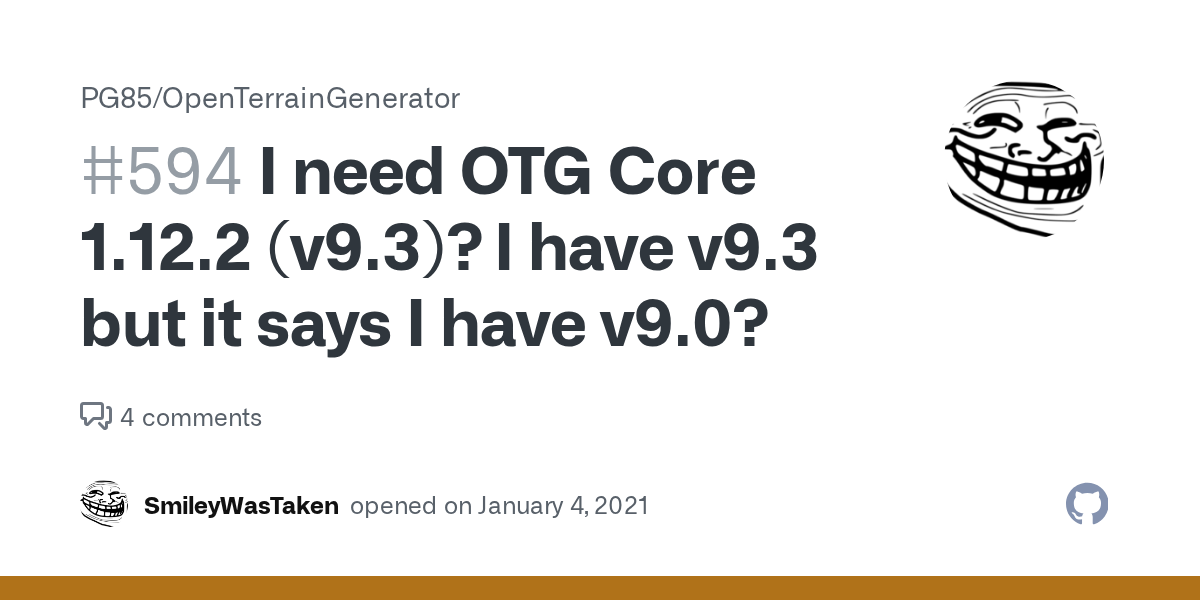
GitHub
OTG Plugin or Mod [ x] OTG Mod for Forge OTG Plugin for Spigot OTG Version 1.12.2_v8_r1 1.12.2_v7_DEV_r26 1.12.2-v6 1.12.2-v5 1.11.2-v8 1.11.2-v9 1.10.2-v21 [x ] Other - 1.12.2 - v9.3 Forge or Spig...
 loud ingot
is anyone else curseforge being slow at lauching?
fading remnant
sometimes
fading remnant
i don't really fix it at all i just wait ;-;
 fading remnant
but if it gets stuck on that it might be a connection issue
loud ingot
all its doing and then when i try load the mod packs
okay
ty
i test my wifi speed rn
digital roost
Na it's normal
 fading remnant
weird
i'd try killing curseforge AND overwolf with task manager
or checking for updates
loud ingot
Try task already
where i check for updates at the web?
i only been using curse for a few days
young bone
#🧱︱mc-other-help for that
loud ingot
its not my minecraft cuz my other lauchers work
young bone
That isn’t for you, at all
loud ingot
Oh
young bone
Did you not notice the image that was here
young bone
What’s your internet looking like
young bone
WiFi or physical cable
loud ingot
Wifi
young bone
Yeah… that can play into it
fading remnant
i just realised the modpack i downloaded didn't have like 180 mods it should've had
cause it has over 200 and only downloaded 30
🗿
nvm it was missing 212 mods idk how that happened
signal ridge
Is the server yours?
Send both your client and server latest.log file to #🧱︱mc-other-help
 bleak jewel
Hello, when I want to launch a modpack (Mystic's Monstrosity) I get this log.
Somehow it doesn't generate a crash log and the actual log file has less information, I copied the text from the start log window which you can enable in the Launcher
carmine galeBOT
Paste created of log.txt, uploaded by jonte1.2.
young bone
bleak jewel
Hello, when I want to launch a modpack (Mystic's Monstrosity) I get this log.
S...
?mc-launcherlog
rough nightBOT
young bone
?mc-launcherlog

How to get your launcher log
- Click button next to the Create Custom Profile option
- Click the
Open Modding folderbutton - Open the Install folder
- Drag the
launcher_log.txtfile into discord. If there are multiple only send the one without a number in its name

 frigid knot
hey all, trying to upload a custom modpack but it says under review for the file and changes needed for the broader project. Any advice?
digital roost
frigid knot
hey all, trying to upload a custom modpack but it says under review for the file...
Yes. Have patience.
frigid knot
cool lol
signal ridge
?mt
rough nightBOT
signal ridge
?mt
Project moderation time
Project/File moderation is done on these days unless otherwise mentioned:
Sunday, Monday, Tuesday, Wednesday, Thursday: <t:1701072000:t> - <t:1701100800:t>
Friday, Saturday: No Moderation!
Projects are moderated First in, First out. If you submit late in the work day, it will likely get left until the next day!
New Projects or anything flagged for manual review: 1-3 Working Days
Updates to approved projects not needing manual approval: 1 Hour
-If your file has been "Under Review" for more than an hour, then it is at manual review!
signal ridge
Just note, if you make changes to the project and this is your first ever file upload. Changes will take tou out of the que then put you back in once done
frigid knot
got it good to know. thanks for the advice
digital roost
 ocean tusk
or can i change it to forge and how?
ocean tusk
or can i change it to forge and how?
Not and no
ocean tusk
bruh thats annoying
digital roost
You can do it manually tho <3
ocean tusk
so i have to make a new profile, add all my mods again and won't I lose all my minimap waypoints?
digital roost
You would
But you can copy the files to it.
the files "saves" and "Xaero Waypoints"
bleak jewel
rough night
Is this the correct file? I don't have a launcher_log.txt, only launcher_cef_log.txt in the install folder
carmine galeBOT
Paste created of launcher_cef_log.txt, uploaded by jonte1.2.
young bone
Are you on a Mac
bleak jewel
No, Linux
young bone
Show a screenshot of what you have
signal ridge
Might be linux
bleak jewel
young bone
Show a screenshot of what you have


 desert magnet
Uh anyone have extensive experience updating mods in an existing work any tips ?
I need a mega brain 🧠
bleak jewel
bleak jewel
A damn, the path is covered by the screenshot notification, is it important?
man this sucks, the forked version works fine but I also wanna play the original
I mean, I played it once on Windows but the modpack had no textures there, it's probably a modpack issue
red patioBOT
📛 Please do __**NOT**__ ping or DM unless asked (Rule #3.2)
Please take the time to read our #📛︱rules
Keep in mind that the reply feature pings the original message's sender by default, so please turn it OFF with every reply (you can hold down shift when replying to do the same), or don’t use the reply feature and simply write your response in the channel.
The Moderators & Helpers volunteer their time and knowledge to help, you might not get your answers instantly. Describe what you need help with in detail and please patiently wait for someone to check and reply.
Do NOT DM staff members without being asked to do so.
Breaking this rule will result in being timed out / banned according to moderation judgment.
red patioBOT
The main Overwolf Discord server and support can be found here: https://discord.gg/overwolf
young bone
bleak jewel
!cflogs-app
red patioBOT
How to get your CurseForge app logs
- Click the

Create logs zipin the menu. - Drag and drop the zip file created to this channel.
- Wait for someone to look at it so they can help you.
 signal ridge
Explain the issue there, they have an auto reply or a bot for the .net issue. I cant remember if we have the same here or not.
Lmk if they give you any issues or try to send you back here.
 pulsar warren
im not sure if i should ask here or through the ticket system on cf. but when im trying to publish a modpack on the website, i do all the description things and the tags but when i click start project i get an error message saying "Internal Sever Error" so i tried later and it is still saying that. Anything on my end im doing wrong?
signal ridge
How was the zip made? using the cf apps export feature?
pulsar warren
it didnt even let me get to importing the modpack
signal ridge
Are you doing this through the authors dashboard?
pulsar warren
i went to the cursforge website, selected minecraft then scrolled down to the "start a project"
signal ridge
Try clicking your profile icon in the upper right corner > dashboard > Projects tab > Start a Project button
pulsar warren
going to try that, ill update when done
ok it looks like it worked just needs to be mod approved to be put on the app i think
 tight sphinx
Quick question so ive noticed on most curse forge projects they have it listed as "All right reserved" but then the proceed to have an open github with all the source code on it to were you can make a fork of it for your own addition to it would anything happen if i reupload a version of a modpack or mod if the source code is public?
digital roost
tight sphinx
Quick question so ive noticed on most curse forge projects they have it listed a...
I think it means that you can't just use it without crediting. And you can't just reupload
tight sphinx
well i know what the policy means but github source code is free use so wouldnt using the github code and reuploading be fine seeing as its free use?
digital roost
tight sphinx
well i know what the policy means but github source code is free use so wouldnt ...
Don't think so,
It's open-source for forks and addons for the mod
tight sphinx
ahh ok makes sense what about for modpacks?
digital roost
Idk about them.
tight sphinx
ok well thanks for your help
 naive moss
https://legacy.curseforge.com/minecraft/mc-mods/destroyer-of-fabric-api
I just created a fabric modpack and added all the mods I wanted. Now this one got in there without my knowlege even though nobody else touched the pack and I def didn't add it. I'm very concerned as it isnt listed as a dependency anywhere on any mods that I know of. Thought I'd report it bc its really scary to see it pop up like that

idk if its possible for other mods to add it without listing it as a dependency on curseforge but I'm a little freaked out as to how it got there
digital roost
naive moss
idk if its possible for other mods to add it without listing it as a dependency ...
Just remove it
 naive moss
I did but I'm warning people I literally didnt download it, it got on there by itself idk if it was dependencies or smth
digital roost
naive moss
I did but I'm warning people I literally didnt download it, it got on there by i...
It was. Just to annoy people.
naive moss
wtf
digital roost
Great idea
young bone
The dev already fixed that issue, but apparently it didn’t fully take
digital roost
It's not a bug, it's a feature
naive moss
isnt the mod itself against tos
young bone
How would it be
digital roost
naive moss
isnt the mod itself against tos
No
fluid tusk
They're probably under the assumption that any mod that intentionally crashes the game is a ToS violation
digital roost
There are literally mods to crash MC
fluid tusk
I know Nexus Mods forbids such a thing
naive moss
I guess but when it was added without consent that freaks me out
digital roost
Destroyer of Fabric seems like a good mod tho.
fluid tusk
It was added without consent because a mod accidentally labeled it as a dependency
digital roost
naive moss
I guess but when it was added without consent that freaks me out
It's a "dependency"
digital roost
fluid tusk
It was added without consent because a mod accidentally labeled it as a dependen...
*intentionally
fluid tusk
Dependencies automatically download, because otherwise we'd have a LOT more crash reports about missing depenencies
Plus it saves a few clicks
young bone
Macaws trapdoors having it as a dependency was not intentional
digital roost
fluid tusk
Dependencies automatically download, because otherwise we'd have a LOT more cras...
Minus Rubidium/Embeddium options
naive moss
it doesnt even say its a dependency on the mods page but it did update 2 days ago so maybe that update broke smth
young bone
Some things in the back end are weird, you can safely remove the mod
fluid tusk
naive moss
it doesnt even say its a dependency on the mods page but it did update 2 days ag...
#🔥︱curseforge-support message
Might have to do with Squizzle's statement earlier
naive moss
sigh well at least the mod compat issues are fixed now wish the logs could have told me it was that thing doing it all
digital roost
naive moss
it doesnt even say its a dependency on the mods page but it did update 2 days ag...
It doesn't say, like it doesn't say in the Coro mods
(Which doesn't install CoroUtil which annoys me every time)
 dense hull
I got ```js
The status of the file Hardcore MC- The New Adventure-v26.zip (Hardcore MC: The New Adventure) has been changed to Rejected
Notes:
The following files belong to CurseForge-hosted projects, and should therefore not be added directly to zip files:
overrides/mods/citadel-2.5.3-1.20.1.jar
overrides/mods/smoothchunk-1.20.1-3.6.jar
These files should, instead, be referenced in the manifest.json file generated by the CurseForge App during a profile export.
If you have any questions please contact our support team https://support.curseforge.com.
But all I did was export my project like any other project
The following files belong to CurseForge-hosted projects, and should therefore not be added directly to zip files:
-
Remove any mods listed in the error message from the profile you exported. Then reinstall them with the CurseForge app. DO NOT drag and drop files from the site.
-
Export the profile again, open the new zip that was just made. Check for the
overrides/modsfolder. If you still see any mods in that folder do the step above again for each mod. -
Upload the zip once complete and no more mods show in the
overrides/modsfolder.
 deep wing
Is there a way I can back up my curseforge mods for both Minecraft and sims 4?
pulsar warren
what times do they review modpacks for approval?
young bone
?mt
rough nightBOT
young bone
?mt
Project moderation time
Project/File moderation is done on these days unless otherwise mentioned:
Sunday, Monday, Tuesday, Wednesday, Thursday: <t:1701072000:t> - <t:1701100800:t>
Friday, Saturday: No Moderation!
Projects are moderated First in, First out. If you submit late in the work day, it will likely get left until the next day!
New Projects or anything flagged for manual review: 1-3 Working Days
Updates to approved projects not needing manual approval: 1 Hour
-If your file has been "Under Review" for more than an hour, then it is at manual review!
 marble cradle
So I made a modded server with friends using cobblemon, whenever I try to access certain menus it kicks from the server and says "internal exception java.lang.nullpointerexception"
 frail karma
marble cradle
So I made a modded server with friends using cobblemon, whenever I try to access...
frail karma
marble cradle
So I made a modded server with friends using cobblemon, whenever I try to access...
They're gonna need the crash log. Just FYI
sterile kestrel
!notcf #🧱︱mc-other-help
red patioBOT
This is not related to CurseForge owned/maintained features or services
CurseForge does not make or maintain any of the content or games used on the site or the app.
Just because it's on the site/app does not make it a problem with CurseForge.
Please move to the respective channels as requested, OR use #👽︱game-support for game-related help.
frail karma
Oh yea, that too
 keen bone
i used to use curseforge for KSP mods iirc, but i'm trying to set it up again and it keeps saying it is an invalid directory, on my home screen there are some games that i have no interest in, but if i could just put KSP on the home screen and then use the menu in the Palworld picture i could easily set it up, but i cant

 keen bone
i would like to use curseforge because i have experience with it and there are mods on it that arent on CKAN, i might end up using CKAN, but i want the option to use curseforge
sterile kestrel
use CKAN. its the app made for KSP. CF is not setup for it
keen bone
weird, i think i used to use it though, ill look into CKAN
signal ridge
Think it did at one point, but the game changed or cf changed and its kinda a 50/50 now. Most users move to CKAN
 heavy sluice
if i try to log in on the latest linux version of curseforge i get an error message saying:
Error invoking remote method 'LoginAppService.performUserLogin':
Error: Failed to register login scheme
 broken gate
can anyone make out what this is saying please
 signal ridge
broken gate
can anyone make out what this is saying please
signal ridge
broken gate
can anyone make out what this is saying please
?mc-launcherlog
rough nightBOT
signal ridge
?mc-launcherlog
How to get your launcher log
- Click button next to the Create Custom Profile option
- Click the
Open Modding folderbutton - Open the Install folder
- Drag the
launcher_log.txtfile into discord. If there are multiple only send the one without a number in its name
signal ridge
heavy sluice
if i try to log in on the latest linux version of curseforge i get an error mess...
!ticket-site best to open a ticket for this
red patioBOT
How to open a support ticket on the CurseForge website
Can't open the app or would rather use the website? You can do so here.
Fill out the form with accurate detailed information, keep in mind that simply saying 'it' or 'doesn't work' is very vague. The more details you provide, the more efficient help you will get.
Make sure to upload your Overwolf logs with the Upload File option in the ticket, information on how to get these logs can be found here
 ocean lichen
 rocky spear
i need help
rocky spear
i need help
!help
red patioBOT
Please provide some more information to receive assistance
Providing the following information will help the team in assisting you:
- A detailed description of the issue you're experiencing
- If a mod/modpack/addon is involved, please specify the name
- Any screenshot/video/gif of the issue if you have
- Get your relevant logs ready, you can type
!mc-logs/!cflogs-appfor instructions
Some tips for explaining yourself better to save time and additional questions:
- Avoid using words such as 'it', say what it is :]
- Instead of simply saying something doesn't work, try to describe what's happening when you're running it
 quartz cloud
how tf do i fix "the decryption opertation failed, see inner exception."
 somber gull
i cant find my project on curseforge
i created it like yesterday
if i look on my profile on curseforge i see nothing but if i click on projects, the project is showing up


 plush fossil
somber gull
i created it like yesterday
plush fossil
somber gull
i created it like yesterday
?mt
rough nightBOT
plush fossil
?mt
Project moderation time
Project/File moderation is done on these days unless otherwise mentioned:
Sunday, Monday, Tuesday, Wednesday, Thursday: <t:1701072000:t> - <t:1701100800:t>
Friday, Saturday: No Moderation!
Projects are moderated First in, First out. If you submit late in the work day, it will likely get left until the next day!
New Projects or anything flagged for manual review: 1-3 Working Days
Updates to approved projects not needing manual approval: 1 Hour
-If your file has been "Under Review" for more than an hour, then it is at manual review!
somber gull
dang it
digital roost
i can't find my file in project
 jolly kraken
how can i install sodium on mc1.16.5 (licens)
carmine galeBOT
Paste created of latest.log, uploaded by ndvanh.
 tall basin
Hi there, im trying to play a minecraft mod put im getting error code 1. I can launch fabric mods but not forge mods. i have tried everything the internet has suggested: reinstalling java, minecraft and curseforge, reviewing the mods, updating all drivers and even reseting my computer. id be glad for any help
 clever heath
how i can change the launcher for minecraft?
opal cipher
clever heath
how i can change the launcher for minecraft?
Which one do you want to use?
It is not possible from the app though.
 high lotus
opal cipher
It is not possible from the app though.
high lotus
opal cipher
It is not possible from the app though.
can you help me solve this exit code 1
carmine galeBOT
Paste created of latest.log, uploaded by ndvanh.
opal cipher
high lotus
can you help me solve this exit code 1
Maybe. Looks like a mod with the file name mcdw that is causing the error, try removing it
And for help with Minecraft, I recommend #🧱︱mc-other-help
 fleet locust
I have a server with a few friends and I find and put together a modpack. Currently, i'll take our modpack, export the profile and upload it to our discord and they will download it and import the profile to curseforge. Is there a way to make it that when I make a change to the modpack, it will auto-update on their end when they play to prevent them from continuously having to download the pack from our discord?
digital roost
fleet locust
I have a server with a few friends and I find and put together a modpack. Curren...
No.
fleet locust
digital roost
No.
Is there anything that could potentially make it a bit easier for them when making additions or subtracting mods in our pack?
They aren't the most tech savvy people lol
digital roost
fleet locust
Is there anything that could potentially make it a bit easier for them when maki...
Upload the modpack to CurseForge and get it aproved.
 cunning peak
I have a Problem with Essential
I´m trying to play with my friend on my world. we have the same mods texturepacks etc but everytime we try to join eachother we get:"Invalid Player data"
Does anyone know how ti fix it
digital roost
Get a server.
cunning peak
which one
digital roost
Some server
cunning peak
i tried but eitherway it´s happening
fluid tusk
Odd
 urban prism
getting this error while trying to boot kinda crazy craft
 digital roost
sterile kestrel
cunning peak
I have a Problem with Essential
I´m trying to play with my friend on my world. w...
digital roost
sterile kestrel
cunning peak
I have a Problem with Essential
I´m trying to play with my friend on my world. w...
!mc-essential
red patioBOT
Support for Essential
We do not provide support for Essential
If you have an issue with Essential, please remove it. If you want further support try their discord on their website.
https://essential.gg/en/
 odd cedar
how do I enable shaders on a 1.20.6 MODPACK
sterile kestrel
!mc-shaders
red patioBOT
How to get started with shaders
Playing with a shaders mod like Oculus, Iris, or others and want more flair to your world? Don’t know what shader to pick from or where to look? try looking on Shaderlabs or the shaders tab on the CurseForge site.
To get started using shaders:
- Download the shader mod and its requirements for the mod loader you’re using and run the game at least once to generate the shaderpacks folder
- Download the shader you want from either the CurseForge site or Shaderlabs (linked above)
- In the CurseForge app, right-click the modpack profile icon OR click the button in the modpack profile
- Click
Open Folder - Open the
shaderpacksfolder and place the shader file you downloaded in there - Select the shader file in the in-game shaders menu and wait for it to load (if it needs to)
- Play!
WARNING: Shaders do not appear on the CurseForge app. Not every shader will work with Iris or Oculus. Be aware of your computer's ability to handle shaders
odd cedar
thanks
 languid peak
Guys how do I keep my tools from breaking on the mod ore excavation?
im trying to flatten some massive areas and the tools break very quickly
digital roost
don't mine too much
languid peak
bruh
digital roost
languid peak
im trying to flatten some massive areas and the tools break very quickly
They use the same durability as if you would mine them one by one
languid peak
there is no other mod that does the same work?
odd cedar
I'm playing a 1.20.6 modpack and I downlaoded a shader onto the modpack profile but in game there is no place to turn the shader on
what i do ?
digital roost
Install a shader mod
odd cedar
what that is
digital roost
Means:
Oculus+Embeddium
Iris+Sodium
Optifine
Minecraft can't normally load shaders, you need a mod for it
odd cedar
I tired optifine but I couldnt find a version recent enough
digital roost
Then there is none
sterile kestrel
odd cedar
I tired optifine but I couldnt find a version recent enough
optifine is not recommended anyway. use embeddium and oculus. also gotta remember 1.20.6 is very new. chances are there will be bugs or they may not exist yet
languid peak
digital roost
but I think you can configure it in the mod's config
I am very confused by the configurations
sterile kestrel
looks like oculus doesnt exist for it either. no shaders
digital roost
languid peak
I am very confused by the configurations
then use configured and catalogue
digital roost
sterile kestrel
looks like oculus doesnt exist for it either. no shaders
that's why I recommended Optifine (for the first time)
sterile kestrel
and youll never catch me using optifine at all
or any other staff here for that matter
unless i have to. and even then
digital roost
sterile kestrel
and youll never catch me using optifine at all
neither
 wraith sun
I occasionally get logged out of my CurseForge account in the Windows client..
don't know why its happening.
I have attached the logs.
 bold sonnet
For some reason Curseforge it saying a 1.20.1 mod can be downloaded to a 1.19.2 profile. I don't see anywhere that is it also marked as 1.19.2. https://www.curseforge.com/minecraft/mc-mods/collectors-reap/files/all?page=1&pageSize=20&version=1.19.2
 signal ridge
bold sonnet
For some reason Curseforge it saying a 1.20.1 mod can be downloaded to a 1.19.2 ...
signal ridge
bold sonnet
For some reason Curseforge it saying a 1.20.1 mod can be downloaded to a 1.19.2 ...
Ill take a look, may take a bit to poke the file tho
 fresh chasm
hey, where is the cursemaven code to copy ?
 signal ridge
code for what exactly? what are you trying to do?
 signal ridge
If the dev disabled 3rd-party downloads the project wont have that option
fresh chasm
signal ridge
If the dev disabled 3rd-party downloads the project wont have that option
its enabled
its my project
signal ridge
Ah, would likely need to open a ticket with site support on this one
!ticket-author
red patioBOT
Author support tickets for Project or Moderation issues
Info for Project Authors:
When opening a support ticket, make sure to select Author Support in the What kind of support do you need? box.
You also need to include a link to the project and your CF name!
Logs, Game and OS boxes can be ignored when opening an author ticket.
 urban stirrup
How long does the reviewing process typically take?, I've been here for like 3 and a Half hours
signal ridge
?mt
rough nightBOT
signal ridge
?mt
Project moderation time
Project/File moderation is done on these days unless otherwise mentioned:
Sunday, Monday, Tuesday, Wednesday, Thursday: <t:1701072000:t> - <t:1701100800:t>
Friday, Saturday: No Moderation!
Projects are moderated First in, First out. If you submit late in the work day, it will likely get left until the next day!
New Projects or anything flagged for manual review: 1-3 Working Days
Updates to approved projects not needing manual approval: 1 Hour
-If your file has been "Under Review" for more than an hour, then it is at manual review!
urban stirrup
signal ridge
?mt
so long story short, its their day off?
signal ridge
Yes
 junior snow
does anyone know how to deal with a data pack validation failure?
 loud bay
my first time setting up my own profile cus i now play on multiple local host servers for different friends, is there a way to just have 1 centrallised resource pack folder for my creation or do i have to duplicate it each time? just trying to save some storage and make it much easier if i want to add resource packs in the future
also is using optifine with fabric the exact same as using it with forge?
signal ridge
No to the first part, and no, its not the same as forge
signal ridge
junior snow
does anyone know how to deal with a data pack validation failure?
Where are you seing this? On the CF app or Site? (What this room is for)
junior snow
junior snow
does anyone know how to deal with a data pack validation failure?
i just need some validation in my life 😔
 gleaming island
Hello I reinstalled my wow. I plugged back my addon from some save that I made few months ago but curse forge doesn't seems to pick that my addons are not up to date and doesn't gives me the option to update them I also have the "this addon might be corrupted" on some of them.
Any way to fix that ?
loud bay
ah ok thats alright, i only ever use fabric for litematica anyways, and i dont add new resource packs often so i suppose its not too much of a big deal, thanks 😄
wait how do i put my resource packs into my creation? i just assumed i could copy paste the folder from .minecraft but it isnt showing
signal ridge
gleaming island
Hello I reinstalled my wow. I plugged back my addon from some save that I made f...
Tried reinstalling the addon?
signal ridge
loud bay
wait how do i put my resource packs into my creation? i just assumed i could cop...
If your using the CurseForge app, the app uses a copy of the official mojang launcher, it does not touch the .minecraft folder as CF would break that folders file path and vic versa.
!mc-profilefolder
red patioBOT
How to open profile folders
- Right-click the modpack profile icon OR click the button in the modpack profile.
- Click
Open Folder.
loud bay
ok well my resource packs are working, just not displayed in the tab, strange
gleaming island
signal ridge
Tried reinstalling the addon?
seems to work fine now
after reinstalling
signal ridge
Could have just been a little hiccup
 thorny ridge
Hey, so. this keeps popping up when tryna launch up minecraft 1.16.5


 ocean lichen
thorny ridge
Hey, so. this keeps popping up when tryna launch up minecraft 1.16.5
ocean lichen
thorny ridge
Hey, so. this keeps popping up when tryna launch up minecraft 1.16.5
#🧱︱mc-other-help For this kind of issue.
thorny ridge
oh alright mb
 opaque depot
trying to install a modpack for 1.16.5 minecraft and it installs up to patch 4\4 before it deletes itself, the error is forge modloader installation failed
signal ridge
!cflogs-app
red patioBOT
How to get your CurseForge app logs
- Click the
Create logs zipin the menu. - Drag and drop the zip file created to this channel.
- Wait for someone to look at it so they can help you.
 ember sphinx
My friend sent me this video which looks like a gpu problem that distorts his screen. He said it has happened in games a few times but it happens a ton on forge. He has a 3080
- Is this most likely a GPU issue? I told him should update his drivers since he hasn't in the past 2 years. I that doesnt fix it then it might be corrupt drivers or bad gpu I think.
- Why would this mostly be happening in curseforge?
- Could this also be a monitor/HDMI problem?
 covert mulch
why does they need so long its been 6 hrs ?
 signal ridge
Have you uploaded a file?
Also that description doesnt really explain what you can do with the modpack
signal ridge
ember sphinx
My friend sent me this video which looks like a gpu problem that distorts his sc...
Would try a fresh reinstall of the drivers via the gpus manufactoring site, otherwise could try a new cord or another monitor if possible.
covert mulch
is this one better ?
 signal ridge
Did you upload a file?
covert mulch
yess
signal ridge
Click the files tab and screen shot
covert mulch
 signal ridge
?mt
rough nightBOT
signal ridge
?mt
Project moderation time
Project/File moderation is done on these days unless otherwise mentioned:
Sunday, Monday, Tuesday, Wednesday, Thursday: <t:1701072000:t> - <t:1701100800:t>
Friday, Saturday: No Moderation!
Projects are moderated First in, First out. If you submit late in the work day, it will likely get left until the next day!
New Projects or anything flagged for manual review: 1-3 Working Days
Updates to approved projects not needing manual approval: 1 Hour
-If your file has been "Under Review" for more than an hour, then it is at manual review!
covert mulch
signal ridge
?mt
but i need to update i deletet some mods
young bone
You can upload a new file
signal ridge
Just note that it wont go into the same que location as your first file, it will be at the end of the que
covert mulch
thats no problem
signal ridge
Just in case, may want to explain more in your description of what users can do in your pack, or how they could do the current things you have listed.
Kinda explain it as if users have 0 clue what those are. Make it interesting.
"How is your pack different from every other modpack with world gen/mods"
covert mulch
okey i will try it
 frank dove
Hiya anyone able to get in cc with:
By OrdanaryMods```
The mod seems to be broken since update of may 16th? and i cant seem to get in touch my self, and ive seen a few others tried to do so aswell.
Just hoping maybe someone will come across this msg and hopefully be able to contact this creator 🙂 cosmic marten
Hey so i have some trouble downloading a minecraft mod (Mac) the text says failed the download of forge modloader
 sterile kestrel
frank dove
Hiya anyone able to get in cc with:
```Create: Molten Metals
By OrdanaryMods```
...
sterile kestrel
frank dove
Hiya anyone able to get in cc with:
```Create: Molten Metals
By OrdanaryMods```
...
!projectissue cf isn't responsible for if a dev has a broken mod nor do they contact them
red patioBOT
Reporting issues to project authors
Please visit the project page for the content you posted about and look for a way to contact the developer.
Somewhere on the page, there is usually a method of contact. Look for one of the following things:
Issuestab like the image below- Discord link
- Twitter link
- Comments section below the project
If no contact method exists you will either have to remove the project or find a solution on your own.
 sterile kestrel
They just host the project
frank dove
Understood thank you for the information 🙏
digital roost
hi how fix thes

 warm thicket
Hello, how come this mod shows different picture on the launcher than on the page?


 civic prairie
guys so i got my curseforge modpack approved but every time i try to add my mod files they disappear i tried everything like making a new project and changing the realease but nothing is working
 errant wren
Any knows something about this?
 signal ridge
#🧱︱mc-other-help for minecraft issues
signal ridge
civic prairie
guys so i got my curseforge modpack approved but every time i try to add my mod ...
Any notifications?
signal ridge
errant wren
I have a problem with a plugin :/
Should report to the dev of the plugin
signal ridge
warm thicket
Hello, how come this mod shows different picture on the launcher than on the pag...
Could just be a slow sync
signal ridge
digital roost
hi how fix thes
!mc-installfix try the below the restart your pc
red patioBOT
How to repair your Minecraft installation on CurseForge - **NOT** the same as `Repair Profile` - please follow these exact steps
- Click on the Minecraft Tab on the left side of the CurseForge App.
- Click button next to the
Create Custom Profileoption. - Click
Repair Installationoption.
NOTE: Although this might seem similar to the instructions of repairing profile, it's different and required. No worries, you will not lose any modpacks or worlds.
signal ridge
Dont skip the pc reboot right after
warm thicket
signal ridge
Could just be a slow sync
we changed the logo like a week ago tho
does that matter?
signal ridge
Send the link for the project
warm thicket
here it doesnt even show anything, strange


CurseForge
Origins mod expansion with new origins, abilities and items
3.0K Downloads | Mods
signal ridge
Ill need to ask about this one, may take a few min or hours (Team is off today/its late for them)
warm thicket
yeah sure, altho the colors are still not working sadly, any updates on that?
not sure if you remember or not but I have reported an issue regarding to colors not working, and i think you were the one who said you'll let the team know
civic prairie
@signal ridge it dosent tell me anything in issues nor did i get any emails related to it
signal ridge
Please pick a channel and stick to it. jumping back and forth between rooms can get confusing
signal ridge
warm thicket
not sure if you remember or not but I have reported an issue regarding to colors...
Right, havent heard back about that, tho a few other devs have mentioned it as well. Team does know, I just dont have any sort of eta on that one
warm thicket
oke thank you
signal ridge
civic prairie
ill stick to this one
Just to make sure you made a new export of the modpack from the cf app and uploaded that? Not individual mods
civic prairie
yes
signal ridge
No  on the site?
civic prairie
yes no notifications on site
The status of the file Horror adventure-1.19.2.zip (The horrror adventuresss) has been changed to Rejected
Notes:
Invalid manifest.json file:
References invalid fileIDs: fileID: 5175764, projectID 959927 (project-959927).
If you have any questions please contact our support team https://support.curseforge.com.

CurseForge Support
We're here to get you informed on everything you need to know about CurseForge, including helpful guides and troubleshooting articles to back you up when you get in a pickle
signal ridge
OH
 acoustic sailBOT
Project 959927 is: project-959927
This mob spawns above ground and is based off of the game: "Do You Copy?"

 signal ridge
Will need to remove that from your pack.
civic prairie
then everything good?
signal ridge
For this error
young bone
You need to remove a mod
covert mulch
whats wrong now its been 7 hrs 😐
 signal ridge
?mt
rough nightBOT
signal ridge
?mt
Project moderation time
Project/File moderation is done on these days unless otherwise mentioned:
Sunday, Monday, Tuesday, Wednesday, Thursday: <t:1701072000:t> - <t:1701100800:t>
Friday, Saturday: No Moderation!
Projects are moderated First in, First out. If you submit late in the work day, it will likely get left until the next day!
New Projects or anything flagged for manual review: 1-3 Working Days
Updates to approved projects not needing manual approval: 1 Hour
-If your file has been "Under Review" for more than an hour, then it is at manual review!
covert mulch
what bot ?
sterile kestrel
You did lol
signal ridge
Can you not see the sapphire message above?
sterile kestrel
Can you see sapphire?
signal ridge
You can manually send them the zip then
You dont need to upload to the site to play with friends
sterile kestrel
If it was meant for your friends you don't have to upload it...
signal ridge
!mc-packshare 🔷 section
red patioBOT
Two ways to share a modpack you made with others
:small_blue_diamond: Export and Share - For Friends / Small Groups
- Click the Icon for the modpack.
- Click the button next to play.
- Click
Export. - Select the files that should be included.
- Send the zip to the people that want it! They can follow the instructions in
!mc-installpackto install the pack.
:small_orange_diamond: Upload to Curseforge - For Public Release to Everyone
This option will make your pack public to EVERYONE, it comes with extra requirements and will take some effort to set up.
- Go to create a new project
- Fill out the information with a proper description of the pack. This should allow anyone to understand what the pack is.
- Click the Icon for the modpack in the CurseForge app.
- Click the button next to play.
- Click
Export. - Select the files that should be included.
- Open your Project that you made on the CurseForge site and Upload the file you just made.
- Wait for Moderation & Sync so it can show up in the client! (See
!syncfor limitations and!statusto learn about the moderation process and how long it will take to approve/decline)
covert mulch
but it is easyer
sterile kestrel
Exhibit a on why it's not
signal ridge
Then you will have to wait like everyone else
covert mulch
Sure, I understand, but I received a direct answer in the first three hours
signal ridge
2 options:
1: Manually share it with no wait times
2: Upload to CF and wait the 1-3 ow working days till its approved for the first time.
sterile kestrel
Also their day off today so
signal ridge
You may have gotten an auto message. Parts of the system are automated.
covert mulch
yes ik but okey thx i will wait
covert mulch
signal ridge
You may have gotten an auto message. Parts of the system are automated.
ohhh okey sorry
signal ridge
But all brand new projects go through a manual check as well
Teams back to work tomorrow, so will be 1-3 days from then.
covert mulch
signal ridge
Teams back to work tomorrow, so will be 1-3 days from then.
okey thanks
signal ridge
Did you ever ask in the ow discord?
sterile kestrel
Asking here isn't gonna help...
signal ridge
Need to be patient
Did you download the troubleshooter their bot said to try?
What games are you wanting to use in the CF app? Just minecraft?
Have you tried the standalone app for CF? instead of the ow app version
!getcf
red patioBOT
Where and how to install the CurseForge app
Windows
Minimum Requirements:
-
OS Version: 10 or 11
-
64 bit Required
-
Microsoft .Net 4.8
If you are having issues with the Windows Download use the Windows alternative download to install Overwolf. Then download CurseForge from the App Store.
Windows Standalone app
Note: Supports World of Warcraft, Minecraft and The Sims:tm: 4.
 Mac
Mac
Minimum Requirements:
-
OS Version 10.14 or newer.
-
64 bit Required.
:penguin: Linux
Note: Currently supports World of Warcraft and Minecraft
signal ridge
Youll need to create the logs from the ow troubleshooter and send it in the OW discord OR youll need to open a ticket and wait for higher cf support
!ticket-site
red patioBOT
How to open a support ticket on the CurseForge website
Can't open the app or would rather use the website? You can do so here.
Fill out the form with accurate detailed information, keep in mind that simply saying 'it' or 'doesn't work' is very vague. The more details you provide, the more efficient help you will get.
Make sure to upload your Overwolf logs with the Upload File option in the ticket, information on how to get these logs can be found here
cosmic marten
Can someone help me
signal ridge
!help
red patioBOT
Please provide some more information to receive assistance
Providing the following information will help the team in assisting you:
- A detailed description of the issue you're experiencing
- If a mod/modpack/addon is involved, please specify the name
- Any screenshot/video/gif of the issue if you have
- Get your relevant logs ready, you can type
!mc-logs/!cflogs-appfor instructions
Some tips for explaining yourself better to save time and additional questions:
- Avoid using words such as 'it', say what it is :]
- Instead of simply saying something doesn't work, try to describe what's happening when you're running it
 cosmic marten
signal ridge
!help
cosmic marten
signal ridge
!help
?
signal ridge
!cflogs-app
red patioBOT
How to get your CurseForge app logs
- Click the
Create logs zipin the menu. - Drag and drop the zip file created to this channel.
- Wait for someone to look at it so they can help you.
cosmic marten
I am using discord on mobile but you can help me if i send you what is wrong
signal ridge
Ill need the zip folder to see whats wrong, might be able to use discords browser site to upload it
cosmic marten
what is a zip file
signal ridge
The folder the create logs made?
signal ridge
Restart the pc, if there is an option to force close all programs, check that
cosmic marten
Acces to the path still denied
signal ridge
!mc-path follow the 🔶 section
red patioBOT
How to change your Minecraft install path on CurseForge
:large_blue_diamond: If Minecraft is __not installed__ in CurseForge App:
- Click the
 in the top left.
 - Select Minecraft from the list of games.
- Select the
Advancedoption and select:
--- Windows:Local Disk (C:)at the left side of the window. If you do not see it, clickThis PCfirst.)
--- Mac:/Users/Shared/CurseForge, If it does not exist, make it. - Click
Continue.
:large_orange_diamond: If Minecraft is __installed__ in CurseForge App:
- Click the
 in the bottom left.
 - Select the Minecraft tab.
- Click
Change. - Select the location:
--- Windows:Local Disk (C:)at the left side of the window. If you do not see it, clickThis PCfirst.)
--- Mac:/Users/Shared/CurseForge, If it does not exist, make it.
cosmic marten
Where are the advanced option ?
signal ridge
Said 🔶 section not the blue section
 signal ridge
How to make the folder needed:
in finder
go -> computer
then macintosh HD
then users
then shared
https://cdn.discordapp.com/attachments/1055517311446044702/1161438892227055696/Screenshot_2023-10-10_at_7.02.41_PM.png?ex=65de6a42&is=65cbf542&hm=4c9e0d109b5445c6d04c029ad289344f915f00db649a37e796fd0a626e464933&
https://cdn.discordapp.com/attachments/1055517311446044702/1161438892529025144/Screenshot_2023-10-10_at_7.03.21_PM.png?ex=65de6a42&is=65cbf542&hm=8e7262d7ecdd02f81a9fae3b7ab6dff2977ca1a204115c07e44329203ec45de6&


Then chang the path in the app to the new curseforge folder you made in the shared folder
cosmic marten
signal ridge
How to make the folder needed:
in finder
go -> computer
then macintosh HD
the...
I can’t find this i am retarded
Nvm
signal ridge
!ticket-site is another option higher support may be able to better walk through mac issues
red patioBOT
How to open a support ticket on the CurseForge website
Can't open the app or would rather use the website? You can do so here.
Fill out the form with accurate detailed information, keep in mind that simply saying 'it' or 'doesn't work' is very vague. The more details you provide, the more efficient help you will get.
Make sure to upload your Overwolf logs with the Upload File option in the ticket, information on how to get these logs can be found here
cosmic marten
signal ridge
Then chang the path in the app to the new curseforge folder you made in the shar...
Now i don’t understand this part
signal ridge
In the CF app click the > minecraft tab > click change next to the modded minecraft path option
cosmic marten
I am in the shared folder rn there is nothing what am i supposed to do
signal ridge
Did you make a new folder in the shared folder?
cosmic marten
I just need to make a new folder ?
signal ridge
The instructions were to make a curseforge folder in the shared folder
cosmic marten
How to make a curseforge folder in the shared folder
signal ridge
Same way you would make a folder normally? just in that folder
cosmic marten
Is that good ?
 signal ridge
im not a mac user, but should be the same right click > new folder
cosmic marten
Yes new folder then what
signal ridge
In the CF app click the > minecraft tab > click change next to the modded minecraft path option
cosmic marten
Then ?
signal ridge
Screen shot the new path you have,
cosmic marten
Where is the path option
signal ridge
 cosmic marten
Yes i clicked this and now
signal ridge
Go to the new curseforge folder in the shared folder and select it
cosmic marten
signal ridge
Go to the new curseforge folder in the shared folder and select it
Do you want me to screen share you in a vc ?
It would be more simple
signal ridge
I dont do vc support
 signal ridge
You were supposed to make a curseforge folder in the shared folder
Folder named curseforge
cosmic marten
I just name it curseforge ?
signal ridge
yes
cosmic marten
We good now ?
 signal ridge
Try setting the app to that folder
 cosmic marten
signal ridge
Try setting the app to that folder
cosmic marten
signal ridge
Try setting the app to that folder
How to set the app ?
signal ridge
 cosmic marten
Nothing is appearing in the share part

 summer junco
summer junco
summer junco
Can you show the curseforge folder again but this time turn this path on like i asked you to?
cosmic marten

Btw there is nothing in the curseforge folder should i put the curseforge folder that has every files or the new one that i created ?
summer junco
And this is the folder you're going to in the app? because it looked like you were trying to look in your icloud drive.
cosmic marten
No it’s a folder i just created
summer junco
You need to point the app at this folder you just created.
cosmic marten
That’s good ?
 summer junco
No? why did you put a curseforge shortcut in here. no one said to do that
needs to look like this
 cosmic marten
Nothing inside ?
 summer junco
yes. now this is the folder you need to go to in the app
summer junco
signal ridge
@cosmic marten click change, then go to here: #🔥︱curseforge-support message
 cosmic marten
 summer junco
stop going to icloud
cosmic marten
How can i stop going to iCloud ?
summer junco
by stop clicking on it. do you not know how to get to Macintosh HD / Users / Shared?
how about we do this, close out of the change.
cosmic marten
Yes but when i click change it put directly on these files
summer junco
close out of change
summer junco
Go back to Macintosh HD/Users/Shared
cosmic marten
Now
summer junco
show me
cosmic marten
 summer junco
now, you see this curseforge folder? drag it so that it is under your favorites
in this section
 cosmic marten
Got it now
summer junco
show me
cosmic marten
I clicked on change
 summer junco
okay now go back to curseforge & click on change again like you did before
cosmic marten
That’s the pic i just send you
 cosmic marten
Okay that’s it ?
summer junco
should be
cosmic marten
I hope
Okay got it thank you a lot everyone sorry if i took a long time i am not really good with computers and the language barrier was not helping
summer junco
you're all good now? like it worked?
cosmic marten
Yes
summer junco
good 👍
digital roost
carmine galeBOT
Paste created of latest.log, uploaded by syn0nim.
 balmy rose
Hello everyone, does anyone experience the same thing as me?
The issue lies in displaying the image of Mega Groudon during evolution in battle.
 digital roost
balmy rose
The issue lies in displaying the image of Mega Groudon during evolution in battl...
digital roost
balmy rose
The issue lies in displaying the image of Mega Groudon during evolution in battl...
You should maybe report it to the Cobblemon support serve
balmy rose
digital roost
You should maybe report it to the Cobblemon support serve
But this is the Pixelmon version though.
digital roost
balmy rose
But this is the Pixelmon version though.
then to the pixelmon support.
balmy rose
digital roost
then to the pixelmon support.
ok tks
 magic plover
bugged web -_-
 young bone
Bugged how
pulsar warren
magic plover
bugged web -_-
If you’re talking about the processing status it takes a few minutes for it to change from processing to under review
fluid tusk
Contrary to popular belief, servers aren't INFINITELY fast.
 warm fulcrum
download freezes at exracting files
marble cradle
Hey there all, does anyone know of a way to run a forge mod on a fabric modpack? I know a fabric mod can be ran with the like connector mod but what about the other way around
 steep perch
 steep thicket
How to fix the mod crashing on startup
 signal cypress
How long does it take to get an API key? I want to install a modpack on a home server but need a key for it
 rich flint
signal cypress
How long does it take to get an API key? I want to install a modpack on a home s...
rich flint
signal cypress
How long does it take to get an API key? I want to install a modpack on a home s...
That's not how server packs work. Server packs are separate single-file zip downloads
What are you using that claims you need an API key?
 oak fulcrum
what is curios?
rich flint
For Minecraft questions #🧱︱mc-other-help
This channel is for curseforge app / website questions
signal cypress
rich flint
That's not how server packs work. Server packs are separate single-file zip down...
I am self hosting a pterodactyl server and using the curseforge egg. It needs an api key to import the pack.
rich flint
Pff. That's a silly way to do it
signal cypress
Yeah well my sftp isn't working otherwise I would just upload the files manually
Using the api also auto updates it though which is nice
rich flint
The API key wait time is usually a few days
signal cypress
That sucks :( i get that it is manually reviewed though
rich flint
At least curseforge is nice enough to let anyone use the API for their company database 😄
Do you mean installer fails to work, or an already installed app fails to work?
Can't you answer if you are talking about the app installer or the app itself?
Ok, delete that installer file, go get and try the standalone app installer
?getcf
rough nightBOT
rich flint
?getcf
Where and how to install the CurseForge app
Windows
Minimum Requirements:
-
OS Version: 10 or 11
-
64 bit Required
-
Microsoft .Net 4.8
If you are having issues with the Windows Download use the Windows alternative download to install Overwolf. Then download CurseForge from the App Store.
Windows Standalone app
Note: Supports World of Warcraft, Minecraft and The Sims:tm: 4.
Mac
Minimum Requirements:
-
OS Version 10.14 or newer.
-
64 bit Required.
:penguin: Linux
Note: Currently supports World of Warcraft and Minecraft
signal cypress
rich flint
At least curseforge is nice enough to let anyone use the API for their company d...
Yeah manually reviewing just takes a long time. Also I noticed the forum requests your discord name using the old identifier system (example#1234)
rich flint
signal cypress
Yeah manually reviewing just takes a long time. Also I noticed the forum request...
Yep I got one for use 👍
Still, try getting a fresh file
Ok. You can try this, otherwise you should send a ticket to curseforge
!sfc
red patioBOT
Repairing system files
Please follow these steps to try repair core system files:
- Press the key
- Type in
cmd - Click
Run As Administrator - Type
SFC /scannowinto the window that just opened, and press enter - Once that has finished, restart your computer
 hearty portal
thats ggs
 hushed vector
how do i make a private server for minecraft using curseforge saw a video but it looked super complicated and i just want to quickly do it so my friends and i can play
sterile kestrel
?copyspam
rough nightBOT
sterile kestrel
?copyspam
Please avoid copying your message across multiple channels
Please do not copy and paste into multiple channels.
It won't help with getting assistance any faster and just spams the channels.
This is part of #📛︱rules 
dense hull
@sterile kestrel
sterile kestrel
?rule6
rough nightBOT
sterile kestrel
?rule6
6️⃣ . Do not DM or PING unless asked
Blind DM's are considered spam, Don't DM people unless asked, THIS INCLUDES DISCORD/OVERWOLF STAFF. Advertising anything via an unapproved DM is an instant ban. Same goes for pinging our team.
*Replies ping by default
dense hull
Can I sned u my mods file and u run universlator for me?
sterile kestrel
No?
dense hull
it doesnt work on my computer..
sterile kestrel
Briar did just fix it though it wasn't you
If you haven't tried it recently I'd try it again
hushed vector
help
sterile kestrel
Don't channel hop
dense hull
sterile kestrel
If you haven't tried it recently I'd try it again
it styl doesnt work
sterile kestrel
Would need to know what it's doing
dense hull
hushed vector
just calm down and be chill cuz its gonna be okay
any chance u sell me ur cat?
sterile kestrel
Screenshot may help
hushed vector
dense hull
any chance u sell me ur cat?
yes but his price tag is priceless
sterile kestrel
!ontopic
red patioBOT
📛 Please stay on topic (Rule #3.1)
Please take the time to read our #📛︱rules
- Keep channels on topic
- Use the proper support/chat channels (learn about our channels in #👋︱welcome)
- Do NOT Copy paste into multiple channels
Breaking these rules will result in being timed out / banned according to moderation judgment.
hushed vector
BRODIE
dense hull
sterile kestrel
Screenshot may help
 sterile kestrel
dense hull
sterile kestrel
dense hull
Screenshot what universalator is doing not the file....
sterile kestrel
What happens if you do right click and then run or open whatever the option is
dense hull
When I right click, nothing popped up
sterile kestrel
Sounds more like a pc issue. I'd suggest a reboot
dense hull
i did that
twice
and this aswell

GitHub
Contribute to nanonestor/universalator development by creating an account on GitHub.
 novel oak
i went i a pixelmon server now i downloaded cursed forge and pixelmon refrged am i now able to play that srver\
sterile kestrel
dense hull
https://github.com/nanonestor/universalator/wiki/6-Troubleshooting
I would suggest opening an issue on his github if he doesn't see this then. Perhaps he made a chabge and broke it but don't know and I doubt it
dense hull
i dmed him
sterile kestrel
Did he tell you to?
dense hull
and he styl couldnt fix it
sterile kestrel
Then ya sounds like a pc issue not his script so
Might need to have it looked at
dense hull
thats why im asking if u could maybe run it on your computer
sterile kestrel
I would but my pc ain't on because I had steam cleaning done
I'm also on linux
Not an apt comparison
novel oak
?
novel oak
novel oak
i went i a pixelmon server now i downloaded cursed forge and pixelmon refrged am...
answer please
sterile kestrel
!notcf #🧱︱mc-other-help
red patioBOT
This is not related to CurseForge owned/maintained features or services
CurseForge does not make or maintain any of the content or games used on the site or the app.
Just because it's on the site/app does not make it a problem with CurseForge.
Please move to the respective channels as requested, OR use #👽︱game-support for game-related help.
sterile kestrel
Don't demand answers... makes you look impatient
novel oak
sterile kestrel
Don't demand answers... makes you look impatient
my bad
u just looked like u could answer it bc ur answers make u seem profesional and polite and smart abt thiskind of content
sterile kestrel
I appreciate the compliment just keep that in mind. Are you trying to host or join a server?
novel oak
well im trying to join a server
sterile kestrel
Long as you have the same mods should let you join it unless the admin has it whitelisted. Further questions should be in #🧱︱mc-other-help
 pearl patio
if i lost my gmail which is also my curseforge account, is it possible to get it back?
 rugged copper
Hello, I need help, when I start a modpack installed from curseforge I get an error when loading the mods, and the game crashes
sterile kestrel
pearl patio
if i lost my gmail which is also my curseforge account, is it possible to get it...
!ticket-site a question best asked via ticket. we dont work there
red patioBOT
How to open a support ticket on the CurseForge website
Can't open the app or would rather use the website? You can do so here.
Fill out the form with accurate detailed information, keep in mind that simply saying 'it' or 'doesn't work' is very vague. The more details you provide, the more efficient help you will get.
Make sure to upload your Overwolf logs with the Upload File option in the ticket, information on how to get these logs can be found here
 digital stratus
How do I fix this?

 placid canopy

Does anyone know how to make this perm
The -Xmx10096 is normally -Xmx4096 But everytime i open it i have to keep changing it to 10 so it can run the Modpack better
But i wanna make it Permeant to -Xmx10096 instead of it allways being -Xmx4096
sterile kestrel
digital stratus
How do I fix this?
!oops
red patioBOT
What to do when getting the 'Oops' message
- Make sure you tried these steps first
- Click the
Create logs.zipbutton on the bottom of the oops error. - Drag and drop the created file into this channel.
- Wait for someone to look at the logs and help you.
sterile kestrel
placid canopy
The -Xmx10096 is normally -Xmx4096 But everytime i open it i have to keep changi...
you should not set them in the minecraft launcher because CF will override them
!mc-ram
red patioBOT
How to set Global Minecraft RAM value
- Click the icon in the bottom left to open settings.
- Click the Minecraft tab.
- Scroll down.
- Set the slider to recommended ram range as seen below.
 placid canopy
oh ok thank you!
 wispy kite
keep getting this when trying to use modpack
 sterile kestrel
!notcf #🧱︱mc-other-help
red patioBOT
This is not related to CurseForge owned/maintained features or services
CurseForge does not make or maintain any of the content or games used on the site or the app.
Just because it's on the site/app does not make it a problem with CurseForge.
Please move to the respective channels as requested, OR use #👽︱game-support for game-related help.
 fierce thistle
Hi! How can i access API key to use in my bot that i made for uploading to site?
 verbal plover


 waxen wave
hey so my friend put together a mod pack and is trying to send it to me, but when she exports the file i cant put it into cursed forge what do i do to get this modpack she made?
rich flint
you go to the button to 'create custom profile' and click the text button to 'import'
then find and select the export ZIP file
waxen wave
rich flint
then find and select the export ZIP file
thank you sooo much im not computer savy and ive been wracking my brain on how to do this 😭
 limber sand
Trying to play crazy craft and I’m on like 3 and half fps any reason why?
rich flint
!notcf
red patioBOT
This is not related to CurseForge owned/maintained features or services
CurseForge does not make or maintain any of the content or games used on the site or the app.
Just because it's on the site/app does not make it a problem with CurseForge.
Please move to the respective channels as requested, OR use #👽︱game-support for game-related help.
fleet locust
The current way my friends and I play is I use a custom profile, add mods, export and upload the pack to our discord so they can download and import the profile. Is there something I can do when sending them the new modpack that does not change their minecraft settings such as volume, keybinds, etc? Thank you!
rich flint
fleet locust
The current way my friends and I play is I use a custom profile, add mods, expor...
yeah the options.txt file is the thing that is overriding. just don't export it. if you have non-default settings that you want to ship with an export file, use a mod like 'default options' / 'defaultsettings'
fleet locust
rich flint
yeah the options.txt file is the thing that is overriding. just don't export it...
Thats what i've gathered so far from basic googling but i'm not selecting the options.txt to export. I only select configs and mods when exporting
Since it seems the options.txt is individually able to be selected. And everyone using the pack is experiencing this so at least 3-4 people
Importantly to note, the way they install is to click create custom profile, and click import through the CF launcher (if it matters_
rich flint
Are you doing new versions like a modpack?
fleet locust
rich flint
Are you doing new versions like a modpack?
Yah so basically i'm just maintaining a profile on my pc and when I download a mod or remove a mod, ill export the profile to our discord for them to install.
rich flint
Ok. They can copy/paste their options.txt from their old profile to the new one
fleet locust
From their root mc?
red patioBOT
How to open profile folders
- Right-click the modpack profile icon OR click the button in the modpack profile.
- Click
Open Folder.
fleet locust
rich flint
No, each profile has its own options.txt file
Sweet thanks! Uploaded the pack to CF for approval so hopefully when I update the pack it'll do them for it automatically (to my understanding)
rich flint
When you change versions of a published modpack, the profile is the same, so the same options file will be there, unless you export one that overrides existing
fleet locust
rich flint
When you change versions of a published modpack, the profile is the same, so the...
My assumption from some googling has been that if I have a pack with 3 mods and I add in a 4th, I can upload that as an update. When they click the modpack to play it will change to the new version automatically for them to play with the 4th mod installed. Basically cutting out having to download and import from our discord.
Am I mistaken or is this the way to fix it for my non-tech savvy friends lol?
rich flint
Yes, except the user has to click update to their profile, it's not automatic
fleet locust
rich flint
Yes, except the user has to click update to their profile, it's not automatic
Alright cool. I figured that would at least be semi-easier for them. I appreciate the help!
 regal grotto
my profil log out and my mod are away and my worlds can i find them back?
 small rain
hey i already have made a repport on this and it worked but it came back like a month later
A fatal error has been detected by the Java Runtime Environment:
EXCEPTION_ACCESS_VIOLATION (0xc0000005) at pc=0x00007ffd13ad6280, pid=23948, tid=22192
JRE version: OpenJDK Runtime Environment Microsoft-8035246 (17.0.8+7) (build 17.0.8+7-LTS)
Java VM: OpenJDK 64-Bit Server VM Microsoft-8035246 (17.0.8+7-LTS, mixed mode, tiered, compressed oops, compressed class ptrs, g1 gc, windows-amd64)
Problematic frame:
C [atio6axx.dll+0x196280]
No core dump will be written. Minidumps are not enabled by default on client versions of Windows
If you would like to submit a bug report, please visit:
https://aka.ms/minecraftjavacrashes
The crash happened outside the Java Virtual Machine in native code.
See problematic frame for where to report the bug.
rich flint
!mc-amd
red patioBOT
Amd Graphic Driver Issue
:small_red_triangle_down: Part 1: Checking your system's GPU
- Open your
Device Manager - Click the drop down for
Display Adapters - Check if you have an AMD (Radeon) device
a - If you have AMD go to Part 2 :small_orange_diamond:
b - If you see AMD and Nvidia or Intel go to Part 3 :small_blue_diamond:
:small_orange_diamond: Part 2 - AMD Drivers Update
- Your AMD drives are broken or out of date, use the link below to get new drivers
Link: https://www.amd.com/en/support - Use either the auto tool AMD provides OR locate your GPU in their search.
- Download and run the installer, leave everything as default.
- Once installed try playing Minecraft again.
:small_blue_diamond: Part 3 - Other GPUs
If you have an Nvidia or Intel GPU, please use the command !mc-videocard for the instructions on how to change CF to use the proper GPU.
regal grotto
how can i get my worlds back?
 trail marsh
how can i create a server modpack? i have one for the client-side?