#🔥︱curseforge-support
1 messages · Page 68 of 1
 gray shuttle
 chrome ingot
gray shuttle
looks to be world edit related. do you happen to have that mod on your client?
chrome ingot
gray shuttle
looks to be world edit related. do you happen to have that mod on your client?
I dont know exactly to be honest, its a Modpack i am trying to play
its called One Block Mc from W4R_P1G369
 gray shuttle
check the mods folder
chrome ingot
WorldEdit is in it
gray shuttle
try to disable world edit then try and load it again
chrome ingot
how do i disable it?
chrome ingot
got it
gray shuttle
and enable the allow content management for this profile option
that will allow you to edit things
try disabling that mod world edit and then try joining single player
 rich flint
?notcf
 red patioBOT
This is not related to CurseForge owned/maintained features or services
CurseForge does not make or maintain any of the content or games used on the site or the app.
Just because it's on the site/app does not make it a problem with CurseForge.
Please move to the respective channels as requested, or use #👽︱game-support for game-related help.
rich flint
this channel is for curseforge app and website issues. use a game channel.
chrome ingot
gray shuttle
try disabling that mod world edit and then try joining single player
it work thank you 
gray shuttle
your welcome
world edit is tricky sometimes but yeah in the future be sure to use #🧱︱mc-other-help @chrome ingot
chrome ingot
gray shuttle
world edit is tricky sometimes but yeah in the future be sure to use <#768367574...
Is the curseforge support for the launcher and not for modpacks then?
gray shuttle
yes
minecraft support is for minecraft
the mod peeps are real picky about channels being used for specific things
rich flint
keep in mind curseforge website and app includes over a dozen other games.
 sullen knot
 carmine galeBOT
Paste created of latest.log, uploaded by randomm.
 twilit creek
Ive downloaded the pack and when I press play it says "failed to launch modpack", can someone help?
gray shuttle
latest.log file required
 signal ridge
twilit creek
Ive downloaded the pack and when I press play it says "failed to launch modpack"...
signal ridge
twilit creek
Ive downloaded the pack and when I press play it says "failed to launch modpack"...
Screen shot the error
 signal ridge
twilit creek
signal ridge
twilit creek
!mc-installfix try the below > then reboot the mac. Be sure to check the close all programs box on reboot
red patioBOT
How to repair your Minecraft installation on CurseForge - **NOT** the same as `Repair Profile` - please follow these exact steps
- Click on the Minecraft Tab on the left side of the CurseForge App.
- Click
 button next to the
 Create Custom Profileoption. - Click

Repair Installationoption.
NOTE: Although this might seem similar to the instructions of repairing profile, it's different and required. No worries, you will not lose any modpacks or worlds.

 signal ridge
Reboot your pc, then do the bot instructions
twilit creek
okay, ill try that. thanks
 nova grove
mod packs work for me but individual mods give me this message
 signal ridge
!mc-logs send your logs to #🧱︱mc-other-help OR #👽︱game-support
red patioBOT
How to get your profile logs on CurseForge for support
- Right-click the modpack profile icon OR click the button in the modpack profile.
- Click

Open Folder. - Open the
logsfolder. - Drag and drop the FILE named
latestORdebuginto discord.
 craggy ingot
how can i upload an update of my minecraft modpack on the curseforge beta website?
signal ridge
Once you made a new export.zip, see the work around in the #🆘︱current-issues🆘
 hollow valve
!mc-packshare
red patioBOT
Two ways to share a modpack you made with others
Export and Share - For Friends / Small Groups
- Click the Icon for the modpack.
- Click the button next to play.
- Click

Export. - Select the files that should be included.
- Send the zip to the people that want it! They can follow the instructions in
!mc-installpackto install the pack.
Upload to Curseforge - For Public Release to Everyone
This option will make your pack public to EVERYONE, it comes with extra requirements and will take some effort to set up.
- Go to create a new project
- Fill out the information with a proper description of the pack. This should allow anyone to understand what the pack is.
- Click the Icon for the modpack in the CurseForge app.
- Click the button next to play.
- Click
Export. - Select the files that should be included.
- Open your Project that you made on the CurseForge site and Upload the file you just made.
- Wait for Moderation & Sync so it can show up in the client! (See
!syncfor limitations and!statusto learn about the moderation process and how long it will take to approve/decline)
 bold lotus
why when i install a mod it kicks me out of my mincraft account
 upper root
how so?
 midnight gyro
Is there an API for dev.bukkit.org? Not having much luck following the information that's out there.
You've got to be kitten me. I just went back to try it again and something that failed before is now working >.>
midnight gyro
ahh, GET https://dev.bukkit.org/api/game/versions works but GET https://dev.bukkit.org/api/game/dependencies does not.
 nimble flower
how do you make a server
upper root
midnight gyro
ahh, `GET https://dev.bukkit.org/api/game/versions` works but `GET https://dev.b...
!devdiscord
red patioBOT
The CurseForge Discord server for developers can be found here:
https://discord.gg/JwUXpc8n8M
upper root
if anyone knows they will be in thee
upper root
nimble flower
how do you make a server
curseforge doesnt do servers
ask in the channel for the game you want to make a server for, or #👽︱game-support an specify the game
midnight gyro
upper root
!devdiscord
TY!
 formal tusk
Would appreciate an answer to this. Part of its meta (relating to this discord server), but I'd also like to know the fate of Curse as a company. Was it dissolved into Fandom, suggesting that Overwolf bought CurseForge from Twitch?
rich flint
OW did buy CF from Twitch
 vagrant escarp
I have the same problem, it disappeared for the 4th time already...
 mystic swift
@vagrant escarp @tall nexus do you guys have any curseforge folders still in your system? like %appdata%\CurseForge
formal tusk
rich flint
OW did buy CF from Twitch

 and so what'll happen to these emoji?
 earnest cedar
i need help
 young bone
?help
red patioBOT
Please provide some more information to receive assistance
Providing the following information will help the team in assisting you:
- A detailed description of the issue you're experiencing
- If a mod/modpack/addon is involved, please specify the name
- Any screenshot/video/gif of the issue if you have
- Get your relevant logs ready, you can type
!mc-logs/!cflogs-appfor instructions
Some tips for explaining yourself better to save time and additional questions:
- Avoid using words such as 'it', say what it is :]
- Instead of simply saying something doesn't work, try to describe what's happening when you're running it
earnest cedar
my Curse Forge not work
 sullen canyon
can some1 give me link to craphics card uptader
formal tusk
?graphicsdrivers
red patioBOT
formal tusk
but its not related to curseforge so do not expect further support
 calm plover
yes xD
formal tusk
calm plover
yes xD
did i do gud 🥺
 digital roost
So I have issue a really annoying one. I had to edit a few resource packs for my modpack but I cannot actually distribute them. When I upload it says cannot have more than 1 zip but how do I make my resources for my pack easily distroed
Can curse add a way to upload modified version of existing resources that can be distroed but also pack specific in these instances?
 clear owl
aquaculture mod not work because im only catch normal fish (not mod pack fish) any tips ?
young bone
?notcf
red patioBOT
This is not related to CurseForge owned/maintained features or services
CurseForge does not make or maintain any of the content or games used on the site or the app.
Just because it's on the site/app does not make it a problem with CurseForge.
Please move to the respective channels as requested, or use #👽︱game-support for game-related help.
 frosty spruce
I love getting randomly sent to the beta version of the site, which invalidates the whole point for following the link I was on because the comment I was trying to view is not visible on the beta version of this project (in fact, no comments are visible on the beta version of the project overview)
Bug report:
https://www.curseforge.com/minecraft/mc-mods/create-deco?comment=159
Redirects to
https://beta.curseforge.com/minecraft/mc-mods/create-deco?comment=159
Which does not show the comment referenced by the link, or any other comments, even though comments are clearly supposed to be enabled for this project or I wouldn't have been able to get the link in the first place
Rant mode off
is there a way to opt out of the beta COMPLETELY until it stops being a beta (by which point hopefully ridiculous bugs like this will have been solved)? I can't find it
(I do see this is mentioned in #🆘︱current-issues🆘, and while I understand the need for feedback and traffic offloading... I just don't have the patience for this right now)
 timid barn
I could use some help with the custom modpack im trying to make. At first i needed 2 dependency mods which made it crash. Fixed that. But now the game crashes/stops working when the world gen hits 100%
It says Patchouli and Fabric API are incompatible, but cant find any versions that are compatible, im runnning 1.18.2. I might have updated them when i opened the launcher today, they were 1.19.3
Im stuck and dont know what to do. Hopefully you guys might be able to help, or shed some light on my problrm
this is the exit code if its to any help
-805306369
red patioBOT
Error/Exit codes are useless. Follow these steps so someone can actually help you.
- Right-click the modpack profile icon OR click the button in the modpack profile.
- Click
Open Folder. - Open the
logsfolder. - Drag and drop the FILE named
latestORdebuginto discord.
How to get your profile logs on CurseForge for support
- Right-click the modpack profile icon OR click the button in the modpack profile.
- Click
Open Folder. - Open the
logsfolder. - Drag and drop the FILE named
latestORdebuginto discord.
timid barn
Like this?
carmine galeBOT
Paste created of latest.log, uploaded by Olivah.
timid barn
JUst to clarify, the modlist doesnt contain Fabric API or Patchouli right now.
formal tusk
Are you using the CF app?
gray shuttle
If you're mixing mods from different versions that can cause issues
timid barn
Im using 1.18.2 mods only, but the fabric API were 1.19 when i went in to work on the modpack today. I might have updated it by accident. But now when i click " add more content" Fabric API is nowhere to be seen. And the jars i downloaded from the curseforge browser site aint compatible when i drag the jars to the mod folder
 timid barn
i just pu the 1.18.2 in just now. But it still says incompatible
gray shuttle
That's because In most cases your better to download mods on the curseforge app because it will snag mods for that Minecraft version and launcher
But if your adding mods randomly you download from the cf site
gray shuttle
Use the curseforge app to download mods
timid barn
i cant even find fabric api when i click "add more content"
formal tusk
Could you take a screenshot of your entire window?
gray shuttle
That's because the cf app won't show mods for the wrong mod api
timid barn
with curseforge app open?
formal tusk
timid barn
Of this screen
timid barn
should i use 1.19 instead?
formal tusk
It looks like you're using the Forge modloader
timid barn
i had it working on a server before
formal tusk
And not Fabric
gray shuttle
Frankly anything above 1.12.2 is really touchy when it comes to mods
formal tusk
timid barn
i had it working on a server before
Are you hosting the server or are you connecting to the server?
timid barn
So im making this modpack for me and my GF, we had a few mods installed before she wenbt to her family, in the meantime i found more mods, and now im trying to make it work
formal tusk
timid barn
Full screenshot of this screen?
timid barn
 formal tusk
Fabric and Forge are two separate modloaders. Fabric mods and Forge mods are incompatible with each other.
timid barn
i just got the world to load in singleplayer
formal tusk
You'll want to pick one modloader
young bone
That’s a Forge pack, how’d you get the Fabric API in there
timid barn
It was in there without me adding it. I thought it was a mod that added it as a dependency
young bone
I mean, most fabric mods have fapi as a requirement, with a handful not needing it at all
formal tusk
You could try to delete all of the mods with a ⚠️ as that likely means they're for Fabric
timid barn
after i added the fabric api thats shown on the screenshit i was able to get into a single player world, which i was able to do before. I have deleted all those
gray shuttle
Mod conflict maybe
young bone
Fabric mods are ignored when loading Forge
And conversely, Forge mods are ignored when loading Fabric
timid barn
All mods stating fabric are now deleted. Opening mincecraft now and hoping for the best
frosty spruce
young bone
And conversely, Forge mods are ignored when loading Fabric
Which, honestly, is silly. errors should never pass silently unless explicitly silenced
young bone
What errors
frosty spruce
The error of "putting mods for incompatible loaders in the same pack".
Though now that I think about it, it's not passing silently, there is a big yellow ⚠️
at least, on this app
young bone
Curseforge and Forge are not the same thing
young bone
When I was talking about ignoring mods not for that loader, I’m talking about the mod loaders themselves, not the CF app
frosty spruce
Yes, and I was saying the loader is being silly to ignore it
 dim crag
 young bone
?notcf
red patioBOT
This is not related to CurseForge owned/maintained features or services
CurseForge does not make or maintain any of the content or games used on the site or the app.
Just because it's on the site/app does not make it a problem with CurseForge.
Please move to the respective channels as requested, or use #👽︱game-support for game-related help.
young bone
frosty spruce
Yes, and I was saying the loader is being silly to ignore it
It’s not really silly, would you rather a crash every time you try to mix the two
frosty spruce
Not necessarily, but I would like it to yell at me very loudly when it happens, at least if it's the first time. Can't correct my mistake if I don't realize it, and warnings in the log are not very loud.
My opinion here aside, I realize this may be a discussion for The Forge Project, not this channel. And I don't care enough to give the argument a full measure of effort
digital roost
#🔥︱curseforge-support message Bumping my question - it was ignored.
frosty spruce
digital roost
So I have issue a really annoying one. I had to edit a few resource packs for my...
Can't you combine them into one pack (with one metadata file, and the resources folder merged)? Been a while since I messed with resource packs but I believe that should work...
frosty spruce
digital roost
https://discord.com/channels/428228256236306434/782027635252920322/1079763824971...
also it's not necessarily ignored. It just gets busy in here sometimes. Though I don't blame you for bumping it either way
young bone
Not everyone has an answer either
frosty spruce
yeah that too
speaking of which, I never got an answer to a rather technical question I asked a week or so ago... I'll bump that when there's a lull in activity or something. Maybe I'll get lucky and someone can answer this time, but it was pretty technical
digital roost
frosty spruce
Can't you combine them into one pack (with one metadata file, and the resources ...
see I was trying to distro it with global pack but because its a modified version of resources that exist it won't let me add it with pack. Problem is I need it.
frosty spruce
I'm not sure I understand. What do you mean "distro it with global pack"?
digital roost
I can try putting it https://i.imgur.com/AmOE2uz.png
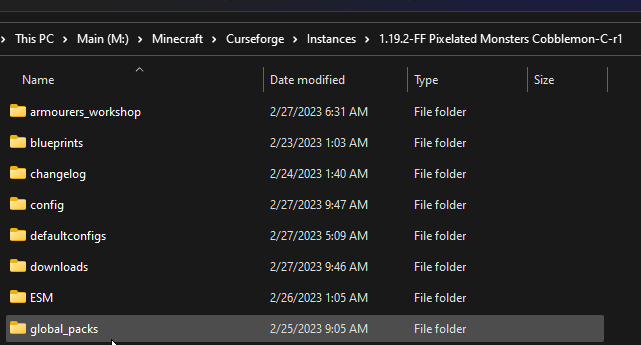

(That folder is an unpacked zip but I would prefer it was zipped)
This is global pack by the way https://www.curseforge.com/minecraft/mc-mods/drp-global-datapack
frosty spruce
Oh, so you are trying to use this mod? https://www.curseforge.com/minecraft/mc-mods/drp-global-datapack
That's probably a "not CF" issue, i.e. out of scope for this channel
frosty spruce
Oh, so CF isn't letting you, gotcha… I have no idea man
digital roost
 frosty spruce
Haven't run into this yet with the datapack I'm working on (I still have it unzipped), but it might just not be possible to have them zipped. Putting zips inside zips can get messy for processing purposes
 devout grove

I was trieing to download something and then i get that issue
Anybody know how to fix it?
 quartz hinge
@signal ridge sorry for the ping not sure if it bothers you, it says that i run on 130 fps but it sometimes drops to like 60-90 and it seems like laggy when it does, any solution?
devout grove
devout grove
I reinstalled curseforge too
frosty spruce
quartz hinge
<@217048549706301442> sorry for the ping not sure if it bothers you, it says tha...
While I can't speak for YOYO individually, you should probably reread rule #3 in #📛︱rules
Also this doesn't seem like the right channel. (This channel is for support with the app, not with games that run on it. Check one of the channels below this one)
frosty spruce
devout grove
Obvious question first: do you have Java installed on your system
(Easy way to test: type "Java" in Start's search bar)
If it's installed, the error might mean that (for any number of reasons, though most commonly misconfigured environment variables) the curseforge app can't locate it.
devout grove
frosty spruce
Obvious question first: do you have Java installed on your system
What version do i need?
 north bramble
!mc-java
red patioBOT
Specific Java versions required for running Minecraft
Minecraft requires specific Java versions to run, pick the correct one for the version of Minecraft you are playing!
Java for Minecraft versions 1.16.X and below
Java for Minecraft 1.17.X
Java for Minecraft 1.18.X and 1.19.X
Java for other operating systems
frosty spruce
Judging by the fact you're trying to run Minecraft 1.19.2, I believe you need Java 16
... as Rick just helpfully confirmed
frosty spruce
?
north bramble
Minecraft 1.19 uses Java 17
north bramble
Though I believe CurseForge packages its own to run it via the app
north bramble
devout grove
What version do i need?
But yea, use this link to download java if it's not installed: https://github.com/adoptium/temurin17-binaries/releases/download/jdk-17.0.2%2B8/OpenJDK17U-jre_x64_windows_hotspot_17.0.2_8.msi
devout grove
north bramble
But yea, use this link to download java if it's not installed: https://github.co...
okay
I once had it
frosty spruce
I think I only have Java16. wonder why it doesn't complain
devout grove
for some reason but not curseforge
Now i deleted it
and i figured out to reinstall it bc of the blockfront mod saying smthing with java
And then it didnt worked for some reason
So im installing it again rn
Worked ty
but now after i try to play blockfront
It insta crashes
red patioBOT
How to get your profile logs on CurseForge for support
- Right-click the modpack profile icon OR click the button in the modpack profile.
- Click
Open Folder. - Open the
logsfolder. - Drag and drop the FILE named
latestORdebuginto discord.
quartz hinge
frosty spruce
While I can't speak for YOYO individually, you should probably reread rule #3 in...
so channel for curseforge support where i lag with mods with curseforge program is not the right one?
devout grove
north bramble
Use <#768367574001778729>
Kk will do
north bramble
quartz hinge
so channel for curseforge support where i lag with mods with **curseforge** prog...
It's not. Just as it's not a Windows issue
formal tusk
Can you isolate the lag to just the CF/OW apps? Tested in other launchers such as the vanilla launcher?
quartz hinge
north bramble
It's not. Just as it's not a Windows issue
I'm just saying how it's funny they're trying to correct me without knowing the context, i pinged certain individual for a reason.
north bramble
I understand. But you shouldn't ping and they're correct as well
quartz hinge
I had a conversation with them about mods and my lag, they shouldn't correct me asking someone for help who already knows the issue.
frosty spruce
I was not here for that conversation, and it was a general ping instead of reply so I had no way to get the context. In fact, if it had been a reply I wouldn't have known you pinged at all and wouldn't have been able to say anything.
gray shuttle
quartz hinge
I'm just saying how it's funny they're trying to correct me without knowing the ...
Sometimes the mods are full of themselves. Some know stuff. Others know stuff but are also full of their ego lol. It's just part of this community lol
formal tusk
:/
gray shuttle
Mods are that way here lol
Green aren't mods either lol
Twisted code is right though. Ping Without context is useless lol
signal ridge
quartz hinge
<@217048549706301442> sorry for the ping not sure if it bothers you, it says tha...
It doesnt bother me too much (if not over done), but I do ask that you do respect the #📛︱rules . There are lots of helpful people here other than me. Most of the time you can just ask your question and wait patiently for a response without pinging specific people.
gray shuttle
Pretty much yeah
 wide burrow
gray shuttle
Sometimes the mods are full of themselves. Some know stuff. Others know stuff bu...
wide burrow
gray shuttle
Sometimes the mods are full of themselves. Some know stuff. Others know stuff bu...
You should be more appreciative of people spending their time to help others. Being bothered by pings when you're helping a huge community (and this is not even the only community most of them are helping in) is very understandable. Will not tolerate such attitude here. First and last warning about this.
 scenic warren
Is there a way to make the new layout work on portrait layout monitors or even phones for that matter? I got around it by using the old one but it keeps directing me to the new one now.
formal tusk
Any branding resources for CF?
I remember ChriSKate talking to the designers of the new CF logo so thought I'd bring it up
Couple of people have been asking for it
red patioBOT
Where to suggest new ideas and vote for others on CurseForge
CurseForge is looking for great ideas and user feedback, Get into the CurseForge Community by providing some feedback and voting on what's important to you!
Location In-app
- Click the
 button on the bottom left of the app.
 - Click on

Suggest a Featureoption!
 keen arch
I tried playing Minecraft with some mods but curse forge won’t open and give me the error “network error” now i’ve turned FireWall off and i even did this thing through DSN but it’s still not working..


 signal ridge
What OS are you using?
gray shuttle
Firewall protects against port attacks
Turning it off simply allows access to all ports and such very risky move
signal ridge
But it is also a step to test if it is a fire wall issue or not. They were correct in trying
keen arch
gray shuttle
Turning it off simply allows access to all ports and such very risky move
Well i mean the website of Curse forge it selfs recommends to turn it off lol
keen arch
signal ridge
What OS are you using?
11.6.1
red patioBOT
What is my OS
OS Stands for Operating System
Windows, Mac, Linux
If someone asks for your OS you should also say what the version is. For example: Windows 10
If you don't know how to find out, see here
signal ridge
A lot can come up with those numbers...
formal tusk
linux can look a lot like macos when it's themed n stuff XD
signal ridge
!cflogs-app
red patioBOT
How to get your CurseForge app logs
- Click the

Create logs zipin the menu. - Drag and drop the file created to this channel.
- Wait for someone to look at it so they can help you.
 signal ridge
hm? there are no need for project links to send the logs.zip file here?
keen arch
Ohh wait i’ll try on laptop when i get home,, i tried doing it on my phone haha maybe that’s the problem
signal ridge
You likely opened a ticket which is the button above the logs button
keen arch
signal ridge
You likely opened a ticket which is the button above the logs button
Ohh yeah i did,, i thought it was the same thing😅
signal ridge
Orange names are only volunteers, we cant see tickets. But can make a ticket if you wish, just may take time
keen arch
I will try and make a logs zip and if that won’t work i will contact the server again :))
 autumn portal
Hi! does anyone have a solution to mainly mods that add animals, make my game kinda laggy. I've rtx 1660, shouldnt really experience lag
signal ridge
Mods that add mobs can do a number on the game, GPU isnt the only thing that affect how the game behaves, CPU and RAM also come into play here. But mob mods are known to strain pcs all together
A lot to register / process the more mobs you add to the game
autumn portal
So there isn't really a solution here? I've 16 gb ram
autumn portal
whats the difference
young bone
Allocated is how much you’re giving the game
Total is how much you have installed into your computer
autumn portal
OH, where can I change the allocated RAM?
young bone
?mc-ram
red patioBOT
How to set Global Minecraft RAM value
- Click the
 icon in the bottom left to open settings.
 - Click the Minecraft tab.
- Scroll down.
- Set the slider to recommended ram range as seen below.
 signal ridge
Do not allocate more the the recommended, your pc will start to slow down vs speed up the game
autumn portal
 got it
gray shuttle
Considering how the game uses a lot of RAM
signal ridge
Game itself doesnt, the mods you can take more ram, all depends on the mod and what it adds
signal ridge
Which is why we have the recommended, if they said they only had 8gb total the response we give would be altered to 6144Mb max, with the command for "how to"
gray shuttle
True
signal ridge
Dont need to go into it any more then that. If you wanna discus ram and how it works can go to #🥑-off-topic-chat
 near linden
Last couple days I haven’t been able to open curseforge. A message pops up saying it’s damaged. Should I just reinstall and did this happen to anyone else 😦
red patioBOT
Reinstalling Overwolf & CurseForge is required
Please uninstall by following the instructions here
Once you're done, you can install again from the main download page
 jaunty plaza
My pack seems to be getting stuck in the approval process, any idea what can be done to get it pushed through?
https://www.curseforge.com/minecraft/modpacks/wills-wild-world/
Please ping me with response 🙂
signal ridge
jaunty plaza
My pack seems to be getting stuck in the approval process, any idea what can be ...
!status
red patioBOT
Project moderation time
Project/File moderation is done on these days unless otherwise mentioned:
Sunday, Monday, Tuesday, Wednesday, Thursday: <t:1631170800:t> - <t:1631199600:t> (Your time)
Friday, Saturday: No Moderation!
Projects are moderated First in, First out. If you submit late in the work day, it will likely get left until the next day!
New Projects or anything flagged for manual review: 1-3 Working Days
Updates to approved projects not needing manual approval: 1 Hour
-If your file has been "Under Review" for more than an hour, then it is at manual review!
signal ridge
jaunty plaza
My pack seems to be getting stuck in the approval process, any idea what can be ...
Does it say processing or under review? also see above
 meager stump
tried repairing installation, reinstalling curseforge, reinstalled minecraft, reinstalled java, updated windows/drivers

anything else i could do?
signal ridge
!mc-launcherlog
red patioBOT
How to get your launcher log
- Click in the top right corner of CurseForge
- Click the
Open Modding folderbutton - Open the
Installfolder - Drag the
launcher_log.txtfile into discord
meager stump
carmine galeBOT
Paste created of launcher_log.txt, uploaded by Leffy.
meager stump
it happend so randomly, never had this issue before
signal ridge
!hosts do the below
red patioBOT
How to get your hosts-file
On Windows
- Press
 +
+Ron your keyboard, and paste:notepad %windir%\system32\drivers\etc\hosts - Screenshot/Copy the contents and paste it into the chat.
On Mac/Linux
- Open a terminal window, paste:
cat /etc/hosts - Screenshot/Copy the contents and paste it into the chat.
meager stump
 signal ridge
Do you own the game?
meager stump
this one?
young bone
The game you need support with, Minecraft
signal ridge
Those last 3 mojang lines are signs of Piracy
meager stump
well i had my premium account i sold it, and i used ehh ye, but now i have premium again, so what i can do right now?
young bone
There is no premium, you either own the game or you don’t
signal ridge
Log in here https://www.minecraft.net/en-us/profile> screen shot proving you own the game
Otherwise you will not get any further support here
 sweet urchin
Anyone have an idea why this is happening? On a test pack I've been working on my modpack and it's been running smooth with no crashes or errors, but after exporting the pack and getting it approved, I'm met with a wave of error messages (from VanillaFix) and the game doesn't run very well. (looking at the error messages doesn't yield much results)


am I missing something in the export? I don't know why it's only giving me an error on the public pack and not the test pack I exported from. I made sure to include configs and scripts
 cold hatch
my modpack isn't able to launch... can anyone help me to fix this issue?

 clear flare
has it launched before?
cold hatch
yes, last time it launched like one week ago..
clear flare
?mc-installfix
red patioBOT
How to repair your Minecraft installation on CurseForge - **NOT** the same as `Repair Profile` - please follow these exact steps
- Click on the Minecraft Tab on the left side of the CurseForge App.
- Click button next to the
Create Custom Profileoption. - Click
Repair Installationoption.
NOTE: Although this might seem similar to the instructions of repairing profile, it's different and required. No worries, you will not lose any modpacks or worlds.
cold hatch
okay
sweet urchin
clear flare
What stuff did you export?
Just the whole pack. Mods, configs, scripts. The pack technically runs it just is significantly worse than when it was tested
clear flare
thats really weird
sweet urchin
Never got a single error message from VanillaFix while testing, just normal config stuff and confections that I fixed
Idk how to describe it, it just also feels off. Things load weird and random errors but no full crashes
 clear flare
just from what im reading im assuming that its an internet problem
seems like the ip you put is wrong
at least if what planetminecraft is correct
 spice wedge
it is happening for me and my friends
they tried setting it up and it says that for them too
clear flare
are you sure the server is up?
spice wedge
how do you do that?
clear flare
are you using your computer to host the server or are you using a hosting service
spice wedge
computer to host the server
i press add server
what am i meant to write for server address
clear flare
the server address is the ip of that computer
spice wedge
i don’t understand
signal ridge
Please move this to #🧱︱mc-other-help As its not a CurseForge app or site issue
clear flare
bet
 rigid ruin
Hello I don't know if this is considered a minecraft issue or a curseforge issue but i can not use optifine 1.19.2 with the create mod through curseforge, is there anyway around that?
clear flare
optifine doesn't work well with some mods, my best advice is to use other mods
like sodium
rigid ruin
whats sodium?
clear flare
?mc-optifine
red patioBOT
We do not provide support for Optifine
If you have issues with Optifine, please remove it. If you want further support try the discord found on their website.
https://www.optifine.net/home
Installing Optifine with modpacks on Curseforge:
- Right click the modpack icon, select
Open Folder. - Put the
Optifine.jarinto themodsfolder. - Now start the modpack.
clear flare
 digital roost
when I load up Minecraft on curseforge it says I need to buy Minecraft but I already have it
red patioBOT
Minecraft Logins
As of march 10th 2022, you will need a Microsoft Account to play!
- Get to the Microsoft login screen.
- Log in with a Microsoft account that owns the Java version of Minecraft.
Done!
*If it says PLAY DEMO then the account used DOES NOT own Java Minecraft. Log in with one that does.
 clear flare
digital roost
when I load up Minecraft on curseforge it says I need to buy Minecraft but I alr...
clear flare
digital roost
when I load up Minecraft on curseforge it says I need to buy Minecraft but I alr...
are you using the correct account?
digital roost
yes
signal ridge
Does the vanilla launcher work? The none cf one
signal ridge
Open that launcher, screen shot the full thing, then do the same for the launcher the cf app opens


 opal cipher
digital roost
opal cipher
digital roost
oh
signal ridge
Names as well are slightly different
clear flare
one of them is player and one is pringle_pug
cold hatch
clear flare
try that first
it works 🙂
clear flare
though they are both logged into pugsteromega22
signal ridge
No? One is the correct, the other just says player.
Pugsteromegs22 vs Pugsteromega22
signal ridge
in discord: right click the image > open link
 south sage
I need help my project is up but every time I try to upload the file it dose not show it has any files
signal ridge
Link the project
clear flare
south sage
I need help my project is up but every time I try to upload the file it dose not...
have the files been approved?
south sage
@clear flare Yes but it is not showing the file here is the link https://www.curseforge.com/minecraft/mc-mods/redbears-ruby-mod/files
signal ridge
There are no files here. Screen shot showing you have files uploaded and approved
south sage
that is the problem I had just uploaded the file and it is not showing
digital roost
thanks for the help
signal ridge
south sage
that is the problem I had just uploaded the file and it is not showing
Check the  at the top of the site, do you have any reject messages?
signal ridge
Should but Ive seen weird things
south sage
No all it says is that my project got aproved yesterday
clear flare
what file did you upload
signal ridge
Screen shot the message, and what you see on your files tab while logged in
 signal ridge
Did you upload a .jar file OR something else?
south sage
yes a .jar
signal ridge
Try making a small change to the mod, then upload it again

 wide anvil
How can I change my profile picture on CurseForge? :p
 lyric crescent
change it on twitch, then relog
wide anvil
ah
south sage
Ok @signal ridge It worked thanks!
 silk briar
i jst installed curseforge and it won't load anything
I have internet and everything but it just says it can't load
signal ridge
Screen shot errors
 neat egret
hello
my friend spent 30 dollars to buy me minecraft so i could play a mod with him and i can't evne join the server
 wide anvil
lyric crescent
change it on twitch, then relog
wide anvil
lyric crescent
change it on twitch, then relog
mine took a while to update but it worked, i assume because of something related to caching
 signal ridge
neat egret
signal ridge
neat egret
!notcf
red patioBOT
This is not related to CurseForge owned/maintained features or services
CurseForge does not make or maintain any of the content or games used on the site or the app.
Just because it's on the site/app does not make it a problem with CurseForge.
Please move to the respective channels as requested, or use #👽︱game-support for game-related help.
 manic mist
Hey I'm having a problem. every time I try to install a mc mod it just says "the decryption operation failed, see inner exception". What do I do?
signal ridge
!cflogs-app
red patioBOT
How to get your CurseForge app logs
- Click the
Create logs zipin the menu. - Drag and drop the file created to this channel.
- Wait for someone to look at it so they can help you.
manic mist
signal ridge
!network try the below
red patioBOT
How to tackle Network Issues
Please try the following step(s) to figure out the cause/solution to your network issues:
- Restart the CurseForge app
- Restart your computer
- Disable any programs that interfere with your connection (VPN, ping tunnels, antivirus, firewall etc)
- Restart your router and modem.
- Attempt using a different connection if possible.
- Reinstall Curseforge.
manic mist
Okay
 lean kite
Ive been trying all day to install a modpack onto my sister's mac and nothing I do is working. I click install on the app and the button just turns gray, I tried putting the files directly into the folder but that didnt work, and I tried exporting the modpack on my computer and importing it to a custom profile on her's but it said invalid file. help?
manic mist
It still isn't working
 wooden fog
 dense otter
Okay so I wana download the ice and fired dragon mod for minecraft but can I trust it not to hurt my computer
Here is the link:
https://www.curseforge.com/minecraft/mc-mods/ice-and-fire-dragons
Also is all the mods free?
rich flint
mods filehosted on curseforge are scanned for potential viruses by curseforge on upload. they're as generally safe as any mods you will ever find on the internet.
all mods published are able to be added to modpacks or profiles - it's the deal that authors make with curseforge when they upload files.
manic mist
It's still not working
 upper root
!mc-logs send this file to #👽︱game-support or #🧱︱mc-other-help
red patioBOT
How to get your profile logs on CurseForge for support
- Right-click the modpack profile icon OR click the button in the modpack profile.
- Click
Open Folder. - Open the
logsfolder. - Drag and drop the FILE named
latestORdebuginto discord.
 noble hazel
Ok
 slate breach
i tried to run client and i got this error. I'm using IntelliJ IDEA and the corretto-18 SDK, same Language and same gradle JVM

idk whats going on
upper root
!mc-wording
red patioBOT
Please use the correct terms - it allows us to understand and help you faster
Forge = Minecraft Forge, this is a modloader often just called "Forge".
Fabric = Fabric MC, this is a modloader, often just called "Fabric".
CurseForge = A Website/App that has content for games and serves as a mod manager.
Mods = Individual mod files.
Modpacks = Multiple mods put into the mods folder or downloaded from CurseForge.
upper root
if you want help with actually devving mods use #⚙️︱authors-help
slate breach
thank you
 robust agate
On the curseforge launcher, when I set my memory allocation, for some reason it isn't the same when I launch the mc modpack
like say i put 5600 mb or something it will be lower than 5600 mb
like by alot
 desert sun
https://mclo.gs/5PY9vGA
can anyone pleaseee telll why this is crashing?
 red yacht
I keep deleting and redownloading both CurseForge and Minecraft, but I keep on getting this error as soon as I open CurseForge. Please help
 red yacht
No one responds to anyone in this channel
formal tusk
red yacht
No one responds to anyone in this channel
?patience
red patioBOT
Please be patient, we're helping as fast as we can
The Moderators & Helpers on this server volunteer their time and knowledge to help people as they can.
Not everyone here will have an answer for you the moment you want it.
Time zones, work/life schedules etc. also vary when people are around to help.
TL;DR: Please have patience. IF and WHEN someone knows how to help, they will assist you.
*Note that you can also open a support ticket and wait for a response.
formal tusk
You could also try helping people...
signal ridge
red yacht
I keep deleting and redownloading both CurseForge and Minecraft, but I keep on g...
!ticket-site Will need to create a ticket for this.
red patioBOT
How to open a support ticket on the CurseForge website
Can't open the app or would rather use the website? You can do so here.
Fill out the form with accurate detailed information, keep in mind that simply saying 'it' or 'doesn't work' is very vague. The more details you provide, the more efficient help you will get.
Make sure to upload your Overwolf logs with the Upload File option in the ticket, information on how to get these logs can be found here
 mossy sonnet
Is there a Way to keep the old Site onto everything is on the new Site seen i i'm trying to keep a eye out for my Modpack i'm trying toupdate?
upper root
does #🆘︱current-issues🆘 have an answer for your question/a workaround for what you are trying to do?
mossy sonnet
No once i refeash it goes back to the Beta version after a bit of time
upper root
yes, that is because the main site becomes under heavy load so people are redirected to the beta so it doesnt crash
mossy sonnet
but if i clear the Cookie i can get the old site back
 royal delta
hello. when i open the modpacks it doesn't load any solution ?
 fickle mason
I can’t post an lfg and I’ve confirmed everything in roles and rules
 main maple
Small question, is it possible to get replaymod on 1.19.2 forge?
fickle mason
main maple
Small question, is it possible to get replaymod on 1.19.2 forge?
Just Fabric for 1.19.2 I think
I think the last version they did was 1.16.5 for forge
main maple
So its impossible?
fickle mason
main maple
So its impossible?
Unless you use Fabric yeah
main maple
Alright, thanks.
meager stump
signal ridge
Log in here https://www.minecraft.net/en-us/profile> screen shot proving you own...
uhm sorry for yesterday, i have the game, but still same things happens, what i could do next?

 tawdry swallow
how do I get server files for my custom modpack?
red patioBOT
How to upload a server pack
Serverpacks are special files uploaded alongside an existing project file. If the main file is rejected the server pack is also rejected.
*In order to upload a server pack you must have a pre-uploaded export file
- Make the server pack by zipping up the required files by selecting the required folders & files. It should include the config and mod folders at a minimum, plus anything else you specifically required to run the server. Start/Run/Setup scripts are optional. Don't include modloader files or the minecraft server jar.
- Go to the
Filestab on the project. - Click the name of the file you wish to upload the server pack to. The pack and server should match pack versions.
- Click
Upload Additional File. - Fill out the form.
meager stump
meager stump
uhm sorry for yesterday, i have the game, but still same things happens, what i ...
nvm i fixed it
sweet urchin
clear flare
could you send the error logs?
I'm not sure if the mod generates a log for that but I'll look. I did find a log saved in the "logs" folder in the files though I'll send that while I'm looking in case it yields any results
carmine galeBOT
Paste created of 2022-07-19-1.log, uploaded by SkylordManga.
 olive onyx
Hello. I am new to cureforge and use it for MC. When i launched the game, it asked for my US rom thingy. Where do i find it, and what tf is it
north bramble
sweet urchin
I'm not sure if the mod generates a log for that but I'll look. I did find a log...
This log is from half a year ago 👀
north bramble
olive onyx
Hello. I am new to cureforge and use it for MC. When i launched the game, it ask...
Screenshot?
olive onyx
sure one moment
man my pc is slow still loading


when i toggle the mod on (retro 64) the game crashes
 jaunty pier
Is there anyway to play multiplayer on curseforge?
young bone
You make a server, but the CF app and site has nothing to do with making servers
jaunty pier
Alright. Cheers
north bramble
olive onyx
I've never seen this before and it doesn't seem related to CurseForge
But post your logs
?mc-logs
red patioBOT
How to get your profile logs on CurseForge for support
- Right-click the modpack profile icon OR click the button in the modpack profile.
- Click
Open Folder. - Open the
logsfolder. - Drag and drop the FILE named
latestORdebuginto discord.
 elfin kelp
i tried to download mod for stardew valley it keeps coming up with error messge samp or something like that is not istalled
smapi is not installed is what comes up in error message
or required
digital roost
i updated my twitch profile, and was wondering how long it will take to update on curseforge
 lament harness
Hello, I have a question about downloading server packs off of the website or app. After the zip file is done downloading and I open it, its incomplete and winrar says "unexpected end of archive"
 muted adder
Has anyone been able to get the Sync Feature to work on different devices?
 jaunty ginkgo
hey so i think sync might be a bit broken right now
cause my thing got approved right and instead of appearing normally as an update the update process to notify an update is avaliable is there ie the update markings appearing
but when you click it nothing appear
just current ver
vagrant escarp
mystic swift
<@280055087131525122> <@515459258842611712> do you guys have any curseforge fold...
hello, here is what i get when i look for curseforge on my computer

 naive glade
Some mods are not fully up to date on the app eg Crackers Wither Storm Mod.
signal ridge
Would need to tell the dev to update it. Cf itself doesnt make or maintain any of the projects people upload.
 sage ferry
i was wondering if there was a way i can play with mods on a world (in minecraft) that i had before downloading curse forge
sweet urchin
north bramble
This log is from half a year ago 👀
my bad
its just a log not a crash but I honestly dont know whats going on so Idk if this will tell anything
signal ridge
Define "it"
signal ridge
sweet urchin
Possibly an issue with DamageIndicatorsMod
 slow gazelle
Hey guys 👋
I just upload a new version for my modpack, but it's rejected.
Error message :
File is a duplicate of an existing file. AutoBanPlus on AutoBanPlus
Minecraft Version : 1.16.5
Forge Version : 36.2.20
signal ridge
Make a slight change to your pack, then export it again. then try reuploading.
slow gazelle
What of "slight change ?" update a mod ?
signal ridge
update a mod, edit a config, add a random text file
 young bone
There isn’t one on the beta yet
slow gazelle
ok just curseforge redirect me when I on my author page
young bone
Click manage and it should put you to the main site for your project
slow gazelle
ok thanks
young bone
There’s also the latest message in #🆘︱current-issues🆘
 young bone
Sometimes that is very fitting
slow gazelle
hahaha, I abuse a little for the gif, but in any case the new design is damn successful!
 wanton flame
Is CurseForge's app icon supposed to be that big on Mac OS? I am not sure, but other icons are sized like the one one the right.

 pulsar kelp
I open a modpack in the CurseForge app and the screen is gray, no matter what mod it is the launcher is gray


it was working normally until yesterday
no use installing the modpack but I haven't tried reinstalling the entire curseforge
 near thicket
!mc-installfix
red patioBOT
How to repair your Minecraft installation on CurseForge - **NOT** the same as `Repair Profile` - please follow these exact steps
- Click on the Minecraft Tab on the left side of the CurseForge App.
- Click button next to the
Create Custom Profileoption. - Click
Repair Installationoption.
NOTE: Although this might seem similar to the instructions of repairing profile, it's different and required. No worries, you will not lose any modpacks or worlds.
pulsar kelp
Thank's man
 misty storm
Hi I would like help adding a world I downloaded into my modpack/profile?
gray shuttle
that's minecraft related XD
near thicket
click on your profile than the 3 dots and click open folder. Once you are there click on saves and import your world
gray shuttle
pretty much
 whole wyvern
Hey I have an issue I was really hoping someone may have a fix to!
Whenever I stream Advent of Ascenssion on Twitch with Streamlabs OBS apparently i lag out every few minutes for a couple seconds
like a loading circle apears
but it only happens when I stream AoA
I assume its anything on Curseforge
any ideas on what could be the issue?
upper root
why do you think its caused by curseforge?
whole wyvern
Any other game I play I dont have issues and in my streamlabs Diagnostic Report no issues are shown
Which would leave only the game itself as the issue
I am open to trying different things I just want to solve the issue haha
whole wyvern
AoA Plus
upper root
oh, the modpack
whole wyvern
yes haha
upper root
!notcf
red patioBOT
This is not related to CurseForge owned/maintained features or services
CurseForge does not make or maintain any of the content or games used on the site or the app.
Just because it's on the site/app does not make it a problem with CurseForge.
Please move to the respective channels as requested, or use #👽︱game-support for game-related help.
 cerulean cedar
hey guys, somebody can help me, i m stay with problems to upload my modpack to the curseforge
young bone
What kind of problems
 upper root
How are you making the modpack?
cerulean cedar
cerulean cedar
this appears in notifications and my project page is inaccessible
cerulean cedar
upper root
How are you making the modpack?
i do the modpack in the curse forge app
with forge and i test every mod and dont have any problem
young bone
Show a screenshot of the file
cerulean cedar
so i click in export profile in the own app and use this file to upload in the my profile
cerulean cedar
young bone
Show a screenshot of the file
 young bone
Are you on a Mac?
upper root
can you send the file here?
 upper root
cerulean cedar
upper root
cerulean cedar
that looks fine
upper root
cerulean cedar
click on the files name and send a screenshot of that page
cerulean cedar
 red patioBOT
Project moderation time
Project/File moderation is done on these days unless otherwise mentioned:
Sunday, Monday, Tuesday, Wednesday, Thursday: <t:1631170800:t> - <t:1631199600:t> (Your time)
Friday, Saturday: No Moderation!
Projects are moderated First in, First out. If you submit late in the work day, it will likely get left until the next day!
New Projects or anything flagged for manual review: 1-3 Working Days
Updates to approved projects not needing manual approval: 1 Hour
-If your file has been "Under Review" for more than an hour, then it is at manual review!
cerulean cedar
cerulean cedar
ok, but why when i finish the upload i receive this notifications
i understand here
thank you for the help
upper root
if it still happens with the file you have currently uploaded then make a ticket using the url in the rejection notification
cerulean cedar
thank you
 minor sedge
is something wrong with curseforge or just me
 safe panther
'Something wrong' is a bit vague, what doesn't seem to be working correctly?
minor sedge
i tried opening curseforge and it just closes
and uninstalled it then tried installing it and it shows up for a second then closes
safe panther
What OS do you use?
safe panther
Yes, windows 10, 11, mac, linux?
minor sedge
windows 10
red patioBOT
Reinstalling Overwolf & CurseForge is required
Please uninstall by following the instructions here
Once you're done, you can install again from the main download page
minor sedge
what does it mean press start
upper root
the key
 left fractal
UNCLE
north bramble
Does he need support?
 fathom badge
my modpack for minecraft was just approved but when i press install with curseforge app on the website it comes up with this on the app
 upper root
!sync
red patioBOT
Projects sync from CurseForge website to the app
The CurseForge App and website do not share the same requirements.
You might find content on the website that won't be on the app.
In order to show on the app:
- Projects MUST have a file marked as Release
 or Beta
- Projects MUST be Approved
- Projects MUST have a file marked for the game version selected/loaded
- Projects CANNOT be Expermintal
- Projects CANNOT be Abandoned
fathom badge
how do i mark it as release or beta
gray shuttle
when uploading the file you can select what type it is
young bone
You can also edit the already uploaded file to change the release type
fathom badge
pls tell me how, i dont want to go through the approving thing again
young bone
Go to the file section of your pack page, click on the file that was uploaded, click the edit button, change the release type
 viscid topaz
When I try downloading the latest version of pixelmon (v9.1.3) it gets to 3 out of 8 The mod being the pixelmon mod for the modpack, and after like 10 minutes the download will cancel and it'll tell me that the download was timed-out or expired
upper root
!webclient
red patioBOT
Timeout & Webclient errors
Timeout/WebClient errors are a result of networking issues with your computer. You can try a few things to fix it:
- Restart your computer
- Restart your router/modem
- Try another internet source like a hotspot, wired connection or moving closer to the WiFi
- Pause/Stop other things using the internet. (Streams, music, etc)
- If this still doesn't work, try again in an hour and hope your connection is stable
fathom badge
young bone
Go to the file section of your pack page, click on the file that was uploaded, c...

i dont see it
young bone
That’s because you’re on the beta site, main must be at capacity
fathom badge
ah damn
 bitter solar
how do i remove this awful beta redesign redirection from my curseforge website, it doesnt matter what im searching up, it will randomly redirect me to the beta version of the page
signal ridge
You cant, its to help with server loads. See #🆘︱current-issues🆘
 weary vapor
ok so i uploaded my own modpack to curseforge and it finally got approved. but whenever i search it up it doesnt show up and i sent the link to my friend and theres no option to download it. How do i get it to where he can download it help
its been like 2 days since it was approved
signal ridge
Send the link for the pack
signal ridge
File is marked as Alpha, which doesnt sync with search.
You can edit the file on the site and change it to Beta or Release for it to show up in search
weary vapor
will it have to go through the aproval process again?
upper root
No
signal ridge
Nope, as the file is already approved,
 vale bramble
I need some serious help with my curse forge
for some reason I cannot download, launch, or update any mods anymore
I have restarted my computer, closed and reopened curseforge as well as signed out of my account and signed back in but nothing is working
upper root
what happens when you try
vale bramble
when I try to download a mod or update a pack, it starts like normal then after about 10 seconds it says deleting pack and then gray's out my install button
upper root
!mc-installfix
red patioBOT
How to repair your Minecraft installation on CurseForge - **NOT** the same as `Repair Profile` - please follow these exact steps
- Click on the Minecraft Tab on the left side of the CurseForge App.
- Click button next to the
Create Custom Profileoption. - Click
Repair Installationoption.
NOTE: Although this might seem similar to the instructions of repairing profile, it's different and required. No worries, you will not lose any modpacks or worlds.
vale bramble
I have done that multiple times as well, and everytime it crashes my curseforge
upper root
crashes it how?
vale bramble
it literally closes the application
red patioBOT
Please check out this guide for instructions on how to get your CurseForge logs on all Operating Systems.
vale bramble
I apologize, thanks actually I was only repairing installation for the profiles, I just repaired installation for minecraft and now it seems to be downloading. Thank you
digital roost
got a question i made a modpack and it got approved but when i click on download for the app its says mod is not supported by application why?
upper root
!sync
red patioBOT
Projects sync from CurseForge website to the app
The CurseForge App and website do not share the same requirements.
You might find content on the website that won't be on the app.
In order to show on the app:
- Projects MUST have a file marked as Release or Beta
- Projects MUST be Approved
- Projects MUST have a file marked for the game version selected/loaded
- Projects CANNOT be Expermintal
- Projects CANNOT be Abandoned
upper root
The first one is what usually trips people up
vale bramble
Another question, now the mod packs download fine, but I can't launch them, my vanilla minecraft launcher works perfectly fine however when I launch the modpack it will not launch at all
upper root
what happens instead of it launching?
vale bramble
It tells me downloading minecraft update and has been stuck like that for about 15 minutes now
I have had curseforge for going on 2 years now and this stuff has never happened
upper root
vale bramble
It tells me downloading minecraft update and has been stuck like that for about ...
do you mean minecraft launcher update?
vale bramble
yeah, it says Minecraft Launcher Update but it never finishes it. I know my launcher is updated though since I have the launcher running vanilla minecraft right now
upper root
Curseforge uses a copy of the vanilla launcher
vale bramble
that's what I thought but its telling me that its doing an update for the launcher
upper root
yes, because CF's copy will update seperately to the main launcher cause it uses entirely different files
And cause Mojangs servers can be slow at times, that can take a while
vale bramble
I understand that, but I have 5 other people in a discord with me and there currently running the game perfectly fine, and have closed and relaunched multiple times, and they have identical computers to me
upper root
Just wait for the update to finish
Then you will be able to play
If the update fails for some reason, come back here and say that
 rain spire
Hi, how can I add a picture with an embedded link?
upper root
add a picture, then select the picture and add a link
using the link button in the toolbar
rain spire
thank you, I added by mistake a code that I cannot delete, what can I do?
upper root
how can you not delete it??
rain spire
I wonder, and I dont even know where it comes from
it´s in the end of my project description
<span style="font-size: 14px;"><br /><img src="https://ibb.co/V27gLrf" alt="" /><img src="https://www.curseforge.com/minecraft/modpacks/lunamiee-adventures/settings/<blockquote class="imgur-embed-pub" lang="en" data-id="a/K8uLPxv" ><a href="/imgur.com/a/K8uLPxv"></a></blockquote>" alt="" width="Infinity" /><br /></span>
when I try to edit my description is nothing in there
and even I use delete it doesnt desapear
upper root
failed image embed maybe?
You can edit the souce code of the desc tho, using one of the toolbar buttons
or does that also not work
rain spire
Thank you, it worked, I deleted the picture and then added it again
 compact quarry
how to update curseforge's to the new luancher
red patioBOT
CF does not use the Windows store launcher. It is exactly the same as the other game launcher.
compact quarry
no cuz its not compatible to luanch minecraft windows eddition
signal ridge
CF app is for the Java edition of minecraft. The "windows edition" is bedrock.
signal ridge
Use the official launcher, the copy of the launcher the CF app uses dosent do bedrock. Doesnt need to either as the CF app doesnt support bedrock, only the site does
 harsh galleon
How do I download specific curse forge updates? Im looking for 1.12.2
Please DM me
upper root
!mc-wording
red patioBOT
Please use the correct terms - it allows us to understand and help you faster
Forge = Minecraft Forge, this is a modloader often just called "Forge".
Fabric = Fabric MC, this is a modloader, often just called "Fabric".
CurseForge = A Website/App that has content for games and serves as a mod manager.
Mods = Individual mod files.
Modpacks = Multiple mods put into the mods folder or downloaded from CurseForge.
digital roost
Question? So when i install a mod from CF? Dose it tell you what packs you need? Like on the websites?
mystic swift
@digital roost i'm not sure i understand what you mean. which packs are you referring to?
digital roost
nvm i found out if i click on the mod i want i can see what stuff i require in my game to work.
if that makes sense
This is what i mean.
 carmine galeBOT
Paste created of latest.log, uploaded by superjon.
north bramble
 merry cosmos
been playing on this world for a while, but it's just stopped working...
merry cosmos
been playing on this world for a while, but it's just stopped working...
Either dynamic lights or tumbleweed is having issues, I think
 upbeat chasm
Hi I have a question can I put my announcement here somewhere that I am looking for a person to make minecraft mods?
north bramble
upbeat chasm
Hi I have a question can I put my announcement here somewhere that I am looking ...
You can use #1032223688180895804
upbeat chasm
i cant
 formal tusk
upbeat chasm
Hi I have a question can I put my announcement here somewhere that I am looking ...
formal tusk
upbeat chasm
Hi I have a question can I put my announcement here somewhere that I am looking ...
and the fabric server, for instance, has a requests channel. the forge server may have one too.
north bramble
upbeat chasm
i cant
Read the first post, it shows you how to get access
upbeat chasm
okay thank you 🙂
 foggy pendant
how can I localize CurseForge App to my existing in app language?
mystic swift
@foggy pendant hi, you can select a language for the app in the settings:
 foggy pendant
mystic swift
<@558250636995592202> hi, you can select a language for the app in the settings:
foggy pendant
mystic swift
<@558250636995592202> hi, you can select a language for the app in the settings:
I mean, I want to contribute to the translation of the interface, because the current localization of the CurseForge app in my language is incomplete
I didn't find any pages on GitHub or on relevant services like Crowdin where I could contribute to the translation.
mystic swift
@foggy pendant oh, i see. which language is it?
foggy pendant
Ukrainian
mystic swift
@foggy pendant i'll check and let you know if there's an option like that. thank you :)
foggy pendant
mystic swift
<@558250636995592202> i'll check and let you know if there's an option like that...
Thank you. I'll be waiting.
I've been translating software and games for a long time (I can provide my translator profiles on Weblate and Crowdin if you need to verify my competence)
timid barn
Is it possible to use optifine on a cvustom modpack i use with my server? Cant seem to figure it out
safe panther
Optifine is very buggy and conflicts with lots of other mods. Highly recommend using an alternative like sodium
?mc-optifine
red patioBOT
We do not provide support for Optifine
If you have issues with Optifine, please remove it. If you want further support try the discord found on their website.
https://www.optifine.net/home
Installing Optifine with modpacks on Curseforge:
- Right click the modpack icon, select
Open Folder. - Put the
Optifine.jarinto themodsfolder. - Now start the modpack.
young bone
If using Fabric, use Sodium, if Forge, use Rubidium
timid barn
tyn guys
 neon fox
when im loading up minecraft from curseforge i get this screen and im not sure what to do
 red patioBOT
How to repair your Minecraft installation on CurseForge - **NOT** the same as `Repair Profile` - please follow these exact steps
- Click on the Minecraft Tab on the left side of the CurseForge App.
- Click button next to the
Create Custom Profileoption. - Click
Repair Installationoption.
NOTE: Although this might seem similar to the instructions of repairing profile, it's different and required. No worries, you will not lose any modpacks or worlds.
neon fox
ive already tried that
neon fox
didnt work
signal ridge
!mc-logs send your logs to #🧱︱mc-other-help
red patioBOT
How to get your profile logs on CurseForge for support
- Right-click the modpack profile icon OR click the button in the modpack profile.
- Click
Open Folder. - Open the
logsfolder. - Drag and drop the FILE named
latestORdebuginto discord.
 fierce eagle
How do i install curseforge??
lyric crescent
Usually you would run the installer, like most things you install.
fierce eagle
sorry i got it working now
digital roost
how do i download modpack files then put them into the app
young bone
You can download them directly with the app
digital roost
young bone
You can download them directly with the app
see i made a modpack and it got approved but it wont show up publicly in search bar
young bone
Link to the project please
digital roost
sent it in dms
red patioBOT
Projects sync from CurseForge website to the app
The CurseForge App and website do not share the same requirements.
You might find content on the website that won't be on the app.
In order to show on the app:
- Projects MUST have a file marked as Release or Beta
- Projects MUST be Approved
- Projects MUST have a file marked for the game version selected/loaded
- Projects CANNOT be Expermintal
- Projects CANNOT be Abandoned
young bone
You also didn’t need to upload it if it’s just for friends
digital roost
well i have no idea how to make a modpack for them to use
young bone
?mc-packshare
red patioBOT
Two ways to share a modpack you made with others
Export and Share - For Friends / Small Groups
- Click the Icon for the modpack.
- Click the button next to play.
- Click
Export. - Select the files that should be included.
- Send the zip to the people that want it! They can follow the instructions in
!mc-installpackto install the pack.
Upload to Curseforge - For Public Release to Everyone
This option will make your pack public to EVERYONE, it comes with extra requirements and will take some effort to set up.
- Go to create a new project
- Fill out the information with a proper description of the pack. This should allow anyone to understand what the pack is.
- Click the Icon for the modpack in the CurseForge app.
- Click the button next to play.
- Click
Export. - Select the files that should be included.
- Open your Project that you made on the CurseForge site and Upload the file you just made.
- Wait for Moderation & Sync so it can show up in the client! (See
!syncfor limitations and!statusto learn about the moderation process and how long it will take to approve/decline)
young bone
The first set of instructions
young bone
Did you make it with the CF app?
digital roost
ye
young bone
?mc-installpack
red patioBOT
How to install modpacks with the search features in the CurseForge app
How to install modpacks with the search features
- Open the

Minecraftsection of the app. - Click the top search bar where it says
Search for modpacksOR Click theBrowse ModpacksTab. - Find the Modpack you want to install and click install on it.
- Wait for the CurseForge app to download and unpack all the required files.
- Once finished, click
Play!===***
How to install modpacks from an Export (Custom/Private/Site downloaded Modpack zip)
- Get the CurseForge app if you don't have it, use
!downloadfor a link. - Get the exported modpack from CurseForge or someone else,
!mc-packshareexplains how to make them. - Open the
Minecraftsection of the app. - Click

Create Custom Profile - Click the
Importoption. - Find the file you just downloaded in step 2 and select it.
- CurseForge app will now attempt to download and unpack the modpack. If it fails, try steps 4-6 again.
- Once finished, click
Play!
 young bone
Second set of these instructions
digital roost
ok
ohh
thats the button ive been loking for
i thought the import button dint exist for a good min thx
 lyric thicket
I am stupid dum dum and don't know how to update forge pls help
Squizzle pls help you told me last time, and i forgot ;-;
young bone
?mc-updatemodloader
red patioBOT
How to update your mod loader within the same game version in the CurseForge app
- Click on the modpack profile you are working with.
- Click on the button next to the play button.
- Click on the
 Profile Options button.
 - Select the mod loader version you want from the dropdown.
- Play!
If you need to update to a new game version, a new profile is required.
lyric thicket
Thank you so much
 tulip flicker
ive uninstalled and reinstalled curseforge, overwolf, and minecraft. my network is perfectly fine and i also checked my firewall

 glacial spoke
When I press play on the mods it keeps opening an old minecraft launcher even thought I already have the new one installed. I've tried reinstalling both minecraft and curseforge and deleting the old launcher but curseforge just reinstalls it
 fathom badge
!sync
red patioBOT
Projects sync from CurseForge website to the app
The CurseForge App and website do not share the same requirements.
You might find content on the website that won't be on the app.
In order to show on the app:
- Projects MUST have a file marked as Release or Beta
- Projects MUST be Approved
- Projects MUST have a file marked for the game version selected/loaded
- Projects CANNOT be Expermintal
- Projects CANNOT be Abandoned
 shut edge
minecraft modpacks, some install some don't. couldnt find the variables why some do and some dont but every one that doesnt i get the "the system cannot find the file specified" error. im on windows 10 and the curseforge is utd
shut edge
shut edge
minecraft modpacks, some install some don't. couldnt find the variables why some...
already tried the methods to fix from the support page
rich flint
shut edge
minecraft modpacks, some install some don't. couldnt find the variables why some...
after a failed install post this log-
?mc-launcherlog
red patioBOT
How to get your launcher log
- Click in the top right corner of CurseForge
- Click the
Open Modding folderbutton - Open the
Installfolder - Drag the
launcher_log.txtfile into discord
young bone
glacial spoke
When I press play on the mods it keeps opening an old minecraft launcher even th...
?mc-bedrock
red patioBOT
Mods on CurseForge are only for Java edition Minecraft
Mods on CurseForge are only for Java edition!
Addons are for Bedrock Edition, you can't use mods on bedrock.
Java Edition and Bedrock/Windows Edition are bundled now.
**If you press play in the CurseForge app and the launcher says “incompatible with launcher”: **
You have Bedrock/Windows Edition selected, look to the left side of the launcher and click on Java Edition which is above Bedrock, this launcher is not broken or outdated.
shut edge
rich flint
after a failed install post this log-
there isnt any .txt docs there
seems like the install goes all the way to the part it starts to extract the java edition then it gives the error. in the folder the mod installs to i see the files appear and then dissapear. when i try to import it myself it starts to but then dissapears as well with no error at all
red patioBOT
How to get your CurseForge app logs
- Click the
Create logs zipin the menu. - Drag and drop the file created to this channel.
- Wait for someone to look at it so they can help you.
shut edge
rich flint
you've done 'repair installation' from the CF app menu?
shut edge
yeah ive tried that a few times, i can try it again, install a mod that works and send another log
rich flint
eh
how about this as a test
install the java 8 i will link. then go to app settings and point the forge installer java to that same location that this java 8 installs to
!mc-java
red patioBOT
alias -javathehat
Specific Java versions required for running Minecraft
Minecraft requires specific Java versions to run, pick the correct one for the version of Minecraft you are playing!
Java for Minecraft versions 1.16.X and below
Java for Minecraft 1.17.X
Java for Minecraft 1.18.X and 1.19.X
Java for other operating systems
shut edge
that worked. thanks a lot! That was actually driving me crazy
minecraft is always giving me grief
rich flint
woo nice
 low echo
hi i pressed on the curse forge app scan mod folder for the sims 4, thinking it would save me space on my macbook but now my mods and cc aren't working in game, when i start the sims 4 they all come up but when i go into a save game they aren't appearing at all and i just want to know if there is a way to fix the issue or if i have messed my game up.
 versed haven
CAN i get some help please
formal tusk
versed haven
CAN i get some help please
Don't ask to ask. Just post your issue
mystic swift
hi i pressed on the curse forge app scan
 full ridge
can someone help me its says the internal server error can i cant login
these are the mods


 storm bane
tried to access my project online but

my project is not finished and yet to be released and is undergoing changes to be approved but i cant change anything if i cant access it lol
oh i think the website is undergoing some tests
nvm then
 mossy dock
Hello! Every few days Curseforge deletes the whole Minecraft folder by itself, why is that happening and is there any option to fix it?
mystic swift
Hello Every few days Curseforge deletes
 median elm
Good morning my curseforge app stays like that it wont open, what cani do?
 mystic swift
@median elm hey, do you have a lot of mods installed in any game?
median elm
mystic swift
<@530558349394051072> hey, do you have a lot of mods installed in any game?
well alot of addons for WoW
 strange wagon
i installed alot of minecraft mods yesterday but today the app was gone and i reinstalled it but now all of my mods are gone
 rotund ocean
hello, i created a modpack for me to play, but when i try to open it the game crashes and this appears
The game crashed whilst initializing game
Error: org.spongepowered.asm.mixin.transformer.throwables.MixinTransformerError: An unexpected critical error was encountered
can anyone help me?
red patioBOT
How to get your profile logs on CurseForge for support
- Right-click the modpack profile icon OR click the button in the modpack profile.
- Click
Open Folder. - Open the
logsfolder. - Drag and drop the FILE named
latestORdebuginto discord.
rotund ocean
here
carmine galeBOT
Paste created of latest.log, uploaded by skol.
 hoary ginkgo
There is a 2 pixel wide band above the taskbar and its driving me nuts(It only appears with curseforge)

 eternal badger
i keep getting this screen whenever i launch, is there a way i can launch for example minecraft modpacks without opening the app?
 digital roost
i had a weird tihng happen....some reason curseforge was not recignizing the install location and its now reinstalling forge after a restart after repairing the profiles
so idk if there's issues with curseforge app today
edit: cant install minecraft....
 vocal creek
how do i leave the beta page and use old files management, new beta lacks features i cant see the progress of a newly submitted file
digital roost

what the hell.... 3 profile repairs 4 instance repairs and this happens
and it was working all the way up until an hr ago no issues
before someone asks....WIN 10 home 64bit
 unkempt yew
Hello, I have been using curseforge for a while now and have suddenly been asked to 'Set up CurseForge's Minecraft modding folder' and either option I choose it says 'Failed to download the Minecraft launcher due to a network error.'
I have tried redownloading curseforge and it's the next day now so I don't think it's a network problem
Any ideas?
 cedar sparrow
How do i install Lucraft and other mod packs on to my mod pack that i made?
 opaque sigil
Hello, I've been having trouble joining the better minecraft modpack for about 2 months now everytime I try joining it it kicks me out a few seconds later and says " exit code:1 " how can I fix this?
 red patioBOT
Error/Exit codes are useless. Follow these steps so someone can actually help you.
- Right-click the modpack profile icon OR click the button in the modpack profile.
- Click
Open Folder. - Open the
logsfolder. - Drag and drop the FILE named
latestORdebuginto discord.
opaque sigil
carmine galeBOT
Paste created of latest.log, uploaded by Baguete_.
near thicket
opaque sigil
Hello, I've been having trouble joining the better minecraft modpack for about 2...
!mc-installfix have you tried this?
red patioBOT
How to repair your Minecraft installation on CurseForge - **NOT** the same as `Repair Profile` - please follow these exact steps
- Click on the Minecraft Tab on the left side of the CurseForge App.
- Click button next to the
Create Custom Profileoption. - Click
Repair Installationoption.
NOTE: Although this might seem similar to the instructions of repairing profile, it's different and required. No worries, you will not lose any modpacks or worlds.
 warped viper
hello, I had an issue with my modpack files so I decided to archive it and send a new patched one and when I want to send the server pack it says that it's a duplicated file but I can't move a server file from an archived file to a public file
 stable hazel
Hello good. I wanted to md link (within curseforge) of a video to someone, but the link doesn't stick, nor can the video be played in the message. Any solution?
 fair aspen
Help, something is wrong.
When i try to install modpacks on the curseforge app it gets all the way there and then doesn't say it installed. It won't let me play it and won't appear in profiles. I don't know what's wrong but i wanted to play. This is for Minecraft by the way.
I have already tried reinstalling the app, and turning off the ipv6. It fully installs and then just does nothing.
 cunning cliff
when i try to load my custom modpack it says failed to launch modpack when i try to allocate more memory to see if memory was the issue it says failed to updated minecraft prop
ive repaired profile and installation
 strong owl
i've reparied the installation, the profile, checked task manager and NOTHING works.
Can I have any help?
 near thicket
strong owl
i've reparied the installation, the profile, checked task manager and NOTHING wo...
near thicket
strong owl
i've reparied the installation, the profile, checked task manager and NOTHING wo...
!ipv6
red patioBOT
Disabling IPV6
Please follow these instructions to disable IPv6, which when enabled can sometimes cause network issues.
cunning cliff

 burnt smelt
 digital roost
my mod was rejected becuase the summary was wrong, so i deleted it and made it again, but it got rejected again. how am i going to get my mod approved?
can someone help?
near thicket
burnt smelt
Remove modelfix
 haughty finch
I have a mac and i’m wanting to get curse forge to play better minecraft. i was just wondering how i would do that
haughty finch
@near thicket
digital roost
BRO CAN SOMEONE HELP ME
haughty finch
WE ARE CALLING YOU
near thicket
digital roost
my mod was rejected becuase the summary was wrong, so i deleted it and made it a...
No one here can help you with that, as we are not part of the approval team. What rejection reason do you get?
digital roost
first time it was because the summary was wrong.
second time was because they already detected the fact i had another version of the project
but it was deleted
would there be any solution?
haughty finch
@near thicket could you help?
near thicket
Make sure it's deleted and not just archived
near thicket
!noping and please be patient my internet has some problems rn
red patioBOT
📛 Please do __**NOT**__ ping or DM unless asked (Rule #3.2)
Please take the time to read our #📛︱rules
Please keep in mind that the reply feature pings the original message's sender by default, so please turn it OFF with every reply, or don’t use the reply feature and simply write your response in the channel.
The moderators volunteer their time and knowledge to help, you might not get your answers instantly. Describe what you need help with in detail and please patiently wait for someone to check and reply.
Do NOT DM staff members without being asked to do so.
Breaking this rule will result in being timed out / banned according to moderation judgment.
digital roost
 near thicket
About what project are we talking ? The already approved ones or the deleted ones?
digital roost
near thicket
About what project are we talking ? The already approved ones or the deleted one...
deleted
the mod i wanna upload was my largest
and also the only one that was rejected
haughty finch
I have a mac and i’m wanting to get curse forge to play better minecraft. i was just wondering how i would do that @near thicket
near thicket
!appeal I guess you would need to open a ticket for that
red patioBOT
In order to appeal, you'll need to open a ticket on CurseForge Support. Please note that response might take a while depending on the circumstances of your case.
Please be patient and avoid urging or inquiring more information about your appeal from the the staff here. They won't be able to help you further with this.
near thicket
haughty finch
I have a mac and i’m wanting to get curse forge to play better minecraft. i was ...
!getcf
red patioBOT
Where and how to install the CurseForge app
Windows
Minimum Requirements:
-
OS Version: 10 or 11
-
64 bit Required
-
Microsoft .Net 4.8
If you are having issues with the Windows Download use the Windows alternative download to install Overwolf. Then download CurseForge from the App Store.
Windows Standalone app
Note: Currently only supports World of Warcraft and Minecraft.
 Mac
Mac
Minimum Requirements:
-
OS Version 10.14 or newer.
-
64 bit Required.
:penguin: Linux
Note: Currently only supports World of Warcraft.
digital roost
hopefully thatll sorta work around it
near thicket
This might also work yeah
haughty finch
oh nice your a mod dev!!
digital roost
yea
near thicket
digital roost
but man this bummed me out ;-;
I feel the pain
near thicket
I'm a mod and modpack creator my self so i know how it is for you :]
digital roost
welp, off to make my modpack i guess
digital roost
near thicket
I'm a mod and modpack creator my self so i know how it is for you :]
would you check my modpack out?
its main goal is to feature mods from MCreator
3 of which are mine!
near thicket
nice. maybe if i have time. i'll start working next week at a pretty big company in germany as a full stack dev so i might not have the time for that
digital roost
alright.
 frigid frigate
Can someone help me with this? when i try downloading RLCraft it gets stuck at 3% and some minutes later it gets the following error:
Unable to read data from the transport connection: An existing connection was forcibly closed by the remote host

 fossil stump
is there a way to favorite a mod like in the mod fave after i dlete a. mod so i dont have to scroll and search for the mod again?
 void heron
can someone help me, whenever i open curseforge i click on Minecraft and it says to set up Curseforge's minecraft modding folder and when i click continue after choosing the thing, it says failed to download the minecraft launcher due to a network error
glacial spoke
!sync
red patioBOT
Projects sync from CurseForge website to the app
The CurseForge App and website do not share the same requirements.
You might find content on the website that won't be on the app.
In order to show on the app:
- Projects MUST have a file marked as Release or Beta
- Projects MUST be Approved
- Projects MUST have a file marked for the game version selected/loaded
- Projects CANNOT be Expermintal
- Projects CANNOT be Abandoned
red patioBOT
Please provide some more information to receive assistance
Providing the following information will help the team in assisting you:
- A detailed description of the issue you're experiencing
- If a mod/modpack/addon is involved, please specify the name
- Any screenshot/video/gif of the issue if you have
- Get your relevant logs ready, you can type
!mc-logs/!cflogs-appfor instructions
Some tips for explaining yourself better to save time and additional questions:
- Avoid using words such as 'it', say what it is :]
- Instead of simply saying something doesn't work, try to describe what's happening when you're running it
upper root
please use #🟢︱user-bot-spam for testing bot commands
the command you are looking for is probably !status, for project approval times
 inner hawk
Trying to join a LAN world
 upper root
!notcf
red patioBOT
This is not related to CurseForge owned/maintained features or services
CurseForge does not make or maintain any of the content or games used on the site or the app.
Just because it's on the site/app does not make it a problem with CurseForge.
Please move to the respective channels as requested, or use #👽︱game-support for game-related help.
 alpine forge
hello! im having an issue across multiple (actually i believe its all) minecraft modpacks im playing through curse forge. when i go to launch them the minecraft launcher wants to download 500+mb. but if i put those same mods into my regular mods folder it is not doing this.
 proud thorn
was adding mods into my mod pack, was running it then crashed and got this report. need help
 storm bane
my project isnt being approved it says changed what do i do
upper root
what exactly does it say?
 upper root
That means you made the changes requested by the rejection message, and it has re-entered the moderation queue
!status
red patioBOT
Project moderation time
Project/File moderation is done on these days unless otherwise mentioned:
Sunday, Monday, Tuesday, Wednesday, Thursday: <t:1631170800:t> - <t:1631199600:t> (Your time)
Friday, Saturday: No Moderation!
Projects are moderated First in, First out. If you submit late in the work day, it will likely get left until the next day!
New Projects or anything flagged for manual review: 1-3 Working Days
Updates to approved projects not needing manual approval: 1 Hour
-If your file has been "Under Review" for more than an hour, then it is at manual review!
storm bane
oh i have to wait till sunday :C oh well
fair aspen
Help, something is wrong.
When i try to install modpacks on the curseforge app it gets all the way there and then doesn't say it installed. It won't let me play it and won't appear in profiles. I don't know what's wrong but i wanted to play. This is for Minecraft by the way.
I have already tried reinstalling the app, and turning off the ipv6. It fully installs and then just does nothing.
digital roost
 near thicket
!mc-installfix and restart your pc
red patioBOT
How to repair your Minecraft installation on CurseForge - **NOT** the same as `Repair Profile` - please follow these exact steps
- Click on the Minecraft Tab on the left side of the CurseForge App.
- Click button next to the
Create Custom Profileoption. - Click
Repair Installationoption.
NOTE: Although this might seem similar to the instructions of repairing profile, it's different and required. No worries, you will not lose any modpacks or worlds.
rotund ocean
hello, i created a modpack for me to play, but when i try to open it the game crashes and this appears
The game crashed whilst initializing game
Error: org.spongepowered.asm.mixin.transformer.throwables.MixinTransformerError: An unexpected critical error was encountered
can anyone help me?
heres the latest log
carmine galeBOT
Paste created of latest_1.log, uploaded by skol.
near thicket
rotund ocean
heres the latest log
remove showcaseitem
rotund ocean
ty
keen arch
So curse forge finally works now but when i opened up the launcher it said i need to buy java (?) even though i have minecraft java and i am logged in through my Microsoft account? Any reason why this might have happened..
signal ridge
Does the official launcher work? not the one the cf app opens
keen arch
Yeah that one is fine
signal ridge
Screen shot that full launcher, do the same for the launcher the cf app opens > send both SS here
keen arch
Okay i found the problem😅 i was logged in on my bedrock account not my java account,, thanks for trying to help me out!
 slim coyote
so i have downloaded and unzipped my resource packs but how do i move them from available to selected? when i search it up i dont see anything that helps
jaunty plaza
"The description for Will's Wild World doesn't explain what is actually in the pack: What can a player do with it, what features it has, etc.
Assume potential users aren't familiar with the mods."
What the heck am I supposed to do with this information? I'm not going to list off what you can do with every single mod!
ping me with response please 🙂
 cunning geyser
hi guys
I was trying to create a modpack for myself
but ran into exit code number 1
red patioBOT
Error/Exit codes are useless. Follow these steps so someone can actually help you.
- Right-click the modpack profile icon OR click the button in the modpack profile.
- Click
Open Folder. - Open the
logsfolder. - Drag and drop the FILE named
latestORdebuginto discord.

 azure beacon
hey there, could someone help me ?
jaunty plaza
cunning geyser
Looks like you are missing create, flywheel, and a later version of forge
cunning geyser
jaunty plaza
Looks like you are missing create, flywheel, and a later version of forge
I have all of them
what kind of later version of forge
azure beacon
my server shows on my forge modpack as offline but its online and if i go to vanilla or fabric it says that its online is that a modpacl or minecraft issue? or what issue is that?

 jaunty plaza
Huh odd, I usually just hit profile options and try and change forge to the latest version available when I get that error
jaunty plaza
 narrow ridge
can anyone help me?
narrow ridge
can anyone help me?
Cant help if we dont know what you need help with
narrow ridge
was waiting for someone to respond
narrow ridge
jaunty plaza
Cant help if we dont know what you need help with
basically when i create a minecraft modded world from the curseforge launcher it works and everything but when i try to launch the world offline it says it failed to download even though that was done already
 agile mist
I am confused.. I have curseforge app installed, but it's not registering my mods that are already installed and telling me they can be installed.. how do i fixed this?
lyric crescent
narrow ridge
basically when i create a minecraft modded world from the curseforge launcher it...
This was already answered the first time you asked.
Mods for what? Curseforge has many games, and mods for them.
agile mist
well.. my colour is green, which is for Sims 4.. so I guess, Sims 4? 😂
lyric crescent
You expect people to check your color to know what you're talking about.. alright then..
lyric crescent
There is no point. Not every game has a color even. 😂
agile mist
is anyone available to help?
azure beacon
any server i try to join on my modpack says : connection timed out: no further information
could someone help me?
red patioBOT
This is not related to CurseForge owned/maintained features or services
CurseForge does not make or maintain any of the content or games used on the site or the app.
Just because it's on the site/app does not make it a problem with CurseForge.
Please move to the respective channels as requested, or use #👽︱game-support for game-related help.
 proper barn
is there a quick way to convert a normal modpack file into a server pack file for use with a server, or do I have to do it manually
lyric crescent
manually
proper barn
damn, thanks
are there any good guides for how to do it? what I need to keep and what needs to be removed, for example
lyric crescent
!mc-serverpack
red patioBOT
How to upload a server pack
Serverpacks are special files uploaded alongside an existing project file. If the main file is rejected the server pack is also rejected.
*In order to upload a server pack you must have a pre-uploaded export file
- Make the server pack by zipping up the required files by selecting the required folders & files. It should include the config and mod folders at a minimum, plus anything else you specifically required to run the server. Start/Run/Setup scripts are optional. Don't include modloader files or the minecraft server jar.
- Go to the
Filestab on the project. - Click the name of the file you wish to upload the server pack to. The pack and server should match pack versions.
- Click
Upload Additional File. - Fill out the form.
rich flint
proper barn
is there a quick way to convert a normal modpack file into a server pack file fo...
Can check out a script built for making it less painful if interested and using windows
https://github.com/nanonestor/universalator/wiki
lyric crescent
Does your script consider files required by mods as well?
rich flint
It's a fancy modloader installer and launcher (BAT) - with modules to also scan the mods dir for client only mods, also able to check / use UPnP if router supports it. Automatic uses it's own java from adoptium
lyric crescent
Neat
rich flint
Yeah it works well at this point 😄
Some mod file scanning has some edge case problems which I'm about to fix in a rewrite
proper barn
hmm, didn't know rubidium was a client side mod, does it not work for running on a server?
might be what's causing my issues
azure beacon
dont put rubidium in your server
rich flint
Servers don't render. If the server launches with it there then it's self disabling. For general game Convo though switch to a game channel
 zinc ginkgo
im trying to launch a mod and it keeps saying its crashing error code 1, whats the issue?
red patioBOT
Error/Exit codes are useless. Follow these steps so someone can actually help you.
- Right-click the modpack profile icon OR click the button in the modpack profile.
- Click
Open Folder. - Open the
logsfolder. - Drag and drop the FILE named
latestORdebuginto discord.
zinc ginkgo
carmine galeBOT
Paste created of latest.log, uploaded by CM simp.
red patioBOT
Error/Exit codes are useless. Follow these steps so someone can actually help you.
- Right-click the modpack profile icon OR click the button in the modpack profile.
- Click
Open Folder. - Open the
logsfolder. - Drag and drop the FILE named
latestORdebuginto discord.
upper root
delete the youre-in-grave-danger mod's config
zinc ginkgo
it still doesnt work
"The game crashed whilst initializing game
Error: java.lang.RuntimeException: Could not execute entrypoint stage 'main' due to errors, provided by 'naturescompass'!"
still exit code 1
red patioBOT
Error/Exit codes are useless. Follow these steps so someone can actually help you.
- Right-click the modpack profile icon OR click the button in the modpack profile.
- Click
Open Folder. - Open the
logsfolder. - Drag and drop the FILE named
latestORdebuginto discord.
gray shuttle
zinc ginkgo
"The game crashed whilst initializing game
Error: java.lang.RuntimeException: Co...
Disable natural compass
 zinc ginkgo
gray shuttle
Disable natural compass
zinc ginkgo
gray shuttle
Disable natural compass
how and what does it do
 distant drum


 upper root
!notcf
red patioBOT
This is not related to CurseForge owned/maintained features or services
CurseForge does not make or maintain any of the content or games used on the site or the app.
Just because it's on the site/app does not make it a problem with CurseForge.
Please move to the respective channels as requested, or use #👽︱game-support for game-related help.
upper root
 hollow trout
!mc-modloaderjava try this
red patioBOT
Changing Java version for installing Forge
- Download and install this
- Open CurseForge and click the in the bottom left corner.
- Go to the
Minecrafttab and scroll down to "Java version used for installing Forge modloader" - Click
Select - In the file explorer window that opens, click on
This PC, thenWindows (C:) - Open the
Program Filesfolder, then theJavafolder, then thejdk-17.0.3.1folder, then thebinfolder. - Click on
javaw.exe, then confirm it withOpen, in the bottom right of file explorer. - Follow the instructions from
!mc-installfix(if your internet is slow the instructions from!mc-updatemodloaderwork but need to be done on every broken profile)
gray shuttle
zinc ginkgo
how and what does it do
I assume it's a compass mod lol. All I know is it's causing issues
strong owl
If I try and download any modpacks this comes up, any ideas?
