#Industries of Enceladus (Compatability) Rewrite
1 messages · Page 5 of 1
 hoary ferry
 hoary ferry
Oh my goodness it's so much better now.
I'm using it, it mostly bounces in without problem.
all without moving

 tepid pumice
tips for ||finding a ship with an interplanetary cargo container cradle?|| i just got the story beat for it
tempted to go out with my vulture and buy scrapwright service
hoary ferry
what is ||interplanetary cargo container|| (from above)?
tepid pumice
hoary ferry
what is ||interplanetary cargo container|| (from above)?
||you can find one out in the wild, and after that you get a hint how to get an arm for one||
hoary ferry
never seen one. I get a lot of blue ring events and never find the source on them. I feel like it's at 4 km range and my radar goes 3 km.
tepid pumice
it was just a container on avoid, there was no event to let me know it was there, i saw the UIO on the radar and chased it down
hoary ferry
I can't select this ship. It could be a bug. Can anyone else select the pigeon in dealership and see the screen for it?

and now I can after going to fleet and back..... that name is familiar, that might be my old pigeon. I wonder if there is a bug with the dealership and not being able to select your old ship you sold.
yes, it's my old ship.
So I can't rule out if this is a modded issue or not.
 oak echo
I would say it's considerably more likely a mod issue than not. If it happens on a vanilla ship then maybe it could be a vanilla issue, but I've never seen that happen before. Best thing I can say is package save and logs and I can give it a look
hoary ferry
It should be in the bug reporting, I'll go get the link.
I'm going to go throw "sanbus = false" into the laser point defense and see what happens.
I can't find the laser point defense
tepid pumice
the second arm on the piranha is in an unusable position...
hoary ferry
It's meant to hold a second ship.
tepid pumice
not with cargo containers it's not

mayve if the cargo containers were relocated to be more towards the extremeties of the ship?
hoary ferry
Oh, IOE pdtl is literally the vanilla pdtl with enough tacked on to make it functional. I'd need to make an outright patch of pdt-laser.tscn to remove sanbus, or just remove it from the delta-v.pck.
that's why I couldn't find it. it's refrerencing vanilla files and code.
oak echo
yup, i did say it was just a modification to the price tags and nothing else
hoary ferry
I can't even find the modification file anywhere. there's a translation shop text that references the vanilla file.
oak echo
tepid pumice
mayve if the cargo containers were relocated to be more towards the extremeties ...
it used to be that way actually, but i moved them due to it causing a load of problems with collisions
tepid pumice
it has an issue where a projectile weapon will shoot the cargo contaner if placed in that slot
 oak echo
are those abandoned tech containers by any chance?
hoary ferry
So, how do I do PTD-laser.patch.tscn to overwrite a value of a vanilla file?
oak echo
yeah it's from there
hoary ferry
drone-plant.patch.gd I can see it says "extends"
oak echo
hoary ferry
So, how do I do PTD-laser.patch.tscn to overwrite a value of a vanilla file?
I did modifications through the WEAPONSLOT_ADD.gd script
hoary ferry
ah
hoary ferry
oak echo
I did modifications through the `WEAPONSLOT_ADD.gd` script
I don't see that file.
oak echo
should be in IndustriesOfEnceladusRewrite/HEVLIB_EQUIPMENT_DRIVER_TAGS/
tepid pumice
i guess i'll put a drone in that arm slot lol
hoary ferry
what is system_pdtl_l ?
oak echo
the left facing laser turret
hoary ferry
do I need to specify sanbus = false for all three possible mounting positions?
tepid pumice
give me one with a 360 deg view
oak echo
tepid pumice
i guess i'll put a drone in that arm slot lol
honestly, those containers have caused me more issues than it's worth, the only thing that could really fix that issue is making them smaller, which doesn't really make that much sense given what it does
oak echo
hoary ferry
do I need to specify sanbus = false for all three possible mounting positions?
yes
tepid pumice
oak echo
honestly, those containers have caused me more issues than it's worth, the only ...
so you think it's better to just leave those container slots empty or something?
oak echo
oak echo
yes
it is also done with a slightly different method, i'll quickly make the modification on my end so it can just be a quick copy-paste for you
tepid pumice
or do you mean use different non-interlunar containers?
oak echo
I would just not use the interlunar containers for it, I don't really use any of the OCPs often, so i don't really know how offset the mass drivers are
 tepid pumice
ig i'll stick with monocargos as usual then
hoary ferry
there
 oak echo
it's in a dictionary, and it won't accept the same keys multiple times like an array would. try this:
const SYSTEM_PDTL = {
    "name":"SYSTEM_PDTL",
    "data":[
        {
            "property":"repairReplacementPrice",
            "value":"300000"
        },
        {
            "property":"sanbus",
            "value":"false"
        }
    ]
}
const SYSTEM_PDTL_L = {
    "name":"SYSTEM_PDTL-L",
    "data":[
        {
            "property":"repairReplacementPrice",
            "value":"300000"
        },
        {
            "property":"sanbus",
            "value":"false"
        }
    ]
}
const SYSTEM_PDTL_R = {
    "name":"SYSTEM_PDTL-R",
    "data":[
        {
            "property":"repairReplacementPrice",
            "value":"300000"
        },
        {
            "property":"sanbus",
            "value":"false"
        }
    ]
}
Ah, needed more brackets
oak echo
I have been meaning to balance these for a while, as even with sanbus limitations they're pretty much the most unbalanced item in the entire mod, i'll create an issue on the github for it just so i can put ideas there
tepid pumice
too good?
oak echo
yeah
hoary ferry
against roids, yes.
agaisnt ships, 120 mw thermal is as far as I can tell, not doing anything.
tepid pumice
perhaps lower turn rate?
hoary ferry
doesn't change effect on ship. it depends what it is considerered too good at.
certainly not damaging enemy ships.
tepid pumice
i don't think they're supposed to be good against ships
oak echo
they're not going to be good against ships regardless, as CL150s can't destroy ships even when uptuned. it's the one drawback that I think it really needs
hoary ferry
It's like a microwave pdt with better range, better accuracy, and better damage.
oak echo
and that's the thing, it defeats the purpose of using either of the PD mikes
hoary ferry
weakening them and allowing focus fire would mean you pair them up more. competition is the microwave cannon turret.
slots are at a premium in this game. weakening it to the point it needs to be doubled up eliminates it as a viable choice from many ships.
oak echo
right, and i don't think that a direct nerf to the output is going to happen
hoary ferry
I think part of the solution for weapon balance is getting granularity in sanbus.
weapons that behave smartly together will allow for better balance tuning. punching from large to small for powerful but inaccurate weapons, and small to large for weak but accurate weapons. Powerful weapons teaming up on large objects, splitting on small ones. Weak weapons always teaming up.
tepid pumice
oak echo
right, and i don't think that a direct nerf to the output is going to happen
well a power nerf doesn't seem that bad, to fit in the same slot and to be able to move, the same device needs to be smaller to account for the parts that make it rotate
hoary ferry
The usefulness against asteroids comes from the power plus the accuracy.
I think maybe an across the board weakening would put it more in line with other choices. slightly lower output, slightly lower turning. the power output is so small for anti-ship that I don't think any tuning requirements to make you choose between astroids and ships are needed.
oak echo
the only balancing it really has per say is the fact you need to be on good terms with the habs to get it, that at least gives it some credit towards a buff
hoary ferry
I'm going to go broadside a vicily patrol with my titan now.
the laser needs hab rep?
tepid pumice
yeah i don't think they need to be really good at destroying large roids anyway, that's what the big lasers are for
oak echo
yeah, it uses the same story flag as the NDPT
tepid pumice
that makes sense
hoary ferry
I still use the point defense laser on big roids and wait it out.
My slots are tight as is, I have time.
hoary ferry
Not like the larger laser does anything agaisnt ships, and I need a self defense weapon. So it's mass driver point defense and laser point defense on my ships usually.
tepid pumice
hoary ferry
Not like the larger laser does anything agaisnt ships, and I need a self defense...
my 660 begs to differ lol
over tuned to max power, and pointed at a reactor, a single one can make any ship blow up
well idk about the frigate
oak echo
just tested it, and a single uptuned laser can still nuke a reactor in under 15 seconds. i may need to think about this
hoary ferry
not autotargeting, and I'm kind of lazy and prefer engaging offscreen. I get that wiggle noise for the lockon and know to let loose on someone 3 km out.
120 mw can kill reactors?
tepid pumice
oak echo
just tested it, and a single uptuned laser can still nuke a reactor in under 15 ...
the point defense one?
oak echo
yeah
tepid pumice
yeah not too surprised
hoary ferry
I've spent minutes lasering people to no effect.
tepid pumice
i noticed mine keeping enemies at bay
tepid pumice
hoary ferry
I've spent minutes lasering people to no effect.
probably hitting their excavator or just not hitting the reactor
oak echo
it does need to be a constant hit on the reactor itself, and distance to the reactor matters
tepid pumice
yeah but just having the auto PD on mine has made pirates turn tail before they became a problem
only a sigle one, too
hoary ferry
the hit locations are so localized in this game. I'm used to realistic games having penetration to take out components far behind the impact point.
tepid pumice
hoary ferry
the hit locations are so localized in this game. I'm used to realistic games ha...
kinetics
hoary ferry
Those don't do it either.
tepid pumice
oh they don't?
oak echo
it is simulated
tepid pumice
i thought so
hoary ferry
I'm pretty sure those are locallized too. I've never seen front hits make reactor leaks.
tepid pumice
i'm pretty sure i've blown ships up from the front with kinetics before
hoary ferry
I'm not sure how they'd blow up. jammed reactor?
oak echo
yeah, leaks are from the reactor, plus the front of ships have a lot more shielding too
hoary ferry
I've never had a reactor overload from kinetic. I've gotten lots of punctures and they bleed out then go to hot shutdown.
tepid pumice
i think i was using gungir
hoary ferry
I say hot shutdown because irl cold shutdown takes 1-2 months to achieve.
gungnir may be special
tepid pumice
idk i think they all have some level of penetration value
hoary ferry
I can't see much effect from it, honestly. half charged up the butt, they didn't even got hostile with me.
oak echo
yeah, gungnir and low frequency lasers are the only tools to deal a lot of kinetic and thermal damage at the same time
hoary ferry
It could be the reactor overloaded from the heat alone.
oak echo
anyway, this is an example of it. using the hybrid here as it's the only vessel without an intended direct means of pacifying them
oak echo
hoary ferry
It could be the reactor overloaded from the heat alone.
heat, and the lack of remass meaning there's nothing to cool
hoary ferry
yeah, it does take a lot of heat to overheat a cold reactor. I can't do it with 3 zap.
tepid pumice
are you zoomed out more than usual?
oak echo
i don't use a specialized recon drone, so technically yes
tepid pumice
oak echo
i don't use a specialized recon drone, so technically yes
😮 fascinating
i didn't know they stole some of your zoom
hoary ferry
yeah, the ones with alternate functions give you less view.
oak echo
there is a range stat attached to them, regular has 6km compared to 5 of the rest
tepid pumice
give us a 10km drone
oak echo
i did actually try a while back, but couldn't figure it out as i believe there's hardcoded limits somewhere
tepid pumice
Ahhh
oak echo
anyway, here's the issue for this topic if either of you would want to throw ideas towards it: https://github.com/rwqfsfasxc100/IndustriesOfEnceladusRewrite/issues/19, things will get lost here after all
hoary ferry
what about utilizing that mode switch thing from toggledrone? could that work somehow?
tepid pumice
for what?
 oak echo
do you mind sending a screenshot of the edits you made?
edit does at least work on my end
 hoary ferry
 oak echo
looks like you forgot commas between the brackets
hoary ferry
ah, second and third
oak echo
hm, maybe try copy-pasting the edits I did directly, as it looks fine to me. also another reason why i recommend using the editor, as it will tell you when there's errors
actually, just try it directly from this
hoary ferry
I got it working, it needed the cache alreayd in existence. I had deleted it seeing if that would fix the issue, I restored it and it's working.
oak echo
the difference absolutely is there with it

 oak echo
I see
tepid pumice
LOL
if you put a pd laser in the right-side arm slot of the piranha, it won't fire while the door is closed because it's blockign it, so you open the mouth to start harvesting
tepid pumice
the arm is pulling ore into a strange spot on this one too
tepid pumice
game keeps crashing on enceladus while i'm editing my ship
haven't updated to the latest experimental yet for that zip
tepid pumice
getting ready to uninstall the mods because of it lol
i just started up the game, stripped a ship, fitted another ship, tuned it, tested it in the virtual flight service, and went to make one minor change and the game crashed again
getting kind of tired of doing the same tuning 3/4 times in a row
 worldly peak
is there any chance having a preMPU is causing chunk leakage issues? I am needing a depends for my Pelican
oak echo
Shouldn't do, nothing modified colliders with it. Only thing I can think of is that you're rotating very quickly
oak echo
tepid pumice
getting ready to uninstall the mods because of it lol
Unfortunately the logs you provided aren't verbose enough to give me any indication of what happened, and I'm guessing the save inside was not saved with the crashing config?
tepid pumice
no it rolled back to before i configured the ship
oak echo
If it's ok with you, do you mind writing down here the specifics of what you had at all?
tepid pumice
like how i configured the ship?
oak echo
Yes please
tepid pumice
i can't remember but it crashed again after i sent the logs so i reconfigured the ship the same way so it would be how it is now
so i can upload this save, i'll exit the dive and zip it up
oak echo
That works, ty
It doesn't need to be exact, there's probably just one or two specific things that are at fault here anyway
tepid pumice
right, not sure what it would be, but it's probably something i'm using every time right?
it doesn't seem consistent to what kind of menu is open though
like equipment, tuning, virtual flight, dive launch, it's just on enceladus, but not during a dive
oak echo
I'll have to do testing of it first. I'll get back to you once I find something that may be the cause here
tepid pumice
okay thank you
oak echo
I will note that I've gotten one other crash report today, so there may be some correlation I'm yet to find
tepid pumice
i do think the most recent mod i have installed is abandoned technologies so it might have to do with that one?
tepid pumice
oak echo
I will note that I've gotten one other crash report today, so there may be some ...
i hope so
oak echo
Yeah, that's the other part as without thorough testing, it could very well be something completely unrelated to IoE
tepid pumice
i can keep uploading logs every time it crashes
oak echo
I suppose no harm there, and I guess if there's anything specific you were doing at the time it could be something I can try too
tepid pumice
okay will do
it does seem like it was after i had fitted and tuned an entire ship, so not sure if that means it has more to do with tuning, or having done both is more important
oak echo
Could very well be, although if tuning is at play it could very well be the issue as I have been changing how some things interact lately
tepid pumice
so something with hevlib?
oak echo
At this point I can't really say, but if it is tuning I would say it's more likely IoE given it actually has some tunings directly
 vivid nimbus
I think this is an issue with IOE but I can't be certain. Duplicate equipment in cargo bay slot

 oak echo
Double check you don't have duplicates in the mods folder, I have seen duplicates before and that was the cause last time
vivid nimbus
oak echo
Double check you don't have duplicates in the mods folder, I have seen duplicate...
Double checked, had duplicates of Hevlib
oak echo
hoary ferry
It's doing the fallback 50-150 kg/s thing.
turns out for whatever reason the processing speed got reverted to the default value, probably an oversight from a long while back as i did change the variable names a good while back. It'll be fixed in the next update
oak echo
tepid pumice
the arm is pulling ore into a strange spot on this one too
turns out this is due to an old presets file with configs that got changed in vanilla but I never saw myself, so should be fixed soon
oak echo
hoary ferry
I can't select this ship. It could be a bug. Can anyone else select the pigeon...
i've spent a good while trying to solve this, and nothing really has worked apart from straight up wiping the sold ship cache, would this be a workable compromise for you?
oak echo
hoary ferry
I can't select this ship. It could be a bug. Can anyone else select the pigeon...
Actually, just thought: was that save ever loaded in vanilla after having loaded mods at all?
hoary ferry
oak echo
Actually, just thought: was that save ever loaded in vanilla after having loaded...
no
vanilla was loaded to menu, never into game.
so it shouldn't have been able to save as vanilla. maybe cache got messed up?
The files are preserved and it's fully reproducable, so it should be easy to test anything.
oak echo
unfortunately i'd need to figure out what caused it, as even selling an identical config on my own save does not have the same thing happen as what appears to on your save
hoary ferry
yeah, I have no idea how it happened.
My take on bugfixing, if a quick poke doesn't find the issue, and it's not reproducable from a fresh save, and only one person has exerienced it, it could be a solar flare that caused it. Not worth worrying about.
oak echo
well, i do have a tool in the works that at least solves the issue for preexisting saves, so it's something
oak echo
Updated to 2.6.16:
- Fixed arm velocities on the OCP SNAP
- Fixed THI Mineral Tank Module having an incorrect processing speed
- The OCP-213 now has an updated description that reflects a change made months ago
- Now has a changelog file
https://github.com/rwqfsfasxc100/IndustriesOfEnceladusRewrite/releases/tag/2.6.16
 safe tinsel
Need help to check if this category works with MAD CERF Inverse model. Last night test with Conlido freightReady Hoppers doesn't seem to add the hold space.

 polar timber
im pretty sure this mod added OK729 TNTRL
it doesnt seem to have a cargo bay baffle when the module is equipped
i took it out into the upgraded virtual flight, picked up an ore, flew backwards once it was in my hold and there were no baffles that i couldnt see and the rock went right back to the excavator

wait
the baffles are put in wrong

they moved a bit with the excavator locked open
polar timber
yeah they are pretty baffling
baffling who thinks this helps with anything but the ores rotating around the edge
tepid pumice
polar timber
baffling who thinks this helps with anything but the ores rotating around the ed...
rotation inhibiters
polar timber
actually maybe it does help if you have a full hold
it stops the side ones from pushing in that close?
tepid pumice
maybe
polar timber
but it still would let ALOT funnel into the middle
and excavators dont really hold weight
polar timber
polar timber
it stops the side ones from pushing in that close?
kinda like how air pressure works? the side ones put more pressure? so when you decelerate its just a thin line of ore in the middle pressing directly?
idk
it looks awful lol
tepid pumice
BALL
polar timber
BALL
tepid pumice
CDT when loading into game, this is the second time it happened, but i didn't backup logs the first time
tepid pumice
another crash at enceladus, right when i clicked on Tuning
I had just finished tuning the ship for the most part, then i went to a different menu, and then back to tuning to double check something, and then it crashed
oak echo
do you know what changes you'd made since the game saved, as I might be able to replicate from that
tepid pumice
only tuning settings, i can re-do them and send that save as well
or i can write out the tuning changes made lol
oak echo
either works, at least the equipment is set in stone
tepid pumice
this should be it, the first upload was stock tuning, i'm pretty sure, then just now is the changes i made last time
it could have something to do with toggling the drones off at the bottom of the tuning page
i don't like them on at the start of the mission cause a lot of the time i'm astrogating away first thing
i've gotten into the habit of saving after i fit my equipment because of this issue lol
but i think it helps the debugging process
oak echo
tepid pumice
it could have something to do with toggling the drones off at the bottom of the ...
could very well be, and since some of the crashes appeared to be dealing the with scenetree, lemmie check to see if anything dealing with the equipment access it.
at this point, i don't really know what else would be useful. maybe the --verbose command line, or a recording of the crash happening, but idk
tepid pumice
put --verbose in the startup commands on steam, right?
oak echo
yeah
tepid pumice
i'll do that before i outfit another ship
hoary ferry
ive not had crashes from drone toggling. i do that too.
 hoary ferry
deleted a wrong thing by me.
polar timber
is the OK720 ball ship supposed to have very sucky cargo baffles?
the OCK version actually has a cover over the excavator when you take baffles
oak echo
I'm guessing you're using either the RA or AOP, as i did change those colliders lately. I've got a fix for it in place, same with the bulker MPU, but i want to get some other stuff sorted before I release an update
oak echo
Updated to 2.6.17:
- Fixed incorrect rotation of the Bulker MPU on the OCK Peeper
- Fixed collider of the RA and AOP to not break baffles on the OK720 and the OCK Peeper
https://github.com/rwqfsfasxc100/IndustriesOfEnceladusRewrite/releases/tag/2.6.17
vivid nimbus
is the fabricator part of the THI Harvester class drones just flavor text or do I need to buy another equipment for it to work? Besides nanodrone storage, of course
oak echo
i think it's supposed to infer that nanodrone mounts assemble drones on the spot, but you are not the first to confuse it with fabricators as in the cargo equipment. I thought I changed it but i'll swap out 'fabrication unit' to 'assembly unit'
vivid nimbus
So to be clear, the "two individual hardpoints" thing is just flavor?
oak echo
Yes
vivid nimbus
Gotcha
polar timber
oak echo
Yes
im really glad my random screenshot helped with this bug fix lol

bulker mpu
i really thought that it was on purpose to make a cursed hook thing that you had to rotate to get ore inside, but bounces the ore directly off it
oak echo
yeah, it's probably because it was partially copied from the OK720, which has a different collider but is rotated 90 degrees to the left
polar timber
oak echo
yeah, it's probably because it was partially copied from the OK720, which has a ...
i just sold my other ball ship, does the fix for the ok720 make the cargo bay baffles actually cover the door?
or what was the collider fix for the AOP?
oak echo
it was the AOP collider that I changed. I did look at moving the baffles but it caused more problems down the line with phasing as things went through the baffles
polar timber
hmmm
so are the ok720s baffles right now more of a "help" that actually keeping the ore from hitting the excavator directly?
they kinda just seemed like stubs next to the opening
oak echo
yeah that pretty much sums it up, it was just the fact that the AOP collider that was causing the baffles to be jammed in an open position
polar timber
dang. well good thing i got the OCK, the baffles seem very effective unless things can still push through
i might actually keep the baffles on it instead of a preprocessor and take the bulker mpu to give it like 110 tons of ore hold
oak echo
if it works on the peeper than it likely will work fine on the OK720, as they use the exact same positioning
polar timber
ALSO do seperate ore hold mods turn into dynamic hold on ships with dynamic holds already
oak echo
yes
polar timber
oak echo
if it works on the peeper than it likely will work fine on the OK720, as they us...
i have screenshots in general
the baffles didnt cover the door on the ok720

here
it was actually posted here when i searched
they stay like that, open or closed excavator
vs this
 oak echo
that's completely due to the AOP collider being jammed into the baffles, the last patch does fix that
polar timber
oh
yeah
i didnt think about what i had at the time i nthat screenshot my bad
that is an AOP centric ball
but also the other question still, does the freightready hopper add 36000 kg dynamic hold to ships that have base dynamic holds?
or a seperate cargo thats only 6000kg each
oak echo
they're combined
oak echo
same goes for combining the storage accessories or the bulker on a ship with dynamic or a conversion kit
polar timber
nice
polar timber
oak echo
same goes for combining the storage accessories or the bulker on a ship with dyn...
can i please petition you to add a titan with 2 balls on either side of it called the CBT something, and they are the OCP balls that can open
oak echo
pff, maybe. i'll see if it's any decent and if it's an alright vessel then maybe
polar timber
@oak echo just used the bulker on the OCK and the processing zone seems to be misplaced
im hearing the sound turn on and off while ore drifts
yeah it looks like the bulker only processes while the ore is directly under the ramps
 oak echo
hm, that might actually be why it was rotated. I may have instead used the wrong collider for the MPU, as that is the collider for the RA Mk II
tepid pumice
polar timber
can i please petition you to add a titan with 2 balls on either side of it calle...
|| c.... cock and ball torture...?||
hoary ferry
slight problem with RADMWCT on the MAD inverse. they can't aim forward.

max left transverse of right turret.
 safe tinsel
hoary ferry
slight problem with RADMWCT on the MAD inverse. they can't aim forward.
safe tinsel
hoary ferry
slight problem with RADMWCT on the MAD inverse. they can't aim forward.
yeah the turret is facing outward, atm i'm using laser turret instead
hoary ferry
same
oak echo
might be leftovers of the fact the turrets were corner mounted originally, but i'll give it a look
hoary ferry
I saw in the code that the dmw have offset left and right when mounted left and right. Combined with not great traverse to start with, they usually end up not having forward arc that overlaps. such as on the model e with three of them.
Even with three forward facing mounts, they can't all 3 fire on the same target.
Even two overlapping arcs, is about 20 degrees left or right of center.
oak echo
it's the exact same offset that the vanilla point defence mikes use, so my best guess as to why it chooses differently is due to the DMW turrets making use of the advanced tuning weights, which may be the factor here
hoary ferry
Ok, I need to go check with microwave, give me a bit.
microwave

seems the same.
can't aim front.

forwardmost arc
 vivid nimbus
oak echo
pff, maybe. i'll see if it's any decent and if it's an alright vessel then maybe
vivid nimbus
oak echo
pff, maybe. i'll see if it's any decent and if it's an alright vessel then maybe
On a related note: a Titan with only 4 bays, an OCP habitat on top, and two OCP reactor/engine assemblies in the rear. Gotta do something with all the extra OCP bits
tepid pumice
a homemade model E out of OCP parts 😬
vivid nimbus
vivid nimbus
On a related note: a Titan with only 4 bays, an OCP habitat on top, and two OCP ...
That is, the OCP engines and reactors replace the default reactor and triple-engine mount
hoary ferry
https://cdn.discordapp.com/attachments/426288148792737794/1475685684340723854/Video_2026-02-23_19-47-35.mp4 any history of interplanetary containers clipping into ships and dealing damage?
tepid pumice
notice though that it only happened when i went into the menu
tepid pumice
it's not happening now, but let me get back on the habitat and see
hoary ferry
containers are physics objects. They count as separate mass for autopilot. I don't know if they flex when cradled.
tepid pumice
i think they do a bit
hoary ferry
the forces from spinning might be enough to make the bug more common.
and filled vs empty should matter
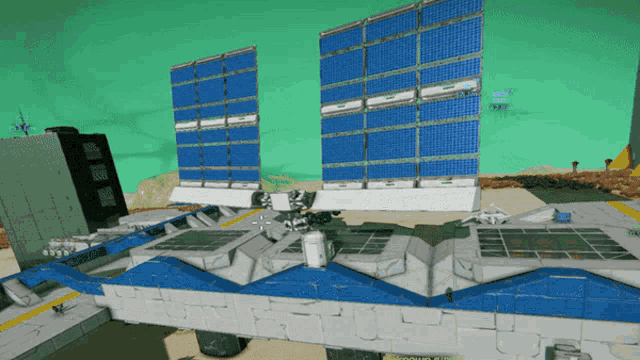 tepid pumice
ok got back on the hab and can confirm it's happening in the J menu
i don't think it's happening with adrenaline
the OME's didn't kick in
i think the J menu slo-mo is slower though?
oak echo
I did say this in general, but I'll restate here: I believe it's caused by fast forwarding cutscenes, as containers aren't welded to the ship the increased physics framerate likely causes the issues with it. Whenever it happens, it should be fixable by releasing them from the cradles, waiting a second and then redocking them.
tepid pumice
i'll give that a try next time
so maybe don't FF when i spawn in if i have those containers lol
oak echo
Yeah, it's the best thing I can say to do. Fast forwarding causes issues with vanilla containers and companions with them undocking when fast forwarding, so I'd guess it's a similar case here too
hoary ferry
wait, the undock cutscene has physics and messes with containers when you fast forward?
tepid pumice
i think after the undock, in the transition screen and the deceleration when you enter the rings
tepid pumice
there's a problem with using the baffles and the rusatom-antonoff MPU MK2 on the OCP, specifically the SNAP, haven't tried other configs yet, the baffle prevents ore from going in at all
 oak echo
good catch, same thing happened with the fabricator a while back
tepid pumice
are you open to baffle shape suggestions?
i think that baffle design is particularly awful

the yellow line shows where the ore is usually sent by a drone, the orange is where the baffle would redirect it, that little triangle is to ensure the ore doesn't pile up right there after being sent in
now that may not be particularly good for the MPU MK2 because of its own baffle position, but i think overall, ore would be retained a lot better in a baffle shaped like that
oak echo
i'm down to implement it for some of my own ships, but since they use the vanilla baffle shape i think it would be even better off being suggested for vanilla too
tepid pumice
so a post in community-ideas?
oak echo
yeah
tepid pumice
okay cool
oak echo
decided an even easier way to fix it (multiple colliders is a bit more difficult than i thought), i just inverted the shape and i think it actually makes a load of sense for it
 tepid pumice
oh that works, and it's definitely better than the default
oak echo
little bit on the bottom of the MPU, but unlike the Voyager issue it shouldn't catch on ores
oak echo
actually gets ore caught on the outside, i'll just fix that entirely
tepid pumice
oh on the bottom?
oak echo
yup, outside the MPU this time. not as much of an issue though
tepid pumice
yeah you can still close the doors and do some manouvers to fix it
oak echo
tepid pumice
maybe my community suggestion gets added too lol
yeah I hope it does, the baffles on the OCP and EIME always had a kinda useless shape to me (baffling)
tepid pumice
baffling indeed
oak echo
much better, after a good few iterations. more of a hook now but i still think it's more than suitable
 tepid pumice
oh now it's not clipping the MPU zone anymore either
oak echo
yup
vivid nimbus
Switched from a Titan to the wasp and it did not update the crew

Switching to the crew tab fixes it
Side note: What is the wasp even good for? Doesn't the front RCS just yeet ores away from the excavator?
oak echo
afaik it's intended to be more so a racing vessel than a mining vessel
polar timber
vivid nimbus
Side note: What is the wasp even good for? Doesn't the front RCS just yeet ores ...
you just finalize your velocity and let the ore come in id assume, basically just dont ever thrust back lol
definitely not optimal but if your atp you need to burn away its better to lose some ore
never even seen it before but id assume thats how youd get stuff in the excav
oak echo
vivid nimbus
Switched from a Titan to the wasp and it did not update the crew
should be fixed by next update
 jolly saddle
hm until the frigate rework iiiiiiiiiiii probably need different RCS
oak echo
Updated to 2.6.18:
- Updated baffles on the OCP SNAP to not break with the RA MkII
- Fixed bulker MPU on the OCK Peeper
https://github.com/rwqfsfasxc100/IndustriesOfEnceladusRewrite/releases/tag/2.6.18
 dapper flint
I’ve got IoER and Hev More Minerals mod installed. The game lags for a few seconds every now and then, even during cutscenes like astrogation. Anyone else has this problem? Seems like a mod problem
Thx!
oak echo
if you're ok filling out this form, it should give me access to as much stuff as i would need to look into it: https://forms.gle/vUoarawnYjy3hXJi9
additionally, is there any sort of noticable frequency to when the lag happens (i.e. every x seconds, whenever inputs are registered with the game as the active window, etc.)?

Google Docs
This form is used to keep track of bug reports for any of my mods. Anything that you may see as problematic should be reported here. You may still report bugs to the Github or Nexus pages, however I will always prioritize reports made here beforehand, regardless of how critical for the sake of keeping it organized and in a fashion where everythi...
I haven't noticed any periodic lag on my own side, albeit it may be due to the fact that the two PCs i develop with are very polar in computational power, and even then the game holds pretty stable framerates on both sides, and I haven't gotten any other reports since I fixed one of the big causes of lag in HevLib 1.11.11
dapper flint
Actually upon further testing, it seems to be a problem with the More Minerals mod. I'll fill out this form and write the details there. Thank you so much!
 serene iris
albedo options added to basegame?
 gritty knot
hey hev.
had a chance to look at the savegame i tossed ya?
hope im not being a pest, defaulted to holding off till i had a heads up on if they'd be likely to work or halt and catch fire xD
oak echo
gritty knot
hey hev.
had a chance to look at the savegame i tossed ya?
hope im not being a p...
Unfortunately not yet, and I'll be honest it probably got sunk under the amount of other requests I've gotten lately so if it's ok with you to refresh me on the issue and maybe resupply the save folder at all?
gritty knot
oak echo
Unfortunately not yet, and I'll be honest it probably got sunk under the amount ...
not a problem-
havent played ROS in a while,
and my save is from the pre-rewrite version of the mod-
asked if it'd be likely to work, or if i was SOL and should expect to start fresh, and you asked me to upload a copy of my savegame,
i think you said something about taking a look/poking at making a converter,
though obviously the latter isnt something id outright request myself- likely a lot of work for a minor benefit xD
uploaded it here, and the backup save, fi you still want them?
oak echo
Ah yeah, I'm still working on that converter, so might be worthwhile just starting a new save for the time being while I'm still working on it
tepid pumice
A few ships have some clipping problems with ore, the OK720 and the OCK Peeper are particularly bad, just translating left and right or yawing causes ore to spill out the neck. Ore is also not tracked by drones once it glitches out of the bay.
The inverted CERF refit also rarely has ore clipping out the front of the bay, i think making it a bit thicker in the front would solve it.
i could get video of the OK720 easily but the CERF is pretty rare, and i don't have a Peeper yet
oak echo
both CERFs use the sliding door of the frigate, and I have tried my best to not prevent clipping with it, but i'll see what i can do as i don't think they're exactly identical considering some changes I made last month, but i'll look into the issue with the OK720 (which, is it related to rotations by any chance)
tepid pumice
I think rotations may have something to do with it on the ball ships. rotating left and right would cause ore to fall right out
on the CERF, I don't think ore was slipping out where the door is, btw, only on the sides
oak echo
hm, yeah giving the collider a look this may be a little thin, especially if you're rotating fast
 gritty knot
oak echo
Ah yeah, I'm still working on that converter, so might be worthwhile just starti...
gritty knot
oak echo
Ah yeah, I'm still working on that converter, so might be worthwhile just starti...
fair enough!
tepid pumice
i think it could extend into the bay a little bit and no one would cry about the lost space
oak echo
yeah most likely
tepid pumice
something else i notice, ore gets pushed up against the front of the CERF, and the arm (and drones) becomes unable to target it, i think it thinks the ore is in the bay or something?
oak echo
weird, the colliders that dictate what is in the cargo bay don't even come close to the external bounds of the hull collider, but i do see it happening.
tepid pumice
yeah i wonder why that is
maybe there is like uh.. a bounding box being drawn around the whole ship, and once the ore goes past those protrusions, it's considered inside that bounding box?
so, in effect, "inside the ship, but not in the bay"
oak echo
there is exactly that, and on most ships mirrors the ship hull, but for the CERF specifically it's smaller than the hull collider
that part is why im confused on it
 polar timber
OCK peeper is having ore just pop out of the ball
its kind of infuriating
i had a run where i went around for a LONG time and nothing happened, and now i can lose a dozen or chunks in a few minutes because they roll around
oak echo
It probably needs a thicker bay collider. The peeper is derived from the OK720, and that ship has the center shape based on the OCP's collider before it was thickened to prevent clipping. I did fix it for the other OCPs, but I guess I forgot to do the same for these ships
polar timber
something is definitely weird
because right now they arent even popping out with alot of pressure


this one popped out for no reason
oak echo
I would imagine that the fact there's just a lot of collisions on that corner doesn't help it
oak echo
Updated to 2.7.0:
- Fixed thin colliders on the OK720, OCK Peeper, and both CERF variants, with cargo bay volumes being adjusted to compensate
- Fixed THI Bulker collider on the OCK Peeper
- Fixed cargo bay leak on the OCK Peeper and CERF variants
- Refactored preprocessors, they now no longer use colliders to detect ore and now process anything considered onboard the ship, and as a result of the boost in coverage all preprocessors have been rebalanced:
- THI Mineral Tank Module
- Remass processing efficiency: 10% -> 15%
- Rasamama RP-25
- Ice melt rate: 20 kg/s -> 15 kg/s
- Nakamura Big MT
- Ice melt rate: 25 kg/s -> 20 kg/s
- Preprocessor remass processing efficiency: 10% -> 25%
- Rusatom-Antonoff MPP-N1
- Ice melt rate: 40 kg/s -> 10 kg/s
- Rusatom Chunk Cutter
- Ambient ice melt rate: 5 kg/s -> 10 kg/s
- MAD Heating Coils
- Ice melt rate: 30 kg/s -> 12.5 kg/s
- Preprocessor remass processing efficiency: 10% -> 20%
- MS Frakker
- Ambient ice melt rate: 12 kg/s -> 35 kg/s
- This should partially balance out the tradeoffs provided by the units, with one or two being considerably better than the rest. The changes should also now fit with the preprocessor's theme too
- THI Mineral Tank Module
- Increased volume of the CERF alarm sound by 5db
https://github.com/rwqfsfasxc100/IndustriesOfEnceladusRewrite/releases/tag/2.7.0
tepid pumice
time to get back in my CERF
oak echo
dapper flint
Actually upon further testing, it seems to be a problem with the More Minerals m...
unfortunately I can't really find any correlation between the two mods. from what I can tell from the performance logs (which you can see a visual of here: https://docs.google.com/spreadsheets/d/1cUyDfiFyhY1hV85hlZu8ElEoRiqjLmklF2_a0gn8xww/edit?usp=sharing) the slowdowns are specifically related to the physics engine taking a long time to process a tick (which can be best seen on the FPS+Times sheet.
the reason why I say that there's not much of a correlation is that there are very few scripts in any of the three mods using a _physics_process() call (which is what handles code done every physics frame), amounting to around 4 of them being loaded at any given time (3 are debug tools, which use next to no resources as they require the related menu to be visible, and the fourth is the preprocessor/fabricator processing code, which is relatively quick to work anyway), and compared to what the game runs in vanilla, it's a very tiny portion of that. my best guess is that you may have had stuff running in the background, as I really couldn't give you a proper answer apart from the fact you were nearby other ships on your dive

Google Docs
dapper flint
Thank you so much! It could also be just my Mac struggling to process what I throw at it
It’s great to get a detailed analysis of it, ur da best
oak echo
honestly, most of it is Koder's work really, as that spreadsheet came from his template, but yeah i'm happy to help.


 oak echo
well, trying to fix this has been a right PITA. the issue pretty much boils down to the fact the arms run their onready code before i modify properties. it's a quick fix for modded equipment, however the same cannot be said for equipment already on the slot, which has been an entire roundabout method trying to fix
oak echo
unfortunately, that isn't too far from the truth
my first attempt at a fix actually went pretty well, apart from the fact that the CL200AP completely fucked up the loading. it's like the second or third time that it specifically has caused me to completely rework something
it's been so bad the poor minipc i'm using to work on had the entire engine crash without exiting out of debug mode or closing game windows no less than twice (out of the house rn, so i have to make do with inferior hardware)
tepid pumice
i feel that, bro
oak echo
yup, i've just got a lot of work cut out right now. this at least is an issue I can replicate, I have a reported crash that I cannot replicate for the life of me, so I have that cut out for right after figuring this out
tepid pumice
i saw that report, i couldn't replicate it either
oak echo
i'm guessing it's specific to a config, as i only tried with a fresh HevLib install and starting a new save using my own, but i'll defer that until i've got this issue solved
oak echo

having to do a complete rewrite actually should provide a bunch of benefits: first and foremost ship loading should now be quicker by default, and second being that you only now need to have a ship loaded once to run and cache the relatively expensive process that parsed hardpoint information, and that should persist between launches assuming the cache isn't rebuilt
polar timber
@oak echo do you know how the game processes going above 100% ore efficiency
because i think the MAD heating coil might do that for my titan
with the extra from 10% to 20%
oak echo
the vanilla game doesn't limit it, but the preprocessors themselves impose a 99.5% cap
also, that efficiency change is for the preprocessor's water reclaimation, rather than the mineral efficiency modifier
polar timber
my brain skipped remass and assumed it said mineral
because the MAD also has 10% ore effiency, my bad
oak echo
lol it happens, it is still pretty easy to hit that cap with the MPP-N1 anyway
polar timber
will definitely make MAD a bit less op on titan, i was melting INSANE amounts of kg/s of ice
like once you get a full load 45 kg/s from 20+ is nice
oak echo
yup, and that was actually an oversight as I had the MAD & the Frakker units given the speed the other was supposed to get, hence why they got a complete flip
polar timber
oh
i assumed it was correct because the description says "slightly" and the new 35kg is still extremely fast proportionally to most of the preprocessors
oak echo
tbf i did write the descriptions well after writing the stats, and also i suppose it's habit for me not looking over those to ensure they match stat changes
polar timber
also idk if this was in the notes
my eagle eye has noticed the mad heating coils mpu per chunk stat went up to 38% but the mpu speed is still 135%
im like, pretty sure they matched?
oak echo
i think you might be referring to the power draw stat, which I might end up removing from them as they can be a bit misleading
polar timber
the additional power cost per chunk stat?
oak echo
yeah
polar timber
gotcha, what part about it is misleading?
oak echo
it implies a linear power scale when in reality it's actually quadratic. it was fine when I first added it, but that was before tuning was a thing
polar timber
so essentially 20% mpu cost per chunk is actually more than 10% difference from 10%
that would explain a few brownouts on my titan when im rocking like 3200 mw power generation
excuse me the best is 2500
oak echo
yup, and that's why it's misleading. i probably should include some safeguards for it as right now it will draw power from all processable chunks in the bay
polar timber
so if im understanding correctly, something like the frakker that makes you 85% faster would almost quadruple the power used?
like close enough
im seeing a tradeoff to keeping my mad coils perhaps
oak echo
not exactly, the power used by the MPU is completely separate to the preprocessor, but the preprocessor will adjust the MPU's power based on the change to the mineral efficiency, and uses this equation:
new_mpu_power = base_mpu_power ^ (2 - ( base_mpu_mineral_efficiency / new_mpu_mineral_efficiency ) )
this becomes the MPU's base efficiency, which scales power with tuning like you'd expect.
as for preprocessor power draw per chunk, it uses the same scaling method as the MPU, just without needing to take into account changes to the efficiencies or power
safe tinsel
hmm... I can't get my RA DMW Cannon Turret repaired or replaced but the cost is being deducted.
oak echo
Well, guess I wasn't expecting much considering I just rewrote the code that handled it, I'll deal with it tomorrow morning
vivid nimbus
Not sure if this is a mod issue or not, but the THI Standalone crade is misplaced on the Vulture
 dapper flint
I have the same issue with the Eagle prospector
oak echo
Should be fixed now, basically came down to templated properties only being applied to vanilla equipment
serene iris
Conlindo spelling
 oak echo
Good catch
polar timber
i noticed that the ock peeper is still ejecting ore out the side for no reason

about 18 seconds to see it begin at 21 seconds, top side of the ball
also unrelated but the nerf to MAD heating coils makes me sad

happening again right here
polar timber
polar timber
also unrelated but the nerf to MAD heating coils makes me sad
with the nerf to mad heating coils i cant even beat reactor usage

with this much ore
its kinda making it unusable when i accelerate AT ALL, no joke
oak echo
polar timber
https://streamable.com/0lm4jo
hm, probably the fact it's a concave collider. i'll try fixing it again but if that doesn't fix it i don't think it can be something exactly fixable
oak echo
polar timber
with the nerf to mad heating coils i cant even beat reactor usage
yeah, but it was bound to happen given how disporportionally good the old model was. you probably be better off with a preprocessor intended for remass
polar timber
oak echo
yeah, but it was bound to happen given how disporportionally good the old model ...
yeah thats true... it just breaks my op op titan build lol, but to be fair i dont really need all the remass when my dives are like 1 hour, it just felt great to have the stats
polar timber
to be honest now the frakker beats it out because it now keeps the similar ice melting capability while making the starbus msu like nearly 280 kg/s
just for what i would use
 frigid linden
Visiting this thread is wild. Everyone is discussing the changes to their fav and/or OP loadouts and for some reason none of mine showed up yet even though they are making me millions in like 20 minute dives.
I am probably really leaving some gold on the ground.
oak echo
yup, there's always some niche interaction between mechanics that does make for decently OP moneymakers, and usually something a lot of people don't realize is possible
same with a couple of things from vanilla too
polar timber
frigid linden
Visiting this thread is wild. Everyone is discussing the changes to their fav an...
tbh it all depends on which min max sliders you are looking for
i like short fast dives, so i was liking the 90% efficiency msu with the MAD heating coils for some ridiculous fuel gains
frigid linden
I also use mitsudaya but I used it with Rp-25.
polar timber
before, the MAD heating coils had wrong stats
they were INSANE, 45 kg/s ice melting, 135% speed, 110% ore efficiency
with 10% remass i was making fuel too
now that its not blatantly op the frakker is a good side-grade
oak echo
was actually 30 kg/s, but still op regardless
frigid linden
Didn't play for a while but iirc RP-25 had better remass.
polar timber
oak echo
was actually 30 kg/s, but still op regardless
yeah thats true i had it tuned to max
polar timber
frigid linden
Didn't play for a while but iirc RP-25 had better remass.
i dont remember if the rp25 had anything that affected the MPU but it was definitely a good one
frigid linden
Ans it still gave mitsudaya 95% efficiency.
oak echo
polar timber
yeah thats true i had it tuned to max
ah right, forgot that tuning is a thing lol. should consider limiting the forwards and backwards changing for some maybe
polar timber
yeah, and it gave a flat 10 kg/s after the 135%
so the MAD heating coils were honestly insane for slow mpus and fast ones
frigid linden
And usually ran with 3-4 Haul drones.
polar timber
2 dynamic cargos, combined hold space upgrade, and 4 haul drones
i always do max MPU speed because its more ore per second even if its less overall ore in the hold
frigid linden
Like it doesn't ACTUALLY matter. When water is gone from the chunk, it poofs out of existence instantly.
polar timber
because the MSU still gets like 88% on max speed
frigid linden
Well the moment it hits ore processor anyway.
polar timber
wait i thought the processor had to process the ore content too, and preprocessors just left like 1kg of water
frigid linden
Nope
oak echo
it is actually the case
oak echo
it's always been that preprocessors leave a little water, since space added them
polar timber
oak echo
it's always been that preprocessors leave a little water, since space added them
do the MPUs then instantly eat the ore if theres only a little bit of water?
frigid linden
polar timber
do the MPUs then instantly eat the ore if theres only a little bit of water?
That used to be the case.
polar timber
or do they have to process the kg/s in ore
frigid linden
I kinda wanna see if it still is. Hold on.
polar timber
i mean that would explain why my titans hold would evaporate THAT fast
frigid linden
Damm... Too bad I didn't figure out the correct Proton settings to run DV on my phone.
Have to use PC for this.
polar timber
running delta V on a phone has to be RAM torture
frigid linden
On an unrelated note... Don't run Project Wingman on your phone.
oak echo
it'll process when the water content of a chunk goes under 5% of the chunk's total mass
frigid linden
 oak echo
preprocessors stop at that exact point too, so that's why it's instant
frigid linden
Technically... Possible.
polar timber
oak echo
it'll process when the water content of a chunk goes under 5% of the chunk's tot...
ok so that would explain it
under 5% they just get slorped
oak echo
I probably should change that, as it's exceptionally easy to have instant processing on larger ships
polar timber
yeaaaaah
before the mad coils change thats how my titan was loading up so fast and i didnt even realise
coils were zapping like thousands of kg of ice
45 kg/s by like 20 adds up fast
im pretty sure i had around 100m^3 water in my titan once
rookie numbers for a ock or frigate
frigid linden
oak echo
I probably should change that, as it's exceptionally easy to have instant proces...
 oak echo
lmao it's fine, i'm not going to make it that bad (unless you're downtuning an RA, for whatever reason)
i'm going to experiment on a sweet spot, but i'm already going to put an upper ceiling of 15% total mass, no more than that
oak echo
oh that's fun
frigid linden
Nvm, validated files.
Btw, if you do that. Steam tells you there are 3 files in total to validate.
Oh yeah... So not RP-25. I was using the R-A MPP-n1
This one has no secondary processing speed so it should melt only water and NOT process ore.
Gonna see if it still causes chunks to insta-poof when they reach processor
oak echo
probably won't, as i believe that one has the ability to process ores disabled entirely
oak echo
oak echo
i'm going to experiment on a sweet spot, but i'm already going to put an upper c...
actually, how cool would it be if i tied this to tuning, give more of a tradeoff for slowing down processing?
frigid linden
Well, its definitelly melting water
polar timber
oak echo
actually, how cool would it be if i tied this to tuning, give more of a tradeoff...
i noticed there was a tooltip that had %'s that changed
i thought it was intended pre processors had their remass gathering changed by the tuning slider?
it doesnt have a description for the tuning option but the stats for it exist in the bottom right of the tuning screen
frigid linden
Yup...
oak echo
polar timber
i thought it was intended pre processors had their remass gathering changed by t...
technically yes, but this change would additionally raise or lower the minimum amount of water that can be left in a chunk, slower tunes could get more water out of the chunk total and speed up MPU processing time, would most likely benefit larger ships too
frigid linden
Can confirm... Ores get insta zapped.
oak echo
polar timber
it doesnt have a description for the tuning option but the stats for it exist in...
oh shoot is that still broken?
probably typo in the translation string i wrote maybe?
ok yup, i'll fix that by next update
frigid linden
Its choppy but you can see. No processed ore in hold before i turn on processor and then instantly 3k+.
Mistsudaya has base 100kg/s processing rate but this is pretty much instant once water is gone.
oak echo
yup, and by current design it's intentional. def needs the increase in minimum water tolerance though (which fun fact the current preprocessors can draw more water out than is needed to process from the MPU, if you want to get some extra remass)
frigid linden
So... TLDR is... If you wanna bother with finagling chunks into processor area, get whatever has the fastest ice melt, Remass optional.
Otherwise... Get something that has secondary ore processing..
Wait. Do you still need to get chunks into processor area to get rid of them with Ore processing enabled pre-processors?
oak echo
yes
frigid linden
Uh... Why get something with ore processing? If you need to get the chunks into processor anyway?
Either way, fully preprocessed chunks just poof instantly in processor.
And ore enabled Pre-pros have massive per chunk power drain on top.
Am I missing something?
frigid linden
15% what?
oak echo
water content based on chunk mass
frigid linden
Chunks get preprocessed to 85% only and then will have to spend the 15% in processor?
oak echo
effectively, likely will be different based on the unit
it would make more sense for some units to have higher leftover mass given that they melt chunks from waste heat rather than direct melting
frigid linden
Oh, if you can do it per unit then yes that could make some units have different uses.
I mean... They do now, obviously.
But that could make them much more distinct.
oak echo
right, i'm already tweaking some other values right now anyway, but if i throw limitations like that into the mix then it definitely should reshape a few other units' values too
frigid linden
Hmmm...
How about some new processors that have shit values but take up most of/whole hold. Make the whole ship into giant microwave. 😛
Like an upscaled pre-processor to fully replace the real thing.
For example, hold-sized Frakker.
oak echo
technically that already exists as the RP-25, as all preprocessors currently act on the full bay anyway, but i do need to do a large rebalance of all of them anyway
vivid nimbus
What's a good preprocessor to use on a Titan with a Mk2 RA MPU?
Looking for more mineral efficiency without too much lost speed
The numbers frankly make me go cross-eyed when I try to put them together. Not to say they aren't perfectly readable, I'm just a little slow
oak echo
honestly, really depends on what you want, but the MAD Heating Coils are a decent all-around unit that gives you a little of everything
vivid nimbus
I think I'm using the Rusatom Chunk Cutter right now but I don't know if that's the best for mineral efficiency
polar timber
vivid nimbus
What's a good preprocessor to use on a Titan with a Mk2 RA MPU?
i would use the frakker or the MAD coils, frakker gives you 185% total speed, but the MAD gives you 135% and then 10 kg/s added after, plus 10% ore efficiency
so for example, with the flat 10 kg/s added, you can tune down alot of MSUs and they will actually still perform decently fast still with better ore efficiency
hoary ferry
serene iris
albedo options added to basegame?
yes
hoary ferry
oak echo
right, i'm already tweaking some other values right now anyway, but if i throw l...
that's a good slider for you to have to balance things. minimum water remaining after preprocessing.
polar timber
@oak echo yeah some of the pre processors definitely dont even need a tunable speed
the THI mineral tank can tune the thaw speed up to 7 or down to 2
at 2 you get 38%, at 7 you get 5%, very interesting ratios
maybe it makes a difference proportionally, but at max speed you get .35 kg per chunk a second, and at slowest you get .76
i dont know off the top of my head if that can outpace reactor usage with multiple chunks even
polar timber
hoary ferry
that's a good slider for you to have to balance things. minimum water remaining...
that would help manage power usage as well, usually i just overload on power because i know i will use alot on my refining ships
setting your own % remaining might be too meta though
hoary ferry
it still would use the same power. They stop using power when they can no longer drain water.
It means the refinery has to keep up with the percent remaining, which hurts low speed high efficiency refineries.
hoary ferry
polar timber
im also noticing the phasing bug on the regular ocp
regular ocp shouldn't. does it phase walls where the MPU or preprocessor colliders are?
Also is this when you eat asteroids, or only when there are just chunks inside.
polar timber
hoary ferry
regular ocp shouldn't. does it phase walls where the MPU or preprocessor collid...
i am big sorry
it is the modded ocp i shouldnt have said regular
hoary ferry
ah, yeah. that's a mod issue. did the update fix it?
polar timber
i actually knew it was modded im just stupid and said that
ive been ingame for like... 3 hours
lemme see lol
unless you mean an old update then no, it just made it better marginally
stuff still kinda just sliiiiiides its way through the walls
hoary ferry
2.7.0 update
polar timber
yeah that one didnt help
polar timber
they will be in my hold gently colliding and one will just come through
hoary ferry
and it's chunks, not asteroids getting broken to chunks?
so a few meters per second.
polar timber
yeah its specifically chunks in my hold, barely 1 sometimes
hoary ferry
any correlation to where they phase through?
polar timber
like they will just be milling on the wall and pop through without moving fast
i kinda notice it closer to the middle of each side more
they dont pop through when accelerating as bad unless it gets piled up on the slanted area by at least 2 or 3 chunks
and i also noticed the VERY FIRST DIVE i ever took with it had 0 issues
like i filled up the hold and either i was oblivious or it was perfect
hoary ferry
I'm pretty sure colliders for cargo bay walls and processing units are lines drawn from coordinates, point to point in series. If it's crossing through in a corner or an edge is important for troubleshooting.
polar timber
because recently i have been losing like 15k BE chunks and it doesnt register i guess, and the games systems dont let drones go after them
hoary ferry
Now here is a question. Do those still count as being in your bay when you get back?
polar timber
that is a good question, not sure
hoary ferry
It seems it didn't register that it let the bay.
hoary ferry
Huh.
that's an important clue to what's going on.
maybe it's a known thing, I don't know.
polar timber
i will see the type and value and the drones dont do anything
also sometimes the drones dont care about stuff that comes out the normal way exceptionally slowly
i believe a guy called oracletoes said he saw it too
hoary ferry
Yeah, it's a vanilla thing that drones don't care if relative velocity is under 1 meter per second.
They will ignore it till it's at the critical range, and then try to pull it in.
polar timber
i see, thats at least a explanation
wait no ive had stuff fly out and not be touched
hoary ferry
there is some exterior range that triggers priority assignment to haul and tug drones.
drones can be busy.
another thing is there is latency between drone target, and force applied.
polar timber
my titan has 4 drones and sometimes it will ignore stuff, its weird
hoary ferry
drones can get stuck switching between multiple targets and lose all of them.
I've never seen anything drift out of range with idle drones and just one thing going out, unless it's very fast.
drone behavior has some undesirable things. That's a vanilla issue.
polar timber
to clear up a bit more, i have seen drones pull in the rest of an ore cloud and ignore something forever that drifted out of my mouth really slow
like it gets to 200m away
hoary ferry
It would need to be at about 350 before they targeted it as leaving range priority target.
hoary ferry
You can also increase relative velocity by backing up or going towards it, and the drones will recognize it.
hoary ferry
also pointing at it with bay and going baby bird mode will cause haul drones to prioritize it.
polar timber
or well, holding right click and doing manual
hoary ferry
Hmmmm.... is this with all ships or just one ship?
polar timber
ive noticed it on all ships but i dont usually have as many chunks as a titan can fit
like it usually doesnt happen on a k37 because it fits way less chunks and the neck doesnt fit them out as easy it feels like
hoary ferry
I have not noticed drones ignoring things that drifted out the mouth.
polar timber
it isnt like it does it all the time
ive watched it immediately take an ore back in
hoary ferry
I'm extremely sensitive to unusual events. I would very likely notice it happening.
polar timber
but sometimes it will just ghost out the mouth and not care
hoary ferry
what is your physics fps set at?
polar timber
like on the geologist and everything
i have it set to 30 with my over all fps
game doesnt like being on 60 fps with 30 fps phys
it makes the phasing WORSE
hoary ferry
Mine is at 60 and I haven't noticed that. It could be it's a bug with that.
I have 60 physics, 240 game. might be 120, I do not remember.
polar timber
my diagnostic yellow line gets horrendous when im at 60 fps instead of 30 even when the f11 menu says im keeping 60 average
i was told its average, so i could be having like 3-5 fps variable or something
and that can make physics go weird, i guess, even though i would have the phys fps lower
hoary ferry
frametiming is the most accurate way to measure. Not many UIs do that.
polar timber

right now in testing with 30 fps 30 phys
nah this is a prank

60 fps 30 phys?
its in testing still
i dont understand this game at all
gonna go into a real dive with the ock peeper since that one was bad, with 60 fps 30 phys to see what happens i suppose

everything is smooth
this is good

it happened
game just shits itself
i could be the collider thing hev talked about again at one point
said he would try a second fix after 2.7.0 and after that its just ??????
honestly... it seems to be kinda like when things get pushed out of an excavator
whenever theres multiple layers of chunks pushing, some get pushed through
hoary ferry
ah, the lower resolution physics than designed (30) might be causing things to get higher velocity than they should for a frame when bumping, pushing them into walls.
hoary ferry
that is very likely a vanilla issue. Would be good to ask if vanilla players have exprienced it while playing at 30 physics fps.
what did the arm do?
polar timber
it touched something at max range like 3 dives ago and sent it off the screen at like... thousands of m/s
hoary ferry
huh. it shouldn't do that.
physics stepping can get very funky in games. Can be used to travel across parallel universes.
polar timber
it was also the lower strength ones from this mod
it could be being funny but from what i know those arms are some of the most vanilla modded things
hoary ferry
same fundamental code, it should be able to happen to all arms.
polar timber
it was seriously so fast though that it was only on my screen for a frame after leaving
when i was on lower fps
polar timber
hoary ferry
ah, the lower resolution physics than designed (30) might be causing things to g...
does the resolution look different for different people
i moved the resolution scale down one tick and my game looks like that
also could anything in this game be affected by some kind of forced fps limit from monitors? sounds silly but i dont know
i have an old poopy LG monitor for my main
hoary ferry
polar timber
does the resolution look different for different people
resolution in this case refers to the physics stepping.
every 33.33 milliseconds, the physics updates when set to 30 physics fps. Most people run at 16.66 milliseconds per physics update. It could be some bugs only occur at 30 physics fps, and not 60 physics fps.
arms flinging things at km/s and objects phasing through walls is classic physics shenanigans.
tepid pumice
polar timber
the losses
 cunning crag
tbh being able to have a secondary remass collector means I can bring the starbus on an eagle and have some really fun dives
being able to eat a ton of iron to melt remass off of it then puke it back uo
oak echo
hoary ferry
every 33.33 milliseconds, the physics updates when set to 30 physics fps. Most ...
this could very well be the case, there used to be a 15 phys fps option that got removed due to it causing a lot of issues actually simulating physics
gritty knot
Lowish priority thing with the converted MAD-CERF (am using the version with the autopilot and sensors flipped)-
Haul drones can and will get ore stuck “behind” the ship-
In certain locations they stop actually manoeuvring the ringroids,
And start mindlessly shoving them against the hull untill you manoeuvre enough to flick/drift them away
I’ll have to do some testing and see if it’s fixable with tweaking the minimum distance setting?
If it is, it’d honestly be fine as a quirk of the conversion/non-standard hull, maybe a Vauge mention of having to tweak the settings on some mining equipment?
Otherwise it seems pretty damned decent-
It’s got insane profitability and versatility,
But the maintenance cost for its specialty torches and thrusters is enough to make you neurotic,
Which I think works really well both narratively (proprietary components) and a balancing factor-
You get high performance, but also high upkeep if you break/damage it.
I also wanted to ask-
Is its centrifugal habitat the same stats-wise as the OCP’s-
And if so, what’s the actual morale effect? Was looking on the wiki, but couldn’t find the actual numbers xD
oak echo
gritty knot
Lowish priority thing with the converted MAD-CERF (am using the version with the...
i'd try the proximity buffer as well, as that should push ores away from the hull. those corners are particularly bad as it doesn't have good geometry for ores to bounce off of, which is part of the issue
oak echo
gritty knot
I also wanted to ask-
Is its centrifugal habitat the same stats-wise as the OCP’...
nope, it doesn't give the morale benefits that the OCP has, and that's probably due to just how uncomfortable the ship is with the position of the hab nullifying the benefits
gritty knot
oak echo
nope, it doesn't give the morale benefits that the OCP has, and that's probably ...
Hmm-
I could see that on the stock (having the gab out in -front- of the armored bow XD)
But the thought of effectively having the entire ship between you and an impact with the third-party tweaked version?
I’m guessing you mean design/installation compromises,
Not just being in a poor location/having to deal with more g-force/off axis acceleration the hab isn’t designed for?
Also to check, not benefit at all, or “just” noticeably worse?
From what I remember, a good chunk of the morale buff of the ocp comes from having actual centrifugal gravity?
oak echo
No benefit at all, and that is consistent between the civ variant and the vanilla variant's rotating hab
gritty knot
Gotcha.
From an in-universe perspective,
Would it be a case of it being an ocp hab that’s been notocibly striped down,
Poor location/installation,
or a number or things?
Will admit part of why I ended up selling my XL for it was the draw of the higher morale-
The description didn’t mention the hab past it being the high quality one the construction platform uses
Though now that I think about it,
Soemthing keept niggling at me about soemthing looking wrong/missing with the disc…
oak echo
Yeah, you do also need to think that this is a third party modification to make it viable for mining, and well I'm sure you know how those third party ships behave
gritty knot
I mean, it varies wildly-
Like looking at SIN’s stuff,
Most of their work is janky/likely terrifying to fly meme based stuff,
But the vibe the colthon XL gave is “this one was soemthing they actually have a few fucks about, and genuinely improved” as the description went
But, point well made and noted ^^
(The first time i saw that k37/ocp hybrid in the rings, i unironically froze up irl and just stared in fascinated horror.
You know, like watching a runaway freight train!)
And from a black comedy perspective,
The fourth party modification that made it a little safer requiring anti-radiation medication for crew is a chefs kiss level cherry on top xD
jolly saddle
yknow how ive talked a bit about a frigate with an OCP cargo hatch
that
wouldnt really physically fit
but an EIME cargo bay-
idk
:P
gritty knot
hmm-
@oak echo do you know where drones are checking for the "center" point of a ship?
ive cranked up the proximity limiter to 70-80M,
and its still dragging stuff over the ship's arse,
though at least its slowly moving it sideways instead of pinning it in place this time?
 jolly saddle
gritty knot
hmm-
<@895127161650962552> do you know where drones are checking for the "center...
jolly saddle
gritty knot
hmm-
<@895127161650962552> do you know where drones are checking for the "center...
its the COM
not the visual centre of the ship
gritty knot
hmm...
which might be giving wonky numbers,
as i think its either back-ish with the CERF, or... hmm, with the mass of the rteactors...
jolly saddle
so on the frigate its about where that light is between the engine pods
 oak echo
center of mass is the point where your velocity vector starts from
looks like you'd want at the very minimum 60m of clearance.
 gritty knot
hmm..
so if im reading the markers on the hud right,
COM here is actually around the middle-
how farm would it be from the centrer to the stern?

i think im either on 70 or 80-
its enough for stuff to not get perminantly stuck till you turn the drones off, but its still catching-
makes sense with a somewhat blocky-ish hull
oak echo
I have seen people say that excessive proximity buffer actually reduces the effectiveness of it, so maybe set it to 60m and try in the premium simulator first
gritty knot
nods
ill do some more testing after this run
polar timber
gritty knot
Lowish priority thing with the converted MAD-CERF (am using the version with the...
this happens with all ships, started reading and had to say that right away
idk if its documented but it does it to me on the titan
safe tinsel
Obonto station arm can't hold Mad Cerf in place
oak echo
as in cannot grab or does not get pulled towards the station?
safe tinsel
oak echo
as in cannot grab or does not get pulled towards the station?
grab but get flung away, probably too much mass
polar timber
@oak echo

i might have found another bad collider for the bulker?
this is the OCP DD
oak echo
Ok, thank you
polar timber
i decelerated and thought they were in but i didnt hear the sound, checked the geo for a better scan and i dont think anything can fit that
oak echo
Its more likely an issue with the fabricator (it is a fabricator right), as they're not supposed to be mirrored
polar timber
i have the THI mineral tank module and the bulker
and the conlindo hoppers
i think that adds one of the things inside?
 oak echo
Oh it's the mineral tank?
polar timber
si senor
oak echo
Ok yeah no wonder, that's likely an incorrect model as it seems to be a fab collider
polar timber
ok then glad i found that
im happy to be a finder of things for delta v in the time ive been here so far
oak echo
Yeah, and I am grateful for it. Goes to show just how little I use some of the things here lol
gritty knot
safe tinsel
grab but get flung away, probably too much mass
You can, but it takes a bunch of fiddling with your velocity to get a good enough match
polar timber
@oak echo i just noticed a detail that could help with the phasing issue
the ocp doesnt seem to phase like at all on the left, non door side
but i just had a phasing incident at like 2m/s
on the door side
under constant acceleration one way with the bay looking like this a whole 1 chunk flew out

and then something really funny happened the other way

openned the door and checked after this and i THINK the ore unphased itself?
oak echo
hm, well at least you've got another ship it happens on. could very well be the fact it's a concave shape that's the issue. i'll try to see if i can replicate it myself considering this is a much easier method to replicate the issue
oak echo
no luck. not even with a hold half-full of ore can i get any to escape, and I was testing with a device by no means powerful
might be a big ask, but could you perhaps try with stock OCP, and if it does happen on that could you further try on vanilla? i have an inkling that this may not just be an issue unique to the mod
vivid nimbus
I wanted to give you a break from all the problem reporting to thank you for this wonderful mod. So much of it feels like the vanilla game and I know that can't be easy to pull off. Thank you for the time and effort you put into this.
oak echo
Updated to 2.7.1:
- Fixed typo on the Pigeon Prospector's specs
- Fixed missing preprocessor tune description text
- Adjusted THI Mineral Tank positioning on the Deep Dish OCP to prevent blocking of the bulker MPU
- Increased absolute minimum ore water content for preprocessors from 1% to 15%.
- Minimum processable water content now adjusts based on preprocessor speed tuning, with faster speeds increasing it and requiring more work from the MPU, and vice versa with slower speeds.
- Slow tunings still cannot drop below 15% for balance reasons
- Individual preprocessor units now have per-unit base minimum processable water content percentages:
- Rasamama RP-25: 20%
- Nakamura Big MT: 15%
- Rusatom-Antonoff MPP-N1: 50%
- Rusatom Chunk Cutter: 25%
- MAD Heating Coils: 35%
- MS Frakker: 50%
- THI Mineral Tank: 25%
- Increased mineral efficiency modifier of the Rusatom-Antonoff MPP-N1 to 135%
https://github.com/rwqfsfasxc100/IndustriesOfEnceladusRewrite/releases/tag/2.7.1
polar timber

is there supposed to be a little gap in the bottom that ore goes into a bit?
i noticed it didnt have a line and tried to put ore in it for science
 oak echo
Yup, and it's also present on the vanilla OCP just on the top instead
 trim walrus
cunning crag
hev do you ever fkin sleep?
trim walrus
cunning crag
hev do you ever fkin sleep?
@oak echo be hitting up the cans of PowerThirst. I hear it gives you energy-legs and that it might be meth-ina-can!
This might be a super deep cut. Just go to YouTube and search power thirst
cunning crag
hahah
oak echo
cunning crag
hev do you ever fkin sleep?
I only stay up late when I don't need to be up anywhere close to being considered early the next morning :P
(It's really not as bad as you might think though)
 jolly pewter
Nice
polar timber

found a funny arm placement
das it
oh right, vulture prospector with the P-type companion, the left side mount seems to be forward or something
vivid nimbus
I wonder if Liqvo has the model for the Vistula Husaria on-hand... would make a funny addition
Mostly I'm sick of seeing the advertisement for it in-game and want to see how it flies but I bet it'll be like the EIME, just worse
polar timber
 vivid nimbus
Is the CERF added in this mod or Abandoned Technologies? I use IoE but not AT and I haven't seen it in the dealer yet
oak echo
It is in this mod, AT only adds the companions in terms of ships
oak echo
I did forget to mention, HevLib currently clamps modded ship pools in the dealership to 7 random ships. you can increase this if needed in HevLib's settings (forgot the specific setting tho)
tepid pumice
trim walrus
<@895127161650962552> be hitting up the cans of PowerThirst. I hear it gives you...
that's some esoteric knowledge right there, i might even have FOUR HUNDRED BABIES
trim walrus
tepid pumice
that's some esoteric knowledge right there, i might even have FOUR HUNDRED BABIE...
I do what I can to be a man of culture and science
gritty knot
more minor issue,
it looks like the mirroring of the hardpoints isnt working right on the ACTUAL dd?
 oak echo
it is something i'm aware of and will be fixed for the next patch
polar timber
@tepid pumice the CK 69 benefits from the p-type mining companion a lot, i have a setup with 1 maintenance drone, 1 modded dual haul drone, 1 railgun, and the companion, and while my processor is processing, the companion nabs ore chunks and refines them, and then i call it back
gritty knot
there also MIGHT be an issue with the inverted MAD CERF's turret hardpoints with their facing?
im running a pair of RA DMW turrets, and they seem to have a visible blindspot ahead of the ship,
and keep shooting through the reactor/engine pods (and microwaving the two interlunar cargo containers i have slung to either side)
 safe tinsel
can we have fabricator tuning to increase frabication speed by using more material. example
drone
+100% speed, material fe8:pt2
+200% speed, material fe16:pt4
+300% speed, material fe32:pt8
oak echo
gritty knot
there also MIGHT be an issue with the inverted MAD CERF's turret hardpoints with...
it is intentional, as side-facing turrets have a 60 degree angle offset, and the blindspot is just a limitation of that. them hitting the container is also due to the fact that it does not have the capability to check sightlines when firing, so it'll still fire even when it wouldn't hit the target
them appearing to be firing through the hull is a bug however, as for whatever reason those slots don't have the same layer as on the regular CERF
oak echo
safe tinsel
can we have fabricator tuning to increase frabication speed by using more materi...
certainly can have it, but i would need some way of balancing it out (inefficiencies maybe), and i suppose while on the topic i also do need to figure out a way to balance fabricators vs the voyager MPU anyway, as that has been something I've wanted to cover for a moment
vivid nimbus
oak echo
certainly can have it, but i would need some way of balancing it out (inefficien...
Increase power draw exponentially as the production speed increases
oak echo
well, yeah increased power draw is basically a given anyway, but i'll probably use logarithmic instead of exponential as that's just asking for trouble, and even then it's not too much of a drawback
there's no damage model either, so you're not losing anything that could be penalized there, and even then i'd need an upside for downtuning the unit too
gritty knot
coudl have it slow down materials processing?
reprioritising the fabricator for power ect?
oak echo
i'm probably not going to do that, as the last time I had MPU speed tied to accesory tuning completely broke things
oak echo
@polar timber I've gotten other reports of phasing, and apparently it's an issue caused by the multiple minerals per chunk setting. See if disabling that fixes it in future (it is a setting that needs a game restart, so just a heads up for that)
polar timber
Understood, ill try disabling that
polar timber
Do you think the game is running extra checks because of 2 different density materiald
At work havent tested yet
safe tinsel
Can we have extra long arm, so we can hold damage causing element at safer distance?
oak echo
polar timber
Do you think the game is running extra checks because of 2 different density mat...
Almost certainly. Preprocessors are a little broken with the current implementation of it too, as they don't check for it being a regular ore or using the modifications I make to add extra minerals, and cannot tell that the water content is too low to stop processing, so I'm going to need to change how it works regardless
oak echo
safe tinsel
Can we have extra long arm, so we can hold damage causing element at safer dista...
Sure, probably will be something I do after fixing the issue with minerals and finish other projects (namely the input rework I'm doing right now, and some rebalancing to fabricator accessories to let them be tuneable), as those do currently take priority
oak echo
Updated to 2.7.2:
- Fixed incorrectly flipped arms on all OCP variants
- Fixed Z layer of MAD CERF Inverse's turret slots
- Made preprocessor tuning displays consistent between save loads
- Fabricator bay accessories now can have their speed tuned
- Tuning now scales power and printing inefficiencies linearly
- All fabricators now have inefficiencies.
- These are to provide incentives to downtune the unit, and to use the Voyager RSLS MPU which remains 100% efficient
https://github.com/rwqfsfasxc100/IndustriesOfEnceladusRewrite/releases/tag/2.7.2
- These are to provide incentives to downtune the unit, and to use the Voyager RSLS MPU which remains 100% efficient
oak echo
Updated to 2.7.3:
- Preprocessors and fabricator accessories now modify MPU stats again
https://github.com/rwqfsfasxc100/IndustriesOfEnceladusRewrite/releases/tag/2.7.3
 winged flame
does the MPU processing speed factor 100% mean +100% MPU speed, as in twice as fast? at that point what exactly does the secundary MPU speed modifier add?
and I assume the ambient ice melt rate just removes water content from each chunk (without any remass reclamation, unlike some other preprocessors)
but in the end I just want this for making my MPU faster

the thin arm looks like a really fun alternative to ore collection QoL
oak echo
winged flame
does the MPU processing speed factor 100% mean +100% MPU speed, as in twice as f...
It's a multiplicative percentage. Anything that works with additive percentages uses signs, +50% for example
winged flame
so that 100% speed just means... no change?
oak echo
Yes
polar timber
oak echo
<@1336125535822020741> I've gotten other reports of phasing, and apparently it's...
just started a session and i feel a little slow
where is the ore setting, checking multiple mods
oak echo
HevLib, and it should have been fixed by now
polar timber
oh
if its fixed on everything ill try it again
yeah its hevlib im just special like that and missed it despite checking multiple times
i have question.
is there a safety feature for the -10 kg/s from the rp-25
can it drop anything to 0 processing?
like what happens if i take the rusatom at max down tune, take the rp 25 that gives mpus - 10kg
oak echo
Yeah, 5 kg/s minimum, and yeah I found out I needed to put that in the hard way
polar timber
epic
i was hoping the min number wasnt something mega low
ok so remind me of the minimum processing water chunk too pretty please?
if it says 20% and a hypothetical asteroid had exactly 1000 kg of ice, it would instant process once it got to 200 kg?
oak echo
No, it just means it stops processing and the MPU has to pull it's weight
polar timber
thanks, understand perfectly
oak echo
That is partly why I added it as a limitation, as having ores process the moment they hit the chamber completely nullifies the drawbacks of slower processing speeds of the MPU
polar timber
yeah, and it also made high efficiency ones insane
my titan had 98% ore efficiency AND insane speed
or like 95%
@oak echo i would also like to report that you fixing alot of stuff probaby made my fps better...
currently getting almost 100 fps
oak echo
Good to hear
polar timber
im taking out my ock peeper and turning off the mpu to see what happens with the ore
i also noticed the turn off hud bind
instantly brings my fps to the max at 120
id say the peeper is passing the test, it would phase anything sometimes and i havent seen one
did big turns with this. 0 phases.

everything is now awesome
oak echo
polar timber
instantly brings my fps to the max at 120
having the HUD off will do that, it is particularly heavy considering everything that it simulates
tbf, i didn't expect the fact that just setting it's visibility to hidden would help, but i suppose most of the sensors only run when it's visible for performance reasons.
beats turning the computer off though
 tight urchin
I think I've found an issue with the OT Tug Drones and the Harvester Haul Drones. When you equip either of them (and the nanodrone component slot is empty), both the OT and Harvester set the nanodrone storage capacity to 2,500.
But when you equip the Basic Nanodrone Storage, for example, the nanodrone storage capacity is set to 1,000 -- yet the game will automatically try to buy 2,500 additional drones (up to 3,500) that just vanish into the ether when you start a dive.
oak echo
good catch, seems to be an issue specifically with the vanilla method of adding drone components when used on these drones specifically
oak echo
Updated to 2.7.4:
- Fixed K225-SH not using stock titan loadouts
- Localized cargo bay coverage tool for future filepath change on all ships
- Switched harvester class drones to using
MODIFY_INTERNALSfor drone storage
https://github.com/rwqfsfasxc100/IndustriesOfEnceladusRewrite/releases/tag/2.7.4
vivid nimbus
I want to say that the change to the RA Mk2 has made it much more difficult to use. The shape near the mouth of the processing area causes chunks to bounce directly off and doesn't funnel them like the Nakamura.
This is all on a K225, so I'm not sure if it's more usable on smaller vessels
oak echo
There haven't been any changes to the RA Mk2 though?
I do see what you mean about the flaps, although it seems to be fine with a tiny bit of movement though, or by filling the bay with more ore
vivid nimbus
I could swear the collider was different, closer to the RAMPU. Maybe I switched from one to the other and forgot?
That's probably what happened, now that I think on it
oak echo
could be that, those flaps on the ends have been there since well before I started work on the mod, and I presume they're there to provide some minor setback against the Mk1 anyway
vivid nimbus
Fair enough
It's probably more usable on smaller ships where you can shimmy around easier to get chunks into the processing area
oak echo
yeah, they do work well on smaller ships.
oak echo
Updated to 2.7.5:
- Improved targeting heuristics for the Runasimi KRB-500 and the Rusatom-Antonoff ORD
- Adjusted positioning of the Runasimi KRB-500 on the following ships to make it actually viable:
- All Eagle Prospectors
- Bald Eagles
- ATLAS Wasp
- AT-K225
- Tsukuyomi-class Frigate
- OCK Peeper
- Fixed manual for the Runasimi KRB-500 and the Rusatom-Antonoff ORD
- Added the TR-60 Extended Manipulator - a longer and more fragile manipulator arm variant
- Rebalanced the NDCL-80 by slowing down turret rotations by 6 times. This allows for other turrets to be more equal sidegrades.
https://github.com/rwqfsfasxc100/IndustriesOfEnceladusRewrite/releases/tag/2.7.5
oak echo
Updated to 2.7.6:
- Added supporters to the credits
- Defined static derelict names for added ships
- Fixed pirate trades for added ships not providing the ship, and added trades for new ships
- Added example rescue entries
https://github.com/rwqfsfasxc100/IndustriesOfEnceladusRewrite/releases/tag/2.7.6
oak echo
Updated to 2.7.7:
- Updated supporters list in credits
- Commented out research tag
- Added 33% minimum utilization of consumable slots for a reduction to happen
- Added support for the Charybdis titan for both accessories and MPU units
https://github.com/rwqfsfasxc100/IndustriesOfEnceladusRewrite/releases/tag/2.7.7
oak echo
@jolly saddle figured you'd be the best person to inform, as I'm only just realizing this right now but I kinda forgot to make an issue for the frigate rework to keep track of stuff that needs to be done for it.
I may have forgotten some parts to what was planned, but should be open for anyone to make suggestions towards it: https://github.com/rwqfsfasxc100/IndustriesOfEnceladusRewrite/issues/22

GitHub
Bit late to tracking this as an issue, but this should be used for keeping track of ideas. This will require HevLib's research system to be finished, so will need that done first Improve frigat...
oak echo
Updated to 2.7.8:
- Reworked preprocessors to have a maximum number of objects it can operate on at any given time
- Each preprocessor now has a maximum number of objects it is able to work on
- If the bay has more objects than the maximum, it will randomly select objects from those in the bay to work on for a couple of seconds before swapping over to a new set of objects
- Oddities or unprocessed ores will be detrimental because they can soak up processing time
- This rework is in place to fix severe performance issues when using a preprocessor with a large number of objects in the cargo bay
- Removed per-preprocessor minimum water content requirements
- Unified it to always process ores with at least 25% water content by volume
- This still exists in some part to not instantly process the moment an ore chunk hits an MPU's processor area
- These adjustments also bring the preprocessors closer to their original balance prior to the full-bay coverage change
https://github.com/rwqfsfasxc100/IndustriesOfEnceladusRewrite/releases/tag/2.7.8
 timber veldt
Hello! when you tune up preprocessors like the RP-25 it increases the "minimum chunk water content". Is this how much the chunk needs to be preprocessed, or how much water content can be taken from the chunk? Is this stat deprecated per the 2.7.8 notes?
oak echo
it means the minimum percentage of water that the chunk must have to be able to be preprocessed. it's not depreciated, just that all preprocessors were given a 25% base content instead of being unique to the unit
timber veldt
ah ok, I think the description of the RP-25 is a bit confusing, shouldn't the minimum water content decrease instead of increase when I increase the power draw per chunk?
 oak echo
that's referring to speed more so than capability, although I am considering lowering it since the 50+% required when sped up is a little bit much
timber veldt
It's just that the description implies that more water can be melted off of chunks with more power per chunk, but isnt the opposite occuring here?
If I have a chunk thats 66% water then at this tune it will process it down to 55% percent water.
Whereas if I reduce the powerdraw per chunk it could process the same chunk down to 17.1%.
oak echo
yup, it's unfortunately a biproduct of uptuning having almost no downsides otherwise. sure there is a lower efficiency and higher power draw, but given just how minimal those two are for preprocessors it really didn't matter. unfortunately, probably means that this limitation will still exist in some form until a different drawback could be realized, although how much it is an impact I am fine with changing
oak echo
Updated to 2.7.9:
- Made the NDCI-80 considerably more likely to experience wear
- Added NameDriver
- Fixed MPU tuning default being affected by preprocessors with MPU speed modifiers
- Reduced harshness of the minimum ore content for preprocessors to operate on
https://github.com/rwqfsfasxc100/IndustriesOfEnceladusRewrite/releases/tag/2.7.9
timber veldt
quick question, preproccessors check oddities and that slows them right?
will my preprocessor dehydrate these corpses I'm about to collect?
oak echo
they won't touch them, but the fact they exist in the bay will mean that they can get in the way of ores
 coral holly
Hi @oak echo, thanks for making this mod - it gave me a reason to come back and play. Its pretty awesome overall. I am currently trying to make OCP-214-DD work and its been tough. OCP-209 was my favorite ship in the original - I even wrote a guide for it on Steam.
The way I made OCP-209 work is by flying sideways during mining, with cargo bay hatch towards asteroids. A quick burst of thrusters pushed the ore in the cargo bay back, preventing it from getting out. Since the MPU was mounted on the back wall as well, some minerals would wind up there without much effort on my part.
With the hollowed out nook on OCP-214-DD, I am pretty much required to fly backwards for anything to land in it, which is tough given how heavy this ship is. In other words, it made the MPU use even harder than before and the nook now seems like an overall detriment.
If you feel like the addition of cargo-bay accessories requires balancing, I would happily take a penalty to the number of hardpoints/docking slots or a reduced cargo hold.
In fact, I would love to see a dual-torch + cargo accessories version of OCP, with less cargo hold and fewer hardpoints/docking slots/drone slots.
I always felt the old girl go use some speed 🙂
oak echo
I should note first that this ship isn't my design, being something that existed well before I was developing. To me it does feel ok once you get the bay relatively full it will start filling up, although given that the normal cargo restrictions of how the OCP is in vanilla doesn't apply here (it's even worse than vanilla if not for the containers), i am fine slightly adjusting it to make it ok through rotations
coral holly
Hi @oak echo, I am flying OCP213-Twin and loving it. Thank you for the addition! Also, sent you a cheeky bug report. DM me if you need further clarification - I am happy to help.
oak echo
I've fixed the crash, turns out it was a zero division due to a specific variable not being set when it should've been, but for the other issues with slots I can't replicate on my own (and tbh i have no idea how you got those slots to appear either), but it did bring out another issue when trying to get it to happen on other ships as I couldn't get any of the added slots to show up at all (which ended up being completely my fault due to accidentally deleting something)
which even with that fixed, a new twin OCP yields this in terms of slots, so I'd guess it's something that got messed up when purchasing the ship


unfortunately, this means that (without editing the save manually), the best fix for it is buying a new copy of the ship
oak echo
Updated to 2.7.10:
- Updated collider for the OCP Deep Dish
- This should now make getting ores into the processing area easier
- Translations are now handled by
TranslationDriver - Updated
ModMain.gdto modern standards - Fixed cargo fill level sensor value not being right aligned
- Enceladus's equipment menu parameters added by this mod now use a script instead of a scene replacement for their addition
- Removed all old translation and weaponslot files
- Fixed crash caused by dyna-cargo containers
https://github.com/rwqfsfasxc100/IndustriesOfEnceladusRewrite/releases/tag/2.7.10
coral holly
oak echo
which even with that fixed, a new twin OCP yields this in terms of slots, so I'd...
I think I know what might have caused this - when originally installing your mod, I foolishly zipped the whole github repo, instead of downloading the release. I have subsequently downloaded the right mod files, but did not change the game save. Let me see if a fresh save fixes the issue.
coral holly
And it did not fix it... But the game still plays fine, so whatevs.
 shadow holly
I've installed the NDSBH mineral hold kit on a ship, specifically a Pigeon class, and I'm getting the "mineral full" siren at seemingly random thresholds. This happens individually for each mineral instead of together as you'd expect on an amorphous hold and isn't consistent between dives either. Last dive it went off and palladium started flickering to indicate it was full at 30k, followed by platinum at 8k even though even both together they do not even fill the entire hold which should be ~50k (60k * 0.87). This is only the indicators, I could process more ore until properly full.
Unrelated to the other issue, I see the Pigeon was nerfed but its description does not mention the new morale penalty anywhere. The KX37-RAM might also be victim to this.
While typing this I've also noticed said Pigeon has "Conlindo RVM" listed as a make, I'm assuming this is a spelling error since the Vulture lists "Conlido RVM".
oak echo
I'm guessing more minerals is installed at the same time with the issue for the sensors, as that code does directly affect with how the warnings are displayed?
shadow holly
i do not use more minerals
oak echo
hm, i'll give that a look then
as for the other issues, Conlindo is a typo, and the pigeon is missing the description text. KX37 RAM did have a description change to make note of it however
shadow holly
yeah i havent found a ram in the wild yet
i do use full mineral names if that matters, but you already knew that
oak echo
yeah, that's fine as it's unaffected.
hm, maybe not, the trace seems to have it go through a function I forgot to add some checks to. at least it's a quick fix though
Updated to 2.7.11:
- Fixed typos
- Conlido will now no longer be occasionally called Conlindo
- Pigeon Prospector now makes note of the uncomfortable conditions
https://github.com/rwqfsfasxc100/IndustriesOfEnceladusRewrite/releases/tag/2.7.11
oak echo
Updated to 2.7.12:
- Fixed issue that would prevent mods loaded later from modifying equipment scripts
https://github.com/rwqfsfasxc100/IndustriesOfEnceladusRewrite/releases/tag/2.7.12
shadow holly
There seems to be something wrong with the way mineral hold kits calculate their mass. I'm still testing on the Pigeon. Adding any hold kit on its own with no cargo modifications adds no mass at all to the ship, not even the base value. If I modify the cargo capacity of the ship via a cargo bay accessory or with the bulker MPU then the mass does change. The change itself however is now wrong, it's much more than the tooltip would suggest.
Example: Internal storage rack adds 24 tons of capacity, total capacity is now 84 tons. NDSBH loses you about 14 tons of capacity, so the mass you should gain is ~14*165 + 3750 = 6060kg. The actual mass gained is 11840 kg.
None of this is reflected in the simulation preview, you have to enter the virtual flight service to see what's happening.
Unrelated but the Pin-m200 references a Pin-150 series of thruster in its description, could it be referring to the C50? RMS has no other thruster.
oak echo
Yeah, the simulation preview is bugged as currently I have no means of modifying anything before it gets data from the ship, and the same happens with HUD sensors and their warning values, which I've just retconned to being what happens when you use intrusive 3rd-party modifications.
As for hold kits not having mass, afaik that's intentional? The reason that the conversion kits even have mass to begin with is because they're disproportionally good for what they offer, and that was something I did for balance, which considering I might need to actually rebalance what the smaller units do as that they're basically downgrades of the NDSBH (and yeah that mass change is a bug, unfortunately probably won't be fixed until tomorrow as I believe it also won't differentiate changes made by other equipment as well so needs a rework in that aspect as well).
The C50s did used to be called C150s, so that's where the name comes from. Likely forgot to check the torch descriptions considering that at the time they used a completely different file to handle their translations.
shadow holly
Well, all the hold kits have mass listed. And all of them are weightless until you add other stuff, including the conversions. So I'm not sure what is supposed to be the correct behavior at this point.
oak echo
and a double check does seem that they have mass added anyway, probably means I need to do a complete rewrite then
hm, just booted to check, and they do add mass as expected, with the pigeon getting ~7.1 tonnes from the freightready hoppers, which probably loops back around to issues with sensors as it's consistently broken with every other hold kit too
shadow holly
But freightready hoppers are a set mass, the ship they are attached to shouldnt matter either way.
And they're still weightless on a stock cargo capacity
oak echo
there are intentionally hidden stats that makes them slightly heavier on larger cargo bays, which is where the extra tonne and a half comes from
shadow holly
i cant account for unlisted stats
oak echo
tbf i completely forgot about them until double checking now, does not help that the sensor is broken for it, so i couldn't even give you a definitive answer to whether it's actually affecting the ship or not anyway
shadow holly
I only really noticed it since I was messing around with hold expansions and suddenly gained 18 tons from seemingly nowhere. (almost 3 times as much as expected if it was working as described, but it was also weightless before that moment)
shadow holly
I've installed a Nakamura MPU and the MPP-N1 preprocessor and my ship started turning off. This combination raises the power draw of the MPU by a factor of 4 to 100MW from 25MW and this isn't listed anywhere in the stats, only a measly 375kW/chunk.
At this point the mitsudaya-starbus MSU might end up being better since it's more than twice as fast as only 50% more power. It's lighter too.
oak echo
it should be listed under the user manual
i don't have it explicitely stated the exact numbers because it wildly changes on units with tuning
shadow holly
yeah well "changed speed and power per chunk" doesnt exactly carry the same weight as "quadruple energy cost"
oak echo
what tune do you have it currently set to, I don't have the ability to test it right now but i can run the numbers through
oak echo
hm, well it's probably due to the fact the MPP gives you MSU levels of efficiency on the nakamura, and since efficiency is limited to just below 100%, the MSU won't get close to the efficiency change that the Nakamura gets. the power rating of the MPU gets put to the ratio of efficiency differences, so that would be where the severe increase comes from
shadow holly
why does efficiency affect power draw at all? can we lay off with the arcane mechanics a bit? This isn't how it was in older versions
oak echo
no reason to not use the MPP
besides, power is not an issue considering the MPDG the mod adds anyway
also probably doesn't help that the efficiency was not being changed on old versions anyway, since the power limit has been a part of this mod for a long while before that was fixed
shadow holly
yeah but now there's no reason to use the mpp
same issue, different direction
the cargo conversion weight is the same thing (if it worked), either it's always good to use or the weight penalty is big enough to never consider with almost no middle ground
oak echo
yup, and both are in part due to bugged mechanics. MPU power draw is about twice what it's supposed to be anyway, if calculated directly
25 put to the 1.26 power ratio is roughly 58, so obviously there's an oversight there too
shadow holly
That still seems excessive since you're also paying 25% more power per chunk due to the reduced processing speed
oak echo
yeah, and i thought that was something i considered but I guess not. i'll add a scale for it based on the speed modifier
shadow holly
Trying to take my own advice, I mounted the MSU together with the RP-25 since it only has a flat (-10) speed change and no efficiency changes. Power usage still went up from 100MW to 135MW. This feels like I'm playing yugioh and there's a trap card every time I try something.
oak echo
honestly, I can't give you a reasoning behind that, considering there's zero change made to the power draw of the unit with the RP25.
shadow holly
Heh, part of me was hoping it would go down.
oak echo
Updated to 2.7.13:
- Fixed preprocessor power adjustments using more power than expected
- Fixed Pin-M200 description
- Dynamic conversion kits no longer use stats from other equipment when determining mass increase
https://github.com/rwqfsfasxc100/IndustriesOfEnceladusRewrite/releases/tag/2.7.13
shadow holly
A glorious patch has arrived, I can't wait to use the stuff that got fixed.
There is something I noticed in the meantime however, and it does happen with the new patch as well. Specifically the standard K37 TNTRL and seemingly no other ship does not gain any effect from preprocessors. This might be cosmetic and only in the tuning menu, but none of the stats there change.
Sometimes swapping ships or equipment too fast can cause this on other ships, but swapping menus to equipment and back fixes it, so it isn't an issue. But only for the K37 TNTRL does this never clear up, regardless of how many times I swap. I've turned off all other mods as well, so it isn't a conflict.
This really stuck out since I was messing with the scripts to see how they work and they never worked, since the test save I was using was using this ship.
On even closer inspection this might be limited to just the MSU specifically.
What bad luck
Not so bad luck, it's all the vanilla MPUs, not just the MSU. The ones added by IoT work.
oak echo
yeah, the K37 is weird in the fact that on occasion it'll be either the only thing to get modifications, or the only thing to not get anything. unfortunately this seems to be one of those cases
I've never figured out how or why that is, my only guess being that for whatever reason it's loading earlier than all other ships
shadow holly
It's the progenitor ship then, all ships can tie their lineage back to the K37.
oak echo
I don't know if it's the direct result of that weirdness, but I did at least find a probably cause, being that the preprocessors are trying to modify the MPU before the ship is setup, which probably somewhere down the line causes the MPU to reset once it is setup. easy enough of a fix though considering I can just wait if it's not setup
fix looks to work fine, MSU + Frakker on a fresh dealership K37. I'll wait a moment to check a few other things (and also if there's anything else you have to note), and then I'll push to release
 shadow holly
I hope to have finally run out of things to note
oak echo
good to hear at least, albeit it might be a bit longer to push out to release considering i forgot i had an entirely new piece of equipment on backlog
oak echo
Updated to 2.8.0:
- Added a new auxiliary power unit: RA MHFTR Hybrid Power Unit
- This is a MPDG/SMES hybrid unit, providing the capabilities of both with relatively mediocre results compared to dedicated MPDG or SMES units, especially considering the price point.
- Preprocessors now properly make sure that the ship is setup before trying to modify a mineral processing unit
https://github.com/rwqfsfasxc100/IndustriesOfEnceladusRewrite/releases/tag/2.8.0
shadow holly
I was looking at the Frakker, wondering why it would note a secondary MPU processing speed of 0/kgs being added. Looking at the files, this should probably be its remass efficiency.
This inspired me to look over all cargo bay accessories' stats:
- Frakker lists "secondary MPU processing speed of 0/kgs" which while true, has no reason to be listed and likely should be remass efficiency or just not listed
- MAD heating coils state a remass efficiency of 20% but only actually has 10%. I knew I wasn't getting any remass using it.
- MPP-N1 lists 375kw/chunk but has no powerDrawPerKg at all unlike all other preprocessors
- Chunk cutter is the only preprocessor to list "additional mpu power cost per chunk", claiming to be minimal. Depending on your MPU's speed this additional usage is anywhere from 25% to 240%, not exactly "minimal" IMO.
- Voyager fabricator does not show MPU power cost increase in the tuning interface
- Voyager fabricator does not grant any extra propellant capacity, cargo capacity works however
- Conlido Internal storage rack does not grant propellant capacity
And now some consumable vats:
- None of the items here show their effects in the preview, or even the simulator (except for mass). You have to at least open the launch dive menu to see.
- Propellant Can MK1 and MK2 grant no propellant capacity
- Mounted Ammo Canister has no nanodrone storage penalty
- Drone component Vat has no ammo penalty
- Reaction mass tank extender has no penalty
- Hollowed hull reduces nanodrones by 17% instead of 50%
- 2x reaction mass tank expander has no penalty
- 3x reaction mass tank expander has a really small penalty
- nanodrone locker reduces ammo by 17% instead of 50%
- Projectile extendo+ has no penalty
- Liquid nanobot has no penalty
It seems negative percentage modifiers of all types do not work correctly. Flat propellant increases do not work, but percentage based ones do.
I don't know how to test delivery speed systems so I'm not listing any of them. I have not tested the hold reduction either since that would take forever (how would it interact with other hold size modifications, if at all?).
This was tested on a standard Titan K225 with military projectile and nanodrone storage (10k) for nice round numbers and a long range propellant tank(80k), no other mods active.
oak echo
Are you testing the storage modifiers in the simulator by any chance?
Just double checking because it does not respect consumable limits at all, not even vanilla changes in capacity
oak echo
scratch that, turns out it's a race condition that adds any flat increases before the ship sets up it's own storage
oak echo
ok, so all issues with aux units should be fixed, i'll quickly recreate the titan config and double check the consumable vats
also, the reason you're probably not seeing the expected losses on consumables is due to the fact you were running a smaller storage, since the losses take the full tank into account (no point removing stuff when there's free space)
shadow holly
The full tank, so the max the ship can equip or some specific value?
oak echo
max for the ship
shadow holly
I see, well then apologies for any false reports. Doesn't explain the propellant cans at least.
You're gotta start shipping a pdf file with this mod for obscure interactions like this lol.
oak echo
yeah, I did have it set to start limiting it past a threshhold (33% of total capacity iirc) because it didn't make that much sense to limit ships with only 1-2 tonnes of ammo when it had the space for 20+ tonnes of it