
#Mod Development Discussion/Help
1 messages · Page 6 of 1
 hollow pewter
 abstract palm
so should I duplicate that file and rename the copy so I keep the original?
or just rename the original instance of the file
hollow pewter
you could do that, however it's easier to instance it and modify values there, as then you can make modifications elsewhere that reference it and not need to remake the same changes. to do this, create a new scene, and then click on the instance child scene button. it should bring up a file explorer like menu, where you go to and reference the racing hud scene


this is what it should come out to, and you can open it

once you've instanced it, in the scene box on the top left, scroll down until you get to a large group of nodes involving the labels. you'll want to find and click on the powerDrawReadout node, which should look like this

from here, you can modify the max warn and max err values on the inspector box on the right. i'll put 150 and 500 for both of these values respectively, but you can put whatever
before you save the scene, you'll want to create a place to store it. go back to the mod folder you created earlier, and make a new folder and name it hud. to make things a lot easier, it's good to match the file path that the original file is stored in with the ModMain.gd's folder treated as the root, you don't have to but it does reduce an extra step in the next part. once you've made this folder, you can save the scene. it'll bring up a prompt for where you want to save, where you'll want to navigate to the hud folder you just made (it sets you at the folder you sourced the instanced scene from), make sure the name is the same as the instanced scene (for this it defaults to Display.tscn), and save it there


(also i do appologize for how much text this is, there's a good few parts that could be broken down better, but i'm not exactly good at it, so you'll have to bear with me)
abstract palm
np
I saved it as Mod/hud/Display-Prospector-Bald.tcsn. is that correct?
where Mod is the name of my mod
hollow pewter
yup, that should be fine. i'll explain a little how to do it if you make changes to that structure (it's more so useful if you make several instances to the same file), but that should be good
abstract palm
what do you mean, make several instances to the same file?
hollow pewter
basically if you do the same thing multiple times. 99% of the time you won't need to, but one example i can think of is where a config file is used to disable certain additions or changes to the file without disabling everything, where multiple instances of the file are made, each with a separate change
abstract palm
ahh I see
hollow pewter
i think i've only ever done it once, but it's still nice to know how to
ok, once you've saved, it should appear as in the first screenshot. from here, you'll go back to the ModMain file. you'll want to make a replaceScene call in the _init() function to load the modified HUD. for this, you'll do it with a replaceScene("path/to/file"), where the path is relative to the ModMain. in our case, it's hud/Display-Prospector-bald.tscn.
if you do save the location to a different folder to how it's structured in the code, you'd add an extra argument, this time locating the file in reference to the root (or res://). the third screenshot has an example of one i used (i also just thought of another use for this, it can also be for organization where you have relevant code in specific folders)


(forgot to attach it lol)
abstract palm
all set
hollow pewter
with that, i think it's pretty much done. next thing to do is zip it up (you'll want to do it to the parent folder). the zip should have the structure of mod name.zip\mod name\ModMain.gd

any archive tool should work, just i used the built in windows one for demonstration as it's something everyone has
abstract palm
done
hollow pewter
should be all set now, i'm guessing you know how to run mods for dv?
abstract palm
I haven't tried any mods before
hollow pewter
ah ok, it's not too hard to do. mind if i ask which service you downloaded the game from (steam, GOG, etc)?
abstract palm
steam
it came up on my discovery queue one day and I bought it just off the name alone lol
hollow pewter
fair enough, plus it's a little easier then. first thing is to do is to create a mods folder in the executable directory. you'll paste the zip into this folder. once you've done that, open the game properties menu, then under launch options, you'll put --enable-mods. having this tag on does disable achievements, but you can circumvent it by disabling it as progress is still saved towards them, just having it enabled stops the actual granting of them
 abstract palm
so if I were to finish progress towards an achievement, I could disable the mod and reload the game and it'd grant the achievement>
*?
hollow pewter
yeah
abstract palm
cool
hollow pewter
there's also a mod that turns on achievements with mods enabled too if you'd want to take a look
abstract palm
I saw that on the mod list, I will def check it out
hollow pewter
alright, i suppose you're set to go from here. hope this helps
if you have any further questions, both myself and Za'krin are always welcome to help
abstract palm
thanks a lot. I'm gonna play a couple hours and go bed, but tmrw I'm going to try to make a fork of the bald eagle HUD that adds sliderss for the alarm thresholds
hollow pewter
sweet
abstract palm
hollow pewter
sweet
not sure what I did wrong

 abstract palm
I tried installing another mod (MaximumSpeed) as well, can't seem to get any to work
abstract palm
I think maybe maximumspeed is deprecated, because I tried diving even though the slider max was still at 100 and my engine output was all dicked up. so I think maybe smth is missing in the alarm mod, as it's still displaying red as in the screenshots
hollow pewter
sorry for taking a break, had stuff to do, but it's weird. I wasn't able to test the mod when I did it earlier, but I'll give it a try now to see if it's faulty on my side too
huh, the HUD change seems to work fine on my end. probably something is missing here
abstract palm
hollow pewter
huh, the HUD change seems to work fine on my end. probably something is missing ...
let me know if you have time to help me out with getting this mod working some time this week. I'm in USA but I'm usually on during the day until fairly late at night
hollow pewter
if you're free now, i'd be down to help. i've just finished up a release of my own so im relatively available, and i'm usually available at this time anyway if not
when you are able to go over it, i suppose the first thing to check would be your zip file if you'd be ok sending it
abstract palm
hollow pewter
when you are able to go over it, i suppose the first thing to check would be you...
sorry, didn't hear the notification
hollow pewter
lol no worries, it happens
abstract palm
hollow pewter
when you are able to go over it, i suppose the first thing to check would be you...
I'm not 100% sure if it is the mod itself or that I'm not properly enabling mods
hollow pewter
i'll take a look
first thing that i notice is the replaceScene call uses apostraphes instead of quotes, replacing it with replaceScene("hud/Display-Prospector-Bald.tscn") should fix it
i'm giving it a test myself as well, just to make sure
ok, seems to be something else as well, i'll give it a further look
abstract palm
oh I generally use single quotes in my code, I didn't consider godot might not support them
the IDE colouration suggests it does
hollow pewter
yeah, it's expecting a string, which is dictated with quotes
abstract palm
the documentation says single quotes is fine
most higher level languages use both, makes it easier to have a string with ' or " in it without using an escape character
hollow pewter
hm, maybe it is then. i've never personally seen apostraphes used for them so just assumed it was quotes only
abstract palm
if you have a diff tool you should be able to see all the inconsistencies between our folders
hollow pewter
yeah, i've just done that. turns out it was a typo, but rather the extension it was trying to load was a .tcsn not .tscn. guess i glazed over it as it's pretty subtle
abstract palm
🤦♂️
hollow pewter
yeah it certainly happens, i've done it too many times myself
abstract palm
oh me too. I've probably made $50,000 hunting down typos like that over the course of my career
hollow pewter
well earned, they can be very deceptive
abstract palm
is there an easy way to set those scene values from a script?
😁 it works now, thanks so much
hollow pewter
abstract palm
is there an easy way to set those scene values from a script?
certainly possible, you'd have to extend or replace the script to make it work. replacing it is probably easier, as it'd mean you wouldn't need to take into account other labels, but would clutter the script a bit more with the preexisting code for it. extending it would be cleaner, but you will need a check for the correct node as the script is used in other values.
right clicking on the node should provide you with the necessary shortcuts for setting up the scripts. i believe attaching a script to one that already has one replaces it with the new script
 abstract palm
I see. I'm going to have to do some basic gdscript tutorials before I try anything fancy
thanks a ton for helping me override those alarms though, I was stuck using the TRNL hud so I wouldn't have to hear them
the races are really easy, has there been any talk about changing them a little bit? I think I saw smth on the roadmap about racing but there weren't any details
hollow pewter
yeah no worries
things on the roadmap are more so reminders for koder, he'll add extra notes if it's a more complex issue, although there have been a lot of discussions about improving racing recently
abstract palm
there's a lot of potential there, chasing beryllium is one of the best parts of the game
racing feels like it could be like that, but instead it just takes ~5seconds to scoop up the drone
hollow pewter
yeah, and it's very cheesable with it's quirks
abstract palm
it'd be interesting if you couldn't lock on to the drone
but that might make it too hard
hollow pewter
or a variation of those being slower paced manual only races, where it is pure skill
abstract palm
true
a checkpoint race would be cool too, with drones 1 or 2km apart, but idk if that'd work with the simulation distance and npc ai
where you have to pass within like 50m of each drone in sequence
hollow pewter
yeah, i have heard that suggestion come up a bit from others as well
abstract palm
or alternatively, a race where the drone flies away from you and whoever can remain within smth like 100m of the drone for the longest wins
idk. a lot of potential in the racing for sure though
hollow pewter
absolutely
 naive patio
So, with the gimballed thrusters, are the gimbal angles a hard set function, or would they be tunable in Godot, for modding sake?
 deft bane
I think someone long ago has messed about with them before
hollow pewter
by the looks of it, you have full control over the angle
naive patio
Schweet. Ok, so..... did someone do a write up for starting modding, at some point? Like, hev, you do all this on a laptop right? Surely my little old grandma machine could do it? NVM I FOUND IT IN THE PIN
 tender oasis
im looking for some mod support. im looking to change the view range. zoomed full out you cant really see out that far and considering that the average human in space can see a human sized object at about 3km asking to see out only about half that doesnt seem like too much of an ask. i imagine theres a way to do this but im not sure how to even start.
i understand that in some games theres hard limits on things like this but seeing how the simulation range goes out a few KM being able to see something thats more than 500m~ below me at max zoom could be extremely useful. how could i get started on this?
 granite robin
So to start, look into this guide to set up godot.
https://github.com/ZakrinYoran/Delta-V-Modding
Something that isn't noted there - use this version of GDRE for some reason this one takes significantly less time to load.
GitHub
A basic guide on how to get set up for ΔV: Rings of Saturn modding. - ZakrinYoran/Delta-V-Modding

GitHub
What's Changed
Fix GDScript decompilation for Godot versions 2.1, 3.1, and 3.5 by @nikitalita in #123
Fix import loading on >=4.0.2 by @nikitalita in #125
Godot 2.x fixes by @nikitalita in ...
Also, how you want to do that? You can change max zoom out on per ship basis or edit script to add new recon drone/change max zoom out of standard recon drone (which already zooms out a bit more than the rest)
tender oasis
so the way that this could be approached is maybe instead of extending the direct visual input of the game out to that range maybe like the radar overlaid on the direct visual window, or like the one that is stock to the Antonoff-Titan just something that is simple and non performance heavy. would something like that be possible? i love this game but the fact that this kind of viewing is optimized for a square or circular display is kinda getting at me. however if this is out of the realm of possiblilities for little o me them maybe just extending the visual range.
like radar only past "X" distance
granite robin
tender oasis
so the way that this could be approached is maybe instead of extending the direc...
Almost anything is possible, we mod game from engine. I'm sure you can launch doom from game if you mod it in. As for lidar on visual, game already has that in form of MA-337 autopilot or EIME HUD.
tender oasis
yeah thats kinda what i was getting at mentioning the ship. i wasnt sure if it as the ship that supplied it or the hud/autopilot. but what i mean is like instead of the circle radar directly around the ship have it out part the 500 meter mark going out a few hundred meters or so with the ability to lose direct focus on the ship at max zoom to either physically see that far or virtually with the radar. i understand that anything is possible with modding and that this game is pretty open in the terms of what can be done with mods but ive also never attempted to mod this game so....if i go into trying to do this on my on what am i looking at getting myself into? or is there maybe already something like this that has been made and shared to the public?
tender oasis
okay so starting out im supposed to decompile something using gdre_tools.exe however i cant locate this file in any of the provided folders marked for initial download. where is this supposed to be?
hollow pewter
these two should be everything you need. the zip is the best gdre release for the job, and I also provided the editor as a standalone executable
tender oasis
okay so i guess at this point since my last question has been answered by my own research into doing this(that answer being "ill be doing this for a few days if not weeks depending on how long it takes me to set this all up and decipher different programs for myself"). why is the modding stated as "supported" by the DEV themselves when in order to do any basic mods, even small things like texture alteration, it feels like need a degree in computer science to get any of this going? i mean youre on nexus mods if im not mistaken but its not like other games where its plug and play or even older slightly less user friendly drag and drop mod managers. the DEV stated that modding is supported but at this level it seems like it is supported in the same way any game supports modding. base line question: why is this so difficult? is it due to low popularity thus lower amount of crowd sourcing for genuine user-friendly mod-managers built by the fan base? this isnt a dig at you guys. im just curious as to what the road block is for an all-in-one mod manager. not to mention that an answer to this question will put an ease to the nerves of other start-up modders here.
granite robin
What you want is a lot more involved than things like texture alteration as it's literally just placing right file into appdata folder (templates for ship textures i.e skins in free dlc #workshop-archive pins ). Zak'rin and hev worked on mod managers, but frankly I don't think something like that is needed, for me folders do just fine, it's not that hard to switch a few zips around.
Also note that modding as installing mod, and modding as creating one is different level of work.
hollow pewter
currently the roadblock to a "proper" (assuming full handling of the mods is done by the menu) mod manager is how the game loads mods. once a mod is loaded by the game, the file where it is sourced is write protected until the game is closed, effectively meaning that all changes to mods installed have to be done once the game is closed, be it manually or via a separate application. there are a few other games where the same thing has to be done (Minecraft is the first one that comes to mind for this, as it has a very similar case).
I did have a look into doing just this for the mod menu mod, and without completely changing the way mods load and have every other mod loaded from a completely separate folder to the mod menu (like how ZKYLoader does, and is rather confusing to many), or writing a standalone application to handle it (which given this game is cross-platform, I am not really prepared to work with), it wasn't really worth the effort to look into
I suppose this only would affect the removal/updating of mods, files could always be added whenever with a drag and drop. if people would want that feature instead of just an "open mods folder" button, I suppose I could look into it
as for the plug and play part, I do feel like the way mods work is already pretty plug and play. once the zip is in the mods folder, there's no extra work needed to run it other than the enable mods flag
tender oasis
okay so ive made way into the godot engine. this is very unreal/unity like which im pretty familiar with. so instead of doing major UI and gameplay overhauls maybe i could start with somethin smaller like changing the geology menu to include per material price sliders/values. for instance right now there is a slider in place for the entire mechanism(so for haul drones its a single price for any given material). but id like to have a slider/value per material.
now that being said it could still get a bit complicated i get that. now creating UI elements are one thing but implementing that in such a way that it actually modifies the function of the subsystems...
granite robin
Well you should look into OMS, but not sure if sliders are there.
Also https://discord.com/channels/426287934870781952/1239854400810516511 can have something useful, as it modifies that window too.
tender oasis
OMS? search didnt bring anything up.
am i gonna find that here in the discord or is it external?
granite robin
@tender oasis Uhh OMS.tscn or .gd in game files, you should search using filesystem, on the bottom left by default
tender oasis
ah i see
what does OMS stand for? orbital mechanic system, object management system? (sorry if i seem needy its just the better i understand this, yada yada. all of this help is appreciated btw)
granite robin
[Onboard Maintenance System](#delta-v message)
naive patio
Question for modders: Has anyone made a list of the thrusters available in vanilla, and posted them with format
Menu name:: Game engine name
??
FYI this has nothing to do with my plan to put a different RCS per corner, or anything
hollow pewter
naive patio
Question for modders: Has anyone made a list of the thrusters available in vani...
i've got something similar at the top of the system name text file i have on my useful items github, just organized a bit differently (categorized by equipment type, and having comments for any names not immediately obvious): https://github.com/rwqfsfasxc100/Delta-V-Useful-Files/blob/main/DV Equipment System Names.txt

GitHub
A compilation of useful saves and other assets for the game Delta V: Rings of Saturn - rwqfsfasxc100/Delta-V-Useful-Files
hollow pewter
@tender lichen so first off, there's a few resources you'll want to have that will make your life a lot easier when doing this.
first off you'll want to get the Godot editor. this is the main tool where you'll do the modifying of your ship, which you can download from here
next, you'll want to get GDRE tools. this is used to decompile the game to a state where you're able to import it into the Godot editor and use it to reference vanilla code, which you can download from here. (the version used is 0.5.3, which is a few months old by now, but due to a bug with newer versions, using versions newer than this causes the import process to take up to several hours instead of the couple of minutes it does with this version)
also, you may want to take a look at Za'krin's guide to modding, which will help greatly with a few of the setup steps as well as some general useful info for modding

Godot Engine
Download Godot Engine version 3.5 (stable) for Linux, macOS, Windows, or Android
let me know when you've got those setup and have DV imported into the editor and I can help you with the fun part. if you have any questions in the meantime, lmk
 tender lichen
hollow pewter
<@693884983701667942> so first off, there's a few resources you'll want to have ...
tender lichen
hollow pewter
<@693884983701667942> so first off, there's a few resources you'll want to have ...
It has Imported
hollow pewter
alright, next thing you'll want to do is create a folder in the root (res://) folder of the project. you can name it anything, but I do recommend capitalizing the first letter as it will appear at the top this way. once that's made, add a new folder underneath and name this one ships. it should look something like this:

next, you'll want to create a new scene. you can do this by either clicking the plus button at the top, or by right clicking on the ships folder and clicking "new scene" (for the latter it will ask you for a name, but for what we're doing, it isn't necessary)

 tender lichen
done
hollow pewter
for the demonstration I'll be editing a vanilla ship, which is usually the easiest option as most of the work will be done already. to load a ship, you'll instance a scene (either from the button or ctrl + shift + a). this will open a file selector window, which you'll want to navigate to the ships folder. i'll use the K37 as an example, but any ship can work, although you may be best sticking to one of the vanilla 20 as they've got everything setup already. once you've opened the ship instance, you should see nodes on the left in the scene box

 tender lichen
alright
hollow pewter
from here, you can modify basically anything. when selecting a node, the inspector panel on the right will display variables and properties of that node. the root node of the ship usually contains a lot of the stat parts of it, such as the name, mass and processed storage. even if you don't plan on changing many of these, changing the shipName value will allow it to be a unique ship at the very least

a lot of the fun does come from the child node parts, where you do have most of the freedom. if you want to remove one, it won't let you directly delete it from an instance, but you can toggle the visibility to effectively remove it. duplicating them isn't too hard either, as you can't directly duplicate with the toggle, but you can still copy and paste the node, although do note that you may need to move it into the same tree position as the original node


for this example, i'll be adding a second main torch to the ship and giving them some rotation, as well as changing a few of the other values. first thing to do is to copy and move the engine-main node to have a second one. at first it will be offset, but clicking on the new node and going to the transform section will let you move and rotate it. there are also tools at the top that let you do this with the cursor, although entering it in the transform box is usually a lot more accurate


the original torch has a y position of 164, so that y value will be changed to it, and I'll give it some offset to the right by 25 pixels as well. i'll also go to the original torch's node and move it to the left by 25 pixels as well, which should now have them both side-by-side


now to give them some rotation, I put a 30 degree rotation on both of them, which will give them less visual clutter and make it a bit more realistic for their positioning so close together. luckily the autopilot system is also able to take the angle into account, and will work fine with a setup like this


to finish up, i've gone back to the ship's root node and changed the ship's name and processed storage amount (you can tell a value is edited from the default with the reload icon next to it), and now it should be good to save. the save window will be in the res://ships folder, so you'll want to go up a folder and locate your mod's folder, and then it's ship folder. give the filename something unique, and you should be good to save


next part is to register the ship to the shipyard. you'll want to create a new script in your ships folder, you can name it anything, although considering it extends the Shipyard.gd script, for the sake of ease I would name it the same


when you open it, it will have a lot of placeholder text. you can replace it entirely with this text here:
func _ready():
    ships["<your shipname>"] = load("res://<mod folder>/ships/<ship filename>.tscn")
    configAlias["<your shipname>"] = "TRTL"
<your shipname> is the identifier for your ship, <mod folder> is the folder for your mod, and <ship filename> is the saved scene file for the ship. the top line with the extends basically adds onto the Shipyard.gd file, the func _ready() part tells the game to load this once the script has loaded completely, and for the lines within the function, the first line loads the ship file and adds it to the list of ships, and the second line will have the default loadouts of the K37s applied to your ship, although you can check the configAlias variable in the full shipyard file if you used another ship. once you've filled this out, you can save it
the last part is to register the mod. in the mod's folder, create a new script, and this time name it ModMain.gd. i would recommend going to Za'krin's guide and opening the example mod main that he has there (also you can go here for it ). I would recommend copying the code from that script and modifying it, as it will make a lot of the parts involved with it easier

GitHub
A basic guide on how to get set up for ΔV: Rings of Saturn modding. - ZakrinYoran/Delta-V-Modding
once you've pasted the script into the file, there's a few things you can do. the MOD_PRIORITY and MOD_NAME constants are used for identification and load order of the mods. since you won't really have too many issues with this mod and others, you can leave the priority at zero, and mod name can be whatever

once you've done that, you can go to the _init() function and load the shipyard script. add a new line and add a call to the installScriptExtension function, which for this case will be installScriptExtension("ships/Shipyard.gd). this function loads relative to the ModMain.gd file, so you can leave it as that path

once this is done. you should be able to zip up the folder with any archive tool and it should be good to go

 wintry ridge
hollow pewter
<@693884983701667942> so first off, there's a few resources you'll want to have ...
wintry ridge
hollow pewter
<@693884983701667942> so first off, there's a few resources you'll want to have ...
FWIW all this sounds like it could be verbatim copied to the wiki and then linked.
hollow pewter
yeah, that's probably a good idea. much less cluttered way of doing it at least
tender lichen
I'm pretty sure I've done it correctly but the ship will not show up in the dealer.
hollow pewter
you may need to cycle the dealer a few times for it to show. if not, perhaps I could take a look at the zip file
hollow pewter
by the looks of it, you didn't save the Shipyard.gd file
it currently has the new file template
same goes with the ModMain.gd file
perhaps when I get home, I'll see about writing them up as examples
hollow pewter
alright, home now and taking a proper look. another thing to note is that your ship scene seems to reference a TEST1.tscn file, which isn't available for the base game unless provided in a mod. i'll fix it to instead reference the K37, and I'll also give it a unique name as otherwise it'll say it's an ordinary K37 for the texts, which I also forgot to cover properly so I will add those to it
tender lichen
Alright
hollow pewter
ok, this should work well enough as a demonstration. i've put in a good few comments where i can to help explain things, but it should work
tender lichen
Thank you
hollow pewter
trying to make a ui element that appears when in the rings and accidentally made it a part of the world environment instead smh
it gets worse lol
 hollow pewter
actually, after giving it some thought, a few UI elements in the ring space could make for an interesting docking sequence for a more complex station. food for thought
 prisma geyser
Looking to mess around with the geology UI and drones, anyone know where the control logic for that is?
hollow pewter
for the geologist menu, best place to look would be in the OMS scene, and anything not directly in there will branch out to instanced scenes under the geologist tab item, and for drones specifically, there's a few places depending on what you want to do; although for the drone units themselves, they're in the weapons folder
prisma geyser
Awesome, thank you
prisma geyser
I'm having a little trouble understanding what this bit of the updateSystems() function of SystemMineralList.gd does, I can't quite tell if this is just the OMS UI handler or if it also instantiates the UI boxes around identified minerals in the ring view. Anyone know their way around it?
 hollow pewter
by the looks of it, i'd presume it's the geologist filter logic that checks each equipment item on the ship, then if it interfaces with the geologist, adds the respective labels and buttons based on how it's setup
ok, having gone through it in the debugger, it handles the geologist UI in OMS
wintry ridge
It's a reflection to query which of your systems should have things exposed in the OMS/geo. Lots of things in dV codebase works on reflections - you plug in a specific property or method, and is shows up where it should.
Boxes are set up in AutopilotOverlay.gd
prisma geyser
Thanks, that's super helpful
prisma geyser
wintry ridge
Boxes are set up in `AutopilotOverlay.gd`
Any chance you could tell me which of its parent nodes has the isValidMineralTarget method?
wintry ridge
Sorry, away from the main setup for about 3 days.
prisma geyser
No worries, I'll just do some digging
 dusty sedge
is there a lightweight way to change a single attribute of a scene without overwriting the other ones using replaceScene for compatibility purposes
hollow pewter
you would want to do it with an instanced scene. it references the vanilla scene, and then only makes the modifications to it that you make without overriding the entire scene
this link symbol next to the add node button will do it for you (ctrl + shift + a also works), do this on an empty scene and it should work as if you were modifying the scene directly
 dusty sedge
godot moment
 dusty sedge
I can't for the life of me seem to get scene overrides to work at all
whether with instancing or runtime reflection, even packing the entire scene
godot just kind of ignores the take_over_path call for some unknown reason
every other mod I can find either does script extension or adds new scenes instead of replacing existing ones
so I can't even find a working example on how it's supposed to be done
hollow pewter
how are you going about the replacements of it, and also which scene are you trying to override?
dusty sedge

this is basically just a simplified replaceScene because that boilerplate is actually bugged and applies res:// twice
hollow pewter
replaceScene works on a relative path, so that might be why it applied res:// a second time
although from a glance, that does look like it should work fine
dusty sedge
yeah, which is why it's very weird that I get the original scene on the scene path I just replaced one line prior
hollow pewter
i'll give it a try myself to see if i can get something working, i presume the change you're making is just having the NDPT auto fire, correct?
hollow pewter
try this, gave it a quick test and works on my end
 lethal cape
So uh what files or info is there on generating the minerals inside of asteroids?
hollow pewter
iirc, it's a wave function that determines the mineral content based on the position of the rock and the seed. where this is found, i couldn't say right now
dusty sedge
hollow pewter
try this, gave it a quick test and works on my end
so after comparing and realizing that my mod started to work suddenly
the uh
take_over_path method
does not reflect changes until the mod load _init completes
which is just, why
godot moment
 hollow pewter
Yeah, i find that checks like that are usually left to _ready(), as afaik _init loads as soon as it possibly can
dusty sedge
oh _ready will never get called
not sure why but it just isn't
only _init will be called even when using the mod template
hollow pewter
It does, a good few mods do use it. It might be specific to what you're using to check if it runs tho
dusty sedge
I feel like that if I ever have to implement a godot game, I would have all the game logic run in raw C and inject them into godot using inter-thread signalling
dusty sedge
hollow pewter
It does, a good few mods do use it. It might be specific to what you're using to...
no like, not even debug logging gets fired in _ready
you can't even crash the game using a runtime error
so it never gets called
hollow pewter
That could be due to the fact that autoloads don't finish loading until after mods get loaded. I don't have access to my PC rn, so I can't exactly say if that's the case, but it was an issue I've come across when trying to call autoloads from the mod mains
dusty sedge
godot moment
hollow pewter
yeah, probably the fact that the modloader is an autoloaded script itself, so something to do with it not getting access to other autoloads until itself is finished
actually, taking a look at the script, debug logging can be called from _init, as the l() func from the helper script has it used in both _init and _ready, maybe it's specific autoloads that have to wait to be called
 raw folio
so
is there anyway to know if AAT and ARL are working on my autopilot?
hollow pewter
ARL i'd assume see if you can have opposing thrusters firing, as for AAT i'd guess try and make your ship imbalanced with containers and see how well it handles compared to the stock NDCI
raw folio
but theres no debug options to test it
hollow pewter
you can always use the minding flight service to compare
raw folio
hmm ok
 dark pike
AAT, go out with one cargo container, imbalanced. Turn off the main drive. It may take some training for the AP to pick up on it, but eventually you SHOULD see RCS initiating thrust in an imbalanced way, rather than firing balanced thrust, then changing thust and adding rotation to compensate.
I haven't experimented with ARL much, but go out without it, with very low thrust RCS, main drive off. Try setting an AP course that requires both strafing and turning at the same time. (Check that your rotation priority is off, first.) You SHOULD see opposing thrust as it tries to thrust and rotate at the same time - ONE of the rotation thrusters will be in opposition to the strafe.
Switch to an AP with ARL, and it should mitigate that to some degree.
The idea with ARL is that the thrust one thruster WANTS to output should subtract the thust that the opposite thruster wants to output. So if you have opposing thrusters that want to be at 30% and 100%, it SHOULD just run one at 70%, which would be the net output anyway.
hollow pewter
what other mods were you trying it with btw?
raw folio
industries of enceladus revamp breaks it
to be more accurate
the flybywire option is in the list without it and isn't with it
hollow pewter
hm, that prob makes sense though, both do modify the autopilot code
raw folio
based on how autopilot mods are written there doesn't seem to be any compatibility for more than one autopilot mod
hollow pewter
i haven't seen much, but i would guess that extending the function instead of overriding it could be a potential fix?
raw folio
raw folio
based on how autopilot mods are written there doesn't seem to be any compatibili...
since every mod has its own ship-ctrl.gd file
raw folio
hollow pewter
i haven't seen much, but i would guess that extending the function instead of ov...
idk how to do that
tbh this doesn't seem worth it anymore
hollow pewter
if you put a period before the function (i.e. .autopilotControl(delta, fbw = false)), it's equivalent to running the same function from the script you're extending before you modify it. i haven't personally used it much, but it can be very handy
i'll upload IoE's ship-ctrl.gd file so you can see how it's used there
raw folio
nah its fine
hollow pewter
alr
raw folio
my brain is fried and this isn't worth the effort anymore so ill just add this to the repo and be done with it for now
 hollow pewter
should note for anyone interested in decompiling the game from here on out, the bug that caused decompiled instances of the game to need to spend a large portion of time to import into godot got fixed in GDRE 0.9.0-rc1 & rc2
Apparently it was an undocumented bug that had the MD5 hashes use the previously computed MD5, not the hash of the decompile, which Godot had to re-find the file and hash it again, which was what caused the slowdown as several hundred files had to be re-imported
The update from the previously-preferred 0.5.3 should also bring about a large number of fixes to the quality of the decompilation, and you can now run the game from the editor without any required modifications to the code
deft bane
Let's go
naive patio
Here's a question for the smort wingdings: Most of the 'mod packs' are a single mod, that contains a number of pieces of equipment, functions, skins, etc, right?
How hard would it be to take these existing packs, and create a menu (say using hevs' Mod Menu framework, and hevlib), to toggle each equipment, in game?
hollow pewter
Certainly can be done, derelict delights and I believe also ZKY have toggles in their configs that allow equipment to be turned on and off, you'd just need to create multiple scenes to allow each different one to be independent
granite robin
hollow pewter
should note for anyone interested in decompiling the game from here on out, the ...
So now how to run game from editor with mod loader enabled?
hollow pewter
lemmie get my modloader modification rq
there's a variable at the top of the file where you add the res:// paths to modmains. i didn't comment out all of the ones i had put in there, but it's not too much work to change
forgot to turn off the filename randomizer, this should be it with all mods commented out
granite robin
hollow pewter
forgot to turn off the filename randomizer, this should be it with all mods comm...
Thanks, probably something worth noting on wiki now.
hollow pewter
good point actually, i'll write something for it rq
hollow pewter
ok, luckily there wasn't too much that needed to explain, and i'm going to make the assumption that anyone looking to use the editor to make mods will likely already understand what is needed to have it setup. https://delta-v.kodera.pl/index.php/Using_the_Godot_Editor
granite robin
Well I guess I'm doing something completely wrong.
 hollow pewter
looks like they're not marked as a placeholder in the WeaponSlot.tscn file

giving them a try right now, and man they look fun already
granite robin
hollow pewter
looks like they're not marked as a placeholder in the WeaponSlot.tscn file
Thanks that was it, was about to report spcs in wrong slots but then I remembered that I got IoE ghost slots in this save.
hollow pewter
something else i should note, the stormScene variable isn't set for them, which causes a crash whenever you shoot at something

ok at least you can just copy-paste it from the gungirs
granite robin
hollow pewter
something else i should note, the stormScene variable isn't set for them, which ...
Ah no that fixed, guess it was removed when I duplicated folder to back it up.
hollow pewter
alright
tried to fight BBW with them because i figured it would be a good testing target, and i found a pretty bizarre visual bug:

i don't think it's caused by any mod i've got installed, but it's pretty funny. i'll try to get it to happen in a vanilla context and report as a bug
one thing that's likely a bug though is i think the resell value is off
 granite robin
hollow pewter
one thing that's likely a bug though is i think the resell value is off
granite robin
hollow pewter
one thing that's likely a bug though is i think the resell value is off
Ah yeah, default script values.
granite robin
Some fancy effects, probably need to change how sparks are scaled on second sprite but I'm happy with result
 valid cypress
Is there a meaningful difference between the left and right versions of various side mounting equipment? e.g., EXMONO_[R,L] for the THI Cargo Drones or PDWMG_[R,L]?
hollow pewter
not really, it's just a left/right mirror
 steel ice
'ello
It's hard to tell exactly what's going wrong as the logs don't seem to point to anything specific going wrong
I'm currently tryint to remove mods that are said to not work with the manifest
hollow pewter
i don't recall any mods that have those sorts of issues, which would they be?
and i guess if you're ok with it, perhaps i could take a look at the logs as well in case anything stands out to me?
steel ice
Yeah sure, booting up the game again
I've been able to safely skip the intro before so I don't think that'd be causing any issues
Things seem to be working again after deleting the cash files
As after taking back, and moving some mods around, seems like it was based off of something being outdated, but it didn't seem to be any of the mods
At the end Hevlib kept saying stuff about there being things already there
hollow pewter
yeah that's basically a confirmation that a folder it's looking for exists and doesn't need to be made
also, does appear that HevLib is outdated however
steel ice
I specifically looked up and got the most updated version of hevlib
As it said it needed an update
hollow pewter
weird, it says you're running 1.4.0 according to the logs you provided
steel ice
I swear I downloaded 1.5.x
Downloaded newest version from github
Things seem to be working again, added back a bunch of mods
hollow pewter
that might've been it, as i didn't see any equipment from IoE being added in the logs, then i noticed the version of hevlib
steel ice
Odd.
I blame not being used to navigating through github if we were to pinpoint anything
Can be a headache to specifically figure out the right version and some mods seem to require being taken apart
My tips for this is that:
If a mod has zips or further things in it, take it out. Most zips/folders should directly lead to a set of files akin to that you'd see in the game or other mods
If it's a ship mod, make sure it's either grouped up into one one, but don't have a mod that has zips inside that all have their own individual copies of such items.
So, basically, just make sure mods have some sort of layering to them
The game, at the moment, cannot read mods that are actually just packs of smaller mods, and most mods have components like a "ship" or "enceladus" file.
Those were the biggest source of my headache personally, the version of Hevlib being older just, confuses me
and sometimes exactly how a mod author wants their mods to be installed can be confusing
K-T industrial has a bunch of individual mods that you can install so you can just use a specific part if you don't like another one, which is nice for those who want it, however, none of this was explained in a text file
The neat thing is, is that I could unzip the mods and put all the code together, and it'd probably work as one mod, but I don't wanna fuck around to that point
hollow pewter
yeah, bootleg industries and k-tech mods are pretty unintuitive to download, especially like you say with no documentation on it for K-tech. I believe Kadaire is still active, so i guess if you raise concerns in the K-tech thread they could add something on it.
steel ice
I'd be fine writing a little text document myself, or drawing out some sort of installation map guide if it's really needed
hollow pewter
i'm also pretty confused on HevLib being an old version, but by the looks of it you downloaded it from nexus, which i find to be pretty unreliable of a service so maybe Nexus L?
steel ice
Yeah I was trying to look for it and IoE
Nexus kept showing up and I wanted to find the github vers
and looking up for IoE kept showing the old, non-compat version
Guess this may as well have been the equivalent of that one salvage encounter where everything spiraled out of control
hollow pewter
sadly the wiki mod list isn't always up at the top of the lists, as i do try to keep that one more up to date.
steel ice
Eh I've been bookmarking the locations to download them
I guess the more people that intergrate it with mod menu, maybe mod menu could be made to act as a mod browser and downloader if possible
I wouldn't mind an external mod loader too if it needs to be something like that
I've used a similar mod loader (albiet it doesn't have the online search function) for a game like FTL
Where it would just patch the installation
I at least feel like something like that would be the most desirable way to download and interact with the modding system myself
And there clearly is a modloader already built into the game technically, so maybe it could just be spiced up and added as a free DLC akin to Tales from the Rings
hollow pewter
yeah, i do have something like a repo search planned at some point (using github tags to make them searchable), but i want to remake the mod first as it's kinda a mess right now. akin to it, steam workshop support has been planned for ages now, so there's always that way that it can lead as well
steel ice
Plus, maybe eventually someone would come around and make a ship development program that makes it a lot easier to make a ship, akin to the shipbuilder program in FTL
But seeing the popularity of the game I think it may be a while before we get something like that
steel ice
hollow pewter
yeah, i do have something like a repo search planned at some point (using github...
Ah yeah, I think I would gladly wait for something like that
However the nerd in me still just loves the idea of finding mods and doing shit the old fashioned way
Only recently did I install Prism for Minecraft, I always installed shit like Forge, and downloaded everything manually
I still very much love making "mod soup" sometimes
But, yea
End point.
Main issue with modding is the accessibility component, something I can ignore as with games like these I always love the opportunity to customize them
hollow pewter
yeah that's fair. it's sorta an issue with the updater for mod menu, i have no real way of knowing exactly that a download is the correct one without downloading it and opening each one, which takes a lot of time, so there's a decent bit of guesswork to avoid the pain of waiting an age to get the update
hollow pewter
steel ice
Plus, maybe eventually someone would come around and make a ship development pro...
yup, something like that is absolutely possible (the equipment driver that i've recently done for HevLib is perfect proof that something like it can work). the main issue i see is that you'd need to make a lot of models for ship parts for the maker, other than that it's a matter of programatically putting parts together
steel ice
hollow pewter
yeah that's fair. it's sorta an issue with the updater for mod menu, i have no r...
I managed to get the new mods and for them to load (I think)
steel ice
hollow pewter
yup, something like that is absolutely possible (the equipment driver that i've ...
Well I think that just means we'd need an artist
Don't know how much my friend Wolframite can replicate the style of this game, so I may need to just commission someone still
hollow pewter
true. another possibility could be to splice current ship hull sprites to form a builder (it's a trick some ship variants do use in the vanilla game too, so it can work)
steel ice
I was thinking about a similar refitted ship like a Starbus/Calindo, kinda like the Eagle
Except it's a drone carrier kind of thing
Maybe you could find 'em out in the wild first, like maybe those hunks are how the rogue AI manages to refuel somehow
But then I was thinking that Nakumera may be a better fit for a military drone carrier seeing how they already have those drones that scan your ship for AI
hollow pewter
actually, on the subject of that, there are the phage stations (more specifically the ones without moonlets) that could probably be used pretty well as a hull design
and i don't think i've seen anyone making a mod using them yet either
steel ice
Hmmm, yea, good point, absolutely possible
 jade roost
If i have a modded save, but never used any mod equipment in it will going vanilla do anything to it? What if I have a lot of modded ships and equipment in another save? Will it damage that or delete any progress i made in getting modded equipment?
hollow pewter
as long as the active ship is a vanilla vessel, you'll be fine. modded ships just won't show, and any modded equipment also just won't show. you can replace empty slots just fine, just you won't get any cash for them if you didn't switch to a vanilla alternative beforehand
i think the only equipment that doesn't abide by the dissapearing without a trace are numerical equipment (basically consumable storages, the turbine and ultracap)
jade roost
Ok. Last question, is there a safe file path to store mods in when not playing with them? Or will I need to uninstall and reinstall later.
hollow pewter
just any folder that isn't directly in the mods folder. mods only load from that folder, so having another folder within it and putting the zips there disables them
jade roost
Ok, thanks
steel ice
I recommend documents directory in Windows for storing mods or other games
steel ice
Ended up making that new guide, I'd like any feedback, and to know if the "look for certain files" take is more reliable than the previous guide stated.
(also just noticed an error, someone could've noticed the "as long as there aren't multiple files like below" and fixed it to "as long as there aren't multiple directories across the same ZIP"
and removed the "like below" as it shows what examples of what you should/could see.
and not what's wrong
Still very much a WIP
hollow pewter
i think the best way to make it more obvious what you're looking for is to tell them to look for the ModMain.gd file, as that's what defines a mod's file structure, and might also be a good idea to show the full folder structure of the zip as well as it's not obvious how many folder deep it needs to be
hollow pewter
bootleg industries's installation guide does provide what i see as a pretty verbose description of it; "Ensure the structure is as follows: ModNameFolder.zip > ModNameFolder > contents of mod (Ex: TurnNBurn.zip > TurnNBurn > ModMain.gd, README.md, Settings.gd, ships)"
also, it might be a good idea to provide info on where to find downloads for mods, as the most consistently reported issue i've had on my mods was related to downloading the source code of the mod rather than a release
steel ice
Is this a good visual guide lol
 steel ice
hollow pewter
also, it might be a good idea to provide info on where to find downloads for mod...
steel ice
hollow pewter
also, it might be a good idea to provide info on where to find downloads for mod...
I'll take a screenshot of where, one sec
hollow pewter
i think the main thing is to ensure that the mod main is stored in the right folder, there's right or wrong place for them, just it might be a good idea to explain that mods commonly follow the Mod.zip > ModName > ModMain.gd format, you can have multiple modmain files stored within a mod
steel ice
Went with a classic attention grabber
 hollow pewter
perfect lol
steel ice
hollow pewter
i think the main thing is to ensure that the mod main is stored in the right fol...
I'll see about drawing again one sec
hollow pewter
hollow pewter
i think the main thing is to ensure that the mod main is stored in the right fol...
second note that i forgot to add when trying to put thoughts to words, embedded zips just do not work at all
but yeah, that should be it
steel ice
 hollow pewter
yeah, i'd say that's pretty close. only thing i'd say is that you don't need the pack folder for it
actually, lemmie bring up the P fork of IoE to show you how that works
hollow pewter
yeah
steel ice
hollow pewter
actually, lemmie bring up the P fork of IoE to show you how that works
Yeah i'm gonna need an explanation this is starting to make conflicts in my head
hollow pewter
this is the root folder for the p-fork, which basically results to something like this:
Mod.zip
├─HevLib
│ └─ModMain.gd
└─IndustriesOfEnceladusRevamp
  └─ModMain.gd
 steel ice
I think the issue I'm struggling with is necessarily telling the difference between a "root" folder & a "pack" of mods you just download
Like does this work without needing to extract stuff, and why do other mods/folders cause crashes?
hollow pewter
it's mostly to do with the fact that the way mods load data is through a path-relative instance. there's quite a big explanation to it to properly explain why, i think the best way it needs to be explained is that every mod main needs to be one folder separated from the zip file's root for most mods to work.
steel ice
So
If we're talking about like, levels
For modmains to work
They'd need to be parallel to each other, in separate folders
'cause if that is the case I think its a bit much for someone who's getting into modding and I got close enough
I wanna prioritize ease of access over "true" understanding
hollow pewter
yeah, that's pretty much the case. almost no one puts multiple mods into one zip however, so you're probably best explaining it in the sense of one mod per zip, as like you say it'll be easier to understand for someone coming into it
i think this case is pretty specific to bootleg industries however, as that's about the only case where anyone would need to do it
steel ice
I've had similar stuff with things like ZKY and the ships they add
Along with some other mods like a mod that had all the ships put into individual mods
and the way I'm trying to explain also would help with those
I'm trying to consider everyone/newer players
and the people that want to possibly try newer things
hollow pewter
i suppose that's fair, i kinda have forgotten about those mods needing it too
hollow pewter
looks good to me
steel ice
Yeah I'll probably just need to reformat it for steam then
You can lead peeps to it now if you wanna, how much of an improvement do you think it is over the previous guide?
hollow pewter
i'd say it's simpler to understand and a lot quicker to the point, although there is a bit lost in verbosity. it's probably the better one to point people to, and should work for most people
steel ice
Cheers.
 steel ice
Updated some of the graphics, thank @granite robin for the cleanup.
Steam Guide updated
 subtle barn
hi, i am using IOE, I am having an issue where I can hit "install" on the mod thrusters/engine, but it seems not to actually do it. the new thrusters are listed as "installed" but so are the old ones, and if I look into "repairs", the old ones are still listed
any ideas what I might be doing wrong?
latest hevlib is installed, no other mods
hollow pewter
I haven't personally come into any issues like this, so the first thing I would say to do is to give the game a restart.
If that doesn't work, package the save folder like you would when reporting a bug for the vanilla game so I can take a look and see if anything is going wrong through that.
subtle barn
oh, thanks thats neat
thats the folder, I have reinstalled the entire game to be sure

looks like this ingame, mod equipment gets installed, but is not actually there
vanilla equip remains in place and is not being traded in
hollow pewter
ok, i see what you mean. seems to happen to just the numerical equipment though. I'll give it a look
what's weird is that i'm not getting any errors when i do it, which is just bizarre
subtle barn
tbh i am pretty happy that its not intended, I was trying to figure out if this is some kind of feature for about 2 hours 😄
hollow pewter
hm, with some testing seems like the same issue happens with equipment that installs on multiple slots (basically thusters). i think the best case for this right now is to convert to the traditional means of adding equipment for those specific slots until i can find a workaround
steel ice
hollow pewter
I haven't personally come into any issues like this, so the first thing I would ...
This is a similar issue to what I had with the newest version, I sent you the save data.
At least we know now it's replicatable
hollow pewter
Yeah, i believe it's the same issue, just back then I didn't have any specifics to what caused it
hollow pewter
@subtle barn @steel ice see if this works for you: #1324503298295988327 message
 snow cedar
I had the same issue. Found that downgrading to version 1.5.6 of HevLib and 2.2.3 of IoE Revamp fixed it, along with issues with other mods I was having.
Managed to get all 25 of these working together, though 🙂
The logs are accurate for the most recent ones, though I think I was changing mods around for a few of them.
hollow pewter
by the looks of it, ZKYLoader isn't being used, so you may as well get rid of that as a start

also, i don't know if it's even 100% usable in it's current state, although don't quote me as i haven't been really onboard with it's development
hollow pewter
snow cedar
The logs are accurate for the most recent ones, though I think I was changing mo...
As far as I can tell, the logs provided were not from a game using the latest versions of IoE or HevLib, which I would need those loaded at the last game launch to run to be able to consider for a valid bug report
snow cedar
Ah, I saw "ZKY Settings" in the menu at one point, and I figured it was the loader. Might it be the other ZKY mod?
As for the crash, I'll load up the up-to-date mods, where some upgrades don't replace each other
This is with 1.5.7 HevLib and 2.3.3 IoE
subtle barn
hollow pewter
<@666770034244321280> <@1373052202628812850> see if this works for you: https:/...
fantastic, that looks good
thanks man
is the supportlink out of the readme still valid?
will shoot some coffees at you 😄
hollow pewter
i believe it's valid, but it's not my link, rather it's for @heavy widget who made the original IoE
maybe i should get one setup, but perhaps when i have time for it
hollow pewter
snow cedar
This is with 1.5.7 HevLib and 2.3.3 IoE
everything seems fine on the side of the logs, would you mind perhaps sending a screenshot of what the issue appears to be game-side at all?
snow cedar
This set is from a run where only the two mods are installed. I go to the Cargo Bay section and buy a few different MPUs, with the Rusatom-Antonoff MPU Mk2 being the one that gets installed alongside the other. I then went to the Head-Up Display section where I bought the MA-337-MAX Autopilot. Crucially, the HUD offered a huge refund to purchase it, 607500 to be precise, which is the exact cost of the Mk2 MPU.
I'll get one for ya right away


It's like the Mk2 MPU gets treated as a HUD for the purposes of purchasing equipment
hollow pewter
hm, seems to be a similar case where it's not actually being purchased
snow cedar
Oh, my bad, Autopilot instead of HUD in the above messages
hollow pewter
that's fine, general gist was passed across (i didn't notice it was the wrong thing either)
snow cedar
Lol perfect. Oh, the same thing happens where the MPI City-class MPDG can only be replaced with the OPS-10 Capacitor Bank and the OPG-14 StatPlasma. It's like the added systems are being treated as a different category, like "MPDG 1" is the base game, and "MPDG 2" is the added ones. In terms of the MPUs and Autopilots, it seems like the modded MPU is a part of the Autopilot category.
There's the MPDGs
 hollow pewter
i'm trying to think what could have caused it, but i'm pulling some blanks here. only thing i can really say might be was the change in load order I had to do to make it work with other mods
snow cedar
There's the lines from 28-32 in the ModMain that reference "Upgrades.tscn". I have almost no experience with programming, and no experience with Godot, so take my note with a pile of salt.

Oh, 1.5.6 is on the left, 1.5.7 is on the right
https://www.diffchecker.com/5g2A7e3X/ if it helps
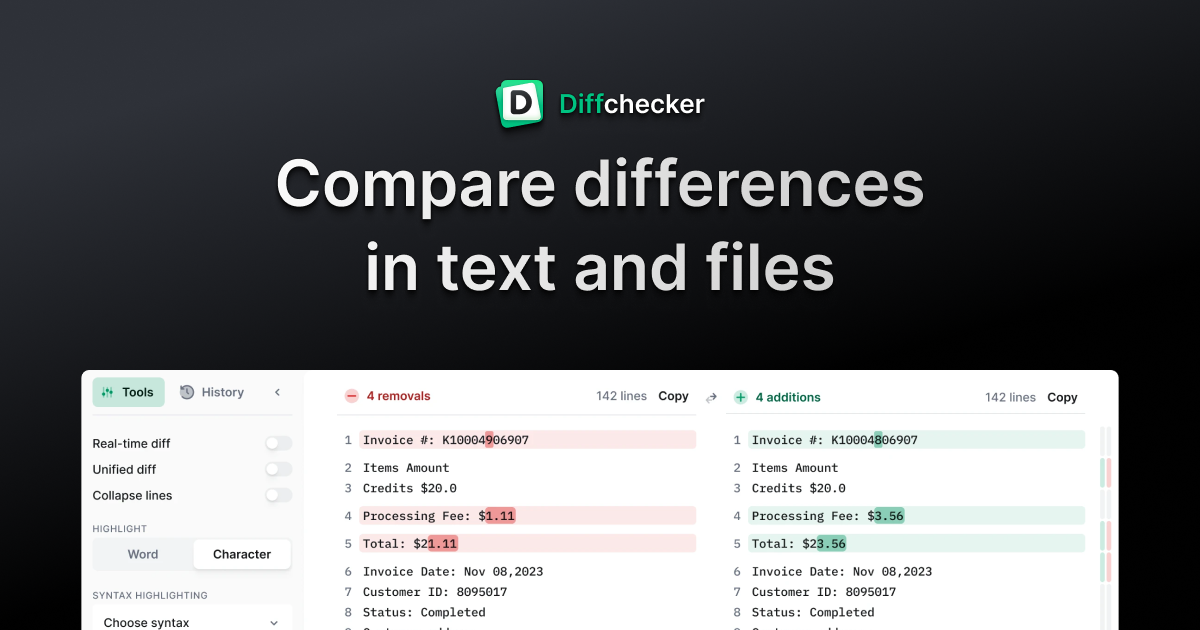
HevLib 1.5.6-1.5.7 - extends Node
const MOD_PRIORITY = -INF
const MOD_NAME = "HevLib"
const MOD_VERSION = "1.5.6"
const
hollow pewter
i'm aware of that change, the same code still exists just elsewhere. turns out it's just my memory is at fault, as it never worked in the first place, just it might've been something else i was checking.
i might just do the same for the rest of the non-hardpoint vanilla slots as i did with the change i made earlier
luckily the one thing that does seem to be working consistently are hardpoints and modded slots, which were the entire point of the change to HevLib in the first place, so it's not that bad
snow cedar
Hey, alright!
hollow pewter
actually, for some weird reason, torches work? they have the same basis to not work that RCS did but they just do?
only thing i can think is different is that a modded slot takes the same data from the torch slot, which is weird.
food for thought if i want to come back to it perhaps?
snow cedar
Okay yeah, the Rusatom-Antonoff MPU Mk2 and the MA-337-MAX Autopilot count as the same category (or tag?). Buying one of them refunds the other.
In EquipmentManager.gd, it looks like there's a part in the new one that has the line
"var slot_name = slot.name" (at line 411)
but then later has
"validated_equipment.get(equip)
if slot_name in data[1]:" (at line 410)
Could that be the issue?
https://www.diffchecker.com/gXX0Ktem/
I don't mind if you work on this, since I've already got my setup working 🙂 I find it interesting that your setup works fine, though.
EquipmentManager.gd comparison 1.5.6 to 1.5.7 - extends VBoxContainer
Stating HevLib pointers
var Equipment = preload("res://HevLib/pointers/Equi
hollow pewter
not really, all that change does is make a very minescule difference in loading time when it comes to fetching the node's name, and lets me more easily see what slot is being added to in the debugger
the issue where one purchase sells the other makes me think that for whatever reason, the slots are tied in a way that it shouldn't
i haven't found anything that really links to why selling doesn't work properly, but i have found another issue elsewhere that's a lot more critical that can't be fixed with just a different way of adding it
ok, i've got that issue fixed and a release made.... and it's half-past midnight so i'm off to sleep
snow cedar
Awesome work, well done! Thank you :)
snow cedar
So the new version didn't fix it, but I did check with different versions of HevLib and IoE.
HevLib 1.5.6 and IoE 2.2.3 works
HevLib 1.5.6 and IoE 2.3.3 doesn't
HevLib 1.5.6 and IoE 2.3.0 doesn't
HevLib 1.5.9 and IoE 2.2.3 works
HevLib 1.5.9 and IoE 2.3.3 doesn't
HevLib 1.5.9 and IoE 2.3.0 doesn't
It looks like the issue is in IoE, and it started with the 2.3.0 version. HevLib appears to be fine, so my apologies for focusing on that.
hollow pewter
the reasoning that pre-2.3.0 versions work is that they don't use HevLib at all. what i find weird is that it works fine entirely on my end, albeit i don't test with the other mods installed so i can't directly see how they interact
i'll see about using the ones you provided to see if anything stands out on my end
snow cedar
Oh, I tried the last set without any other mods, if that helps. Idk if anything about the rest of my install is good, and I also don't know if that could impact anything.
hollow pewter
i'm guessing, same issue where equipment doesn't switch properly?
granite robin
Could be linked could be something on my end.
Getting error: Invalid set index 'slots' (on base: 'MarginContainer (SystemShipUpgradeUI.gd)') with value of type 'Array'.
Even tried with just example from docs (power point) still throws this one.
Latest version
 hollow pewter
i don't think so, that specific issue was fixed a few versions back, and only happens if another mod modifies one of the equipment slot components before the equipment driver module does, which would mean loading with infinite priority and having a higher alphabetical priority
snow cedar
Yep. Happens with:
RCS - ND-PNTRm
RCS - ERS-BlasTR 7200
RCS - RMS Pin-C50.
The modded RCS gets replaced if I purchase the cheap 1x fuel rod, which in turn doesn't replace the other fuel rod selection.
The 1x fuel rod gets replaced if I purchase the Light Ultracapacitor.
The Ultracapacitor gets replaced with the Thermocouple Array.
Doesn't look like anything replaces the Thermocouple Array.
All these are replaced if you select a part on the next category down.
hollow pewter
granite robin
Could be linked could be something on my end.
Getting error: `Invalid set index...
actually, i think i know this specific issue. a version or two ago i split HevLib between several mod mains, could probably be that you're not loading all of them
hollow pewter
snow cedar
Yep. Happens with:
RCS - ND-PNTRm
RCS - ERS-BlasTR 7200
RCS - RMS Pin-C50.
The ...
i see. i'll give it a look. that specifically shouldn't be happening though as it's all using the traditional method of adding equipment, but i'll see what i can do
snow cedar
Oh, and the Projectile Clip is replaced by the 1x fuel rod
hollow pewter
btw, just so i can properly replicate, which ship are you using?
snow cedar
ETH-1905 "Naive Puppy"
K37 TNTRL
hollow pewter
hm, it just works on my end. (it is using the system names as it's not loading translations, but the naming is straightforward enough for what they are)
 granite robin
hollow pewter
actually, i think i know this specific issue. a version or two ago i split HevLi...
granite robin
hollow pewter
actually, i think i know this specific issue. a version or two ago i split HevLi...
Oooh so where are they, or can you just share your mod loader?
hollow pewter
"res://HevLib/ModMain.gd",
"res://HevLib/scenes/keymapping/ModMain.gd",
"res://HevLib/scenes/equipment/ModMain.gd",
"res://HevLib/scenes/weaponslot/ModMain.gd",
"res://HevLib/webtranslate/ModMain.gd",```Hmm, interesting. I can try deleting everything and reinstalling? The only mod I'd use apart from the two would be SaveEdit so I can get money to test with.
I know of the roaming folder with logs and saves, along with some mod settings. I also know of the game folder itself. Any others I should look out for?
*2 roaming folders
hollow pewter
not really, those two are about the only ones used. i'm going to do some out-of-editor testing to see if anything different happens
hm, not even triggering when using the base game


something interesting when using the verbose logging when running from raw executable as it does state when anything is loaded, and apparently this specific file is loaded over 3k times when caching IoE. no wonder it takes 10+ secs
 snow cedar
After removing everything and reinstalling (using HevLib 1.5.9 and IoE 2.3.3), the Kinetic Ammunition, RCS, Reactor Core, Ultracapacitor, and Powerplant appear to work as they should, but the modded MPUs are still replaced by the modded Autopilot.
Geez, 3000? It's awesome what computers do when we tell them XD
hollow pewter
you know what, do you mind sharing the logs from that at all, as i think they might be verbose enough to tell me what's going on internally
hollow pewter
hollow pewter
```
"res://HevLib/ModMain.gd",
"res://HevLib/scenes/keymapping/ModMain.gd",
"res...
i've put a notice for this at the top of the readme so they can be more readily used
snow cedar
There ya go
hollow pewter
weird, it's still getting data from the cache even when i shouldn't. that;s likely the issue
snow cedar
Oh, I noticed that the engine_log mentions something about ModMenu. I'll install that and try again.
hollow pewter
don't need to, that's an issue that's already been fixed. it's code that was directly ported from mod menu that i just forgot to change the naming of. reason it took me 2 months to notice is that i'm not aware of anyone using that specific module
snow cedar
Lol gotcha
With it installed, the engine log has a whole bunch of "ERROR: Condition "!is_inside_tree()" is true." No idea if that could be helpful, but I figure it's better to mention than to not. Now I gotta stop procrastinating and get to work on school stuff lol
hollow pewter
most of those are from IoE from stuff well before i started work on it, and nothing i was able to trace. It doesn't break anything, so i didn't really consider working on them
steel ice
hollow pewter
<@666770034244321280> <@1373052202628812850> see if this works for you: https:/...
Understood, I'll be seeing if it works
 heavy widget
hollow pewter
maybe i should get one setup, but perhaps when i have time for it
heavy widget
hollow pewter
maybe i should get one setup, but perhaps when i have time for it
oh you should! you're doing good work haha
i won't apologise for not being in-gear with modding as of late but thanks for keepin the flame lit, as it were
ive kinda come to accept that something is going to light a flame under my arse eventually, as it did when i was making IoE, but right now i'm in a lull. i go through cycles of high and low
hollow pewter
I feel u with that, i've got a backlog of stuff to do myself which i need to find time for
snow cedar
Always be proud of what you've done already. This modding business is all volunteer work, and it brings joy to people. You both have made my enjoyment of this game even greater, so thank you :)
 rain igloo
heavy widget
ive kinda come to accept that something is going to light a flame under my arse ...
rain igloo
heavy widget
ive kinda come to accept that something is going to light a flame under my arse ...
I feel you, sometimes I do a day of work in a week and sometimes I do weeks of work in a day or two
 zealous swallow
@hollow pewter I'm using more minerals atm and hevlib
I have more I had in but I copied them out to try and figure out why I'm crashing
Its about 45 min in I see frames drop the deck is rather hot I'm trying turning down some of the particle effects
hollow pewter
i see, might be a memory leak or something, but assuming you're getting the more minerals version from the github, that might be the issue. there was a patched version made not too long ago that you may see better performance with (see #1239854400810516511 message)
also, you likely won't need HevLib as you're not currently using any mods that need it
and as for the crashing, did you find out which mod caused it specifically?
zealous swallow
I have one mod that needed it I narrowed it down to those two the crashing happening after a while being a memory leak makes a lot of sense I'll have to try that newer version
The more minerals is my favorite I've gotten to play with I really like the changes
hollow pewter
I suppose if you can replicate the crash, best making a report for it in it's respective thread with a zipped up copy of the save folder so it can be fixed
zealous swallow
hollow pewter
and as for the crashing, did you find out which mod caused it specifically?
No and I havnt looked at logs yet I have been able to replicate the crash fairly successfully it always seems to happen just as I'm ready to head home lol it's been a little irritating
I just try to assume it's a me issue first
hollow pewter
I see
zealous swallow
Let me get to the logs maybe tomorrow to see if I can find any evidence of a mod being the specific issue. I run arch on my desktop I can usually replicate the environment there and get the same results
I'm to lazy atm I am just gonna munch on rocks and cry when it crashes lol
hollow pewter
alright, no rush with it. luckily, in most crash cases have a signature of what went wrong when it happened
subtle barn
regarding the equipment-issues that were there, it appears its all fixed now
at least i have not noticed anything
thanks for the prompt support 🙂
steel ice
I was dealing with it before, so I appreciate the fix as well
zealous swallow
hollow pewter
I see
might be an issue with the mod, id have to try without it to confirm, but using the latest more mineral on my desktop (1700x/3090/32gigs) I get the same crash about 45 min ish into the game, ram cpu and gpu usage were low
im gonna try to check the logs later today, im kind of multitasking
it is the only mod im running atm
could still be something with my envrioment and running on arch or something
hollow pewter
could be, i haven't been doing much in the way of long dives in a while, but i might be able to give it a look later
hollow pewter
ok, i've been able to replicate the issue, and it seems to be related to a ship spawning in as it's caused by code that deals with making sure empty processed cargo holds are empty. i've got a fix in place, but i'm going to test it a bit longer to make sure it works
zealous swallow
hollow pewter
ok, i've been able to replicate the issue, and it seems to be related to a ship ...
jwhat did you do?
I lost 400k and a 50 min run :/
hollow pewter
i added an if statement that makes sure that the ship has anything registered in the processed storage hold. i'd assume that the reason it hasn't been seen too much is that it's uncommon for it to happen. the further testing i did took 2 hours and didn't even touch the code, so i'm just going to assume it works and make a patch for it
zealous swallow
hollow pewter
i added an if statement that makes sure that the ship has anything registered in...
want me to test it? lol
im working on quality testings and listing some edge routers from a liquidation, im just kinda letting it drift mine
hollow pewter
zealous swallow
want me to test it? lol
I mean, go ahead. I've put the zip in the more minerals thread and on paper it should circumvent the issue that causes the crash already, just I wasn't able to personally get the code to trigger
zealous swallow
hollow pewter
I mean, go ahead. I've put the zip in the more minerals thread and on paper it s...
I've unfortunately been running into the same crash about 30 45 min in
hollow pewter
hm, i'll probably need to see logs to know what went wrong. do you mind packaging the save folder like you would to report a bug for vanilla and upload it here at all?
sadly this issue isn't consistently at that time period, as the test I did was over 2 hours and never triggered the code I'd made to fix the initial issue
zealous swallow
hollow pewter
sadly this issue isn't consistently at that time period, as the test I did was o...
Yeah I dont mind I'll have to set it up with just that mod and trigger it again. I'll let it run until it crashes, do you only want one? After frustration from the crashes I pulled the mod and added my other ones back in and havnt experienced that crash sense
hollow pewter
Yeah, just one occurrence of it should be fine, just make sure that it's the entire save folder as I don't want to bother you with asking for files multiple times
zealous swallow
hollow pewter
Yeah, just one occurrence of it should be fine, just make sure that it's the ent...
Feel free to bother me. I really appreciate the ore distribution, it makes the game feel a little more realistic as far as mineral collection to me. I'm more than happy to help resolve it.
 restive monolith
I am having issues getting mods to work,
I've followed the steps to the letter and don't know what I am missing
hollow pewter
Assuming you managed to get the mods folder created properly and have --enable-mods set correctly, how did you download the mods?
restive monolith
I downloaded from the DV wiki mod list
Kitsune Start and No Simulation Hex are working but I cant get mod menu or Industries Of Enceladus to work
I also have DerelictDelights Downloaded but dont know if it is working or not
Well, I dont know how but I fixed it
hollow pewter
welp, good to hear
raw folio
anyone know where the logic for pre-flight checks is handled?
gonna attempt to make a mod to bypass them
hollow pewter
I'm not at home rn (won't be for a while), so I cant be of any definitive help, but I would guess looking in the enceladus folder. Might also be worth giving specifically the enceladus scene a look as well. It's convoluted, but likely within the menu canvas part of it
raw folio
I found a file called "preflightinspection.gd" but that seems to just handle the banner
wait no
theres a single variable somewhere that defines the damage level for a component to pass inspection
 hollow pewter
Very easy. I'm on mobile rn, but I could probably just write out the entire script for it
raw folio
nah ill figure it out
hollow pewter
extends "res://CurrentGame.gd"

func getInspectionLimit():
    return 0
Something like that should work
Idk if it would work for over damaged equipment, but that's something else in its own right
raw folio
hollow pewter
Idk if it would work for over damaged equipment, but that's something else in it...
extends "res://CurrentGame.gd"

func getInspectionLimit():
    return -INF
would this work to get around that?
-INF should make any greater than operation return true
hollow pewter
Yeah, that probably should. I have no idea how it handles it, but that should work
raw folio
do I need a mod main template?
been a while since I modded DV
hollow pewter
Might be a good idea to use one. You'd only need to override the script, however I don't remember how to do it off of the top of my head, so I guess you're best looking at the mod main of another mod for the installScriptExtension function
There's an actual template for it somewhere, however I cannot find it. I'll upload it when I get home just to have it as a reference
hollow pewter
Yeah, a lot of it could probably be cut out for what you're doing, the template is a generalization of what one would likely need for a mod
raw folio
I can probably get rid of the updateTL and replaceScene functions
hollow pewter
Yeah, those you likely won't need
raw folio
i know ur on mobile but can you give this a once over?
extends Node

const MOD_PRIORITY = 0
const MOD_NAME = "Example Mod"

var modPath: String = get_script().resource_path.get_base_dir() + "/"
var _savedObjects = []

func _init(modLoader = ModLoader):
    l("Initializing")
    loadDLC()

    extends "res://CurrentGame.gd"

    func getInspectionLimit():
        return -INF
    l("inspection limit set to " + str(getInspectionLimit()))

func _ready():
    l("Readying")
    l("Ready")

func installScriptExtension(path: String):
    var childPath: String = str(modPath + path)
    var childScript: Script = ResourceLoader.load(childPath)
    childScript.new()

    var parentScript: Script = childScript.get_base_script()
    var parentPath: String = parentScript.resource_path

    l("Installing script extension: %s <- %s" % [parentPath, childPath])
    childScript.take_over_path(parentPath)

func loadDLC():
    l("Preloading DLC as workaround")
    var DLCLoader: Settings = preload("res://Settings.gd").new()
    DLCLoader.loadDLC()
    DLCLoader.queue_free()
    l("Finished loading DLC")

func l(msg: String, title: String = MOD_NAME):
    Debug.l("[%s]: %s" % [title, msg])
The mod main itself looks ok, however the part to actually change the script has to be within its own script, and then have the script loaded by the mod main
raw folio
ah so I need to call "installscriptextention" with a file that has the code
hollow pewter
Yes, something like installScriptExtension("CurrentGame.gd"), assuming you make the script next to the mod main
I should probably make an example mod to make stuff like this a lot more obvious. Later ofc
 hollow pewter
How do you have your folder structure?
raw folio
skip.preflight.zip/
    `-- skip.preflight/
        |-- modmain.gd
        `-- currentgame.gd
Hm, it is case sensitive, so might be that
hollow pewter
Weird, I guess mind if you send the zip in case I can see anything with it at all?
hollow pewter
Yeah, just had to rename the files as the text editor isn't great
I don't see anything inherently wrong, but might be a good idea to remove the indentation of the function in the current game file
raw folio
yeah indentation was the issue
 hollow needle
possible bug: SRO events not giving dialogue pop ups
steps to recreate: launch ship, do a bit of mining, SRO broadcast pops, astrogate to one of them, astrogate to another: bug occurs, astrogate to another: bug occurs again
hollow pewter
i see
first thing i notice is that a few of your mods aren't loading properly, they do need to be .zip files to work

ok, this seems to be the issue. the ship itself is trying to create a conversation like normal, however one of your crewmember's morale level is too high (the max in vanilla is supposed to be 0.5), which appears to be Leeroy Fraser

hm, looking at the save it appears to be fine, so might've been something that happened during the dive
@hollow needle was there anything else you did during the dive that might have caused it outside of mining (visited stations, talked with crews, etc)?
hollow needle
buy a drink on the ganymede anarchy station?
That's the only thing I can think that might have changed morale
hollow pewter
it might have done it actually, i'd need to double check how that's handled, but it might be a lead
hollow needle
Can you double check for me that things loaded correctly this time and if the morale has been fixed?
hollow pewter
unfortunately, seems to be that everyone except sally has a morale of 0.525. i'll do some further digging, but it is bizarre
hollow needle
then no more trips to the twins for the boys! How dare they
hollow pewter
also, seems to be a similar issue with the mods. did you convert them to zip or just rename the file extension?
 hollow needle
I have rezipped now
lets hope it works
seems like they work now at least 😄
unsure on the morale issue though
hollow pewter
yeah, myself as well. the bizarre thing is that any change in morale is being clamped between -0.5 and 0.5, so is absolutely a bizarre engagement
hollow needle
is there a way I can check ingame what their morale is?
hollow pewter
unfortunately not directly
hollow needle
Is it still f'd for morale Hev?
hollow needle
Another potential bug report? (will follow up in a sec)
 hollow pewter
hollow needle
Is it still f'd for morale Hev?
hollow pewter
hollow needle
Is it still f'd for morale Hev?
i won't be able to check for a while, so i can't really say in the moment, but i'll let you know when i can
hollow pewter
hollow needle
Another potential bug report? (will follow up in a sec)
i don't quite see it, what seems to be the issue with it?
hollow needle
hollow pewter
i don't quite see it, what seems to be the issue with it?
I forgot to follow up one sec
(it was a really long dive)

I have THIICs installed
But they don't show up on dives?
hollow pewter
yeah, the interlunar containers are known to not work
i haven't found a fix for it yet, at least one that doesn't totally break other mods
hollow pewter
probably best
hollow needle
So much worse though! 😦
hollow pewter
unfortunately i'm not able to do any work on mods today, so i likely won't be able to even have a fix available for a while
hollow needle
It's all good ^^ I wish I could help. But the only game I have ever made in godot is pretty awful, hah.
Do any of the mods have wikis?
hollow pewter
a couple do, but pretty much just IoE, K-tech and hevlib currently
as for K-tech and IoE, i believe they're on their original github pages
hollow needle
I might give K Tech a go 😄
hollow needle
Another with the same issue, this time no SRO @hollow pewter
Unsure of tje sa,e caise
if the same cause*
hollow pewter
Looks to be the same thing, too high of a morale stat, but it's less than it was when I last checked. I don't know if it works, but might be worth spending time using a vulture, as that will at least lower the stability point enough to be of help
raw folio
given given how modding works could it theoretically be possible to make a mod that adds energy shields?
or entirely new mechanics?
since mods directly edit the functions of the game
hollow pewter
Entirely possible, pretty much the only stuff you don't have access to modify is anything that loads before mods do
hollow needle
hollow pewter
Looks to be the same thing, too high of a morale stat, but it's less than it was...
I don't know what a vulture is? hah. But I have started using a modded thing that adds "bunk beds" for +crew slots -morale. I do not know if it's working or not.
hollow pewter
hollow needle
I don't know what a vulture is? hah. But I have started using a modded thing tha...
The vulture is a variant of an eagle prospector
hollow needle
I do enjoy a little bit of tinkering and whilst I haven't played the game in a while, I have since abandoned my Godot project and would like to maybe give a go at modding 😅 any recommendations on where to start for reading about how to mod ∆V?
granite robin
hollow needle
I do enjoy a little bit of tinkering and whilst I haven't played the game in a w...


 granite robin
Oh no
granite robin
granite robin
Oh no
Well I don't know how to make it load without removing all other translations.
raw folio
granite robin
Well I don't know how to make it load without removing all other translations.
copy all existing translations in to it?
but even then
I doubt anyone using an uwu language mod doesn't speak english
granite robin
raw folio
copy all existing translations in to it?
I don't know if it's possible to load existing translation files, if not that would require copies of translation reformatted for mod and then there is issue maintaining it all.
raw folio
that makes sense
granite robin
raw folio
I doubt anyone using an uwu language mod doesn't speak english
How I am doing it now likely removes even English so if it updates with new strings it wouldn't display any actual text.
I don't know why overwriting translation is so inconsistent, I guess same thing is happening to my https://discord.com/channels/426287934870781952/1331368363569582233 mod
hollow pewter
I've had issues overwriting translations as well. I presume it's to do with how translations are handled, which my current theory is that it treats it like a giant CSV and find the first entry. There is some functions in HevLib that do solve it by unloading translations, adding in the new ones, then adding the translations back to the server, but it is a little faulty rn as it takes exponentially more processing power and time every time you do it
wintry ridge
hollow pewter
I've had issues overwriting translations as well. I presume it's to do with how ...
We migrated away from csv years ago.
You should be able to add a new language with TranslationServer.add_translation at runtime
Godot Engine documentation
Inherits: Object Server that manages all translations. Description: Server that manages all translations. Translations can be set to it and removed from it. Tutorials: Internationalizing games, Loc...
adding new message to existing translation should be doable with translation.add_message
https://docs.godotengine.org/en/3.6/classes/class_translation.html#class-translation-method-add-message
Godot Engine documentation
Inherits: Resource< Reference< Object Inherited By: PHashTranslation Language Translation. Description: Translations are resources that can be loaded and unloaded on demand. They map a string to an...
hollow pewter
yeah, that is how I have been doing it.
I was just making a guess as to how the server handles translations internally. It's probably closer to SQL in reality, but idk. I'll give a look maybe when I'm closer to being able to use a PC again
hollow pewter
Ok, so a little something for anyone who would like to respond with some suggestions, but I've been doing a little thinking about the groups part of mod manifests, and how it's pretty much an unused part and isn't really standardized; so something that I figured could be done would be splitting it into it's own section, and also letting tags be set individually, and could have extra bits of data attached (i.e. listing the names of new equipment added by the mod in an array).
Doesn't have to be anything set in stone, but just a few suggestions for what could be accepted and maybe even used as filtering terms for stuff like menus and other tools like it.
So far, this is the small list of things that (at least in my own mods) would be generally recognized:
adds_equipment
adds_events
adds_gameplay_mechanics
adds_ships
allow_achievements
fun
handle_extra_crew (a small thing I've been working on that I'll reveal later)
is_library_mod
overhaul
quality_of_life
uses_hevlib_research (another thing, but I have said Im working on this before)
visual
Any suggestions to add onto it would be great, and at least a start to a general list
granite robin
hollow pewter
Ok, so a little something for anyone who would like to respond with some suggest...
Looks pretty comprehensive. Maybe adding translation tags translation_en translation_de etc
hollow pewter
That's something I didn't consider, and yeah you're absolutely right about needing something like that
hollow pewter
ok, i think what i ended up with might be easiest: a "language" tag that stores an array of localization codes, i.e. language=["en","uk_UA"]. I figured using this would be best, as language names can be obtained from them pretty easily using TranslationServer.get_locale_name()
 kindred thicket
i have spent my entire evening trying to build a custom MPU and it has not worked
I've been building off the MoarLidars mod, which I also customized for mysefl a bit, but the collision boxes are absolutely painful
has anyone done this relatively simply before? I am SO unused to godot, I mostly work in C#
I got the editor, got everything set up, reverse engineered and all, but my goodness I am inexperienced
hollow pewter
The thing with MPUs is that they're finicky in their entirety. You can pretty easily make one by duplicating one of the other MPU scenes, which does also make the modification of shape a little easier as most of it is made already and you can just modify the points. the main issue is that you have to add the scene to every single ship AND then make sure it fits the cargo bay as well
it's a lot of tedious work to get it working in the vanilla game, nevermind trying to get it compatible with other mods
kindred thicket
oh my god I see the pain now
perhaps I will just stick to
not doing anything
thank you for informing me that I was not in fact hallucinating
hollow pewter
i'm going to put something on the backlog for my own library being a helper script or function to make the addition of MPUs easier for just that reason. don't think it'll be available for a while (it's a big backlog already), but something i suppose to look out for in the future
kindred thicket
I'm good at patience, and either way I'm just happy to have a copy of this amazing game
hollow pewter
that's fair, i suppose if there's anything else that you'd want to add through a mod in the meantime, i could prob be of help for it as well
kindred thicket
I've been thinking about implementing better scan logic for the phased array LIDAR but that feels like way too complex of a thing
Also I should be asleep right now so for now I'm just popping in and now out
hollow pewter
fair enough. i haven't touched any of the lidar code in a while, it's pretty hardcoded in as well, so i might not be too much help with it, but i'll give it a look
kindred thicket
GDscript doesn't seem too horrible but it is VERY much hardcoded, yes
for now I'm off, zzz time
hollow pewter
alright, goodnight
hollow pewter
granite robin
Well I don't know how to make it load without removing all other translations.
decided to give this a go to see what i could do, and well things are going a little slow. seems to be that anything preloaded (which for whatever reason the K37 isn't completely, might explain the problems with WeaponSlots i was having earlier) or loaded before mods doesn't get the updated translations
 granite robin
So is there a reliable way to overwrite _process and a like functions without need of replacing whole script?
hollow pewter
Unfortunately I don't think so, at least not in godot 3 as far as I'm aware
Yeah, a quick few searches pull up a few people saying it's not possible
granite robin
So I'll need to think of different method to do a thing then.
wintry ridge
granite robin
So is there a reliable way to overwrite _process and a like functions without ne...
what is your use case?
deft bane
granite robin
Oh my dear god
 left grove
granite robin
left grove
granite robin
I love it
left grove
granite robin
i propose
Minuwul
or
Minuwal
friend suggests "Minewaw Mawket"
for the "Mineral Mawket"
deft bane
Oh my nya
granite robin
left grove
i propose
Minuwul
or
Minuwal
friend suggests "Minewaw Mawket"
for the "Mine...
Hmm yeah that's easy to change. Still don't know how to make it load without deleting all other translations so not something I will actually release.
left grove
sorry, no clue on that part. glad you like the suggestions lmao
granite robin
So I got and idea with the new dlc coming. KTA24 to compare
 left grove
ooh
granite robin
Somewhat fits? CL150s


 left grove
oooh looks nice
granite robin
Making collider, still need to add opening for cargo hold
 left grove
Feeding cargo into that thing is gonna be a pain lmao. Especially if it has a bouncy RCS
granite robin
left grove
Feeding cargo into that thing is gonna be a pain lmao. Especially if it has a bo...
Uh... I was planing to give only 1 torch... It's a ship after all
Depending on how dlc will work I can probably make cargo hold just a sphere around it, but that obviously won't work for standard game.
left grove
OH right this isnt for normal Dv XD
i dont really plan on getting or playing the new DLC, so i keep thinking its for mining
hollow pewter
i suppose in the same sense, the Hybrid might actually become a viable ship to pilot in the DLC as well, considering it has the same issues with being too small for a proper cargo bay
left grove
is that the racing ship from IoER?
granite robin
left grove
is that the racing ship from IoER?
The D20 holder.
hollow pewter
well, we'll see. same could be said about the OCP with how easy it'd be to get things into it's bay
left grove
fair
granite robin
left grove
i dont really plan on getting or playing the new DLC, so i keep thinking its for...
Not like I don't want to support normal game but It's going to be difficult. This is what I came up with and it's 14px wide opening while Kitsune's is 23px

Maybe move it back inside ship, but how can I make and hatch and collision for nose
left grove
granite robin
Not like I don't want to support normal game but It's going to be difficult. Th...
mining hardmode edition lmao
hollow pewter
granite robin
Not like I don't want to support normal game but It's going to be difficult. Th...
that might be a problem considering that ores have a radius of 1.04m
 granite robin
Maybe move it back inside ship, but how can I make and hatch and collision for n...
granite robin
granite robin
Maybe move it back inside ship, but how can I make and hatch and collision for n...

More refined, I can get 24 px

Hmm a bit too wide
 hollow pewter
actually, you might benefit by taking a look at the wasp from IoE, as it does have a similar issue for it's excavator and baffles that you could probably copy over
granite robin
Well it uses grinders, not really want to do that. And the cargo hold here is really wide comparing to mine.
 hollow pewter
fair enough, i don't remember if the baffles may be helpful tho
granite robin
Maybe if I scale them way down,
 hollow pewter
scaling baffles aren't exactly desirable, as i tried it with the wasp and it causes some funkyness with the springs
granite robin
Then I can't really use them. Uhh probably need to scale up ship
 hollow pewter
yeah, you'd probably be better modifying the colliders and adjusting the position of each baffle then
i suppose ship scale also works
granite robin
One re-render later, now I need to adjust collider

 granite robin
And it's in the game.

 granite robin
Ok got a couple of issues. First of the turbine is missing for some reason and second - the reactor sprite in game is changing back to K37 even tho I changed it in scene. Also apparently if you stick torch too far into the collider it will thrust ship backwards.
hollow pewter
did you set the ship type to fission at all, as the turbine slot is restricted to fission ships?
granite robin
hollow pewter
did you set the ship type to fission at all, as the turbine slot is restricted t...
Ah if it's in ship-ctrl I might have missed it, will check later.
hollow pewter
should be this property in the ship-ctrl node
 granite robin
hollow pewter
should be this property in the ship-ctrl node
granite robin
hollow pewter
should be this property in the ship-ctrl node
Yeah that was it, thanks.
granite robin
Steady progress adjusted all vanilla MPUs, initial hardpoint stuff, probably going to go with HevLib to remove some equipment I don't find fitting.
Other thing - how does cargo hold area in ship-ctrl is needed? Seems to work fine without it and I don't see anything in script use that variable. So far only thing I figured out is offset which made the cargo bay line up exactly on EIME hud.
 hollow pewter
i think it works just as a box. i've done a quick search on the area value, and it seems like it's taken literally, with the xy values being the position, with the wh values being the size
easy way to visualize it is to make a panelcontainer node, and give it the same size and position values

as for the reason why it works without it, i believe there is a default value used by the scanner in the case one isn't provided
granite robin
I've spent so long trying to figure out why the ship is overlighted, tried every light that I had in scene, turns out it's the pd railgun.
hollow pewter
that's weird. wonder if changing the Z-offset of something would help, either that or a light occluder?
granite robin
hollow pewter
that's weird. wonder if changing the Z-offset of something would help, either th...
Z index changes nothing in this case. As for light occluder I don't really know where to place light occluder for this


It is present on other ships too, just on mine it's filling whole ship. Looking at it probably something related to normals


 hollow pewter
ah, i suppose that's fair
granite robin
Ok turns out it was material, the filepath to it was wrong so it wasn't using my stuff. It still lights ship too much especially if you equip more at the same time, but it's better than before
hollow pewter
i just noticed that there's three hardpoints on it. now i see what you're getting at with an arcade-first design
granite robin
hollow pewter
i just noticed that there's three hardpoints on it. now i see what you're gettin...
That's because I'm currently reusing K37 loadout, but yeah it still will be 3 hardpoints with restrictions.
wintry ridge
granite robin
Steady progress adjusted all vanilla MPUs, initial hardpoint stuff, probably goi...
it's for your cargo bay scanner.
and yes, there is a default if this is empty
the default is, however, HUD-dependent. Which you might not want.
 little pine
@hollow pewter hey thanks for the time, I am just looking to make a variant for the EIME and address a few issue I have with it for usage in the ring. Not planning for it to be balanced, the initial concept was to modify the door opening if possible ( i'd rather not mess with the ship design too much since I am limited in how the physic engine work) and add a stock feature for low capacity repair drones for self only.
I was just wondering if the internal cargo hold exists or is it simulated, I've been assuming it is, but the Max Mass Aboard value seems to contradict that
hollow pewter
the internal cargo hold isn't simulated, it's just a mass value that gets appended to the ship's mass (lore wise it's supposed to use a system that evenly distributes it around the COM, but for all intent and purposes it's just mass)
as for the modifications you'd like to make:
- the drones might be a little hard considering a direct 1-1 of what you're asking would probably require a custom drone module to be made, but this could probably be counteracted by making a new equipment slot that can fit only maintenance drones.
- how would you like the door modified, like increasing the size & volume of it, increasing the actuator strength, or something else?
little pine
1: I had considered that, I didn't want to deal with the actual simulation and tuning of the ship for adding an additional hardpoint, although I guess it can sit somewhere inbetween the 2 thrusters.
2: I am starting with seeing if I could increase the strength of the excavator or removing the gap between the teeth here ( securing the ore). on the ambitious side, I'd to replicate the opening sequence, but at a smaller scale near the nose to reduces problem with losing ore and general integrity.
 hollow pewter
ok, well adding new hardpoints is actually pretty easy, so it's a nonissue (and considering you've used IoE, having HevLib available does make it even easier and reduces problems with conflicting mods), and as for 2, I feel that the latter is likely easier, perhaps opting for using the standard excavator (maybe the larger one from the Cothon-211), just reskinning it to match the look
little pine
I really enjoy the idea of a big mouth and how it opens up quite similar to a predator the way i imagine it, so i was thinking of something like this while out whole asteroid mining with it. The green areas moves to the side when open, instead of angled downward.
 hollow pewter
ooh ok, that actually sounds pretty neat
little pine
in my opinion it would make model E much more fun to fly, i reckon the idea of it was just a luxury vessel, why not go all the way 😄
the only other ship I could eat a good chunk with is the OCP and that one is a bit dubious to fly, the issue with ARM getting ore stuck behind thruster deterred me from using it.
huh, is this ship excavator really just the thin collision polygon at the tip?
hollow pewter
yup, that crack is purely visual
little pine
wonder why it throw up my precious Be when im doing donut
hollow pewter
probably the force overcoming the springs
little pine
I reckon making that thicker would easily solve my issue, but I like the idea of opening sideway or a scaled down angled downward more 😛
hollow pewter
also, probably should ask, do you want the gaps on either side removed. I tried to follow the original door collider, but considering it's solid now, might not need them anymore
 little pine
i reckon it would make the door more stable right?
hollow pewter
little pine
I really enjoy the idea of a big mouth and how it opens up quite similar to a pr...
i doubt it, im completely removing the old door design and just sectioning off the top of the excavator for this design
little pine
ahh i see, man I do love godot
hollow pewter
door is basically these two polys at the top as of rn
 little pine
that's pretty much how I visualized it, that's a much more reasonable opening
hollow pewter
not bad for a first attempt, over exaggerated opening yes but at least it shows it works

much better. lemmie finish up some text and i'll package it up for you

@little pine
left grove
now THAT is a nice functional cargobay on the EIME
heck, even changing the bay opening animation to be rotational instead of a slide would be a nice change.
(on the stock EIME i mean, i like this tiny opening version too. though it might have some chunk deflection issues since the doors angle away from the opening)
little pine
holy crap you did it so fast
little pine
left grove
heck, even changing the bay opening animation to be rotational instead of a slid...
thanks to Hev i have a base to play with, i can see what they did with the explaination too, I'll mess around and tune it. I think the issue with ore deflection is okay, it'd probably limit its nanodrone usage a bit. I could cut or rotate the excavator a bit more to make the animation more angled, we'll see
little pine
thank you, i was excited when i found out it was made in godot, I've always wanted to play with the engine more
hollow pewter
Yeah, currently it's more of a slide to open mechanism, so there'd be a bit of effort to make it rotate around something without using say the standard excavator as a base, but it should give an example as to how it's done
left grove
oh yeah changing a slide into a hinge in godot is probably gonna be a pain. but having it open on a hinge like this would make it INSANELY efficient in catching chunks, but still give it the risk of losing everything in the bay if you hit something
(im sorry my mouse paint skills are sad)
 little pine
lol thats perfectly legible nearly on par with my sad skills as well
left grove
little pine
thank you, i was excited when i found out it was made in godot, I've always want...
I learned that we had a tiny modding community via google search. Rena-chan and DigitalBarrito gave me a 40 ish minute run down on how to use godot just enough to make mods.
I cant modify the scripts for stuff yet, but i can pretty quickly make a weaponslot or module XD.
Hev recently showed me how to use the debug system with mods for quickly testing changes too
little pine
that's awesome, kudos to ya for learning, i had made a couple small games for game jams with some of my friends and that was about it. Was just one of the thing we chose to do for the month and i kept thinking about it, i just hasn't found any game i feel like i would really enjoy modding in
well fast forward over a hundred hours into this game i thought this might just be the perfect one
I do wish we have steam workshop though
hollow pewter
yeah, it was pretty high on the last community vote, but it does need there to be enough interest from both people who want to play with mods as well as modders to make it a worthwhile addition
little pine
it does have the benefit of assessibility to mods, with the upcoming arcade dlc that would do well with a less niche playerbase, I wasn't aware that mods are available and endorsed due to the lack of workshop or any mention really. I only found it reading the wiki for lore. It's fair though unless there are enough people willing to mod it's not really worth it
left grove
personally, since the game isnt even at 1.0 yet. i think a workshop should wait. since the updates could end up breaking older mods.
it would cause a lot of frustration for players if they found a mod that they liked, and then it broke cause of an update. but the modder stopped updating and fixing the mod
hollow pewter
1.0 was 2 years ago tho...
little pine
oh okay i was gonna say, i saw 2.0 on the roadmap 😄
little pine
there're already a graveyard of mods, maybe it could be a community effort to revive them and update them to current
hollow pewter
Yeah, I have been making an effort to fix the ones that are most broken (see https://discord.com/channels/426287934870781952/1383342280878067762), although there are ones that still work but aren't compatible with other mods
little pine
im unfamiliar with how the developer operates, do they plan on providing support for base games and generating revenue with dlcs? it's not a bad approach, considering the game physic engine has much potential, it feels really really nice to fly
left grove
thankfully Better refining is such a simple mod that it just works
little pine
personally id love a more economically challenging version haha, I wasn't really struggling much in the ring, luckily i was okay with chilling out and mining
left grove
i think theres the more minerals mod? that does that
hollow pewter
little pine
im unfamiliar with how the developer operates, do they plan on providing support...
Base game is the main focus, DLCs are small additional items that are supposed to be extra customisation to how you play, but all main game features and functionality stick with the base game
little pine
oh wow that's a generous development cycle, you dont see much of that nowadays
32 years to 2.0 is pretty funny on the roadmap as well lol
hollow pewter
Yeah, Koder has said that anything he would consider fits the base game won't be put in a dlc, period
left grove
I respect that mindset
and the choice to make the demo for Dv just the normal game without save loading? absolute genius
little pine
lol i booted the demo up and saw the msg so i bought it to test 😛
little pine
hmm having a lot of trouble slicing the texture part, i think i might have to cut the texture myself into 2 slices outside of godot 🙁
3.6 is rough
im thinking it goes like this, ive never used these grooves before

the entire top part is a sibling node of the rest of the "original" hull. so that i can move all the moving mechanic to just this part.
i probably should test the grooves before trying texture but not sure where to access the game debug yet
this will be a long-term project haha, did not manage to get a dive in tonight, i wish i have more freetime
hollow pewter
little pine
hmm having a lot of trouble slicing the texture part, i think i might have to cu...
I'm guessing that you're trying to remove the holes in the excavator, yes?
hollow pewter
little pine
i probably should test the grooves before trying texture but not sure where to a...
this guide should show you the proper steps to run the game & mods via the editor https://delta-v.kodera.pl/index.php/Using_the_Godot_Editor
little pine
not quite, the texture is a rectangle only and i want an angled cut.
hollow pewter
ah
little pine
since the top part is sliding out at an angle. I work with CAD design and godot is just uhh a bit lacking 😛
hollow pewter
i've never attempted anything like that before, but actually might be useful in future. i'll take a look and see if i can find anything of help
little pine
The godot guide sorta confuse me actually, I think I've gotten the mod loaded, however it just shoot me this msg every time i click on the editor.
 hollow pewter
try restarting the editor, usually fixes those sorts of things
little pine
i think this sliding will work well with a decent cut of the texture, since even the vanilla animation is really just the two sprites moving apart
also, do you have issues with renaming nodes? it freezes for a few seconds every time i change a node name
 mystic lintelBOT
User - Time Zone
What is your time zone?
You can find time zones by using the Time Zone Map.
Simply select a location on the map to see the time zone name.
Example: America/New_York
Enter your response below (or 'stop' to cancel).
hollow pewter
depends on the scene and the device, with ship scenes it does freeze occasionally, but it's a lot quicker on my workstation than my minipc
mystic lintelBOT
mystic lintel
In America/Chicago it is currently 10:35 PM / 22:35.
Please confirm, is this your time zone?
yes - Yes
no - No
⠀
Enter your response below (or 'stop' to cancel).
hollow pewter
little pine
not quite, the texture is a rectangle only and i want an angled cut.
try using the Polygon2D node, it allows you to set a texture so it might be the way forward
mystic lintelBOT
mystic lintel
🎉 Congratulations! 🎉
You've completed user setup!
Note: Some commands require DMs allowed in at least one server you share with Friend Time.
Time Zone (timeZone):
America/Chicago
⠀
Actions
/me view - View your user settings.
little pine
ah dang it, i thought the bot was only visible to me, sorry
little pine
hollow pewter
try using the `Polygon2D` node, it allows you to set a texture so it might be th...
I'll try that
hollow pewter
lol it's fine
little pine
yea it keeps msg me everytime theres "time" in my chat lol
hollow pewter
yeah this is def what you're looking for
 hollow pewter
little pine
The godot guide sorta confuse me actually, I think I've gotten the mod loaded, h...
hollow pewter
little pine
The godot guide sorta confuse me actually, I think I've gotten the mod loaded, h...
actually, suppose i should ask to check earlier rather than later, how do you have your ModMain and ModLoader scripts setup so i can see if it'll work outside the editor?
little pine
I copied the script from the github repo, i also made a ModMain.gd following the wiki tutorial but I hasn't touched it yet. I tried to load in the EIME Mk II you sent to see how you grabbed the excavator from another ship
hollow pewter
ah ok
little pine
I'll work on the ship texture tomorrow then, the polygon is much nicer. the rest of the ship modding is quite self-explainatory like you said. I'll also have to adjust the baffler on this as well, and add compatibility for the IoE mpus
 nova prawn
@hollow pewter when you mentioned ghost slots over in #help-and-support, whats the sort of thing you meant with that? Can I expect the save to port over into this version in a fashion that is mechanically fully functional, or should I expect things to irrecoverably break?
hollow pewter
Well, you won't get any proper passing over, it'll just reset to either a slot default of whatever is default for the equipment node (I don't remember which). Best thing to do is just sell all equipment before swapping. I've also gotten reports of some ships not passing over either, so I couldn't say really (it's also been so long since I last had someone ask about it I've not really done any experimentation on it). I'd just say make a backup and see what transfers over the first time
nova prawn
sounds good, I'll make a backup and see
...god, can someone remind me where I can figure out how to install mods
hollow pewter
Have zip file in the mods folder inside the game directory, and set the --enable-mods launch argument
nova prawn
thanks
@hollow pewterdumb question, if I already have the 1.7.2 revamp installed should I still expect issues?
hollow pewter
Yeah, it's wholly incompatible with the rewrite (which I do need to get around and fix the folders so I can give it a proper zip naming convention)
nova prawn
interesting
all the slots carried over but all the modded ships are gone
...oh that means I lose my wasp named "Undeclared Fighter"

...what the actual fuck. Now that I went back, sold the ships and loaded that save with the new mod, it refuses to load.
i guess selling the ships broke something. I guess I'll have to abandon them.
granite robin
Maybe cycling dealer to not have those ships will fix loading with updated mod
hollow pewter
yeah, something like that might be it. I believe the issue with ships not loading is due to their hashes not lining up, despite being the same model and all
nova prawn
In the end I just abandoned them, which put me in a tough spot for a second cuz back when I stopped playing I'd JUST invested a massive sum into one of them so I was broke but like, I've got a driftmining titan so I got back into the millions in like an hour long dive and that was that
hollow pewter
little pine
I'll work on the ship texture tomorrow then, the polygon is much nicer. the rest...
backreading this, i completely forgot to expand hevlib functionality for MPUs and other equipment. i'll try to figure something out for it, but may be a while considering i've got a lot currently on the plate for the next patch
little pine
no worry! this is just something I wanna do, so any input is good enough. Oh and polygon2d is a bust, i cant attach a normal map onto it
hollow pewter
aw, that's unfortunate
hollow pewter
yup, unfortunately seems like the direct fix was something added in 4.0 so no idea if there's an equivalent workaround
actually, i suppose you could just attach a ViewportTexture and render the sprite inside of it instead
i've never tried something like it before, but probably would be suitable
hollow pewter
ok, yeah it's definitely one method of using it, this is the sprite and normal of an ATLAS vessel + a light source contained in a viewport. only concern i have is that the normals might not operate correctly outside of nodes in the viewport

actually, you're in luck. the normals appear to work with lighting outside of the viewport
hollow pewter
i don't think it's quite 1-1, might be a little funky but we'll see how it works in practice
actually, i suppose if it doesn't work, it might be something to see how the ship paint system works from vanilla, as that's actually not too far off what you're trying to do
little pine
you can paint your vessels in vanilla?
hollow pewter
yeah, there's a quick guide in the tales dlc, but it's basically a small texture file that gets applied over the hull section. there's a decent collection in https://discord.com/channels/426287934870781952/566546115252584448
hm, that system appears to be purely shader-based, no idea what could be done with it right now, but it's an option to try nontheless
hollow pewter
so, after a little bit of digging, normal maps can be applied via shader, but that means i have to learn shader code. maybe when i have some more free time
little pine
interesting, so vanilla uses both a normal map and a canvastexture for shader. I don't understand shader much neither, so yep gonna be a learning process
i think it should be simple to let the shader accepts a normal map, but using it is beyond me
is there a quick way to test the changes other than loading up the game into a save?
❤️

its difficult to see due to the physic engine, but it appears to be working
i'd have to finish out the other side and tune the spring, it's pretty funny how the ship spins around
hollow pewter
little pine
is there a quick way to test the changes other than loading up the game into a s...
Unfortunately I haven't made anything of the sorts. quickest thing is to have the ship prepurchased on a test save
hollow pewter
little pine
its difficult to see due to the physic engine, but it appears to be working
Try installing the VelocityPlus mod, it removes the HEX shader from the sim
little pine
i think ive got it, gotta match the texture now. I used vanilla shader and i need to add a parameter to accept a normal map here instead and treat it like the one sprite2d feeds it

got it, it was actually very simple. i modified the vanilla shader and added
uniform sampler2D normalMap: hint_normal;
then used it where the shader calls for the normalmap instead of the inbuilt parameter

this would be a very useful trick to recycle vanilla texture for various things as well i think
little pine
matched the texture, there might be issue with the collisionshape sliding out and getting stuck on the lower half,
 hollow pewter
little pine
got it, it was actually very simple. i modified the vanilla shader and added
`u...
hollow pewter
little pine
got it, it was actually very simple. i modified the vanilla shader and added
`u...
Oh, that's really neat.
If it's ok with you, do you mind sending me your copy of the shader? would absolutely be useful to have on hand for future projects
hollow pewter
little pine
matched the texture, there might be issue with the collisionshape sliding out an...
If it's flush or close to flush, you should be fine with it. Might be a little wobble (the mod I sent you had a little bit of it), but generally looks like a more realistic set of mechanics imo
little pine
of course! this one is a modification of vanilla ao-spec-difuse.shader, I added
uniform sampler2D normalMap: hint_normal; on line 9 and replaced line 69 vec4 nm = texture( NORMAL_TEXTURE, UV); with vec4 nm = texture( normalMap, UV);
that should work for any shader in the game that calls for the inbuilt normal map i think
hollow pewter
sweet, thanks
little pine
would you look into adapting MatchDamage.gd to extend polygon2d? i think that originally extends sprite. im not sure what Koder used but its throwing me the identifier not declared error when i try to extend polygon2d instead
hollow pewter
sure
little pine
declaring it as a var fix the error but im not sure what that changes
hollow pewter
that variable is what defines the damage level of the hull (increasing it means a more damaged ), and is basically an offset for the sprite's rect. looks like another thing that Polygon2D doesn't directly support (smh)
little pine
I love godot to death, but every time i look back on an older version, it hurts
the move from 3 to 4 is such day and night on some less developed part of the engines
hollow pewter
yeah, tis a shame that it's such an uneconomical process to port large projects between
little pine
yep, maybe in a few years someone could finetune a LLM for porting gdscript
so to clear my understanding, the GroveJoint2D slides the sprite, meanwhile DampedSpring holds the sprite together when not opening?
i downsized the original setup down to 2 grooves and 1 spring on each side, but i think i might need more to hold everything together especially the top and bottom pieces
 hollow pewter
i believe the grooves are to keep the doors in place when moving, the springs are what move the doors directly
little pine
hmm so i need to restore the original amount for stability
3 and shortened make the whole thing umm jiggle
little pine
Hev, i'm a bit confused on why the ship falls apart in the physic engine, it looks like the top pieces and the bottom piece just gets flung into infinity


top and bottom are groovejoint2d, the 2 in the middle are spring. they are both set to their perspective left and right opening claw

the two collision polygon for the bottom non moving part and the top moving part
 hollow pewter
Ok, I do need to ask a couple of things first: 1) are both parts of each door supposed to move, or is it just the top? 2) if it is just the top, it might be easier to incorporate the bottom halves into the bottom collider
I do kinda need to know how you want the doors to move here to get an understanding of what you're trying to do
Actually, scratch those questions, I did just double read and see that you want the bottom halves to be static. I'd recommend deleting the bottom halves and adding to the ship's collider polygon (although you might want to keep them as a reference while you add it)
it's similar to how i did it with the ship variation I sent you, however the door mechanism for that one was taken from another ship as i was aiming for a horizontal slide with less effort than changing the vanilla beak
little pine
ah i understand, let me try that thank you
hollow pewter
it doesn't directly fix the issue, but it should fix any collider issues as it would make the bottom halves directly part of the ship instead of being free-floating rigid bodies. it also should make it easier to copy over the vanilla EIME's beak code, just replacing the sprite and collider with yours
little pine
it seems the top parts are not held together, the door flies away. hmm this is my current node tree for the beak

 hollow pewter
you won't need the bottom parts on the door for the beak node, should end up only containing nodes part of the top. i'd move the MPUs and textured polygons, as you only want the moving parts within the beak tree. also make sure that the nodes are properly connected via the springs and all
i'll be home in like an hour, maybe then i could take a look and provide some proper help
little pine
i'll keep tinkering, thank you
little pine
i think im lost here 😄
hollow pewter
I'll give it a look when I get home
little pine
so to mod something like a msu into the game, youd have to add it to every ship right?
hollow pewter
Yup
I have intentions of making a module to avoid having to do that, but it would require some fuckery with colliders and all
Not too difficult until you factor in that the OCP and the EIME exist
little pine
lol, i used the eagle as a base to figure out how it works and i realized the EIME doesnt work like anything else in the game xD
hollow pewter
Luckily, there is a vanilla feature that (currently only) the MPU slot uses that omits an equipment option from the menu if it doesn't exist on the ship, which is a lucky thing as it allows for a fallback if one can't be programmatically added
little pine
ah that's nice, i do love how the game handles loading in modules
hollow pewter
Yeah, it's a very complex system that is a godsend for koder and modders alike when adding stuff
little pine
thats such a massive amount of work put into IoE
hollow pewter
Yeah, it's a long time project from a couple of people actually
I'm just maintaining it with the occasional addition or balance change, most of it isn't my stuff really
hollow pewter
little pine
i think im lost here 😄
giving this a look now, and i'm missing these dependancies

i'm also guessing by the way these dependancy file paths are, you're directly modifying the vanilla ship, or at least storing resources in vanilla folders. I wouldn't exactly say it's the best strategy if you're looking to make a mod, as you'd have to make the zip in a way that matches the file structure when making proper releases, which is all-around a PITA. you're going to be better off in the long run making a dedicated folder for your mod and having all resources stored there.
luckily it's not the end of the world as godot will update resource paths when you move them around
little pine
gotcha, i was looking at a couple different parts and it was just easier to test the changes so i dont have to copy back and forth.
hollow pewter
fair enough
little pine
the shader is the one i sent you yesterday, matchdamageE is exactly the same as the normal one. I messed up and forgot that duplicate links resources so i made a unique
hollow pewter
i don't think the match damage is actually necessary for the beak sprites, as the beak doesn't have any damage textures anyway
little pine
ha that makes it easier
hollow pewter
ok, i've loaded the shader and just replaced the match damage script with the vanilla one just for loading sake
hollow pewter
hollow pewter
i don't think the match damage is actually necessary for the beak sprites, as th...
scratch that out, turns out it does, but due to how limited (and useless in many cases) the texturing for polygon2d is, you'd need to make an equivalent to the system so is out of the question for the time being
little pine
it's not a major part anyway, and the rest of the body still shows damage
hollow pewter
yup, the damage is hard to spot normally anyway, so likely won't be noticed
also good to know that i forgot to remove one of the scripts for it, as i got a crash for incorrect type when trying to load the ship :P
little pine
ah i think it extended sprite
and i attached it to polygon2d, that was probably why i made a unique script. huh that was probably a dummy i dont think i fixed the matchdamage to work with polygon
hollow pewter
yup, doesn't matter anyway as i removed it from the other polys, just forgot on one of them
huh, so one of the issues was that the two sides had to be explicitely Claw Left and Claw Right
 little pine
well ive got to get to bed, got a long day tomorrow. I'll tinker with it over the weekend if I get home early.

i've modified that part, hmmm i thought that was it
did i miss the reference somewhere
hollow pewter
likely, it's also a problem with modifying vanilla scripts directly instead of extending them as it does lead to cases like this when sharing files. i'm using 100% unmodified vanilla assets on my end
little pine
i'll have to check the extending section again. it'll be a mess when i try to package this lol
hollow pewter
i can aide with that fine, if and when i find a fix for the beak, i'll send it to you packaged as a mod would. i've also just renamed the nodes to what the vanilla game expects, it's a lot easier and saves the hassle of extending scripts
this also doesn't help...

might just be placeholder text tho, considering it is connecting two nodes that inherid PhysicsBody2D
actually, yk what, i'll just copy over the vanilla EIME's beak and add the modifications in post, see if that makes a difference
hollow pewter
okok, that was a step in the right direction. there is some wobble when it's closed and opening, but fully open is perfectly fine. just a few more tweaks and it should be ready

a bit of tinkering with colliders later and i've come to the conclusion that it's something to deal with the springs for. i'm going to leave it for now as it's starting to get late, and i don't want to deal with the headache that is physics objects while tired, but lemmie package up the ship as a mod so you could tinker and see how the mod is packaged. i'll still be available via text for further help and if you have questions
it still does contain the old vessel from the first one i sent, but the new one is the EIME_II.tscn ship
 real lotus
Silly question do MPU Efficiency values of over 1 work
Was changing up the old BetterRefinig mod for my self and it feels like it doesn't do anything atm
Can't do testing at the moment ,but can't stop thinking about it
hollow pewter
lucky for u i actually have the MPU script open rn so lemmie check
hollow pewter
real lotus
Silly question do MPU Efficiency values of over 1 work
Was changing up the old ...
well, i don't see anything that limits it to 100%, so should work above that and break the laws of thermodynamics
real lotus
Probably will tune it back after testing but
Laws of physics are overrated anyway
hollow pewter
absolutely lol
left grove
yes MPU values over 1 work.
if i use my OP "better refining" mod values. i have MPU refine rates up to 190% efficiency.
(1.9)
real lotus
yup i tested it with 2.5 during the day
Its silly
Tuned gets like 360% efficiency
Won't push it further
hollow pewter
i also just realized that using a preprocessor module from IoE unintentionally nerfs it, as having one installed caps all processor efficiencies to 95%
little pine
can you elaborate on how the preprocessor works? does it add onto the main mpu functionality or does it function as its own?
also ty for tinkering with the ship, i'll check it out tonight
hollow pewter
little pine
can you elaborate on how the preprocessor works? does it add onto the main mpu f...
mix of both. it melts rocks and recovers remass on it's own, however the mineral efficiency is the percentage that the MPU's efficiency is modified to
little pine
also, i dont think the Conlido Internal Storage Rack works, at least on the vulture. It has a 14000kg divided cargo capacity, i have the conlido freightReady Hoppers also installed and that pushed my storage to 20,000. The 4,000 from CISR never got applied
hollow pewter
hm, yeah i see that now. i suppose it's more obvious now the total hold marker has been added, but it looks like none of the hold kits affect storage numbers
although, looking at it, it might be another case of the equipment not loading until the ship is fully controllable
little pine
it is i believe, the cargo hold simulation also doesnt update for the cargo bay accessories, is that what you're referencing?
the NDSBH is interesting also, well all of the hold type modification. Since it only modifier the single ore value of the hold, what is the design concept behind it?
even with the NDSBH youd end up with 11,620 which would be less than what you can carry by default
hollow pewter
well, it doesn't modify the singular hold capacity, rather converts the bay to amorphic and multiplies based off of the total processed storage size, rather than one ore's size, so you'd get 69,720kg of total storage. it used to be 100% efficient, however i dropped it down a power as it's too broken, especially on larger vessels like cothons
hollow pewter
little pine
it is i believe, the cargo hold simulation also doesnt update for the cargo bay ...
yeah, exactly that
little pine
hollow pewter
well, it doesn't modify the singular hold capacity, rather converts the bay to a...
might have to test it further, the last time i tested it, it dropped the vulture hold to 11620
hollow pewter
hm, now that i think about it, might actually be an issue with preprocs, as i have changed the way they work too
nope, its actually the both of them. hm
little pine

yep it's def not where it should be, not sure why it's now a bit over, i think i might have left my other cargo modification in
yea i had the CISR installed that's probably why, interesting that it works when not installed along with the freightready version
little pine
it looks like the targeting tuning description is backward, lowering the percentage increases the protocol priority
 hollow pewter
Looks fine to me, you have closest angle set to a higher priority to ship proximity. Also the fact that this is a piece of vanilla equipment (just it's usually unobtainable, IoE only adds it to equipment lists), and is using almost identical code to the NDPT, I'd assume it's a similar behaviour to that
Also, for the issue of hold kits, I'm probably going to be reworking the system of adding storage via modules entirely. As I have it, either the hold modules don't work, or they increase the processed hold by magnitudes of several hundred tonnes per second depending on circumstances and conditions, so I think what I'll need is a unified way to modify it rather than through each equipment individually
little pine
hmm im gonna have to try different configuration for the target.
left grove
ah its a strange way to word it but i kinda get what its doing, because of how the math is working.
"100% distance to your vehicle" would be closer. (in range) example numbers, 100m max range. 1m target priority
"10% distance to your vehicle" would be furthest away object in its range. example numbers, 100m max range 90m target priority.
this is roughly what i assume its trying to explain.
little pine
ive read too many documents today to grasp this 😭 setting both angle and distance to 120% achieves the behavior i want so i'll revisit it later
left grove
thats fair lmao.
basically the closer to 100% you go, the closer the rocks it focuses on
kinda goofy
hollow pewter
I haven't looked at it myself, but I'm assuming it's a standard weighting system. Sorta between three actions, one or two are more desirable than the others, so if it isn't too much more work it'll choose those
little pine
i gotta look into the canadaarm AI when i get home tonight, id love to bind the pull back action to another keybind instead of sticking to open excavator
it's not a major pain point but i find myself frequently wishing i could control the arm without opening the cargo
hollow pewter
hollow pewter
Also, for the issue of hold kits, I'm probably going to be reworking the system ...
Fixed!


crazy thing is that this system also shouldn't have a need for a hold modifer node to be placed in the ship scene, so it should also make it compatible with non-IoE or vanilla ships
little pine
that is so good, did you spawn the nodes with script?
ngl when you said you gotta rework it i was expecting like a few weeks hah
hollow pewter
Not quite, however that is something I'm planning on using for aux bay units. What im doing is modifying the ship control script in a manner that checks installed equipment, and every time it finds something found from a list, it adds the amount it changed the hold by to a variable to add in post
little pine
ahh i see, also since you are working on this, i think some of the value for the cargo hold equipments are off. i have the bulker and voyager on a pigeon prospector atm, and i could store like 70,000kg of W in my cargo, and it's divided
i just offloaded a ton, but this is still way over what it supposed to be able to carry
 hollow pewter
i think that just might be a bug with how it is at current release, as you'd only be getting at most 26 tonnes per mineral if they were working as intended
little pine
itd probably be fixed after this yea, this is way op