#ror2-tech-support
1 messages · Page 36 of 1
 merry osprey
 grim kelp
Hello!
My name is James. I recently purchased your early access game Risk of Rain 2 and I totally love it! A fun, quick game I can hop into with my buddies with short notice and immediately start having adventures.
However, the game crashes unexpectedly during almost every play through. Especially during single player campaign. The game will begin to freeze for a fraction of a second including audio and then continue functioning normally. It will continue to do this with increased freeze times until total computer freeze (usually takes 2-4 times of incremental freezes before total crash). Some times, it will just crash outright.
Im using:
Windows 10 v. 10.0.17134 Build 17134
NVIDIA GeForce GTX 1070 Driver 26.21.14.3602
Thank you!
 proper horizon
You're welcome!
 hushed pine
not sure what could be causing something like that :/
 patent cypress
@wispy gust did you verify integrity of game files or uninstalled and reinstalled, maybe when u downloaded the game, one of the files got partly corrupted
 orchid flame
It may also be important to make sure your hardware is still performing up to par with how it needs to, including up to date drivers and making sure nothing has somehow gotten loose or needs to be taken out and put back in. Another recommendation that seems to be good for if a game is doing that is to make sure to look at settings in your antivirus/firewall to allow it to download certain files properly/download them in general, as well as setting it to game mode just in case it's being a pain in the ass.
 terse hound
Asus told me to update my bios, I'm scared
 shy cloud
hello i am having a problem on my ps4 with the game i just bought the game yesterday and i tried everything to make it work but the game just keep loading and loading without starting and i dk how to fix this
shy cloud
ping me if you find something might help
 gilded belfry
hello, if play this on SEA does it lag?
 marble blaze
no, not if you play it singleplayer @gilded belfry
multiplayer however might be laggy tho
orchid flame
@shy cloud Sounds like a corruption to me. Try reinstalling the game.
shy cloud
I did and still the same problem @orchid flame
i have reinstalled the game like 4 times and still the same problem @orchid flame
 rotund forum
Every time i open the game, my cursor continuously moves up. It doesnt happen anywhere else. Any ideas on how to fix this?
grim kelp
@patent cypress Yes. I checked integrity of the files, uninstalled/reinstalled both it and steam. Updated graphics drivers, updated windows, and started in Admin. mode. My system crashes with only that game. I replayed a few times last night just to test some things out and now it seems to crash when there is a large scale happening on the screen. For example when I activate the portal to fight the boss, a kind of explosion happens and there are a lot of sounds, graphics that needs rendering and caused crash. This type of happening (large rendering, noises etc. all at once) seems to be congruent. This makes sense, seeing that it would progressively freeze for a short moment the longer I played the game (in multi) to an eventual crash. My Video card was purchased brand new and is up to date. Again, this is the only game that crashes.
orchid flame
I legit can’t play multiplayer. Quick play loads for hours straight
Not 1 multiplayer game
 deft flame
I have unplugged my controller, checked under device manager and there aren't any controllers and I don't have VJOY installed
But I am still stuck looking down and my icons all say UNKNOWN
Still having this issue, haven't gotten any useful help yet
https://cdn.discordapp.com/attachments/559902278018924557/608365632697925642/unknown.png
 shy cloud
so what about my problem how can i fix it?
orchid flame
nobody helps here
ffs
I legit can’t play multiplayer. Quick play loads for hours straight
shy cloud
i would like to help you but idk how
shy cloud
i have spent like 61$ or something on this game but idk why it doesnt work for me
i just wish someone can help me
proper horizon
@shy cloud Delete the save files related to RoR2, and it should load normally.
proper horizon
There should be.
shy cloud
@proper horizon no there is no files for the game i tried to find them but there is not at all i checked everywhere
shy cloud
there is no files for the game what should i do?
 strange totem
@orchid flame have you tried tethering your phone to your pc to test ?
the port could be blocked on your router
shy cloud
so how do i fix it?
shy cloud
if there is anything i can do pls pm me
orchid flame
My game keeps crashing during every single run, whether it's 10 minutes or 2 hours into it but it does it every single run. I have an nvidia 1060, updated drivers. It seems like everyone else with my issue has nvidia cards as well. Maybe this game just hates them? Anything I can possibly try?
proper horizon
Have a look at the output or crash logs to see what went wrong.
orchid flame
What file? debug.log?
proper horizon
Output_log.txt
orchid flame
Where's that at?
proper horizon
C:\Users\USERNAME\AppData\LocalLow\Hopoo Games, LLC\Risk of Rain 2
orchid flame
I don't know how to read this, can I send you the crash info in DM?
proper horizon
Just post them here.
shy cloud
so mmm what about me?
shy cloud
hello i am having a problem on my ps4 with the game i just bought the game yesterday and i tried everything to make it work but the game just keep loading and loading without starting and i dk how to fix this
zoro kunToday at 11:18 AM
here
proper horizon
there
shy cloud
there where?
proper horizon
Whence it came.
orchid flame
🤣
shy cloud
mmmm ok i am just looking for help i mean no harm
proper horizon
@orchid flame No really, you're running an old driver.
orchid flame
Ye I notice that now, I'm updating it
Let's hope it does something
Usually updating drivers never fixes stuff like this for me
proper horizon
Me neither. But then again, RoR2 never crashed once on me in my 121 hours of play.
In any case it makes little sense to troubleshoot further if the driver is as outdated as it is.
orchid flame
Do you use an nvidia card?
Everyone I've seen post about the same crash has had an nvidia 10 series
So updating the drivers caused it to crash on STARTUP this time. Never done that before.
It expedited my issue :) Lovely
proper horizon
I beg to differ. We are heroes.
Interesting: Windows 10 optional update KB4512941 causes high CPU usage, uninstall it to avoid performance issues
shy cloud
thanks for help
i fixed it
it was dumb problem
i just have to change the language to english
orchid flame
Yeah the game is still crashing
yeah Multiplayer's never gonna work
10/10 game. Can't even play multiplayer -.-
Sigh
I can't even play singleplayer bud
that's great
this game is broken asf
and I spent 20 dollars
nice
orchid flame
@orchid flame why cant you play multiplayer? Did you pirate the game?
No?
I bought it off of steam for 20 dollars
And I legit can’t play lmao
orchid flame
Stuck when I go into quick play que
 pallid isle
Hi, this game looks really cool but I have a POTATO laptop with poor graphics and stuff. Do I need a beefy computer to run Risk of Rain?
Is there a demo or something I could try out?
 cedar sky
How potato are we talking
It's not gonna run well, I can tell you that much. But it might be playable
shy cloud
@orchid flame because it was Arabic
orchid flame
Weird
orchid flame
I'm so frustrated. I can't play the game past 30 minutes, it just crashes every run. I've tried so many things
proper horizon
@orchid flame How much did you pay again?
 lavish mango
Hello mr. Tech Support Sir, I recently bought the game and at random times the game just kicks me back into the lobby and turns everything black, I can still open the esc menu and move the cursor, music is also playing. https://imgur.com/a/lt4GGJf (dont mind the second left screen, using 2 monitors)
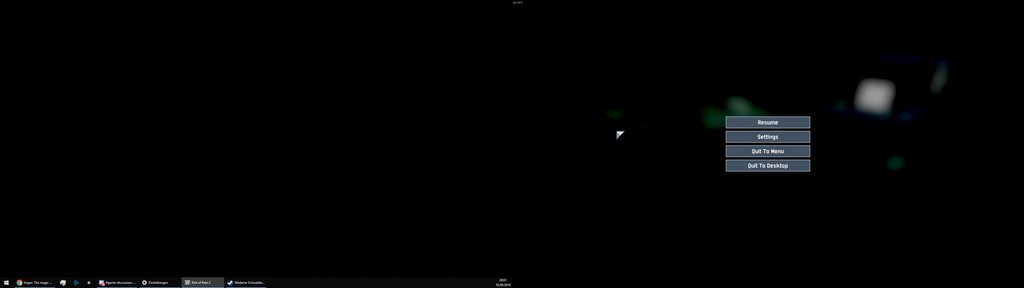
verfied the files via steam already
 torpid marsh
If you're on PC and the game outright crashes, you might wanna check the Event Viewer utility and take a look into the Application logs - those might lead you to the reason of the game crashing, or, at least, what dll is causing it
 supple heath
@pallid isle my laptop doesn't have a graphic card (i.e. integrated graphics) and on lowest settings, I can last about an hour on Rainstorm (the normal difficulty) before everything just becomes too much for my machine to handle.
I can't exactly do godruns, or get the 20-stage achievement, but I still have a decent time and eliminate on the 1st/2nd/3rd loop. Hope that helps. My other specs aside from graphics are all pretty high (it's kinda a workstation machine)
 night sundial
proper horizon
night sundial
proper horizon
Use the in-game framerate limiter.
deft flame
I have unplugged my controller, checked under device manager and there aren't any controllers and I don't have VJOY installed
But I am still stuck looking down and my icons all say UNKNOWN
Still having this issue, haven't gotten any useful help yet
https://cdn.discordapp.com/attachments/559902278018924557/608365632697925642/unknown.png
proper horizon
'Tis a shame.
deft flame
wish i could get some help
proper horizon
@deft flame Uninstall soundpad, reboot
 fresh sorrel
anyone else having trouble inviting friends?
 proper robin
Hello, I am receiving EARLY_ACCESS_DISCLAIMER block that is preventing from playing this game. I have tried uninstalling an reinstalling steam, I have verified files with no errors several times. I have restarted my computer a few times between processes. When I try to access the game, I am prompted to select a profile or create one. I have tried both options. Both options resulted in the main screen having options like "NAME_SINGLEPLAYER", whereas before, it said a name that I picked. Any of the button selected result in me force quitting the application. Any ideas?
have i posted in the wrong channel?
 rich dock
hey how come the video settings dont save after changing them?
every time i open up the game i have to re change the video and graphics to the usual setting
proper horizon
@proper robin Read the pinned messages for a fix.
orchid flame
I have lag in quick play (with 48ms) and I cannot play with my friends. When we invite each other we can't press the "Ready" button. I am not the only one having this problem. Are the game servers like running off potatoes? Or just overloaded? Devs pls fix
 hearty otter
I have an interesting glitch happening to me on PS4, sometimes when I play a different game that isn’t RoR 2, RoR 2 will completely remove itself from my PS4. It doesn’t show up in my purchased library so I have to keep going back into the PS Store to redownload. I haven’t lost any progress yet but I fear it might happen eventually.
deft flame
I'm sure soundpad isn't the issue @proper horizon
proper horizon
You seem very convinced indeed.
deft flame
Mainly because I had this issue before I got soundpad
orchid flame
Wow a new record for today!
25:29 until i crashed
Gonna try for 30:00
It's something to do with unityplayer.dll
Idk what though
 light anchor
Anyone know why when i try to start the game its black and my curser turns into the windows loading then it crashes??
I have played the game before many times but I haven't for a while and decided to pick it up again but now i can't launch the game.
patent cypress
@light anchor vary generic answers but have u tried, verifying game files, uninstall and reinstall or update ur drivers?
light anchor
Yes yes and yes
I've decided to just reset my PC haha I've been having issues with games lately
light anchor
Yikes I fully reset my PC and same problem
 primal wasp
hey, i havent played since rex was released. anything special i gotta do to update bepinex or r2api or do i just download it from thunderstore?
 solar zinc
question is any one else having issues getting in lobby. my self and all my friends cant join an ivite lobby, brings you to an infinite loading screen
 heady kernel
Hi, has anyone found a solution for the unity crash yet?
proper horizon
Yes.
deft flame
care to share it?
proper horizon
Why, Sir, revealing a shortcut as such would do a disservice to those who suffered through that vital phase of life.
heady kernel
?
 coarse matrix
is there a way to fix a corrupted acc
proper horizon
Corruption can't be fixed. It's an evil that needs to be expunged.
coarse matrix
dang i worked so a hard on that profile
patent cypress
@coarse matrix to be honest you could cheat in a new profile, the profile saves are literally just text files, people have found vary simple ways to: infinate lunar coins (basically), unlock all characters, and i found out how cheat completing the challenges. If you want my help with "making" you a new save to replace your old one, dm me
 solid bluff
The demons an crabs challenge isn't working on xbox spent 3 hours an it still shows no progress
proper horizon
Time well spent.
patent cypress
@solid bluff , you were chasing them off the map and into the void right, not just a cliff?
solid bluff
@paythedragon lmao ya I watch a video on how to do it as well
patent cypress
i don't know what to tell you, other then sorry, i guess for xbox that challenge is glitched
I think others have had similar issues
solid bluff
Yeah it shows 0.00% hav unlocked it aswell so ik its glitched just hope they fix it some time soon
patent cypress
just sucks, cus i know some people play a specific build designed around the lunar item the challenge gives. Hopefully it gets fixed in the next patch.
I believe the next patch should come out to consoles a week after the pc update, which is later this month
 cunning heart
Hi friends, I'm having some trouble on ps4 I was hoping to get some help with.. Whenever I start up Ror2 the loading percentage in the lower right corner will get up to 90% and then will dissapear along with the title. I can still move the cursor around and the music plays, but none of the menu options appear. Its breaking my heart.. I have tried reinstalling a few times and rebooting with no success, any advice?
orchid flame
Know it sounds stupid, try unplugging the console for a minute or two and plug it back in and then try @cunning heart
 silent pike
Prismatic trials Loads to black screen?
proper horizon
@cunning heart Delete the save or system files for RoR 2, then try again. Be sure to set the game's language to English.
 pine grove
Ay whoever does mods and stage imports please port the kirby air ride city trial map
orchid flame
http://prntscr.com/p3x2rj i have no hud i cant press no abilities and every option says Title_

all mobs laggy
cunning heart
@proper horizon Will I be able to re-download my saves or is it the saves themselves that are corrupted?
patent cypress
@pine grove i love that idea
 muted vale
👋 heya i'm not sure where to ask but i can't seem to do anything in the multiplayer menu? like all but invite steam friends and the back buttons are greyed out and i can't click on them. how can i fix this?
patent cypress
what system, pc, xbox, ps4, or switch?
@muted vale
 limpid quiver
proper horizon
limpid quiver
proper horizon
@orchid flame See the pinned messages for a fix.
muted vale
i'm playing on my laptop, i tried the verify thing but it just did nothing for about an hour
patent cypress
have u updated ur drivers?
muted vale
yeah they're up to date
 granite drift
hi, need help. my multiplayer dont load in properly. I have reinstallend and verified my gamefiles and its says its all godd ut it isn't. If I am lucky I can join a lobby, but I dont see all the caracters and people. When we hit start it wont count as start for me and when the game starts the other people is in-game and moving but I get sent back to main menu.
I have deleted every mod I have but still it dont work
muted vale
ahh... i'm very sorry guys i figured out the problem...
steam was in offline mode for some reason...
sorry 😓
 steady topaz
@granite drift looks like connection issues. Do you have a mate who could host game for you and tell his ip adres for you so you could trace it?
It was like this before?
 queen venture
Does anyone have a solution for the random reverse mouse acceleration that occurs when the game thinks there's a joystick or gamepad plugged in? I've tried plugging in a controller and unplugging it, uninstalling all my 3d mouse drivers and the same issue still happens which makes the game unplayable. Any ideas? I don't have VJOY or dolphin installed.
Ok so just for the sake of anyone else who has to deal with this, I uninstalled a piece of software called ControlMyJoystick that was causing the issue.
granite drift
@steady topaz hi. We both are from the EU an I from Norway and he from France. It wasent like this before, After i installed new mods (had some before that worked) It began to disconnect me. I have deleted them and I have gone trough steam to verify all my gamefiles an it says thats nothings wrong.
 lucid zodiac
I've not been able to create and start a multiplayer lobby with any friends all day, anybody else experiencing the same problem?
 fluid horizon
@lucid zodiac kinda, can only seem to get 2 people in a game at a time
lucid zodiac
Weird, I'm not even managing one
 timber adder
how do i join someone when they send me this 109775241061991047
 wooden bane
steady topaz
wooden bane
steady topaz
@granite drift Check connectivity.
- Get your friend ip adres. Could be done with sites like myip.com
- Type cmd.exe into start menu on your windows (run it with administrator rights with right click on cmd.exe)
- Type tracert in black window of cmd.exe and paste your friend ip adres with right click so its looks like tracert 91.198.174.2
- Go get some tea and wait till it says complete.
You will end up with table of numbers and names. Last named one will be your friend pc. Look for numbers with ms in 3d (last) column. Such as 133 ms 134 ms 133 ms
And if it says that coundlt reach or exceeded waiting interval - its connectivity issue for shure.
Anything less than 100 - is good. Around 200 is normal. And 300-500 already visible to naked eye. Numbers greater than 500 is unplayable and signals about poor connection.
I do not think mods is related to this situation at all. But start of new month may be. Due to changes in your providers net or tarifications. Also check your connection to internet with speedtest.net. I am currently experience very high pings and bad connection due to my adsl line wear off. Provider is replacing my line with new one right now as i am trying to communicate with you so it might be the case for you too.
Check with other games if problem presistent.(RoR2 doesnt use dedicated servers to connets players along, instead all clients are dirrectly connected to host, its different than steam servers so do not use games like tf2 or cs or dota etc. Find games with similar dirrect connection to check)
Try to use lan network emulation software such as radminVPN (its free and easy to use) Since such networks might connect better than dirrect connect in some cases it could ease your problem a bit.
granite drift
@steady topaz Hi again. I tyed on other games and it works just fine. Did the thing in "cmd.exe" and it says 70ms.
Read on google that I can cheak my ping my tuping "ping yahoo.com" in "cmd" and I did. Ir reached 150ms.
I tryed playing multiplayer again in RoR2 and it still dont work.
steady topaz
@granite drift ping is different thing and also yahoo not related to game.
Now we know that connection is fine. Its wierd that game doesnt want to play on multiplayer properlly. I am assuming there wasnt recent changes with internet adapters or lan imitation software. Game just stopped working with multiplayer after mods. Then try to reinstall it from fresh.
I honestly doesnt know how this might happen, but assuming you used mod that changes multiplayer somehow, for example "too many friends" maybe?
If so you should hop into thunderstore discord and ask about it there.
granite drift
@steady topaz Hi, thx for replying. I just saw that in Single player I am not able to buy Lunar Altars. I see them but no text is infront of it and I press buy and nothing is happening. I will try reinstalling from fresh
I also deleted the whole RoR2 file aswell
@steady topaz Holy sh#t. I got it to work, thank you
I uninstalled the game and after I went to my files and found the Risk of Rain 2 folder and deleted it, completly
Installed again, and I got my save back so I dident lose any progress and the bug is no more
Thanks you, soooo much💚
steady topaz
Glad to hear, but i did nothing. Its all you. Good job!
deft flame
I have unplugged my controller, checked under device manager and there aren't any controllers and I don't have VJOY installed
But I am still stuck looking down and my icons all say UNKNOWN
Still having this issue, haven't gotten any useful help yet
https://cdn.discordapp.com/attachments/559902278018924557/608365632697925642/unknown.png
 nova anchor
So me and my friends are getting "server Shutdown" even if we're all not lagging or anything, the host specifically has insanely good internet and cant find any issue
is there something happening on the server side?
steady topaz
@nova anchor There isnt any server at all. The game is dirrect connection on Point-to-Point basis. You should look on connectivity issues firs to exclude it. Scroll up a bit to see some steps i made for someone before you.
@deft flame Look for other HID (human interface devices) such as steering weels, hotas, bluetooth connected keyboards and mouses. Try to unplug one at a time to figure out what's causing this problems. People before you have reported issues with it.
 azure jackal
How can I uninstall mod launcher? Also is the new character out already?
 upbeat iron
I had some mods installed and moved and spent a week and a half without internet. Tried to play RoR2 and was met with constant crashes and eventually the game told me my profile was corrupted. Figured there was an update and got internet today and tried to reinstall fresh without mods and still getting corrupted profile... Help!
granite drift
@Roi#4575 Hi, to delete mods and modlauncher you just simply go to your Risk of Rain 2 folder and delete the folder called "BepInExPack" or "BepInEx". The game must not be lauched. Exit the game first.
The next update is coming out 17 september, so there is not a new caracter out yet.
@upbeat iron Hi, it seems like a bad problem. Try taking it up to the develepers "Gearbox". Here is a link to their support: https://gearboxsoftware.zendesk.com
 wise spruce
Heyo, does anyone have a suggestion for what to do if the character and monster models just don't show up in the logbook? Like, I can see their lighting effects and stuff, but not them
 upbeat citrus
My account reset after restarting my steam. I had to create a new profile and my old one was gone...
 eager hinge
What was that mod that let others join me without having to get the mods themselves?
merry osprey
To the people facing the Unity crash error : i MAY have found a fix (might not work for everyone)
At least i haven't crashed for a while since i tried a few things
I will update after a few more tests
 tacit knoll
Unable to download update due to it not being out plz fix
 edgy niche
Is the announcements channel bugged? Whether I’m on desktop or mobile nothing is populating in that specific channel.
 cobalt saddle
i cant get past the early access warning screen
 subtle thistle
not sure if anyone else is having this problem but after the patch, my mouse cursor is uncontrollable, it just veers off to the top right of my screen
 brisk violet
@subtle thistle do you have a controller plugged in?
 shadow arrow
I can't seem to get past this screen, any suggestions?
 late lance
Hey guy, I am unable to launch the game, is anyone else having the same problem?
guys*
brisk violet
@shadow arrow try to manually delete your locaal files and verify the local files
@late lance same with you too
late lance
Well I have just bought the game and it didn't launch, then I did what the pinned message said, I am currently reinstalling the game, I'll try that out
 ripe crow
@brisk violet do you mean just the game dir, or some configs and stuff elsewhere as well?
brisk violet
oh you have a new game, did you accept the EULA?
ripe crow
since deleted game dir, and cursor is still wonky
brisk violet
On the steam library, right click Risk of Rain 2 and select properties. This should open the Risk of Rain properties window
go to the local files tab and select browse local files
delete everything in that folder, then return to the properties window and select verify integrity of game files
late lance
The reinstalling worked somehow, thanks!
 analog marsh
any fix that doesn't require deleting your progress/settings?
brisk violet
also @ripe crow do you have a controller attached
brisk violet
@analog marsh deleting local files will not delete your progress thats in a different folder
ripe crow
well, cursor is fine when i start up after a re-install
and then i get the controller cursor with weirdness as soon as i pick my profile
 severe prism
my game crashed after 20mins
idk if its because of the update or not but just wanted to tell you
brisk violet
@severe prism were you doing something specific in game?
severe prism
I went to the next stage
ripe crow
oooh, think i found something
i have vjoy installed, so I can use my gamecube controller for various things
on a hunch, i disabled the device, started up the game, and no cursor weirdness
brisk violet
ah forgot about that one
ripe crow
so, the same might also apply for other controller drivers of that sort (like getting a ps3 controller working on your pc)
brisk violet
good find
 unreal zinc
Getting the same issue Gannerboii had, do we know if deleting local files and backing them up works?
brisk violet
@unreal zinc did you accept the new EULA?
unreal zinc
Yeah, should have
ripe crow
hmm, just on a hunch, alt-tab out, and back in
brisk violet
@unreal zinc is this a new install or did you update?
unreal zinc
Both, I updated and it was doing this so I tried a fresh install and it's still doing it
brisk violet
@unreal zinc did you manually delete the local files?
unreal zinc
Trying it now, gonna see
Was just asking to see if it for sure worked before I did it
 sharp meadow
so the game opens when it launches but all it is is a blank screen that does nothing. I can close it, but when i try to alt-tab to it, it just deletes my mouse but my screen doesnt change
brisk violet
@sharp meadow is this a new install or did you update the game?
sharp meadow
well the thing is idk if it has updated yet, but ive already put like 36 hours into it so yeah
unreal zinc
Yep, worked just fine after yeeting the files. Thanks mate
brisk violet
@sharp meadow Try to verify the files. do you know how?
sharp meadow
no
brisk violet
On the steam library, right click Risk of Rain 2 and select properties. This should open the Risk of Rain properties window
go to the local files tab and select browse local files
delete everything in that folder, then return to the properties window and select verify integrity of game files
sharp meadow
delete everything in what folder?
 fossil plinth
Hi guys! For somereason when i updated the game, i got mouse acceleration and i cant find a setting to turn it of? wtf do i do xD
brisk violet
@sharp meadow when you select browse files it should open up a folder, delete everything in that folder
brisk violet
yes
sharp meadow
wont that delete my progress tho?
also, delete the whole folder or just the things inside it?
ripe crow
@fossil plinth Do you have a controller plugged in, or some 3rd party drivers for say ps3 or gamecube controllers installed?
sharp meadow
ok they're deleted
ripe crow
i have vjoy installed, and disabling that driver made the cursor behave properly in the menus
fossil plinth
yes i had vjoy too but i removed it
brisk violet
@sharp meadow pls follow remaining instructions i typed earlier
sharp meadow
ok i did that
brisk violet
it should be installing stuff now, attempt to launch the game after and see what happens
ripe crow
also did a removal of the game data in it's dir (right click game in steam -> properties -> local files -> browse local) and then verify integrity, so i loaded my profile after i had the driver disabled
might be that something sticks if you don't do that
ripe crow
did you remove the game files and then verify?
fossil plinth
oh no. i jsut verifyed, wati
ripe crow
you won't lose any progress, and it's a ~520mb download
fossil plinth
risk of rain 2_data?
ripe crow
all of that, really
fossil plinth
everything? so just reinstall it?
ripe crow
basically, but via the verify thing
sharp meadow
ok. so i did all of that and now it plays the music but the actual game is completely blank
so that did about jack shit
fossil plinth
:/ dident help...
I think that it helped before i picked my profile, but after it dident work even if i made a new profile..
ripe crow
had the same thing, hmm
 upper shadow
Updated the game today, the menu has weird mouse acceleration and I can't look up. Anyone else having this issue?
fossil plinth
welcome to the club @upper shadow
ripe crow
check the device manager, and what drivers are active there
brisk violet

Problems & Fixes PROBLEM The camera is always pointing down, or I'm getting weird input latency! FIX First, try unplugging and then replugging your controller. If that does not fix it, look under Device manager and make sure there are no controllers. If you have VJOY or HOTAS...
sharp meadow
@brisk violet nothing has changed
brisk violet
@sharp meadow weird, is your graphics driver up to date, new antivirus, ect?
sharp meadow
I believe so
 limber moth
is anyway having really bad FPS problems?
upper shadow
@fossil plinth Uninstall vJoy, that's what fixed it for me
brisk violet
@sharp meadow the only thing I can think of is to restart your PC, if that still doesnt help theres a contact@hopoogames.com email you can ask. I dont think alot people use that so they might answer quickly
fossil plinth
Yes! same!
upper shadow
Just did it and it worked
fossil plinth
Thought i did that before, but i just removed it i guess? xd
ripe crow
i disabled the driver, since might want to use it later on, just have to keep in mind not to get annoyed when either a) gamecube controller refuses to work, or b) risk of rain is wonky :p
also, not having any framerate issues on my end, early it's locked to 120 for me
limber moth
running a GTX1050 and had everything as low as it could go and i was still getting around 10fps by stage 3
brisk violet
@limber moth Please make sure that V-Sync is disabled in your Nvidia Control Panel, and that your Graphics Drivers are up to date!
ripe crow
i'm on a 1060, hmm, maybe have a look if some settings have been reset or something?
brisk violet
@limber moth https://steamcommunity.com/app/632360/discussions/1/1768133742956098205/ There might be something here, read everything here
Problems & Fixes PROBLEM The camera is always pointing down, or I'm getting weird input latency! FIX First, try unplugging and then replugging your controller. If that does not fix it, look under Device manager and make sure there are no controllers. If you have VJOY or HOTAS...
limber moth
ill have look and get back
ill get the latest driver and see what happens i did have V-sync disabled and that didnt change anything
brisk violet
@sharp meadow wait did you have mods?
brisk violet
@sharp meadow best fix 10/10 will fix again
 distant blade
can i ask for help in the game here ( Continue wont highlight after early access notice)
And i have mods installed
brisk violet
@distant blade have you tried manually deleting your local files and verifying the cache?
distant blade
hmm, will that delete the mods? just asking i will soon delete files
brisk violet
@distant blade yea all your mods are also out of date, you gonna have to delete them anyways
 chilly venture
my buddy has issues that the game closes on startup
no mods installed
tried to restart pc, check antivirus and firewall
tried to verify the game files on steam
brisk violet
@chilly venture did he manually removed the local files?
brisk violet
yea delete all the files in the risk of rain 2 folder and verifiy
brisk violet
also did he update his graphics drivers too?
chilly venture
yup
 modest relic
It seems like the multiplayer is broken, me and my friends cannt connect over steam, or these clipboard links
brisk violet
@modest relic do any of you have mods?
modest relic
no
 elder sky
lmao game still crashes after the update
brisk violet
@elder sky Please make sure to update your Graphics Drivers, disable any Antivirus, and restart your PC. Afterwards, reinstall the game
elder sky
i've done all of this multiple times
I reached out to hopoo support on 7/29
and haven't gotten anything.
brisk violet
@modest relic uh, have you tried to manually delete your local files then verify?
modest relic
I'll do that
brisk violet
@elder sky Have you tried to manually delete your local files then verify?
@modest relic have your friend do that also
 exotic crest
elder sky
exotic crest
elder sky
yes
chilly venture
well my buddys game still dont work
exotic crest
we cant select characters
elder sky
i've reinstalled the game multiple times
chilly venture
hes tried everything
elder sky
deleted local files, reinstalled software
im over it at this point. Im just going to wait till they reply.
brisk violet
@chilly venture not sure then, usually restarting the comp at this point fixed it for some people. Try sending an email to contact@hopoogames.com
elder sky
mailbox is full, don't bother lol
modest relic
now when I click join game I just get a black screen and get kicked back into the main menue after a while
brisk violet
@modest relic with private game or clipboard?
brisk violet
@modest relic try restarting your computer after the driver
exotic crest
drivers are updated
brisk violet
@exotic crest ah sorry been missing ya, have you manually deleted your local files, then verify? I cant remember if I asked you that
brisk violet
and you restarted after installing latest driver?
brisk violet
then after that, deleted your local files, then verified in that order?
 lavish forum
still getting the mouse acceleration/unbound from game window bug. Uninstalled verified game files, restarted, uninstalled vjoy, verified game files (in that order) still no fix
brisk violet
@lavish forum theres no controllers in your device manager right?
lavish forum
i did disable both of the other items in device manager with "game controller" in their name but still nothing
guess I havent restarted since doing so
could try that but seems a bit out there
brisk violet
@lavish forum it has fixed problems for others by restarting. Also do you have a physical controller plugged in now?
lavish forum
nope, unplugged the physical controller before attempting anything else
let me restart once more
seems to have fixed the weird acceleration
although the fullscreen behavior is still slightly strange but that's minor
brisk violet
@lavish forum yea dont know why it does that
gtg but if anyone has any problems, most stuff can be fixed by checking the pinned message at the top of the channel
 dusty frost
Hmm, cant seem to get the new patch to launch on proton. was showing the crash manager but now seems to just hang
orchid flame
Ror2 is takiing 100% of my gpu ressources with a RX480 🤔
I'm trying to update to the latest drivers 19.9.2 from 19.9.1 🤔
limber moth
i noticed the same thing when i checked my GPU when playing earlier
Running a GTX 1050 and barely getting 30-40fps on the current setting updated the drivers and V-sync is off
and this is on stage 1 barely a minute into the game
orchid flame
@limber moth devs don't give a shit
limber moth
a guy can hope
orchid flame
it's a recent unity problem with 10xx gpus
limber moth
so its a Nvidia problem not a game Dev problem?
orchid flame
it's Unity engine problem
All Unity games have the same problem for me
I had the same problem as you 1 update before
doubt something has changed
limber moth
hmmm this a problem that has only started with the current update
orchid flame
Dunno, I know several people with the same problem and the same gpu
I haven't tried the update yet. Gonna see if it has got better
limber moth
you might have a problem from what your saying about my problems
orchid flame
it's 80+ fps at the start, then it decreases
dusty frost
okay my issue was missing mesa drivers. Not that it matters, I cant run it on my igpu. I guess Im waiting til I get a new GPU
orchid flame
can get 15 fps at stage 4
limber moth
yeah that sounds about right
orchid flame
gpu is 1080 ti
 karmic vector
my game keeps crashing 😦
limber moth
is it skipping attack animations? i found on huntress that the firing animation would play but their wasnt an arrow
 dawn falcon
its similar to the welcome screen bug but now i get stuck on that, and if i mod the game to remove that i get stuck oın the new profile creation screen!
i tried deleting my save file and replacing contents of it with the contents on the FAQ, verifying game files, restarting pc and reinstalling the drivers, and even replacing xml contents witht he files of some other persons config
 spiral spoke
Attempting to open a survivor log results in a driver crash.
Apparently not 100% of the chance, but...
 stone rain
I can't join anything multiplayer related since the update. Anyone had that issue around here? :/
 drifting pivot
I cant get into the game properly. I get to the disclaimer about the game being in early access, but I can't click continue to get past that screen
 violet igloo
hi i have a quick question for any dev's or anyone else know whats going on but do mods work at this current moment and if not do you think it will be fixed soon?
because i can not click on ok or the refresh button on the bottom
drifting pivot
Thats exactly what I'm experiencing
 lapis harbor
yo ive beaten the siren boss 3 times but i havent gotten the loader, is there a way i can save edit to unlock?
steady topaz
@lapis harbor other boss mate
 hoary scaffold
hey guys I'm trying to get started on this new update but my game has been running on constant 10 frames, even on the main menu. anyone else having this issue? I've tried updating my drivers lowering all the settings to the minimum but the frames stay on 10 no matter what. im playing on a 1060.
steady topaz
Saw a quete few people having fps issues, my friend got framedrops too. I think its Nvidia GPU that connects all of you guys. @hoary scaffold Wait till there will be fix for that i guess. 😐
hoary scaffold
thanks for the response @steady topaz ! suppose i will have to wait my loader 😢
lapis harbor
@steady topaz nah i know what boss it is bro
steady topaz
@lapis harbor hint: not the siren
 rapid bolt
There any way to make RoR2 pick an audio source?
orchid flame
Well updating my drivers and doing the vera last windows update worked 🙂
 frank jungle
After update my game is stuck on "create new profile" screen with no way of getting past it (and seems to think I don't have a profile). Suggestions?
 modern swan
@violet igloo Have you got a mod loader? I had to delete BepinEx and now it's working. Maybe you already have done by now :p
 woeful field
Ight so whenever I join lobbies with my friends, I can never pick my character, only the host can. Like we don't even show up on the character select drop ship. I have no idea whats going on, but it looks like something borked along the way and we're not able to connect. This has been happening last patch as well as the current update that dropped as of 9/17/19
violet igloo
@modern swan no i dont have the mod loader i just removed the mods out of the mod folder
 dapper osprey
hey guys im having a problem trying to play with my friend where one of us just crashed out every so often
 rugged trellis
I play with 60 fps with vsync on, and it's strange because even when drops to 59 fps is quite noticeable ,gives a little stutter
Nvidia aswell
btw,I stopped playing about 2 months after the steam release, and coming back now the game seems to be less optimized, I hope it's a driver issue
 soft blade
Just gonna add onto the performance issue dogpile (using GTX 1050 with quadcore 2.3ghz cpu).
Updated nvidia driver to latest, restart computer, delete local files and verify them, disable v-sync in nvidia control panel and in game, play on lowest and highest settings and still get immense slowdowns that are from fps drops. Happens in main menu aswell and these can be from micro stutters to full on 50 fps getting dropped and causing mouselag to boot. Other games i play work fine.
orchid flame
Hey so does someone know what's about the loadout and skins
Can't seem to find anything about that
 uneven dragon
orchid flame
uneven dragon
orchid flame
anybody who has modded the game i could use some help my game wont let me click the continue button after i installed the two required ones
Just looks like this for me
(have bepin and r2api)
not sure what other info i can give atm but it runs just fine if i move bepinex out to my desktop
this is what i see whenever bepinex is in root folder
 oak ravine
just wait out until the mods follow with the update
 quasi flower
or uninstall the mods
orchid flame
is the mod just not compatable with new update is that why it isnt working?
whenever i close the game nothing i did saves
which is pretty annoying
 flat nacelle
Anyone have an idea of how I can force RoR2 to focus the cursor? I keep clicking onto my second monitor.
 grand plinth
I literally cant play the game anymore, it keeps crashing whenever I reach the third area. I have no idea how to fix it and it's seriously affecting my love for this game since I can't even play it.
 fast leaf
I'm getting massive lag (even on the title screen!). I've checked my task manager, but all levels are very low. I have a i7-8750 CPU 6-core @ 2.20GHz, 16GB of RAM, and a GTX 1060. I even tried turning off shadows entirely, but I still get an obscene amount of lag. My V-Sync is also off. Please help.
 robust raft
I am having constant unity crashes since the update. Fresh install of windows 10 and have reinstalled the game 2 times. I can play for about 3 minutes and eventually it crashes.
orchid flame
Having an issue where no one can select their Survivor or ready up, I can select mine but I can't ready up at all. Is a Multiplayer Lobby
 proper heart
Having an issue where my frame rate is locked to 15fps on low settings at any resolution higher than 800x600 even though before the update I could get 200 fps on high settings at a resolution of 1980x1080
 sleek parcel
having crashes with the new update that would just shut my pc off completely
 languid saddle
my save files were corrupted and loadout isnt an option now that ive made a new save
 simple flower
hello. Im on steam and ive tried launching risk of rain 2. It says it is running, but it hasnt load or anythign
 void crest
Hey so, ever since my PC updated the game is unplayable as it runs at less than 1fps
I cant select anything on the main menu, the music is playing fine but otherwise thats it
 placid valley
my multplayer is not working
 errant parrot
I'm also having massive issues with the game since the update. Revs my GPU up to 100% usage on the title screen using an rx 570
 dire hill
I'm still having an old issue where the game is stuck at low utilization, but also gets lots of frame dips down from 60, regardless of settings (less than 30% of GPU and CPU load at 60fps cap), and seems to favor integrated over dedicated graphics on a laptop even when set to use dedicated.
 cursive falcon
So in order to actually keep the game running, I have to keep it at almost the lowest settings, and 800x600 resolution. However every time I start a run, the VFX Culling bias gets set right back to ultra
any idea what I can do to stop this? it's happened for a long time and I stopped playing for a while because of it
 elder crown
every time there is a major patch i'm unable to matchmake with people from other regions, including my friends. theyre having similar issues with me when its never been an issue. any one else experiencing similar issues? seems like packet loss / desync
 vapid oriole
Updated the game, everything seems to be in place well with the update. New items appear and such but for some reason loadouts aren't appearing as well as achievements aren't being registered. Been trying to get Loader for a while however every attempt on killing the new boss, with each class gave no achievement. Any help? (Or is this a #ror2-bug-reports-pc).
 quasi charm
Probably #ror2-bug-reports-pc, but could also be put here most likely.
vapid oriole
Aight.
 amber moss
Is it normal for engineer grenades to be silent? I hear the clicks from throwing them but no sound on explosion. (Or maybe there's a sound that's very quiet?) I tried cranking up music volume just in case the sound got misclassified, but that didn't do it.
 vast garnet
Cannot post long messages....
My game freezes and restarts computer.. Any fix?
Tried every fix I could find on forums
 strange bloom
Hi, i have problems keeping the mouse to the game nowadays.
I have 3 screens, and I can see my mouse go to the other screens during gameplay, and if I use either mouse button then i get thrown out of the game. Any idea on how to fix? I did uninstall vjoy a while ago but the problem still exists.
EDIT: Somehow got it to work, no clue how but hey, seems fine so far I guess.
 exotic moat
I'm having a problem where the game would desync with the server when playing multiplayer, I'm playing with 3 player but only one bugged/lagged out
 hollow rover
i think i have a corrupted save file, i tried the method posted on the pin but i still can't click continue on the start up of game.
any idea other methods to try and fix it?
 errant ginkgo
My friend is having issues, no audio, reset settings,hud off by default, failed clip board, single player doesn’t work, logs don’t work, when he clicks them the menus disappears, multiplayer works but he can’t move, audio sliders stay at zero when he moves them up, please help?
https://cdn.discordapp.com/attachments/490625366319300608/623979512572411934/unknown.png his menues look like that
 proper horizon
Please see the pinned messages for a fix.
vast garnet
Anyone else have had their game crash and reboot computer? I cant play past 20-50 minutes cuz of this
errant ginkgo
so its a fix or just a support page?
 crystal monolith
I cannot click continue
 bronze haven
Can't play multiplayer. At first the screen is just black for longer than usual, but then, as you see the character select screen, it's just bugged and there's no way for you to select a character, click ready or play. Rebooted on both sides. Ideas?
bronze haven
 fast jolt
so idk what rex's new skin looks like, but tbh my dude's been white/blue for a while for no reason. At first launch he was right colors tho
 forest latch
DEVS PLS HELP
fast jolt
OOF
frank jungle
Me and my brother both have repeated crashes/disconnects (not sure what to call it). We can be playing together, or alone, and the game will randomly drop us back to menu music + a black screen. Really stinks to lose a whole run, we've yet to make it to level 20 without it crashing 😦
I've gone through the usual (drivers, updates, verifying files, etc. ) and it happens randomly on two completely different PCs, and with no mods.
Any suggestions/fixes? Is this a known issue? Happened before the Skills 2.0 patch, and multiple times after as well.
 fickle edge
Has anyone else managed to fix the issue with controller bindings showing up as unknown + mouse acceleration issues?
Right now RoR2 is quite literally unplayable, unfortunately.
orchid flame
How good would this game run on a laptop with a i5-6200u 8GB ram & a GeForce 940M
 static crystal
It seems like I'm into this Early_Access_Disclaimer Bug. I can press Continue, and after that all the buttons are like Button_single_player or something .
Look into this output.log, it says AkSoundEngine.dll is not avaliable? I do check my time zone, it's automatically valid. And sure I installed the VC++ 2015 redistribution.
By the way i'm playing this game on a MBP 2013, with windows10 os.
Yeah and I tried the PasteBin thingy, doesn't work either.
errant parrot
@orchid flame it'd be fine
 pine ferry
Hey so i just updated my ror2 and when i was playing on the previous version i was getting 55-60 fps all the time with no issues. Now its getting 30 max and boss fights take it down to 10. Ive triwd updating drivers and turning down the graphics but nothing changes for me. Is there a fix for this?
 haughty nimbus
is there anything i can do if my profile gets corrupted
 daring quiver
hello
fast leaf
The frame drops that I'm getting on this game renders it completely unplayable. I've uninstalled and reinstalled, checked every FAQ, tried everything, but to no avail. I have a 6-core CPU and a GTX 1060, so I definitely shouldn't be having this problem. This issue started a day before the update, and I even get title screen frame drops!! Please help!
 halcyon basalt
any idea for why there are multiplayer issues
 pine swift
This game is constantly crashing every other time I play
The game just updated and I already want to stop playing
And it's only my computer out of all my friends that crashes my entire computer
 tulip blaze
When i am 20 mins or so into a run i start to get 10-20 fps, and 9000 mb of my ram is being used by "Windows audio device graph isolation" i have checked it for malware and pretty much every other fix i could find but nothing works.
 fleet shore
@tulip blaze https://www.howtogeek.com/273764/what-is-windows-audio-device-graph-isolation-and-why-is-it-running-on-my-pc/

How-To Geek
If you spend any time in Task Manager, you may have noticed something called “Windows Audio Device Graph Isolation”, and wondered why it sometimes goes a bit nuts with system resource usage. Here’s what it does and what you can do if that happens.
there is a section in there to resolve issues should help you
pine swift
I really need help
I never go to the internet for my problems because it never solves them
 pine swift
I'm begging, I can't enjoy the game anymore. How do I stop the freezing? It stops my ENTIRE computer.
 midnight delta
same
enemies don't agro me
and that's if and only if i magically get it to let me play a match, i can't start it on my own, i need steam and a friend to force the game to let me play.. if you can call 5 seconds before i freeze "playing"
 spare terrace
I know this might be something people have already tried, but I was able to fix my crashing by turning down most of my graphics settings to the lowest. With the latest update I could barely complete the first level without my computer crashing. Turning the settings down allowed me to play a 1.5 hour run.
shadow arrow
Too long a sentence xd
pine swift
_ _
The game has Crashed my entire PC 5 TIMES IN A ROW after this mental updated. I've put all quality on low and even disabling g-sync. I've ran steam as admin and I've checked for corrupt and missing files. I have set my ram usage for steam and risk of rain at high on the task manager. I close all applications and I disable my firewall. My computer can handle AAA rated games but not some cartoon drawn shooter game.
shadow arrow
Have you made sure your drivers are up to date?
Also have you tried to verify integrity of game files?
A reinstall could also be a thing to try
pine swift
I have reinstalled and updated all drives. That's nothing new I've heard
Why must the Divine beings give me so much hate when I use technology
_ _
Legit gonna Thanos snap all of my steam games. Time to reinstall steam itself
vast garnet
I might have the same problem as you.. I simply cant play the game anymore because it crashes after 5-30 minutes into the game. Did also all of the mentioned above
Thought it was my computer at first, but pretty sure its the game
vast garnet
It makes me a bit sad because i was super excited to play this game, and now i just cant play it..
Rip 18 euro
orchid flame
so with the new update using the modding api i get a mini stutter every 8ish seconds, anyone else encounter this/have a a solution?
vapid oriole
Just checking, are loadouts supposed to be immediately available and not unlocked?
(To be able to see them I mean.)
errant parrot
@orchid flame Wait until a patch. You're not the only one with severe performance issues after the update
 mystic orchid
so i'm playing with a friends and apparently he got the last update and i din't i tried to reinstall the game but nothing works he got access to the "arsenal" tab and i don't
my game is up to date
 wooden copper
i did what the pinned massage said but this still happens.
is there a new way to handle this now
man this game was so good and now i cant play it, come on man fix this issue its a big problem patch it or what ever it is that u do, focus on this nothing else
 midnight delta
having the issue that since the new patch, the game shuts down my pc, checked msi afterburner while playing and the graphics card (rtx 2060) is not running on 150 degrees celcius so it should be fine. the 2060 was always enough to play this game on max so far, so idk what changed in this patch but i can't play for longer than 10 mins.
the shutdown is instant so i'm assuming that somehow this game is overheating my pc?
pine grove
For some reason the game takes longer to load for the first time when compared to the previous patch. Just a few seconds longer.
And i noticed that the enemy AI is fucked. A lot of wisps have started getting stuck in corners, or they fly too low to the ground and don't attack first. Lemurians also now fall off the edges of the map
I wouldn't call it a bug, but certainly something went wrong in this patch
 rain orchid
Since the new update the game has been freezing my entire computer. Usually happens once per session
 granite sleet
hello guys i was wandering if i buy the game dose it come with another copy to share with friend ?
 rustic sleet
How can I change "only friends" in match making?
 golden turtle
 wild oriole
@granite sleet not anymore no. That was a promotional for the launch
 somber silo
@everyone begging for help that fails to read the pinned support message
errant parrot
@somber silo if you're referring to the send-off to gearbox, I'm not sure that applies if "everyone" is complaining about one specific thing
 prisma pollen
Hey anyone know how to get RoR to work on lan?
pine swift
I come back the next day and an army has amassed
 candid holly
@errant parrot sure, anything that causes problems can be sent to customer support, no worries. It can actually make sure that the issue is not overlooked, and will be looked into 🙂
 magic hull
My friend is currently being put onto an empty lobby screen with no options beyond leaving when he tries to join me. Any fixes for that?
 alpine glacier
Does anyone know the "code" to cheat in Loader's alt skill? Recently did the challenge but the game bugged and just didn't give it to me
 wind hare
 midnight folio
I don't see the loadout tab at all?
magic hull
You don't see the loadout tab if you haven't unlocked any new skills.
pine swift
@alpine glacier you tryna cheese
proper heart
Has anyone found a solution to the 15 FPS at any resolution higher than 800x600?
 marble laurel
Not sure if this is the right chat channel for this, but is there going to be mac support for RoR2 anytime soon? I loved the first one and insta-bought 2, and it sucks that I can't actually play it at all yet. I do have plans to buy a PC eventually since my mac is a bit older, but its still a ways away for me.
 whole wagon
does anyone have the glitch where you invite someone and it just takes them to the menu
 serene jacinth
having an issue where i can't ready up in multiplayer lobby, be it private or quickplay
anyone got any solutions?
couldn't get anything from searching
 sterile seal
15 frame problem as well, game wont go any higher than 15 frames.
serene jacinth
tried basic things like reinstalling and verifying game files with no result
also found that steam_appid.txt is supposed to be at the game root folder, is that right?
if so, i don't have it and no idea how to stop the game from deleting the file
 granite storm
A friend of mine has some kind of graphics card problem. He goes to a rainbow screen and then his entire computer crashes when he tries to launch, tried it two times. He's got an Nvida card. Anyone have any ideas like this?
serene jacinth
does that only happen with RoR2?
serene jacinth
what card is it exactly, for clarification sake?
granite storm
gtx 770
serene jacinth
i don't think i can help but extra info could help devs
 rancid jewel
@granite storm is his graphic card up to date ?
updates can really fuck up everything ^^
 foggy sail
Has anyone had the issue where you can't hit continue?
rancid jewel
when you don't do them
foggy sail
After starting it up?
 buoyant chasm
i have been having frequent crashes as of latley mainly on the new sirens call map and maps where a large amount of enemies are loaded. currently running a r5 2600 and a rx 580 8gb.
are there crash logs i can find someone to send to support to get more help with this issue?
 versed moon
So... I just crashed 20 mins into a run for no reason. And no error came up. Anyway to find out why?
Edit: Welp, now it's reoccurring. Guess no ROR2 until it's fixed.
 livid monolith
i can't click continue when i start up the game. it¨s greyed out.
vast garnet
Kinda glad I'm not the only one.. @versed moon @buoyant chasm I bought the game a week ago, and had crashes with no errors since the beginning between 3-30 minutes.. Had one game on around 50 minutes then it crashed and restarted
 grizzled rain
So I have been getting low frames despite having a 1050ti, i7, and 8GB ram which exeeds the game's requirements. I'm quite sure that it's not hardware related as other games work just fine and other people have the same issue. I have bought this game only a few days after it came out and the problem hasn't still been fixed. If anyone knows anything on how to fix this, please let me know. Thanks in advance!
 dark sand
 final hemlock
@grizzled rain have you updated your driver since ? have you got an alimentation powerfull enough ? or maybe just the room temperature ?
grizzled rain
@final hemlock none of these are a problem that i have.
 rare condor
need help cant see annocements at all, have had this issue for awhile now
do u have to follow now?
hoary scaffold
If anyone has had the same problem i have been having where the game is suddenly running on 10ish frames after the update regardless of high or low settings, i fixed this issue by going into the Nvidia control panel, going into manage 3D settings, then clicking on manage power settings, and switching it from optimal to Prefer high performance. I dont know why Risk of Rain is bottlenecking compared to how i could run more graphically intensive games like witcher 3 with no dip below 60FPS, but this has fixed my problem and the game has gone back to well over 120FPS. @proper heart
proper heart
@hoary scaffold Thanks for the suggestion I will definitely try it out when I get a chance
 rain salmon

I am getting stutters every couple seconds when playing risk of rain 2 with BepInEx and RoR2API. I dont know why that is but even without mods i am getting these stutters
I need help on this issue. I pened a general discussion on steam already and something is definetly wrong with ror2 or r2api because it is not only me that has this problem
 uncut goblet
oh well your prob throttling
try checking your drivers i get shudders when i kill to many things at once on the map but its happends a lot less now that i turned off shadows and the body count
@rain salmon
 terse shadow
I think I need some assistance, can anyone help me? I've done everything I can...
Having an issue joining friends. I've restarted, reinstalled, verified files, even went into the Assembly-CSharp, but I've come up with absolute blanks. Even went as far as to retrieve files from a friend who's things ARE working...
 split helm
vast garnet
split helm
vast garnet
Anyone else having the problem of game freezing and restarting computer :(? Would really make me glad to know its not my computer xD Sorry if you have the problem tho
 oblique pond
I'm having an issue where when I go into the multiplayer screen the game goes incredibly slow, it locks on a blank transition screen for a little while then the multiplayer menu comes up but I can't really do anything
eventually the game just crashes
I've verified the integrity of the game files via steam, I've tried in windowed mode and in full screen
orchid flame
Is there a way to play an older version of the game on steam?
@grizzled rain that's a problem with 10xx gpus that devs prefer to ignore
grizzled rain
@orchid flame would seem so. It's really irritating but oh well. All I can do is wait.
 pulsar inlet
HALP! 🙂 Guys can anyone tell me how to stop this game start blackscreen, cant get the game to run at all.. updated drivers, reinstalled, verified all that jazz...
pulsar inlet
GTX1080ti, win10
orchid flame
don't worry, the game won't work properly on 1080 ti anyway
pulsar inlet
Ok, so this has happened after 10 hours of play so now I cant refund it 😦
shocking.
oblique pond
since when does it not work on a 1080ti
grizzled rain
Also to play older versions you need a complex command to put in the steam console. Ussualy it would be given by devs. @orchid flame
orchid flame
@oblique pond and how much fps do you have on you 1080 ti?
oblique pond
it never slows down in single player, and it didn't in multiplayer when I played it a few months ago, but I can't even get on the multiplayer screen now
pulsar inlet
Game doesnt even lunch, just blackscreen and stops responding.
orchid flame
@oblique pond I have huge fps drops after the previous update
It usually never goes above 45 fps, because the game won't use gpu properly
that's why I would like to get an access to previous versions
pulsar inlet
Oh well, refund request I guess.. see if steam will honour it.
Not paying for something that doesnt even run.
Shame, I enjoyed what I played.
grizzled rain
I dont think u can refund
orchid flame
it should be fine
pulsar inlet
Ill bombard steam with complaints and report it to consumer rights if necessary, its no different than buying a TV that doesnt turn on!
orchid flame
they usually admit such refunds, just write a proper letter
pulsar inlet
Its a shame, id much rather play the game, but the silence on the subject is frustrating.
oblique pond
wahaha, Okay, so for anyone who may encounter a similar situation, I have a piece of software on my computer called Citrix, and another piece of software called Sonic Studio for my Steel Series headset. when those softwares are running the multiplayer menu locks up for some reason
and really this goes for you guys too, so try closing all other extra unnecessary pieces of software and see if it makes a difference
grizzled rain
History is repeating itself. This happened to me with Sonic Studio about 4 months ago and I don't feel like the devs are adressing a lot of issues with the game. Shame since it's so good. I guess it is early access though.
oblique pond
It's is a symptom of being a popular game, they cannot possibly test every possible configuration, and without being able to reproduce the problem it can be virtually impossible to diagnose the issue and resolve it
 zenith roost
can RoR2 be run using vulkan?
cedar sky
Anyone here have luck running this on Linux with proton?
proper horizon
Now that you mention it...
rain salmon
@uncut goblet I am getting consistant 200+ fps with my cpu being at 70°C and my gpu at 65-75°C. This also happens at every stage of the game. even at spawn when i have 270fps
 vapid flower
@cerulean spear 
 sour sand
Hello can someone here help me out
My saved data got corrupted and i lost 45 hours of gameplay and all my characters
 whole moth
@vast garnet if it's any consolation it's happening to me too. Can't get (usually) more than 3 minutes without a forced restart/windows blue screen.
uncut goblet
i have a alienware m17 and im at around the same so your not throtling oh have u look at your nivida card idk why but some times the game wont use my nivida card it will use my cpu so look there @rain salmon
@vast garnet @whole moth you guys need to check your drivers and stuff i have a problem with mhw and it makes my pc bluescreen (overheating) so make sure you have the most uptodate drivers and stuff
rain salmon
@uncut goblet But that only happens when i use the r2api
when i deinstall it it doestn happen anymore
uncut goblet
r2api?
rain salmon
yeah
uncut goblet
whats that?
rain salmon
For mods
uncut goblet
oh then it could be the mod it self then
uncut goblet
yea i havnt used any mods yet for that reason alone some games it just screws with your pc open it and see if there is anything else running after you start to use it (eng enter the gungeon) it has a mod menu in the game and i found out there was a file making my game crash i wasnt tec savy so i just nuked my pc and reinstalled my drivers and updated my bios and i was fine
also did they release a new verson for the mod menu i know two people need to have the same mod installed for them to work or at lease play together u also cant do pub games with mods on
@rain salmon
rain salmon
It was updated 2 days ago on thunderstore.io
uncut goblet
yea man i think something is actully wrong i dont know of any fix
rain salmon
but when i deinstall it everything works
uncut goblet
api might be doing something to the game it self do the creaters have a form page u can go on
@rain salmon
thats what i got when i googled the problem
uncut goblet
then r2api is faulty and having problems
orchid flame
Need halp
uncut goblet
with?
orchid flame
Taskbar is showing in my game after I pressed the windows key
I even exited the game
uncut goblet
alt enter
rain salmon
pin the game on taskbar adn unpinn again
uncut goblet
^
uncut goblet
ok try this press the window key and hit tab
make a new window and close the old one and see if it works
orchid flame
ok
uncut goblet
@orchid flame or just try reseting you pc
(facepalm) did u go to setting in game and just change it to borderless and back to fullscreen?
 thin nest
getting frame drops.
This is what I have done so far:
Uninstall / Reinstall
updated drivers
searched for corrupted files
turned down settings
CPU ultilization checked
optimized steam
im running out of patience and probably will just uninstall the game tonight for the last time and come back in a month. and before anyone says " maybe your hardware needs to be updated" I've been running games with more demands than this, it isnt my pc. its the game, and it sucks that i just want to play this great game, but it has no support other than a discord.
uncut goblet
did it work?
orchid flame
nope
uncut goblet
rest pc?
orchid flame
I haven't try reset yet, leme reset
uncut goblet
@thin nest what do you mean frame drops like when theres a bunch of thing dying or when theres nothing there?
thin nest
@uncut goblet its as if the game is lagging and stuttering. it happens the moment i launch the game, as if every image is on a delay.
whole moth
I can't seem to figure it out, I've updated my drivers and currently have been playing more demanding games than RoR2 with no errors yet it just waits about 5 minutes before crashing @uncut goblet
uncut goblet
um god u could try a sys check i do not know
Screw it NUKE IT
like do it before you go tto sleep
or just give up i cnt help
whole moth
Well I appreciate the attempts anyways 🙂
uncut goblet
i try
thin nest
game is shit. update sucks.
uncut goblet
nice
fickle edge
unfortunately the update has been literally unplayable for me too, about to uninstall and go play something else for a month too.
the game window won't capture my mouse + acceleration, all bindings show up as unknown and i'm stuck looking down when i get into the game. tried reinstalling, rebooting, messing with drivers etc
 stiff forge
My friend is still experiencing a problem where he can't click anything once on multiplayer.
As in, the character models disappear, the timer is at 0, and he can't click on any button.
pine swift
Has the game been fixed yet,
I've tried everything!
Every once and a while the game freezing my whole fucking computer
And no one has the solution
 reef stratus
hello
experiencing weird performance issues since the patch
I used to get lag spikes before the patch, but it would just affect my FPS
gameplay would get a little choppy, but I was still in control
after the patch, the FPS dips also affect my mouse-look
every few seconds, it's as if my mouse turns off
during this time, I can still move around with WASD, but I cannot aim
after a second or so, the game snaps to where I would have been looking
but for the time when the aim is off, any input I make the game will interpret as if I were aiming wherever the screen locked
anyone else experiencing this??
steady topaz
Check pinned messages ppl
Whoever having fps drops - set your n'vidia 3d settings to performance and not on optimal.
 pure glade
hey how do i use the clipboard lobby option in MP? it's greyed out for me
pure glade
ok but the game won't let me select the option in game
 sudden violet
This happens
Sometimes 2 minutes into the run, sometimes half an hour.
Sometimes it doesn't
proper horizon
That's life I guess.
pine swift
that can happen when you try and summon a blue portal while already in the shop
but who knows
this new update has bamboozled many others
proper horizon
This new update is fantastic! Gotta get back to playing it.
 dapper pollen
any clue why rebind isn't working for shift, alt, control keys ?
 arctic swift
everytime i try to join a quickplay or clipboard it says this what do i do
@mild ridge can you help
 mild ridge
When that message appears it means the game is waiting for steam to give you a lobby
Try restarting steam or your computer
 proper horizon
It's funny how restarting Steam, the PC, or updating Steam gets rid of most, if not all, multiplayer issues.
vast garnet
@uncut goblet @whole moth drivers are fully updated.. I'm not having bluescreen or overheating, it just freezes and reboots. Can have 3 min games, can be 30 min games.
serene jacinth
unfortunately, not all of multiplayer issues are solved by restarting either steam or pc
still having that ready button issue and have no idea how that can be fixed
proper horizon
That's too bad.
buoyant chasm
@sudden violet having the same issue so your not alone no one seems to know a fix. tried updating all drives, steam beta updates. restarting. adminstrator mode... nothing seems to stop it
proper horizon
I just picked up a red item from a common chest... woot.
 gilded night
having a double cursor bug occasionally after alt tabbing
never encountered this prior to the update
orchid flame
can't play with friend in multiplayer. every time one of us hosts a game, and as another one joins, he can't select a character of press start button, shortly after he get kicked
 unborn sluice
I cant play multiplayer with my who lives in europe. im from india
Problem is that we connect but once we get to stage 10+ theres lag. like 2 minute lag for the client, while no problems for host.
This wasnt a problem before
 kindred cave
Is anybody facing a problem that the game doesn't start at all but it's icon appears on the taskbar?
 static nest
having the same problem as breeki (i think). game starts on integrated but doesnt show up at all on dedicated- except the icon
kindred cave
i haven't tried starting using the integrated, i'm testing it
 indigo lintel
My pc is rebooting as soon as I turn on 120 fps cap for risk of rain, within 1 second of turning on the option it immediately powers off, no blue screen or anything, fresh install of windows 10 with brand new gigabyte z270 motherboard, 980 ti drivers are up to date uninstalling and reinstalling does not fix the issue. Attempting to boot risk of rain 2 after changing the fps to 120 causes my pc to power down immediately again and reboot, no blue screen or warnings
Drivers are up to date for my graphics card as well
kindred cave
@static nest I've tried to start the game using the integrated cards and it works, but still not working using the dedicated one, think we are having the same problem btw. Could you please share your configurations? Im using an 1050 mobile 4GB
static nest
same actually
proper horizon
In the power settings switch to the high performance power plan and force dedicated graphics in the nVidia control panel for RoR2 specifically. Since you're on a laptop, nothing's guaranteed, though. Mobile GPUs are hardly ever properly supported.
 rapid quartz
This seems like the wrong place to be, seeing everything pc related
But I'm having a problem if anyone knows how to help
My game boots up (on console) and fully loads. Then. All the menu options appear. I'm not able to select any thing. Just staring at the opening screen
@ me if you can help
uncut goblet
@vast garnet ok next time it crashes take a pic of the error code you will get and tell me who made your pc
@orchid flame that happens when your laggin u cant hit ready and you dc after a fews seconds
@gilded night its not just risk of rain 2 its all steam games right no since the new update a few days ago not that bad tho
@rapid quartz playe on xbox for many years and i have the problem with fortnite,ghost recon wildland,dead by day light, ect just uninstall the game. it mostly happens when a file didnt download right or the game is in a loading loop
@indigo lintel what verson of windows are u runing?
indigo lintel
Windows 10
indigo lintel
Yes, worked fine previous
Fresh install of windows 10 and crashes only when changing fps cap from 60->120
indigo lintel
Desktop
vast garnet
@uncut goblet Not having any error code, just crash.
uncut goblet
can you full power down and unhook all power wires from you pc wait like 1 min boot up spam the f12 key and see if u can do a system diagnostics im on a laptop and i found out i had a falty fan/motherbord and yelled at alienware to fix my stuff
@vast garnet are u getting a bluescreen or just the game ?
vast garnet
Just game, crashes and reboots computer. And its only this game doing it, not borderlands, WoW or Overwatch
indigo lintel
Yeah every other game I've played has been fine, letting them run for hours without issues
rapid quartz
@uncut goblet
Thanks for the tip
Problem being. I've done the uninstall trick 3 times
indigo lintel
My motherboard is less than a week old, and all fans are running
vast garnet
^ same
uncut goblet
BoRdErLaNdS 3 XD
uncut goblet
@rapid quartz dc from the wifi and try a offline game
indigo lintel
I'll double check my gpu fans when I get home to make sure they are both running but I haven't had any overheating issues thus far
rapid quartz
Alr
uncut goblet
no that was just a example of a problem i had it could be anything it could we have such a cool piece of tec but one little thing will throw everthing out of wack
indigo lintel
Yeah I think our hardwares are both functioning properly for me and eth, I don't understand how changing my fps cap from 60-120 causes my pc to immediately shut off and reboot still, I've changed it from 60->120 or 144 and been fine
I need to check what windows set my refresh rate on my monitors to by default and see if that may be causing issues
uncut goblet
yea or it could just be the nivida card offing it self i always just put mine on uncapped as long as i have vsinc on im fine
@rapid quartz did dc from the wifi let u play the game?
rapid quartz
Dc?
 quaint pagoda
I can't play multiplayer with my friend, we both connect but only one of us can pick a character and press ready what to do?
uncut goblet
oh ps4 games are always doing that i dont own one so i cant help
@quaint pagoda try using a hotspot or finding a middle man to host
had that problem for a while but i just reset my wifi and used a hot spot for a few games and we were fine
uncut goblet
hmm send me a inv to your game
quaint pagoda
yeah I can
uncut goblet
then it might just be him ask him to ether rest his modem or use a wire also ask what his nat type is
uncut goblet
oh XD
 atomic kraken
in game,, my camera is stuck facing the same direction, anyone know what causes this?
uncut goblet
do u have two screens?
atomic kraken
yes
uncut goblet
thought so its being picked up on the other one try playing in window mode
atomic kraken
still cant look around
uncut goblet
hmm thats weird how long have you jhad this problem?
atomic kraken
just today
uncut goblet
try reseting then
atomic kraken
might just verify game files, my friend was try to get mods running on both our computer and he might have messed something up
uncut goblet
oh u didnt say u were using mods api messes with some pc for some reason so that prob it
atomic kraken
i uninstalled the api becuase most mods aren;t updated bu i dont know what other files to remove
uncut goblet
i would just do a fresh install since its such a small game
atomic kraken
i will try after revalidating the files, would unlocks still be saved or should i save that doc somewhere else?
uncut goblet
if your save get messed up i can send u a link they will show u how to unlock everything again should take a few mins i dont like doing it cuz your messing out on the challenge of doing it your self but some people dont have time
atomic kraken
reinstalling didn't work, going to see if there is something wrong in the userdata file
uncut goblet
before you start doing that try useing a controller @atomic kraken
atomic kraken
controller works fine
uncut goblet
then its not picking up the mouse in game im guessing it works on the main menu
uncut goblet
yea i have no idea then you could try disconnecting your second screen and see if anything happens
atomic kraken
still doesn't work, looks like its a problem with the game
uncut goblet
yea it does it seams like the last update is beaking alot of stuff
people pc reseting mouse not working infint load screen ect i hope it gets fixed soon
but like what do you expect in a early access game they will work it out sooner or later im sure Hopoo is working on it
atomic kraken
i think is is a problem with the userdata file, i made a new one and it works fine, wonder if the old one got cprrupted
jus tneed to get the unlocks
 vestal prism
hello
i have an issue with my mouse syncing with the ingamne courser and i have no idea what to do
plshelp
uncut goblet
@vestal prism so czmag just had the same problem he removed the userdata file
vestal prism
ah great...
uncut goblet
yea sry man good luck
 willow depot
Hey are modding questions allowed in here
 faint crypt
Anyone getting stutters/momentary freezes on item spawn/pick up?
proper horizon
nope
 cold path
@upbeat belfry its been crashing like crazy for me, and it only started today
did a clean install and updated my drivers too
 upbeat belfry
There's a little window that closes right before going to desktop, too?
@cold path
upbeat belfry
Is there any crash logs or similar?
cold path
i looked it up but didnt get anything
upbeat belfry
Yup that's exactly what I'm getting
cold path
also i was on drizzle just to get the crowbars, dont judge me
im not worried though, the game has been flawless for me until now
had 2 crashes in 374 hs before this, so im guessing a patch is gonna come out soon
they seem to take care of the game pretty well
whole moth
@uncut goblet so for my issue I made a new profile, cleaned out my pc itself, and reinstalled windows. One of those seems to have fixed the blue screen error I had. So maybe clean out your PC @vast garnet and try launching the game in administrative mode?
upbeat belfry
@cold path yeah it has been really stable until today. It's just annoying to crash when you're 30 minutes into a run. Anyway, let's hope it gets fixed soon
uncut goblet
@whole moth so you NUKED IT that normaly fixes any problems I have but its a last resort or im about to go to sleep so ill nuke it and reinstall everything tomorrow
whole moth
Basically. Thanks again for the ideas @uncut goblet you were a ton of help 😄
uncut goblet
im just trying to help people so i can see more people enjoying the game
tulip blaze
When i am 20 mins or so into a run i start to get 10-20 fps, and 9000 mb of my ram is being used by "Windows audio device graph isolation" i have checked it for malware, don;t have the audio enhancements tab i have updated my audio drivers and is still takes up that much.
 modern solar
I have a question that I haven't ben able to find on the website or the internet: Is there crossplay between switch and pc?
uncut goblet
ok mate wtf
no idea i don't think the game has crossplay @modern solar
@tulip blaze wtf that's not right does it say what programe it is?
tulip blaze
wym?
uncut goblet
like what driver it is or the program?
tulip blaze
"Windows audio device graph isolation" is the program that takes the ram
uncut goblet
Are you 100% sure ?
tulip blaze
in task manager it says thats it
uncut goblet
send me a pic plz im looking on my pc for that programe
 distant portal
i've been having the crashing like crazy too, but it's been ever since the game came out
I didn't play for around 4 months and came back it's still crashing like crazy
I know it's not my computer cause it's pretty good, but i've tried having the lowest possible graphics settings and it still crashes
kinda makes the game frustrating when you cant have longer than a 15 minute run
it's the same as nickmaN, i get that unity pop up and the game crashes
i got the crashlog if that's useful to send anywhere
i've been getting this right from the beginning, i saw some people saying they only crashed a bunch today
uncut goblet
Yo my moto is when in doubt NUKE YOUR PC AND START OVER (100% fresh install of windows 8-10)
 restive elk
guh huh
fickle edge
Okay, I've figured out the issue with the mouse behaving poorly and the controller bindings not working properly. For some reason, my userprofiles are being created and then immediately corrupted.
 green wigeon
has anyone else had issues with joining friends lobbies on the new update? we've tried everything from validating game files to deleting mod folders but cant get it to work.
 brave kiln
I literally just did the "under 25 mins to celestial portal" on a drizzle run and didn't get the skill unlocked
uncut goblet
ok yea thats bugged some people dont get it the dev hopoo is looking into it
 magic pewter
in A moment fractured does the person that activated the obelisk control the activation of the portal?
uncut goblet
um i think your asking about how to spawn the portal when your in the obelisk dungeon yo just use it once and then the portal will spawn if you use it again you end the run
vast garnet
@whole moth PC i completely new except graphics card, but thats a year old ish. And did try running in admin mode. 😦
 still gate
your pc sux
 proper spindle
cool thanks
uncut goblet
@proper spindle what are the problems just black screen.any pop ups saying its unresponsive does it load at all does it lock up your pc whats your specs
 modest hill

 proper horizon
You're welcome.
orchid flame
@uncut goblet but both me and friend can play in quick game separately
 strong gull
@proper spindle that's not about pc i would say since i just got a neverending blackscreen between two stages with a monster pc
2h run, guess the longer the run, the higher the chances of finding bugs ¯_(ツ)_/¯
exotic crest
still got the character selection issue
 old mountain
So I started modding today for the first time and I'm using BiggerBazzar, thing is the game gives me a tiny lag spike every few seconds while I'm playing and its unbearable. The mod works but this little lag spike is gonna make me uninstall it.
Any help?
 ebon kraken
@old mountain that's a question better suited for the modding discord
old mountain
Wheres that
ebon kraken
fuckign. bot delete
it's invite code 5MbXZvd
old mountain
ty
upbeat belfry
@old mountain I've read that's caused by the R2API. I had it too with only the 'ShareSuite' mod
upbeat belfry
yeah, I'm running vanilla until these things get fixed
 rough schooner
my profile corrupted on the game, help?