#ror2-tech-support
1 messages · Page 35 of 1
 fallen fable
 cunning inlet
any one having sound issues? music gets loud and soft? back and forth?
cunning inlet
I hard reset my pc, steam and my headset, sound is fine now
 gloomy timber
my cursor is seems to have weird delay and all my abilities ingame says UNKOWN
 vast oxide
im new to risk of rain 2, and i dont know how to get my 'Join Clipboard Lobby' button to work. sorry, if im asking a dumb question
 quartz yacht
Joining friends isn't working at all for me. When we use join clipboard it shows for the host but not the others and doesn't bring them to the character select thing. It can show the others for a seconds but then it black screens and puts them at the main menu. Any idea why this is happening?\
 fervent rampart
@gloomy timber there is a fix in pins
gloomy timber
thx
 upbeat jetty
joining multiplayer is not working? i'm stuck on endless countdowns
 dreamy fossil
Wanted to gift a copy of this game to a friend so we can play. When he checked the system requirements the only thing that is off is his video. He has Nvidia 530 (minimum is 580). Could he run it or it's not possible?
 proper horizon
@vast oxide Simply copy a valid lobby ID into your clipboard (CTRL+C) and the Join Clipboard Lobby button will become available for joining that lobby.
@dreamy fossil The game might boot but even if it does it won't be a great experience with such a minimum-spec GFX cards.
vast oxide
thx @proper horizon
 rugged wedge
Does Modding disable your ability to enter quickplay in multiplayer, and online play in general?
proper horizon
@rugged wedge Not entirely sure but it might. No modding experience here.
@upbeat jetty That's strange. You can open the in-game console (CTRL+ALT+key under ESC) to see whether you're even connected to Steamworks.
dreamy fossil
@proper horizon thanks (thought the same) 💜
 royal nebula
hey my game wont go above 8 fps and i dont know how to fix it, i have all my settings at low and my specs are well above the requirement please help
proper horizon
@royal nebula What exactly are your specs to begin with?
 night nova
I get massive lag when I'm playing multiplayer with friends only in ror2 and no other game. I'm never the host but whenever I start playing ror2 with friends my ping either starts spiking or I'm losing packets somehow.
proper horizon
Either the issue is with the host's connection to you or yours to their.
royal nebula
@proper horizon https://www.reddit.com/r/riskofrain/comments/cgy2vm/my_fps_wont_go_above_8/?utm_medium=android_app&utm_source=share heres my reddit post with my specs
 tulip shale
My water is pink.
It's been like this and I don't know what's causing it (Bad graphics card? Missing texture?)
tulip shale
like, everything is working
proper horizon
@tulip shale What's the current build version of RoR2 you're running? Please also verify your game files through Steam.
 compact elbow
@tulip shale I would do the usual (reinstall the GPU drivers, verify game cache on Steam [via Properties], try changing in-game graphical settings)
tulip shale
@proper horizon BuildID is 3961583? I don't really know otherwise. As for verifying it, today it popped up as "1 file missing," but nothing really changed besides that.
@compact elbow which settings do you think I should change? As for the GPU, it didn't change much.
compact elbow
@tulip shale I would look at textures first as this is most definitely missing / corrupted texture issue (common "placeholder" color is violent pink). What GPU do you have?
proper horizon
Not really. Are you running mods?
 elder sky
None at all
it's been happening at least once per game. Mostly happens in multiplayer when i'm playing with one other person
proper horizon
You being the host?
The output log shows but a crash out of the blue upon activating the teleporter.
Apart from verifying game files through Steam and restarting the PC, there is not much else to recommend. The output log doesn't highlight any desync issues but that might still be the case.
tulip shale
@compact elbow it's a NVIDIA GeForce 8400GS, pretty old. Uh, did you mean texture resolutions? It's at full, or did you mean in the files or something?
elder sky
I wasn't the host in that situation
I just tried the reinstall of the C++ 2010
Just crashed again. this time with no unity popup
fervent rampart
Verify integrity of files
there are many errors regarding objects
which suggets a corrupted game
I am shocked at the amount of people that manage to break their games
It just shows that no matter how much you idiot proof something, someone will always find a way to break it
 dreamy dove
ah even with perfect code theres still that 0.01% chance of it borking
proper horizon
@tulip shale Your graphics card, which is unsupported by the game, likely doesn't support the shader used on water textures, hence the pink placeholder shader.
tulip shale
I was worried that was the case. Thank you for the help.
 desert bluff
Is anyone else having trouble with multiplayer?
 dense island
I've a problem, sometimes, when I'm playing in multiplayer mode, it disconnect me... It's not my internet ( 100mb/s ) or my computer ( gtx 1050ti + i5 7th gen )
It's really annoying, it's not the first time
 opaque berry
I cant join my friends lobby
 heavy raven
I can't join this guys lobby :c
opaque berry
He can't join my lobby
heavy raven
To anyone that can help, I'm joining his lobby via clipboard and my screen turns black then kicks me out to the main menu.
same happens for him.
heavy raven
:c anyone?
 astral spoke
i downloaded bepin and mods but how do i join a regular lobby without liek deleting my mods?
dreamy dove
take the bepin folder with the mods in it. drag it out and put it on your desktop then open the game. Close the game then Put the entire folder back in to put the mods back in
elder sky
@fervent rampart So i've tried verify the files, reinstalled the game, reinstalled 2010 C++. I don't mod the game so I dont know where the assumption that I broke the game is coming from.
fervent rampart
The game is attempting to change the parent of entities but is failing. This would only happen if you really messed something up.
elder sky
And i am telling you, that i haven't even attempted modding
fervent rampart
If you've exhausted all other options then you have no choice but to email hopoo support or gearbox
elder sky
So you had nothing to add but an accusation? Thanks i'll contact them.
 mellow ravine
hey i'm having the problem when i join a multplayer game that its lagging for me. i know its not a problem with my computer because when someone joins my game, they lag and i don't. is anyone having a similar problem
astral spoke
anybody have a working guide on ho wto unlock all items
 haughty warren
Hey guys, quick question. Ive installed some mod and now I cant press continue when i launch the game
Looks like this
 dusky crypt
I have constant crashes - do I post here or in bug reports?
I was redirected from the email.
 sweet crystal
How do I backup saves?
fervent rampart
@dusky crypt you need to provide a crash report or output log to determine anything
@haughty warren this is the official discord and we can’t really help you with modding. You might find more help with the person who made said mod.
dusky crypt
THANKS ;)
Here is a pair of the output log and the error log. Every game I play ends not in death but a crash. The crash is inevitable without fail. I have reinstalled, updated drivers, etc.
Character, stage, items, difficulty level do not seem to matter.
fervent rampart
I’ll take a look once I eat my lunch
dusky crypt
Sure thing, no hurry. Enjoying the game regardless.
Forgot to mention that settings don't seem to affect it either, so I'm at a loss.
 toxic glacier
anyone know how long the gearbox support ticket takes to get a response. Sent an email and a support ticket about 9 days ago, still no answer
fervent rampart
@dusky crypt So, i'm just taking a few shots in the dark here but there are a few directx errors
have you reinstalled any of those?
Yeah directX shit the bed
Try reinstaling directX?
proper horizon
@dusky crypt Be sure to update and/or clean install your graphics card driver and do verify the game files under Steam as well.
@mellow ravine It's probably a connection issue or simply a bad line of either the host or the players having joined the session or both.
@elder sky I recommend updating your graphics card drivers; you're running an outdated version from more than half a year ago. While you're at it, update your other drivers plus run Windows Update as well.
dusky crypt
Hello! I'll get back to you and do a test run. The files were already verified by steam and I'll also work with a clean graphics driver install/directx
proper horizon
@dusky crypt Your graphics card is in way over its head. I don't expect it to run RoR2 in any stable manner. It's only got 1 GB of RAM as well so it's no wonder it stops storing textures in its memory after a certain point. You're way below the minimum specs of the title here.
elder sky
@proper horizon
I’ll give that a shot. Thank you.
fervent rampart
Yeah my other suspicion was that there was not enough memory
 supple stump
hey how do you unmod ? do i just delete the old dll files ?
proper horizon
Throwing another tantrum? Nobody cares.
fervent rampart
am I in trouble?
proper horizon
Why so nasty? Just chill, come hang out, kid.
fervent rampart
I thought we'd moved on from this
 slow drum
f
fervent rampart
can I go back to being insulted because I'm doing tech support wrong instead of being insulted for something stupid
???
proper horizon
I fear @velvet creek might rinse your foul mouth with soap again.
fervent rampart
soap you mean
proper horizon
No worries, got it covered.
fervent rampart
I hope it's mint soap
 velvet creek
Yeah, they just now said that they approve of modding
Doesn't really take away from the fact that prior to today they specifically told us not to support it on the server
dumb
fervent rampart
im sorry for being a meanie butt
 hearty bronzeBOT
 ExHibiiTz#8815 was muted
proper horizon
It doesn't mean hopoo runs tech support for any mods out there, just FYI. It's difficult enough to keep RoR2 stable as is, the crux oftentimes being, ironically enough, installed mods.
velvet creek
People actually out here getting mad over being told an official server isn't tech support for mods that aren't officially supported

fervent rampart
I still can't believe I overlooked memory allocation being an issue for some crashes...
velvet creek
And yes there is
dusky crypt
(This will still probably help me out so thanks regardless)
Old card died, so I have a decent comp surrounding a crappy graphics card lmao
:'(
fervent rampart
if you can look into getting a new one
the crap one isn't really gonna get you anywhere
dusky crypt
oh yeah of course. That said, even with all that I'm having a blast so yolo.
fervent rampart
so i guess its a temporary thing then?
dusky crypt
Most likely.
 velvet fog
I have been trying to use my Nintendo switch gyro aiming for risk of rain 2. Steam has made it available for every other 3rd person shooter game I play, but I can't get the gyro function to work in game. Is it not possible?
fervent rampart
Thanks @proper horizon for reminding me about memory deficiency
 frail ibex
do other players have to install mods to play in private lobbies?
fervent rampart
Yes
 zenith stirrup
Hello, I am trying to play with a friend we both have the game on steam however when we connect to the lobby the host cannot start the game (nothing happens when we click ready) and the client has a 0 timer. is this a known issue?
 hollow wolf
My risk of rain 2 always crashes when I try to boot it, I have reinstalled it
I worked before a few days ago
fervent rampart
Have you updated any drivers since then?
fervent rampart
If you can, roll back said drivers
hollow wolf
Is there a way to boot up the game without steam?
I am starting to get tired of steam since that is most likley the issue
fervent rampart
I don't think steam is your issue here.
Steam just facilitates running the game
If you've recently updated drivers, then there is likely some sort of incompatibility
I can't say much, however, since you haven't provided any sort of crash log.
fervent rampart
If it's a RoR2 crash, then you will probably find it in Appdata/Roaming
Windows Key + R
enter %appdata%, press enter
There should be a Hopoo Games folder
hollow wolf
there is no Hopoo games
proper horizon
The logs are located here: C:\Users\USERNAME\AppData\LocalLow\Hopoo Games, LLC
fervent rampart
Thanks
proper horizon
My intuition tells me you're on a pirated copy?
fervent rampart
Post both the crash log and output log
proper horizon
The nVidia driver you're running is more than 2 years old?
proper horizon
We're on a notebook, ain't we? :/
proper horizon
What's the current version of the nVidia graphics drivers you got installed?
proper horizon
So that's not it then.
proper horizon
The output log isn't even registering a crash suggesting that it happens so early that it's not even bothering.
Please make sure to update your Graphics Drivers (already checked), disable any Antivirus, and restart your PC. Afterwards, reinstall the game!
One more thing:
Make sure that in the nVidia Control Panel the discrete graphics card is selected for RoR2, not some integrated chipset.
 burnt pike
I can't play Risk of Rain 2 with my friends, every time they host, I get to the character screen but can't press ready or select any characters. This happens to them when I host.
However, I am able to play with randoms, please help as I really want to play with the frendos
 uncut river
is it okay to ask for help with bugs likely pertaining to mods?
fervent rampart
If the bug is caused by the mod you'll have to hit up the author
and report the bug to them
they're the ones who developed the mod so they should know if there's a problem
uncut river
well i have a lot of mods I got at once
I have a manager tho so I guess I'll just relaunch and disable one at a time until it fixis
dreamy dove
could be a bad mix of mods
uncut river
well, every time I proceed through a teleporter (so activating again once it's charged) my character does the whole turning blue and disappearing thing but then my camera just stays in the level and nothing happens
mods:
tristanmcpherson-R2API-2.1.0
bbepis-BepInExPack-2.0.0
JackPendarvesRead-InfusionStackFix-1.0.0
dan8991iel-LunarCoinShareOnPickup-2.0.0
MagnusMagnuson-BiggerBazaar-1.4.2
Legendsmith-SolidIceWall-1.1.0
mistername-NoBossNoWait-1.0.2
SirSquiddle-MakeMonsterToothGreatAgain-1.0.3
TheRealElysium-Faster3DPrinters-1.0.0
ToyDragon-SharedModLibrary-2.1.1
ToyDragon-EngineerLunarCoinsFix-1.0.5
vis-eyth-UnmoddedClients-1.1.2
ToyDragon-HealingHelpers-1.0.3
TheRealElysium-EmptyChestsBeGone-1.1.1
If anything seems like an obvious "no-no" help would be appreciated, in the meantime I'll manually troubleshoot
elder sky
This is strange. I just did a clean install, graphics card update, and windows update. Any ideas?
fervent rampart
Look for a crash log in LocalLow. The output log looks more or less pretty normal
fervent rampart
Look here C:/Users/Derry/AppData/Local/Temp/Hopoo Games, LLC/Risk of Rain 2/Crashes
elder sky
Oh I gotcha. One moment please.
my pc just blue screened with a memory management code
fervent rampart
If your computer is bluescreening then I think you have bigger problems
It sounds like your RAM is failing.
Here's what you can do
Use this https://www.memtest86.com/
Another thing you can do is take your computer apart and swap around the RAM sticks
and then try it
But if the RAM turns out to be the problem you will probably have no choice but to get a new set.
 faint anchor
Just bought the game, and it crashes after 5-10 minutes of gameplay.
proper horizon
@faint anchor You're way below the minimum specs.
fervent rampart
The game doesn't have enough memory to store data in.
faint anchor
And what should i do to fix this?
fervent rampart
Allocate more memory
if that's all you have well.. I think you're kind of in trouble
faint anchor
How does the allocateing work?
fervent rampart

Virtual Memory Allocation Size can be easily changed in Windows 10 method is same as the earlier version of Windows just follow this easy guide and do it. Most of us think that RAM is the main memory component and primary memory to run the system but when RAM is less or fille...
Remember though that you're still under recommended specs.
So this might not work anyway.
fervent rampart
I wager then it's because you're lacking in other departments.
Your system can't keep up with ROR2's resource demands.
faint anchor
I guess i have to upgrade before playing this game then, thanks for the help again.
 orchid flame
@faint anchor That’s a vram issue I think. Your card looks very old
If you’re on a tight budget an rx 460 or radeon hd 7850 will do
fervent rampart
I didn't take a close look so I figured that it was that or the processor
orchid flame
as long as it’s at least 2GB VRAM
the sweetspot for price/performance is the RX 570 which you can nab for under $100US used
elder sky
So i've run memtest86 and have received no errors, so for now I can rule out the ram being the issue
fervent rampart
you're sure?
elder sky
yeah, I had 0 errors on 4 passes
fervent rampart
your drivers are up to date right?
elder sky
from what I can tell, yes
fervent rampart
the last thing you can really do at the moment before sending me the minidump is running chkdsk
Just to make sure, check your video card driver since that's a common cause though for memory_management
if that's up to date then run the chkdsk
elder sky
I have the game installed on a different drive, is that an issue?
fervent rampart
You can specify the chkdsk to run on the drive
I'm just trying to rule out any physical damage to the computer
like a bad cpu, processor, etc
Since you got that BSOD i'm more concerned with how your computer's running atm, since that might be the cause behind your crashing
I wager that crash was a piece of evidence that something's not running quite right.
elder sky
That seems fair.
No problems found from chkdsk. Temps and everything seem normal when I play other games like Siege/league/Monster Hunter
elder sky
yeah unforunately
fervent rampart
It might be some sort of incompatibility. Did you ever drop hopoo support a line?
fervent rampart
That’s unfortunately all we can do for now I suppose
elder sky
it's so weird
 frozen spear
i don't know if its related or not, but i had that bug once or twice, i'd pause my game, come back 5mins later and the game had crashed
frozen spear
me ?
elder sky
yeah
frozen spear
Ryzen 7 1700X
elder sky
I have a ryzen 2700
frozen spear
oh
fervent rampart
AMD seems to be problematic with unity it seems
frozen spear
but i did not have that bug for a long time
the other day i left my game paused for more than an hour without crashing
fervent rampart
So it’s inconsistent?
frozen spear
looks like it
fervent rampart
In my experience AMD runs well but it has very shoddy application compatibility
I’m pretty sure they’ve gotten better but at the time when I used an AMD based coomputer, source engine did not play nice with it
frozen spear
oh, and i never had this crash on my laptop (Intel core i7 8750H)
fervent rampart
They might have to do some extra under the hood work for AMD users
frozen spear
maybe, but the inconsistency might not help
fervent rampart
I’m noticing a pattern with crashing, it almost always seems to have AMD hardware
frozen spear
with graphics card too ?
frozen spear
hold on, i have an error.log file dated from today but my game didnt crash
 stray mason
Will the game even work on my computer?
Risk of Rain 2 on a Dell Inspiron 15 3000
frozen spear
is it the model with a pentium cpu ?
@stray mason if yes, then i'd say maybe but it will not be a smooth experience
stray mason
I'm not exactly sure what cpu it runs on, but it's def not Pentium
frozen spear
can you send a pic of your task manager ?
frozen spear
the cpu name is in the performance tab
stray mason
AMD A6-9200 Radeon R4
frozen spear
ok, i will re-check then
frozen spear
yeah, same as what i said, it will run but not smoothly. (from what i can tell, i may be wrong)
they do not give a lot of information about the graphics of your cpu
stray mason
Big R.I.P., thanks for taking the time to help!!♥️
frozen spear
np ^^
yep, just to confirm, i just found numbers, and i think you can expect 15-40 fps
stray mason
Alrighty! Thanks again bb
 merry osprey
I don't think it's amd related
The person i play this game the most runs amd too and has never encountered the unity crash
And i've seen this error on intel as well
 naive mortar
Hi, is this risk of rain 2 tech support here? I've been having blue screen issues / crashes
fervent rampart
I've said this earlier but
If you're having bluescreens I think you have bigger issues
naive mortar
I read the old conversations and really think it's not my PC, because these blue screens only happen when I'm playing risk of rain 2, and I play other games like gta 5, Doom, Paladins etc and nothing happens, and me too I don't use AMD
frozen spear
then, its maybe ram or gpu related
but if you play other games fine, its weird...
or, maybe hdd.
naive mortar
I literally traveled everything on my PC, GPU, RAM, processor, only left the motherboard, my SSD and the HD
naive mortar
Hi, I went through my PC and found this file that says about crashes, maybe I can give you some idea of the problem
has some Portuguese words like "parou de funcionar" which in direct translation is "stopped working"
frozen spear
well, after looking at it, i can't really find any reason why it would crash you entire pc...
Does this happens after a few minutes of gameplay, or is it when you launch the game ?
@naive mortar
naive mortar
it's very inconsistent, sometimes I play 10 min and it crashes, sometimes I play for 1 hour and nothing happens, my biggest run is 1 hour 40 minutes, which crashed in the end
 scenic crypt
Has anyone here had an issue of being sent back to the lobby screen after idleing for too long?
 candid holly
no. I saw your bug on bug-reports and tried to repro and it doesn't work. I' tried to idle after alt-tabbing for like 10 minutes+ and never got sent back to main menu
scenic crypt
it happens to me everytime
elder sky
@naive mortar can you post your specs?
naive mortar
oh sure just wait a moment
GTX 1060 6gb (Gigabyte)
I7-8700K (but it could be a 9700k, long story)
Motherboard gigabyte h310m S2 2.0
8 GB of RAM
Air cooler
Font 500w
 tropic ice
hey guys my friend and I are having a problem where neither of us can join the other's lobby through steam or Room ID. Any known issues right now?
 torn igloo
hey team, my friend is having trouble with his game.
he can open the game, and look at the menu. in the menu, all options are labeled with their programming formatting, as it were. when he tries to start the game or join a multiplayer room, it crashes
how can he fix this?
 thorny solstice
I’m having the same issue and the game’s menu is barely usable because the game is very laggy for me now. It’s the first time I’ve launched the game on my new laptop for college (xps 13) Any idea how to fix this?
frozen spear
well, an ultrabook isn't the best choice for playing RoR2 tbh (The hardware isn't powerful enought sadly)
and for you @torn igloo maybe you could verify the game files via steam
fervent rampart
@thorny solstice download better hardware run it on the lowest possible settings
 queen cave
I cant create multiplayer lobby and people cannot join me, disabled all mod tried to reinstall the game and verify the integrity of it but it didn't change anything. the game doesn't crashes and singleplayer works fine thought
toxic glacier
do yall think an AMD ryzen 1400 is good enough to run ror2
elder sky
i'm sure it is
Also, anyone have any clue how long it takes to get a reply from Hopoo support?
elder sky
does anyone use betterjoyforcemu?
I noticed it running, and I didnt have a crash in one my runs once i stopped the process.
 scarlet heron
this glitch happens whenever I queue up for quickplay or generally whenever I'm in a party with anyone and it doesn't allow me to actually join in a game and just keeps me on this screen forever, this has been happening to me ever since the fall update
I've tried validating the game files and reinstalling the game and it still happens frequently
 delicate herald
My friends and I are trying to play multiplayer but whenever we invite or join eachother we all just get a black screen and then about 15 seconds later we get booted to main menu
toxic glacier
yo is anyone able to check why my game is freezing a bunch
im about to get a new cpu because of how annoying it is, because it says in my radeon settings that my cpu is below suggested, but i know freezing usually isnt cpu related
the video will freeze (not audio and not any other applications that are running at the time), it only happens in 2 games (ror2 and rust)
fervent rampart
NetworkWriter DCHeroCaveCeiling (UnityEngine.GameObject) has no NetworkIdentity I also keep seeing lines like these
are you sure it's not your internet?
(It probably isn't but it does raise some questions)
toxic glacier
im connected to an ethernet thats using fiberoptics, and currently getting 100+mbps so i hope not
 fervent pollen
hi there! Having crashes in game in about 15-40 minutes of playing, can u help?
fervent pollen
@toxic glacier GeForce GTX 1060 6GB
toxic glacier
oh idk then
fervent pollen
can i take logs somehow to findout whats the problem?
naive mortar
@fervent pollen i'm having the same problem (a bit different since i have blue screens too which may be for another reason) i also have a GTX 1060 6gb
frozen spear
looks like ror2 doesn't like gtx 1060 6gb x)
toxic glacier
it used to happen to me and every single person i knew that had a radeon rx580
but i found a solution thats only for radeon i think
frozen spear
unity can be weird sometimes lol, i have a 1060 3GB and not so much problems so far
¯_(ツ)_/¯
fervent pollen
idk, sometimes it don't crash in 3-5 hours of playing, but sometimes crashes every 15 minutes 😦
 neon rapids
@fervent pollen Are they driver crashes?
(I.e. blue screen or Graphics Device disconnected errors)
If so, try updating your drivers. Also overclocking can cause issues with GPUs and certain games
 lean parrot
is the multiplayer down rn
me and my friend cant join eachother anymore we were and now nothing is working
proper horizon
@lean parrot Multiplayer is p2p through Steamworks so it can't really be down, I guess. I'd recommend restarting both your rigs.
lean parrot
thanks for the suggestion i just restarted my rig to see if it will work
lean parrot
so apparently a restart was required for the steam invites to work
im not sure what caused this bug tho
fervent pollen
@neon rapids idk, there are 2 different variations:
1 - some unity window appears , with message about crash
2 - crash without any message, like 1 second of black screen and it closes
driver is up to date, no overcloaking on gpu
naive mortar
In my case, I've never seen this unity error screen, may lately I've been playing in windowed mode is I saw the unity symbol in the taskbar, right after everything has closed, and obviously there are times that simply close out of nowhere, the time is completely random, between 10-90 min, never seen more than that, and has the blue screens "whea incorrectable error", only occur only in the risk of rain is suspicious but it may just be a coincidence and my PC is giving problem
my drivers are up to date and I don't overclock
fervent rampart
If your computer is bluescreening you have issues
naive mortar
Yeah, in the case of blue screens I really think it's my dying PC, but in the case of crashs I think it may be the fault of the game
toxic glacier
@fervent pollen i had that issue with the unity tab opening but i am using a radeon and found a solution through the radeon settings
proper horizon
In my combined 119 hours of RoR2 play time I have yet to experience a single crash (not that I would like to). And my hardware is pretty outdated (Intel i5-2500k, AMD Radeon R9 280, 8GB RAM) but it runs RoR2 absolutely fantastic with a stable frame-rate north of 60FPS at 1080p even post-loop in denser-spawn situations. I have disabled shadows, ambient occlusion, and corpses. VFX culling is set to medium. I exclusively play on Monsoon difficulty.
orchid flame
hi there, anybody can help me out i have a problem with my game ^^"
orchid flame
@mild ridge ?
proper horizon
@orchid flame Just ask away, that's what the channel is there for. And please refrain from pinging Ghor or any mod with such nonsense.
 full siren
please don't ping devs (they may be online but they're busy people, imagine if everyone started pinging them for help),also people have lives, no one here is a dedicated support line, ask and when people are available they will answer
 modest comet
Hello there, i'm currently experiencing an issue while running risk of rain 2. I start up the game and begin to play, however at random points it will crash and tell me my display driver has stopped working temporarily, there's no specific time limit to this happening either. It happens randomly, i've tried updating my drivers but to no avail.
My game runs perfectly, with any amount of settings checked, ultra or low. But any settings will crash the game and tell me my display driver has stopped working.
Driver being: AMD Radeon HD 6700
I think i read somewhere my driver may be non-supported anymore.
proper horizon
@modest comet The AMD Readon HD 6700 series is below the minimum graphics specs of the game (cf. Store page at https://store.steampowered.com/app/632360/).

Co-op roguelike actionThe classic multiplayer roguelike, Risk of Rain, returns with an extra dimension and more challenging action. No run will ever be the same with randomized stages, enemies, bosses, and items. Play solo, or team up with up to four friends to fight your way...
Price
$19.99
Recommendations
25829
modest comet
Ah, that makes sense. Odd how i can run it perfectly on ultra too
I assume i will need to just get a new Graphics card then?
proper horizon
Who knows, it depends on how outdated the rest of the toaster is, I imagine.
modest comet
would you like me to post my specs? Because i of course, am horrible with computers.
modest comet
I do
toxic glacier
so
what gpu do you have
because there is an ongoing issue with rx580 (what i have), and I think we have found a solution
modest comet
Oh wait, my proccesor?
sorry i got confused on something
processor is an Intel Core i5-2400
Apologies
orchid flame
i think ror2 minimum spec is radeon hd 7870 but Ive gotten away with a radeon hd 7850 and a firepro m4000
It may be below minimum requirements on steam but those minimum requirements don’t mean jack shit
IMO minimum requirements ought to be the minimum to run the game 1024x768@30fps
or 1280x720@30fps
on lowest settings
naive mortar
@modest comet and your gpu? is it amd?
modest comet
Correct,
toxic glacier
what is it lol
modest comet
AMD Radeon HD 6700
 modest comet
I only have AMD catalyst
modest comet
i had radeon settings, updated my drivers and it got me catalyst
and told me my drivers is as up to dat ethey can be
Pretty sure i read somewhere 6XXX Radeon cards aren;t really supported anymore or something along those lines.
toxic glacier
im not too sure
 quaint shoal
https://cdn.discordapp.com/attachments/559901453834256404/607815265907900416/unknown.png left one is original
https://cdn.discordapp.com/attachments/569744851516653568/607813568041058316/unknown.png
https://cdn.discordapp.com/attachments/569744851516653568/607813649779916800/unknown.png
In game is not working


help pls
 novel heath
looks like to me that the one of the lines has been formatted wrong.
Have you made any changes to the right text file?
And can you screen shot the section for Kjaro's band?
@quaint shoal
quaint shoal
@novel heath
novel heath
Looks like it may be a different section causing that problem. Are there any other items that have a glitched text? And like I said: did you make any edits yourself to it?
quaint shoal
I tried changing the names, everything worked with them, but the description doesn’t work
novel heath
Try reverting the file on the right to its original form, before you changed anything
To me, sounds like you messed up changing the names and didn't do the right syntax
quaint shoal
🤔
novel heath
Thats proper.
Click that entry, it should read everything normally
Ive messed with that text file before, an ive had that same problem
Odds are, at some point the syntax got messed up, and now the game is having issues reading it
Wehn you are just looking at the catalogue, it should say
Item Name
Aquisition method
If there isnt any special method to unlock an item, meaning the game lets you find it by default
It should just say item
 deft flame
I have unplugged my controller, checked under device manager and there aren't any controllers and I don't have VJOY installed
But I am still stuck looking down and my icons all say UNKNOWN
deft flame

 tidal jasper
hey guys, question. the game uses un-secured p2p and thus exposing ip addresses of those whom I host, correct? So any man-in-the-middle or ip spoofing could be detrimental to the game, correct?
novel heath
Wish I could be more helpful about this, I didnt realize the game was using unsecured p2p. I was sitting here waiting to see if I could be any help Q.Q
tidal jasper
can we @ devs?
tidal jasper
I shouldn't be able to tell where the people i play with live.. should i ?!
like from using simple windows network logging not even wireshrk or anything fancy
novel heath
You just gotta wait for someone more knowledgeable to respond.
tidal jasper
okay ❤
 topaz jacinth
Is what you guys are describing common practice in the game industry?
novel heath
Wish I knew. I’m not as familiar with networking as I would like
I can understand the terminology tho.
tidal jasper
no it's not common practice
unless the industry we're looking at is an indie, 2-man op job without proper security then yea
 coarse wind
My game doesn't have sound, I think I mentioned this a while ago. No one responded
I'm using a usb headset
novel heath
Is that through the entire game or only at certain points?
coarse wind
audio works for every other game
novel heath
shrug try updating your drivers anyway, though keep a note on what version you had before
Either that or try restarting PC or reinstalling Risk of Rian
coarse wind
i think i tried reinstalling it
something I should add is that the problem is with the audio being my headset a usb headset, cause the game does give sound with monitor's audio
novel heath
Sounds like a hardware or software issue with the headset
coarse wind
ill just buy an aux headset, my current one is kinda getting rusty
deft flame
I'm still getting the camera stuck looking down issue but the faq suggestions haven't worked
can I get some help please?
proper horizon
@deft flame Unplug every controller but mouse and keyboard. If you have VJOY installed, uninstall it.
proper horizon
I dunno, you tell me. It's always worked for everyone I encountered here having reported this issue. Please double-check.
proper horizon
Something is interfering with the inputs and keybinds so that the game takes that device as its main input device. Check the other devices (Human Interface Devices, Keyboards, Mice) as well. Replug your keyboard and mouse just to be sure. Are you on a laptop by any chance?
deft flame
Pc
I think I found the culprit
Nvm
I Unplugged my drawing tablet but no prevail
 visual pelican
Hmmm help? nothing is working, tried to re-install and its the same
 next saddle
I need help. I'm getting consistently 4fps starting at the fourth area onwards, yet my PC is barely using any of its resources. Once it gets past Hard my game starts chugging at 2-10 fps and I can't really play at that level of FPS. I've tried both high graphical settings and low, nothing changes it, and because my CPU and GPU usage are both low, I don't think it's either of those things. If you need more details on PC specs, let me know, I can give a complete rundown. My PC is way past recommended though, and my friends don't have as much of an issue as I do.
 rare jackal
hey I dont know if anyone can help but im having an issue where my game is refusing to open with my Nvida Gpu and is opening with my integrated driver. Every timeI try to switch and manually open it with my Nvida driver it says that I am not currently using a display attached to nvidia
any tips?
 granite grotto
check to see if you are using a display attached to nvidia
(make sure your display is plugged into your gpu rather than your mother board)
@rare jackal @next saddle
do you two have any trouble with any other games?
in windows 10 you can actually see in the task manager which programs are using gpu resources so @next saddle check to ensure that ror does use your gpu
next saddle
@granite grotto Thank you for the response. You can see in my screenshot that my GPU is being used but very sparsely. I don't have this issue with other games, I just moved off of playing Witcher 3 and get smooth framerates on that as well as playing Minecraft with shaders and similar high quality experiences.
granite grotto
your gpu can be used
by other things
next saddle
I will test again and see that Risk of Rain is in fact using the GPU
granite grotto
that would register sparsly, pretty much anything that is gpu accelerated
next saddle
Also, if it helps to know, I'm the host in a multiplayer session, but considering my lack of CPU usage I don't think that's an issue
I've seen other hosts with much better framerates
granite grotto
and i assume the problems also exists in singleplayer
I dont have any fps limits when i host
but i have crappy internet so i dont usually host... or play multiplayer
next saddle
How do I verify that it is using the GPU?
I actually already notice it's way above 4%, so I may have fixed my own issue by updating a bunch of shit last night
granite grotto
with it fired up go to processes in task manager and find risk of rain 2 (should be near the top)
the furthest right column should be gpu
and if it is using gpu it should have a process listed there
next saddle
35% GPU usage
so it does appear to be using it
however I don't believe it was using as much before, meaning an update to my graphics drivers may have fixed the issue
granite grotto
Hmm, yeah maybe updates fixed it
next saddle
I'll play some today and get back to you
granite grotto
happens sometimes, good luck
next saddle
if I still encounter issues I'll be back haha
next saddle
so far so good, only did a prismatic trial but that ran pretty smoothly
 weary ruin
Hello, I am trying to play with a friend from Ukraine and when we try to get into the lobby for multiplayer, his lobby does not load (it does for me tho) and it does not matter if I host or if he does, he simply gets a black screen and then gets kicked out. Any ideas?
well he does not see people but somehow worked.
next saddle
Granted, this is pretty late game multiplayer, but this is what I'm getting
if the game is struggling so hard, why is my CPU and GPU usage so low? Shouldn't the game use more resources to run it better???
@granite grotto if you're around, figured I'd ping to see if I could get your opinion. It seems like the game is just choosing to not use my PC resources when it lags
granite grotto
Hmm
You are currently running it windowed mode, is that just to take the screen shot @next saddle?
 vernal moat
can someone help please
any support here please
my friend when he start the game
he got blackscrean then crash and close
GT 750
8 Ram
rare jackal
Thank you guys very much for the suggestions. I have a laptop so I can’t switch the plugins of my laptop, any other ways anyone knows of as to how to switch adapters on laptops. Also no it’s only risk or rain 2
granite grotto
try clean booting and see if the problem remains
https://support.microsoft.com/en-us/kb/929135
just dont turn off any graphics startup programs
Describes how to use the clean boot process to troubleshoot a problem in Windows 8.1, Windows 8, Windows 7, or Windows Vista.
for all three of you @next saddle @vernal moat @rare jackal
also try running windows update
and updating your gpu drivers
rare jackal
Thanks bud I really appreciate the help.
granite grotto
No problem, if it works let me know, if not then :S
 summer socket
Is there any reason why the game will randomly fade to black and disconnect everyone, even though its not a crash?
granite grotto
network issues?
host has spotty wifi?
next saddle
@granite grotto I will try a clean boot since I'm still getting the issue in singleplayer. It's less noticeable but I still can't get more than 10 fps sometimes and there's no way I can get past stage like 12 before a random lag spike kills me...
And the issue persists in both Windowed and Fullscreen, I have tried both.
next saddle
@granite grotto I have figured out my issue! I don't know if other people could be having this issue, but my issue is that my Power options in Windows was set to "Power savings mode". This meant that my CPU and GPU were being throttled to minimum usage to conserve energy. Changing the settings to "maximum performance" has completely 180ed my performance. This should definitely be a FAQ answer so people know a solution if their game runs poorly.
granite grotto
Oh that does make some sense. i am surprised that wasnt noticeable in other games though. However you might now notice significant improvement in all games
Nice job figuring it out :)
next saddle
It actually is a noticeable difference in other games too, but the difference being that the other games still ran at a consistent 30 fps and didn't have as extreme lows as ROR2.
 sharp crypt
Hey,the game is literally just crashing on launch for me,just installed it on a new pc
 small quiver
hey, having issues modding and don;t know where to go, this is what I get when I start up my game
 astral goblet
Experienced two unity window popping up only to crash the game with no errors in return. Happened twice today. This is the first time happened. I have 160+ hours of gameplay and this just happened today, twice.
What to do in this regard?
 icy axle
Idk but maybe try uninstalling the game and reinstall it back
orchid flame
why does the game uses only 25% of cpu meanwhile I get low fps in multiplayer late game?
I mean, I have a low performance in a 2-man multiplayer late game and haven't found any way to improve it. Seems like the game doesn't use full capabilities of the pc of mine. Edit: Same with gpu, 35% of usage at max
 tawdry osprey
every time i open the game it just turns black for a couple seconds, then turns itself off, i reinstalled 3 times and it still doesnt work
i had mods installed but the game opened without any problems
granite grotto
@orchid flame Nycto had a similar problem above, have you checked to make sure that your machine isnt using power savings mode?
orchid flame
I've already checked power settings, they are fine
The thing is that I played the game before without any performance problems, probably they happened after the update, but not sure
I get the gpu usage, which is ~35% at max, since the game is not gpu heavy. But cpu seems to be capped at 25%
I even switched to Gaming driver from the Studio one, didn't help
The cpu is pretty old, one of the older i5: i5-2400 @ 3.1 GHz, which should be sufficient for the game. I tested its stability recently, so it's not faulty for sure
Same usage at any stage. upd: it starts as 150 fps, and drops to ~30-40 fps at stage 2, which is still playable, the hell starts at stage 10+ when it's impossible to play in boss fights
granite grotto
do you use a nvidia gpu?
https://discordapp.com/channels/417739215355510784/559902278018924557/560898455023648815
PROBLEM The game is running really poorly or hotly - even though my machine is good.
FIX Please make sure that V-Sync is disabled in your Nvidia Control Panel, and that your Graphics Drivers are up to date!
https://discordapp.com/channels/417739215355510784/559902278018924557/560138451450855465
and make sure drivers are up to date
orchid flame
gpu is not a problem, yes, nvidia
and yes, v-sync is disabled and drivers are up to date
as I said, I even switched from studio one to gaming one
the problem is that the game won't use all pc resources, only like 25% of them
fervent rampart
This may or may not be related to the fact that I discovered a potential memory leak
I did notice in the output log that it was reporting resources not being released
orchid flame
Just did a small 30 minute run, 13 fps with an overloading worm on the screen. Still those cursed 23-25% of cpu
funny, it loads both cpu and gpu heavier in main menu than in actual game
I've got this in the output log
¯_(ツ)_/¯
orchid flame
I have the same gpu, though
orchid flame
the game is unplayable for me anyway. Maybe I should play it on laptop lol
fervent rampart
I’m almost certain there’s a memory leak and the developers forgot something..
That’s a paddlin.
orchid flame
The other thing that annoys me is that I can't roll back to the previous version in Steam, so I can play the game without those performance issues (if those were inflicted by the update)
fervent rampart
Most likely from the update
orchid flame
Considering that I didn't change anything on my pc, yes
fervent rampart
Scorched acres introduced a lot of content so it’s no surprise if they glossed over something
That is a big no no.
 cloud hull
Hey could anyone help me with some monitor issues? I'm so confused.
new monitor:
display works in bios
doesnt work after booting
2001 lcd:
works in bios
works after booting
 hallow canopy
 rocky rock
Anyone know why my mods aren't working in multiplayer?
 vale sphinx
probably because the other players don't have the mods installed
rocky rock
Oh is that the case now?
vale sphinx
it might also depend on which mods there are
i also think quickplay is disabled when you have mods on (to not ruin the game for others who do not wish to play with mods)
fervent rampart
This was always the case iirc, the steamID is modified
 peak tiger
can someone fix the mouse sensitivity? i feel like im going to vomit when the mouse changes from like 100 dpi to 6000 dpi in the main menu..
proper horizon
No such issue here.
peak tiger
if i go into the logbook, its literally 10-15 full mousepads to get from one side to the other, but if i stop hovering over icons, i can go from one side of the screen to the other in about a quarter inch of movement
proper horizon
Strange.

 proper horizon
Yes, check out the pinned messages for a fix.
 hallow forge
@proper horizon that did not work
proper horizon
PROBLEM All the strings in the game say stuff like CONTEXT_NAME_STRING, TITLE_MENU_STRING, etc.
FIX Please make sure that your Window System Clock's Timezone is NOT Invalid. If that does not fix it, please uninstall THEN reinstall VC++ 2015, shown here https://www.microsoft.com/en-us/download/details.aspx?id=48145

Microsoft Download Center
The Visual C++ Redistributable Packages install run-time components that are required to run C++ applications built using Visual Studio 2015.
hallow forge
@proper horizon I don't even have VC++ 2015 and it won't allow me to install it
Got it working
Had to delete the 2017 VC for x64 and redownload both x86 and x64 for VC 2015-2019
 bright crown
I be laggin with a laptop with the required specs ON LOW SETTINGS
someone help me NOW I’m not about to let that $20 waste

Dell
Inspiron 15 Inch 3000 Laptop with in-demand features and the latest Intel® processors, CinemaStream and CinemaSound.
This is my pc
 carmine gulch
im no pc genius but this looks like "intel integrated graphics" to me, and it only took a minute of searching to find:
If your computer uses integrated Intel graphics instead of using a dedicated NVIDIA or AMD graphics card, you’ll likely experience issues running newer, graphically demanding games.
and i know for sure risk of rain 2 is a "newer, graphically demanding game"
 spiral breach
dude
u didnt say ur pc was actually a laptop with integrated graphics
yes, it will run horribly because you essentially dont have a graphics card @bright crown
carmine gulch
yeah lol
 hexed canyon
even still I actually got RoR2 to run on a crappy laptop with integrated
but I had to lower the resolution an obscene amount to something like 360p
carmine gulch
theres always the refund policy if you havent played more than 2 hours of it
 grand sundial
Hey can I get any help? Risk of Rain keeps randomly crashing on stages 4/5, I've put the settings down to low, reinstalled the game three times, verified the caches a couple of times and nothing. It almost always crashes on stage 5 randomly which has made me lose a lot of runs and since it doesn't save the lunar coins dont save over. Is there anyway to stop this?
elder sky
I'm having random crashes as well
i unfortuantely haven't gotten a response to my ticket from 2 weeks ago
peak tiger
ive actually really been trying to play RoR2, but my ingame sensitivity will go from SUPER low hovering over a clickable icon, to 100x higher when not, so if im in the logbook, it takes about 10 whole mousepads to get from one side of the logbook to the other, and if i click on "Back" it clicks my other monitor.. does anyone have a fix?
im just spinning my mouse in the same spot on my mousepad, you can see it get hung up and the sensitivity randomly changing, then going back to being super high. like im literally just spinning it in circles without making any change to where it is on the mousepad other than in a consistent circle..
proper horizon
@peak tiger First, try unplugging and then replugging your controller. If that does not fix it, look under Device manager and make sure there are no controllers. If you have VJOY installed, please uninstall it!
orchid flame
also disable mouse acceleration
peak tiger
i dont have mouse accel on, and i dont use a controller. its just the game doing dumb things
ur a god @proper horizon didnt realize having a joystick plugged in would cause so many issues lmfao, forgot i plugged it in like 3-4 months ago to play arma 3, havnt touched it since..
 pine grove
Yeah the game slows down the cursor when passing through a selectable option
I wish there was a way to navigate the menus by pressing keys or the dpad
toxic glacier
yo
so i have a 144hz monitor, and the fps limit only goes to 120, and for some reason, vsync set to always brings my fps down to 60..?
granite grotto
I think i just leave mine uncapped
usually reduces latency
but that would be good feedback for #ror2-feedback-and-ideas
 neon ember
Soooooooo, I've been toying with some light mods, one if them being BetterHud. I didn't like it, I removed it, but now I can't use my controller at all. Everything else on steam recognizes it. Just an Xbox One controller.
 limpid geyser
Anyone else keep getting dissconnected from the server?
was fine for over 5 hours btw. Keeps losing connection for like last 1 hour
Might be my internet connection. Not sure
fervent rampart
It is most likely your internet connection
RoR2 uses P2P instead of dedicated servers
 keen sapphire
I prefer servers, P2P is unreliable, hope that there will be servers later down the line
 alpine sphinx
every time i try to join a quickplay game, its very laggy, like 10 seconds-ish of lag for no reason
the issue is now fixed
limpid geyser
My connection is fine atm, but game keeps saying "server has shut down"
fervent rampart
@mild ridge answer at your soonest convenience: what's with the memory leaks popping up all the sudden? if you forgot something that's a paddling
 mild ridge
I haven't looked into it at all but I don't believe we've introduced anything new that uses manual memory allocations. Those are only used for the music system and for calculating the arc shown on MUL-T's stun canister iirc. Could be managed memory though too, of course
Is this happening on unmodded clients?
fervent rampart
Yes
It's happened to me, and a couple of other people
It eats up CPU. It's not a problem for me since my system can handle heavier loads, but for others it makes it run hot
here's a log for reference
mild ridge
I'll take a look
fervent rampart
I just checked and.. that's odd.
In other instances, it started leaking. but it looks like the latest one doesn't have a leak
So it seems inconsistent.
https://cdn.discordapp.com/attachments/559902278018924557/609529961895821353/output_log.txt Here's a previous person who experienced the memory leakage
you should be able to find something there
you didn't change anything with memory management in the hotfix, right?
mild ridge
I don't think so.
fervent rampart
I guess the only thing left to do is to break out the debugger, huh?
mild ridge
First thing to do is examine the code and make sure those messages are indicative of the actual problem. I'm noticing in these cases that there was no accompanying crash in the report?
fervent rampart
No crashes
It's just reporting that memory isn't being released.
(and a noticable hike in CPU percentage)
mild ridge
What is memory usage like if you check in the task manager?
fervent rampart
The problem is that I don't know what triggers it to start leaking. the last output log indicates there was no leakage
I just got into a singleplayer game to test it out and, It's running pretty hot.
50% CPU, about 700MB memory usage
Eating up my GPU
80% usage
is it normal for it to want so much resources?
I haven't run the numbers on previous versions so I don't have much to go off of.
mild ridge
I'm not actually finding anything in our source code that uses Allocator.Temp, though it could be one of the packages we're using. Memory leaks shouldn't lead to performance issues unless they're seriously bad, which would lead to a crash very quickly
fervent rampart
That makes me wonder if this is related to the crashing that people have been reporting.
A good amount of people just have the unity crash window come up, and in some cases I believe the crash isn't even intercepted by the logger.
mild ridge
Hmm
In any case those messages shouldn't be appearing, I can look into it for the next patch at some point
fervent rampart
That would probably be a good idea
mild ridge
👍
fervent rampart
thanks for humoring me
 tardy girder
Is there a fix for the mouse escaping the game window on dual monitor setup?
 arctic swallow
hi guys! im new to the game but after playing for an hour I was experiencing game crashes. the game close by itself. any fix on this?
 broken delta
I keep having an issue where my screen freezes and the game crashes forcing me to close the game and restart it, I've lost a few lunar coins and good runs to this anybody know a cause or fix cause I tried verifying the files on steam, crashes still happened, than I tried reinstalling didn't work either. It tends to happen on the 20-30 minute mark on usually stage 3 or 4
 velvet comet
What's your system set-up @broken delta?
broken delta
Idk is there a way I can check?
velvet comet
Do you not know what components you have inside of your PC?
broken delta
No I don't
velvet comet
Alright, press... Windows Key + R, type in dxdiag and press Enter
it should bring up a window that'll tell you whats inside your PC
broken delta
Ok will check in a few after lunch
velvet comet
Okay! I'll be here 
arctic swallow
it sucks when you are already having a good run then it crashes.
btw im using ryzen 5 2600, 2x4gb 2400mhz and a GTX 1050ti
velvet comet
Could you locate your crash dump?
Crash Dumps
If the game crashes it will generate a Dump file. Similar to the Output Log, it will help us track down the source of the crash. Please attach any crash dumps if possible! The file is located at:
C:\Users<UserName>\AppData\LocalLow\Hopoo Games, LLC\Risk of Rain 2\Crashes\crash.dmp
velvet comet
Your Processor, GPU (found under Display) and RAM
broken delta
Ok found the processor Intel(r) core(tm) i5-2500 cpu @ 3.30ghz (4 cpus), ~ 3.6ghz
8192mb ram
Can't find the gpu
velvet comet
Ah! Could you also locate the crash dump?
C:\Users<UserName>\AppData\LocalLow\Hopoo Games, LLC\Risk of Rain 2\Crashes\crash.dmp
velvet comet
Hmm could you upload the output log then
arctic swallow
here's mine too.. thanks for your help guys!
I located the crash dump file here it is.
 quiet crane
Watch out for that guy @orchid flame
he's sending links to fishy sites (that's a screenshot btw, so people can't accidentally click)
Sending him here, because he's from this server.
<@&559786374228738069>
 unborn meadow
👍
quiet crane
(sorry for using the wrong channel, found the first channel with support in it)
fervent rampart
@arctic swallow Where did you get this? This isn't a normal crash dump
broken delta
@velvet comet did you find the problem?
proper horizon
@broken delta The AMD Radeon HD 6800 Series is below the minimum system requirements.
arctic swallow
@fervent rampart at the said file location by sir @velvet comet C:\Users<UserName>\AppData\LocalLow\Hopoo Games, LLC\Risk of Rain 2\Crashes\crash.dmp I just uploaded it. What do you mean by not normal crash dump? sorry im no ttoo techy
fervent rampart
It's usually in the format of a text file
If it's in a .dmp file, this suggests that: It was a fatal error in Unity
arctic swallow
oh sorry it was in C:\Users<UserName>\AppData\Local\Temp\Hopoo Games, LLC\Risk of Rain 2\Crashes\crash.dmp
fervent rampart
Wrong one.
C:\Users[You]\AppData\LocalLow\Hopoo Games, LLC\Risk of Rain 2
The file you sent is a raw dump
I can't read that without special tools.
arctic swallow
there's no crash dump on that one only output_log which I also uploaded
fervent rampart
what's the timestamp on the dump file?
If it's not the same as the most recent output log, then it is irrelevent.
arctic swallow
oh ok sorry I don't understand these things
fervent rampart
There is not enough information, so unfortunately I can't help you.
arctic swallow
ok if it crashes again tomorrow when I play I'll check if there is some files I can provide. Thanks for your time Sir!
 abstract dome
I just posted it on the steam forum, but I'd like to ask someone else. Here's the message.
I don’t understand why I have stable 60 frames falling to 15-20. I play with MSI Afterburner and I see that the percent does not strain more than 50%, with the GPU a similar situation, no more than 50%. There is enough RAM (usually 10 out of 16 (~ 14-15) is used), the video memory does not reach 1000mb, and this is the maximum of my video card. The processor is AMD FX 8320E, it does not heat up above 30. The GTX 1050 video card (Asus, most likely, it doesn’t matter) does not heat up above 60. So I don’t understand why the value drops and keeps at this mark, although there are resources .. Can anyone help?
I dont understand what is happening and dont see a possible reason for this.
peak tiger
do you have a 1gb version of the 1050 or is it 2gb?
@abstract dome
and is it a laptop or a desktop?
abstract dome
@peak tiger i made mistake. 2gb of course.
peak tiger
is it a laptop? or a desktop?
peak tiger
so ur saying it just randomly drops to 15-20 fps?
abstract dome
I cant understand why fps drops, when pc have resources to spend
peak tiger
that pic didnt work
abstract dome
coz fps stable now
peak tiger
your pc should never hit 100% resources, most GPUs/CPUs try to sit between 70-90%
and they will actually allot more memory/usage to maintain that 70-90%, where they work the "best"
 spiral crown
heyo. so ive been playing this game for... god knows how long. and ive stumbled across a rather FRUSTRATING bug but i can understand why, this game is early devolopment and all. when you go into the multiplayer menu the little four player slots at the top should appear. mine do not, unless i finagle with the menu. i try to join quickplay... the thing bugs out and... never puts me into an online game. i ask a friend to join... they say they've successfully joined but.. they havent appeared on my screen. i start the private game.. and they get booted to the main menu. HELP
P.S. ive never had this issue in the past.
and i've uninstalled and reinstalled the game, same issue occurs.
peak tiger
u could be capping out on ram from too many things spawning
yeah looks like a ram issue
ur using 10gb, 4-5 for the rest of your PCs processes
peak tiger
is yandex like a web browser?
abstract dome
16 gb, windows usually writes, when he reserve memory
yes, yandex is a web browser
peak tiger
what i would recommend doing, its untested but in ThEoRY it should work..
abstract dome
O.O
peak tiger
go to steam, right click Risk of Rain 2
go to properties
hit Set Launch Options
and copy this, and paste it in there. -maxMem=8192 -malloc=system
abstract dome
hah, really, that can help
peak tiger
or if you want to try and use all 16gb of your ram
peak tiger
-maxMem=16384 -malloc=system
that can normally help out with certain games which have ram usage issues, like arma and rust, but im not sure if it transfers across 1:1 to risk of rain
thus; Untested. 😛
abstract dome
and one last Q. The question is not about technical support. Where can i find gold shrine?
It spawns randomly?
peak tiger
yeah, i believe all shrines are 100% random
i got lucky once with the shrine of order, and got like 100 teddy bears, and then i got cursed twice in a row with crap like stun grenades and sticky bombs, and have never used one since.
abstract dome
xdd
orchid flame
@abstract dome Hey, Ive got the same problem, 1050 ti too, seems like it's just an optimization issue
The game just stops using gpu, 15-20% of gpu usage in the late game, which causing performance drops
If you find a solution, let me know if you please (you may dm me in Russian if you want), because I've tried everything including bios flashing and have given up at this point. Edit: Я знаю русский, поэтому можешь написать в личку на русском 👌
@peak tiger also the game causes memory leakage hence high ram usage
 crimson needle
Sorry for posting this twice now, but I now realize that there's also a tech support channel, before I only noticed the bug reports... When playing multiplayer with my friend, at some point during the match (either first or second stage) the connection between us is lost and the game ends abruptly. Depending on who's hosting, one of us always gets a message saying ' the server has shut down' and the other gets a black screen and is promptly returned to the main menu (with no error message).
This 'bug' has occurred about 6 times now without fault, regardless of who hosted the game. So basically, in this current state, we are unable to properly play the game. What's surprising to me though is that I'm not finding reports of the same thing happening to others. Leading me to think that this is almost an isolated issue, maybe hardware related...
Hoping someone can help.
 steady topaz
@crimson needle af far as i know (i am not related to devs) this game using p2p type connection, meaning that whoever hosts a game (you can tell who have the crown upon creating a lobby) must always maintain connection to clients. If something happens with connection from one client to host - other clients wont feel anything, but if something happens with connection to the internet of a host - its gonna shut down connection to every client. (including if host simply leave game)
There is no drop in connection yet (devs sayd they're want it but not prioritize on it rn)
So there is no any system that gonna reestablish connection if error is too big, it only can handle lagspikes for example when someone heavy using wi-fi that host hosting from.
TLDR: Its not a bug
crimson needle
Thanks for the response. The thing that I find odd though that we are encountering the problem regardless of who's hosting (it only changes who gets the error message and who simply gets booted to the main menu) and it also doesn't seem to explain how consistent the problem is (the crash was always after about 7 to 10 minutes of play) and the fact that nothing indicated that either of us was having internet problems at all... we were even voice chatting as these errors were occurring.
arctic swallow
oh my game keeps crashing. idk why ☹
 sonic furnace
how do i mod?
 gilded kernel
how does one mod?
sonic furnace
that don't help
 blazing trail
 rare reef
peak tiger
rare reef
peak tiger
how do mod?
 cinder eagle
Whenever I try to join a multiplayer game (friends or quickplay, neither work) this happens https://i.imgur.com/ctQfnfu.jpg
I used to be able to join quickplay fine but I can't anymore, I've tried verifying files, restarting the game, running it as admin, etc but nothing seems to fix it..
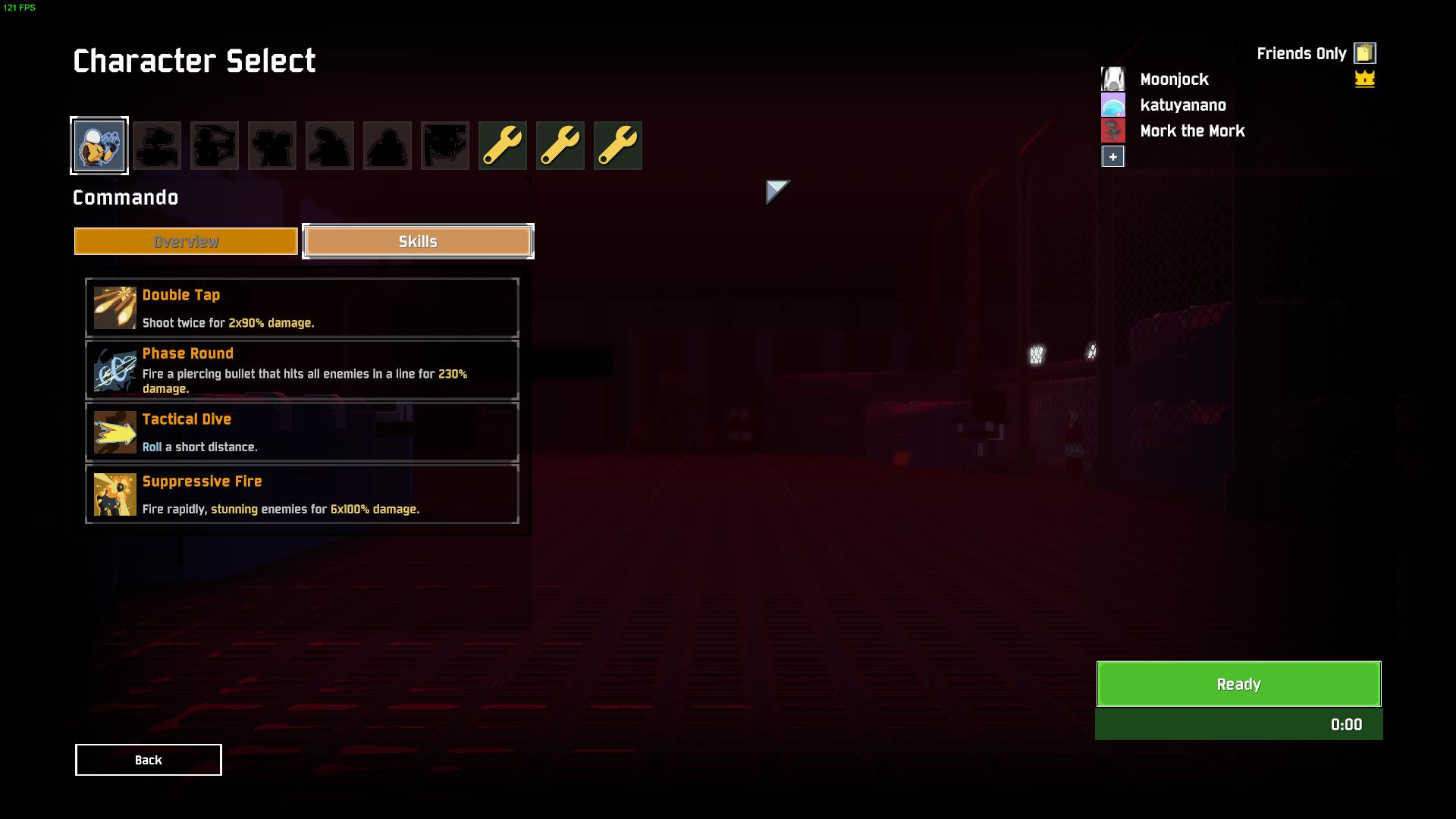
A friend of mine has the same issue although he seems to be able to join quickplay now
 lavish dome
is there any possible way i can force risk of rain to have true full screen or no
proper horizon
@cinder eagle Try restarting Steam. If that didn't work, reboot please.
@lavish dome I don't think so.
lavish dome
ah ok
 dense garden
My game ios very laggy ion 4k but no other game I play is, does anyone else have this issue
proper horizon
Not that I know of.
cinder eagle
I restarted Steam and my computer, nothing changed @proper horizon
 tight lantern
I think the reactions for Eccentric Vase on the poll are in the wrong order. Is it just for me?
cinder eagle
So I just can't play multiplayer because of this glitch, which there's apparently no fix for
 eternal ridge
@cinder eagle have you tried 100% uninstalling the game and reinstalling?
cinder eagle
Yes
eternal ridge
like uninstalling from steam and deleting every file that was left over
cinder eagle
Yes
So far I've:
- Verified files
- Restarted the game
- Restarted my computer
- Restarted Steam
- Restarted my internet
- Restarted my computer
- Uninstalled and reinstalled
And I've checked my firewall/security program
proper horizon
When in game, open the in-game console to see what's going on (CTRL+ALT+Key under ESC).
There seems to be a problem with your connecting to P2P Steamworks.
eternal ridge
you could try reinstalling steam
proper horizon
Does it only happen if you host? Or the other guys hosting? Try it the other way around then.
cinder eagle
Well for some reason it worked this time, but it never works for a friends only lobby and seems random for quick play
I've tried swapping who hosts with my friend, nothing changes
proper horizon
Another person joining suffering from connection problems or other issues (MODs?) could be the culprit.
cinder eagle
It was working briefly and then it stopped again
@proper horizon This is what the console reads https://i.imgur.com/GmVxQbi.jpg
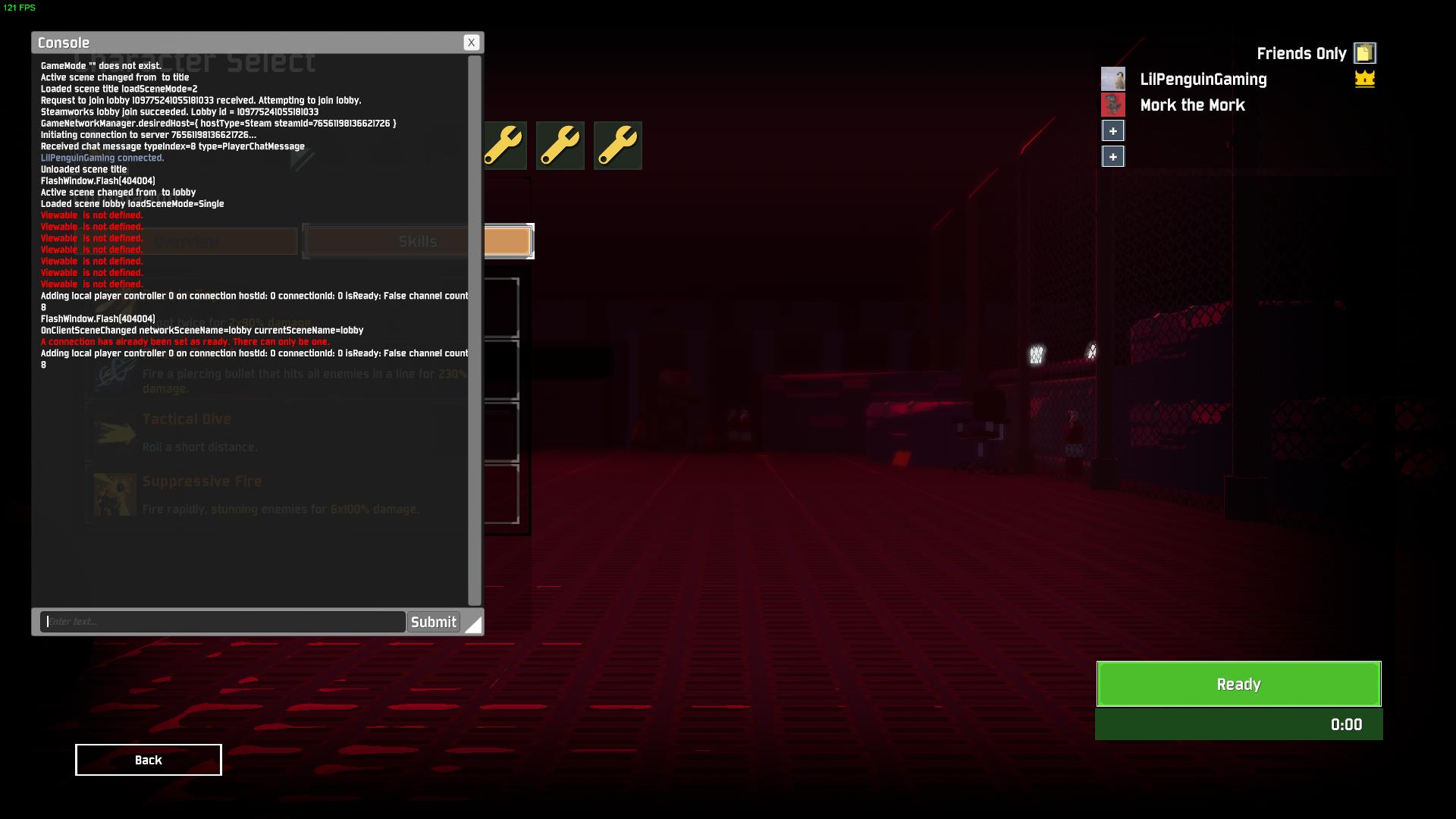
 boreal prairie
In my friends risk of rain, his screen goes black and then the game crashes. We've tried uninstalling and reinstalling the game several times
anybody have any idea?

Thats modded also, but it also crashes in vanilla
 modest zodiac
I am also having the multiplayer issue
 steel bone
Same 😢
 inner sorrel
ok less of a ror2 tech support and more of a question about ror1 mods... were does thou find them exactly? i mean ive seen people make them but i have no clue were they go
(i am sorry but no one seemly mentions the place they go)
 dense cave
So I cant get past this menu and I've tried all the bug fixes I can find plz help
please @ me
dense cave
@pallid ibex
 coarse hearth
I dont recommend tagging the devs for issues
proper horizon
@dense cave Please make sure that your Window System Clock's Timezone is NOT Invalid. If that does not fix it, please uninstall THEN reinstall VC++ 2015 & 2019, shown here https://www.microsoft.com/en-us/download/details.aspx?id=48145
Microsoft Download Center
The Visual C++ Redistributable Packages install run-time components that are required to run C++ applications built using Visual Studio 2015.
 slow cargo
i am having some multiplayer issues, trying to play with a buddy but we keep getting booted back to main menu when either of us invite each other
 shrewd vector
Whenever I'm in-game, my aiming is forced downward even though I have nothing connected changing the controller sensitivity helps, but It doesn't solve the problem. Is there anyway to fix this?
deft flame
I have unplugged my controller, checked under device manager and there aren't any controllers and I don't have VJOY installed
But I am still stuck looking down and my icons all say UNKNOWN
https://cdn.discordapp.com/attachments/559902278018924557/608365632697925642/unknown.png
 proper horizon
First, try unplugging and then replugging your controller. If that does not fix it, look under Device manager and make sure there are no controllers. If you have VJOY installed, please uninstall it!
 sudden stump
the resolution section of the video settings does not let me change the Hz or the resolution
instead gives me one option of 1920x1080 and says options A B C for the Hz
dense cave
@proper horizon It did not help, I’ve tried both of those fixes
orchid flame
I can't play without having 0.5 s delay on my mouse (only on ror2) it's keeping me from coming back on the game, it happens since the new character
 stiff mango
Good Evening, just attempted to join a friend's lobby several times, just get a black screen then booted back to the main screen
 flint trout
Same thing as the guy above said. Just bought the game and I cant join him and he cant join me.
cinder eagle
Yeah multiplayer is just broken for a lot of people
I've been trying to get in a game with a friend for three days, no luck
 serene pilot
*One luck
elder sky
Still haveing disconnect issues. Still haven't gotten a reply. Anyone gotten a reply to their help ticket?
 cunning mango
my game has crashed twice now both times when i was in area 3 and the only times ive been in area 3
it froze before it told me it had stopped responding
 broken hamlet
hi, im having the issue where i get to the menu screen but i cant go into single or multiplayer. when i try to reinstall c++ it freezes at te processing part. does anyone know what I can do?
 main cloak
Can someone please ping me in a few seconds? I need to test something.
 wheat saddle
So, I'd like to blog about Hopoo Games in an article. Is there anything like a press kit of RoR2 where I could find a high res logo for RoR2. Found something for both Deadbolt and RoR1 but couldn't get my hands on any good pics for RoR2 :C
orchid flame
Server still looks to be having issues. I can get in through quickplay, but private lobbies where I directly invite friends are still busted
proper horizon
There is no server. It's all P2P Steamworks.
fervent rampart
If you're having issues, one or both of you is having some troubles with the internet
@proper horizon query: does steamworks have the potential to go down?
proper horizon
It's an evergreen Steam service. Perhaps if Steam goes down, P2P Steamworks might no longer work. It's best to check the in-game console whether the connection to P2P Steamworks could be established. That you can play through Quickplay would suggest so.
 wet stump
i tried using the ror2 cheats mod but when ever i try to add an item i get this "give_item" is not a recognized ConCommand or ConVar
anyone know a fix or did i do smthn wrong?
the other mods work fine
i think this has happened a lot before
wet stump
oh wow fixed it i guess
 edgy bolt
hey
is anyone having trouble joining quickplay or joining a private lobby?
ive been havng this problem for about a week now
out of the blue just multiplayer just stopped workingh
 nimble pendant
My ROR2 just updated, but now it won't start. Just keeps saying "ror2.exe is not responding"
 winged lava
hey so i cant join my friends lobby
orchid flame
Every time I ready up and launch into a world my PC goes completely black and resets
abstract dome
<@&559786374228738069> can someone turn on my micro and headset?
velvet comet
Sure, but if we receive reports about you again, you will be banned.
abstract dome
What ive done wrong?
Huh??
@velvet comet im sorry for pinging u again, but answer my Q please.
velvet comet
You were Voice Trolling.
abstract dome
Wha?
@velvet comet
I just sat in the voice channel, nothing more.
@velvet comet how can i be Voice Troll, if my microphone was turned off.
sorry for ping, again
Ok 
deft flame
I have unplugged my controller, checked under device manager and there aren't any controllers and I don't have VJOY installed
But I am still stuck looking down and my icons all say UNKNOWN
https://cdn.discordapp.com/attachments/559902278018924557/608365632697925642/unknown.png
Still having this issue, haven't gotten any useful help yet
wet stump
whats the thing called that enables compatability with non modded users
orchid flame
Still encountering multiplayer connection issues seemingly out of the blue. I’ve seen a few others confirm that quickplay works sometimes but private matches do not work for my friend and I. The joining player starts to load into the lobby but either remains on a busted select screen with only commando and no way to hit confirm or is pushed back to the main multiplayer page.
orchid flame
@orchid flame it sounds like you are experiencing power issues. I would troubleshoot the power supply and the electricity in your home
👍
 slow mica
hey my friends and i are trying to play the game but when we invite each other it keeps kicking us back to the main menu
what should we do
it doesnt seem to work no matter who invites who
 toxic sapphire
having problems with mythic mod manager, any ideas? https://i.imgur.com/WNooD5m.png
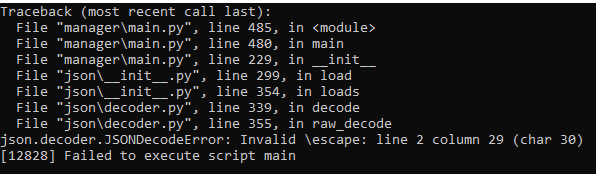
 thin light
guys can someone help me pls? i need a new case that should be silent and so i was thinking about the Fractal Design Define R6 or the BE QUIET DARK BASE PRO 900 rev. 2 what do u think is better?
orchid flame
I have noticed that online multiplayer laggs extremly when I play using my bluetooth devices. Headphones and wireless xbox one controller. I'm not that tech savy so I'm sure wireless connection "drains" some cpu. But when I use the exact same stuff in single player it doesn't occur. Would one of the devs kindly look in to this or give me an explanation. My guess is cpu drainage. But i got a pretty powerfull one and this game isn't very demanding. Thx in advance
 analog musk
im consistently getting corrupted profiles, any solutions?
will verifying files help?
grand sundial
Does anyone know how to fix the game crashes in RoR? I've reinstalled C++ twice, verified the files, uninstalled and reinstalled it. I even formatted my entire pc and started it from scratch but the game crashes around about on stage 4. I've got a Nividia 980gtx, Quad Processors and 16gb of Ram but it seems to freeze randomly. This has caused a lot of lost runs which pisses me off. I've made threads on steam and nothing really has been done. Does anyone know how to fix this?
 tawny topaz
 orchid flame
@orchid flame it might have been possibly related to the fact that my psu was not fully plugged in
not sure yet but that's what i have to go off of
 thorn spire
game keeps on crashing Faulting application path: E:\Program Files (x86)\Steam\steamapps\common\Risk of Rain 2\Risk of Rain 2.exe
Faulting module path: E:\Program Files (x86)\Steam\steamapps\common\Risk of Rain 2\UnityPlayer.dll any ideas what causes it?
please pm me any trouble shooting or setup info
tried reinstalling game and verirfy intergrity happens after a few levels. all nvida drivers are up to date.
orchid flame
When I get into a lobby (public and private) the ready button just doesn't work. Please help
orchid flame
<@&559786374228738069>
 orchid flame
Sorry
slow mica
hey, the game multiplayer stopped working for me and my friends. We keep inviting each other but the game would just go black and then kick us to the menu. we tried uninstalling and reinstalling, verifiyng files
it just wont work and we dont understand why
we used to be able to play each other, we dont use mods or anything.
orchid flame
@slow mica seems to be happening to a lot of people. Lets hope the devs address it soon or in the new update coming next month
slow mica
dang, i just want to play the game with friends
grand sundial
I hope they fix the crashes first
grand sundial
 solemn trench
hello. i just bought this game and when i play it the mouse sensitivity is always crazy in the menus and the cursor flies across the screen. it took me almost 10 minutes just to get into the game and when i did the camera was stuck pulling down so i'm forced to look at the floor. the only thing i could do was invert my vertical camera controls and stare at the sky
has anyone else had this problem? if so how can i fix it
 autumn lantern
can somebody help me? I have steam version of a game and it crushed when I started, recently I closed a multi game by alt+f4 and when this problem appears: a long load screen and after that it crushed always, a reinstall the game and clear
cache
deft flame
I have unplugged my controller, checked under device manager and there aren't any controllers and I don't have VJOY installed
But I am still stuck looking down and my icons all say UNKNOWN
Still having this issue, haven't gotten any useful help yet
https://cdn.discordapp.com/attachments/559902278018924557/608365632697925642/unknown.png
 weary epoch
I don't know if anyone would have the answer to this, but any time one of my friends runs the game his mic quality INSTANTLY dips to like half-robot half-static. It's only ROR2 that does this, so if anyone has an idea it would be super appreciated
 strange totem
@weary epoch in mic quality where? In Discord?
Ive noticed sometimes when tabbing out of games that it does that to people. Could be a resource issue perhaps?
weary epoch
Yeah, in discord. It shouldn't be a resource issue because his computer is a new-ish gaming pc
strange totem
i would try update the drivers for the pc
weary epoch
He did that right after it happened the first time but no dice
strange totem
:/
weary epoch
I know ;_;
strange totem
only happens in ROR2 not other games?
weary epoch
Yeah
strange totem
doesnt make sense coz ROR2 doesnt have voip
 crystal cypress
@deft flame Have you tried remapping the controls
I assume by now you have tried restarting the game. Do they still not work if you plug the controller back in.
deft flame
@crystal cypress Gave that a go, unfortunately didn't work 3:
 rain gull
Did they fix constant freezing for some players? Happens randomly while playing, even solo, the process can only be terminated. The game is literally unplayable for me. I've sent dozens of crash reports, it's been almost 5 months.
I might uninstal the game at this point.
orchid flame
@simple fern same. we tried everything but it just doesn't work. I kinda forgive them tho. Its still alpha. They are going to have many opportunities to fix this. But it is a shame to buy a game and be unable to play it (singleplayer is boring for me)
 simple fern
yeah hopefully they will fix it in the september update
but its weird because i played it very recently and to my knowledge no updates have come up since i last played multiplayer so it should still work fine
 terse hound
I don't know where to find crash logs but my game crashes at start after like one second, the music keeps playing but nothing else happens and is frozen
 merry cape
My resolution setting is always reset when I start the game, no matter how many times I change it
 cedar sky
Anyone have any luck getting this game running on Linux? It doesn't seem to work with proton - runs in the background until I kill it, but nothing appears other than the little loading window (which appears to complete and close - the process continues to run, however).
proper horizon
@merry cape What's the resolution you're setting the game to?
merry cape
Just 1600-900
 fringe dagger
Is RoR2 supports Nat type D in Online? I'm using Nintendo switch
merry cape
The extra annoying thing is even on the weird options menu that sometimes pops up instead of the game launching normally through Steam, it even has 1600x900 saved...and then the window resizes later during launch ANYWAY
orchid flame
Hello my name is Abdul and your computer has virus. To wipe it you have to give me your debit card details
proper horizon
@orchid flame No one playing with you again? Feeling lonely? Try #ror2-bug-reports-pc
orchid flame
What
proper horizon
Exactly.
orchid flame
Ok
 livid cliff


 jovial bridge
pretty sure that's just because you are trying to connect to the host rather than official servers of any kind. so if you are playing with a host that is closer to you then you will not be lagging opposed to someone across the world then you will probably not be as smooth
 short folio
is anyone else getting the unity crash report?
terse hound
I think my ram is pooping out or something, it makes noise when I run the game
proper horizon
A fart noise? Some gassing RAM you got there.
terse hound
I guess it would be funny if it wasn't actually an issue, I haven't been able to play for a while
 plush fossil
For some reason my game wont launch on steam. I go to launch it, it says running for a bit before it pops up briefly with the icon and a red ! mark before it closes completely
Verifying the game files got it to launch, some files where redownloaded, but now it just sits on a black screen and goes unresponsive
This is actually happening to me on multiple games. D:
terse hound
I checked integrity as well, all is fine, but it always crashes
 willow dust
Is the lag/disconnecting on our parts or the servers? (PS4)
cedar sky
@terse hound I doubt it's a problem with your RAM if Risk of Rain is the only game that you're encountering this issue with
terse hound
But there's a noise, that's what confused me
Ram doesn't make noise, or it shouldn't, so I don't know what other components can
cedar sky
are you sure it only happens with risk of rain 2 tho?
One thing that I can think of is maybe it's not your RAM, but your motherboard's speaker. and that's somehow getting triggered by risk of rain 2
terse hound
Sounds in order: hard drive, center of laptop where ram is, fans, back to ram
 nimble briar
Hey, so I tried the cracked version of this game for a few hours and I love it, so I bought it.
But now I'm wondering whether I can somehow transfer the save game? Also the Steam version crashes shortly after launching, a black screen appears for a second or two and then closes. Any ideas?
nimble briar
In case anyone else is wondering the same:
- Restart your PC, in my case the legitimate version wouldn't run if a cracked copy was running before it.
- Start the Steam version, create a profile and close it
- Go to
C:\Users\Public\Documents\Steam\CODEX\632360\remote\userprofilesand open the XML file with a text editor - Go to
C:\Program Files (x86)\Steam\userdata\<YourSteamID>\632360\remoteand open the XML file with a text editor - Overwrite the contents of the second file with the first and save.
Done.
 mild ivy
Hi my friend cant load up the game to play
proper horizon
I'm glad I can.
mild ivy
Update it was the save data after deleting all saved game data it works