#ror2-tech-support
1 messages · Page 31 of 1
 river dagger
 cloud hull
have the power set to max
oh idea
So windows 10 has a DVR thing for games
and by default its on, and it affects gaming performance
river dagger
so have optimal power?
river dagger
out of those options which one
 cloud hull
give that a shot and see if anything changes i guess
next we'll check if that game DVR is enabled
cloud hull
alrighty, so just pull up the windows settings menu
click the gaming tile
then click the captures menu on the left
make sure this is disabled
river dagger
yeah its off
 river dagger
lets try no mansky
thats quite a hog
wooo 6fps
going to end up smashing it to bits in a min
cloud hull
wait
6fps? tf
If we can't come up with anything, just use the warrenty on the laptop
river dagger
runs at 39fps
cloud hull
whats running at 39? no mans?
river dagger
yeah
cloud hull
is that better than before?
thats what most people get @ 1080p with around medium settings
river dagger
not really i could squeeze maybe 30-34 its all on low settings
cloud hull
run it at 720p resolution, does the fps increase?
river dagger
never tried buddy
cloud hull
give er a shot
river dagger
looks weird if its not native res
cloud hull
tbh, you fps is a little lower than what it should be, but not too far off. should be 40+ if your on low settings
river dagger
fair must just me being picky :/
river dagger
ok thank you
 hushed hemlock
Hey, people my friend and i bought ROR2 and i first collected all the Lunar coins and bought Aritfacer, now he has 14 Lunar coins and he also wants to buy him. The Problem is
The stone where you buy Artifacer doent show up for my friend, I can see it but he cant. We've tried verifying the game files.
Please help
river dagger
host only can see it
 tardy hinge
question: I notice around the 2.5-3hr mark, the game stops spawning bosses around teleporters then slowly stopped spawning enemies around the tele at all. Is this a known bug, intended behavior...?
 gilded rune
yes - the game internal scaling breaks as the game thinks that even overloading magma worms are to easy for you
the game literally has nothing dangerous to throw against you for surviving that long
tardy hinge
right, I just hopped in the celestial portal and called it a run after that
gilded rune
devs said the runs will be longer after they added in more enemy-types and more elite versions/bosses
 hexed panther
Mouse is too slow in the start menu.
 tardy osprey
So I just reinstalled the game on a different hard drive (PCB died, rip my man) and I'm getting literal 1-3 FPS in menu alone.
Does anyone know what's causing this or why it's happening? It's also taking up 90% of my CPU usage.
 earnest sorrel
help, I just launched the game to test a issue I've been having in single and this happens
 lone matrix
@earnest sorrel That looks like you either installed a mod incorrectly or you need to verify the integrity of your files
I would start with the latter
 drowsy junco
I was asked to post this on the server. I have a strange bug that crashes my computer whenever I try to join a multiplayer game or click multiplayer in the game. I think it has something to do with joining the lobby, So I managed to see the lobby after my friends invited me while my game was off and i clicked join but my character never joined and I couldn't lock in.
I did manage to fix it by deleting my files and letting them re-install but it happened again and it won't work this time. I have tried everything from updating my drivers to verifying data and uninstalling and reinstalling the game. I believe It is due to my graphics card. I run an Radeon (TM) RX 480
DM if you can help me please
 muted palm
Hello. I have a strange issue with the game. I haven't played in about a week and when I started the game up today the screen rotates out of control and the keybind text below the keybinds on the UI say UNKNOWN all bunched together. Help. It's unplayable currently. I verified my install files in Steam. Also, the cursor when in the options screens is way more sensitive than it used to be. Thanks. Figured out my problem. I have a Thrustmaster T 16000M flight stick attached to my computer and it though it was a controller but nothing was mapped even though I have a keyboard and mouse attached. There needs to be a way in the option settings to disable controller support so I don't have to unplug it from the USB port just to play this game. Thanks.
 clear swift
i have a small problem with my fps, its fine until later on then it drops to 25 and i can barely see anything, is there ay ways to fix this?
 dreamy egret
My game is forcing me to stare at the ground, and if I try to look up it just forces me to look at the ground again.
 soft cloak
@dreamy egret I think that's usually a mouse issue. When something like that happens the solution for me is to unplug my mouse and plug it back in. Might be worth a shot
dreamy egret
If I unplug my mouse i still have the issue
Reinstalled the drivers nothing. Tried reinstalling the game, nothing. Restarted my PC, nothing. Switched to another mouse, nothing.
 deft stratus
Do you have a controller also plugged in at the same time?
dreamy egret
no
deft stratus
ah sorry, been my experience in the past
After reading what you have posted im not sure what to suggest, good luck though
 rose mirage
Anyone have their 144hz switch to 60hz?
 ocean sigil
how do you disable the controller settings
 fading shell
anyone know how to fix a flashing vertical bar alongside the left of my screen? It's flashing different colors. I have verified integrity of files, reinstalled, all to no avail
 upbeat iron
oof
fading shell
Happened right after I tried installing bepinxmod. I failed, uninstalled that, now I cant fix this
 spark shore
Hi was hoping someone could help with what sounds like a mouse acceleration issue. Very laggy mouse response and can't find vjoy in device manager to uninstall
 timid mauve
Try looking for HID compliant mouse
 orchid flame
Hey all, I was told to post my output log here. Upon launch, the game freezes my whole PC on a black screen indefinitely. I have to mash alt-F4 and wait upwards of 10 minutes for it to close out. If you got anything that could help me out, DM or @ me. Thanks.
 drifting tiger
are your drivers up to date?
 quartz quest
 wild veldt
Just started the game and when I start a single player game all I see is my cursor and a black screen. Nothing seems to help. (Changing resolution, going to windowed mode, updated drivers) Anyone can help me with this?
wild veldt
Also did a system restart, nothing happens. I see my ingame cursor and can move it, hear the music running but everything else is completly black. Anyone here who can help me?
 viscid zealot
wild veldt
viscid zealot
wild veldt
Unistalling didn't work. Same problem... I keep getting a black screen with music and my cursor. I can moce the mouse but nothing happens. When I press 'esc' I see some faint red lights in the background, but as soon as I close the menu its all black with music and only the cursor
timid mauve
@spark shore sorry, I fell a asleep. Yeah, try disabling them one at a time, but keep in mind, when you disable the right one, you won't have mouse input
spark shore
Hmm, how will I play without the mouse? I don't have a gamepad connected.
timid mauve
What mouse do you have?
 steel grove
Anyone have anti-aliasing just....disappear sometimes?
I'm using a Gigabyte Saber 17 (also known as a korean barbeque hot plate with a Gigabyte sticker on it) which features both an intel i7 7700(?) and 1050ti, so it's got by-application settings as to how to render the game
i've set the game to force render on the 1050ti, and i guess all of the anti-aliasing loveliness the game did before decided to not show up
 cold carbon
Sorry for my language but what is this fucking retarded shit game?! LITERALLY CNAT PLAY WITH MY FRIENDS UNLESS IM LEADER BUT THEN HE CANT PLAY WITH ME...HOLY SHIT
Literally the screen always. The models never show up. Reinstalled the game 5 times, restarted computer many other times....like what the fucK?!
@pallid ibex pls help 😦
 pallid ibex
Hi - I assume the game works in single player, right?
Could you post your "output_log.txt"? How-to is pinned in bug reports
pallid ibex
Also just to double check, neither you OR your friend has modified their game files, right? No mods?
cold carbon
0 mods
pallid ibex
It is pinned in #ror2-bug-reports-pc
cold carbon
SHould i put the whole file in here?
pallid ibex
If possible!
cold carbon
I only get this when my friend is the lobby leader. Sometimes he can't even go in quickplay cuz the same thing happens to him. I can play quickplay tho.
pallid ibex
Thanks - if you can QP and he can't, it does suggest there is an issue on his end.
cold carbon
wait, ill invite him and he will put the output log on here. Reichardt is his name
pallid ibex
Are you both on Windows?
cold carbon
yes
 cyan stratus
cold carbon
cyan stratus
cold carbon
He just went in my lobby after reinstalling the game again and it didnt work
pallid ibex
Is this output_log of a quickplay match, or you 2 trying to connect to each other?
pallid ibex
And the QP worked?
cyan stratus
kind of I could see myself and ready up
cold carbon
But like, after we went from the private game that didnt work right? And tried to enter quickplay and hope we matched with each other(which we did) it didnt work for him, it was that modelless screen
pallid ibex
I don't actually see any errors inside of Reichardt's logs :( Ill send this back to the team and see if we can figure it out, im real sorry for the issues
This seemed like an old bug that we fixed with the last patch, but we are occasionally still getting reports of it
cold carbon
Aah :/
 gusty cargo
QQ - if i uninstall and reinstall will my profile and progress as far as logs/unlocks remain intact?
Trying to see if re-installing will fix the FPS drop I keep experiencing a few minuted into play
pallid ibex
Anxarcule, are you getting general FPS issues? What's your CPU?
gusty cargo
So I was fine until the last patch. What happens is generally in stage 1 or 2 my FPS drops from 70 or so to 19
It stays that way even if i quit and restart the game (menu is low FPS). Only restarting the computer helps
And even that, it happens in the next run. Getting my specs for you now
i5-4670k with a radeon 7970 graphics card, 8GB of ram, windows 7
pallid ibex
thanks!
gusty cargo
Here is the output log from the last time it happened (on stage 2, 30 seconds after I hit the teleporter)
pallid ibex
Your hardware should be OK, lemme see if I can figure this out
And you can play other games fine, presumably?
gusty cargo
If it helps, playing around with the graphics settings has minimal impact, but if I reduce the resolution it does somewhat normalize, but I can only get to 60 FPS on 640 x 400 (or whatever the lowest setting is)
Yeah perfectly fine. I noticed it happening a few days after the last patch
It was when I started trying out Monsoon runs, so maybe that is related
A day or so after I got longest road
I can probably reproduce it now, but will take me up to 10 min to see it kick in, so if there are other logs I can share aside from the output_log file I'm happy to help
Checking CPU/RAM usage before and after I didn't notice any difference
Graphics drivers are up to date as well, windows updates too (I though maybe it could be the issue)
pallid ibex
It's a bit of a stretch, but could you try reducing your cores by affinity for the game? For a very small subset of players this actually helped https://www.tech-recipes.com/rx/37272/set-a-programs-affinity-in-windows-7-for-better-performance/

Whether you want to sqeak out some extra performance on your multi-core processor or run older programs flawlessly, in Windows 7 you can set programs to run on certain cores in your processor - speeding up your computers performance.
We didn't really change anything performance-wise in the patch so that's strange
gusty cargo
Sure will read this and try it now
Unfortunately not - by default was using all cores and trying each individually didn't do anything. Same with setting Priority to high
 hoary sapphire
sound doesnt work, tried restarting my computer, switching to stereo sound, tried reinstalling the game and removing any folders located in other areas of my computer, tried updating audio driver through device manager as suggested in one of the pinned messages
gusty cargo
@pallid ibex if you think of anything else or if there is anything you'd like to me to send here to help you guys solve this let me know
 fresh prairie
Hello there. I'm running ror2 via Parallels + Windows 10 on OsX and everything (music ok, game itself ok, fps ok) works fine except one thing. I've some "glitches" with light or something occasionally (graphic settings were lowered). I mean start is clear but when you run to the corner or the "centre" of a level these glitches come.
 vale helm

The Good Times - 2001 - Uptown Records, Universal Records
fresh prairie
🤔
spark shore
@timid mauve an Anker gaming mouse, running MBP bootcamp Win10. 1 HID might be the trackpad
 fiery locust
I'm having the EARLY_ACCESS_DISCLAIMER issue, and following all the steps in the pinned message doesn't change anything. I've disabled steam cloud, and verfified all game content multiple times.
If anyone has any idea on something I can do, @ me
 raven pike
Hello, I just updated the game today and suddenly I have FPS problems aswell. I have a gaming PC, i7 - 3.40GHz, also GTX1050ti and I never had problems like this in Ror2 before. Even on Stage 17 everything was runnig fine a week ago. Today I played on Monsoon but later also on Normal Difficulty in Multiplayer, and my FPS dropped even to 8 FPS...
My CPU was completely fine around 55%, plus streaming on Twitch at the same time. Is there a solution for that?
 hot depot
so i ran into an interesting issue, risk of rain 2 just doesnt launch for me
last patch it was fine, and it's got nothing to do with the mods, just reinstalled the game after fully removing it from my folders and it still doesnt work... actually just realised i may have lost my save file aswell
 open dune
Hello guys i just bought Risk of Rain 2 to play with a friend. I have a problem the moment he invites me to a multiplayer lobby i cannot select a character or press Ready , The same thing happens to him when i try to invite him. If someone has a solution for this problem i would appreciate help ! Thank you!
hot depot
weirdly enough restarting steam fixed my issue
open dune
It didnt work for me
timid mauve
@spark shore try https://www.anker.com/products/variant/anker-gaming-mouse/A7814011

Anker
with 6DPI Levels (800, 1600, 2400, 3200, 4800, and 640), 1000 Hz Polling Rate, Programmable Buttons, Ergonomic USB Computer Mouse, RGB Gamer Desktop Laptop PC Gaming Mouse
Then the downloads tab and select your driver
If it's showing up exclusively as an HID compliant mouse, than windows installed the generic mouse driver
Also, not having aousepad can create mild tracking issues that can get pretty annoying
 night radish
I've already unlocked several survivors and things in the logbook the day before, but now I've come back to nothing unlocked, as if i just started the game for the first time, and there are no other profiles.
 stuck topaz
hello i was told by a friend when i purchase risk of rain 2 on steam i get and extra copy for a friend. is that true or was he kidding, if it is true where can i find the key for my friend
 formal bay
@stuck topaz the deal ended a while back
stuck topaz
damn ok thx
drowsy junco
I was asked to post this on the server. I have a strange bug that crashes my computer whenever I try to join a multiplayer game or click multiplayer in the game. I think it has something to do with joining the lobby, So I managed to see the lobby after my friends invited me while my game was off and i clicked join but my character never joined and I couldn't lock in.
I did manage to fix it by deleting my files and letting them re-install but it happened again and it won't work this time. I have tried everything from updating my drivers to verifying data and uninstalling and reinstalling the game. I believe It is due to my graphics card. I run an Radeon (TM) RX 480
 dark rock
hello, sorry to bother, but I wanted to report an issue with Monsoon. My fps drops after a couple minutes in. It doesn't happen in "normal" and "easy". My guess is that there might be an issue with how the CPU handles the game on higher spawn rates but I cannot confirm anything.
My specs are the following:
GPU: GTX1050
CPU: i5-8300H
RAM: 8Gb
 ocean cloud
if any mods are on that could help me with my problem i would appreciate it, When playing multiplayer with a certain friend we have a lag for whoever is not hosting. With other people it is fine but with him someone is always lagging.
 quaint perch
i just installed my first mods, how do I play with them?
 summer granite
 potent ibex
steam overlay does not work at all, can join friends but i alt tap to accept invite
 grim hawk
@cold carbon @pallid ibex can i just say that i find this kind of behaviour incredibly unacceptable. you start your first post just screaming your head off. Understandable that you are frustrated, but the game is in early access. they are a small team. but there is no reason to be so freaking rude. and then, hopoo comes a long and tries his very best to help you. hands-on help from the dev team and you don't even seem to feel the need to apologise... gosh...
cold carbon
@grim hawk who are you and why are you even talking? Gtfo here. You don't really know shit do you? I've already asked for help like 3 times before that.
@grim hawk without you knowing more of the story you should NOT write ANYTHING.
grim hawk
@cold carbon oh i know enough of your tone...
and you just keep coming
don't you?
just listen to yourself
cold carbon
I did not speak rudely to hopoo or anyone at all. I was just frustrated overall, didn't take it out on anyone. So why are you bitching?
Are you autistic or what is your deal?
Saying fucking and shit and cunt is just words. I didn't call hopoo or anyone else anything while frustrated at that the game didnt work and me spending like 2 hours on trying to fix it.
Even after hopoo couldn't fix it i didn't tell him to fuck off or anything of sort.
Why are you even writing about this in tech support? If you have anything to tell me add/pm me. Where did i speak rudely to anyone(besides you trying to make yourself look good)? I was just saying words like fuck and shit etc...they are WORDS. You're 100% a leftie, aren't ya? Triggered by words that aren't even offensive. Kindly fuck off and don't @ me again trying to make yourself look good, you narcissistic child 😃 @grim hawk
 slow pier
So still empty lobbies in multiplayer (my friend can't see character models and i can't pick a character) ?
Any fix for that ?
grim hawk
@cold carbon all i am going to say to this is. why are you publically throwing a tantrum and then get offended when someone doesn't wanna have to listen to it. but let's leave it at that, enjoy your day, fellow human.
cold carbon
@slow pier yeah i got the same problem. No fix for that as we speak unfortunately
slow pier
@cold carbon that's sad
open dune
same problem here
cold carbon
@slow pier the game has great devs tho. so i'll just wait for a solution, i believe!
wild veldt
Still cant get the game to work... Re installed multiple times. I can see the home menu. I can click on single player, after that its all black screen with just the music and the ingame mouse cursor. When I press 'esc' I see, from what I can see, faint red lights and the music stops. From there I can click 'resume, setting, quit menu and quit to desktop'. Didn;t got much help from the tech support yesterday so I trying it again....
orchid flame
I like how the announcements bring up my issues of stuttering when picking up items but are very specific in saying it only happens the 1st time when for me it happens every damn time
when I have an i7-3770k, GTX 1070 and 32GB of RAM
 south meadow
i have a weird issue- the game will ocassionaly either crash and show some error or the screen will start spazing out midgame and thhen crrash, this only happens in this game, anyone has any ideas?
 midnight ether
Hello I'm having some preformance issues with RoR 2. Mainly that whatever I do I can't get the FPS to go higher then 10 even with all setting turned on the lowest possible. I'm out of options at this point and I would like to get some advice, is there someone here I can speak to in that regard?
 dense patrol
Hello im having trouble my character is walking to the right all the time and all the UI in game is UNKNOWN the keyboard and mouse work
i just restarted the PC im going to try disconectin all my periferals like my wheel and shifter.
midnight ether
I've tried trouble shooting but it all remains the same. Like the game seems to just not want to give me any more fps. It remained the same with high or low settings on. It's just strange considering I'd expect the game is just doesn't change in anyway.
gusty cargo
@midnight ether Was the game running fine for you until recently? Did you by any chance just start playing on Monsoon?
I ask because my game was running perfectly fine and I suspect when Is started playing Monsoon after a few minutes FPS would drop to 15 or so. Restarting the computer fixed it but it would crop up again
midnight ether
@gusty cargo I played multiple sessions and gave up as it is unplayable at this fps. I just bought the game today.
But I've been trying all day to make it work.
dense patrol
looks like my shifter (Thrustmaster TH8A ) was the problem, should i do a bug report?
gusty cargo
Is the menu also low FPS?
Managed to chat to the dev yesterday about this and if your specs are fine you can try the following - It's a bit of a stretch, but could you try reducing your cores by affinity for the game? For a very small subset of players this actually helped https://www.tech-recipes.com/rx/37272/set-a-programs-affinity-in-windows-7-for-better-performance/
Whether you want to sqeak out some extra performance on your multi-core processor or run older programs flawlessly, in Windows 7 you can set programs to run on certain cores in your processor - speeding up your computers performance.
It didn't help me, but might help you
If you haven't already I would make sure your drivers are updated, and windows is updated, etc. Maybe try temporarily disabling anti-virus (may be pointless but I recall reading for other games that can sometimes affect it)
 fierce urchin
excuse me sirs, but me and my friend cannot go into the same lobby, i get the lobby id i join and nothing happens, we do the opposite but something happens with him, he is met with a blackscreen but its only when its in multiplayer.
midnight ether
The menu is the same @gusty cargo
orchid flame
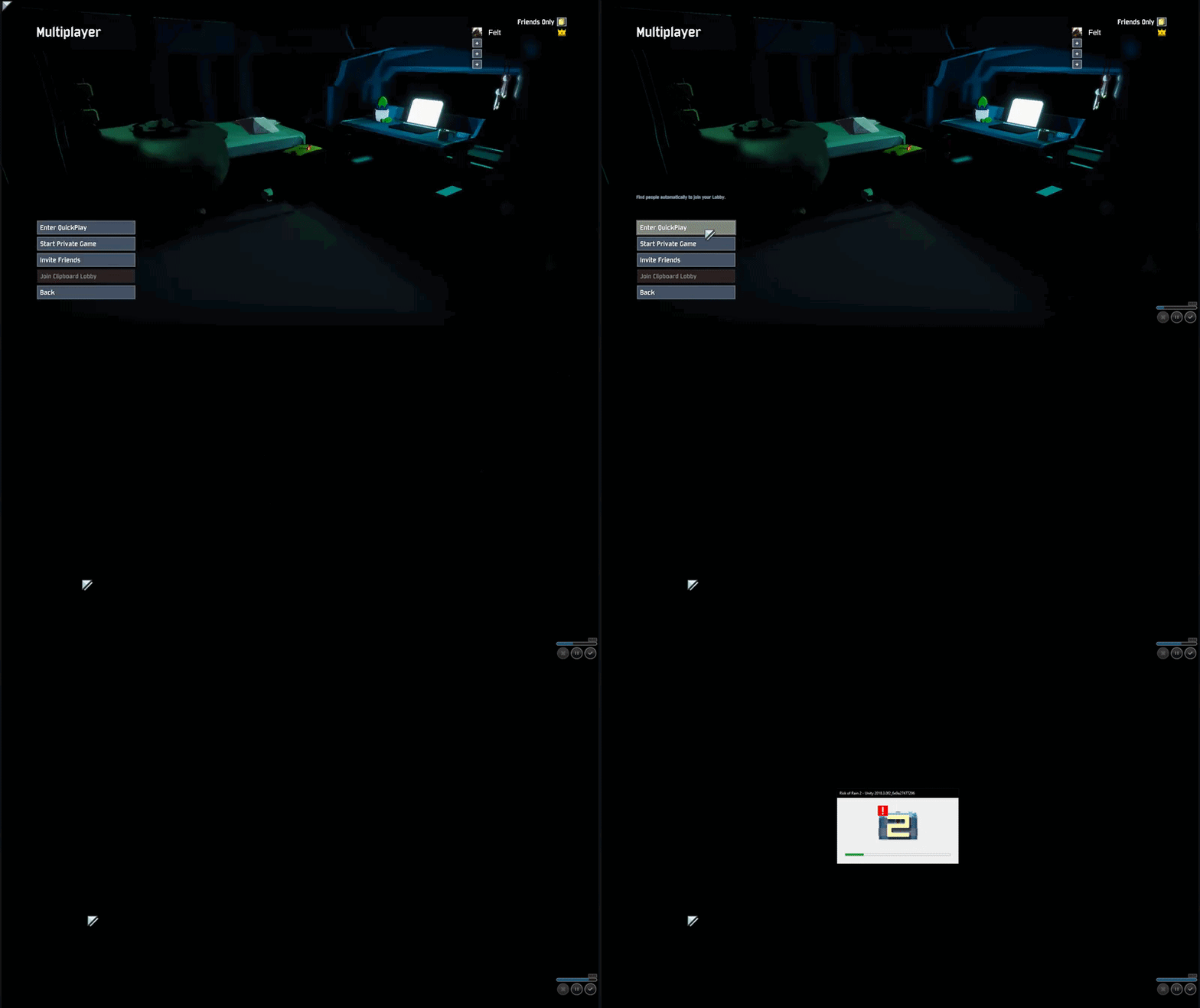
hello i have a bug, precisely that's a crash problem and it occur when i want to create a private game
 wild veldt
@orchid flame Does the black screen stay there forever and do you hear the music in the background? I have the same issue when I press 'esc' I see some faint red lights in the background and the music stops. Nothing seems to work(reinstalling, system restart, steam reinstall, playing windowed mode, changing resolution.) I got no help since yesyerday and I am at a point that I might ask for a refund from steam... no one seems te respond to these messages
 hazy hamlet
Is anyone having a problem joining any sort of game? Public or private? I cant accept invites/friend cant join lobby and cant join public games.
fierce urchin
@orchid flame my friend has that problem but his game does not crash
 vast torrent
so ive asked for help many times to no avail, but the game keeps constantly crashing all the time, its always when im in a game (i play solo), typically around the 20-30 minute mark, i have never had a single run where it didnt end to a crash and its very annoying. the game is unplayable for me and i really want to know what's going on. i have a AMD Radeon HD 5800, 8 gb of ram, intel i7 870. i really enjoy the game and want to have this problem fixed
 vast laurel
I can run this game on maximum settings, but only on low resolution in windowed mode., or else it's insanely laggy. Used to be that I could run at any resolution but needed to use minimum settings instead. Haven't made any manual changes to my computer. What's happening?
 nocturne plinth
Anyone else had any problems with the game suddenly running super choppy despite having high FPS? im constantly at 120+ fps, but the game is real choppy. i've re-installed the game several times, tried high settings, low settings, everything in between. tried with mods, without mods. I've not had this problem before today
 sinful eagle
I keep getting a blackscreen when trying to join a friends lobby. I know the multiplayer works and all because I have other friends currently in a game playing and messing around. Anyone know of a fix?
orchid flame
@wild veldt nop the black screen stay just a few second , and the game crash and for the sound yeap i hear it
timid mauve
@spark shore everything sorted out?
 strong spear
so my friend cant connect to my lobby or public lobbies
anyone have a fix? weve validated their steam files for the game and also turned off firewall
spark shore
Sorry I haven't had a chance to install the drivers yet. Will keep you posted!
timid mauve
Alright
sinful eagle
@strong spear I don't think anyone knows of a fix, some people are also getting these problems.
midnight ether
Does anyone know what I can do about the FPS? Low settings don't seem to work. And I have no idea how to work with affinity?
sinful eagle
@pallid ibex Any input on the blackscreen when trying to join friends?
strong spear
i know its an issue my friend has because she cant connect to public lobbies either
if i try connecting to her private lobby it doesnt work either but i can connect to public lobbies
sinful eagle
Same here
vast torrent
so ive asked for help many times to no avail, but the game keeps constantly crashing all the time, its always when im in a game (i play solo), typically around the 20-30 minute mark, i have never had a single run where it didnt end to a crash and its very annoying. the game is unplayable for me and i really want to know what's going on. i have a AMD Radeon HD 5800, 8 gb of ram, intel i7 870. i really enjoy the game and want to have this problem fixed
midnight ether
It's pretty difficult to even start playing it. I'm running RoR 2 on 8g ram and intel i5 core and hd graphics 2000. It feels like this should be enough for at least the lowest settings. I can't figure out what the problem is but it remains at 8-10 FPS. I've been given advice to work with affinity. But I can't figure that out either. The FPS drops at the menu and stays consistent throughout the game.
 tranquil night
I have a pretty moderate/low end computer, and on absolute lowest graphics (1/128 textures, ect) I'm running it at 22-24 fps pretty consistently
midnight ether
@tranquil night that would be nice to have but I have no clue what's causing the issue that drops the fps right at the menu. I've had trouble navigating the menu to drop the settings from ultra but that didn't do as much as I would like.
tranquil night
6gb ram, intel i3-5005u, 2.00 GHz, x64 bit. Technically lower than the minimum requirements and I'm still running it. Turning off v-sync helps, and there's one setting in graphics that always resets when you close the game, but other than that idk how to help
midnight ether
@tranquil night I've noticed that option it's the VFX culling option right?
tranquil night
yea, always resets to Ultra, and it tanks my fps if I forget to put it back down at the start.
22-24 fps with it off, 14-16 with it on
tranquil night
and you have all the other graphical settings at minimum?
midnight ether
Well apart from the VFX culling bias. Yeah, everything is as low as it can.
 keen bay
It wont let me leave the pod
 delicate shore
Hello, I've had an ongoing issue in multiplayer which I have attempted to fix through fresh installs of the game, validating files, etc. I have this problem where, once loaded into a multiplayer game, I will be able to play as normal, but while switching between levels, there is a chance that I will not load into the next level, but instead be met with a black screen. There is no game sound, and I don't think trying to move achieves anything. The only way to fix this is to leave the game or close it entirely, and it absolutely ruins the multiplayer experience (one of the best parts of the game since ror1), and has caused endless frustration for me and my friends, as all items that I had gained up to that point were gone. This fact is exacerbated by the fact that I am not able to re-join my friend's matches mid-game, even with an invite. I have not noticed anyone else with this same issue, and I am growing more frustrated with the fact that I cannot play multiplayer without a huge risk of this issue. As I have said, none of my friends or people in this discord that I have seen had this problem, and I would like to figure out a way to resolve this so that I can play with my friends worry-free.
orchid flame
Iv had the same problem
once it often goes blackscreen when i get hit by a boss
aswell
midnight ether
I don't know I haven't heard anything.
The game is widely unstable. I keep hitting walls.
 marsh crater
like the game is fun and i want to keep playing it, but multiplayer is what makes this game and if i cant play it, and cant even get help, i think people should just refund it
midnight ether
@marsh crater I sort of agree with that, on the other side. Considering how populair the game is and how many people run into problems they can't fix themselves. I can't imagine or want the developers just sitting there answering to the same issues all day while I'm sure they do all they can.
Talking about it more may attract their attention eventually I think. It wouldn't make a fun game if people buy the game to run into a problem and refund. Although I have no clue for how long these problems persist. If it would take like a year to make a game somewhat playable I think it's worth it.
marsh crater
I cant even play multiplayer, many other people are complaining about the same bug, and there aren't even any support members here to read through the tech support channel, makes this channel pretty pointless
midnight ether
@marsh crater I can't even play singleplayer I get the frustration. Like I've been sitting here all day trying to make it work. I wouldn't say that a day of troubleshooting with no results is really my thing either. But I'm hoping patients is a virtue.
marsh crater
well sorry man, but im not wasting my time here anymore, ive been trying to get support for the past 3 days
midnight ether
@marsh crater That is rough, I can't imagine having to do this for 3 days. Like I'd just quit and hope in few months I could play it. Although I wonder if this channel is the only way to contact support. Is there like an email or twitter that responds a bit quicker?
midnight ether
I'm gonna write them an email about my issue and leave it be. Hopefully that will illicit some response.
Hope that will do something.
strong spear
While I would like some fixes and whatnot this is an early access game btw lmao
You should know what uve gotten urself into, you're not paying for a complete game that works 100% of the time
fierce urchin
yeah, considering it was 20 dollars im expecting something decent ESPECIALLY multiplayer to work, me and my friend cant even get into the same lobby
strong spear
That seems to be a new issue
 turbid dirge

 hasty basin
@carmine arrow Hey I've been playing risk of rain 2 for about 12 hours now and every single time i close the game i have to start a new profile when i reopen it so i lose all my progress is there any way to fix this because i really enjoy the game
 drifting loom
Hey, any ideas why my vertical look invert isn't working?
Don't worry I was on Controller instead of Keyboard & Mouse 😄
 untold nacelle
Does anyone else randomly have thier "shift" ability auto activate?
open dune
Hey i have been having this problem when i try to join a friends lobby i cannot select a character and the press ready button dosent work , and if i make a lobby and my friend tries to join me he has the same issue. I can play the game in single player without a problem but i cannot really play it multiplayer with my friends anyone with the same issue and with a possible solution for it thanks in advance !
orchid flame
16GB Ram, AMD Ryzen 5 2600x, GTX 1070. I randomly dip to literally below 1 fps until the next stage. Sometimes i can play for like an hour and suddenly it starts again. Sometimes even in the very first stage already. Everything on low but the option that makes trees invisible, have that on the second last option. What can i do?
@open dune Look in announcement, they posted a roadmap and this is under major points, so they are actively working on it. "• Noting some players having trouble readying up in multiplayer and private games."
 hazy acorn
Every time I DC all my progress get reset
 worldly sky
anyone have the issue of the mouse just going upwards or in a direction for no reason?
 bronze magnet
Any one know how to fix this? I reinstalled twice, adjusted my time zone twice, gave full access and admin rights, cleaned/defragged, turned off virus protection, gave it a day.. still messed up
 frozen rivet
@bronze magnet Is your system using another language that isn't english?
bronze magnet
no, english
im searching for config file to mess with and found a jp file and English file
frozen rivet
alright, must be something different, I've seen this bug reported before and apparently its caused when PC is set to a different language
bronze magnet
Found the config file and my language is set to English in game as well but some of the values look funny to me but I don't know
frozen rivet
@bronze magnet That config looks normal. Did you try to uninstall and reinstall VC++2015?
bronze magnet
yes i uninstalled all VC++ and installed both VC++2015 64x and 86x
frozen rivet
Have you tried doing the fix for the corrupted save? It apparently fixed your issue for some people
Steps on how to do that is in the pinned comment. If that fails, then send the output log file in #ror2-bug-reports-pc and explain your issue. I'm out of ideas on how to help with that, sorry I couldn't help much
 slow comet
My game has the controls set for a controller even though I don't have one plugged in, and also my character cant stop looking down. Is there a way to set keyboard and mouse as a priority?
slow comet
I figured it out- I had to disable my controller driver- mine was vJoy. I just had to disable it
 drowsy zinc
Is there a way to restore corrupted profiles? I was 195 hours in and got almost all the logbooks and now its dead on me. I did the fresh save profile on pinned to be able to keep playing with friends, but I would still like to get everything back :<
 thorny verge
can anyone help me? we cant join my friends lobby nor join quickplay?
 celest cosmos
Could anyone help me out with modding rq? I was able to join a modded game witout having the mod, then when i tried to download the mod my firend couldnt join? wtf is going on
 cobalt totem
I'm running a two monitor setup, and my mouse is going from the game to the other monitor and won't let me click in the game once it goes to the other monitor. I'm also wondering if anyone could help me with turning off mouse acceleration
 rapid spruce
anyone having trouble running this game with proton on Linux?
 nocturne horizon
Anyone know if the shrines that take your health away for a chance of items actually work? I could have terrible luck, but I swear I've tried like over 20 times and have not gotten any items
 umbral bramble
Blood Shrines give gold and take health. No items are given.
nocturne horizon
they aren't supposed to work that way, right? In the first games they give you items.... oh they give gold? Edit: Sorry, just expected them to work like RoR1... maybe they should add gold props spilling out.
gilded rune
it is even displayed in the chat - that you got gold for yout health
cold carbon
It's super sad. Like. I know it's early access and that there may be bugs, glitches and shit like that which will make the game a bit less fun, that's expected. But that you cannot play with your friends...anytime....that's beyond early access level.
nocturne horizon
not sure what you mean... I just played with some friends?
cold carbon
Yeah but I can't. And many others cant either. The screen just is modelless for the ones that aren't leaders of the channel.
of the game*
Even the dev doesn't know what's up with that. Which makes it even more concerning
thorny verge
@cold carbon yeah Im having the same problem and the worst part is that its my last day of holidays and its being ruined by this bug
 tulip shale
My water is pink, and I'm not sure what's wrong. I tried checking file integrity, but I'm starting to believe it's just my computer.
 vivid laurel
i need help with this problem i seem to have if i play "too much" ROR2 with freinds
everything just goes on delay and its FREAKING me out. it applies the dmg after 5 second delay and if monsters hit my "decoy" i get damaged even though in reality i wasent there, its not my internet either, i checked and its good so uhh please help
raven pike
@vivid laurel Ever considererd to change the Host of the game? Sounds like an internet issue. Choose a host with the most stabile internet connection.
 maiden flame
it would be nice if we could host on servers even if we have the option to set it up
maiden flame
nah, you have to give the whole pc away now
 low star
darn....
maiden flame
have you tried restarting the program? are you running any funky mods?
low star
no funky mods here boss
 real orchid
how do u access clipboards?
 fervent flume
I’ m not sure i should say that here but EVERYTIME i pickup an item i get a 1sec freeze wich is annoying
vivid laurel
so. i played with randoms a bunch of games today
but when i play with freinds, a SPECIFIC friend i get delays and lags
that i dont get with other people
 wide sand
I have a 144Hz screen, but for some reason the game decided to run at 60fps when it worked before. The steam FPS counter goes to ~144 when the game is unfocused, but when going back in the counter drops back to 60
has anyone else had this problem and does anyone know how to fix?
alright nvm rebooting my pc fixed it 😄
 tiny lagoon
 shrewd patio
ah okay cool that's good! I had the same problem with the lag when picking up items and followed by eventual crash
orchid flame
I used to dip to 0 fps when theres a lot going on which made the game unplayable but now when i try again it wont even last the first stage on drizzle before i get to below 1 fps, literally. GTX1070, AMD Ryzen 2600x, 16GB Ram, Win10. What the hell could this be? Put everything on low but LOD Bias, how can my setup not run this game easily?
maiden flame
ah it must be the blinker light fluid
 viscid summit
Anyone has any idea about those Unity Error crashes ? Pretty much every run i do ends with me getting a Unity error that crashes the whole game back to desktop... Have googled quite a bit , but found nothing solid about it 😦
gusty cargo
@orchid flame I had a similar issue where during stage 1/2 my FPS would drop from 90ish to 15 or so making it unplayable. Happened all of a sudden too with no major changes which took me some time to figure out. If you tried updating drivers/windows and everything like that, I would suggest checking inside your computer for dust - it had been ~8 months since I last did and my guess is one of the fans were clogged so it was operating less efficiently
Worth checking out
 prisma grail
Question how do you play mods with someone who hasnt donwloaded anything
 eternal wave
anyone know of a way to save a corrupted profile?
orchid flame
@gusty cargo I only just built this pc about 90 days ago, everything is up to date and every other game is running absolutely perfect. When i have the 1fps task manager shows 10-20% CPU, 20% memory and 1% disk usage. No idea whats going on.
 lime birch
Did I get kicked from the server? I noticed this server was missing on me and had to rejoin. If I broke a rule by mistake I would like to know to avoid it in the future.
tulip shale
My water is pink, and I don't know if that's just my computer, or something else. I've tried checking the Steam File integrity, and it's still there.
pls help
cold carbon
@tulip shale what is the problem with your water being pink? Does it make your game unplayable or what?
tulip shale
It's just super jarring, and I realized it was an issue when I spent over 30 minutes looking for a portal that happened to be in the super pink water.
cold carbon
xD ok
 flint ledge
Anyone know about a bug that doesn't allow people to join lobbies with friends?
 white light
my game crashes randomly while playing risk of rain 2 please help me
 brisk thicket
Game consistently crashes within 30 min .. graphics drivers up to date.
 velvet lantern
yo how do I get rid of the mouse acceleration/mouse smoothing?
 quartz wren
How does one go about fixxing this issue?
 lament horizon
There's a possible fix for it listed in the pinned messages, have you tried that?
 vague ginkgo
my friend cant press ready when he joins my lobby its the same for me when he hosts
 red wadi
i keep getting a multicore processing error that just blackouts my computer
 tribal leaf
i cant play, show this message
tribal leaf
when i click on single player show this
 graceful widget
hey so how do i make it to where i dont click on the other monitir???
 cosmic quiver
any FPS guides or launch options?
 tulip dock
@tribal leaf im gonna use that as my background, looks pretty cool
orchid flame
lol
orchid flame
i must share my suffering of the item pick up freeze
a
pls dev i throw money at u
orchid flame
(unlocked everything already) got that issue with the corrupt save file, now I know you can use another save file to uh...Retrieve the items, and achievements back, and whatnot, but golly-gee do i not know how to do so, I have what looks like the pieces in doing so, but by gum can i not figure out where it goes, and I can't find anything online on how to do so, I really don't wanna do it all over again. think anyone could send me the right direction in doing so?
maiden flame
to find the profile Im pretty sure you go
C:\Program Files (x86)\Steam\userdata\144426612\632360\remote
and then the profiles you have should come up, you might be able to copy it and replace a newer profile with that data
 cursive crypt
Me and a friend are having issues connecting to the servers, I guess. We can't enter quickplay and we can't join each other invites to private game lobbies. Tried verifying game files and uninstalling & reinstalling
 agile goblet
I have huge problems, when in a game my game randomly goes to the menu, leaves the party and everything and sends me to the main menu middle of the match
 formal geode
I get really bad fps drops, they seem to relate to how many mobs are spawned. World 1 gets 200-300 fps pretty reliably, dipping into will 100s every so often, but world 2 goes down to 10-30. I've tried just about every tip I could find online, everythings up to date and re-installed and set to optimal settings. The only thing that fixes it temporarily is alt tabbing. Does anyone have any advice? I've read that it could just be a cpu issue.
gusty cargo
@formal geode I had a similar issue and what fixed it for me was cleaning out dust in my computer - prior to that it would run at 180 FPS and generally around stage 2 would drop to 17 (even in menus). only restarting the computer would fix it (temporarily)
formal geode
Interesting, I'll try that but I dust it somewhat frequently as is.
 old viper
I have a weird issue that the game experiences hiccups when I move the mouse
 lunar vector
Hey so why am I locked to 120fps if I have a 144hz display?
 worn hemlock
Anyone else using mod experience an instant drop to 1 or less FPS when you pick up will-o-wisp?
lament horizon
turn off fps limit, turn on v-sync, enjoy locked 144 fps
Maybe I'd tag you if you didn't have such an annoying name too
 lilac kiln
getting kicked from a multiplayer game with no disconnection warning
 pine abyss
It's there a way to activate cheats in the console?
worn hemlock
@lament horizon I'll try that too, I already have no fps limit and can handle a lot but will just instantly drops it, I'm guessing it's some sort of infinite loop/recursion bug. Aside from that should v-sync be set to ?
Also you can just click and drag to highlight anyone's name
lament horizon
I wasn't referring to you though, and while I could, that requires me to go out of my way to accomodate him abusing unicode
Only thing I've seen come by for fps drop issues when picking up items is turning off vsync, but that seemed hit or miss
worn hemlock
yeye I said I'd try it too, and if it were abuse I'm sure it wouldn't be allowed and takes as much time as typing someone else would, aside from that I've never had much luck with v-sync but I'll try it.
quartz wren
@robust steeple I get the same issue when your in the main screen does it "stay -title-single-player"
 neon dust
I've gotten this same prompt before crashing 5 times in the last hour. Hasn't happened in the 2 and a half weeks that I've owned it. Can someone tell me if it's the game or my computer's fault?
 compact ermine
anyone found a fix for early access disclaimer issue? I tried to copy and paste a new save and change system time but it not works 😦
eternal wave
Anyone know how to safely disable mods after installing them? I installed the itemstatsmod and deleted it to do a prismatic trial, but it corrupted my save.
 night vector
Would love if i didnt freeze up for 5 seconds on picking up items (yes i already disabled vsync, no its not a "not powerful enough" computer problem either)
 distant quiver
stopped playing for a while but i just loaded it up with my friends to play with, I reinstalled the game cause I wanted to clear out my files as I had alot of mods and wanted to play vanilla. Now everytime I load the game I am getting 2-5 fps for no reason, any help?
( I tried verifying files and restarting my pc, nothing ive tried so far has fixed it)
 heavy gyro
we don't know, we play at 3 friends and we have many lags when boss coming ! 4days we constate that !
 open lodge
so we know that some ppl have that nasty co-op bug but i wonder if quickplay is only affected
what about private sessions?
 shut path
Is there going to be a MacOS early access?
 sweet venture
 heady wolf
Has anyone had issues with the mouse not locking to the game window? I've done some looking and havent been able to find a solution via google or in here.
 stiff dagger
How do you enable the debug log?
orchid flame
So anyone have a good resource on a modding tutorial?
 glad jay
Cant Start up, instsant black screen
delicate shore
Sorry for already messaging this channel with this message, but I want to post it again in the hopes that it is seen:
I've had an ongoing issue in multiplayer which I have attempted to fix through fresh installs of the game, validating files, etc. I have this problem where, once loaded into a multiplayer game, I will be able to play as normal, but while switching between levels, there is a chance that I will not load into the next level, but instead be met with a black screen. There is no game sound, and I don't think trying to move achieves anything. The only way to fix this is to leave the game or close it entirely, and it absolutely ruins the multiplayer experience (one of the best parts of the game since ror1), and has caused endless frustration for me and my friends, as all items that I had gained up to that point were gone. This fact is exacerbated by the fact that I am not able to re-join my friend's matches mid-game, even with an invite. I have not noticed anyone else with this same issue, and I am growing more frustrated with the fact that I cannot play multiplayer without a huge risk of this issue. As I have said, none of my friends or people in this discord that I have seen had this problem, and I would like to figure out a way to resolve this so that I can play with my friends worry-free.
orchid flame
Why can't I kick people?
I do steam_lobby_print_list ; copy the player ID, then kick_steam CTRL-V the player ID
It doesn't work. I am host. This is quickplay
orchid flame
I still haven't found a solution to this.
 nimble kite
Computer got shutdown during a game, now I can;t hit the continue button ): What do I do? // Tried the fresh save file, but it didn;t seem to want to work, either ):
Update: Apparently my controller being plugged in, after it not being a problem for 60 hours of gameplay previously, was preventing me from pressing continue. Weird.
orchid flame
I have tried other variants of the Steam ID ( STEAM_0:0:90733905 ) , such as the ID3 state, ( [U:1:181467810] ) ID64 ( 76561198141733538 )
Can I get some help with this?
@orchid flame
I am the host. It is quickplay.
Absolutely abhorrent to have to play with certain people who grief the game and given the option to kick via console then being unable to do it is infuriating.
The others have the same result. No output
I'm not techsupport so idk
There doesn't seem to be any documentation beyond a list of commands found by doing help
orchid flame
I can't actually find a single video of anyone even doing anything with the console open on youtube. Is this really that obscure?
https://steamcommunity.com/app/632360/discussions/0/1768134097432276064/?ctp=3
The most productive info I could find after 2 hours of digging is someone giving up and using cheat engine. And it's borderline unrelated to my question, but it's atleast something of someone trying to use console at all.
They get into .dll editting of
public static RoR2Application.CheatsConVar cvCheats = new RoR2Application.CheatsConVar("cheats", ConVarFlags.ExecuteOnServer, "0", "Enable cheats. Achievements, unlock progression, and stat tracking will be disabled until the application is restarted.");```
Hey guys, screenshot: https://ibb.co/k2NQrHq i started a singleplayer monsoon game, set to pause over the console, tried to type cheats the 'base' is cheats=0 i want cheats=1 typed it, but it doesn't do anything, cause i can't give me give_random_item what am i missing? maybe...
Going off of this in the thread, I had a look for myself.
This is my Assembly-CSharp.dll - opened using dnspy.
Once again, I am at a dead end.
Why? I have zero interest in cheating, I am only trying to find out why I can't remove people from my lobby. This was my best lead from research.
Going off into the deep end, here is my best guess from navigating a lot around the DLL's to find anything that'd give me a disabled state, so I can atleast confirm that it's intended to not be done and this is an oversight,
Nothing.
Do I have to supply a kick reason?
@orchid flame Who can I ask who I can get help from?
@orchid flame dude IDK !
    private void ServerKickClient(NetworkConnection conn, GameNetworkManager.KickReason reason)
        {
            Debug.LogFormat("Kicking client on connection {0}: Reason {1}", new object[]
            {
                conn.connectionId,
                reason
            });
            conn.SendByChannel(67, new GameNetworkManager.KickMessage
            {
                reason = reason
            }, QosChannelIndex.defaultReliable.intVal);
            conn.FlushChannels();
            SteamNetworkConnection steamNetworkConnection;
            if ((steamNetworkConnection = (conn as SteamNetworkConnection)) != null)
            {
                if (reason == GameNetworkManager.KickReason.Ban)
                {
                    this.steamIdBanList.Add(steamNetworkConnection.steamId.value);
                }
                steamNetworkConnection.ignore = true;
            }
        }
Who can I ask that would know why this doesn't work?
Going to supplied kick reasons, we have
    // Token: 0x0200058E RID: 1422
        public enum KickReason
        {
            // Token: 0x04002242 RID: 8770
            Unspecified,
            // Token: 0x04002243 RID: 8771
            ServerShutdown,
            // Token: 0x04002244 RID: 8772
            Timeout,
            // Token: 0x04002245 RID: 8773
            Kick,
            // Token: 0x04002246 RID: 8774
            Ban,
            // Token: 0x04002247 RID: 8775
            BadPassword,
            // Token: 0x04002248 RID: 8776
            BadVersion,
            // Token: 0x04002249 RID: 8777
            ServerFull
        }
This looks like it works. And it doesn't.
 hollow dock
 mild ridge
Kick functionality isn't officially supported right now. It's one of those things that might have broken when we moved some stuff around before launch
orchid flame
Oh, that's unfortunate. Am I out of options for what I can do to vaguely moderate my lobby?
Thank you for the response, also
mild ridge
We haven't tested that functionality recently nor made it user-facing yet
Wait, is this just in the multiplayer menu you're trying to do this? Or in/past the character select screen
orchid flame
My steps to reproduce, I load into quickplay or private lobby. I open up the console ingame, do steam_lobby_print_list ; and insert the given player ID into kick_steam
It doesn't work from either being ingame or within the pregame menu
mild ridge
kick_steam is for use in a server, your server doesn't exist until character select
your lobby is a separate entity from your server and we don't have any way of managing the users there right now
mild ridge
presumably if you used the ban command to ban a particular player it would keep them from entering the server
the kick command should work ingame
orchid flame
What is the proper syntax for it? I can demonstrate and record my screen of it not working.
mild ridge
but like I said, none of this is functionality that's ready to be made user-facing yet
orchid flame
Ah
mild ridge
beats me, I'm not in the office to look at the source right now
orchid flame
Alright well, thanks again man.
It's.. a bit sad I'm forced to end the lobby for all of us when we get an unlucky gamble or someone decides to be toxic
mild ridge
hope we'll have something useful for you before too long
orchid flame
Yes, thank you. Would be appreciated
Also the ability to host your own quickplay lobbies instead of join/leaving until it designates you as the host
That seems to be simply unreliable
Take care though my man. Have a good one
mild ridge
thanks! you too
 uneven junco
i have a problem where i'm stuck looking down in game how do I fix it
@mild ridge
@pallid ibex
mild ridge
@uneven junco check the pins
 keen turtle
So im having trouble connecting into a lobby with my buddy and its quite annoying because we have been tring for over half an hour. idk if its an issue others are having at this moment in time but if anyone has any feedback for me that be great to hear
mild ridge
you most likely have vjoy installed which is simulating a controller incorrectly
@keen turtle having trouble connecting how specifically
what are the symptoms
keen turtle
it wont let me into the lobby and whenever he joins me he gets a black screen and disconnects
mild ridge
have you tried restarting steam?
keen turtle
yes multiple times
mild ridge
I'm not really sure what would cause that. our networking is handled through steam and the black screen issue is usually caused by a steam connection between two players already being open, which is why restarting steam usually fixes it
have you tried a full reboot?
uneven junco
Thanks for the help
keen turtle
i will give it a go to try and resolve the issue (side note its nice to actually speak to a dev about game issues i appreciate the work you guys put in its a wonderful game)
mild ridge
😁
keen turtle
It worked out again thank you have a good night ghor
mild ridge
glad to hear!
 lilac agate
So i'm trying to play with a friend and when he tries to start a game whether it's online or not he gets this bug
it's half into the game and half in the lobby still
 tacit gyro
lilac agate
tacit gyro
lilac agate
Yeah nah no luck with that
started after we tried to play together and he would be left in the lobby while i get dropped into the game
verified integrity and we good now
orchid flame
A person in my lobby just died, and continued to play the game while in a faded portrait while still being able to collect items and use gold on boxes/pick 1From3. They were still able to kill mobs, but didn't seem to be able to activate portal. I killed myself to see if it would happen to me too - it didn't., and the game ended with them still being "alive". While pressing tab it showed the person as a clone.
It looked like their player model was transparent, and continued to play normally but didn't take any damage
I reported them also.
agile goblet
I have a huge problem, when in a game my game randomly goes to the menu, leaves the party and everything and sends me to the main menu middle of the match
 glass stream
gtx 1060, 8gigs, i3-7100
 young shell
When i make a lobby with my 2 friends they can't presa anything on the screen except for overview and abilitis. If i start the countdown one of my friends will disconnect automaticly from our lobby.
 river pewter
F could this be because of mods ?
 shell pier
nope
river pewter
rip i just got all the items
glass stream
Why the hell am i getting a grey screen and why the hell are ther 435348537845937 open threads without a single solution
 karmic hornet
is the unity still not fixed?
 versed helm
Eh, I'm getting problems with connecting and I'm pretty sure it's a bug, so I reported it in #ror2-bug-reports-pc but it has to do with inviting players to multiplayer lobbies and not being able to go to character select when the host starts it up.
 lucid barn
i cant choose a character and when im hosting, everyone else gets this problem
orchid flame
Hey, I just found out about this game a couple of days ago, and it looks really great! I'm just not sure if it will run on my surface pro 4, as I'm not that tech savy. I match or am above all the minimum requirements execpt for the graphics processor will a intel hd 520 match the gtx 580?
 winter walrus
you could just get it and refund it if it doesnt work
orchid flame
oh shit, yeah that's a thing now, cheers!
 pearl tree
So I know this is the RoR2 server, but this is a Ror1 issue, so I'm sorry if that's not allowed, but:
Every time I try to play online with my friends on the Switch, we get desynced really fast and then everything just doesn't work anymore. We've gone through games alone "with each other", but we leave each other on previous levels
orchid flame
Hello, can I speak with someone who knows about optimalization or pc performance?
Cuz I dont know what is going on on my sis pc with this game >.>
agile goblet
I have a huge problem, when in a game my game randomly goes to the menu, leaves the party and everything and sends me to the main menu middle of the match
orchid flame
ok, maybe I will write what is going on, so my sister have i3-4260 (2x3.60GHz), 8GB Ram, 500GB HDD and GeForce GT 730.
Problem is that even with the lowest options the game have something between 20-40 fps when Overwatch on medium is on 30-50 fps
 regal maple
The specs look okay. If the frames are fluctuating that much, the best thing at this point would be to run it capped at 30 FPS. Also, is the laptop plugged in and running on High Power mode?
regal maple
Ahh. In that case, frame rate capping is about all you can do. If there were .ini files you could customize, that would be ideal, but there aren’t, soooo...
 plain pilot
@agile goblet
That sounds like a general disconnection. You left game/kicked out whatever.
I'd test to see if it looks the same as when you turn off your network.
If that's the case, track down where your network is failing.
You can also try playing with someone else so you can see what the server says when you leave.
@orchid flame could be nvidia's optimization options screwing with you.
Turn off vsync, don't use geforce experience, etc.
 rugged isle
I'm having the same problem as Slavip and I have no mods downloaded. Singleplayer works fine, but when I join a friends game all the buttons have a delay for about 10 seconds. When I do ready up and the map starts for the host, my screen just stays black. When I host there are no issues, but my friend has the same problems i did.
 wispy panther
Is multiplayer down ? Whenever I start the game for the last week I’m unable to join quick play and invite people
 violet helm
So I can't do anything in my game. Seems to run fine but my camera is automatically being pointed at the ground. All of my inputs are fine but all labels to press keys are set to unknown. Also in menu it sets my dpi really high for some reason, uncontrollably fast.
 tranquil nimbus
hoping to eventually play the game havent gotten past the disclaimer since buying it with any and all current solutions posted 
orchid flame
hey guys is it normal to get massive frame drops after around 3h ?
 formal crown
Screen Resolution keeps resetting after startup, gets really annoying to go back to the settings screen every time
 tough hemlock
I just installed Bepinex and when I tried to join a game it said we were running different versions. It says this: You= MOD Them= (some numbers I forgot). I think Bepinex is working cause I cant use prismatic trials
I was trying to join a game with a clipboard code
 vagrant dock
Is it possible for less than seven beacons to spawn in gilded coast? I swear there's only six
Edit: turns out it was just hidden in the piles of golem corpses, nevermind
 flat osprey
guys how do you revert back to normal game? its stuck on mod apparently
plain pilot
@flat osprey right click game in steam list, hit "verify whatever"
flat osprey
oh thank you
plain pilot
@flat osprey uninstall the game and reinstall
or how did you install the mod?
I don't think this chat is for generally helping you use the game in other ways
orchid flame
anyone running into super low frames?
i have a 1080ti and game played fine last time i played it a couple weeks ago
hitting like 14 frames right now with no other processes using high usage
 frosty cipher
Had something really strange happen. Started a new game and about 30 seconds in I lose video connection. My graphics card is going crazy (2080ti) and I have to reset my computer. I try playing again. 30 seconds later into a run, same thing happens and I reset. When I try a third time, I find out that RoR2 has uninstalled itself. I tried playing other games and I didn't have an issue. Waiting for install to finish. Has anyone had this issue?
flat osprey
yeah fixed it by deleting the files
frosty cipher
Just reinstalled and still having the issue =\ I'll try reinstalling again.
Uninstalled and installed it again. Still can't play. It's really strange. My fans go on high and the lights on my graphics card turn off. I have no problem hanging out in the menus. But when I jump into a game everything breaks down after monsters start appearing.
plain pilot
@frosty cipher sounds like a graphics card issue, except that other games work
frosty cipher
I'm not sure about that.. I'm testing my other games right now. No issues so far.
I was able to play it fine yesterday
Yeah. Everything else seems to be running fine.
 fading stirrup
it's crashing on start up
already tried admin rights, changing program settings in nvidia, adding to exclusion list
pine abyss
I just read that someone said there are not .ini files, but there is a .cfg that is basically the same, you can even make an autoexec.cfg with options like fps_max 35 (if you need that for some reason) or any other command from the developer console, and it will run every time you open the game
fading stirrup
halp
someone
nvm its starting on its own now but i cant move my cursor
it's stuck on the early access screen
 odd stag
found cheater
he was doing 9999 damage literally on 1 lvl w/o items
karmic hornet
the game is lowering my framerate when in focus but when out of focus everything moves smoothly
 worn marsh
i need some help my game's title screen names are title_profile title_singleplayer etc and i literally cannot play the game
lament horizon
Have you looked at the pinned messages? That problem is listed there with a possible solution.
worn marsh
i looked through a faq and didn't find anything but i will check that out thanks
it did not work for me
i still press title_singleplayer and it just lets me look at the background of the main menu and i cannot play
is there any other potential solution available?
first image is all i get to see and second is what happens when i press single player basically
@everyone
 modest burrow
Anyone else having an issue where this game causes your GPU to run hot?
 smoky hare
Your gpu should run hot if you have appropriate settings for your gpu no matter what game you play. Gpu usage 99% or 100% is very common in most current games and it is supposed to be that way
If your gpu is overheating though, you might need to look at the thermics in your case and how your airflow is setup in your pc.
 glossy gust
I'm back, and I have more info on my resolution issue about it not saving. As it turns out, it's not saving when I leave the settings menu at all; it just reverts back to 1680 x 1050 each time I back out of settings (after I set and apply the resolution to 1600 x 1024). It even happens on other resolutions too. :/
Info: I am playing the game in windowed; and it does stay the resolution I want until the game closes; when it reopens, it opens at 1680 x 1050, not my desired resolution. The reason I am playing it this way is because I have my taskbar on the side, not the bottom.
orchid flame
Guys whats going on? I can't seem to join any voice chat
 cobalt terrace
my mouse and keyboard are functioning like a controller with some crazy acceleration
a mayflash gamecube controller is plugged into my PC rn, and it still happens on both Wii U and PC mode
 sudden estuary
@cobalt terrace I had the same thing. I ended up just disconnecting my controller.
 swift notch
Anyone know why my game could be crashing constantly during gameplay? It normally happens about 30-40 minutes into a run. I have a GTX 1060, ryzen 1500x and 24 Gigabytes of RAM.
 fleet timber
what folder does bepinex go in?
lament horizon
all games make your gpu run "hot" if you run them at uncapped framerates. not exactly considered an issue
 tranquil condor
so i can't join a private lobby, my game keeps crashing
 worthy heath
A friend's menu is displaying underscores between every word, having buggy text showing up
and in-game he can't do any inputs
any ideas?
 tacit swan
 hallow timber
Hey there just joined, was scrolling up a bit and I hadn't seen any mention of this. Has anyone else been experiencing lag when playing with a friend whos hosting? It also seems to be the host that has the least lag after swapping hosts a few times.
 hollow estuary
Not trying to double post from Bug-reports - but multiple crash log files. Video will stop for 10 seconds - i can still interact in the world and sound works. After 10 seconds, game crashes.
 bright topaz
has anyone had a problem where artificer doesnt show up in multiplayer?
for one player but not the other
 real heath
 unique tapir
steam cloud was unable to sync my game files and now my save file is corrupted
anyone who knows how to fix this pls
pine abyss
Even with Verify Integrity? @unique tapir
 woven karma
so still no update on disclaimer bug
orchid flame
My risk of rain is not working, It just starts in the background and never pops up. I have turned off my anti-virus, updated all my drivers, restarted my PC, and re-installed the game and validated the files multiple times
woven karma
btw everyonce in a while im forced to reinstall the entire game after deleting everything
uninstalling all mods doesnt help
is it a game problem or a mod problem
 steep helm
Is there any way to increase perfomance besides in-game video quality changing? I want to increase FPS and play even with awful graphics.
wispy panther
My game still won’t connect to the multiplayer lobby after a week and still won’t show the names of people in my lobby , any fix ?
 nova crater
Purely out of curiosity, are some of the major issues that follow the "crash once and it seems to never stop" pattern common among anyone that experienced it? Goes for any aspect of the game (seemingly inevitable crashes after second levels, failing to load the game entirely, poor or non-existent lobby connection, etc).
steep helm
@wispy panther
won’t show the names of people in my lobby
Nicknames with non-latin characters.
 tranquil plinth
Guys i cant open the game i just updated windows and it doesnt open anymore i get a black screen and then it automatically quits
i tried uninstalling and reinstalling the game
but it doesnt work
winter walrus
windows 10?
just google unity issues with that kinda of thing
since it might be a uninity issue more than the game on its own
nova crater
There was a recent cumulative/build update for 10, yeah
winter walrus
just look up if its unity games with windows 10 not working recentlty then
 coarse lance
I've been unable to get stable framerates out of this game. After lowering all the applicable options and raising the games priority in task manager I can get somewhat stable 30 frames and on lowest settings sometimes 40-50 frames
winter walrus
whats your res set to?
1920 x 1080?
try setting it to 800x600 or as low as you want. since lower res means more frames
coarse lance
1024x768 at 1920x1080 I can only manage around 13-15 frames
coarse lance
at 800x600 I can get somewhat higher rates, but still not the most stable thing. Running
Intel Core i7-6700T
12 GB ram
AMD Radeon R7 M360
winter walrus
how much diskspace do you have?
since i know that can effect game performance
not just on risk of rain 2 but nethertheless
also you can do more manual settings in the config folder in the games directoty
"Risk of Rain 2\Risk of Rain 2_Data\Config"
well more being you can lower things even more if you need to
coarse lance
around 900GB 2TB
winter walrus
probs not a diskspace issue then xd
i personaly dont know what settings can be set with the config. like what to type but its a place you can look at
also check the pinned things if anything on that might help
coarse lance
Seems to be all the starting settings when you load the game
winter walrus
yeah but im on about going lower than the settings let you in game
also theres probs other config settings you can change somewhere but idk where they are
coarse lance
I gotcha, either way I can still play so we'll see what happens with further updates, hopefully problems like that get smoothed out quick.'
winter walrus
alrighty
tranquil nimbus
As soon as early access ends I can finally play the game cuz the screen won't be stuck on that anymore
orchid flame
Anyone running into very low fps when starting them game? Played a couple weeks ago and it ran fine.
 brazen osprey
Anyway to to fix the 60 fps frame cap stutter? It stutters for no reason when at a frame cap of 60.
 humble rain
Hi tech support gang. Is multiplayer hosted by valve or are the servers player hosted? Having some lag playing with friends and wondering if its worth switching hosts
 spare delta
Is anyone sometimes spawning to the next level and then falling through the floor and dying?
 lost pasture
the game freezes every time i pick up an item?
 lusty cargo
Why is the UI so slow? And the game too? I’ve got plenty of RAM and processing power.
 paper veldt
 tight spruce
my game currently has some weird type of mouse acceleration, when i went into my device manager, the "vjoy" file wasnt there. anybody know a fix?
 dire drift
when my game loads all it says is the early_access and when i click on anything it turns blank
 solemn hull
anyone know how to join a modded friend's lobby?
running into the version mismatch error
 sleek fjord
Anyone else having issues connecting to any multiplayer? Either quickplay or with friends. There are 3 of us that can't do anything but play solo
 modest tusk
Same
Was working fine earlier this week
Symptoms: One player can join the other player's lobbies, but gets a black screen when we go to character select. They see all 3 (themselves, host, other player) in the game. The host doesn't see anyone in the character select. Other player doesn't see anyone else ever, even after accepting invite. We've tried both room ID and steam inv.
 vocal coral
are crashes common with the most recent public build? my computer is overkill for this game but i can't consistently run it without the game dying lol
it seems to only happen in 3 or 4 player games, though
yep, crashed my whole computer again lol
i cant even remember the last time i had issues with game crashes so i doubt this is an issue on my end
game crashes for other stuff, that is
 proud solar
Hello. At 1st i want to say hello to You all, kind ppl.
And 2nd: Is there a possibility to disable requirement of microsoft visual C++ 2015 ? As this version is preventing me from starting the game.
As this visual requires certain windows update. and that update is saying that it's not for my PC.
when i click SINGLEPLAYER game disables all buttons and i can't do anything. At most i waited 2 hours and nothing happened.
or is caused by something else ? AS visual c++2015is all i found
tranquil plinth
so guys i still have no idea how to fix the issue that i have which is i cant launch the game it opens i see a black screen and then it closes i tried googling couldnt find anything
 sage temple
Hey bois. Every time I pick an Item game lags for a bit. Sometimes for a couple of seconds. Any thoughts? Tried reinstall the game, moved it to SSD, tried to change settings to lowest and slowly rising them. I also downloaded a pirated version of the game with latest patch and it worked just fine.
 median garden
hey guys, just bought the game tonight, downloaded it from steam, but when I launch the game it gives me a black screen for about 3 seconds then closes, I've checked forums and stuff online and they all say pretty much the same thing, verify game files, check gpu is up to date and all that jazz, I've done that but it still doesnt fix the issue, I'm not the best with technology atm so I might need a little more assistance with finding various settings on the pc, so please bare with me.
 nocturne kite
Has anyone figured out how to enable cheats in the dev console?
proud solar
@sage temple try going offline mode with steam or close steam overlay. as maybe it tries to sync ALL with steam cloud
@median garden did You try:
"
The black screen is a common issue in PC games. Players are reporting when they start the game all they get is a black screen while the audio is playing in the background.
To fix this problem, start the game and when the black screen appears, press “Left Alt + Enter”. This will put the game into Windowed mode and the game will start to display. Now go to video settings and change the game’s resolution to your monitor’s native resolution and you will be able to play the game in fullscreen.
"
sage temple
@proud solar I turned Off steam sync completely btw. And going offline didn't work aswell.
orchid flame
okay, so
weird issue here
ive had to lower graphics settings on this game a lot when i almost never have to change my settings. on arguably harsher games to run, even, too.
i have to force close it a lot of the time, even though when i play a lot of arguably more resource-intensive games my comp doesnt give a shit
ive got pretty good specs considering, a 1080ti gpu, i5-8500 cpu, 8gb ram and a good amount of storage
but the game keeps like, breaking as of late, and it feels like theres some memory leak almost???
https://cdn.discordapp.com/attachments/481525111329914881/574267707202207754/unknown.png
 orchid flame
does anybody know whats the problem , tried to uninstall and install again ......
 celest isle
did you delete all the mods, delete the game, and reinstalled it fresh?
 vapid creek
Is there any way to turn change the fact that the overloading worm blinds me? if it gets too close the screen darkens so much that I can't see to dodge.
 winged void
Anyone able to get MythicModManager working? I can't get it to open.
winged void
Nvm, I made a mistake in the config.json
tranquil plinth
@orchid flame the sane thing is happening to me
i already uninstalled all the mods removed my save file and i also reinstalled the game 2 times
didnt work
 lean sail
do other players need the same mod as you in order to play?
median garden
@proud solar Unfortunately my issue isnt that I get the black screen with the audio playing, the window for RoR2 goes black and after roughly 3 seconds it closes, there isnt any audio when it launches either
 hasty jolt
@tranquil plinth do you also have the problem with not being able to join multiplayer after uninstalling mods
 chrome zephyr
My mouse if going off screen and it didn't yesterday, does anyone know how to fix this? btw i have 2 screens
 grave lotus
My screen resolution aren't saved everytime I restart
median garden
when I launch the game it gives me a black screen for about 3 seconds then closes, I've checked forums and stuff online and they all say pretty much the same thing, verify game files, check gpu is up to date and all that jazz, I've done that but it still doesnt fix the issue, this is not the issue with the audio running but the game not running, the game itself crashes upon launching.
lost pasture
game freezes every time i pick up an item, time frozen varies depending on which item
the only solution I've found online is putting the game on an SSD, and it's already on my SSD
 gilded marsh
game's been crashing very frequently over the past few days
delicate shore
Hey, can all of the people who are stating their problems put that shit in #ror2-bug-reports-pc? It's really harmful for people trying to get support for their problems, and bogs down the process where people get the valuable help they need
I've been having a problem with this whole paragraph for weeks trying to get it to be seen
Sorry for already messaging this channel with this message, but I want to post it again in the hopes that it is seen:
I've had an ongoing issue in multiplayer which I have attempted to fix through fresh installs of the game, validating files, etc. I have this problem where, once loaded into a multiplayer game, I will be able to play as normal, but while switching between levels, there is a chance that I will not load into the next level, but instead be met with a black screen. There is no game sound, and I don't think trying to move achieves anything. The only way to fix this is to leave the game or close it entirely, and it absolutely ruins the multiplayer experience (one of the best parts of the game since ror1), and has caused endless frustration for me and my friends, as all items that I had gained up to that point were gone. This fact is exacerbated by the fact that I am not able to re-join my friend's matches mid-game, even with an invite. I have not noticed anyone else with this same issue, and I am growing more frustrated with the fact that I cannot play multiplayer without a huge risk of this issue. As I have said, none of my friends or people in this discord that I have seen had this problem, and I would like to figure out a way to resolve this so that I can play with my friends
 ornate dust
@lost pasture I had this problem but i also had my main steam install on a different drive which wasnt an ssd, i backed up my steam library on that drive then reinstalled steam on the ssd with Risk of Rain 2 and now it doesnt freeze on item pickup
u dont have to put ur whole library on the ssd u can just add a second library folder in steams download settings
plain pilot
@delicate shore a bug report is a specific repeatable instance of a problem used to get to the root cause of a matter. Tech support is to help people address configuration and troubleshooting issues. M\ost of the things here have been tech support.
If anything, you definitely don't want to inundate bug reports with random and impossible to quantify data.
tranquil plinth
@hasty jolt what do you mean not being able to join multiplayer my game just doesn't open it opens as a black screen and closes
 honest zealot
hey, this is probably one that goes around a lot, but me and my buddies can't seem to get a private match to work. we've already tried restarting, whitelisting, even reinstalling, but nothing seems to work. has anyone found a solution yet?
plain pilot
@honest zealot have you tried different hosts?
honest zealot
As in each of us trying to host? yes
plain pilot
@honest zealot when you say "work" what do you mean?
The typical steps to create a lobby are.
- Someone creates a lobby.
- On the upper right, there's a clipboard/notepad looking icon, click that to copy the lobby id.
- Message that lobby id to your friends.
- Your friends can copy that lobby id and hit "Join Multiplayer lobby"
honest zealot
what I mean is that only one person (namely, me) was able to see the lobby, regardless of host, and when the host started the game we all were booted to the title screen (except the host, who goes to character select)
plain pilot
@honest zealot hmm. I'm not sure how the networking works for ROR2, but that sounds almost like a bad client that crashes the server/lobby. Definitely weird
might try starting it adding1 player at a time, until it fails. See if it's repeatable with one person
honest zealot
and isolate the problem player through that?
plain pilot
@honest zealot
Yes, host a lobby just yourself.
Then quit to menu and invite one person.
Then quit to menu and try another person.
Continue until your game crashes.
I expect it's likely one problem player.
honest zealot
I see, I'll give that a shot
 lament torrent
Quick question since I can't seem to find anyone on the web with the same problem:
My game keeps freezing constantly, without any reason. But not like "my PC is to weak to handle it"-freezing, GPU and CPU utilization literally drops to zero for about 3.5s and it returns to normal after that.
Maybe even more interesting: The cycle is exactly 13.5s normal followed by 3.5s freeze. Always. Doesn't matter if I'm in-game or the main menu.
Anyone have an idea?
lament torrent
I don't have that problem, it freezes every 13.5s. Sound keeps playing, the game just pauses for 3.5s
 pastel sorrel
Hey there, so i was trying to join a quickplay but i get the message "Not in Quick play queue" ....restart or the usage of a newly created profile made no difference....someoen is able to help ?
sage temple
@ornate dust thanks a lot. This rly helped ❤
 sour anvil
Hey does anyone know if you can keep unlocked content (classes, items) in 'test_splitscreen'?
Put it up and only could choose commando
tranquil plinth
so does no one have a fix for my issue?
 hollow harness
Hello! So Risk of Rain 2 is the only game right now on my computer where my cursor drifts off to the other monitor while im fullscreen and mid game. Also the cursor goes slow and fast at random times. Anyone has an idea how to fix? Thanks
Edit: Fixed by unplugging Xbox 360 Controller, Thanks @proper horizon
sour anvil
@honest zealot try doing it through the steam window rather than in game
 proper horizon
@hollow harness Disable any other input devices (Xbox 360 controller).
@tranquil plinth And what would your issue be?
tranquil plinth
i cant launch the game
like i open it and it crashes instantly
i dont have any mods on
proper horizon
Does your hardware meet the minimum requirements?
tranquil plinth
i played it just fine a couple of days ago
proper horizon
Did you verify the game files through Steam?
 stuck sundial
verify file integrity
proper horizon
What changed between now and a few days prior where the game did manage to launch? Updates anywhere? Drivers, Windows 10, etc?
proper horizon
I bet the dreaded larger update.
tranquil plinth
yep
stuck sundial
try reinstalling prerequisites?
tranquil plinth
what do you mean by prerequisites?
stuck sundial
like VC++ Runtime
tranquil plinth
how do i do that?
proper horizon
My guess is Windows Update 1809 fucked you well.
stuck sundial
that is a possibility, yeah
tranquil plinth
it probably did
proper horizon
If you experience the same odd behavior with other programs as well, I would consider rolling back if at all possible.
stuck sundial
if the game still crashes, try restarting steam or checking event viewer for what's happening
proper horizon
What are your specs?
tranquil plinth
do i have to uninstall the previous versions of vc?
stuck sundial
no
other programs might depend on it
you usually end up with 20 different VC++ versions installed
tranquil plinth
i have an I7 but my video card is broken so i use my build in graphics thing i have a laptop
proper horizon
well...
stuck sundial
huh
tranquil plinth
says it might be because another version of this product is installed
proper horizon
Then you no longer meet the minimum requirements.
stuck sundial
what CPU you exactly have?
proper horizon
If you're using the integrated chipset, then that is it. End of story.
stuck sundial
especially if it's an older/lower end laptop
tranquil plinth
this laptop is like 3 years old ill try using my nvidia card its a bit broken but ill see if it works
proper horizon
You can double-check through Event Viewer, but it's looking pretty bad if you are not on a discreet GPU.
tranquil plinth
hmm weird i launch i hear like a little beep of music and it crashes
ah i guess ill have to wait until i get a new laptop/pc
but i do meet the steam page requirements
stuck sundial
what's the CPU you have?
proper horizon
If you're on an integrated chipset, you do not.
tranquil plinth
i can send a dxdiag screenshot
tranquil plinth
?? pause break?
stuck sundial
but I guess dxdiag will work too
stuck sundial
welp the GPU isn't technically supported
 stuck sundial
gimme a break dude, I don't remember the last time I looked at minimum/recomended specs in any game
proper horizon
Nah, not directed at you at all.
I just want the 5 wasted minutes of my life back. kidding
tranquil plinth
my question then is how did i play it before?
stuck sundial
you literally said yourself you updated windows, so the update prolly screwed something up
proper horizon
With your discreet graphics card?
tranquil plinth
yeah
proper horizon
Since that discreet card is apparently broken now, you are left with your integrated intel chip which will never run RoR2.
Or any other Unity game for that matter, is my guess.
sour anvil
So in regards to "test_splitscreen", the problem is that it creates a new Guest profile and launches from that, is there any way to make it use a different profile? Manually selecting one from the menu takes you out of split screen mode.
proper horizon
I have not found a way, not through the limited console command set.
sour anvil
Darn, that's a shame. And since it is a temporary account you can't actually unlock anything new
proper horizon
Have you found a way to turn a created private server into a public one?
The idea is to force hosting upon yourself.
orchid flame

Anyone here who already fixed this problem?
I tried to install VC++ 2015 but I get an error message
 surreal shadow
So, my friend is having trouble making a profile
Whenever they try to make a profile ingame, the game crashes
Welp
They magically fixed it somehow, or so they tell me
proper horizon
@orchid flame Please make sure that your Window System Clock's Timezone is NOT Invalid. If that does not fix it, please uninstall THEN reinstall VC++ 2015, shown here https://www.microsoft.com/en-us/download/details.aspx?id=48145

Microsoft Download Center
The Visual C++ Redistributable Packages install run-time components that are required to run C++ applications built using Visual Studio 2015.
pastel sorrel
Hey there, so i was trying to join a quickplay but i get the message "Not in Quick play queue" ....restart,reinstallation or the usage of a newly created profile made no difference....
pastel sorrel
Got it from Steam several hours ago :/
lament torrent
Alright, just recorded a short test. The game freezes exactly every 13.5s for exactly 3.5s (slight variations of about 2 frames or so). This is so weird, any ideas?
(Freezing in action: https://youtu.be/kTubnNgO8-8)
proper horizon
Virus scanner, Windows Update, any other programs running in the background?
lament torrent
Nope, nothing
proper horizon
Specs?
lament torrent
i5 6600k with a GTX 1060.
The game is running without a problem, just the freezing
GPU and CPU utilization also drops to 0% for the game while it's frozen
proper horizon
And you're having the latest nVidia drivers?
lament torrent
I've tried the latest, the latest hotfix and currently the version from last november
All the same, freezing exactly every 13.5s
proper horizon
Shadowplay and Xbox DVR are all off?
lament torrent
pretty sure shadowplay is off, but let me check
proper horizon
Lowering the graphics settings will have no effects, is my guess?
lament torrent
Yep, shadowplay is off.
And yes, lowering the graphics has no effect at all (freezing also happens in main menu)
proper horizon
What's the in-game resolution you are playing at?
lament torrent
2560x1440
 stark ledge
have the devs said anything about exclusive fullscreen?
proper horizon
Try a lower resolution first and/or windowed mode in order to exclude the graphics card from the equation.
@stark ledge Not that I know of.
The stutter on item pickup is normal (engine related). The other stutters at regular intervals you are getting, are not on the other hand.
lament torrent
Already tried that to no success.
This is really perplexing me.
Even as an IT-guy I have no clue what could be causing this
proper horizon
And other games don't show that kind of behavior?
Event Viewer not giving anything away?
I can't believe it's a bandwidth issue unless something else is interfering.
 wheat agate
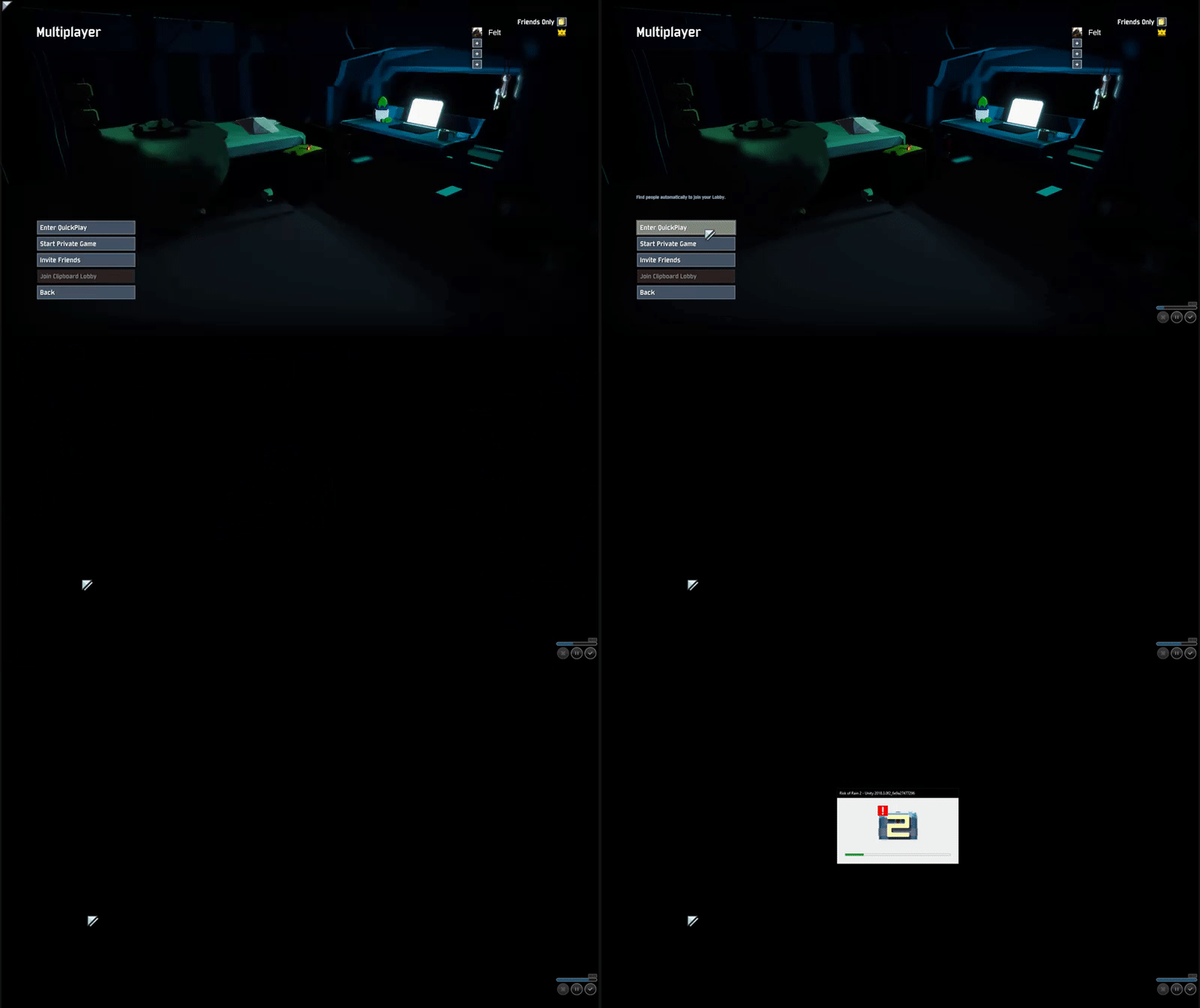


 proper horizon
What's the CPU/GPU utilization like during and in between those stutters (MSI Afterburner)?
lament torrent
I can't find anything related in eventviwer.
Other games don't seem to be affected.
I'd be seriously confused if it's a bandwith issue, but the exact timing of these freezes makes it even more confusing
proper horizon
Has it always been like this?
lament torrent
Bought the game yesterday, yes
proper horizon
You got the larger Win 10 Update 1809?
lament torrent
And CPU/GPU drops to 0% while the game freezes (Well, CPU not 0% because of normal background stuff)
And while the game is running neither are maxed out
proper horizon
Very curious.
lament torrent
I'm still on 1803. I could try updating windows
proper horizon
Nah, don't bother. 1809 is the devil in disguise.
You running the thing off an SSD or HDD?
lament torrent
SSD
Had it on my HDD first, but same problem (that's why I moved it in the first place)
proper horizon
No weird nVidia panel settings?
lament torrent
nope, just standard stuff.
proper horizon
You could open the in-game console but I don't think it will log much. Worth a try?
CTRL+ALT+key under ESC
Additionally, verify game file integrity.
lament torrent
ingame console doesn't log anything and I've already tried verifying (as well as reinstalling)
I guess it's some weird problem in my system, but who knows
proper horizon
It seems to be a hardware issue. It's funny, though, that the game doesn't freeze when picking up items (as it does for most players).
Something else must be going if the freezing also happens in main menu (such a bug has not been reported before).
lament torrent
Who knows, technology being weird as always ¯_(ツ)_/¯
but thanks for the help anyway @proper horizon :)
If anyone has anymore ideas, feel free to ping me 😅
proper horizon
You got any other Unity game installed?
lament torrent
Just checked Hollow Knight, works fine
proper horizon
Hmph.
 unborn rivet
Anyone else having issues inviting people to a game?
proper horizon
Not really.
 rocky elbow
Hello?
can someone help
please
my profile got corrupted
and i want to fix it
pleas
 wintry yarrow
I... don't think you can fix that
 lapis oar
whenever i try to join my friends private game i get a black screen then get sent back to the menu
proper horizon
@rocky elbow You sure about your profile/save data being corrupted?
@lapis oar It's best to open the in-game console (CTRL+ALT+key under escape) to see what's going on when joining.
orchid flame
I cant seem to reach my game when i start it up. Its always at the background
 worthy token
@wintry yarrow may i have your attention for a bit?
Are yall aware that the top feedback bot broke
 vital hemlock
Is there a way to get unstuck when floating around?
happens that map all the times I have been there in multiplayer, any tips?
 paper coral
Im playing on pc and I want to play multiplayer but the thing is that when I try to join a lobby or when someone else joins the lobby i made we get kicked back to the title screen for no reason. I have tried every possible method that I can do and it still refuses to let me play multiplayer. What can I do to fix this?
unborn rivet
thats happening to me and a buddy too, we'll load into the "multiplayer" menu, but it's just an empty background
then black screen, title screen
paper coral
I honestly am super super bummed out because of this and I cannot enjoy this game
unborn rivet
IMO its good solo but thats for another chat
proper horizon
@unborn rivet CTRL+ALT+key under ESC opens the in-game console. Perhaps that will give us a clue as to what's happening.
I would suspect a firewall- or restricted-NAT-related issue.
paper coral
GameNetworkManager.desiredHost={ hostType=None }
Left lobby 109775240987412178.
Unloaded scene title
idk whats up with that
I got this while loading up
Could not load config /Config/autoexec.cfg: Could not find file "C:\Program Files (x86)\Steam\steamapps\common\Risk of Rain 2\Risk of Rain 2_Data\Config\autoexec.cfg"
so idk whats going on
early access stuff i know but this seriously detours me away from the game if i cant play multiplayer
second time trying to quick play and got this
host id {0} has been already deleted
paper coral
cant really tell if this is firewall or NAT
paper coral
how to change NAT type?
 sturdy mortar
Hello, a friend of mine have a problem while joinning games. Black screen and back to the title
Do you have any idea why ?
 plucky needle
Does anybody know any performance tips so that I don't have to play 800x600?
 balmy dew
Nobody have solved this issue ? ( black screen when entering multiplayer then back to title menu ) ?
cloud hull
@plucky needle What kind of hardware are you playing on?
 teal jetty
Question, not sure if its my crap laptop but after 10-30 seconds onto any stage, my game drops to about 2-5 fps. My laptop hasnt done this before so I dont know if its something new or not. Any suggestions on how to fix it?
 leaden charm
not sure if this belongs here or bug-reports. THis is the only game I know of or have that leaves my GPU at 100% even when minimized.
plucky needle
@cloud hull an old laptop with an i5 3330u and a gt 710m
cloud hull
@plucky needle You honestly just wont be able to run the game. The gpu is far to weak. Sorry man. You'll either have to wait until they optimize the game better, or get a better laptop/pc
My laptop has an i5 5200u and a intel hd 5000. which is better than your laptop, and still can't run it well.
plucky needle
feelsbadman
steep helm
@cloud hull "You honestly just wont be able to run the game."
But wait, i'm playing well with a Pentium B960 and HD Graphics as video and have enough fps for comfortable game.
@plucky needle
Try to:
- Change display resolution for 800x600 too.
- Add -window-mode exclusive in launch options for the game.
- Once you're in the main menu, press alt+enter twice.
- Open gamefolder_name\Risk of Rain 2_Data\Config\config.cfg and add/change configs for this:
"resolution 800x600x60;
pp_motionblur 0;
pp_bloom Disable;
anisotropic_flitering=Disable;
pp_ao 0;
pp_sobel_outline 1;
r_foliagewind 0;
r_shadows 0;
r_softparticles 1;"
Or create autoexec.cfg in that folder and add these strings.
proper horizon
@steep helm Well, my (and for that matter most people's) definitions of "playing well" surely differs from yours. But to each their own. Play it on a toaster—for all I care.
cloud hull
I dont consider 20fps with 10 pixels all that playable. so no need to mock me with quotes around what I said.
Your playing on 2nd gen intel hd graphics, so I can't imagine your playable experience is that enjoyable
@steep helm
teal jetty
Anyone have help for me? Im using @steep helm's settings and My main menu and character selection run fine. As soon as I enter a game, my fps stays good for 5-10 sec then drops to 1-10fps for no reason. Any suggestions on how to fix?
proper horizon
Specs?
teal jetty
i7-7500U @ 2.7 and GeForce 940MX
 tiny dagger
hey guys, any idea why my fps in multiplayer plummets + if im host i crash switching stages? game runs beautifully in single player so its not my gpu or anything, but drops to like 5 fps in multiplayer even with reduced settings
teal jetty
sounds like my problem but with multiplayer. id try and ask @proper horizon
proper horizon
@teal jetty Spec-wise you're on the lowest end spectrum. Try turning everything down and see if that helps any. I don't think there's much you can do beyond that.
@tiny dagger Could be any number of reasons—but it most likely comes down to specs. Your CPU, internet bandwidth, apps running in the background, etc. Hosting in multiplayer is a lot more taxing (you're the server).
 proud hamlet
Anyone know if this game is cpu heavy?
 lyric river
im fairly certain it isn't
cloud hull
It's more gpu heavy than anything
 snow merlin
is there any way to save my video resolution settings ... they reset every time i open the game
 worthy nexus
i m trying to get into quickplay and i m getting not into quickplay queue
 spiral nebula
so is there any fix to the game just suddenly dropping to unplayable fps?
playing with a friend right now and when my game drops like this, it is fine on his end but since im the host all of the enemies move really slowly
 quartz basin
I just installed mods
How do I go back to Vanilla and have achievement support again so I can keep unlocking items?
plain pilot
@quartz basin probably delete your plugin folder
@quartz basin or just rename it plugins.mod.name
quartz basin
you sure?
 crude hedge
Hi. Who do I talk to if I'm interested in helping with localization?
 ancient wedge
so I can't join my friend's game and he can't join mine, even after both of us doing fresh installs
any ideas or?
 celest bone
Can anyone help me, when i open the came now it says corrupted profile... the last game i played , after completing the boss at aqueduct, i went to the lunar coin shrine and the game froze and crashed... is all my progress lost?!
 shrewd summit
Okay so i was attempting to play multiplayer with my friend but who ever is the host, its unplayable with the huge lag, porting over the map, enemies not dying for them. We've tried anything we can think of. Anyone have a tip to make the game playable in private multiplayer?
 thin topaz
Heard it was a problem with firewalls (I believe Norton). That was my friend and I's case atleast.
Try disabling
 cursive cape
My FPS in the game has gone to shit. 5 FPS consistently when I start the game, and lowering the settings only brings it up to about 10 FPS on average. I was easily getting 60+ FPS before these FPS issues started happening. Anyone else having this performance issue recently?
proper horizon
You got mods installed?
cursive cape
Nope, never even touched mods.
This issue started happening around a couple days ago? Just started the game and was getting terrible performance, I decided restarting my PC would probably fix the issue so I left it to go play something else. Restarted and still getting this issue. Validated game files, and fresh reinstalled and still getting 5 FPS consistently. Really not sure what's wrong with it.
proper horizon
It's not a known issue, that's for sure.
cursive cape
RIP me I guess
proper horizon
Large Windows 10 Update in the meantime?
cursive cape
I haven't seen anyone else having an issue like this either.
time to wallow in my sadness ¯_(ツ)_/¯
 delicate berry
Like the whole time even as soon as you open the game? I know someone experincing and currently trying to fix it. What is your Graphics card?
cursive cape
GTX 1050, and yeah, it's constantly five FPS. I've only ever waited around five minutes before giving up on it.
proper horizon
Latest drivers and all?
delicate berry
Even tried uninstalling and reinstalling? I've just tried cancelling the v-sync, Didn't help
cursive cape
Yeah, I've got the latest Nvidia driver, tried fresh installing
cursive cape
Actually, I think I updated my Nvidia driver between the last time I played it and recently.
Might try to rollback the driver
 velvet comet
Five fps?
Are you sure its utilizing your GPU properly?
Perhaps its using an onboard one
Try forcing it to use your GPU through the Nvidia Control Panel
cursive cape
Sure, will try that before rolling back the driver
@velvet comet ayy, thanks so much. forcing it to use my GPU through nvidia CP worked. much love ❤ works like new
 wise mason
Hey guys, just joined the server to see if I could get some help on an issue. I just bought the game last night and once I open the game, It loads, black screen, then closes. I'm using Windows 10, Radeon RX 480 Graphics, 8192 MB 16GB Ram and an Intel Core i5-6600k cpu
velvet comet
Awesome @cursive cape 👍
proper horizon
@wise mason Please make sure to update your Graphics Drivers, disable any Antivirus, and restart your PC. Afterwards, reinstall the game.
 deft notch
Hello! I've had some really bad performance issues with this game since I've purchased it. Generally speaking, CPU-intensive games (TF2, some indie games) would run very slowly as opposed to other, more recent games like Overwatch or DOOM 2016 which run fine on my device.
I noticed my laptop was on power saving mode this whole time... And disabling it fixed all my performance issues at once. If you're having trouble with this game, I recommend opening your resource monitor and checking if your CPU doesn't go past a certain usage percentage - in my case, it was limited to roughly 20% simply because of power saving. I hope some others who've had this issue may find a fix in this.
 cinder karma
anyone had any issues joining multiplayer lobbies recently?
 cursive sandal
Nah, what are the issues ?
 chilly minnow
I got stuck inside the Level 4 passageway that has the doors closed, because I entered from above, and now I can't get out
any Ideas?
 verbal cove
Hey my fps drops really low late game. Most of the time it runs at max fps. Is there anyway I can make late playable? My fps drops to about 20
ancient wedge
so I've done 3 fresh installs of the game and I can't join friend's lobbies or join quickplay lobbies and I'm not sure why
my game was modded but like I said I did 3 completely fresh installs and it still won't work
 tidal marten
got 90 hours in the game on 1 profile. Now its a corrupted profile. Any one have any ideas how to fix this
 floral dawn
My game seems to be stuck at around 70/80 fps all the time, despite unlocked fps
Tried changing graphics to low and it stays on the same fps as at ultra
 ashen heron
Sounds like a cpu bottleneck @floral dawn , game engine is also prolly unoptimized; on top of that it is Unity.
floral dawn
My CPU is i7 8800k, i don't think that's the issue..
ashen heron
yeah i have a 5820k, same framerate, Id test a bit more but Im almost certain it's strictly an engine related issue, poor thread optimization is the likely culprit.
 mental crescent
Any ideas on why RoR2 crashes PDAnet.exe? It happens only with RoR2 and usually when a boss spawns. Its, interesting to say the least
 magic frost
game is crashing alot now
dunno if its the new update
when it launched never crashed on me
just randomly crashes, can be instant as soon as i enter the game or when im 5 minutes in
i have a ryzen 5 2600 and a rx580 with 16gb of ram, if theres anything else i can give so it helps me with this issue ill be glad to give