#ror2-tech-support
1 messages · Page 28 of 1
 fossil robin
 stable vale
i think it is coding problem. i install in ssd and still lag too.
 silver jungle
I get crashes randomly, but only on opening chests/equipment. Really frustrating since it seems to happen during the first zone. Thoughts?
  Application Name:    Risk of Rain 2.exe
  Application Version:    2018.3.0.39463
  Application Timestamp:    5c0e9ee8
  Hang Signature:    c589
  Hang Type:    0
  OS Version:    6.1.7601.2.1.0.256.1
  Locale ID:    1033
  Additional Hang Signature 1:    c5891c7e0c31b3d017ffb62a319749f6
  Additional Hang Signature 2:    cb10
  Additional Hang Signature 3:    cb1012e87b1edefab115b7278a704688
  Additional Hang Signature 4:    c589
  Additional Hang Signature 5:    c5891c7e0c31b3d017ffb62a319749f6
  Additional Hang Signature 6:    cb10
  Additional Hang Signature 7:    cb1012e87b1edefab115b7278a704688
It's the same windows report every time
 turbid swan
So has anyone found a fix for the unity crash?
 round arch
I can't even play the game it keeps crashing
 jovial trail
has anyone encountered problems with graphic settings and resolutions not being saved?
fossil robin
i fixed it, i just reinstalled steam and its fine for me, no item pick up lag anymore
jovial trail
I can change the actual resolution but once I close settings or go to another settings tab and back, the resolution shown will go back to fullscreen without actually changing my resolution. VFX bias is also permanently on ultra.
closing settings changes the setting back to this but doesnt actually change my resolution back
 brave bolt
my character is staring at the ground, plz help
 neon whale
so.. how does one mess with the console and spawning in items?
 unkempt bramble
@onyx kindle i also cannot play w/o hamachi.
@mild ridge @normal flax
its been an issue and is never addressed
 hexed fractal
@quaint badge you cant start private games when joining other lobbies, the host should be able to do that and the black screen issue i cant help with sorry
 tough quiver
not able to do anything in the main menu after clicking continue on the early_access_disclaimer page
also not sure if the main menu is supposed to look like this
ive reinstalled the game twice now
 sage hearth
you can try verifying the integrity 🤷
sage hearth
no
 dark hound
Hold up might have a solutoion
Think there was a steam discussion posted by a dev that included that
tough quiver
o
yeah also not sure if the disclaimer is supposed to look like this either
i just verified game integrity
 spark nacelle
Try reinstalling the VC redistributables
 frozen matrix
I think that because the language part of config.cfg is not set correctly and cannot locate Language files.
dark hound
gotchu
PROBLEM All the strings in the game say stuff like CONTEXT_NAME_STRING, TITLE_MENU_STRING, etc.
FIX Please make sure that your Window System Clock's Timezone is NOT Invalid. If that does not fix it, please uninstall THEN reinstall VC++ 2015, shown here https://www.microsoft.com/en-us/download/details.aspx?id=48145

Microsoft Download Center
The Visual C++ Redistributable Packages install run-time components that are required to run C++ applications built using Visual Studio 2015.
@frozen matrix You remembered right
spark nacelle
I would say both to be sure but try x64 first
tough quiver
alright
tough quiver
64
tough quiver
im assuming i reinstall game as well?
dark hound
Shouldn't have to I believe
tough quiver
ya ty everyone that helped!
 molten nest
Hi! Someone know the way to spawn items by command or other ways?
 brittle lynx
Anyone know why Shadowplay doesn't seem to recognize RoR2 as a game? I tried to save a clip from earlier but when i did alt+f10 nothing showed up, and looking in my Shadowplay folder RoR2 is absent
 placid gate
Is there anyway to stop the game reducing your sensitivity while sprinting?
 south flame
hi i need help i lost all my progress and characters that i unlocked last night
brittle lynx
@south flame
Verify your game files
south flame
i did
brittle lynx
After that your save should come back from Steam cloud
do you have steam cloud enabled?
south flame
yesd
brittle lynx
Alright then, try this

Gameplay.tips // Game Guides, Walkthroughs, Tips & Tricks, Cheat Codes and Easter Eggs
Let me know if it works
 coarse belfry
Guys how can i be sure my pcs timezone is valid or not
Some of the item names are like ITEM_EXTRAL FE_NAME how can i fix that
 silent furnace
hey, anyone know how to fix the acceleration bug on the mouse?
 inland ibex
^^ Im having the same problem with controller
the game opens and its fine, then 2 secs later the screen freezes breifly and the acceleration is fucked
 finite tartan
my game normally go with 10-25 fps, what i need to go better? i have all in graphics minimum
hexed fractal
@brittle lynx have you added the game to your recognised files (in nvidia experience)
Try disabling mouse acceleration in on Windows
 hollow valley
hey guys and gals anyone else lose all progress once they opened there game up this morning?
 night iron
Anyone have a solution for the Unity crashes?
brittle lynx
@hexed fractal
No I haven't, didn't know that was even a setting. I'll look into it though, thanks
 austere ore
A friend of mine is having issues where he is white screening either as he starts a run, or in the middle of them
brittle lynx
How do I go about adding RoR2? to my recognized games?
I dont see anything online about how to do that
@hexed fractal
Nevermind, I just changed the default rendering hardware option in NVIDIA control panel from "auto select" to my GPU and that somehow fixed it
hexed fractal
Wow ok
Weird but glad its fixed
My isp gas been out for 9 hours now, sorry for the late reply
brittle lynx
no worries, I live in an area that gets outages quite a bit so I know what thats like
 silver gyro
So can I still not play with friends on Multiplayer?
 cinder flume
keep having unity crashes with this popping up after the game crashes, any known reason why>
 elder pelican
Ceremonial daggers seem to not register walls when you're not looking at them, or maybe specifically the walls that sometimes are open or closed in wetlands.
 versed storm
im also having the same problem as Jake, just shows that image and the games crashes
cinder flume
game just full on crashed without anything
ive loved this game so far but its annoying when i cant even get past the first level w out it crashing hahahaha
 hoary flower
@cinder flume ''early access''
also i didnt heard that kind of a crash
which keeps happening
so no idea
cinder flume
yep i completely understand that i really dont mind it rn
 frail quartz
every run i play when i get like 10 minutes in i lag alot to the point where i cant play or the game freezes, does someone know a fix?
 somber haven
@velvet creek @wintry yarrow RoR feedback bot command seems down atm
also should probably make a pingable role for the people you'd like to get hit up w/ in-server tech issues
 tribal warren
#ror2-feedback-and-ideas @hearty bronze is down
 wintry yarrow

Hello everyone! The bot may be down for some servers as of right now. Please be patient as we look into it and recovers from this. We'll be sure to update when it's back up!
 Twitter
the bot that the server uses is down
the issue is not on our server's side, we just have to wait till they fix the outage
 astral abyss
I cant join my friends game
 deep quest
same
 orchid flame
cant join private lobbys or multiplayer lobbys....
 frigid linden
Yea, my friend and I tried to play a game and i was gonna introduce it to him but for some reason we can't join eachother through steam. We tried to figure out the clipboard lobby but we weren't able to see where to input the numbers
hexed fractal
If you arent able to join others (Multiplayer)
Check your port settings on your router and see if the steam ports are allowed
Also check your PC's firewall / antivirus setting and check if its allowing RoR2 to pass through
 glossy hedge
For some reason my audio is stuttering HARD, skipping parts for a second and then resuming like normal. Other audio sources work fine at the same time, tried already to switch the output, khz settings etc. Nothing seems to have an impact on that bug
Did anyone else have that? Or is it somewhat known?
 frigid yew
@runic monolith try making sure your graphic drivers are up to date and reinstalling
 runic monolith
I played yesterday and i activated Hyper-v and turned it off after playing state of decay 2 after that I cant open it up
now i'll try to reinstall it
 lucid sphinx
when playing splitscreen.. which currently works pretty well. how can we keep our profile intact ? when enabled it switches to guest account and lose all characters but keeps all items unlocked
 latent trail
@unkempt bramble did you find a solution to your problem?
orchid flame
Thank you for restoring RoR2 Discord channel
 unique mantle
Is this where I ask how to turn off bloom?
 copper cypress
@unique mantle its in settings and the graphics panel
unique mantle
The option stays on even when I click on it @copper cypress
copper cypress
then that would be a bug
 cold pebble
hey any ideas why the game wont let me stretch it? playing low res stretched works fine on any other game but risk of rain 2 wont let me do it
 south girder
Can anyone help me with this? So like, since installation, this has happened. Nothing works, can't play single player at all. I go to play multiplayer with friends and it does everything except I can't get out of the pod. I can't actually "exit" the game, I always have to close it via Task Manager or something else. Haven't been able to access the game in any way, and it's been like this since I bought it. Reinstalled it numerous times, not sure what the deal is. 😦
dark hound
@south girder there was a steam discussion faq posted by a developer that covers this.
"PROBLEM All the strings in the game say stuff like CONTEXT_NAME_STRING, TITLE_MENU_STRING, etc.
FIX Please make sure that your Window System Clock's Timezone is NOT Invalid. If that does not fix it, please uninstall THEN reinstall VC++ 2015, shown here" https://www.microsoft.com/en-us/download/details.aspx?id=48145
Microsoft Download Center
The Visual C++ Redistributable Packages install run-time components that are required to run C++ applications built using Visual Studio 2015.
south girder
@dark hound thanks so much, I’m going to try this. Very much appreciated!
dark hound
Np, one of the few things I can help with. 👍
 brave sorrel
someone was running a lot of mods as the host and now my q has no cooldown. if I uninstall will my profile be wiped?
 true geyser
Guys im having a problem
"""PROBLEM All the strings in the game say stuff like CONTEXT_NAME_STRING, TITLE_MENU_STRING, etc.
FIX Please make sure that your Window System Clock's Timezone is NOT Invalid. If that does not fix it, please uninstall THEN reinstall VC++ 2015, shown here https://www.microsoft.com/en-us/download/details.aspx?id=48145"""
I have set my Windows system clock to auto select, which is correct. I had 13 different versions of VC++, like 2005 x64, 2005 x86, 2008 x64 etc. and had till 2017 x64 & x86, but didnt had 2015. Also it denied me to download 2015, i guess bec there was 2017. Anyway i deleted it and installed 2015 x64 & x86. Still i have that weird item and achievement name bugs on some items meanwhile my firends doesnt have, even when i host the game. I deleted and reinstalled the game but didnt worked either. What am i supposed to do?
upper half is what is suggested by developers, but it did not worked out for me
Like this but also on items and stuff
 lament horizon
@true geyser are you by any chance turkish?
true geyser
yep
 cinder lichen
how do i redeem the extra game copy to a friend?
lament horizon
known issue, fixed in next patch @true geyser
true geyser
@cinder lichen should be in steam inventory, send it like an item via steam
fixed or will be fixed?
lament horizon
has already been fixed internally
true geyser
apperantly not for me, and i deleted & reinstalled game like an hour ago
cinder lichen
ahh i see
lament horizon
internally, as in, in the office
cinder lichen
got it, thanks a bunch
lament horizon
it has not been deployed yet
true geyser
yw
oh then i just ahve to wait, cool
Btw another minor thing, why i cant turn off Bloom from graphic settings? i mean box does not become unchecked when i click
lament horizon
seems to be some issue with turkish also having a big "i"
true geyser
Yep İ I i ı
lament horizon
But we've been told that's fixed, so when the next patch lands, that should be resolved.
As for bloom, it's a known bug, not sure when that gets fixed
true geyser
i hope itll get fixed in next 5 days, my exams will end and ill be playin 10h/day on weekend
lament horizon
At least it's not one of those bugs that just prevents you from playing :)
true geyser
well u said that right
Uh, another thing 😄 will optimization get better in time or itll be as it is now?
cuz on long runs, screen getting crowded and im getting down to 10 fps (My system is GTX 1060 Ti, Intel i7 8th gen, also min graphics possible)
lament horizon
I can't speak to that, as I don't work on the game, but I assume it can only get better
true geyser
oh ok, ty man you were really helpfull 😃
 fast mason
So I’m a little confused. I’ve bought the game and I’ve actually bought another copy as a gift, but I haven’t received my second copy to gift for free on either purchase. I’ve checked my steam inventory and it’s not there either. Is there something I missed?
true geyser
ive heard that "buy 1 get 2" thing was till March 30, after that its not 2 for 1
 smoky hare
The "buy 1 get 1 free" promotion was very limited time for a couple of days after release. If you buy it now, you only get 1 copy.
orchid flame
Has anyone found a workaround for the multiplayer bug?
@onyx kindle how did you use himachi to get it to work?
 ashen badger
Weird question: I know the game utilizes Steamworks Multiplayer, but I haven't been able to figure out whether it's P2P (peer-to-peer) or if Steam spins up a dedicated server for each co-op group. I'd really like to know so I don't go saying "P2P is bugged, this is what's happening".
dark hound
Unless me and my buddy just had a really clean connection, it didn't feel like p2p networking to me. Unless as well, the netcode is just that good.
 wispy night
@ashen badger Its steam server related. Yesterday steam multiplayyer went down for a couple of hours and ypu couldmt play multiplayer
 willow pulsar
my cursor pops up ingame does anyone know a solution
 lament panther
Hey I'm having some trouble getting a lobby going with some buddies
is anyone else having that problem?
are the multiplayer servers down or something?
 naive kiln
I don't believe servers are down. I got into a game just fine. Though, I keep having Unity Crashes every 5-10 minutes so it makse it impossible to get through a game. Anyone know how to fix them?
lament panther
even through inviting friends to a lobby?
Me and my friends aren't able to get into a lobby with each other
naive kiln
I was able to invite a few friends. Though, I had trouble yesterday so idk
lament panther
i've tried join clipboard lobby several times and when I do, the top right names disappear and Quickplay, clipboard lobby and create lobby all become deselected
 odd wing
Are the steam servers down? I cannot connect to friends at all, had the same problem two days ago but no problem yesterday
two of my friends are having the exact same issue of not being able to join anyone's lobbies
the top right names never show up despite my friends being in the lobby and the game blackscreens once the private game begins
odd wing
@lament panther ok thanks, hope thats the case
odd wing
Does anyone know how to make hamachi connections work with this game? heard there was a workaround there but cant seem to get that to work either
 oak marsh
Are monster logs broken?
I cant tell what all the other monsters are, but I definitely know ive killed hundreds of the wandering vagrants
smoky hare
They're not broken. The log drop is a rare drop from the specific boss/enemy.
No matter how many times you kill it, RNG may not let u get the log.
@odd wing why r u using hamachi for a game that doesnt require port forwarding?
odd wing
@smoky hare the multiplayer is not working for me and a few of my friends, it works for some of them but two others are having the same problem as me, heard hamachi can solve it
smoky hare
hmm, idk. None of my friends or me have run into that problem
 fringe monolith
Hey, having a problem where when i drag my mouse of the game screen while playing it goes to my second monitor instead of staying in the game
any similar problems or ways to fix this?
 onyx kindle
@orchid flame literally installed Hamachi, joined a network on it with my friend, and RoR2 stopped kicking us out of each others lobbies. Worked identically for RoR1
 fervent surge
@fringe monolith temp fix, turn off the second monitor
fringe monolith
thanks for the 200iq suggestion
dark hound
@fringe monolith Might have your fix hold up
This is addressed in this channel's pinned messages, and in this steam discussion.

Problems & Fixes PROBLEM The camera is always pointing down, or I'm getting weird input latency! FIX First, try unplugging and then replugging your controller. If that does not fix it, look under Device manager and make sure there are no controllers. If you have VJOY or HOTAS...
posted by hopoo
 unborn lagoon
can you have multiple mods running at the same time??
 wet glen
hey there - so before the first patch my friend was having issues launching the game (exe shows up in task manager, but no window pops up and no crash report shows up either) he tried the FAQ fixes (pre and post patch) and his game still is not launching. any ideas?
 rustic badger
wet glen
rustic badger
wet glen
turns out the issue may not be exlusive to RoR2 for my friend. just tried a different game, and he's having the same issue with that not launching either, strangely enough
looks to be an issue he's having with games developed in Unity - Tannenberg, the other game in question, was also developed in the Unity engine. anybody happen to know unity-related fixes for games not launching? likely it will solve his RoR2 launch problems
 near gust
@wet glen
This post is just to document how I fixed this (Maybe it is of some use to someone):

After some more experimenting, I discovered that Dark Souls 3 didn't work properly either. It opened in a 800x450 windowless box in the top left corner of the desktop. Given that this had nothing to do with Unity, I was a bit perplexed. When I went to the options to change the resolution (within Dark Souls), I couldn't go windowed and the only resolution was 800x450.
I went into GeForce Experience and from there I was able to launch DS3 windowed. In windowed mode, it had all kinds of resolutions it could switch to. As soon as you switched to full screen, only the 800x450 would be available.
I went into Nvidia Control Panel. This is where I changed "Aspect ratio" to "No scaling" on the Adjust desktop size and position page (with "perform scaling on Display"). Suddenly everything was okay again. In DS3 I had options for resolutions. If I started up a Unity game with shift, the Select Monitor was no longer empty, but said "Display 1".
I tried switching back to "Aspect ratio" to see if this would break things again. It did for some games (e.g. Hearthstone), but others kept working. I also tried "Override the scaling mode set by games and programs" and that seem to work as well.

Now I have no idea why this works, but it did (for me).
found that exact post, going thru the solutions currently, but so far no luck
he's going to see if he can manually add RoR2.exe to his GeForce Experience and force a windowed launch
since it hasn't actually launched, GFE isn't automatically detecting it
near gust
Is discord overlay turneed on? If so, try turning it off
wet glen
he's about to try https://cdn.discordapp.com/attachments/133349287340933121/564604824050728960/unknown.png

gonna have him try turning off the overlay first
see if that helps
neither worked
at this point, who might be a better source to email for support; hopoo, or possibly try unity support directly?
since it definitely seems to be a unity-related issue
 oak harness
is anybody else having extream lag when playing multiplayer?
 ashen pine
my "Enter QuickPlay" option unders multiplayer is grayed out, so is the join by clipboard option
oak harness
I get 1 frame a second and then out of nowhere it returns to normal
 strange magnet
my friend is having the same issue with the game not opening, but its not actually open in task manager
ashen pine
anyone having this issue? multiplayer options grayed out?
oak harness
my invite friends button doesn't work at all and I have no idea what join clipboard lobby even does
ashen pine
welp I went out and back into multiplayer a bunch of times and now it's working
oak harness
I just thought they were being worked on
strange magnet
its also worth noting that steam says it only downloads 414 MB for him
 river heath
@ashen pine did you check if your steam went offline at that time?
 chilly gulch
Ok, this is going to sound really, really stupid. Is there a way I can get the window smaller than 640x400?
 weary harbor
Ok so my game wont launch. well it does, it launches and then instantly closes. nothing i have tried so far has worked. I have tried uninstalling and reinstalling, getting working files from a friend, trying to get steam to verify the installation. Restarting my steam, restarting my computer. any suggestions? it does open in task manager for half a second then exits
 simple elm
odd wing
simple elm
odd wing
@simple elm agreed, tried restarting steam, tried no firewall, even tried hamachi, tried every fix i could find from what is posted about the problem and nothing worked, i gifted this game to some of my friends and we cant even play together since they all have the same issue, i really hope a fix comes soon
weary harbor
Well some progress. if i hit alt+tab the second after i press play i cause the configuration window to open where i get access to the windowed mode and size. if i set it to windowed it opens a large white window for half a second then crashes with no crash report
strange magnet
anyone have any suggestions for my friend here? ^
 late cargo
Whenever I try to rejoin a game i get a black screen for a while and am returned to menu.
 hard rune
^ same
orchid flame
When I tab into the game my FPS is very high and the game is running smooth until about 1 whole second then it freezes for like .2 seconds and when its back my fps is VERY choppy. When I tab out of the game to a smaller window I can clearly see the game running super smooth and crisp then when I tab back in it happens.
I'd like to help any way I can to get this fixed
 agile sundial
my friend is having big troubles with this game atm. he has 2 monitors and the mouse refuses to stau in the first one. he tried switching to controller and now everything is going wrong. its forcing him to aim down. now he switched back to keyboard and mouse and its resulting in the same problem
we're getting hella frustrated, any advice?
 unique coyote
i think there is something in the pins about that
orchid flame

I just hope this isn't out of the scope of bugs to fix, just wanna be able to play in laptop lol
I'm supposedly artificer and there's some creatures in screen, but... No visible textures of either, all different settings apply
fervent surge
@orchid flame gpu?
river heath
what settings/res did u put there?
some of my friends get worst fps and stuff the more they lower the resolution
 foggy knoll
is there any way of me adding this https://thunderstore.io/package/Solst1c3/SharedItemPickup/ and also this https://thunderstore.io/package/Enigma37/CharactersImproved/ ?

Thunderstore
Gives a copy of each picked up item to every live player.
 fervent surge
Uhm integrated intel and dedicated amd?
orchid flame
Yeah
Gonna test it on an r9 280x later
The other amd is an apu
Probably a vram issue or proton but eh, I mean, was playing fine on a 970
oak marsh
Is it normal for enemies to not spawn properly once you get really far in?
currently 4 hours in and bosses dont spawn anymore and theres hardly any enemies anywhere
😦
Yeah our run is dead, we get maybe 1-2 boss spawns and literally nothing else per map now
no bosses spawn for portals either
In hindsight this is probably more suited for #ror2-bug-reports-pc as theres no way this is correct
river heath
celestial portal to end you run if u want
orchid flame
that happens to everyone if that's what you were asking.
 coral flume
Hey! I joined this discord because of an issue I was having with ROR2.
Just a few hours ago, I'm not able to launch the game due to extremely unknown reasons. I have not done anything since the last time I started up the game, I tried to go through all of the solutions (update my nvidia drivers, change ROR2's settings, etc), but nothing works. I'd really love if I could get help on this.
oak marsh
@orchid flame Thanks. Bummer, the run was starting to get really crazy
An excuse to go to bed though
coral flume
Nvm for my post, resolved it by restarting.
 solid lava
 sacred narwhal
Hi, the game won't start for me anymore
I've successfully verified integrity of the files
tried running the exe as admin
won't work
black screen coems up then closes back out
@coral flume oh hey, I'm having the same issue
strange thing here is that I haven't even turned off my computer since I last played
sacred narwhal
I can't do that currently I'm afraid
sacred narwhal
how strange
 neat breach
@mild ridge @carmine arrow @pallid ibex Hey, i just finish a new session of translation of your game in french, i'm actually at 90% of the translation just here to send you my job if you want to see it !
https://steamcommunity.com/sharedfiles/filedetails/?id=1702291781

Traduction quasiment terminée du jeu en FR, voici donc un lien de téléchargement, et un tutoriel rapide afin de comprendre comment installer les fichiers dans ce dossier....
sacred narwhal
Restarting the steam client fixed it for me @coral flume
coral flume
👌
 sharp zephyr
everytime i pick up an item i get a fps lag spike (i7700k and gtx 1070)
neat breach
@sharp zephyr you have ton install steam on an ssd
and the game to
it's cause you have the game on ssd, and steam on hdd
neat breach
y, but be carefull
cause you gonna lose all your steam games
you gonna nead to reinstall all of them
sharp zephyr
i dont have many installed i just reset my pc the other day
sharp zephyr
okay saving a couple games now then ill do it
neat breach
😉
sharp zephyr
it worked @neat breach ur a legend. thankyou
sharp zephyr
😄
 strong fiber
How does steam not being on an ssd affect the game performance ? Just curious since I never heard of it
neat breach
cause the game use two files, one with steam property location and the other
and when these two files aren't in the same disk, it's cause lags
strong fiber
Oh makes sense I guess ty
 cunning cradle
Hi
I dont realy know which channel to choose to talk about it. Im 255 min in run with my Engieener
I im gold shrine
And i cant finish it couse mobs dont spawn
 hearty tapir
@neat breach wow that actually solved my fps problems. Thanks! I had the game saved on an external. Just moved it to the main drive with steam
cunning cradle
0
Im in* gold shrine.
I launched 1 out of Beacons, and 0 monsters.
So i cant get money for rest.
Mobs dont spawn.
I think i broke the game.
But i cant as well kill my self.
And i dont know what to do.
Even on normal stages mobs wasnt appearing already.
No boss after starting teleporter event.
5-7 bosses after, starting just some randoms and then nothing.
Im stuck in a run which i cant complete either finish.
I cant kill my self couse of items i got. I cant kill any monsters and gold for beacons, couse there are no monsters and no new show up. Going out of map boundry dont do any dmg to me at this stage and i dont rly know what to do now.
Any solution?
hexed fractal
Use blood shrines tht take your hp
Id say this is just an unfortunate event
And close the game
And start it back up
chilly gulch
I have the game at 150x100x60.
And Hell STILL lags significantly.
And if you're wondering how I'm playing at this small, I just fullscreen it with alt+enter.
It... looks beautiful.
Magma Worms, Hermit Crabs, and Beetle Queens significantly slow down the game.
 hexed snow
cute pixel art
 undone field
the way the game was supposed to be played
 amber dragon
When I use my dash (on shift) with the commando or blink with the archer (I haven't the other characters yet) my character won't stop moving forward after that, as if my control was locked. I can sometimes fix it by spamming alt-shift switching to qwerty but if I dash again it comes back
 radiant light
it just stays at 0
 glad kraken
Hi, can someone explain to me how I can make sure to not end up as host while doing Quickplay? I am a terrible host with shit internet and I don't want to ruin peoples games as host 😦
 pallid fern
'Ello people, Last night I was playing the game for a good 4-5 hours straight (I'm in love with this game) and had just unlocked Engi and Merc, after logging out and sleeping, and logging in just now I've found that my user profile is missing completely, anyone have any idea why that might be? Thanks. (Please feel free to @ or DM me if you have any information)
 sturdy oyster
Hello, friend of mine is having trouble booting the game up, all that shows up is this:

Anyone has any clue on how to fix this?
 worthy aspen
Yeah I'm having latency problems as well, but only when I queue on quickplay. If I host to my friends or join them we play without issues.
I guess there's no region matchmaking
 pine bronze
So my save data got corrupted. The xml file itself doesnt seem invalid, and i ran some tests. I created a new profile, and no matter what, if i edited ANY of the parameters, or added the <unlock> line to attempt to unlock any characters, or even changed the coin amount, ANY edit would corrupt the save file. Im stooped.
I just want my countless hours of progress back lmao
Yes, i've read the pins, but should ANY edit on a clean safe file break that save file itself? ive heard instances of players unlocking characters via this method, but I cant even do that.
 desert sigil
Had an issue last night where a Lava worm spawned in the sky -- basically couldn't make it past that level in a reasonable time because it was taking an absurd amount of time to chip away at its health. It was reacting appropriately, just inverted -- i.e., it was diving "up" towards the level, and then "down" towards the sky, never got closer than the peak of one of the mountains (this was on the snowbase level). Have a video, can post a screenshot/gif later, after work (would have posted last night but it was already late and I had to get to bed).
pine bronze
So im guessing the tech support of this game isnt really... existent :T
orchid flame
Hey everyone im having a issue that its not working when i click single player, just shows me a screen filled with nothing and the writtings on the menus are weird, i would like to know if someone can help fix me this "bug" "error"
spark nacelle
Hey @orchid flame, you should check the pinned message on how to install the VC redistributables, that should help with your problem
orchid flame
Alright, thanks
 covert geode
is there a possibility to go in some sort of console to give yourself some items?
covert geode
y what command do i need to get specific items?
 supple fog
Havent been able to play multiplayer since update few days ago, any ideas? Tried different networks, verifying, uninstall/reinstall, different profile
 urban radish
how do you host an online public match?
true geyser
When_Pat_ch relE_ASE
hoary flower
@orchid flame if pinned fixes didnt work
delete language file and
verify files
so that it'll redownload the file clean
 chrome flax
When i try to invite a friend to my game, they get a blackscreen for a few seconds then are sent back to the menu, even tho it worked yesterday
also when he invites me i get the blackscreen and then i'm sent back to the main menu
 quiet shoal
 forest scaffold
Odd problem with my hardware - when I launch ROR2, my graphics card shoots from 35c clear up to 53c in mere seconds, and quitting immediately begins to cool it down, naturally.
Is RoR2 THAT intensive, or is it a different error on my end? Card in question is an AMD RX 460 (iirc)
 sleek garnet
apparently if steam is installed on HDD that isnt your C drive it effects game process and freezes up the game temporarily when picking up items.
true geyser
After deleting language files and verifying game, "My_Achiev EMEN_TS ST_illloo k_LI KE_this". Afaik next patch is gonna solve that problem, i wonder when it hits.
 long tundra
Anyone else getting insane latency in MP after the patch last week?
My game ran perfectly fine with my friends until the update hit, now I get crazy unexplainable lag but only in RoR2
 gusty flower
Anything further on the forgetting set resolution / always-maximising-to-screen-res issue?
@forest scaffold turn on frame limiting
someone in here noticed that RoR2 will use max resources otherwise
forest scaffold
Oh crap, really? Okay, lemme try that
Ah, that worked. 30 gives me no issues, 60 still causes me to run hot. Time to upgrade and get a Vega I guess 😂
 tacit gyro
ok my friend and i can connect to other people fine with no latency but as soon as 1 of us hosts and the other is client no matter who is who it just gets like 10 seconds of latency
 runic fiber
is the 'lag when picking up items' thing fixed?
orchid flame
hey it says 'corrupted profile' when i try to choose my profile, what happened?
 daring nova
me and one friend are having an issue when playing but only with eachother, if someone else hosts it's fine, could i please be told what ports to forward to try fix this
oak marsh
Not really tech support, but it gets buried in general chat and I figure more savvy people will see it here, Does anyone here have experience moddingh with dnspy? Could you dm me, I'm trying to do something basic, but cant compile, getting tons of compile errors with the default code
tacit gyro
does anyone know the ports the game uses?
oak marsh
You shouldnt need to port forward
 ripe folio
@orchid flame If you haven't deleted the corrupted profile, go to Steam\userdata\(your User ID)\632360\remote\UserProfiles, open the corrupted profile's XML and copy its contents. Not the file itself. Now make a new profile, exit the game, open the new profile's XML and replace its contents with what you copied earlier. This worked for me, I hope it works for you too.
 glass lily
So my friend is having issues with playing multiplayer. When he gets onto risk of rain it doesn't say that he is on the game. On steam it says he is online, that is it. How do i fix? We tried restarting the game, then restarting steam, but it just says online. We wanna see if we can fix this without having to try restarting his computer because that takes about an hour.
chilly gulch
Inviting him shouldn't require steam to say he's playing the game.
 copper osprey
do you think that as there are more updates the game is gonna become more demanding
im thinking about upgrading my pc and this game is a bit of the reason and i want to make sure i dont just make one thats built for how the game is right now when there will be more power needs in the future
 woeful tulip
I can't join my friends and they cannot join me either, help?
gusty flower
@glass lily ask him to check his profile privacy settings
if it's set to 'private' it won't display any game info and steam invites tend not to work
setting to 'friends only' or broader should work
orchid flame
@copper osprey http://www.shadow.tech
 fervent surge
And the input delay?
copper osprey
yeah what about lag and input delay @orchid flame
fervent surge
And no trial.
 hushed pine
$360/year for shadow, that's not even that bad 😮
fervent surge
Would definitely pay if you could at least try it for 60 min before you buy
copper osprey
yeah
copper osprey
is stadia even viable
wouldnt it just be better in the long run to buy a pc/build a pc
like a new one
@fervent surge
 azure oar
I got a new cpu and now when I launch Risk of Rain 2 it just gives me a black screen with the music
What do I do to fix this?
orchid flame
im using it now
playing apex legends just fine
i use it for all games
risk of rain 2 etc
 spiral spoke
Is there a settings file for display that I can edit? IT seems changing the resolution ingame doesnt actually save between reboots.
I figure editing the related file directly might fix that
 tidal jetty
So I am having issues with multiplayer right now
when my friend or I try to join each other using the steam invites, we get a black screen and then get kicked to the main menu
 vital current
I've got issues with my game
 quartz spire
Game was running fine yesterday with discord in the background, now when opened up it lags everything to all hell. Problem on my end or nah? Idk much about computers
vital current
The audio is extremely quiet even with all sound settings at maximum
And the resolutions aren't working correctly --- I have tried reinstalling the game, verifying game cache and deleting config files -- nothing changes
The resolutions not working has been an issue for a while --- the audio thing started today
glass lily
@gusty flower Any other game it works, it shows up. Not even the top right copy link when he clicks multiplayer works.
 soft storm
how do i change the game version to MOD?
 copper lance
has there been any update on not being able to play this with friends? still just seeing the same verify/reinstall/restart stuff on other fourms and none of that works
dark hound
Hey I need help, my friend's alienware laptop is running it worse than my laptop that has a ryzen 3 with vega. How do I get the output log?
 eager robin
@dark hound Instructions on how to get the output log are pinned in the ror-bug-report channel.
 little trout
is risk of rain 2 server hosted or is the lead the host
orchid flame
@little trout it's hosted by lead, therefore the bandwidth comes from the one with the crown
great when you have above 2Mbit of upload
otherwise it will always lag and bottleneck for the other 3
 onyx ruin
is there any way to turn off bloom
 harsh lichen
Is there anyway not to lag like crazy picking up an item.
 grave lotus
Is there a known fix to the issue that the setting aren't save after restarting the game? Every time I restart the game, the resolution wouldn't be the one I saved previously.
 unique minnow
Me and 3 friends observed lot of Lag yesterday night, even with powerful computer, we don't know what to think about it.
 polar pagoda
been away for a while, is there a fix for the freeze on item pickup yet?
 devout fulcrum
@harsh lichen apparently if you put the game to an SSD it stops the lag
harsh lichen
Mine is on a SSD
devout fulcrum
oh. well yeah as of now there is no fix that I know
 tepid pivot
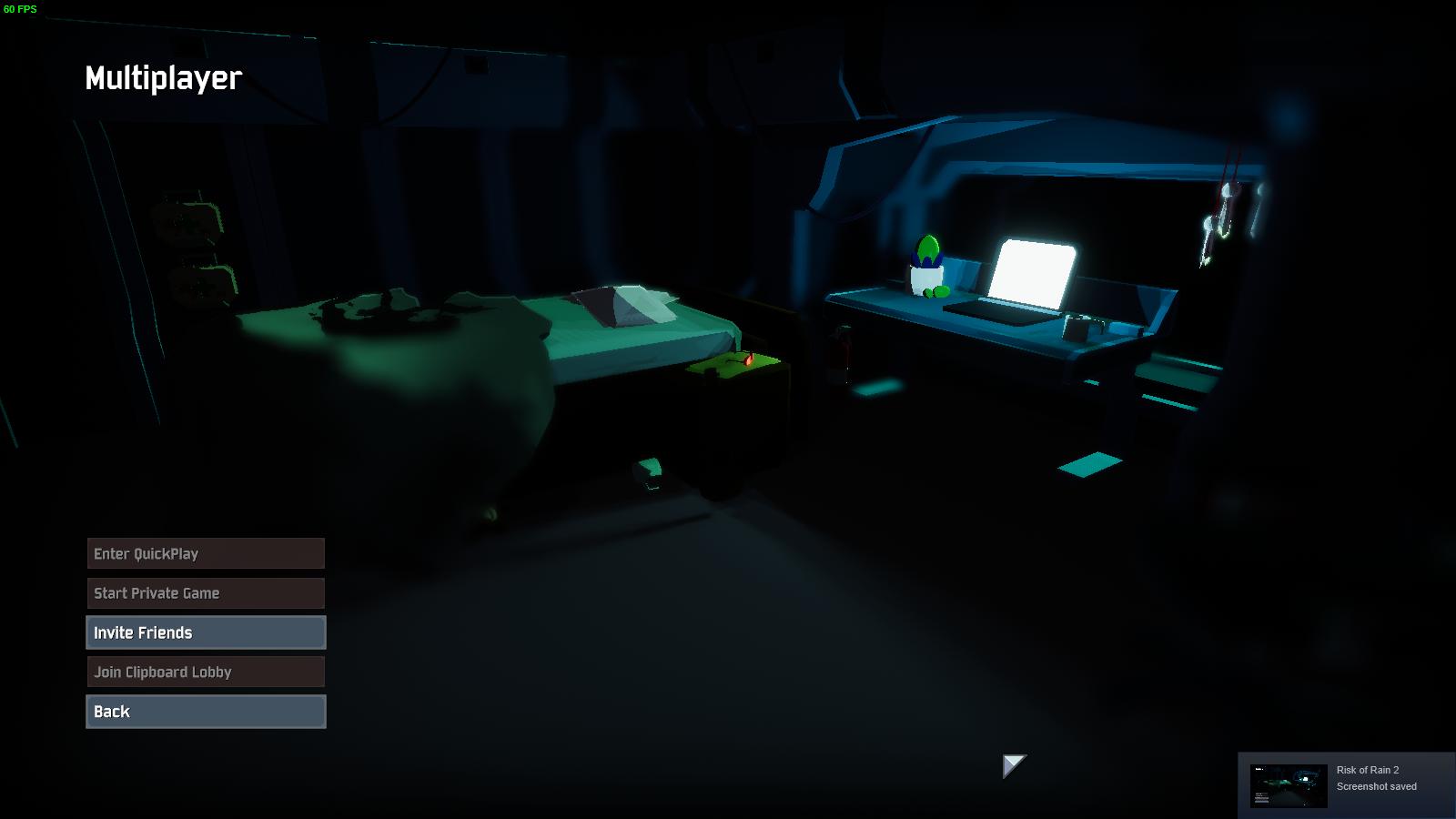
anyone having problems with multiplayer not being available? https://i.imgur.com/dl9K5Sh.jpg
 devout fulcrum
i'll check right now
mine is fine @tepid pivot you try rebooting? also what region?
tepid pivot
central usa, or maybe west
devout fulcrum
could be a region thing? I'm currently in korea
tepid pivot
tried restarting steam and checking other games. nothing changed since last night when i played online its weird.
ok yeah i hope its something that will be fixed soon thanks
fixed itself randomly after like the tenth time going back n forth from main menu to multiplayer screen
devout fulcrum
you submit a bug report? sounds like a bug
 peak pelican
quick question
i was playin around with the console, but when ever i type in "Cheats" it just spits at me "Cheats" = "0"
how do i enable these?
 earnest cloud
The game keeps crashing for me, is this where I can look for help?
orchid flame
Within 5 minutes of playing ror2 with an FPS limit and gsync I get either a Machine Check Exception BSOD or a WHEA uncorrectable error BSOD
I’ve done my best to exclude the possibility of this being a hardware fault via diagnostic tools
 tawdry storm
HELP ME!
orchid flame
Is anyone else experiencing similar issues
tawdry storm
OSAMA IS COMING FOR ME!
orchid flame

tawdry storm
your dad
orchid flame
🔇
tawdry storm
no u
orchid flame
@peak pelican afaik there is some code line preventing cheats from being enabled and it’s not known wether that’s on purpose or a mishap the only way to enable cheats is trough .dll file editing
peak pelican
Oh, someway to do that? Or a directory i can follow.
orchid flame
There is a modded dll file out there but I don’t know if it’s safe to use
 proud citrus
Have seen someone use it's to make a send nudes with the enges turrets
Idk if it's that one
orchid flame
@ripe folio i tried that but in the xml file everything is deleted :/
ripe folio
In the corrupted one? Damn, that sucks.
 celest oracle
hello
why when i go multi suddenly the game like ran slowly then after that just go blank
 winged zenith
has anybody resolved issue about game crashing right after opening?
 safe sorrel
how to get a free key from ROR2???))
 prime musk
you get someone to buy it for you
 hybrid tulip
yeah that promotion ended
 atomic veldt
What happens when you have the ring of vultures (or whatever) item and you kill a blue enemy? Does it just remove half your health and turn it blue?
 hollow quail
Yep
 spare coral
Whenever i start up the game my monitor goes black but i can hear game sounds. Also, my computers fans like all turn on get stupidly loud and the only way i can do anything on it after this happening is to restart my pc, anyone know how to fix this?
My nvidia driver is up to date as well
It launched and didnt crash once before and i put about 5 hours on one sitting but I cant seem to get it to not crash again
 solemn forge
Is there a known fix or workaround to all the lags/timeouts I experience during multiplayer (quickplay)? Seems every single game I'm getting that whole desync thing and I lag out to the main menu. I don't have bad internet by any stretch, every other game/service/streaming works wonderfully without hiccups, but for some reason, ROR2 just doesn't agree with it or something. Are there ports I can open or something so that I can actually play with other people? It's impossible.
So far this morning, literally every single game about 1 minute in. I begin lagging and then just get booted to menu.
true geyser
when next patch
 sweet venture
it's too early to tell, they don't have a set patch schedule that we know of yet
 lusty epoch
Has anyone got a reply from risk of rain email?
hoary flower
@lusty epoch i did
lusty epoch
how long did it take?
lusty epoch
when was this?
hoary flower
after that i asked an admin directly and we fixed it hopefully it is gonna go live
next patch
i dont remember
lusty epoch
i emailed them on saturday and i dont have a reply yet. do you think they ignored my email or not enough time has passed?
 sharp idol
@spare coral same exact issue here. Nobody seems to have a fix. I keep getting the same reply to other issues. Would love to hear something on that
lusty epoch
ok. i tried to pm the dev but i guess they disable PMs
spare coral
Unfortunate
lusty epoch
its not a bug just a query about something so its not super high priority
hoary flower
ah okay then
mine was that
some texts were missing capslock i letters
which caused my achievements and items
named ACHIEVEMENT_ETC
and stuff
lusty epoch
yeah so far ive not spotted anything out the ordinary so im happy with it but also i suck at finding bugs lol
hoary flower
well bug was simple
my computer language was turkish
which has
ı letter
capslock i but small
😄
which made capslock i letters to disappear
talked it with ghor and found the cause
seems like fix is gonna go live next update
it happens some other languages as well not sure which one
*ones
lusty epoch
im just english and ive not seen any issues but ill keep an eye out just incase
 lusty epoch
ive actually not been in the logbook yet lol
lusty epoch
ya ive not seen any of that in my playthroughs
 atomic dust
the game is continuously aiming down and it's sadly not playable like that. I think it's because I have two vjoy gamepads connected (they are virtual gamepads) which input 1 on the z-axis when no physical gamepad is connected to them
I tried disabling the driver in the device manager, but the gamepads are still there
and I think even that is honestly too much and I'd rather have the game be playable without disabling or uninstalling drivers
imho there needs to be a way to disable gamepads all together
or do not use the input of gamepads if their input state has not changed yet
I tried connecting an actual gamepad, but it still aims down, so I presume it just uses the input of both
 distant ocean
 radiant knot
Hello, i just found a alternative Text document on reddit that changes item describtions ingame.
https://www.reddit.com/r/ror2/comments/b91hx7/working_on_a_mod_that_changes_the_item_tool_tips/?sort=new

reddit
412 votes and 49 comments so far on Reddit
This one. is it safe to use it or do i get banned when i change item descs?
 magic shadow
Hello, my profile just got corrupted in RoR2, what i need to do?
neat breach
Content stole from Admiral.Slowpoke on Steam, here is the link @radiant knot https://steamcommunity.com/sharedfiles/filedetails/?id=1699329693

Change description of items to more informative...
@radiant knot But you can use it without problems after i think, just use some of his lines into my translation of the game in french, and no pb
radiant knot
@neat breach Oh, didnt knew that 😃 Thanks for the info, i sure want to support the real creator ^^
 golden knot
can you guys add host migration already ffs @pallid ibex @carmine arrow
neat breach
@radiant knot Yeah, no problems, just glad to give you his job, some peaples stole my content too, to put the translation on their own website, but i just changed some lines and it's say Translate by Valentin#9876 lol, peoples are so dumb, they steal my content and say it's from them but don't switch the name of the translator xD
 glacial vale
Hello, im having some problems with FPS when playing the game. I have a high end pc that can run every game on high/ultra but for some reason when im playing Risk of Rain 2 im getting low FPS. Any suggestions?
neat breach
@glacial vale Did you have Steam AND RoR2 on ssd ?
golden knot
turn graphics down and set corpses to 0
neat breach
@glacial vale Humm, i see, cause when you have steam on HDD and RoR2 on SSD it's so fucking laggy and you gonna have freezes, but if both of them are on HDD i don't really know
I'm sorry
glacial vale
Its fine, i'll have to mess around with it untill i find a fix. Thanks for the suggestion @neat breach
For some reason when i click out of the game the fps hoes up, but when i click back in it drops
neat breach
Weird
 pale swift
hey boys, im having the bug where i cant start a game and it say's ''title'' before everything. i have try almost everything now pls help
tried*
neat breach
@pale swift https://www.microsoft.com/en-us/download/details.aspx?id=48145 dl this exe
Microsoft Download Center
The Visual C++ Redistributable Packages install run-time components that are required to run C++ applications built using Visual Studio 2015.
and it's will fixed
@pale swift So, it's okay ?
pale swift
x64 or 86 ?
pale swift
its stuck at ''prosessing''
neat breach
so wait
x)
and if it's stuck too long restart your computer and run the exe as administrator
pale swift
tried waiting an hour before written hahaha
neat breach
on Visual C++ ?
pale swift
ye
neat breach
humm, that's a problem
pale swift
ye : (
pale swift
10
neat breach
so no pb with that ...
close the process
kill him via your task manager
go to Control Panel > Programs > Programs and Features
and try to uninstall Microsoft Visual C++ 2015
all the 2015 you have
pale swift
tried that already :/ still not working
i only really see one option, and that is too reset the pc
pale swift
nope
neat breach
okay, so we gonna try to add C++ 2010
then fix the 2015 version
Microsoft Download Center
The Microsoft Visual C++ 2010 Redistributable Package installs runtime components of Visual C++ Libraries required to run applications developed with Visual C++ on a computer that does not have Visual C++ 2010 installed.
pale swift
run it as admin ?
neat breach
y
pale swift
got it
neat breach
ok, so now go with the 2012 version
Microsoft Download Center
The Visual C++ Redistributable Packages install runtime components that are required to run C++ applications built with Visual Studio 2012.
pale swift
64 exe ?
neat breach
both
pale swift
what about ''arm''
neat breach
just dl everything
neat breach
ok
so now, go on and try to install both 2015 again
x86 is basically for Win 8.1 but still work on 10
and no problems with x64 on Win 10
pale swift
still not working : /
neat breach
for both versions ?
pale swift
ye
neat breach
and if you try to go directly by steam
go to steam steamapps common
the game you want to works
so basically RoR2
after that go to _CommonRedist
vcredist
and delet the file installscript
and just try to restart your computer
pale swift
cant really find the commonredist folder
neat breach
y my bad, totally forgot that's steam del this folder
wait i'm gonna check
well, we gonna have to try somethings different, add me discord, we gonna see directly in conv, it's not the good place for that
solved, thank you for giving us place to try to solve his problem
 stark juniper
A friend and I got the game last night. Our issue is that we can't get into any multiplayer lobby. If we invite each other we get pulled into the muliplayer menu but never into the lobby. On my end I will get a black screen for a minute before it kicks me back to the main menu. Furthermore, neither of us can join Quickplay. The message reads, "Joining Quickplay...." "Not in Quickplay Queue" and then just sits there "searching". Any thoughts would be helpful, although we have tried a few things already.
neat breach
Sry, didn't have any answer for this problem, did your both steam profiles are open and have in game status ?
stark juniper
What do you mean by steam profiles open or in-game status?
neat breach
when you go to your friend list
did you see your friend in game ?
and did he see you in game ?
stark juniper
Yes it shows both of us in game.
We read that some people fixed it by joining while the game is closed but that didn't help either
neat breach
oh, so i didn't have any solutions for you guys
i'm sorry
did you have cheated ?
like modifying files to get more things or characters ?
cause by doing that you can corrupt your files
stark juniper
I bought the game, downloaded it, and found the issue in 5 minutes.
stark juniper
yes i verified them, nothing wrong
neat breach
reinstall the game ?
stark juniper
did that last night, but I could try again...
stark juniper
yes
stark juniper
the only other games we have ever had trouble like this, is games that were peer to peer connections like most games on the Uplay store
stark juniper
Okay, thanks anyway
neat breach
really sorry
stark juniper
same
 worldly jacinth
Hey guys! Love your game. You did a really great job on RoR2. Yet i have some trouble with it regarding my gpu... i have a nvidia gtx 780ti. The game feels like this card is more than good enough to play it without any problem. So my problem is, as soon as i start the game, my gpu is 100% occupied and the cooler sounds like he is about to fly to the moon. Is there any solution for it?
neat breach
Totally normal for a gpu to be at 100%
and if the cooler turn on it's cause your card need it
worldly jacinth
ok, already knew that, but there is no other game on my pc that makes my cooler this buisy... not even CoD Blak Ops 4... but if you say its quite normal, thanks for the answer 😃
 lusty monolith
Hey so my profile got corrupted picking up an effigy of grief
neat breach
@worldly jacinth just to being sure, when you play, check the temp of your card
but if it's not to hot it's ok
@lusty monolith Go to Verify Integrity of the game on steam
@lusty monolith it's gonna put back your save
worldly jacinth
Okay, @neat breach . Thanks, helped a lot
lusty monolith
@neat breach no dice
neat breach
@worldly jacinth For a card like yours 85 Celsius degrees sounds great when you'r in game
@lusty monolith didn't fix ?
neat breach
did you have the name of the fill ?
if you have his name, then dell it
and go to verify game integrity again
 left basalt
@stark juniper im having the exact same problem rn
when i played last week i never had this problem
only started today
have you fixed it yet?
and what server do you play on
are you Europe West as well?
lusty monolith
ye
hexed fractal
@stark juniper does your router allow the default steam ports
Is your or your friends firewall blocking the game?
left basalt
friend c can join friend b's lobbdy
but i cant join either of their lobbies
and neither can join mine
so its on my end somehow
but it used to work
 chilly vapor
@grand zealot which bosses have you killed?
 grand zealot
the fire stone titan, fire dunestrider, fire bugg queen, overloaded magma worm.
@chilly vapor ^
frail quartz
i get 10 minutes in to a game and then i just lags like my frame drops to like 5 or something, does someone know how to fix?
stark juniper
@hexed fractal I've dealt with ports before but i'm not in the mood to look into it.
stark juniper
@left basalt No I haven't fixed it yet. Decided to play SC2
 dense mantle
I got the game yesterday and when i went to go play with my friends i encountered a problem. I will load into a lobby but I won't actually be loaded in I can not choose a difficulty and my team can not start until I leave. When i host the game the same thing happens to everyone else. I have tried verifying my files and reinstalling it still does not seem to work.
here is a picture of what is does
lusty monolith
@neat breach I did it. I nicked my mate's profile
neat breach
@lusty monolith lol, nice x)
 slow mica
Text supposedly appears on the screen along the lines of "the air around you (crackles or burns for jellyfish or lesser wisps respectively)" or the ground trembles beneath you for golems and there's another one that only does beetles or something
so my friend is playing and have been getting those text
is he glitching or is this supoose to happen
he say he is playing rainstorm and same monster keeps spawning over and over
and he didnt do anything
@dense mantle i experienced the same problem and i did a full computer restart and a steam restart to fix it
so he is saying like on stage 1 of rainstorm he sees like large swarms that typically appear only on like hahaha diffuculty, even though he is only in easy mode. do you guys know why this is happening
 stuck gulch
Hey I'm having a problem with some mouse input lag in game, anyone know what's causing it or what might be a fix?
 desert ore
for some reason i can only play multiplayer when a certain one of my friends hosts, other than that it won't let us ready up and then we dont load into the game when it starts on the host's end. Any known fixes, or is this just EarlyAccess™
slow mica
@desert ore i had a similar problem, we did check files then restart steam then restart computer
then the restart computer made it work fine and we didnt experience the problem
desert ore
ok thanks, we've done all three and reinstalled the game and it didnt work but i'll try again
slow mica
yeah it took a couple tries for us to let it work, we also reinstalled the game. It seemeed a couple computer restarts ended up working
 marble burrow
@mild ridge I have news for the CONTEXT_STRING_NAME , VC++2015 Issue that I had,
I bought a new HDD, and it works completely fine now, Game is running normaly.
I feel like the old HDD that I had was kinda messed up. I wasent able to do any windows updates at all on it and some other games Outright completely refused to read certains DLL Files, So I guess that was the main issue.
Oh merp. < w> So I'm assuming something to do with Windows updates or Windows not running properly would be the track to follow to help with users with this issue.
grand zealot
im just wondering if the challenge about killing the elite boss on monsoon diff is bugged or what because i have killed multiple but i still don't have it @pallid ibex
stuck gulch
Any advice for my issue?
 wanton stag
Hey hows it going guys, just started ROR2like a week ago but noticed the name I originally typed in the box to be my in game had be switched to my steam profile name which happens to be my first and last name, I like streaming this game but i dont like my frist and last being thrown out there like that. Is there anyway to change my in game to the name i originally requested?
stuck gulch
I really just wanna play this but it's just not possible given my issue.
 regal trail
Do you have a Controller plugged in at the same time @stuck gulch ?
stuck gulch
Just my steam conroller
regal trail
Have you tried unplugging it while playing to see if the issue resolves?
stuck gulch
I have not, that's actually an excellent idea
regal trail
Otherwise I would verify your game in the steam menu.
 limpid warren
Just started up the game and my camera is forcibly looking down at the ground
if I try to move it up it keeps looking down, is this a known issue?
regal trail
You probably have another source trying to take controll @limpid warren If you have a controller or something I would unplug it.
limpid warren
Tried unplugging the controller and also restarting the game
ill try again
Yup started it with only mouse+keyboard, still stuck looking dowqn
I also went into setting and inverted vertical look to see if it forced me to look up but no change
still towards the ground
found some info on it here: https://steamcommunity.com/app/632360/discussions/1/1768133742956098205/?l=portuguese

Problems & Fixes PROBLEM The camera is always pointing down, or I'm getting weird input latency! FIX First, try unplugging and then replugging your controller. If that does not fix it, look under Device manager and make sure there are no controllers. If you have VJOY or HOTAS...
inverting vertical look under controller caused it to look up, I dont have any controllers connected though. I even unplugged my midi keyboard
 floral lark
I keep lagging out of multiplayer matched. Everything freezes and starts moving in a straight direction, then i get timed out. Anyone know why? I don't think its my internet, it's pretty good and I'm connected to ethernet...
 woven yarrow
My game keeps crashing randomly, on different levels with various number of enemies or no enemies at all. The only error I see is a Unity thing pops up with "Unity 2018.3.0f2_6e9a27477296" in the title bar. I have tried reinstalling about 15 times, tried a different harddrive, verified game files 20+ times, I have tried all the graphic settings on the lowest possible setting, I have tried running as administrator, I have tried compatibility mode - Everything still crashes
 safe stump
My friend can't see the Artificer pod to buy him. We tried on 4 different occasions to teleport in but the buy station is missing for him. Why is this happening? Is this a bug?
woven yarrow
@safe stump I had that happen to me too and it was (we think) because the person paying to open the portal already owned him, the first time I tried to open the portal myself was the first time I saw him for sale
safe stump
@woven yarrow We tried that already. I had him buy the blue portal but still wasn't visible for him to buy.
orchid flame
Had an issue after the game crashed, told me my profile was corrupted and I'll need to farm up all my items and characters again. Any ways around this?
 frank flax
does anyone else crash when online?
 chilly flint
Anyone happen to know why I cannot turn Bloom off?
Pretty dumb when it comes to lighting and such in settings, not sure if it is an issue with my game or something with my PC.
orchid flame
I have the same issue. Also the game chugs hard when I run it on my Surface Pro 4 but I should have ample power to run it. Anyone have any ideas how to get it to not run at 15-25fps? I’ve turned everything to minimum settings and it barely improves.
 smoky brook
anyone having crashing issues today
naive kiln
I crash every 5-10 minutes to desktop and have tried just about everything. It pops up as a Unity error.
smoky brook
same
stuck gulch
Unfortunately disconnecting my steam controller did not fix the mouse input lag
Any other ideas?
 dense pagoda
Odd question, but how does one turn off bloom in the settings? I click the checkmark to "uncheck it" and it just stays checked, is there another way to turn it off, or is this a bug?
orchid flame
Bug
dense pagoda
should I put it in #ror2-bug-reports-pc or has it already been put there?
dense pagoda
I think it's the second pinned message
orchid flame
Dont have Vjoy installed and no other controllers plugged in
dense mantle
I wanted to tell you guys that i bought the game yesterday and i am unable to play with my friends. Whenever i join a game it will not allow me to pick a character or difficulty. I have found some other people having the same problem and whenever i host the game the problem happens to the other people. @mild ridge
brave sorrel
where is the profile saved? if I wanted to backup my profile progress before uninstalling how can I accomplish this
 viscid saddle
Not exactly a tech support question, but does the game still have the buy 1 get 1 gift copy thing or have I completely missed it?
lament horizon
That was only the first 48 hours, think we're a little bit past that :)
 frosty mulch
hey im running everything on max settings, and ive noticed from watching videos on youtube alot of animations arnt showing up.
viscid saddle
thanks
frosty mulch
what are all the setting the affext visual affects?
 modern thorn
What are the rules on modding? like changing your amount of lunar coins in game? Is that bannable?
earnest cloud
My game keeps crashing, can somebody help?
These are the logs
Any idea how to fix this?
chilly gulch
@modern thorn
Well, here's the deal on modding:
If you're just modifying lunar coins, logs, achievement unlocks, etc. there's not any countermeasures put in place to ban a player. It's a PvE game, and all modifying these numbers does is cut out some grinding. I would recommend not touching the unlocks because it gives you as a player a sense of achievement and progression, even if some of them are silly. Lunar coins, however, are kind of different, since there's no dedicated way to grind them except idling with a 0 cooldown use item or something. This is all up to your discretion, though.
If you're creating your own content and putting it into the game, there are specific notes left in the code by the developers that ask you to also change IsModded to True to disable Prismatic Trials and Quick Play, for reasons that should be obvious. Playing Prismatic Trials or Quick Play with any kind of mods that would disrupt normal play is probably bannable.
There's a discord server specifically for RoR 2 modding out there if you're interested. That's all I know.
 teal rock
hey so guys any1 that can tell me why my game looks like this?
https://gyazo.com/2dc6d0fab4d3bba620b8c81d38519ac7
also why i can't start a game or close the game ?
no idea just bought it and can't figure it out ?
 chilly gulch
Have you tried the fix written in the pinned messages of this channel? @teal rock
earnest cloud
I have.
chilly gulch
Was not addressing you, sorry for the confusion
 delicate shore
I'm having this issue where, unlike other's problems with having black screens, I am stuck frozen at a black screen when switching between levels in multiplayer matches. Very rarely, it will freeze when I am dropping in, but quite frequently it is just a black screen. I cannot rejoin late, and I have to disconnect. Is there any way to fix this?
teal rock
@chilly gulch i tried it now again and still dosen't work should i try re install all the game and do it from the start for a third time?
 woven fern
wha t does this mean when i get this popup?
 strange pecan
eyo people I need help
where's the savefile?
sorry for my broken english
I need to get the savefiles from a folder and into another to not lose the progress I made
:(
is that even possible?
 steady goblet
i believe your progress is saved through the cloud
strange pecan
isn't there any local saves?
steady goblet
i dont think so
steady goblet
they will stay unlocked on your account
strange pecan
but I played on somebody elses account
steady goblet
ahh. there's no way to transfer data to a different account on our end
strange pecan
oh okay, thank you
steady goblet
no problem!
 turbid bone
Is there an optimization thing going on for picking items up? most of the time I pick items up, it freezes for like a second or sometimes more or less and then runs perfectly fine after
steady goblet
it happens to me too. im not sure
near gust
@strange pecan sec
C:\Program Files (x86)\Steam\userdata<some number>\632360\remote\UserProfiles
If steam is installed in it's normal location
celest oracle
it seems quickplay is broken for me
games go blank after character locked in
then after some time i just spectate my teammate
strange pecan
@near gust THANK YOU SO MUCH!!
@steady goblet heyo, just so you know, it is possible to rescue save data, it's where harb said
earnest cloud
I still need help.
 spark flower
Is there any way to disable effects like Bloom or entity based light sources? My FPS tanks hard core whenever I have to deal with large packs of anything that makes things like fireballs.
earnest cloud
@woven fern I'm having the same issue
 subtle thistle
anyone having trouble creating multiplayer lobbies or even joining them? My friend cannot invite, or recieve invites, or play quick play, he has tried a fresh reinstall
peak pelican
anyone know how to edit which dll file to enable cheats in console?
woven fern
@earnest cloud does it close your game?
celest oracle
i cant play quickplay,look delayed and then goes blank. and after its return normal i already dead and spectate my teammate
anyone know how to fix this?
earnest cloud
@woven fern yes, and it seems to happen randomly.
Anywhere from 1 minute in to 100+ minutes in
sometimes in the menu, mostly in game
I have over 75 files in my crash reports folder
 tight reef
uhh i need help its saying my proflie is corrupted
orchid flame
You’re gonna have to push that create new button and cry. Time to pour one out for the homies you gotta reunlock.
Sorry for your loss.
 dense grove
Hey does any one know why my performance is low i have a pretty high end pc and my friend on his mac book is getting more fps than i am
 mortal void
i tried using my contoller and my move forward and backwards is reversed and i cant look up or down at all is this just a problem or?
 round pendant
I'm having the title_ problems that others are having, but my steam is on the D drive, and I cannot locate 632360 (I found other files but not that one), any ideas?
I tried to download the visual C++ as well bat that just didn't work
*but
round pendant
s a m e
earnest cloud
I have crashed every fucking time I've tried to play it and none of the "fixes" are helping.
round pendant
damn
earnest cloud
It usually doesn't crash until about 30 minutes in too
So I spend all that time just to crash
 bitter tusk
Hi. My game crashed and it corrupted my profile. I was wondering if there was a way to get it back since I had all the survivors unlocked.
earnest cloud
This is very fucking annoying
sharp zephyr
sounds like a user problem
 left vector
why does it force me to look down (i use keyboard and mouse)
 mild ridge
Check the pins in this channel. The culprit is usually vjoy
left vector
i don't think i have vjoy
but it did change the speed when i changed controller sensitivity
i fixed it
thanks
 alpine locust
@subtle thistle one of my firends is having the same problem, we havents found a fix. we need the devs to fix the lobbies out of most of the problems in this game
 plain pilot
!mods can you ban @violet terrace from VC2 for harassing people? This guy won't fuck off
 deft tusk
havent had this issue happen without the game being open yet, but i've had both my displays turn off and force me to restart p.c while the game is open. once changing options, 2nd after tabbing out. i don't think im crazy to say it could be the game but will keep tabs on if it happens without it being open.
 stuck jay
any chance I could force a respawn? I got stuck in the closed crate on the ice level :c
 weary vessel
Has anyone encountered a situation where keybindings on the steam controller won't stay? I've played with controller configs in Big Picture Mode and no matter what I set in-game, it'll always revert to the default keybindings/button assignments after every round.
 manic urchin
Can anyone help me out? My game crashes on startup. I've tried so. many. things. already. I've reinstalled, checked files, disabled anti-virus & defender, updated drivers, installed directx, launched as admin, changed Nvidia settings, disabled steam overlay. Nothing seems to work.
Anything else I can try? I'm on Windows 7 if that makes any difference.
 prime igloo
Anyone know why all my controls say UNKNOWN and when I get in game I am perma stuck looking straight down
prime igloo
Yes but i dont have a controller plugged in
manic urchin
Uninstall it
prime igloo
the driver?
manic urchin
Yeah
manic urchin
Np
 worn ice
Help, all my multiplayer games are laggy unplayable
even chat has a delay of multiple seconds 😦
and its like matching me with russians/koreans and generally everyvody who does not speak english
 languid frost
 plain wedge
VPN?
orchid flame
Whenever i open the game i get a early access disclaimer, then all the tabs in the menu starts with title_menu and clicking on anything either doesnt work or just opens a similar window i cant do anything with
Ive tried installing reinstalling verifying and all that jazz
spark nacelle
Did you also try reinstalling the VC++ redistributables ? That's usually the problem
orchid flame
No but ill try that, thank you very much
manic urchin
Can anyone help me out? My game crashes on startup. I've tried so. many. things. already. I've reinstalled, checked files, disabled anti-virus & defender, updated drivers, installed directx, launched as admin, changed Nvidia settings, disabled steam overlay. Nothing seems to work.
Anything else I can try? I'm on Windows 7 if that makes any difference.
 fresh briar
Just had a crazy game where things were 1 shot dying. It was some crazy combination of procs, but I'd like to look in the logs and see what interactions actually took place. Anyone know what files or logs might have recorded item procs/interactions?
 fringe solar
Hi, is there anyway to check the latency when we join in multi player matches?
Been getting into multiplayer matches with like 3 sec delay
 wide cairn
~ Is there anyway to change profile name ?
 flat abyss
Whenever i open the game i get a early access disclaimer, then all the tabs in the menu starts with title_menu and clicking on anything either doesnt work or just opens a similar window i cant do anything with . I reinstalling the VC++ redistributables,but it didnt help.how to solve this problem?
 rocky oxide
Not that I use controller all that often, but the game doesn't seem to recognize R3 and L3 for sprinting/ping on DS4? Does it work better with an Xbox One controller?
Or anything on the d-pad for that matter
Okay so it does work on Xbone controller
 bold oxide
Hi, I'm trying to join a friend's game, but whenever we try to go to the character selection screen, I get kicked from the game and booted back to the main menu? My other friend can join just fine (we want to play in a group of three) but I seem to be having trouble. Any help?
 mental wigeon
Same for me and my friend right now... Please help<3 have tried searching on google with no success.
 sharp stirrup
@rocky oxide it does work pn ds4 as well
You just have to install ds4windows by ryochan7
rocky oxide
Doesn't that just make it emulate a xbox controller?
rocky oxide
lol
ds4windows kinda messes with the functionality for other games I play though (mainly RL)
 coral isle
Im trying to run Risk of Rain 2 but every time I run the game i get a black screen and the game crashes does anyone know how to resolve this problem?
sharp stirrup
There is a hide ds4 option
Usually when it is on those errors will be gone(at least for me)
pine bronze
so, risk of rain 2 is not reading my profile anymore. Just booted up the game and it asked me to create a new one.
Here is my profile, in case anyone wants to look at it, but i havent tampered with it at all
also, theres another issue i have, whenever i do try to transfer a new profile, or try to edit a profile's xml, even if the formatting is correct, it corrupts the save. (and un-doing the edit fixes it)
This is about the third time my save has been corrupted/ become unreadable entirely, and im not sure what to do now since as far as im aware, my only option in to grid playthroughs to get my shit back
pine bronze
?
 obsidian ginkgo
has anyone had success installing mods? For some reason I cant get it to load
 gusty swift
Hi! I couldn't find a solution so far; I have the "camera always pointing down" issue. I don't have vjoy installed (or ever have), and even if I try to use it without a controller, the issue is still there. Any ideas?
orchid flame
Hello,
I just saw someone play as beetlebug in multiplayer, can anyone tell me how he/she did that ?
orchid flame
hello i have found a fix for the cant join multiplayer private lobby issue
ill make a yt video for u guys asap
 viscid wyvern
Hey there. A friend of mine just bought the game after I talked him into it and said he couldn't play because his mouse kept having input lag, where he described it as when he would stop moving his mouse, his cursor would keep moving. He immediately gave up after figuring out his mouse wouldn't work, so I thought I would come here. It sounds like a hardware issue, but I would like to know; has anyone else had this issue?
 idle yew
where is crash log located?
 sterile mesa
Im in the gilded coast after going in the gold portal and I activated all 7 pillars and the boss wont spawn. How do I fix this??????
 copper peak
Hey @pallid ibex, sorry for pinging you but I'm having a major problem with my Risk of Rain 2 game.
TL:DR I gave my Managed Folder to my friend so he doesn't have to manually install MODS for the game 1 by 1 and so we can play together more easily, and since I did that I'm UNABLE to play multiplayer with anybody even in the Vanilla version of the game.
I've completely uninstalled the game and deleted all the folders that comes with it but this problem still persists. I don't know what to do and I'm completely lost.
Do you think you could help me?
I just want to enjoy the game with my friends and now I just can't play multiplayer at all
copper peak
Soo, Idk how to say this but.. Relaunching steam fixed the problem. Sorry for the ping again
 silver sparrow
Hello, I just got the game but have this weird problem were the camera keeps aiming down at the ground. Every time I look up it moves back down. I tried other games to see if it was a mouse problem but all my other games work fine. was hoping some one can help me 😃
copper peak
PROBLEM The camera is always pointing down, or I'm getting weird input latency!
FIX First, try unplugging and then replugging your controller. If that does not fix it, look under Device manager and make sure there are no controllers. If you have VJOY installed, please uninstall it!
silver sparrow
thank you!
 broken vortex
How do I install Loot shared mod
round pendant
I replaced the .XML file in notepad and saved, my name changed to survivor, but the problem of the title_ bug still persisted. Any other ideas?
 glad turret
hey for some reason ror2 is using 99% of my GPU
would anyone know why i'm suddenly using a ton more than I was just a few days ago?
like I understand if the GPU is being used fully
but I'm getting <5 fps and even the menu is lagging
(again, only a few days ago this worked and haven't changed anything since)
Is there some sort of memory leak?
for symptoms:
-on the main menu, mouse shakes aggressively when moves and all the stuff in the background does as well
-still shakes on the logbook even
-even worse ingame
if this has any effect, here's the output log (slightly modded game, but ran smoothly with mod on just days ago)
 split saddle
Every time I try to load into the game (from the desktop to main menu, booting it up) it shows a black screen as if its trying then closes itself. What do?
 rugged rock
do you get error msgs?
split saddle
Nothing
rugged rock
uninstall and reinstall see if that works
steady goblet
are there any update logs for future updates?
glad turret
After looking, I figured out it was forcing my integrated graphics instead of gpu. Cheers
 silk jolt
I've been trying to launch the game and have been getting this, any idea what could be the issue?
 sly barn
is single player broken?
 dire berry
In golden portal, can't get Aurelionite to spawn.. lit all 7 beacons.. up to $400,000 from killing mobs.. help 😃
 glass badger


 orchid flame
bloom is unable to be turned off any reason why?
orchid flame
How come the engineer's turrets stop shooting sometimes?
Is that a glitch or am I missing some kind of mechanic?
orchid flame
@orchid flame seems to be an ai glitch rn
they should be constantly firing as long as an enemy is in range
(and in sight, of course)
 heavy hedge
Why does my continue buttom stay grayed out?
 digital seal
Getting past this screen (which I'm pretty sure is supposed to have an actual message), all the menu options are preceded by TITLE_
Whenever I click anything that isn't Options, it either doesn't work, leads me to a separate screen, or fades all of the menu away to reveal nothing but the background.
I've verified game files and downloaded time and time again. No idea how to fix. Help? [I've also done the thing in the pinned message]
 normal solar
same thing for me
dont know what to do and im sad cus i wanna play 😢
ive tried the fixes too
heavy hedge
I fixed my issue
normal solar
idk what to do now
 ancient badge
Is there a fix for corrupted files yet?
I have over 150 hours and have never edited my save, Why would it happen?
orchid flame
I sent an email to the support email and still haven't got a reply.