#ror2-tech-support
1 messages · Page 22 of 1
 old talon
 gray frost
@old talon so uninstall, install, open game, close game, go to files, change file, save and it fixed?
old talon
thats how it works for me
gray frost
@old talon ok ill try
old talon
makes you disable steam cloud as well, basically follow exact instructions I gave up there
im not IT expert just sharing what worked for me
gray frost
ok
 wheat yacht
Will definitely try
 tribal quarry
AH i know why it bugged
old talon
my psu is acting up so my computer keeps shutting down mid game
tribal quarry
we took the blue portal on the 3rd teleporter instead of the teleporter
old talon
had to do this fix a bunch
gray frost
@old talon Thanks man
old talon
no worries
 harsh fox
one thing that fixed crashing and stutters was verifying files in steam
hope that helps ppl
 plucky cave
@severe ridge I have something I wanted to ask about but wasn't sure if it was beneficial to ask outside of a DM, is it all good if I DM you it?
 toxic aspen
man, nothing works 😦 I can't get to play multiplayer at all - ready button simply doesn't work
 orchid flame
i lost my main profile anyone know if it can be recovered
old talon
after a minute it puts you in the game automatically
toxic aspen
toxic aspen
ready button doesn't work, chat doesn't work
toxic aspen
if my friends make a lobby, they'll be able to start
if i hop in that lobby
even they will not be able to ready up
until i leave
and i can't readyu p
old talon
wtf thats super strange
you're cursed brah
put it in #ror2-bug-reports-pc
have you tried reinstalling and verifying game files?
might even be worth trying to fix in the pins for the continue button issue as that will reset your save
might work, but im just throwing stuff out there
toxic aspen
I've done literally everything i can think of
reinstalling, restarting, verifying, disabling firewall/antivirus
run as admin
do that thing with the html file
old talon
did you try doing the fix in pins?
 wary ingot
I tried reinstalling and it didn't fix my problem (see my picture above), any ideas?
old talon
its not really for your issue
but it might work simply because it resets your profile
might fix whatever was there
toxic aspen
the fix in pins?
the one where you switch the code ofa file?
through notepad?
or some shit
old talon
yeah
old talon
not sure then man sorry
thats all i got
put it in the bug report channel
devs will be aware of it
toxic aspen
i somehow only once managed to get in a lobby, but i never started that game
i could see other people in there
but i left so i could start with my friend
but ever since, i haven't see n anyone in the lobby XD
old talon
so might be a dumb question but you get this problem when you host as well?
does it happen in singleplayer?
toxic aspen
if i host it, my friends cannt join me
like
they join me
but they have this issue
which i have
but if they make a lobby iwthout me
they're good
it's like region bullshit
but we're all EU
old talon
ok so
heres a random idea you may not have tried
close the game
have your friends invite you to the lobby
and then click the invite from steam
and have the game auto launch and put you in automatically
gray frost
@old talon i tried what you told me, it still doesnt wor;
old talon
literally again im just grasping at straws
old talon
@gray frost i'm not sure then man, try disabling and reenabling your steam cloud
thats the only solution i have, it works for me
also maybe try disabling your steam overlay
sometimes that fixes some bugs
that last tip for both @toxic aspen and @gray frost
also somebody said in here sometimes literally restarting your computer works lol
might be worth giving that a try
toxic aspen
done that
toxic aspen
what is the issue, regret?
old talon
sorry to hear man it sucks, i dont know what else to suggest, fix i gave works for me
gray frost
disclairmer button not working
old talon
did you make sure you replace the contents of the bottom xml file and not make a new one?
gray frost
yeah
old talon
yeah
toxic aspen
i had that too at one point
what does ur cursor look like?
is it windows
or game cursor?
old talon
same for me when I had that bug
windows cursor
when it works you get the game cursor
 quasi sparrow
anyone know why my friend's mouse keep going down while trying to play?
old talon
the bug is directly caused by abruptly closing the game from my experience
toxic aspen
oh he left? rip 😄
quasi sparrow
makes the game unplayable
old talon
if they have a controller plugged in tell them to either unplug it or reinstert it
thats the advice in the pinned messages
check them for common fixes
lot of these issues are widespread and a lot of people are getting them so a few of them have temporary fixes until the update
toxic aspen
i can't fucking believe this
old talon
hahahaha
old talon
lol
 quiet shoal
Trying to restore my save file. Does anyone know what the achievement for Backup Magazine is called in the ini?
FlawlessTeleporter or soemthing like that ?
 mild ridge
@quasi sparrow check the pins for the vjoy removal solution
quiet shoal
I'm trying to figure that out right now
mild ridge
in this channel's pins
quiet shoal
maybe just unlocking the item doesn't do it
old talon
keep me updated
quiet shoal
maybe you need to put the achievement too
old talon
what about characters tho?
quiet shoal
probably need achieve for those too
old talon
just wanna get back all the bois so my lost data is redundant
gray frost
@old talon BRO
old talon
dont mind getting items again
old talon
glad to hear man!
gray frost
ahhh
old talon
enjoy
 trail swallow
halp my cursor is acting weird and when i log into the game all my hotkeys say unknown and my character always looks down.
toxic aspen
nvm
toxic aspen
@old talon turned out i was the host of that lobby
trail swallow
kay
 supple wave
I hate to speak sort of off topic but since there's activity any of you peeps know a fus for low fps on high end machines? :( been struggling with 5 to 15 fps ingame
Fix*
old talon
@supple wave heard people taking about turning vsync off in nvidia settings and in the game
quasi sparrow
FIXED
old talon
also frame llimiter seems to cause me lag
 sly swift
Yea uninstalling vjoy worked
old talon
good stuff
sly swift
didnt even know i had that installed wtf
supple wave
I'm on and and it's already off Andy
old talon
on your nvidia control panel too? if you're on nvidia
supple wave
I'm on amd
old talon
might not be the cause but limiter causes me some lag
supple wave
I'll check out if amd have a limiter too when I can thanks for the suggestion

Have a star
old talon
nah i just mean in game the frame limiter caused me lag, vsync is probs what you want to look for on amd
not sure if amd has a global settings pane like nvidia does but
probably
supple wave
Yeah I'll check it out. Afk atm
 thick pier
A friend and I have been having an issue with the multiplayer lobby. The person who joins is unable to change character, see the other person or hit ready.
Was able to play fine yesterday. Any ideas?
old talon
other peopple having this issue as well, so far not sure of any fixes
 minor saddle
I didn't receive the extra key when i purchased
thick pier
Ah. I got it around it.
old talon
its not a key, its a inventory item
toxic aspen
@thick pier oh, how?
old talon
check your steaminventoyry @minor saddle
thick pier
In my case I had an auto clicker program open (from playing idle games)
Had to close it
toxic aspen
whta's vjoy?
old talon
i dont even know
i just know it doesnt work well with this game
i think its something to do with controllers
minor saddle
@old talon i dont see it there
 fossil falcon
I'm having the same multiplayer issues, but none if these odd fixes apply lol
old talon
@minor saddle when did you buy?
the deal is over now if you didnt know
ended on the 30th
thick pier
It may be some program causing it
toxic aspen
i dont know anymore
had most processed closed
only 2p rograms up
steam and nvidia crap
still won't fix
old talon
check your installed programs for vjoy
toxic aspen
dont have it
old talon
damn boi
toxic aspen
even closed disco
xd
could it be that i just can't play multiplayer as im from bulgaria
xd
 hollow crag
@toxic aspen I've been having issues with multiplayer too, quickplay doesn't seem to be working for me, and I'm having trouble joining or hosting via private lobby or clipboard link too
 wind cape
Im havin the issue of games ending well before anyone dies
 wraith yarrow
Has there been a solution found about the crazy menu sensitivity + constantly looking up/down?
I read a lot about it, but never saw if it was explained
wraith yarrow
thanks
 wheat topaz
Just realized i was postin in the wrong chat
Has anyone had any problems connecting to friends or making lobbies? I cant seem to get either to work with any of my friends
 fickle rivet
Just a quick question are the saves on the steam cloud? Can you reinstall the game without losing progress?
 green topaz
wheat topaz
green topaz
wheat topaz
Ive been trying this every day since launch and it still doesnt work. Quickplay doesnt even work for me
 misty zodiac
Heya folks! Does anyone have any advice for lobby connection issues with two players on the same LAN?
wheat topaz
It does one of 3 things when i try and invite people/accept and invite or join quickplay.
1.nothing at all happens
2.my game goes into a black screen and boots me to the main menu
3.my hud in the top right that shows my lobby info disappears (sometimes its not even there when i go to the multiplayer tab) and nothing happens
 grave raptor
Well... if you can get into your router and turn on DMZ, that might help...
misty zodiac
Sounds similar to trying to join my husbands lobby. Has the same symptoms
Already have DMZ enabled on my modem. Well, pseudo DMZ, thanks ATT.
 noble void
does anyone have any suggestions for me, I can't start the game at all. i get a crash every time i try to start the game
misty zodiac
any error messages?
orchid flame
is there any fix yet for the Early access disclaimer?
grave raptor
Yeah, I've only encountered the problem where it doesn't use the graphics card and runs off of integrated graphics instead. Which I do know how to fix that.
 leaden turret
@orchid flame Check the pinned messages for this channel
leaden turret
@grave raptor Could you explain how I might fix that actually?
My computer keeps hard resetting and it might be that my PSU is drawing in too much power when rendering the game
grave raptor
Yeah, you have to go to your graphics card's control console and set it use your graphics card for RoR 2.
So. If you have an Nvidia card, you can find the console inside your taskbar icons in the right side of your taskbar.
Right click on the Nvidia icon and select control panel, from there you go into manage 3D settings and into manage programs.
leaden turret
Gotcha
 chilly granite
I just went to launch the game and all of my progress was reset... Is this a known issue?
grave raptor
Risk of Rain 2 will most likely not be in the drop down list of programs. If that's the case, hit add. Then find it under the 'r's and once you've added it you should have a dropdown that let's you switch from your integrated graphics to your graphics card.
This is the screen you want.
grave raptor
You tried all of this?
"PROBLEM The game won't launch - crashes on startup!
FIX Please make sure to update your Graphics Drivers, disable any Antivirus, and restart your PC. Afterwards, reinstall the game!"
chilly granite
Okay I restarted steam and my progress is back :)
grave raptor
... Okay, that's just weird. But glad you got your progress back.
chilly granite
Yeah I have no idea why it did that, but I was pissed
grave raptor
@leaden turret Were you able to get your graphics switched over?
noble void
yeah i tried those steps, in that order
grave raptor
Huh... I am not sure.
leaden turret
I went ahead looked at my graphics console (I use AMD, so it's Radeon Settings) and I don't actually think I was using integrated graphics. I might still need to fine tune things inside there though.
grave raptor
Right, well good luck, hope you find something that help you there.
And danjons, I really don't know what else you can do. It might be some sort of issue with your specific hardware or software.
There should be some codes you can look up from the error message that might give you something to try.
noble void
will do thanks
 primal sierra
Is anyone having an issue where after getting past the 3rd map it just blackscreens?
If I wait it throws me back to the main menu, this is on multiplayer, and it happens every time 😦
 tropic hawk
for some reason i cant find a quickplay game
either i get invalid id or if i get into one it never loads
wheat topaz
^another problem i got
 ionic glade
Hey can someone explain how to fix my game only displaying attribute names? Like instead of the actual early beta disclaimer it just gives me Early_Access_Disclaimer and my menu and everything are alike.
primal sierra
In the pins, @ionic glade
ionic glade
ty
 fathom niche
unsure if this is where i should post;l however on RoR2 I used a lunar coin, entered portal and the artificer (10 coin character) is not available to me.
wheat topaz
Did you buy the character?
fathom niche
no i do not have it
fathom niche
ya im at the shop just its not there
yup looking right where it should be, no dice lol
fathom niche
yup its not there on mine lol
 ionic glade
@pallid ibex I tried the corrupted save fix and it did not work...
 formal spade
It's really hit or miss
 modern salmon
is there a fix for a game constantly looking straight down?
dragging the mouse down
 tawdry hamlet
hey I read through the pinned messages and there appears to be no solution for game crashing mid game. if anyone can help that would be great.
 quick flare
@pallid ibex can you DM me when you get a chance? I have a question for you
ionic glade
So if the save fix doesn't work did I just spend 20 dollars to not play the game?
modern salmon
:/
tawdry hamlet
does your save deletes itself midgame or what @ionic glade
formal spade
No it's "save corruption"
Stops you from going past the early access popup
disclaimer whatever
tawdry hamlet
oh ok
ionic glade
The xml file in the game is corrupted
So I can't even get to the character select screen
formal spade
Could always just try the steam cloud fix
ionic glade
How does that work?
formal spade
disable steam cloud, rename local save folder, open/close game, enable steam cloud, watch it sync/download your profile, open game (assuming it works), close game, replace with old save
I usually have to try 2 or more times but eventually it downloads my cloud save and boots fine
Then I revert to old save
ionic glade
I'll give it a try. Ty
formal spade
Might be able to force a steam cloud pull with console but that seems like a stretch for something this stupid
orchid flame
Is there a way to play multiplayer over LAN?
wheat topaz
I still cant get normal multiplayer to work at all
ionic glade
What is it because the other thing didn't work lmao
formal spade
Got excited for nothing
Cause the command was removed from Steam
Shame cause it would have been perfect
 small stratus
My game freezes for 0.5 - 1.0 second every time i pick up an item, Does anyone know a fix?
 vapid flame
Friend can't join my game, help?
In specific, reaches the Multiplayer mainmenu screen that's bugged out
small stratus
@vapid flame I've heard people have to use VPN's
 small stratus
Never seen that one before
 simple adder
what xml file do i need to add/change to get bandit or assasin or whatevrr
 flat raptor
Is it just me or is the bloom toggle broken?
 deft atlas
yeah, the devs know about it iirc
flat raptor
ok good. I want to keep playing but my eyes are so red from the strain that people think I'm high
 unreal bluff
Why three player but two ready?
sorry for the dogshit title, third player keeps getting kicked.
 polar mesa
I can't join quickplay and my friends can't join my lobby when I invite them. Wasn't having this issue yesterday.
 viral belfry
im having the same issue
and was also able to play yesterday with friends
but i can sometimes join quickplay but i cant play with friends and they cant join me and play in my lobby
polar mesa
When I try to join quickplay it just says not in quickplay queue
 polar parcel
my bigest problem is that the game lags to frame by frame when the dificuy aproaches imposibe also cannot turn of bloom (the light partical one )
 frozen tide
Hey devs, just a quick note, I saw in your FAQ that you hadn't figured out how to do split screen in Unity. I'm a veteran Unity dev and would be happy to point you in the right direction if that would be helpful.
DM me if you'd like; not looking to join your team, just help out with the split-screen, which I feel is one of the main things missing. 👍
orchid flame
does anyone have a assembly c sharp for han-d?
wraith yarrow
are more people having joining/starting game issues?
One person specifically simply cannot connect to us
but we can connect to each other, and he can't start lobbies
 cold thorn
we are
@wraith yarrow one guy gets to character select and gets booted
or we get booted if he's hosting
 stiff copper
Quick question: The option to buy Artificer in the Lunar store isn't showing for me at all. Is this a bug with multiplayer?
 calm siren
Hey guys,
my console isn't working as i want
would you help me please?
screenshot: https://ibb.co/k2NQrHq
i started a singleplayer monsoon game,
set to pause over the console,
tried to type cheats
the 'base' is cheats=0
i want cheats=1
typed it, but it doesn't do anything, cause i can't give me give_random_item
what am i missing?
maybe only on drizzle or outside of a game settings cheats to 1?

 dry torrent
can anyone help the game won't launch and y0shimizu try set_cheats = 1
 amber dock
A friend of mine has made it past the third teleporter several times, but has not gotten the achievement. Any ideas what might be wrong?
modern salmon
is there any way to get more than 4 players?
 vale crown
i might have found a way but i just wanna know if im gonna get banned from steam for using it or not
 timber narwhal
I'm pretty sure you wouldn't as when you enable it it disables all progression
vale crown
@amber dock did he die?
if he dies before the 3rd one you won't get it gotta live until you go through 3
idk if it even works so i don't wanna give out the link
 tribal helm
I am the one guy from @cold thorn. Error:
GameNetworkManager.OnClientP2PConnectionFailed steamId=####... sessionError=Timeout
amber dock
He did it like twice, neither times did he get the achievement
 harsh jewel
ionic glade
harsh jewel
ionic glade
Has anyone found a different way to fix the corrupted save issue? I have tried uninstalling the game/steam, restarting my computer, following the instructions for the corrupted save fix provided by @pallid ibex, and re-syncing my steam cloud. Nothing seems to work...
 stark plaza
Man I recently tried buying ror2 when it was on the buy one get one free for me and my friend the transaction wouldn't go through...
 spare kettle
anybody experiencing extremely high gpu temps? ror2 is consistently putting me in mid-80's celsius
stark plaza
did anyone else have this error..
I had enough money in my bank balance that's for sure
but I'm not sure why steam didn't allow me to continue with the purchase
is there by any chance that I can contact steam with this kind of situation?
Or should I just let it go?
What GPU do you have?
 inland socket
Any idea why I'm stuck here: https://i.imgur.com/smLVJAZ.jpg ?
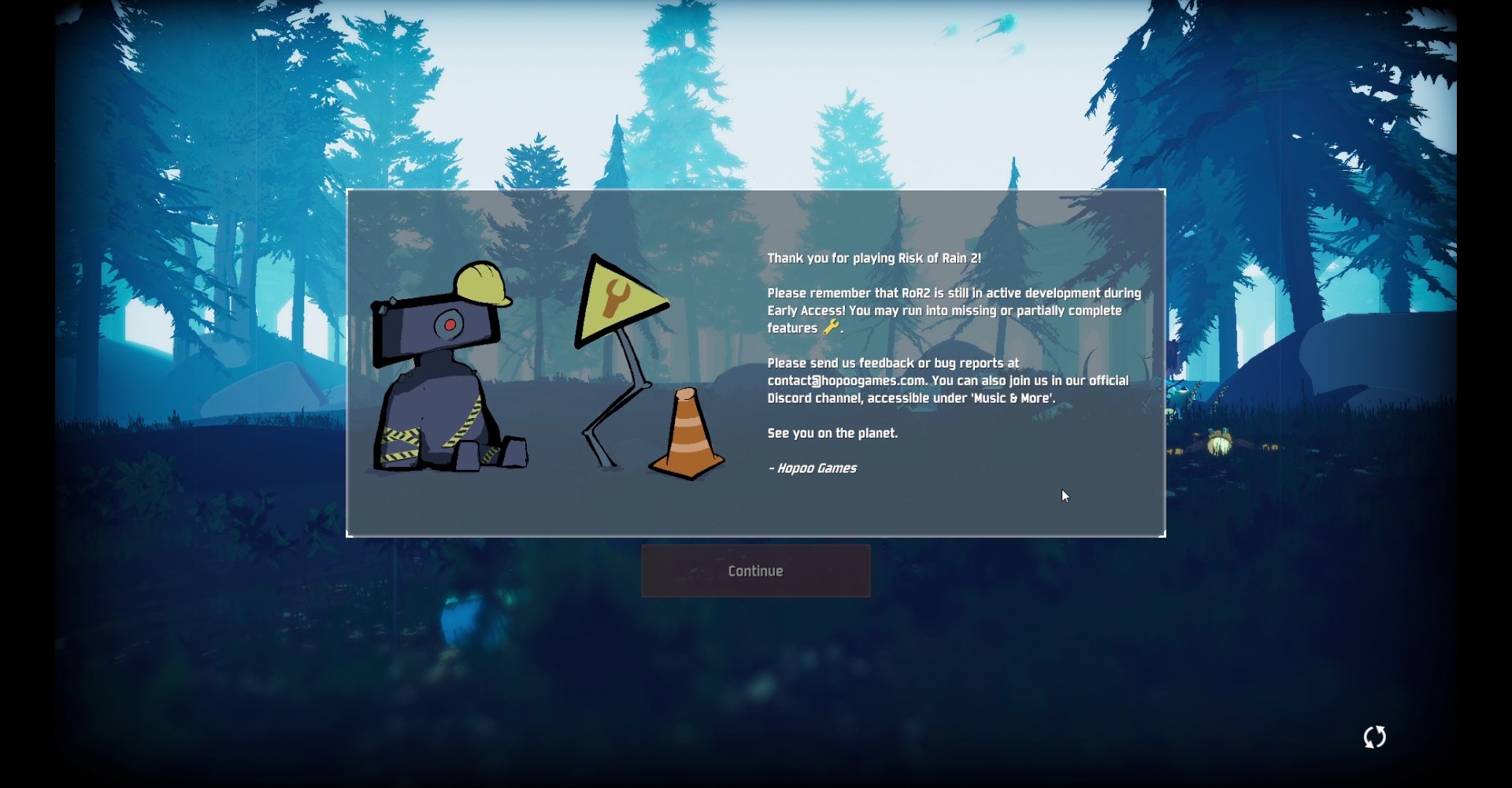 inland socket
it's greyed out so no lol
stark plaza
I'm guessing you're here because you've already tried restarting the game
inland socket
yeah ^^
inland socket
I wasn't sure what it meant, but the corrupting part helped me figuring out
I was fiddling with gamefiles and corrupted them
but was able to revert back
 stark plaza
xD
inland socket
are you unable to play?
stark plaza
mhmmm can't afford the game xd
but Idrm
watching youtube videos
would be enough entertainment for me
besides
I don't usually get that much time so I don't Ill get anywhere
maybe I'll buy it when it's 1 for 2 offer again
so i can play it with my friends
inland socket
awh
stark plaza
so for now
inland socket
hope you get to try it soon
stark plaza
have fun for the both of us :D
inland socket
it's worth every penny, especially if you've gone through the first
 chrome sleet
I still can't get multiplayer to work at all
inland socket
I feel you. Got a free copy so I'm lucky there
 novel pumice
oof
 slender marten
I think both ROR and ROR2 need better multiplayer support
chrome sleet
ror2's just doesn't work for me at all
I always get booted back to the main menu. If I host, everyone dcs without readying up
chrome sleet
I just mean the multiplayer in general does not work
chrome sleet
I get a bricked character screen after a long load and then get sent to the main menu
stark plaza
some people go on steam and verify the integrety of the game cache
apparently that works
chrome sleet
I tried that multiple times already
stark plaza
is your ip good?
chrome sleet
yeah its fine
stark plaza
hmmm
you might have to ask the devs
this one networking problems
I can't help you unless I get hands on
I'm sorry
my knowledge is limited :c
apologies
slender marten
You might need to open ports on your routers in order to host games
But even so there's problems with the game dealing with the windows firewall and opening ports within the computer, so even if you open port --say 11000-- in your router and direct it to your computer
*'s IP address, the game still has problems connecting
 nimble belfry
@chrome sleet I was dealing with a problem just like that. Turned out to be my VPN... so it might be a VPN or firewall issue.
chrome sleet
¯_(ツ)_/¯
 ivory wyvern
have there been any problems with gifted games? my cousin who i gifted the game cant do anything besides look at the title screen. any known fixes so far?
 full skiff
I'm dealing with the same problem Fleshy, I know its not my firewall or VPN and I don't know the login for my router to try the opening of the ports thing. So I'm not sure what to do either
 potent fiber
Is there any known issue where a person can't see anyone else in the lobby and when we go to character select he doesnt come with us and sometimes get kicked out?
chrome sleet
I have that exact issue if I manage to connect to a multiplayer lobby
full skiff
me too
 valid bridge
I'm having trouble launching the game. I click on Play and it goes to a black screen, then the game shuts off. Ive tried updating my graphics card and disabling the anti-virus.
potent fiber
ah ok so it is a common problem currently known
full skiff
I hope they know about it at least, I bought the game so I could play with friends and I am the only one having this issue
potent fiber
So for my friend a reboot seemed to work. he got to the character selection screen.
viral belfry
agreed, this is a very frustrating bug
potent fiber
we're about to go into a game now
full skiff
reboot of the game or of his PC?
potent fiber
the pc
viral belfry
i rebooted and still didnt work
chrome sleet
that's just weird
I've rebooted a few times since fixing another issue I had and the result is always the same
valid bridge
Has anybody else had the issue of the game starting but crashing after 3-4 seconds? It's really frustrating to not be able to play after having bought it and given the copy to a friend who's having fun rn :(
chrome sleet
So I fixed the dc issue
I put a rule in Windows Firewall about port 11000, allowing connections to both tcp and udp
idk which you really need
so 2 rules
 velvet lily
having problems online. i seem to lag out pf games at random. ive had no problems playing other games online but once i start ror2, my connection goes to shit and i lag out of the game. any ideas?
formal spade
Just disable your firewall 4Head
 trim mesa
i dont think that's it
formal spade
Was more talking about Fleshy
 umbral smelt
anyone else play on linux with proton and wine and have the problem of no player/monster models
 stiff rover
i played earlier and had no problems, now when i open risk of rain 2 it disconnects me from discord, any ideas?
 sinful lance
Played ~5 hours, lost all progress - read I can apparently copy paste my old save over the new profile I made (?)
Or is verifying a much better option?
stiff rover
i disabled my firewall all together and it still disconnects me from discord
quiet shoal
@old talon Tinkered around with a second user profile. I think i understand how it works now. To unlock Backup Magazine, for example, you need to add "CompleteTeleporterWithoutInjury" to achievements along with "<unlock>Items.EquipmentMagazine</unlock>" to the items list
you need both or it won't work
sinful lance
After verifying my files it now won't let me click continue
 celest tundra
quick question: Do the "+" Buttons to add a friend on the multiplayer screen currently not work? I managed to play with my friend by sending him my room ID so he could join with the clipboard so all was fine and good, just wanting to be sure if thats a bug on my end or if thats an already known problem. Screenshot from a YT Video for reference on what I am talking about. (Klicking on the button does nothing)
quiet shoal
@sinful lance I fixed that by deleting my userprofile after copying all the contents, uninstalling and reinstalling game, and enablinb steam cloud. but i had an existing save in the steam cloud so...
sinful lance
I should have a save in the steam cloud -
I've attempted to overwrite the new save it forced me to make - which then locked the continue button, I then reverted the save and verified files but the continue button was still locked
I uninstalled, then reinstalled the game but it still has issues, steam cloud always on
 polar lake
Did they disable the "cheats" = "0" command in console?
sinful lance
I might try removing all save files and disabiling cloud, letting it make a new one then patching it
no dice
sinful lance
Yeah rip nothing I do fixes the continue issue
I hate this, instead of copy pasting the contents, copying the original file then replacing the old files name with the forced new name apparently let me pass the continue screen -
 thorny pulsar
my computer freezes after playing for over 40m. 1hour
 old patio
Is there a way to fix the continue screen issue without wiping save data?
I don't know if my issue is the same as everyone else's, as it seems like the game doesn't register the mouse (the steam shift + tab menu still works and everything, but the game itself doesn't respond to it, and it still uses the system cursor)
 civic orchid
Does anyone know if there is a way to get more than 4 people in online, and if so can they tell me how?
 acoustic bramble
stuck looking down, how do i fix this?
 ember swan
local coop active yet? @pallid ibex
 plucky orbit
Anyone knows how to fix the game when i cant enter the game on the starting screen?
cant seem to press the button
oh
nvm
orchid flame
Local coop would be nice
Has been a while since I've played this much for a single game
 grave ivy
games great having some issues with my frame rate dropping a ton when it gets late game and theres a million enemies any tips .. shouldnt be my rig
@pallid ibex
grave ivy
@orchid flame yeah i was just wondering if theres something i should be doing on my end in settings to fix it..
orchid flame
ah ok. yea maybe someone else knows but i have no clue
celest tundra
For me reducing the amount of corpses that can stay on the ground to 0 helped with late game performance (GTX 770 though, not the beefiest card out there but enough for 1080p 60fps with all other settings maxed out)
My longest game went only to like 50 minutes or so though
 wispy grove
have we found a solution to the online black screen issue? (where friends cant join/cant make it to the character select screen)
 night burrow
I kept falling through the map
 ripe thorn
Hi, so i have been messing around with around with the .dlls in the Managed folder to play with 16 players and now when i boot the game I cannot get past the early access notice. I have reinstalled and verified my game files and it still doesnt work. any tips to get the game working as normal again?
i must also note i was trying to get bandit to work
 flint dagger
@ripe thorn : i have same issue on u..
ripe thorn
oh shoot i have not checked the pinned message
flint dagger
what pinned message ?
 hoary flower
 ripe thorn
"PROBLEM All the strings in the game say stuff like CONTEXT_NAME_STRING, TITLE_MENU_STRING, etc.
FIX Please make sure that your Window System Clock's Timezone is NOT Invalid. If that does not fix it, please uninstall THEN reinstall VC++ 2015, shown here https://www.microsoft.com/en-us/download/details.aspx?id=48145
this might work

Microsoft Download Center
The Visual C++ Redistributable Packages install run-time components that are required to run C++ applications built using Visual Studio 2015.
flint dagger
my problem is, i cant click continue..
trim mesa
@flint dagger
We've generally narrowed down the issue to your Save data being corrupted. This may be caused because you shut the game down abruptly or another issue occured. Please note that this will wipe your save file contents. If you want, back it up elsewhere.


1. First, make sure Risk of Rain 2 is closed.
2. Restart Steam.
3. Next, locate the folder that your userprofiles are saved in. This is typically in C:\Program Files (x86)\Steam\userdata\(ACCOUNTNUMBER)\632360\remote\UserProfiles"
4. There should be an xml file in there with a bunch of random characters, i.e 2919dc8a-fd4c-4c3c-bd7d-8aeeac67b831.xml. Open the .xml file in Notepad.
5. Go to https://pastebin.com/BQkjgRrK and copy the contents of the Pastebin INTO the .xml file, REPLACING ALL THE EXISTING CONTENT. Press Save.
6. Reopen the game in Steam.

Please let me know if this works - we will be patching the game in the future to work around this, but for now this should at least let you enjoy the game.```first pinned message is that
 ancient sun
Is there anyone else at all encountering half second freezes when picking up items?
 potent crest
Hey, i brought my friend a copy of the game and when we're trying to play we cant start it, i cant see him and he cant see me. we only see each other in lobby, but not under the ready button and not each other's characters :\
please help 😦
it worked for me with other people, but even when i try to quick play with him it won't work
we can quick play separately, but not play with each other for some reason
calm siren
Bumping this error:
https://steamcommunity.com/app/632360/discussions/0/1768134097432276064/?tscn=1554102144

Hey guys, screenshot: https://ibb.co/k2NQrHq i started a singleplayer monsoon game, set to pause over the console, tried to type cheats the 'base' is cheats=0 i want cheats=1 typed it, but it doesn't do anything, cause i can't give me give_random_item what am i missing? maybe...
 vast sleet
@potent crest You may wanna try changing the settings of the .exe for the game. You'll wanna turn off full screen optimizations, and check the "run this program as admin"
That's what helped my game issues, and it's what I use to solve most problems with any game I've had issues with before. Hopefully that helps.
potent crest
@vast sleet what do you mean changing the settings of the .exe?
potent crest
and both of us will have to do that?
potent crest
is it possible to have the game on windowed fullscreen? :\
yeah, i know.. but what settings?
vast sleet
Right click>properties>compatibility>change settings for all users
Disable fullscreen optimizations, and run this program as admin should both be checked
potent crest
ok, i will try that! thanks
vast sleet
For sure! Hopefully that adds a little help
 stiff cliff
But if someone want to try to translate how he can do it?
vast sleet
Translate in what sense? The game language?
stiff cliff
Yep
vast sleet
You could duplicate one of the language folders, copy the script, and enter the language as appropriate
So it would take quite some time, but in theory I don't see why it wouldn't work
stiff cliff
Thank you
vast sleet
No problem
There are lots of text files within the games folders, so do keep in mind you may get a headache if you go that route. No guarantee it would work, but no guarantee it wouldn't work. I'm no developer but I would think there isn't much more complexity to it than that.
stiff cliff
Yeah I can immagine, but I want to try it. The game will be more cool
vast sleet
Here's to hoping it works! If you end up figuring it out, let me know, I'd love to see it working in action
stiff cliff
Ty Bro
vast sleet
Any time 
 haughty jetty
anyone else having problems connecting to a multiplayer game? Sometimes just says 'Invalid Lobby Id' , when it finds people, it just gets stuck at 0 and won't go into the game / kicks me out.
 quaint mulch
I have this problem where the game freezes when I pick up an item?
it's only temporary but you could probably guess that it gets frustrating
It's not all the time, but most of the time
vast sleet
Is it a quick freeze? Or does it last more than like 2 or 3 seconds?
quaint mulch
It's about 2 seconds max
vast sleet
Item pickups are the only thing that causes it to stutter?
quaint mulch
They're the most consistent cause of it yeah
No correlation to the amount of enemies on screen
vast sleet
Dumb question but have you tried dropping *all * the visual settings to bare minimum?
quaint mulch
Yeah, it didn't change anything
vast sleet
Verified your game files through steam?
quaint mulch
Actually, no I haven't tried that
 tall current
Still having problems with multiplayer since yesterday. Can join lobby with friends but can't press ready/do anything. If I'm the host then everybody else can't press ready/do anything. Hopefully there's a fix soon
ancient sun
Yeah I have the same problems as funky fettucine and I couldn't fix it either.
Will try verifying the gamefiles.
The weirdest part is that the game doesn't do it for all item pickups equally.
It's not like "oh fungus needs to grow on your bod so it stutters a bit".
But rather "hey you picked up this item, lemme flip a coin to see if we wanna stop your screen from updating for 2 seconds and have you die"
 spice heron
i dont know where to ask about this but yesterday i played with dude who had a cowboy survivor was he a dev?
ancient sun
Currently you can "unlock" Bandit via commandlines and editing game files.
So you most likely saw someone that did that.
 hollow spruce
hello frens wat do when ror crashen ON launch?
Ok i got it
restarting steam works apparently
stiff cliff
@hollow spruce I haved the same problem but a file verify have resolved the problem
 potent bobcat
Is there any way to turn off Bloom in game settings?
trim mesa
computer says no
potent crest
@vast sleet didnt work :\
vast sleet
Not entirely sure to be honest dude.  I’d try reinstalling it on both ends and seeing if that helps.
 foggy quiver
Not both ends
It's something with your internet. Not sure myself
The only thing that has helped me is VPN
Run a VPN just to get connected in the lobby. You can turn it off after that. That's the only way I can play with my friend
It's something with the Steam IDs, or network. You can play online with some people, but not everyone. Only the VPN has helped me connect with my friend. Hamachi might work too
Reinstalling the game wont do anything
orchid flame
after verifying the game files, restart your pc
 red kettle
yo bois
trim mesa
wrong
red kettle
is there a way to start the game windowed?
or any other resolution?
I think the default resolution is kinda fuking me up
trim mesa
lmao uh
red kettle
my monitor dc's and it becomes no signal
red kettle
i had to restart my comp couple of times
trim mesa
lemme edit my settings to find the things you need to change
 hot depot
Did the devs reset everyone's progress?
trim mesa
mine aint reset

@red kettle
change
window_mode Fullscreen;
to
window_mode Window;
resolution is pretty straightforward
first is width, then height, then refresh rate
red kettle
hmmm alright
trim mesa
and your computer explodes
red kettle
ill try this settings out
 junior tangle
Me and a friend are just completely unable to join each other? I've played with other people plenty of times but today nothing with this one guy today
any idea what could be doing it?
hot depot
oh nice, guess just my progress got reset -.-
trim mesa
@junior tangle is it when one person makes a lobby the other guy gets 0:00
and a fucked up screen
junior tangle
No we just can't join at all
trim mesa
huh
junior tangle
No error, just can't get past the mutiplayer screen
don't even appear in the lobby together
trim mesa
and you can both play with other players?
trim mesa
make him do all the usual stuff
verify integrity, reinstall, firewall settings, restart computer, that sort of shit
junior tangle
last time I played my pc did crash mid game, maybe that did something idk
junior tangle
We both just got 1 file failing to validate, maybe it wsa that
trim mesa
every single person i know that's tried validating risk of rain cache has gotten that
idk why, game just scuffed or some shit
or it could just be we're all super unlucky
junior tangle
The issue was he didn't update steam...
orchid flame
Does this count as a tech issue: Accidentally nuked my save data. Anything I could do about it to re-unlock items?
 haughty frost
Servers are so laggy
haughty frost
ha no wonder
 haughty frost
i cant even ready up...
trim mesa
oh?
are you softlocked in lobby
like, can you not see any characters
and the timer is 0:00
 haughty frost
no it was lagging in earlier games... now i cant even ready up..
reinstall i guess..
orchid flame
how do I check my ping and how do I match with people near me in quickplay?
 versed juniper
I don't think you can and it tried to do it automatically
 boreal isle
why is the game scuffing when i enter quickplay? cant see other chars and cant rdy up only if im host
 halcyon perch
hey is anyone else experiencing multiplayer issues
i invited my friend in my lobby and he can't seem to be able to ready
halcyon perch
ah that's too bad :/
 silk current
It just crashes when i try to start it up
Ive reinstalled it a couple times already
 karmic wasp


 silk current
No i bought it on steam
I just tried downloading it on my friends laptop and it works fine
But on mine it wont
Fresh on both
My friend is playing right now
 fleet magnet
can't launch the game. When I try play, game launch... then black screen and crush. Reinstall it, same problem. Update all drivers, same problem. What I need to do with this problem?
fleet magnet
the devs says that we need update videocard drivers, but it's not help at all...
 paper solstice


anyone know why the game doesnt let me look up?
i think the game is assuming i have a controller connected but i really dont
nor have i ever
tall current
@junior tangle @foggy quiver I found that Hamachi fixes the issues of not being able to join a friend
orchid flame
is the VFX culling bias option in the INI file for this game
or is it only accessible in the game
tall current
Another option is to keep joining/leaving the lobby and eventually it works
foggy quiver
@tall current Yea. Though that hamachi would probably work when I saw the VPN helped
 devout basalt
Hey, I'm having trouble starting a multiplayer game with a friend, after we get into the lobby the game won't let me click ready. Is anyone else getting this and can I fix it?
boreal isle
same here :/ still no clue why
devout basalt
Damn
 hardy harness
I cant even press "quick play"
boreal isle
i cant even play with randoms :/
hardy harness
^
boreal isle
only sometimes if im the host...
foggy quiver
Try using a VPN. You only need to connect to the lobby. After that you can disable it
foggy quiver
Well. If that doesn't work. You can try Hamachi
 eager robin
@paper solstice Hey! Take a look at the pinned solutions to see if you're able to resolve your issue.
 sharp leaf
all characters on all difficulties stuck moving down and left, lots marked as "UNKOWN" (screencap included), have already reinstalled, and restarted steam
 kindred wharf
Stuck moving down and left sounds like you might have a controller plugged in.
sharp leaf
I had an old PS2 guitar hero controller plugged in
kindred wharf
Try playing with it unplugged, see if that helps
sharp leaf
Alright, also restarted my PC to see if that would help at all
 wraith moat
hello, i got error early_access_disclaimer, and i already tried the solution in the pinned msg and still get that error, any another ideas?
kindred wharf
There was more than one solution posted for that, did you go through all the pins? (Other than that, I have nothing @wraith moat )
sharp leaf
restarting my pc seemed to fix things... technology still manages to amaze me sometimes
orchid flame
Does anyone else experiences a short lag, when picking up items?
wraith moat
@kindred wharf oh you right, w8 le me use that
kindred wharf
@sharp leaf Yeah, things are weird sometimes, glad it got sorted out for you!
 median raptor
Hello?
 digital field
The game keeps thinking I have a controller plugged in when I don't, and makes me constantly look down, making the game unplayable. I already tried disabling my 360 wireless adapter. Also, when i do have a controller plugged in, it still happens, so I don't think its a problem with the 360 controller, and yes, this is the ONLY controller I have plugged in at any time. I don't see this with other games. Any suggestions?
median raptor
Hello. Will there be any discount or bonus again? Maybe planning on purchasing it for my friends.
kindred wharf
@median raptor Not the correct place to be asking that, this is for tech support.
median raptor
Oh okay. Where should I ask?
kindred wharf
No idea, to be honest.
kindred wharf
@digital field Do you have vjoy installed?
digital field
nope @kindred wharf
kindred wharf
And you've tried unplugging the adapter, not just disabling it? Other than that, restarting your computer might also help.
digital field
actually, i found some remnants of vjoy hidden somewhere 🙄 hopefully that fixes it
kindred wharf
I would just check device manger to make sure it's driver isn't installed still then
digital field
yep, that fixed it, thanks!
kindred wharf
Glad to help
wary ingot
hey guys, I posted yesterday about my game not loading textures at all/those that load being glitchy, and I found out in the output log that the game can't load a lot of vertex shaders. I have an old amd hd5650 which is below specs, but I've seen people run the game with worse stuff, drivers are up to date and the card supports pixel/vertex shader 5.0. should I just give up and wait for a patch?
I can also post pictures again
orchid flame
Hey, Sorry to bother you but do you know why there is so much network lag when connecting to a mate that lives 5 Minuites walk away from my house?
stiff cliff
@vast sleet it works
 stable vale
anyway to fix this?
when i play a game fps drop is insane
gpu use only 15% when in game
kindred wharf
@wary ingot I'm assuming you posted in bug-report, unfortunately I don't see anything about that in troubleshooting.
wary ingot
@kindred wharf I did, I also wondered if I was the first to report that because I did not see anyone else have that issue, should I post the log?
vast sleet
@stiff cliff that’s awesome!!!
kindred wharf
A pastebin link for it would probably help developers, but I don't know.
wary ingot
I mean, I saw a lot of people with a similar config have the black screen problem, or the game outright crashing
I see
kindred wharf
@orchid flame There's a lot of reasons, but if you have other games you directly connect with that work fine, it might be a bug.
orchid flame
Aye pal, We even have hamachi connected to see if that helps but nothing seems to reduce the lag.
kindred wharf
With that in mind, if other games work for you two without the lag, it might be a bug then.
orchid flame
Definitely.
 bitter adder
Anyone else having trouble finding games?
It was working fine yesterday, but now it struggles to find a lobby, and when it does it gets stuck on "1/4 in lobby. Waiting for more players..." even though it says 4 are in
😒
launching in 3000 seconds lol
orchid flame
it starts after 15 seconds anyways, treat it as a visual bug
stiff cliff
@vast sleet now I’m playing but later wanna go on
vast sleet
I might hop on later, I’ll let you know
 waxen elk
we are having touble joining each other, any fixes?
 short carbon
Hi
Is there any server issue rn ? Keep getting disconected / throw back into the main menu
wary ingot
hey guys as I've said before I want to post my output log, since I think I'm the first to report the problem I have should I ping the devs here on the bug report channel so they can see it for sure? I don't want to bother them though, I'm sure they're already dealing with a lot of stuff
short carbon
Hello Tech Support ?
Is there any server issue ? Keeps getting disconnected..
Also having issue joinding quickplay, getting INvalid ID a lot
waxen elk
me and my friend cant join each other, we dont get a message or anything, just nothing happends, it worked fine for us 2 days ago
 tribal ferry
Stuck on the main menu? Anyone else experiencing this? Game boots to the menu screen but then I'm stuck on the splash page that ironically is thanking me for playing risk of rain 2 and to report bugs. Continue button does not work, neither does the refresh button in the bottom right.
I can see the foliage and rain effects in the background as well so I know the game is at least running. Just can't get past the darn screen
 mighty plaza
can somebody consult me on my problem with fps and optimization in game and my specs?
I have a laptop with Intel core i5-7200U cpu and intel HD graphics 620 and nvidia GTX 950m GPU (i've set in nvidia panel to use only gtx 950m for risk of rain2.exe).
I usually have around 20-40 (sometimes in menu only 40-50) fps with everything low in settings, 1280x720x60 resolution (native is 1920x1024x60) and I wonder if it is ok with my specs. if i set in game resolution to native i have around 10-30 in menu and in-game.
Please SOS :>
short carbon
Well its not working, ill just play later and let them fix that shit
 crude night
Hey me and my friend are having trouble joining eachother, are there any tricks to make it work?
 clear grove
do you guys have any plans of bringing RoR2 over to Mac, and if so is that going to be a post release type thing?
 sweet venture
right now I think they're focusing on getting the game to work reliably. Not trying to throw shade, it's just that it's an Early Access game that's been out for less than a week
 terse osprey
So i run the game fine, but anytime I pick up an item, I lag for a second or 2, anyone know how to fix this?
 coral grove
@tribal ferry I got a similar problem like you do buddy if not the exact same. Whenever I try to start single player it just zooms in on the background and stays like that forever. I cant even quit the game normally i have to force close it with task manager. I havent been able to actually start the game at all
 spark nacelle
@tribal ferry Is it the problem described in the pinned messages ?
 subtle rock
does anyone know when a mac release might be?
somewhere mentioned soon but I can no longer find it
 warm garnet
Hey, I'm currently trying to play with my friend but whenever we queue together the one who's not the party leader gets a black screen and then kicked. Is this a known issue with any fixes?
vapid flame
It is a known issue, at least widespread
IDK if the team has figured out a fix on their end but
It's something about launch parameters and joining a steam lobby with it.
orchid flame
What's the sound logic for music during "exploration" phase? Trying to convert ROR1 OST to ROR2, and i still get snippets of original music when landing, and sometimes the track cuts away to silence, while the underlaying music plays, then its back to normal
warm garnet
@vapid flame are there any workarounds? like could I get someone else to host a lobby?
vapid flame
Yeah
I also heard it's something with latency.. or firewall problems.
It's a weeeird bug. Since the joining player times out and gets kicked.
warm garnet
Yeah, oh well we managed to get in a lobby together for now
sweet venture
btw, there's no news about a macOS release of the game @subtle rock
 echo sapphire
What bosses count for getting the Deicide achievement? Because I'm pretty sure I've killed mostly all of the variations of bosses but I'm still not getting the achievement PS not sure if this is a bug or not so I thought I would ask here
 upper narwhal
Are you on Monsoon difficulty?
echo sapphire
Yeah
upper narwhal
What variations have you killed?
echo sapphire
Overloading, blazing, and glacial
Idk if there are anymore?
Or if those even count as elite bosses?
 manic thorn
Is the thing you're killing actually the teleporter boss? Not sure it works otherwise since that's how I got the achievement
 latent trail
When I join my friends lobby I can not select any of the characters. How come? We tried swapping host too but then the same happens to my friend
echo sapphire
Try joining when you are in the mutliplayer screen where it's in the bedroom
You should be able to play from there
 worldly tinsel
any idea why the "Continue" button would be suddenly broken? I have deleted all saves and the continue button is still grayed out
echo sapphire
The continue button usually breaks for me when someone in the game leaves while in that screen
Other than that idk
echo sapphire
Oh
¯_(ツ)_/¯
Is that a refresh button in the bottom right?
Or just a loading sign
?
worldly tinsel
loading sign I think
latent trail
didn't seem to make a difference and my friend already quit trying
sweet venture
check the pinned messages about the greyed-out continue button.
worldly tinsel
didn't help
chrome sleet
Does anyone else have issues with quickplay not working and a file having to be revalidated
 ashen tartan
Does anyone knows what port risk of rain 2 uses in steam
chrome sleet
im not 100% sure but I think it's like the first game. 11000
ashen tartan
thanks. also it can be issue that can give you black screen in multiplayer. My modem seems to have this port closed
Because on other modem it works nice
 slate wharf
Pls work on the insane multiplayer lag, even in the same region
 slate oriole
I played several hours last night, only to log in and not have anything for my profile. all my characters are gone. please help.
orchid flame
I see the game has english support only. Where can we help in translating it? Are there any official links to submit yet?
worldly tinsel
so where does the game store the number of profiles?
registry?
after doing some debugging on the binary, I noticed that it was trying to load a delete profile, even after a full reinstall of the game and all steam save data deleted
 spice rune
My friend has a problem where he can't play in private lobbies with us. He can do quickplay and solo private just fine.
When he joins private lobby with us, the timer below ready button is set to 0
and he can't ready up
He asked a few other people to invite him to their lobbies, and same thing is happening
so problem is no his part
any simillar experiences ?
chrome sleet
I had the same issue, thought I fixed it, and then it went back to not working
 north leaf
is the game having issues I keep somehow leaving my game and doesn't say if I'm kicked or lost connection which would make no sense since everything is working fine
like it disconnects me I don't leave out of my own will
chrome sleet
When you join a new lobby?
 placid grotto
Guys
I got 9 "tougher times" and I was killed
How?!
They are fixed?
It's 135% of blocking
So why?
 limpid ember
when i open console and try to give myself cheats i cannot seem to find any way to enable them
 solemn token
same
 bronze zealot
Tougher times has a unique formula for stacking block chance iirc
orchid flame
` Clicked but cant open it haha
north leaf
no I join in game everything works after a lil it's like I get kicked without notification or anything and i'm back at the menu page
limpid ember
if you're on qwerty then it's ctrl + alt + `
 nocturne garnet
Yo devs, I keep falling through the floor in the winter level
 flint plank
somehow my cursor is extremely laggy when in the game is there way a to fix that?
 ornate pollen
trying to play a private a game with a friend and it's not working correctly. If I'm the host I'll drop into the game and he won't get an exit pod and will have to spectate me. If he's the host his game will start and I'm stuck at character select cuz my 'ready' button won't lock in
i was playing private games with friends yesterday just fine too
 stiff cloud
Hi, Im trying to play Quickplay multiplayer but the menu options are brown instead of the normal blue
only invite friends and back are clickable
and also I always have a single corrupted file when I verify the game files
 ember flower
Trying to just play the game. The sensitivity in the menu is so high I can't select options reliably, and when I do manage to get in the game, all buttons say "unknown" and the camera constantly spins.
Got the same issue with verifying files
short carbon
Is this a trap channel or there is suppose to be a technical support ? People complaining the game is full of bug since today (was fine yesterday) and we got nothing from the dev
 snow ibex
Has anyone experienced the targeting square disappearing for Artificers Snapfreeze?
 sturdy cove
so when Im in a private call on discord and starting ror2, my partner reports my voice as distorted
"like a long old fart"
quote end
short carbon
Still getting DC'D each game
Well this server is pointless without any follow up / confirmation of the issue. Gl bai
 gloomy rain
Can't get passed this screen (can't even boot up game)
 unique canyon
Maybe it's a problem with Unity? @gloomy rain
gloomy rain
Tried run as admin no luck
 meager copper
@stiff cloud Make sure your antivirus has an exception for any files in RoR2's folder. That's the only way I can see a consistent failed validation.
gloomy rain
Got it working: went to properities -> verify integrity of game files and it fixed it
 muted gust
on launch im getting 6 FPS... is this a known issue?
restarting pc seems to have fixed
 hasty lintel
Hello
when im joining my fiends game i have blackscreen and disconnect how do i fix this?
 simple wraith
Try verifying the game files, and if that doesn't work, uninstall and reinstall? Otherwise it may be a graphics driver issue or connectivity problems.
 fallow zinc
is the game supposed to randomly boot you out when two people in your squad die?
simple wraith
If the lobby host leaves the game, it boots everyone else out of their lobby.
orchid flame
anyone fixed it yet? kinda want to play the game kek
 buoyant stream
When I first opened the game, my virus protector found this HEU_CDPLCEXT virus in the program. Just a heads up, I dont know where else to put this. And I dont know if it has already been addressed.
 hardy sonnet
Can we have maybe a reconnect button? Or a reconnect feature?
meager copper
antiviruses are overzealous, especially when it comes to unity games
hasty lintel
@simple wraith did all bove not working
simple wraith
Then I'd recommend restarting your modem and computer as a possible fix. Otherwise it may be a simple connection error between you and the friend.
 woeful kelp
Why does my cursor just look at the ground when I boot the game?
I will look upwards and it slides back down
simple wraith
It's defaulting your mouse position to the bottom of your screen.
 faint egret
will they add a split screen? me an my brother played the first one alot like that
woeful kelp
Is there any fix?
simple wraith
Dunno how to fix that issue, but it sounds like the game is defaulting your mouse to the bottom of your screen on launch.
hasty lintel
@simple wraith i restart both
woeful kelp
It even does that when I play with controller
hasty lintel
i can be contcted to other pplz but with friend not working \
simple wraith
Hrm. Do you have the controller plugged in at all times, or do you switch? @woeful kelp
@hasty lintel It sounds like it's a network connectivity issue between you and the friend specifically. Are you trying to host the lobby, or are they? If the problem persists, try hosting the lobby (invite them to you), and if it does, it means their connection isn't strong enough to play multiplayer with (unfortunately).
woeful kelp
I was trying to play with mouse and keyboard with the controller turned off, then I thought to try the controller for a better experience but to no avail
simple wraith
@woeful kelp Check pins (upper right corner) message 2 for your issue.
 pine sundial
for all who got connection problems, try to use hamachi with ur corrupted friend who cant connect. it works for me
hasty lintel
We tried to create game both, and join between them - not working
simple wraith
Definitely sounds like a networking error between you two. Have they tried the same catch-all solutions? (restart game, computer, modem, and the like?)
 rare topaz
Is their a way to send your gift to another person? Because the person I sent my gift to cannot run the game, and I was wondering if their was a way that I could get the gift back from him (he has like 17 minutes in the game) and then send it to another friend that has a pc that can run it. This was part of the buy one get one free deal also if that matters.
hasty lintel
Yeap we did
 covert snow
If I get the characters through the modification of steams files, will there be any repercussion?
simple wraith
Crippling guilt and a generally unpleasant aura from people who've found out.
 prisma escarp
In game I am stuck always looking downwards, on both controller and keyboard. In addition the menu mouse sensitivity is absurdly high
covert snow
So I won't get like banned?
simple wraith
Keep it singleplayer, don't hack/cheat in multiplayer, and no. At least, not by Steam you won't. (No one is stopping you from doing it, but you really shouldn't.)
covert snow
Alright, I just am having really bad luck with trying to find the merc 😅
I won't though !!
simple wraith
Merc can be found by the portal that spawns randomly after a teleporter event. (Don't use newt altar, that brings you to the Bazaar between dimensions).
 bitter carbon
i have really bad lag, all my settings are set to low and i still can barely play, any suggestions
covert snow
Ye I know how to get him, I just haven't gotten the "celestial orb" to appear AND be able to finish my teleporter
simple wraith
Patience will be more rewarding than desperation.
simple wraith
Check pins, message 3. Compare your graphics card to specs of the game. That may be your issue.
meager copper
@orchid flame
Go to steam/steamapps/common/Risk of Rain 2/Config
Open config.cfg with your text editor of choice
add "ea_message_skip 1;" without quotes to a new line.
The game will overwrite this on exit currently, so until that is fixed you'll need to do it every time you're about to start the game if you're having the early access window problem.
 feral rover
anyone getting an issue of the game freezing for a few seconds when you pick up an item
orchid flame
I get that on my desktop but not my laptop
feral rover
does the game run well for you?
orchid flame
@feral rover if you want to contribute to fixing this issue here's a few steps I recommend: dump your system specs by opening dxdiag and selecting Save all information... and uploading that file here
Also share your game's output_log.txt! it's in %Username%\AppData\LocalLow\Hopoo Games, LLC\Risk of Rain 2
The game runs fantastic... When I have VFX Culling Bias at the lowest setting
I don't drop below 100FPS typically