#ror2-tech-support
1 messages · Page 19 of 1
 carmine galleon
Hamachi...
 orchid flame
All hail Hamachi
carmine galleon
arh
 round lily
No, I can't play quckplay as well. He can't too. It's not only private
carmine galleon
me too
carmine galleon
no reaction
 orchid flame
Hamachi only fixes private lobbies
 warm nebula
So i wanted to submit a bug in bug report, but seems like my game doesnt make dump file, that i should submit (except the output log txt) any idea ? is it game problem or pc problem if game does not crate dump file?
orchid flame
Basically turns it into a Lan Server
 simple drift
yeah
round lily
So how do we use Hamachi for this?
round lily
And just want to make sure that the problem is not connecting together in a lobby but being UNABLE to press ready
simple drift
theres a few tutorials
yes i know that
same issue we had
you get in
you cant click on any characters
or click ready
round lily
Hm
 ember star
We cant even join each others lobbys bcs nothing happens when we invite nor join through steam
round lily
Well, will wait then for a patch. It's not my job to fix this issue, especially by downloading 3rd party software
Thanks for the information @simple drift
orchid flame
Not everyone is employed and has 8 hours of work everyday. There are people like me who go to uni and simply have too much time on their hands. Waiting for the next patch is pure torture
simple drift
Makes sense @round lily
its just that its the weekend, only time im gonna be able to play
I doubt a patch is gonna drop soon enough
round lily
@orchid flame true. @simple drift Yes, unless you have other games on the queue
They are a small team, patch will take some time
orchid flame
Anyone else report an issue with Internet download speed dropping while game is open, Even on main menu ?
just opening the game is eating up huge amounts of my bandwith
 compact lily
Anyone know where is save file? I just install new window I lost half of my progress so I want to use my friend save
 frozen stone
Hey is this a network problem on our side? I can't seem to join my friends game (or vice versa) I just get this screen where I can't select a character or see his.
 thin lodge

 west flume
Hey I am stuck at this screen since yesterday, I tried reinstalling the game and c++ and nothing helps what can I do??
 lyric bough
@west flume look up the first pinned message https://discordapp.com/channels/417739215355510784/559902278018924557/561225656323538965
 humble aspen
When i try to enter to quick play, i appear again on the menu :(
lyric bough
next time carefully read what you're doing
the very first line literally says Please note that this will wipe your save file contents
 surreal viper
rip
Not much you can do with corrupted save anyway
So i guess its better than being stuck
surreal viper
Well.. part of it is i believe
 last pond
how can i claim the free copy?
lyric bough
it should be in your steam inventory
last pond
aight
surreal viper
No need to be an ass
last pond
ty
 humble linden
Try restarting your pc
lyric bough
np
humble linden
If that doesn't work, tech support room exist
lyric bough
this is the tech support room
humble aspen
Jajajajaj
humble linden
🤔
humble aspen
I will try
humble aspen
When i try to verify the data, it says that 1 file was deleted and will be downloaded again
But nothing changes
 void oak
when i am playing i freeze occasionally for 1 or 2 seconds it dose not happen to me on any other game so is there a way to fix that
 dire hill
Heads up if playing on laptop: If your system has software like Nvidia Optimus, you need to go into the graphics control panel and make sure the game is set to use the dedicated GPU instead of integrated. Integrated is a solid nerf to performance and often autodetects as default.
void oak
so just run the game on my gpu
 sharp depot
@dire hill im having the oppisite problem, i have to run integrated. the game should be showing up in the GeForce experiance but isnt. so the game isnt communicating with the GeForce
dire hill
GFE is not recognizing it because the game is too new. Doesn't have a Nvidia optimization profile. @sharp depot use nvidia control panel, add exe manually; it is literally so new the drivers don't have a config
sharp depot
i figured as much but yea most ppl having a white screen issue like i did need to run integrated
dire hill
CPU drops are inevitable on laptop, btw. Optimization is, well. It's early access. The game bottlenecks on high spawn density.
Whitescreen is weird. Clean installed drivers and all?
sharp depot
no white screen any more
had to set it to i7 graphics
but yea as long as u put the visuals low enough it runs no prob with no cpu drops
once nvidia gets some op for the game, its gg boys n girls
dire hill
I think devside also lacks cpu optimization, it's early access. My cpu runs incredibly hot and power throttles despite low utilization. I'm sure it will be improved.
sharp depot
desktop or labtop
dire hill
Laptop. That's why I know it was running on igpu lul
sharp depot
ah same but i havent noticed the comp getting hot at all
dire hill
Trying downclock for now until they fix the thing that makes cpu run like a nuclear furnace
My chip is a hot runner, i7-8750h, and I live in a tropical country
sharp depot
ooof
 tired rock
 icy fox
Yo hello guys . Can someone tell me how i get the code for the 2 Copy of the game ? Bought the game a few Hours ago.
 sage tangle
If you bought it from steam it should be in your steam inventory
icy fox
@sage tangle ahh looked everywhere
except in the Inventory . Thank you dude
sage tangle
Np 👍
 pastel drift
Hey, do you guys experience lags when playing private games?
 weary bramble
Hey, i just started playing yesterday, played for 6hours straight wich lead to unlocking lots of stuff. Today i launch the game again and my profile totally vanished, all my progress is now gone. Is that a known issue ? Is there a way to get my save back ?
 molten oar
you can edit game files
weary bramble
So beside that my save is gone i guess ?
 cosmic olive
Jumping in just to say that I have the issue too, where collecting items freezes the entire game for a split second.
 timid fossil
 polar pagoda
im getting that too @cosmic olive also freezes for second if someone picks up a Monster Log in MP
weary bramble
welp if anyone get the save that disappear, found it back in the save folder of the game in steam folders, had to create a new profile, copy the name of the new save file and change the name of the old save file with the new one
kinda fucked up 
 manic raft
i havent bought the game yet buy it says item not giftable in your territory
can i still gift it to a friend or no?
 tacit ginkgo
i am running the game on max settings with 144fps but every time i collect an item the game freezes for .5 seconds. the game is stil playable but its weird after seeing streamers without it :/
polar pagoda
curious what gpu do you have @tacit ginkgo
 sand anchor
i have a problem with my mouse sensitivity, when i open the game the mouse has kinda lerp effect/ extreme delay on it... what can i do?
tacit ginkgo
@polar pagoda Gigabyte 1080Ti and as CPU a Ryzen 2600X
polar pagoda
ok, just seeing if it could be linked to a specific GPU i have 1070Ti so I guess not
tacit ginkgo
maybe something in the NVidia settings?
polar pagoda
maybe, friend of mine has Nvidia and isnt having issues tho
tacit ginkgo
tried some different graphic setting but didnt seem to do anything
 sharp lichen
I have a 1070 and no issues at all
 subtle dragon
I can't believe I'm still having this issue after uninstalling and reinstalling updated graphics drivers.
sharp lichen
@subtle dragon they're unstable drivers then if you're having a problem
subtle dragon
I say that's bullshit, because I installed the most up-to-date stable/recommended drivers for my particular GPU.
subtle dragon
I've restarted my computers several times, I've reinstalled my drivers twice, I've uninstalled and reinstalled the game twice, I've verified my cache half a dozen times, I've had absolutely nothing running in the background whatsoever before trying to run Risk of Rain 2.
And the game CONTINUES TO FREEZE AND STUTTER WHILE BOOTING UP AND CLOSING OUT AND INVITING FRIENDS VIA STEAM.
subtle dragon
16 GB of DDR4 memory, a "lack" of available memory is not the issue here.
And if this thing matters, there's just a metric crap ton of "fallback handler could not load library .DLL" lines here.
sharp lichen
I was wondering about ram because 8gb of ram stutters, I have it.
It seems like you're missing files hmmm
In the log
subtle dragon
I've complained about this multiple times now, but nothing from reinstalling the game to verifying cache integrity to restarting my computer to updating my drivers to this and this and that and that, absolutely none of it is working, and the worst part is, I've tried searching for "freezing" and "stuttering" and "will not load"
subtle dragon
And this server has absolutely god damn zero people with my exact issue, let alone a SIMILAR issie that isn't "can't even start up"
Like, it even happens when I try to exit the game from the main menu (as opposed to killing it through Task Manager)
I don't even know WHY it does
sharp lichen
Don't verify the game or uninstall and reinstall normally, just delete everything and then redownload it
subtle dragon
Or why it happens when ever I bring up the Steam API
sharp lichen
@subtle dragon how much storage do you have remaining
That could be why since you're missing shaders in the game files
subtle dragon
On my HDD, about 94~ish GB remaining, that shouldn't be an issue either
subtle dragon
I typically make it a priority to have 50GB+ available at any given time
And I did what you just said, I'm going to relaunch it now and see what happens
subtle dragon
No, exact same damn thing again
sharp lichen
Damn
 dense kite
Hi, If I buy the game now, can I offer it to a friend : we are both in France (Euro Zone)
subtle dragon
BOGO's off?
sharp lichen
Yeah
molten oar
enter quickplay is giving me an invalid lobby ID message
subtle dragon
Weird, I still can't buy and give a copy of it to someone else
dense kite
yes but when I buy it says : cannot be offered in your region
sharp lichen
Wait hmm
dense kite
it's 12PM PT
subtle dragon
Either way, this is still really fucking obnoxious
dense kite
So it's 8PM here in france
sharp lichen
So it is still on
dense kite
but when I want to buy, on the billing page, it says that I cannot offer the game to a friend in my region
so I wonder if I will be able to offer the free copy to a friend in my region...
dense kite
ok thanks 😃
 chrome slate
np
sharp lichen
@subtle dragon I honestly don't know, sorry
chrome slate
its a special offer it just doesnt say
dense kite
ok so if I buy it now on Humble Bundle
subtle dragon
Like, I don't want to have to @ hopoo because I seem to be the only one with this issue
chrome slate
yes
chrome slate
np
subtle dragon
But I honestly don't know what the fuck to do
I love Risk of Rain and I've put a few hundred hours into the first one, but the fact that this keeps happening to me is seriously diminishing my overall experience and enjoyment of RoR2, even IF it is in Early Access
chrome slate
whats happening
subtle dragon
The game itself has always played fine from beginning to end (minus the very rare hiccup of falling through the world, or me being unable to see something that my friend can and vice versa), but it's just the fucking start-up, quit-out and opening up Steam to invite a friend that's killing me because there is virtually no reason that this should be happening, and yet it is.
subtle dragon
I have tried everything that has been listed or suggested
chrome slate
redownloading?
subtle dragon
I have reinstalled and updated my GPU drivers, I've verified my cache several times, I've reinstalled the game multiple times (through Steam and through raw file deletion), I've restarted my computers several time, I have more than ample enough excess memory lying around to be used for this, I have plenty of space for the game and anything else it wants to throw my way on my hard drive, I have checked every pinned suggestion and advisory bit of help on what to do or what you should do
chrome slate
i dont actually own the game myself so your problem is a bit difficult for me to help with but ill try
subtle dragon
But the game continues to freeze and stutter upon booting up, upon being closed out from the main menu and every time the Steam API gets opened or closed
sharp lichen
@subtle dragon it unloaded assests to reduce memory usage, it's a memory issue for sure
142 assests unloaded to reduce memory usage
subtle dragon
I can't fucking see how I'd need more than 16GB of DDR4 2166 MHz RAM just to run a 1.5GB large Unity game
It's not like I'm trying to run Minecraft or anything with over 200 separate, conflicting mods or anything here
sharp lichen
The ram speed is pretty low and its mhz not ghz isnt it
lyric bough
its mhz and the speed is totally fine
sharp lichen
Weird idk
lyric bough
its low for ddr4, you are right
and the number is unusual too
2166 doesnt actually exist
2133 does exist, the next step is 2400
sharp lichen
@subtle dragon how much memory usage do you have in other apps? Look in task manager
lyric bough
i have no memory problems with ror2
subtle dragon
Slurmph, I am telling you right now that I have nothing running other than two windows folders, Discord, two regular/base Notepad files, Task Manager and then RoR2 in the background with nothing else going on
lyric bough
you are using 3.5/16. wheres the problem?
 exotic imp
Does anyone else have the bug that you cannot click on the Continue button after starting the game? So you are just stuck and can't do anything
sharp lichen
Only 12gb available out of 16gb
subtle dragon
Well correction on the RAM, I'm sorry, it's 2133 and not 2166
And Slurmph, here's a question
lyric bough
the ram speed doesnt matter anyway
subtle dragon
Fallback handler could not load library D:/Program Files (x86)/Steam/steamapps/common/Risk of Rain 2/Risk of Rain 2_Data/Mono/.\xinput1_4.dll
Fallback handler could not load library D:/Program Files (x86)/Steam/steamapps/common/Risk of Rain 2/Risk of Rain 2_Data/Mono/.\xinput1_4.dll
I'm in the Risk of Rain 2_Data folder, but is there any reason there isn't a /Mono/ folder here like the output.txt file is indicating?
lyric bough
hey can you do me a favor
chrome slate
yes
subtle dragon
There's a "mono" folder in MonoBleedingEdge where Risk of Rain 2 is, but it has no such .dlls in there
And yes, I'm listening
subtle dragon
... Because I have an issue and I'm trying to figure it out?
lyric bough
do it in silence :)
subtle dragon
You could also just place me on ignore, too. If you're getting at something, then just flat out say it.
lyric bough
Or you could just stop spamming the channel, how about that? as you said, its early access; post your request in the tech support channel and wait for an answer: if someone answers, great! if not; be silent and stop spamming.
if not requested; there is, as you said, "virtually no reason" to post random screenshots
lyric bough

orchid flame
Hello, I don't know if I'm speaking in the right channel, but I have a question.
chrome slate
go on
orchid flame
I want to buy a 2-copy offer on steam of this fantastic game ( I have also the first one), but when I try to buy it tells me I can't gift my extra copy
chrome slate
right
If you buy it on humble bundle, you get two non region locked codes to use
You could use one and give the other to a friend
its the same price
but just better as its not region locked unlike steam
 fair rock
If you got it on steam the extra copy will be in your steam inventory
chrome slate
No problem xandr0, guiding others to a treasure i cannot myself possess
tacit ginkgo
I'm wondering, if i deinstall the game, does my save gets deleted too?
orchid flame
@chrome slate LOL
 storm idol
any idea how to fix this?
 old talon
@pallid ibex continue button definitely related to random shut downs during saves, last night my computer died on me mid game (nothing to do with the game) and again come on afterwards to find the continue button bugged, have to keep wiping my saves
just letting you know in case it's helpful, but pretty direct correlation there, I had been running it fine since the fix, computer crashed again and i'm back to not being able to click continue
 slow citrus
I logged into the game today and all my stuff has been reset? Is this normal?
old talon
reason I'm putting it in here, would turning steam cloud off and using local saves allow me to just keep my save without this bug happening? at the moment, i'm getting ready to send my computer to have the power supply replaced (cause of the shutdowns that result in this bug) but until then, it's gonna happen and I dont want to have to keep wiping my save
i am fucking cursed though seriously, computer is fine for months and the day ROR2 comes out my power supply dies which coincidentally is direct cause of a bug that causes the game to not work lol
why god, why
 barren atlas
Posting here as well as bugreports.
Hi, I have a problem with the games resolution.
I have a 2560x1440 Monitor mirrored with an elgato hd60 pro, every time I start up the game it uses a different window size and the mouse does not move smoothly almost goes slow then fast then slow again.
It makes it impossible to use the menu as moving 1 inch in the game causes me to click onto my other screens. I currently have 3 monitors, 4 if you include the elgato thats mirrored with my main one and 5 if I have my Vive plugged in.
orchid flame
i bought the game, but dont have the free gift copy,its not in my inventory or my email idk
 wintry flume
@orchid flame I think it's past the time
It was what, 12:00 AM PST?
It's almost 8 AM now
wintry flume
oh
 oblique prism
I just purchased the game so me and a friend could play, How do i get my 2nd copy that was promised when buyign the game?
barren atlas
It should be in your steam inventory
wintry flume
Did you check your steam inventory and stuff?
[Your Profile name in the upper left hand corner of Steam]>Inventory>Steam
oblique prism
Ty i found it.
 sand fern
So is there any fix for getting stuck in lobby when joining friends?
barren atlas
Anyone had an issue with the Resolution in options always being 624x464 regardless of what you set it to, even though the game displays at 1080
Cause thats what I'm getting right now and its making the mouse impossible to use
 plain kestrel
Okay, what the hell. You aren't able to ping @moderator anymore. How the fuck am I suppose to report someone on this Discord when the moderators don't check any channel nor allow direct messages to them.
 marble burrow
Mostely because peeps kept using the @mod to ping them whenever they had trouble with the game itself.
 pastel sorrel
I just bought the game and installed it, everytime i try to run it, it gives me a full black screen then the game closes within 4 seconds
 bleak peak
My buds been havin an issue with multiplayer lobbies, most times it works fine but right now the issue is he connects but cannot select a character and then disconnects after a minute or so and when he is able to join successfully he gets a black screen often on the 4th World - other than that game runs fine and he can play it fine on Singleplayer.
wintry flume
Does it matter who's hosting?
 terse gull
@bleak peak hey i heard hamchi fixes server problems if you got buds
hamchi is only for your friends tho
barren atlas
Ugh.. great, their mailbox is full so you can't even send emails to hopoogames :/
orchid flame
@wintry flume i bought it yesterday
wintry flume
@orchid flame Check your steam inventory
bleak peak
Yeah if I host it works half the time, if he hosts it never works - he can't connect to quickplay lobbies
orchid flame
ponder the wizard
 vivid pewter
Everytime I try to play quickplay it says : INVALID LOBBY ID . Any idea on how to fix this?
orchid flame
yeah lol
 sage moat
Hey, anyone had an issue where you start RoR2 and you get prompted to make a new profile every time?
had the same issue yesterday and I had to unlock all the heroes over again
 dry sleet
any one else out there having any issues with getting Risk of Rain 2 to launch? It'll go to a fullscreen black screen for a few seconds then crash. Ive validated the game files multiple times and uninstalled and reinstalled twice so far.
 marsh tree
Hi, I just bought the game and played about 3 hours with my brother, and as the person inviting others I had about 4 crashes with random intervals. Does the game save logs anywhere?
Specs:
OS: Windows 10 Home 64-bit
CPU: i7-8700K
GPU: GTX 1070 8Gb
RAM: 32Gb DDR4 3000Mhz
SSD: 500Gb M.2 NVMe SSD
 split sand
Ehmm something is wrong the the steam refund for this game
it says i will get 35,98€ if i refund it
marsh tree
@split sand Is it too much or not enough?
split sand
its only 17.99 but it counts the steam inventory gift
marsh tree
Oh, I just checked it myself and I got the same amount for refund.
split sand
yeah you can refund the free gift
marsh tree
But if you want to buy two copies of it later you are just gonna make loss.
split sand
yeah but that cant be right.
REFUNDS ON GIFTS
Unredeemed gifts may be refunded within the standard 14-day/two-hour refund period. Redeemed gifts may be refunded under the same conditions if the gift recipient initiates the refund. Funds used to purchase the gift will be returned to the original purchaser.
you wont get the money
 marsh thicket
split sand
marsh thicket
split sand
no the free gift you get
marsh tree
Anyway, not worth exploiting the refund price especially because of the nice developers we have here.
 dawn igloo
So if I buy the game I do get the second copy to gift to someone? The thing where it says I can't gift it in my territory is wrong?
split sand
it appears in your inventory
dawn igloo
👍
 crude valley
gifting would just be broken with the 2 for 1 thing going on
and by broken i mean easily abused
marble burrow
By scalpers mostely.
Getting free copies, trading them for other games or something.
 finite cloak
Thank you @split sand I was looking VERY hard to gift a freind a copy of this game.
split sand
Dont even know what i did but eyy np
sage moat
quick question: if you have more than one profile in RoR2 are you able to select them somehow in the game?
finite cloak
Your earlier comment about the gift being in the Inventory.
crude valley
@sage moat yes
sage moat
cool, I think I've found the source of my problem
I moved RoR2 from my alternate steam directory, to the original install folder for steam - that has the userdata folder
orchid flame
Heya, so I'm looking at buying Risk for Rain 2, and I live in Canada. I have a friend who lives in Norway who I'd like to gift the bonus copy. Will it let me gift it to them, or no?
sage moat
I still had to make a new profile but I'm guessing I can simply copypaste my old save over.
 mellow jetty
@orchid flame Wont vouch for this, but someone earlier said steam copies are region locked
humble store is unlocked tho
orchid flame
I live in Canada. My friend in Norway was able to accept the gifted extra copy.
 visual ledge
@junior escarp I think before you confirm the purchase at the cart it should display gifting region restrictions, which are different depending where you are on the world
mellow jetty
orchid flame
Well, the way it works is that you purchase the game, then you get the gifted copy in your inventory after the purchase, so no matter what you have to pay to see if it'll work or not. I'm glad they were able to get it though, because I swear I tried to with another game before and it wouldn't let me.
I was really worried, but it seems that the extra copy is giftable to anyone.
 potent saddle
i lost all my progress 27 hours playing
anyone can help?
all characters unlocked
vivid pewter
look at the pinned comments on this discord
PROBLEM My save file disappeared!
FIX Please restart steam and then Right Click "Risk of Rain 2" -> Local Files -> Verify Integrity of Game Files. The save file should come back from Steam Cloud.
exotic imp
Does anyone know how to fix the Continue Button bug when you start the game?
vivid pewter
We've generally narrowed down the issue to your Save data being corrupted. This may be caused because you shut the game down abruptly or another issue occured. Please note that this will wipe your save file contents. If you want, back it up elsewhere.
- First, make sure Risk of Rain 2 is closed.
- Restart Steam.
- Next, locate the folder that your userprofiles are saved in. This is typically in C:\Program Files (x86)\Steam\userdata(ACCOUNTNUMBER)\632360\remote\UserProfiles"
- There should be an xml file in there with a bunch of random characters, i.e 2919dc8a-fd4c-4c3c-bd7d-8aeeac67b831.xml. Open the .xml file in Notepad.
- Go to https://pastebin.com/BQkjgRrK and copy the contents of the Pastebin INTO the .xml file, REPLACING ALL THE EXISTING CONTENT. Press Save.
- Reopen the game in Steam.
Please let me know if this works - we will be patching the game in the future to work around this, but for now this should at least let you enjoy the game.

Pastebin
 gusty nimbus
So i just started a run as the archer dude and it crashed my whole system. complete restart
idk if it was the game or not but wanted to let you know it might be
exotic imp
Thank you Crowen!
potent saddle
@vivid pewter thanks
exotic imp
IT WORKS!
Thank you alot @vivid pewter
vivid pewter
Yeah , look at the pinned stuff , its the first thing
but you gotta let the devs now that it works
Important , The devs not me LUL
 topaz girder
When I picked up an item, the game freeze for a second, anyone know how I can avoid that
?
gusty nimbus
@topaz girder thats a known bug its getting fixed
the game crashed my computer again, again on the first floor with minimal enemies. nothing seemed over loaded and not a heat issue. but it is the game crashing my system
orchid flame
Hi. When I try to play with other players, a black screen appears and the game crash, how can i solve this problem please ?
 humble heart
anyone having an issue where the game gets sever framerate drop after ca 30-60 sec after starting it? I went from 110 fps to 10 fps
 wild vortex
anyone having an issue where you are constantly moving left?
 odd seal
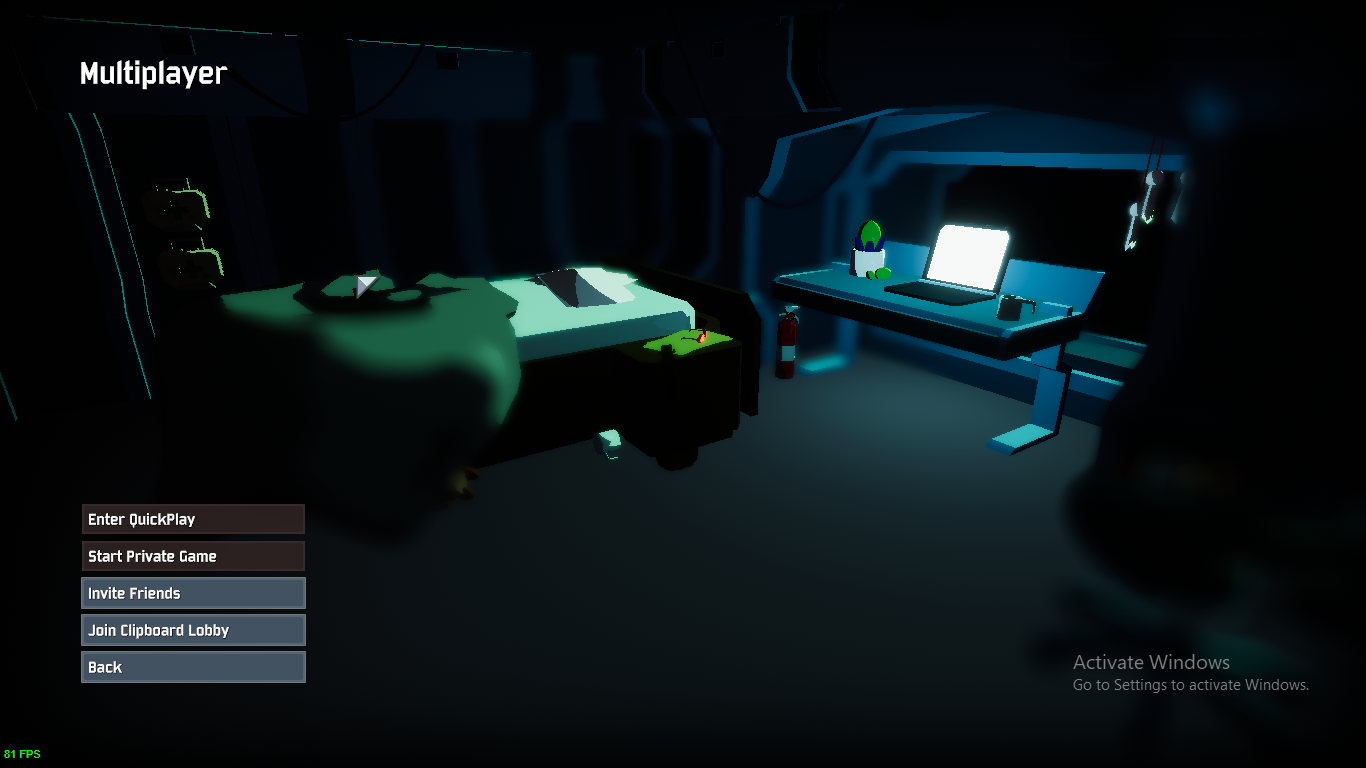
 leaden haven
Hey does anyone know why when I'm using a controller it just makes the camera infinitely spin?
 thin crest
Hey guys, my game is utterly broken and i need help to try to fix it...
wild vortex
try unplugging your mouse
leaden haven
I'm on laptop
wild vortex
oh
 vapid nest
once i start the game it instantly makes me look down. anyone have this issue?
thin crest
like i might have to get a refund , and i will leave a negative review. i can't even exit the game
 acoustic raft
I've played 6 hours and have had minimal issues, but occasionally when multiple things happen at the same time, let's say I'm opening a chest and picking up an item and shooting at and killing an enemy with an explosion occurring, all within the same frame the game will freeze hard for a few moments and catch up with itself. Recently this happened and actually bluescreened my PC.
vapid nest
Yo i found a fix for controller issues
Open device manager
Go to view tab at the top and click devices by connection
Right click on the vjoy device and uninstall or disable
found it in the steam forums

My friend tried playing the game but for some reason all his actions have him continously look up I checked his keyboard and mouse scale and sensitivity are set same as mine and he even tried with controller and still has the same problem. Would anyone have a solution to this?
 prime forge
Hello everyone, I bought the game and I was wondering when will I receive the free copy that I can gift to a friend?
 west cosmos
You should receive it immediately in your Steam inventory
Or after a few minutes
If it doesn't show up after a few hours, then contact Steam support.
prime forge
ok, thank you sir, I will do that in case of that
leaden haven
Alright Vjoy which wasn't really being used was the problem. Thanks pins
west cosmos
@formal spade did you ever solve your problem? I'm getting that same issue too
 sick prairie
Is save data not yet persistent? I've had to start from scratch every time I open the game.
marble burrow
Nah. Game just deletes the pathway to the save data everytime it boots. Just Check the files via Steam , it should come back.
west cosmos
Is there a known fix or has anyone else been having this problem? The game was working fine 10 minutes ago but now whenever I start it up it gets stuck on this screen. Tried reinstalling three times but still not working.
 formal spade
It's a matter of deleting your save/enabling and disabling steam cloud
west cosmos
Ahh okay
formal spade
Can't believe the devs still haven't fixed this shit
formal spade
Don't see why that haven't just made an update that removes that dialogue or just fixes the button
west cosmos
Yeah it's kinda dumb
sick prairie
Hmm, @marble burrow verifying the integrity of my game files resulted in Steam downloading a new (1 out of 2) file. Restarted the game and it didn't have any of my logbook but it also didn't ask me to create a profile for the first time, so perhaps it will save from now on?
🤞
 pallid imp
Dear RoR2 Team i bought your Game today and i accidantly deleted my friendcode in my mail provider. Where can i get acces to exactly to this sent mail again. I don´t want a new key i just want this old email i accidantly removed 😦
formal spade
Also another note
I love how these dumbass devs say it's save corruption when it's just not
formal spade
Could care less
humble heart
it aint even officially out, just early access
formal spade
I'd rather have a legitimate response instead of their lie
vivid pewter
holy almost 60k players ingame right now
 proud cliff
hi i bought the game and it does not let me trade the key
 autumn oar
that's cool
proud cliff
tell me why
vivid pewter
you get an extra copy in your steam inventory
vivid pewter
You cant trade it you have to gift it
proud cliff
how to gift
autumn oar
if you go on it's card in your inventory there should be an option to gift
 hasty lintel
Hey I can't seem to unlock the character in time. Whenever I go to the lunar area he doesn't appear for me to unlock him
autumn oar
trading takes a few days
hasty lintel
any help?
proud cliff
ok tanks a much
 keen ibex
proud cliff
keen ibex
proud cliff
crowen good guy
 late lichen
is the multiplayer not working for anyone else too?
dire hill
@pallid imp Check your email's deleted messages? Or email Hopoo to resend it.
pallid imp
it ran in my spam and was deleted 😦
formal spade
I wonder if this game would actually work if I pirated it instead
pallid imp
now i lost a friend key
and there is no backup in my steam site
or an option to resend taht
 drifting dock
i cant find my folder that userprofiles are saved in
for the early access continue button
drifting dock
what steam dir
formal spade
Your install dir
drifting dock
what
formal spade
Where
Your
Steam
Is
Installed
drifting dock
ok
formal spade
Sucks to suck I guess
 pallid ibex
We are working on a patch we're hoping to get pushed around Monday
formal spade
Gave up on their pisspoor responses
pallid ibex
sorry for the inconvenience, its a bit complicated
formal spade
"It's save corruption"
pallid ibex
i'd understand if you refunded before it was fixed
drifting dock
thank u hopoo
pallid ibex
as far as we're aware it is save corruption
formal spade
It's not
pallid ibex
is ther something that makes you feel otherwise
formal spade
Uh yes
That if you juggle steam cloud or make the game load any other save
It'll just work
Can click continue
After that you can close the game and replace with your actual save
Game will boot just fine
 keen scroll
You need to chill out. You purchased an early access game. Things are gonna break
pallid ibex
Yes, its corrupted while downloading FROM steamcloud
formal spade
Not true
pallid ibex
Because it is async
formal spade
I don't use steam cloud
pallid ibex
ok lol
 grave hatch
how do we giift the free copy to a friend? i didnt get a code
formal spade
Two times now I've had to re-enable it
 gentle flame
You don't get a code, it's added to your Steam inventory
autumn oar
check your inventory, there should be a risk of rain card
drifting dock
i dont use steam cloud either
autumn oar
under its information there will be an option to gift or trade(trading takes a few days)
pallid ibex
@formal spade I totally understand youre upset, we will try our best
formal spade
Could care less
pallid ibex
omg!
orchid flame
when I have save the game dont start but when I cut my save the game can start
formal spade
Effort doesn't really do much
Results do
gentle flame
Hinki, it's an early access game.
formal spade
Not to rush just people will be happier when it comes vs the constant spew of "it'll come we promise!"
dire hill
Hey, question: Is there more optimization in the works for the game, especially for CPU end?
drifting dock
i love ror2 but i cant get out of the early access button
i dont use the steam cloud
formal spade
@drifting dock there's a solution in place
Replace your .xml file with the one from the pastebin
And test your luck
 dark coral
Hinki you are epic
drifting dock
what an xmi file
 wintry jackal
So what happens if it says “Game is giftable in your territory”?
 whole rain
hey anone elses save data got wied after closing and reopening the game?
i dont know if this is a fix but if i run it as administrator everything seems to be fine, i didnt get my save back but that dosent really matter
drifting dock
i dont know whee userdata folder
autumn oar
@wintry jackal that seems fine
 signal nimbus
Does anyone else ever randomly get disconnected even though your connection is fine? That happens to me sometimes
autumn oar
some poeple can't gift in their area
formal spade
What
 slow birch
im CRINGING at you rn
formal spade
Okay
dark coral
Hinki are you Diavolo
dire hill
@wintry jackal If it says game is not giftable, that's because of the buy one get one free deal - the only way to gift until that ends is to gift the inventory copy. If you're in a country where Steam games are CHEAPER than US dollar, you cannot gift outside your region. If you're in a country where games are equal to or more than USD, you can gift freely.
formal spade
Weeb?
dire hill
Did you already give your bonus copy away?
Workaround is to give a Steam gift card equivalent to their game price in their region, or close to it. That'll give them a copy and a spare for their region.
formal spade
I just don't get why you asked
dark coral
The only thing that matters is THE RESULTS
autumn oar
but cookie you also know that name LOL
dire hill
Unless you just wait a few hours, until BOGO ends, and gift a standard single copy, but I would personally go via steam card in that case
dark coral
ONLY THE RESULTS
 sharp ravine
why my pp no work?
dark coral
Hinki rn^^
formal spade
Well sorry I'm tired of hopoo pulling shit out his ass
sharp ravine
But he don't
gentle flame
Dude
sharp ravine
he swipes
formal spade
He just is
dark coral
They aren't, they literally said they would fix it by monday
 cunning spear
Question, what config file does the game read and write to.
\Risk of Rain 2\Risk of Rain 2_Data\Config doesnt get listened too and seams to get overwritten on launch even after setting the flag to read only, it seams like the file itself gets replaced and so the flag for read only is ignored
formal spade
Don't care when it's fixed
hasty lintel
Anyone know if it is chance to be able to unlock Artificer in the lunar area? Went 3 times to lunar and there was no unlock available
gentle flame
Oh my god Hinki
formal spade
Just the fact that it's not save corruption
 mental swan
Who hurt you Hinki?
formal spade
But it's being portrayed as so
slow birch
😡 ban hinki
mental swan
is everything ok at home?
dark coral
His dad Dean
sharp ravine
his dad got the jumper cables out
formal spade
Ban me for calling out hopoo? Go ahead but don't see your gain
dire hill
Seriously, being a dick repeatedly in the help channel won't fix the bug, wait like everyone else or get out
keen scroll
Just refund the game if you're that pissed about it. They don't have to share the troubleshooting process with you
formal spade
Why are all you people stuck on believing I care about if or when it's fixed
I just care about the misinformation
dark coral
Hinki more like stinky
formal spade
I know how to work around it and to recover my "corrupt" save
gentle flame
Hinki, he told you that there was a fix on the way, and you keep being an ass.
 regal atlas
well, i dont think its save corruption either, cant corrupt something i dont have in the first place 
cunning spear
Ok what the fuck is going on here, someone give me a TLDR
formal spade
But the fact that they're saying it's save corruption is what bothers me
mental swan
Why does it matter
dark coral
Hinki is being a jerk and we can't figure out why
mental swan
its getting fixed anyway
formal spade
Cause they're lying?
dire hill
pages upon pages of you flaming the devs, flaming other people because you think they're stupid for not knowing how to access game files, generally being a dick has been constantly disrupting the tech support channel
gentle flame
Basically
dark coral
^^^^^^^^^^^^^
formal spade
Jimmy Neutron is my favorite anime
dark coral
biggest offense
gentle flame
TLDR Hinki is a being a dick to the devs, and then being a dick to other people so
dire hill
@cunning spear one guy's conspiracy theory grade drama has led to him flaming the devs for the last like half an hour, mods are asleep
formal spade
How's it a conspiracy? 
 sharp ravine
When you get called out for having a anime avatar
cunning spear
Ok maybe i shouldnt ask for TLDR if i need context
 mental swan
Hinki some people are actually here to get help with the game not working can you clear out for like, 10 seconds lmfao
gentle flame
Hinki, they said there is a fix on the way
Chill the hell out and be patient.
It's an early access game
cunning spear
what is the bug?
formal spade
@cunning spear Basically lots of people have an issue where they can't click past the disclaimer button
hopoo claims save corruption
I call bullshit
Here we are
gentle flame
Except you're leaving out where you're being rude to the devs, AND being rude to other users
cunning spear
Yeah, that sounds like the furthest thing from "save corruption"
formal spade
How many times do I have to say I don't care when it's fixed
I just care that it's not save corruption
mental swan
Why


 formal spade
That's all
cunning spear
I do some dev projects as a hobby to help a few friends and that just sounds unrelated af
mental swan
its getting fixed
dire hill
Accusing the devs of being liars is just shit-stirring
slow birch

gentle flame
@severe ridge @cobalt osprey Can we please get some help here
mental swan
so who cares
 fiery urchin
By chance can someone tell me how i gift the second copy to anothe rplayer?
cunning spear
if it was save corruption, you couldnt just "FIX" it with a update
formal spade
Exactly
cunning spear
Like fuck that is NOT how that works
formal spade
You can also get around it and still use a current save
Which just further proves it
gentle flame
@fiery urchin Go to your Steam Inventory and the gift card should be there
formal spade
But again I just care about how it's being portrayed wrong
cunning spear
am with hinki here, maybe i wouldnt be bitching about it so much but he's right.
gentle flame
Who cares what it is, it's being fixed,
formal spade
Not about the fix
formal spade
Sure I would like not having to meddle in my files to boot the game
But I know it's early access this stuff happens
dark coral
so why are you bitching
fiery urchin
@gentle flame Lifesaver mate Lifesaver
formal spade
I've said why..
gentle flame
Then why are you being rude to devs? HInki
formal spade
"save corruption"
dire hill
Sure, none of this justifies loudly babyraging and devbashing in a tech support channel, the bigger issue is the enormous douchebag attitude
formal spade
Read pinned messages, top right @orchid flame
If those solutions don't work write a bug report, but they've gotten it plenty I don't think it'd help
cunning spear
I just want to disable bloom on my old ass GPU, the config file is busted.
formal spade
Can't disable in-game?
 viscid spruce
Tried going into game files and manually adjusting?
formal spade
Oh wtf you're right
cunning spear
I did but the file gets replaced on game launch
so am trying to find the real config, not the one thats in \Risk of Rain 2\Risk of Rain 2_Data\Config
Read only does nothing so it must be getting replaced
subtle dragon
I don't even have a Config folder, let alone the .cfg file for Risk of Rain 2.
I don't even know why.
viscid spruce
I'm having an issue of the game randomly crashing while playing. It'll hang and then I get a d3d error and the game crashes. Drivers updated
@carmine arrow Sorry to bother you, but may I upload a few files of my driver seemingly crashing? Game runs smoothly at 60 fps otherwise, just randomly abruptly freezes and get a d3d error and game crash while playing.
 somber grove
Its because this game uses more gpu power than it should pretty much me and all my friends are capping fps and i have a 1080 thie games optimization is terrible
 late mason
is the mad lag and freeze frame when you pick up an item known of yet? it really ruins my late game
viscid spruce
It never has a high gpu usage when crashing. it's not overheating. It just seems to fail to load a texture if im reading the output log correct
somber grove
The game is maxing out your vram its literally using 2-3x more of your gpu than it needs to
formal spade
Yeah this game throws a fit when it can't edit the config.cfg
somber grove
Thats the problem for all of us and why there are so many problems
 pallid quest
yeah even afk on the menus puts my GPU at Max load
formal spade
Then cap your fps
dire hill
where are you monitoring gpu load?
somber grove
Yes thats how i onow this...
late mason
use task manager
pallid quest
yeah it's loud
late mason
?
viscid spruce
late mason
why no task manager, never had issues with it, and it works smoothly
viscid spruce
Doesn't seem like a memory problem but I dunno much about programming and stuff
ALways seems to crash when this is in output: d3d11: failed to create staging 2D texture w=128 h=2 d3dfmt=10 [887a0005]
d3d11: failed to create buffer (target 0x1 mode 3 size 15360) [0x887A0005]
Crash!!!
somber grove
The problem is simple all these crashes, freezes, etc 95% of them are a side effect of this game using more if your gpu than it needs to this is an urgent issue as people who afk in the game menu could literally fry their gpu
manic raft
I cant join a game.. why?
 surreal tiger
posted this in bug reports too, but i am unable to disable bloom, either in game or in start menu. When i click the checkbox, nothing changes graphically, and it instantly rechecks itself
formal spade
Why not just cap your fps
viscid spruce
okay, but during game it oesnt seem to take as much memory?
somber grove
Hinki fps cap doesnt work
manic raft
b r u h w h y c a n t i j o i n a g a m e a n d h o w d o i f i x i t ?
formal spade
Same mine doesn't use much vram
somber grove
I spoke to the dev directly last night and he confirmed that it was an iszue hinki
So kys retarx
formal spade
GPUs have shit built in to prevent heat related issues
 strong cave
@manic raft reseting my pc worked for me
manic raft
nvm i did some of my own magic and got in
dire hill
what's that cpu/gpu monitor?
somber grove
This game should not thermal throttle anyones card
somber grove
Thats the point
formal spade
Then cap fps
somber grove
I do
formal spade
can just cap at 120 if i don't want to thermal throttle
somber grove
Thats my work around
dire hill
serious, what's that OSD from?
somber grove
But you shouldnt have to cap fps in a game like this to avoid throttling a 1080
viscid spruce
I still think it's atexture load problem. Because sometimes I crash with the first 3 minutes of the game with minimum enemies etc, and other times I get to 3rd stage with crazy enemies and effects and nothing.
formal spade
What's your spec
late mason
@formal spade how do you prevent the framey-ness of late game?
somber grove
Hinki do u not realize that 86% 73c in menus is ridiculouz
formal spade
No?
dire hill
man, my laptop isn't hitting 120 at all and drops below 60, GTX1070 Max-Q i7-8750H 16GB RAM
formal spade
Cause it's a 3d environment
formal spade
Yea
somber grove
That is ridiculous for menus
 rain mauve
My computer overheats by idling the desktop, yall needa relax
formal spade
Then ask them to make a 2d map for your main menu
formal spade
Yea
I like it actually
It's harder on GPUs than it should be yes
I get less frames there than in game
late mason
me too, and the graphical settings change in real time too
formal spade
but Overwatch does the same thing
somber grove
No it doesnt
late mason
newer games do it because its cool
somber grove
Ow menu does not do that lol
dire hill
tbh, I'm wondering if my issue is with my machine or the game.
formal spade
The char models loaded on the main menu are much higher quality than your in-game settings
They do it to make it more appealing
formal spade
What GPU do you even run
late mason
listen, i just wanna stop the ugly ass frame loss of later game
formal spade
What cooler?
late mason
put your egos away
viscid spruce
I kinda wish all I had was frame loss. I get no frame loss or anything, just an abrupt shutdown and a d3d error
formal spade
I have my fan profile at silent and it's barely hotter at 120fps cap
 manic shore
all know how to fix the problem of the game black screening when trying to join your homie then sending you menu screen and you cant join your mate
 wicked trench
i cant even launch the game, i press play straight into a black screen then it closes instantly
strong cave
@manic shore when that happened to me both me and my friend reset or pcs and then it works
rain mauve
@manic shore all parties should validate game files and restart pc
@wicked trench Try this
 vague ginkgo
so me and my friend tried to play together but when he joins he cant press ready and it kicks him after 10 seconds what can we do ?
formal spade
Still waiting for Lurma to go through with his threat
sharp ravine


 candid pendant
idk where to go but i just purchased RoR2 and didnt get a 2nd key for my friend
 zinc kindle
A friend and I are playing Risk of Rain 2 together, I'm an engineer going for defence and on-hit items and we're feeding all other items to a huntress. As we;re exploring the abandoned resivoir, I find the || Elder Lemurian tunnel || and I tell my buddy through voicechat to follow me. Because the area I'm going into is available randomly, my partner is kept from folloing me, and is angry that I'm leading him to what is, for him, a dead end. This got me killed, as I didn't understand his callouts until I died. Please keep the world generation the same for both players!
pastel sorrel
@wicked trench @rain mauve Tried that several times, game never ran, got my refund already
viscid spruce
That offer is over IIRC DemonFiend
candid pendant
but it says its avaliable till 3/30/2019 @ 12PM PT
strong cave
yeah its still avail
viscid spruce
oh 12 PT. thought it was ET
viscid spruce
Now that I think about it. I think I always crash during the teleporter event. Hmm...
rain mauve
Well, good for you, sometimes things that don't work for some do work for others. @pastel sorrel
 sick prism
Is anyone unable to get the steam overlay to work with RoR2?
viscid spruce
Yeah it works with mine
sick prism
I cannot get it to work for the life of me. No notifications, no UI, nothing.
Works fine on other games, but the overlay for some reason isn't hooking onto the RoR2 process.
 crisp garnet
i'll trade problems with you 😦 my refresh rate is set to 59Hz and nothing i can do changes it
stuck at 60fps for life
sick prism
Better 60 than 10-30 like some folks are having issues with
vague ginkgo
i cant press ready when i join my friend's lobby
strong cave
try restarting your pc
and verifying integrity of game files
both you and your friends
vague ginkgo
we tried restarting it the pc and the game but it doesnt work
strong cave
reinstall perhaps?
vague ginkgo
and it says for both of us that we are missing 1 file but we cant download it
rain mauve
Do multiple validations
I had that issue, took about 3 times to finally get the file for me
 tranquil onyx
how do i get the code for the game?
tranquil onyx
ok
 somber trellis
Ok so I'm having an issue where all the options are stuff like "Title_Multiplayer" and stuff like that, and when i tried to play with friends i couldn't do anything, and the "Title_exit" button doesn't work either
tranquil onyx
thx
 fresh echo
I need help joining my friends
 warm shard
Me too
strong cave
@fresh echo every problem ive had with joining friend has been solved by restarting my pc
fresh echo
ok
fresh echo
should i verify then restart?
wicked trench
@rain mauve doing all that fixed my not loading issue but now i cant press continue on the splash screen...
rain mauve
This disclaimer continue button?
wicked trench
yeah that one
rain mauve
Try this first
PROBLEM I can't get past the first screen, and it says EARLY_ACCESS_DISCLAIMER.
FIX Please make sure that your Window System Clock's Timezone is NOT Invalid. If that does not fix it, please uninstall THEN reinstall VC++ 2015, shown here https://www.microsoft.com/en-us/download/details.aspx?id=48145

Microsoft Download Center
The Visual C++ Redistributable Packages install run-time components that are required to run C++ applications built using Visual Studio 2015.
If that fails try this
FOR EVERYONE ENCOUNTERING THE EARLY_ACCESS_DISCLAIMER/BUTTON NOT WORKING
We've generally narrowed down the issue to your Save data being corrupted. This may be caused because you shut the game down abruptly or another issue occured. Please note that this will wipe your save file contents. If you want, back it up elsewhere.
- First, make sure Risk of Rain 2 is closed.
- Restart Steam.
- Next, locate the folder that your userprofiles are saved in. This is typically in C:\Program Files (x86)\Steam\userdata(ACCOUNTNUMBER)\632360\remote\UserProfiles"
- There should be an xml file in there with a bunch of random characters, i.e 2919dc8a-fd4c-4c3c-bd7d-8aeeac67b831.xml. Open the .xml file in Notepad.
- Go to https://pastebin.com/BQkjgRrK and copy the contents of the Pastebin INTO the .xml file, REPLACING ALL THE EXISTING CONTENT. Press Save.
- Reopen the game in Steam.
Pastebin
If nothing else just contact them through their email, I'm sure they'd get back to you asap. I received email help within 30 minutes yesterday.
 winged cradle
Is anyone experiencing random crashes?
viscid spruce
Yes! Me!
winged cradle
it happens at random, dont recognize something that can be triggering it
viscid spruce
No one else seems to
I think i narrowed mine down to a texture problem during the teleporter event
3 times it crashes with a d3d error in testing 3rd time just now blue screened my pc
wicked trench
yeah everything is sorted just wish i didnt play 10 hours before i had my save wiped haha
winged cradle
i dont receive any error message that can help figure out whats happening
it just closes
unfort
 manic salmon
I got a problem with the game.
My game is completely broken. I cant play solo or with my friends.
 turbid epoch
hey can somebody tell my why it lags hard everytime i pick up an item. ryzen x2700 and 1080 should handle the game wuite well
orchid flame
did you try verify game integrity on steam game properties @manic salmon
manic salmon
yes sure. It said 1 file is broken. Then I update the game. Nothing changes.
Already uninstall the game twice
 analog idol
Same prob.
orchid flame
damn i hope it decides to work soon
manic salmon
@analog idol are you russian?
analog idol
manic salmon
Ты в Крыму живешь?
analog idol
Нее, в Самарской области
manic salmon
У тебя такие же проблемы как и у меня?
analog idol
Угу. Решений сколько не искал не нашел
analog idol
 stone silo
If I already bought a copy of Risk of Rain 2 and gave out my extra, can I buy it as a gift and get another free copy?
analog idol
didnt think so.
manic salmon
i got the same problem
https://steamcommunity.com/app/632360/discussions/0/1768133742963229234/#c1768133742963242811
So basically most of my achievements and items are named item_slowonh t_name ... etc anyone knows why ?
 rose horizon
@pallid ibex not sure if @'ing is against the rules but i'll do it anyways,
my friend has the early access disclaimer
and it's greyed out
he just cannot play
 left wharf
hello, i've been having a problem where whenver i play my character just stares straight down and the camera is stuck there. I've tried disabling vjoy but it doesn't work
verified game files and even reinstalled, still doesn't work
 naive flume
@rose horizon click the pinned post button and try those solutions.
rose horizon
will do thank u
viscid spruce
@manic salmon have you tried the pinned messagr solution for the strings error?
 tardy star
hey how do i get my second free code when i buy the game
old talon
steam inventory
viscid spruce
sigh their email is full. Probably with all these people who don't look at the pinned messages or read previously reported errors. Meanwhile i have a seemingly unique problem and cannot contact the devs.
 undone swallow
Anyone know how to fix this?
 lone garnet
Not sure where to ask this, but if I already own a copy of the game and buy another right now before the special ends in 8 minutes to give as a gift, do I get another copy still extra?
manic salmon
@viscid spruce yes i did, still not working :c
tardy star
got it thanks
old talon
be fast
lone garnet
Well it's not letting me select buy as gift so I guess I'm out of luck. Sadness. Oh well I suppose :T
old talon
did you already buy it for yourself?
viscid spruce
Cant buy if you have for ypurself already
lone garnet
Well I was going to buy as a gift which is a different option. But I guess I can't even gift until the special is over?
old talon
if its for a friend, just send them the money to buy it themselves, then you will get an extra
viscid spruce
Got like 5 mins though
dire hill
^
old talon
tru, paypal would get it there in time if they act fast
lone garnet
Ah ok was just checking
Not enough time now and it was gonna be a surprise for them so not a big deal. No one was relying on me lol thanks for the answers though guys
 toxic iris
I just bought the game a like 15 mins ago and I didnt get an extra copy?
toxic iris
i bought it on steam
viscid spruce
Well, back to trying to purposely crash the game I guess. Beta testing.
rose horizon
@naive flume
that number
the one that starts with 6
that' you're supposed to find
that folder is not there
for my friend
in any of the folders in userdata
yeah it's literally not there
632360 is just not a folder for him
viscid spruce
Okay It's consistent now. The teleporter event crashed my game. Especially moving the camera while in the big red sphere.
sigh
 robust viper
anyone having an issue getting this to run via steam play? running it with Proton 3.16-8. haven't gotten it to lunch yet. tried running offline through wine and lutris as well and it still won't launch.
 severe parrot
i cant look up, vjoy is disabled and i have no controllers, but its somehow picking one up???
rose horizon
@pallid ibex @carmine arrow any idea what to do when folder 632360 isn't one of the folders in userdata?
 rotund field
Hi there, my fiancée and I were just trying to play together, but we weren't able to join a lobby together. Both of us were able to start up single player, but she couldn't join my game and I couldn't join her's. I checked my firewall settings and the game is allowed both inbound and outbound. I also seem to be unable to join quickplay lobbies.
pallid ibex
@rose horizon but there are other folders?
robust viper
if there's any other linux peeps having the issue i mentioned above lmk pls
viscid spruce
Crash #5. Def the teleporter event
 icy lava
I just had the game freeze my entire machine while I was navigating through all the log book entries for a while. Eventually force rebooted the machine and hit a windows bluescreen for a memory issue. Haven't hit a crash on this machine in a long time before playing this game
When I get back to work I can probably find the crash dump since I work on Windows...
 lusty pewter
I'm trying to play a private game with a friend, but when we join the lobby one of us doesn't get on the select screen. Not sure what is happening but I was playing with two other people about an hour ago and this did not happen.
severe parrot
@pallid ibex i have no controller and vjoy is disabled but its still saying i have one, ive uninstalled and restarted my pc and its still making me look straight down, pls help!
icy lava
Can't try to repro the memory leak/crash yet since it corrupted my save and I had to reset it (so no logbook entries) to get past the welcome screen again
 thorny gale
I'm also having the same issue as Koo
rotund field
My issue is similar to Koo's, but my fiancee and I just can't seem to join each other's lobby, and I can't join quickplay at all.
 feral tiger
Black screen->menu after lobby starts a game
(Filename: C:\buildslave\unity\build\Runtime/Export/Debug.bindings.h Line: 45)
Steamworks lobby join succeeded. Lobby id = 109775241000473717
(Filename: C:\buildslave\unity\build\Runtime/Export/Debug.bindings.h Line: 45)
OnLobbyStateChanged memberStateChange=Entered initiatorUserId=76561198089102913 affectedUserId=76561198089102913
(Filename: C:\buildslave\unity\build\Runtime/Export/Debug.bindings.h Line: 45)
WARNING: Shader Unsupported: 'Hopoo/RimOnly' - Pass 'Meta' has no vertex shader
Shader 'CalmWater/Calm Water [DX11] [Double Sided]': fallback shader 'Legacy/Diffuse' not found
WARNING: Shader Unsupported: 'Hopoo/Toon/Distant Water' - Pass 'Meta' has no vertex shader
Initiating connection to server 76561198000828102...
(Filename: C:\buildslave\unity\build\Runtime/Export/Debug.bindings.h Line: 45)
GameNetworkManager.OnClientP2PConnectionFailed steamId=76561198000828102 sessionError=Timeout
(Filename: C:\buildslave\unity\build\Runtime/Export/Debug.bindings.h Line: 45)
Closing connection with steamId 76561198000828102
(Filename: C:\buildslave\unity\build\Runtime/Export/Debug.bindings.h Line: 45)
Left lobby 109775241000473717.
 light walrus
I apologize if this doesn't belong here, it didn't seem like something for game discussion or feedback. not RoR2, but any possible plan to have RoR1 hosted on Steam servers rather than port forwarding?
dire hill
@pallid ibex My laptop's refusing to switch fully to the dedicated GPU even when forced to select it in the Nvidia control panel. Is this just how the game is coded for Optimus machines? Seems that this is limiting my performance.
pallid ibex
What is an Optimus machine?
dire hill
Nvidia Optimus, the software that dynamically switches between iGPU and dedicated GPU
light walrus
can you disable the software?
dire hill
My specs: i7-8750H, 16GB RAM, GTX 1070 Max-Q. There's no way to turn Nvidia Optimus on or off that I can tell, it's simply there.
light walrus
Drivers completely up to date?
dire hill
Although, I did set the Nvidia control panel to force the game to use the Nvidia GPU, but monitoring is still showing half and half load split between it and the integrated chip. And yes.
In fact I clean installed the drivers just now.
robust viper
this happens every time i try to launch the game
Running /usr/games/steam steam: //rungameid/632360
Full shutdown prevented
Game still running (state: running)
Stopping Risk of Rain 2 (steam)
Risk of Rain 2 not in running game list
light walrus
try this, Felis. I've never heard of the software, but I got this from a quick google and quick skim. https://www.howtogeek.com/136123/htg-explains-what-you-need-to-know-about-nvidia-optimus/

How-To Geek
Laptop manufacturers have a choice – they can include onboard graphics for better battery life or discrete graphics hardware for better gaming performance. But wouldn’t it be great if a laptop could have both and intelligently switch between them?
I'm sure that's what you've done already, but just incase you missed something
@robust viper have you tried terminating the game application through task manager?
 clear pecan
can some one help me with my problem
light walrus
whats the problem?
dire hill
Yup, I have done that
light walrus
Have you tried closing/opening the game?
marble burrow
Idk. I have the same issue. Redownloading the C++ packages dosent work
light walrus
Looks like a display bug
clear pecan
ive done it multiple times
viscid spruce
I have the same issue with steam thinking the game is still running. I think it's steams end?
I gotta exit steam
light walrus
Also try validating the game files
robust viper
@light walrus the exe has never shown up in my system monitor, only the parts of proton required to run windows games.
marble burrow
Validating game files restore the Save path, nothing else.
analog idol
Same prob. Also cant start singleplayer : (
orchid flame
same
robust viper
@viscid spruce is having a similar issue to me. steam is thinking the game is running but doesn't actually launch the game
light walrus
That must be a bug from the game, make sure to report it in the bug report
@robust viper I use an application called Process Hacker, it's task manager but better. I see the application in the list, I can terminate if I needed to.
chrome slate
Anybody know where the save files are saved to
viscid spruce
So 6 times now, I've ran straight to the teleporter, activated it and spun the camera around. It keeps crashing.
robust viper
@light walrus i'm just running the system monitor that came with the DE i'm using
light walrus
What is the DE?
robust viper
mate
 maiden isle
can i still buy the game