#ror2-tech-support
1 messages · Page 16 of 1
 fading dagger
Reinstalling doesn't work, PC restarting doesn't work, reinstalling C++ doesn't work, I'm lost
 brittle lynx
Any way to get rid of the weird ass mouse delay/acceleration on the menu? It's driving me absolutely crazy
 rapid valley
 severe otter
Has anyone had any luck running the game on mac through Wine? I'm getting a crash from, ironically, the Unity Crash Handler and the game doesn't launch
brittle lynx
Also, when i load into a game my camera just gets stuck to looking down all the time, cant look up but for more than a few seconds
 deft atlas
a few people trying to run on linux through proton/wine
haven't heard of anyone else doing mac
 eager robin
For the camera issue Pin, a fix for this should be in the FAQ https://steamcommunity.com/app/632360/discussions/1/1768133742956098205/

PROBLEM The camera is always pointing down, or I'm getting weird input latency! FIX First, try unplugging and then replugging your controller. If that does not fix it, look under Device manager and make sure there are no controllers. If you have VJOY installed, please uninsta...
deft atlas
as far as linux goes most people, myself included, aren't having any luck
there's a guy running arch linux who said it was okay on his end, and the crash i'm having is similar to one some windows users have had
 dire quartz
Fixed the no text on Linux issue. All I had to do was use "pvkrun" instead of "primusrun" since the game demands being run with Vulkan
brittle lynx
I don't even have vjoy installed and its still doing it
vsync n shit are turned off too
 worthy vigil
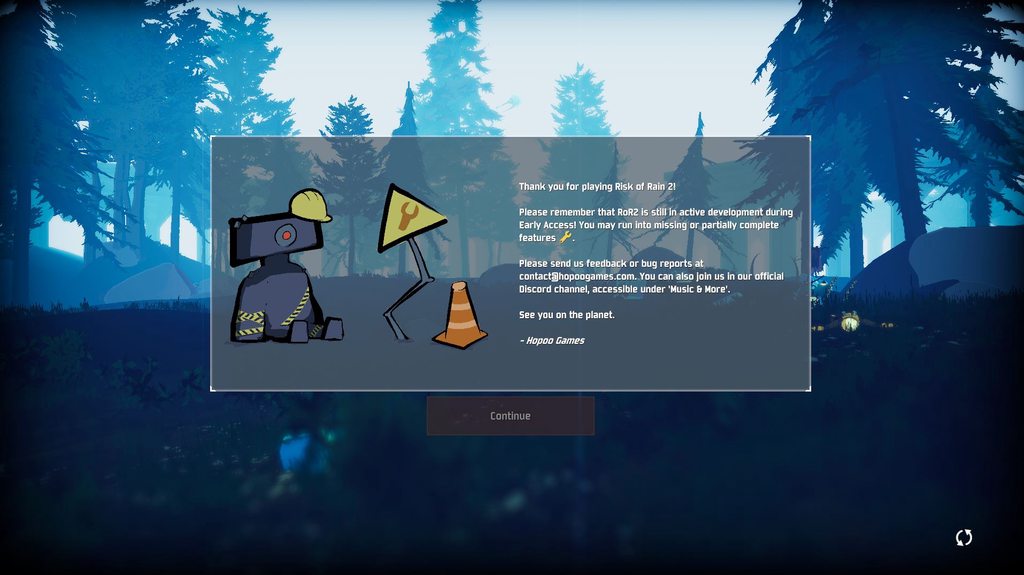
how do i get past this
restarted pc, reinstalled game, reinstalled the vc++
nothing works
brittle lynx
well actually
the camera thing stopped after unplugging my controler but there's still some delay on mouse movements
deft atlas
@dire quartz thanks for unintentionally helping me get it working
 indigo cedar
I was playing the game today and it crashed. Had to restart my PC. Then I logged back in and my profile was gone along with all of the achievements, items, and characters. Anyway to get those back other than grinding them all out again?
deft atlas
well everything's invisible but hey it doesn't crash on startup
 quiet saffron
Not sure if this belongs in tech or bug support, but no one in bug report has replied or given any ideas on how to fix. I can't invite any friends to a lobby. They can't invite me either. We both have steam set to public, friends on and overlay on. Nothing seems to matter or fix it.
 sick canyon
is the menu supposed to be like this
also when i click the singleplayer button it gets stuck on this screen
dire quartz
@deft atlas make sure you're on the 418 driver
brittle lynx
i havent played ror in quite some time
but is the teleporter supposed to get stuck at 99% if the boss is still alive?
i swear you used to be able to go through regardless
 wispy grove
This is the 2nd run out of 3 runs that ended when the game crashed. Anyone know of a way to fix ths?
There is no error, the game just freezes and a popup says "want to end process?" (not verbatim) but its not the typical one that other programs have so i think its a custom one scripted by the devs
 thorn copper
Does ROR2 work on Mac?
 frigid shadow
Is anyone having issues joining a friend?
 fallen fjord
how do I give my friend the other copy of the game?
thorn copper
@fallen fjord go to your steam inventory, and then click on the game you got. Gift it.
 bitter sky
What do i do if multiplayer doesnt work?
non of us can join each other and if we use the clipboard it just grays out the options
quiet saffron
Having the same issue as Pie with a whole thread about it
If my friend or myself try to invite each other to the game nothing happens. We have both tried to invite through the game, through steam, right clicking name and joining the other person, and when the clipboard code is used it simply blacks out all the options except for inv...
bitter sky
yea
 tight hemlock
@lucid jungle any luck yet
 timid cypress
When I play multiplayer, my ping goes to sky. This doesn't happen with any other game. Any ideas?
 hoary wagon
Hey, does anyone know if this game still follows steam refund policy? Was gonna get it to see if i can run it okay but the free second copy makes me a little worried about not being able to refund in the same way
 burnt lake
I'd also like to know before I buy it, not sure if I can run it. I was expecting a demo for the game.
timid cypress
I really like this game I don't want to refund it or something but I can't play online and that's why I bought it
 tardy wadi
whats your specs @burnt lake
 left abyss
So im going to buy the game right and im in my cart and its saying "This game is not giftable in your territory"
This makes me sad.
tardy wadi
where u from
left abyss
Australia.
 rich badge
Same
tardy wadi
Weird
rich badge
Thx
burnt lake
processor: AMD A12-9700P RADEON R7
video card: AMD Radeon R7 Graphics
is that too bad?
 warped ridge
Whats up with the mouse acceleration shit going on
Why does it feel like this how do I fix
bitter sky
@timid cypress try uninstalling
timid cypress
Why?
 undone steeple
@summer maple u found a solution?
@summer maple i did some more testing and i think it has something to do with your steam ID
bitter sky
it seemed to work for my friends and i
undone steeple
@summer maple I logged into my laptop and i couldnt get passed the continue but i logged into my friends steam account and i got past it
 rapid marten
Hello. im having a problem with the game crashing my pc when i launch it now. it didnt happen at first but the more i played it the more frequently the crashes happen. I tried uninstalling and reinstalling but now my PC is blue screened.
timid cypress
@bitter sky you had lag as I had or you couldn't even connect?
bitter sky
coulnt connect
timid cypress
I can connect, but it increases my ping
frigid shadow
@undone steeple I don't think its the steam ID. My friend and I could both play single player, but we can't join each other.
undone steeple
@strange aurora ah im talking about the problem where I cant get past the 'continue' screen
frigid shadow
Ahh my mistake
undone steeple
i alt-f4'ed and now i cant get past this screen on different devices, but can get past it on my friends account :/
warped ridge
How do we fix the looking at ground glitch>?
Both me and my friend have it and I want to play not refund
rich badge
Unplug and replug controller
 normal geyser
im stuck on the starting screen but mine just says "EARLY_ACCESS_DISCLAIMER" and i cant press continue
 last marsh
@undone steeple Stuck at this guys problem as well
 gleaming flint
Stuck on the launch screen with the "Thank you" message as well..
 hardy oasis
"EARLY_ACCESS_DISCLAIMER" me too
 small smelt
game starts with black screen, then crashes with no error message
tried everything from FAQ
 turbid carbon
My friend is also having the look at the ground bug...
 ashen sky
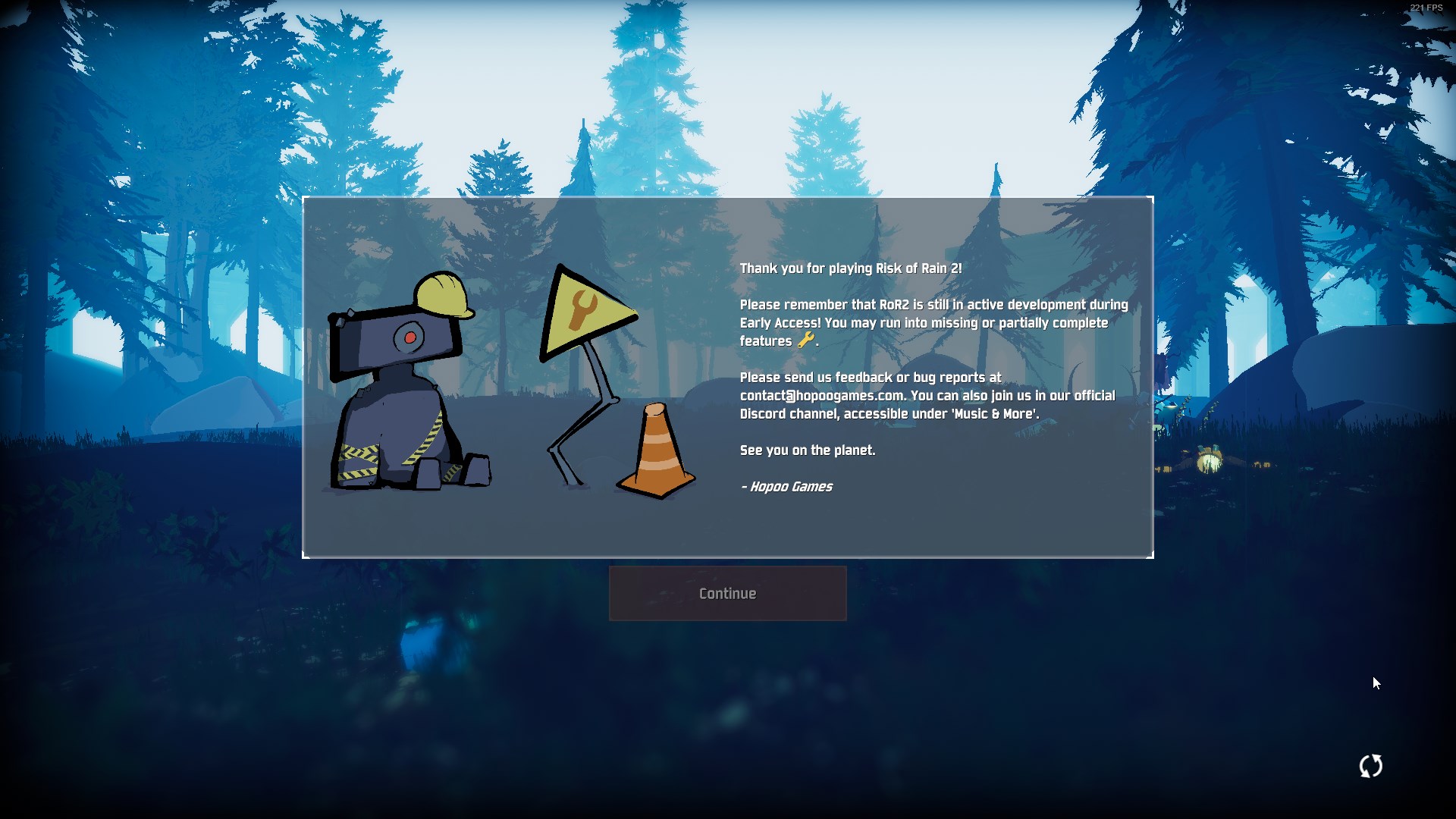
 minor dune
im having the same problem
last marsh
same
minor dune
i dont have a controller plugged in, but it seems like it thinks there is
 orchid flame
just click continue lole
last marsh
LEL
 river oasis
Hey I'm having a problem with my game, it says I don't a copy. I heard online that if someone gifts me a copy it will fix the issue.
minor dune
orchid flame
ITS A BETA
minor dune
i cant change these bindings
 sharp depot
im currently missing files like .ini fiels required for playing
river oasis
Can anyone help fix my problem?
 glacial halo
is anyone getting bad fps when there are a lot of enemies? I have a 2070, i7 2600 3.4ghz, and 16 ram
orchid flame
try checkin the integrity
orchid flame
yes i am but i have 7 year old mobo and gpu
sharp depot
at all
orchid flame
so i turned every graffic off
sharp depot
i dont have the option.ini prefs.ini etc
glacial halo
well mike thats common for an old computer...
sharp depot
all im getting is a white screen and music thats it
orchid flame
turn shadows off :^)
glacial halo
if it's bad optimization for some GPU's then that wont do anything to help really
sharp depot
any fix of this issue. i installed all MVS 2010 c++ stuff
glacial halo
that's why im asking other people
 harsh pollen
Hi, I cant play multiplayer. None of my friend who have the game can. We accept invites and it does nothing, sometimes even the UI for the lobby doesnt show up. Does this game just not have multiplayer even though it says so?
Like I can find nothing on it
orchid flame
want me to send you them
minor dune
@spare venture this might seem random. but do you play melee netplay?
sharp depot
mike that would be amazing but idk what im missing exactly
i wanna know why the game wont fully download the files tho
 spare venture
@quiet pivot I do not =[
orchid flame
send me s creenshot of your folder
 frozen bobcat
is the multiplayer working yet?
minor dune
hmm, my thought had something to do with drivers for the gc controller adapter.
 rain mauve
@harsh pollen My friend and I and many others are having that problem with no distinct fix currently. If you havent already, try reinstalling the game some say that works.
harsh pollen
I feel like, you shouldnt advertise day 1 multiplayer, when it doesnt work
minor dune
@spare venture is your cursor also super floaty in the menu?
sharp depot
this is the entire folder and its missing .ini
 jade moss
Hey guys, cant get past this screen https://imgur.com/a/wAWKvQV
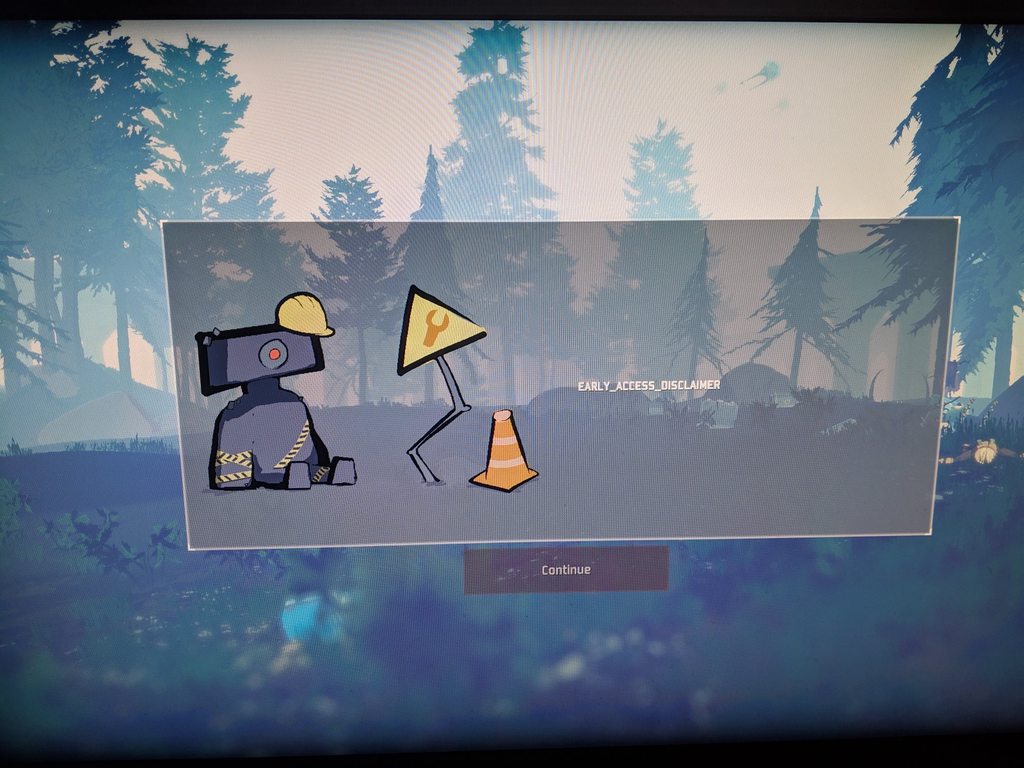 ashen sky
same
last marsh
So I found out that it keeps deleting my steam id file
undone steeple
@last marsh i think it has something to do with your steam ID
I had that problem after alt-f4ing and @pallid ibex said its probably due to save file corruption
sharp depot
so any clue why im getting a white screen w/ music only when it loads
undone steeple
i logged into my laptop and tried launching the game same problem
but when i log into my friends steam account and laucnhed the game it worke
 prisma hawk
lol
 static cobalt
Just to clarify, if I buy two copies of the game, I cannot gift one copy to a friend for them to receive 2 copies too right?
sharp depot
where are the ACTUAL tech for this game'
jade moss
@ashen sky any responses on how to fix potentially?
ashen sky
no
undone steeple
@spoopy i have the same problem
sharp depot
i need help with this issue
last marsh
is there a way to delete my save file?
undone steeple
im gunna try making another steam account and family share it. see if that works
@last marsh i tried that already but i think it has something to do with your Steam ID so u cant really change that until they patch it
harsh pollen
wow this is a shit launch lmao
last marsh
Ah ok.
undone steeple
I'll keep u guys updated if the family share works
you can try it too by making a new steam account
last marsh
Cool probably will try that
sharp depot
help white screen music only. what do?
static cobalt
Am I able to gift a copy of the game for my friend to receive the bundle too?
sharp depot
can someone post the game folder to see if im missing files cause the verify integ says i am but wont DL it
rain mauve
this is all I have in my folder @sharp depot
sharp depot
@rain mauve any clue
undone steeple
@last marsh hah!
ashen sky
this is dumb
last marsh
Yeah
ashen sky
but ok
undone steeple
this is so dumb
i had this issue for over 6 hours
until i got the idea
i'll post it on the steam discussion so that other people can play it
undone steeple
😦
last marsh
congrats on figuring out a fix tho!
undone steeple
i just wanted to play with my friends
last marsh
Tru tru
undone steeple
ya np hope u enjoy the game
sharp depot
whats dumb is having the correct files apparently and not being able to play @last marsh
undone steeple
someone needs to pin this solution lol
last marsh
I mean tbh game was made by like 3 people so idk might have missed something like this
Gearbox can give them a dope spotlight but should of gave some form of support
jade moss
@ashen sky it works if you family share to a new account?
ashen sky
yes
last marsh
LOL^
jade moss
well thats weird
last marsh
random bot
jade moss
yeah i typed too many (....)
undone steeple
@bleak sphinx also had this issue hope he sees this
 abstract kindle
ran into an issue where my camera is always pointed down
 sweet laurel
hummmm interesting
abstract kindle
has anyone dealt with this, only happens on RoR2
sharp depot
is it a visual stuido issue?
last marsh
Oh also I noticed music is playing now @undone steeple
abstract kindle
i drag my mouse up to look at the sky and it shoves itself down to the floor again
last marsh
where as when I couldn't hit continue it was muted
undone steeple
@summer agate i had this problem when i alt-f4 the game so be careful not to do that
frozen bobcat
I hope they fix multiplayer soon
rain mauve
@abstract kindle
sharp depot
can any one tell me why i cant play and am stuck on a white screen
abstract kindle
THANK YOU SQUAK WILL TRY
sweet laurel
new account doesn't work www
rain mauve
Make sure you guys check the Pinned messages before posting!
sharp depot
@rain mauve i have an no solution to my issue'
sweet laurel
so sad
ashen sky
btw
did you guys
who had the same issue as me
change the name in the popup
when creating your account
rain mauve
Unfortunately I have very little experience with games and issue solving. I get most of my information from online searching and troubleshooting, Best we can do if hopefully wait around for one of the mods/devs to reply
ashen sky
@jade moss @undone steeple
jade moss
I don't have that option, im trying what the pinned message says right now
ashen sky
oh, did the game never work at all?
jade moss
I just get to that screen nothing else
sharp depot
@ashen sky thats the only screen i get
last marsh
@ashen sky I created a new file name in fear it might overwrite my old one?
undone steeple
change name in profile creation?
undone steeple
yeah i did
ashen sky
i
think that's what causes it
which, if im correct
means if i log out of my game irght now
i won't be able to log back in, because i did it on teh second account too
rain mauve
I guess my best answer would be if all your drivers are updated and/or if you've tried restarting your PC recently @sharp depot
ashen sky
:(((
undone steeple
you can try it
ashen sky
i'm not gonna lmao
undone steeple
LOL
last marsh
Wait what if its replacing it from steam cloud?
undone steeple
well youre guinna log out sooner or later
ashen sky
but yeah i hope the devs fix this
undone steeple
yeah they'll prob fix asap
ashen sky
hopefully...
sharp depot
@rain mauve everything up to date i even updated the c++ crap as well
rain mauve
I would try to restart your pc, I know it sounds dumb but sometimes it's the easiest fix @sharp depot
sharp depot
i did after updating the c++ stuff
fourms say to delete the prefs.ini and notepad the options.ini
but i dont have those
nor the GMResource thing

I started up risk of rain after a month just to get some down time. The game booted up but the game will not show up on the screen of my computer, I have full sound and the game responds to inputs. I don't think it is my video card because it works on every other game I have....
NO error message nothing at all, the game just doesnt want to start help If someone else has this problem: SOLUTION: Delete GMResource.dll in Risk Of Rain folder
the files it says in these i dont have at all
rain mauve
That's not for Risk of Rain 2
Those forums are for the first game
Which is why you can't find the files
sharp depot
well then idk why its not starting
1 file failed to validate and will be reaccquired
and it doesnt reaccquire it
rain mauve
Have you tried revalidating more than once? I had a broken file and after 3 revalidations it finally recorrected itself
 brave wraith
Is it possible to disable this crazy mouse acceleration in the menus?
sharp depot
ive done it 10 time @rain mauve
orchid flame
how do i advance from this screen?
where the heck is the keybinds file?
i can't reset my keybinds
rain mauve
@orchid flame
PROBLEM I can't get past the first screen, and it says EARLY_ACCESS_DISCLAIMER.
FIX Please make sure that your Window System Clock's Timezone is NOT Invalid. If that does not fix it, please uninstall THEN reinstall VC++ 2015, shown here https://www.microsoft.com/en-us/download/details.aspx?id=48145

Microsoft Download Center
The Visual C++ Redistributable Packages install run-time components that are required to run C++ applications built using Visual Studio 2015.
orchid flame
@rain mauve thank you very much c:
sweet laurel
Have reinstalled VC++2015 but stilll didn't work :p
harsh pollen
if you cant get into multiplayer, ive found a temp fix! Restart your PC
It actually worsk
 waxen thicket
hey is there any way to disable mouse acceleration? i'm having a hard time even navigating the menus
sharp depot
@rain mauve i did them all and nothign
brave wraith
please help with disabling mouse acceleration xD
wispy grove
my experience with this game
Spend 20$
play one run, its amazing
play 5 more runs and they crash each time
i think i might have hit that 2 hour limit tho so cant refund
sharp depot
u have a week as well to return it
but yea @rain mauve i did even the 2017 c++ redis as well and nothing
@sweet laurel u having the white screen w/ music issue?
sweet laurel
no, i got EARLY_ACCESS_DISCLAIMER screen
 dull monolith
yo so does multiplayer work?
sharp depot
@dull monolith idk i cant even get the game to launch
sweet laurel
😂
sharp depot
i have every version of Microsoft Visual C++ Redistributable installed and i get a white screen
with mudic
music
 acoustic dagger
i can launch the game solo but cant join or have friends join me \
anything i can do?
dull monolith
dunno
rain mauve
@sharp depot I don't have anymore options for you to try :( hopefully devs with have a fix for it by tomorrow
 desert cloud
Can anyone help me with how slow my cursor moves in the menus?
sharp depot
ya think with early access out the devs wold be on to help with game breaking issues like mine
acoustic dagger
fo real
sharp depot
cause how u gonna get feed back if some ppl cant even play
 crystal hill
i'm getting the same issue as @sharp depot , but I've already played the game
sharp depot
@crystal hill i feel the pain buddy
least u were able to play it for a short time @crystal hill
crystal hill
yeah lol, to be fair I just finished playing it for like 8hr straight so i guess i need a break
 vast fulcrum
I'm getting the same issue where it doesn't start up
Tried revalidating and it validates the files, start the game it crashes and then when I verify file integrity again it says a file is broken and will be reacquired again
sharp depot
same @vast fulcrum
 runic ravine
Hey, if any of you have issues where you're stuck looking at the ground, make sure you don't have any 3rd party controller programs installed
It seemed to interfere with controller bindings and upon removing the drivers for things like V-Joy, it worked like a charm
sharp depot
i give them the fact it is early access but come on. issues like this are serious. and should be treated as such. least deligate someone to msg the devs for serious game breaking bugs
 gentle field
i mean today is the first day its even out on early access and the devs are probably sleeping or something
give it a few days at least
vast fulcrum
I'm okay with waiting since I should be going to bed soon anyway, but at least i'm not the only one with it
sharp depot
devs sleeping? what madness it that? lol jk but yea sucks balls
 autumn wigeon
How does one uninstall vjoy?
sharp depot
use revo uninstaller
 spring mesa
I keep on looking down when i get into the game 😐 is that a vjoy problem also?
runic ravine
Yeah, my brother had VJoy and kept having the looking down issue
Got rid of it and boom, all is fixed
sharp depot
whats ur guys current build ID
spring mesa
Dang I uninstalled vJoy and I'm still kissing the ground lmao
autumn wigeon
I'll check tomorrow to see if a restart works
orchid flame
@rain mauve that didnt fix it
 sonic osprey
I'm assuming its the nature of the game but my fps goes from like 140+ to 30-40 by the time i've completed a loop is there any way to fix that degrade in frames or no?
orchid flame
does anyone have any other suggestions? i cant make it past this screen
 stark prairie
im having the same problem as tin where you cant get past that screen and all i see is its deleting a file everytime i launch it
sharp depot
well rappy what u doing different from me
stark prairie
your just getting a white screen?
sharp depot
yup
 floral merlin
@spring mesa Just incase you didnt, after uninstalling vJoy I had to restart my computer to get it working
sharp depot
white screen wih music
orchid flame
rappy, you also cant make it past this screen?
i just tried restarting among other things
didnt work
still cant interact with anything on this screen
stark prairie
yeah im stuck and the continue button isnt working
orchid flame
:c
sharp depot
@stark prairie white screen with only music nada else
stark prairie
that i dont know how too fix havent had that problem
stark prairie
f
 ember minnow
Check the pin
stark prairie
@orchid flame there is a quick fix i found if you just wanted to play the game untill theres a patch and that was to make an alt and family share the game to your alt that works
stark prairie
@orchid flame from what the bug report channel says "This seems to be a STEAM ID bound problem from a corrupted save file because I alt-f4'ed the game then i started to have this issue."
sharp depot
can i ask how the game is sense i cant even play
 gleaming garnet
guys I can not enter the ror2
please help
firstly give me black screen
and game is shutdown
sharp depot
same
gleaming garnet
😦
sharp depot
game breaking bug right
gleaming garnet
l dont now lm trying the open ror2 and l got black screen and shutdown the game
sharp depot
try alt+enter
gleaming garnet
in black screen ?
sharp depot
mhmm
gleaming garnet
ok lm going to try it
sharp depot
k
gleaming garnet
not working
vast fulcrum
So I found out a file is being deleted when I try and run the game, the file is 'steam_appid.txt'
gleaming garnet
l cant found this txt
vast fulcrum
Verify file integrity
sharp depot
i have
vast fulcrum
Everytime I open the game it deletes that txt file and then I verify and it adds the file back
gleaming garnet
still not work
wispy grove
Yea i have that problem. Are you crashing too?
gleaming garnet
yes
wispy grove
I found it doesnt help woth the crashing
gleaming garnet
black screen and shut down
gleaming garnet
@wispy grove you fix that problem ?
sharp depot
RIP
gleaming garnet
broo
wispy grove
Played 6 runs, first run worked fine, 4 of them crashed at the teleporter, one crashed when i found a healbot
Im pretty sure its unplayable for me atm
Maybe ill reinstall idk, verifying didnt help
orchid flame
Guys, any tips on what this could be?
gleaming garnet
😠
wispy grove
Flot just verify game integrity and itll probably fix
sharp depot
disable cloud sync?
 hollow gate
@gleaming garnet yo, i fixed it
gleaming garnet
YO
sharp depot
HOW
hollow gate
Try ending steam, then restart steam
sharp depot
o.o
hollow gate
End the whole thing from task manager
Then re-launch steam, then launch the game
Should be fine, worked for me
 wet plank
hi i cant really play risk of rain
sharp depot
hydra join the club
wet plank
single player wont work and the screens been the same for a whiel now
orchid flame
same dude
wet plank
lol what club
hollow gate
@sharp depot still not working?
sharp depot
white screen n music only
gleaming garnet
still not working
wet plank
oh no
orchid flame
I dont even have music
sharp depot
@hollow gate im reinstalling my gforce drivers
wet plank
and single player wont load
hollow gate
@sharp depot that might help, i guess.
hollow gate
@sharp depot u tried verifying integrity already?
orchid flame
Do you also have title_settings issue? @wet plank
wet plank
whats that
orchid flame
Cos we seem to have the same problem
Well, all the options are like this "title_single_player"
orchid flame
Bro
wet plank
im one of you guys now xD
 chilly gulch
so uh... I can't get multiplayer to work.
wet plank
same
gleaming garnet
black screen
 umbral tapir
hollow gate
umbral tapir
hollow gate
@gleaming garnet u tried verifying integrity?
gleaming garnet
yes
hollow gate
What did it say
stark prairie
@umbral tapir im in the same boat as you nyan
 chilly acorn
"this game is not giftable in your territory" will it let me gift it to a friend or no?
gleaming garnet
say nothing
hollow gate
Try reinstalling @gleaming garnet
orchid flame
found a bug when using quote characters in text chat. After first use, line is blanked
gleaming garnet
k
orchid flame
wait this is the wrong channel my bad
gleaming garnet
still not working
sharp depot
@hollow gate no dice my guy
 autumn onyx
but it doesnt seem to work
sharp depot
@hollow gate i tired what u said and nada
hollow gate
@sharp depot shitz, no hooker then
Hmm, it worked for me though
I did have to reinstall the game once
wet plank
same
sharp depot
i guess we wait
 uneven thorn
does anyone have a solution for input latency, I've tried putting everything on low and tried with v-sync on and off but nothing fixed it completely. I dont have vjoy or have a controller connected or showing that its connected
uneven thorn
setting for the game?
autumn onyx
Yeah
uneven thorn
ive tried high and low helped a bit but not much
 tiny surge
FPS tanks around large mob count, any fixes?
autumn onyx
lower graphics?
uneven thorn
@autumn onyx yep that fixed it
autumn onyx
Yeah
Lric that means ur CPU wasnt able to keep up
with the game
and that caused huge input lag
tiny surge
done a fair amount, but mobs stack up, nomatter how much i lower it, it keeps more mobs surpass it
gleaming garnet
still black screen
uneven thorn
time to upgrade that next
uneven thorn
i7-4770 cpu @ 3.4GHz
autumn onyx
what graphics card
uneven thorn
Radeon R7 240 4gb

 vapid spire

 tawny pelican
Who the hell pirates games on day one and goes on the discord of the devs
Thats just plain disrespectful
orchid flame
well, I bought it already, but might consider pirating to see if it fixes the issue
Cos dude, it's the first time I've had this bullshit of a day 1 on steam tbh
 vivid jasper
Has anyone had problems joining a multiplayer lobby? My friend and I can join together, but can't select a character/ready up.
orchid flame
Yeah, the game should've been called "risk of game"
gleaming garnet
:DDDDDDD
orchid flame
does single work for you fam @vivid jasper
orchid flame
well, consider yourself lucky then haha
vivid jasper
Died and tried to get back in and now nothing.
Ah, does it not work for you? That sucks.

orchid flame
Everything is "title_name", won't launch any game mode and doesn't even let me exit itself
You know "early access"
vivid jasper
You can barely call that a game, let alone early access.
gleaming garnet
she belived
 onyx lantern
hey guys so i have a problem with my camera always panning down
 ruby ocean
Check the pinned messages as I said
chilly gulch
Still can't seem to join multiplayer games. Every time I close the game and verify it fails to validate one file.
Already tried restarting, going to try a fresh install.
chilly gulch
I know what file it is on my side- steam_appid.txt
Seems to keep deleting when I boot the game.
 glad chasm
Does anyone know the company's contact mailbox?
autumn onyx
you normally just need to wait like a few seconds
 tired nymph
It's been up there for about 5mins now. I've even tried relogging/re-downloading as well
chilly gulch
Have you tried the fix in the pinned messages?
 rancid breach
ive tried every fix i could think of, and the one in the pinned messages, nothing has worked
tired nymph
System clock is definitely valid
orchid flame
same here
chilly gulch
shrug
orchid flame
well just have to wait for them to fix it i guess
tired nymph
Kinda sucks tbh, I was able to play just fine the first time I launched the game
worthy vigil
I just hope since they made a lot of money and a lot people playing they wont take their sweet ass time just like dayz did and other early access games to fix/update things
@tired nymph Same me too :(
chilly gulch
I mean, they finished the original
orchid flame
I mean, at least there aren't TOO many problems
chilly gulch
well, "finished"
orchid flame
If you somehow do get it managed working, it's a great game
chilly gulch
but at least that worked
worthy vigil
I dont mind the bugs since its early access but i do expect to at least play it
chilly gulch
same :l
rancid breach
i just dont understand why it ran for me to first time, i close it, come back and then the unclickable continue button is there
 delicate yacht
hello, for some reason everyone except for me has the option to unlock the character in the newt store, i cant even see the option. anyone know why this is happening?
worthy vigil
@rancid breach Someone mentioned that it could be a corrupted save and since you cannot delete it since its on cloud
Someone also mentioned that if you launch steam in offline mode the game will launch
I havent tried though
tired nymph
I just tried that and the Continue button is still unclickable
 tepid ingot
by chance is there a github or somewhere to report bugs directly compared to the discord?
 last token
i still have that problem that fps is low
i close the V sync ,and its over 60fps
but after playing for some time... it drop under 60fps
 silver prism
Any way of being able to delete cloud saves? Dealing with a corrupted save file to where I'm incapable of playing the game at all.
sharp depot
so still an issue of a white screen and music playing and nothing more after launching =/
 primal ember
Just give the devs some time to take a look at it I have the same problem and yes it is annoying but these guys are really nice and have told me they are patching it
primal ember
Just wait for the patch I am sure it will be soon
I am sure they have not replied because they are being bombarded with this sort of thing
undone steeple
@tired nymph make a new steam acc. and family share the game. that fixes it.
tired nymph
Would I have to launch the game from the new steam account?
tired nymph
I hope so
undone steeple
did u alt f4 the game
tired nymph
I did
undone steeple
yeah thats why something to do with corrupted save files and its bound to your steam ID
 bronze dune
game is being spammed by different colour particles whenever i launch and my WHOLE GPU dies
tried uninstalling, reinstalling restarting my PC everything
nothing works
 wary shadow
not sure if any linux users in here but theres a fun issue where button presses (this includes mouse movement) cause the mouse to go down and right
Only occurs in game play - not on menus
EDIT: updating steam proton to 3.16-8 fixed the problem
 wind imp
All my progress on my profile got reset, is this a common problem?/is there a fix for it by chance?
glacial halo
HAS anyone unlocked the mage yet?
we are at the merchant and my friend with the lunar coins doesn't see the survivor
so he can't purchase the mage
 steep helm
Hello!
Can this second copy be gifted to russian user by EU one or usual limitations apply?
 unkempt bramble
Having the issue of unable to join quickplays (when I do, cannot change character, character is not visible AND cannot press ready), this also applies to multiplayer. I am able to soloplay and host my own private lobbies, BUT whoever joins does not show up and they have the same issues as me (despite my friends able to lobby normally).
silver prism
If anyone is able to tell me or have a hotfix/work around for not being able to click 'Continue' That'll be great. I'm literally lost here and incapable of playing.
tired nymph
If you use another steam account & enable family sharing it's a bit of a workaround until it's fixed for your normal steam account.
 steady elbow
cant join a friends game and he cant join me
 smoky rover
are the teleporters bugged?
i just spent 30 minutes combing every single inch of a map and cant find it
this has happened a lot where i check every single possible inch of a map and theres just nothing, is it bugged or am i missing something?
orchid flame
so i'm here
and there's nothing else but the quick play lobby and the people in my group
 stoic folio
to everyone who has problems with the unclickable continue-button
- Turn off cloud saving in the steam settings
- Go to steam/userdata/<your user ID>/632360 and delete the remote folder
- Start RoR2
Bug should still be there - Close RoR2 and reenable cloud-saving
- Start RoR2 again
It should now work. It fixed it for me, but i also reinstalled the entire game between step 2 and 3
orchid flame
does that apply to me?
stoic folio
no it doesnt. it applies to those who get stuck on the first screen, where you have to press "Continue" (the early access disclaimer)
 lime oasis
I lost all my save data for some reason. Any way to fix this? :/
I'm trying to find where the profiles are saved.
rain mauve
@lime oasis

 frigid mauve
Anyone have a work around for no multi working, both me and my gifted partner can't join multi at all
Also re-installed 5 times, and done verify integrity
 humble linden
hmm, this is weird. sometimes when i try quickplay it just shows 'not in quickplay quoue' message and turn off and other times it seems to work but it doesn't actually join any game (maybe there's no game with free room currently, but still weird)
frigid mauve
@humble linden yep get that too
tired nymph
@stoic folio Doesn't appear to be working for me, unfortunately
gleaming garnet
how can l fixx black screen
orchid flame
I lost my Characters and stuff
stoic folio
@tired nymph bummer :/
tired nymph
I'm sure it'll get fixed eventually
I'll just try deleting the entire game folder/un-installing the game
gleaming garnet
l downloaded torrent
humble linden
🤔
gleaming garnet
from
stoic folio
@tired nymph combine it with what i said. i uninstalled it aswell between step 2 and 3
 hardy ginkgo
has anyone else had the game freeze whenever you pickup an item?
humble linden
Not to me, but i recall some similar posts on steam forum.
 rigid marsh
Hey, the game crash sometimes 😦
tired nymph
Crashes should be expected with a game in Early Access.
I'm sure Devs are being bombarded with bugs & other issues and will tend to them a.s.a.p
Unfortunately my recent attempt failed as well. Hopefull there'll be a fix soon. Just gotta be patient
rain mauve
@frigid mauve Have you both tried restarting your PC's? It's a pretty simple fix
frigid mauve
didn't even think of that
will try RN
omfg
that fucking worked
@rain mauve MVP
humble linden
Rebooting fixed the multiplay
stoic folio
@gleaming garnet i doubt you will get help for torrented versions on the official discord
i wouldnt even dare to post that tbh
gleaming garnet
😦
 rugged holly
guys does anyone have theproblem that the game crashes at the launch?
gleaming garnet
ok l don't use torrent again if you don't call the police
 peak pivot
my matchmaking keeps saying 1 or 2 in lobby then some bizzare preparing to launch number, right now on the right side i see full 4 names (plus mine) but it says 2/4 launching in :0 do i just have to keep restarting my matchmaking bc i havent gotten one game out of it lol
tired nymph
Okay so after attempting @stoic folio your method a couple times and also deleting every file related to RoR and rebooting my PC between steps 2-3 still nada.
Unfortunate
 simple drift
SOME PEOPLE HAVE BEEN EDITING FILES TO UNLOCK CHARACTERS
oops caps
is that bannable? or nah
stoic folio
dang it
i mean, the saves are stored as XML files, which are plain text
simple drift
yeah seen a few threads about it
just asking if its bannable, my little cousin did it and now hes super paranoid and worried haha
hardy ginkgo
dont think it is
simple drift
ah fair easy
 steady jetty
so is the issue of being unable to ready up in multiplayer just a widespread thing right now?
simple drift
yeah
undone steeple
@simple drift @pallid ibex said he didnt mind people editing save files
simple drift
@undone steeple ah okay easy, thanks for the reply :)
undone steeple
np
simple drift
but yeah ive been having ready up issues too with a few of my friends
steady jetty
sucks, ive got friends playing together but i cant join for whatever reason
peak pivot
im not even being put into a character selectionf rom the multiplayer....... im just stuck looking at 1/4 or 2/4 or 3/4 with no launch time
steady jetty
same issue a lot of peple describe
peak pivot
if i did a private match i could
steady jetty
i havent got it working in private, once im in any lobby it doesnt let me ready
simple drift
i found if im the one hosting the lobby
it fixes it
like if i invite my friends as opposed to vice versa
steady jetty
tried that a bit earlier, unfortunately just made the others unable to ready
hopefully a patch gets pushed out soonish to fix it
 marble burrow
I'm still completely unable to get past the main menus. Everything is named "Title_[Menu Name]" and the only place I can acess are the options, who's also have the same issue.
 sly harness
when i logged in today all my progress did just got reseted and i don't know why?
hardy ginkgo
Verify Game integrity, should fix it @sly harness
sharp depot
any work around on the white screen with music
 lean lion
i lost my save like @sly harness, but Verifying game integrity doesnt help :/
chilly gulch
if worst comes to worst, the save file is just a text file with 0's and 1's. just be honest and only unlock stuff you actually got
sly harness
@hardy ginkgo thank s!
lean lion
oh cool i had only 1 character left to unlock, can i add coins somehow?
chilly gulch
dunno.
sly harness
@lean lion it didnt work at start but it worked after some tries
when you start the game try to change profile and see if you have the old one
lean lion
 heavy trench
I’m getting a weird problem. Occasionally my monitor will stop receiving input. I’m pretty sure it’s a hardware problem, but only some games trigger it. Anyone know what I should look at replacing to solve the issue?0
First time it happened in ror2 was using the black hole on the boss, so I’m pretty sure it’s a problem with just too much going on at once for my pc. Worried I’ll have to beef it up a little
 obtuse jungle
having the issue of being stuck on daily message/thanks for playing message, can't play game
 mellow jetty
@obtuse jungle Have you checked the Pinned message?
Check your time zone and try to install the linked Visual C++ 2015
That being said
I have the same problem
Uninstalled 2017, because 2015 threw me an error as a newer version was installed. Launched it with 2015 install, still the same problem. Reinstalled 2015 and launched again, still the same problem
obtuse jungle
Timezone isn't an issue but i'll check the vc package
chilly gulch
I'm sure lots of hot fixes are coming.
mellow jetty
Also tried validating steam files, its always 1 corrupt file after being launched. If I validate twice in a row the second validation comes off clean.
Also reinstalled RoR2 already
chilly gulch
I'm sure it's the steamapp_id.
mellow jetty
Can you delete it manually?
chilly gulch
for me it's the steamapp_id. keeps deleting after I open the game
mellow jetty
Also could it be related to my Steam name being special characters that are in a special font?
primal ember
Also after removing steam cloud it is still borken
 cedar turtle
Due money problems i can't buy this game.
Is there someone who's able to send me the copy?
You'll be shouted out as a little thank you on my social media groups on Steam.
mellow jetty
lmao
chilly gulch
might wanna look at the steam discussions
cedar turtle
yeaa..
chilly gulch
they have a thread just for that
cedar turtle
ik
chilly gulch
shrug
humble linden
🤔
 foggy scaffold
my friend can`t connect any games . and no character https://i.imgur.com/sCs1w1y.jpg
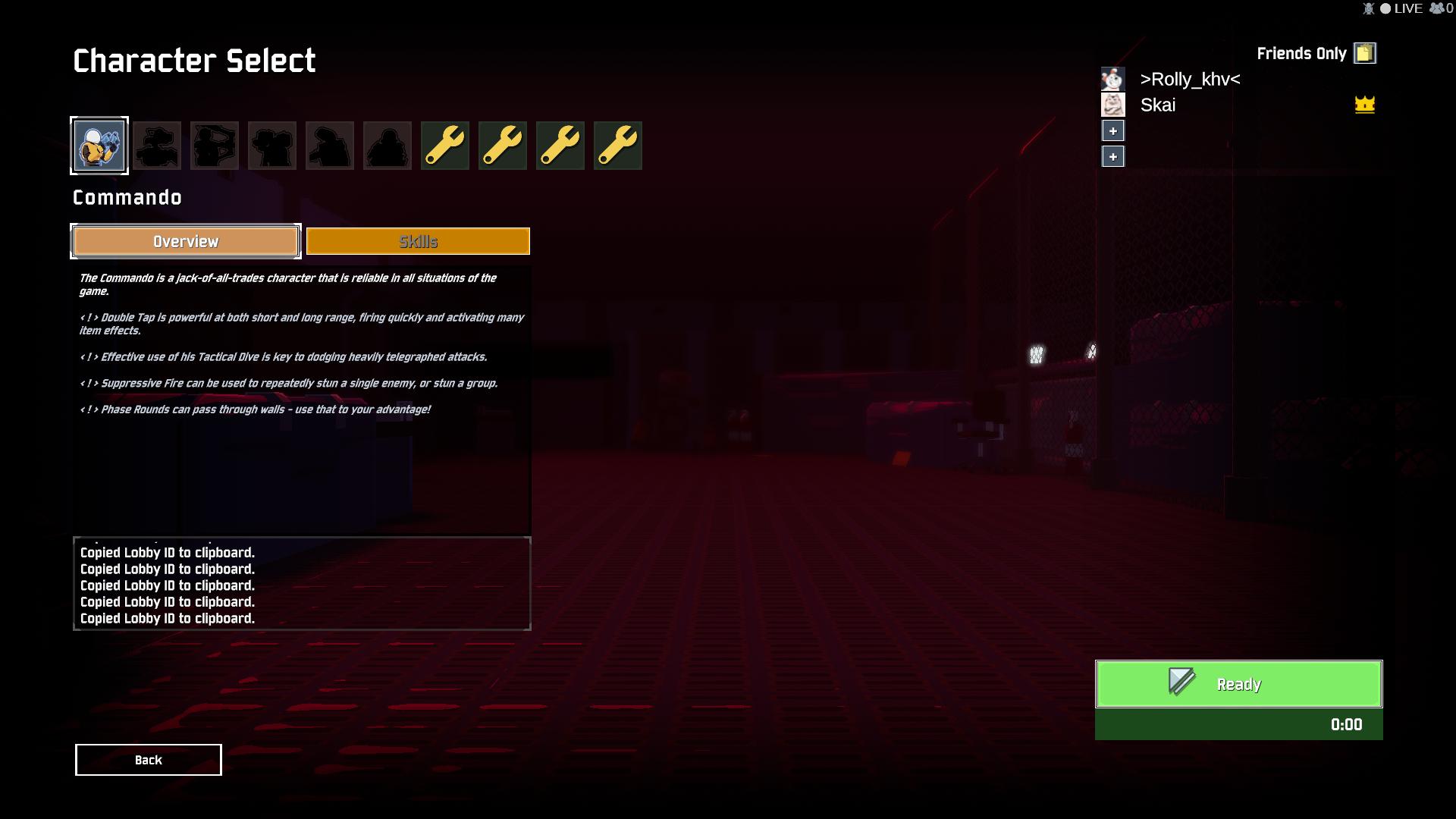
and ready can`t press and no effect 😦
 pale tartan
i cant click continue, please someone help
pale tartan
yea i was able to play yesterday evening but now it just does this
 dusk plume
Played the game yesterday and unlocked some stuff but today it seems my profile got deleted and everything is gone, any way i can get my save back?
 slender notch
probably not
 candid plank
Hey, i've been trying to use QuickPlay but i cant seem to get it to work. Anyone got some feedback?
dusk plume
oh wait theres something in the faq about this already sorry about that
obtuse jungle
@pale tartan good luck the pinned fixes don't work for this issue.
pale tartan
well thats annoying
obtuse jungle
you're telling me, i've got a lobby waiting on me and im the odd one out with this issue, they're playing fine.
slender notch
same
humble linden
Try rebooting if you didn't
obtuse jungle
sure did, lol
 buoyant flicker
Hey guys, is there any way to have "custom" settings disabled via .txt? My friends PC is really slow and minimizing everything should help him
 gilded prairie
anyone ran into or can fix the character constantly running left issue
timid cypress
Anyone else experienced high ping when creating a multiplayer private game? When I start a game my ping goes from 20ms to 500ms
 elfin turtle
 devout warren
wtf i can't connect to other people's in multyplayer and they cant connect to me?
 warm mango
my mate is having same issue tried fresh install verifying game cache havent found a solution yet
devout warren
I tried but nothing helped
warm mango
try restarting pc might help apparatnly
devout warren
tryed - nothing
 cosmic jungle
<@&559786374228738069> is there any way to bypass player limit in multiplayer lobbies ?
marble burrow
Dunno if mods are simply Discord moderators or peeps that actualy worked on the game doh.
cosmic jungle
I've seen hoges name mentioned somewhere so I suppose they're actual game devs :D
 ebon kraken
@cosmic jungle I think there's a config file that has a setting for multiplayer limit
 severe ridge
you mean to have more than 4 players?
 quartz quest
When i press join clipboard party nothing happens <@&559786374228738069>
And i dont see party or anything else
severe ridge
as far as i know its not possible to have more than 4 players even with some tinkering with the gamefiles (which i dont recommend)
quartz quest
ALready tried to restart game
Nothing helps UwU
Could anybody help me?
I even re-installed a game
still nothing
 fringe meteor
hi i have a problem with ror2, sometime ingame my game crash and a screen of unity with a loading appear
 zinc cloud
i uh, have no clue where to put this so i guess i'll just ask here. how long do i get to keep the gift copy of the game in my inventory without giving it to a friend? is there any sort of time limit?
worthy vigil
@severe ridge Any info or fix for those who cannot get past the first screen?
 lost crescent
I'm having trouble with just connecting to a 2-player lobby myself
worthy vigil
@severe ridge It seems the steam_appid gets deleted as soon as you launch the game which might be the cause
lost crescent
Sometimes we can get a black-screen to show up as if it's loading, but we haven't been able to join at all
 cinder sedge
is there any way to fix a frozen game that will eventually crash during single\multiplayer?
worthy vigil
@severe ridge When you set it to read only the game opens only a black screen and then closes
@severe ridge You can launch the game in single player only if the steam is in offline mode
<@&559786374228738069> Help please? Theres quite a lot of people having this issue
obtuse jungle
seconded
worthy vigil
And so far we have heard nothing from you guys about this issue
mellow jetty
And spam pinging mods wont achieve shit
worthy vigil
Too bad
obtuse jungle
nobody is spam pinging mods
gilded prairie
there is a fix for it pinned, in case you guys didn't see
"PROBLEM I can't get past the first screen, and it says EARLY_ACCESS_DISCLAIMER.
FIX Please make sure that your Window System Clock's Timezone is NOT Invalid. If that does not fix it, please uninstall THEN reinstall VC++ 2015, shown here https://www.microsoft.com/en-us/download/details.aspx?id=48145 "
Microsoft Download Center
The Visual C++ Redistributable Packages install run-time components that are required to run C++ applications built using Visual Studio 2015.
obtuse jungle
doesn't work
marble burrow
^ Dosent work.
mellow jetty
nobody is spam pinging
worthy vigil
@mellow jetty go away if you have nothing useful to say
severe ridge
sorry im not a dev im an alpha tester and discord mod, theyre aware of the problem
worthy vigil
@severe ridge Ah my apologies.
unkempt bramble
Anyone know why there is FPS drop when I pick up items? ;
 stone anchor
Hello I'm having very high ping while playing with a friend, can help?
severe ridge
i recommend putting these in the bug report channel, this feedback will get lost here
zinc cloud
@stone anchor im not really an expert but typically problems like these are tied to your own connection or internet provider
stone anchor
is there any way to change server location?
worthy vigil
@severe ridge Is that the only way to contact the devs?
And through email of course
stone anchor
im in romania and he is in egypt maybe thats the problem
severe ridge
you have to appreciate they just released, theyre pretty busy at the moment and might not personally respond to every bug report, but rest assured they read them and take it seriously
worthy vigil
Yeah I understand that but this is pretty big and should really be their priority right now
 tight wadi
Are there restrictions to playing tow player coop. My friend and I can not press ready in the lobby.
mellow jetty
You also understand that you bought an early access game? And one released a day ago at that.
They are aware of it, and they will fix it when they fix it. Rather have them take longer and actually fix it instead of them putting a bandaid on it which breaks a lot of shit later down the road.
 wicked mango
Have the other person host
tight wadi
I thought the servers are now hosted over steam
 woeful chasm
my game wont let me click continue to get to the starting screen, the box is grayed out
wicked mango
@woeful chasm did you do everything in the pin?
woeful chasm
it let me before not now, just try all the steps?
wicked mango
Yeah, just try resetting system clock and making sure drivers are up to date
mellow jetty
PROBLEM I can't get past the first screen, and it says EARLY_ACCESS_DISCLAIMER.
FIX Please make sure that your Window System Clock's Timezone is NOT Invalid. If that does not fix it, please uninstall THEN reinstall VC++ 2015, shown here https://www.microsoft.com/en-us/download/details.aspx?id=48145
Microsoft Download Center
The Visual C++ Redistributable Packages install run-time components that are required to run C++ applications built using Visual Studio 2015.
this is the relevant step for you
This did not work for some people in here (inculding me), but I assume its in the FAQ for a reason
woeful chasm
pretty upsetting it worked prior now not
mellow jetty
Same here, It worked fine for 1 or 2 game starts, then it broke
woeful chasm
ugh
mellow jetty
But its early access
 red blade
I'm another dude with the looking down issue... I've done the pinned steps and I'm not sure how to proceed anymore :/
wicked mango
It's hard to say the reason why
mellow jetty
Next step, if the pin didnt work, is waiting
red blade
That really sucks, oh well
mellow jetty
Devs are aware, nothing more we can do than wait for a hotfix
red blade
Oh they're aware? That's good, at least they're communicating.
That makes me feel better
mellow jetty
SeventeenUnclesToday at 3:13 PM
sorry im not a dev im an alpha tester and discord mod, theyre aware of the problem
 agile pumice
Hey! Not sure if this is the correct place for this, but seems like it.
After I get home I'm gonna get my hands on RoR2, but my PC is pretty wack.
I plan to refund the game if it performs badly for me, which will happen most likely.
Is it even possible to refund when there's this 2for1 deal? I plan to keep second copy so if I decide to refund it can be taken away as well (if that's how it will work). If it runs fine I'll simply give the extra copy away to my friend
mellow jetty
probably makes sense to submit a bug report either way
So its possibly to gauge how many people are affected by this problem
red blade
How do I do that, just say my problem in the bug report chat?
mellow jetty
Yes, or via E-Mail
red blade
Ok
red blade
Thanks guys
agile pumice
Hmm. A gamble it is, then
orchid flame
By the way anyone using Linux, risk of rain 2 runs pretty well using steam proton
 sweet venture
it's dependent on distro
orchid flame
Can someone tell me why when I run the sens it gets lower? is that a normal thing in this game or a bug?
wicked mango
Did you do the things in pins
mellow jetty
read sticky, do this:
PROBLEM I can't get past the first screen, and it says EARLY_ACCESS_DISCLAIMER.
FIX Please make sure that your Window System Clock's Timezone is NOT Invalid. If that does not fix it, please uninstall THEN reinstall VC++ 2015, shown here https://www.microsoft.com/en-us/download/details.aspx?id=48145
If it doesnt work, submit bug report and wait
Microsoft Download Center
The Visual C++ Redistributable Packages install run-time components that are required to run C++ applications built using Visual Studio 2015.
 formal spade
Of course I read the pins
 frosty ridge
There is no other working fix at the moment so sadly you will have to wait for a hotfix.
formal spade
Shitty game
primal ember
Calm
wicked mango
Mmk
primal ember
Hinki they are few devs
formal spade
20 bucks for a cool background
primal ember
They are working as much as possible to fix these bugs
formal spade
Yea yea keep preaching
primal ember
I have spoken to them about the bug, they have been working on a fix all last night for me
formal spade
Love when devs don't test anything then ship it
wicked mango
If you're gonna discuss this go somewhere else
primal ember
Niko this is still support
 ripe gulch
anyone else
wicked mango
How is flaming support
ripe gulch
game freeze when picking up items
formal spade
Not flaming it's just a fact
ripe gulch
or just me
formal spade
Not just you
wicked mango
The fact is it's not shipped
orchid flame
Aaaaa
primal ember
Okay let me break this down
formal spade
Steam Early Access
Where games can't get past the launch sequence
sweet venture
yeah, it's Early Access, that's part of the risk
primal ember
The bug is from my understanding to do with a corrupted profile which the bug never showed up in test because of the steam cloud has caused a even bigger bug and has broken the game for most people
 compact nebula
Always expect like anthem level early access for new games
formal spade
I don't use steam cloud
sweet venture
Most people don't have issues so far
primal ember
You do it auto starts its self
compact nebula
At least everything works well for most
primal ember
Yes insulting other members trying to be nice and respectful to you
compact nebula
Mine was enabled auto also so perhaps you disabled yours to prove something:/
wicked mango
Look I understand you want help getting your game to run but c'mon
formal spade
Mine's been disabled since it came out
sweet venture
guys, let's not fight over petty issues
formal spade
Steam Cloud is just a sham and causes problems
 fluid glacier
compact nebula
fluid glacier
compact nebula
Technically I guess but how would they know before then?
wicked mango
The game isn't extremely high profile, so there wasn't really a closed alpha to test any of these issues.
formal spade
Problem is their shitty wannabe DRM
wicked mango
What DRM?
formal spade
The problem that locks you from starting the game
Is their half-assed way of preventing illegitimate play
wicked mango
I don't think that's a DRM problem?
 hidden flax
Is there a way to increase the player cap from 4?
wicked mango
Afaik only steamworks DRM is implemented
primal ember
No
wicked mango
No
hidden flax
I remember you could edit the pref.inf file in risk of rain 1, but nos usch file exists in risk of rain 2
compact nebula
Well yea
marble burrow
I mean, there's tons of stuff in the Appdata folder of the game. but merp.
wicked mango
There's a config folder so probably
 rain pine
Ubisoft goes Steamworks bye bye, always on DRM.
wicked mango
It's currently just empty
You have to use proton or wine to run the game on anything other than windows
hidden flax
It doesn't seem to support mac, rn, do you know when it will come out
wicked mango
It won't
 jovial glen
yo, my game launches but i get stuck at a white screen with the title screen music as soon as it opens. the only way i have found around this is using my integrated card instead of my nvidia gpu, but it runs like trash
formal spade
Then just make it use dedicated
wicked mango
That sounds like a driver issue
formal spade
For the true white supremacy experience
primal ember
@jovial glen Updated drivers?
jovial glen
ive updated, reinstalled, cleaned out, etc my drivers
primal ember
Hmmm
wicked mango
<@&559786374228738069> troll
formal spade
Tried using DDU then reinstalling them?
jovial glen
yeah
wicked mango
What gpu do you have?
formal spade
Don't most laptops have a like gaming mode
Where it uses the dedicated gpu for the desktop environment
formal spade
Just sounds like the game doesn't like switchable graphics
wicked mango
The game runs borderless so that is possible
formal spade
All Unity games do
wicked mango
@jovial glen do you have an output log?
formal spade
@jovial glen what OS are you on?
 feral tree
whenever i make a game or join a game on multiplayer nothing happens my screen just stays in the lobby anyone know a fix to this
jovial glen
on Windows 10, and no output log
wicked mango
That's definitely windows
wicked mango
So the game thinks it's running fine if there's no output log
formal spade
Have you tried updating your intel graphics drivers?
Cause this is a universal problem with unity games I guess
With dual graphics laptops
wicked mango
That's a good idea
jovial glen
yeah ive had the problem with other unity games, i guess i didnt think to update my intel drivers
ill try that
wicked mango
You should always keep all your drivers up to date, not just your gpu
jovial glen
its been a few months so yeah this might be the issue lol



 orchid flame
@stoic folio Hey man thanks this worked perfectly for me, mods should pin it
to everyone who has problems with the unclickable continue-button

1. Turn off cloud saving in the steam settings
2. Go to steam/userdata/<your user ID>/632360 and delete the remote folder
3. Start RoR2
Bug should still be there
5. Close RoR2 and reenable cloud-saving
6. Start RoR2 again

It should now work. It fixed it for me, but i also reinstalled the entire game between step 2 and 3
````Axton - 29-03-2019 12:30 | #ror2-tech-support`Would be kinda neat to just fix your problem in all your unity games with just a driver update
So basically delete your save?
wicked mango
I wonder if that's the same issue I had on my laptop that I fixed with an update. There used to be an enum issue with dx11 that would cause the entire screen to render white on intel chips
sweet venture
for most people the issue is present from the first time they play
so removing the data won't make a difference
marble burrow
I tried it out to see if it would fix the EARLY_ACCESS_DISCLAIMER Error, along with the menus.
frosty ridge
Yeah sry pressed enter and not shift enter one moment ^^
marble burrow
And merp. nope.
Might work for unclickable button I guess.
 old talon
ok, was playing fine earlier, but now i cant click continue?
wicked mango
I would assume that the early access disclaimer problem has to do with the unity canvas object itself, I have no idea what causes that other than graphics drivers
 rotund haven
I'm having trouble getting it to run with a 1050, i7-8705g and 16gb ram. I'm not sure why