
#Alpine Faction
1 messages · Page 10 of 1

 glacial storm
@brave crown once the bots are ready, how will we be able to configure and play with them. Do you also have some menu/options made for it
 brave crown
For this release, they will require you to run them via command line. In the future I plan to build a more seamless "botmatch" function into the in-game create game menu
 desert crown
@boreal ether watch my latest game night video
do any of the freecam shots show undesired visuals
that was 1.3
 desert crown
lol
I thought it looked nice, wasn't aware it wasn't your intention
really makes the train light stand out
 viral light
brave crown
actually here - center aligned the text within the line
viral light
brave crown
actually here - center aligned the text within the line
better i think
 boreal ether
brave crown
actually here - center aligned the text within the line
boreal ether
brave crown
actually here - center aligned the text within the line
why not like this:
 brave crown
boreal ether
why not like this:
brave crown
boreal ether
why not like this:
Hm, idk. I think it looks a bit more like a clan tag like this
viral light
kinda like that way better
viral light
boreal ether
why not like this:
this i mean
more immediately obvious
We need you to delay 1.3 release so we can further bikeshed the bot tag
 wraith comet
Goober and the gang trying to untangle the spaghetti pot of issues Red Faction has as they revolutionize the game and push forward a more modern rendering architecture:

 shut vector
Hey @brave crown , I want to make a suggestion for RED in Alpine.
Was wondering if possible if you could make any improvements the texture selection window, such as the ability to drag the box bigger to make the texture selection screen bigger and show more textures at one time on the screen instead of the drop down to change the size of the view. People with bigger screens, like me with a 1440p screen find it difficult to see textures at 32x32 which displays more textures on the window. At 128x128 its fine but you then find yourself scrolling a lot more than normal. If the window could be draggable and the box that the textures appear in resizes to fit more textures in the grid for viewing would be a lovely feature to see. IF its possible?
 brave crown
shut vector
Hey <@185856114506727434> , I want to make a suggestion for RED in Alpine.
Was w...
brave crown
shut vector
Hey <@185856114506727434> , I want to make a suggestion for RED in Alpine.
Was w...
being able to dynamically resize the window would very likely come with a lot of complications, but it may be possible to resize it in code
For AF 1.4, one big thing I want to do is revamp the RED settings config, exposing a lot of stuff for configuration that is locked right now (hotkeys, for example). I think the ability to resize this window (to preset values) would be a good for for that
shut vector
brave crown
being able to dynamically resize the window would very likely come with _a lot_ ...
Me when trying to scroll through my textures 😄
 brave crown
you should really sit back dude, that'll hurt your back
shut vector
brave crown
you should really sit back dude, that'll hurt your back
Ive got a good computer chair
Secret Labs
 brave crown
why do I have a feeling that @crude oyster will be making boingy 4 with gas regions moving all over the place lmao
boreal ether
thats pretty
brave crown
in a practical sense, it's a lot better at adding a hazy effect to specific areas

 crude oyster
brave crown
why do I have a feeling that <@447137348162158593> will be making boingy 4 with ...
crude oyster
brave crown
why do I have a feeling that <@447137348162158593> will be making boingy 4 with ...
Lol don't give me ideas. 👀 can the region size and density also be animated? Could be useful for simulating a fart... Or any sort of gas filling a room. 😛
boreal ether
I know currently you cant have 2 transparent full screen images display at the same time? Any chance you could make this possible ?
boreal ether
That green one reminds me of aerogel (frozen smoke) that NASA use to collect dust in space

can you set the density of that smoke/gas ?
ah yes you can
 brave crown
boreal ether
That green one reminds me of aerogel (frozen smoke) that NASA use to collect dus...
brave crown
boreal ether
That green one reminds me of aerogel (frozen smoke) that NASA use to collect dus...
yeah it does look similar lol - like a hologram


 shut vector
I can think of a few good pratical uses for this. Thinking Night Club and lights. Does this work in Multi do you know?
 gaunt lotus
they do
brave crown
Yes it does
wraith comet
Very, very nice.
boreal ether
brave crown
Does a dynamic light effect it in anyway ?
brave crown
no, dynamic lights dont affect the gas
boreal ether
kk
brave crown
Wow. I never realized how enormous the Alpine 1.3 changelog actually was until I started writing up the release highlights page 😮

Below are the most important highlights from each major Alpine Faction release. This page assumes you are already familiar with Red Faction, and prior versions of Alpine Faction, and is intended just as a "quick start guide" to summarize key features for each release.
IMPORTANT: This is not an exhaustive changelog!
This page only has what I feel...
desert crown
😛
crude oyster
brave crown
Was just thinking, could you add a transition time property to size and density modify, so it can smoothly grow or shrink over time, instead of just jumping to the new settings? 🤔
brave crown
crude oyster
Was just thinking, could you add a transition time property to size and density ...
boreal ether
@brave crown did you glaze past this? #1376930844597551146 message
brave crown
boreal ether
<@185856114506727434> did you glaze past this? https://discord.com/channels/4...
It's not possible with the way it's currently done - color and image can work together but not two images. It would require a bigger revamp of the implementation - I'm not against looking into it later but it would be after 1.3
 nimble sierra
Awesome stuff, I can see many different uses for this
boreal ether
probably a bit late for this, but is it possible to make a "transition in" time and a "transition out" time?
brave crown
boreal ether
probably a bit late for this, but is it possible to make a "transition in" time ...
That would actually be far more challenging than it seems, and is why I did it the way it is. Events have 2 slots for float values (decimal values), and hold time/transition time are already using them
that said, you could do it as multi-part
have 2 events, both with the same color/image. One set to fade in, instant out
the other set to instant in, fade out
activate the first, and then when you're ready to fade out, invert activate the second
You can set different fade values on each and that should work no problem
boreal ether
ah, that should work out fine ! cheers goober
brave crown
Actually thinking about it, you could also keep it as Fade In, Fade Out, and just use Set_Variable to set the transition value while the color/image is being held 😛
it'd use the new value when it starts the fade
boreal ether
kk, well ill cross that bridge when its released 👍
brave crown
I have a few more tutorials I need to do as well - excited to see what people come up with once 1.3 is released 👀
should be this week
could you be more specific? What do you mean "how do they work"?
are you in dx11?
let me look, 1s
do you have the cvars turned off? if you search for flash in console youll see them
or dyn
the settings for them are listed around line 56 of gr_internal.h - do you mean objectboom2 for weapon explosions or clutter
I think that's what is causing the issue
Alpine has 2 lists of vclips that are used to spawn explosion lights, and they're separated by weapon and other
it needs to use one of these vclip names if it's from a weapon explosion
GitHub
Community patch for Red Faction (2001) with modern features and many bug fixes - GooberRF/alpinefaction
from k_explosion_flash_vclip_specs_weapon
brave crown
not an especially valuable feature, but something that has annoyed me for a long time
Alpine now supports 8-bit greyscale tgas. These displayed corrupted data before

 nimble sierra
How’s the side scrolling feature coming along?
brave crown
parked until 1.3 is out, and will be worked on for 1.4
it's basically working for MP/SP with most of what it needs. having some placement issues with the aim tracer because some RF guns have messed up muzzle positions that I need to override, and I need to make sure the SP AI can properly handle 2d movement
But other than that it's basically working already
nimble sierra
Sick
 split sleet
Proximity voicechat in rf - when

excellent for micromap roleplays
"Heeeeeeeey anyone here ? "
gaunt lotus
in-game vc is doable
 desert crown
writing here just incase its something goober can fix (also as a reminder)
When changing difficulty for SP with arrow keys - the difficulty does not change, only clicking the buttons actually impacts the change (Visually the difficulty changes when using arrow keys but it doesn't in the game)
brave crown
Alpine Faction 1.3.0 has been released 🥳
https://alpinefaction.com

Alpine Faction
Alpine Faction is an actively developed, free, and open source patch/modification for the 2001 FPS game Red Faction.
boreal ether
yeh boi
desert crown
ok i didn't see this before cuz i was only playing proper SP with speedrunning atm but 😅 😂

extreme bright
 brave crown
i think you have fullbright characters turned on + overbrightness
 fast crescent
@brave crown is there some setting for flag glow that im missing with dx11?
brave crown
fast crescent
<@185856114506727434> is there some setting for flag glow that im missing with d...
the glow through walls?
brave crown
it's not "fixed" because it's not a bug, but what you're looking for is
r_dynamiclightndotl 1
1.0 = like d3d8 was
0.0 = d3d11 detauls, doesn't draw lights through geometry
fast crescent
oh ok cool let me check that out
desert crown
brave crown
i think you have fullbright characters turned on + overbrightness
overbrightness? 🤨
never heard of that one before 😄
brave crown
desert crown
overbrightness? 🤨
for SP youre probably going to want to just turn off fullbright characters
 brave crown
oh lol wait
gaunt lotus
@brave crown i think this is the mesh lighting thing
brave crown
that section of the SP just has super fucking bright overhead lights
gaunt lotus
oh hm
brave crown
gaunt lotus
<@185856114506727434> i think this is the mesh lighting thing
I believe that was a different issue which is now fixed - this only happens to these specific 2 entities
and I believe it's because of the lighting in this room
since even other entities in the same level look fine
desert crown
i turned off fullbright models and it did fix it though
brave crown
yeah
desert crown
but bleughhhhhh
brave crown
but if you turn off fullbright models, these guys still look super super bright lol
desert crown
no

 brave crown
im not saying its a problem, im saying they are still very very bright
compare to the corpse just outside the door lol

and him with fullbright characters on
 fast crescent
@brave crown still cant see flag glow through WL roof with r_dynamiclightndotl 1
brave crown
sec
fast crescent
congrats on new release btw! 🥳 but u know what my priorities are and the first thing i checked heheh
brave crown
oh wait my numbers were wrong
use r_dynamiclightnotl 0
it will not look the same as d3d8 (d3d8 looked like total shit lol) but it will be quite visible
fast crescent
ok cool trying it now
brave crown
0 vs 1

 boreal ether
yo @brave crown , you can display 2 alpha image at the same time. did you manage to fit that in? or is it just working anyway?
brave crown
boreal ether
yo <@185856114506727434> , you can display 2 alpha image at the same time. did y...
I was forgetting that each event has its own unique timer instance - so no code change, just I was wrong when I said before it wouldn't work :p
wraith comet
desert crown
extreme bright
Oh, hey. It's Red Faction but it came out on the Xbox 360.
desert crown

glacial storm
Okay so, I have AF1.3 installed and ready. How do I add bots?
I am assuming there is a console command to add them, but I can't find the command
shut vector
glacial storm
I am assuming there is a console command to add them, but I can't find the comma...
How to Add Bots
Type the following commands into the console:
• Add a bot: bot_add
• Add a specific amount of bots: bot_add [number] (e.g., bot_add 5)
Key Bot Console Commands
• bot_add: Adds one bot to the server.
• bot_kick: Removes one bot.
• bot_kick all: Removes all bots.
• bot_difficulty [0-3]: Sets the skill level of the bots.
Found this just by googling it 😅
 prisma dirge
These commands are for CS2 or are they also meanwhile available for AF? 🥴
As far as I know, you need a dedicated server and the configuration needs to have a password-number
example:
bot_shared_secret = 123
Start dedicated server for example with port 7755
AlpineFactionLauncher.exe -ads myserver.toml -port 7755 -win32-console -min
Start another Alpine Process with command including port and bot_secret
AlpineFactionLauncher.exe -ads myserver.toml -port 7755 -bot 123 -win32-console
shut vector
 glacial storm
shut vector
glacial storm
shut vector
Yeah I wouldn't trust AI to know anything about this new feature of a fan patch of a niche game
shut vector
It pulls its info from the internet or websites.
brave crown
@glacial storm
I need to write a tutorial for it, but in short you need to specify a bot_shared_secret in your dedicated server config file, then join bots by running
AlpineFactionLauncher.exe -bot SECRET -url rf://IP:PORT
where SECRET is your server's bot_shared_secret, and IP:PORT is the IP:PORT of your server
Note that this is the first incarnation of bots. Their behaviour will improve over time, and they will also become more accessible (ie. easier to join to servers)
glacial storm
Well I think I can wait a bit more until the bots can be added via console command or ingame option
Don't know anything about running dedicated servers in RF
brave crown
shut vector
It pulls its info from the internet or websites.
this is true, but also certainly likes to hallucinate sometimes 😛
There's no documentation anywhere online about how to add these bots yet, because I wrote the functionality and I haven't written the docs for it yet
Those commands I believe are accurate for Sauerbraten ironically 😛
desert crown
classic google ai moment
boreal ether
@brave crown would/could/even possible for mesh objects to have the option to scale the object bigger or smaller ?
brave crown
I am not sure the complexity involved yet, but that is something I do plan to explore for 1.4 (it's another item on the big list of "features I've always wanted RED to have" lol)
boreal ether
ohh goober, can you get RED to run on DX11? Imagine the complex maps we could make without it crashing
viral light
it could open an input field and whatever you type gets pinged directly to goober's phone
brave crown
gaunt lotus
i dunno what it would do but yeah
More like a Fudster button, which opens a chat window with the FF LLM
boreal ether
haha yeh like the paper clip
brave crown
boreal ether
ohh goober, can you get RED to run on DX11? Imagine the complex maps we could m...
Idk if a full DX11 implementation for RED is in the cards, but I definitely do plan to explore what's feasible to make it more stable in more complex environments
RED is way more accessible now than it ever has been before, as you can probably tell from the new geometry operators and such 😛 so there's a lot that is on the table now which wasn't before
boreal ether
it sure is, ive been using the vertex delete option alot
its like learning RED all over again without tutorials or any explanation on how to use it
boreal ether
what is ext. ?
 brave crown
deletes the face and all adjacent faces
all faces that share at least 1 vertex with the face selected
boreal ether
ah ok, what does ext mean think ive seen it in events too
brave crown
I used it to mean extended, since there wasn't enough room for the full word lol
and i used that name because i couldnt think of any way to better describe it
did not put a lot of thought into the name :p
shut vector
Just wondering Goober, just my curiosity, with RED running as 32-bit, is it subjected to the RAM limits
brave crown
both RED and RF are 32-bit
gaunt lotus
its like 3GB yea
shut vector
Ahhh ok, just wondered thats all
brave crown
^ this is a big part of the benefit of using dds textures, especially if you have a lot of super high resolution textures
plus downloadable filesize of course
viral light
do steam deck people have any feedback on the new ff account linking method in alpine 1.3.0? should be much easier to use now

 dire geode
I gotta have to test controller pr on Steam Deck at some point!
dire geode
In the meantime,
I'm doubling down. You can now use Gyro and Touchpad to control the mouse cursor
Should help prepare for eventual Steam Controller 1/2 support down in the road (aka next SDL3 major release, they recently exposed Steam Controller touchpad to the API)
dire geode
but i do happen to have a experimental build that has semi-full Steam Controller support, but it's unfinished and will not be part of Alpine Faction 1.4 (unless the next major SDL3 Update adds exposable touchpad input before AF 1.4)
 silk tinsel
where is the option to make messages appear under the health icon ? or is it not in this version ?
gaunt lotus
ui_gamefeed in console
silk tinsel
Are the new geo-mod properties "like updating detailed brushes as geomodable" effective even when the entire level is covered with Non-Geo Region ?
brave crown
I have not honestly tested that, but I would expect not, given the test of "is this in a geo region" is checked before RF2 geo is considered
silk tinsel
Should've tested that and present it in the tutorial
brave crown
what?
why?
why would you ever do that lol
I have tested a geoable brush in a geo region with hardness not 100, and it works as I described - the geo region applies, because it's considered first
silk tinsel
well you know.. in case of mappers have their maps completely covered in non-geo
brave crown
But I'm not going to show in a tutorial, a circumstance that should never happen because there's realistically no reason to ever have done it 😛 I can't test literally every circumstance either - that's why I release betas
brave crown
silk tinsel
well you know.. in case of mappers have their maps completely covered in non-geo
Even that though - why? I have seen only a handful of maps that do that, and there was never a reason to have done that, since setting level hardness to 100 was the appropriate way to achieve that effect
silk tinsel
sigh.. i always done that in my maps rather than setting up hardness.
brave crown
why?
silk tinsel
when i dont want it to be destroyed at all
i just never considered it at all
And here's the thing which it may sounds.. really dumb
brave crown
ah ok - well either way, yeah you should just delete those, especially if you're using RF2 geomod 🙂
silk tinsel
Like adding a bunch of non-geo regions around speciific areas in the map, leaving the uncovered parts of the map being geomodable by default. That's the oldest way ive ever done when i had to achieve a semi-destructive map lmao
brave crown
Yeah that approach makes sense, but having the complete level covered in non-geo regions doesn't :p
silk tinsel
i thought that was the only way to make non-geomodable maps. but now with this tutorial, it's back to the drawing board for me.
brave crown
Nope, level hardness 100 is the most straightforward way 🙂 With RF2 style geo disabled, level hardness works the same way it did all along, which is setting the hardness for all areas of the level that are not inside a geo region
with RF2 style geo enabled, level hardness is used as the hardness for geoable brushes, and you can apply RF1 style geo anywhere else in the level via geo regions
silk tinsel
rendering Non-Geo regions as useless then ?
brave crown
When RF2 style geo is used, yes - basically
silk tinsel
can't decide which effect would work the best for transparent ice crystals when they blow up.. shall they have ice or glass chunks? 😅
boreal ether
silk tinsel
can't decide which effect would work the best for transparent ice crystals when ...
crunchy cat dont mind, just as long as its crunchy
 silk tinsel
fair enough 😛
shut vector
Just want to check something. We can now do triggered particle emitters in Alpine? I fancy setting up a spectacular finish on RC3 which is to blow confetti at the end as you get closer to the finish line.
brave crown
You could always do that - with Particle_State
 obsidian warren
Okay, I get the bots, I get the team games, I get the balancing teams, I get the fucking click limter. But why. Why I ask, is it, that EVERY SINGLE GAME I played with @prisma monolith tonight, I was set at a 5v4 disadvantage with 3 bots a piece, where he had one of three different teammates through the evening? We tried manual shuffling. Why tried ignoring it and hoping it would come good. NOTHING worked.
brave crown
obsidian warren
Okay, I get the bots, I get the team games, I get the balancing teams, I get the...
Is your concern with the decision on which team a new player who joins gets assigned?
here's how that works - note spectators and browsers are fully excluded from this process
When a new player joins the server, these tests are checked in order:
- Total lowest human+bot player count gets the new player (your example is 4v4, so this is equal)
- Lowest team score gets the new joiner (if team score is tied, this would be equal)
- The team with more bots is considered disadvantaged, so gets the new player (your example has equal bots per team, so this is tied)
- Purely random assignment between red/blue team
If the first 3 were all tied, newly joined players ended up on @prisma monolith 's team 3 times via pure RNG
obsidian warren
My concern is both teams had the same number of bots, my team was always lower score, but what happens next game? Pure RNG gives jinx the third player 13 times out of 13?
Or rather, since there are two players involved on that team, pure RNG gives me no extra player 13 times out of 13?
brave crown
If it was 5v4, the team with 4 would always get the new player, no RNG involved
(players = humans+bots)
obsidian warren
no so... 6 bots. 3 per team. jinx and I join. 4v4.
Another player spawns. cool, jinx gets it. New map, teams shuffle, jinx and him vs me. Cool. New map, jinx and him vs me. okay. New map, jinx and him vs me. He leaves. New player. Jinx and him vs me. New map, jinx and him vs me. Jinx and him vs me. Jinx and him vs me. New player. Jinx and him vs me.... etc...
I lose each and every one of these games btw
brave crown
Oh, I guess team balance wasn't turned on, so no shuffle between subsequent levels if you stay on a team mode
obsidian warren
There were shuffles, we had jinx and I swap for a while in the middle... And still went back to the same thing every time
brave crown
actually I do see an issue with the logic - the logic for a newly joined player is sound as I described above, but when shuffling teams (at the start of a round when team balance is on), here's how it works:
- Pass 1: Shuffle the bots and equally assign per team
- Pass 2: Shuffle the humans and equally assign per team
In a scenario with 3 players, it does shuffle the 3 players and randomly decide which team gets the 2 players vs the 1 player. It however does not currently shuffle the order of those 3 players, so the lowest player ID (usually the first player to join the server) will always get the extra human, as long as there are 3 humans
I will fix this so that the list of humans is shuffled before the humans are dispersed between teams
obsidian warren
Yes, that would do it. Jinx joined first, so that would always give him the extra player
brave crown
In a scenario with 3 humans, yes that fits
obsidian warren
Are all bots the same? Do we need to shuffle bots? If not or even if can given 2 seperate order lines, can we not assign the lower score player to the losing team, assuming uneven teams? That would at least "shuffle" the extra player to the losing team every round
brave crown
GitHub
…qual-scoring human players
brave crown
obsidian warren
Are all bots the same? Do we need to shuffle bots? If not or even if can given 2...
Are all bots the same?
In the FF servers, the bots have the same settings. You can customize bot profiles, but our servers have not done that currently
can we not assign the lower score player to the losing team, assuming uneven teams
Currently scores are not tracked between rounds. What you described is actually how it is working, but scores are all 0 at the round start, so there's no score-based balance to be done
obsidian warren
Yeah okay, so you'd have to assign them BEFORE the end of round for the following round, to make it work
brave crown
Sure in theory that would work, but is not how team balance works
obsidian warren
No and I get that, but aren't we here rewriting how it works/
brave crown
Yes, but the shuffle can't realistically be done on round end as opposed to round start, because round end isn't always an accurate representation of the players that will still be in the server on round start
(players without the level, who get kicked for not meeting the server requirements, etc.)
obsidian warren
Sure, but we're talking casual rounds. More people leave mid round, than at the end of the round...
brave crown
That's true, and tbh the lack of any mid-game team balance mechanism has been a problem in RF forever. Have considered various ways to address that, but nothing concrete yet. Something like how TF2 handles it is probably appropriate (I'm sure other games do the same, but TF2 is the one I'm most familiar with)
ie. if teams are unbalanced, it waits a little while to see if the players fix it themselves. If they don't, it broadcasts a server message saying team balancing is going to happen, and then it auto switches the team of the next player from the advantaged team to die
Or, if a player is already dead and NOT idle, just switches that player
obsidian warren
Yeah that's fine too as a concept, it at least improves it, it can hardly make it worse 90% of the time. However, I still think that just pulling data from the previous set, even given some players drop due to levels etc, would improve the balance dramatically
Over an average of games that is. I can see situations where it would suck big time
brave crown
Some sort of skill estimate-based context would be good, yeah agreed
obsidian warren
Yeah if we could assign elos to it like QL does that would be helpful, but failing that, I still think purely switching the lowest scored player on the winning team would help balances dramatically, over a few games
gaunt lotus
stats is something we have been scaffolding
it's not as easy as QL where your steamid acts as a consistent (well, aside for the mentally ill) player identifier
we do desperately need even just some jank/fast real-time team balancing badly for GN
it was always a problem with team games and is only somewhat masked by gametype switching right now
shut vector
brave crown
You could always do that - with Particle_State
Hey @brave crown in regards to Particle_State, do I only need to use that event to turn the Particles on? or do I need something like an Invert as well? And the Particles Emitters in question, they just need to have "Emitter is initually on" unchecked for this to work?
Tigger > Particle_State > Paritcle Emitter
brave crown
Depends on what you're trying to do
Particle Emitters can be either on or off
"Emitter is initially on" means it starts on. If this is not checked, it starts off
A Particle_State is essentially an interface for a Particle Emitter to the event system. You link to the Particle_State because you "can't" link to the Particle Emitter for this purpose (ignore the fact that you literally can link to the Particle Emitter, because it's pointless in most cases)
When Particle_State receives an "on" message, its "on" response routine is to turn the particle emitter on (if it's off)
When Particle_State receives an "off" message, its "off" response routine is to turn the particle emitter off (if its on)
By default, an event or a trigger "activating" a Particle_State means sending an "on" message. Invert is one way to flip the "on" message to an "off" message as it is flowing through (there are also other ways)
Just wanted to explain all of that because I think understanding how this all works is very important
If a particle emitter is ON and you want to turn it OFF, you need to send an "off" message to the Particle_State. Trigger->Invert->Particle_State for example
If a particle emitter is OFF and you want to turn it ON, you need to send an "on" message to the Particle_State. Trigger->Particle_State for example
shut vector
Fully understood 🙂
If you have a lot of Particle Emitters, can this fix the issue of particles not spawning in?

Ive got about 25+ particle emitters in one length of track in the Snow section, and there is not many particles appearing. Think I might be hitting the particle emitter limitations?
brave crown
I think you're hitting the particle limit, not the emitter limit
Active distance will stop spawning particles when you are at least that distance from the emitter, which can certainly help with that (and just performance in general)
For reference though, I think I recall that the field doesn't work on listen servers, so just be aware of that when testing. Should work fine on dedis though, which is realistically where the map will be played
nimble sierra
How exactly do you use the light sprites?
I noticed in Abrupt Decay you have some events linked together, just confused on the setup
brave crown
@nimble sierra you mean Coronas?
nimble sierra
Yes
brave crown
I have a video I need to record on Coronas and Meshes, just haven't gotten to it yet, but in essence...
Coronas are configred exactly as they look - the easiest way to get a template to work from is to make a clutter light, then use the "To Mesh Object" button in the Select Objects window (via Tools). That will make a mesh and corona object to match the settings from the clutter, and then you can adjust the corona object as you wish (and delete the mesh if you dont need it)
 brave crown
The events...
Unhide_Glare works the same way for glares (coronas) as Unhide does for clutter/entities
Unhide_Glare -> Corona will unhide the Corona if it's hidden
Invert -> Unhide_Glare -> Corona will hide the Corona if it's visible

in my event systems in abrupt decay you will see Route_Nodes instead of Inverts... I typically always use Route_Nodes instead of Inverts simply because they're more flexible. But in the way I'm using them in abrupt decay, they're functionally the same as an Invert event

Route_Node is basically the same as an Invert event or a Delay event, but gives the mapper a lot more control over the behaviour. "Pass through" behaviour is the same as a Delay event, "Invert" behaviour is the same as an Invert event
 nimble sierra
Thanks for the explanation, I’m definitely going to be using this more
This is the one thing I seen that i had to learn right away lol
brave crown
this event system achieves this function:
- When the camera mesh dies, turn off the red light on the camera
- When the camera mesh dies, turn off the red glare on the camera
 brave crown
nimble sierra
This is the one thing I seen that i had to learn right away lol
brave crown
nimble sierra
This is the one thing I seen that i had to learn right away lol
yeah its really handy :p
nimble sierra
brave crown
this event system achieves this function:
- When the camera mesh dies, turn off ...
Oh that makes sense
brave crown
https://www.redfactionwiki.com/wiki/Launching_Alpine_Faction_Bots
I can't remember who was asking me for this a little while ago, but here's a quick tutorial on how to run bots
This step-by-step guide will walk you through setting up headless bots on a Red Faction 1 Alpine Faction v1.3 dedicated server. Headless bots are Alpine Faction clients running with no rendering or sound, controlled remotely by the dedicated server. Because they connect like real players, the server gets bots that move, fight, and use the networ...
@slow yarrow might have been you?
desert crown
@brazen nest ^
@glacial storm also asked but i think he wanted an ingame solution
(via console commands)
shut vector
@obsidian warren was another asking about Bots
obsidian warren
Many years ago perhaps..
shut vector
I scrolled up and saw you mention Bots 😄
obsidian warren
Recently, it would have been more behavioural
brave crown
Have been entertaining a new text-based "texture format", which would be used like any other texture, but doesn't actually have bitmap data itself. Instead it's basically a metadata file that references other data. Here's the format I'm considering
[header]
frame_time = 1000 # ms
animation_mode = 2 # 0 = static; 1 = ping pong, 2 = loop, 3 = play once
initially_on = true

[[frame]]
file = "mtl_testtex1.tga"
frame_time = 5000

[[frame]]
file = "mtl_testtex2.tga"
Major benefits of this approach would be:
- Far greater control for animated textures (more granular frame time config, different frame times per frame), and no annoying VBM format limits
- Can reuse textures as frames as many times as you like, WITHOUT needing to duplicate the texture and its filesize every time. You could, for example, have 5 "new textures" using this format, which use the same frames but have different animation behaviour. The only additional filesize is another text file
- Can be controlled via the event system - like setting a specific frame, changing frame time, changing animation behaviour, etc.
brave crown
Oh I almost forgot - another benefit is for example, if you have 50 frames that all need the same alpha channel, you could just export a greyscale alpha mask, and apply that as the alpha mask for the "new format" file, which saves you from needing to duplicate the alpha channel for each frame individually (the frames could just be 24-bit RGB frames)
brave crown
The extension for these is .atx, and here are all the currently supported fields in my proof of concept:
[header]
# --- Playback timing ---
# default ms per frame
frame_time = 100

# --- Animation behavior ---
# 0=Static  1=PingPong  2=Loop  3=PlayOnce
animation_mode = 2
initially_on = true

# --- Format coercion (optional) ---
# "565_rgb", "1555_argb", "4444_argb", "888_rgb", or "8888_argb"
format = "8888_argb"

# --- Alpha mask (optional) ---
# 8-bit greyscale
alpha_mask = "mytexture_alpha.tga"

# --- Material override (optional) ---
# Fallback to filename-prefix if omitted
material = "metal"

[[frame]]
file = "panel_clean.tga"

[[frame]]
file = "panel_dented.tga"
frame_time = 500

[[frame]]
file = "panel_broken.tga"
frame_time = 50
material = "rock"

boreal ether
i wondered wtf he was talking about
gaunt lotus
i guess to avoid the dorky english here you could call it a declarative texture
wraith comet
brave crown
The extension for these is .atx, and here are all the currently supported fields...
That's actually a really brilliant idea.
I would like to see some performance benchmarks on it, but having a texture you literally map out in text is quite a stroke of genius.
split sleet
i think we could go further
and make Alpine/rf MUD
look
go w
grab rg from box
e
e
s
w
what im suggesting is the ultimate RF regressed version
going towards the other end !
brave crown
gaunt lotus
i guess to avoid the dorky english here you could call it a declarative texture
Yeah that's probably a good term to use
The format will typically be labeled with its file extension - ATX - but yeah, declarative texture is a good term to use here
brave crown
wraith comet
I would like to see some performance benchmarks on it, but having a texture you ...
in theory overhead should be very light. If an alpha mask or colour format conversion is specified, it needs to load into VRAM as a new instance, but if not, it just uses the existing instance handle from VRAM
So, you could for example have 20 textures on the walls in your map, and then have an ATX animated texture on the floor which uses all those 20 wall textures as its frames, and the game would just use the same instances as it already loaded for the walls
no different than just another wall with that texture
ATX is basically just an abstraction layer for loaded resources, which provides an interface to access it
of course animated ATX instances will also have timers to control when the frame changes, but that's very light
brave crown
 wraith comet
brave crown
in theory overhead should be very light. If an alpha mask or colour format conve...
wraith comet
brave crown
in theory overhead should be very light. If an alpha mask or colour format conve...
That sounds very promising so far, if that's the case.
brave crown
As of AF 1.4, RED and the game will now support these formats for textures:
- TGA (8-bit greyscale, 24-bit RGB, 32-bit RGBA)
- VBM (16-bit, 565/4444/1555 colour modes, animation)
- DDS (lossless: 24-bit RGB, 32-bit RGBA, 16-bit 565/4444/1555; compressed: DXT1, DXT3, DXT5)
- JPG (24-bit RGB)
- PNG (8-bit greyscale, 8-bit greyscale+alpha, 24-bit RGB, 32-bit RGBA; 16-bit and lower bit depths auto-converted)
- ATX (Alpine-specific declarative format with frame timing, animation modes, material override, alpha mask, and format coercion)
To be totally clear though, the big benefit of DDS DXT compression is GPU support. JPG/PNG have smaller filesize via lossy compression (which is good of course) but have the same VRAM use as TGAs. DDS with DXT compression is smaller filesize and less VRAM (on modern GPUs, anyway) - so using DDS + DXT compression will always be a better idea if you're going to be using enormous textures
boreal ether
is it possible to make .vbm start on the first frame when used as Display full screen?
brave crown
it's not possible to control what frame a vbm is on, period - I thought it would have started on frame 0 if used on display fullscreen image, though. Haven't dove into that behaviour but I expected it would work that way
It will be possible to control these things with ATX though
obsidian warren
What version are we up to? I have 1.3.0-beta3 (Bakeapple), but every time I open the game it tells me to redownload it. I've discovered pressing "cancel" and starting the game anyway works, but it's still a little annoying to have to do it...
Okay, so if I download it it gets rid of the "beta3" and I can join the match server, but when I quit and attempt to rejoin, it reverts back to the beta
desert crown
you should not be on beta 3 anymore as there is an official release i have no idea why it would be reverting
i'd try a clean reinstall of the full thing
@obsidian warren
brave crown
obsidian warren
What version are we up to? I have 1.3.0-beta3 (Bakeapple), but every time I open...
1.3.0 is curent
Your install of 1.3.0 isn't reverting to the beta. The installer installs 1.3.0 to your AF install location. You would have extracted the beta manually to some folder on your system. You need to not use the beta (you can delete it if you want, you don't need it), and just use your "proper" AF installation
obsidian warren
brave crown
1.3.0 is curent
Your install of 1.3.0 isn't _reverting_ to the beta. The instal...
An uninstall and reinstall worked, I don't know where I might have extracted the beta, but it's all fixed now anyway - Thanks guys
desert crown

 near river
Hey Goober, so great 1.3 is released! is there any documentation I can read for operating the new bots? 👀
brave crown
near river
Hey Goober, so great 1.3 is released! is there any documentation I can read for ...
This step-by-step guide will walk you through setting up headless bots on a Red Faction 1 Alpine Faction v1.3 dedicated server. Headless bots are Alpine Faction clients running with no rendering or sound, controlled remotely by the dedicated server. Because they connect like real players, the server gets bots that move, fight, and use the networ...
desert crown
nvm xdd
near river
thanks a million
looks like the dedicated server guide is a stub right now, is there another location with that info?
brave crown
there's not a full guide but if you go to https://dedi.alpinefaction.com you can build a config. It is missing some of the newer options, but the basics are all there
Command line at the top of the page is what to use to launch the server
near river
awesome
does the lanonly flag work as advertised (no internet connection)? in fact, would anything bad happen if i block alpine in my firewall while running locally?
brave crown
lanonly doesn't actually block network connections, it just stops the server from trying to register with the tracker
No, nothing happens if you block inbound network access other than then server not being able to be accessed from the internet (which would be your goal in this case, obviously :p )
viral light
i was talking to goober earlier about some new event stuff and thought i'd move the conversation here
it started out as a desire for a method to get the current time within a map's event system
and i proposed having "magic" goal names, where the values are driven by the engine and not something you set yourself, but you are free to access
and these would be used to access (numeric) values that you otherwise couldn't
some ideas i had:
- date/time, maybe both local and utc (y/m/d/h/m/s)
- number of players currently in the map
- framerate
- time remaining in the match
- local player's score
- red/blue team scores
so as a random and maybe silly example, you could use a Goal_Check event on a goal name of AF_PlayerCount to open up a new area of the map if the player count passes a certain value
wraith comet
viral light
so as a random and maybe silly example, you could use a Goal_Check event on a go...
I like the idea a lot. It has a lot of potential for flexibility, especially in multiplayer maps. I will definitely not abuse it to do nefarious things to players at low framerates.
 brave crown
viral light
so as a random and maybe silly example, you could use a Goal_Check event on a go...
brave crown
viral light
so as a random and maybe silly example, you could use a Goal_Check event on a go...
I think there would be a lot of value in these kind of accessible stock variables. To get the most value out of them though I think some more catalysts would needed - like When_Player_Joins, When_Score_Reaches and such
viral light
probably
although id wanna see that in addition to the magic goals, rather than in place of
i mean maybe it would make sense to have "when_goal_reaches" lol
brave crown
Actually, that is probably a more elegant solution lol
brave crown
viral light
although id wanna see that in addition to the magic goals, rather than in place ...
and yeah that's what I was going for
but When_Goal_Reaches just takes care of all of that lol
viral light
youd have to add netcode for any of that tho
for it to be meaningfully useful
since if you'd have it be able to latch once it crosses the threshold, you'd want that to still be latched for late joiners
brave crown
tbh I think that probably should be a separate thing
I could see a use case where you would want something like this to fire exclusively clientside, for example
There probably should be some kind of way to store data (server authoritive) which is synced to clients (including on late join)
well lol, there kinda is. Bool data is transmitted via clutter
a phone being killed outside the map when a checkpoint door is activated is really just syncing a bool value to all clients
boreal ether
yo goober, have you added foot steps to alpine multi. i know the pistol was the only gun that made foot step sounds. just heard then in the EU server
brave crown
boreal ether
yo goober, have you added foot steps to alpine multi. i know the pistol was the ...
@gaunt lotus wrote that feature, not me, but yes footsteps are fixed in AF 1.3
gaunt lotus
u guys will be finding 1.3 stuff for months
crude oyster
brave crown
<@217839881055895554> wrote that feature, not me, but yes footsteps are fixed in...
Not concerned that since RF can only play so many sounds at once, that now it's going to get overloaded on full servers and sounds are going to start disappearing? 🤔
gaunt lotus
it's a concern but it seemingly has not been an issue, even when testing with 32 player bot games
they are pretty difficult to hear in large games though, so if anything they are what gets dropped
click/pistol spam is what usually overloads the sound engine lol
wraith comet
crude oyster
Not concerned that since RF can only play so many sounds at once, that now it's ...
That must have been what happened to me when my Mom would tell me to clean my room.
crude oyster
gaunt lotus
it's a concern but it seemingly has not been an issue, even when testing with 32...
You try on a map with a shitton of ambient sounds and play sound events all going at once or just on a default map that has no level sounds? 😛 Guess it's fine if footsteps get dropped first when limit is reached. Would really suck though if level sounds are what get dropped first. 🤔
gaunt lotus
actually the most important thing is that gameplay sounds aren't dropped
but yeah, it was tested on a variety of maps
it's likely possible to increase the number of sound slots as well
crude oyster
gaunt lotus
actually the most important thing is that gameplay sounds aren't dropped
Nah screw gameplay sounds, most important is that map sounds don't get dropped, I spend a shitton of time building an immersive audio atmosphere haha.
gaunt lotus
i hear you, and when possible that's going to be something we'd obviously want to work all of the time
but there's no two ways about it. it's a multiplayer pvp game first and foremost, the priority always has to be gameplay
your immersive atmosphere loses all of its immersion if you can't hear someone shooting behind you for example
crude oyster
Sure but if it comes down to hearing footsteps that haven't been part of the game for 25 years or map sounds, map sounds should win. 😛 Guess we'll see how it goes.
gaunt lotus
they have been with pistol though, and they attenuate heavily based on distance
if it becomes an issue i'm fairly confident it would be fixable
desert crown
Footsteps have been missing sure but i feel like them being missing was a hugely weird gameplay problem that once again due to how long it took the 40 different people that have worked on patching this game never took a peak at under the hood, never got resolved 😛
i think the argument for having footsteps for the actual game feeling AND competitive design should be higher than ambience 😛
though speaking of this
i havn't played the SP long enough in density that i was for my any% speedrun @brave crown
did you have a look at the sound leaks that are still present?
brave crown
I don't know that I fully understand what you mean by that
desert crown
the sound vanishes in SP for certain things after being played over and over again in lengthy durations 😛
Its most notable in space station with the PR
i brought it up before and you said you'd take a look 😅
desert crown
thats all i wondered
brave crown
there's been a lot going on lol
near river
Hey Goober! sorry to bug once more, I was going to try the bots out on your classic map pack. can I put those VPPs into user_maps/multi and just give the level names in the server config?
prisma dirge
Serverconfig should look like this, maybe Goober can confirm, sorry for jumping in but it took me just 2 minutes...
Filename start with dm so it should be multiplayer, I hope...
For getting this serverconfig I unzipped the zipfile into a folder, used dos-command dir /b and replaced .vpp with .rfl and buldump the levels on https://dedi.alpinefaction.com/#levels
brave crown
near river
Hey Goober! sorry to bug once more, I was going to try the bots out on your clas...
Yep! 🙂
Willson's syntax should be right
split sleet
@brave crown i have a question , even though outside of the game my poke .wav files are pretty loud . In-game they are bit quieter than your af_hitsound1 and af_killsound1 counterparts ..hmm
do u know what could be the issue here ?
i think that killsound feels nice
not sure about hitsounds - pokeball throw one .
maybe they are same volume actually ...its just different tone and my mind isnt used to it so it appears quieter
gaunt lotus
i think i had to bump the gain on the ones i use
they might even clip badly and i just dont care lol
has anyone made gopnik elite guard skin yet
split sleet

@green cobalt someone threw a challenge for u
bass bass hardbass adidas semechki and all that jazz
yes ?
tri stripes
i remember 90s in Poland were more like that , our similar to gopniks ,chavs subculture - DRESY

now its not as distinc subculture
and more intertwined with hiphop culture / with variety in clothing its basiscally gone
near river
SO COOL! i have just 2 questions Goober:
- can you pass a server password through the command line args? (didn't see anything in the wikis i read)
- all of the classic levels worked out of the box besides waterlogged (no waypoints), is there a simple way to get them in?
brave crown
near river
SO COOL! i have just 2 questions Goober:
1. can you pass a server password throu...
Oh interesting, that map should have had waypoints but it seems to not. I'll do waypoints for it, 1s
@near river should be good now if you want to reload it
near river

brave crown
split sleet
<@185856114506727434> i have a question , even though outside of the game my po...
I don't specifically know of an issue here - the volume the sounds are played at is based on the stock sound files, but those files are not particularly quiet or loud so I wouldn't expect any strange behaviour when replacing them
(also sry I totally missed that message before lol)
near river
brave crown
<@498638299980627980> should be good now if you want to reload it
I have to get to work im afraid, I didn’t see a reupload to factionfiles is there somewhere else I should look?
brave crown
near river
I have to get to work im afraid, I didn’t see a reupload to factionfiles is ther...
The waypoints files are associated with the map on FF, and when a bot tries to load a map, it checks FF for a waypoint file and downloads it if available
So just try joining bots to a server on that map and they should download the waypoints
near river
oh I see, after that I assume the waypoints are stored somewhere locally?
brave crown
yes, and only redownloaded in the future if either you delete them locally, or if FF eventually gets a newer version of the waypoints than you already have locally
they're stored locally in user_maps\waypoints if you're curious to take a look at them
dire geode
hi, can anyone go ahead and test SDL KB/M PR for a bit? need to at least switch to SDL KB/M Mode in-game
i went ahead and at least addresses only one part of the problem, specifically WM_MOUSEMOVE flushing.
i...don't have access to higher mouse polling rates in me, so i'll hope anyone else can do
near river
brave crown
<@498638299980627980> should be good now if you want to reload it
just had a chance to try it out, working great! thanks a bunch
brave crown
dire geode
hi, can anyone go ahead and test [SDL KB/M](<https://github.com/GooberRF/alpinef...
I should be able to give this a shot this evening. Am I correct in understanding that a successful test results in basically no changes in behaviour, other than support for additional mouse/keyboard buttons that weren't supported by the stock input?
brave crown
Would you believe that you sent that all of 3 minutes after someone at work did the exact same thing lol
wraith comet
brave crown
Would you believe that you sent that all of 3 minutes after someone at work did ...
I would, actually, because I have a knack for doing that.
That and accidentally third wheeling my best friend when him and his girlfriend are trying to have alone time.
(Without fail.)
Timing is my specialty. Whether it's comedic timing, fortunate timing, or unfortunate timing depends on my RNG that day.
And I was never good with numbers.
dire geode
brave crown
I should be able to give this a shot this evening. Am I correct in understanding...
main goal is ensuring mouse's poll rate is "stable" when compared to Stock and DInput Mouse.
and yes, additional kb+m buttons, too
based on my brief time with my trackball mouse: it should be decent enough
gaunt lotus
the mouse input feels fine to me for a quick initial test, but fs exclusive is broken for some reason
dire geode
gaunt lotus
the mouse input feels fine to me for a quick initial test, but fs exclusive is b...
Fullscreen Exclusive? I've been searching into that bug a few times.
I don't think it's entirely related to SDL KB/M stuffs.
But just in case, can you try the master build and Version 1.3 to see if that issue also occurs over there.
gaunt lotus
it does not occur in master
dire geode
ok, once I get back home: I'll need to try fixing it
gaunt lotus

hmm oh wait
this might be me
ah nope
from crashlog
[   0.53] ERROR: D3D11 call failed: swap_chain_->Present(sync_interval, present_flags) (function flip in line 549)
[   0.53] ERROR: D3D11 result: 887a0001 (DXGI_ERROR_INVALID_CALL)
The application made a call that is invalid. Either the parameters of the call or the state of some object was incorrect.
Enable the D3D debug layer in order to see details via debug messages.```

it's fine in current 1.4.0 dev masteron Win11 25H2, 5070ti, low latency enabled in nvidia driver, FSO enabled
dire geode
gaunt lotus
it does not occur in master
after investigating, this might be a more involve fix than I thought, SDL Window Management (needed for Mouse events) is not friendly towards DXGI.
this might require redoing the entire thing from the ground up instead (ideally, without the Windowing Management), and potentially might be moved outside of next release candidate.
for now, the bigger priority is getting Gamepad PR in.
speaking of that...
I got myself a new Steam Controller and I can confirm to you that it's "partially" supported.
desert crown
found another weird edge case last night that i hadn't seen before

Rail gun without laser
if what ive learned from @gaunt lotus is correct
this is purely due to the delay ?
he's firing before spectate has adjusted and the reload hadn't finished so the effect is just lost
gaunt lotus
probably or maybe occluded from your client's non-spectate perspective
ammo goes down so i'd assume the latter
desert crown
idk 😂
desert crown
very hard to chromakey the blue laser itself in i think
gaunt lotus
u turn off gun models and hud
then make a blue map i guess
sorry red
then record it
idk
desert crown
didn't we try thsi goofy shit for replacing guns on peoples pov with no weapons models
gaunt lotus
idk i mean
in theory uit would work
a lot less work than fpgun too
cus u just need to time it with 1 shot
desert crown
seems like a sidequest for me 😝
 flint dirge
manually run the installer against the prefix for RF
this is the way, thank you man.
gaunt lotus
nimble sierra
So how exactly does revolt game mode work?
Is it similar to assault mode where there’s objectives?
desert crown
waiting on goober cooking an example map
gaunt lotus
loosely based on battlefields breakthrough
brave crown
Yeah revolt is designed as an asymmetrical multi-stage attack/defend scenario gametype. Red team attacks and blue team defends. Gameplay moves between stages as each subsequent control point is captured, and spawn points move with it. Game ends either when the timer is up (blue wins - successful defense), or when red captures the last point (red wins, successful attack)
brave crown
Today - May 12, 2026 - at 12:38PM local time in Newfoundland, the most consequential feature of all was added to Alpine Faction.
In-universe clocks now reflect the real world (local) time.

I'm 99% sure this was a feature promised in pre-release interviews by Volition in 2000, but it absolutely was never implemented... until now. 
brave crown
Ok in all seriousness, an actually important feature just got added
The game now supports textures in these formats:
- TGA
- VBM
- DDS
- JPG
- PNG
- ATX (Alpine texture format)
The editor also now supports all of these formats too
Additionally, the following events have been added for manipulating ATX files in the world during gameplay:
- ATX_Set_Frame
- ATX_Play
- ATX_Pause
- ATX_Set_Frame_Time
Here's an example .atx file, fully commented showing the capabilities. .atx files are TOML-based text files, so open it in a text editor
if anyone's interested in testing out this functionality, I really would appreciate it. Here's a dev build that supports it
IMPORTANT: Like always, do not overwrite your "good" AF 1.3 install with this dev/beta build
MORE IMPORTANT: AF 1.4 (including this dev build) use RFL version 305. This means that maps saved with this level editor version will NOT work with AF 1.3 or any previous versions. It ALSO means that any RFLs saved with the dev build of the level editor may end up becoming corrupted down the road (before AF 1.4's eventual proper release). All that to say, DO NOT rely on RFLs saved with this dev version of the level editor. DO NOT use them as your "good" copy of your level. These RFLs may become corrupt with no notice
That said, I'd love it if you'd test out the newly supported formats and ATX manipulation events (on test maps) and let me know if you run into any issues 🥳
@crude oyster @boreal ether tagging you because i know you've both asked about new texture formats that support animation before
You could now, in theory, make an animated ATX file using JPG frames
gaunt lotus
brave crown
Today - May 12, 2026 - at 12:38PM local time in Newfoundland, the most consequen...
booo
it should reflect the local time converted to martian time
DUH
viral light
Being able to seek to arbitrary frames is huge
desert crown
i liked that it just worked from when you loaded into the game 😂
gaunt lotus
so who is going to use the texture format to make RF inside RF?
brave crown
viral light
Being able to seek to arbitrary frames is huge
Absolutely, and TONS of scripting potential with it being tied to an event
Also ATX files are extremely tiny since they're just text, so if you want a second instance of the same texture so you can control it independently, it's dead simple to do that
(you can also set material overrides per frame... so if you wanted in a run map for example, a texture that looks exactly the same but is ice sometimes instead of cement... you can 😛 )
viral light
ok so the scope of those events is the texture, as in, you couldn't control it per-face or something (without adding another atx file)
brave crown
viral light
ok so the scope of those events is the texture, as in, you couldn't control it p...
Correct, it's per handle (handle = the texture filename without extension)
brave crown
basically yeah
viral light
actually pretty cool
viral light
so much new stuff but what's missing, from my brain, is ideas
brave crown
viral light
so much new stuff but what's missing, from my brain, is ideas
here you go, my employee brainstormed for you
viral light
i was already thinking about doing that lol
but larger scale than just atx
why does your employee spell destabilize wrong
brave crown
my employee uses Real(tm) English
brave crown
viral light
can we move bolt sources yet
no, I did have that working at one point but not properly
because the emitter position is saved as the source for the bolt at spawn and then not considered after, so the approach needs to keep track of child bolts for each emitter and move the handles with it
viral light
do you have to? that would go against how particles work no?
being able to change sim space from local to world would probably be epic poggers
same for particles
brave crown
viral light
do you *have* to? that would go against how particles work no?
Yes, but not against how targets work on the other side of the bolts :p
viral light
right
crude oyster
brave crown
Today - May 12, 2026 - at 12:38PM local time in Newfoundland, the most consequen...
Not that anyone actually looks at the clocks, but might be neat if you could also set their start time via event, for anyone that wants that extra little bit of immersion if their level takes place at a specific time. Or could be used for a time travel sequence, showing the clock moving ahead or backwards really fast.
crude oyster
With capture points, is there any way to set the height of the trigger outline? Like if its on uneven terrain some of the outline is floating and other parts are below ground. Need the wall to be a couple m tall instead of the default of like 0.5, that way I can have it all touching the ground. 🤔
Also If I want the any team respawn points around a capture point, to change to only the team that owns the capture point, once the capture point is captured, what's the best way to do that? 🤔
brave crown
crude oyster
With capture points, is there any way to set the height of the trigger outline? ...
you can set the height offset in the event, but not the height of the band. There are clientside commands to do it, but the player sets that not the mapper. I would suggest just making the terrain more flat, honestly. Other than that, you do have the option to use When_Captured events and make your own indicator if you wanted to
brave crown
crude oyster
Also If I want the any team respawn points around a capture point, to change to ...
this is standard behaviour of control points:
https://www.redfactionwiki.com/wiki/Mapping_with_Control_Points#Linking_to_Respawn_Points
Control Points are used as objectives in the King of the Hill, Damage Control, and Revolt game types added in Alpine Faction v1.2.
The process to create these is very straightforward.
You could rig something up with events if you wanted different behaviour, but I'd suggest just using the stock behaviour for this because it's standard and expected by players
crude oyster
brave crown
you can set the height offset in the event, but not the height of the band. Ther...
Ah that sucks.. Making the terrain flat around the capture point would look worse then the half floaty half underground band. I don't have any ideas on how I'd make a custom indicator that would look decent.
If the height can be controlled by commands, why not just add that property to the Capture_Point_Handler, that can set a default height for each band, so they can be adjusted to look good on surfaces that aren't perfectly flat? 🤔
crude oyster
brave crown
this is standard behaviour of control points:
https://www.redfactionwiki.com/wik...
Oh nice! That's the behaviour I want, so easy peasy. No need to make it more complicated then it has to be. 😛
brave crown
crude oyster
Ah that sucks.. Making the terrain flat around the capture point would look wors...
why not just add that property to the Capture_Point_Handler
The event structure only supports 2 configurable float values, and outline offset and cap rate multiplier already use both of them
dire geode
dire geode
after investigating, this might be a more involve fix than I thought, SDL Window...
change of plans,
since fixing that is going to require...essentially overhauling Exclusive Fullscreen: I opted to shelved the SDL Keyboard/Mouse stuffs for now infavor of backporting the exisitng mapping workaround to a new PR and leveraging WM_KEY stuffs

GitHub
During the work on both #296 and #295: I've discover the way to bypass Red Faction 1's stock bindings by utilizing CTRL_REBIND_SENTINEL = 0x58 for it.
This PR will let you bind addi...
and Alt keys.
elsewhere in the world of Game Controllers: Steam Controller 2 glyph is already added in, alongside minor adjustments on how Steam glyphs are handled
(don't expect full Steam Controller 2 support for the time being)
dire geode
dire geode
change of plans,
since fixing that is going to require...essentially overhauli...
sorry for the late delay! i added the changelog. now it's ready to be pushed.
dire geode
@brave crown, whatever you did with the build fix (d961979)...broke Gamepad PR CI now. 😭
i've determined that it's most likely related to Windows SDK changes, something along the lines of, which SDL seems to struggle.
'Options': is not a member of 'AudioClientProperties'
i've traced down at least one of the potential sources, i believe it's NTDDI_VERSION=0x06010000. while removing it solves it, it already breaks the rest after i press a functionality.
right now, i'm trying to figure out if this is a specific configuration bug or a SDL-specific bug (which i can actually report said bug separately
for now: gamepad stuffs will have to be put on hold.
which is unfortunate, I just added full support for Steam Controller 2 (sans Trackpad, it doesn't really work at the moment, and might get dropped entirely) in a separate test branch. 😔
brave crown
Well, for now you could just revert the ci.yml change in your branch and continue to build the PR
just, when you're getting close to it being ready, then we can figure out what's going on there. The ci changes in the latest commit were mostly just modernizing the workflow, so it should be able to be worked out. But again, not important until the PR is closer to being ready for merge anyway
dire geode
based on my investigation: i'm more inclinded to say this is both a SDL bug and a Alpine Faction bug. the former sounds like a easy fix, but i'll pass it up to SDL folks.
it isn't a ci.yml issue (i reverted as suggested: it didn't work), I believe it might be a CMakeList (the root one) issue to me?
(oh and it'll retroactively break Windows.Gaming.Input for some reason. but it's possible to fully disable it)
i did sorta manage to get that fix...until i press any menu button and i get two crashes.
I tried asking Claudy via Copilot but to no avail.
 dire geode
yea, i noticed.
i'm more inclined to believe it's more of a Windows SDK switch, but i'm working on theories at the moment
brave crown
I'll grab your branch and have claude investigate as well, see if it comes back with anything
dire geode
brave crown
I'll grab your branch and have claude investigate as well, see if it comes back ...
i suggest you start with https://github.com/AL2009man/alpinefaction/tree/refs/heads/testbranch1 (that's the upstream)
brave crown
why not POC-GyroGamepad?
dire geode
and the one without the upstream (but with a forked sdl fix)
https://github.com/AL2009man/alpinefaction/tree/testbranch3
dire geode
brave crown
why not POC-GyroGamepad?
if you went with that, you get to look at the last 5 painful commits of attempts on fixing the build
that's why i created two test branch to isolate
but you can still go with POC-GyroGamepad
dire geode
brave crown
why not POC-GyroGamepad?
i actually went ahead and use my pevious SDL3 fork without any gameplay stuffs and i can confirm the same problem occurs after i did the merge to newer branch
my suspicion is the Windows SDK changes in that commit...?
i just gonna go to bed
i'm been awake for far too long trying to sort this out
brave crown
im going to bed in a sec too, but claude is chugging away at diagnosing and fixing, will let you know what it comes up with
dire geode
gotcha. in the meantime: I'll flag WASPI-specific bug to SDL maintainers.
thankfully, pre-d961979 isn't affected by it after i apply my sdl fork
brave crown
Found the culprit. SDL3 has a SDL_Preseed_CMakeCache that unconditionally re-sets HAVE_WINDOWS_GAMING_INPUT_H=1 for any MSVC ≥ 19.1 (VS 2015+). Need to either disable the preseed or work around it.
claude thinks this is the cause
trying a build now
brave crown
set(SDL_PRESEED OFF CACHE BOOL "" FORCE)
set(HAVE_WINDOWS_GAMING_INPUT_H 0 CACHE INTERNAL "" FORCE)
it put these in CMakeLists.txt in the sdl dir
build is still going though so not sure yet if it actually worked
dire geode
if i remember, that's a bug for mingw portion.
while the WASPI portion is for msvc error
dire geode
brave crown
```
set(SDL_PRESEED OFF CACHE BOOL "" FORCE)
set(HAVE_WINDOWS_GAMING_INPUT_H 0 C...
already tried that, in combination with my custom WASPI fix.
no dice
brave crown
it built for me with that change
dire geode
try launching the game and see if you can move around
at least press any of the menu buttons
i'm suppose to be in msvc for my Visual Studios, but i haven't tested in mingw mode yet
brave crown
dire geode
at least press any of the menu buttons
yeah the menu works
dire geode
looks like i'll need to switch to mingw then
brave crown
brave crown
dire geode
looks like i'll need to switch to mingw then
I am using msvc
dire geode
brave crown
okay, now let's go ahead and test it out!
while i try to build in my end, i'll rolling out the proper fix https://github.com/GooberRF/alpinefaction/actions/runs/26015391822
dire geode
you can try to apply the same fix over on https://github.com/AL2009man/alpinefaction/commit/d7f19233d8b34babaa703e9f509953af331d3099 for comparison (that's before the bug appears)
imma head out to bed now.
g'night
dire geode
dire geode
you can try to apply the same fix over on <https://github.com/AL2009man/alpinefa...
just woke up. after enough investigations, and now knowing the GitHub CI fails: i filed both bugs over to SDL masterminds.
according to the funni Claude via Copilot: it is most likely related to Windows SDK target change (around CO_MTA_USAGE_COOKIE) that caused a regression on SDL's side.
both of those issues should be fixed later today or this week.
I love Microsoft Windows
dire geode
dire geode
i did sorta manage to get that fix...until i press any menu button and i get two...
ok, wasapi portion has been fixed. I'm still waiting for them to investigate the WGI issue.
the previous workaround to disable Windows.Gaming.Input still won't work due to errors as seen in the screenshot, causes game crash the moment i click the menu button. am still trying to find a workaround
https://github.com/libsdl-org/SDL/issues/15646#issuecomment-4479479027
dire geode
brave crown
yeah the menu works
ok, the fix should apply and be able to bypass the build issues. please use SteamController2-test branch to tests it.
in my end: the menus works so i'm in the same position as you are.
but the moment you enter in-game, or go to load screen/start screen: the entire game crashes.
best i can do is grab a snippet of my crash log
[   4.53] ERROR: Unhandled exception: ExceptionAddress=0x751c4984 ExceptionCode=0x87a
[   4.53] ERROR: ExceptionInformation[0]=0x1
[   4.53] ERROR: ExceptionInformation[1]=0x1ac4b0
[   4.53] ERROR: ExceptionInformation[2]=0x1ad150
turns out, it's a D3D11 bug. 😔 (i already selected nvidia gpu, copilot)
it does not affect DX8/DX9, i can enter into the game no problem
brave crown
dire geode
turns out, it's a D3D11 bug. 😔 (i already selected nvidia gpu, copilot)
Does this happen to you on master
dire geode
brave crown
Does this happen to you on master
i tested it.
same problem occurs
i can see the same compile build warnings as before, i'll give you the build output once i finish doing the deeds
i'll send you two text files for you to review.
boreal ether
@brave crown do you know about the bug while climbing ladders the weapon fire animation loops when fired once?
dire geode
brave crown
all issues related to SDL has been fixed. you should be able to test POC-GyroGamepad again. which means we're temporarily switching to a GIT_TG and upgraded CI build inorder to use said fix.
that's temporary until the next SDL stable release.
however: it won't address the DirectX 11 crashes, as you already saw during the build output regardless of master or forks
brave crown
That seems to be a hardware-specific issue, which certainly needs to be addressed
dire geode
i already have a good idea that something got broken during the switch to a newer SDK update.
brave crown
does it happen on AF 1.3 release?
dire geode
brave crown
does it happen on AF 1.3 release?
nope. i just checked the release build
it's specifically commit d961979 is where that crash started
brave crown
dire geode
it's specifically commit `d961979` is where that crash started
I am expecting that the edits to gr_d3d11.cpp, gr_d3d11.h, or gr_d3d11_error.cpp would have caused this (otherwise I have no idea)
But these changes are not causing this issue for me. Any chance you can revert those specfic files to before this commit and see if the issue persists
dire geode
brave crown
I am _expecting_ that the edits to gr_d3d11.cpp, gr_d3d11.h, or gr_d3d11_error.c...
oh, i already done that. crash doesn't occur to pre-d961979.
but i'll go try reverting those back to pre-d961979.
brave crown
Right, I get that its something in that commit doing it. But it's a very large commit, so trying to nail down specifically what
and it's an issue I can't reproduce
dire geode
brave crown
Right, I get that its something in that commit doing it. But it's a very large c...
i can confirm it's specifically those three files.
if you haven't saw d3d driver bug.txt, it's supposely a AMD-specific issue, and my PC is a NVIDIA+AMD Laptop-based combo
let me see if i can ask Claude via Copilot if there's some sort of a workaround...
brave crown
can you also ask claude to identify the specific change in those gr_d3d11 files that is likely causing the issue
I don't have it in front of me right now or I'd ask lol
dire geode
right now, my times gonna be limited, but i'll try it quick
brave crown
thanks
dire geode
found the culprit.
it's D3D11_CREATE_DEVICE_DEBUG
// Restored in d96197956b:
#ifndef NDEBUG
    flags |= D3D11_CREATE_DEVICE_DEBUG;
CREATE_DEVICE:
#endif


i'll get the PR in for you to check
GitHub
if using an a specific AMD Driver, or using a Laptop with a AMD APU and Nvidia GPU: a regession can cause a game crash when using DirectX 11 mode.
this pr attempts to address said issue
as far as I can tell: it's specific to debugs, but i'll gonna compile the release build just to see if it doesn't cause a crash
edit: it doesn't
(this might give you a better idea on how to get pre-rendered videos working on NVIDIA+AMD Laptops in the near future)
wraith comet
Man. I hate bugs like this that only affect debug but not release, or vice versa. I had to deal with something like that awhile ago and it was horrible.
dire geode
i'll need a copilot reviewer for this pr, i opened the PR already.
fast crescent
@brave crown SiD can't see flag glow even though he is using dx 11, has r_dynamiclightndotl 0 enabled, and dynamic lighting in option enabled
any ideas what to check next or why he cant see flag glow?
brave crown
Short of a hardware dependency, which I think is very unlikely, he should be
@earnest iron are you seeing the dynamic light glow at all?
fast crescent
he said no
we are in server btw
in case u wanna talk to him there, or i can send him here lol
brave crown
It would make a lot more sense for him to ask about it if he is the one having the problem 😛
 brave crown
that setting only controls whether lights show through geometry, nothing to do with whether the lights show up period
brave crown
Are you sure you have dynamic lights turned on in the video options menu
 earnest iron
Its on
brave crown
And if you hold the flag or have the amp, do you see the dynamic light glow on the floor below you
earnest iron
 brave crown
ok so the dynamic light is rendering
 brave crown
right
ok so let's back up - what is the problem exactly? I thought the problem was that dynamic lights weren't rendering for you, but they are in that screenshot 😛
fast crescent
try it with me moving around on top of wl sid
earnest iron
 brave crown
right - dynamic lights seem to be working properly for you
earnest iron
fast crescent
shoudl he turn down gamma?
brave crown
what is the issue?
in your video, the dynamic light is rendering through the ceiling
fast crescent
its harder for me to see than on my screen, so maybe gamma is too bright makign it harder for him?
brave crown
idk maybe, he can adjust gamma if it makes it easier to see - it's impossible for me to tell what the correct light level is on a cell phone video of a screen 😛
but there is no functional issue visible in this video
fast crescent
ok
earnest iron
Looks like its showing better now with gamma lower
brave crown
that's good
earnest iron
Might be my old crappy imac
brave crown
it's very visible for me watching your video tbh
brave crown
Well I mean, as visible as I would have expected for a phone video of a computer screen 😛 but yeah it's pretty clear haha
brave crown
nah I can't, I need to sleep in a min
fast crescent
k
@brave crown imagine if all @earnest iron needed was glasses, and he started beating me so badly in RF i lost my will to fight and had to quit RF forever?!?!?
😁
desert crown
after that abrupt decay performance he may need more than glasses
fast crescent
 obsidian warren
brave crown
it's very visible for me watching your video tbh
obsidian warren
brave crown
it's very visible for me watching your video tbh
Same
brave crown
@dire geode can you try master again and see if the issue is fixed for you
(it should be)
Instead of removing the feature that was crashing for you (d3d11 debug layer), it's now gated to a switch (-d3d11-debug-layer)
so, that switch might crash you because of the driver bug you described earlier. But you shouldn't crash if you don't use the switch
dire geode
brave crown
<@175780006599852032> can you try master again and see if the issue is fixed for...
can confirm it's fixed
brave crown
fantastic! 🥳
brave crown
UX may need to be tweaked a little, and the vbm overlay for the bag holder is absolutely a placeholder, but bagman mechanics are working
 brave crown
 nimble sierra
Neat
brave crown
The biggest question I have is what to do for the pickup lol
RF2 has a briefcase, RF:G has a glowing green orb with smoke coming out of it, so there's not exactly a standard lol
I'm currently using the nano canister as a placeholder. Some sort of modified nano canister might be the play. Whenever I design these kinds of things I always try to do them the way Volition would have done them back when they were making RF. And I think it's a pretty fair bet it would have been nanotech-themed
wraith comet
brave crown
I'm currently using the nano canister as a placeholder. Some sort of modified na...
It either would have been nanotech themed, or a complete non-sequitur, knowing Volition. So I think modified nano canister is a good bet.
nimble sierra
I could see something like a briefcase working. It could be the antidote to the plague.
It would also be cool if could customize the pickup, like make it a nuke or some kind of explosive.
brave crown
Bagman playtest with bots
Bot behaviour still needs some tweaking, and the pickup isn't final, but the core mechanics are all working
Also the bag return timer is far too long currently lol (its just using the flag return time right now)
gaunt lotus
i dont like that bag holder seems to be wallhacked
brave crown
We can definitely play with that, but it's the way Bagman works in every other implementation in the series, so I wanted to try it out like that first
gaunt lotus
wait really?
brave crown
100%
gaunt lotus
for rf2?
brave crown
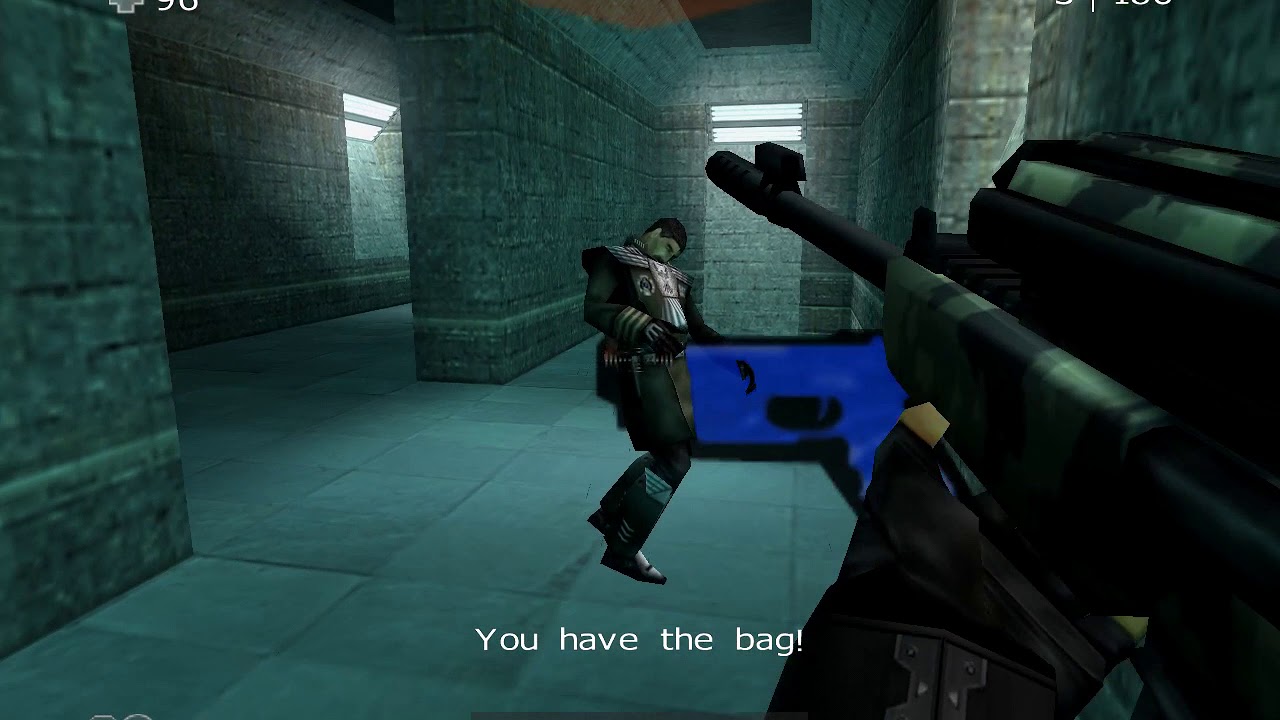
The Red Faction community lives on the FactionFiles.com Discord server!
Join the Red Faction community: https://discord.gg/fRrUzuV
Gameplay video of a Red Faction II Bot Match on Fatal Structure in the Bagman gametype.
gaunt lotus
what a terrible design lol
brave crown
RF2 also shows a distance number lol
Eh, I don't really agree. It changes the gameplay for sure, but the loop is based around hunters having "perfect" information and the bagman having to constantly defend themselves, rather than them being able to hide
gaunt lotus
the TTK is too low
brave crown
It's a fundamentally different design the other way. Totally down to try it out here, but yeah I wanted to match the design found elsewhere in the series first
gaunt lotus
i understand the intent behind making them wh
brave crown
The current design is essentially identical to RF2's implementation other than the initial delayed spawn (which is just a net positive I think) and the lack of distance numbers
gaunt lotus
but it's going to be dogshit with humans
the only way it works is if the bag gives some buff
brave crown
I was considering whether either regeneration or kill rewards should be built into the standard rules for the gamemode
kill rewards are probably a better design for this kind of thing, I think
gaunt lotus
i would actually go for regen
brave crown
Like +30 effective health kill reward or something. That may be too much though given they can also run armours while holding the bag
gaunt lotus
because if you are being swarmed by low hp enemies you can survive forever otherwise
brave crown
Actually, just thinking out loud here but what could be really neat would be:
- Regen for bag holder
- Kill reward +50 effective health for killing the current bag holder
- 25% damage reduction for non-bag holders attacking bag other non-bag holders
For the regen, I think the most intuitive way would probably be to just award +X every time you get a point (ie. every 1 second you hold the bag). That design is also far less likely to run into annoying network sync issues since I'd entirely avoid clientside prediction lol
Maybe +10 effective health per point would make sense
so you regain a 50 armour in 10 seconds
brave crown
values can be tweaked but yeah I'll try that, seems good in theory
brave crown
yeah it feels nice with the regen and kill rewards
gaunt lotus
when someone has the cannister, can you attach it to their back?
also, when the "bag" is dropped, can the mesh have an outline that's visible through the wall? i would find the chevron annoying visually
hmm i guess the cannister isn't ideal for that
it would almost be better to do "hold the flag" and re-use the flags
or carry the banner
brave crown
gaunt lotus
when someone has the cannister, can you attach it to their back?
Yeah I was thinking about that
The mesh can certainly have an outline
gaunt lotus
as much as i dont hate the cannister, it might be a not terrible idea to implement a custom mesh for this if you dont want to reuse the flags
brave crown
Yeah I think a custom mesh is the way to go tbh
gaunt lotus
it just feels a bit temu right now
if it's a bag... some kind of backpack? might be annoying to fit for all 3 skeletons
brave crown
Yeah I was thinking some sort of backpack might make sense, but it might be tricky
In rf2 I think it's a briefcase floating over the characters head
desert crown
it is yes
for "Regime" its Sopots hat
it also apparantly has a "draw through walls" symbol above it

 desert crown
yah
no need for that i think, maybe the through the wall thing (for larger maps) but still
brave crown
desert crown
no need for that i think, maybe the through the wall thing (for larger maps) but...
you can already see the bag carrier outline and sprite through the map :p
gaunt lotus
i think the symbol should be there but id want to be able to toggle it off and still be able to play the game mode
brave crown
you mean locally?
gaunt lotus
ya
brave crown
Oh yeah for sure
it's not implemented yet but that will be for sure

The Red Faction community lives on the FactionFiles.com Discord server!
Join the Red Faction community: https://discord.gg/factionfiles
This video shows the WIP (currently unreleased) Bagman game type, upcoming in Alpine Faction v1.4.
PLEASE NOTE: This game type is still under construction. Some of the assets (like the bag pickup mesh) shown i...
@desert crown ^current implementation
brave crown
:p
desert crown
but yah looking good
i assume the ui is only displaying the top 3 score to keep it from being to much
brave crown
right, the rest is on the tab scoreboard like normal
actually, come to think of it, I probably should change it to work like RF:G does - where it shows your score regardless. If you're not at the top, you're at the bottom
brave crown
no, top 2 and you, unless you're in the top 2
so if you're in 5th place it would show the 1st and 2nd place players and then you
desert crown
oh gotcha
brave crown
alright, this seems ready to me
 desert crown
New Class Unlocked - Mortar Canon
brave crown
still not quite sure what to do for the mesh, but at least its a backpack now lol
 silk tinsel
ghostbusters proton pack
boreal ether
Wait is that cryo cooler? I thought you was just using it to test while you found a suitable briefcase
 boreal ether
its full of magic cards. goober is top bag man player when he is in the knowledge of this
brave crown
earnest iron
Is that keg filled with Canadian whiskey goober?
👀 perhaps
wraith comet
Battle for the Martian Hooch
fast crescent
earnest iron
Is that keg filled with Canadian whiskey goober?
He knows better than to drink that inferior swill!!! 😉
crude oyster
Would it be possible to add gas region previews to RED? Tis a little tedious to keep having to go back and forth between game and RED for tweaks, til you get the look your going for. 😛
brave crown
Currently, no that's not practical, because gas regions rely on D3D11 and RED still runs D3D8. If RED ever gets a renderer upgrade, supporting gas regions would certainly be part of that, but that's an enormous undertaking and at least right now not a priority
crude oyster
brave crown
Currently, no that's not practical, because gas regions rely on D3D11 and RED st...
I see.
Also is it just me or are gas regions just not useable if there's a skybox behind them? 🤔 It just like totally disappears if there is a sky behind it instead of geometry. Was thinking they might be a neat way to create volumetric cloud effects but instead they become totally invisible when they are surrounded by show sky walls. 🫤
brave crown
Well it does show up in front of the sky, but yeah it does seem from your video that it fades quicker with a skybox behind than normal geometry. I don't know off hand what would be required to fix that, but it's definitely not ideal. As is, it's totally usable viewing from gas into the level or the sky - that part works fine, just viewing gas at a far distance with sky behind it doesnt look right
brave crown
Bagman and Team Bagman are officially merged into Alpine for v1.4 🥳
Bag placement in levels works using a tiered approach:
- If the level file contains the (new)
Bagobject type, the bag will spawn there. This is for new maps where the author wants to specify the location directly - I've manually placed the bag in the default levels in some sensible positions (hardcoded)
- For levels without hardcoded positions, and without a
Bagobject in the level file (i.e. basically all custom maps, in a practical sense), the bag will be placed on an item location. It goes through Damage Amp, Invuln, Super Armour, Super Health, in that order, until it finds a valid location. - For levels without hardcoded positions, without
Bagobjects, and without any super item position to spawn the bag, the bag spawns at the player start
 crude oyster
It seems when you add texture overrides to a mesh object, when you create the vpp it still just packs the original texture and not the override. 🤔
brave crown
crude oyster
It seems when you add texture overrides to a mesh object, when you create the vp...
Oh, hm. There's a big list in RED of files that get packed in the vpp, maybe I missed texture overrides
It does pack textures directly referenced by mesh files used on Mesh objects, though right? Just to confirm
oh also I forgot to mention this but this morning I merged a change which properly fixes teleports dragging players through the level (by adding new netcode):
https://github.com/GooberRF/alpinefaction/commit/03645f95220f2b48e51c467b6cf716b4bf9b86a3
GitHub
-
init
-
fix
-
fix
-
Update CHANGELOG.md
-
fix
Side note, playing bagman with bots is actually really fun lol
desert crown
is there a server i can hop on to see or will i need to wait for 1.4
brave crown
There is not, but I could put one up if you wanted to check it out in a dev build
desert crown
over the weekend sure 💜
brave crown
I can probably get that done in like 15 min lol
desert crown
😄
brave crown
@zinc quiver because I know you want to run a test/beta server - I just pushed that required fix. Build the latest master branch and you should be good
 zinc quiver
cool thanks, that was quick
brave crown
@desert crown FF test server is up, has a ton of maps on it, but I haven't tested all of them with Bagman yet, so I can't guarantee how well they'll play. I've tested all the default maps, Abrupt Decay, Foundation, and a handful of others and they play well.
No bots on the server yet but will be later
Also OK I think plans to run a BM testing server so, you can test in either
if anyone's interested in testing out Bagman, I really would appreciate it. Here's a dev build that supports it. The FactionFiles.com [AF 1.4 Test] server is running the game type
IMPORTANT: Like always, do not overwrite your "good" AF 1.3 install with this dev/beta build
MORE IMPORTANT: AF 1.4 (including this dev build) use RFL version 305. This means that maps saved with this level editor version will NOT work with AF 1.3 or any previous versions. It ALSO means that any RFLs saved with the dev build of the level editor may end up becoming corrupted down the road (before AF 1.4's eventual proper release). All that to say, DO NOT rely on RFLs saved with this dev version of the level editor. DO NOT use them as your "good" copy of your level. These RFLs may become corrupt with no notice
brave crown
brave crown
if anyone's interested in testing out Bagman, I really would appreciate it. Here...
zinc quiver
brave crown
<@288750088975679498> FF test server is up, has a ton of maps on it, but I haven...
BM testing server is online atm under the name faction5 [dev] but will be under faction5 [AF 1.4 Test] later.
For now i have added only the default maps, but will add some more later!
So far it's a really nice mode ! 🙂
desert crown
playing with the bots is neat 🙂
feels like an actual hide and seek game mode since they can't just "see you"
i guess i just beat them xdd
 desert crown
lol
brave crown
@zinc quiver i think the default game type for your server is CTF lol
desert crown
i did wonder why there was a tdm map on an arena map before
aw no bots in ff bagman
desert crown
womp womp
zinc quiver
ill add it as BM
i guess i have CTF as default purely for the location pinging lol
also dm11 gives me problems, data incompatible
when i download it from FF its the levelseb.vpp
im going to check how to fix that
brave crown
Your bots must have a broken dm11.rfl
brave crown
Run where dm11.rfl from the bot and it will tell you where it's loading from
zinc quiver
Probably, i have 4013 vpps in the multi folder
desert crown
💀
zinc quiver
problem solved, thanks 🙂
and server is up with more maps
and without sniper 1 hit now btw :p
brave crown
@zinc quiver would also be ideal to set the bagman settings back to default
The 7.5sec should be good for most situations, but could always be changed. I'd far rather that testing of the gametype happens with defaults settings though, so I can get an idea of if the defaults should change
zinc quiver
i have set it up the default way now 🙂
2 secs delay in respawning
7.5 secs for bag return time
crude oyster
brave crown
It _does_ pack textures directly referenced by mesh files used on Mesh objects, ...
Yeah it packs the original textures referenced by the mesh, just not the override textures.
viral light
rfsb updated to support bm/tbm
brave crown
FF 1.4 test server is back, with fixes, running bagman, with bots
@desert crown since you were asking
desert crown

desert crown
there are a few maps that the "start" position doesn't work on so far
the jan ones 100%
SEB

 brave crown
If you can make me a list of rfls that would be super useful - it should work for most but for the handful it doesn't I can hardcode positions
desert crown
idk the jan maps rfl 🙁
the one with all the portals
and this one

idk their names though
brave crown
Press tab it should say it
desert crown
i know how to search the name ingame XD
brave crown
@onyx parcel sending this in the alpine dev thread rather than introductions :p
Awesome to hear you've been working on co-op! 🥳 Curious, is your intend to PR it back to main Alpine?
 onyx parcel
brave crown
<@241318265492733963> sending this in the alpine dev thread rather than introduc...
onyx parcel
brave crown
<@241318265492733963> sending this in the alpine dev thread rather than introduc...
When it is finished I think so. There is quite a bit of work and testing still needed. I will record some footage soon on how it looks so far. Main issue so far is the AI/NPC streaming between server and client. On the server it looks on par with Singelplayer now, I had to do quite a bit of fixes, like the PS2 footage I just shared, that was also how it looked for the server on PC at first, where the AI/NPC just keep cycling their animation, some don't play and some events just don't happen properly.
Here is the PS2 version so far: https://www.youtube.com/watch?v=YRxa0SGEJ-k
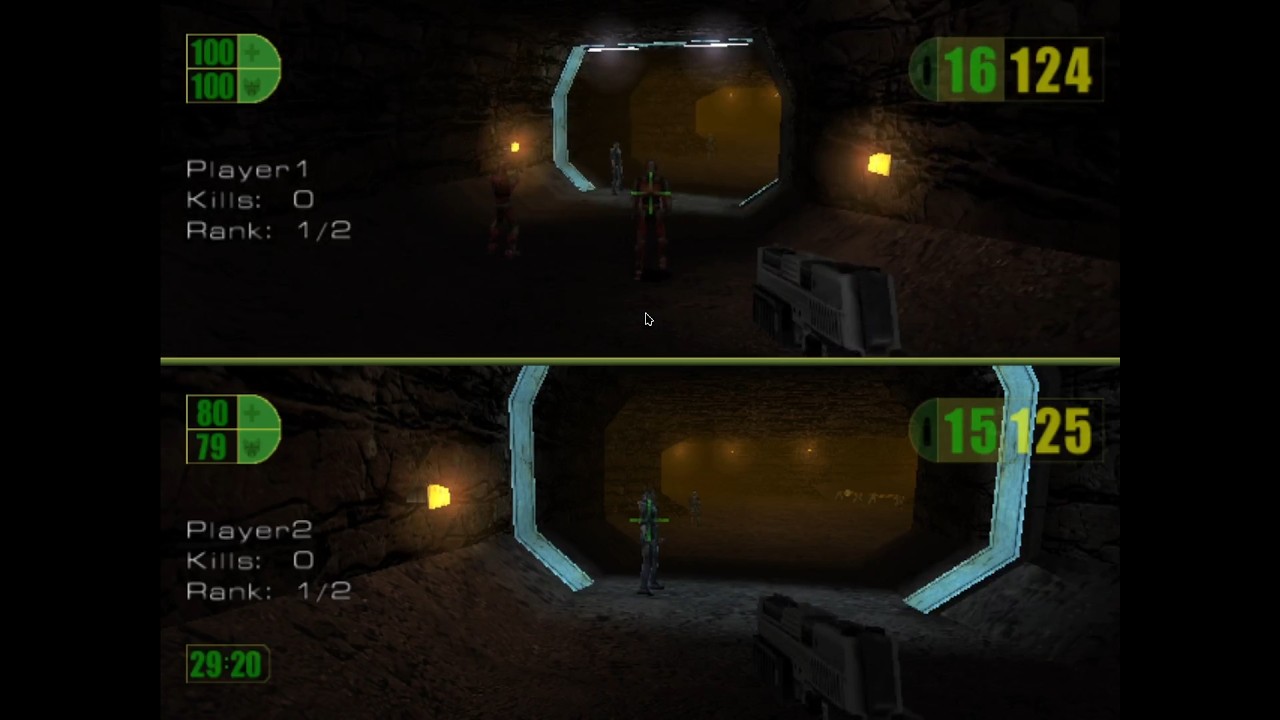
I just wanted to share this milestone I reached. This is a proof of concept of Co-Op multiplayer for Red Faction on the PS2, well here I ran on PCSX2 and it is only using PCSX2 .pnach cheat files!
Stuff I need to fix
Level transistion crash - High priority!
Scripted events and animations need to play properly.
Friendly NPCs acting Hostile
Time...
silk tinsel
onyx parcel
Here is the PS2 version so far: https://www.youtube.com/watch?v=YRxa0SGEJ-k
Damn! Wish this was on PC too! but not splitscreen xD
onyx parcel
silk tinsel
Damn! Wish this was on PC too! but not splitscreen xD
Working on it. I actually worked on PC first, and mirrored some of that to see if it could work on PS2, and well. It does!
silk tinsel
If you pull that off, on pc with a multiplayer server that can let maximum 32 players in, will be carnage with that amount while plowing through singleplayer campaign!
it would need manually level changing tho, as loading screens and load_level events weren't designed for multiplayer.
onyx parcel
I semi figured that out. Though I need to iron out some of those bugs. Server has no problem going through level transitions now, problem is now with clients following.
I am also working on a wait for other players to reach level end feature/level transition in xx:xx.
What was a bit if a headache to figure out was the server going crazy by level transistion, like it would first reload the current level but put you in the current position, and then you can transistion just fine, that I fixed. Also implemented last Inventory feature, so when you go through a level transistion, you keep your weapons and ammo.
I need to implement unholster and body pickup too. When everything will work fine-ish, then some heavy testing will be required.
silk tinsel
Anything to bring the coop experience to its fully potential.
dire geode
brave crown
<@241318265492733963> sending this in the alpine dev thread rather than introduc...
Co-Op?!
yoo
since I've been dabbling with PC Controller support, i might have to futureproof to prepare for future local splitscreen support down in the line (but I probably won't be handling this time around)
right now, the current hotswap setup is sorta designed around Steam Deck's docked experience.
zinc quiver
desert crown
and this one
dm_MEAN
zinc quiver
brave crown
If you can make me a list of rfls that would be super useful - it should work fo...
i will get back to you at some point with that.
For now i have checked most of my fav maps and the ones i have available on my servers, however i want to do a more thorough test with time, at times that im bored 🙂
wraith comet
onyx parcel
When it is finished I think so. There is quite a bit of work and testing still n...
OH MY GOD
I LOVE YOU
I AM SHITTING BRICKS
desert crown
@brave crown so whilst this is possible - i think its start position would be kind of awkward to play with (dm666CastleOfDoom)


you gotta yeet at it from the towers
might be better to place it on the ground on this map
the 2 towers you can get to it from are only spawn locations you can't get there naturally outside of going up the towers and jumping to them first - maybe u don't care about this though, i just personally found it to be a little weird
also wtf just happened lol
 brave crown
desert crown
also wtf just happened lol
brave crown
desert crown
also wtf just happened lol
the cutscene camera is inside the bag lol
desert crown
OH lmao
similarly compounded - its a few geo mods out of the way which kind of ruins grabbing it early in a match

can get to it but agian just a bit off

my rule of thumb atm is if the bots can't easily get at it ill report it
dm_LASTEXIT

can't reach it via any normal method
All Around the world - i can't recall if its in a reachable spot but i don't think so

hahahah Dac_Dust

its a geo mod but yeah
lmao
funny spot
desert crown
yah
i never knew they existed in this map no one seems to blow that crate up 😂
DM-RFU5-Midwichv5
 desert crown
sorry im kinda spamming 😅 dm dac zelda
 desert crown
gaunt lotus
:>>>
desert crown
gaunt lotus
:>>>
😠
gaunt lotus
prolly need a better bag spawning mechanism
brave crown
most of the ones youve been sending are amps
just mappers putting amps in weird places lol
desert crown
morbis gravis is possible but you gotta fling out the teleport idk if you want that lmao

as i was typing someone flew out and grabbed it
but thats a spawn i think?
brave crown
but eh, I think the bag placement mechanism generally works pretty well - it's only really a problem in 2 instances:
- maps without powerups and a weird player start (not super common)
- maps where the mapper put the amp/invuln in a weird unreachable spot (even less common)
There are also some cases like DAC Zelda where the placement is probably not ideal but it's totally workable
I suppose swapping the player start fallback for a multi spawn point might make sense
desert crown
not super common as i land on 5 in a row 😭
brave crown
which? O.o
desert crown
i just sent them ^ XD
brave crown
Jan used powerups far less in his maps than like every other mapper for the record :p
desert crown
ok but dac zelda/compounded/midwich/AATW/Last Exit/Castle of Doom
brave crown
    { "dmcompounded.rfl", -28.0f, -7.0f, 33.0f },
    { "dm_mean.rfl", 30.0f, 17.0f, -4.0f },
    { "dm_lastexit.rfl", 7.0f, -9.0f, 0.0f },
    { "dm666castleofdoom.rfl", 0.0f, -4.88f, -10.0f },
    { "dm-megamix.rfl", 0.04f, -17.13f, -0.02f },
    { "dm_mf_all_around_the_world.rfl", 3.70f, -40.06f, 15.88f },
    { "dm-rfu5-midwichv5.rfl", 23.50f, 11.0f, 5.0f },
I've added these because yeah they are more ideal than the auto placed ones. But of those, only Last Exit was actually unusable
well and midwich
but midwich was unusable in a way that is impossible to detect with code
desert crown
and the portal one from jan redt
brave crown
it's because of the way the map is designed
desert crown
again idk the name of it
silk tinsel
so it's not just ANY map that can be played Bagman in, huh.
brave crown
?
silk tinsel
how can you tell of where are they placed based on each custom map ?
brave crown
it's that, for existing maps, there needs to be a way for Alpine to know where to put the starting bag position. For new maps, mappers can decide that themselves
brave crown
silk tinsel
how can you tell of where are they placed based on each custom map ?
#1376930844597551146 message
this explains bag placement
desert crown
wait hellbowl had a dm ? I thought it was just CTF XD
 silk tinsel
brave crown
https://discord.com/channels/416631942738346008/1376930844597551146/150958848388...
silk tinsel
brave crown
https://discord.com/channels/416631942738346008/1376930844597551146/150958848388...
understood now
desert crown
uhm
@brave crown
the bag reset but it didn't reset to where it started and i can't see it anymore
 silk tinsel
but what if there is map with a Player_Start that can be hard to reach or impossible and doesn't have any powerups?
desert crown
silk tinsel
but what if there is map with a Player_Start that can be hard to reach or imposs...
thats what we are looking for
so goober can hardcode the position on those maps

super weird though lmao
dmturtleb1 @brave crown

since the geomod isn't sign posted at all
idk if players would know well enough
i mean
they'd see the outline obvs
but still
ok im sorry i guess the wall texture is different but i know afaction players 😝

also the bots don't have the geo mod configured here i guess they can't seem to get to it
brave crown
desert crown
dmturtleb1 <@185856114506727434>
stuff like that isn't particularly concerning IMO. It is signposted - it's in a secret, and also the bag is only ever at its "home" location at the start and if it returns (which doesn't happen very often)
the bots should know how to geo into it though, that's a problem, but a different one :p
desert crown
idk i feel like you reduced the countdown from the other day
brave crown
testing should be done on stock settings :p
desert crown
the better lava control 

@brave crown second opinion required

corpse crossroads
its possible in theory but extremely out of the way

finally got it lol
 gaunt lotus
it only spawns in like one starting position, right?
brave crown
what do you mean?
there is a determinative spawn position per map yes, if that's what you mean. Whether it's the bag object, hardcoded position, powerup position, or player start, it will always be at the same position every time the map is loaded
desert crown
gonna take a break for now think i found some good maps to spot problems with
brave crown
oh wait I think I see the issue with that map
the bag spawning logic seems fine, but that map has more items than the item limit lol
desert crown
O_o
brave crown
issue seems to be that no further items can be created because it's at the limit, and when you die it's a race condition to see whether your dropped weapon or the bag takes the free slot
so it is a map problem
my workaround for now is just to retry to respawn the bag every 2 seconds if the attempt to spawn it fails
so worst case scenario there's no bag for a few seconds before the game autocorrects