#Alpine Faction
1 messages · Page 8 of 1
 dire geode
 viral light
lol
 split sleet
dire geode
this is a re-enactment of a bug i encounter while getting analog movement workin...
split sleet
dire geode
this is a re-enactment of a bug i encounter while getting analog movement workin...
holyyyy
new speedrun meta confirmed
 brave crown
dire geode
this is a re-enactment of a bug i encounter while getting analog movement workin...
brave crown
dire geode
this is a re-enactment of a bug i encounter while getting analog movement workin...
hang on, where's the problem with this?
 desert crown
i like how we all want the fun move tech
split sleet
im so hyped to see first playtest /demo / map
desert crown
I trained u all well
split sleet
mario level should be done first
i want to see parker getting to that last pole
xdddddddddddddddddddddddddddddddddddddddd
 brave crown
dire geode
this is a re-enactment of a bug i encounter while getting analog movement workin...
brave crown
dire geode
this is a re-enactment of a bug i encounter while getting analog movement workin...
 in all seriousness, honestly this seems like you're on the right track lol. Just need to apply the accel/velocity constraints that are applied to digital movement of course 😛 It does increase gradually in a way that seems to be right... it just doesn't stop doing that 😛
desert crown
Technically you could build it - only problem is we don't have goomba stomp physics 😛
 gaunt lotus
the real issue with analog movement will probably be the animations in multiplayer
split sleet
we do
desert crown
split sleet
we do
?
split sleet
xddddddddddddd
brave crown
split sleet
have stomp physics in rf
these are built into @gaunt lotus though, they're not a stock feature
gaunt lotus
we can make a real speedrun version of the game
desert crown
😂
gaunt lotus
locked impossible with 4x NPCs
 brave crown
gaunt lotus
we can make a real speedrun version of the game
brave crown
gaunt lotus
we can make a real speedrun version of the game
I did start work on a mod years ago called Kaizo Mars World
split sleet
big words
desert crown
gaunt lotus
locked impossible with 4x NPCs
...
CAN'T YOU LET ME HAVE MY JUST MADE VICTORY
 split sleet
those balls are rail driver npcs
desert crown
😭
split sleet
xddddddddddddddddddddddd
split sleet
desert crown
you havn't seen the video
i dont want to see the video in which ure doing any% impossible faster that ive did any% easy
that would be too saddening experience
 desert crown
time to run the game brother
 split sleet
pfff , wait till we will have RF 2D with SHAVING TIMEFRAMES BRO
GOING THROUGH WALLS WITH PERFECT INPUTS
xddddddddddd
desert crown
you gonna make me a 2D RF map with a ... bus.. so so speak? 😄
desert crown
🤣
split sleet
omg such good things are happening rn in rf
Goober is making all the hardwork but i will always be telling around ive did the great visualistion/concept contra video that FUELED this creative process
ohh
imma milk this hard
xdddddddddddddddddddddddddddddddddd
desert crown
Tell you what
once its ready
make me a single level 2d SP map
we'll have fun
no memes
just an actual fun map
split sleet
bro i couldnt make proper box map in RED
bateman wont survive seeing more maps made by me
ik for a fact he did some counceling/seen a psychologist after seeing tilefrenzy
dont blame him
fuck even ladder is reversed there
not to mention the spawns
 boreal ether
split sleet
bateman wont survive seeing more maps made by me
boreal ether
split sleet
bateman wont survive seeing more maps made by me
yeh why the hell is 2 servers hosting your map. 1 is enough
split sleet
boreal ether
yeh why the hell is 2 servers hosting your map. 1 is enough
people like bad stuff what can i say
xdddddddddddddddddddddddddddddddd
gaunt lotus
pretty soon you can just play against bots for noob farming practice
split sleet
u guys are making the crafty /fancy meals
while all the folks are want is
JUNKFOOD content
boreal ether
you know, thats a really good analogy
split sleet
RED is hard , u need to start from the beginning , learn basics and move on
skipping steps and rushing into making stuff
desert crown
Ill take Fancy food with a side of Junk (Liq map with goober bots)
desert crown
split sleet
yields ...well
So
thres a pretty handy couple of workshop videos...
by a couple of handsome people
not to name names
ofc
split sleet
oh ik there are plenty of tutorials and help available
well .... what if
im VERY good at RED
and this map was ....
manifesto
naive art
done purposefully bad

....
.....
.....
...
it isnt the case here
;p
brave crown
🥳 alright meshes and notes are finalized and in the Alpine master now
man that took a lot of messing around lol
😱
 desert crown
😂
brave crown
lines added vs removed for that change
brave crown
the mesh/notes change added over 5k lines of code to alpine's codebase lmao
split sleet
hmm as u see
the necessity of going 2D
is ....
well
think how much more meshes u could do there
brave crown
fwiw the sidescroller code is currently about 600 lines lol
split sleet

bro imagine red faction gamenight 2D with people DONT KNOWING WHATS COMING
will it be MOD
or function in rf/AF ?
brave crown
you literally just set this dropdown to side-scroller in the level properties lol

game takes care of the rest
split sleet
hoolyyy
please keep this low-profile
the live reaction on gn will be something else
:DDDDDDD
imagine people typing in chat
'WTF'
'WHAT'
xddddddddddddddddddddddddddddddddddddddddddd
RF LIERO 1v1 server

damn i remember playing this w/ my brother a lot
desert crown
now to see how vehicles work in 2d 
desert crown
hey i wanna take an aesir in 2D
IS MY GODOT GAME A JOKE TO YOU
it would be neat to make a SP level out of it, run map eh
if someone wants to make it
i personally wouldn't
gaunt lotus
ur a godoke
desert crown
😠
dire geode
brave crown
<:lolpup:424029194448797699> in all seriousness, honestly this seems like you're...
okay, Analog Movement is now in.
https://github.com/AL2009man/alpinefaction/commit/6c81e22f84f42d6fe5565e5cf49ac449170794d6

GitHub
adds Analog Movement function for the Left Joystick
this took me a while. i'll go on a break.
brave crown
Nice work!!
Have you had a look at the animations yet, or just the player movement so far?
dire geode
exclusively player movement
I have not looked into it yet
Analog Movement right now is a hacky solution, it's still using Digital Movements as a baseline
split sleet
desert crown
😠
he is right tho
ive finished whole battlepass already
when there will be new DLCs ?
split sleet
rf cases lolk
and weapon rebalancing every 2 weeks
oh wait actually it is the case on modded servers
xdddddd
viral light
we really should slop up hats
and custom player models in general
want to import my 300k triangle disaster

brave crown
I have experimented with hats, but it's difficult because most character meshes dont have a hat dummy, each has a different eye dummy position, and each does different things with its eye position during different anims lol
viral light
so let us use custom models and we can have a special bone to position the hat
brave crown
that is doable, so is programmatically adding the helmet dummy at a specific offset on each mesh at runtime
im not saying it's not doable, I'm saying it's complex :p
dire geode
gaunt lotus
the real issue with analog movement will probably be the animations in multiplay...
it'll be fine
if there's a multiplayer-specific flag that only detects that you're in Multiplayer (like how Camera2 and Camera3 being blocked), i could take a note from Counter-Strike 2 initially did it's analog joystick (it's not real analog joystick)
or just skip the move ramp-up and jump to range 100%
brave crown
dire geode
if there's a multiplayer-specific flag that only detects that you're in Multipla...
there is a multi bool (it's rf::is_multi), but I wouldn't want proper gamepad/gyro support to exclude the most popular way to play the game either 😛 Animation play rate is certainly accessible in-game, and I would imagine that's what you'd want to use here
dire geode
in this case: only analog movement needs it
gaunt lotus
no the issues would be that the animations may not loop properly in mp if u are able to move at a fixed low speed
and it would be a cheat on run maps fwiw
brave crown
dire geode
in this case: only analog movement needs it
for sure, but I would consider analog movement in the "proper gamepad support" camp tbh
gaunt lotus
1st one just needs tested
dire geode
multiplayer folks won't be able to abuse the slow-walk when using joystick input, sorry.
now i'll need to investigate the animation speed rate
dire geode
while third-person player animation is the same, first person player animation now scales to analog movement!
anyway, i rolled it out already. https://github.com/AL2009man/alpinefaction/commit/e071f93941d03924fd94e27a2a9936226776cb26

GitHub
…o longer tied to analog for Multiplayer
if you know how to build and compile: you can try it that way.
 wraith comet
dire geode
this is a re-enactment of a bug i encounter while getting analog movement workin...
wraith comet
dire geode
this is a re-enactment of a bug i encounter while getting analog movement workin...
Parker go zoom
Go Parker go
gaunt lotus
i compiled this and tested it, one huge issue for mp right now is that however this is implemented, you can run full speed up ramps (9 m/s) which you cannot do with keyboard input
it's not handling ground friction properly so technically this would be a speedhack rn
air friction is also not working
kinda fun tho
dire geode
while i'll 'investigate' both problems, can you provide video clips if you can
gaunt lotus
ye with my keyboard at insane cancer angle too
dire geode
gaunt lotus
it's now fixed, i hope
i'm not too sure if i nailed the air friction fix too
btw: did you notice that the Controller's control scheme mimics the PS2 version?
gaunt lotus
didn't notice but it was nice that it worked without setup
haven't played the ps2 version in awhile
dire geode
i could swap the shoulder buttons
gaunt lotus
i didnt check but it's a fixed layout right now, right?
dire geode
yea, for now.
desert crown
i wouldn't know how to fuck with the ingame options, perhaps an alpine option UI for Controller rebinding?
dire geode
also Controller-centric tab, i don't have enough space left.
ok, finally decided to proceed further.... @brave crown
looks like i got a new bug, but for vehicles or submarines. looks like i forgot to account for them
gotta see if i can add the missing vehicle/submarine camera function into joystick camera
 slow yarrow
concept, a button to save the current map to a list, you can press a key to open list of these maps and when you press a button it auto votes for the map
brave crown
slow yarrow
concept, a button to save the current map to a list, you can press a key to open...
I considered something like this when I was making chat menus but decided it was way too hacky. Voting will be improved in time though - probably through a menu of some type
brave crown
hm?
there's no "back" either 😛 Pf's menus were only ever in PF
but PF's vote menu just had buttons to send the chat commands - the Alpine command menu (which already exists) provides effectively the same thing (plus more commands)
desert crown
ah ok
gaunt lotus
dire geode
it's now fixed, i hope
I reviewed with my claude setup because now you have a different issue - diag movements are being slowed down too much. Didn't check anything else. I'd guess the underlying approach here is not correct
with the current approach you'd also have issues with mods i think, even if you nailed the calcs for the base game
slow yarrow
brave crown
there's no "back" either 😛 Pf's menus were only ever in PF
but PF's vote menu ...
but how can you kick someone using an invisible character in name
brave crown
oh that menu
gaunt lotus
just spawn kill them until they leave
brave crown
thought you were talking about voting 😛
brave crown
the whole thing absolutely will not be re-implemented - PF didn't do it in a "good" way really, it was great for the time but we can do the entire approach far better now
There probably should be a better way to kick/ban players and perform other rcon commands, perhaps some type of command menu would be appropriate for it
as a stopgap, it would be very simple to basically re-implement what lazyban did and let you kick/ban players based on player index rather than name. So, you'd run info, note the number of the player in question, then kick them by that number instead of their name
gaunt lotus
gaunt lotus
I reviewed with my claude setup because now you have a different issue - diag mo...
i tested claude's suggested change and it feels right to me
goober could speak better as to whether or not it's the right implementation
but the outcome feels right
dire geode
just tested it holy cow thank you!
will roll out that commit, with your credit of course
gaunt lotus
ya its just one small part of this but definitely needs to be right
i am working on wasting goober's time with my own nonsense so i cant commit many cycles to this
but good controller support is a noble goal
dire geode
it was suppose to be a proof of concept, but it went beyond the concept
now i can move onto fixing the vehicle camera on gamepad.
gaunt lotus
do you know if SDL has any kind of built-in flickstick implementation?
brave crown
gaunt lotus
do you know if SDL has any kind of built-in flickstick implementation?
I read this as "fishstick implementation"
Imagine my disappointment when I realized I was wrong
gaunt lotus
it's pretty good on stuff like the steam deck where u dont want to flail the entire thing around too much
or have to play on super high gyro sens
i had this grand vision when i was messing with gyro that i would use it to play fps while traveling (planes, bus, etc.) but then i realized i would be elbowing everyone in the face with my setup
maybe still viable
dire geode
gaunt lotus
do you know if SDL has any kind of built-in flickstick implementation?
SDL does not. you'll have to implement it yourself
http://gyrowiki.jibbsmart.com/blog:good-gyro-controls-part-2:the-flick-stick
thankfully, gamepad_get_camera is angle-based, you should have a easier time doing flickstick this way.
(and this is why I needed to overhaul the current camera system to be angle-based, and able to use quake's 0.022 mouse multiplier for the sake of skipping steam input mouse pixel calibration)
brave crown
editor now packs custom meshes used in the map (Mesh objects, Switch_Model events, and anims from Mesh_Animate and Play_Animation events) automatically
dire geode
that being said, there is a C# library that has "built-in flick stick implementation"...
GitHub
A small library to make adding Gyro Aiming to games easier - NaokoAF/GyroHelpers
but i think the ship has sailed + C#, so we're doing it manually (aside of leveraging GamepadMotionHelper header)
dire geode
looks like I'm stuck on vehicle camera, will have to go back to it later with assistance. it's like...two more steps before making a draft pr official
dire geode
desert crown
i wouldn't know how to fuck with the ingame options, perhaps an alpine option UI...
in the meantime: we might have to figure out how to do in-game controller rebinds.
desert crown

dire geode
I'm thinking of integrating the existing game's binding system, and adding another column next to keyboard while the underlying system functions the same as before
 brave crown
Adding another column there would be a bit dicey on space at non-widescreen resolutions
I would suggest a better approach would be to effectively have two lists (KB+M / Gamepad) and a toggle to switch between
dire geode
think it's possible to move the keyboard/mouse column a bit to left to make room for gamepad?
desert crown
you think? the longest command in the list in for the Fusion, you could move them over a little bit
 brave crown
perhaps a checkbox down next to Change Binding or something
dire geode
just a curiosity: possible to add new game actions?
gaunt lotus
i agree with that, two separate pages of actions - one for kb/m and second for gamepads
brave crown
dire geode
just a curiosity: possible to add new game actions?
yes
if you scroll down, there are a load of new Alpine ones
desert crown
we have been doing so
brave crown
desert crown
you think? the longest command in the list in for the Fusion, you could move the...
 dire geode
nice. makes it easier for me to add Gyro Modifier (lets us do gyro ratcheting)
desert crown
Controller will likely be limited by just what the base game needs - i don't think you can push the customisation that far without doubles
brave crown
I will say, that the number of new controls that do get added does need to be strategic. There's a limited number of control indicies available and adding any past that would be a HUGE pain
so I've tried to be very selective over what is important "enough" to warrant a dedicated control
gaunt lotus
ratcheting is important enough on controller to warrant it
dire geode
i mean...
desert crown
aslong as i can get a spray and i can put my mouse button on it idgaf what else you add
dire geode
i'm running out of space on another side
 brave crown
gaunt lotus
ratcheting is important enough on controller to warrant it
brave crown
gaunt lotus
ratcheting is important enough on controller to warrant it
I don't disagree at all, just saying we can't add like 50 of them
gaunt lotus
ye
i know u havent messed with gyro much
so just adding my 2c
the input method is borderline not viable without ratcheting for a tracking heavy hitscan game
brave crown
dire geode
i'm running out of space on another side
for the record, not all of these need to be in the menu - more specialized things can be limited to console commands at least currently
The advanced options menu is on the agenda to overhaul in the near future too, to implement scroll support for a long list
gaunt lotus
i think all of those do need to be in the menu for this
dire geode
brave crown
for the record, not _all_ of these need to be in the menu - more specialized thi...
btw, i already figured out how to add a dedicated tab, but i haven't figured out how to make it more visible on the advanced menu
brave crown
this all uses bitmaps, so it would require graphical work to add a new tab
dire geode
otherwise: it'll be hidden in the same veins as selecting a secret chararcter in a fighting game
brave crown
this is part of the reason this menu needs to be overhauled to fit more settings :p
gaunt lotus
it may be a huge pain in the ass but gyro has a lot of vars that you need to set but doing it all through the console would be a nightmare
i dont really see any fluff in that setting list
dire geode
you already saw the current gyro settings? the essentials is already there, but there is a few console commands related to gyro that isn't in the Input settings
dire geode
i tried to do a < [text] > button setup, but it didn't worked out. for now: it'll be a cycle button
brave crown
dire geode
i tried to do a `< [text] >` button setup, but it didn't worked out. for now: it...
ah ok - yeah, not all of the gadgets are mapped out in alpine's code yet, just the ones I needed for that menu
gaunt lotus
overhauling the menu at this point feels like - rip it all out and replace
dire geode
brave crown
ah ok - yeah, not all of the gadgets are mapped out in alpine's code yet, just t...
looks like you got a excuse to add a new one. 😛
but let's focus on getting the essentials first.
brave crown
gaunt lotus
overhauling the menu at this point feels like - rip it all out and replace
there's an argument to be made that the right way is to just nuke all the controls pages, keep the 6 button layout on the left side, and redo a new set of 5 panels divided in a way that makes sense
it does cause issues for custom HUDs and some TCs which isn't ideal... but the return is enormous
dire geode
to summarize: the list of priorities that should be dealt with
1. get Vehicle Camera to work on Gamepad Joystick (we can't put gyro on it, naturally)
2. get Gamepad Bindings function
3. add Gyro Modifier action
4. add Gyro Tightening slider
if i can get Vehicle Camera to work, i might plan on doing a Draft PR so that anyone can check it out.
brave crown
sounds good
dire geode
btw i got stuck on Vehicle Camera, i'll take a break from now and try again later.
brave crown
multi brush support for RED-exported meshes now
I see this feature being useful for a significant number of purposes, but the two big ones are:
- Custom debris for meshes
- Complex brushes, especially in the background of scenes, that don't need to be brushes, and don't need collision, can be very quickly converted to static meshes in RED (literally with 2 clicks) to save on resources, more easily re-instance the same scene props, and reduce the per-room polygon/vertex load
viral light
why does it look so dark in editor but brighter in game
brave crown
Editor only has amb light shading for meshes
viral light
ic
boreal ether
brave crown
multi brush support for RED-exported meshes now
is it not possible to put a life on it and destroy effect vclip is it called ?
 crude oyster
Found a weird bug with the new mover code. In the Catan maps with collision meshes, (Forest, Pasture, Field). If I disable legacy movers, all the collision meshes that are moved into the scene at night (trees), at a speed of 192m in 0.01 seconds, now instantly kill the player every time they are touched. If I re enable legacy movers it no longer happens. 🤔
brave crown
boreal ether
is it not possible to put a life on it and destroy effect vclip is it called ?
yes it is, the settings are all in the properties of the mesh object 🙂
 brave crown
crude oyster
Found a weird bug with the new mover code. In the Catan maps with collision mesh...
brave crown
crude oyster
Found a weird bug with the new mover code. In the Catan maps with collision mesh...
is that so? Hm. Sounds like the physics state isn't being reset. Will need to look into this, you dont by chance have a test map that replicates the issue do you?
crude oyster
brave crown
is that so? Hm. Sounds like the physics state isn't being reset. Will need to lo...
You should be able to just take Catan full version, Forest, Pasture or Field and just uncheck the legacy movers checkbox, save, drop back in the vpp, play. Then just walk into any of the trees. 😛
crude oyster
Just noticed some strange behaviour with dynamic lights on a keyframe brush, they stop applying to the brush depending on the angle you are looking at the brush. Look at the rock ring around the fire, On the first side the lights always work, on the second they only work when I look way down, the third same, the 4th they always work. 🤔
brave crown
looks like it's being culled if the light object itself is off camera? (is that where the light object is?)
crude oyster
brave crown
looks like it's being culled if the light object itself is off camera? (is that ...
The lights are 2m above the fire. The sides with weird behaviour, the lights are only applying to the brush when the light objects themselves are off camera. so being culled when they are on camera and unculled when off camera. 🤔
boreal ether
@brave crown Do you think it could be possible for RED to detect if you have 2 or more brushes within each other (copy and paste mistake) same with objects. i suppose you could run a program to list any duplicate coordinates of brushes/objects. it happens more than you might think.
brave crown
it could be done yes - actually it probably would be pretty simple for anyone to just take the report (via Generate Report) and parse it to find that :p
brave crown
Corona objects 🥳
Removes the need to do hacks like adding a clutter light, making it invulnerable, then hiding it (like we needed to do in the past), plus allows for full customization of all values rather than being limited to the preset ones on stock light objects
(I obviously still need to make an icon for it in RED though 😛 )
gaunt lotus
now do corona virus
dire geode
desert crown
i wouldn't know how to fuck with the ingame options, perhaps an alpine option UI...
work in progress, chugging along.

already rolled out the commit as a test drive, but it won't work just yet.
technically, it's functionable, but it has a offset problem, and "Select Action to Bind" text is stuck
split sleet
crude oyster
Just noticed some strange behaviour with dynamic lights on a keyframe brush, the...
omg omg valheim music hits so hard
no no no
i cant afford another binge
rf survival game lets builld a house
and chill theree
the ground is shaking
brave crown
split sleet
and chill theree
Just play the stoned freeroam maps lol
gaunt lotus
look for maps by like
split sleet
xdd
brave crown
I'm addressing you like you know how to use the search bar on FF
gaunt lotus
 split sleet
there is nothing much to do other than FREE ROAM
gaunt lotus
these guys ran a SA-MP server where they just got high and did nothing
gaunt lotus
then they picked up RF for some reason and made a bunch of like, empty maps with liminal settings
weh ave played some at GN ages ago but theyre kinda rough with people
 dire geode
work in progress, chugging along.
dire geode
dire geode
work in progress, chugging along.
BIG
 desert crown
Yeah i hated that i couldn't configure my Yboard
brave crown
@dire geode you should probably just make a checkbox gadget and change the controls displayed based on the value of that bool 🙂
The checkbox can fit neatly next to the change binding button
dire geode
thanks, i was in a middle of finalizing the whole thing. but helpful tho
what you see is the funni size thing, i thought it was funny
dire geode
dire geode
work in progress, chugging along.
you can now rebind gamepad bindings
and yes: it'll show the corresponding button prompts (right now: it's generic prompts, actual prompts be added shortly)
brave crown
had to revamp this panel for the new objects anyway, so added some functionality I've always missed in it lol
 brave crown
dire geode
you can now rebind gamepad bindings
brave crown
dire geode
you can now rebind gamepad bindings
This looks really nice
dire geode
the controller rebind is now officially ready for testing...holy cow this took a whole day to even get it working wtih tons of hacky workarounds.
https://github.com/AL2009man/alpinefaction/commit/e758220e9222f5a6c113785cc31bc23837bff470
 dire geode
btw i got stuck on Vehicle Camera, i'll take a break from now and try again late...
dire geode
dire geode
btw i got stuck on Vehicle Camera, i'll take a break from now and try again late...
I tried again, but it looks like I won't be able to get a Vehicle / Submarine Camera to work properly. 😔
but the good news is that, now Gamepad binds are there (and it should behave more akin to Input Layers), I can look into adding custom actions and then menu navigation later on.
brave crown
🥳 finally figured out how to properly sort the tree list on the left lol

was annoying me to have Corona, Mesh, and Note at the bottom of the otherwise alphabetized list 😛
gaunt lotus
dire geode
I tried again, but it looks like I won't be able to get a Vehicle / Submarine Ca...
feels right to me for all vehicles but didn't look at binds etc
boreal ether
@brave crown looping sounds that work, that would be a good addition. That train from the other night was meant to have sound but wont work because looping doesnt work.
dire geode
gaunt lotus
ratcheting is important enough on controller to warrant it
will be looking into adding it.
but since I don't have enough space to place a dedicated toggle that handles Toggles and Holds (I'll need the remaining two for Stick Swap and Joystick Camera Y-axis): there will have to be three "duplicated" game actions for the time being.
once the advanced menu gets an upgrade to allow scrolling: it'll be consolidating into one single game action and a menu toggle.
once I get back home from IRL duties, I'll start preparing for a Draft PR alongside the two
(oh and thank you for getting camera vehicle to work!)


 silk roost
brave crown
🥳 finally figured out how to properly sort the tree list on the left lol
silk roost
brave crown
🥳 finally figured out how to properly sort the tree list on the left lol
Oh my God! It’s crazy, man… Is this the Matrix? 😁
 crude oyster
boreal ether
<@185856114506727434> looping sounds that work, that would be a good addition. ...
crude oyster
boreal ether
<@185856114506727434> looping sounds that work, that would be a good addition. ...
You can put a play_sound event on a keyframe and just use a cyclic_timer event to make it loop.
dire geode
the priorities stuffs has been dealt with. the PR is now created.
GitHub
Disclaimer: this code was originally meant to be a [Claude AI POC], this needs heavy review and refactors (if needed) before a merge.
as of this writing, there are some things that are left unfini...
dire geode
oh yeah i accidentally fixed a Window Management and scaling problem (screenshot is using 1080p)
https://github.com/GooberRF/alpinefaction/pull/296


GitHub
Basically, this commit replaces DirectInput with SDL's Mouse Input alongside Window management (by accident).
As it replaces the core DInput Mouse functions, the DirectInput button that can...
dire geode
there's...a chance that we're replacing Win32 keyboard with SDL...and fix that Wine problem?
for now, I'll open up a separate branch as a test.
https://github.com/AL2009man/alpinefaction/tree/SDL-Keyboard
GitHub
Community patch for Red Faction (2001) with modern features and many bug fixes - AL2009man/alpinefaction
gaunt lotus
wine problem?
dire geode
gaunt lotus
wine problem?
specifically, https://github.com/GooberRF/alpinefaction/blob/master/game_patch/input/key.cpp#L114
    // Note: it seems broken on Wine with non-US layout (most likely broken MAPVK_VSC_TO_VK_EX mapping is responsible)
    int ret = GetKeyNameTextA(lparam, buf, buf_len);
    if (ret <= 0) {
        WARN_ONCE("GetKeyNameTextA failed for 0x{:X}", key);
        buf[0] = '\0';
right now, i only swap Win32 KeyNameText with SDL for the time being.
added SDL Keyboard in (cuz why not?), but will be separate branch for the time being
dire geode
ok, while i was prepping for the PR, i noticed issues that only affects DirectX 8/9 renderer.
the first screenshot is the internal bitmap scaling (using SDL directly), the second screenshot is the D3D bitmap scaling.


best i can do is only keep the fix for DX8/9. DX11 will properly scale the text and overlay no problem.
brave crown
which overlay are you referring to?
dire geode
Steam Overlay, in this case. gimme a moment let me take a new screenshot
i'm in 1080p.
without the fix, using Steam overlay on the first screenshot. with the "fix", using Steam overlay on the right screenshot.


keep in mind, the left screenshot is the same as the release build. only difference is that the overlay scales by display resolution instead of game's resolution (if using DX11)
all of it on borderless fullscreen, btw.
i think i can get the scaling oddity fixed up somewhat.
...technically, i already fixed the behavior. it should behave the same as before.
dire geode
okay, I probably leave it alone for now.
@brave crown I brought back the Stock Mouse Input toggle after realizing that I accidentally got rid of button. 😔
dire geode
question, do we have menu-based game actions right now? I'm looking into adding Menu Navigation to the list, should at least reach "full controller support" as per Valve's own words.
gaunt lotus
there are in-game radio messages and taunts that use a menuing system (keybind opens a menu, then numbered list for menu nav)
these are alpine additions specifically
dire geode
I'm guessing overall menu navs are baked into the key binds?
think it's possible to replace it as pure menu actions? I also noticed that not all interactions can be done using key binds such as the settings stuffs
I forgot to mention the scrollbar, radio messages uses it?
for now: I'll use the key binds as a temporary solution. Right Joystick is gonna be treated as a Mouse Cursor for the sake of full navigation.
I'm sorry, Destiny Cursor UI haters, but things are gonna be that way. 😔
brave crown
@simple valley @crude oyster am i mistaken or do these screenshots all look completely proper? 😮


(with the new d3d11 lights)
 brave crown

on closer inspection it does look different with d3d11lights vs. d3d11 on AF 1.2.2
... but at least in my eyes it looks better? 😛
@simple valley what do you think?


left new, right old
there's light coming from the light sources as opposed to it being entirely muted at night 😛
 simple valley
its supposed to be dark tho 
brave crown
@simple valley how many static meshes are lighter now but were darker
simple valley
idk iac is the wizard with that stuff, I just made the map, he did all the wizard stuff like changing things to meshes lol
brave crown
simple valley
im literally no use
brave crown
@crude oyster 👀
the new lighting system is super nice on meshes though :p
I love the green
wraith comet
brave crown
the new lighting system is super nice on meshes though :p
That's very sexy. Reminiscent of PSX Doom/Doom 64.
dire geode
dire geode
for now: I'll use the key binds as a temporary solution. Right Joystick is gonna...
been cleaning off the checklist during this time.
haven't figured out how to add Menu Nav buttons to Gamepad without breaking the Controls Rebind ui, but I believe we're getting closer to completion!
desert crown
hahaha nick
Goober: yo that light is neat!
nick: yo goober your dead you crossed my crosshair unlucky nerd get rekt
crude oyster
brave crown
there's light coming from the light sources as opposed to it being _entirely_ mu...
Day looks good, green pool looks good, but in general night looks weird. 😛 not supposed to be any light on the meshes other then around the furnaces and green pool but looks like the day light is giving most of the night meshes an orange glow. The furnaces are also missing the exta lighting I added in front of them at night because those lights are only present where I pre lit the night mesh before it gets moved into the scene.
brave crown
crude oyster
Day looks good, green pool looks good, but in general night looks weird. 😛 not ...
I'm trying to conceptualize a good way to accomodate that, and the best way I've come up with so far is to use Light_State events to turn off the lights at night time :/
It's tough because in virtually all cases, having real time mesh lighting is just objectively better. But the trick used by these maps relies on the mesh lighting not updating in real time 😛
crude oyster
brave crown
I'm trying to conceptualize a good way to accomodate that, and the best way I've...
I think it's going to require more then just turning off the light. There's no day meshes in this map but on the ones with day meshes, when I was testing the new mesh lighting, it looked way darker then the old lighting, so probably going to need to set up 2 different sets of lights and have the proper light set enable/disable depending if the game is in dx9 or dx11.
Although better option would just be an option in map_info.tbl to force old lighting in dx11, then I don't have to update all the maps. 😛
brave crown
crude oyster
I think it's going to require more then just turning off the light. There's no d...
#Start
$Use Vertex Lighting: true
#End
DM-Catan-Hill_info.tbl

Am I correct in thinking that the original Catan map and all the individual section conversions will need this flag?
brave crown
@crude oyster ok that function exists now. FWIW though, Catan Field and Catan Pasture look nicer with pixel lighting, I think anyway 😛 Will send you a build so you can check. Happy to include compatibility tbls for your maps, to maintain your desired design, if you wish
crude oyster
brave crown
<@447137348162158593> ok that function exists now. FWIW though, Catan Field and ...
Awesome! Yeah they would all need it. I don't like the look of the day lights spilling into night. 😛
brave crown
funnily enough, pixel lighting makes pasture and field darker than vertex lighting :p
crude oyster
brave crown
funnily enough, pixel lighting makes pasture and field darker than vertex lighti...
Problem is that darkness factors in too during the day, when things are supposed to be bright. 😛
crude oyster
brave crown
isn't the day all geometry though?
only in hill and mountain. The others have a lot of meshes during the day for the trees and sheep and stuff.
brave crown
ah ok, well either way I'll send a build and you can check it out
In addition to the mapname_info.tbl compatibility switch, I also added r_vertexlighting which applies in real time so you can switch it on and off as much as you want to see the difference
crude oyster
brave crown
ah ok, well either way I'll send a build and you can check it out
In addition t...
Sounds good!
brave crown
Sent! 🙂 Give it a try and let me know if you want compatibility tbls for pasture and field
and normal catan
crude oyster
brave crown
and normal catan
Actually forgot mountain has all the default rf tree meshes and hill has that ship mesh, so guess those would look different in day too. 😛 Anyway I can do up all the compatibility tables and send em to you, so you can work on other stuff.
brave crown
well, just a list of rfls is fine - it's just copy pasting the file from hill/mountain anyway :p
crude oyster
brave crown
well, just a list of rfls is fine - it's just copy pasting the file from hill/mo...
(Top pic is old lighting and bottom is new) After some testing, I'm not sold on the new lighting being the better lighting. 😛 It is just way too dark and makes mesh lighting look dull. It is jarringly dark in forest. In graveyard it kills all the subtle moon lighting on the trees. Also with full bright not working on it, it makes all the fire on the torches and candles look wrong, as well as the lava mesh in hell (that covers all the lava to hide a seam caused by the portal splitting the room). It is supposed to be full bright so that looks weird that it is so dark. In tech clutter heavy maps, like Galileo 2 Starliner, everything looks off with the full bright not working on all the lights and screens on the tech. The place where the new lighting most of the time looks better compared to the old lighting though, is on items and the first person arm and weapon models.
So in its current state I think maps would definitely have to be designed with the new lighting in mind and all lights would have to be set to like double or triple their normal brightness, after calculating lights and before saving the map, in order to look good on meshes and blend with the geometry light level.
Perhaps you could double or triple the light level being applied to meshes in the code for the new lights and see how that looks? 🤔


So will definitely need compatibility tables for:
DM-Catan-Field.rfl
DM-Catan-Field1-1.rfl
DM-Catan-Forest.rfl
DM-Catan-Hill.rfl
DM-Catan-Mountain.rfl
DM-Catan-Pasture.rfl
DM-RFU8-Catan.rfl
And perhaps all my other clutter/mesh heavy maps if the mesh brightness and lack of full bright stays as it is now. 😛
brave crown
I'm surprised to see this feedback given I've had the exact opposite experience in every map I've played with the new lighting 😛 granted most of those were stock maps and such. I could certainly see a multiplier per level being practical. A hard multiplier across the board would make many stock maps look awful, though
dire geode
dire geode
the priorities stuffs has been dealt with. the PR is now created.
https://githu...
finally.
you can fully navigate with the game controller (tons of hacky workarounds!), internal under-the-hood file structure (prepares for SDL Mouse and Keyboard addition in a separate pr), Steam Deck prompts and destroying my sleep schedule. ❤️
I should start asking everyone here to playtest Gamepad support for multiplayer. I haven't tested new game actions yet
crude oyster
brave crown
I'm surprised to see this feedback given I've had the exact opposite experience ...
I think I might know what the issue is. The new lighting doesn't seem to be taking into account the difference between an omnidirectional light and a circular spotlight. For all these maps with a general sunlight/moon light, I am using circular spotlights as the main light source, yet the mesh light is applying as if that spotlight is instead an omnidirectional light with the same properties. Spotlights are way brighter compared to a omnidirectional light with the same intensity and range.
To demonstrate what I mean look at this RED lighting comparison. The first one is the circular spotlight with a 160 range, 0.75 intensity, and 0.75 intensity at max range. The second one is just switched to omnidirectional with all the same properties. The third one is set to omnidirectional but the intensity turned up to 1.0 and range increased to 300, in order to make it better match the first spotlight.
Then look at these in game screen shots. The first one is the spotlight with a 160 range, 0.75 intensity, and 0.75 intensity at max range with old lighting. The next is the spotlight with the new lighting. The next is the spotlight just changed to omnidirectional with all the other properties the same. The last is the omnidirectional with the intensity turned up to 1 and range set to 300. So as you can see the 2nd and 3rd look very similar on the meshes. and the first and last look about the same brightness but with the last having better colour.
So I'm guessing the maps you had the opposite experience with were only lit with omnidirectional lights instead of spotlights, therefore they would have been getting the correct brightness on the meshes. 🤔

 brave crown
crude oyster
I think I might know what the issue is. The new lighting doesn't seem to be taki...
brave crown
crude oyster
I think I might know what the issue is. The new lighting doesn't seem to be taki...
The new lighting doesn't seem to be taking into account the difference between an omnidirectional light and a circular spotlight.
You are exactly right, thanks for that. I was treating spotlights as omni lights - made sense why in hallways and such there was no issue noticed - a small circular spotlight coming down from the ceiling and an omni light with the same range would look similar on fp weapons when walking through the hallway. I'll look into this
brave crown
yeah this makes a lot more sense now


the one with the cyan line is pixel lighting - it is certainly darker than vertex lighting (which is not necessarily a "problem" with pixel lighting, just a reflection of the lights in the map), but the spotlights are being applied now
you can see in the shading on the fence for example in pasture
(I still may need to tweak the values though, not 100% sure on that yet, just wanted to get the actual functionality working first :p )
dire geode
dire geode
finally.
you can fully navigate with the game controller (tons of hacky workaro...
i'll bring a video that showcase it in action.
brave crown
dire geode
i'll bring a video that showcase it in action.
That does seem to be working really well now! 🥳
I don't have gyro but will have to test it out with a gamepad shortly
@crude oyster ok yeah, got the spotlights working for real-time pixel lighting. it does on average look a little darker at night for sure, but the lighting certainly has a lot more depth
I may still look into having a per-map multiplier on pixel light brightness though for tweaking


 dire geode
brave crown
That does seem to be working really well now! 🥳
I don't have gyro but will hav...
dire geode
brave crown
That does seem to be working really well now! 🥳
I don't have gyro but will hav...
i should be near completion, and start changing it into a pr review state. still found more bugs left to fix up
brave crown
for sure - this is a pretty big change, so it certainly need to reviewed and regression tested thoroughly
crude oyster
brave crown
<@447137348162158593> ok yeah, got the spotlights working for real-time pixel li...
Night time in catan maps isnt going to be a good test because thats not supposed to be lit anyway. 😛 the test would be during the day if the meshes brightness matches the geometry brightness. Forest has the most day meshes so is the most obvious. For my test i got rid of the .37 intensity spotlight and just enabled the .75 one, then set the override static mesh light value to 2.
dire geode
brave crown
for sure - this is a pretty big change, so it certainly need to reviewed and reg...
ok, just finalized and dealt with the rest of the bugs across both the Gamepad and the SDL Mouse (and now Keyboard) PRs.
you can now review them with pleasure. the Gamepad portion requires a lot of verification and refactor due to it's POC nature.
especially with the Gamepad Rebinds
dire geode
btw @brave crown i'll need a quick question regarding Stock Mouse, if you can. does stock input uses a Mouse API from the Windows XP era, Win32 Mouse stuffs that doesn't do RawInput or Legacy Input (as Durante puts it)?
started doing minor research for a bit
brave crown
I don't know exactly how stock mouse input works unfortunately
dire geode
darn.
for future reference: https://ph3at.github.io/posts/Windows-Input/
but i can tell you at least one thing: ever since i applied SDL Mouse Cursor in (only for Menus, you can still use Stock Mouse for camera movement): i can tell a bit of a difference in feel and movement.
it's soooo weird.
i can try to guess the stock mouse. given the age of Red Faction 1, probably WM_MOUSE?
i'll see what I can do, but i can't guarantee that
brave crown
dire geode
but i can tell you at least *one* thing: ever since i applied SDL Mouse Cursor i...
Oh that reminds me actually, I forgot to mention it the other day when I commented on your PR, but we're going to need to come up with a way to have input mode selection between 3 options rather than replacing dinput as well
gaunt lotus
stock is wm_mouse
theoretically dinput is threaded wm_mouse i think
for dx8
im looking at doing getrawinputbuffer raw input
if sdl is already doing that, would be good
i agree ur sdl patch feels good
dire geode
gaunt lotus
if sdl is already doing that, would be good
I believe so...?
https://deepwiki.com/libsdl-org/SDL/6.2.2-windows-raw-input-system
DeepWiki
This document describes SDL's Windows Raw Input system, which provides high-frequency, low-latency input processing through a dedicated thread that uses the Win32 Raw Input API. This system handles mo
brave crown
crude oyster
Night time in catan maps isnt going to be a good test because thats not supposed...
I will have a lookand see 🙂 Did you want to test out a build that works with spotlights as well
boreal ether
I noticed if you have a lot of panning textures in a level and then geo is made; the game lags to single digit fps for about 1-2 seconds. donno why geo should effect textures in that way. might be something you would want to look in to finding out why and optimising/fix it. may open other doors into further understanding of optimising the engine
crude oyster
brave crown
I will have a lookand see 🙂 Did you want to test out a build that works with sp...
Sure, I can take a look in a bit.
dire geode
do note: SDL in general is meant to abstract to all common OS APIs, SDL Mouse...i believe will be using WM_MOUSE / Raw Input under the hood...but Linux will use either X11 or Waydroid's instead.
technically, SDL Mouse is really just stock mouse but more abstracted to better handle various operating systems
...but it already handles Raw Input Buffer via THREAD_PRIORITY_TIME_CRITICAL
i'm bit more familiar with SDL Gamepad's method of abstraction than Mouse tho.
brave crown
crude oyster
Sure, I can take a look in a bit.


the ones with darker trees obviously are the pixel lighting ones 😛 (the trees are moved in from outside the map from an area where they were lit, right?)
With the way these maps are built, I think vertex lighting is going to end up being necessary, simply because they rely on baked in vertex lighting "calculated" in an area outside the map and then moved in
In theory they could be redesigned to turn on the lights in the main area and light the existing trees, rather than swap them out with new copies 😛 but I wouldn't suggest you fundamentally remake the logic in the maps when a compatibility switch can just be used here
crude oyster
brave crown
the ones with darker trees obviously are the pixel lighting ones 😛 (the trees a...
There is no moving during the day. All the night meshes are removed via event and day meshes are simply un hidden via event, so real time lighting should work fine for them if the intensities are set right.
brave crown
Interesting 🤔 I'm wondering if I'm unintentionally ignoring the static mesh amb light scale
gaunt lotus
dire geode
do note: SDL in general is meant to abstract to all common OS APIs, SDL Mouse......
ya but in linux rf can only be played under wine/proton, so you are only getting windows input translated through compat layers
dire geode
brave crown
Oh that reminds me actually, I forgot to mention it the other day when I comment...
so, what's the best approach then? from the looks of it: it'll have to be two, and I have to restructure the entire thing to support the switch between Stock and SDL.
DirectInput primary handles Mouse Input, which means it'll be Stock Keyboard + DirectInput Mouse at the same time. the overall Input switching will be weird.
brave crown
dire geode
so, what's the best approach then? from the looks of it: it'll have to be two, a...
I haven't reviewed all of your code yet, but since you have a bool to go back to stock input vs. SDL already, could that not just be an inputmode int? 0 = stock, 1 = dinput, 2 = sdl
dire geode
does DirectInput only covers Mouse? 🤔
crude oyster
brave crown
Interesting 🤔 I'm wondering if I'm unintentionally ignoring the static mesh amb...
Thats what I first thought but i couldnt really duplicate the look by just changing the static mesh amb light scale. Might have something to do with it but Seems more like its still adding a falloff even though the light is configured for no fall off and/or not getting the intensity right for spotlights. 🤔
gaunt lotus
brave crown
I haven't reviewed all of your code yet, but since you have a bool to go back to...
not easily bc sdl would need to be on for gamepads always i think
crude oyster
Just out at the moment but when I get back i can send u a test version of forest with just the day. These maps will just use the compatability flag in the end but it would be a good test to try and get spotlights matching between geometry and meshes.
dire geode
gaunt lotus
not easily bc sdl would need to be on for gamepads always i think
oh, that won't be a problem, as seen in the SDL Gamepad PR.
it still has stock keyboard and stock mouse/dinput mouse.
brave crown
crude oyster
Just out at the moment but when I get back i can send u a test version of forest...
ok, yeah I figured it out now
daytime: they look very similar
nighttime: they look different because pixel lighting is illuminating the meshes rather than using the baked dark vertex lights


 dire geode
brave crown
I haven't reviewed all of your code yet, but since you have a bool to go back to...
dire geode
brave crown
I haven't reviewed all of your code yet, but since you have a bool to go back to...
ok, you can now switch between three Keyboard/Mouse Input modes.
the default will need to be SDL tho.
tried my best to restore the original setup as best i could.
brave crown
dire geode
ok, you can now switch between three Keyboard/Mouse Input modes.
the default w...
Why will the default need to be SDL?
dire geode
actually, nevermind. was thinking of consistency.
brave crown
Curious - does this also allow for binding of MOUSE4/MOUSE5/etc in RF? 👀
dire geode
you know what, let me go try that out, i did not consider it
brave crown
that would certainly be exciting 😛
@crude oyster I sent you a test build if you want to do some testing and let me know the results 🙂
dire geode
hmm.. it doesn't detect my Mouse4/5 clicks, but i think i know why.
crude oyster
brave crown
ok, yeah I figured it out now
daytime: they look _very_ similar
nighttime: the...
Yeah that looks right now. 🥳
dire geode
due to the funni side effects of maintain parity, it didn't do MOUSE 4/5/6 buttons. but SDL can handle it.

The Simple Directmedia Layer Wiki
let me see if I can add it in.
desert crown
@brave crown is there a way we can make the geo texture for the geo airbrush better/higher resolution?
brave crown
desert crown
<@185856114506727434> is there a way we can make the geo texture for the geo air...
Yes, that can be done with alpine tbls
desert crown

gaunt lotus
if SDL3 captures mouse input via GetRawInputBuffer correctly, it should be the default, and dinput would not serve much or any purpose at that point
legacy input would be something to keep around for weird use cases (RDP, VMs maybe?)
crude oyster
brave crown
<@447137348162158593> I sent you a test build if you want to do some testing and...
looks good, new lights now officially look better then old lights for day time catan and the moon lighting has returned to the meshes in graveyard! Now the next task, getting the full bright face flag working for meshes with pixel lighting. 😛
Also are tube lights working properly in pixel lighting mode or are they just applying as omnidirectional as well? Because I have a tube light in graveyard above Krispy, that he stands up into to so he's not so dark, but it doesn't seem to be doing much anymore in pixel light mode. (top pic vertex light, bottom pixel light)
 brave crown
crude oyster
Also are tube lights working properly in pixel lighting mode or are they just ap...
brave crown
crude oyster
Also are tube lights working properly in pixel lighting mode or are they just ap...
I forgot tube lights existed! 
so no, they're not being handled currently lol
thanks for that 😛
well fullbright is working... but it's... too full bright lol

fullbright apparently now means blind the player
crude oyster
brave crown
well fullbright is working... but it's... _too_ full bright lol
lol its a start at least!
brave crown
gives a template if emissive mapping is ever on the docket :p
ok fullbright works - it's actually better than fullbright because unlike vertex lighting "fullbright" which both increases and reduces the light level to a flat 1.0 (so it can actually be darker than the rest of the mesh in a super bright room) this is fullbright as a base line, but lighting can still illuminate it


left vertex, right pixel
crude oyster
brave crown
gives a template if emissive mapping is ever on the docket :p
That would be next level if we could make like lava emissive and have it light the surrounding area without extra lights.
brave crown
the screens can now be illuminated too
brave crown
crude oyster
That would be next level if we could make like lava emissive and have it light t...
yeah that's definitely doable
later on (not right now) I plan to explore pixel lighting for geometry too as an alternative to baked lightmaps
that would be the time to tackle that
crude oyster
brave crown
ok fullbright works - it's actually better than fullbright because unlike vertex...
Hmm that could be good or bad. Could lead to full bright faces just being completely blown out if they are on a mesh in a bright room, no?
brave crown
in theory yes
if you put a super bright omni light up against the fullbright screen, for example (though I have no idea why you'd do this 😛 )
it's inevitable though that with this new lighting system there's going to be some super old map where the mapper did something strange with lights around meshes and it's going to look strange
that's unavoidable
(which is why the compatibility switch exists tbh, same as for full depth lightmaps)
alright, dissecting the editor to figure out the math for tube lights, those are next. Once those are working, I think this feature is effectively done
@crude oyster it's unavoidable that the catan maps will need compatibility tbls, but that's strictly due to your day/night cycle method. I think those are the only ones of your maps that have that though, right?
crude oyster
brave crown
alright, dissecting the editor to figure out the math for tube lights, those are...
Yeah those should be the only ones that need it once everything is working properly.
brave crown
@crude oyster just sent you a new build, tube lights and fullbright faces should be working now
can you test your scenario with Mr. Arsons
crude oyster
brave crown
in theory yes
Could you put some sort of cap on max brightness so things can never reach the point where they are looking over exposed? Like even in the stock game there are some super bright lights that make the models look unnaturally bright. (top is vertex bottom is pixel) I'd say there needs to be a cap somewhere between the 2 brightness levels, like they can be a bit brighter but not so bright that we're loosing detail and things are just turning pure white. 🤔
 crude oyster
brave crown
can you test your scenario with Mr. Arsons
crude oyster
brave crown
can you test your scenario with Mr. Arsons
Will do!
brave crown
crude oyster
Could you put some sort of cap on max brightness so things can never reach the p...
yeah I tuned this down. Just sent you a new build, no change except that tuning
dire geode
brave crown
Curious - does this also allow for binding of MOUSE4/MOUSE5/etc in RF? 👀
ok, Mouse Buttons 4/5 and beyond should now work..
but i'm having trouble on getting the game action behavior to work. it doesn't do anything right now. am trying to get that fixed up
 brave crown
The stock game doesn't support those scan codes, so that will probably need some logic
that's awesome though! 🥳
dire geode
brave crown
The stock game doesn't support those scan codes, so that will probably need some...
btw, you'll need SDL selected inorder to get access to additional mouse inputs. it won't work on DInput nor Stock (probably renamed to "legacy" soon)
brave crown
right yeah, that is totally expected
dire geode
to answer the part about RawInputBuffer, i think SDL Mouse should be capable of it...by default
dire geode
brave crown
right yeah, that is totally expected
but i could let that go thru DInput and Stock/Legacy......?
nah, it's better to maintain backwards compatibility.
 glacial storm
Btw, does this SDL stuff also mean it could be possible to remap actions in the game to certain keys which were not possible before.
Like how we can't bind ALT key in Red Faction right now.
dire geode
glacial storm
Btw, does this SDL stuff also mean it could be possible to remap actions in the ...
as of right now, it's supposed to be at parity with the stock input, but with CTRL_REBIND_SENTINEL = 0x58, that issue is more or less overcome, allowing additional mouse buttons and the entirety of Gamepad buttons in. but I won't apply the proper refactor till later tonight (due to both IRL and going to theater)
but I don't know if ALT key is rebindable tho, I haven't checked yet.
glacial storm
We cannot bind ALT key to anything right now in RF.
 brave crown
now it does yes, as of November last year 😛
dire geode
glacial storm
We cannot bind ALT key to anything right now in RF.
I still need to check the SDL branch to see if ALT is rebindable...won't be able to check in several hours from now
and well, double-check the license stuffs.
Ignoring SDL and GamepadMotionHelper's code (both are zlib and MIT License, respectively), I'll say between 95-97% of the setup is done from scratch.
the 5-3% is reuses from my prior work on getting glyphs working on Perfect Dark PC (it's a draft pr tho)...which I might consider redoing everything from scratch
brave crown
anything that is 100% your own, without deriving from existing code or structure or anything, that you're asking to contribute that's fine, but anything that is copied or derived from licensed code, we need to be sure we account for the license of that code
any code that would be under GPL for example we can't merge
🥳 mesh shadows are officially in Alpine master
 dire geode
brave crown
any code that would be under GPL for example we can't merge
dire geode
brave crown
any code that would be under GPL for example we can't merge
ever since the GZDoom incident, I officially made that as a rule to avoid anything related to GPL as best as I can.
in the case of YQuake2 (which I believe is multiple, including GPL), I cannot use it directly but only reference the gyro processing order. While the actual code is from the scratch, the order itself is indeed derive from YQuake2...or more accurate, swapping the order where the gyro gets processed, otherwise: gyro axis oddities gets broken. Something I later learned during my Perfect Dark PC work. It's technically a bug fix.
the processing order fix came much later after gyro aim is close to finalized
gonna be honest, everything I've done with alpine's native gyro felt like a cultivation of everything I've learned across different projects.
brave crown
🥳 Ok, mesh shadows and per-pixel realtime lighting are both merged into Alpine now
And D3D11 is officially now the recommended renderer
gaunt lotus
2035
dire geode
or Vulkan
gaunt lotus
not much benefit there unless it was an actual standalone client
which, i dunno, maybe some day
funny, i think the realtime lighting boosts visibility more than the player outlines lol
dire geode
glacial storm
We cannot bind ALT key to anything right now in RF.
now you can, across Legacy and SDL modes!

additional keyscans exclusive to SDL is also added in, in case you happen to have F13-24 keys on your keyboard (i have not tested that part)
i don't own a keyboard that has that many F keys sooooooooo
brave crown
It has been a lot of years since I saw one lol
brave crown
And I don't think I've ever seen them used for anything except AS400 lol
dire geode
the binding issue is a hardcoded limited, but i determined that CTRL_REBIND_SENTINEL = 0x58 (it's suppose to be a faked KEY_F12) seem to bypass that.
brave crown
desert crown
wait they go beyond f12?
 desert crown
holy shit
brave crown
Saw tons of these back in the day for people who worked in AS400 all day
dire geode
the beauty of SDL is abstraction. 😛
you could let SDL handle the GPU/video renderer portion if you like, but i kinda prefer something like bgfx for more specialized usage (plus more matured)
dire geode
brave crown
anything that is 100% your own, without deriving from existing code or structure...
after dealing with the rest (the glyph.cpp got a bit of a revision/overhaul to be more modular), I can proceed based on my analysis: everything should be compliant enough that there should be no issues.
although, there are indeed two things that is indeed use that could be a potentially problematic:
- GyroWiki (the place where you wanna learn to implement good gyro controls and flick stick)
- SDL_GameControllerDB
I only use GyroWiki's documents for both tightening and smoothing only. that one is CC BY 4.0 license, but if i understand from gyrowiki license page: all you need is link the article and a credit, it'll be linked on gyro.cpp.
i'm not too sure if I should also add it on licensing-info.txt, tho.
now, the second one is a weird oddity, SDL_GameControllerDB is a community-driven database that swaps SDL (or Steam's, if you happen to ship a game using SDL Gamepad and set ) built-in gamepad database with a more updated one. that one's zlib license too, but.....
it isn't in the PR itself, i only added SDL_AddGamepadMappingsFromFile("gamecontrollerdb.txt"); into it . If you happen to have a custom DIY controller or a new 8BitDo controller that hasn't been officially added to Steam Input/SDL yet...or you wanna extend the level of support that gamepad mapping guid can do without the need for manual SDL Updates (the community database is far more up-to-date), this will be useful...but it won't be directly part of a PR. I just give you the option to slap it inside Alpine Faction install path.
i don't know if can still put it on the licensing info page regardless, but i notice other sourceports don't do that sooo i think we should be good
beyond that, i think everything is ready to go!
i hope
now i'll need help on getting live players to use gamepad for multiplayer
 nimble sierra
brave crown
nimble sierra
brave crown
I want one
gaunt lotus
experimental antilag improvement for projectile and particle weapons... @split sleet i know you're a rocket fan
removes the need to lead targets ahead of your ping with these weapons
flamethrower needs a huge fucking nerf though lmfao
dire geode
dire geode
(and this is why I needed to overhaul the current camera system to be angle-base...
soon...

(it'll be a separate PR after Gameapd and SDL Mouse branches gets merged, what you see is WIP)
 thorny pumice
@brave crown reading through this thread, one thing I've not spotted that would be a potential nice to have... meshes and movers in skyboxes, is it possible?
I remember my RFU Assault map that I didn't finish was going to have those in the skybox but realised it wouldn't work.
brave crown
dire geode
soon...
ironically if this is just an argorithmic change - presumably just on initial value config - it'd be way more simple than the other changes and probably much quicker to review 😛
would be nice to have different ways to provide mouse sens though for sure
sensitivity_scale_type or ms_type or something would probably be a better command though - scale doesn't really make sense for what is effectively an enum selection
brave crown
thorny pumice
<@185856114506727434> reading through this thread, one thing I've not spotted th...
movers 100% (I just did this, took 5 minutes)
meshes is more complicated but likely doable
gaunt lotus
brave crown
`sensitivity_scale_type` or `ms_type` or something would probably be a better co...
ms_type is weird but i think ms_scale would make sense - it's "sens scale" in kvk for example
what you're picking here is which scaling algorithm to use for sens, not which type of sens
brave crown
gaunt lotus
what you're picking here is which scaling algorithm to use for sens, not which t...
this is true at a technical level, but I would expect that most people when they see a param labeled scale, they're expecting to set a multiplier value, not an index from a list of different approaches
gaunt lotus
but i think it should maybe be something like ms_scale <default, quake, fortnite, cm360>
brave crown
yeah, having those aliases for the indicies would be good for sure
gaunt lotus
brave crown
this is true at a technical level, but I would expect that most people when they...
i dunno about most people but ive generally encountered this as "scale", although not many games include this anyway (kovaaks, diabotical... ???)
i guess sourceports would have it more often, dunno the conventions there
split sleet
gaunt lotus
experimental antilag improvement for projectile and particle weapons... <@249691...
is it making explos client side hitdetect
or lag comp alghos like in most modern games ?
gaunt lotus
closer to modern
i'ts not clientside
the way rockets work now is that they have no lag compensation at all, but RF's lag comp is still a fairly standard/modern lag comp algo. they did not enable it for rockets though, but this seems like a subjective choice more than anything else for this game.
but in this case we aren't just enabling it and calling it a day. what i've implemented here is a "fast forward" system similar to newer games netcode. the way that it works is that when the server receives the packet from your client that you've fired a rocket, it uses your current 1/2 ping as reference to spawn the projectile 1/2 of your ping ahead of time. then, when it explodes, RF's lag comp algorithm is applied to determine whether it hit or not (and how close).
in theory this is better than just adding lag comp to the hit detection for the rockets, because it should "sync" the position of the rocket better for all players
the big downside to lag comp on rockets is that in close/mid range, as a low pinger against a high pinger they might become/feel completely undodgeable
RF's rockets are really slow and the splash is not very generous though, and there's no knockback etc..
they've never really worked properly in this game so it's unclear to me if there would be any balance issues
even at low pings they are only kind of okay in this game
but with fast forwarding the projectile, considering how slow they are compared to quake etc, i'd think you'd need to have a really high ping (500+) before it starts to feel wonky for the low pinger
the only other thing is that the phenomenon of like, you getting hit by a rocket on your client or hitting someone with a rocket and it dealing no damage - that is completely gone with this system, or at least 90% more rare
also there's a big ping gap you will "get hit around corners" with rockets as well, which is currently how everything else works as well
the flamethrower, grenades, c4, etc. all have this fast forward + lag comp on this branch as well, only difference being that the flamethrower is particle based
brave crown
gaunt lotus
the flamethrower, grenades, c4, etc. all have this fast forward + lag comp on th...
and the best
gaunt lotus
i think we should actually just change it to be some kinda raycast thing
brave crown
this is exciting though - I wish we had this type of lagcomp/fast forward for the past 25 years lol, but to have it now is fantastic
brave crown
gaunt lotus
i think we should actually just change it to be some kinda raycast thing
yeah some kind of collision trace with a cone would probably work better
gaunt lotus
like flamethrower could just have a hitbox and deal damage based on fire rate
bc the particle shit is dumb
and fps dep
brave crown
particles make sense for visuals, not for actual damage lol
gaunt lotus
the number and position of particles etc will never sync perfectly so
its funny they left it so broken in mp tho
the way god intended
gaunt lotus
split sleet
or lag comp alghos like in most modern games ?
similar approach to what reflex did https://www.reddit.com/r/truegaming/comments/2ruqba/comment/cnl8c8l/?utm_source=share&utm_medium=web3x&utm_name=web3xcss&utm_term=1&utm_content=share_button
I wouldn't say we're "fast forwarding" projectiles, although I guess that would be one way of looking at it :) What we do is record the time at which the player fired, and create the projectile at that time. So in my example above, at 3a, the server will create a rocket at the time the client fired (time N + half ping). Each update, true rockets...
 Reddit
split sleet
Reddit
split sleet
the situation in which rocket does 0 dmg but in your screen uve perfect hit is what makes it so infuriatibg
how much/little dmg it does its irrelevant
cant wait to playtest it
gaunt lotus
yeah rocekts are barely usable above like 70ms
adn they are so slow that generally they are kinda synced for most players anyway
split sleet
rockets are underitilised as a support for
a) engagament starter/ finisher
b) shooting RL blindly in tunnel when ure traversing corridor/ tunnel is free
c) as a denial weapon ( ctf def ) other weapons are often used( c4) regarded as more reliable
gaunt lotus
i think grenades are the biggest change here actually
bc they do fucking huge dmg and have lag comp on this
split sleet
please dont ever turn 'buffed lag comp rockrts ' on modded servers
gaunt lotus
lmao
gaunt lotus
if u hit with them on ur screen then yeah, it does more dmg
the numbers in my video above are corrected (only dmg done is displayed, not overkill dmg)
but they do like 275 max i think
so in theory they just gib anyone 100/50 or below
might be kinda fucked lmao
but it's 1/2 that for leg hitbox
so teh actual damage is weird anyway
gaunt lotus
it does afaik
but with no lag comp you'd probably never/only randomly hit someone in teh head if they were strafing lol
grenade/c4/rocket hs will be funny
thorny pumice
I like the idea of the Flamethrower becoming usable. Hell most mappers don't include them because they're so poor. So maybe keep them super strong, but not ridiculously overpowered as that way they can be a new "super weapon" for players/mappers to use
thorny pumice
brave crown
movers 100% (I just did this, took 5 minutes)
meshes is more complicated but li...
Awesome.
I was planning to have a "live" skybox that had ships firing at each other and such.
gaunt lotus
the "issue" is that they're in a lot of stock maps in good positions already
like checkmate, for example, it totally denies base entry
gaunt lotus
but that being said i think it should be "strong" in close range anyway
gaunt lotus
like, not as strong as the shotgun (bc u have to fucking aim the shotgun at least a bit) but it should be something you need to respect
like 100 dps or something
with particles it's... i dont even know, it's sometimes completely fucking absurd or totally useless
split sleet
rn flamethrower is less potent than pepper spray
xddd
lets keep it that way
xddddddd
gaunt lotus
the only fun thing about it is that for multikills
like in my hallway example there
hilarious
but yeah i don't think it should have the same dmg output that it does now, especially with lag comp
even if we keep it particle based the fps dependency needs to be fixed, and it should probably ignore location dmg and deal 1x always
brave crown
thorny pumice
Awesome.
I was planning to have a "live" skybox that had ships firing at each o...
dire geode
brave crown
ironically if this is just an argorithmic change - presumably just on initial va...
it's slightly more involved than you did...
basically, I figured out how to centralized the camera system, makes it a lot easier to achieve mouse camera scaling
brave crown
could you explain what you mean by "centralize the camera system"? (I have not had the chance to test your latest code yet for the record)
dire geode
brave crown
could you explain what you mean by "centralize the camera system"? (I have not h...
basically, the gamepad camera was tied to Mouse.cpp, and I needed to move it over to camera.cpp.
Afterwards, I reuse the existing gamepad camera angles and repurpose it into a more general solution that will let me plug it to the Mouse and soon: Flick Stick.
You can already review it over on the Gamepad PR if you like, https://github.com/AL2009man/alpinefaction/commit/9067c4d01eaf6281863a4ccf56cb4ac0ac52aba4
I'm still making preparation for the Mouse scale PR as we speak
anyway...
I plugged the camera angle over to the Mouse Input, adds 0.022 multiplier and now it behaves the same as id tech / source mouse.
Of course, you can switch back to Legacy if you want the original game's method back.
I still haven't figured out how to decide which ones the default, I wanna keep Legacy as the default for now
oh and I added "Raw" mouse scale that simply skips the 0.022 entirely
gaunt lotus
we default linear pitch to on in alpine, but that isn't the stock input to be clear, and stock sens scaling (with its weird up/down accel curve) shouldn't be removed
and quake sens scaling can't be a default behavior either
dire geode
gaunt lotus
we default linear pitch to on in alpine, but that isn't the stock input to be cl...
Linear Pitch is still there, just moved to camera.cpp internally
The stock sens scaling I think is still kept in, intentionally.
gaunt lotus
what happens if you disable linear pitch on the client right now, with the changes you've made?
dire geode
last I tested, it behaves the same, the weird up/down curve still works.
I can test again shortly, but I'm in coffee break
brave crown
The only point that I'd raise just as a general matter (not referring to your specific code) is that we need to keep the changes as minimal as possible here to avoid regressions (or unnecessary code bloat). Gamepad support is a very good "nice to have", but we need to be very, very careful to ensure that these changes are as minimal as necessary and don't result in regressions or additional (noticable) overhead
dire geode
the gamepad one is more involved step and will need additional testing especially with the multiplayer side (I really wanna know if the Reset Camera action I added doesn't accidentally force every player's camera to reset itself)
the mouse one is gonna be far more focus on ensuring backwards compatibility with the original setup
gaunt lotus
if ur reset camera action doesn't have netcode then it can't reset everyone's camera lol
if it does have netcode that would be a big ??? why
brave crown
^
The player's camera "doesn't exist" on the server, and it wouldn't be synced regardless. Clients are, for better or worse (usually worse), in control of their own player entity's position and camera here
thorny pumice
brave crown
Amazing. Great work
dire geode
brave crown
The only point that I'd raise just as a general matter (not referring to your sp...
i'll go check the gamepad pr later on to verify, just finished with the Mouse Scale PR.
dire geode
brave crown
could you explain what you mean by "centralize the camera system"? (I have not h...
it's done, you can now review.
https://github.com/GooberRF/alpinefaction/pull/305
GitHub
This PR adds a Mouse Sensitivity scaling system that will let you switch between Legacy (Red Faction's original mouse scale), Standard (uses Camera Angles but uses 0.022 multiplier, the sam...
Standard is really those who like Quake/Apex Legends/Valve's mouse scale while being more friendly towards Steam Input's Gyro systems, just set the in-game mouse to 2.5 and you can leave the rest of Steam Input's defaults alone.
I know a Valve developer who REALLY wanna standardized Mouse Camera scale
brave crown
dire geode
it's done, you can now review.
https://github.com/GooberRF/alpinefaction/pull/3...
Will certainly review this - just sent Copilot a req to do a preliminary review too
I will say though just at a glance, the tiers probably do make sense as-is, but the labels can't stay that way. "Standard" can't be the name that we assign, in RF, to something that is net-new to RF 😛
I don't know the right answer here off the top of my head, but it's probably something like
Scale:
- Classic
- Raw
- Modern
brave crown
Actually, yeah that's a good point
"raw" doesn't mean anything when the user has no point of reference on the base value the scale is applying to
gaunt lotus
i understand the utility of adding quake sens scaling (I was probably going to do this myself at some point) but i don't know what benefit "raw" would have or purpose
dire geode
gaunt lotus
i dont understand the point of raw
i'll describe what Raw does:
camera_turn = mouse_change * sensitivity * secret_internal_number
but without the secret_internal_number.
i took that snippet from FlickStick creator Jibb Smart.
but yea, Raw is the same as "Standard" (probably be renamed), but without the 0.022 (id tech/source mouse multiplier).
it's essentially the same as Joystick Camera and Gyro (this is very crucial to obtain Real World Sensitivity / Natural Sensitivity Scale)'s very own scaling (which doesn't have the special number), and it will enable us to add Flick Stick down in the line.
i did tested Raw and Legacy, and they both function very similar to each other. Raw just get rid of Red Faction's internal mouse handling.
my internal thought is this: those who wants a Raw Camera but with the same sensitivity feel as Legacy/Classic. I actually considered matching with Legacy mouse scaling, but i opted to leave it unscaled.
gaunt lotus
ohh for native RWS, okay, I think i follow
i've never played anything with native RWS or gamepad support, so I had always just ran the calibration thing in steam input to match it up with my sens
dire geode
i use https://www.mouse-sensitivity.com/ to get the RWS calibration thing too, the default RF mouse would be 0.200, which will be 3141px which will allow us to achieve near perfect scale for steam input gyro.
but the Valve developer I have interacted in the past suggest developers who plans to make it more friendly towards Steam Input's Gyro mouse is this: 360/ 0.022 / 2.5 = ~6545
you can see it in action on both Shady Knights and I Am Your Beast.
fun fact: 2.5 / 6545px is Counter-Strike: Global Offensive's default mouse scale, used as the default for Steam Input Gyro value.
gaunt lotus
right, i follow now
hmm, i guess what might be annoying is if you swap between gamepad and mouse you'd probably need to swap between two sens values?
dire geode
which is why Standard uses 0.022, Raw does not use it.
my current debate is changing the Raw's unfiltered scaling to closely mirror Legacy's scaling but without the weakness of RF's scaling...
gaunt lotus
i think i was using 6 or 7 (lolol) RWS the last time i messed around with gyro, and i think what i had to do was convert my RF sens to quake and then use the quake sens in steam input -> RWS
dire geode
that's why Standard will overcome that issue!
will make things alot easier for Steam Input / Steam Deck gyro users going forward, they just need to change two things and that's it.
dire geode
so, about the naming scheme...
I'm going with Goober's suggestions now. Standard gets renamed to "Moderen". 😛
gaunt lotus
it's really idtech/source I guess, going by engine
brave crown
I was going to say "Quake", but then some CS player is going to find it wrong. Name it Source and some Quake player is going to find it wrong lol
id Tech/Source would be correct but is probably too long for the button
gaunt lotus
i hate words
brave crown
agreed
dire geode
brave crown
I was going to say "Quake", but then some CS player is going to find it wrong. N...
Titanfall/Apex Legends also uses Quake/Source scaling, too!
gaunt lotus
yep, but TF/apex are also source engine based
dire geode
i love john carmack
so, cast your votes. which naming scheme for our id/source mouse will be?
brave crown
I think "I love John Carmack" is also too long for the label on the button, which is unfortunate
gaunt lotus
i vote for the button being called "Every other game"
every other game sens
this game sens
etc..
brave crown
I'd say "Modern" makes the most sense - it's not quite as specific but it says effectively the same thing in far fewer characters
gaunt lotus
not confusing at all
brave crown
RF as "Classic"
Quake as "Modern"
Raw as... "Raw"
gaunt lotus
that works for me
dire geode
the the description will precisely tell you the details, we can explain that info to them.
gaunt lotus
yeah, no way around it
sometimes there just isn't a perfect word
thanks semiotics!
brave crown
nick this is your fault somehow
dire geode
we can just add it to the wiki thingin' page like the rest of the feature.
at least until Alpine Options/Settings gets a overhaul.
gaunt lotus
brave crown
nick this is your fault somehow
i will accept this contingent on your acceptance of all other fault
brave crown
 dire geode
in the meantime: i'll swap the button order:
- "Classic" (default)
- "Raw"
- "Modern".
again, Classic and Raw are similar to each other, Raw's sens is bit higher tho.
ok, everything has been rolled out, alongside the remaining fixes @brave crown, go check it out
the only problem is thet hooked UI. that one isn't dynamic when opening/closing the Controls tab. i don't know how to do it yet. (same with with Gamepad PR's Controls Rebind switch button)
brave crown
I believe that is from parenting it to the panel gadget
Look at how I handled the buttons on the advanced panel
Pretty sure I had to assign a parent
dire geode
brave crown
I believe that is from parenting it to the panel gadget
got it fixed!
dire geode
I'm done with all I have to do with all three PRs. Let me know if there are any more remaining things to solve or fix to ensure Merge Conflicts won't happen
brave crown
Lmao how many is that
gaunt lotus
31
brave crown
hahahahahahaha
boreal ether

 brave crown
doing waypoint grids, it's still so cool to see maps like this :p
 brave crown
well these bots are having an exhilarating game of TAOW lol

I mean, they managed to find eachother and steal some flags... that's further than most players get before quitting the server when this map comes on, I guess lol
gaunt lotus
yea not bad
 green cobalt
gaunt lotus
31
green cobalt
gaunt lotus
31
nick's new nick 31 savage
brave crown
🥳 bots are now officially merged into Alpine for v1.3
Please do note that this is the first incarnation of them, and bots are a HUGE feature with a TON of moving parts (over 36,000 lines of code), it would be impossible to test out every possible interaction with them. There may well be odd interactions and bugs with their behaviour. Please let me know if you notice anything especially troubling, but also understand that these are bots that think and make decisions on their own... so them making bad/stupid decisions sometimes based on the info they have is fully expected 😛
changelog:
- Advanced multiplayer bots system
  - Headless bot clients with server control
  - Bot profile customization
  - Integrated waypoint grid editor with autogeneration support for custom maps
  - Waypoint grid files for all default maps included
 fallow valley
gaunt lotus
2026 tier brainrot
fallow valley
gaunt lotus
2026 tier brainrot
 grand ocean
brave crown
🥳 bots are now officially merged into Alpine for v1.3
Please do note that thi...
grand ocean
brave crown
🥳 bots are now officially merged into Alpine for v1.3
Please do note that thi...
Would the bots function with a full conversion mod?
(For example My star wars mod)
brave crown
there's no reason that they wouldn't work, but they are tested and tuned for stock movement, weapons, and item tiering... so they probably will make some weird decisions
but yes they should work
grand ocean
This will make for a good way to stress test my mod. Especaly the weapon projectile limit.
Also will help me know if the multiplayer addon skins are working correcly.
First thing i'm gonna do is play with bots on my 3d chess map. Should make for some funny moments
slow yarrow
brave crown
🥳 bots are now officially merged into Alpine for v1.3
Please do note that thi...
how do waypoints work in custom maps
oh
do you have some post or guide with all the settings and stuff
there will be a lot there
brave crown
they will need waypoint grid files
there will be an autodownload mechanism for them, there just isn't yet
brave crown
slow yarrow
do you have some post or guide with all the settings and stuff
not yet, but for making waypoint files, this interface makes it so you dont need to use the console and learn commands: #1376930844597551146 message
dire geode
brave crown
🥳 bots are now officially merged into Alpine for v1.3
Please do note that thi...
how would I go around to testing multiplayer bots?
Gonna make sure my PRs still works with the awesome bot feature
brave crown
I definitely do need to write a guide soon, but here's the high level:
- You need to specify a bot_shared_secret on your server (PSK, can be whatever you want)
- Launch the bots via
AlpineFactionLauncher.exe -game -url rf://IP:PORT -bot PSK
where IP:PORT is your server, and PSK is your bot_shared_secret
You can customize the bots further with bot profiles (specified in the server config), but if you don't specify a profile it just uses an average one so thats fine
@dire geode
dire geode
thanks!
 prisma dirge
Works great, easy to use with standard maps.
Is there a way to generate the waypoint files for no-standard maps?
brave crown
That is the piece that as I said above will have an autodownload function for
If you want to generate your own you can via the waypoints editor
launch a listen server on the map, use waypoints_edit to open edit mode, then hit the save button. It will make an AWP file in user_maps\waypoints
brave crown
working on the autogen algorithm - a big issue I've had for a long time is jump pad routing for the bots. Going much better now
 dire geode
sitll haven't gotten around with it yet, but i'm gonna blindly believe two of the PR i got should be safe with the new stuffs
wraith comet
brave crown
working on the autogen algorithm - a big issue I've had for a long time is jump ...
I'm curious, have you profiled waypoint gen and usage performance on heavier maps?
brave crown
i haven't profiled it no
usage performance should be mostly the same regardless though
generation definitely takes way longer though
ctf06 for example, takes several minutes to autogen
it's "walking" around the map from several probes, so it's definitely doing a lot
gaunt lotus
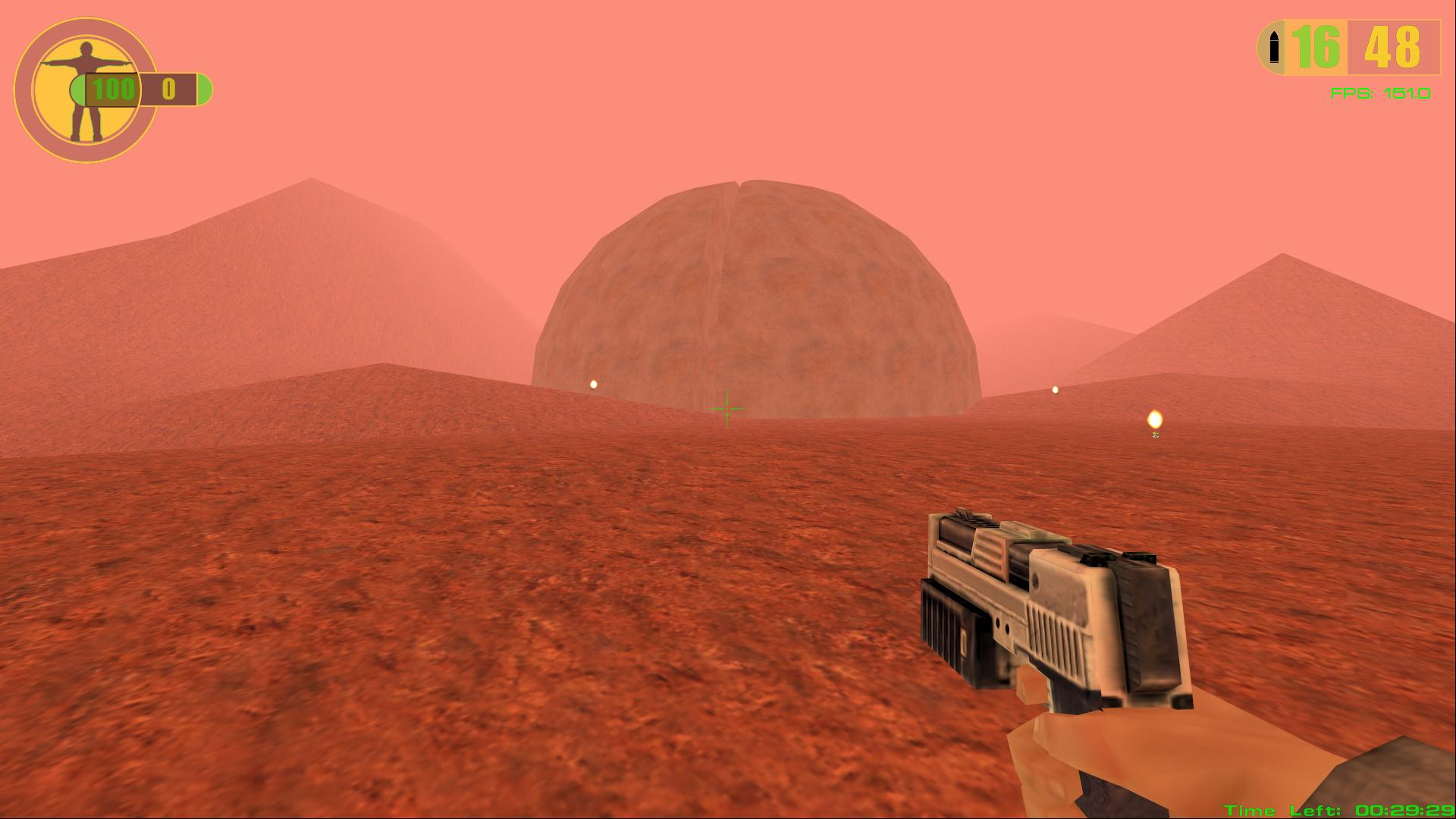 brave crown
gaunt lotus
https://www.factionfiles.com/ff.php?action=file&id=5878
brave crown
gaunt lotus
https://www.factionfiles.com/ff.php?action=file&id=5878
oh dear
woo the jump pad autogen seems to work well in most cases

it doesn't get the jump pads in nemesis... but those are a bit unique in flinging the player through a very narrow window
im trying it... this is going to be like a 50mb awp lol
brave crown
it did take forever, but my protections stopped it from being too crazy lol

there's a max number of hops from a single probe
if there were items between the spawns you could chain these sections together
brave crown
bots will soon know how to walk off ledges to access lower levels without having to be manually taught
 boreal ether
brave crown
bots will soon know how to walk off ledges to access lower levels without having...
boreal ether
brave crown
bots will soon know how to walk off ledges to access lower levels without having...
The ultimate test is Dm-Play Mat 😆
glacial storm
One map I would definitely recommend for Bot navigation testing is RFU6-Live Mines
Stuff like the conveyor belts, Fusion platforming, those turrets, wind tunnels. And also, apart from fusion grab, most of those should actually be actively avoided for optimal play.
brave crown
boreal ether
The ultimate test is Dm-Play Mat 😆
 brave crown
glacial storm
Stuff like the conveyor belts, Fusion platforming, those turrets, wind tunnels. ...
brave crown
glacial storm
Stuff like the conveyor belts, Fusion platforming, those turrets, wind tunnels. ...
I'm avoiding trying to teach the bots how to use map-specific mechanics (like the turrets) because honestly it'd be more work than it's worth, and they're never going to use them quite like a human player would. But of course you don't need those things to play the maps
and of course there will always be some mechanics that maps rely on that make bots impractical for those maps. Like, a lot of Kiliad's old maps had very convoluted trigger sequences required to run flags... that stuff is well outside the scope of the bots 😛
They will know how to do basic things of course though - like pressing a button to open a door or extend a bridge, breaking glass to create a path, or making craters to access secrets
boreal ether
brave crown
wow that surprised me. just 2 things a noticed that could do with adding manually
 dire geode
i'll bring a video that showcase it in action.
dire geode
dire geode
i'll bring a video that showcase it in action.
been a while, been doing clean ups and making improvements for (probably) the next release.
Gyro Autocalibration system got a bit of a upgrade, now you can have it calibrate whenever you're in a Menu or be Always On... or just turn it off. Should work more akin to fortnite's own system.
 thorny pumice
brave crown
bots will soon know how to walk off ledges to access lower levels without having...
thorny pumice
brave crown
bots will soon know how to walk off ledges to access lower levels without having...
Does this take in to account servers when fall damage is enabled? some sort of logic check to disable those routes if fall damage enabled?
thorny pumice
brave crown
They will know how to do basic things of course though - like pressing a button ...
Curious, you mention accessing secrets and breaking glass for routes, what about geo-shortcuts? I'm thinking specifically of Overlord with the jump pad in the tunnel and the holes you can geo in the floor to drop down etc...?
brave crown
thorny pumice
Does this take in to account servers when fall damage is enabled? some sort of l...
it does not, but that wouldn't be difficult to work into the logic
brave crown
thorny pumice
Curious, you mention accessing secrets and breaking glass for routes, what about...
Yeah those are considered. Technically the way it works is that bots see explosion/shatter targets are a method to bridge two waypoints
so the bot knows "this is a valid route if I do X here"
thorny pumice
brave crown
it does not, but that wouldn't be difficult to work into the logic
Just figured might be worth doing, otherwise they'd be choosing to hurt themselves potentially repeatedly 😄
thorny pumice
brave crown
Yeah those are considered. Technically the way it works is that bots see explosi...
So would you manually have a way point set on the outside of the canyon wall, then one internally on the otherside, followed by the route up the jump pad etc... then when it geos it creates the route through the wall, or is it set as a "route here IF geo first"?
brave crown
thorny pumice
Just figured might be worth doing, otherwise they'd be choosing to hurt themselv...
True, though I honestly can't recall the last time I've seen fall damage turned on in this game :p
thorny pumice
brave crown
True, though I honestly can't recall the last time I've seen fall damage turned ...
I can't either TBF, but I always try to think of every option, better to cover all the options if they exist
brave crown
thorny pumice
So would you manually have a way point set on the outside of the canyon wall, th...
this is from auto generation
If you wanted to manually tweak the position of the explosion target you could, but this should work perfectly fine
the explosion system has 2 elements:
- Explosion targets which tell the bots where they should try to make craters, and what waypoints should be bridged if they do
- Crater waypoints which are created on a geo, and automatically form links to nearby waypoints with LOS, these are the waypoints that the bots would actually use to route through the newly opened pathway
 thorny pumice
brave crown
this is from auto generation
If you wanted to manually tweak the position of th...
thorny pumice
brave crown
this is from auto generation
If you wanted to manually tweak the position of th...
That's cool. I assume the green thing sticking up is the height element of the geo region? As the box appears to be on the floor?
Also for a minute I thought it was saying bots could go UP to the fusion, but it's the opposite 😄
brave crown
the box is the explosion target and it's floating in the solid space inside the geometry
the green thing is the Y movement element of the gizmo
for moving the explosion target because i have it selected in the screenshot
the blue and red handles are for X/Z movement
thorny pumice
Ah I missed the "handles" 😄
So does it default to the floor?
As I'd have expected it to be centered on the geo region
brave crown
no, it defaults to an offset above the height of the midpoint between the 2 bridged waypoints
i think its 1m
thorny pumice
Oh right, interesting. Maybe it's just the perspective but it looks feet level to Me 😄
brave crown
it doesnt care about the bbox of the geo region, the test for making explosion targets is (very simplified):
If two waypoints WOULD be connected if geometry were not there, check if the midpoint of that connection is in a geo region. If it is, make a explosion target
thorny pumice
Ah ok, cool. Clever idea.
So I assume you do an auto-pass and then review any tweaks you want to add/remove?
brave crown
for the ones I've done so far yeah - which have all been defaults. It's most important that defaults and maps that are most commonly played, play well of course
I won't be able to manually review and tweak every single one once AWPs (waypoint grid files) start being generated for the huge amount of maps out there, but for those it'll probably just be testing by observation. Play the maps with bots and if the bots do weird things, figure out why and tweak the waypoints then
this is why im putting so much dev time into autogeneration 😛
autogeneration should be to a point soon where it creates usable (even if not 100% ideal) waypoints for 99% of maps without needing tweaks
and also mappers will be encouraged to provide waypoint files for their new uploads, so they have the opportunity to tweak them themselves
prisma dirge
I am using the autogenerate tool for generating the awp files.
I can see the generated files are readable textfiles,
After some tests I saw the server is crashing sometimes the clients / or causing them to disconnect.
Error message on the client bot:
[1861.09] WARN: af_process_server_req_packet: invalid remote handle 50af00a5
The last map before the clients crashed: Dm-NukeTown2050.rfl (TDM) with autogenerated awp file.
brave crown
@prisma dirge these are headless bots, right?
prisma dirge
yes but also normal Cliet
prisma dirge

Yes, non bot client for watching the server, and 4 headless bot-clients that are crashing at same time
brave crown
the non-bot client is also crashing?
can you send me a crash dump?
AlpineFaction-crash.zip in RedFaction\logs
prisma dirge
Not crashing, it is only disconnecting
prisma dirge
No server is alive
I could rejoin but I have a script taht starts server and clients at same time
testing rejoin
 brave crown
the server is still on nuketown there right?
prisma dirge
yes it is on the serverlist i guess
brave crown
ok, thanks. If you can send me the crash dump that would be helpful
prisma dirge
Oh no Server is not responding also
I restart server and remove Nuketwon from maprotation and will check if server is crashing again in one hour
thorny pumice
brave crown
and also mappers will be encouraged to provide waypoint files for their new uplo...
I've not been following developments too well, is this being baked into RED or is it a seperate tool?
brave crown
the waypoint editor is in the game, and it produces a standalone waypoint file (.awp) for the map
thorny pumice
Oh, ok that's interesting!
brave crown
this screenshot was from the waypoint editor in game

this is what the waypoint files look like

if i were designing this at Volition in 2000, I probably would have embedded these in the rfl file
but given the thousands of existing rfls, it's not practical. So separate files make more sense
thorny pumice
That's fair and considering we don't need these files unless planning to run bots (so assume the server owners), most users don't need to know how these work
Do you plan to make this available on the auto-downloader for servers when changing maps?
Sorry, got lots of questions today 😄
brave crown
Right. Well, server operators don't really even need to know how they work, they just need to know they need them :p mappers moreso should know how they work
AWP files will be supported on the autodownloader yes, I'm not 100% sure what that experience looks like yet but it will, and it will be as seamless as possible
prisma dirge
Is there a command similar to sv_checkmaps to see if a map example.rfl has an according waypoint file with name example.awp ?
I did autogenerate the files, but now I don't know which maps have no awp up to now (I could write a script, but if there is an existing command I would this command instead)
brave crown
There is no command like that currently. Just check your user_maps/waypoints folder. They're all there
gaunt lotus
thorny pumice
That's fair and considering we don't need these files unless planning to run bot...
honestly, they're a pretty good "offline" experience as well, so while the UX isn't great for local botgames right now (you have to manually run a dedi and spawn all the bot processes), this could be something that improves for 1.4, 1.5, etc.
there are pros and cons to them being individual processes, but since the game is single threaded, it's mostly a pro right now as anyone with a multicore chip could easily run the game at full speed + some bots
thorny pumice
gaunt lotus
honestly, they're a pretty good "offline" experience as well, so while the UX is...
I don't think I'd ever run them locally, purely because I'd be even more depressed getting pwned by a bot than I am when I get pwned by you lot.
gaunt lotus
they are very tunable
thorny pumice
Accuracy 0.1%....
gaunt lotus
I think goober hasn't mentioned this much but the configuration profile for them is kind of enormous
they have a pretty deep finite state machine and goal routines
brave crown
this is correct, I definitely have not mentioned that much lol
gaunt lotus
and in spite of all that, it's still really difficult to get a bot to understand the more nuanced macro concepts of the game
like if you give them insane aim and play FFA, it would be a nightmare for sure
but they aren't that good at 1on1 or team modes yet
brave crown
the bot profiles involve configuring a preset, and then you can tweak the individual aspects separately beyond that
 gaunt lotus
i dont think we've tested but in theory they can play mods, too
but if the mod's movement differs from the base game too much (lego) they would probably be really shit
brave crown
have not tested, but they will try to play them for sure. The movement and weapon/powerup tiering is based on the stock game though, so their value assessments would probably be very wrong
gaunt lotus
good for weird, hive, etc. maybe ISM on some maps, not accounting for objs
brave crown
like in Tactical for example, the mac 10 is the rail gun. The bots will see that as extremely valuable (because the rail gun is), even though the mac 10 probably shouldnt be
brave crown
gaunt lotus
good for weird, hive, etc. maybe ISM on some maps, not accounting for objs
actually yeah, the bots would probably be very very confused on ism right now
since they would see it as CTF, but one of the flags is inaccessible
I actually dont know what would happen there 🤔
I'm guessing the team that has the flag would probably just freeze because it has no route to its own base, and the other team would just basically play tdm mode
gaunt lotus
interesting
well ISM bases have the weapons in the base
so i wonder who wins
the aggressive bots or the ones piled up in their base
probably the aggro ones
brave crown
Probably yeah lol
I also have no clue how the value assessments for the weapons would work out
fallow valley
brave crown
this screenshot was from the waypoint editor in game
i'm shocked it's not imgui
when u getting on ida pro mcp so u can get claude to reimplement red faction 1
brave crown
fallow valley
when u getting on ida pro mcp so u can get claude to reimplement red faction 1
I am already using mcp :p
fallow valley
crazy
i've seen someone try to reimplement cod2 with a MCP and claude which in turn should've been simpler than cod4 cuz no fastfiles (and there's the Mac build with symbols) but they gave up on it and called it a failure
split sleet
brave crown
I am already using mcp :p
hey plz check dm's ive send u very interesting RED project interesting
technicalities problem
map
development thingy
a lot of ; and <>
thorny pumice
split sleet
a lot of ; and <>
Much technical, very wow. 😅
dire geode
gaunt lotus
do you know if SDL has any kind of built-in flickstick implementation?
flick stick is added in, but is considered experimental feature
(reality: i still don't have enough space, use config or joy_flickstick on the console)
brave crown
This is really great work @dire geode
dire geode
i also gave a shot at adding some sort of a scrolling feature inorder to add more options...but i gave up and scrapped it


i'll just wait for the menu overhaul instead and just focus on finishing everything else.
brave crown
yeah that needs to be confined to some sort of container or something (and tbh, that should be separate to this PR anyway)
dire geode
which means: those who want to adjust the gyro smoothing/tightening/flick stick sens, etc...will have to be done via cmd or .ini for the time being
gaunt lotus
probably fair for now, the menus need work far beyond just this so yea
dire geode
ok, the gamepad pr is essentially complete...?
i think?
unless it needs additional testings: I'll plan to add it to changelog soon (ideally for the next release)
dire geode
ok, i'm currently reviewing your comments for mouse scale.
@brave crown, so i believe i accidentally found a bug with the ms clamp while i was comparing to master branch...which I fixed unknowingly
turns out: the ms clamp only applies in console commands, but it's outright ignored for the alpine settings ui portion. you can bypass the ms clamp via Alpine Settings! I haven't check the config portion yet. (also applies to alpine_settings.ini)
I can apply the clamp for the UI for the sake of continuity (but only for Classic), or just straight up remove the clamp altogether.
brave crown
dire geode
ok, i'm currently reviewing your comments for mouse scale.
<@18585611450672743...
Oh, good call - i had not realized that. In that case yeah don't worry about restoring the clamp to classic mode for the ms console command
dire geode
i love accidentally fixing a bug
brave crown
lol :p
dire geode
ok, now missing one more newline to fix.
hmm... it's actually removed...but github diff doesn't wanna
ok, i think everything's solve
the vehicle camera scaling portion? I'll admit: it's taken from nick's very own joystick camera vehicle fix...just repurposed somewhat.
since Raw is just...Raw, it's based upon it. but if switching to modern mode: the vehicle scaling gets messed up. this is why Modern has a multiplier function that to match it the actual mouse scale of id tech's (vehicle camera's scale is based upon Classic's default mouse)
that request might require rewriting it to cover all input styles and mouse scales, but i'll let nick to decide the fix.
brave crown
i need to test out both in game and see what it feels like I guess - looking at the code it seemed off to apply a vehicle scalar to modern but not raw
dire geode
yea, it'll be good feedback for nick in particular.
gaunt lotus
i can build it all and take a look but what do u mean by it gets messed up
like, too fast? does it mess up the physics for the vehicles somehow?
the vehicles are so jank anyway, ugh
brave crown
also the mouse aim in some vehicles is used to turn the vehicle, and can be stopped/slowed by the vehicle collising with stuff
and in others it's intentionally floaty (rot accel) lol
tbh I just tested it and I think it feels fine
dire geode
gaunt lotus
like, too fast? does it mess up the physics for the vehicles somehow?
while I was testing the tutorial's submarine: it moves too fast under Modern scale mode. That's why there's a multiplier reduction to remedy it
Raw scale works the same as Gamepad Joystick, tho.
Classic doesn't apply the vehicle fix, it already worked to begin with.
brave crown
im good to merge this PR now
brave crown
gaunt lotus
i can build it all and take a look but what do u mean by it gets messed up
were you still taking a look at it?
ill wait for that if you are, but im good to go on this one unless you see a problem in your test
dire geode
I believe the turrets should work fine with both Modern and Raw. It should use the same player camera as before...but we can double-check just-in-case
won't be home til then
gaunt lotus
brave crown
ill wait for that if you are, but im good to go on this one unless you see a pro...
if u think its fine it probably is tbh
i wont have time to test it for awhile (day or two at least)
simple valley
QUESTION, does remove player weapon work in multi, I have a dumb idea but it wont work if people spawn with pistols
gaunt lotus
IIRC it does
simple valley
dire geode
brave crown
Oh, good call - i had not realized that. In that case yeah don't worry about res...
fun fact: mouse scale (with or without the clamp fix) has no cap in place.
you can go crazy lol.
unfortunately, the Gamepad's gyro mouse is capped to 30 (matches Steam Input's gyro sens cap), but not the joystick camera cuz I haven't figured out which cap I should put
dire geode
dire geode
I believe the turrets should work fine with both Modern and Raw. It should use t...
i double-checked, it works! 👍
brave crown
Thanks for that @dire geode ! I've merged your PR