#pc-build-help-and-tech-talk
1 messages · Page 101 of 1
 chrome heart
 rapid plume
Remove the M.2 since it’s double the price that was for me
And use the gigabyte then
rapid plume
Look For a PSU that’s over 750w thats titanium or platinum (titanium is better) that’s 150 euro or lower
And look for an M.2 SSD that’s 75 euro or under
CPU, CPU cooler, motherboard, ram, HDD, and fans are the only thing from my list you should keep on the list
rapid plume
Add that
rapid plume
Do you Know the difference between MVMe SSD and SATA SSD?
rapid plume
If you want to save money you should get a SATA SSD, because the one you picked out is the same speed as a SATA one and costs a lot more then a SATA one
It’s about 20 euro more for the same thing pretty much
rapid plume
And is the 2080 SUPER for 800 euro the cheapest?
rapid plume
Look for a cheaper X570 chipset motherboard
chrome heart
550 euro seems to be the cheapest one
gigabyte one again
i'll just see if i can crank my budget up
rapid plume
Top one
rapid plume
There’s two routes I have for ya, one that has you loosing 20+ FPS but keeps in budge or one that will be over budget by a small bit but you’ll have to save up a bit
chrome heart
i'll jsut take over the budget one
¯_(ツ)_/¯
i'll save a little then
@jade ermine which xd
 jade ermine
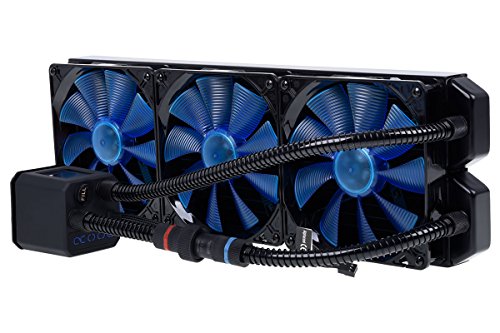
Arctic liquid freezer 2
jade ermine
Shits on corsair/nzxt/deepcool all in ones and its way cheaper
- comes with great fans
rapid plume
There’s no 420mm option for that tho Unlucky
jade ermine
360/280mm maybe instead?
rapid plume
Case won’t properly support that
rapid plume
Plus for price point the one I have is one of the cheaper
chrome heart
thermaltake core p5 @jade ermine
Arctic liquid freezer 2 is actually cheaper than your icebaer
rapid plume
adata NVMe SSD 500gb Look That up
jade ermine
Also P5 takes 120/140mm fans so idk what you are on about compatibility
chrome heart
ok
rapid plume
Get the Samsung for SSD
That look about right for price?
And if you get a 360mm it will look like shit, the case is meant for larger rads, and you can only get a 240mm since that’s the only in stock, which is shit compared to the 420mm lmao
He also wants RGB, that will be meaning he will need to change his fans
There’s more to consider for AIO then Just ‘oh it’s good’
jade ermine
its meant for custom liquid looling
so any AIO will look rather dumb on it
just my 2 cents
rapid plume
It has a quick disconnect, if he ever wanted to do custom he could do it, and this is perfect because he can replace liquid should it ever be needed
chrome heart
@rapid plume yea that's about what I have
jade ermine
eisbaer
that pump is hot ass. Buddy of mine went through 2 of those in 1 year. SFF build.
rapid plume
You went from putting in your 2 cents to trying to force your OPINION
jade ermine
Atleast im not blindly recommending poor products
rapid plume
Blind yes
rapid plume
Thats why you knew rads larger then 360mm existed lmfao
jade ermine

https://www.thermaltake.com/core-p5-aio-bracket.html @chrome heart Thermaltake sells AIO bracket for P5, Might be handy since you are going with AIO
It's mostly just aesthetic thing lol
rapid plume
Anyways forced opinionated comments aside, I’d say get the full list together then look around for the best prices then keep an eye on them as you save up Equinox
chrome heart
i'll try thx 🙂
rapid plume
Because of corona, prices are fluctuating a lot
chrome heart
your help is very much appreciated
chrome heart
❤️
 dense wasp
rapid plume
dense wasp
rapid plume
Fans make things better! XD
chrome heart
I'm just following you guys' recommendations
 pine lion
Question for yall, I put a build together last over facetime for a friend of mine that doesn't understand PC's by any mean's. We had it booted, benchmarked etc. Had him go into bios setting's just check everything for the first time and now the board lost the HDD, although it's displaying it on screen which doesn't make any sense. It's just missing from the boot sequence I tried everything I could think of CSM mode, Uefi settings, all of it. Still the same problem this whent on till about 2-3am and I just had to call it. Other then putting a bootable usb with window's anyone have any idea's [all conections where double/triple checked] its an ASUS 397-a <--- or something close to that.
 brisk badger
Did you, by any chance changed the AHCI option in the bios for the booting OS drive?
I don't really understand your post but I assume the HDD is properly detected in the BIOS but the pc doesn't boot afterwards
 sick reef
Sounds like it detects the HDD but does not see it as a bootable drive.
pine lion
^ yes, and yes the bios doesn't see the bootable drive. Although the bios display screen is showing the HDD there. Just not in a bootable squence, or even dectected as bootable.
 austere oasis
does this game support SLI?
askign for a friend
he has an older pc obviously, and he said the only way he could play GTFO atm is if his computer supported SLI
i mean the game*
 eternal cairn
You should probably ask in #gtfo-technical-support, @austere oasis.
austere oasis
okkk
 torn ferry
Would someone be able to walk me through on how to clean a computer? I freaked out when I tried using compressed air and saw the evaporate stuff that occasionally comes out when you hold the can at the wrong angle, so I just put the panel back on and left it.
sick reef
Well, it usually does if you're holding it upside down, but shouldn't be too big of a worry, unless it leaves a wet stain on the MB.
sick reef
Then you don't need to worry too much.
What you want to get rid of primarily, is the visible dust.
pine lion
you mean liquid nitrogen? harmless, just dont put the can upside down. It's the compressed air coming out to fast. even if it does a little will not harm any componet of your pc.
torn ferry
Unsure if I should just replace the case fan with a new one I have or clean it.
pine lion
new 1 if better cfm
torn ferry
CFM?
pine lion
cubic feet per min, basiclly how effective the motor and fan blades are.
torn ferry
My computer is an iBuyPower prebuilt, so I assume the case fan is an inferior one?
pine lion
eh, depend's.
torn ferry
I bought a prebuilt because I am too stupid to build a computer.
 fleet canopy
Give it a good clean though
sick reef
The best tip I have for you is actually to vaccum the radiators.
or the heatsink, if that's what you have.
pine lion
Your not stupid, your new to understanding computer lingo, everyone was there at one point.
torn ferry
120mm liquid AIO.
pine lion
Water cooler.
Like a car's radiatior system, CPU chip is the motor, the radiator is the radiator.. takes the heat from the the CPU and cool's it down before returning cooler water to the chip,
All In one. is AIO.
sick reef
Not fully correct but good enough.
torn ferry
I just get really scared I'll break something if I try to clean or do anything to the computer.
pine lion
Im being simple. You will not break anything as long as you spray the dust off everything it will only help the pc in the long run
sick reef
Yeah
torn ferry
Do I keep the computer upright or lay it down on a table before cleaning out dust?
sick reef
Does not matter so long you remove the dust.
Most important is the Radiator fins, eventual clumps of dust, and most dust on the fans.
torn ferry
Do I have to remove the AIO to clean it?
sick reef
No.
torn ferry
What about the fan on the cooler?
sick reef
If you can remove most dust from it, there's no need to remove it.
 vapid crypt
Just spray compressed air through the radiator, as long as it isn't that clogged up anything stuck in there should come out
torn ferry
Still scared to do anything though.
brisk badger
bring it to a local pc repair store
torn ferry
What are the ideal temperatures for GPU and CPU?
brisk badger
this varies from type to type and what your goal is
torn ferry
I only intend to play games on this computer.
brisk badger
i meant more what hardware do you have and if your goal is to have it as silent as possible or if performance matters more
torn ferry
i7-8700k and RTX 2080.
brisk badger
generally I would say, keep CPU under 80° and GPU maybe under 90°
torn ferry
Right now having GTFO open, it says on Open Hardware Monitor the GPU is 66-67 degrees Celsius and for the CPU it is between 56 and 65 degrees Celsius.
brisk badger
that's totally fine IMO
torn ferry
Is that considered the ideal range?
When should I be worrying about if something is wrong? 90+ degrees?
brisk badger
yes but since you have modern PC, it will adjust the fans and make more noise once it's reaching a hotter temperature
and in worst case, the PC will power off if it's getting too toasty
torn ferry
I'm unsure if I need to clean it now or not, I'm sure I need to though.
Had this PC for a year and a half now.
brisk badger
temp wise, it probably won't matter much. however if you clean it you solve potential issues in the future, you will have fans that live longer when they are not covered in dust and generally have a good airflow
torn ferry
I have LL120 fans that I want to put into the case, but I'm unsure if the front panel can be taken off.
The particular prebuilt I bought is iBuyPower and uses the Slate 2 case.
@brisk badger is 80 degrees Celsius bad for GPU temperature when running a game?
fleet canopy
That's kind of high, but it's fine
torn ferry
Does it need to be cleaned if it is that high?
fleet canopy
I mean, if you haven't cleaned in some time, probably
torn ferry
What exactly do I do when cleaning the PC? Will a can of compressed air be enough?
torn ferry
Don't I need to pick up dust that falls inside the case?
torn ferry
What exact vacuum do you recommend?
fleet canopy
Any vaccuum
Regular vaccuum will do good anyway
Oh?
What monitor is it
Any resolution + refresh rate?
 lilac geyser
north: running an AD27QD, its pretty good. the blacklight bleed is kind of scary when you first turn it on, but I dont notice once an image is actually displayed. Other thing is it says its 144Hz, but i was reading something and it said that basically it can only do 120Hz
ive been satisfied with it, but kind of disappointed about the 120Hz thing
also, that was the very first monitor that aorus (gigabyte) ever made, they have since then released a bunch more models, probably worth looking at
fleet canopy
 late sorrel
I have three monitors ok
fleet canopy
Damn, couldn't afford 9?
 stark plover
fleet canopy
stark plover
fleet canopy
kek
2 monitor is perfectly fine too, only see a need for third if you're D0c or Ludbug
Well a third might be nice probably
Buuuut
Nothing's gonna use that
 knotty vault
I have a hard drive that has OEM windows on it, I upgraded my computer with a new windows 10 key I purchased myself. Can I either A. Change the OEM windows 10 key to my new one and use it in my new computer? or B. Access the OEM harddrive with my new computer?
Any help would be appreciated, I know quite a bit about computers but this is something I haven't delt with before
fleet canopy
"If you need to install Windows 10 Home on another computer, you need to purchase an additional license. As noted, OEM licenses do not have transfer rights. With OEM system builder licenses, there might be a bit of gray area. So, you could try your luck using chat support to reactivate"
I guess
knotty vault
I have purchased additional licensing
fleet canopy
Ah
knotty vault
But the oem hard drive is hardware specific, how do I access the HD and change it?
fleet canopy
Oh
 knotty haven
MuppyPayo.exe is not responding
lilac geyser
i read and reread what you said bio but i still have no idea what you are trying to do
fleet canopy
Maybe he means to use it to install Win 10 on another PC
But uhh
Yeah not sure what to do with it since I'm clueless in that part
late sorrel
I have no idea but that has done it to me playing Seige
 narrow chasm
assembling my first ever PC build soon for college work, digital games design
fleet canopy
Nice
narrow chasm
:))
 elder spoke
How do i reduce fps"?
eternal cairn
In GTFO or in general?
rapid plume
You want to reduce it?
eternal cairn
If you mean the target framerate in GTFO, click Settings > Advanced Video and adjust Target Framerate.
torn ferry
Is Open Hardware Monitor a safe program?
elder spoke
@eternal cairn I did that but its still doesn't go down
@rapid plume yeah, reduce a bit of load on gpu without taking away graphics
just on gtfo
fleet canopy
Hm? What do you mean by that?
 abstract kite
|=
elder spoke
gpu going up to 80C
abstract kite
;-; i want download generation zero but meh pc suck ;-;
fleet canopy
Ah
elder spoke
i notice if i reduce fps it runs cooler
abstract kite
|=
fleet canopy
Hm
elder spoke
i'm currently on 140-150 fps
fleet canopy
Does using vsync work or is that broke
abstract kite
;-;
elder spoke
@abstract kite i'm sorry
abstract kite
;-;
elder spoke
i'll cut a bit off my graphic card and send u
fleet canopy

abstract kite
|=
fleet canopy
Well, you can undervolt your GPU if you can
fleet canopy
Ooof
elder spoke
i found a way
elder spoke
nvidia settings
abstract kite
|=
elder spoke
hmm gtfo stopped loading after i did it
abstract kite
@abstract kite You can go into your Radeon Software by right clicking on a open part of your desktop and clicking on it. I am not sure what GPU you are running, but I assume the software is the same across the board with Adrenalin.
abstract kite
ok thx for the information
abstract kite
Wow, so. I can't use Wallpaper Engine and my Fan RGB's at the same time xD
Anyone understand why?
abstract kite
How well would a ryzen 5 1600AF rx570 8gb and 16 gb of ram run on gtfo
fleet canopy
It'll run good
Might not hit 60FPS too much, but you'll def be able to play it well
abstract kite
Well later after I get the money ima upgrade to a 1080
late sorrel
I have that but a 2600
and it generally hovers around 60fps
so
you'll get 55-60 fps
on top settings
abstract kite
Well I also have done minor oc on the graphics card
No oc on the cpu though no water cooling
Also don't have a good monitor didn't have the money when I brought my other parts so I'm just using the TV currently 60 hertz doesn't do it
Cinebench scores are actually pretty good though
Haven't had a chance to do the heaven Benchmark yet but that's what I'm going to be doing tonight
2491 on cinebench
fleet canopy
Well depending on the resolution of the TV, you probably can run it
vapid crypt
I get 80 - 90 with an R5 2600 and RX 580, perhaps drops when enemy waves spawn
elder spoke
does anyone know a way to limit your fps in gtfo.. I've tried using the fps slide in video settings but it doesn't work
vapid crypt
You could turn on V-sync in the settings, that limits the framerate to the refresh rate of the display you're using
abstract kite
death
elder spoke
@vapid crypt thank you, I'll try that
 void perch
does anyone know a way to limit your fps in gtfo.. I've tried using the fps slide in video settings but it doesn't work
@elder spoke Can you DM me a dxdiag. Trying to see if it's hardware related as testing we've done shoes limiting the frames does work
elder spoke
I had to turn off vsync in order for it to work
fps is now limited
thanks for your help guys
and u @vapid crypt
fleet canopy
Hm
abstract kite
Hey guys. Looking for good 150mm fans
elder spoke
Search linus tech tips on youtube @abstract kite
elder spoke
it informs you which brand of fans are actually worth it
from there you do your search for 150mm fans in that brand
fleet canopy
@abstract kite https://www.newegg.com/p/pl?d=150mm+case+fan
Linus indeed is a 150mm fan
Just go onto stores and find some 150mm fans pretty much
Because I'm sure to hell it'll be a great thing if you manage to actually find it
abstract kite
annoyed
abstract kite
You're not really helping..
fleet canopy
You don't exactly need all 4 screws on a fan to keep it there
Two can hold it in perfectly fine I guess, so you could actually manage to fit in a 140mm fan
brisk badger
I do not speak spanish
This may sound stupid, but what's the difference between vsync and limiting the frames?
 fallow trail
@brisk badger Can u help me?
brisk badger
not really as I cannot even paste the letters into a translator
reinstalling the sound driver may help
abstract kite
limiting the frames is fluid
you can limit the frame rate to be higher than your monitor refresh rate
however vsync locks the framerate to the monitor refresh rate
brisk badger
yes but when you limit the framerate, wouldn't you optimally limit to the refreshrate of the monitor?
like myself for example, I always limit to 144. Will there be some sort of delay with limiting frames?
abstract kite
not really
brisk badger
i never really read much about vsync but people say it adds a delay
*delay in frametimes
abstract kite
you wont see anything above FPS but for competitive games even if ur fps is higher than the refresh rate you will have an advantage
because higher FPS always gives better frame times
my monitor is 144 but i usually set the frame limit to 170
brisk badger
okay I see
abstract kite
no screen tearing but better frametimes
brisk badger
i need to look deeper into frametimes and find a small app that can display me this info easily
abstract kite
i think vsync does add a delay vs regular frame locks
its like a 15 millisecond delay
i think
abstract kite
frametimes definitely get lower with higher FPS
i have the afterburner stats and when i get 200 fps the frametime is definitely lower than 144
yep 300 fps is about 3 milliseconds, 144 is around 7 milliseconds
brisk badger
yea I just don't want to install afterburner again because only of this info.
I used to have big problems with afterburner always resetting my undervolted settings after a reboot. So I completely ditched it
yea make sense. thanks for the help 👍
fallow trail
@abstract kite That's how the sound in my laptop stopped working. Neither on headphones nor without it works. I tried to update the drivers, uninstalled and installed the drivers, but without success. Not even a test can't be done
fleet canopy
"The only real difference is whether or not your hardware can handle it. If you're getting FPS significantly above your monitor's refresh rate, capping is the way to go because there is no point in pushing more frames. If your FPS dips below your monitor's native refresh rate, V-Sync is what you want because it smooths out tearing from those drops and locking to a higher refresh rate than your hardware can handle is meaningless.
If you don't see any screen tearing regardless, then neither really matters." @brisk badger
Actually no scratch that
"Locking fps does practically nothing to help screen tearing.
Screen tearing occurs because your monitor and GPU frames are out of sync (then the name V-Sync/G-Sync/Free Sync). Your gpu is still sending the frame and the monitor is displaying it. Meaning you get maybe the top half of one frame and the bottom half of the old one.
PS: This is a very simplified explanation. A guy on the comments here have made a much better and complex one."
Could always try that out and see for yourself
So what I can assume is that vsync basically makes sure the GPU renders at the right time so it looks clear and good
And locking FPS is just like, limiting the power on it
Locking FPS would just make it do the desired FPS, but not as well as vsync and shows slight tears I guess
vapid crypt
I was playing The Surge 2 recently, since its on game pass I guess radeon software has problems detecting some of the games on there so it doesn't work with freesync. So I get tearing around the center on the screen a lot of the time, and the performance kind of suffers with v-sync on I think.
fleet canopy
Yeah, it's always been something with AMD that it didn't do too well
Or at least when the 5700/XT came out
vapid crypt
What?
fleet canopy
When AMD released the 5700XT, drivers obviously sucked. One of the problems I've heard if I remember right, was that it sometimes had screen tearing even with freesync/using vsync wasn't always very good
late sorrel
yeah I know what you mean with that
 merry bay
@brisk badger This video should help paint a picture around the topic
https://www.youtube.com/watch?v=hjWSRTYV8e0
Also humans are really good at getting used to consistency.
However big/small it might be. If your lag is consistently one value, you'll get used to it and adjust accordingly.
If your lag is sporadic, there's too much variance to properly adjust.
sick reef
Locking frames can improve frame times which can reduce tearing. V-sync is practically a brute force way to force sync, because the front buffer waits for the back buffer to finish rendering before it pulls the frame from it.
Regardless of how long it takes the back buffer to render a frame.
 river sleet
guys! vodka vodka
abstract kite
I agree
 dusk spire
how to play with friend?
fleet canopy
?t lfg
 rugged notchBOT
Hello! If you are unaware, we have Looking For Group (LFG) channels to help users group up and play the game. They are located here: #lfg-north-america / #lfg-latin-america / #lfg-eastern-europe / #lfg-western-europe / #lfg-asia / #lfg-oceania / #lfg-africa.
If you are unsure of how to create or join a lobby, please see the instructions here: #how-to-matchmake.
fleet canopy
Linus epic gamer Yes this is a PC video, you cannot even remove this >:((((
 woeful merlin
@dusk spire press shift and tab. it will bring up your steam friends list
 dense raft
Hey I got a question my pc wont turn on but
The bios on the mother board is on
I'm for sure it's getting power but it wont post
 snow rain
i got a question guys my laptop (acer nitro 5 1050ti i5 8300h) was thermal throttling so i undrvolted the cpu to -0.160 but while gaming it still thermal throttles. So what could it be
quick reply would be apreciated
fleet canopy
It could be dust, yeah
 olive hinge
let me be more clear, replace the thermal paste with a new one, meaning disassemble the laptop use isopropyl alcohol for the thermal paste to clean it and apply a new one(both gpu and cpu), use some air can pressure to remove the dust from the fans and maybe even use a toothbrush with some alcohol to clean the fins in the cooler and you should be set
brisk badger
placing a book under the notebook so it can suck air better 👌
fleet canopy
Haha
olive hinge
the good old trick
brisk badger
it's kinda sad. modern notebooks have sometimes great hardware but are just hindered by the thermal solution. it's my main reason I would not want to play on a notebook
fleet canopy
Always the thermals are usually the first thing to get concerned about with each and every laptop
abstract kite
I've found that laptop cooling pads can help for a temporary fix. Usually takes the temps down.
fleet canopy
Just put laptop in really cold water lol it's that easy
olive hinge
linus
olive hinge
we need more chonky gaming laptops this year
fleet canopy
We need a good gaming laptop that's not cursed by thermals
olive hinge
thats why they need to be chonky
fleet canopy
There is one that does have the ability to move keyboard back, revealing two fans underneath it kek
You could get close to performance of a really good laptop if you can manage to do what AMD does
olive hinge
so they have bigger coolers more room to breath
fleet canopy
They have newer manufacturing at least
So it supposedly performs cooler if they get the die smaller if I'm correct
Well probably not the die in it
But yeah
olive hinge
better architecture so its more efficient, kind of like the new revision of the nintendo switch
olive hinge
beard
fleet canopy
Course we all love his babyface linus one
But damn I'd be lying if I said he wasn't FUCKING good-looking
Kind of looks like my step brother, got the beard at least, looks young enough but hair isn't really close
 molten tundra
Idk, personally I really like linus' beard. I think he looks better with it. Without it, he looks like the nerdy awkward kid in highschool whose only friends is the systems he builds, whereas with the beard, he's actually goodlooking. XD
fleet canopy
Haha
molten tundra
But yeah, I agree with the laptop thermals thing. I had an old one, not even a gaming laptop, it ran the igpu, but even that thing had a bad habit of overheating. I spilled a rye and coke near it one day, cleaned it up as fast as possible, but some got under the thing and friggin' caramelized, gluing the laptop to my desk. Laptop thermals are brutal.
 finite violet

abstract kite
Well think of the Rye and Coke mixture as Thermal Paste 😆
molten tundra
Oh gods, that would be brutal for temps! XD
 split swift
Does anyone know the difference between and external port for a GPU and an external environment for a GPU?
 covert veldt
Both sound like fancy names for the same thing.
 patent kite
"cpu culling workload" - is it for computers with a weak graphics card??🤓
vapid crypt
Kind of, it allows the CPU to be utilized more or less depending how you set it
vapid crypt
Def
abstract kite
Super excited
abstract kite
I'm also interested in what AMD is going to have with Big Navi. Haven't heard more than rumors about that and Lisa saying we'll see it this year.
vapid crypt
All I know about that is they have 3 gpus of different sizes
abstract kite
Interesting
vapid crypt
240mm, 360mm and 505mm
abstract kite
505mm jesus christ
vapid crypt
A clear increase from the first generation of Navi
Which 241mm was the largest gpu they made for that
abstract kite
Please tell me there's Radeon VII successor with somewhere around 16GB
That's probably too much to ask for isn't it.
vapid crypt
Well it will be an RDNA sucessor
vapid crypt
Uh it was already there
late sorrel
didn’t it have heat issues and a bunch of other stuff?
abstract kite
If I had found the Radeon VII when it was available I would have bought that immediately. That amount of VRAM is so enticing to me for machine learning.
abstract kite
A lot of the issues were fixed in later driver updates Tinted.
It dropped to around $550 before it died off.
late sorrel
oh shit they fixed it?
vapid crypt
Its a cut down instinct card, I don't know if they will be doing that again
abstract kite
Call me plain, but the shroud design of that card was one of the most attractive designs I've seen in a long time.
I don't care for all these angular GaMeR cards
vapid crypt
Shame the cooling wasn't great
late sorrel
yeah now I’m interested in that
vapid crypt
But I mean 295w its gonna be hot regardless
abstract kite
That's true
late sorrel
yeah
abstract kite
Still
abstract kite
It still was a bit of a toaster, but the noise issue was fixed
vapid crypt
Yeah it had cooling issues among other things, I don't know if they were pushing the voltages too high or something
That's somewhat of a double edge sword that Radeon seems to practice, overvolting the silicon to increase yields
abstract kite
I want to say that there was a leak of a "3080" having 10GB of Vram. Non "ti" version.
vapid crypt
Yeah I heard about leaks yesterday
abstract kite
It was pretty confusing I'll admit.
Showed 10/20GB for what I want to say was GA101
and 8/16GB for GA102
or something like that
Secondary numbers could possibly be for Quadro cards.
vapid crypt
Those are old leaks I think
vapid crypt
Cause there's a 103 die, which people are thinking is the 80 card
knotty haven
gonna steal the r9
vapid crypt
abstract kite
Well, we should have an idea by the 14th I'd think
Holy- a 3060 will potentially be around the level of a 2080ti?
Are we sure about this?
vapid crypt
That's based on the data shown, really an estimate and that's at ray tracing mind you
Not overall performance
knotty haven
then it will ocst around 2080 too
abstract kite
Yea... I was thinking that was rather advantageous.
knotty haven
tbh 1080 is still top if you dont want RTX iirc
vapid crypt
Which would mean assuming the prices are retained from turing it would make RTX far more viable since it will be more affordable
abstract kite
Possibly more affordable. I really should aspire to get at least a 3070, but extra VRAM is enticing..
abstract kite
I'm probably putting way too much stock in VRAM capacity lol
vapid crypt
I think it might be necessary to think about getting a bit more VRAM for the upcoming generation of games
Depends on resolution mainly of course
abstract kite
I'm still playing on 1080p as I don't have a reason to upgrade just yet. I'm looking at higher end cards for pen testing and password encryption/decryption software
vapid crypt
Yeah I don't really think I'll be upgrading from 1080 either, I got two good monitors so why bother
fleet canopy
There are indeed games that users or developers say you need like more than 11/12GB
Like there's this game called SubSim X or whatever
vapid crypt
That's at like 4k though right?
fleet canopy
Back then, couldn't run at all
Now it's saying like
Needs a 16GB VRAM
Fucking wild
But that's only one game
vapid crypt
Like one game I can think of that can use easily 10gb is Shadow of the Tomb Raider at 4k
fleet canopy
But that big requirement is something I hope we can afford to get tbh
GTA can use up more than 11GB I think?
There was this graphics option which taaaaanked on my GPU
And really added to the VRAM by miles
vapid crypt
If the flagship card doesn't have 16gb I wouldn't be surprised, cause anything to save a dime at Novideo
vapid crypt
12GB would be too late, they were already doing 11GB since the 1080ti
abstract kite
Here's a slightly off topic question that still does somewhat pertain to the conversation. When's the possible time that we will see custom PCBs for these cards? Assuming the reference cards ship around August/September, we might see the custom PCBs around November, yes?
^ yep
It's a far fetched question for sure
fleet canopy
It's best they just do 14GB, and plus, they're doing like
abstract kite
But interesting to speculate
fleet canopy
7nm now? or 4?
vapid crypt
The board partners don't usually take that long with Nvidia so probably within a couple months
abstract kite
Yep.
vapid crypt
I heard they were using Samsungs 8nm at one point
Which is marketing again, its actually just their refined 10nm
fleet canopy
I'll probably get one of those, perhaps the 3080 Ti if I don't care
late sorrel
imagine not having 4GB of ram
abstract kite
I think 7nm actually...? That's what I think I head, but could be 8nm as you said
late sorrel
this post was made by 570 gang
abstract kite
Apparently according to them using Samsungs whatever-nm, production costs would be cheaper(?).
Rumors are rumors though.
Take 'em with a grain of salt
vapid crypt
Oh yeah the video I posted mentions the use of Samsung's 8nm
Likely for the gaming cards
abstract kite
Yea.
knotty haven
intel just droped there 10th series
oh shit
the i9 10k is not that bad
only diff is r9 is fucking 60 bucks cheaper and has a extra core
vapid crypt
2 extra cores right?
knotty haven
yuh
and 4 threads extra
and its $60 cheaper
It just shows how greedy intel has become
i mean great. there catching up, but why that price
14nm

intel chould be on top if they wherent so damn greedy, just stop making 14nm and make the fucking chip cheaper,
vapid crypt
So there's a couple reasons AMD's CPUs are generally cheaper: 1. Until recently they weren't market leaders and 2. They have an extremely efficient way of segmenting their products using chiplets which is really easy and cheap to do, and even makes yields far better. Intel has been stuck on the same process for 5 years, they've had trouble refining a new process/architecture and they of course still use the usual monolothic die approach for their processors. So yields for these kinds of processors aren't as good. Now technically speaking they are absolutely greedy, I'm pretty sure it costs no more than a couple hundred bucks to produce that i9; maybe a bit more. Its a bit more nuanced than that, though ultimately since they've been market leaders for so long even if it isn't really the case now; their brand certainly carries weight that they can afford to ask for more than they really should be. To be honest I'm not entirely sure what Intel is thinking with this, but Alder Lake next year should be more interesting.
lilac geyser
thanks professor
one of gamers nexus' recent videos seems to draw the conclusion that intel has only been putting minimal innovation into thier series since the i7-2600 sandy bridge days
those sandy bridges overclocked like a beast, the newer products dont
so intel has been selling stuff just closer to their true potential, making it look like innovation
fleet canopy
Probably cause they're kind of getting close to how much the 14nm can do
Now with much better coolers, sure
But that's like
Overkill at this point
A huge joke
lilac geyser
i dont care who makes it as long as its faster and cheaper
so i hope intel comes back and crushes amd, and then amd does it again
fleet canopy
Well you have a 3700X which is twice as better as a 7700K by overall specs like core count, blah blah
Not by performance probably idk
But soon enough smaller core count won't really factor in for too much I guess
 solemn orchid
Got my soon-to-be server up and running
Rescued a lovely i7-5820k
And the mobo
LGA-2011v3
Of course some corsair vengeance quad channel DDR4
And I got all of this shit (plus the corsair aio and case) for FREE
I had to buy a new PSU for it, but that's about it
fleet canopy
Corsair epiccc 😎
solemn orchid
Ohh plus I also threw my old 580 in there
fleet canopy
kek
solemn orchid
jesus christ quad channel ram is so FAST
solemn orchid
This is my first experience with server building, so probably I'll just use it for file hosting plus a minecraft server or something
late sorrel
ah
lilac geyser
are you colocating it?
fleet canopy
Steal your neighbor's drives
lilac geyser
i just got an idea, but I can't be the first to have thought of this
fleet canopy
Yeah?
lilac geyser
ok yeah, i wasnt the first so i guess i can tell you
has anyone actually calcuated the full size of dns tables
its got to be yuuuuge
 strange sapphire
Hey, guys. Could i technically use a PC SSD like a USB storage device (for backups, etc.) like you could with a spinning HDD?
primarily for backing my OS drive up
lilac geyser
sure
strange sapphire
@lilac geyser thanks buddy
abstract kite
They make dedicated bays for that too
strange sapphire
Yeah! I saw a couple by Sebrent or whatever, but didnt know how good the y are
lilac geyser
woah wtf discord
i meant to type /s
but crappy discord autocompleted some bs when i typed that
strange sapphire
I have a HDD bay (non-NAS), so I assumed they are made for SSDs as well
abstract kite
Most ssds are 2.5 rather than 3.5, but you can get a converter
you mean on your pc or?
separate
lilac geyser
my computer has never (and will never) emit that monstrostiy of unicode
lilac geyser
kramer, im confused by your initial question, you seem to acknowlege that spinning drives will work for your task, but you wern't sure if SSDs were up to the task?
what are you actually asking
merry bay
Probably just uncertain if SSD's are okay for long term storage
 shrewd otter
At first, no but with how the tech has progressed recently they last around as long as a HDD if you get a decent one.
patent kite
GTFO fps lock on 60?
void perch
probably vsync
abstract kite
Question... is there any news on Z390 boards supporting DDR5?
fleet canopy
DDR5 could be possible if we ever get DDR5 RAM lol
fleet canopy
We won't have it because we don't have it
abstract kite
I mean how does ram work
fleet canopy
And DDR4 goes with DDR4
abstract kite
yea
fleet canopy
DDR3 doesn't go with DDR4
late sorrel
it won’t if it is
yeah, we won’t
there’s a slot on the bottom part of the ram that determines what kind of ram can go in what kind of slot
abstract kite
whatchu meann not necessary
 regal laurel
And why that?
regal laurel
ram speed increases are hardly going to be noticible
You're going to see higher benefits from the newer CPUs
abstract kite
well im on 9900k and plan to stay on it for 5 yrs
regal laurel
Then RAM speed won't be the only thing you're gonna be lacking in 5 years
regarding ddr5
abstract kite
welp in 5 yrs i plan to just work on my study to be a bioengineer
so i wont probably be into gaming and shit anymore
regal laurel
Ryzen 4000s X670? might support it, not heard anything like that yet. Intel Z490 won't, only pcie 4.0
either way the CPU must support it
not just the chipset
abstract kite
ok so yeah i should just sell my current pc and get ryzen xD
welp
oh well i need a new case aswell
regal laurel
Then get some cool RGB tempered glass case, adds +10% ram performance afaik
fleet canopy
We're not going to even see good speeds for DDR5 until like
Way later
Just gotta have some work on it
fleet canopy
Hm
abstract kite
hm wot it says in 2017 it was announced that it should be released at 2019
and latest rumors have it it should come this yr 2020
fleet canopy
kek
If they do come
I guess it'll be AMD using it first
Since Intel still doesn't have anything on it
And plus I heard the 10th gen just dropped
fleet canopy
5.3GHz, uhhh
abstract kite
tbh i reach 5.1 ghz with my 9900k
fleet canopy
All are hyperthreading so no 4c/4t or 8c/8t anymore
abstract kite
its nth special?
fleet canopy
Well I guess not? But boost clocks are good for gaming sooooo
abstract kite
i see 0% XD except maybe faster loading times on pc
fleet canopy
GamerNexus talked about the specs of the CPU, but nothing really much good atm
Since not actual product
fleet canopy
lol
abstract kite
and ryzen gives better price for like more cores/threads
abstract kite
 look at the price
abstract kite
actually lemme check that right away for ya for me on my european site
xD
okay
fleet canopy
lol who cares about other currency
fleet canopy
Will be like a 550-600$?
abstract kite
probably
fleet canopy
640$
fleet canopy
Neat price for a big ass priced CPU
abstract kite
i mean ryzen 3900x is gg
fleet canopy
Knowing it used to be 500$ ofc
fleet canopy
Yeah shouldn't be very different really
abstract kite
im actually excited for seeing the fps difference XD
fleet canopy
Kind of just slightly lower the RTX 2000 lineup prices, ish
abstract kite
from my 1070
fleet canopy
It's supposed to be some pretty good difference from 2080 compared to 3080
fleet canopy
kek
fleet canopy
1FPS difference
abstract kite
true LUL
fleet canopy
lol minecraft raytracing
abstract kite
fleet canopy
I now notice that my cursor seems to be stuttering as well as literally anything if I load up anything like Task manager, etc
abstract kite

abstract kite
I am interested in getting the next gen GPUs, but I have to wonder all the problems their gonna have.
merry bay
@abstract kite Best bet for seeing DDR5 for AMD is 2022. They showed their own internal roadmap, not just some random leak.
But that's not really an announcement, just a rough plan.
merry bay
I wouldn't want to be an early adopter anyway. Real gains come after they get to work on it a little more.
First year of DDR4 wasn't a must buy either
abstract kite
So all new gen stuff isn't worth immediate buy?
fleet canopy
Don't you remember first year of DDR4?
I'm sure you've been with PCs longer than DDR4
abstract kite
No..
abstract kite
I've been running DDr3 for the longest time.
fleet canopy
Ah
sick reef
What we need is better fundamental PCH setup
fleet canopy
PCH?
lilac geyser
its coming, everything is moving to pci
 obsidian bobcat
Hand made riser, gonna stain it to match the desk soon
 tardy tinsel
gfuel
lilac geyser
and pills
tardy tinsel
thats big mouse pad
lilac geyser
fucking razer peripherals...
i bought a razer keyboard and installed their rgb software
it wouldnt let me do anything until a created an account with razer
i put it back in the box and returned it the next day
fleet canopy
Hahaha
obsidian bobcat
ive had this keyboard for like 5 years lmao
i wanna get a new one but im broke and lazy
sick reef
Yeah. I got a razer keyboard that was half-off and Synapse is not something I'm installing.
fleet canopy
Who's gonna even install anything to use a keyboard/mouse
lilac geyser
i think it would have worked as a keyboard, but couldnt have controlled the backlight, or the programmable keys
ive literally been waiting 10 years for something like that for the optimus keyboard to be affordable
it started as $1000, which i understand for a low volume first generation product
each key had a programmable lcd screen, who doesnt want that kind of customization
sick reef
I can appreciate that, but not what the image suggests.
You can't adjust the RGB without installing, and keeping, the software installed.
And it keeps reminding me, because I have a spare mouse for when I lie in my sofa, watching videos, so when I plug it in, it tries to install the software, and I'm at the point where I'm about to stop mice from autochecking for software.
obsidian bobcat
I just installed it cuz it doesn’t bother me
fleet canopy
Hold up
Why not just sell the PC and build a computer?
It's more easier than dealing with Alienware
The PC with problems?
lol their PC is just
It's way too overkill
Overpriced
vapid crypt
Origin is not a great SI choice, they mark up the price way too much
vapid crypt
I think NZXT's BLD would be a better choice
fleet canopy
If you are looking to spend that sort of money, you can get a 2080 Ti and a 3900X/10900K
vapid crypt
Wonderful, what are you gonna do with it?
fleet canopy
Hah
vapid crypt
Don't spend 6 grand for that 
fleet canopy
You might as well settle for just a 1080 Ti or a 2080 Ti and a 10700K
vapid crypt
You can spend a third that, hell less than a third and do the same thing for years to come
fleet canopy
It's just not worth it my man
Just get a PC list and build it, buy a PS5 and switch for way cheaper
vapid crypt
I saw this Timmy Joe video today where he looked at a 11 year old PC that cost someone over 4 grand back then
This is 4 grand canadian albeit
And the mentality of the individual was to have a pc that last 10 years, but the reality is it certainly didn't last
He ended up upgrading the graphics card half way anyway
GTX 295, not even DX 11
fleet canopy
We're gonna be getting the 10th gen, possibly the next AMD lineup, and a 3080 Ti that performs waaaay better than the Orange Hole of Overpriced Crap
vapid crypt
The Green thing? You need to be more specific, there's a lot of green circuit board there
But I assume you mean the graphics card, since it has a green pcb
Which is normal for it to get hot when under a game load
Hang on this is a fairly recent pc right?
Cause that's an RTX card
vapid crypt
The shrowd says RTX, its one of those cheapo OEM blower models
vapid crypt
Single 8 pin
fleet canopy
That's why
vapid crypt
What is that a 2070 or something?
fleet canopy
2060
It's not one of those double fan ones, so yeah
They were kind of okay with the whole PC, just bad parts overall by what they specifically picked
vapid crypt
2070/2060 the only difference really is 4 SMs and 2gb of VRAM 
fleet canopy
I will just assume he'd be in the US lmao
This is what you can get for 6,500$ USD anyways https://pcpartpicker.com/list/PHDdcq
And I
Forget the fans
vapid crypt
64gb of RAM for a 9900k 
fleet canopy
Who doesn't want 64GB?
But eh whatever lmfao https://pcpartpicker.com/list/Cb6ZDx
Here's just 2x16
And some fans
vapid crypt
NVlinked 2080tis that will age wonderfully I'm sure
vapid crypt
Sorry I forgot the /s tag 
fleet canopy
Kek
Of course if you don't do anything stupid or it doesn't decide to commit die on you
But overall yeah, not too bad
abstract kite
@fleet canopy 6K and not even a Threadripper. 🤔
obsidian bobcat
my 2060 Super runs the game perfectly
fleet canopy
Arg you want to be like that? Fine
@abstract kite 
I like how they call a 43" a monitor
fleet canopy
 spring sapphire
So I have a 5 year old gaming laptop with a 970, gpu. all settings are lowest and my resolution is 600x700 range. I get around 40-50 fps. Is there any way to reduce even more settings? like particles?
rapid plume
I’d say this goes in #gtfo-technical-support
solemn orchid
nah, it's fine here
@spring sapphire Not a whole lot you can do, but there's always the option to set it to high priority in the task manager
to squeeze those last couple frames out
rapid plume
And tho it may look odd lowering FOV will help a tiny bit
spring sapphire
@solemn orchid ive done that aswell
@rapid plume oh wow reducing FOV helped a lot. Thanks!!
rapid plume
Not an issue, just sorry about how it looks in game now lol
tardy tinsel
what game?
vapid crypt
Metro Exodus right?
 clear marten
 vapid crypt
Oh I didn't recognize it
abstract kite
Hahahah
vapid crypt
I played MW2 on ps3 9 years ago
abstract kite
That game needs Raytracing.
fleet canopy
Totally
Unless it's already added since MW already has it
Funny how if I have it off, I see a fuckton of pixels, and if I turn it on, it's gone
Weird how ray tracing works but eh
late sorrel
i'd love remakes for a bunch of old games
fleet canopy
They give you the highest anti-aliasing when using ray tracing so it's kind of obvious
Apparently MW2 does have the ray tracing feature @abstract kite
Coffee has a 1070 or the 1070 Ti at the moment so I guess that's a factor
fleet canopy
The only thing I have to say about ray tracing in MW is that it's kind of damn near useless
If you can see details pretty damn accurately, then sure
But overall MW is already too damn good with shadows for it to be necessary
abstract kite

rapid plume
Bruh
 proper wren
https://www.canadacomputers.com/product_info.php?item_id=160914&cPath=16_1859 tempted to get this
Bone conduction @_@
abstract kite
I hope they remake Battlefield 3 and 4
cant believe the game ran smooth af when it being remastered xd
fleet canopy
Ah, yes
proper wren
very popular at my area of Canada
fleet canopy
Oh?
Seems pretty neat, recently looked it up
I was actually hoping it'd be some sort of cure for me when I do gaming but ehh
Poor me
vapid crypt
In what way?
abstract kite
How did it break..?
abstract kite
Pics?
rapid plume
Boi
proper wren
Companies don't cover physical damages unless opened out of the box
but it should be fine to replace the power cord since they're easy to replace
rapid plume
^^^
proper wren
I highly doubt that they would replace your pc all because of a ripped or snapped off cable
rapid plume
Ah, then yea look to the warranty
proper wren
If the warranty is up to date still the technician will take it in to inspect
They will do hardware diagnostics and stress tests to find the fault. Once the fault is found then the technician has the choice to replace the component or hardware. If that doesn't resolve the issue and is brought back to the store 2-3 more times. The tech informs the manager and the manager can do the exchange or credit
Every technician usually has to follow a chain of command line and give proper procedures unfortunately instead of replace pc for new pc lol
rapid plume
Unless you’re me then you just try to see what’s the issue and tell you to buy new shit XD
proper wren
I bet that gpu in your pic is a blower style card lol
proper wren
https://pcpartpicker.com/list/t4k2n7 I got bored and made a sys list for 4k editing/encoding, CAD, Maya, no compromise gaming, etc
rapid plume
You have a price range for it?
proper wren
Depends
rapid plume
On?
proper wren
Upgrade pathing, needs/wants, etc
proper wren
your use case is gtfo and netflix lol
rapid plume
I would say tho RTX Titan May be worth it since you’d be doing presumably a lot of 4K Video editing
proper wren
no
rapid plume
And my use case is a lot more then that, I just go extreme
rapid plume
My point is for 4K video editing not gaming
proper wren
like the titan is good for rendering and such but you're better off getting 2 2080tis than a single titan gpu
That's what I'm saying lol
rapid plume
98% of the time 2 2080 Tis would never be worth it since support for that is so slim XD
proper wren
RTX Titan has less support lol
rapid plume
Since it’s for workloads more then gaming
late sorrel
yeah just get two 2080Ti’s
proper wren
the only time I would get a titan is if I have to do 8k video rendering OR just get a quadro 8000 and call it a day
late sorrel
^^ yeah just get a quadro
brisk badger
I am jealous of all those video editors and those who need beefy pc's for their jobs. For my job they give me cheap stuff with integrated gpu's 😢
fleet canopy
RTX Titan is probably one of the most useless thing to buy for a price like that
And for everything else except the "It's got like 24GB of VRAM so it should be better than 2080 Ti"
More VRAM really isn't something you'd need unless it was heavy 3D rendering if I know right
vapid crypt
Right well it isn't meant to be a gaming card even if some gamers with more money than sense buy it
fleet canopy
Like Linus with 4 RTX Titans?
vapid crypt
Does he have 4 titans in his personal system?
fleet canopy
He used it for like 16 monitors I think?
Course it wasn't too good
But either way, it didn't really work too well for gaming
vapid crypt
Oh so just a throwaway system
fleet canopy
More like a "Let's see how useless an RTX Titan is"
vapid crypt
I was going from the perspective of an individual buying a Titan for gaming even though you don't need that at all
fleet canopy
Well you're kind of right I guess since it was kind of a throwaway since it's not something anyone's gonna really do
Unless bezels were pretty near just not there, and it could be done more easier
rapid plume
It was to make as many WORK stations as possible on a single PC
fleet canopy
It's just a Quadro without support
It's really not worth it imo
Even on any sort of uses
Because if you can't afford a Quadro for that kind of stuff, at least get a 2080 Ti instead, or two of it
vapid crypt
The Quadro RTX 5000 is cheaper than the titan, albeit 8 less gb of vram but I mean considering the perks in workstation use