#pc-build-help-and-tech-talk
1 messages · Page 99 of 1
 worthy hedge
just now i came back to find unwanted pups which i keep removing and they dont go away
my only guess is,my fathers usb stick is infected since its the only thing i used
 merry bay
Maybe not the stick, but the windows install itself is fishy?
 lost kiln
Thats an option too
merry bay
If you're not going for overclocking, there's not much to stress about the mobo, Z370 Gaming Plus would run ok as long as you're not pushing it far.
One could argue you don't need to go for Z370/Z390 if you're not aiming for OC
 fleet canopy
Don't they have a different CPU socket though?
Unless already have a Z370
From what it seems
lost kiln
I haven't really thought about OCing, but i did think about water cooling cuz i live in the attic
merry bay
Either should be ok for 8th/9th gen CPU's afaik
lost kiln
as far as ik the i9 9900k is 1151
merry bay
fits the bill for both Z370 and Z390
9900K turbos pretty aggressively though, so it might be concern. I haven't really seen aftermaths of people cheaping out on a mobo with such CPU's. Just know it's advised against
lost kiln
Hmm
i'll prob hold off on using it till i can get a new MB then
I'd like it to last at least 4-5 years safely lol
merry bay
For the most part it would turbo less, or over time parts of the mobo would risk crapping out from excessive temps on VRM's. That's about it I think. That's my very surface level view on the risks.
Possibly a non issue given good airflow
I went for beefy VRM's just to set things and forget it. Likely not neccessary, but payed a bit more for peace of mind.
Z390 Gigabyte AORUS Elite, works great, only downside a little wonky BIOS
lost kiln
Okay, ill still prob try out water cooling for the upgrades. havent had any system with it so im curious to see how my rig would preform with it in the attic
Interesting my Z370 is the MSi board https://www.msi.com/Motherboard/Z370-GAMING-PLUS.html
 abstract kite
I hear they are coming out with B550 boards
merry bay
When picking a board I would always check out what buildzoid has to say. If you get past the ramblings, there's a lot of spec details you can extract for comparing things.
Went for something overbuilt just to have an option to mess with OC in-case I have time and interest. Also it's a very safe option this way. Not going high end but still having all you need.
lost kiln
Okay, I've always gone with MSI or ASUS. I've had good experiences with both of those brands. They were even the brands i used when i was in tech school
merry bay
The biggest complaint with MSI for the past few years around Z370/Z390 are the heatsink designs around the VRM's. They look pretty but there's next to no surface area. More form than function for a relevant and overlooked part.
They will work, just questionable how it fairs for longevity or heavy OC.
I hate how nebulous it all can be 😄
abstract kite
Thank you guys for helping me btw
lost kiln
Np
merry bay
Just talking about it makes me feel like cpt. vague pants.
I really hope your build goes well, when you get to it.
6AM so likely to doze off soon
merry bay
Isn't that just for browser specific extensions, history, cookies, passwords?
An extension could make a mess with enough permissions.
lost kiln
Alright ill say good morning Hapcher
worthy hedge
propably something along those lines yes
i mean i cant see any other way my pc got infected again
 knotty haven
Ok
fleet canopy
He did have heating problems at one point
And it looks so horribly cramped in there
Clean it more often though when you do
Jesus
Wait are you playing?
Cause if you are playing, that temp is perfectly fine
It's not too bad of a temp
Core clock I believe is GPU core?
Cause after all it's a GPU OC software as far as I know
Memory clock is the GPU's VRAM
The back doesn't seem like a good idea imo
abstract kite
I was playing Halo Reach on Max Settings. was hitting 45c - 50c
Gonna be trying GTFO tomorrow
 pine lion
I would run a pc with a open case while pushing the gpu/cpu
 ornate ginkgo
Is that a aero cool case?
It "buffers" frames. It's kinda like a threshold. What GPU do you have?
lost kiln
Srry for jumping in but if anyone is interested in RTX voice and doesnt have a RTX card you can snag a modified installer to get it to work with older gen cards
 chrome heart
next pc full AMD yay or nay?
fleet canopy
Well it depends
Full AMD is a good option I guess, since drivers made it pretty good
chrome heart
i know
fleet canopy
So go ahead if you'd like
chrome heart
i'm looking to build a pc myself
fleet canopy
Ah?
chrome heart
but everyone always says contradicting stuff
and i don't know if i should just take nvidia & intel or full amd
or a mix
fleet canopy
As in?
chrome heart
because everyone says something different
fleet canopy
Doing AMD + NVIDIA is my opinion
chrome heart
amd processor then?
fleet canopy
And depends what you want to aim for in resolution + FPS
AMD processor yeah
Those have gotten real good
chrome heart
as high as i can get xd
fleet canopy
Sooo
chrome heart
aight
fleet canopy
1440p 144hz or 4K 60?
chrome heart
nah no 4k
fleet canopy
You can go with a 3700X and 2070 Super, that's a nice bet
chrome heart
aight lemme check them out
fleet canopy
Can get a 2080 Super, that would let you do max settings 1440p 144hz no problem
Like 99% of the time ig lol
chrome heart
i'm gaming with a 970m & i7 6th gen atm xD
fleet canopy
Ooof
chrome heart
(obv a laptop)
fleet canopy
What's your budget?
fleet canopy
In euros, ah
chrome heart
yea
fleet canopy
I might be able to help you at least
Not too good with other currency other than USD myself, but I can always give it a try
fleet canopy
Daaamn
chrome heart
(belgium)
fleet canopy
I have no problems with any company stuff, as long as their products keep well
chrome heart
yea that's important
fleet canopy
And I know prices are weird enough in other currency
chrome heart
i know 1 company of which, even in the stores, all boxes are damaged af
fleet canopy
lmao damn
chrome heart
never had problems with them before but i'm not gonna uy there anymore
fleet canopy
Kek
chrome heart
305 euro for the 3700x
fleet canopy
Now I know how it is with other cou- okay that's not bad at all
fleet canopy
Yeah
fleet canopy
So if you wanted to be a bit cheaper, you can get a 5700XT, that's a great GPU overall
2070 Super is the same, but you don't really have to deal much problems with the drivers as far as I know now for 5700XT
If you can find a 3700X + 2080 Super build for a good price, 2000$ or even 1500$, that's pretty epic
fleet canopy
Ooh
Those are fairly okay prices I guess?
Well they're close enough to USD pricing if it's like 500$ / 500 euros
Makes it a bit more flexible for me to put together something
Now I've only had Gigabyte GPUs, and I've not had any problems
Only a 1060 and a 2070 Super, but you know
chrome heart
well
fleet canopy
For a 2070 Super, I would recommend keeping below 600$, but seeing how it is, I don't mind 620-630$
fleet canopy
You'll be able to fit a 2080 Super and a 3700X quite nicely with 1500$ I guess, hoping that the other parts do well
chrome heart
need to consider VR
fleet canopy
Uhh
2080 Ti is a bitch of a card for it's price
Overpriced imo
Like way overpriced
The performance is nice, but only really good for 4K if that's the case
chrome heart
ah ok
fleet canopy
2080 Super can do 4K, but you're not going for that anyway
chrome heart
is it good for widescreen?
fleet canopy
Widescreen yeah
chrome heart
cuz i might sell my current 2 31inch screens for a widescreen
no i'm not indeed as answer to the 4k thing
fleet canopy
Huh?
I myself prefer having two monitors
While it's nice with a widescreen, I don't see the benefit of that for gaming
chrome heart
but for gaming it's annoying cuz you have a like a stopping screen in the middle xD
fleet canopy
Never saw a need to have it be like
chrome heart
but yet again you're right i think
fleet canopy
Dual or triple
chrome heart
same tbh
fleet canopy
Too much money if I wanted to aim for 1440p 144hz on three monitors
Like just a lot lmao
Now I won't stop you for getting an ultrawide
If you really do want it
Go ahead
chrome heart
let's check out laternate :p
nah i don't
i'm gonna be spending lot's of time on VR anyway when i have that pc
chrome heart
i've had a real shitty experience concerning my laptop and Rift S lol
like, my laptop supports the Rift S in every way
fleet canopy
For 1440p 144hz, I wouldn't recommend going past 27" too much
chrome heart
but the displayport is connected to my integrated graphics card instead of my gpu
so i couldn't use it
.........
fleet canopy
There's good VA panels, and even an IPS for not too much more
There's also a TN which is pretty damn cheap
chrome heart
idk what those 3 things are 🤔
knotty haven
Montiors.
 sick reef
Wide Panel, IPS mainly colour correct, TN mainly fast and cheap.
fleet canopy
In non nerd language
It's like
TN? Good for getting fast speed, cheap money, but not the best color
chrome heart
oh xD
fleet canopy
VA? That's in between IPS and TN, but much better than TN
knotty haven
Optic mag is pretty good. Tbh. I use it and I know a shit ton of people who use it
fleet canopy
IPS? Overall the best. Gives great color, but quite a hefty price
fleet canopy
Optic Mag?
fleet canopy
knotty haven
I enjoy it.
chrome heart
what mobo would you recommend as well?
fleet canopy
B450 Tomahawk MAX
knotty haven
newest chipset
fleet canopy
But if you want X570, uhh
knotty haven
That's only if you want amd^
knotty haven
O
chrome heart
^
knotty haven
Good boi
chrome heart
xD
fleet canopy
X570 is not really what you need tbh
knotty haven
I just got my 2080 ti. School gave me a relief check and I used it kek
fleet canopy
All you'll get for it is PCIe 4.0
And we're not really expecting much to use it except the new M.2 4.0 SSDs
But eh
chrome heart
another thing, I still have an 2x 4GB Ram card from vengance from my old pc
I'm gonna buy a 2x8 GB ram this time
can I add that ram from the other pc to it? or would it be wiser not to
knotty haven
No @chrome heart
fleet canopy
But the price is mega stupid
knotty haven
Cant use ddr3 for ddr4
fleet canopy
Yeah ^
knotty haven
Or 3000mz with 3600mz
chrome heart
hmm yea that's true xd
fleet canopy
You can get 3600MHz CAS16 at a cheap price
knotty haven
^
fleet canopy
If your country is not absolutely destroying the RAM prices
chrome heart
fleet canopy
Who care about are gee bee
chrome heart
i mean i have to look at my price
knotty haven
Alot of gamer
fleet canopy
No
chrome heart
it's 129 for rgb with it
fleet canopy
Oh no
fleet canopy
3600MHz CAS18 for FUCKING 117$
knotty haven
That's to much rgb
chrome heart
it's 3600 tho
knotty haven
850 good baseline
fleet canopy
Get an 850W bronze or gold
chrome heart
ok
knotty haven
Anything over 1000 you wont even touch
Unless your linus running 6 servers on one psu
Lmfao
Go semi modular
Btw
Cleaner
fleet canopy
How's the price for F4-3600C16D-16GVKC?
That be the model ID for RAM I am recommend
chrome heart
by the way, do you know where i can get a cheap win10? xD
knotty haven
No XD
fleet canopy
Uhh
chrome heart
dm me then xD
knotty haven
Xd
fleet canopy
Not through piracy, no
knotty haven
^
fleet canopy
Can get for less than 10$ on like good sellers
fleet canopy
Look for Win 10 key
knotty haven
^
knotty haven
^
fleet canopy
Realllly bad case
knotty haven
Super shit case cus alien ware cheap
fleet canopy
Realllly bad airflow
knotty haven
^^^
fleet canopy
Realllly bad fans maybe
chrome heart
looks like the pc will be around 1800 when i check it on alternate
including everything
fleet canopy
Nice
knotty haven
Not bad
fleet canopy
What's the part list?
knotty haven
Windoes adds 100
fleet canopy
Window adds 10$*
knotty haven
Really?
knotty haven
O
chrome heart
but this is alternate
so it's possible i'll find parts cheaper on other sites
the same parts*
knotty haven
^^<
fleet canopy
If you don't see any "NVME"
Look at the little golden thing
If there's only one little bump, that's NVME
2, that's SATA
chrome heart
difference?
chrome heart
foudn this one
knotty haven
Well 540am
chrome heart
found*
fleet canopy
Price?
knotty haven
Off to bed. Goodnite cuties
fleet canopy
Good night
And I'm surprised it's not a lot different in price
Thought it'd be fairly cheaper
Like 60$ ish
chrome heart
oof
fleet canopy
They're like 100$ for 1TB, 50-60$ for 500GB
fleet canopy
4TB for actually a lot fucking more
knotty haven
Oh?
chrome heart
found one on the cheaper site for 79 euro xD
fleet canopy
You little "I got it for cheaper lololol" man
chrome heart
fleet canopy
neat
fleet canopy
I wish to own a 3990X
chrome heart
so yah the pc will be around 1800 euro i guess
knotty haven
Withing 20 miles of me
fleet canopy
New York
chrome heart
when it comes to pc parts, wish i lived in america rip
chrome heart
idek what a microcenter is lol
fleet canopy
Microcenter is basically a store you can drive to that has a lot of PC parts
I want to go there at some point, since it's better than waiting for deliveries
knotty haven
FUCK I FORGET MY WATERRR
fleet canopy
lol bruhhh
 fleet canopy
Oof
knotty haven
I stg. Ims get it. Then my wife gonna just. Wake up and drink it all
70% always happend
Anyway
fleet canopy
Hahaha
knotty haven
Nite cuties
fleet canopy
Good night
knotty haven
Cutie
fleet canopy
Sleep tight
fleet canopy
No
knotty haven
But wet
fleet canopy
Fuck no
 knotty haven
Who said itasnt broken to begin with myhod
My dog scared the living shit out of me
I went down stairs and she was on top of my desk.
fleet canopy
lmao
 dense wasp
whats the go to benchmark utility now a days ?
fleet canopy
There's a lot of options
Cinebench 15/20,
Uhh
There's a demo on steam that is called uhhh
Something-marks
If you don't ever plan to overclock, it's good @chrome heart
chrome heart
oki
 brisk badger
for CPU i mostly use realbench
 molten acorn
For CPU and GPU I use Crysis
 void wasp
public/free benchmark software I use -
storage: crystaldiskmark, as-ssd
cpu: Cinebench R15 + R20
general: PC Mark (free on steam)
gpu: Unigine Heaven
mixture of those and HWiNFO64 to monitor load/temps
abstract kite
We're gonna need the Titan to be able to run Crisis Remastered on minimal settings... 2090ti for medium settings and wait till when the next generation of cards comes out to hardly push max settings.
dense wasp
lol.
my cinebench20 scores are like half of what I should do.
I get temp-throttled. yippie
time to switch chassi I guess >:o
sick reef
Just get better flow b 
pine lion
@dense wasp 3dmark is a good one.
sick reef
Thicker meaning you get more pressure without sacrificing sound.
dense wasp
Not in my case 😅
merry bay
No more coil whine! Only turbine humming 
dense wasp
I’ve packed my ghost s01 full
Since it’s an itx case
You could call my experiment a failure, but a fun one
I knew I’d have temperature issues
 regal laurel
Optimum tech has built numerous builds in that case
for example this one: https://www.youtube.com/watch?v=YlPrQE82m-E
seems to be a rather compareable build
Maybe you should make sure there isn't a mounting issue or so
dense wasp
I know, I’ve watched most of his videos 🙂
Not a mounting issue, could be a bit of everything
molten acorn
Sup, lildvig
dense wasp
Not an optimal room to have the case in anyway
regal laurel
Hm, well it just seemed like getting half the expected score would stem from something more critical than bad airflow
usually clocks dont need to be dropped thaaat far to keep temps in check, even on really small coolers
dense wasp
For sure - I could do another pass on the airflow, but a small case like this - it’s a tough one 🙂
Never built an itx before so I’m really not used to it
Build 100nds of atx ones, but this is a first
sick reef
You could also get equally sized fan with a higher amp pull.
Enough amp, and you get the pressure you need.
dense wasp
Got a noctua one they recommended themselves
sick reef
Yeah, probably 0.12A, right?
dense wasp
Most likely
But it’s not worth it for me in terms of noise
So I’d rather move to a bigger sound proof case 😅
sick reef
It's also likely you could modify the case slightly into getting way better temps
Graphics card sits snug against the side wall, right?
 rapid plume
Oh you’re switching cases now?
sick reef
Because it it's facing a pure wall, you could make holes for it, and it's likely to give you a great improvement, I'd believe. But a slightly larger case could work more easily.
sick reef
Also effective, but more difficult, and with larger consequence.
dense wasp
The whole case has holes everywhere
sick reef
All for temps, Ludvig.
molten acorn
for maximum performance
dense wasp
So I don’t need to make more
sick reef

 sick reef
Lies
molten acorn
I wanna be in labcat's closer
sick reef
But it would really only matter against ambient, and if the other stations aren't throttling as badly, should not be the main issue.
I have my own closet now. Several, even.
sick reef
Quite is.
molten acorn
Ludvig here's what i suggest
Put everything as - wait
does cold air go up or down again?
uh
sick reef
Warm air goes up.
sick reef
I guess another tip would be to put fans on the computer closet.
But I guess, for such a small form factor, it accumulates heat too quickly to be able to dissipate it, regardless of solution, if you want to stay comfortably silent
I would myself just have PWM fans that go from 0-100 like a two-stroke lawnmover.
sick reef
Where 0-20% is "pretty nice" volume.
Just OC your feet using LN2.
I have DC fans that run at a nice volume around 10-20% fanspeed, but they also go up to 41dB individually.
Apart from that one fan that I think goes to 55 or something.
molten acorn
you have fans on your feet?
 sweet sage
no i'm just super cold
abstract kite
Mmm
I doubt that will help.
You're problem is a lack of airflow in that Alienware Case.
abstract kite
I still would suggest hot swapping your components to another case, but I know that the economy is in the shitter right now.
fleet canopy
The thing is he couldn't even get the parts out unless absolutely ripping off the side panel for some reason
abstract kite
Seriously?
fleet canopy
Only thing that's connected to the whole side panel is RGB cords
abstract kite
Oof
abstract kite
Speaking of Cooling. The Fans you guys recommended to me are amazing. I was playing Halo Reach last night of max settings and my temps were at 45c - 49c.
fleet canopy
Some new fans if it is needed
And when both arrive and you are ready
Rip that fucking bitch of a side panel off lmfaoo
abstract kite
^
fleet canopy
What fans were they?
abstract kite
At this point I would say the same.
fleet canopy
Noctua?
abstract kite
They are very quiet.
abstract kite
My entire system doesn't sound like it is preparing for take off.
Well other than the GPU.
@abstract kite did you upgrade any components? Is your PC a Pre-built?
So you did nothing to the internals?
When's the last time you cleaned your fans?
Was this happening right out of the box?
If so this could be Manufacturer and if you have a warranty you could potentially get a replacement if not something better.
 lilac geyser
fan bearings can fail after a while
you can check if its a case fan making the noise by unplugging one by one, but since it happens only underload its probably the cpu fan (?)
abstract kite
It could potentially be the Cooler.
Also I've been using cleaning alcohol and cotton swabs for cleaning fans.
Paper Towels work just fine, but the alcohol imo does help get the fine bits.
lilac geyser
er warden, i might have been mixing up something you said and something someone else said
whats the problem?
fleet canopy
Overheat
merry bay
avoid using hwmonitor, especially with Ryzen. It often gives incorrect values.
hwinfo is more accurate
lilac geyser
never used that one, looks like it would work too
merry bay
they're very similar, just without the bad rep
lilac geyser
i guess on my old ass board I never noticed :)
Z87 will reign supreme, now and forever
pine lion
hey my wifes rig is an upgraded R2, alienware was one better pc's back then
fleet canopy
Probably
But if that's how alienware is
Then absolutely hell no I would never even step into Alienware shit
lilac geyser
the funny thing is, i looked up the per-core improvement between my and the latest processors in the price range i would buy, its like 20% improvement
and with 4 cores already, going to more doesnt make the most sense for me
 eternal cairn
If you're only looking to game and not do really anything else, then true.
lilac geyser
idk, can VLC playback a HIGH DEFINITION video with only 4 cores /s
eternal cairn
LUL
I had a quad-core, but it was irritating seeing my CPU usage go up while playing certain games.
Ever since I upgraded to a Ryzen 9 3900x, I haven't had that issue.
fleet canopy
While 4 cores is neat, it'd just be nicer to have more than 4 cores
At least double that
eternal cairn
The only other times my CPU usage would max out were if "Microsoft Compatibility Telemetry" was open.
Yeah, 4 cores is too few.
fleet canopy
The single-thread performance is still great on Intel's side
So that's probably how 4 cores is still fairly good
But soon enough we're just going to expect games to use multi-thread
eternal cairn
It is, but not good enough to the point where I'd be willing to sacrifice cores (and my wallet) for one of their processors.
Even with 8 cores, it still feels pretty limiting.
It's nice being able to play a game while rendering stuff in After Effects in the background.
If Intel could just up their core count to be on par with AMD, I'd probably consider choosing them the next time I upgrade.
fleet canopy
I would rather not have intel up the core amount
Sure it's nice
But JUST GET TO FUCKING 10NM AHDUOIHDFUOIHF
eternal cairn
That too.
fleet canopy
Because if they do 10nm then we might see some actual fucking competition
eternal cairn
I mean, there still is some competition.
lilac geyser
will the future be cores vs clock?
eternal cairn
It already is.
lilac geyser
cough, future
 late sorrel
yeah it already is
eternal cairn
It is the future.
fleet canopy
Intel is sort of doing alright with keeping that clock going up
late sorrel
yeah if you have 4 things running at the same speed vs 2 things running faster the 4 cores will work better
eternal cairn
If Intel manages to push out a 7 gHZ processor, then I think clock speed will be a pretty big selling point.
fleet canopy
And plus
I heard desktop Ryzen 4000 were expected to hit at the 5GHz mark?
Or very close to it
eternal cairn
While overclocking, most likely.
But it'll probably require either 60 fans or a 360 mm AIO.
fleet canopy
Being able to hit 7GHz on a 14nm could be possible
But you'd need a massive fucking cooler
eternal cairn
Or better thermal displacement.
fleet canopy
Intel is just not seeing the better side of going 10nm
eternal cairn
*looks at AMD*
lilac geyser
maybe the future is subzero cooling components
pine lion
Ive only ran intel. I'm not a huge fan of amd
eternal cairn
The future of PC cases will be literal mini fridges.
We'll be able to store drinks in them too.
sick reef
It won't be energy effective.
fleet canopy
God Intel is such a daft company at this point
I can understand that trying to go for higher boost clock is cool
eternal cairn
My prebuilt came with Intel, and I've used it for years, but I've started doing other things that require more processing power.
I thought AMD was the worst at CPU temps.
eternal cairn
Also, I tried "underclocking" my 12-core, and I think the speed is pretty negligible in most games.
Unless it's underclocked to like < 3 gHZ.
fleet canopy
But seriously who the fuck is gonna get that if AMD still continues to offer more cores, be able to hit good clocks, and probably still manage to get the manufacturing better
Nice
eternal cairn
You mean the screen went black?
lilac geyser
or pc blew up?
fleet canopy
.>
It's a graphics card
With no graphic input, it's static
Or at least doesn't show
eternal cairn
And it kinda loses signal when updating.
lilac geyser
wait wait guys, how long did you wait at the blackscreen before restarting?
pine lion
usually only a couple of seconds.
lilac geyser
not you reaper
fleet canopy
For me like 1-2 sec
eternal cairn
It can take up to a minute or two sometimes from what I've heard.
eternal cairn
But I've usually had it take no more than 30 seconds.
fleet canopy
You won't have to worry
Just put the HDMI into the CPU graphics if it has that
I'm sure 9700 has it
And then from there, you can get the drivers
lilac geyser
yes good advice, if you get no video on gpu then plug into onboard
eternal cairn
I think all 9700 models except the KF have integrated graphics.
eternal cairn
It's a lot cheaper, so it makes sense they'd have one without integrated graphics.
worthy hedge
does anyone here have any clue how i can remove my google sync completely from the servers?
i honestly dont think i can
eternal cairn
Never used it before.
lilac geyser
i presume you have some desktop sync client? maybe check on web interface and delete from there
worthy hedge
yeah,i cant find a way to delete the sync data itself.All i can do is delete it from my desktop
i mean,i did solve the problem my making a new account buuuut play store is gonna be a pain
lilac geyser
there's got to be a fix for syncing
worthy hedge
i doubt there is or at least im not able to find it
and it seems like i have some pups in my sync that come back whenever i resync
molten acorn
O . O
worthy hedge
yeas,that account is doomed until they add a sync unistaller of sort
abstract kite
our lord 😄
fleet canopy
Yes
abstract kite


 tardy tinsel

abstract kite
there should be some kind of pins that you press on and it should pop off
@abstract kite
 vapid crypt
Yeah I don't know how alien ware cases work
lilac geyser
cases might not have screws to open the first panel, some have some tabs or sliders you push/slide over then it opens
looking at your pic, you might have to open the side panel we cant see, on the far side of the casce
..in order to see the release mechanism
eternal cairn
fleet canopy
That's a fucking PC
ornate ginkgo
Check if you really installed it on a Fan plug.
I doubt that's the problem, bnut what power supply do you have?
The thing you connect to you wall x3
abstract kite
The unit that is powering all of your components. Its what you plug the cable heading to the wall into.
lavars got it first lol
ornate ginkgo
yes.
abstract kite
Where is it leading to
ornate ginkgo
^
abstract kite
in the PC
ornate ginkgo
x3
The black box
Yes.
Can you see whats written on the side of the black box inside?
It's a label in 99% of the cases

Should look something like this
molten acorn
First oof
off*
Is your PC prebuilt?
Are there any components you've changed since then?
abstract kite
Lavars I have a corsair psu lmao
It's been good to me thankfully; got a great deal on it.
ornate ginkgo
It's an insider.
molten acorn
So the PC is not powering as a whole? The only thing you've changed is the fans?
Fans don't use molex?
You're an insider
ornate ginkgo
Wait. Just to get clear.
You installed new Fans, right?
Or did you add some?
Ok.
molten acorn
You didn't unseat the CPU power or the 24Pin PSU connector?
 abstract kite
I have never grounded myself when building PCs
ornate ginkgo
You forgot what a genius comedian i am?
abstract kite
Lavars is comedy gold
ornate ginkgo
My english is as bad as my Cable management.
abstract kite
Now that is hot
molten acorn
Um
So basically long thingy connector is plugged in
this should be on the right of the motherboard
and then small thingy up top is connected
ornate ginkgo
You can see it on my photo x3
molten acorn
Lavars is a photo
ornate ginkgo
Warden... what CPU do you have? just curios
Please don't tell me you watercool a CPU you don't know which one it is ;_;
abstract kite
That's concerning
abstract kite
That's not a bad cpu at all
ornate ginkgo
and a nvidia geforce 2060
That's ok.
Just forgot.
I helped you with this other problem x3
To many ppl
and your name wasn't warden back then x3
 granite basin
has anyone a recommendation for a 40 dollar keyboard
molten acorn
Well
Did you unplug anything whilst installing new fans?
Did you also turn the psu off?
ornate ginkgo
Have you checked if every connection is connected probably (sometimes they get lose when you move it etc.)
Have you tried unplugging the new fan?
Just to see if it works then?
 full copper
check the power cables if they are connected and if it's still does not boot up
Then try manual boot up instead of pressing the power button
But you should check if the ram and other stuff is connected well before you do the manual bootup
 void perch
tried deleting the partitions on that drive?
late sorrel
yep
there isn’t any
gunna try that secure wipe
@molten acorn where was that secure wipe?
void perch
or could try disconnecting the other drive, deleting all partitions and starting fresh, just making sure the other drive isn't there for windows to see
molten acorn
the secure wipe won't matter, do as doc suggested for now
lilac geyser
warden, in your second to last pic, looks like that cpu fan connector is a bit off ...is it properly connected? hard to tell at that angle
molten acorn
he still hasn't returned my Ily
late sorrel
yeah I wiped the partitions but I’ll get rid of the other drive
lilac geyser
it powers up?
lilac geyser
what do you msee on the screen?
is the power button blinking?
how many times are the light blinking in a row?
you got to double check for me you have the R5 case? that's what it looked like in the pics
honestly that cpu fan connector looks like you shifed it over a bit, and for all i know that could cause that error
*shifted
also, it looks like you have an AIO cooler, i'm concerned that nothing is plugged into the pump connector
please say if this is an aurora r5 or not
and i forget, you said its the stock cpu cooler or you upgraded it?
what cooler?
and are you still under warrantly?
i see reviews in 2019 for this
call up dell
it was working after you replaced the cooler?
pine lion
@late sorrel still having issues?
sometimes you have to use command prompt to format drives.
late sorrel
nah I'm in windows now
pine lion
Gotcha ok.
fleet canopy
Nice
lilac geyser
/clap
fleet canopy
Oof
 rain mason
@abstract kite Looking at the picture of the fan headers, the cpu fan doesnt look like its connect properly, it may be the angle of the photo, but look like you're one pin out...
pine lion
@abstract kite ah, so I scrolled up a bit there. it's a possible that card isn't pci in the slot all the way/.
brisk badger
Moderatos != People who help in their spare time people's problem that cannot RTFM
full copper
I think you're making progress
pine lion
@brisk badger What do you possibly mean by that I tagged the mod's for a guy spammed across all channels .
brisk badger
it looked like you pinged moderators for someone's tech problem 😉 my bad sorry
abstract kite
Pinging the mods for Tec related problems is acceptable.
brisk badger
if it's about gtfo and the appropriate channel ( #gtfo-technical-support ) then I agree
 scarlet pilot
Lavars is the Mod to ping for tech problems, but yes The Reaper pinged us for a post that is no longer there. ^^
ornate ginkgo
What about me :P
fleet canopy
Hm
merry bay
It's unclear, it could mean it starts to slow down since 60 degrees. But given what you had happening possible it shuts down too.
lilac geyser
warden: it looks like that power management window is displaying the regular window power management settings
so yeah sleep after 15 minutes (of inactivity)
pine lion
I have an oldergen command center. but there should be something listed thermal control.
And then manual settings, you could always go to bios settings a do it there.
Are you sure its your CPU causing shutdown, I mean if you have the WC there's little possibility that it's causing that issue.
Well gpu is just your graphics card, if that overheated your pc wouldn't turn off it just wouldn't have display usally.
Cpu is your chipset, is your chip "seated properly" It could be that when you replaced the stock cooler the chip isn't sitting correctly.
brisk badger
Did you check the Windows Event Viewer?
 lime dome
I applied some graphic settings that required a restart. Upon restarting the game just crashes now, this is what it shows. I tried uninstalling the game, running the game through steam using safe mode. Any ideas 😦
void perch
@lime dome
- Press the Windows Key and the R key at some time. This will open a "Run" dialog.
- Inside put the following in:
%userprofile%\AppData\LocalLow\10 Chambers Collective\GTFO - Press enter. A new file explorer window will open.
- Delete the settings file.
lime dome
Thanks! Deleting settings did not work, I deleted all the contents within that directory so it would remake on startup seems to be working now
late sorrel
ayyy
abstract kite
@abstract kite It could be your GPU failing to remount the game if there is a display crash, although i've only seen that one or twice and it was not in this game. In reality there are a lot of possible answers. Have you checked out your crash logs on windows?
You also asked about "thermal limit". I'm not sure if anyone answered, but that is likely a metric for when your CPU will start to thermal throttle, essentially it will start to optimize itself for thermals by adjusting its clock speeds and such. However, this normally does not happen regularly on desktops with those types of coolers, as they normally have much better thermals. This is more of an annoyance for laptops.
 white isle
chrome heart
white isle
chrome heart
i can't wait to buy the pc ;-;
@fleet canopy @knotty haven i might delay buying the pc for 1 month so i can do a vacation job & use that money to get to the 2080
fleet canopy
Oh?
Well that's good kek
But if the RTX 3000 is riiight around the corner, def wait for that
knotty haven
and if you have the money for it
fleet canopy
He does have the money to afford 1500$ PC
But he might get something good
Wait what resolution and refresh rate did you decide on? @chrome heart
chrome heart
i'm not gonna wait until september anymore for those new rtx'es
@fleet canopy the 144hz one on 1440p
ofc
or
should I wait? 🤔
it's only 2 months
I could pre-order
depending on the price ofc
fleet canopy
Yeah if you can afford a 2080 or if 3080 comes before you actually decide to buy it or a little bit later, that's good
I don't think 3080 would get too expensive
Like keeping the price of a 2080 closely
chrome heart
i heard it would be same price
i'm gonna start buying the parts when i get home
in june
fleet canopy
Well I don't expect it to be too much more expensive
fleet canopy
Well you can keep updates if you check up on news once in a while about NVIDIA, or see any of the updates on YouTube/whatever
Closest to today
August 2020 ish
Said to be same price as 2080
 jade ermine
next month we probably get new architecture reveal and i believe we gamers get more love closer to september
 shrewd otter
Thoughts on the 16xx series GTX GPUs? I bought and installed a 1660 Ti this past weekend and seems good for what I play.
sick reef
GDDR6 being utilized by games?
shrewd otter
stoned idiot talk nothing to see here
sick reef

late sorrel
yeah seems ok
abstract kite
any news on DDR5
 north bronze
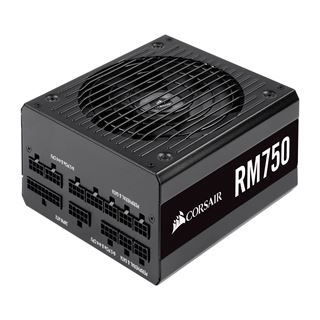

 jade ermine
gz!
 solemn orchid
GTFO
Doom 2016 used to be my go-to benchmark
but that's not nearly as hard to run nowadays
abstract kite
Oooo thats fancy!
solemn orchid
I usually use Ashes of the Singularity for CPU stress test, and The Witcher 3 for GPU stress test
abstract kite
I was about to build a new PC, but this whole thing kinda made that a harder decision haha
Fur mark is a good GPU stress test if you’re trying to slam it
solemn orchid
dude