#gtfo-technical-support
1 messages · Page 19 of 1
 mossy flower
mossy flower
mossy flower
and @mighty cipher
 proper grove
He always tries to help <3
mossy flower
i will get back to you on my status after the reinstallation
proper grove
Yep yep
 bleak relic
@mighty cipher I found the login issue, thanks either way
 mighty cipher
❤️
mossy flower
thank you lavars and bearz
proper grove
but for this channel i have all notifications on anyways ^^
 agile wing
"will reinstalling the game wipe level completion status?"
proper grove
No it won't ^^
 fervent shadow
My sister is having problems when hopping into a lobby. me and my brother are trying to help her out. She can join lobby but game doesn't seem to recognize her and we can't start a game... for easier understanding I made this short video to display the issue: https://youtu.be/1jhcthl0AlQ

My sister tries to join a lobby. the lobby always gets fucked up and we can't start a match. We have tried portforwarding, getting a public IP for her, resetted the router. deactivated firewalls. Nothing seems to work for her.
any ideas or suggestions?
proper grove
Ok, thank you for the report, can you do me a favor and tell me if she can host a lobby?
@fervent shadow
fervent shadow
In the video she was the one hosting in the beginning, and me who had joined. The left screen is her computer (tho my brother is helping her in that video,) right screen is mine. I can ready up and she can press cage drop, but nothing happens. when I start a lobby she can ready up but I am still waiting for her to be ready.
fervent shadow
When my brother and I join eachother there is no problem
fervent shadow
Non of us except our sister has this issue
proper grove
Perform the following steps:
- Uninstall game on steam.
- Delete the following folder:
C:\Users\USERNAME\AppData\LocalLow\10 Chambers Collective\ - Install the game
fervent shadow
I will belay this to her
proper grove
awesome, keep me updated
fervent shadow
Sadly this didn't change anything
Does she need to port the game on her router. we tried that but not sure if we did it right
Bloody is my sister she will continue the conversation from here
 warm wind
yes i have tried the steps but it didn't work
 void raft
woah santonian has really good ethernet cablesx
warm wind
is there anything else i can try at this moment?
proper grove
Ok, can you verify the game files via Steam please?
woah santonian has really good ethernet cablesx
@void raft Hi! This is not the right channel for this ^^ Maybe try #gtfo-media as this channel is only for technical support
warm wind
shall i try to start it up again after
proper grove
Yes, also i want you to try to join my lobby.
So i can see for myself what is going on ^^
109775240986255912 That's my lobby code
warm wind
okay i tried with my brother and it work but i
i'll try you lobby to be sure
ok i get the same problem with you
warm wind
109775240986265198
proper grove
C:\Users\PCName\AppData\LocalLow\10 Chambers Collective\GTFO
warm wind
proper grove
Thank you!
void raft
@proper grove the ping time on the terminal is -1ms, which sounds like a bug, if an unimportant one
proper grove
I don't think it is one, but i'm not sure ^^
void raft
this seemed like the best channel to point out something like that
proper grove
@warm wind ok. Looks all good. Can you start a Solo rundown?
warm wind
yes
proper grove
Ok. And all looks good then and it works?
warm wind
everything works fine
proper grove
Ok, can your friend join via steam?
He may get stuck in the drop, but i want to be sure
warm wind
he could join and drop down into the game
proper grove
Could he play? or got he stuck?
warm wind
he can play
proper grove
Ok, for now we have to use this workaround. But it would be awesome if you could file a bug-report, how to do that you can find in #bug-reporting. Also please add you recent log-files, in the channel there's a .exe that graps all the important files for you.
warm wind
okay... so i send the settings and logs?
do i need to write the whole backstory or do i just send the files
?
proper grove
The more information, the more likely it is they can find whats wrong. If you can attach the video it helps to understand the problem.
warm wind
okay then i will link the video to
proper grove
Thank you very much. Really appreciate it
warm wind
yeah me to thanks for the help we really want to play this game 😄
i'm not allowed to write in #bug-reporting
i'm apparently slightly of i my brain found the link 😛
proper grove
All good ^^
mighty cipher
Hi, i'm in a bit of trouble with joining the game, I can't see the "join from clipboard" button. I did ctrl+c on session ID, nothing happened after going to rundown; I tried restarting the game, but still nothing. Does anyone now what might be the cause of that? I'm playing via geforce now, that's the only possible "bug" source I could think of
proper grove
Yeah it may be a problem with Geforce now. I heard that multiple times.
mighty cipher
damn...have you heard perhaps if I can still host lobby for others to join?
proper grove
I think you can join via steam, and you should be able to host a lobby, we can try that if you want?
mighty cipher
I don't have steam installed and my poor notebook wouldn't handle this game. Thanks though 🙂
proper grove
All good
proper grove
Mhhh. Let me dig into it a little bit, i come back to you
mighty cipher
thanks, I'll try to play with settings, maybe something will fix it👍
proper grove
ok, i found that Geforce now does not take anything from your clipboard as it seems. Multiple people had this problem. What we could try, is a little annoying, but maybe the only thing that will work. I could not find anyone who has tried it.
As i do not now how Geforce now works:
Do you have acces to your Steam friends?
mighty cipher
yeah, looks like I do 👍
ahhh I see, I can basically either type manually since now I can see it in search bar of steam friends or I can ask people to add me to friends
proper grove
Ok.
mighty cipher
Thanks mate, you've been a huge help ❤️
mighty cipher
Yeah, I guess it is kinda useful in a game based on clipboard functioning properly 😄
proper grove
Maybe you can type that Code to a friend in Geforce now and then copy it there? But idk if that is possible xD
mighty cipher
@proper grove you help me with my sisters (bloodysos) setting and files about an hour ago. now i don't se her when i try to join. can you take a look at my settings to see if it's something wrong? i have done the steps like previous but with no success
proper grove
Mhhh... had you an game-crash or Alt+F4 out of the game?
mighty cipher
no i just tried to start a lobby and it didn't work
proper grove
Ok. let's try if you can join me first.
mighty cipher
okay
mighty cipher
she is reinstalling the game now
proper grove
<3 Thank you
proper grove
yep yep
mighty cipher
she sees my weapons,her weapons but not the characters
proper grove
Ok. I make a lobby.
mighty cipher
ok
proper grove
109775240986514396
 pure tapir
hi, I noticed a bug maybe on the burst rifle, sometimes when you reload it reloads with 26 bullets instead of 27, is it known already or do I put a bug report ? 🙂
(I need to reload a second time to get 27 each tme)
 gritty terrace
I think thats a feature and not a bug
pure tapir
@unique blaze okay thanks, I have another thing when my flashlight when I open a "normal" door. it doesnt light through the way until I go in the room I opened
is it useful if I make a report if it's known ?
 unique blaze
yeah, there seems to be an issues with "boundaries" it's on the radar. of course, feel free to make a report on anything you encounter that seems like a bug. the more people that it affects them more the devs know it needs to be fixed.
Just make sure your reports are well written and have logs.
🙂
and screenshots/video if you can
pure tapir
okay I'll do some screens and videos tomorrow if it happens and post reports with the logs 🙂 thanks again !
 visual basalt
I dont have issues but the game is easy to hack and the game need to reinforce here security ect...
unique blaze
Report anyone you see using hacks, exploits, harassment, or griefing immediately to @rose thicket. They will be delt with.
Also, some hacks can effect the whole team. 1 can be guilty, while others are innocent.
 quiet relic
hry im new and i need help finding players to play with me 🙂
 blissful pebbleBOT
Hello! If you are unaware, we have Looking For Group (LFG) channels to help users group up and play the game. They are located here: #lfg-north-america / #lfg-latin-america / #lfg-eastern-europe / #lfg-western-europe / #lfg-asia / #lfg-oceania / #lfg-africa.
If you are unsure of how to create or join a lobby, please see the instructions here: #how-to-matchmake.
 cerulean umbra
idk if this is the right put this and idk if its clinet side or whatever but just thought i send put this somewhere
this is b3
i only have a1 and b2 completed
unique blaze
@cerulean umbra yep, there's an issue with boundaries that we know about. Please send a bug report with your screens/videos and logs please
 river apex
yo ok so do i do this do i just drop the problem im having into chat
 glass knot
@halcyon holly if ur talking abt a problem w/ computer or smth yea this is the place
river apex
aight so every time i try to launch GTFO a small secondary window opens with GTFO on it and a red ( ! ) pops up at the nottome right then it just stops lauching and goes back to my home sreen
unique blaze
@river apex is it every time?
sorry for late reply
or just most of the time?
I asked around, and the recommenedations were to make sure windows, your driver, etc. are updated.
drivers*
if all that doesn't work you can try this: https://discordapp.com/channels/408196129470152705/633424858088472578/653718367676661770
river apex
every time also sorry for the late reply
 crisp pike
One of my friends is having an issue with the lobbies, and can't join anyone elses game, it shows a blank lobby and boots them to the main menu. We can however join his lobby, but when it gets to an intense part of the game, it lags heavily. He has fresh reinstalled the game, and deleted the folder in appdata.
 lean dragon
i have the same problem when trying solo
unique blaze
Unfortunately if you guys have the same issues, it's a known problem. Please make a detailed and well written bug report with evidence so we can nail it.
sorry again for late reply @crisp pike @lean dragon
I can tell you that the team is currently working on it
it is a high priority bug, so every info you can give us will help!
one thing i would say is make sure you all check your internet connections, make sure you have the same version of the game, update drivers, etc.
 short kite
Changing the cpu culling setting does not cause any change in my gpu or cpu workload in task manager. My cpu exceeds recommended but my gpu is sub par. and runs at close to 99% usage.
 vapid aurora
what's the recommended cpu usage, parker?
unique blaze
atm i think the performance change is "unsure" but if your cpu is stronger than your gpu then try high and see if you get better frames.
i would say just leave it on default for now if you see no change
@short kite
everyone's system is different
 quasi mantle
alrighty... So a few days back I beat C2 with some friends, i took a screen shot of the completion of it, but after backing out, C2 says it still needs to be complete.. I would love some help on this 🙂
unique blaze
@quasi mantle hiiiiiii please make a detailed bug report with your screenshot and logs! we thought we squashed this bug. but apparently we have not!
quasi mantle
do you want me to dm you the screenshots? or should i report it officially?
unique blaze
report it officially please!
quasi mantle
okie dokie, will do. Thanks:)
unique blaze
thank you so much
please do a quick check to make sure your versions are uptodate
accutally was this before or after the 10th?
@quasi mantle
quasi mantle
after the 10th, the 12th for me (australian)
unique blaze
thank you!
quasi mantle
okay, so i am struggling with getting my Discord ID..
Each message i send has a different ID. but which one do i use?
 supple orchid
@quasi mantle this is probably too late, but make sure you're right-clicking on your name, not the message itself
quasi mantle
hah, thanks
proper grove
what's the recommended cpu usage, parker?
@vapid aurora There is no recommended CPU usage ^^ All the usage just says how much work your parts do at the moment. Normally you want to fill up your GPU (Graphics card) and then your CPU (Procsessor).
The ideal usage is always below 99% as it means you don't run in any problems performance wise. To lower the usage it is always good to close any background programs like the browser, recording software etc.
 scarlet jasper
i just finished a stage R2B1 and it says completed then i quited the game and re open the game again it says not completed
 peak mortar
had the same problem with a1
nothing really you can do about that except for replaying the mission
proper grove
^
But you still can play all levels that the Host has unlocked.
You can send me your Log files and i will send them to the devs @scarlet jasper
scarlet jasper
where can i find them ?
proper grove
#bug-reporting There's an .exe. Download it and it grabs all the necassary files ^^
 last steeple
For some reason my mouse constantly moves to my second screen and when I try to shoot I tab out of the game. I already tried different fullscreenmode
 misty blaze
hey, so in 1080 resulotion, high settings i get between 45 to 25 fps, and also in 720 resulotion with medium shadow, low texture and performance AA and all other things on low i get 50 to 30 fps which is mostly in 30 while fighting or running. i also get the same result in 4k with all high :|
it seems that changing those settings doesnt do anything to my fps.
my spec is intel 6700hq geforce gtx 960 and 8gb ddr4 ram. i have played many new games with good 60 fps for example the metro exodus gave me 60 in low/medium in 1080. i dont think that my specs are low for a 60 fps on low settings in this game
proper grove
Hi! @misty blaze Can you send me your setting file via DM please?
C:\Users\UserName\AppData\LocalLow\10 Chambers Collective\GTFO
misty blaze
sure
Hi! @misty blaze Can you send me your setting file via DM please?
@proper grove thank you for the fix

 glossy tartan
is steam down because i cant open gtfo without a network error and i relaunched steam it wont connect
 calm spear
it was earlier yeah
vapid aurora
wait, what was the fix for stuxneo
getting the settings in DM makes sense, but no one else can tell what the problem was
or the solution
proper grove
I changed some settings for him
river apex
hey so i was here probably 3 days ago in regards to me getting unity error when ever i try to launch the game I've tried to make it administer and I've also checked the integrity of the files via steam nothing is working i cant launch the game without a error popping up and closing the application i am wondering if anyone is having the same problem and i was also wondering if theres a way to zero my account/ progress to see id its any in game settings
proper grove
Perform the following steps:
- Uninstall game on steam.
- Delete the following folders:
:PL: C:\Users\USERNAME\AppData\LocalLow\10 Chambers Collective
:PL: C:\Users\USERNAME\Appdata\Local\Temp\10 Chambers Collective\ - Install the game
@river apex try the steps above ^^
vapid aurora
thanks Fabianus, needed that
proper grove
Not the right channel for that
 viscid tiger
aright somebody get the baby food out of his mouth
proper grove
Not in my channel x3
 pallid scroll
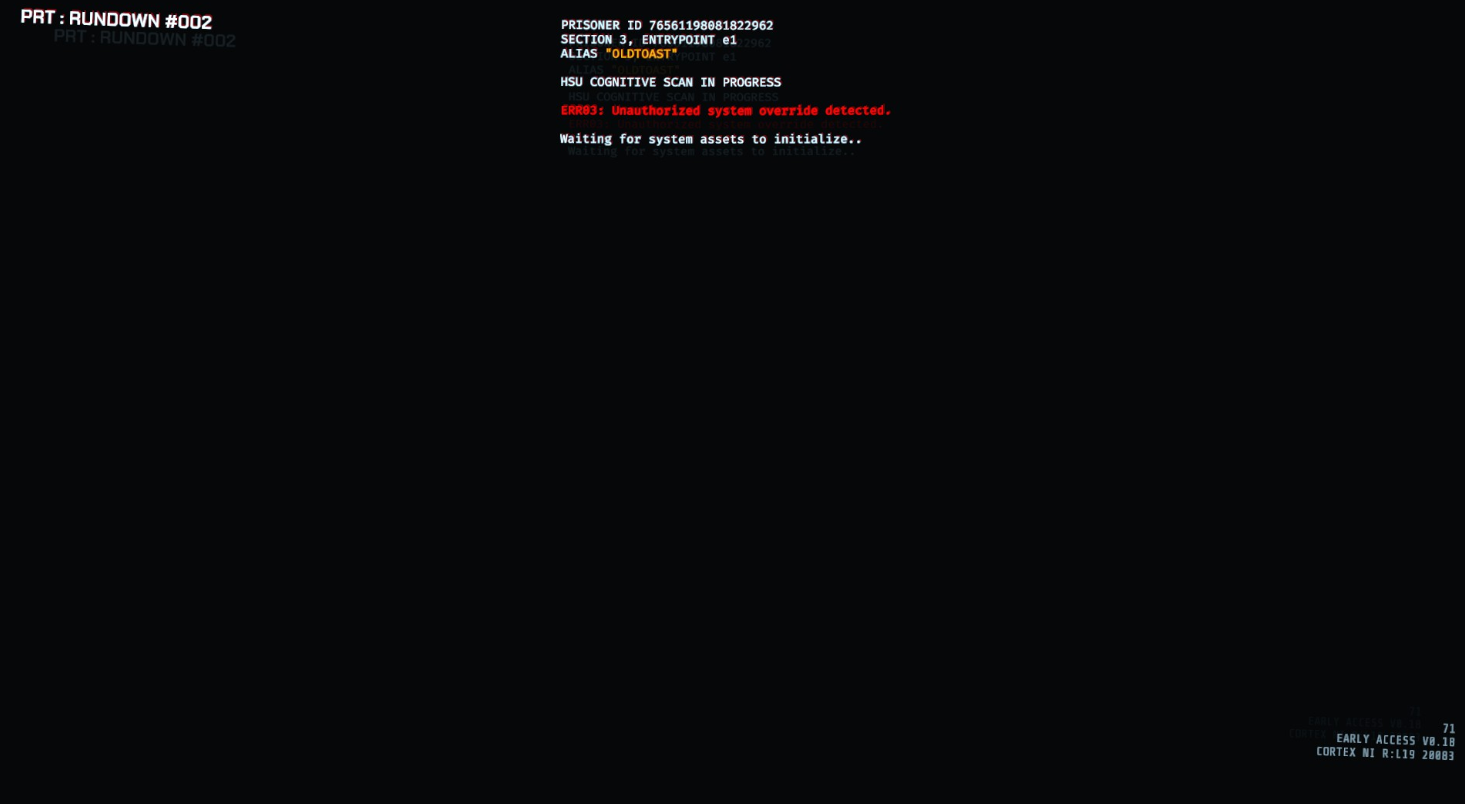
Has anyone experienced not being able to get past the loading screen citing "waiting for system assets to initialize"
proper grove
Can you send a screenshot please?
pallid scroll
 proper grove
Ok, can you send me your GTFO_Settings file please?
you can find it here:
C:\Users\YourPcName\AppData\LocalLow\10 Chambers Collective\GTFO
if you need help, let me know.
pallid scroll
proper grove
^^
pallid scroll
no dice
proper grove
Ok...
then let's try something else
Perform the following steps:
- Uninstall game on steam.
- Delete the following folders:
:PL: C:\Users\USERNAME\AppData\LocalLow\10 Chambers Collective
:PL: C:\Users\USERNAME\Appdata\Local\Temp\10 Chambers Collective\ - Install the game
pallid scroll
will do
proper grove
Thank you very much.
While you are on it, would you mind sending me your log files too?
You can download the .exe in #bug-reporting it will report all the files needed :3
pallid scroll
I uninstalled before I was able to send them I'm pretty sure. No files are coming up when I use the search
proper grove
Ah super
pallid scroll
idk if those are it
pallid scroll
We're golden! Thank you
proper grove
Good! awesome! Have fun :3 And stay healthy :)
unique blaze
Lavars do you happen to know what the cause of this type of issue usually is?
proper grove
I only have an idea.
unique blaze
and not just this, but other corruptions that make you have to ask people to do reinstalls too.
unique blaze
ah. I hate the idea of suggesting someone do the reinstalls. no offence ment by that, it looks like it's working when you have them do it! I just wish that there was something less intensive that i could point people to.
i doubt you enjoy it as well.
proper grove
Yeah same. I mean, at least the game is only 3gb ^^
proper grove
i have to reinstall COD at the moment ^^
I mean it is not ideal.
But i don't want people to do stuff where they could fork up stuff.
unique blaze
i totally understand
proper grove
ok. I don't want to sound rude, but i will be busy as i do other stuff :3 Hope you have a great awesome time and stay healthy :3
unique blaze
Not rude at all! Take care!
 wide zealot
EzzyrawrToday at 9:33 AM
ah. I hate the idea of suggesting someone do the reinstalls. no offence ment by that, it looks like it's working when you have them do it! I just wish that there was something less intensive that i could point people to.
Steam calls it: Verify integrity of game files
If you know how hashing works, then you know it's basically the same as reinstalling the game
unique blaze
unfortunately that doesn't always seem to work 😦
i'm still learning the files though.
Some of the bugs we hunt are pretty silly. You should apply
wide zealot
yes of course not. but if any base files have been modified or deleted this will restore and replace it. the base dir will always look 1:1 like the downloaded game. this does not include files that are user depended (located in %appstore%) and are usually settings or configuration files.
it does this by comparing hashes. If you downloaded some stuff you may encountered next to the download a long string of numbers and characters. you can use that and compare it with your downloaded file if the file hasn't been altered, or the download corrupted
it really does the same as reinstalling the game in the end. don't believe me: delete some files in gtfo and do the check :p
unique blaze
I'm not doubting you. In fact I'll likely refer people to use it.
 sweet rose
though the "no network" error is already listed in #known-issues, we found out that taking a different network route (we used mobile hotspots) helped so far as workaround. just for the start of the game, once started and not having the error, disabling the hotspot again and using the normal internet connection works.
peak mortar
@sweet rose all of my friend and me had that error when we starting playing the new rundown
there is an easy fix to this. wait 3-5 minutes
problem solved never had the issue again
sweet rose
@peak mortar oh? just wait in the error screen or quit game and retry after 3-5 mins?
peak mortar
just wait in the error screen
sweet rose
okay, will try
peak mortar
not saying its a 100% way to solve it, but it definitly worked for my friend and me
sweet rose
same (re 100% solution) for our hotspot solution 😉 worked for all of us so far, but I don't know if there are exceptions
unique blaze
that's good to hear @peak mortar thanks for sharing that
peak mortar
well it wouldnt work for me cuz i dont have any possibility to use wireless connection on my custom pc XD @sweet rose
sweet rose
@peak mortar normally the hotspot works via usb as well, without wifi
mobiles do share that via both connections (wireless and usb). via usb the pc just detects a new network connection then
peak mortar
alright good to know^^
sweet rose
at least on iphone it's doing that, maybe on android you have to enable that explicitly
but both can do it
proper grove
@wide zealot It does not work. We tried that. Trust me :3
wide zealot
in what context. it does what it suppose to do and it works for all games
proper grove
@wide zealot if it would work, i wouldn't ask people to reinstall the game. I often have people dm me "I even tried verifying the file..." etc. or even here are enough people who tried it and it does not work.
wide zealot
then what is the issue why people need to reinstall their game 🤔
proper grove
THAT is what we try to find out :D But @wide zealot i'm appreciate your help <3
wide zealot
well mathematically both are the same since the hash result in the same value. it sounds more that common depencies are not installed (c++ redistributable etc.) IMO verifying should always be step one before redownload, especially regarding disk usage and fragmentation and verifying the game folder works really well
 hollow panther
I calibrated my brightness waaay to low, and now I can't see anything. I cannot find calibration setting. Is there such a thing? Or a work-around?
vapid aurora
Lavars: whats going on with these people's settings files. You seem to know the problem is the settings before people send you their settings file, what exactly is happening to them that causes problems?
Paralysis, if you are still here I can offer you my settings file, which is working for me, if you want to try swappipng it for yours
 slender condor
https://twitter.com/TenChambers/status/1250501725187911680
https://game.intel.com/giveaways/GTFO.html
https://i.imgur.com/TqnnwG1.png

GTFO @IntelGaming Sweepstake - enter now for a chance to win a copy of the game! https://t.co/5cSDRSoAti
 Twitter
Do you have what it takes to survive GTFO Rundown 002 / Infection?
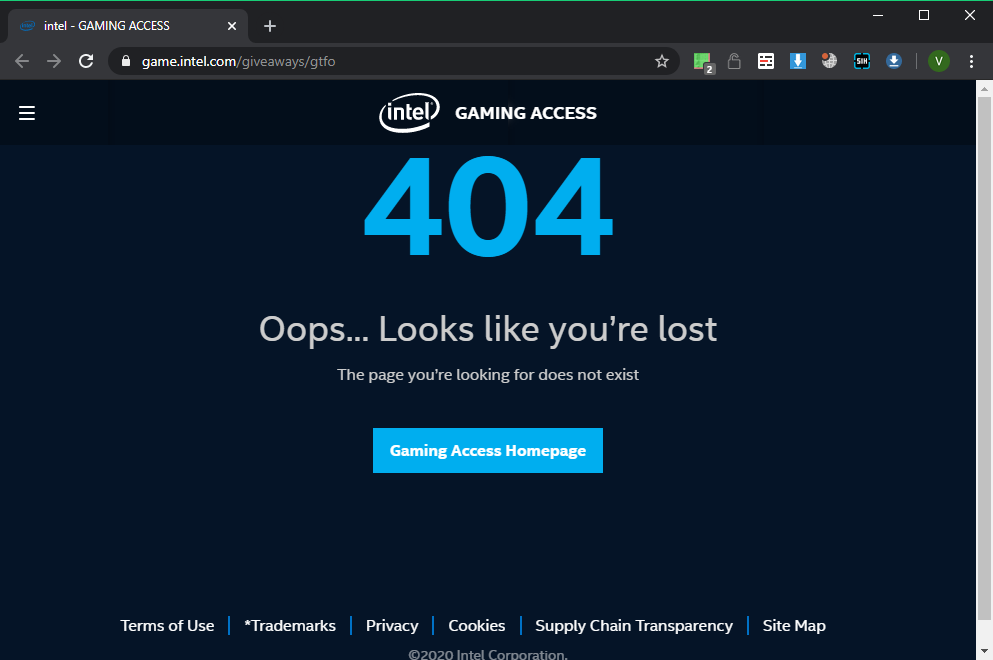
Is that okay that this page gives 404?
proper grove
@vapid aurora when you do tech-support for as long as i do, you sometimes see a pattern, and everything i can share can be found in this channel. I also included a clean file to the pinned messages which works for like 98% of the people.
@slender condor it should work now again!
If you still see this site as above, you only can contact intel, as they do the giveaway ^^
slender condor
@proper grove There's no way to contact an Intel on this page. Where to write? It shows the same page even using different browser.
proper grove
@slender condor Click on "Site map" and then there's "support" on the top left. If you click it there's "Contact Support"
slender condor
Ahah. These pages do not provide anything related to Intel Gaming Access https://www.intel.com/content/www/us/en/support/contact-support.html 😄

Intel
Contact Support to find the available support options for your Intel® products.
proper grove
Have you tried using your phone?
slender condor
Calling them?
proper grove
No, calling up the page on your phone.
slender condor
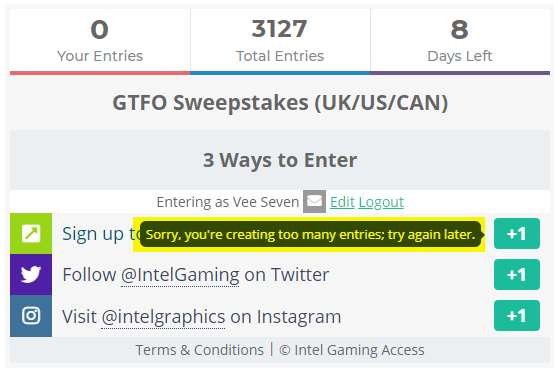
^ Even after first click, it gave this message and do not allow to continue.
gg 😄
No, calling up the page on your phone.
@proper grove You mean in mobile view?
slender condor
Same page opens: https://i.imgur.com/i5BedBt.png
 slender condor
Same thing after second press and after waiting 30 minutes: https://i.imgur.com/3atwCsu.png
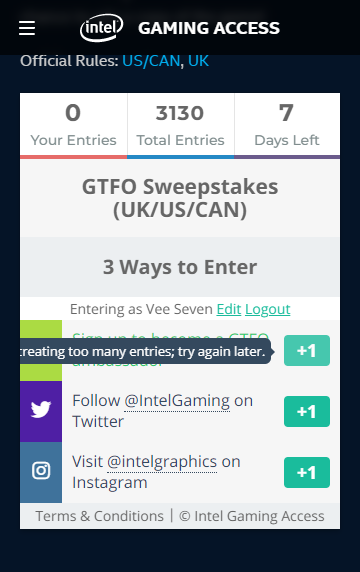
Ah ok, I'll just skip. Already wasted 5 hours to join this event and no luck, also, I already have the game and finished R2 :D.
proper grove
Hi! @slender condor I contacted them for you, are you signed in with an Account on this website?
slender condor
Hi! @slender condor I contacted them for you, are you signed in with an Account on this website?
@proper grove Thank you very much! Really. Their website(Intel)?
proper grove
On the giveaway, there should be a way to sign in, that's what they told me ^^
slender condor
Currently viewing an old ones nostalgy "Computer Chronicles: Computer Bowl II Part 1 1990" from VHS and saw:
 peak mortar
i swear this looks like a broken screen XD
unique blaze
i came to this channel and was like "WHAT"
not sure if i can help you with that broken screen 😛
 somber mountain
so uh
 scenic furnace
It has Warranty I think
scenic furnace
Oh i plan to
unique blaze
Ludvig can touch the screen and heal it
scenic furnace
240hz
 north pawn
Hey, just having a small issue here. When I log into GTFO it slowly takes my cursor up and to the right. I can still move it down but it slowly goes back up on its own. My mouse has no issues with this in any other game
Just GTFO
proper grove
Do you have a controller plugged in?
north pawn
Any ideas of what I could do to fix this as it pretty much makes the game unplayable
Yes I do, why do you ask?
north pawn
Okay
 vocal ember
You could also test with a different game to see if it is the controller itself?
north pawn
Was playing Doom Eternal earlier. Worked fine
And I unplugged the controller. That fixed it
vocal ember
Hm
vocal ember
Awesome!
north pawn
Looks like the joystick might have been pressing somewhere and causing the cursor to fuck up
proper grove
Yeah
north pawn
Thank you!
north pawn
Have a good day 🙂
proper grove
You too! <3
vocal ember
Have fun!
 calm yacht
HI! I've been LOVING GTFO since it's dropped. I do have an issue with not being able to get anything higher than 45 -50 FPS at 1080p.
i3-8100
Zotac GTX 1050 Ti
Corsair Vengeance 32GB RAM
I'm wondering if my rig is just not suited to get better FPS, or if there's something up that I don't know how to fix
peak mortar
@calm yacht
your cpu might be the problem
i find it quiet interesting that you have such a low budget cpu but 32gb of ram
maybe lavars can do his magical settings fix for you
calm yacht
oops, 16gb ram
i fiddled with some program settings and managed to get 50 to 60 frames now.
mighty cipher
lowering your resolution might help
calm yacht
I'd rather play at 30 FPS than play less that 1080p
but this is just sitting in a room, no action, and task manager
peak mortar
what else do you have running?
your gpu is at 100%
and a 1050ti should have no problem running this game?
@calm yacht
actually, reading some benchmarks and reviews youre gpu is really at its limits in this game
calm yacht
Well, that would do it
peak mortar
guess lowering the settings is all you can do :/
calm yacht
Only other app I had running was task manager and steam
50-60 FPS is manageable and not horrible
@peak mortar Thanks for the info
peak mortar
there are a lot of people that wouldnt accept anything lower than 120 fps XD
but sure np^^
calm yacht
got any info on the GTX 1660 Super? what's it's stats with this game?
peak mortar
got no specific info about how the card performs in gtfo but benchmarks say there can be a huge performance improvement compare to a 1050ti
read about 33% up to 250% more performance, both are extreme edge cases
calm yacht
i've seen the same. I've looked at a couple benchmark sites comparing the two. even with an i3-8100 the 1660 averages 130 FPS on high settings
calm yacht
yeah, varies by game. Witcher 3 still only managed 50
peak mortar
ofc take everything on google and what i say with a grain of salt
calm yacht
Oh yeah. again, thanks for the info! Take care
peak mortar
np^^
unique blaze
@calm yacht sorry for the late reply. I recommend lowering your shadows to medium and turning off v-sync
see what that does
@peak mortar thanks for helping him!
peak mortar
shadows are more cpu depending arent they?
calm yacht
the only setting not at the lowest are the graphics at full.@unique blaze
unique blaze
then kreassen is right, you may need a new cpu. your gpu is well within spec
unique blaze
Recommended:
Requires a 64-bit processor and operating system
OS: Windows 10 64-Bit
Processor: Intel Core i7 4790K or AMD equivalent
Memory: 16 GB RAM
Graphics: NVIDIA GeForce GTX 970 or AMD equivalent
@unique blaze thats exactly what i thought aswell but his gpu is at its limits here
unique blaze
Minimum:
Requires a 64-bit processor and operating system
OS: Windows 7 64-Bit or later
Processor: Intel Core i5 2500K or AMD equivalent
Memory: 8 GB RAM
Graphics: NVIDIA GeForce GTX 660 2 GB or AMD equivalent
970 is still stronger in most cases than a 1050, dont know about the 1050 ti
calm yacht
ahh
peak mortar
a 1050ti is above minimum req but below recommended requirements
even tho he has an i3, the latest i3 are actually quiet decent
unique blaze
the game has gotten a lot better performance wise than when those spec lists came out. so there is a chance that we'll be surprised by what can work.
calm yacht
I don't drop below 50 right now, even in heavy combat
unique blaze
good!
calm yacht
is GTFO a CPU heavy game?
unique blaze
more so for the host than the clients. but things are pretty lean. that said, this is an early access build on unity.
peak mortar
at the end of the day unity isnt known for performance XD
unique blaze
the team know what they are doing. we're only on version 0.18, so by 1.0 i'm sure they'll have everything very smooth.
 chrome flame
I'm still thoroughly impressed by how the game looks and runs, given the unity thing
unique blaze
^
peak mortar
@unique blaze oh dont get me wrong, that wasnt meant as an insult, i know the pro's and con's of using unity, its just unity isnt known for performance
calm yacht
it's already very smooth for my budget computer. I don't experience any framerate lag. My PC is just struggling to give me the frames.
unique blaze
wasn't taken as one, no worries. 😛
an I'm not part of the team by any stretch, if i gave that impression i apologize. I'm just a simple volunteer bug hunter trying to help.
and*
peak mortar
i know ambassadors are not the part of the team, but it was kinda odd that you thanked me for helping if youre not part of the team, so kinda confused there
¯_(ツ)_/¯
peak mortar
fair enough
unique blaze
and i thanked you because it's good of you to help out!
The rest of us were AFK and you stepped up to the plate.
I was happy to see that
peak mortar
im moderating a server focused about vr, so when i see an unanswered tech question my tech sense is tingling XD
unique blaze
The excellent community is what keeps everything running as smoothly as it does, if there wasn't any volunteerism going on poor Ludvig would be bogged down trying to help everyone.
This whole Dischord-GTFO coordination happened because Doc volunteered.
The bug hunters are all voulenteers
Rav, Lavars, etc.
So the more the merrier!
You should apply to the bug hunters if you're interested in helping out.
peak mortar
nah im fine, im just checking this discord when im bored at my "essential" work
unique blaze
that's fine too 🙂
peak mortar
@ember hemlock im afraid this is the wrong channel for that
#lfg-asia is probably what you are looking for
blissful pebbleBOT
Hello! If you are unaware, we have Looking For Group (LFG) channels to help users group up and play the game. They are located here: #lfg-north-america / #lfg-latin-america / #lfg-eastern-europe / #lfg-western-europe / #lfg-asia / #lfg-oceania / #lfg-africa.
If you are unsure of how to create or join a lobby, please see the instructions here: #how-to-matchmake.
unique blaze
magic
 ember hemlock
sorry
unique blaze
no problem
 stable canopy
Can I ask in this channel about a black screen (I believe it's gtfo, doesn't do it for other games, I tried verifying and reinstalling)
stable canopy
Still occurring it worked fine like last week
unique blaze
first, i'd suggest you make sure all your drivers are updated.
if they are already, you can try this method of reinstalling https://discordapp.com/channels/408196129470152705/633424858088472578/653718367676661770
deleting the files it lists may help
also please make a bug report with the screens and the logs mentioned here: https://discordapp.com/channels/408196129470152705/633424549425184778/664296207274868814
if you can also DM me a copy of the logs i'd appretiate that as well.
stable canopy
Alright I'll try it when I get home from shopping thanks I'll DM if I can get one
unique blaze
take your time! I hope it works!
vapid aurora
everynow and then, like maybe once every 10 seconds I get a pretty bad stutter in GTFO, it only lasts a fraction of a second but its enough to make enemies jump around on my screen
proper grove
@stable canopy Hi! Sorry for the late response! Can you replace your settings file with the one in pinned in this channel please? It should fix the problem.
@vapid aurora Sounds like a Desync problem ^^
stable canopy
Lol I was just messaging Ezzy
Don't worry about the response just got home from shopping
proper grove
Ok ^^
stable canopy
I clicked it not sure what to do with it, just opened up in my notepad.
proper grove
Don't worry ^^
C:\Users\YourPcName\AppData\LocalLow\10 Chambers Collective\GTFO
Please go to this directory.
And there is a GTFO_ Settings file.
stable canopy
Okay found it
wide zealot
%USERPROFILE%\AppData\LocalLow\10 Chambers Collective\GTFO
You can use this. this can be just copy pasted into the file explorer
stable canopy
Do I copy everything from the file I downloaded to the GTFO_Settings.txt
proper grove
The best is to replace the whole file.
stable canopy
Oh, and so I delete the old one
proper grove
yep
 earnest quail
the burst rifle sometimes only reloads to 26 bullets and we need to reload again, tu have the magazin on 27 bullets!!
proper grove
Yeah i heard of this ^^
stable canopy
Sorry for the pings but, wanted to thank you guys so much, working again @unique blaze @proper grove @wide zealot
proper grove
No problem ^^ The blackscreen is a forked Settings file ^^.
stable canopy
Oh that makes sense
 plucky bane
Hi Devs.
Me and my buddy are trying to enjoy your game, but we have one serious problem. When we play there is like 2-5 seconds delay ingame. So on my screen it works fine, but my buddy is like 2-5 seconds behind. We have tested it with jumps where he say he jumps and it is timed perfectly on my screen, but when it comes to interacting with doors, lockers or enemies, he is 2-5 seconds behind. Both our internet is fine and ping is low. I hope you can fix this cause it is almost unplayable.
Kind regards.
proper grove
Hi @plucky bane I'm not a dev, but maybe i can help you ^^
Who is hosting the game?
plucky bane
Hi. If anyone can help, i'm glad 🙂
We have both hosted the game and the result is the same.
 earnest saffron
hi guys i am here to ask really simple question how i can play with friends
 random lichen
Hi. I am the buddy that was mentioned and we are both running on a 1000mbit internet connection
earnest saffron
th
proper grove
Oh good
random lichen
@proper grove No then it is the other way around
plucky bane
When he host it is actually me that is slow. Router reset did not help. We both have 1000 mbit connection
proper grove
ok.
proper grove
^^
ok awesome.
We can try that i host. So we can try if you have the same delay towards me.
or if you have different delay.
random lichen
Ping looks fine in my opinion.
proper grove
Yeah i believe you there, that's why i was wondering ^^
random lichen
@proper grove We can try if you want
plucky bane
Should i join or just mrGalli?
random lichen
How do we join your lobby?
proper grove
Copy the nimber i posted
And then on the rundown screen
there appears a "Join Lavars' lobby" button on the left
There you go ^^
random lichen
@proper grove Are you in a voice channel?
proper grove
I can join one
mighty cipher
are we getting a anti cheat program soon? too many people are using cheats now and ruining the game
 wispy barn
The developers are committed and have already implemented various anti cheat efforts. It's always a cat and mouse game with fending off cheaters and even the largest AAA studios can't 100% stop cheaters. As I mentioned, the devs have already implemented many methods and always working towards other ways of doing the same.
 grizzled topaz
^ lip service, there's not even an in-game kick/report.
proper grove
Even this is worked on. They know 100% that these features are wanted. But keep in mind that they are only 9 people ^^ If you have any other features you can check out #gtfo-game-suggestions and upvote your favourite thing. If you can't find it make your own suggestion.
I know this isn't the most satisfying answer. But i still hope you enjoy the game.
Sorry for bad english x3
wide zealot
a kick option surely would be nice. also if the client is somehow hanging ingame and doesn't leave. cheating in a PvE game sounds silly. Would be sad if dev time had to be spend time into anti-cheat like others have to for pvp games.
But I would be curious if GTFO has client-side hit detection or if it's the host that verifies everything
proper grove
yeah... that's why i only play with people i trust. I'm so happy they have not made a crappy Matchmake system or i need to add everyone on steam. But this discussion can be continued in #gtfo-chat :3
mighty cipher
f
proper grove
Hi! How can i help you!
mighty cipher
They were 10 devs right ?
wispy barn
There were 10 devs at one point and one left. Now it's 9.
viscid tiger
8 for a bit cause reasons
 sturdy ruin
How do I wipe a game's data off of steam but keep my play time?
And by play time I mean this counter.
 lusty niche
Why do you want to wipe your data
sturdy ruin
Because I want to start over.
But, I want to keep the play time as evidence that i've played this game before.
sturdy ruin
I think it would be fun to start fresh.
lusty niche
Ok
wispy barn
what do you mean "wipe games data". the games data isn't stored on steam's servers so reinstalling GTFO won't impact when the rundown says how many times you've completed an expedition, it won't give you access to rundown 1. @sturdy ruin
sturdy ruin
No, I mean I wanted to start over from R2A1. Not access to Rundown 1.
wispy barn
You just click R2A1 and launch it again.
lusty niche
Was about to say that
wispy barn
every time you launch an expedition it generates a new seed of enemy placement, locker/chest locations.
sturdy ruin
Ok. nvm.
 winged moss
I cant seem to be able to make or join a lobby. it just brings me to an empty lobby with all four play slots empty. I have already uninstalled and reinstalled, restarted, validated. deleted settings file, nothing works
proper grove
Perform the following steps:
- Uninstall game on steam.
- Delete the following folders:
:PL: C:\Users\USERNAME\AppData\LocalLow\10 Chambers Collective\ - Install the game
try this ^^
winged moss
thanks that worked
proper grove
Good ^^ Have a nice one :3
unique blaze
Your english has always been good from what i've seen @proper grove
 molten arrow
Unable to join a lobby or invite people to my lobby. what should i do?
 naive aurora
Sorry if this is the wrong channle for this. But are there built in gamepad controls?
proper grove
Yes, but very basic ^^
 rocky grail
Messed up Gamepad controls & cant reconfigure or reset. Please Help.
proper grove
Hi! What exactly is you rproblem
proper grove
Ok, the easiest fix is to to replace your settings file. i provided a clean file in the pinned messages here
rocky grail
Bang on my man. Thanx
naive aurora
Lavars hero. Thx
proper grove

 sleek crest
Hey everyone. Just a quick question; Does GTFO support triple-monitor with the HUD staying in the middle screen?
 rapid marten
Hey @proper grove , i asked a while ago about my game freezing and i tried everything you suggested but nothing seemed to work.
proper grove
Give me a second
Have you tried this:
Perform the following steps:
- Uninstall game on steam.
- Delete the following folders:
:PL: C:\Users\USERNAME\AppData\LocalLow\10 Chambers Collective\ - Install the game
 tough kestrel
@proper grove you around?
tough kestrel
yeah i was wondering if you could help me change my in game settings to run it more smoothly (sort of playing on inferior equipment and internet)
proper grove
Depends, i can't do magic.
tough kestrel
lol. it should be sufficient. just needs some optimizing
proper grove
Can you tell me what hardware you have, and show me what settings you have currently?
proper grove
Can you tell me what CPU you have exactly?
tough kestrel
7700
proper grove
Ok thank you ^^
Now i just need to see your settings to see if i can change anything ^^
proper grove
All good, take your time :3
tough kestrel
ugh, cant find-have to type
proper grove
You can send me your settings file as well. Please via DM ^^
tough kestrel
how do i do that?
proper grove
C:\Users\YourPcName\AppData\LocalLow\10 Chambers Collective\GTFO
There's the GTFO_Settings file
tough kestrel
searching it now
proper grove
Take your time, if you need help, let me know ^^
proper grove
@tough kestrel Sorry for the ping ^^ Do you still need help?
 stone jackal
Hello @proper grove, I seem to be having a controller issue in regards to GTFO. I have deduced that it is from a firmware problem but I cannot roll back the firmware update on my Xbox One controller. I troubleshooted this by using the newly updated controller(which did not work) then using an older controller without the update. We tried to reset the game settings like you mentioned earlier but to no success. Any help would be greatly appreciated thank you.
proper grove
Sorry, what exactly is your problem?
stone jackal
The Xbox One gamepad I am using will not work, aka. the controls are mismapped and the game wont allow me to remap them
proper grove
@stone jackal Does it not work at all? Or what do you mean by "Mismapped"?
unique blaze
someone else had an issue with this, what they tried to put in settings didn't turn out to be what was on the gamepad
that might be this?
stone jackal
The controllers worked normally before updating. The controls were as per the default mapping. Once updated, the mapping was changed, for example, when I clicked the right analog stick the gun fired, and I could no longer crouch. When I tried to adjust the mapping it would not allow me to remap the controllers and said the controls were the same before the update
proper grove
Did you swapped the Setting file with the one pinned here?
stone jackal
I did yes, but it changed nothing
stone jackal
I can shoot if I click the right analog stick
right trigger also shot
but I cant crouch anymore
proper grove
Oh ok. Interesting, can you send me your Settings file via dm please?
Mhhh I needed someone who can test it. I don't have my controller here rn.
tough kestrel
@proper grove yes, but i had a team waiting. But I couldnt find the file. Could you just tell me what you think my settings should be by my specs?
proper grove
I mean. what FPS you get rn?
tough kestrel
Prob around 20 or less. If i can get 20-30 id be happy
proper grove
Have you put everything on low?
tough kestrel
Pretty much. Just need to know about antialiasing and all that stuff
proper grove
Mhhh. You should be able to may get 5-10 FPS more.
tough kestrel
I dont know what i should do with SSAO, Antialiasing, anisotropic filtering, etc
 tough kestrel
I need the opposite of that^^^^
mighty cipher
lol
proper grove
I dont know what i should do with SSAO, Antialiasing, anisotropic filtering, etc
@tough kestrel Turn stuff like this off.
tough kestrel
Rog
 marsh grove
proper grove
marsh grove
proper grove
Yeah someone had the problem as well.
mighty cipher
is ultra graphics gonna burn my pc (1070, 16 gb of ram, I7 8750)
proper grove
No.
You should be fine.
But keep in mind the game is not fully optimized yet ^^
ok, this is not the right channel for memeing, sorry ^^
mighty cipher
:(
proper grove
I had the 780ti, and a aweful CPU. i still got 50-60FPS.
mighty cipher
okay, sounds pretty good
proper grove
but on everything on high.
mighty cipher
thanks for the help lavars
proper grove
Every time again.
 i grant you this as farewell
 tender maple
So recently with the isolation I've been forced to use my parents spotty Hotspot for Internet and I was wondering if it lags and disconnects for a few seconds if I would be booted from the game lobby and be unable to rejoin. I've had issues with peer to peer hosting on other games where I'll lag and disconnect for a few seconds then everything will clear up and go back to normal for a few hours, rinse, repeat. Just wanted to know before I give people an answer on whether or not I'll play so I don't leave them a man down halfway through a run.
 fickle talon
sleek crest
fickle talon
sleek crest
How does GTFO handle UI scaling? Is there an option for setting the safe zone? Asking because I’m looking to run this game on a triple monitor setup and want to know definitively if I can lock the UI to the middle screen before buying the game.
peak mortar
@fickle talon wrong channel m8
 midnight schooner
Hello .. I'm having a problem opining the game.
when ever I start the game the screen turns to black and never start 😦
midnight schooner
How can I fix that? 😢
peak mortar
@midnight schooner
Pls check if your GPU meets the minimum requirement for the game and update your GPU Drivers if you haven't done that yet
if that doesnt help you will need to wait for someone that knows more
midnight schooner
My GPU is good and the drivers are updated recently 😢
peak mortar
definitly worth trying to check the file integrity in steam
midnight schooner
I've verified the integrity of game files, succeed but still not working
stable canopy
@midnight schooner I had the same issue check pins man
Delete the old file and replace it with that one
stable canopy
Good luck, hope it works
midnight schooner
Thanks a lot @stable canopy .. It worked 😍
stable canopy
Np man, I had mine that for a few weeks lol
unique blaze
@stable canopy @peak mortar thansk for helping out while the rest of us were afk :3
thanks* :3
peak mortar
Reeee
proper grove
I had the same issue check pins man
@stable canopy Awesome! ^^
stable canopy
Yeah no problem, just thought I'd help out seeing I had the same issue and I know everyone is a bit busy these days
proper grove
Awesome you could fix it that fast. I knew the pins would be helpful one day x3
stable canopy
Yeah, I spent a few weeks trying to fix it, thought is was something my pc. Then I found out it took like 10 seconds to fix lol
proper grove
heheh yeah.
stable canopy
Lol happens sometimes, just happy I can play again with friends
 rare vector
hey guys i'm having an issue during alarms/swarms. When the zombies are running towards me, the movement is very jittery/stuttering. it makes it hard to aim and shoot them. Just wanted to know if there was a setting to fix this or if it is because the game is still being developed?
i have an i7 9700k, rtx 2080S, and 32GB ram for reference
proper grove
Sounds like Desync.
But they are working on a better netcode for the p2p connection.
rare vector
And it's also just the monsters, the rest of the game is smooth from what i can tell. i have VSync on at 100fps, and a GSync monitor
proper grove
Have you tried to host a game?
rare vector
I have. I will honestly have to check next time because i didnt pay attention to who the host was when it happens
Thanks for the tip!
proper grove
No problem. I hope you will have successful games and a lot of fun :) Stay Awesome!
unique blaze
@rare vector if it persists, please take a short video recording if you can!
 shrewd storm
does anyone know if GTFO uses vanguard anit-cheat systems/ toolkits
unique blaze
what do you need to know for?
if someone is cheating report them to @rose thicket
you can also ask mod contact for legitimate consumer info.
don't discuss it here.
wide zealot
The stutter / jitter I also observed sometimes when I do not host games. I do believe it's because of non existing interpolation or a non complete one.
also @proper grove I was under the assumption this game uses the server-client architecture and not p2p? Why would you need a host in p2p
proper grove
No it uses p2p ^^ I don't know how i answer your questions "why you would need it" x3
wide zealot
are you sure? then why would there be a host 🤔
in p2p, all peers send packets to the other peers. I never seen a game doing this
wide zealot
i think you confusing p2p with the ability that anyone can be the host
proper grove
No
proper grove
in shot*
wide zealot
*short
proper grove
Yes but no.
wide zealot
yes but YES
if you are a game dev and decide to make an online game done through p2p then you are a savage
i don't think any game exists like that. but maybe hughe MMORPG which still have master servers
proper grove
The one who hosts the game, is the host. It has no servers.
wide zealot
well the host is the "server"
wide zealot
i know what you mean, but strictly p2p is a different architecture
from the server/client system
I would really like to know if GTFO utilizes the valve relay servers. I may ask when there is an AMA
wide zealot
DM or is it okay in a chnnel such as #pc-build-help-and-tech-talk
proper grove
Dm is ok. Or this channel is good too.
peak mortar
@wide zealot ever heard of darksouls? its multiplayer part is also using a host based p2p system
wide zealot
the thing is: host (server/client) and p2p are two totally different architectures. I don't know how you want to combine this and for what purpose
do you mean with "host based p2p" host migration ? like if the host leaves, another one will be the host
wispy barn
@wide zealot Not 100% certain if you got your answer but the game is technically a mix mode there is a host and then the other clients connect to it, but it's not the dedicated server arch that a lot of people think about when they here server/client as it is peer 2 peer in the sense that while it uses steams SDK for networking, the networking is all between the peers in that lobby, so it's easier to say the game is peer to peer and not confuse people further by thinking that GTFO has a bunch of dedicated servers acting as the host.
Host migration is something they want to add as well and are looking into.
In fact it's pretty common to refer to the client/server combined with peer to peer as actually peer to peer. See Destiny/Destiny 2. Bungie has dedicated servers that do some server side validation, but a player is chosen as the server/host while the others are then clients that connect to it, the host shares info to bungie's servers for validation, and it all gets relayed around to everyone. There is also host migration too.
https://www.reddit.com/r/DestinyTheGame/comments/bl7ouk/we_really_believe_peertopeer_is_the_best_model/
https://www.reddit.com/r/destiny2/comments/78f64u/peer_2_peer_true/
https://www.polygon.com/2017/5/25/15695064/destiny-2-servers-network-bungie
 fresh zephyr
i am having only a black screen appear when booting up the game. steam overlay works fine during this screen.
tried deleting all files and appdata, restarting my pc, verifying games files, and of course just a simple reinstall
proper grove
Theres a Settings file pinned here.
Replace it with yours ^^
it should fix your problem
crisp pike
Has there been a hotfix to the lobby issue where some people can't join lobbies? A friend of mine has had this issue for a while, and whenever he hosts it gets INCREDIBLY laggy during combat.
proper grove
Has he tried to host a lobby?
crisp pike
Yeah, same problems as before, blank party screen, and if he hosts, we can join, but its unbearably laggy
 rotund sand
Did you try this today after the most recent that released a few minutes ago? 😮
crisp pike
We'll try tonight, i just read the patch notes and it might be fixed, hopefully
 graceful jasper
@crisp pike could also join off steam ez work around 
crisp pike
@graceful jasper we're gonna try with the recent patch, but beforehand we always used steam for joining lobbies
graceful jasper
Gotcha I use both
rare vector
Anyone had an issue with the screen going dark? i noticed it mainly happens when im crouched and near a wall, but sometimes my view goes dark and you can only see the fog and the rest is black
graceful jasper
@rare vector happens on some door's for whatever reason, pretty sure there aware.
unique blaze
@rare vector there's some boundary issues. it is known. but feel free to make bug reports with screens, video, and your logs.
vapid aurora
i had the same issue with a big stalker turning invisible while right up against it
wide zealot
mostly an occlusion issue I guess
rapid marten
Have you tried this:
Perform the following steps:
- Uninstall game on steam.
- Delete the following folders:
:PL: C:\Users\USERNAME\AppData\LocalLow\10 Chambers Collective\- Install the game
@proper grove sorry for late response, I'll give this a try.
proper grove
All good, don't worry
 light hull
hey guys. I dont know if anybody else experienced it, but me and three guys had an issue in the lobby and game, which resulted in one of our players not being able to see another player. Any fixes for this or ideas in why it happened?
unique blaze
you guys can try and restart steam and the game and see if that works.
graceful jasper
just leave and reload happens once in awhile
 river sequoia
I keep getting audio cuts randomly is this a well known issue?
 violet nexus
So a friend of mine is having issues... tldr everytime he launches the game it kills his internet connection. Was wondering if anyone was experiencing something similar?
unique blaze
shouldn't have any effect on his connection. is he using a vpn? or any special network settings?
@violet nexus if he can have him send a bug report with the logs mentioned here: https://discordapp.com/channels/408196129470152705/633424549425184778/664296207274868814
violet nexus
Roger I will let him know
unique blaze
can try this as well: https://discordapp.com/channels/408196129470152705/633424858088472578/653717685602877500
Lavars may know of a solution. and will let you know when he comes back online.
in not that well versed in networking unfortunately
proper grove
Hi @violet nexus What exactly do you mean by "Kills his internet"
violet nexus
Ah yes I should clarify a bit lol. For some reason right now when he launches GTFO his internet connection in general for everything, The game, Discord, etc... just drops until he closes GTFO
violet nexus
So far he's attempted redownloading with to no avail.. when he gets back home i was thinking of having him reset his router
because that just sounds like a packeting issue
proper grove
This shouldn't be able to happen.
But yeah, resetting router would be the best thing to do first.
@violet nexus maybe you can get him here ^^ it would make it easier.
I'm here for around 1,5h
violet nexus
I'll probably get him in here 2moro.. was just trying to fish some information from him as he is currently still moving a lot of stuff into his new home lol. I am grateful for your help ^.^
violet nexus
I do know its Spectrum as of speed i am unsure.
proper grove
Also test to disable firewall and antivirus.
river sequoia
Anyone know why the audio jumps when im playing this game?
proper grove
what CPU do you have @river sequoia
river sequoia
Intel core I7
proper grove
You know which one exactly?
river sequoia
one min ill pull it up
proper grove
Take your time.
river sequoia
river sequoia
No form of recording software running while playing
proper grove
Ok. What is your CPU usage while you play?
 upbeat hollow
Hi, my friends and I were just playing the level C1 Pathfinder and on the security door going into 205 all enemies were invisible (except their red tongue attack?), we had fog repellers and turrets so we could see things. The turrets didn't shoot anything either. Not sure if this is the right place to report bugs
proper grove
You sure this is a bug? ;) @upbeat hollow
upbeat hollow
lol I hope so?
proper grove
upbeat hollow
hahah thanks
proper grove
;)
If you need tips or anything you can try #gtfo-related-questions
But thanks fo reporting anyways :3
 river ibex
How do I reset my gamepad? I accidentally messed with the key bindings and now I cant play properly because they have altered my mouse and keyboard settings too
wispy barn
@river ibex
- Press the Windows Key and the R key at some time. This will open a "Run" dialog.
- Inside put the following in:
%userprofile%\AppData\LocalLow\10 Chambers Collective\GTFO - Press enter. A new file explorer window will open.
- Delete the gtfo_settings.json file. Relaunch the game, a fresh settings file will be created (you will have to adjust any other settings you changed).
 brittle bone
Hey, hopefully someone might be able to help me.
Got the game, loaded it up, frames were all over the place in the menu so i went to tweek the graphics and as soon as I lowered the fog my PC froze.
Rebooted my PC, now the game just loads to a black screen - no sound, but i have my normal desktop cursor visible and can move it.
Tried waiting. Tried re-installing. Drivers are up to date. Tried verifying. Tried re-installing with my virus blocker off, to no avail.
Anyone got any ideas on how to get the game running?
wispy barn
Have you tried:
 Delete the settings file from here:
 %userprofile%\AppData\LocalLow\10 Chambers Collective\GTFO
Or deleting these folders:
 C:\Users\USERNAME\AppData\LocalLow\10 Chambers Collective
C:\Users\USERNAME\Appdata\Local\Temp\10 Chambers Collective\
brittle bone
I'll try and delete the settings file first
proper grove
You can replace it with the one pinned here.
wispy barn
if you just delete it, the game will make a new one on launch, no need to do the extra step of downloading the pinned one, but won't hurt either
proper grove
That is true ^^
brittle bone
that screen you have pinned, Lavars, is exactly what my game looks like, so let me re-install and give it a go
brittle bone
nah see... i uninstalled it in a fit of rage lol
proper grove
Thanks a lot. If you should encounter any other problem feel free to ask again.
Have a great time, stay awesome and good sleeper killing ^^
 lofty drift


 tulip lotus
Looking for some help! I'm running GTFO on an alienware 14 with 8GB of RAM, however, when i launch the game it says that I only have 1136 MB of video RAM available. The game will run occasionally but it is extremely slow
wispy barn
Can you run a dxdiag and upload the file here.
tulip lotus
wispy barn
Ok so your computer may have 8 GB of RAM, but your Graphics Card is Intel(R) HD Graphics 4600 but only has ~2GB of Video RAM, which is not adequate.
tulip lotus
is there anyway to increase the amount of video ram that GTFO is using
wispy barn
No, it's a hardware limitation with your PC.
tulip lotus
so I need to look at a new graphics card?
wispy barn
Correct, however most laptops are not upgradeable for graphics cards, or are expensive to upgrade.
 tardy sinew
has anyone ran into a visual bug where half of your screen goes blurry? (and that's only in game for a minute or two then it slowly fades away and started appearing today)
 viral fractal
in b2 last power cell glitched into ground, unable to pick up and only seeable in a ping.
 leaden shell
i have been running into an issue recently were r2b2 expedition crashes the game as you drop down but the rest of the other missions work fine
proper grove
Hi! @leaden shell. Have you tried solo drop?
proper grove
Ok then something in your gamefiles got corrupted, that can happen ^^
leaden shell
so i'm thinking it has something to do with the last update
i will try to re-install the game tomorrow
proper grove
try to delete following folders:
C:\Users\USERNAME\AppData\LocalLow\10 Chambers Collective
C:\Users\USERNAME\Appdata\Local\Temp\10 Chambers Collective\
And then verify the integrity of the game files via Steam
leaden shell
That only works for 1 run
proper grove
What do you mean?
 granite dagger
I'm having a bit of an issue with the game taking load of screenshots during the gameplay.
proper grove
You mean.
granite dagger
These are not just small screenshots, they're upscaled images.
proper grove
You have a folder
granite dagger
Yeah, in the AppData folder
proper grove
Yeah. You have push to talk?
proper grove
What button?
granite dagger
ScrollLock
proper grove
Yep ^^
Unfortunate i can't change that button for you.
The only thing you can do.
Is to change the folders proberties
Make it Read only-
But only this folder.
And it should work
granite dagger
Yeah, I tried looking for key binding but it doesn't seem to exist
proper grove
No it does not ^^
granite dagger
I kind of guessed it was some kind of in-game screenshot tool button
proper grove
Yep ^^
granite dagger
40 gigs of almost pure black images
proper grove
HAHA yeah you can delete the content.
and make the folder Read only.
This should work
unique blaze
i was going to say send it all to Ludvig. He looks into the darkness everyday.
 haughty dagger
did that broken party member bug get fixed with this patch?
unique blaze
Can you be more specific please?
 sullen laurel
does anyone know why my texts in menu and in game would be showing like an offset shadowed dupe of the text behind it?
wispy barn
you can't turn it off, part of the game design
haughty dagger
to Ezzy's response, im referring to in which party members appear with no weapons in the lobby. And when brought in game, are ghosts to any player that isnt the host.
 sage perch
sry can someone help me this ? i have reinstall and restart game and steam but it;s still happening
proper grove
Should fix it self in couple of minutes. If it does not work in 10 minutes, tell me ^^
sage perch
yes it;s have been more 20minutes
i used to have this error but when the last update come out i get it again
proper grove
Ok. Have you tried to restart your router?
sage perch
yes i have
proper grove
Where are you located?
sage perch
vietnam
proper grove
Ok, let me check if Steam has some problems there
sage perch
ok thanks
proper grove
Ok seems all ok as far as i can see.
sage perch
oh no so i can;t fix this ?
proper grove
What you can try:
- Uninstall game on steam.
- Delete the following folders:
:PL: C:\Users\USERNAME\AppData\LocalLow\10 Chambers Collective
:PL: C:\Users\USERNAME\Appdata\Local\Temp\10 Chambers Collective\ - Install the game
Shouldn't you find the second folder it is ok, then you can ignore this one ^^
sage perch
yes i did that yesterday and it works then it;s happening again
proper grove
Thanks to Corona and many people are at home at the same time it can come to regional problems.
 velvet idol
Hey guys, I playing GTFO with this spec:
CPU: i5-9300H
GPU: GTX 1650
RAM: 8GB
And my FPS when I standing in the first large room in R1A1 is 30fps with all settings I set (all low and all high). I don’t understand why I decrease my graphics settings and fps doesn’t increase.
Sorry for my bad English
velvet idol
Okay
velvet idol
I did
velvet idol
Yes, that’s the default settings and I didn’t change that
proper grove
Ok, can you send me your GTFO_Settings file please?
You can find it here:
C:\Users\YourPcName\AppData\LocalLow\10 Chambers Collective\GTFO
proper grove
Take your time.
velvet idol
This file?
proper grove
Yes Thank you
 jaunty sparrow
That max render queue frames at 0 is making me nervous
proper grove
-1*
0 would mean 0. -1 means infinite.
oh never mind
i'm stupid xD
I do not need it higher.
jaunty sparrow

proper grove
It makes no difference with my hardware.
 full aspen
i5 7200u, nvidia 940mx,8gb ram, is there any ini files settings i can change for extra fps
wispy barn
No ini files but the settings within the game, you can play with toggling vsync on/off and the other gfx settings
 mighty atlas
i have a simple questions what to do with some rather special person and his methods?
any way to report cheaters when there can be dealt with etc.?
wispy barn
I mentioned this in general, but send all info you have to @rose thicket to reach our mod team and we'll look into it.
mighty atlas
sorry but thanks
 elfin thunder
How does one make the resolution stretched?
Trying to play 1280x1024, and it's black bars.
nvm
 stable oasis
Not sure if this is where this is supposed to go but I've had a weird thing happen in game
Lists 133% for C-Foam.
wispy barn
Yeah that's a bug as cfoam grenades stack to max of 3. It's something the devs are looking into.
proper grove
Let's not use this channel to discuss these things :D
 sleek yacht
There is a guaranteed 6 use disinfect pack (120%) in D1, zone 614, or at least there has always been one 6 use disinfect pack there out of the times I played D1 (which is about probably 15 times)
So I would consider the 133% thing a bug, unless it isn't supposed to be there (the item bugged out when showing its count). I bet there COULD be a 133% c foam grenade, but it could be a bug too.
wispy barn
There should not be items with more than 100% in them, anything above 100% is a bug, that includes 4+ use cfoam nades, 6+ use resource packs, etc. Please follow #bug-reporting if you come across them and include your log files.
somber mountain
then, the 120% disinfection bag is also a bug
 silent fern
Anyone experience audio bug?
 opal sinew
Okay so I'm not sure if this is a problem for this discord, but maybe someone else here has run into it:
Nvidia instant replay keeps turning itself off (i can turn it on, but then not even a second after - off), recording doesn't work.
Only happens with this game, haven't had any driver updates, messing around with game/recording settings has no effect. Restarting the game has no effect, though when i quit the game i can turn instant replay on and it works like normal, turning off as soon as i launch gtfo again. Restarting the computer makes it work for an arbitrary period of time.
First started happening not even a week ago
 serene smelt
hello i just bought GTFO i have try to do a solo but it will not let me start the game ? and i to tried join my friends game as well but it will not let me load in ? please can i have some help? i have reinstall the game twice now reset pc but don't know what else i can do
opal sinew
can't help much but it would help others if you specified what exactly you mean by "it will not let me start the game"
does the game launch, can you select a rundown and create a lobby, can you start an expedition?
serene smelt
yeah the game does load but when i try host a lobby it will not start on my own or friends cant join either
it will not initiate cage drop on my own
wispy barn
@serene smelt Can you restart the game, and try to launch the game solo, does it let you go in by yourself?
serene smelt
this is what i get when i try do a solo
wispy barn
@serene smelt Can you try the following:
- Uninstall game on steam.
- Delete the following folders:
C:\Users\USERNAME\AppData\LocalLow\10 Chambers Collective
C:\Users\USERNAME\Appdata\Local\Temp\10 Chambers Collective\ - Install the game
serene smelt
Thank you will try it now
mighty cipher
Hi ! I finished R2C2 last week, I was able to host R2D1 but today I launched the game and R2C2 is not completed...
peak mortar
@mighty cipher yes thats a know bug, had the same problem with a1
there is nothing you can do other than replay c2 and beat it
again
proper grove
try this ^^
- Uninstall game on steam.
- Delete the following folders:
:PL: C:\Users\USERNAME\AppData\LocalLow\10 Chambers Collective
:PL: C:\Users\USERNAME\Appdata\Local\Temp\10 Chambers Collective\ - Install the game
proper grove

 clever bolt
i have a problem
proper grove
Are you the host?
proper grove
Yeah sounds like desync to me. If you can test it with someone then it would be more info.
proper grove
I mean when you host ^^
clever bolt
where i cant put a turret down
oh
isnt this a problem if i always have to host tho?
proper grove
Make a lobby i join you.
clever bolt
gotcha
proper grove
Just to test.
clever bolt
109775240986453975
proper grove
109775240986457536
clever bolt
its invisible and i cant talk