#gtfo-technical-support
1 messages · Page 17 of 1
 wispy barn
can you screenshot the entire folder
 quick trout
wispy barn
quick trout
wispy barn
in the address bar at the top, replace it all with:
%userprofile%\appdata\LocalLow\10 Chambers Collective\GTFO
that's where the logs are
wispy barn
can you zip the client.json's and output log and send them to @proper grove please
quick trout
give me one min
alrighty. i dropped him the file
i guess message me back thru dm if that is ok? so i am not clogging up the tech support channel
quick trout
awesome. but i am loving the game. i should probably convince my dev team to do a fps team game one day. lol
 proper grove
As workaround you should add people to steam or host a lobby.
quick trout
the big plus for me. there is no gamma adjustment. haha
ah ok. i gotcha. that wouldnt be a bad alternative
i guess i will wait til 48 hrs to determine if i should wipe and reinstall windows
proper grove
I don't think that windows is the problem tbh.
quick trout
oh man. i had soo many issues with windows in the past where reinstalling it was the only solution
thats why i keep all my work on a seperate computer
the gaming ones, they get wipey wipey almost quarterly.
 slender condor
Hey all
I guess someone already have told that there's an "issue" that HUD appears after X2 return keys pressed at the very start
slender condor
Like open and close chat
proper grove
so you have not to do anything else for now, should i need further infos, i will ping you ^^
slender condor
Thank you very much. This game is awesome 🙂
proper grove
You are awesome ^^ If you want to show it! you can leave a positive review on steam! It helps a ton :3 Have an awesome one!
 thorn badge
hello, my game is incredbly laggy where things would run in place or not die, me and my group thought it was the host so we switched hosts and then i disconnected while loading in so i tried to rejoin and then my game crashed
proper grove
hi!
The game uses P2p which means the player who hosts acts as a "server". If the connection from him or to him is to slow or in player areas are connection errors thanks to the heavy workload thanks to corona and quarantine lags can happen.
@thorn badge ^^
i hope i explained it good enough
thorn badge
so basically at the moment i cannot play because so many people are playing
correct?
proper grove
Yes and no. It really depends on how much your, and your friends ISP is limiting data usage. Sometimes a router restart can help
thorn badge
alright
slender condor
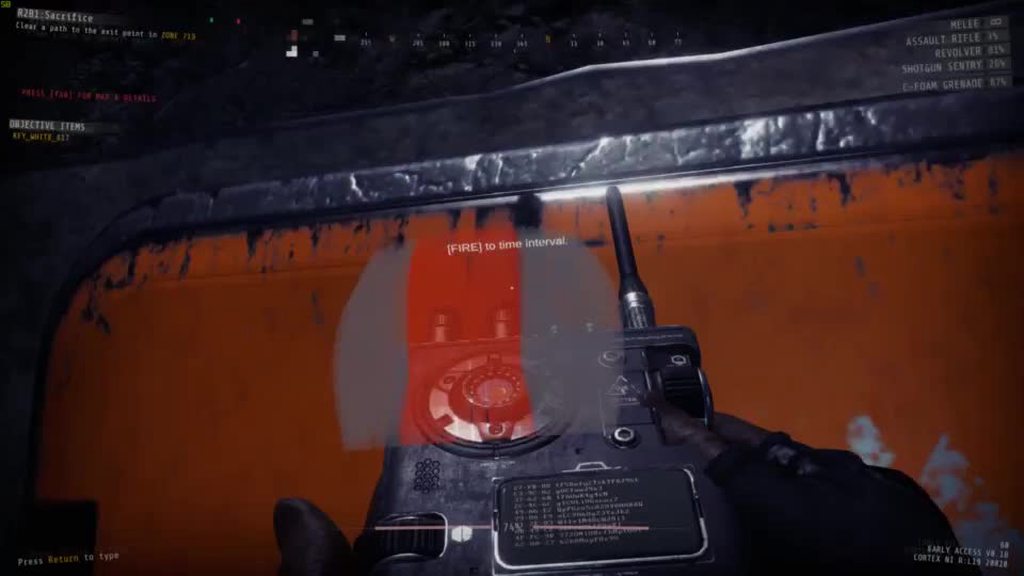
May I ask, is that a correct behavior 😉 ? https://i.imgur.com/M007PPA.mp4
 wispy barn
May I ask, is that a correct behavior 😉 ? https://i.imgur.com/M007PPA.mp4
@slender condor That most certainly is not lol. Can you submit a #bug-reporting and include logs from that game session please
slender condor
Also, is it possible to hide mouse if somehow it appeared? I've tried to change screen from Fullscreen to Windowed, reopened all overlays, like Discord, Steam, Geforce Experience, Alt+Tab. Nothing helped, but game restart. https://i.imgur.com/J3OtnkZ.jpg
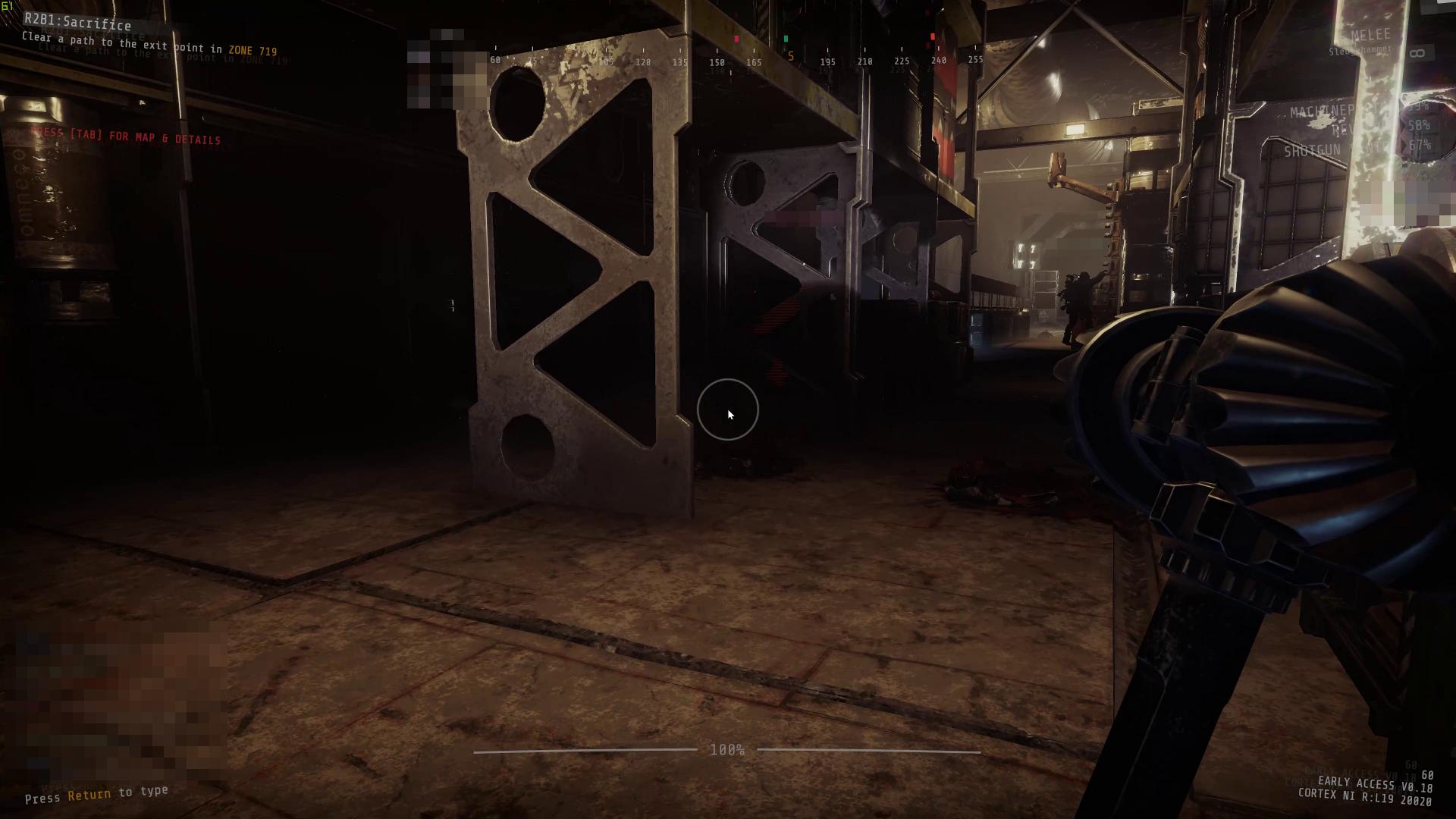
@slender condor That most certainly is not lol. Can you submit a #bug-reporting and include logs from that game session please
@wispy barn Roger that. Thank you very much 🙂
Also, how is it possible to stop throwing(i.e. Glow Stick). I've tried to pressing nearly any key. When tried to change weapon via Mouse Wheel, I've accidently chosen Gun and have shot in room full of enemies. This caused all of team be ??? XD
So, currently, only changing to a Hammer via key 1 helps, but Hammer hits, too 😄
 fleet eagle
So I cleared A1 last night and today when I went to play it said I hadn't completed it. I changed my steam name in between. Is this something I did? I can still play B with my friends because they have credit for completing A1, I just would like to host.
wispy barn
So I cleared A1 last night and today when I went to play it said I hadn't completed it. I changed my steam name in between. Is this something I did? I can still play B with my friends because they have credit for completing A1, I just would like to host.
@fleet eagle Changing your name had no effect. This is a bug that the devs are working on fixing. You can redo it to have it show credit for you, or someone with credit then can bring you in.
fleet eagle
Ok, I kinda thought it was some bug, thank you for responding!
 fast crest
Has someone already reported a bug about being down and you staying down even in a new expedition when you restart the level?
slender condor
@wispy barn Done: https://10chambers.atlassian.net/browse/GTFO1-3222
wispy barn
thanks
slender condor
Thank you, actually
 unique blaze
@fast crest so you were not the host, and you died; the host restarted the level and when you finished the drop you were still dead on the floor? Is that right?
and you were able to be in the lobby and ready up right?
fast crest
Yes but no at the same time. I was still "dead" so to speak but I was bugged and out of the drop pod, and when the drop finished I was teleported to a Dark abyss where I couldn't see or do anything. Everything else was normal
unique blaze
ok post screenshots and go to users/"username"/appdata/LocalLow/10 Chambers Collective/gtfo/ and post the most recent client.json and output_log.txt the next time that happens
you can put them in a zip
wispy barn
If you can get the logs from that current session and provide them here and tag me that'd be great so we can look into it
fast crest
Will do, once I figure out what a Zip is lol, internet is a man's best friend
wispy barn
#bug-reporting has more info on how to grab the logs even a tool that can zip then for you
fast crest
Guessing that's the Log Manager thing? If so, I already did most of it and even have a bug report on standby to send if necessary. Because I have a video of it too, it's just barely to large to send
wispy barn
yeah if you post to the 10chambers.atlassian.net site then link me that bug with everything uploaded there that works too.
unique blaze
if you can't do a zip that's fine
fast crest
Is there anywhere you want me to put the video at? The size of it is too large to put in the Bug Report Page/10chambers.atlassian.net site
fast crest
Okay
I submitted the Bug Report Form, now I'm just waiting for the video to finish uploading, and figuring out where to send it after it's done
unique blaze
link to the bug report if you can
fast crest
Okay the video is attached to the Bug Report now, so everything should be set and good. I guess message me if you need anything else
 heady cedar
Not really a game problem.
My Ge force shadowplay can't recognize GTFO as a game and i need to turn on "Record my screen" option to record gameplay. Otherwise shadowplay is just turned off after i launch the game.
 mighty cipher
@heady cedar i'd recommend looking online for a fix for that.
proper grove
@heady cedar which fullscreen mode do use?
heady cedar
borderless
proper grove
Have you tried fullscreen?
mighty cipher
^
proper grove
And or exclusive
 urban moss
does anyone can explain why we with friends have too big delay between host and players?
ping is good, everything is good but players don't see enemies when host see
proper grove
^
urban moss
or gate with scan opened only for host but not for players
proper grove
The game uses p2p connection. Which means the host acts as a "server".
urban moss
Yeah but in other games everything is alright
proper grove
If someone has a bad internet connection (for example to Corona)
it can cause delays
Yeah but in other games everything is alright
@urban moss What games?
urban moss
but we live in one town
@proper grove civilization, hoi, world war z, dying light for example
l4d2
proper grove
You still have lag in these, you may just do not notice it ^^.
To get the best connection you can try to swap the host.
urban moss
we tried swap host but nothing changed
proper grove
Unfortunate there is nothing we can do. As this is caused by your provider and the usage of the internet in your area (and who knows what else). The game only uses direct connection between you and the host (and back of course).
urban moss
Ok, probably it's cuz we live in shitty russia
 kind fiber
Um yeah is the Hacker Sequence buggy?
Since I always land it on the spot of orange and it marks it wrong
Meanwhile I land it in the spot of grey and it marks it right
This happens sometimes
proper grove
Also this can be caused by lag.
As the input is registered to late, or the hacker sequence is delayed.
 ornate jay
it got like this R2B3
proper grove
Oh was is temporary? or was it like this all the time? and how did it behave? Did it "pop" correctly after a short time?
or was it loading bit by bit?
@ornate jay ^^
mighty cipher
Hi so um... I was able to play perfectly fine yesterday, now all of the sudden i'm getting stuck on 'waiting for system assets to initialize". I forced quit first time it appeared and well, game had no assets. Couldn't get in game because whole lobby was on 'waiting for host' even tho the expedition has been started by a host already.
I managed to get in the game once and after that - complete darkness when falling down the shaft. After that - pure nothing. Can't get into the game, at all, now sitting on waiting for assets screen.
Any idea what can i do about it?
proper grove
Mhh we can try something
mighty cipher
I'm all ears
proper grove
Perform the following steps:
- Uninstall game on steam.
- Delete the following folders:
:PL: C:\Users\USERNAME\AppData\LocalLow\10 Chambers Collective
:PL: C:\Users\USERNAME\Appdata\Local\Temp\10 Chambers Collective\ - Install the game
But before you do this!
Can you send me your Setting file?
C:\Users\YourPcName\AppData\LocalLow\10 Chambers Collective\GTFO
It is located there ^^
mighty cipher
do i just throw it in here?
proper grove
Send it to me via dm ^^
mighty cipher
done
 sharp sable
And its buggy again and only showing network error. . .
sharp sable
well, kind of
proper grove
Kind of? :3
sharp sable
well, ip renew didnt worked this time. . .
sharp sable
Perform the following steps:
- Uninstall game on steam.
- Delete the following folders:
:PL: C:\Users\USERNAME\AppData\LocalLow\10 Chambers Collective
:PL: C:\Users\USERNAME\Appdata\Local\Temp\10 Chambers Collective\- Install the game
@proper grove
this one?
proper grove
but tbh (and don't tell anyone) idk why x3
yeah
It can be that the second folder may not exist.
So ignore if you can't find it
proper grove
You mean you are installing it now again?
sharp sable
I do
proper grove
Ok awesome.
sharp sable
its only 3.4GB, so its fast
proper grove
x3 Yeah after unpacking it's about 11gb.
sharp sable
it installs the update, COPY it to the destinatin and THEN deletes the old files xD
proper grove
180gb <.< i download with 1.5mb
sharp sable
me with 5mb
proper grove
ok, i hope it works ^^
proper grove
9pm... but haven't slept all night x3
sharp sable
xDD ok touchee
proper grove
all good.
 tribal notch
yo, @proper grove, my issue was resolved by deleting the 10 chambers folder in app data after uninstalling and reinstalling. fixed the joining lobbies problem and haven't seen the machine gun problem from yesterday
sharp sable
xDD
proper grove
Awesome
sharp sable
whatever i do, it always end in an network error and tells me that i dont have internet
proper grove
#known-issues is the only thing at this point
Yeah it is a problem with some sources.
PlayFab, Steam, ISPs etc.
sharp sable
ok, now after 2 minuts in started
proper grove
and i don't want to leave you alone. But i'm super tired. ;_;
OH NICE
Im happy <3
mighty cipher
Redownload. Waiting for assets to initialize
but hey i got inject button now
Hey, friends and me bought the game yesterday and we are trying to start it for hours but cant because of the network error thing. Is there anything to handle it? P.S. Sorry for my bad English.
wispy barn
Hey dude, take a look in #game-announcements we have some info about that error. There are a couple things you can try from #known-issues but usually just need to wait.
 magic summit
got a new bug: joined a lobby, and while everyone was still in the lobby, for some reason i was transported to the pod, like i would be in the beginning of the mission, except the pod wasn't moving; pressing esc didn't do anything so i had to kill the game process
the host didn't start the game
mighty cipher
Cause the network error the game sucks!!!
magic summit
@mighty cipher if you have VPN you can use it as a workaround, works for me
wispy barn
got a new bug: joined a lobby, and while everyone was still in the lobby, for some reason i was transported to the pod, like i would be in the beginning of the mission, except the pod wasn't moving; pressing esc didn't do anything so i had to kill the game process
@magic summit Can you gather logs via #bug-reporting and submit a report via the link in that channel
@mighty cipher take a look in #game-announcements we have some info about that error. There are a couple things you can try from #known-issues but usually just need to wait.
mighty cipher
I bought it yesterday and could play for two hours only, i`m in corona quarantäne and bored as fuck!
Deutsch
So I should just wait in game?
wispy barn
I'm sorry Quasimodo, but this is not something GTFO has control of at all. If we could fix it we would, but this is all on 3rd parties due to everyone being in quarantine and using hte internet more causing systems to malfunction more.
magic summit
all the log files with today's date
oh one sec, |nd submit a report via the link in that channel|
mighty cipher
Im gratefull for ambition, but it`s anoying! 🌝
 unkempt juniper
Hi! We're experiencing a weird issue with the game with my friends. The game runs smoothly for each of us, but when I and my one friend are in the same game he experiences a massive lag. It doesn't happen when he plays with two different people. The FPS is good for every one of us. I also don't experience any lag.
 merry briar
It looks more like massive delay, than lag. For example - when i pick someting or throm glowstick, I get the animation, but for the result (glowstick being thrown) i must wait some time - up to 20ish seconds sometimes
and its only, when we both are in the same game. If not, its perfectly fine
 uneven gazelle
Hello i cant play GTFO since the update anymore, it tells me connection error all the time? what do to?
sharp sable
found another bug, 2/4 player in elevator scene, the rest in lobby stuck in frozen screen
@uneven gazelle same here, sometimes it retries but m,ostly not, it sucks
 hexed rapids
i queued with 3 people, one of the 2 had no problems, the other 2 couldnt see/hear eachother. Also my shoot and left walk button keep getting randomly mapped to each other
mighty cipher
I done the last thing on B4 and the game wasn't even finishing and for me one of the guys didn't even appear anymore, looked like he left but he didn't
uneven gazelle
so im closed out of this game for no reason?
while my other 3 friends can play it?
what bs is that
wispy barn
@uneven gazelle I really apologize that you are having issues playing the game and getting a connection error. This is out of 10 chambers hands, it's an issue with a 3rd party service that they have no control of. Usually waiting and trying later allows it to connect.
uneven gazelle
but seriosly how can this be an ISP problem when my friends appartment is in the same house as mine and we have the same internet provider?
anyway thanks for the quick response, keep it up
 languid sun
Having the same problem not everyone seeing eachother in the lobby/elevator/ingame, worked fine yesterday
 jovial slate
hello,
how much upload bandwidth do I need to host for a group of 4 people?
 warm sky
This isn't really a tech support question, but a possible bug cus it also happened to another teammate after I fixed mine, so not sure where to post it.
On R2B1, turning the Long Range flashlight on once inside Zone 721_B made the world disappear within that room. I have a clip of it from my stream if needed. In another room the LR flashlight also wouldn't shine past a broken door as if it still considered the door to be there. Also, we were getting about 80% LR Flashlights in boxes/lockers on most of our attempts of B1 today, which seemed odd.
mighty cipher
@warm sky I suggest making a bug report and attaching the highlights from your steam.
warm sky
👍🏻 Thanks, I scrolled up and down trying to spot a bug reporting channel or message with how to go about it, and somehow missed the actual 'bug-reporting' channel.
mighty cipher
no problems!
 strange schooner
my internet is fast af how on earth my friends and other ppl having problems joining the goddamn lobby like theyre on 90's wifi
warm sky
Because they're not using your fast internet to join a game.
 dusk flower
#bug-reporting is where you go
 native lava
sorry didn't see it. Thanks.
dusk flower
no worries man
native lava
So I'm not actually able to post there and it isn't a sort of crash error bug like that channel is talking about
dusk flower
Okay, they mods would probably be able to help you more
<@&408548765599793173> Pls halp him
native lava
thanks for trying to help tho!
 native lava
Essentially I found what I'm assuming is a bug but I can't post directly to the #bug-reporting channel and it isn't a sort of game breaking thing that I think would cause a log message or something
idk if this was already reported, but if you put the shotgun sentries on the other side of closed doors, the targeting lasers clip through the doors and also can still shoot you on the other side of it.
 rotund sand
Ah, this is a fairly well known bug actually. It has been reported many times. Also, your game will create a log from just about every game you play anyway! So even if your game doesn't crash or suffer any fatal error, you will still be able to submit the log via the steps in #bug-reporting :3
native lava
Got it, thanks

 rotund sand
Ah, detective @mighty cipher . Glad you're here. I'll send you my notes.
 sleek yacht
I thought that bug was fixed? I assume it wasn't completely fixed then?
mighty cipher

rotund sand
It is still possible on some doors @sleek yacht
It's not as easy as it used to be though.
sleek yacht
but only on security doors, right?
rotund sand
@native lava Actually just to be sure let's ask. Was it on one of the big security scan doors, or a regular metal door?
native lava
Regular metal door. It didn't seem to clip through the security doors because it didn't shoot monsters on the other side, but couldn't see if it clipped visually
rotund sand
Oh.
sleek yacht
that's new
native lava
Like, every metal door I saw in the Sacrifice map that we set up a sentry on the other side of, the laser clipped through and we took some friendly fire
rotund sand
I wish Lordvig was online.
sleek yacht
are you able to get a video clip of that?
native lava
unfortunately no
sleek yacht
I can try to confirm that bug tomorrow if I remember
and yeah, that is definitely worth creating a report about
native lava
Just to be clear about what happened, we opened a door, stuck a sentry behind it and closed it so the sentry was pointing at us and the door was between us
rotund sand
Oh.
sleek yacht
oh
native lava
And we could see the laser flicker in and out through the door
rotund sand
No he said they would take friendly fire so it must have been shooting through the door.
native lava
it was shooting things at the door but we got hit by some pellets that didnt hit monsters
sleek yacht
could be shooting through holes in the door since the enemies can damage the door
native lava
the door was c-foamed
sleek yacht
was the door damaged before it was c foamed?
native lava
no because we c-foamed it in preparation for a defense event
sleek yacht
hmm, not sure what would cause that then, but I recommend you try to get someone to record that happen next time. If you can't, I will try to replicate that and see if it happens to me too.
native lava
👍
sleek yacht
If not, then we can't do much about it, but we'll see, thanks for letting us know 🙂
rotund sand
Yeah thanks for the info!
native lava
glad to be of service
rotund sand
@native lava Alright so I asked for some more info on how to best report it. If you experience the bug again, if you can gather any screenshots / videos of it and then send that in to #bug-reporting along with the log from that session!  (ᴬˡˢᵒ ᵛᵉʳʸ ˢᵒʳʳʸ ᶠᵒʳ ᵖᶦⁿᵍᶦⁿᵍ ʸᵒᵘ ᵃᵍᵃᶦⁿ)
native lava
No worries. Do you want a screen cap of the laser? Because I won’t be able to get a cap if the friendly fire
rotund sand
Yeah if you get a screencap of the laser coming through the c-foamed door, and then specify via text that it was also able to shoot through + damage you through the door that should be all the info they need!
native lava
👍
 cobalt mural
im having a problem with the game. before the update i had no problem playing with my friends but now anytime i try to join my friends lobby i just get an empty lobby with 4 invite slots, i cant even see my own character, and sometimes when i do join i cant see their equipment and mine just appears as 4 white rectangles and once my friend starts the game it still says "waiting for host" and im still in the lobby
I tried playing on my own and sometimes when im standing next to a chest or a locker it wont let me open it
ive uninstalled and reinstalled multiple times and its still doing the same thing
strange schooner
server dog
 wild egret
anyone know a fix for constant crashing of this game? i have tried everything on google.
mighty cipher
@wild egret Can you list everything you have done?
sleek yacht
@cobalt mural I have had this happen to me many times too, it is a bug that doesn't seem to have any reproduction methods, just happens, so until we can find what's causing it, it is going to be difficult to fix. Atm, you can restart your game and that normally fixes it. If it doesn't go away though, let me know.
 normal star
assuming this is the right place to ask about some odd lag issues, correct me if this is the wrong place please. anyway, while playing, when the game has to play a sound that hasn't been played in a while or hasn't played at all yet, i get the game hanging for a short moment. i'm not sure if this is a common problem because of the game still being in progress or if it might be a problem with my rig. any tips?
dusk flower
So to make sure I'm understanding, when a sound hasn't played in a while or not at all, the game freezes for a short time?
@normal star
And has it happened in every game you play?
normal star
essentially, yes. for example, when the player character says one of their voice lines, it tends to hang for a short moment, presumably because the game is loading the sound file. and i've only tested it when doing solo so far, but yeah, every game it's happened at least a couple times
dusk flower
What's your computer specs? Also do you have a good internet connection?
normal star
cpu: amd fx 8350 8-core 4ghz
ram: 32gb ddr3
gpu: radeon rx 580
~100mpbs up and down internet
 wide zealot
and on what is GTFO installed?
normal star
gtfo is installed on a 2tb western digital hdd, a different one than windows. i'm assuming that if it's an issue with my rig, it's hard drive speed, but i usually have plenty read/write speed
wide zealot
read/write speed behaves very different with different file sizes. Usually the bigger the files, the faster the speed
out of curiosity, you have the swap file enabled? (by default it's on)
normal star
yeah, small files like music will usually go through a large folder of them at a few meg a second
and i'm going to assume yes bc i don't actually know what you mean by swap file
wide zealot
normally you do have a swap file. but some people believe disabling the swap leads to faster performance but in real it's just causing more problems
the hdd, it's defragged recently?
normal star
i have windows automatic defragging settings on, so i believe it would've been defragged within the last 2 weeks
just checked, and yes, checked on the second of this month, 0% fragmented
wide zealot
ok nice. Hmm i don't really know if it could be software (the game itself) or if it's really your hardware. If I were you I would check the load of the HDD while you play. if the HDD is always or when the sound loads under 100% load, it may indicate the problem
normal star
fair. I'll test that out real quick. there shouldn't be a load on it other than the game, since all my programs (including steam and such) are on c drive and games are on e drive
dusk flower
If that doesn't, follow the steps in #bug-reporting and if it's game related they'll try figuring it out
wide zealot
but maybe GTFO uses all hdd speed when loading in new assets.
Also, maybe but I don't think so: You have files missing. Always good to verify the content. You can do that in steam: Right click on the game -> Properties -> Local Files -> Verify Integrity of Game Files
normal star
if it is game related, i assume it's just optimization and that's not an issue to me. it doesn't tend to happen during gun fights, mostly just when the character speaks and once or twice while hacking a lock
wide zealot
they fixed a bug so players now speak often :p
normal star
that was a bug? i thought it was just an atmosphere type change lol
wide zealot
there was a bug where they speak only in the first run when you started the game, then they remained quiet after you try other runs (if you did not restart the game)
normal star
ahh
i haven't actually made it past a1 before and i've been getting used to r2a1 today
another question while i test the game. do you happen to know the best pooling rate for the mouse for gtfo? i've had a couple issues with the game thinking i released lmb while i was holding it
wide zealot
also what you could do (requires some work) to find out if your hdd is the culprit: You could move all sound files (assuming you know where they are located) to the SSD but keep the game on the HDD. then if it works flawlessly you found out the issue
ha! welcome to the club 😄
same issue with holding LMB and he slams the melee straight
normal star
exactly lol
wide zealot
i dunno, I thought my mouse is starting to break (it seemed also other reported this for other games)
what mouse do you have?
normal star
im thinking it's a pooling rate related thing. i have the razer naga trinity. defaults at 1000hz, but ive changed it to 500hz and im still trying to see if the problem occurs again
wide zealot
the game thinks i double click when I hold so he quick punches
interesting, also have razer (chroma deathadder) and 1000hz
I will try tonight also a lower rate
normal star
yeah, it's helped with some kinda similar issues in the past for me, but that was mostly movement tracking issues
wide zealot
my workaround: When you about to charge up melee look somewhere in the air where there is no enemies. don't look at a wall or ground, hitting it will trigger the enemies
normal star
good work around
wide zealot
xD
normal star
btw, just had the game hang before a sound effect. disk read ~50%
wide zealot
interesting. maybe do a game verify in steam?
it could be that it's your CPU just being too slow loading in things for your HDD
i must say your CPU is a bit below the minimal requirements
normal star
it is a bit old. i need an upgrade. i just haven't really had this kind of issue elsewhere
wide zealot
yea odd issue, I would not think that gtfo is demanding in loading in assets. I would assume most load when you load the game
there is a graphic setting in gtfo where people say that you can offload some workload on the GPU or CPU depending on what is stronger
normal star
which setting?
wide zealot
something with culling it's called. Lower settings will let the GPU do more work, higher setting let the CPU do more things.
normal star
ahh that's what that'll do lol i'll try messing with that after verifying
wide zealot
I must say tho I never found an official statement about this setting and when I tried on various setting I never saw a difference
normal star
well it's worth a shot before i start moving gtfo to different drives
wide zealot
also if you have little space on your ssd or windows drive: You could only move some files of GTFO (like sound and textures) to the SSD and keep the base game on the HDD. If you really need to save space. The technique is called "junction" and it's kinda like a shortcut
normal star
so far, changing that culling setting from medium to low has seemed to fix it. i'm gonna set it to high and see if it exagerates the problem just to make sure tho
normal star
after a while of testing it, I'm still unsure what the issue is, but it seems to really only be a problem (or is at its worst) when the cpu culling workload setting is set to medium. setting it to small essentially eliminates the problem, but setting it to large caused the game to only hang once throughout testing. i haven't figured out what might be the root problem, but i've started to think that this setting is mostly unrelated, since changing it one direction seems to fix it but the opposite direction does not exaggerate the issue
unique blaze
do an external benchmark. what ever is highest in performance should show. if you're not sure. put culling on low for now.
each system is different. so you can choose the show frame rate and swiutch options
unique blaze
GENERAL BUG REPORT NOTICE: Detailed accounts and reproduction steps with good grammar, videos, screenshots, and logs ( how to get them listed in #bug-reporting) helps us bug hunters, Ludvig, and D0c immensely! - Hard to understand single sentence gibberish without proof is thrown out as we literally don't have the time! Thank you!
My favorite so far: "Massive bug fix asap
Description
we need you to contact us for more details this is a terrible bug we have video proof even if need be just get in a call with all of us to get full details"
Ultimately, bad bug reports hurts you players as it takes longer to verify and fix things; as well as making new levels, features, and rundowns for you all to play.
This notice also extends to tech-support questions. Help us help you!
 ornate egret
Is there anything i can do abaut the "no network" issue or do i just have to not play while waiting for a fix?
mighty cipher
@ornate egret read the latest post. #game-announcements
unique blaze
You can try to restart the game. if that doesn't work; restart steam. if that doesn't work restart your computer.
Other wise it's on ISPs and high internet traffic.
You can also try a VPN.
ornate egret
There was a problem with my steam, it said the game was updated but it wasn't, all good now, thanks.
unique blaze
:3 glad to hear it.
cobalt mural
same problem as yesterday
tried reinstalling it again
joined my friend same problem
empty lobby
i can play on my own but i cant join friends
and when i do play on my own the loot chests are glitched
mighty cipher
this will happen sometimes, just restart it should work if not, get your friend to do another lobby or created your own.
cobalt mural
i have
mighty cipher
they can't join you neither?
cobalt mural
ive been restarting for like 2 days now
nope
ive tried with multiple different friends
cobalt mural
hmm
mighty cipher
maybe reset your internet
@cobalt mural i just realised, you haven't updated the game it says R1, the game is now in R2.
update the game through steam
proper grove
@cobalt mural Perform the following steps:
- Uninstall game on steam.
- Delete the following folders:
:PL: C:\Users\USERNAME\AppData\LocalLow\10 Chambers Collective
:PL: C:\Users\USERNAME\Appdata\Local\Temp\10 Chambers Collective\ - Install the game
cobalt mural
thats weird, i reinstalled the game like 10 times, how is it downloading the wrong version?
mighty cipher
you need to update it through steam make sure you have your downloads on
 wary stone
getting fps drops every 2 minutes
from 60 fps to 10
lasts about 5 seconds but is very annoying
proper grove
what your Max queues frames set to @wary stone
wary stone
5
unique blaze
WHAT
proper grove
mhh.
Maybe set it to 3. And see it it's changes something (to better or worse)
and are you the host?
wary stone
yes
proper grove
ok
unique blaze
try no vsync and medium to low shadows too
wary stone
already the case
unique blaze
good.
proper grove
Also check what workload your GPU/CPU is on, specially when the Hick ups happen
wary stone
my gpu is doing 100% even while in the lobby
proper grove
OOF
wary stone
is this normal?
proper grove
Can you send me a screenshot of your taskmanager Perfomance tab? and process tab please?
proper grove
And process too please
wary stone
proper grove
C:\Users\YourPcName\AppData\LocalLow\10 Chambers Collective\GTFO
wary stone
under which folder is game settings
proper grove
C:\Users\YourPcName\AppData\LocalLow\10 Chambers Collective\GTFO
It's the GTFO folder
ok thx
Delete yours and put this in the folder please!
cobalt mural
Okay, so i tried deleting the folders in C:\Users\USERNAME\AppData\LocalLow\10 Chambers Collective
C:\Users\USERNAME\Appdata\Local\Temp\10 Chambers Collective
and then i reinstalled the game and that seems to have fixed it
proper grove
Nice
wary stone
thanks
proper grove
@wary stone did it changed something?
cobalt mural
thanks alot everyone
proper grove
Have fun! ^^
wary stone
wtf virus detected?
proper grove
?
wary stone
haha jk jk
proper grove
OOF
 fair wave
cyber magic(?)
 wet sail
Lower resolution
wet sail
you got sent to 1280x720 if it wasn't your max already
proper grove
did not change that
wet sail
Ah i see
proper grove
Nobody will find out :)
fair wave
What if it was placebo
wet sail
I can just diff both files you know 
wet sail
Looks like it got deleted from the chat
proper grove
:3
wet sail

proper grove
i don't want people to change anything in the files without approval.
fair wave
True
wet sail
At least I can set 60 FPS manually, since the slider is not very.. cooperative :v
proper grove
That, you can do
fair wave
Oh yeah, I wanted to ask something
proper grove
I mean adding or maybe even deleting stuff in these files can cause problems ^^
fair wave
Is it possible that a lag can move you and make sleepers wake up
proper grove
Yes and no
fair wave
for e.g., you stopped walking, but the sleeper suddenly wakes up in front of you
proper grove
As long as it host does not get a false positiv, you should be fine
Yeah this can happen
fair wave
so the host's sever will be prioritized right?
since I sometimes play with friends in a different region, I lag a bit
But I'm guessing it's not that big of a deal?
Probably stopping a bit earlier will prevent it from happening
I play from Japan and I sometimes play on the NA server
Worst ping would probably be about 200
proper grove
The Host acts as a server, the game uses p2p.
fair wave
isn't it hybrid
fair wave
Ok
proper grove
Do you have more questions? :)
 wispy jay
Weird...I just checked and it says I've completed B3, even if I tried it just once this afternoon and I died just before the extraction point
proper grove
When the others got out, it is a win for you too
wispy jay
That's the point...As much as I can recall, no one got out!
proper grove
Are the next levels unlocked?
wispy jay
Or maybe I didn't notice, seeing as I was down and surrounded
They're unlocked 'til D1, not the last two
proper grove
Then at least one got out i'm pretty sure
wispy jay
Well, if I ever find again one of team's other guys, I'll check with em 😄
 warm idol

 mighty cipher
did you change any settings?
proper grove
Looks like one blood spot got a lil' big
mighty cipher
@warm idol no changes at all? do you remember what happened before you got this on your screen?
warm idol
i remember being attacked one of the crawlers, and i hammered it, was small before it started growing big
does a old invite code help?
i still have that
warm idol
it happened a few days ago, but it did disappear after a while
 sage heath
Hi there, why is the text in game menu all blurry and double text sorta?
sage heath
oh right oklay thank yopu
 winter echo
So my friends and I were playing a round, and the one of us with the keycard had to leave. After they left, we were unable to find the keycard. Is this messed up in the game, and/or are we just stupid?
proper grove
He picked up the card and then left the game?
mighty cipher
The key should have dropped on the ground.
proper grove
Does it though?
mighty cipher
Apparently according to many people.
winter echo
Ok so we just failed to find it
mighty cipher
Have a look on the floor where the person left.
unique blaze
GENERAL BUG REPORT NOTICE: Please make sure you have your drivers updated! Graphics drivers: https://www.nvidia.com/Download/index.aspx https://www.amd.com/en/support Microsoft: DirectX https://www.microsoft.com/en-us/download/details.aspx?id=35 .Net https://dotnet.microsoft.com/ Visual C++ https://support.microsoft.com/en-ca/help/2977003/the-latest-supported-visual-c-downloads ETC.... (the later two may not be needed but many games will require some or all.)
 drowsy socket
proper grove
drowsy socket
proper grove
In #bug-reporting there's a link to report these bugs ^^
unique blaze
hit tab and show us on the map you are
proper grove
where you are* x3
drowsy socket
In 720 on R2B1
wispy barn
@drowsy socket when you submit the bug be sure to include the log files
drowsy socket
Im sorry
unique blaze
you can still upload what you have if you have not exited the game
or if you've exited the game and not restarted
wispy barn
The logs will even still be evailable if you restarted, just run the gtfo log manager program that's in #bug-reporting and we can add it to your bug report
drowsy socket
Yea i restarted the game thats my bad and the whole computer 🤣
proper grove
no that's ok
wispy barn
@drowsy socket that's ok, the logs are still available.
proper grove
^
drowsy socket
proper grove
This is your Settings file.
You can download the .exe in #bug-reporting
it's very easy ^^
But should you get stuck at one point, always feel free to ask
wispy barn
He did download the exe
wispy barn
Did you input the correct year/day/month for the logs.
wispy barn
Try leaving all the fields blank when it asks for the date as there are 3 prompts, year, month, and day. if blank it'll default to today
proper grove
oh yeah you're right. Forgot you changed how it's packed
drowsy socket
its okey now?
wispy barn
ok making progress, it found the output log, but still missing a couple other files, at the first prompt try entering 2020, 2nd prompt enter 04, then 3rd prompt try 04 as well. I suspect the game files were saved under yesterdays date
wispy barn
@drowsy socket that's it, perfect. Thank you.
drowsy socket
💪🏻 thank you ☺️
proper grove
👍
 soft cape
Hi guys, my group played for the first time yesterday and we had severe desyncing issues / network problems - wasn't steam or our computers. Sadly my friends have uninstalled, they might test it again in a few months - we were just wondering if that was a common thing
wild egret
does anyone have advice on constant hard crashing issues? im on a ryzen 1600x and a nvidia 1070ti. I have tried reinstalling, updating drivers, uninstalling and deleting the steam gtfo folders and the ones in users temp before reinstalling. tried rolling back to previous drivers, updating windows, disabling anti virus, unplugging extra monitor
wispy barn
The game is peer to peer, so everyone's internet, especially the host and their PC will play a big part. Especially with covid going on the internet is stressed a lot more than normal making more issues like latency and connection issues @soft cape
soft cape
its p2p though
wispy barn
@strange schooner there are no servers, it's pretty to peer
soft cape
we are all pretty local and all our connections are good, it was weird because it would generally be a one sided des ync
for exampel we could see the player move interac
t
b ut
they couldn't see us
happened to all of us and we switched around hosts between the 4 to tyest as ewll
wispy barn
That is really odd. If that happens again could you have everyone gather logs via #bug-reporting and submit one bug report with all logs? A dxdiag would be great for all too.
soft cape
ah unfortunately everyone apart from me has refunded the game for now
for what it's worth we really enjoyed it
but we couldn't play. I think we did 14-17 runs within 90 mins with about 10 desyncing
wild egret
does anyone have advice on constant hard crashing issues? Im on a ryzen 1600x and a nvidia 1070ti. I have tried reinstalling, updating drivers, uninstalling and deleting the steam gtfo folders and the ones in users temp before reinstalling. tried rolling back to previous drivers, updating windows, disabling anti virus, unplugging extra monitor. google has no solutions and it doesnt properly generate error reports the way its crashing.
wispy barn
That's also really odd. If you could launch game, get the crash, then use the log manager tool to grab logs and submit a #bug-reporting with them and a dxdiag that'd be really helpful
wild egret
sometimes it also deletes gtfo exe and logs me out of steam.
im not sure its getting the error reports. it hard crashes and i have to power cycle the computer to regain control.
 mental haven
im on a 1070 7700k on an ssd and it locks up and uses 95%-100% gpu on lowest settings
any ideas :<
 sweet silo
Hyrbrid all crashes i had 3900x and 1080ti were related to drivers and lowering cpu culling
Anything else beyond that was just verifying game integrity and turning off anti-virus
if anything other than windows defender
wild egret
so lower or raise cpu culling?
cause it seemed to just make it less stable if i touched that.
and i have the newest drivers, the last two drivers didnt help either.....
i mean, i verified the intergrity and reinstalled at least 6 times
so what? older drivers? newer drivers? lower culling? raise culling?
proper grove
im on a 1070 7700k on an ssd and it locks up and uses 95%-100% gpu on lowest settings
@mental haven Can you send me yout Settings file please?
sweet silo
@wild egret lower culling, clean driver installs latest. Check your boards bios update (firmware) i have an x570
sweet silo
Tell that to my 3900x that dropped in temperature and corrected the processing along with numerous other issues with warzone
wild egret
you mean my grapics card bios?
proper grove
No
wild egret
cause my mobo bios was causing a known issue with overwatch. so its up to date.
sweet silo
Are your sound drivers realtek?
wild egret
yeah
sweet silo
Have you done their last update?
i went through all this with COD warzone which is why i ask
:/
wild egret
ill try that.
but its the video drivers that seem to be crashing. the audio will still work after the screen goes black
sweet silo
Windowed or full screen?
sweet silo
multi monitor?
sweet silo
Just right click your background hit the # screen it is scroll down and hit disconnect
under display settings
wild egret
that doesnt do anything?
sweet silo
on apply it should turn off the second screen
sweet silo
Go to %appdata% then LocalLow > 10 chambers collective > GTFO
Rename the gtfo_settings to .old
start the game
wild egret
that didn't help. it also logged me out of steam again.
wispy barn
Have you tried reinstalling steam because resetting that file shouldn't log you out of steam
wild egret
its after it crashes
i have to hard restart
and then im logged out of steam
and gtfo.exe is usually deleted
that is constant
wispy barn
Sounds like steam could be corrupt
wild egret
no matter what i change or modify
wispy barn
Because GTFO wouldn't delete itself
wild egret
well no other games have issues
wispy barn
I'd love to look at the logs as well. #bug-reporting if you can send me those
Then humor me and reinstall steam
proper grove
May i ask you to send a screenshot of the Device manager?
unique blaze
@wild egret do you have any special settings in your bios?
wispy barn
Lavars and I are already working with him
I think I found the crash data in the database.
unique blaze
kk
wild egret
the only special settings would be VM enabled. no overclocking.
proper grove
What VM?
unique blaze
virtual machine
proper grove
Nox, ok
And what did you enabled in the BIOS? Do you remember what the setting was called? ^^
wild egret
SVM
proper grove
Gotcha.
proper grove
@ebon apex
 ebon apex
just got 4000% health
we played were doing an alarm
and we werent dying, the infected weren't dying
it was hilarious ngl but im kinda curious why
or who had experience it
proper grove
Ok, can you write the name of the host from the game and the details to @rose thicket as it probably was a hacker :(
ebon apex
it was both my friends. doubt they were hacking as theyve basically never played it before.
ebon apex
yea.
proper grove
Ok, it would be awesome if you could provide the log files, same for your friend, as it helps to find what causes the problem.
in #bug-reporting there's an exe that grabs the Log files automatically.
 frigid marlin
What should my aim sensivitiy be so its 1:1 with my main sensitivity? Its much slower when i right click and aim and throws off my aim
proper grove
@frigid marlin mh 🤔 i can not help you with that. as i would had to try and test it myself. But maybe someone else has an answer. I allow you to also ask in #gtfo-related-questions so you have more sources for answers ^^
wispy barn
@ebon apex please find out from your friend if they were using any cheat program. We're not going to punish them if they are but were trying to figure out the cause and we're dealing with conflicting data. Log files from you and your friend will be really helpful
ebon apex
I'll give you my log files but idk im trying to use this .exe but cant use it
unique blaze
use the alternative method if you're having trouble.
antman, what level were you on btw. how far into the mission? what do you think triggered it?
ebon apex
The new first level
we were playing and started an alarm
and there were TONS of the infected. idk but they started to pile up and we realized that they werent dying, then realized we weren't dying
then realized i had like 4000+ health than what i had
it was pretty insane
wispy barn
Can you have the person who was host also get their logs
 slow lichen
Haha finally!
unique blaze
did it ever change? or was it continuously 4000 health, and invincibility for everyone?
slow lichen
im one of @ebon apex 's friends
wispy barn
And confirm if they used any cheat tools. Seriously, we need to know the truth is anyone was cheating and we won't punish any of y'all if you were, just want to validate data and figure out if a bug or not
@slow lichen we're you host?
wispy barn
Who was host, are they here?
slow lichen
they should be waiting for the 10-minute thing like I did
unique blaze
10 minute thing?
proper grove
yeah
slow lichen
it said wait 10 minutes after joining the discord
proper grove
if you join server you have to wait 10 min ^^
ebon apex
did you get anything with my logs?
unique blaze
silver if you can please post your logs too
ant, they are likely reading them as we speak
slow lichen
how? I dont see it in my steam local files
wispy barn
#bug-reporting has how to get logs
slow lichen
ok
unique blaze
We've spent a ton of time trying to figure out how all this is happening and trying to force it ourselves. because if it isn't cheats it could mean really bad things later if we don't find out. so we want to squash it now.
unique blaze
thank you
slow lichen
yea we understand thats why we are cooperating here 🙂
ebon apex
^
unique blaze
it's greatly appretiated
slow lichen
cuz the whole experience was strange (funny, but strange)
unique blaze
we're lucky it's funny/strange. because it could be worse!
wispy barn
@slow lichen can you double check you set the right date for those logs. That looks to be March 5th and we're April 4/5
slow lichen
my bad
proper grove
All good :3
ebon apex
how many times do you guys have reports of hackers or bugs?
 tight osprey
@ebon apex @slow lichen can you give any more specifics like were there connection issues where exactly in the level etc?
its ok if not i understand not knowing the levels inside and out for new players
ebon apex
The room that allowed you to get to room 104 on the first level
tight osprey
ok and connection issues of any kind?
slow lichen
not on my end
ebon apex
no
tight osprey
@wispy barn have you ruled out this as a desync?
also you said the enemies were also not dying?
slow lichen
yea
tight osprey
interesting
wispy barn
Where's your friend at that was host?
tight osprey
assuming hes still waiting for the 10 min verify @wispy barn
wispy barn
10 minutes should be up
slow lichen
he went to the bathroom
wispy barn
Lol ight
slow lichen
he should be back soon
proper grove

 flat marlin
IM HERE
slow lichen
lol
flat marlin
getting the logs
tight osprey
if the 4k bug was affecting both player and enemy it could be values that both share health wise @wispy barn
unique blaze
thank you!
unique blaze
thanks lopolo
tight osprey
that should make it easier to narrow down
wispy barn
@flat marlin thanks and you 100% weren't using any cheats or anything? I don't care if you were, won't be in trouble
flat marlin
Nope
unique blaze
in before we find out nothing and were stuck trying to forcing it for the next week
tight osprey
back to square one T_T
wispy barn
@flat marlin can you send us a dxdiag and a speedtest please
tight osprey
have we had any reacreation of it yet?
proper grove
wispy barn
Was it working fine in earlier matches and randomly had this in middle of the match?
unique blaze
just thins and one a couple hours ago, mally
ebon apex
yea we played around before and nothing l;ike that happened
unique blaze
this*
tight osprey
i meant for the BHs
ebon apex
played a round*
wispy barn
Plenty of CPU and gfx to handle it
have we had any reacreation of it yet?
@tight osprey No bug hunter has been able to recreate
tight osprey
im stumped we tried to recreate it too
flat marlin
LMAO
tight osprey
damn
slow lichen
lool
unique blaze
it's great lol
wispy barn
Well then
ebon apex
hahaahah
slow lichen
lmao
tight osprey
mans got all of the ISP locked up in his house holy
flat marlin
verizon fios aint no joke
unique blaze
so then the next question, at what point did you guys quit the level?
tight osprey
did you finish it?
ebon apex
we completed it
unique blaze
so a crash?
slow lichen
we just ran with it
unique blaze
ooooooh
slow lichen
no crash
unique blaze
that's interesting.
slow lichen
game ran fine
slow lichen
just random extra health and that moment where they were invinvible
wispy barn
Did all of you have the 4k hp and was it exactly 4000
slow lichen
i dont recall
flat marlin
nope I was stuck at 99% and my friends were at 4k
slow lichen
but I noticed i had 3,900%+
slow lichen
^
tight osprey
so you were damagable?
wispy barn
When it went so high did it stay locked there or did it decrease
ebon apex
I felt as if there was a moment where we were invincible though.
slow lichen
wasnt paying attention
unique blaze
moment? so they stopped being unkillable? did you kill them or ignore them as if they were pets?
ebon apex
During the alarm. definitely was invincible
tight osprey
@wispy barn the only way this would be possible with a trainer or a table is if it was set to that value and not locked
slow lichen
only after we realized they werent dying did we notice that our health was that high
we kept trying to kill
proper grove
Yeah i know of no bug that is like this
wispy barn
And eventually you were able to kill the enemies againm
slow lichen
yea
proper grove
at least no confirmed one 🤔
wispy barn
Which alarm was this again?
ebon apex
wait. we also had one of the cargo already on the escape area. if that helps
unique blaze
mally i'm going to host, lets try that door.
tight osprey
i was about to go to bed
tight osprey
___>
slow lichen
lol sorries
unique blaze
sleep when dead
tight osprey
we tried the recreation steps to the letter on B4
tight osprey
also the report on this from the infection pop
wispy barn
nope I was stuck at 99% and my friends were at 4k
@flat marlin your health never went up above 99%?
flat marlin
nope never went above 99%
tight osprey
thats the oddest part
since he was host wouldnt it tell the others that their health needs to be the same
wispy barn
Well we know host can tell clients what their hp should be so I'm thinking something got whacky on the host side and caused the clients to get 4k hp
proper grove
Someone of you played the game before?
Was the amount of sleepers unusual at any point?
wispy barn
@flat marlin when you got the 99% were you that high prior to the alarm or did you gain health without using a medipack
proper grove
as antman said there where a TON of infected.
flat marlin
i was definitely not at 99% prior to the alarm
flat marlin
i guess since we werent able to kill any of them for a while, there were a lot of enemies at once
slow lichen
yea it didn't seeem like mroe than usual
wispy barn
I'm thinking something desynced and caused values to reset
flat marlin
could anti-virus or firewalls cause any issues?
proper grove
Yes but no
wispy barn
Thanks for all the info. Well dig through the logs tomorrow and let you known if we have any further questions
flat marlin
np
slow lichen
no problem
ebon apex
no problem
proper grove
Ok!
slow lichen
good luck with the bug
proper grove
If you encounter such a problem again, it would be awesome if you could provide any recordings
Everything helps
^^
ebon apex
sure! good luck
slow lichen
i believe we had 2 runs prior
ebon apex
i remember 1
slow lichen
breh
tight osprey
@wispy barn thinks can potentially get wonky after multiple restarts correct?
ebon apex
actually yea it was 2
wispy barn
We've seen issues while having game running. Multiple restarts without relaunching the game
tight osprey
heard we are gonna keep wiping and re dropping
see if we can get something weird to happen
wispy barn
Maybe we can leave game running overnight and test in morning
 prisma silo
my freinds game is really dark any idea whats happenning here?


mine looks like this


 somber mountain
go into setting menu could fix that
unique blaze
@prisma silo hit Esc to the settings, then hit escape to go back and that darkness should go away.
 spare vector
Yo i cant get past initializing on the intro
It was working fine earlier until i alt+f4d earlier
spare vector
where is that?
proper grove
go to:
C:\Users\PcName\AppData\LocalLow\10 Chambers Collective\GTFO
ops ^^
Only the directory
And it's "GTFO_settings" ^^
spare vector
spare vector
I think the problem might be a unity crash\
the crash handler shows up in the task manager
proper grove
So it did not work?
spare vector
nope
proper grove
ok
Perform the following steps:
- Uninstall game on steam.
- Delete the following folders:
:PL: C:\Users\USERNAME\AppData\LocalLow\10 Chambers Collective
:PL: C:\Users\USERNAME\Appdata\Local\Temp\10 Chambers Collective\ - Install the game
Then we need to to this
spare vector
I dont see the folder in local/temp
proper grove
That's ok, you can ignore it then ^^
spare vector
ty
mighty cipher
Does anyone have an idea why my game crashes loads?
 gloomy fox
I'm having problems with the toggle aim option, for some reason my gun will randomly lower while I'm trying to aim down sights. It never randomly pulls up the sights though
 worn root
Blank lobbies when joining my friends, can play but can't see each other
mighty cipher
have you tried to restart steam or any of your friends? @worn root
maybe doing a new lobby will work too.
@gloomy fox I believe this issue is known by the devs.
@mighty cipher not too sure, are you running a lot of apps in the background?
if not i recommend a restart as well.
@mighty cipher Nope, Rarely do. And I always do reset
This is a strange one.
 rapid marten
I have an issue, not sure if it's the game or my PC. But when playing, as soon as enemies start coming after us, my game with randomly freeze for a second, every 20 seconds or so until we clear out the enemies. My hardware matches the recommendation so idk what the issue is.
mighty cipher
could be a CPU issue, make sure not to be running anything unnecessary in the background
wet sail
There is an option to select how much the CPU should work and offload from the GPU, in Advanced Video settings, you might watn to experience a bit with this
mighty cipher
you can make a game suggestion if you feel they need to add more in Advanced Video Settings
wet sail
I don't know what they could add tho
rapid marten
@wet sail are you talking about the cpu culling option? because i was looking at that yesterday but i didnt fiddle around with it just yet
wet sail
Yeah that one
rapid marten
ok
 proper lynx
Me and my Friends currently have the issue that the game always lags for all. No matter who is hosting. Is this some general issue or can we do something about it?
 frosty heath
this isnt supposed to happen
 bleak relic
Looks about right for me
mighty cipher
@frosty heath You're a crazy son of a bitch, you know that right?
 minor niche
Yeah this is kinda broken
frosty heath
i some how had infinite mines
minor niche
anything @frosty heath uses like a medpack, ammopack, tool refill etc just doesnt run out
frosty heath
except for throwables
minor niche
which is very balanced of course
 fading osprey
indeed, otherwise it would be exploitable
wet sail
Looks great tbh 
fading osprey
which we wouldn't want of course
 dreamy barn
Hello guys, I have a technical question (since I am not an IT guy myself).
I am considering buying this game, but my pc have graphic card only Nvidia GeForce GTX 550 Ti. So, the question is, will I be able to run in even on the lowest settings in the game?
Thank you in advance for the answer
fading osprey
hmmm
frosty heath
um
wet sail
A1 overkill
fading osprey
hey i did that one like 8 times over, i wanna be sure that i win.
 loud wedge
so in the septic misson the keycard is named wrong
 acoustic notch
Hey guys, I'm having some performance issues and hoped maybe an expert was in here. When I play GTFO with one GPU it is buttery smooth. But when I play in SLI, the frame rate drops slightly (from 80s to 50s) but it FEELS very slow. I'm not sure how to quantify the feeling, but I did notice that "frame time" is higher when it "feels" slow.
Has anyone experienced this in SLI, where it was slower? Did you fix it?
loud wedge
the keycard was named key_green_574 and it opened a door the needed green key 430
mighty cipher
so guys a guy in our lobby fell through a higher floor and is now bugged in the map

any idea how we can get him out of there
@mighty cipher he can leave the game and join back, it should spawn him next to you guys
nopw
it didn't work?
no
it spawns him back at his
last position
did you guys move away from there though?
same as us
yes
yikes ermmm
did he do a full reset on gtfo?
what exectly do you mean by full reset
quit the game
just launch the game again ?
yes
yes he did
is he unable to move?
he is able to move
any way to debug him ?
the only thing i can think of is maybe going into a brand new room and maybe that'll trigger something and then he can leave and join back next to you guys
i've never heard of this happening before so its hard to tell what to do
any idea how we can get him out
or what we could try
not sure honestly
i'll be honest i've never heard of this happening before
i don't even know why he fell through the floor
hay, here/me i was stuck ...
cant move out
i don't know anyway you can get out, were you just walking and then you fell?
no, i have an sound bug, i hear nothing, on the game, and i was try an relog, and instant fall on joining
were in the middle of a good d1 run its frustrating
are you able to make a recording of this?
like your position on the map and then make a bug reportr?
i havnt an programm to record this, but i have screenshoots
they will do
well the bug report help solve the problem
make sure to make a bug report
will
unfortunately no and you won't like what i'm about to say but i don't think there is anyway to get him out, if he can move then he might be able to fall through the floor but i don't know since i'm not in the game
he can move
but only in a square
:/ yikes
wait
hes streaming now
you may be able to see the stream
dm me his stream
sec
can you watch the stream ?
no i thought you mean like twitch
you only can see the stream if you're in the room
realy
how can i see the stream
when im inside the room
try to join
@wraith spoke any ideas
 wraith spoke
hm?
mighty cipher
have you seen the footage ?