#gtfo-technical-support
1 messages · Page 14 of 1
 carmine isle
ah, good eye
 empty python
you need to get the new version of the game
 mighty cipher
so i just rastet 35€?
empty python
try reinstalling the game
carmine isle
You are most likely trying to run the "GTFO Beta" not the whole game from what I can tell @mighty cipher
what's it called in your library?
mighty cipher
GTFO Beta
empty python
theres ya problem
carmine isle
Yeah, that's not the whole game, that's the Alpha/beta client we used for pre EA testing
it's supposed to be called just GTFO
mighty cipher
Rip me
carmine isle
check if you can install the one called just GTFO,
cause you shouldn't be able to purchase the beta since it doesn't have a store page
carmine isle
that's weird.
did you pay €35 for a gift card?
mighty cipher
Nono one of my "Friends" sold it to me.. for 25€ so i thinks it was cheep becaus he didte wont the game
I so just scamed my self :/
carmine isle
:\
mighty cipher
But thanks for the help 😄
carmine isle
that sucks man.. Hope you manage to get your money back or something!
mighty cipher
I will find out if there is any way to get back me money and buy the game
 proper grove
@mighty cipher It puffers some frames in case of Frame drop. It helps with stutter. The best setting is 5. And from there you can play around with it to find your best setting
mighty cipher
dose it introduce any input lag?
proper grove
No, i can't make .ms tests. But i tested a little bit and i didn't felt any input lag. But i'm not the best source (my PC is pretty bad, and atm broken)
 dense barn
just played B1 our game was laggy and couldnt see where the attackers came from
proper grove
That's probably the host @dense barn The game uses p2p connection ^^
 mystic agate
I just got the game off of steam and when I boot it up the frame rate is ridiculously slow and my cursor moves a good 5 seconds after I make an Input. PC is brand new and well above recommended specs.
proper grove
Ok, i maybe can fix it ^^ But first i have to check your Settings file. I send you a pm where to find it ^^
 main rampart
HI, i just got GTFO and when i boot up the game it works but my Main menu screen is all blurry
i have 1920x1080
the text just looks like theres a watermark beneath it
proper grove
oh yeah, that's a design choice, there may will be a Option in the future to turn it off. For now there isn't such a option.
mystic agate
Thanks for the help but it’s a shame it just doesn’t work. Maybe in the future
proper grove
Yeah, it's a weird thing. Again, appreciate your time ^^
main rampart
i read the matchmaking info
but how do u join someones loby
i have the lobby # copied
im @ rundown
nvm im noob
proper grove
It's ok ^^. No problem .
 unique blaze
having connection problems out of nowhere. connection to discord and steam look good. frame rate in the "retrying connection" portion is 300-400fps. is something going on?
was fine earlier
ending task. retrying with vpn
hm still. gonna do a restart.
yep now everythings all good
 dire vault
um....
 rapid ice
Dont know what channel to put this in but glitched through some stairs
 onyx void
yes
 coarse holly
Hey i hesitate to buy GTFO because i wonder if it supports 3 screens using the surrounding of nvidia ? and is it possible to put every ui in the middle like in forza?
i run on 7480 (2560*3) X 1440
coarse holly
oh well it's not perfectly working actually i can't press on settigns button even too if the rest is okay
 woeful mirage
we where so ready but then we find this,
what you looking is all the enemy stuck at the broken door 😄
 civic coyote
Graphical question: I have maxed the games graphical settings yet the games textures look blurry together with poor/no anti aliasing. The graphics does not change when I switch between low and high quality.
Anyone else sharing this issue? Any advice?
Thanks in advance!!
 somber mountain
ping the moderators WillHelm
 wispy barn
No need for ping, if someone is available they will help. Pings should be for urgent issues.
 lusty niche
Wait for lavars
 dark matrix
Did you restart your game willhelm?
 next mulch
 somber mountain
no
 tight pine
friend has an error with launching the game. When he does he gets a black screen to it, any fixes?
somber mountain
picture?
 worn bison
Hey people, I've got an error at hand. Any help?
Restarted Steam, my laptop, all to no avail
 rancid kettle
That happens if either A) you are trying to start the Alpha/Beta build of GTFO or B) if Steam detects no network connection (GTFO requires a Network connection to run).
If it is A, you need to Purchase and/or Install the Early Access version of GTFO. The Early Access version is a fresh installation downloaded from Steam. It is not just an updated version of the Alpha or Beta builds (which can safely be removed to free up space).
If it is B, try restarting Steam and make sure you are not using Steam in Offline mode.
worn bison
Thank you for replying. I will try out the steps. If issue persists I'll update again.
 raw talon
@worn bison https://discordapp.com/channels/408196129470152705/633424858088472578/653717685602877500 Try these "if that doesn't work try restarting your Modem, Router, and your PC (which you already tried, so try restarting the modem or router)."
worn bison
Update for the problem. In the game files named 'Debug', I found some lines stating this:-
[0215/210302.258:ERROR:settings.cc(325)] Settings version is not 1
[0215/210517.529:ERROR:settings.cc(325)] Settings version is not 1
[0215/212603.234:ERROR:settings.cc(325)] Settings version is not 1
[0215/213543.931:ERROR:settings.cc(325)] Settings version is not 1
[0215/223024.333:ERROR:settings.cc(325)] Settings version is not 1
Switched my connection to mobile data hotspot, still getting the same error.
rancid kettle
Next step, I think, is uninstalling the game and trying a freshly downloaded installation. Have you had it work at all?
worn bison
It worked only once out of the many tries that I attempted. The time it worked, I exit the game and tried to launch it again, only to get the same error.
rancid kettle
Actually, before you do that (if it's not too late), try right-clicking on GTFO in your Steam Library, selecting Properties and then Verify Integrity of Game Files. This will take a few minutes.
worn bison
^ I have also done that. Switching to my friend's account to try and play on it also did not yield any result.
Guess its time to re-install the game. If the issue persists I will update here again.
wispy barn
You can also try reinstalling steam
rancid kettle
^^ I was just thinking make sure steam is updated. I just received a Steam update yesterday, not sure it had been sitting there for a while or not.
worn bison
After several tries of relogging into Steam, I also received an update, but its only for Steamworks Common Redistributables. Redownloading the game now. Fingers crossed it will work after all the fuss.
rancid kettle
There are usually stability updates and such that come with pretty much any update. If there was some minor update that affects the way you connect, it might have been enough to keep you from connecting properly.
 hexed topaz
@rancid kettle i have checked my steam, and it is up to date. in addition, i have tried reinstall the game also, but the problem is still there
rancid kettle
So you're getting the same screenshot that Xeviria posted above?
Also, you are using the Early Access version and not a previous Alpha or Beta build, correct?
@hexed topaz
hexed topaz
@rancid kettle yes sir
rancid kettle
Have you previously been able to connect, or is this the first time you've tried to play?
hexed topaz
@rancid kettle i have played for 8 hours, and suddenly become like this
worn bison
So, same problem even after reinstalling, no connection. Might be a dev side problem?
rancid kettle
Or maybe a regional Steam outage of some sort. What region are you guys connecting from?
hexed topaz
Im from Malaysia
worn bison
I'm connecting from Malaysia too. I'll switch to other regions.
Update: The error still occurs. Current download region set to Japan - Tokyo.
 coarse quail
@hexed topaz u using UNIFI ?
worn bison
My guess is that the local ISP has encountered some problems.
hexed topaz
@coarse quail yea bro
coarse quail
@hexed topaz have u try using ur data hotspot ?
hexed topaz
@coarse quail i got no wifi adaptor for my pc, so sad
coarse quail
sad
hexed topaz
@coarse quail you encounter the same problem also?
coarse quail
@coarse quail nope
im xeviria's friend, im helping him now
so we think is UNIFI problem
hexed topaz
@coarse quail i see, Good Luck
coarse quail
@hexed topaz maybe u can use ur data by using usb tethering ?
hexed topaz
@coarse quail im using desktop by the way, hahaha.
worn bison
@hexed topaz Using your phone's USB cable, connect your phone to your PC, switch on mobile data, personal hotspot, and also USB tethering. This acts like a LAN cable from a router to your PC.
hexed topaz
@worn bison how should i setting in network connections?
coarse quail
@hexed topaz first, u using iphone or android phone ?
hexed topaz
@coarse quail im using iphone
worn bison
@hexed topaz Check pm
hexed topaz
yaya i got it
proper grove
hi @worn bison and @hexed topaz Could you solve your problem?
 bronze owl
Hello!
I am having game-breaking (in the sense I can't play a game) problem where:
- Copy-paste ID I get the "empty lobby" on E12 bug
- Can't create a lobby, when I create a lobby it simply refreshes the rundown screen
What I have done so far
- Restarted computer / Steam
- Checked firewall permissions for the game (full permissions)
- Verified integrity of files
- Reinstalled and tried again, to no avail
Does anybody else here have this problem?
I think I will try to clean my cache in appdata because the game used to work for me
proper grove
@bronze owl Do you use a VPN?
proper grove
Can you try to use mobile tethering?
bronze owl
Ok
proper grove
Thank you
bronze owl
I used USB tethering to my phone but it does not work still
Do you know what else it could be?
bronze owl
No, I was just hoping someone previous encountered this
proper grove
It's a very rare thing.
bronze owl
So I might be able to play the video game
proper grove
The devs may have to check the log files.
bronze owl
Yeah
proper grove
While you do this, i will check the logs if i find a solution.
bronze owl
Ok thank you, I will post on there
worn bison
@proper grove Tried it this morning, still to no avail.
proper grove
And you restarted your router as well already?
worn bison
Yep, did everything that was recommended to me before
proper grove
ok, do you use a VPN?
worn bison
No sir.
proper grove
Ok. You turned off firewall?
worn bison
That I have not tried, let me get back to you on that.
proper grove
Take your time ^^
worn bison
Nope, still getting the error.
proper grove
ok. And antivirus?
worn bison
I only use Windows Defender, turned it off just now but am still not getting results
proper grove
Did you tried to use phone tethering?
worn bison
Yup, tried it. Unfortunately, I could not test if my ISP is the problem, because I am using the same telco provided by my ISP.
proper grove
Then you could try to use a VPN (test version) to see if the ISP is blocking a participation of the game.,
worn bison
Sure, which VPN do you recommend?
proper grove
Good question.
I don't know which are the best. But i would gues something like NordVPN, FastVPN etc.
worn bison
I'll give Nord a try.
 weak sequoia
Why is it whenever I start the game
I get a Network Error: No Connection?
Can someone help me on this?
rancid kettle
Malaysia?
We've had a few reports now of outages in Malaysia due to possible issues on the ISP side of things.
rancid kettle
I think I saw one player was able to get connected with Nord, so it may be worth a try.
weak sequoia
Because sometimes it manages to reconnect
But now its just retrying hahaha
@rancid kettle do I need to stay connected to the vpn the while playing?
Or can I disconnect once I'm in the game
 candid musk
is there a way to fix lighting glitches, such as a constant shadow with 3 meter radius following you everywhere, and black squares instead of volume light (i suppose that was volume light)
lowest settings, high shadows, AMD GPU
rancid kettle
I'm not 100% sure how VPNs work, but I imagine you would need to stay connected?
candid musk
i remember seeing a video with the same graphical issue, will that do? if not, one sec
rancid kettle
@proper grove is actually our tech person. I'm just filling in. 😉
What CPU/GPU are you using?
And how much RAM/VRAM?
candid musk

around 9:18
GPU: R7 M340, with 4 gigs of VRAM
CPU: A12-9720P RADEON R7
RAM: 12 gigs, game didn't eat that much anyway
okay, now i'm confused
it somehow fixed itself
may that be because i had to alt-tab out of the game window?
rancid kettle
Sorry, had to step away for a little bit abruptly. Yeah, it's possible some graphical glitches and errors can be fixed by alt tabbing out and back in (gives the GPU a bit of a nudge). Closing and restarting the game will also fix a lot of other issues.
I have basically the same CPU/GPU in an older laptop and can't run GTFO at all. I believe it is actually an A10, though.
That laptop is sitting in a closet somewhere, too.
 analog zinc
How am I suppose to report a bug?
I encountered a bug in B2. My team has 4 player, and in the final stage, that you run to exit, only 2 out of 4 player who is within the exit zone successfully completed B2.
I and the other one are left alone
wispy barn
@analog zinc that is a known bug and something the devs are working on fixing as a high priority.
analog zinc
oh.. thx
I have the recording, after 2 of my successfully completed the stage.
So the only option I and the other dude have right now is to re-run B2 I assume?
Cause it seems we aren't been recognized as completed B2.
Anyhow, it happened after I tried to use my Bio-Scanner at the last second, right before we successfully exit. Wasn't sure if that is the cause.
Here is a link of that recorded video: https://youtu.be/uIxgaSvpm-k
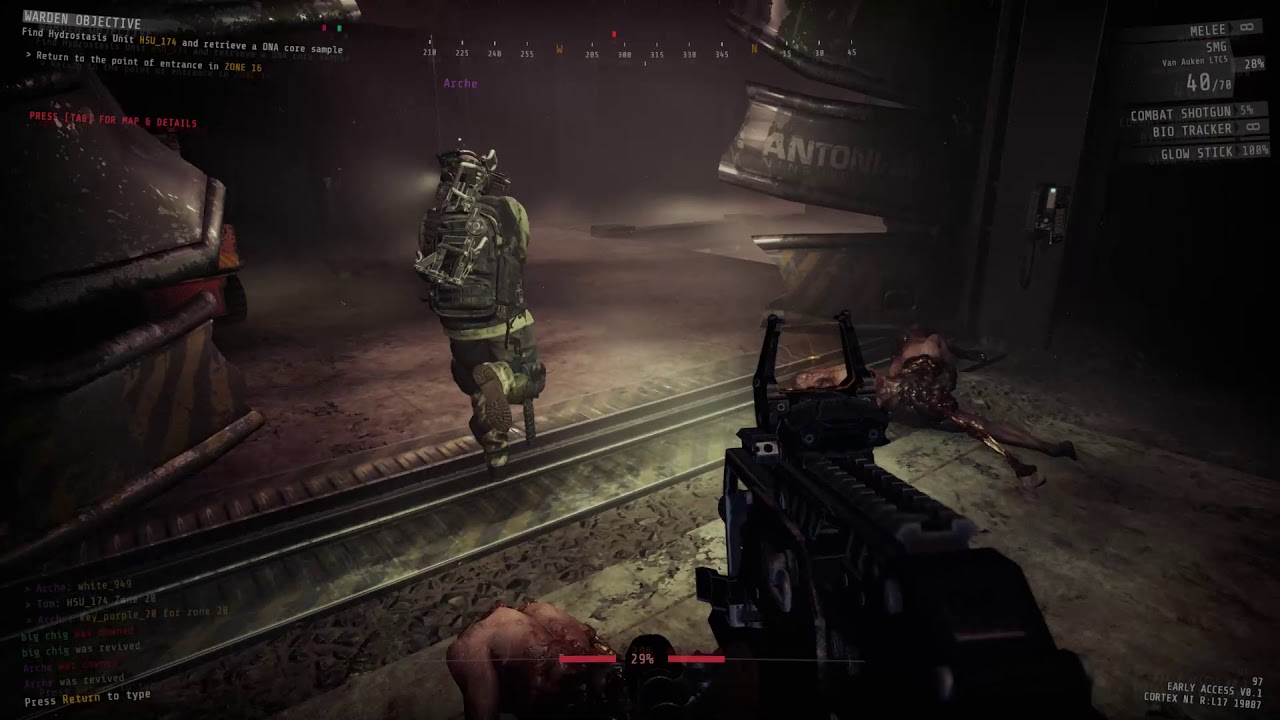
This is a recorded gameplay footage of B2. 4 of us completed the evacuation process before I started recording. 2 are still left in the stage. I have tried to exit the lobby, but the game shows that I "didn't complete" stage B2.
Hope it will help.
proper grove
@worn bison Hi! Could you try a VPN? Did it work?
 deep spruce
i cant seem to be able to connect to a lobby,
i copied the lobby id, and in game thats the screen that im forwarded to:
https://i.imgur.com/A7cKHHM.png
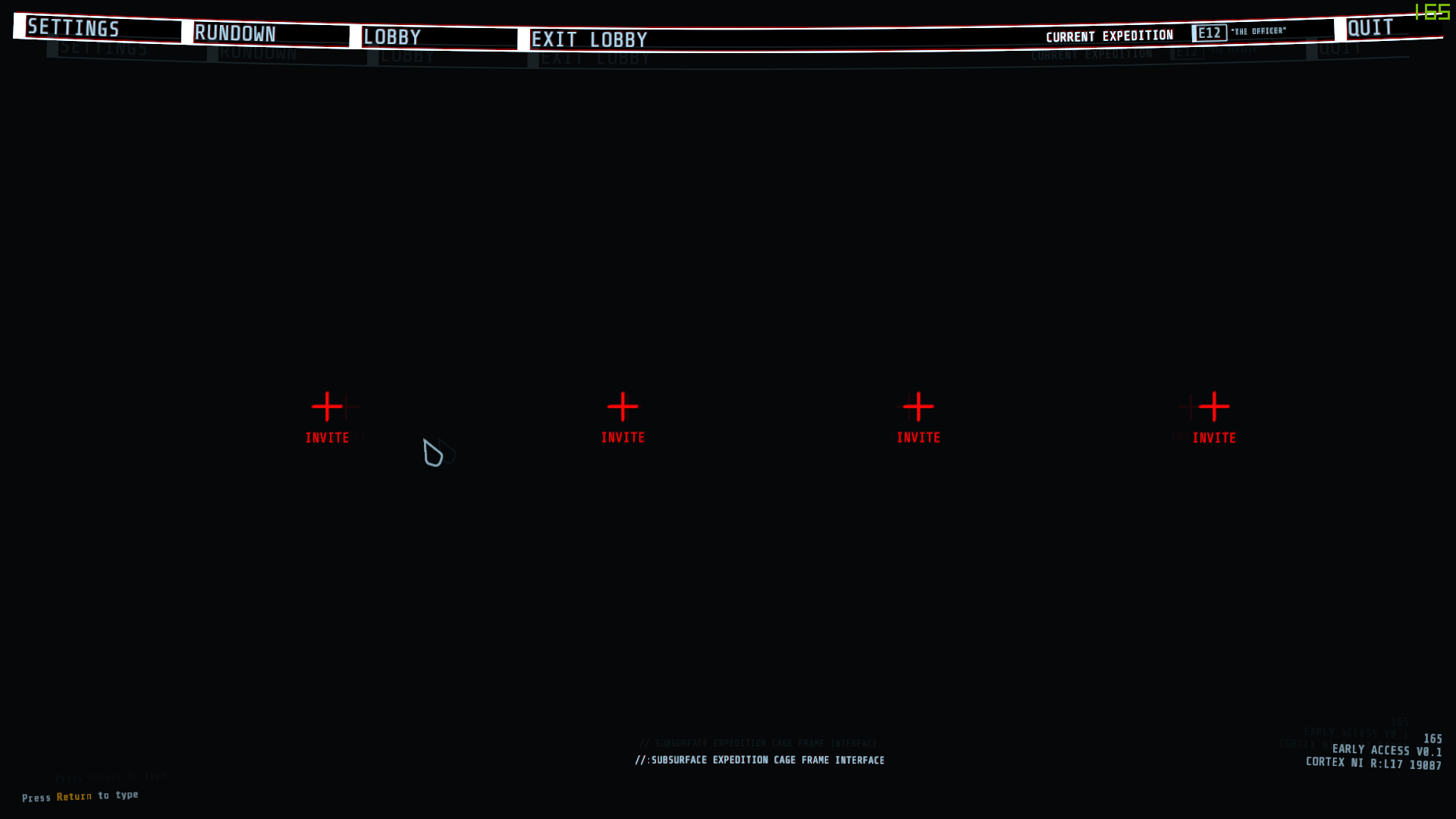
any idea on how to fix it?
deep spruce
im the 4th
 white radish
Get a steam invite?
deep spruce
i got the code from someone in here
deep spruce
oh, ill try
 floral depot
Do I need a vpn to play this from kuwait?
proper grove
Not 100%. Some providers can block certain features that are necessary to play this game.
floral depot
So no then
white radish
It’s a. “It depends”
unique blaze
posting so others know: "Hey there. All the players and enemies have their own hitboxes. Unless there is some weird desync going on then what you see and shoot at should be the same that your teammates see and placement of players/enemies shouldn't change between people.
-D0cR3d#0001"
 kind crown
Hey people, I've got an error at hand. Any help?
@worn bison
whenever I start the game it says connection error retrying and I've tried restarting the game,steam,and my computer and nothing has worked and I would really appreciate if someone could help me out
proper grove
@kind crown Be sure to start the Early access, and not the beta ^^
kind crown
@proper grove when I start the game it says early access 1.0
worn bison
@kind crown Try using a VPN. Some other things you could try is to switch wifi of different ISP, switch to mobile data hotspot, restarting your computer, steam, verify integrity of game files etc.
@proper grove With VPN it works sometimes, but today's test says it is probably okay without needing VPN. Thank you everyone for helping me.
@kind crown Also, if you are connecting from Malaysia, maybe try switching your download region on steam to other countries. But switching to different ISPs and switching from wifi to data should be your main priority, since this will probably tell you if your ISP is the problem.
proper grove
Ok @worn bison REALLY! Appreciate everything ^^
 gaunt mirage
Make him disconnect and join back
 pearl monolith
already done
 lime saddle
This is the only solution
pearl monolith
got teleported stuck there
 pearl monolith
yeah found out if you crouch in that corner and stand you bugs you out and stuck in there
that corner
wispy barn
@pearl monolith can you submit a #bug-reporting with those screenshots and describing which expedition and zone
pearl monolith
well we have to re-do the map so ill post a indepth version in there
theres also another little exploit found
you can place turrets like through a door without opening killing things on the other side
wispy barn
that's a known issue, it'll be fixed
pearl monolith
oki perf just starting b2 and ill post there, thanks 😄
@wispy barn you want this filled in?
just to clarify
wispy barn
Yes please
pearl monolith
oki
worn bison
@pearl monolith Maybe there's a /unstuck command?
wispy barn
there isn't
pearl monolith
@wispy barn what priority should i set it as
wispy barn
low
pearl monolith
oki all made for ya
candid musk
also about that staircase bug
there's a way to get out
next to that pillar, when you go up the thing, there's an iron bar pillar
if you're stuck under that staircase, go forward in the direction of it, turn right and right again so you get behind the wall instead
and hug the collision on the right just before that pillar
when you reach it, do a hard right turn and jump out
candid musk
(it was me who was stuck there)
 outer sorrel
Hi, getting no network connection error on game launch. My wife is sitting right accros from me and connected to fine. I'm not on the beta version of the game. Any ideas?
Already verified file integrity
 stray mist
Hey, we found a bug last night. Any admins on?
wispy barn
#bug-reporting @stray mist
 severe depot
Hi, I hope I'm in the right place to ask for help, sorry if I'm mistaken. I couldn't find a place to send a support ticket online or anything so is this where I can try to ask for some help with a new install?
wispy barn
Yes it is
severe depot
Cool, wanted to verify before I dropped a longish message
My brother just gifted me this game and I can't seem to play it on launch, watched him buy and send it to me, Steam downloaded it and installed it successfully, but then on launch it displays a Network Error: No Connection. I tried reinstalling, rebooting my PC, used Steam's Verify Integrity setting, found a post online that said to manually move and delete some files in the game's installation folder, made sure all my drivers were up to date, then uninstalled and reinstalled again. The error still displays and I'm out of ideas.
I was going to contact Steam Support but someone suggested trying this first
empty python
are you sure youre playing on the right version of the game?
its pretty common for people to accidentally play the beta version
severe depot
According to Steam it's on the latest version
Ah, it does say Beta next to it but that's the only one showing up in my library
empty python
yeah but when you load up the game in the bottom right it says the version
hm
well the beta isnt the right version
double check that there isnt something just called GTFO in steam
severe depot
Searched by name and scrolled down, it's the only one there
I take it maybe this is a Steam support issue?
empty python
it may be
severe depot
Shame, was really hyped for this, thanks for your help though
empty python
eh i didnt really help
severe depot
Beta, as Soy pointed out, but also the other version doesn't even show
So it sounds like I'll have to contact them
Also @empty python ya definitely did help because now I have some idea of where the issue lies, if I don't have the correct version of the game I need to get it and it's not y'alls problem
wispy barn
empty python
have you accepted the gift?
wispy barn
Does that pull up?
severe depot
Sends me to the store page and asks me to purchase rather than saying in library, yes I accepted the gift, strange
somber mountain
the gift could be Beta version
wispy barn
Yeah, that's a steam thing. Maybe your (brother?) gifted you the beta version?
somber mountain
the beta is free
severe depot
Could be though as far as free, did actually watch him pay for it since I looked away during his card details. I'll have to see if gifts show up in steam's history.
empty python
yeah check your recent products
severe depot
Doesn't appear that gifts show in recent products, but I'll contact Support and have them figure it out from here. Thank you all very much for your help!
empty python
hopefully you figure it out soon
dire vault
black screen with red "invite" buttons. "current expedition: E12 "the Officer""
 glass canyon
this isn't really a bug or anything, but is there any chance we can get an option to turn off the film grain? For those of us content creators, it can really bring down the quality of the video encoding
proper grove
@dire vault A restart should fix it.
@glass canyon This is a bug with the light engine. They are working on a fix for it. ^^
dire vault
restarting did NOT fix it.
proper grove
Are you the host?
proper grove
Could you play before?
dire vault
i've joined from code, from steam,
yes. i can launch into a solo lobby of A1 right now.
just not the lobby i actually need to be in
dire vault
a member of the team in Chat#70 also had the same issue
no, it doesn't even drop you in.
your just in the lobby menu
proper grove
Yeah i mean that.
proper grove
Oh ok.
I would test if you can join me, but my pc isn't working. You have someone you can test if you can join him=
Just as 2 persons.
dire vault
i just sent you a picture of my screen
proper grove
Yeah. I know the problem. Sometimes it's a bugged lobby, sometimes one person that causes the lobby to bug.
dire vault
what on earth does that mean and how do you fix it
proper grove
The best fix is that everyone should restart Steam to be 100% sure.
It doesn't have to be you who is bugged.
It can be the lobby, or someone who joined the lobby.
proper grove
They are looking in the problem.
 autumn pine
Noob here. Keep getting crashes after just a few minutes in game. Any setting in particular i should know about that could be causing it?
Got one blue screen crash and multiple game crashes
Specs: i7 9700K, RTX 2080 Super, 16GB RAM, Win10 Home
proper grove
Hi! Normally you shouldn't have any problems, did you encounter any problems in any other game?
autumn pine
Nope. I play PUBG, Battlefield, Call of Duty, etc. with no issues. Built this PC a few months ago and haven't had any issues
proper grove
If you say game crashes, does the game freezes, or just close itself?
autumn pine
I've had one full system lock up followed by a blue screen. And I've had multiple crashes where the game simply closes
proper grove
Is your GPU or CPU overclocked?
autumn pine
CPU is slightly overclocked, but has been stability tested and should be fine
I read on Steam forums someone had success running the game at 1920x1080 borderless windows and that fixed their crashes. I'm gonna try that and I'll report back
Normally play at 2560x1440 144Hz G-sync
proper grove
Ok. Did you also tried to reinstall the game?
autumn pine
Not yet, gonna try that too though. Also BTW, Nvidia drivers are up to date
proper grove
Perfect. Not so noob after all ^^
Would you mind, after your test's of course, check out #bug-reporting and fill out a form?
 tame ridge
hey, is anyone on that would be available for tech support?
proper grove
Yes, how can i help you today?
 earnest quail
Greetings!
i had an issue on C1 where we have to defend an area while we start up the reactor
there is a room with a forklift with some creates, only in that room my screen started to rotate like hell and it was visible also to my teammates
but only in that room and around the area where the 2 creates and the forklift are
i didnt had something like that in any other map so far
proper grove
You should Follow the steps in #bug-reporting ^^
earnest quail
ok i read it
 spring cedar
Does this game have Spanish language support?
proper grove
There is only english supported atm. But you don't need another language because the game is not text heavy at all ^^
spring cedar
Alright, thanks!
proper grove
No problem ^^
spring cedar

 fathom vine
so im trying to get a xbox controller to work with the game but some of the options is wack
like the triggers are inverted and the right one aims while also fires
and all the buttons is not laid ou
tho this is the game pad options
 slow flume
Game is crashing on launch
 sleek yacht
@fathom vine game pad support is being fleshed out rn if you look at the road map for things they're adding, so that's probably why it doesnt work yet, hasn't been fully finished yet
fathom vine
Oh dam cool, I’ll have to find that then
 warm pumice
@slow flume Huh? Just flat out crashes?
slow flume
ye
i reinstalled the game and havent had any issues so far
i can let you know when i have it again
warm pumice
@slow flume It is better if you file a bug report thru the link provided at #bug-reporting 😄
slow flume
ye ok
warm pumice
But also write here, I'm not super techy, but we got some smart guys here 😛
 royal vapor
@pale quiver
 tropic quest
how would you swap the game from one monitor to another
sleek yacht
you could try going into video settings and using windowed mode
then you will be able to move it around like any other window
then set the resolution to the monitor you want to play on, and it should fit the monitor
and look the same as full screen
 rugged temple
Hello, We just had an issue were we had 4000 HP when we used a medkit
empty python
sounds like the opposite of a problem
was it only visual or were you practically invincible @rugged temple
rugged temple
we were all 4 invincible lol
empty python
you should report it then probably
rugged temple
then the game crashed
 dusk sluice
lmao
wispy barn
It's not a bug and no need to report. We're just going to leave it at that.
empty python
oh ok
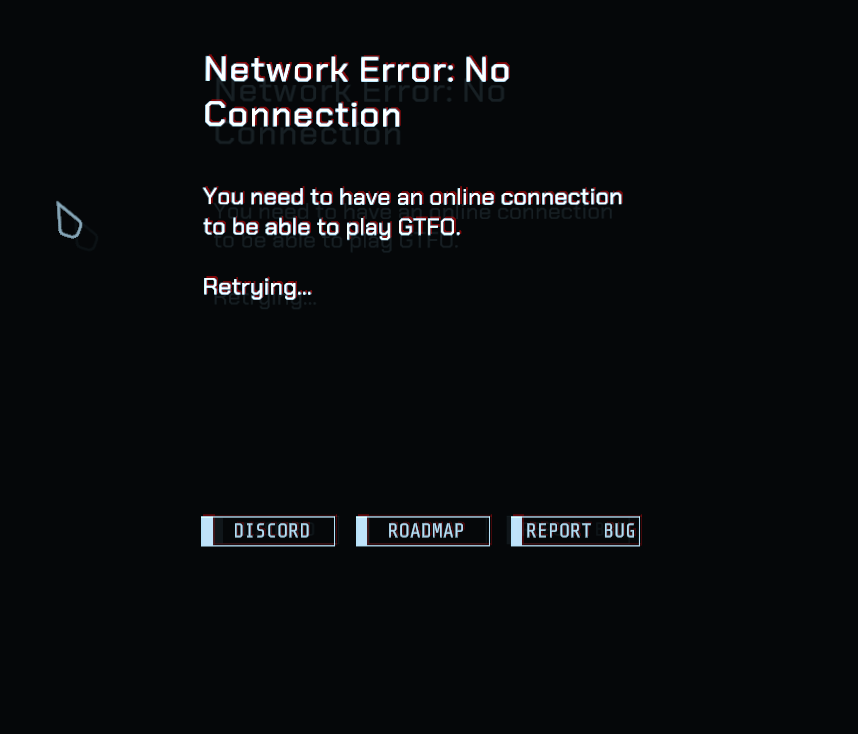 empty python
you wouldnt happen to be on the beta would you?
rugged temple
nop
proper grove
Try to restart steam ^^
rugged temple
that and restarting PC fixed it thanks
proper grove
Happens ^^ Have a great one
 upbeat thorn
What are common fixes for not hearing anyone on Discord?
have someone who has an issue
empty python
has he got the right output settings
upbeat thorn
Apparently so
proper grove
He can come in here and we can try to fix it :)
mighty cipher
Anyone having an issue where the Ready For Cage Drop charges to 100% but won't actually activate?
proper grove
Could someone bugging the lobby, everyone should restart the game ^^
 sweet silo
@proper grove If someone got randomly banned with no reason who would they contact, someone in LFG is asking about it
proper grove
Normally the best way is to reply to @rose thicket
sweet silo
Cool deal forwarded it to the guy, his friend got randomly banned without a message
Not sure if it was reasonable or something else
Thanks
upbeat thorn
What is gameDVR?
proper grove
That is the Xbox game recording thing in windows 10. I never used it because it can cause laggs
upbeat thorn
Ah
It appears to be causing my game to crash
By using an obscene amount of memory.
upbeat thorn
Yep
proper grove
Do you need help with it :D
proper grove
Ok, please go to your settings.
upbeat thorn
Aight
proper grove
Gaming (with the Xbox logo)
proper grove
Ok, should be done now ^^
proper grove
No problem, let me know if you still encounter any problems ^^
warm pumice
@torn pilot Yo mate, please use the LFG channels for that 🙂
 mighty inlet
@warm pumice yea he did it accidently lmao, why has someone put him on push to talk?
warm pumice
@mighty inlet "Put him on push to talk"?
mighty inlet
yea some mod put him on push to talk apparently
warm pumice
@mighty inlet We don't do such things 🙂
mighty inlet
he said he can only see the one voice chanel and has been put on push to talk
warm pumice
Huh, can you ask him to send a message about the issue through Mod Contact? 😄
warm pumice
Np 🙂
 native steeple
Does this game need port forwarding to be set up to host matches?
 gritty torrent
wispy barn
gritty torrent
wispy barn
@native steeple The game uses Steam networking, so whatever those ports/connections are.
 glad aurora
i can't find games with barcode what is the problemb ? u think ?
 red lotus
empty python
red lotus
empty python
have you got the code copied or the person added as a friend on steam?
 drowsy pawn
i can team up with my steam friends, but i cant find the third option on left side where i could put the code in
empty python
have you got the code copied?
drowsy pawn
AHhhhhhhhhh thx
outer sorrel
Hello, I'm running into the following error again. I'm not on the beta version and obviously have internet connection because here I am. Any suggestions please?
empty python
im assuming youve tried restarting the game?
outer sorrel
Yes, also restarted my computer and verified game file integrity.
empty python
hm
wispy barn
Can you try restarting steam, making sure that's up to date
the game uses steam for networking.
outer sorrel
Sure
wispy barn
can also try using a hotspot
outer sorrel
Restarted Steam a couple times, same error
I have someone on the same LAN that is on the game. Maybe that's causing some kind of conflict?
empty python
maybe try it with them not on the game
but i wouldnt expect that to really affect it
empty python
has the game been working before?
outer sorrel
Yeah, we just finished a game but had to restart due to some weird bug
empty python
hm i dont really know what the problem could be then
outer sorrel
No worries, I'll try re-installing. Thanks for the attempt
empty python
good luck
outer sorrel
FYI, after releasing and renew my IP the game is working again.
wispy barn
interesting, good to know
 summer lagoon
So I've just completed C2 with my friends but the extraction but the extraction screen didnt pop up and the game crashed for the host, so now me and a friend havent completed c2 but the other 2 have. is there a way to remote unlock it from the devs or are we just having to replay the whole thing?
empty python
pretty sure youve got to replay it
proper grove
yep.
empty python
the game is pretty replayable so it shouldnt be too bad
proper grove
You still can play the next levels as long as the host has them unlocked.
summer lagoon
the issue isnt that i dont enjoy replaying it, just that it took forever to complete it and we dont know if we'll be just as good on any other run as we were on this attempt + luck with spawns and all
empty python
well youve done it once now so it should be easier now
 magic storm
^
pls send the logs to D0c, of the crashed game files
it'll help towards hopefully creating a solution for future crashes like this
wispy barn
You don't need to send logs
magic storm
do you not?
wispy barn
I've updated #known-issues in that it'll be fixed in the next rundown
summer lagoon
Well i dont think I'll have crashed game logs we just were able to run around in the last room of c2, the crash was only at the end of the game when my friend tried to close his
summer lagoon
but the lobby workaround works for now so thanks for that one 🙂
wispy barn
I'm not entirely aware of what the issue was
proper grove
Yeah ^^ You don't lose anything by not having everything completed ^^
empty python
what do you mean
if you dont have every mission completed youre not a reall gtfo fan
:)
proper grove
Naw. The Person finished it. Just crashed at the end ^^
proper grove
Wrong Channel for that ^^
empty python
noted
 mental frost
I have a friend facing an issue atm.
Issue:
Everything is fine when he is in the Menu , Character Selection & etc. But when he gets into the actual game and drops. All of a sudden Game causes his PC to crash overall. Weird thing is, he's played Rainbow Six Siege, Apex Legends and none of those a have caused his PC to crash.
Only info I've gained from him is that his GPU is Nvidia RTX 2070
proper grove
Can he come here? It's the easiet to gather some onfo or even fix the problem ^^
mental frost
Ok I gave him the link to this, but he has to wait 10 minutes
He has to be a member for 10 minutes before he can respond
proper grove
Yeah, to have time to read the rules :D
mental frost
lol
mental frost
@lean pine
 lean pine
Ohh hello I am the friend needing helping with the game  I am currently in the pain staking long process of installing the new drivers to see if that stops the game from crashing my pc
proper grove
Thanks for joining so we may can fix it together.
How does this crash look like? Does the Game just close? Does it Lock the PC? Do a Bluescreen occur?
lean pine
entire blackout. Everything blackout. like imagine a power outage kicking in out of nowhere. The moment I get dropped in level 1, the game shuts off my pc like a power outage kicked in
Very sudden
proper grove
Are you on a Desktop PC or on a Laptop?
lean pine
desktop
proper grove
Thank you. Do you have your Hardware overclocked? And how old is the PC?
lean pine
no OC and its only over a year old.
proper grove
Did you ever encountered a similar or even the same problem with another Game or Software before?
lean pine
1st time actually.
proper grove
Does it happen every time? Or was it just a one time thing?
lean pine
i mean games like apex will crash but never a whole power outage pc GG time thing
proper grove
Ok. What hardware do you have?
GPU (graphics card)
CPU (processor)
RAM
And power supply please (how much watt is enough info) ^^
lean pine
RTX 2070, I7-8700K, 16 GB 2666 G SKill RAM, PSU is about 850+
proper grove
Perfect.
Did you made a fresh installation of the Graphics driver?
lean pine
I did. I am about 98% with a new install of GTFO as we speak
proper grove
Ok. Did you ever checked the temperatures while playing?
lean pine
nothing major at all. Everything normal according to my Corsair LINK
proper grove
Ok. Give me a minute ^^
lean pine
sure. Im about to boot up the game and see how it runs
proper grove
Thank you!
proper grove
Normally it shouldn't crash with any settings.
:'D
Specially not shutting down your whole pc.
But just let's test with the settings you use rn. And see how it works.
lean pine
so I lasted way longer than before but it just reset my entire pc again
well it at least reset it. before it would turn it off
proper grove
ok, do me a favor please. Can you start "dxdiag.exe", save the info and send it to me please? I wanna check if i can found out what happend.
And don't worry, it does not save any personal information ^^
lean pine
okay Ill be totally honest. I am not 100% sure how to do that 
proper grove
No problem ^^ You can just type "dxdiag.exe" in the search bar.
lean pine
got it saved 
lean pine
for sure
proper grove
I can't promiss anything right away
lean pine
any possible ETA? 
proper grove
Not yet. I may need a few minutes.
lean pine
cool cool. Ill be watching Breaking Bad in the mean time 
proper grove
perfect ^^
ok, I have more questions for you @lean pine ^^
Feel free to answer when ever :D
How much Vram is used? And how much workload are on the GPU/CPU while playing?
lean pine
Hmmmm I am not sure on the exact detials. Any way I can find out ?
proper grove
You can keep open the Task manager while playing.
But you don't need to do all this now ^^
lean pine
I probably cant get you details when I load in but I can in the lobby since I dont crash there if that works?
proper grove
I mean overall in games. Next time you play insert game here just keep an eye out from time to time. ^^
also we need to check something else Search bar = control panel--> programs and features--> turn windows features on or off (left side) check for ".Net framework 3.5" and ":net framework 4.8" if they look like in the screenshot. **
lean pine
so this is with GTFO currently
proper grove
Yeah there won't be any workload in the menu.
lean pine
so when I alt tab, it goes down around 25% but its around 35-39% when I go back into game for apex
proper grove
Yeah that's normal ^^ That's ok so far, there was just an idea in my head, lucky it didn't got confirmed
lean pine
Phew 
proper grove
Did you checked the .NET Framework stuff?
lean pine
Sorry that game of apex in the screenshot was actually long we got top 8  but yes i got you now
proper grove
GG ^^ Perfect.
One last question for now:
Did you installed windows 10 yourself? Or did it came preinstalled with the PC?
And did you upgrade from Windows 7 or 8?
lean pine
i got my W10 installed by geek squad. Since my custom build was built physically with me bringing the parts, the pc has needed a few hard restarts with part replacements and some software issues that requires a full restart of the OS if that helps
proper grove
Yeah. Let's hope we don't need to make a full fresh installation :'D
lean pine
so I actually got way farther. I actually was able to move and actually kill those lightbulb things and get past the 1st part but then it crashed and reset my pc
proper grove
Ok. we can check one last thing.
Searchbar --> device manager and just send me a screenshot of the whole window.
lean pine
this one here?
 karmic willow
is it any off host infections yet?
proper grove
Exactly. But no yellow warnings sign, that's good.
Sorry @karmic willow what do you mean?
karmic willow
where u don’t have to be host to have a mod menu bo2
proper grove
Sorry, i have a hard time understanding what you mean.
lean pine
Yo yo. Shoutout to Lavars for being the person to help me out! I hope the game will work on full release and I can play with yall! 10/10 Lavars is the coolest person in this server
proper grove
Really Appreciate it! ^^ Hope your problem can be fixed in the Store. Keep me updated ^^
lean pine
What was that all about
proper grove
Don't worry ^^
lean pine
Thank you
 static berry
i cant send my lobby ID in LOOKING FOR GROUP category place
i try every one but i cant
 spring tendon
curious to know if anybody else has crashed after interacting with a locker scanner?
 meager cloak
@static berry is it copying properly to your clipboard? are you able to paste it into something like notepad?
 gusty meteor
this could've ruined someone's day
rancid kettle
I had the game crash with the hack tool on a supply box once, but that was way back in the alpha. Haven't had any issues like that since.
Only happened one time.
spring tendon
yeah this is the first time its happened, mind you i've been having really bad desync issues with enemies and loot boxes but this game was hosted by me and i wasnt the one desyncing this time, but ended up crashing
static berry
yes i am able
sleek yacht
@gusty meteor yeah, that caused the scout to touch me or another dude on D1, tendril went through the railing, but we ended up recovering. Still is something I see rarely happen, but needs more testing to see if it is a bug that only happens every now and then or the tendrils always go through the railings.
static berry
i cant send in discrod my lobby id
the timer is broken
its like that in all the LOOKING FOR GROUP categore
they timer is broken
warm pumice
@static berry Hey! What chats are you trying to post the Lobby ID in? 🙂
wispy barn
Try restarting discord or contact discord support, that's a discord functionality we don't control
wispy barn
Try restarting discord @static berry or leave and come back to reset the timer
 final kiln
@balmy tulip https://www.reddit.com/r/nvidia/comments/821n66/maximum_prerendered_frames_what_to_set_it_to/
reddit
22 votes and 34 comments so far on Reddit
 balmy tulip
Thank you
wispy barn
It's a known bug that is fixed in the next rundown. You'll have to run it again til it registers credit for them or they can join you if you host the next expedition
 polar bluff
I see, kk them
 junior linden
@wispy barn somehow the sentry and cform didnt work when i was doing at the end of D1, i can see the sleepers kick those cform instead of got stick, and the sentry never shoot them 😭
 heady sluice
Slight spoiler.
||Shadows are at the end of D1. They're 'invisible' to sentries unless scanned via the bio tracker.||
@junior linden
That's not a bug. Hope that helps.
junior linden
oh i see, because usually the sentry will shoot them XD, thx
 lucid furnace
when i start game it says 'need working internet connection'
wispy barn
Can you take a look in #known-issues There are some steps to get there @lucid furnace
 stiff marten
Can someone help me. When I play games on my pc sometimes the game freezes and audio cuts on and off constantly it also drops fps to like 10 when it freezes for a second. Also my mic and speakers keep appearing and disappearing from my hotbar
proper grove
Does it happen with every game? @stiff marten
stiff marten
yes
proper grove
Are you on a desktop PC or on a Laptop
stiff marten
desktop
proper grove
Do you have any extern Audio devices like an Audiointerface, a mixer, a soundboard etc?
stiff marten
no
i have a mic
but heres the thing the audio still cuts out when i listen without the mic
cause my monitor has speakers
proper grove
What Microphone do you have?
stiff marten
its a turtle beach pc headset
proper grove
Is that via USB?
stiff marten
no via splitter
proper grove
Ok, thank you. We now will check if the drivers cause problems, would you please open the device manager for me?
stiff marten
ok
proper grove
Send me a screenshot of that window please ^^
stiff marten
how do i send screenshot on desktop
proper grove
You can press the windows key +Shift + S and then drag what you want to screenshot
And then just send it here
(CTRL +V is the easiest way to send it here when you did the Screenshot)
stiff marten
proper grove
ok. Next i need you to search for "DxDiag.exe" and just run it.
stiff marten
ok
stiff marten
ok do i just search it up
proper grove
You can save it on desktop (the textfile) and send it to me directly.
stiff marten
wait im a little confused how do i pull it up
stiff marten
do i search it up
proper grove
Yeah in the Search bar.
proper grove
then "Save all information..."
stiff marten
u want me to send u the file
proper grove
Yes please ^^
stiff marten
through here or ur profile
proper grove
To my profile please ^^
 analog whale
No idea where to put this but uhh...
I Was stuck before the drop. and everything around was white, and below was the actual drop
sleek yacht
If you know what happened before it, what caused it, and how to reproduce it, then you should report the bug using #bug-reporting
even if you don't know how to reproduce it, you should probably still report it
@analog whale
analog whale
Roger
stiff marten
Hey guys to apparently when I'm playing a game and doing anything my character randomly switches from one item to the other sometimes. Can anyone help
So
sleek yacht
your scroll wheel might be messed up causing you to switch weapons randomly
 patent thistle
my mouse kepps drifting up, making the game unplayable. HELP???
sleek yacht
if your mouse is wired, try disconnecting and reconnecting it maybe?
also, is it happening only in-game or is it happening outside of the game too?
 proper fable
https://cdn.discordapp.com/attachments/682986284444287055/682987596468715528/unknown.png my rundown doesn't have the "join lobby" function, i cant join other ppl's lobby
 magic storm
@proper fable did u copy the lobby ID
u have to do that beforehand
and then the third option shows up
proper fable
if i was sent it through discord i just copy it from there?
lusty niche
Yep
 hot epoch
if you look at the bottom, the text becomes funky when you aim in specific directions, not sure if a bug or some settings to work on?
sleek yacht
I am pretty sure it is an intentional look of their hud for that kind of Aliens style future but still old looking tech, y'know
 waxen granite
Hey guys, anyone know how to fix this weird texture bug, by somehow managing Settings in-game?
waxen granite
like, for example?
it seems that issue was related to some corrupted/buggy texture post-filtering, reinstalling the game - resolved the issue
empty python
@untold cedar
 untold cedar
yeah
empty python
this is probably a better place to talk about tech problems
untold cedar
ok yeah
empty python
so have you restarted your game
untold cedar
Yes
empty python
okay
untold cedar
Same problem yesterday
empty python
so have you been playing with other people?
empty python
and they have been able to open boxes?
empty python
and its all boxes?
untold cedar
yeah
empty python
is there anything you can think of that would have caused it?
untold cedar
Not that I know of
empty python
so it just came out of nowhere yesterday?
untold cedar
pretty much
empty python
was it your first game on that day?
empty python
alright
untold cedar
I think im just gonna do a full reinstall because there are tons of other small bugs too
untold cedar
Okay i wont be able to install it for a while but Ill @ you when its finished
 signal palm
anyone else getting server lag
sleek yacht
That would be caused by your connection to the host, or if you're the host, it would be your internet, unless you're talking about discord server lag
signal palm
ah nah it was in game, it was the particular host
sleek yacht
yeah, lag issues are from host since the game runs off peer to peer hosting
signal palm
thats what i had originally figured lol went through two hosts untill switching to myself and fine as usual
unique blaze
yeah, i restarted the game multiple times and did some vpn switcharoo. i can't get in either.
restarting windows.
 tidal dagger
Surprised this game didn't use more client-side calculations. Even self-movement is laggy as a client
sleek yacht
If it is laggy it is probably your connection to the host or your host's internet being bad since it is based on P2P connection
tidal dagger
Yes I know
It's just a weird decision for a PvE game to be to host-based though
to include movement of the client...
mighty cipher
Is GTFO getting any more updates?
 minor phoenix
 blissful pebbleBOT
You can view the roadmap here: https://gtfothegame.com/roadmap/

GTFO is a terrifying 4 player co-op game for hardcore FPS players, from the game designer that brought you the PAYDAY franchise.
wispy barn
@mighty cipher yes. Rundown 2 is coming out very soon
The first expedition of that update is being played at PAX
gaunt mirage
It's hard to believe that its coming out soon. Looks like a month to me
sleek yacht
@tidal dagger I mean, it is a pretty understandable decision for a dev team of 9 people trying to work on the most important parts of the game first, so instead of setting up their own servers dedicated to running it, it is easier for them to let the players host the matches
It is likely it won't stay P2P forever, especially once it fully releases, but it might
gaunt mirage
Once it hit consoles, it's definitely going to have matchmaking
tidal dagger
P2P and going to dedicated servers wont fix the issue though. Usually these games should calculate on the clientside for player movement/hit detection/etc and send the data to the server so the latency isnt felt as much. Yeah it opens the doors a bit for clientside cheating more but that's less a priority. Most PvE games have it so the objects that have a relationship have priority on syncing to the server (i.e. enemy 2 is engaging player 3, the movements, AI, etc will be calculated on Player 3's side then synced to server). This allows optimal engagements without being loaded down by lag. Worst case what other players sees when an enemy is fighting someone else is not the exact scenario occurring but that's less important than fair gameplay and lag free experience.
sweet silo
Shinki this has been a huge debate for along time. Basically what it comes down to is how competitive the game is. P2P will forever be a casual and less predictive. The reason most do dedicated is because of those resources instead of worrying about player A B or C being laggy or having routing issues. Depends on the single location. Then people can adjust as they will to connect. Not to say all servers are not made equal. One of the aspects normally missed but the reason P2P generally has higher base specs is the calculation that player may be hosting a game. If the specs are too low, they developer is basically shooting themselves in the foot for players to have issues and complain
They so far fully plan on staying P2P from what i've seen. As dedicated servers are far too expensive per ludvig himself. I'm sure the community would most likely charlie up on hosting if they ever did. People would also resell. But it will be a further down the road whichever route it ends up becoming.
With their current net code, being far beyond actual release they are doing well. But in the overall sense of ever getting to a super competitive phase, if they don't go dedi, the player base will just phase out those who can't keep up (bad hosts)
outer sorrel
Getting this error every day now. Sometimes renewing IP fixies it, sometimes need to reinstall the whole game. Game ran fine the first couple weeks. Don't understand what's going on but its getting a little frustrating. Don't have much time to play so would like to be able to get on when I do.
Is there like a local cache I can delete or something?
Guess I'll try reinstall, again
Reinstall worked again. There has to be some local file that is causing the problem
sweet silo
Feritjuh they are working on the issue, but it wouldn't hurt to submit a report on it. There is a Bug Reporting channel with instructions above
outer sorrel
Ok, wasn't aware it was acknowledged as an actual issue. I'll put in a report. Thank you.
untold cedar
@empty python I know its been a couple days, but I have concluded that reinstalling did not fix the problem
tidal dagger
@sweet silo I dont want dedicated servers... that wouldn't fix the issue
empty python
Damn
 zinc perch
i just did a game with HK player mixed with europe. He had lag in game, after we restarted the game lag was less but couldn't do in silence because we get noticed for delay.
 soft phoenix
hello so i noticed my game has been way too dark and will not allow me to see anything even with the flashlight and i have tried to see if its my pc but everytime it seems to only be GTFO any way to fix this?
sleek yacht
Might be a bit extreme, but reinstalling the game might be able to fix that
upbeat thorn
What settings affect memory usage?
I have a meager 4G, and my game tends to freeze every once and a while.
upbeat thorn
Also, what is SSAO?
 willow raven
So the last 2 days I played with my friends things have been fine. Today I am soloing B1 and getting lots of frame stutters/drops (~40 -> 10-20 -> ~40) and its consistent and fairly frequent. No downloads are happening, settings have not been changed however my GPU usage has sky rocketed. Does hosting/soloing affect any of this somehow?
sleek yacht
Hosting does, I would guess, since it is a P2P connection game, so it could be due to you hosting where as before one of your friends hosted. But if you hosted all the times you played and this started happening, maybe it isn't because of that.
willow raven
Thank you! My friend was hosting all the other times. It actually makes a lot more sense when you lay it out like that and I feel a little dumb lol
sleek yacht
No worries, some people are used to other games where your computer isn't directly hosting it, I don't know exactly how P2P connection works, but I know that the host's connection or your connection to the host can greatly impact your experience in GTFO, so I assume it might have some other affects too like if your PC isn't able to handle hosting it, but I am not sure
willow raven
That makes sense, thanks!! Any idea if its always going to be P2P for matchmaking? Or will they eventually switch over to a dedicated server for matchmaking? A quick google search on P2P raised this question to me but I still have little idea of how it works and cannot summarize the workings of it myself just yet
sleek yacht
I heard from someone that the devs talked about dedicated servers being highly expensive for the little benefit it would bring, it is much easier for the 9 man dev team to use P2P connection, but I don't have a direct source of the devs stating this, so the person that told me could've made that up lol
willow raven
Understandable, also I'm so happy that the devs are so open with everything. Can't wait to support the devs (I wish I could donate) and spread the word about this game 😄
 sinful niche
if some1 disconnects from steam, they become invisible to other players (not host). usually rejoining fixes this, but I just tried and the game won't let me rejoin. It just shows an empty lobby with 4 invite plus signs.
sleek yacht
That happened to me when I hard closed the game without leaving the lobby first, that might be why @sinful niche. Anytime I have to close the game, I leave the lobby first, then alt+f4 after leaving the lobby, and haven't had issues doing that so far.
sinful niche
got it; yeah i hit exit game, not just leave lobby. will keep that in mind, thanks
 undone pebble
anyone run into a no audio issue when opening for the first time? friend just got the game and was able to hear everything but the game itself just fine
mighty cipher
after like 30 mins of playing my monitor just gets no signal and computer just stops working ? all my other games run just fine
 frigid musk
Do you have that issue with other games as well @mighty cipher ? I used to have something similar on my old monitor because I was using some form of adapter for it. The moment the PC got a little bit hot it would cause the display to shutdown, as well as the entire PC to lock up and get stuck in a reboot loop.
mighty cipher
No just GTFO
gaunt mirage
That happened to me once so I stopped using laptops
Plus you can modify desktop computers
 short cradle
Amm i reinstalled the game.. why is this still a thing? anyone help.. I reported also this as a bug..
Don't know why but it fixed it self UwU
warm pumice
@short cradle Sometimes it can be an issue from Steam, usually patient or a restart of the game works 🙂
 dapper warren
A can no longer connect to GTFO voice channel, always says "no path" and "SCTR" works everywhere else
 blazing oracle
(I am once again asking for your technical assistance) I can't "connect to GTFO's servers" to start the game. What do?
Patience? Restarting Steam?
wispy barn
@blazing oracle does it say beta at the bottom right when you launch the game?
blazing oracle
Never mind, I fixed it. I apparently had to have the Steam client launched at the same time as the game.
 hollow nymph
Where on this screen do I enter someones code to join their lobby?
 grim scaffold
hollow nymph
grim scaffold
hollow nymph
The only copycode is when I start a lobby theirs a copy to clipboard in top right in red, but when I cycle back to rundown its still the same image about with the addition of the option to switch between ruindown and lobby.
somber mountain
you're in a lobby right now, click lobby to go back to the lobby or click Exit lobby
hollow nymph
Sigh, its the same as the first image I posted, the issue is that im getting no answer of where I put someone elses code so its virtually impossible for me to join someone elses lobby if theres no way to input their code.
somber mountain
when you copy there will be a red box below the GTFO discord
hollow nymph
"when you copy" how do I copy?
upbeat thorn
The host is still in Discord, but they appear to have completely lost connection to everyone over GTFO
As we all got booted.
Any known fixes?
outer sorrel
FYI, launching the game from a shortcut you created causes that network issue. Go to your collections in Steam to launch to game, that's working for me so far.
 prime sigil
 chilly dagger
apparently all levels are solo-able
sleek yacht
C1 has only been solo'd using an exploit, but the others, yeah, they can be solo'd
 lime field
Is anyone else having issues launching the game?
We can't start our lobby with all players ready
And we just had a running game where 2 people got kicked
somber mountain
slow connection?
 opaque slate
Hello !!~~ i have a little problem ! my friends have a reset of statistic... he play with me, he stop at C2 and today he run the game and poof A1
why ? its a bug ? or something
 trail bane
empty python
trail bane
empty python
You’re on the beta you need to install the regular version of the game
somber mountain
BUY THE GAME
gaunt mirage
You don't know what you're missing
lusty niche
You guys scared him
 untold holly
good
 gritty heath
Everytime I copy the lobby code. When I joined this kept showing and I am not sure whats gg on
empty python
It’s just a visual glitch
upbeat thorn
I have a weird ass bug where half the lights in levels don't work on my end
makes all the rooms extremely dark, when they shouldn't be.
 gentle dew
Devs? I need help! I tried to start GTFO and after loading... sign
"Network Error: No connection" popped out, my network is working but gtfo dont want to start
I was trying to find a solution for this problem but I didnt see it anywhere
could you help me?
upbeat thorn
49C for me:
wispy barn
@gentle dew this is because you are using the beta version of the game. You need to buy it from steam
gentle dew
Oh, alright, thanks
upbeat thorn
I also have an issue where my mouse randomly disconnects. Only happened on GTFO so far
Might be unrelated, though
I think the light issue is these floodlights are completely dim
Persists through restart
upbeat thorn
empty python
i think some people were talking about that light bug a while ago
 crisp apex
So I bought the game a couple of hours ago and have been trying to make it playable, I have it so that the shadows are med. the aliasing is off. the vsync is off , i have it windowed but my mouse is still stuck inside the window. I'm kinda not sure why its so laggy im even opening as administrator my computer: nvidia 970m intel core i7
im not sure how to tell my fps on the screen but it moves and then pauses and then moves a little and pauses again. I have the game on my D drive, with plenty of room
 opal sinew
lower res
crisp apex
on what the shadows or fogs or both? the resolution at the top just makes my window smaller and then I have a hard time seeing what im doing
opal sinew
the one at the top. and I like fullscreen window too but you gotta switch to fullscreen
i had tons of stutters too before i did that
crisp apex
It started with full screen its just that when I hit "esc" it doesnt show the close button like most games and so each time I need to exit the game I have to hit "cntrl alt del" which is annoying so i thought windowed mode would make it easier on that but the mouse is still stuck within the screen. I've changed the fog and shadows to low now.... ill see what fullscreen with low res does but ... getting to task manager everytime I want to move my mouse out of the game im going to have to do that instead of minimizing...
crisp apex
hm oh thats quicker. So i fullscreened - lower res but still no mouse lag difference between the windowed and full screen or the low res or high res i still have to wait a couple of minutes to do anything in my settings
opal sinew
oh, mouse lag? if you mean delay when aiming, try turning the frame option to 0 in advanced settings
crisp apex
i guess it took 12 minutes to modify my settings because my mouse moves so slowly
My issue rn
gaunt mirage
that's some mad lag
crisp apex
yeah I even uninstalled and reinstalled because it was giving me internet errors even when i was connected. Ill restart my computer again but maybe later. and then ill try turning vsync on im honestly really not good with computers. I have this computer because i have programs that depend on the C drive im just not sure maybe this game prefers to be on the c drive in order to work
opal sinew
i don't think that'll do anything
the amount of resources the game is taking is not normal
change texture size to half but i still don't think it'll change much
in-game, i7-7700HQ, 1050 Ti
empty python
check your drivers for your gpu
crisp apex
So i saw that online and it said to go to device managers menu so i did that and then theres this little button youre supposed to hit.... and i did that and I got this message (1 moment)
oh it uploaded backwards
crisp apex
the last time i played a game it ran okay it was only laggy at times but i was still able to play it
now that guy ^ has ssao turned off
Is that something I should do - i didnt know was ssao was
empty python
id say try another game first to make sure its not a general problem with your pc
opal sinew
i just tried to go for performance over everything
crisp apex
the other recording i have i guess is a bit too long but its called "spellbreak" and its kinda like a fornite game. runs very smoothly
first game - runs okay
this one is a 2D game but its on the same drive and steam thing as the gtfo does
spellbreak is through the unreal engine which i think is on my C drive which only has 4 G left on it but it runs smoothly . i feel like some games just like the C drive better...
 placid plume
I can't seem to reconnect to a lobby (the button doesn't show up at all), it lagged out and dropped me from it. re-opened the game a couple times and there's no connectivity issues from what I can tell. usually I just host my own game and then leave it to get the button to show up but it's not working. The code is 109775240991246996. I checked and I can join other lobbies but not the original one.
 mental lagoon
@crisp apex Wow that is insanely low frame rate right there... I hope this can be solved. I'll pass it on.
placid plume
Odd
I can't even hit escape to the menu.
nobody was ready, the game wasn't started. I tabbed out from the lobby and back in and the game was like that
gaunt mirage
That's kind of cool, I never saw that before
 brittle silo
Hey everyone! Me and some friends recently purchased GTFO and are loving it! However, one issue we are noticing is that at times, the monster animations become super janky, almost stop motion animation like, which makes it very difficult to accurately shoot them.
Has anyone has encountered this or knows any possible causes/fixes?
sleek yacht
It is sometimes your connection to the host, or your host's PC/internet causing the issue, because this game uses a P2P (Peer to Peer) connection for the games
But there is also something that happens with their pathing that causes them to lack some animations, this is just speculation here but I think if the AI thinks it is far enough away, or not in sight, it will lack some directional animations to help with running the game maybe?
But it is most likely a connection issue rather than the thing I speculated about as that doesn't happen too often, but people's internet cutting a bit, or lagging happens fairly often
brittle silo
@sleek yacht Thanks for replying! The host and I are on the same internet connection sitting right next to each other, so I would think that the connection would be pretty solid.
It may be the pathing thing, that makes more sense to me.
sleek yacht
Happy to help m8, but I am only guessing, could be anything else, hard to say without video of it or more detail
brittle silo
I appreciate you trying!
 wide zealot
The choppy movement of enemies or players is not because of animation but IMO an issue with interpolation which can be caused with connection that encounter packetloss and or high latency (maybe, not sure). Here is a good documentation about interpolation (but it's a different engine, just for understanding: https://developer.valvesoftware.com/wiki/Source_Multiplayer_Networking#Entity_interpolation)
hollow nymph
Ok so since yesterday i've been experiencing what I can only assume is a bug, the noted problems are when trying to use kids like this holding my E key it will bound back to the start from around 10% or 50% along the bar preventing me from using them. Sometimes when placing a shotgun sentry I will forever be unable to pick it up as the bar for doing so wont even move no matter how hard I hammmer the E key but im still able to interact with lockers and computers. I've also noticed when walking while holding an arrow key it will stop like ive release my finger from the key despite not having done so. At first I thought this was a problem with lag but experienced it again today and even in a solo lobby, i tried verifying my game on steam but still experiencing such problems. Not sure whats the cause... can't find any new software on my pc I think may have caused it...
Ive also tried changing the bindings incase its my keyboard being faulty but that hasnt fixed it so im not sure what the cause is because it sorta becomes difficult to play when I have my character stop mid running and cant use any tool kids or ammo packs.
hollow nymph
So nice having a game I cant play properly because its broken...
 jaunty sparrow
Never heard of that happening
 bleak relic
Would your E key be broken perhaps?
jaunty sparrow
He said he changed his key binds to test that
jaunty sparrow
@hollow nymph Does it happen with other games?
hollow nymph
I haven't noticed anything odd in the other games ive played recently.
jaunty sparrow
In your bug report you wrote "The game was fully functioning right up to that day", so I can only assume something changed
But what... that's the question
That's why I asked about it happening in other games or not
hollow nymph
Well worst/best? case it will be fixed if I reinstall but thats gonna take hours
I can stream so you can see whats happening, the turret not being pick-upable seems to be very inconsistent when it happens.
jaunty sparrow
No need to stream I trust you, but the only thing I can think of is something on your end since nothing changed in the game
And it was working before
hollow nymph
yeah but like you said... But what thats the question
Nothing stands out in my task manager and I don't wanna touch anything with system32 on it.
jaunty sparrow
No need to go that far
Do you have a second keyboard by any chance?
Or another computer?
hollow nymph
No, I doubt its the keyboard thou. since the faultis targeting certain actions. ie I can open lockers and use the computer with my interaction key but using the item slot medpack, ammo pack etc doesnt work.
jaunty sparrow
Mmh...
If you're willing to, you could try using a free account on GeForce Now and test through that
hollow nymph
Not even sure what that means...
Free accounts with the game?
steam accounts?
Anyway if you wanna I'll just jump into 03 and stream to show what Im seeing
jaunty sparrow
GeForce Now, it's a cloud gaming service by NVidia, it allows you to play on a cloud computer through the internet
And the service allows you to play in 1 hour sessions if you have a free account
I just thought that maybe it's a software problem on your end and testing through a virtual machine would tell us something
If you don't want to try that it's ok, I'm just trying to figure out what's happening
sleek yacht
Good idea
hollow nymph
Im just gonna try reinstalling the whole thing
Also Nvidis membership page.. says not supported in my area... the life of an australian is tough in the online world.
jaunty sparrow
Ah, damn
hollow nymph
Well silver lining, atleast theres no epidemics in the real world... oh wait.
jaunty sparrow
👀
hollow nymph
Reinstall of game didn't fix it rip.
somber mountain
i'm surprised that these thing happen
 opal shell
Guys, I'm getting some pretty hardcore fps drops in the last wave in C2, I wanna know this is a common problem? I thought that wouldn't be an issue with the gear I have so I'm wondering if there is anything I can do. I'm running the game on a gaming laptop with a GTX 1070 8GB, 16GB of RAM and a 7th gen i7.
somber mountain
are you playing it like 2 hours or more?
hollow nymph
I must admit with great embarressment that my fault i was experiencing was actually a button clicked upon my mechanical keyboard that I had no idea of its function other than dimming the backlighting of my keyboard when clicked. My sistuation has thus far been rectified as far as I know.
jaunty sparrow
@hollow nymph 😄
opal shell
@somber mountain maybe 8 hours or more tbh lol
But that also happens if I play C2 right after starting.
somber mountain
@opal shell the game have a little memory leaks, so if you feel that the game is getting laggy, restart the game
opal shell
Thanks for the tip, I will definitely try that next time it starts acting up
 silver juniper
any idea on when the visual bumps in shadows will be fixed?
not a big issue but is annoying to look at
jaunty sparrow
Visual bumps?
 wary stone
when is rundown 2
opal sinew
this is #gtfo-technical-support
and if you just put 'rundown 2' in search you'd find it
 fickle light
@wary stone 14 days
mighty cipher
anyway we cna get new realese on the weekend why the hell do they release middle of the week when nobody can play?
 jade vault
quick question: anyone else have finished a mission, to get stuck once the end countdown is finished and the mission not completing for anyone but the host?
wispy barn
@jade vault that's a known bug but is fixed in the next rundown.
wary stone
i think its a troll
 twilit rover
hey all, anybody have an idea about recommended GPU specs? I'm debating on whether to gift this to a friend
opal sinew
mighty cipher
I wonder why this game eats so much CPU
 limpid tree
all the fog
 delicate wadi
Hey quick question. My 3 friends and I all have great internet and are relatively close to each other. We are running into an issue where we'll get to a final portion of a rundown and then the game crashes. Any clue what we should do?
delicate wadi
B2 is being mega glitchy for us and it is hilarious. We fell through the the floor in an infinite loop twice haha
how do I sent the data in?
Now we can't even load in 😭
sleek yacht
#bug-reporting that channel tells you all you need
hollow nymph
Really enjoying this new feature today, wonder how long until its canceled... or did the break the oceanic regions servers?
Would be nice if I even had something to indicate its loading besides the solid retrying words, just seems like its frozen and at a random time gives me the start button after 5-15 minutes waiting
 shell current


