#gtfo-technical-support
1 messages · Page 12 of 1
 noble otter
 true oasis
How so, @winged kettle?
 winged kettle
I'm not sure thats why I'm asking...
 proper grove
Can you join a lobby?
 deep aurora
The discord voice is getting crackily for everyone in our lobby
proper grove
happens from time to time
 distant epoch
so how do you host a lobby?
i send my friend an invite through steam
and he joins but he isnt there
 somber mountain
choose a level ( A1,B1,B2,C1,C2,D1 ) and host it
you can invite your friend directly through steam or give him the ID in How to matchmake that Larvars send you ^
 indigo hawk
The server region has changed to us giving us aussies 250 ping on the discord server no matter the channel
proper grove
HI @indigo hawk This is not an official answer:
They have to consider every region when they set up a discord.
Unfortunate "aussies" have the big problem of living on the other side of the world.
indigo hawk
@proper grove thanks for the useless answer, save ur response next time
 lucid mulch
His reply is accurate tho. Aussies having 250 Ping is the result of everyone else in the world having a good ping.
Essentially.
proper grove
Oh i forgot to say that: @indigo hawk
Check out #highlighted-communities There may is a server in your region ^^
 wispy barn
@indigo hawk I would also like to say that discord only uses one data Center for a server's voice channels, and we had to pick the one that is best for the most people. I'm sorry that it isn't great quality for you, but until discord makes something between it's the best we have. It was set to a European server region however that was worse for even more people which is why we changed it to the U.S. which is discord best voice data center.
indigo hawk
Thankyou, we had normal ping a few days ago and it changed recently, was wondering if there was any changes with the server.
wispy barn
It's been on the U.S. Region for about two months now
 round spindle
When my buddy hot joined back into my game it moved me back 10 feet
But the bois were sensing stuff while i had moved back
So it set em off
That new or old?
proper grove
The game uses a P2P connection, sounds like it has set you back because of a desync when he joined. That can happen.
round spindle
Ok
 hollow zealot
my game is stuck on the waiting for asstets to init screen
 green belfry
does anyone know how to reconnect to a game you got DCed from???
we are at the last wave on C2 an i am unable to connect to the game
it also doesnt load lobby
deep aurora
Yeah restart your client then just join the way you did originally
Either via code or by joining a friends game
green belfry
i have restarted if about 3 times now an tried to join with friends list an going back to the lobby
an its not working-/
 pearl scroll
Try restarting steam when that happens, and your PC if that doesn't work
@hollow zealot Try verifying the game files via steam
proper grove
hi @hollow zealot I saw you had a problem, is this problem still unfixed? If so, please just @ me, if no i would appreciate the solution for future reference
 glacial tapir
i was playing with my team and I had completed the B2 phase but my friends did not complete.
there is a bug related to it?
proper grove
Yes ^^
If you follow the steps there, you help the devs to find the problem so they can fix it.
glacial tapir
ok, thanks!
proper grove
Please DM the @rose thicket
 sharp elk
today, disconnected twice.
proper grove
Hi! Can you explain your problem further please?
sharp elk
in a match right now. Just randomly disconnected back to main screen. Other 3 people were fine. had to restart. about 20 minutes later I got disconnected again, but was able to reconnect to the same group this time. No warning. Only on the second disconnect I was attempting to open a locker in B1 43B and it wouldn't open then got kicked again.
proper grove
Ok, it would be nice if you could provide the Logs from the game. Look into #known-issues and follow the steps so the devs can take a look into what caused the problem.
It's always smart to restart the Computer and Restart the router often this fixes the problem. Should you encounter this problem in the future just let us know ^^
sharp elk
will do. thank you
proper grove
No, Thank you ^^
 restive pewter
got d1 done, but only i got to this screen, the others are still stuck in the game and i keep hearing my weapon shooting
wispy barn
That is a known bug. The devs have it has a high priority to fix. Unfortunately you'll have to rerun it for your friends to get credit (recommend everyone restart game first)
 unreal basalt
idk where to report this but with the turret, my friend placed one above the ladder in the first room and he wasnt able to pick it up
proper grove
 rapid ice
I finished the first mission, it said extraction completed, game froze and game crashed, restarted game and now I need to complete the first mission again. Dont know if this is a bug or what
wispy barn
please take a screenshot of the area, and which map (A1, B1, etc) and which zone
 robust adder
Finished C2, half the team extracted and got credit, half of us were left in game, no credit https://i.gyazo.com/70fa0b4d5ecdf6b181d24544dcc633a9.jpg
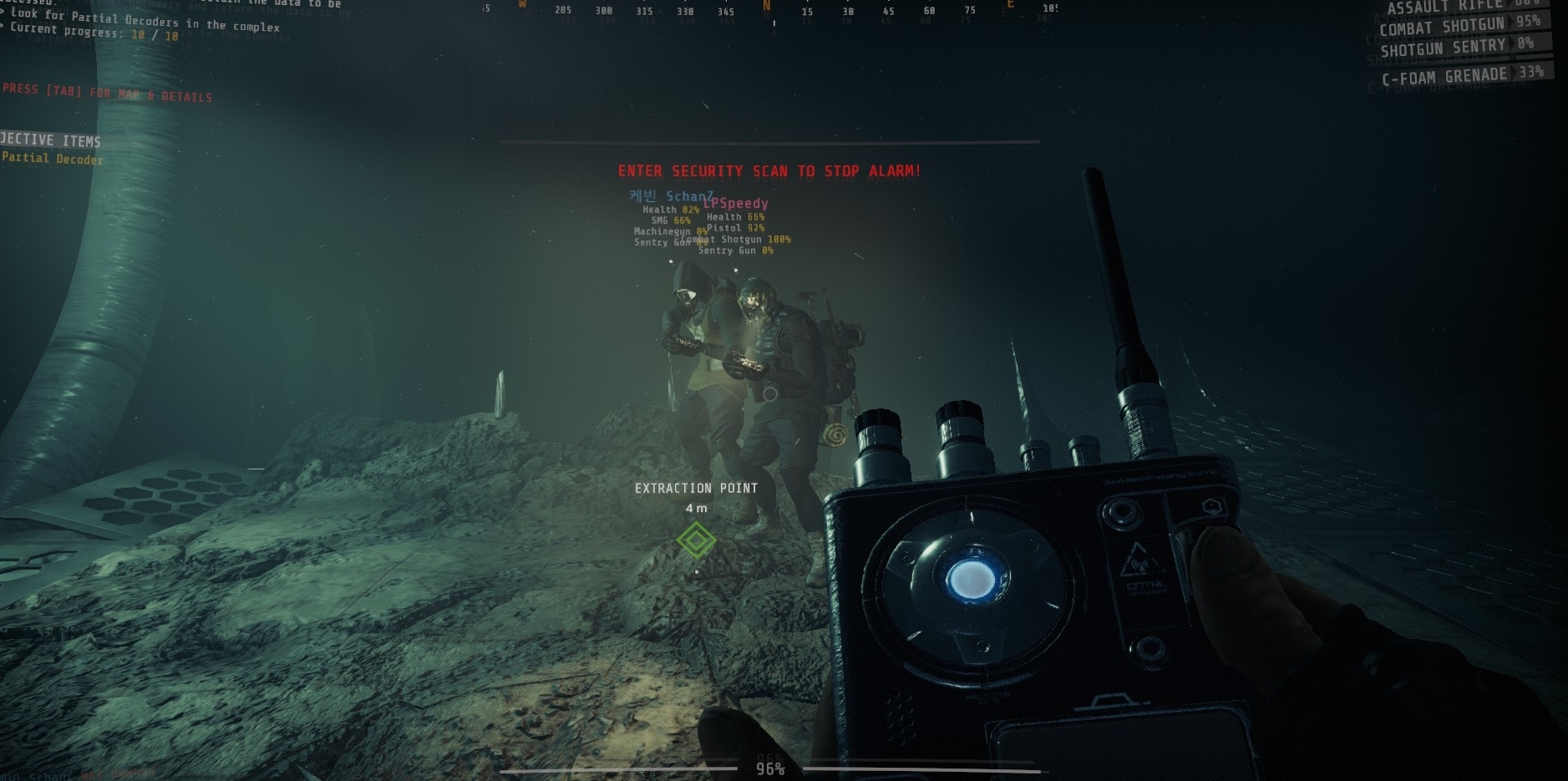
Someone else in the group has left a log report on it
rapid ice
Same thing happened to me
wispy barn
Sorry to hear you guys didn't get credit. That's a known bug that the devs have as a high priority to get fixed.
proper grove
You still can play the next levels when the host has them unlocked ^^
 cosmic fog
My computer has 24000 MB of ram and the game requires 2000, but its only accepting 1008... any solutions?
 lime saddle
I've done the same thing on D1 more than 5 times ... I can't get the achievement XD
Every Time I get blocked into the level, but I've got the tech to kill those Monsters (and it's called Parkour)
🇫
But don't worry, I've already completed it twice, so I've the level finished
Just to say it was a bug who could happen ...
proper grove
what Archievment? @lime saddle
 mighty cipher
Anyone else getting stutters in this game? Seems to happen more frequently the longer you have the game running
proper grove
@cosmic fog The game "requires" 8GB RAM. To find a solution to your problem i need some more infos: Does it cap by 1008 or did you tried to load into a game (sometimes the game first needs to load some stuff before it can use the ram)
@mighty cipher Try "Max render queue Frames" on 4.
cosmic fog
@proper grove we figured it out, thanks though
mighty cipher
I'll give it a try
proper grove
@cosmic fog For future reference : what have you done to fix it ^^
cosmic fog
@proper grove We didnt fix it, we just found out that I have 1008 MB of VRAM
I had installed more ram, but that didn't seem to help any. I have 24000 MB of total ram, but only 1008 contributes to the game.
proper grove
oof ^^ I can take a look into it if you want.
proper grove
just checking everything. I send you a DM
 marble sun
any admin here?
just got the game and im getting this from my antivirus
once my download completed on Steam
somber mountain
@proper grove
marble sun
Threat HEU_CDPLCEXT @proper grove
proper grove
Ok Give me a little time, i will take a look into it
lime saddle
@proper grove not an achievement but the completion of D1
proper grove
Oh ok, did you played as host?
proper grove
In my knowledge the host always get the completion
lime saddle
Yeah ...
But I didn't get it 5 times
And I don't complain because i've already done it 4 times
It was just to give an exemple to Solace
proper grove
Hehehe ^^ Yeah ok i see
lime saddle
A true question : In techinal support, how can I do to get less addict to this game ??
This game feels so good
lime saddle
XD
proper grove
We need to keep this Chat clear so we have easy backlog if any problems occur
 misty star
Is GTFO made with Unity
somber mountain
ye
 vital bolt
Hey any advice if the copy from clipboard to join doesn't work?
marble sun
Restart game worked for me @vital bolt
deep aurora
Any of you ever get a repeating chirping sound effect? You can hear it in the tab menu when you leave it open but sometimes it randomly starts playing during a game. Opening the tab menu and closing it makes it go away but it eventually comes back and I'm not sure what is causing it for me
 vale halo
ight so my mouse cursor keeps pulling itself to the top left of my screen and its only in game. any one else experience this?
 olive stone
@mighty cipher found this game braking bug thought we'd report it
proper grove
Thanks for reporting it!
 stark grove
Hello, I have an issue where when I start the game it freezes and crashes after 5-10 seconds, I have reinstalled and validated through steam several times and it seems to stick around, after clearing app data folder, it randomly works and I can play for any extended period of time, but earlier today I played for about 10 minutes, closed game, 30 minutes later without any changes tried to launch it and issue reoccured till I cleared cache, changed resolution, disconnected monitors and after 5 attempts of clearing cache and relaunching it finally worked
 warm pumice
@stark grove Yo! Frankly I've haven't heard about such issue before, but I'd recommend to file a bug, but following the procedure listed in the #bug-reporting :)
stark grove
Okay thank you
proper grove
Hi @stark grove in what fullscreenmode do you play?
stark grove
I had changed it previously to exclusive
But after clearing settings multiple times it is at default
proper grove
Ok, did you try borderless?
stark grove
Currently unable to make it past the first screen where it shows discord etc
proper grove
No problem i help you with that, I hit you up with a dm
 sullen thicket
Anyone able to help me with a quick possible bug?
somber mountain
what is it?
proper grove
@sullen thicket Depends, what do you need help with?
proper grove
Naw all good :D
sullen thicket
@proper grove my gang and I ran into an issue on D1 where we got to the reactor but it wouldn't give us the code to verify the shutdown I'm not sure if that qualifies as technical support though now that I think about it
proper grove
Yeah sounds like a Bug. Normally you find the code on top of your HUD.
sullen thicket
we think it probably got held up by overlapping hud prompts to open security doors that we just started and didn't finish
proper grove
Ah i see, that's actually interesting, you can write that in the Bug report ^^ Thank you in advance!
vital bolt
How you ping monsters?
warm pumice
@vital bolt Like in general or with the Biotracker?
vital bolt
@warm pumice with the Biotracker 🙂 can you ping none moving monsters?
warm pumice
No, you can't do that.
vital bolt
ok sweet 🙂 thanks for that haha
warm pumice
Np mate 😄
 quaint sluice
This keeps popping up during launch, and im connected to the internet?
feel free to ping me if you know what i could do? im gonna reinstall the game and see if that works
proper grove
@quaint sluice You try to start the beta, this version no longer works. You now have to buy the game via steam.
proper grove
Hehe ^^ Don't worry, happens. If you have further questions just ask ^^
proper grove
If you have bought the game, you can find it on steam "GTFO" not "GTFO beta"
quaint sluice
mhmm! THATS THE PROBLEM FOR SURE
 brisk iris
proper grove
brisk iris
proper grove
Hi! Sorry to hear that, he can try to reconnect. Unfortunate there is no way to reset his position.
Also i would appreciate a Bug-report with the steps included how that happened.
use #bug-reporting and follow the steps there. ^^
misty star
Lavar has found his dream job ngl
Is there a way to fix a players position if he is out of bounds?
proper grove
Exactly ^^ But please keep this Chat only for Technical support.
And unfortunate there is no such feature yet. But they take a look into all the bugs and we may don't need such a feature in the future. I hope i could help you with your question. If you have further question, feel free to ask
somber mountain
Host need to restart the level
 twilit jolt
wispy barn
twilit jolt
wispy barn
Submit via #bug-reporting
 sonic iris
i cant see my mouse in game what should i do
proper grove
Hi @sonic iris! Sorry to hear you encountered a problem, can you tell me if you have this problem in other games too?
sonic iris
nope only in GTFO
proper grove
Ok, What fullscreenmode do you use?
sonic iris
fullscreenwindow
sonic iris
still cant see it
 glass briar
mighty cipher
glass briar
mighty cipher
@proper grove
I tried the 4 render queue frames and it didn't seem to work. It only starts stuttering after the game has been running for 3 ish hours
proper grove
Ok. What's your CPU workload set to?
mighty cipher
Whatever the default setting is, I'll be on my PC in a few min to check exactly what that is
proper grove
Take your time ^^
mighty cipher
It's around 45 - 50 C
proper grove
Even when it starts to stutter?
proper grove
Ok thank you.
mighty cipher
Hello, I want to say that there should be a reset option for settings
mighty cipher
also that may keys from my mouse change and I was not available to restore them. I try set my mouse back but the keys menu did not detect my mouse correctly. It was very random during game
they switch
may =*my
proper grove
If you need help with the settings, i can help changing it for you
proper grove
This bug is known, still thanks for letting us know. If you want to report bugs, please use the steps explained in #bug-reporting
 dense vale
Okay, thanks! :) Just thought it might be useful in some way.
proper grove
Absolutely ^^ Have a nice one!
mighty cipher
@proper grove I've had a few small stutters and the temp is stable at 50C but it's shot up to 58 C a few times
Max load was also 95% at times
But mostly the load is at 30-40%
proper grove
Was it the GPU that had this jumps?
proper grove
Ok. I forgot to ask what hardware you have.
proper grove
Is that a stock revision 1080? (a Nvidia one)
mighty cipher
Yes
proper grove
Did the problem occur even after you restarted your pc?
mighty cipher
Yeah
It's occured every time I've played
But only after the game's been running for more than 4 hours ish
proper grove
Did you had other games behave similar?
proper grove
Ok in this case you may need to write a bug report. Follow the steps at #bug-reporting.
 magic ravine
Hi I bought the game today my screen says error no internet connection might this be the cause on the deep sea link being down ?
proper grove
Do you maybe try to launch "GTFO Beta" instead of "GTFO"? The beta is no more.
magic ravine
hmmm that is odded it started by saysing no internet connection then fixed itself
proper grove
Perfect :D Yeah can happen. Do you have any other problems or questions?
magic ravine
no thanks in South Africa we have 2 deaap sea links down I think in the one connecting us to the UK so I thought that might be the issue
earlier today I tried to luanch it twice
proper grove
Ok i wish you a wonderful time and a lot of fun with GTFO :)
magic ravine
indeed the beta was fun thanks for your prompt response
proper grove
Every time again :)
 small gulch
Hey guys have a pretty massive issue.
Launching the game by myself works great! As soon as I try to join another player or host my own game every single time I launch my computer crashes.
When the game first came out I had no issue with this at all and it has recently started.
proper grove
hi @small gulch. First i need some info:
-Can you specify the crash? What happens, when exactly happens it
-What hardware do you have (GPU/CPU)
-Did you tried to restart your pc, and/or verifying the game data via steam and/or reinstalling the game?
- do you have/had such a problem with another game?
 candid wave
and did you update windows?
proper grove
hi @candid wave do you want to take over :D
proper grove
:(
candid wave
i do have troubles after updating software or firmware sometimes
sometimes rolling back the update helps
 raven edge
ummm glowstick set off 5 bros when glowstick was not supposed to set off 5 bros devs help
 autumn garnet
Hey, I alt-tabbed and my cursor started moving on it's own to the left - sticking itself to the edge of my screen. I restarted my game and the problem persists, I need to hold D to move my cursor around, although it's still dragged up/down.
I've restarted and the problem came back.
proper grove
@autumn garnet do you have a controller connected by any chance?
wispy barn
Are you launching the Beta or the Early Access paid version from steam
@mighty cipher
mighty cipher
Beta
wispy barn
Ahh, that's why. The beta is over, so you need to buy from Steam
 native pecan
 nimble gyro
ouch
 sleek garnet
wispy barn
sleek garnet
wispy barn
Submit any reports with info to @rose thicket and our team will look into it.
 willow moss
Should I just dm the bot what I have to report?
wispy barn
If it's related to cheating / hacking then yes. Bug reporting to #bug-reporting
mighty cipher
I am having mad performance issues that are lowering my framerate below 60fps (avrg is 50fps) and changing the settings ingame and restarting make no difference at all.
My CPU is sitting at around 24-30% usage on small and extreme cpu culling and my GPU is at 100%.
The only thing that has so far changed anything is changing settings in NVIDIA Control Panel but that also made little to no difference.
DM me if you can help me out.
My specs:
CPU:i5-8400 @ 2.80GHz
RAM: 8GB DDR4
GPU: GTX 1050 ti 4GB
HDD: 2TB
SSD: 256GB
2 monitors
warm pumice
No offence, but your set up is a bit dated.
mighty cipher
Ik, still runs every single game I play
warm pumice
Well, that depends on what games you play.
And what quality
mighty cipher
It runs almost all newer games at high or above so idk whats so different about GTFO
Destiny 2 runs at highest with 70fps smooth
GTFO is the only game that I have problems with
warm pumice
Well, firstly GTFO E.A., so not fully optimized. And Destiny 2 is almost 3 years old now
 topaz cave
Destiny 2 is also uberoptimised with next to no difference between lowest and highest settings in terms of performance.
mighty cipher
I feel that I just need to wait for optimization for GTFO
Juran, there is a difference. Trust me
topaz cave
Oh I know. But it's not much at all. 20fps when you're trying to get as much as possible for the old 1kV damage issue isn't much.
That being said, I'm not sure what your issue may be since I am running practically the same layout, just a slight bit higher in guts and I'm having absolutely fine performance.
mighty cipher
My friend is running slightly worse but he runs 70fps no issues
So idk wtf is wrong with my game
topaz cave
Have ya tried looking over Task Manager's performance graphs and seeing if there may be a bottleneck?
mighty cipher
GPU 100%
CPU all cores are at 24-30%
Been through this alot with my friend
Tried everything
Set priority to high
Closed everything but steam and GTFO
Etc
topaz cave
If the GPU is maxed out, that'd be why. Priority won't be doing much.
topaz cave
I wonder if anyone else with the 1050 ti has similar issues. Because I'm on a 1070 and this game runs dank, but the performance difference isn't that large between the two cards.
mighty cipher
Honestly I just think it's the game
I might just have to wait for optimization updates
 verbal salmon
I need some help when i try to play in discord room whit other, and i don't use microphone i get auto AFK, can we make an exception to not get auto afk on the play room.
topaz cave
So, I just searched and I can't find anyone else having specific issues with a 1050.
topaz cave
Which alludes to something odd with your system potentially.
warm pumice
@mighty cipher well, if you GPU hit 100% and your CPU is only at 20-25% it might be a bottleneck issue
topaz cave
Well that's clear, but, from what I'm seeing there's no obvious reason he should be getting such a hard time considering other people saying they're fine on their 1050's.
mighty cipher
MSI afterburner shows GPU clock speed is 1657
warm pumice
But ain't the "ti" series known for being a little wonky?
topaz cave
ti is indeed known for being more powerful; but that has a point, the 1050 ti is somewhat infamous for being wonky for no apparent reason. Going back further in the search I'm finding similar comments. Some people are fine with theirs, some people are having >30fps all the time.
Er, do you have adaptive vsync on in your global video settings in the control panel by chance?
mighty cipher
Wanna hop in General-01 and talk about this?
warm pumice
@mighty cipher at the gym rn, so can't :/
mighty cipher
Rip
I honestly don't know whats going on.
This is the only game that runs wonky
Maybe it just doesn't support my GPU?
mighty cipher
W O T
Welp
I am officially dead inside
Hop in general 1 and I can tell you all my nvidia control panel shite
topaz cave
I would, but I can't voice. Hence why I am trying solo attempts. 
mighty cipher
I just can't be bothered typing this all
I will send screenshot of my settings
That is all the settings for it
topaz cave
Hmm, I can't see anything there that'd clash at all. So it's at least not a control panel thing. I'm pretty dumbfounded then. Beyond the usual run-around of driver reinstalls and closely watching performance graphs, messing with every setting possible. Hum.
Perhaps someone much more familiar with the games workings would provide better insight.
mighty cipher
Been doing most of that for 3 hours total :/
Nothing fluctuates, nothing changed beyond 5% every now and then when loading new rooms.
I'm about to update drivers again
That shouldn't even be the problem. New update was only released 2 weeks ago.
So idk anymore.
Also, what games would you consider "familliar"?
topaz cave
I mean familiar with this game.
topaz cave
We all have our moments.
topaz cave
Considering the date the 1050 is starting to get on it and the fact we're over halfway to the next lot, that's probably not a bad idea if you can. Games this year probably aren't gonna be any easier on our systems.
mighty cipher
Even then, It can't be the graphics card is dying.
The system isn't even 2 years old and the card was brand new when I got it.
topaz cave
Nah, I don't think the card is at risk. I feel like it'd be some sort of software/driver issue going on. The only real way for you to test this would be on a different install of windows.
mighty cipher
Welp, maybe I should just wait till they do some performance updates and see if that makes a difference.
I have managed to get it to around 50-55fps usually
So it's playable.
But not optimal
topaz cave
But it tanks when lots goes on?
mighty cipher
Loading new rooms drops a bit, sometimes in action it drops a bit
But usually stays around 50fps
thank fuck
topaz cave
That's... At least very playable for sure.
mighty cipher
A tad bit more noticeable on 144hz though :/
topaz cave
A bit jank, but I'm sure there are a bunch of sluggers out there at 25~fps dealing with it.
Yeaaah, 144hz makes anything under 144 feel far, far worse.
mighty cipher
At least it's better than it was before I screwed with some settings in control panel
It used to be a solid 40-45fps
topaz cave
You could lock the screen to 60hz when you play GTFO, since that actually does make it nicer on the eyes.
topaz cave
If you get a few hundred grand in your lap after it's done, all of your problems are fixed.
mighty cipher
Lol
Well, thanks for the help. Gonna finish this driver update and hope for the best 🙂
topaz cave
Na problem!
 full sapphire
Hello to anyone lurking around...
I think that i have found something strange regarding rebinding keys, or maybe i am just stupid.
For me it is NOT possible to rebind "Backwards" with "Mouse right", Any other function works but not "Backwards"
Is this just me or has anyone else this issue? 🙂
:bumped: ?
proper grove
Hi @mighty cipher i'm going through the backlog rn. I'm gonna write you a pm, just nede confirmation you still have problems ^^
@verbal salmon Hi! Sorry you have problems with discord. If you still have problems please @ me, so i can take a look into it and ask you some questions ^^ Just need confirmation you still have problems!
@full sapphire Hi, do you want to bind Backwards walking with the right mouse button? Is that correct? Just need conformation you still have this problem, i will take a look into it ^^
mighty cipher
Yes, I still have the problem.
proper grove
Ok i hit you up with a DM ^^
proper grove
@mighty cipher Problem is fixed!
 frigid musk
@mighty cipher @proper grove
 gray dew
Hey anyone can tell me why the edges of my flashlight is so grainy?
Fairly low specs, tried a few settings with no luck
mighty cipher
help
I set my menu mouse sensitivity to 0%
now I cant use my mouse in GTFO anymore
You can control it with WASD, no?
I'll try, am currently re-installing the game
frigid musk
I'm sure Lavars is gonna be able to help you if the issue still persists. He just seems to be away right now
mighty cipher
@mighty cipher thx, WASD works!
frigid musk
Noice!
full sapphire
@proper grove Yes that is correct, thank you for replying 🙂
mighty cipher

proper grove
Ok i'm back :'D @gray dew That's a problem with the light engine. They working on a fix. ^^
ok @full sapphire Let me take a look, i try it for myself, and then i know more :D
ok, you are right. That's interesting :D It's more or less a bug in this sense, so you can follow the steps on #bug-reporting.
The only thing i could remember is a workaround. But that would be to junky to do.
gray dew
Okay thanks for the response :D Had seen similar things in other games but eventually found a fix for those and was confused as i couldnt figure this one out :)
 carmine isle
@gray dew it’s our bounce-light calculations that creates some noise :)
Working on it, but it’s probably going be awhile before we can tweak that
gray dew
all good! looking forward to future updates and releases! only found out about the game 2 days ago but i'm loving it! just my type of theme you guys got going on here :) keep up the great work 👌
full sapphire
@proper grove So it was not just me then 😉 , I have sent a bug report and hopefully it will be fixed sometime, many thanks for your time and effort!
proper grove
No problem! But i would like to know why you want to bind it that way, i'm curious ^^
full sapphire
The lack off fingers to be honest
proper grove
Ah ok. I tried to bind forward to test it, it does work, but it's complicated to get used to.
Idk if that works better for you, but they have controller support.
Basic, but it get's the job done ^^
full sapphire
Just to correct myself im not fingerless its just that they are abit stiff and i have always binded like that, its just my playstyle 🙂 and controller support is not something that i have to rely on just yet
proper grove
Ah ok. I see. Thanks for sharing that. It's awesome to see how different everyone plays ^^
full sapphire
No problemo, I just hope that the will take the time to look at it down the road in development
Just for the record i defy anyone that says "learn to play with wasd" because it some kind of unoffical standard for anyone with a PC after the release of COD... 😅
 haughty lichen
hey there. i have a problem with the game. my laptops z key is not working, i usually remap this key while playing games. in this game i couldnt figure ou how to type z on terminals. i ve tried screen keyboard and copy paste z but it didnt work. any suggestion?
 supple orchid
@haughty lichen you don't need the letter z unless it's a code for reactor_verify. if you're looking for something in a zone, you can just type e_99 like I do
haughty lichen
so instead list resources zone 52 for example i type list resources e 52 ?
supple orchid
or even "list es e_52"
haughty lichen
hmm nice to know that ty 🙂
proper grove
yes what do you need help with?
 rugged hedge
k back
ok... so i open up gtfo and i get the standerd steam pop-up in the lower right hand corner... thing is though it doesnt progress from there on top of that, when the steam pop-up leaves, its all jagged
what do i do? ive already tried reinstalling the game
here's a example
rugged hedge
i can try...
proper grove
Give me feedback
proper grove
Can you verify the game files via steam please?
proper grove
ok, can you send me the settings file in a private message please?
 manic oasis
@proper grove is a legend. What a man.
 turbid sluice
Hey, so I meet the minimum requirements, what are my optimum settings for 60 FPS? Right now, I'm getting about 40 with low settings.
warm pumice
Wont a minimum requirement set for 30fps?
topaz cave
I think min-spec is set for "just playable" in nearly all cases.
 shrewd mulch
There is no restore default to keyboard and mouse settings. Also, gamepad setting cant be changed, seems bugged.
 quasi plinth
i can't seem to get into the game as it keeps saying im not connected to internet?
wispy barn
@quasi plinth what version does it say at bottom right corner of the screen?
deep aurora
So I did some testing and found what may be a bug?
When your health falls below 20% due to enemy attacks (not fall damage, oddly enough) an electronic humming sound will begin playing and will continue playing even once you regen to 20% unless you do one of two things, use a medipack to heal above 20% or open and close the tab menu.
I get that this could be intentional to warn you of low health but it is an extremely irritating sound and plays endlessly.
 vernal lichen
Do you have reported this bug?
deep aurora
I'm asking if it is a bug
 foggy kestrel
can anyone help, the game wont start, says i need a internet connection
wispy barn
@foggy kestrel can you send us a screenshot of the exact error including the bottom right corner of the screen
 main tapir
i need your help
wispy barn
@main tapir you are playing the beta version, that one no longer works. You'll need to buy the early access from steam
 oblique raft
My friend disconnected in game and he's host but we can't join back after being booted is there anything we can do about it without restarting the run?
He's still in the run too
main tapir
thanks
 magic shadow
HALP
 empty wagon
what do we do
dense vale
@brittle oyster Hey mate, can you help us?
 brittle oyster
I'm not that much of a technical person, but I can try.
dense vale
We're stuck in the mission.
magic shadow
warden check was 100%
dense vale
So we basically completed it but it doesn't end.
magic shadow
then the task showed up again and we are all still in (except me, I tried to rejoin and am stuck in lobby menu)
I went out to see if it counted as completed, it does not
wispy barn
that unfortunately is a bug the devs are working hard on fixing. unfortunately you'll need to rerun the expedition until it gives credit or someone who does have the next one unlocked can host.
dense vale
Now this is epic.
The host gets the achievement.
But nobody else does.
I guess we'll make a rerun another time.
magic shadow
someone who does have the next one unlocked hosting does not help, tough. you need to have it unlocked to play it, otherwise you will just stay in the lobby while the others play...
wispy barn
That is not true
you can join anyone that has a expedition unlocked, there is no requirement to have the pre-req done
 soft condor
anyone know how to fix audio playing through mic?
 pine wasp
 cerulean grove
We just beat D1 and after the evac part happened it didn't give us the game over. It was glitched. Is this a bug thats being worked on because that really sucks to do all that work and not get the win
vernal lichen
@deep aurora good question actually maybe its supposed to tell you, that you are close to death
proper grove
@turbid sluice What hardware do you have?
@shrewd mulch Yeah you can suggest that. Would be nice to have ^^
@oblique raft The host works like a "server". In this case, if he closes the game, it closes the Server. I know, it's a late response, but for future reference.
@magic shadow & @dense vale That's a bug the devs are working on. You still can play the next mission when the host has them unlocked
@soft condor Sometimes the volume settings can be changed, also some settings with the sound. I would have to take a deeper look into it ^^
@pine wasp Send me a screenshot of your ingame settings (Video and advanced) and i take a look
@cerulean grove for now you get no disadvantage to not have it completed. You always can play as host to be sure. Sadly there's no other way
mighty cipher
@proper grove Do you think it could be a GPU issue with the stutters? Mine's running at 99% constantly but maybe that's normal?
proper grove
It may be. Depends on the hardware. Also i would need to see your settings.
@mighty cipher
mighty cipher
Alright, I'll get on that when I have time
proper grove
Take your time ^^
magic shadow
@proper grove no I can't! It kicks me out when they start a mission which I do not have unlocked.
proper grove
What do you mean by "kicking you out"
magic shadow
I just stay in lobby screen while the others are ingame
magic shadow
also happened to a friend... we invited him to play B1 or B2, cannot remember. but when we went down the elevator, he said he is still in lobby. he did not do A1 so far.
after we did A1 with him, we were able to do B1 and B2 together
proper grove
ok, i open the game, and i invite you to my lobby
proper grove
@magic shadow Case closed, extraction bug, files send.
 mellow vapor
Anyone have connection issue with GTFO? I logged in for the first time and it says I need a connection.. im clearly connected with no firewall
proper grove
Hi, can you send me a full screenshot of the screen?
mellow vapor
proper grove
You try to start the beta, this version is no longer working, you have to buy, if you not already did and start the Early access version (it's called just GTFO).
mellow vapor
ooo
 onyx void
@winged scroll wdym performance 2k?
onyx void
Ah
 winged scroll
we got same gpu
onyx void
Exact same GPU?
or a little bit different?
Ask him what he set the CPU culling in the settings on.
proper grove
I would need the info on what CPU(!) you both guys have
proper grove
Both?
proper grove
Ok. Didn't read it like that :'D
onyx void
^^
Bad tech support 😛
So i think his friend put CPU culling on something, or himself
proper grove
@winged scroll Can you ask your friend to send me both settings (Video and advanced)? Would be helping a lot
onyx void
Also your own settings ^
proper grove
ok, i send you a pm.
winged scroll
thx
winged scroll
anyone with 1080ti?
 twin veldt
i have a normal 1080 ._.
wispy barn
@twin veldt is this an issue with GTFO? If not #pc-build-help-and-tech-talk would be more appropriate as this channel focuses on GTFO support
twin veldt
ooooh sorry
winged scroll
@twin veldt how much fps in 4k high?
cant maintain 60 with 1080ti 4k high while my friend with same gpu and same setting get 100+ fps
 dawn mica
hehe
winged scroll
bruhhh
dawn mica
xD'
winged scroll
this is my bruh he get 100+ fps in 4k with same gpu
while i struggle to maintain 60
cant find out the issue
dawn mica
ryzen 3700x +16gb @3200mhz + gtx 1080ti Aorus Xtreme not oc
winged scroll
r5 2600 4ghz 16gb 3200cl14 1080ti
all watercooled temp fine and fully stable
gpu usage is right 99% and i get like 55 fps sometimes even with light scene
cpu near the 20%
check osd up left
4k high settings
twin veldt
i cant even run 4K lmao, dont even have the monitors for it xD
winged scroll
so no one with 1080ti?
proper grove
@winged scroll You can ask this in #pc-build-help-and-tech-talk
^^
Here are no everyday-users
winged scroll
thx
proper grove
Have a nice day ^^
proper grove
Same for me, but you know what i mean ^^
proper grove
I don't want to sound rude, but we need to keep this chat clear to make logging easier ^^
proper grove
Please!
winged scroll
i stop now
 tulip jackal
Hope my question fits in here...
I work on a ship and a bunch of us have gaming laptops. Was wondering what the login page looks like and if there would be anyway to have the game work off of a local network or server. Internet service is pretty bad 99% of the time, the only way to play would be LAN or some other alternative.
Any input or advice pointing me in the right direction would be greatly appreciated.
proper grove
@tulip jackal Hi, do you get the "network error?"
tulip jackal
I honestly haven't even downloaded it yet
proper grove
Oh ok :D
 lime oriole
I believe the person hosting the lobby is the main connection?
tulip jackal
But there seems to be interest in playing it
proper grove
The game uses P2P connection, so a "lan" should be possible
tulip jackal
so i'm looking into how I would go about setting up a local network
Or if it'd be possible
Good to hear
proper grove
I think a local network is good enough.
tulip jackal
Sweet
I'm still downloading it and now
Hoping others and myself can run it on a local router without internet access
proper grove
Ok. Not to be rude, but for related questions you can use #gtfo-related-questions. I try to keep this channel clean so i have a clean log ^^
tulip jackal
KK, ty
proper grove
Have a nice day, and i hope i could help you ^^
 clever bolt
where can i show a glitch?
while we were running b2, on the last alarm door, i apparently fell through the floor
clever bolt
do i need to get that file or not?
proper grove
What file do you mean?
proper grove
As long as you explain the bug good enough, anything should be fine. If you can provide any additional infos that helps a lot.
proper grove
I can imagine ^^ Just follow the steps there, if you have any questions you can ask them
clever bolt
ok, no i messed up i didnt realize it sends you to the website with the right info, thanks!
proper grove
All good ^^
full sapphire
Is there anyway to see the progression of devwork in JIRA?
proper grove
Hi, this is the wrong channel to ask that ^^ Sorry, i can't answer you this question. But i'm pretty sure they don't reveal what they are working on rn.
full sapphire
I guessed that much, thank you for answering :)
winged scroll
someone with 1080ti?
proper grove
Like i said, here's not the channel to ask ^^ you can try #pc-build-help-and-tech-talk
proper grove
If you need technical support, yes.
proper grove
You want to ask because of performance?
winged scroll
yes i need someone to compare
cant find any video bench with this gpu on this game
proper grove
Then #pc-build-help-and-tech-talk is the better place ;) like i said before
winged scroll
yes ive asked too
wispy barn
@full sapphire the Jira is for public reporting, not for public watching as lavars mentioned earlier. Just a matter of how it wasn't setup for that purpose and the presentation of what's being worker on as it isn't updated for everything that's being worked on but data aggregated at a higher level.
full sapphire
@wispy barn I do understand that, I was just curios on what features has the biggest priority :)
I will wait and see what the devs will come up with later on, thank you for your reply
wispy barn
Features aren't on the Jira board at all. The jira is just bugs. The roadmap is best place to look.
full sapphire
@wispy barn Yes, you are right, I will check it out :)
carmine isle
@full sapphire aye, we don't have a public tasks board,
it's the roadmap we try keeping as updated as possible 🙂
full sapphire
@carmine isle Stort tack för informationen, jag får kika där helt enkelt :)
carmine isle
👍
 dusky bobcat
Having issues with reoccuring stutter/lagspikes once every 15-30 sec. Currently running a ryzen 3900X @ 4.3GHz, GTX 1080, 32 GB RAM @ 3600MHz. FPS is stable at around 80 FPS @ 1440p
Suggestions?
carmine isle
hm, should be able to go higher,
could try going higher on the CPU culling workload seeing your CPU is great.
Could also try exclusive fullscreen instead of window,
And for the sake of testing, do you see any difference when having Vertical sync off?
 agile rose
Hi, I have a weird but system crippling issue. Frequently (it's happened about 4 times in my 5 hours of play), it seems like the game crashes and disables my GPU driver (AMD). Like, my monitor loses signal from the GPU but I can still hear everyone in the discord call so it's not a hard crash of my PC. I've done just about all I can do on he hardware side to fix it when this happened the first time. I disconnect and reconnect the monitor to the GPU, I tried using the other HDMI port on the GPU, I power cycled my monitor, I tried switching to my roommates monitor, and nothing can get a video out signal when this happens. I had an older driver when this first happened so I updated it to the latest recommended driver but it still happens. I've played other games before and after this happened without this happening in those games, so it's not a faulty GPU issue.
Since my monitor can no longer get a signal when this happens, the only way to get around this problem is to shut down my PC by holding the power button, which obviously I'd like to avoid (but I've had to in order to finish runs, luckily my teammates have so far been understanding and willing to wait the 3 minutes it takes me to reboot and get back in the game (and luckily no files have seemingly been corrupted by having to do this)). The only pattern I've been able to notice is that it so far it's only happened when doors to unexplored areas are opened. So my only guess as to what is happening is that somethings going wrong in the rendering of the next room that causes this.
warm pumice
What kind of GPU is it (other than AMD) 🙂
warm pumice
Hmm... that is weird, not heard about such issue before. I frankly is at a loss 😦
winged scroll
@agile rose what windows event log say when crash occur?
agile rose
How do I access that?
winged scroll
look for windows event log with windows search bar
then go system
and look at the exact time the crash occur
look for warning or error
agile rose
Okay, it says I did the unexpected shutdown at 8:48pm last night which as far as I remember is correct. I restarted it almost immediately when that happened so this warning that comes up at 8:47 is all I've got to go off of: "The application-specific permission settings do not grant Local Activation permission for the COM Server application with CLSID
{2593F8B9-4EAF-457C-B68A-50F6B8EA6B54}"
And I have three of those exact same warnings all occurring within 10 minutes of the crash
But aren't these networking warnings that have nothing to do with GPUs?
 void ravine
Hi. I'm just looking for advice on what settings I should adjust to help frame rate.
agile rose
Yeah, I've looked back at logs for all the times I've played it and all I get is that same warning a lot when I play GTFO
agile rose
Like, you want a screenshot of the event logs?
Here it is
With the error being when I did the forced shutdown
winged scroll
ok i see nothing wrong here
do you overclock? cpu gpu ram?
chipset driver gpu driver and bios up to date?
you say you lose display signal but still hear sound
does the sound go through hdmi? or from other device?
agile rose
I run everything at stock clock. I updated my GPU driver after this happened the first time. I could update my bios since I haven't done that since building this PC. I do have a different hookup for my sound. I have my headphones plugged into speakers that uses an audio port on my motherboard
agile rose
Alright, I'll try that then
winged scroll
do you check temps while gaming? specially gpu temp
check also chipset driver, when you update bios
agile rose
No, is there an easy way to do that? Normally when gaming, I'd just put up task manager up on a second monitor and watch my hardware usage but I'm without a second monitor right now. I'll make sure to get the chipset driver when I update my bios later today
winged scroll
msi afterburner do that
agile rose
Alright
agile rose
Alright, does it save those automatically? Because like i said, I can't video output when this happens so if it can automatically maintain a log of what's happening when this issue occurs, that'd be great
winged scroll
ok so you should enable osd
cause after reboot everything is lost
or look on second monitor the afterburner graph while gaming
gpu should not go above 80°
agile rose
Yeah, I know that it shouldn't go above 80. So after I update the bios I'll be sure to borrow a second monitor when I play next time to keep an eye on things.
winged scroll
allright
the way you lose signal let me think about gpu crash but if windows event log say nothing about this its a bit weird
thats why i talk about temp cause gpu could maybe overheat
did you stresstest gpu? with like 3dmark, furmark...
agile rose
Yeah, I did some benchmarking when I built the system to see the numbers it put out. I didn't get any extreme issues when I did those
I did the Heaven benchmark and it went through it fine. Y'know, just your normal benchmark causing fans to spin up and such
But I'll do as you suggested, and report back if the issue persists afterwards
winged scroll
allright
could be a problem from tha game also its alpha...
but you shouldnt lose signal
agile rose
I hope it's not the game, but I do only run into this issue when playing this game
winged scroll
you mean you hope its the game and not your build
alpha can have compatibilty problem specially with outdated hardware
agile rose
Yeah, that's I mean. Worst case scenario I'll have to wait until I buy a new GPU in April
Because everything else is new so if any hardware is holding it back it's the GPU
winged scroll
yep even more if you lose display signal
look for driver issue with your gpu on google
i know ald gpu driver can cause issue
amd*
 flint nimbus
I might've ran into a problem which I don't know how to solve so I'll just drop it here https://i.imgur.com/74kgb6c.gifv For some reason my mouse keeps sticking to the left upper corner of the screen and I'm unable to move it elsewhere, when I try, it's slowly slides back in the corner, I tried some other games to see if the cause was on my system, but they were fine
 winged scroll
try alt enter
winged scroll
or go setting if you can and switch window to fullscreen
you mean the cursor go itself upleft?
flint nimbus
Yup
The cursor itself just slides up in the left corner
And the game starts up like that, it being in the corner aleardy
I tried your solution, which was putting it on a windowed, but so far no luck
I tried fixing it by searching through the files with steam, to see if it somehow became malfunctioned
The results are the same
Lastly I tried completly reinstalling the game
And the results haven't changed a single bit I'm afraid
flint nimbus
I do have a controller connected to my pc, and yes, so far it only happened in this game, but I'll check if it's the controller the fault of the problem here
Oh it was!
Weeeeeird
winged scroll
hahhaha
flint nimbus
Before hand it didn't happen, and I had my controller plugged in earlyer sessions
 winged scroll
np!
void ravine
So whenever i load up into a level my frames drop to around 5 frames a second, i have tried adjusting settings to low, updating graphics drivers with no success to it. Any advice to help bump the numbers up abit?
void ravine
Only in gtfo yeah. and hdd
winged scroll
maybe drop occur when game load on hdd
look if hdd led flick when drop occur
what hdd it is? 7200rpm?
void ravine
I believe Samsung spinpoint M8 at 5400rpm. Sorry that took a bit, i'm not exactly tech savvy.
winged scroll
5400rpm
i think ive find your porblem
even 7200rpm is limit these day
ive got a 5400rpm and i suffer of high freeze like you
no more with 7200rpm
void ravine
Ah. So it's just a case of this is outdated for minimum requirements?
winged scroll
its about reading speed
not to fast so the game freeze cause file are not loaded as fast as it should
so yes outdated hdd or too much weak
really forget 5400rpm for gaming
only to store datz
data
void ravine
Alright. So look into getting that swapped out with something with 7200 rpm?
winged scroll
even better ssd
7200rpm could do the trick
but last games neeed ssd
specially if you play higher than 1080p
cause texture size become high
void ravine
Ok, I'll start looking into a ssd then. Thank you Sephiroth
winged scroll
no problem glad to help
you can find 500go ssd for nice price
check deals
even m. 2 sata ssd are affordable
ive got western digital blue m. 2 ssd very affordable in my country
 left oyster
Did they fix the freezing bug yet?
 limpid island
Has anyone had trouble with lag when using a controller but mouse/keyboard have no issue?
 silver juniper
what can i do to fix this?
anything that has shadows has this weird fuzz
i've tried messing with settings, can't find a fix
silver juniper
silver juniper
drivers up to date, tried playing with GPU settings, still can't fix shadows
it also seems like the grain/noise/fuzz only shows up on certain items
some of the more smooth rectangular boxes looked fine
but when it comes to the round ones it gets really bad
lime oriole
Have you tried putting your graphics settings to lowest, restart the game, then highest, then restart again? I had the same issue and after resetting the graphics settings it seemed to fix it @silver juniper
If that doesn't work I'm sorry I couldn't help
silver juniper
hmm
i have not
so just all graphics to lowest? or just the shadows that require restart? @lime oriole
lime oriole
I did all of them just to be safe
silver juniper
alright, i'll give it a shot
did you launch into the game?
or just stay in the main menu?
not sure if that matters
lime oriole
Main menu, then changed options, restarted game, went to options again, restarted, then entered A1 to test
silver juniper
cool
lime oriole
if it works let me know so if anyone i know has the same issue i can recommend that to them since I didn't know anyone else had the issue or if the way i fixed it only applied to me
silver juniper
just done now to get in and test
nah didn't work
still got the weird shadows on certain objects
silver juniper
no worries
lime oriole
Hope someone else knows how then and have a nice night
silver juniper
same to you
proper grove
@silver juniper The "fuzzy" is a problem with the light engine and how it reflects light from the surfaces, they are taking a look into this ^^
@void ravine to be safe:
What Graphics card
What Processor do you have?
And do the drops start instantly when you start a game? Or only when the game has done the loading?
@limpid island Could you explain your problem a little more please?
@agile rose Hi, i would like to see a screenshot of your device manager, it may be a missing participation in the driver.
@dusky bobcat Try a higher "Max Render Queue Frames". Around 5.
 sterile sonnet
is there a way to remove the film grain?
proper grove
Hi you mean that Fuzziness? That is a problem with the light engine. They working on a fix ^^
haughty lichen
hello there. i started playing yesterday and played few games. i was hosting and some ppl complained about freeze and lag issues when there is a lot of enemies. its because of my connection? how i can fix it? thx
proper grove
Hi, you can try to let them host :D
mighty cipher
Hey Guys
i found an Scout Bug with Scream ..
if you hit an scout with C-Foam Grenade or an C-Foam Launcher and he is screaming, u get an Sound/Music Bug, its all Dull ... cant hear enemys ~.~
agile rose
@proper grove Anything specific in the device manager you needed to see?
void ravine
@proper grove Intel(R) HD Graphics family for graphics card. Intel core i7 processor i believe. As for when the drops occur, the moment after the party is readied up and the cut scene starts the frames drop from 60 down to 5 til the game ends.
proper grove
@agile rose Just wanted to see if there are any problems, but it looks fine. ^^
@void ravine I would need more specific Info about that. Can you open the Device manager and tell me what "Display adapters" and "Processor" say.
void ravine
Alright, give me a moment then
proper grove
Take your time ^^
void ravine
Ok so under those two tabs i find for Display adapters the Intel(R) HD Graphics family and a Nvidia Geforce 745m. and for processor. there are 4 separate Intel(R) Core(TM) i7 4500U CPU @ 1.80 GHz that pop up.
 keen birch
Hi, Idk if it's even fixable but my game as a lot of frame drops and it pretty constant. I don't know what to do to have a fluid game experience. I had this probleme with most of my game and it's starting to get on my nerves
proper grove
Hi @keen birch What are your max rendered Queue frames set to?
proper grove
ok, put it to 5, and your CPU workload?
keen birch
My what?
proper grove
the option under this xD
keen birch
English isn't my first language so excuse me in advance x3
void ravine
Risk of rain 2, Tera, divinity 2, dead by daylight, Raft, slay the spire, World of Warcraft. And yes it is an older one since the one i got to replace it has had hardware issues.
proper grove
@void ravine The minimum to run the game is a
CPU: Intel Core i5 2500K or AMD equivalent
and a
GPU: NVIDIA GeForce GTX 660 2 GB or AMD equivalent
Your GPU is JUST fine, but your CPU... oh boy :'D
@keen birch Ok, try to play with Queue frames on 5, if it still occurs, put cpu workload on high.
If you still have problems, come back here ^^
keen birch
Oky dokkly
void ravine
Alrighty
 crystal pier
What does CPU culling mean in the options menu?
proper grove
It's a setting to put more workload on the CPU. It's pretty good for better CPU's with lesser good GPU's.
crystal pier
Henlo green fox, what would you recommend for a laptop then?
keen birch
Nope still bad
proper grove
Depends on the Laptop.
@keen birch worse, better or the same?
@crystal pier If i know what Hardware you have, i can tell you ^^
keen birch
Looks the same to me
winged scroll
for laptop i recommended to dont buy a laptop
proper grove
@winged scroll hi! this isn't helping at all!
crystal pier
@winged scroll am broke college boi I need the mobility of the laptop for class
Square up
winged scroll
@proper grove chill a minute it was a joke
crystal pier
Lol
proper grove
@keen birch And you only have such a problem with this game?
proper grove
Wrong chennel for jokes.
keen birch
OTHER BIG GAME
winged scroll
okay im gonna look for joke channel
proper grove
ok, tell me what Hardware you have, so i see if it's may the cause for everything ^^
@winged scroll Don't get me wrong, but it's already hard enough to keep the logs clean ;)
winged scroll
i understand, it was a joke no more
keen birch
Yeah it's hard to get my log clean
winged scroll
miniatx are nice too
keen birch
They all say that
winged scroll
but you still need a monitor
proper grove
@keen birch I need your hardware info to see if it is the problem ^^
keen birch
What?
proper grove
What GPU (Graphics card) and CPU (processor) do you have ^^
proper grove
Do you have windows 10?
keen birch
Yesh
crystal pier
proper grove
ok go to the search bar. and look for "device manager"
crystal pier
@proper grove
proper grove
give me a second Nikky ^^
crystal pier
Ye
proper grove
Ah you should be find with CPU workload on high.
Set you max render Queue frames to 6.
@crystal pier ^^
crystal pier
Okie! Thx
keen birch
Got it am in
proper grove
open these
keen birch
Done
proper grove
So they look like this
keen birch
Ye
proper grove
send me a screenshot if you know, or just tell me what they say ^^
winged scroll
this nice
proper grove
Ah perfect, you may run all your games in the 530
keen birch
?.?
winged scroll
nice gpu nice cpu
proper grove
We have to check this :'D the language barrier could be a problem
winged scroll
what you need?
proper grove
I write you a dm @keen birch
keen birch
Tahnke
 proper grove
Please keep tech talk to #pc-build-help-and-tech-talk ^^
crystal pier
Okie
proper grove
@keen birch Uses wrong GPU, HDMI cable is needed, he want's to get one tomorrow, i keep on it ^^
 indigo belfry
There is this annoying buy where you complete the floor and it's bugged so it puts you back in the game and with it. It doesn't count as a clear
proper grove
#known-issues Follow the steps there. That's a HIGH PRIORITY bug. They are working on fixing it
limpid island
@proper grove so it was partially fixed when I downloaded a config from the steam community for an xbox controller. I have a wireless easy smx one. It was smoother, definitely, but the mapping was off and I tried both in steam big picture mode and in-game to correct some mapping but it didn't work. In-game didn't give me much of an option. Plus there isn't an aim assist option for controllers so I've just opted mouse and keyboard. My desktop is connected to my tv and I play on my couch so I was just hoping for the option of controller use
winged scroll
i play like you , on tv in bedroom but on a chair
you can use a light wood board to do like a table and play with keyboard/mouse on it
thats how i do on a chair
proper grove
@limpid island Ah ok. I see
limpid island
@winged scroll I have a low coffee table and I'll usually sit on the ground on some pillows but I've been thinking of getting a couch table like set up haha
proper grove
The controller support now is not full implemented. They are only 9 people and need time to make all this stuff. The controller support in game is mainly a Mouse/keyboard "simulator" :'D (i forgot the right word rn)
winged scroll
emulator?
proper grove
Yeah it emulates the keyboard/mouse. You can try to change the mouse speed, it may help, i never did a lot of testing with the controller
limpid island
@proper grove that's completely understandable and really not too much of an issue for me at all. I'm not too savy with keyboard/mouse and I'm taking this as the push I needed to get better.
@proper grove plus, to be honest, being able to point with a mouse to aim is 100x better
proper grove
i think controller support is pretty low on there priority list rn. I can't tell :'D
Yes.
winged scroll
IMO all fps should be play with keyboard mouse
proper grove
Do you need help with anything else?
limpid island
All set 🙂 Thank you!
proper grove
Have a nice day ^^
proper grove
@keen birch Case closed! He finally can play every game with max potential. The Language barrier was just a little problem ^^ Glad we finally could fix the problem.
keen birch
Was it the hardest case? No
Was it the fucking most moronic case ever?
proper grove
Hardest case? only the language barrier. By far not the most stupid one ^^ You did great ^^ Took us a little, but hey, everything resolved and you finally can play all games like you wanted them to be ^^ If you ever encounter any problem again, just ask ^^
proper grove
Naw, all good. ok, let's keep this chat clear and you finally play all your games
 obsidian bough
i cant seem to fine the join lobby thing
proper grove
What exactly are you looking for?
You need to copy the Lobby ID, and then you can join a lobby ^^
 frozen hedge
I have a game issue question if anyone can help? So my friend's game randomly stopped working. It just stays on a blackscreen and wont do anything.
He has tried making window then fullscreen. Uninstalling, and updating drivers but nothing seems to work.
proper grove
Ok, super, i will go through some questions, and then we try to fix it again, ok?
 normal vapor
k
proper grove
What exactly happend?
normal vapor
well i tried capping my fps at 60 fps
but when i closed the game
the blackscreen happened
proper grove
Ok, did you tried to cap them ingame?
normal vapor
yeah
proper grove
Ok, are you able to start the game, or does it just end up in a blackscreen?
normal vapor
just ends up on the blackscreen
proper grove
Ok, i need you to send me your GTFO_setting text file via a dm, i write you hoe to locate it
@frozen hedge Said his friend had a problem @normal vapor is his friends, was a corrupted settings file. Problem fixed
frozen hedge
Much thanks!
 shrewd lichen
 potent panther
anybody knows approximately how much a 3-4k rig would use in terms of power? (Euros)
mighty cipher
It all depends on your parts
And you should prob ask in #pc-build-help-and-tech-talk
mighty cipher
No worries
proper grove
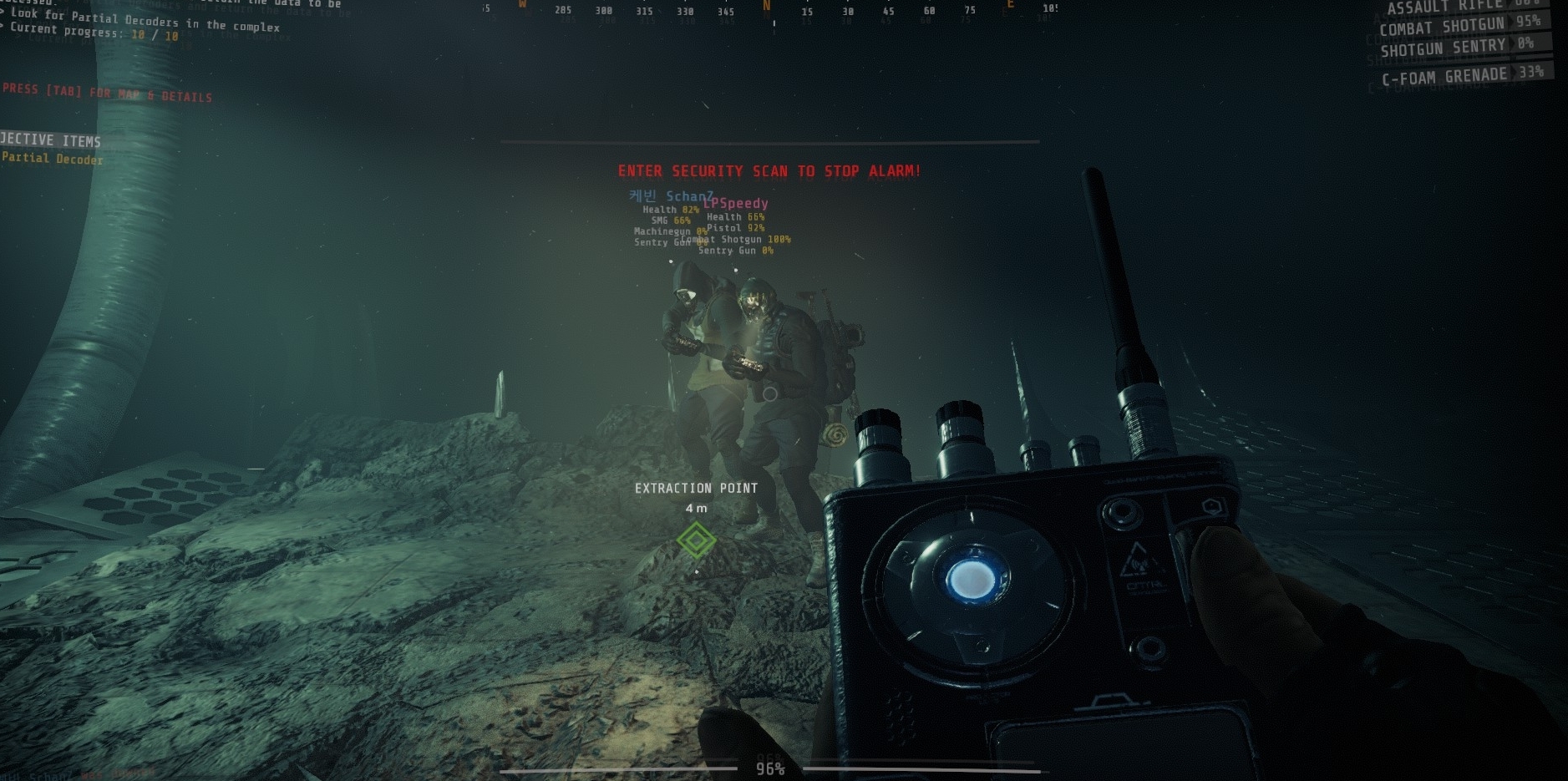
hi @shrewd lichen sorry you had such an experience, you can write a message to @rose thicket and there you can get help ^^
 buoyant sluice
hi! me and my friend have just discovered a nasty bug that doesn't let us both finish the first level, A1
we get the sample to the extraction point, defend it till 100%, then the endgame screen pops for me as a host, yet i still hear game sounds in the background
 restive elm
Having issues with playing as a party. Sometimes you can’t see all the players in the game, but they are there killing and using their gadgets to assist. Also, A1 seems to bug out almost consistently with a party during the first (mainly) secure door area. This forces at least one player to be stuck in the first area of A1 and cannot move forward. Quitting and rejoining doesn’t work here as the player free falls in infinite darkness. Is this known? If so, any workarounds? Thanks! Love the game btw. Just haven’t been able to play it much unfortunately with these bugs.
proper grove
@restive elm mhh. i need more info on that:
DO you play with the same people?
Is it the same person having the problems?
did you tried swapping host?
mighty cipher
Hi I am new here and I have little bit problem.
How can I fix connection error ? (= I restarted steam Pc and modem but not worked my drivers actual
proper grove
Hi @mighty cipher Do you try to start "GTFO beta"?
mighty cipher
I have no idea I buy this GTFO today (steam)
mighty cipher
yes
proper grove
Ok, can you send me a full screenshot of the error?
mighty cipher
oh sure 1 sec
proper grove
ok perfect. Can you try to restart just Steam once more?
mighty cipher
I restarted again now
proper grove
ok, let me send you something
mighty cipher
okay :
proper grove
First of all, please verify your gamefiles.
then try to turn off your firewall and antivirus.
mighty cipher
okay all done :
proper grove
Please try to start the game
mighty cipher
the error still Continuing :/
proper grove
ok. Let's try something else. Can you try to use your Phone as a hotspot?
Either Hotspot or tethering
mighty cipher
hmm 1 sec again
proper grove
Take all the time you need ^^
mighty cipher
sorry for waiting I m back
proper grove
All good ^^
mighty cipher
same :/ doesn t work this very interesting
proper grove
Ok, this is weird indeed. You could try to reinstall Steam.
mighty cipher
I can t sorry so many games loaded Im looking now bug reports and I seeing many people reported this problem but no answer here
proper grove
Give me a second.
@mighty cipher Yes, many tried to start the beta version that is no longer available. They get the same message as you, they often think it is a bug.
silver juniper
is there a fix other than restarting the game to be able to change loadout after finishing a run
proper grove
Uhhh. What exactly do you mean? normally, after you finished a run, you get send back to the lobby.
silver juniper
that's what i mean
proper grove
There you can change the Loadout to whatever you want ^^
silver juniper
No i mean you can't change your gear after a run finishes sometimes
Clicking it does nothing until you restart your game
proper grove
Mh, that's a bug for sure. Be sure to try some troubleshooting after sending a bug report.
silver juniper
I did try changing menus and back