#gtfo-technical-support
1 messages · Page 10 of 1
 proper grove
 pseudo lichen
they're still in their mission
proper grove
im stupid.. yeah
pseudo lichen
it's ok dw
proper grove
Yeah it may be bugged, i'm gonna look for a solution, if i find one i'm gonna write here.
 proper grove
Much love <3
 hot depot
plz, any idea of why only GTFO freezes each X seconds?
 delicate quartz
@pseudo lichen if you DC from a lobby ask your team to keep track of your character ingame and wait until it despawns then you can rejoin said lobby
pseudo lichen
too late unfortunately but thanks for the advice
if it happens again i'll keep it in mind
cheers 🍻
hot depot
do you know any hard disk place where the game is storing data or config files???
proper grove
I don'T exactly know what you mean ^^
but you can go to steam--> GTFO--> Right click---> PRoberties--> local files
proper grove
proper grove
if you need further help let me know ^^
proper grove
Did you copied the Lobby code?
proper grove
Sure, send a DM
 half sluice
if is not too much to ask
proper grove
Problem Fixed!
 pseudo marten
What audio setup is this game designed for? 7.1, 5.1 ect . . .
proper grove
I just can tell that 5.1 didn't worked for me that well.
hot depot
I wanted to do a clean install, so I located game files located in other places, plus register elements... I deleted them all and reinstalled. Tried to uninstall some windows updates as well. Nothing solved my problem
proper grove
Sorry, what problem?
hot depot
11 - 13 seconds fine, 3 - 4 seconds totally frozen, repeat
proper grove
i see, can you tell me what hardware you have?
hot depot
The game have been running fine until yesterday. Other games work properly. temps and use % are nice.
proper grove
also i would appreciate a screenshot of your settings ^^ (Video and advanced please)
hot depot
1080ti, ryzen 1700, 32gb ram, etc
hot depot
ok, 1 sec, looking for that screenshots...
proper grove
Take your time
hot depot
btw, the game freezes both loading, in the menu, playing...
proper grove
Ok, do you have a second screen?
hot depot
yep
proper grove
I would know what the usage of your hardware looks like while you have these freezes
If you need help with that let me know
hot depot
if I have the focus on other windows, the game froze but I can still use the mouse and other things normally
ok
proper grove
Thank you kindly!
proper grove
Always take your time ^^
hot depot
each one of those drops in the stats... it is the game frozen
now I am going to load another game so to see how the graphs are
proper grove
Sure you can send me further details in a DM while im looking into this ^^
hot depot
thanks Lavars ^^
proper grove
Let's see if we can fix this ^^
proper grove
Date 22.12.2019
Problem with @hot depot
Game freezes/stutter
Status:
Unresolved.
Steps done (not in order)
Resintalled Drivers,
Verified game data via Steam
testing Hardware usage
Testing Different settings
Reinstalling game
note:
Good enough hardware
cases with same problem: 4
ops, didn't belong here, was just for me.
 nimble lake
not sure if this is exactly the right place to be mentioning this, but I'm wondering if some other people have been having troubles with the sprint feature on the gamepad/controllers. Currently, I can't sprint properly if "toggle" is set to disabled. Typically I would think this would allow me to hold the trigger and sprint, but I doesn't seem to be doing that.
Thanks
I should mention that I do have sprint set to my analog stick. So it feels like I have to push it down and forward to sprint, so often it break or is choppy. When "toggle" is set to enabled however there is no problem.
 sick python
I'm having a technical issue occurring when my game is in any of the windowed video modes. When I'm in the any of them, my VOIP (tried with both TS3 and discord) doesn't work as it should, cutting out constantly when I'm not in a menu. Having my game in ExclusiveFullscreen is a temporary fix for the issue, but I don't think there's anything else I can do.
proper grove
Can you open the Task manager and look on the CPU usage
sick python
Seems to be about 25%. Unchanged by various settings.
 mighty cipher
yo we have an afk member who wont join our game in vc channel 38?
do we need to move at all or wait for him to get back?
proper grove
do you try to start the beta?
proper grove
Beta is over, you have to buy the early access!
 boreal lake
OOO i dont have 600 uruguayan pesos, god deamn it...
will be next moth seeya
thanks for the support
proper grove
no problem
@sick python how's the load on CPU when the Problems start? is it also around 25%?
sick python
The problem doesn't affect performance at all. CPU is constant.
proper grove
ok thank you. Did you experienced this problem in other games?
sick python
I've experienced it very select few, I don't even remember which ones they were.
proper grove
ok. Do you use an USB Headset, an Extern sound Device (like a mixer) or normal connection
sick python
USB Headset, yes. Logitech G933 Artemis Spectrum
proper grove
Ok thank you. i'm gonna write you a DM
 reef zenith
I've been getting a black screen on launch ever since one of the beta updates and my real game doesnt work either, I just bought it today
 rancid lintel
reef zenith
rancid lintel
reef zenith
I just installed it but I'll give it a shot
 vapid leaf
good wanted to report a bug in the game today try to continue playing and the mouse moves only down, in the games the lights cover the entire screen, it is not a problem of the pc since I have been playing this game for a while
 clever thistle
hey my ingame audio doesn't want to play whenever I run the game. It just self mutes. Ive ensured that the computer is giving it whatever permissions the game is requesting to get. But nothing seems to fix it.
 hasty ravine
Does it mutes instantly or after a while ?
hasty ravine
Drivers are up to date ?
clever thistle
Updated them a few days back
everything else seems to work perfectly fine
im verifying game files now
clever thistle
yeah I use a headset but I booted up obs to see if it wasn't reporting out anything or just not outputing or not producing anythign
hasty ravine
So, is it working ?
clever thistle
about to test it agin
validation failed but im running an audio test in a sec
that fixed it
thanks
hasty ravine
Np, I tried to find solutions but you did it by yourself, have fun !
 sullen jewel
dont see a bug channel so
proper grove
sullen jewel
ah
proper grove
oh
That looks like your graphic card is about to die ^^
You have the same problems in other games?
 limber river
When i play gtfo, any mouse button i press minimizes the game
proper grove
do you have anything open in the background?
proper grove
ok. What fullscreen mode you use?
proper grove
mhh. We could try something.
limber river
Btw
proper grove
give me a second please ^^
limber river
Playing game on a laptop using external monitor
proper grove
Open taskmanger
ho to the details tab
right click on GTFO.exe
Set priotity to high.
 pulsar needle
The game sometimes doesn't register the final scan and makes it impossible to complete the mission. please fix.
 round pier
My friend changed some settings in GTFO and then restarted his game and now it simply doesnt start. Is this a known issue?
 little creek
109775241077443933
 scenic agate
sometime the game cant detect my shift key even though it work perfectly fine for everything else
anyone know how to fix this ?
the only solution for me so far is to uninstall keyboard driver and restart my laptop which is something i dont want to do at all
proper grove
@round pier He can try to verifiy the game data via steam ^^
@scenic agate Can you explain when this happens? f.e. in fights, while reloading etc.
 carmine isle
@round pier could also try removing the settings file
Just search for gtfo settings
And You should find in appdata
carmine isle
Could have Been some corruption in the settings duke that’s busting it up for some reason
scenic agate
@proper grove when playing this game only
proper grove
so you cant use the shift the at all?
 grave bloom
Hi what is the Max Render Queue Frames in advanced video settings please ? impact perf ?
proper grove
Easiiest to explain: it renders more frames in the background and uses them in case of framedrops.
grave bloom
so, 12 is the "best" settings ?
proper grove
10
grave bloom
Ok ! thank you
 cunning dragon
What is the "cpu culling workload" do exactly in the options? With a high end pc should it be high/low?
proper grove
well. They could call it "how much culling to put on CPU" :D
It depends on the setup
cunning dragon
i9-9900k, 2080ti if that helps
proper grove
Jeez boy! Ya got some nice hardware.
 potent panther
BrUh
cunning dragon
It was on medium atm (default), and is set to low now. Any difference I am supposed to see in game?
proper grove
Not really :'D
Culling is the distance in wich object are "drawn" into the game. Mainly that are some minor objects. If you have a bad GPU you put it on high so the CPU takes the work
Right now you can't set the drawing distance, aka Culling. so you just can choose what hardware has to do the work.
cunning dragon
So this is a resource utilization balance between gpu and cpu . Okay, thanks.
proper grove
y
 lyric spear
hi im trying to enter the game but when i launch it it give me Network error No connection how do i fix this
proper grove
Do you start the beta or early accesS?
lyric spear
it says beta but how do i get to the early acces
proper grove
Buy it on steam! ^^
lyric spear
i have already bought the game but it displays as beta in my library
proper grove
You should have a game called "GTFO" not "GTFO beta"
lyric spear
i will check
proper grove
Take your time
lyric spear
thats a no i only have gtfo beta and i tried to restart steam doesnt display it should i delete the game then restart steam to see if it displays it. because i have had it installed for a few beta's
proper grove
Did you bought it or did you got it as a present?
lyric spear
i did buy it for myself
proper grove
ok, you also can go to the stor page of GTFO. There you should see "already in your library"
lyric spear
OK i do not know wtf i just did but its there now xD thanks.
proper grove
No problem!
proper grove
Can they join you?
 short dove
well i cant even join anybody
proper grove
Yes!
I got that
I still want to know if you can host a lobby, and people can join you ^^
short dove
no
proper grove
ok, disable your firewall, and restart the game.
short dove
k
proper grove
Tell me if anything changed ^^
 forest willow
Just installed a game, joined party in discord, started lobby, jail leaving animation, blue screen crash, PC restarts .. now: cant start game, got black screen, files validated, still black screen and nothing happens 😦
forest willow
deleted files in AppData -> game started once, crash when loading a map, closed game, open again but no internet connection
forest willow
yes ... 1. step: write Steam Negative Review, 2. step: request a steam refund, 3. step: GTFO
proper grove
🤷♂️ ok!
mighty cipher
anyone play GTFO on a 1060 6gb
proper grove
Why do you ask ^^
mighty cipher
my fps drops to 56 on every setting
mighty cipher
I already did
proper grove
also on high?
mighty cipher
i tried a variety of setting for like 30 minutes
i got a 8700K and 1060 6gb
16GB of RAM
proper grove
yeah, shouldn't be a problem, the game is still not fully optimized. I found out that good hardware doesn't change a lot.
mighty cipher
so shall i just wait for it to come out of early access
mighty cipher
whats better max cpu culling or low cpu if i got a good CPU
and how many prerendered frames is recomended
proper grove
The queue works best @ 4-5 according to some tests i made with some users.
CPU culling is hard to tell, it really depends on hardware, best is medium, but not 100% certain. I don't have enough data for it
mighty cipher
KK gotcha
proper grove
If you still need help or have question just ask ^^
 rough field
my game is starting like if i had a curved monitor.. anyone knows how to fix it?
proper grove
Can you send a photo (made with your phone)
also i would like to see what happens when you make a screenshot
rough field
u can see it on print screen too
proper grove
ohh you mean the top?
rough field
yep
rough field
u sure.. cz my friends screen r not like that
proper grove
does he run a different resolution?
rough field
its 1920x1080
proper grove
WOuld be nice if i could see a screenshot from him ,just to be sure
 sterile helm
rough field
sterile helm
rough field
^
rough field
u have a glitch too 😄
proper grove
i'm gonna check something really fast ^^
can you go to "hud" and change "hud skewing"? i think that's the "problem"
Probally changes after restart
proper grove
yes
rough field
proper grove
I mean change the value
0 is straight.
for me i had to restart the game, that why i was confused ^^
rough field
omg.. tyvm.. its perfect now
proper grove
I'm glad i could help ^^
 cyan fog
Hey @proper grove A friuend and I could need your help 🙂
proper grove
Sure, how can i help you
cyan fog
When my friend and i wanna join each other lobbies, we join a lobby but there is no one in it
I also wrote with ludvig about this problem
proper grove
Did he said anything?
cyan fog
He said we should try to open up three UDP hosts, but that didnt help anything
We both configured our routers, so that our clients are exposed hosts, we deactivated our firewalls and our antivirus programs
proper grove
ok, logs won't help me ^^
Let me look into my folder, i had someone with the same problem give me a second ^^
cyan fog
reinstalled the game with deleting the C:\Users\USER\AppData\LocalLow\10Chambers Collective\GTFO folder
proper grove
we could try something, i hit ya up with a DM
cyan fog
ok
 shy badge
hi there @proper grove - I'm the buddy< 🙂 we only see four invite buttons
all firewalls / AV / firewall in the router / port forwardings in the router are disabled
game reinstalled multible times; we had a NAT error message in the logs but that is gone now
proper grove
ok Thank you for the info ^^ we are gonna try something
shy badge
alrighty right 🙂
proper grove
Problem with @shy badge
unresolved
In progress
 safe dew
proper grove
safe dew
proper grove
Wrong channel!
 south musk
?????????????
south musk
yeah tried that already
proper grove
Oh ok, did you tried to verify the files via steam?
proper grove
give me a minute, i look into the problem
hey @south musk can you try to dissable your antivirus please?
south musk
then try to launch?
proper grove
yes
carmine isle
@shy badge if possible, would be very interesting to see if you get the same issue while using your phone as a hotspot and connecting via that instead, or something similar
proper grove
Problem with @south musk
Unity crash
Steps done:
fix was applied
Verifying of files
Changing Startparameters
trying to start as admin
Troubleshooting via Windows
(probaly forgot something 😅 )
Status:
still crash after start
 hollow marten
anyone else having problems saving the game?
i finish A1, but when i reopen the client, it shows that i havnt finished A1
what to do
pulsar needle
there's a glitch we just discovered where if you close the door on a feeler it will go through the door anyway and tag anyone in the way... the scout did not sound off until we opened the door. Please at least make the scout bring the feelers back in if it gets blocked by the door being closed.
it was crazy odd
proper grove
@deep elbow Did it worked after you restarted?
@pulsar needle #bug-reporting Would be kind if you could make a bug report there. Thanks! :3
 unreal ore
aye, yall wanna play? we need two
 deep elbow
But it was weird that it happened to all of us
proper grove
@unreal ore wrong channel
unreal ore
i know just yall are the only ones talking rn
deep elbow
@proper grove so yeah^^
proper grove
@deep elbow yeah, these are Peertopeer servers, if the Host has problems, it's almost guaranteed that everyone has some xD
 blazing stag
GTFO is making my discord call drop. No idea why though and it reconnects me right after.
proper grove
you use the servers on here?
blazing stag
Nope, normal call.
shy badge
hello there
somebody up for testing something with me?
having connection problems and I want to try something out
 lapis spear
Same here ^ ^ I restarted router, pc and steam as well and still getting https://i.imgur.com/RC6oh2n.png
 shy badge
@lapis spear I had that issue at the first start of the game - allowing gtfo in the firewall fixed that for me, but my issue is different
lapis spear
Its already allowed though ;-;
shy badge
tried turning it completely off?
lapis spear
Yup I even reset it
 prisma mason
Do you happen to have an AV installed?
lapis spear
Nope just the one that comes with windows
The thing that bugs me is that I played the game a couple times today already and now its just not letting me go on at all
shy badge
hmm strange - something changed in your setup?
 agile thicket
guess i found the secret mission guys
shy badge
HOLY COW
I have exactly the same bug
I'M NOT ALONE
lapis spear

 lone nimbus
just finished the A1 with my friends
and me and my other friends did not complete our A1 rundown
even though the other two did
help plz?
 long atlas
Have had same issue as @lone nimbus above
 lavish tree
lone nimbus
lavish tree
lone nimbus
thats what i had
 crystal vessel
so my game isn't letting me play it and im just thinking of uninstalling it and reinstalling it
so would my like saved data be there or no
when i download it back
sorry for the dumb question
blazing stag
The game uses steam cloud synchronization so you should be fine.
 wispy barn
It actually uses their own services, not steams cloud sync
blazing stag
Does it? That's neat. My bad.
wispy barn
you can reinstall without fear of losing data
 manic owl
hmmm, seems like some kind of bug :/
blazing stag
Yeah I've noticed that. If you've got a keen eye, you can see the faint outline of the map around the empty space, but no fill-in sadly.
 dark heart
hello, so i'm trying to gift this game to a friend of mine, but i can't because of regional price differences
is there any way to buy a gift copy instead?
 vocal radish
I heard you can use the website "GreenManGaming" to buy a key and give this to him
wispy barn
Correct. @dark heart You can purchase from GMG. They are an official retailer: https://www.greenmangaming.com/games/gtfo-pc/

Green Man Gaming
Pick up your GTFO PC copy from Green Man Gaming today and remember to sign in for our best price
dark heart
thank you very much
uh, is there any other retailer? for some reason i can't register. just leads to an error 401 page
doesn't really make any sense why i'm unauthorized to register within their website
wispy barn
GMG is the only retailer. Are you able to reach out to them for support?
dark heart
Nvm, the problem was that i was trying to register using steam instead of e-mail
lapis spear
Is there any other way to fix this "known connection issue" because its the second day and I still have it.
mighty cipher
cant connect online regardless what i do and its been about 6 hours. gg my $31
 civic heart
hello should i post bug reports here?
 scarlet marten
beat b2 got to extraction then got to extraction to hit 100% then all enemy froze and we still in stuck game, 1 guy got it completed the rest of us did not get it check for completed, still says (not Completed)
blazing stag
Hey friends. Is there a specific place to post bug reports or should I post it here? It's a rather major bug that I can reproduce 'somewhat often'.
 sweet silo
@mighty cipher have you done firewall checks and other items to ensure you are not being blocked?
Is anyone here having the network error issue?
lapis spear
I am as well ;;
I did everything I saw Disabled firewall, made sure it was allowed, restarted router, pc and steam
And still have that issue
sweet silo
Did you put your PC to DMZ host ?
Some firewalls will not turn off all their junk from the disable of firewall you are better off just making your PC DMZ host and not disabled the firewall
also goto %programdata or %appdata find the GTFO folder under local or local low and clear the data there
lapis spear
But the thing that doesn't make sense is that I was able to connect when I got the game and played for a few hours
And I did clear the local data
 oblique jacinth
We joined a friend who hosted it and now everyone who joins hears clicking and if we leave it just stutters our mouse and the clicking intensifies
sweet silo
under C:\Users\Home\AppData\LocalLow\10 Chambers Collective\GTFO right?
lapis spear
Yup
sweet silo
are you running as admin?
lapis spear
Yup tried that already as well
sweet silo
What is your fx card?
lapis spear
fx card?
sweet silo
Graphics
lapis spear
1060
sweet silo
Latest driver set and set to performance under the nvidia control panel?
lapis spear
Yup
blazing stag
Does anyone else have a weird hardware issue when putting the game into anything other than Exclusive Fullscreen? Whenever it's in Windowed or Borderless Fullscreen, my CPU fans go up to their max settings and Discord starts to freeze for long periods of time, often causing me to drop connection for a short moment.
lapis spear
All those were on before I got that game and I did make sure to update to the latest driver as well
sweet silo
Ethan, yes this was approached and i believe was being worked on from the JIRA tracker
Did you mess with CPU culling or any of that?
Also there are some known issues running Discord with GTFO for some players, forgot what their fix was though
Have you turned off Discord and tried joining a game Tides?
lapis spear
I have not actually
blazing stag
Haven't messed with CPU culling, just the normal video settings and the "Target Framerate" which doesn't seem to do anything.
sweet silo
I just let it go unlimited, but i have a pretty decent system 3900x and 1080ti
blazing stag
I initially thought everything was running hot because of the unlimited framerate reaching 200+, so I capped it at 144. Didn't do anything.
Exclusive Fullscreen fixed every issue, including the Discord ones, making me think the Discord issues were linked to whatever hardware issue it was.
sweet silo
Tides i'm going to start a game and give you a code, quit discord and see if you can join it
after you get the code of course
It hasn't been determined from what i've picked up what is causing this but i've seen it from a variet of hardware mainly AMD Gpu's vs nvidia
lapis spear
Its a weird bug
blazing stag
Yeah my specs are a 5700 XT and an R5 3600. Both AMD so it could be the reason...ish?
 deft hawk
currently playing with a group and i cant register this one guy with us
he can see me just fine but we get in he doesn't exist and it just says "unknown" for him
civic heart
I experienced an issue where a security door scan locations were different for everyone but only would work for the zones seen by the host. causing us to fail the mission as we couldnt get the alarm off quick enough and the horde killed us
 inland owl
@deft hawk it's Herobrine
proper grove
If everzone needs support, i|m back. I'm honna take time to see if any unresolved problem remain that i can help with ^^
@shy badge Can you try to use your phone as router? i wanna see if it changes something
proper grove
@blazing stag when you have such a problem it would be interesting to see what CPU usage you have
 snow idol
the gifts from the gtfo alpha are still in my steam inventory. Are those going to get deleted soon? I have no way to get rid of them.
proper grove
@lavish tree , @long atlas , @lone nimbus
Try to host the game and let me know if anything changed
 wintry prism
when you tab out during elevator going down and you tab back in, it plays the sounds, dont know if thats a bug or if its just like that
 karmic rain
proper grove
karmic rain
proper grove
can you try to host the lobby please?
proper grove
There's an bug atm
 golden pollen
So me and some random dudes tried creating an A1 lobby. All pretty new. But if we all get into the lobby, we cannot start.
proper grove
Ok, there's a bug atm the devs try to fix. There's one person who has the bug.
If you want i can take a look into it
but actually can't fix it directly
 mental haven
the steam page has a lot of outdate photos of extreme lighting and different hud and a lot of different maps none of which we have it might not be good to advertise all of this and then someone get the game and it be a whole different animal than what they thought they were buying
proper grove
Yeah...
blazing stag
90+, usually a steady 100ish but sometimes drops to 90
proper grove
oh ok, also i would be interested in our hardware.
blazing stag
RX 5700 XT (Sapphire Pulse), R5 3600, B450 Gaming Plus Max motherboard (MSI) and 16gb of DDR4 3200mhz ram
blazing stag
No problem, the fix I found was just entering Exclusive Fullscreen if that helps
 deft palm
Is it a bug that we litterally Remove their head and cut their body in half but they still live?
wich result in them alerting the whole room
proper grove
happens sometimes
deft palm
it happened both time
and both time resulted in us dying
because it triggered a scout
 brittle yacht
i have duel monitors and my mouse keeps going to my other screen even with full screen exclusive
proper grove
@brittle yacht you could try ctrl + I
should that not work, try to start the game and tab and and in again.
proper grove
@scarlet marten Thanks for the info! The devs are working on a fix! you still can play the next missions as long as the host has them unlocked!
 delicate glen
Hi im new how do i fix the super blurry main menu? i can barely read anything?
proper grove
Hi, could you provide me with a Screenshot please?
delicate glen
sure one sec
proper grove
Take your time
delicate glen
the red text is so blurry and small no matter the resolution change
 modest wing
Apparently I have a invisible teammate
proper grove
oh ok, first, can you set your Resolution higher?
delicate glen
i tried but it didnt do anything, 1366x768 is the clearest of resolution for me
proper grove
YOu play on a laptop?
delicate glen
no desktop PC
proper grove
ok you should be able to set the resolution to 1920x1080
That's the most common resolution.
delicate glen
no change still blurry and small
proper grove
Did you applay the changes?
delicate glen
yes
proper grove
ok, please restart the game ^^
delicate glen
kk
ok it seemed like it fixed it, but when i went back into video settings is just crashes to desktop.
proper grove
any error message?
delicate glen
none just an freeze and crash to desktop. I tried again and it looked like it worked for a few secs but then it froze went black and now its back to being small and blurry again. As long as i don't touch video settings i don't think it messes up.
proper grove
Interesting 🤔
what fullscreenmode you are running atm?
delicate glen
i was running fullscreen window, but exclusive full screen seems to helps the blurry text more.
proper grove
Yes could you try to change the resolution again please?
delicate glen
kk
proper grove
if it doesn't work, i write you a dm with a fix that should work ^^
delicate glen
nothing changed text still blurry and resolutions this high is making half my screen go off my monitor
 noble jolt
Did you turn off the HUD pixel effects and and HUD skewing?
proper grove
case resolved!
noble jolt
Noice.
 tame parrot
I have an issue where sometime I cant see a teammate and their map icon show them at spawn.
 cold fjord
Me and my girlfriend just got the game but when we join each others lobby we dont see each other even after we start
 peak veldt
Hello
Well I gotta say the game is surprisingly excellent optimized, I can rock ultra settings on a pretty old cpu and 8gb ram, yet I constantly had 90 fps, windows still gave the warning that I was running low on memory, yet, it only micro stuttered for a bit and then the rest of the game it went smooth as silk as ever, don't know if this counts as a problem?
 silent gale
my fps is capped at 45, any help? every setting graphics wise doesn't change it
proper grove
Ok, set it to "infinite" (pull it to the left)
Restart the game
And test it please :3
silent gale
it was like that originally, but i'll change it back, just finishing this match
proper grove
Take your time
 haughty cedar
Приветствую, подарили гифт, а войти не могу
proper grove
you try to start the beta, the beta is over. You have to buy the early access!
Вы пытаетесь запустить бета-версию, бета-версия окончена. Вы должны купить ранний доступ!
подарок был только для беты
haughty cedar
Понял, спасибо
proper grove
Khorosho do svidaniya
 dire nimbus
Hello support, my game does not start. I go to "Start game" in Steam, then a white GTFO window opens, then it turns black and it says Loading, but then it closes again and nothing happens. I have already restarted my PC, made a "check on files" and reinstalled the game but it always happens the same. Please help me its a great game!!
proper grove
Perform the following steps:
- Uninstall game on steam.
- Delete the following folders:
:PL: C:\Users\USERNAME\AppData\LocalLow\10 Chambers Collective
:PL: C:\Users\USERNAME\Appdata\Local\Temp\10 Chambers Collective\ - Install the game
If you still have trouble just @ me
dire nimbus
Ok Thanks
dire nimbus
Thx 4 your help, it worked!
proper grove
No problem! Have fun and good luck
silent gale
still capped at 45 fps
proper grove
ok, i write you a dm
mighty cipher
Did the server crash?
We had delayed fire and terminal took 3 seconds to react to a command, now we got put back to the mission select menu.
mighty cipher
The host had no internet drops. Or lag.
 white radish
yeah that’s the host dying
 jagged mountain
did some people got lag problem on C1 mission, sleepers seems to stop walking and just stay immobile (and stop dying too). I guess the problem is connexion but it's for all the player except the host (did GTFO use p2p connexion ?)
mighty cipher
Me and my friend are playing in a lobby
he can't open/close doors
or like whenever he does open/close a door it does open/close for me but it remains closed on his screen
 languid lily
 wanton valve
proper grove
wanton valve
proper grove
Hey! @jagged mountain it's p2p so yeah. Someone else should host ^^
@mighty cipher weird. Can you try to use another host and test it on A1?
@languid lily probaly just via Restart! :D
mighty cipher
Thx that worked @proper grove
proper grove
Ok ^^ Good to hear
 tropic sundial
The menu cameras now have a bug which was not apparent yesterday, the camera is now not centered mainly in the settings menu, and when you move the mouse in a direction, the camera moves way further then it is supposed to. When in the settings menu, even when V-Sync is disabled, the game starts off with my frames locked at 143. If I then click gameplay in settings and then go back to video, the framerate is back to what it would normally be with v-sync disabled (around 200) however, it has gone down significantly since yesterday since I was getting framerates constantly around 280 in the menu. During gameplay, framerates have dropped as well. I was getting around 100 yesterday with my optimized settings for my 1080ti at 4k and now today im only getting around 60. This also changes when I do the switch tabs thing I mentioned in settings (either goes down or up).
Anyone know how to fix this?
proper grove
So you said yesterday you had more FPS?
tropic sundial
yes absolutely
and the menu camera for game settings is completely off center
the same issue is happening to my friend as well
except he is also experiencing major tearing
my friend is going to take a screenshot and upload it here
vocal radish
tearing at the edge of the screen?
tropic sundial
sorry stuttering
 atomic trench
from 70 to 30 fps
tropic sundial
like huge frame drops that cause the screen to stutter only for him though
I dont experience it
thats him
ZOOMER
proper grove
Ok, please give me a second
atomic trench
and also in the menus i would i go from 200 fps to 40 fps within a second
vocal radish
Do not forget this is an Early Access version, so a lot of stuff is probably not optimized
atomic trench
this is what he means not center
tropic sundial
its a very strange issue. and if i switch from gameplay to video tab in settings, the game display turns on and off (like blacks out) and either locks my framerate at 143 or gets it up to between 190-200 in the menus
yes but neither me or my friend were experiencing these issues yesterday which is odd
tropic sundial
and as i mentioned, i was getting much higher frames as well
atomic trench
i have tried that and reinstalled my game
tropic sundial
ZOOMER is having the exact same issues as me except he also has major frame drops
proper grove
@atomic trench what resolution is your screen set to (check screen settings to be sure)
tropic sundial
that screenshot shows the same problem in the menu that me and ZOOMER have
atomic trench
3840x2160
tropic sundial
the resolution for the both of us is 4k or 3840x2160
same as we play for every other game
proper grove
ok.
tropic sundial
changing the resolution does not fix it
proper grove
Please not both at once
it's hard to follow the conversation if everyone is chatting :D
atomic trench
yeah ok sorry
tropic sundial
😅
proper grove
when you get the same problem, we gonna check 1 or two things.
Just follow me along, and we should be able to fix this.
tropic sundial
k thx
atomic trench
ok 🙂
proper grove
go to C:\Users\YOURNAME\AppData\LocalLow\10 Chambers Collective\GTFO
 raven heath
there is no sound in my game? is this a common bug ?
tropic sundial
k
proper grove
@raven heath give a 10 minutes :D then i take a look into it ^^
raven heath
thank you!
atomic trench
alright im there
proper grove
open "GTFO settings" (you can open it with Notepad
atomic trench
yup
proper grove
Look for "video"
tropic sundial
yep
proper grove
And i need the X and Y
atomic trench
"x": 3840.0,
"y": 2160.0
tropic sundial
"x": 3840.0,
"y": 2160.0
atomic trench
is that what?
proper grove
wait
^^
change the X to 1920 so it looks like that:
"x": 1920.0
And y to
"y": 1080.0
so we gonna get the game in FullHD to see if it changes something ^^
proper grove
Exactly
atomic trench
k
proper grove
If you are done you can hit that X and save it
tropic sundial
k
proper grove
restart the game and tell me if something changed please!
atomic trench
k
atomic trench
k
proper grove
But press ALT+Enter
tropic sundial
dang already closed it
atomic trench
did that
tropic sundial
plus it says my game is still running even though it isn't lol
proper grove
It may take a secondf
tropic sundial
still says running in steam it did this before too
it just coinstantly says its running even though task manager doesn't even say it is
probably just steam lol
vocal radish
then a steam sub program is still running
atomic trench
one sec im restarting
proper grove
oh ok
tropic sundial
can i change back to 4k?
proper grove
If the problems occurs again, you know what to do for now
i'm gonna look what causes the bug
tropic sundial
holy god everything is fixed including framerates somehow?????
proper grove
MAgic my friend
tropic sundial
WOW TRULY MAGICAL😍
 iron goblet
Quick Question? - how does one place the turret?
atomic trench
look at the ground and press e
vocal radish
equip it, look at the floor and hold e @iron goblet
tropic sundial
thanks so much @proper grove
iron goblet
Thanks everyone!
proper grove
gonna make myself something to eat, brb
 warped hedge
So I have a problem, I just booted up the game and my mouse keeps moving on it's own to the top right of my screen, but it's only in game
is there any fix to this?
proper grove
you have a controller plugged in?
warped hedge
yes
proper grove
upside down?
warped hedge
....yes XD
vocal radish
hmmmmm
 slow wind
how does this game work with nvidia geforce?
vocal radish
depend on which one
slow wind
nvidia geforce now
vocal radish
there are quite a lot of Geforce GPUs out there, can you give a precise name of your GPU?
slow wind
its not a gpu, its a program
where i play on a computer far away
and that computer streams whatever is happening to my computer
vocal radish
Oh you are streaming from a server? Is this the one called Shadow?
slow wind
its similar
vocal radish
If you use the Cloud Gaming from Shadow, then it should be okay, I guess
 near lichen
i thought nvida now was only for supported games
vocal radish
tbh idk, i never used any kind of cloud gaming, the only cloud system I use are vmware and citrix
near lichen
oh is it? no idea never bothered with that
slow wind
the woes of a poor college student
near lichen
what are you streaming it to?
slow wind
my computer
near lichen
tv? ipad?
slow wind
so
i start up a game
their servers and their computer starts up and opens gtfo
and streams whatever is happening to me
the inputs i put into my keyboard are sent to their servers and computer via internet
etc. etc.
slow wind
the problem is that the copy and paste functions aren't working
slow wind
just a little heads up
near lichen
yeah you prob cant join any lobbies
slow wind
so you hgave to add people on friends list
near lichen
on steam?
vocal radish
Steam friend or lobby code to join
slow wind
lobby code doesn't working cos copy paste machanics dont work
vocal radish
just look at #how-to-matchmake
near lichen
@vocal radish he means since its streaming it doesnt see his clipboard with the lobby id
vocal radish
yeah, then you have to add them
slow wind
yea
slow wind
i have the game though?
vocal radish
probably weak hardware?
slow wind
my laptop cannot handle it
near lichen
now i remember why i hate streaming gsme servers :p
yeah i guess your stuck with steam friends and thier lobbies
vocal radish
is an good excuse to gather steam friends
slow wind
very good you're right
near lichen
well. friends and other discord lobbies to find players
all you really need is the host to addy you each time.
can always remove you after
proper grove
keep this channel for Technical Sopport only please ^^
hollow marten
My game won't save my progress after i finish A1? Why is this?
iv finished A1 three times now
 gleaming leaf
hello i have an issue with the game, just bought it and when i open it says ''network error no connection''
noble jolt
When starting the game you get the error "No Network Connection".
Resolution:
This has two causes:
- You are trying to launch the "GTFO Beta" version. Please uninstall this version and install the one labeled "GTFO" from the Steam Store which is currently in Early Access
- GTFO uses Steam for network connectivity and there is connection issue with that process. Please try restarting Steam and if that doesn't work try restarting your Modem, Router, and your PC.
gleaming leaf
done, restarted steam and it worked, thanks a lot
noble jolt
No worries! Have fun!
 dense warren
how do i join a discord group chat my friend is in its capacity 4/4 but they want me to join
 wide zealot
🤦♀️
proper grove
@hollow marten , did you host the lobby?
hollow marten
no
proper grove
It should help, the devs will fix it soon.
 willow tusk
Can someone help me? I keep getting - https://imgur.com/a/prvvGe7 - and I've done the fixes in the known issues section..
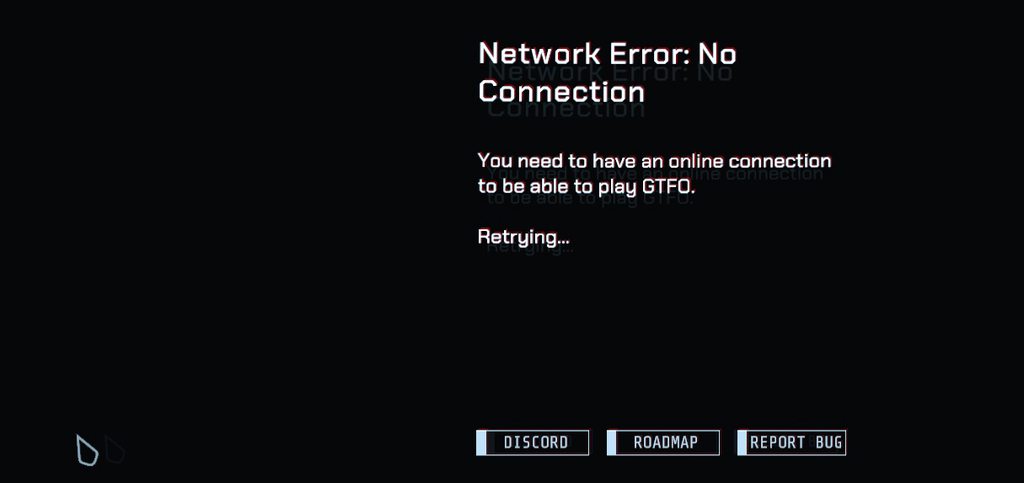 proper grove
you probaly started the beta.exe
willow tusk
I don't have it anymore it's uninstalled
proper grove
ok, i need to check the version number, can you send me a full screenshot please?
willow tusk
Sure, two seconds -
 proper grove
give me a minute
willow tusk
Sure, thanks
proper grove
ok, let's try some things, just to be sure:
could you turn off your firewall please and retry to start the game?
lapis spear
😔 I've been having the same problem as well
proper grove
If this still doesn't work, please try to restart your pc.
hi tides!
do you try to launch the beta.exe?
be sure you start the early access version ^^
willow tusk
I've done all that, the issue's been happening since yesterday. I uninstalled the beta on the 9th when I installed the early access game and it worked for a week
then I went on holiday and it hasn't worked since i came back 🙂
lapis spear
I don't have the beta, I did do all methods, uninstalled, restarted router, pc and etc.. The first time I got it I reinstalled and it fixed but it came back and now nothing works
proper grove
ok let's try something, could you use your mobile phone as router to test if it's working?
lapis spear
If only I had a wireless card  I'm calling my ISP in a few here because I've been having issues with downloads.
It might be them but I'll let you know
proper grove
you also couls use USB Tethering, if available by your phone.
@willow tusk If you try the same it would help a lot ^^
willow tusk
Dont have the option to..
mighty cipher
If anyone can help me would be nice, My GTFO is stuck on the very beginning loading screen where it just says "Waiting for system assets to initialize" I had loaded before and now it is just stuck on this screen and nothing happens. I've already waited about 10 minutes to see if it would load but it still hasn't. I need help on this urgently.
proper grove
ok, please send me a Screenshot to specify the problem ^^
mighty cipher
mighty cipher
I look for updates but its not there
proper grove
Where you got the game?
mighty cipher
Steam
proper grove
Ok, you enabled auto-updates?
proper grove
ok ^^ take your time
proper grove
ok, do me a favour and verify the files via steam
mighty cipher
Uninstall and install again
proper grove
mhh. Give me a second
mighty cipher
Uhhh how do i do that lol
mighty cipher
Browse?
proper grove
it's checking if any files are missing ^^
ok but good news, i checked, your game is up to date, so no worries :D
vocal radish
yeah my bad
proper grove
yeah it's the right version
vocal radish
yeah, later comes another version number, I accidentally mixed them up
proper grove
ok, are you drivers up to date?
mighty cipher
I believe so but why would it just stop working. It had loaded once to see how it was then when i closed it, I wanted to open it up to play with some friends it just stayed on the waiting screen
proper grove
oh ok, good to know.
Give me a second
so you already reinstalled it after the problem accured?
mighty cipher
log files?
mighty cipher
dont know what or where that is lmao
proper grove
ok i write you a pm
 thorny mesa
hey guys, we just "finished" the A1 level but everything is frozen, any idea why ?
proper grove
Hey @thorny mesa that is a bug they are working on right now!
IF you host a lobby you shouldn't encounter this problem, but others may will!
scarlet marten
bug just happen to me finshed c2...
thorny mesa
I had the ending screen but I couldn't click "return to the lobby" so I pressed escape and I was on the frozen screen with everyone else. I clicked on "return to the lobby" after that on the settings menu, but it didn't do anything, so I did "exit to the lobby" and I left successfully unlocking the levels, but my friends didn't
proper grove
yeah. IT appears some times. It's actually just a small playerbase!
you still can play others level as long as the host has unlocked the level
IF you both could provide me with your latest log, i would appreciate it ^^
scarlet marten
how do get log?
proper grove
i write you a pm ^^
 summer spear
hell yea, my progress got set back
proper grove
set back? or do you mean it didn't count?
thorny mesa
sure for the log, tell me how I can give them
summer spear
I beat all the As and Bs and I was waiting in a C lobby when my game dropped all my frames, I closed my game reopened it and it said I only beat A1 and B1
 craggy crane
Technical question: A friend just got GTFO and when he initiates the cage drop (alone or with others), it just keeps going down indefinitely but never arrives. Is this a known problem? Rebooting doesn't help. No idea what's wrong.
proper grove
@craggy crane could he write himself here? so it's easier for me? ^^ I would appreciate :3
craggy crane
He doesn't have Discord.
proper grove
@summer spear can you please restart the game?
summer spear
Alright, I get to see what happens if I beat a C level without beating both B levels now
craggy crane
I have my friend on the phone right now, so I could pass messages back and forth. If necessary, I ask him to get Discord.
proper grove
Ok, can he try to use his mobile as hotspot? If it works, it's a known issue, if it doesn't change anything i may can fix it :D
@craggy crane ^^
@summer spear normally your progression gets synced with the server. I'm gonna look into this problem and try to find an answer ^^
summer spear
Ok then
craggy crane
Ok, I told him and he's on it. By the way, he has two computers, his own and his wife's. On his PC GTFO works fine, on the laptop, it doesn't. Could it be a problem with two PCs on one router?
proper grove
Interesting.
Good to know.
mhhh interesting for sure
But i dont think it has to do with more systems on one router.
craggy crane
Thanks, Lavars. He will try it later, not today though. We'll come back afterwards. Anything else he should try?
proper grove
craggy crane
Roger.
 shy sand
my game has consistantly crashed upon load in
proper grove
hi, try to press alt+enter when it's started!
you can press it again when you are in the menu
 atomic silo
so my team got disconnected during a game but i stayed in since i was the host, they are having an issue joining back. is there a way to fix it?
 peak tartan
is there any way around the end-game freeze? I just spent 5 hours beating C2 and would rather not have it denied 😦
 jovial dirge
same thing happened to me on B2
 exotic shuttle
hey yall just had an issue where at the end of the mission i couldnt click the return to lobby button. Anyone know why this happened? How to stop it from happening or how to fix it? If this is the wrong place to post this sry please tell me where.
mighty cipher
@exotic shuttle @atomic silo @peak tartan This bug has already been reported many times. GTFO Team is working on this particular matter. And about the solution, well as far as I am concerned, I do not know about anything that could help with it. That is for me it was just doing the mission once again.
You can still ask on Mod Contact about it, if they have found a temporary solution.
 heavy coral
carmine isle
heavy coral
carmine isle
The “not getting completions” bug is very high on our list of bugs to fix as soon as we get back!
Sorry for the inconvenience!
 tacit yacht
enemy was stuck under stairs in D1
 fast cobalt
what kinda tech does this use for hosting? is bad host experience a thing or is the netcode just trash rn? was just thinking if i should start hosting exclusively or just live with it
fast cobalt
'good internet' is like something that is default for the last 15 years where i come from
fast cobalt
i7 2070 win10
proper grove
Ok, what particular problems did you encounter?
fast cobalt
bad hosts? stuttering enemy movements, weird hit detection. seems weird though since all hosts were from eu
proper grove
oh ok. Thank you.
fast cobalt
is there a way to ping hosts via console or something to see p2p quality?
 royal marlin
There's a bug outside of the final door at C2. Players can get stuck on the forklift and can't get out. It occurs when they walk along the inner side by the wall and try to jump from there
proper grove
@royal marlin #bug-reporting ^^ Thanks for sharing!
 shy harbor
I cant open the game and it says "Fatal error in GC- SuspendThread failed". Can you tell me how to fix it or something?
blazing stag
@proper grove Sorry for the ping, just wanted to know if you had filled out a report for that CPU issue I was experiencing a few days ago or if I should do it. I don't remember whether you said you did or not.
proper grove
Hello Ethan! Normally i don't write Bug reports for users. It is easier if the people do it themselves! Also it's no problem to ping me ^^
blazing stag
Alright, I'll try to fill one out then. I appreciate your time in the channel btw, seems like it helps a lot especially during EA right now.
proper grove
I try my best ^^
blazing stag
@shy harbor Some programs don't mesh well with Unity. Are you using any anti-virus software or FaceIt (a third party program used to create competitive lobbies in certain games) by any chance? Those two are linked to the same (or similar) errors given by other Unity games.
blazing stag
DId that fix it?
proper grove
For future reference: what have you done @shy harbor ?
proper grove
ok, thank you ^^
blazing stag
Would you consider the CPU issue to be a low(ish) priority bug? Considering it has an easy fix that doesn't adversely affect the game in any way.
proper grove
🤔
I didn't heard a lot about such a problem, we could try something. I write you a pm
proper grove
@problem with @blazing stag
we found a temporary fix!
blazing stag
for documentation's sake the "full" fix is switching to exclusive fullscreen, but the other one seems to be working, will have to try it out over a longer period of time 🙂
 balmy yew
Friend is getting "Network Error - No Connection" whenever he tries to join our lobby... ideas?
proper grove
hi @balmy yew who is your friend ^^
balmy yew
nm, steam update and he's good now
proper grove
ok ^^
balmy yew
Thanks 🙂
pulsar needle
Patch notes - 2019-12-19
Change list:
- Potential fix for clients not extracting correctly & not getting completions.
This did not work.
 languid ruin
They're aware
pulsar needle
2 hours of my time wasted after 6 failed attempts at the final scan
languid ruin
Just send it to #bug-reporting
wispy barn
yeah unfortunately the bug still does exist Blue, it's high on their priority list
no need to file another bug report for the not getting completion issue
sorry to hear that blue 😦
proper grove
@pulsar needle hey could you send me the logs please? I can help you find them ^^
pulsar needle
idk what you mean
proper grove
i write you a pm ^^
pulsar needle
ok ty
 low idol
how do you stop gtfo from running
i exited and tried to manually stop it from steam but it still shows it as running
also i carnt find it in taskbar
proper grove
try to close steam
 flint mauve
I have been experiencing an issue with my connection. My ping stays between 40-60 on average, but every time I encounter a horde or open a security door with an alarm, my connection drops and I have to reconnect or restart the game. Does anyone know how to fix this?
sweet silo
What are your PC specs, sounds like it is getting overloaded
flint mauve
I am playing on a lenovo legion laptop
proper grove
hi @flint mauve the ping has to do with internet
i think you mean your FPS.
im already helping someone with a problem, but if you can wait i will take a look into it
flint mauve
Thanks
flint mauve
I lose connection
proper grove
Are you the host?
flint mauve
No
proper grove
ok, could be a host problem then.
Try to host a lobby and see if the problem still ocurs
flint mauve
okay
 open rain
109775241069694813
proper grove
@open rain wrong chat! use lfg channels please! ^^
flint mauve
@proper grove I hosted a game like you suggested and the problem is indeed in the connection to the host
proper grove
so no problem anymore?
flint mauve
As long as I host, yes
proper grove
Ok ^^ may you just got unlucky with the hosts so far
proper grove
no problem
 hushed acorn
Thought I would ask here first before I make a suggestion. I have tried all the full screen modes, but no matter what I pick I am still having to alt tab to get over to my other monitor. Am I missing something?
mighty cipher
Well you have to Alt + Tab to go to other Application or sth, but if you mean that it gets minimized then go for WindowedFullScreen mode it should help so you can still see the game.
@hushed acorn
hushed acorn
Thanks 🙂 I guess I am just spoiled I don't have to do that in another game I play, I just open the map or inventory screen and it allows me to just slid my mouse over to the other screen, Just wanted to easily get back and forth to discord or obs while in game if need be and thought I was missing something
 fallen cloud
Hello, I have an issue with the mouse cursor when I hold left click to get in the game, the cursor keeps moving to the right for some weird reasons.
 bleak saffron
Hi, I have two questions about the game's CPU usage.
1.) Exactly how many cores does this game utilize? Seems like ~4 to me
2.) What's causing the CPU "bottleneck" in the current levels? As visible in the following images:
1080p
720p
I went from 1920x1080 to 1280x720 (55% less pixels) and my fps stayed pretty much the same (GPU % drops from 99 to 66%), indicating a CPU limitation.
And with this room being full of static 3d models and zero enemies, one would expect the CPU to be able to chill out. Something however seems to cause massive load on it, and I can't imagine what :/
 formal hemlock

 river oyster
Well, Just completed B1. But after extracting it just sort of sat there. For about half an hour before just returning me to the rundown screen
And it's saying I've not completed it.
Really, really frustrating, feels like hours wasted.
wispy barn
Sorry to hear that @river oyster. That is a high priority bug the devs will be working on once they get back from vacation.
@formal hemlock please use #bug-reporting and be sure to submit a dxdiag including your system specs. Also make sure you've updated your graphics drivers and list all the steps you've tried to do to fix the issue.
carmine isle
@formal hemlock what graphics card you on?
 radiant elk
Anyone else having issue with windows making noises when ever you press shift, ctrl, or alt?
vocal radish
@mighty cipher can you provide a screenshot of the loading screen?
mighty cipher
yh dms
carmine isle
That should work for sure,
Always like that?
 jagged shadow
people keep going invisible when we start the game, anyways to fix this?
 grim badger

 pale peak
Hello, I have beaten B2 twice now and still havn't "completed" it I get stuck in the game for some reason
 mellow pelican
heya, i got some keys when it was in alpha, i gave one to my friend and its coming up with https://cdn.discordapp.com/attachments/540669677270073354/660974044903899146/unknown.png

