#gtfo-technical-support
1 messages · Page 7 of 1
 dense swallow
 somber zinc
Just a heads up for others, me and my squad found a bug where no lights work when shining through broken doors. even the high powered doesnt work
 wispy barn
@onyx flint see #known-issues
 onyx flint
not Work
 magic sigil
Game does not allow to use mouse-scroll-up as melee command...
Requiring to switch to melee weapon to melee is counterintuitive and time-wasting
In the pace of the game and the type of encounters one has, scrolling up to find a weapon/kit/tool is not useful versus the 1-6 buttons in the top of the keyboard
When team is under siege, best way to change weapons is one single button... and the ability to asssing one of the mouse actions to melee attack
most modern gaming mice have 4+ buttons and can be configured in special ways
locking the use of scroll to scrolling melee-weapon1-weapon2-kit1-kit2-tool does not help in urgency situations
so i can, for instance melee with scroll up while looking at the enemy and changing weapon with my other hand
 pallid hedge
That reminds me of how in Overwatch I changed melee to scroll up
Since like a total of like 2 characters can change weapons
magic sigil
BF4, left4dead... and many other games allow you to do so for the practicality of using one single command to melee, with all due respect and not intendind to compare games since this is different (but heir to all previous FPS games created also)
magic sigil
oh yeah, devoted...
i was not debating to you but clarifyging to developers
so they dont get offended
pallid hedge
The game is in early access so this would be the time to do it
 sleek bolt
so when I play this setting no matter what quality or settings I change it won't go beneath 40 and won't go above 50
It's wierd
 wraith ridge
i've got a problem that when i open the game i just get a black screen and nothing happens, i've validated the files and reinstalled the game but still have the same problem
 dreamy sand
any technical support here?
wispy barn
I'm DMing you zsnoopiez
@onyx flint Can you send me a screenshot of the entire screen including the bottom right corner please. You can DM me directly to send the screenshot if you want.
 fallow path
I can't hold to exclusive fullscreen
everytime I alt tab it goes borderless
and in borderless I can't apply FPS lock
 timid pebble
hey, can i send a screen cap in this chat?
wispy barn
@timid pebble yup
 modest grotto
does anybody know what the fog diffusion quality setting really does?
 final pilot
 raven pasture
Yo when I was in game I got reanimated and there was a red things on the crosshair,it stayed all long even after I played another one,when I rebooted the game it was gone
 fallen forum
Technical Suggestion: I wish the game can incorporate Dynamic Resolution so the game would be smoother on 4k resolution
But obviously a lower priority item.
 proper grove
Just don't play 4K if you can't run it smooth :P
fallen forum
It's so much blurry if not running at native resolution.
proper grove
You get used to it
 royal swift
Does anyone run this on a low spec computer and on what fps, can you post specs and fps cheers
proper grove
hard to tell. Every hardware acts different.
proper grove
It's ok. I can get 60FPS.
proper grove
I mean... yeah, medium to high, i fiddle around with stttings all the time
proper grove
I try to help where i can ^^
 pearl field
ollah
first time starting my game up
sensativity of my mouse seems twice as slow in game
does the loos sensitivity change that?
look*
proper grove
If i understand you corectly, yes!
 ionic fjord
monster movement studders, is this client side or a general issue
 proud iris

DARTH VADER CAPTURED VS DARTH VADER SAVED! https://www.youtube.com/watch?v=qQnWvu2zEhg Star Wars: The Old Republic (All Cinematic Trailers) 4K 60FPS BUY ALL ...
raven pasture
wut
 opal hornet
so....network error: no connection menu when i first start, i am connected to the internet, Steam is working, but the game refuses to work
i have the full version and even tried to reinstall
wispy barn
@opal hornet Can you upload a screenshot of that error including what is shown in the bottom right corner please
opal hornet
i found my mistake, i deleted the content in Appdata, it solved the issue
@wispy barn
wispy barn
awesome
 broken silo
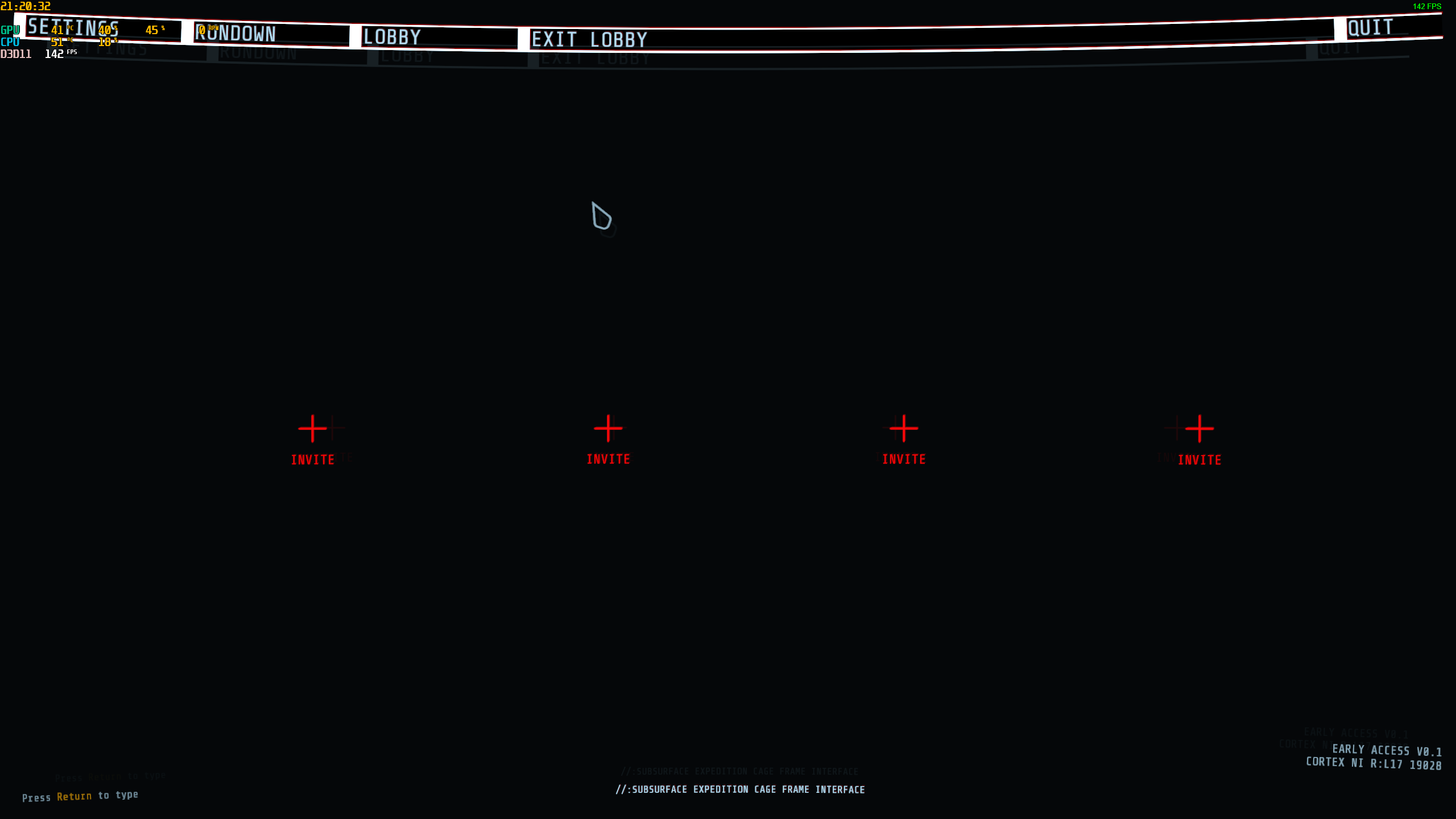
hmmm I cant create lobby, shows like this when trying to joining one: https://i.imgur.com/SrS10HG.png Any idea?
 dusky creek
Can't create or join (always empty) lobbies either, any help?
For everyone who is having trouble seeing friends lobby, make sure your name doesn't have any weird characters (we both had emojis lmao) and it didn't work. We'll report that later 🙂
broken silo
Confirmed, lobbies dont work with an emoji on your steam name. My name was "JAVASCRIPT 👏 IS 👏 MY 👏 LIFE 👏"
Confirmed this game is not programmed in JavaScript
 cinder sparrow
could not reach this one, a1 door to zone 52
wispy barn
The devs have that as a planned fix
 gleaming shuttle
so i tried to follow the how to matchmake thing but i cant find the option to input a lobby number
it just says that A1 is not completed and it gives the "About the rundown" and GFTO discord option on the menu
 uneven thistle
 mighty cipher
If you copy the numbers on the dm(whoever the lobby in vc you joined or plays here chat) it'll use that code to join
for example
...idk
@uneven thistle
 solar otter
when I join someone I get 4 times that I have to invite 4 other players...
solar otter
when i join a lobby i get this
mighty cipher
It'll take a bit to join a lobby
like they said, they didn't have mm yet
so it's just join by friends or discord
solar otter
nope
 vast olive
So me and my partner want to play the game and we are on discord voice talking. The game keeps telling her she needs a internet connection to play.
Any clue how to get around that?
mighty cipher
Try restarting the game @vast olive, and @solar otter try that
vast olive
She tried restarting the game three times and it didn't work.
mighty cipher
Does she have wired or wireless?
vast olive
Wireless and she played before and it worked.
vast olive
Diagnostic tool?
proper grove
@vast olive before she does anything, can she send a screenshot of the game with the info on the bottom right?
vast olive
 vast olive
I see it yeah
proper grove
Always ask the Fox :'D
mighty cipher
Tell her to start the _
game_
sigh
It took my word off
Lol
@proper grove I knew there was the beta, but I didn't ask if she was on it, thanks
I didn't play the beta, but I knew about it
proper grove
Well, i'm really good with techik ;)
mighty cipher
same
mighty cipher
I'm not sure, like I said, I know about it, but didn't get it
 calm jolt
I need help my game is broke
proper grove
What happend?
calm jolt
so i played the game fine when i just downloaded it like an hour ago
then i closed it cuz my computer shut off
and now when i load the game its a black screen and wont load
i reinstalled it
i verified files
proper grove
Perform the following steps:
- Uninstall game on steam.
- Delete the following folders:
:PL: C:\Users\USERNAME\AppData\LocalLow\10 Chambers Collective
:PL: C:\Users\USERNAME\Appdata\Local\Temp\10 Chambers Collective\ - Install the game
try this
calm jolt
is 10 chambers collective a file
proper grove
Folder
calm jolt
hmmmm
hold on let me try
didnt find one in temp so i deleted everything inside of temp
no same gltich
it tells me i can hit shift tab as the normal steam stuff. but when i do that and try to close it the overlay stays open but eveyrthing lightens in color
mighty cipher
I think he meant the files
mighty cipher
did you say you deleted the temp folder?
calm jolt
no
deleted some stuff inside the temp folder
there was 10 chamber folder
it was like twitch crash reports stuff i delted
deleted
calm jolt
i did
calm jolt
that appdata thing doesnt show up
calm jolt
i had to do it from the run command
mighty cipher
Oh, it's a hidden file
calm jolt
i coudlnt find it from the location give
mighty cipher
I know a way to turn it on
calm jolt
given
mighty cipher
or off
calm jolt
can i get in a call with you
mighty cipher
sure
proper grove
sry i was on the toilet :D
mighty cipher
Hahahaha
 dim zealot
Hey a quick heads up for you guys, me and a couple of my teammates picked up a little mishap about the hitboxes, mainly that sometimes we cannot oneshot sleepers even when aiming at the head with the hammer.
It tends to blow away half their bodies leaving legs only and they don't die. Also
Pistol and Revolver not always get damage proc off on enemies even tho the bullet flies into them. @tawdry zinc
proper grove
@dim zealot Yeah, sound like Early Access :D
mighty cipher
Yep
dim zealot
Still worth to mention it to the devs
mighty cipher
Expect them
dim zealot
bring it up
mighty cipher
true
dim zealot
Btw i love how the game renders damage so far
the way that the bodies get chunks blown away by bigger calibers
calm jolt
the fix worked thank you all
mighty cipher
Yea right
I mean
I would have charged him 25 bucks for half of the help
But nah
 vernal lichen
game is unstable, its nice that I can reconnect but In a run I probably need to reconnect about 1 2 3 or 4 is there a crash File somehwere?
proper grove
Does it say anything?
vernal lichen
nah it just said unity stopped working, even draw up to 1 10 additional frames and closed
proper grove
Got an Errorcode?
vernal lichen
nope
proper grove
Then you just can write #bug-reporting
 severe hornet
Hey all does this game have hdr support ?
 crimson mulch
Uh
mighty cipher
Not sure
mighty cipher
Are you using the beta
proper grove
hahaha :D
mighty cipher
This isn't the first time it happened
proper grove
yeah ^^
 strange hornet
Soo
mighty cipher
Sooo
strange hornet
Is random disappearing common bug like
we are trioing atm
and two of us cant see each other
3rd person can see all of us
proper grove
@strange hornet #bug-reporting
strange hornet
ty
wispy barn
@mighty cipher can you take a screenshot of the "no network error" you are getting including the bottom right corner and post in here please
proper grove
ohoh! reported
wispy barn
@crimson mulch can you take a screenshot of the "no network error" you are getting including the bottom right corner and post in here please
proper grove
:P
wispy barn
soz
mighty cipher
It's fine
we all make mistakes
I asked if he was in beta
Cant change weapons or leave group after a game.
did you hold the exit button?
okay, that worked. Have to make new group. Couldn't press any of the UI for my weapons
....
Then restart the game
Im just notifying bugs lol,
 dry harbor
 agile thicket
i may be stuck
mighty cipher
you are stuck
 jade lichen
is it just me or sometimes, when sleepers are close to objects/walls, even if you carefully aim at their body/head and visually hit it you end up hitting the object instead? I tried several times, at first I thought it was just bad aim but now a sleeper spawned on a box and I carefully moved next to it, the melee aim closed up but I ended hitting the box that was on my right side.
atm I'm using the Maul
agile thicket
yeah happens quite a bit
mighty cipher
I did look at #how-to-matchmake but the option to join is unavailable to me did i miss some kind of option or message?
 warm pumice
@mighty cipher how did you try to join a lobby? Did you try to join a run that you haven't open yet?
 split yoke
is anyone else having trouble connecting to others in discord chat mine just constantly says rtc connecting but wont actually connect to a chat group
proper grove
Restart discord
split yoke
I have tried that as well as not loading my app but going to the actual discord webpage and logging in there any other suggestions
 mental haven
why is the drop in so loud? it recks my ears because we have the game up so high to hear everything around us is there anyway to turn down just the drop in?
 warm perch
Hey pretty sure this is a bug but when playing my keymapping on my mouse for aiming a firing was being flipped from what it actually was listed as. so in the options my fire was left mouse button and aiming was the right mouse button but in game it was reversed.
mighty cipher
would you guys know anything about my issue?
 viscid field
does anyone know what HUD PIXEL EFFECTS and HUD SKEWING is for?
proper grove
yes
Hud skewing is the effect when you move the camera and the HUD "smudges".
Pixel perfect is kinda like Anti-aliasing
it smooths everything
viscid field
ohh
proper grove
@mighty cipher what problem, sorry?
mighty cipher
ill repost it
@proper grove I did look at #how-to-matchmake but the option to join is unavailable to me did i miss some kind of option or message?
proper grove
You either have to Invite them to your steam friendlist, or use the lobby code
you, of course, need a lobby code first
mighty cipher
let me be more specific. I have a lobby code but on the rundown page all i see is the links about rundown and to the discord. I can of course host a lobby but there is no option for me to join one.
proper grove
Sorry, i can't help you with this, i don't own the ea-version, so i don't know how it works.
mighty cipher
im NA but thanks anyways
proper grove
ea=Early access xD
mighty cipher
oh i thought you ment east asia 😛
proper grove
ahaha
wispy barn
@mighty cipher you don't see a join lobby button on the far left side? Move your mouse all the way to the left to make sure it's not off screen
mighty cipher
@wispy barn ill check
 pallid yew
@wispy barn ı have too this problem
wispy barn
And you have a lobby id which starts with 109 copied and the lobby isn't full?
pallid yew
yes
proper grove
do you play windowed or fullscreen @pallid yew & @mighty cipher
pallid yew
fullscreen
mighty cipher
@proper grove wndow
proper grove
Ok, was just a thought. :D
if you both had said the same i may would have been onto something ^^
pallid yew
:d
wispy barn
Are you sure the lobby is still has room? Is the lobby waiting at the loadout selection or already in the complex. Are you in your own lobby? (Shouldn't be if you are)
Try restarting the game as well
mighty cipher
i cant join the lobby if i have no place to put the code in. it's not offscreen and i re-installed the game and i still don't see the option
proper grove
Try to make a lobby, copy the code, and give it @pallid yew
Maybe you always tried to join full lobbies :D
mighty cipher
if i could i would show you the issue
pallid yew
I create loby but i cant jin other lobyes
wispy barn
@mighty cipher the game detects the lobby code in your clipboard. Someone else makes the lobby, you press control c to copy it, then go to your game and it automatically detects the lobby code
mighty cipher
IT WORKED
proper grove
oh wonder :D
mighty cipher
i had no idea that's how it worked
proper grove
you didn't copy the code?
pallid yew
yes ı exit to loby
proper grove
sorry?
pallid yew
I went out of the lobby
wispy barn
@pallid yew who's lobby id are you copying
wispy barn
That's why
You can't join your own lobby, you're already in the lobby
You give that lobby id to someone else to join
Or you take their lobby id and copy it, the go to gtfo and join theirs
wispy barn
You're welcome
proper grove
You can mark text with the mouse, and then press CTRL+C
YOu have to copy lobby-codes, and they can't be full.
 iron arch
what
my lobby code wont save
109775240985470594
this is the only one ive had
saved
it wont copy others
iron arch
NO THIS IS MINE
iron arch
WHAT
wispy barn
You can't join your own lobby
wispy barn
Give that lobby id to someone else to join you
proper grove
we just try to help ^^
iron arch
IM TRYING TO COPY THE NEW LOBBIES CODE
proper grove
yes
iron arch
BUT ITS COPYING MY OLD ONE
proper grove
are you in your own lobby when you copy them?
iron arch
YES
proper grove
ok
to me a favour
Copy some random text, no matter what, close the game, copy a lobby code you are sure is not full and they not already in a game, and then start the game
iron arch
im trying to have people join ME
proper grove
Then you have to give them your code
iron arch
EVEN IF I MAKE A NEW LOBBY
wispy barn
Can you start by turning off your caps lock please
wispy barn
Thank you
proper grove
You phrasing wasn't 100% clear
wispy barn
Now I want to make sure your clipboard is working correctly so were going to do some testing
iron arch
ok
wispy barn
Start by copying this text I am writing then past it and send back to me.
iron arch
Start by copying this text I am writing then past it and send back to me
wispy barn
Ok restart GTFO, start a lobby and copy the ID and send to me
wispy barn
Great that's a different code
iron arch
what it is
wispy barn
proper grove
109775240985470594 That's yout old one ^^
wispy barn
Ten minutes ago it was different
 south musk
anyone having trouble opening game? getting the unity window even after uninstalling and deleting folders lol
 junior tide
can someone help me with mouse sensitivity? i have mine set to max but it barely moves an inch on screen across my entire mousepad.
proper grove
@junior tide Do you use Fullscreen?
proper grove
Did you change the speed and restarted?
junior tide
restarted aswell. the look sensitivity doesnt seem to apply to the menu mouse. i have the look sensitivity set to 100% but its still a struggle to look around in game.
does this game have a config file where i can edit sensitivity outside the menu settings?
proper grove
maybe i'm allowed to annoy @wispy barn (sorry if im disturbing) you have a fix for this?
 rancid lintel
what are your specs?
wispy barn
^. Mouse, computer, etc
junior tide
old dell optical mouse. bottom label is completely worn off so my best guess is between 400-800 dpi. non adjustable. win7 i7-4770k 32gig ram gtx970. i dont have sensitivity issues in any other game. the default in games like apex is usually low so i adjust it to around 75% of max setting and that seems good enough.
 golden stone
is there a reason theres no matchmaking in the game right now?
proper grove
@golden stone they want to make it just right.
golden stone
i understand that but its a bit odd
proper grove
It is, but a bad matchmaking would be worse, trust me ;D
proper grove
BEta no longer online
proper grove
you have to buy Early Access
 queen crater
Well that's lame
mighty cipher
it is, but it is what it is
 deep island
I have a problem that needs clarification. When I play with others in their lobby or I make my own and others join mine, at random points in the mission, if it's my lobby, everyone else gets disconnected, and if i'm in someone elses, I get disconnected. I think it's due to my internet but I'm not too sure, never did this in the beta (though beta and the current versoin are very different now)
mighty cipher
So if you're in someone's lobby, you get auto'd disconnected? also when someone or a group joins you they get disconnected?
That's werid
@deep island
wispy barn
@deep island the game is peer to peer, based on the host. So you hosting and everyone getting disconnected makes sense especially when only you dc if someone else is host.
Only thing you can do is work with your ISP to improve your internet
deep island
Ok, thank you for clearing things up
mighty cipher
Yes
mighty cipher
idk if it works, go to launch options and use -novid
 gentle dagger
how to go to launch option?
mighty cipher
steam- right click on gtfo. properties then launch options
 merry obsidian
Hey guys, I am having a problem
My audio keeps randomly cutting out during fights for a second before coming back
but it happens multiple times per fightr
 barren hazel
wispy barn
barren hazel
wispy barn
@barren hazel go tongue run down and choose the next one.
 stoic rapids
Found UI bug in first mission obtaining the DNA Sample. Ended up flashing white on my screen rapidly and slowing the whole game to a stuttering halt then it stopped working all together
 brisk sentinel
A sound bug is ingame where the small one always sounds sleepy
even if the room is empty
next ones too
wispy barn
#bug-reporting please @stoic rapids
merry obsidian
Where do I actually get support
mighty cipher
Here
merry obsidian
Oh okay
Well, my game is stuttering really bad. Alienware 17 r4. Dont have issues with any other games.
 untold kernel
So I don't see anywhere to copy someone's ID for the lobby. I think I might be missing a step but I have read over the how to matchmake many times.
mighty cipher
desktop or laptop?
mighty cipher
@untold kernel did you look at the #lfg-north-america or any region you belong to and copy the recent ones?
untold kernel
Not yet, once I do will everything just fall into place?
 teal verge
is it normal to have a multiple minute load screen
by that, I mean the falling session
mighty cipher
yes
wispy barn
that's where the game is loading. if anyone in your party has sub-part internet or computer then it'll take a while
 soft halo
Hi, I'm attempting to stream GTFO with Streamlabs OBS on Twitch, and while the menus show on the stream, the actual game does not show, and only presents as a black screen to the stream
Is there a reason to this that I'm just oblivious to? I'm very new to streaming, so it probably is user error, it just has only happened with this game
wispy barn
have you tried adjusting the various windowless / full screen modes?
soft halo
yes, and I have gotten the same results
The confusing part to me is that it streams the menus, but nothing else
mighty cipher
Huh
I've used to use obs streamlabs
but it was taking a load on my cpu so I switched to the studio one
soft halo
Huh
mighty cipher
Not much that it doesn't bother me
but it was a bit boring
since with all that prime stuff
soft halo
I'll probably figure it out tomorrow
 wary inlet
how do i join other game
rancid lintel
?t lfg
 blissful pebbleBOT
Please keep LFG related messages in the LFG channels #lfg-north-america / #lfg-latin-america / #lfg-eastern-europe / #lfg-asia / #lfg-oceania . If you are unsure of how to create or join a lobby, please see the instructions here #how-to-matchmake
soft halo
Yeah I need help it's only,showing menus on my stream
soft halo
Sure
calm jolt
im having even more issues now
 velvet sandal
This is not the place to look for groups.
blissful pebbleBOT
Please keep LFG related messages in the LFG channels #lfg-north-america / #lfg-latin-america / #lfg-eastern-europe / #lfg-asia / #lfg-oceania . If you are unsure of how to create or join a lobby, please see the instructions here #how-to-matchmake
calm jolt
does this game crash anyone elses computer. like makes it shut off and then turn back on
 vital rampart
if someone give me the lobby ID, where can i use it?
warm pumice
When you enter the rundown screen there is a three boxes to the left. The third one, click on that.
vital rampart
Thank you! 😄
warm pumice
Np, just be aware that you need to have unlocked the level to play it.
vital rampart
Got it!
warm pumice
Dandy, good luck in the rundown!
rancid lintel
Weird, I've joined my friend's lobby and played C1 and i haven;t unlocked it.
warm pumice
huh, just had two guys today trying to join a B1 without completing A1 and they couldn't
 wanton idol
warm pumice
wanton idol
warm pumice
You play solo?
vital rampart
we were opening a door, and all the "monster" come to us
warm pumice
Yeah, this is very much a stealth game.
Quick tips: 1: Stay low 2: Remember to turn off your flashlight before opening a door 3: Do NOT move if you hear heartbeats.
vital rampart
so did we go the right way? Like,, in A1 we have to kill them all and then open the door
or we have to find the way to set off the alarm?
warm pumice
Depends, in theory you can clean every room without alerting enemies. But alarm doors will always trigger a group.
aka spawn in enemies
vital rampart
make sense! Thanks
warm pumice
That might be a little too tough, the game does not scale. So two people face the same as 4 would.
But then again, there is already some mad lads solo'ing this
vital rampart
lmao, so the level is set for 4 people, that's hard.
warm pumice
I would say it is doable with three people, but I do recommend using the LFG feature on this server. People are nice 😛
warm pumice
Np, good luck in the Rundown.
 merry charm
is anyone having trouble with infinite validating on steam?
 thorn linden
i dont have one either
warm pumice
Try restart game also make sure you have copied the ID
 frosty cosmos
@warm pumice restarting dont help
i think it stuck with u account lol
it happen from the day i bought the game
warm pumice
Huh weird, well try getting a steam invite instead
mighty cipher
Huh
thorn linden
so how do i join someones game after i've copied an ID?
mighty cipher
There should be a box on the left side of your screen
thorn linden
 spark pond
thats also what i see, unless im an idiot i do not see a join button
vernal lichen
@spark pond it should automaticly detect the lobby after you just copied it to the Clipboard @thorn linden
It appears below the discord button on the left
calm jolt
anybody know if this game uses like way to many resources or somthing
my computer keeps shutting itself off after like 5 minutes of play time
 noble jolt
 vernal lichen
@calm jolt maybe you need to make sure you got decent airflow
 midnight stag
@calm jolt The other question is, do you have the proper specs to run the game
vernal lichen
Nah his computer should not shut down
 noble nest
You can actually make it use alot more CPU
Its set at medium for default
I just put it on extreme
midnight stag
that looks like your playing wildlands haha. maybe not put it on extreme. Like Droni said his pc shouldnt be shutting down and is probably correct on guessing that he doesnt have proper airflow. also if his fans are too gunked up and not moving it can cause it to turn off
calm jolt
@midnight stag i have an i7770 kaby lake quadcore 32gb of ram and a 1080
midnight stag
@calm jolt you should be fine then unless your computer needs a good cleaning and better airflow
calm jolt
its super weird it used to do it to my computer when i played escape from tarkov. then it just stopped doing it after a tarkov update and now its doing it here
maybe something to do with unity
since they run the same engine
@midnight stag
 deep trench
Is the issue where one member is "invisible" for some a known issue? If not, how do I go about reporting the bug?
midnight stag
@calm jolt your computer shouldn't be shutting down no matter what game your playing
calm jolt
yeah i know but i went and played arma 3 for like 4 hours and i had no issues so its not my pc nescarrily
prolly just something weird with the game and unity and like cpu usage or gpu usage causing it to think its about to melt or something @midnight stag
midnight stag
have you tried pulling up task manager and seeing the CPU usage as the game loads
midnight stag
then its not going to be your CPU or GPU
calm jolt
i really have no clue i can play like 5 minutes then it shuts off
funny thing is the first time i played was today and we got halfway through a1
and died
i had to leave so i came back later after rebooting the game up and then it crashed on my from then on out
midnight stag
So is the game crashing or is the computer shutting off
calm jolt
basically my computer shuts off completely but turns itself back on
midnight stag
hmm that is very strange. have you tried doing a defrag on your pc?
calm jolt
like defraging my drives yes i did
midnight stag
are all of your drivers updated?
calm jolt
gpu yes
i think my cpu is
not entirely sure how but i downloaded some intel shit from the website and it says no update needed
midnight stag
what about your OS
midnight stag
I'd recommend trying that first. then starting the game up again and see what happens. if it doesnt work i'm not sure and you may have to find someone else in here to help ya
vernal lichen
@calm jolt do you overclock?
vernal lichen
May be your RAM or Hard disk
calm jolt
like its the weirdest thing its only certain games sometimes
vernal lichen
Imagine it only happens when your ram is completly used or your disk used in a certain oart
@calm jolt do you get a bluescreen?
calm jolt
@vernal lichen no my pc shuts off then turns itself back on
vernal lichen
Wierd, could also be the mainboard
calm jolt
but the fact it only does it for this game
vernal lichen
I am not too sure
calm jolt
it used to do it for tarkov but now it doesnt
vernal lichen
Other games may be better optimated
 uneven pewter
that's not usual behavior at all for either optimized or unoptimized games
vernal lichen
Try to run Prime 95 for 2 hours straight
calm jolt
the fuck is that
uneven pewter
have done a ram test yet?
calm jolt
not sure how
uneven pewter
sec
vernal lichen
It calculates prime numbers
calm jolt
what
vernal lichen
Will tell you if your cpu runs stable
calm jolt
whats it called
vernal lichen
Stress test basically
uneven pewter
https://www.memtest86.com/ there are tons of videos on how to do it
calm jolt
oh god here we go
uneven pewter
this can take a while but might be very helpful to reveal if your ram is working how it should
calm jolt
do i need a fucking usb
uneven pewter
you said it turns of and on again right?
calm jolt
correct
uneven pewter
what about temprature?
uneven pewter
it could also be a psu fault 🤔
vernal lichen
Whats psu
uneven pewter
Power supply unit
calm jolt
just a bought a new powers supply
uneven pewter
well then that's unlikely
vernal lichen
What kind did you buy
uneven pewter
normally for ram you would get a bluescreen as well 🤔
turning on and off sound really strange without any bluescreen or errors
calm jolt
how do i select the image on this stress test
vernal lichen
Can you test your old psu
calm jolt
nah the fan in that thing died
yeah it keeps saying imaging failed for this stress test
vernal lichen
Psu or Motherboard, only makes sense since theres no bluescreen
May be cpu but you would need to test
uneven pewter
just raid that windows appereantly can reboot automatically on hardware failure
calm jolt
hmmm i wonder what hardware is failing tho
calm jolt
oh god
 echo estuary
Network error every time
vernal lichen
@echo estuary try disabling Firewall
calm jolt
seems like a steam issue
@vernal lichen how the fuck i do the prime 95 do i have to make an account
 placid storm
Any idea what could be causing framerate drops? played the game pretty heavily yesterday and was seeing maybe drops of 3-5, but now its a consistent 40-45 framerate. turned off everything i could think of that could cause the drops settings-wise + eliminated possible background programs, just kind of at a loss in trouble shooting
 sterile arrow
in order to join my friend's lobby i need his code, yeah? how do i input the code? i found a guide, but it said a menu item should appear when i have a lobby code on my clipboard (ctrl+c); that doesn't seem to be working for me.
uneven pewter
@vernal lichen maybe look in the event viewer perhaps failure got logged
vernal lichen
@calm jolt you usually dont need one its bit old but it does its job
uneven pewter
sorry @calm jolt look at my message above
uneven pewter
just type event viewer in windows search bar or win + r and "eventvwr.exe"
calm jolt
@uneven pewter i will need to restart pc for updates to take effect then i will after the PC crashes or whatever
uneven pewter
👍
calm jolt
not sure how event viewer works lol
vernal lichen
https://youtu.be/qJx8NPjzOuA check for 1:51
 atomic solstice
Are there any one having a problem like this?
Starting the game and get a unity error message
vernal lichen
Yes thats a common one
`Issue:
Game crashes on start with a "GTFO - Unity" window.
Resolution:
Perform the following steps:
- Uninstall game on steam.
- Delete the following folders:
:PL: C:\Users\USERNAME\AppData\LocalLow\10 Chambers Collective
:PL: C:\Users\USERNAME\Appdata\Local\Temp\10 Chambers Collective\ - Install the game
`
atomic solstice
Thanks, gonna try it now
mighty cipher
can't seem to finish D1, shutdown the reactor and then goto extraction but nothing.
proper grove
@echo estuary I hope somebody told, just in case: you started the beta, you need the buy the Early Access.
mighty cipher
is there any way to unstuck yourself if you get glitched/stuck in the map
 gusty turret
Anyone have a good setup for controler?
 clear agate
@devs regarding my fps drop on A1 on launch night I redid A1 last night and B1 and it was fine so I'm assuming it was my computer taking a dump 🙈😂
 lucid olive
is GTFO Region locked? (my friend who moved to germany for Military, cannot find it on Steam)
proper grove
@gusty turret What do you mean?
@lucid olive https://store.steampowered.com/app/493520/GTFO/

GTFO is a 4 player action/horror cooperative first-person shooter for hardcore gamers looking for a real challenge. Players get to play as a team of prisoners, forced to explore and extract valuable artifacts from a vast underground complex that has been overrun by terrifying...
Price
$31.49
Recommendations
898
 shadow raven
@lucid olive it is possible its not in germany. Given how they love to ban games and what not. But it seams to be out in eu given i got it today.
proper grove
It is available in germany. :D
shadow raven
Thats nice to hear xD
vernal lichen
Germans 🙃
@gusty turret you can probably try to get one working via the steam controller support
 copper fjord
proper grove
copper fjord
proper grove
Did you start Beta.exe? or did you bought the game?
 acoustic pollen
the game gives me the box for joining to people that i got copied on my clipboard, but when i do it's just a black screen with a chance to invite 3 people. am i doing something wrong?
 craggy hornet
howzit guys game not connecting keeps retrying any easy fixes?
 waxen storm
cant find my [Join discrod from clipboard] hub. Any advise?
 onyx void
@waxen storm What he said ^
waxen storm
yup, just solve it 5 mnt ago. thanks for the help
waxen storm
👌
vernal lichen
Lol
lucid olive
Anyone know on C1, we did the reactor clear to 8/8
and it said find extraction on Zone 62, but there was no OBJ.
we all 4 went back to terminal, no fix. were forced to type Reactor_startup and started again 1/8
lucid olive
<@&408548765599793173> can iget one of you in GTFO-18 theres an issue witih C1
 gilded wasp
one moment
 fleet pilot
<@&408548765599793173>
We got exactly the same issue on D1, after shutting down the main reactor and done the alarm checkout, 2 of us got to go to Area 68 ( beginning ) for extraction and the others got to shut down the reactor again. After reshutting down the reactor, no alarm check anymore, infinite waves of monster.
@mighty cipher @sage heron @jaunty sparrow with me
south musk
everytime i open the game already tried unistalling and deleting folders
 weak plover
Hello ! i have problem for play ==> Network Error: No connection
You need to have an online connection to be able to play GTFO
Retying...
 modern mantle
hey how can i play with other people?some of them send some numbers, i dont know how to join them
i just only kow that you can copy ingame your own number but tehre is no button to join
 crude hedge
after you copy someone clipboard id a option should pop up on the left of the rundown screen if the lobby is still open
wispy barn
@weak plover see #known-issues
@modern mantle see #how-to-matchmake
@south musk can you make sure you followed the instructions in #known-issues please
clear agate
is this meant to be the desktop icon for the game? its the default one and is making the game literally unplayable 😂
weak plover
@wispy barn
wispy barn
Yes that's the beta, your issue is listed in #known-issues
clear agate
mine? it came with the full game
beta 1 was GTFO text
(was joking about unplayable bit btw)
wispy barn
@clear agate that's likely a steam or Windows bug. You can right click and get changing the icon yourself.
crude hedge
I seem to have trouble joining lobbies, it just send me to an empty lobby
clear agate
@wispy barn just had a look and theres no icon jpg brought down in the game files, i'll delete it when i next minimise and remake it
wispy barn
@crude hedge what is your steam name?
crude hedge
zeen131
wispy barn
Are you trying to create your own lobby or join someone else's
crude hedge
join someone else's, have tried with different people. It looks like I can host fine
 tiny perch
well
wispy barn
Can you try restarting GTFO and try again
south musk
@wispy barn i did 3 times 😦
crude hedge
yeah
tiny perch
if i run on 720p all on high i get 60 fps, if I run 1080p all on low i get 30 fps
can someone help me ?
crude hedge
@wispy barn same problem
wispy barn
@crude hedge can you link me steam profiles for people you are trying to join
clear agate
so ive found out what tanked my fps on A1 the other night
seems that its when you alert a scout and the horde comes in is the issue that causes it
mighty cipher
Oof
wispy barn
You need to copy someone else's lobby id @pale parcel
 pale parcel
and it'll show up?
wispy barn
Yes
tiny perch
Im having bad performance
No matter what I do on the video settings of the game I always run about 30 fps on 1080p and 40 fps on 720p, is there anything thay I can do?
Well, I have a laptop with this specs:
Gpu: gtx 1050
Cpu: Intel i5 7300 HQ
16GB ram
wispy barn
How much video RAM does it have. Does the computer get very hot
 stone grove
not sure how to host a lobby
tiny perch
I hope someone gives me some advice, because as for now the game is quite unplayable
 ashen terrace
hi. Im getting network error no connection when trying to start game?
 finite salmon
Hi, I haven't played beta and I get this error
Also, a strange green line appears around screen before the error
south musk
so i guess im sol lmao
clear agate
@tiny perch you got the latest drivers installed?
and @finite salmon have you checked firewall?
finite salmon
I forgot that one. I tried restarting pc, internet connection and turning off antivirus. I will try it
clear agate
also check router settings as well
can try turning on upnp within the router if its not already on
finite salmon
gtfo is already on firewall
wispy barn
@finite salmon uninstall GTFO, restart steam, then reinstall GTFO and try again
finite salmon
@wispy barn Already tried and still not working 😦
tiny perch
@clear agate Yeah, latest patches
merry obsidian
Any fix for the stuttering? :/
finite salmon
ok, i will try
merry obsidian
It is stuttering so incredibly badly
Even the audio stutters
It used to be just during combat but it is any time now
I have literally lowered my settings to the minumum, tried high and low render queues...
mighty cipher
Did you try to reinstall the game?
mighty cipher
Ouch
 still plank
make sure your drivers are up to date
still plank
double check
merry obsidian
The game is just busted.
still plank
its not bro
merry obsidian
Want me to triple check while I am at it? I literally did it today
still plank
its your pc
merry obsidian
It is absolutely not my pc lol
This game looks worse than most of the games I run at 120 fps with zero stuttering.
Not in a bad way but like
still plank
it is ive been playing since yesterday and not 1 issue. could be a region issue
merry obsidian
They technical specs are not anywhere near enough to cause this
It isnt a frame issue either
still plank
this game is gorgeous idk what you are talking about lol
merry obsidian
I get clean 60 or 120 fps, until it drops to literally 1 fps every 10 seconds
Like I said
still plank
ur pc not the game
merry obsidian
Not in a bad way
still plank
hate the player not the game
still plank
ur the complaining one
mighty cipher
It's possibly your pc, I'll hate to say it
still plank
not me
merry obsidian
Its the fucking support room
merry obsidian
Dude
still plank
litteraly
merry obsidian
I like the god damn game
mighty cipher
No need to start this drama
mighty cipher
I'll be willing to help
merry obsidian
Is there a room where I can get actual support instead of "its just ur PC"
mighty cipher
but you have to stop complaining
merry obsidian
...
really?
Ok
Because saying the game is not working, in a technical support room, is complaining?
legitimate issues =/= complaining
mighty cipher
While the issue can happen, just saying it's the pc is not solving the problem itself
Your drivers are updated correct?
merry obsidian
Yep
mighty cipher
Is your Windows updated
merry obsidian
Yes yes and yes
mighty cipher
Ok
merry obsidian
It has to be something with the game
Any launch options?
Settings I missed?
Something to fix this?
It seems like the fullscreen isnt really fullscreen
even in exclusive
mighty cipher
If you don't mind, I can get into a call and help out
I just want to see the issue happening
then find out from there
merry obsidian
I am in VC with my friends, cant really do a VC at the moment
mighty cipher
That's fine
merry obsidian
Quick question, are you actually involved in the technical support for this or just trying to help?
Not that the latter is bad
mighty cipher
Jus trying to help
merry obsidian
Cool, ok
mighty cipher
I'm good with tech
merry obsidian
I have not had any luck finding the support ticket address or whatever
I would ideally like to just file one of those and see what they have to say to help
 hot depot
@wispy barn ok!
merry obsidian
I know, I can tell by the lack of matchmaking xD
mighty cipher
Lol
merry obsidian
But still, a support ticket option would be decent...
or even a support email address...
mighty cipher
I understand, but this is prob the best for now
They'll probably will get one up at some point
Just let me know if you are ready to get into a call
I just want to see the problem before making steps to solve it
merry obsidian
I am gonna mess around with nvidia settings a bit
wispy barn
Alright all let's make sure we're being civil to all. We'll help as best we can when we're available.
finite salmon
@clear agate Game works on another computer, so router isn't the problem
Disabling firewall didn't work
 nocturne lotus
Hello my friend has a problem ingame when he right clicks down the sights the game zooms out and when he lets go of right click its to normal
mighty cipher
@nocturne lotus so when he ADS's the game zooms out of the sight?
ADS is AIm Down Sight
nocturne lotus
yea
mighty cipher
He's toggled ADS on did he
Ask him to turn it off and see what happens(he has to hold down right to ADS)
nocturne lotus
he did it but still persist the problem
mighty cipher
So it's still zooming out then
nocturne lotus
yes
mighty cipher
Might be a bug(I hope so) see what happens if he restarts the game
nocturne lotus
he has restarted and still there, would be a hardware issue?
mighty cipher
I don't think it's the hardware
so wait a min...
You said after he toggles the ads, it's back to normal?
hot depot
@wispy barn https://10chambers.atlassian.net/browse/GTFO1-1901 🙂
nocturne lotus
no he says disabled and enabled its the same thing, when he aims down the sights it zooms out and when he lets go of right click it zooms in
mighty cipher
DId he change anything on the settings on controls? minus the ads toggling
nocturne lotus
no
nocturne lotus
where is that located
mighty cipher
If I remember correctly, it should be in gameplay options and controls should be there
I might be wrong
So i'm gonna check in just a sec
nocturne lotus
oh ok yea i cant find anything on going back to default
mighty cipher
@nocturne lotus found it
Options-key mapping
should be a revert to default option on there
mighty cipher
I just checked, there isn't one
There should have an option, but guess it didn't make it in yet
just submit a bug report then
nocturne lotus
ah ok, idk if it matters but when he starts the game you dont meet the ram minimum requirements
it says
nocturne lotus
1gig
mighty cipher
1gb of ram?
have him check his pc properties and send a screenshot over here
@south musk do you know what's the error code?
south musk
wherer would it be? @mighty cipher
nocturne lotus
oh ok now hes checking ram is 16gb, and his video ram is 1gig
mighty cipher
@south musk relaunch the game and if it shows up screenshot it
mighty cipher
Is your drivers updated?
south musk
yep
mighty cipher
even the gpu?
south musk
yep
south musk
alresdy unistalled and deleted folders and ran the verification
mighty cipher
Ok
south musk
😦
south musk
yeah not sure what else to do
mighty cipher
it would be in the middle of the screen
south musk
right where that indow is haha
mighty cipher
yes
nocturne lotus
@mighty cipher right now he is reporting the bug and will try to update his drivers
mighty cipher
Ok
 compact thicket
anyone know if theres a way to fix this bug, i completed c1 and when i logged on today it says its not completed and i really dont wana go back and do it all over again........
compact thicket
i did its still says not complete
 solid wyvern
Hmm not cool, could you please write this to #bug-reporting ?
It would show the devs there an issue that need to be fixed.
nocturne lotus
@mighty cipher Thanks for the help, he reported the bug
mighty cipher
Np
 signal ether
This game makes my discord lag (I hear them lagging and they hear me lagging) Any suggestions?
proper grove
Just leave and rejoin the channel
signal ether
k ill do that next time, still managed to finish A1 with it haha
proper grove
^^
mighty cipher
Lmao
proper grove
@signal ether you also could try to give Discord higher CPU priority
signal ether
can you help me do that?
proper grove
yes DM
 loud crag
hello if i reinstall the game , is my progress gone ?
solid wyvern
Progress are supposed to be saved on the 10CC server. But I'm not 100% sure if you can keep them.
Maybe someone tested it and can confirm
loud crag
ok
wispy barn
@loud crag @solid wyvern @proper grove The progress is 100% saved and managed server side
proper grove
I mean... there's always a little chance of failure :P
 wild siren
Anyone else forever stuck in the dropship?
 rough warren
Is there any controller support for this game?
proper grove
not directly.
rough warren
Is there a way to make it work or nah
proper grove
Third party program for example
rough warren
Oh neat, is there a program you know of and would recommend ?
proper grove
I can look one up for you.
rough warren
I would greatly appreciate any help like that
proper grove
Maybe this helps: https://gpdwin.fandom.com/wiki/Playing_games_with_no_native_controller_support_using_big_picture_mode
GPDWin Wiki
many older steam games that run great on the GPD win have no native controller support, meaning you would have to play on the GPD's cramped keyboard, lucky steam has a solution for us. Using "big...
warm pumice
I would not recommend to play this game with an controller
 wooden gazelle
has anyone encountered a bug with the evacuation point in b1
 buoyant skiff
bug on A1. 2 members of team didn't extract, and 1 member didn't get a completed.
 radiant ingot
B1. Zone 39, crates around the large garage door. Stuck behind them, can't get out
solid wyvern
Oof.
 woven sierra
Got through B1 and did not receive credit for completing the match, while other members of team got credit.
mighty cipher
me and my team completed b1 but it didn't get the credit, me and @woven sierra
woven sierra
wispy barn
@woven sierra @mighty cipher @radiant ingot can all of you use #bug-reporting to submit a bug report for those issues please. For Jay/Black's issue only one person needs to submit it, but include a link to all of the party members steam. In addition include who in the party got credit (if any, or mention none, etc). This will ensure that the bug gets tracked.
woven sierra
Will do thanks @wispy barn
 polar rover
Yeah the same thing just happened to my team
 torpid beacon

 radiant ingot
oops
 uncut wren
@mighty cipher this happened for me in B1 as well.
 untold pivot
Completed B2 but it glitched when we evacuated, diddnt count as a win 😦
mighty cipher
My Monitor turn black random 3 times a minutes when im playing... i try all setting nothing work
 fierce cargo
A friend of mine had the same glitch for B1
We just completed B1
and he didn't get the completion
Can confirm it was Bizqo
@supple scarab
 supple scarab
just completed b1 with wikkyd nightshade and vikigo and got no completion it glitched out and kept me and vikigo in game and when exited it said not completed.