#🔧-legacy-troubleshooting-🔧
1 messages · Page 32 of 1
 neat thorn
If you hit escape, the growth button is greyed out, you are sure?
And the insert button shows the character screen?
 toxic verge
that was on progression, nothing is greyed out, it just stays at 100% for hours never grows past juvenile
I will play with you on with me and you can witness it. Happens every attempt. I am really good at juvenile now LOL
neat thorn
You need to hit escape and hit the growth button in survival.
toxic verge
nothing i greyed out in survival, to specify
also, everything is vdf from under the stream tab. even the one that says screenshot Tues April 16th which opens on my desktop as a jpg
steam*
neat thorn
So open as a jog on desktop then save it somewhere you can get to it.
And upload from there.
toxic verge
been trying
neat thorn
In survival growth shouldnt be grayed out.
If you are a juvenile
So let's try something
Reset Controls/Controls not working properly | Method Two
Open File Explorer from the taskbar.
Select View > Options > Change folder and search options.
Select the View tab and, in Advanced settings, select Show hidden files, folders, and drives and OK.
Afterwards, at the bottom left of your taskbar there should be a white search bar. Type %APPDATA% in there and open your %APPDATA% folder.
At the top you'll see the filepath, click "Appdata" to go back to the actual Appdata folder, then to local > TheIsle > delete the "Saved" folder.
toxic verge
i will have to try it out to see if it works
 honest river
@amber tide fx 8300 eight core,12gb ram,gtx 1060
neat thorn
Ah, the AMD unreal engine audio bug. Hopefully fixed with the recode and Unreal Engine update.
For now the sound fix is the only fix
honest river
yea but i try it hundreds times, and it dosent work
neat thorn
You were in game for over an hour this morning?
honest river
i try several times to play,and its freez when i log into server
when i have luck i can play
neat thorn
What is the error message when it closes?
Or does it just freeze and nothing happens?
honest river
i dont have any error message,just freeze
and look at task manager it sayis not resporting
try to put high priority
almost the same
neat thorn
What happens if you wait? Or do you just close the window?
Ah not responding. K.
Please check the pinned messages
honest river
i was waiting few time for few mins just to see,nothing happend,then i just close it,and try again
neat thorn
Near the bottom there's one from punchpacket with an engine.ini fe
File. Please download that file and follow his directions
honest river
cant find it,can u send link or say in witch room it is?
neat thorn
At the top click pinned messages
I'm on mobile so can't send files
It's one of the last messages by punchpacket
honest river
ok ty i will find it
 void otter
It seems like i only find "dead servers".
neat thorn
I fixed that with another last night. Set up the ports in the modem or router, max pings to 250 and use the Steam Server browser.
This is a Pinned Message
If you're encountering an infinite loading screen while connecting to servers, or a connection timed out error a potential solution was found by Looter, results may vary from person to person.
First off, right click The Isle in your Steam library > left click properties > local files > browse local files > TheIsle > Saved > Config > then go into the WindowsNoEditor folder. When you're inside the folder, download the Engine.ini file linked
Place the Engine.ini file into your WindowsNoEditor folder.
After you've placed Engine.ini into your WindowsNoEditor folder, simply launch your game and see if you can connect to a server. If you're unable to join a Thenyaw server, try one with V3. Some maps may work, some may not.
Search for that post @honest river
honest river
yea i found it 5 sec before you send it xD ty 😄
@neat thorn i dont have "Saved" folder
neat thorn
Um...you have to. Every game has a saved file.
honest river
i found windowsnoeditor,but its not folder,its a file
neat thorn
Ehm....I'm not in front of my computer so I can't help much there I'm afraid.
I certainly can when I get home tonight if no one else steps in before then. Sorry!
neat thorn
Awesome!!
honest river
yea thanks man 😄
neat thorn
Welcome!
 sacred stratus
Cant delete two of my recordings in game.
 timid terrace
@lyric tusk Go ahead and follow what this gif shows and paste your system specifications here. https://gyazo.com/8c1cac40ec65c922d4950386d9d19aba

I can let you know if you can run TI if I see that.
 lyric tusk
Ok
 amber tide
@sacred stratus Go into the recordings folder and try deleting it
amber tide
It'll be in C:\YourUserName\AppData\Local\TheIsle\Saved
It tells you where to look in the game play settings tab while in-game
amber tide
😄 Glad to help
neat thorn
@foggy coyote in here
No server found solution :
At the top left of Steam you’ll see a little button labeled “Steam”, left click that and select settings > in-game > and adjust the dropdown menu at the bottom to around 1000. You may need to tinker around and find the magic number that works for you, afterwards simply hit ok and launch The Isle.
If that doesn't work, try the following
Steam Subsystem Error OR No servers showing.
Open an Administrator level command prompt
Right click CMD - Run as Admin
Type ipconfig /flushdns
netsh winsock reset
Reboot your computer
 foggy coyote
ok thx
honest river
not working again...
amber tide
Try the same method again, you might just have to do it over and over until either the recode or the ue4 update hopefully fixes it. It's really only affecting AMD processors
honest river
that does not make any sense
amber tide
Try the same method as before that fixed it.
honest river
i think that do not fixed it at all, i just have luck to get into game
chance to play its like 1/10 to log in
2 times in a row freez now
im think im done with isle
neat thorn
Might be best to wait until after the recode. There is a k own issue with and processors and I real engine in the current version. That said, I will do some looking for another solution for you.
neat thorn
@little storm what happens exactly?
 little storm
Mind if i dm call or talk to you in a VC so i can either show you or make it easier for me to explain?
neat thorn
@modern rune in here. Is this an islenor discord issue?
@honest river are you using 7.1 surround sound?
@Mouser64 / people with issues hearing behind them in-game, please post whether you're using a surround sound headset / headphones. There's apparently an issue with Unreal Engine 4 in that 7.1 surround speakers don't work correctly, dropping channels from the mix. It's been fixed and come back a few times from the looks of things.
honest river
nope, just virtual surround sound software with regular stereo headset
 misty torrent
hello i have a friend unable to detect official 1 and hes changed the ping settings and still cant find official 1
@neat thorn
 west scaffold
I need some help, can i install something so i can see better in the dark?
honest river
@neat thorn i think i found a fix, bit i will take some time to see if it 100% work
amber tide
@west scaffold no you cannot. That would be gamma exploiting and is a bannable offense
amber tide
Yes
west scaffold
thnx
void otter
Guess there's nothing i can do...
 grave juniper
hello guys i dont know why but my game freezes randomly for 2,3 seconds every 2 minute or something i dont know why its not my hardware cuz i run more graphic demanding games bfv,tomb raider and other my spec is gtx 1080 ti i7700k and 16 ram so i dont thinks its my pc and the freeze only in the isle please help to fix
i updated everything soo
amber tide
All of your drivers are up to date? @grave juniper
 rain pond
so I recently bought the isle since my friends are playing it and I try load it up for the first time its saying that a file is missing called 'GlobalShaderCache-PCD3D_SM4.bin' tried to re-install it but that didn't work. the weird thing is my friend has the same version of directx as me (12) and her graphics are Worse than mine. i updated my graphics and it still isn't working.
 pale pike
what is your graphic card?
rain pond
intel(r)hd graphics 3000
pale pike
ah yeah there's the issue, intel(r)hd graphics 3000 is only compatible with directx10.1 and below.
rain pond
but when i checked dxdiag it said its directx12
pale pike
the software is able to handle directx12, not the hardware
rain pond
so the only option is to change my graphics card
pale pike
Unfortunately, yes!
rain pond
guess ill use my brothers laptop
 unkempt moth
hellow. I have the problem it appears No server found. I did what other people said.But still No server found.How can I do?
amber tide
Open an admin level command prompt
Type ipconfig/flushdns
Netsh winsock reset
Restart your computer and re open the isle
@unkempt moth
unkempt moth
I did what you say.But it didn't work
amber tide
No server found solution :
At the top left of Steam you’ll see a little button labeled “Steam”, left click that and select settings > in-game > and adjust the dropdown menu at the bottom to around 1000. You may need to tinker around and find the magic number that works for you, afterwards simply hit ok and launch The Isle.
@unkempt moth
neat thorn
@quasi valley
Open an Administrator level command prompt
Windows search for CMD
Right click CMD - Run as Admin
Type ipconfig /flushdns
netsh winsock reset
Reboot your computer
 quasi valley
it's working now :) thanks!
neat thorn
Welcome!
unkempt moth
@amber tide I did what you.But it didn't work
@neat thorn I did what you say.But it didn't work
The other games are played well,but only the isle server is problem.
neat thorn
Need to open ports in your firewall or Antivirus. Ports 7777, 7778 and 27015. Possibly in your modem or router also.
unkempt moth
then?
neat thorn
Are those ports open in your Modem/Router, Firewall and Antivirus?
unkempt moth
now,i'm not in front of my computer.So just let me know the process to solve this problem.
neat thorn
The process varies per computer depending on the FIrewall or Antivirus and the Modem/Router
There is no "just do this and click here" for these settings
unkempt moth
understood.Then when come back,please help me.
neat thorn
Sure!
not trying to be rude, there are just so many combinations it's impossible to list them all. however, the websites for each of the products should have a guide to help you forward the ports.
If that still doesn't work, there are a couple other things to try but those should be checked first.
unkempt moth
thanx
 rough lava
Could anyone help me get the game running? I bought it a couple hours ago and I cant get it to lunch
amber tide
What do you mean you can't get it to launch, what happens
rough lava
A little window pops up saying something. I can dm it to you if you want
amber tide
Write it here please so others can possibly see the error if they ever encounter it and know how to fix it
If not feel free to dm it to me
amber tide
Go for it
rough lava
I'll dm it to ya
amber tide
User was getting the uncooked error message, meaning their gpu doesn't support directx11 and can't play >.<
pale pike

unkempt moth
@neat thorn I opened 7777 port in firewall.Then how do i proceed?
void otter
So quick questions what are the isle ports?
neat thorn
Need to open ports in your firewall or Antivirus. Ports 7777, 7778 and 27015. Possibly in your modem or router also.
But if you can see them in steam browser they're already open....
void otter
oh k they're already opened...
unkempt moth
@neat thorn you mean i have to open three ports , 7777,7778,27015?
neat thorn
Yes.
unkempt moth
understood
 burnt thicket
vicious rubberbanding- computer is fine, internet connection is fine, but everytime i try to move to go backwards very jerkily
neat thorn
Hardware spec please. Steam - View - system specs. Copy paste in here.
burnt thicket
nevermind! verified game files and it seems to be resolved. so sorry for the bother ^^
neat thorn
No worries! Easy fix.
 quiet condor
Hello,
if there is a play called: 'mike' and another one with 'mikexy'
how kann I grow or slay 'mike' ?
neat thorn
Use their steamid
quiet condor
then it says player not found
amber tide
Then they’re not online or you’re using the wrong id
pale pike
@quiet condor have you tried using quotation mark?
/bring "mike"
quiet condor
also not worked
pale pike
then one of em has to change name unfortunately
amber tide
it should work with the steam id, but they probably gave you the wrong one
pale pike
I don't think TPs work with the steamid
 prisma girder
Hi, so Everytime I start playing on a server, the game crashes after a few minutes and shows an error that says unreal engine D3D device lost or something like that
How can I fix this?
 sage apex
@prisma girder desktop? or laptop? (I'm assume laptop or lower end spec desktop?)
they repaired a lot of things or made adjustments to prevent this from happening
if you can close anything else out and make sure you are maxing anything out
and of course the usual (repair game/disable fullscreen optimizations/disable windows game mode)
if you play in fullscreen, to disable fullscreen optimizations... you have to go to the isle folder, right click the exe for the game and go to the compatibility tab and check the box to disable fullscreen optimizations
if this doesn't seem to help, you can always re-enable them
 cloud dust
So I've been having this problem for a few days now, and I can't find a solution. When I open The Isle, it shows the small loading screen, then it either says: "Fatal Error: The Isle has crashed and will..." or the loading screen just disappears and nothing happens. I've googled both problems and tried all the suggested solutions, but nothing works.
It used to work fine, I have no idea what changed.
In an unrelated note, while going through the solutions, I noticed that many of the files that are supposed to be there aren't. I'm not sure why this is, and I can't find where I'm supposed to verify game files.
Any help is appreciated, thank you. c:
amber tide
you can try Opening Steam Library- Right click The Isle - Properties - Local Tab - Verify local game files
cloud dust
I've done that many times, and it always tells me that everything's fine.
amber tide
You just said you couldn't find how to verify the game files..?
cloud dust
Ahh, wait. In my steam it's 'Verify integrity of game files', and for some reason I thought it was a different thing, so sorry.
neat thorn
Go to your Steam folder - Common - The Isle - The Isle - Binaries - Win64 - TheIsle-Win64-Shipping.exe
Run the shipping exe
cloud dust
It does the same thing, the loading screen opens, and then nothing
neat thorn
Right click run as admin
That should give you an error code of some kind
If it crashes
cloud dust
Fatal error: [File:Unknown] [Line: 193]
Ran out of memory allocating 18446744060960505856 bytes with alignment 0
This?
cloud dust
Computer Information:
Manufacturer: Gigabyte Technology Co., Ltd.
Model: To be filled by O.E.M.
Form Factor: Desktop
No Touch Input Detected
Processor Information:
CPU Vendor: GenuineIntel
CPU Brand: Intel(R) Core(TM) i5-6400 CPU @ 2.70GHz
CPU Family: 0x6
CPU Model: 0x5e
CPU Stepping: 0x3
CPU Type: 0x0
Speed: 2712 Mhz
4 logical processors
4 physical processors
HyperThreading: Unsupported
FCMOV: Supported
SSE2: Supported
SSE3: Supported
SSSE3: Supported
SSE4a: Unsupported
SSE41: Supported
SSE42: Supported
AES: Supported
AVX: Supported
CMPXCHG16B: Supported
LAHF/SAHF: Supported
PrefetchW: Unsupported
Operating System Version:
Windows 10 (64 bit)
NTFS: Supported
Crypto Provider Codes: Supported 311 0x0 0x0 0x0
Video Card:
Driver: NVIDIA GeForce 210
DirectX Driver Name: nvd3dum.dll
Driver Version: 21.21.13.4201
DirectX Driver Version: 21.21.13.4201
Driver Date: 11 14 2016
OpenGL Version: 3.3
Desktop Color Depth: 32 bits per pixel
Monitor Refresh Rate: 60 Hz
DirectX Card: NVIDIA GeForce 210
VendorID: 0x10de
DeviceID: 0xa65
Revision: 0xa2
Number of Monitors: 1
Number of Logical Video Cards: 1
No SLI or Crossfire Detected
Primary Display Resolution: 1280 x 960
Desktop Resolution: 1280 x 960
Primary Display Size: 16.06" x 10.04" (18.94" diag)
40.8cm x 25.5cm (48.1cm diag)
Primary Bus: PCI Express 16x
Primary VRAM: 1024 MB
Supported MSAA Modes: 2x 4x 8x
Sound card:
Audio device: Realtek HD Audio 2nd output (Re
Memory:
RAM: 8128 Mb
Miscellaneous:
UI Language: English
Media Type: DVD
Total Hard Disk Space Available: 475979 Mb
Largest Free Hard Disk Block: 101817 Mb
OS Install Date: Jan 01 1970
Game Controller: None detected
VR Headset: None detected
neat thorn
You were playing on that video card before???
cloud dust
Yep
neat thorn
It doesn't support dx11, no way that card worked.
neat thorn
You were using onboard graphics
Without knowing it
And I'll bet it switched. That card only supports dx10 and the isle requires dx11
cloud dust
So is there a way to switch it back? Or do I need a new card?
neat thorn
It also only has 512mb of vram. Switch back to integrated graphics.
cloud dust
How do I do that?
neat thorn
Best to get a new graphics card if you can. Hang on.
amber tide
right-click the desktop, start Nvidia Control Panel, go to Manage 3D settings and see if it lets you select which GPU is preferred)
neat thorn
If it was me I'd just remove that graphics card.
And then save up until you can get a new one. Intel gpu is better than that card.
cloud dust
Will the game work if the card is removed?
amber tide
Yes because you'd be using the integrated graphics instead of the card
The card isn't contributing anything to playing the game
cloud dust
Ah, alright. I suppose I'll do that then.
amber tide
So short term, you can switch to the integrated graphics, and play it that way, and long term would be to save up for a new graphics card 😉
neat thorn
Intel supports dx12
On that processor
So yeah....remove that gpu is what I would do and uninstall all Nvidia software.
cloud dust
I'll do that, thank you both! :D
neat thorn
Welcome! I'd make sure your bios is allocating at the max amount of vram also. Sounds complicated but you can find a guide online.
neat thorn
@heavy bone No server found solution :
At the top left of Steam you’ll see a little button labeled “Steam”, left click that and select settings > in-game > and adjust the dropdown menu at the bottom to around 1000. You may need to tinker around and find the magic number that works for you, afterwards simply hit ok and launch The Isle.
 astral spindle
your game is out of date, please restart your steam and update
this is the error im getting
any suggestions why?
there's no update
I've restarted steam
still nothing?
 torpid summit
Soooo i've been playing a while and the last month I;ve been having issues with my FT. I am not computer savvy so idk what it is but it will ne going fine at about 30-40 then the game will freeze and it will jump WAY up to 200 for a half second. Help? @ me
neat thorn
@astral spindle when's the last time you played?
astral spindle
i fixed it, don't worry 😂
neat thorn
@torpid summit If you're encountering an issue with the game that you'd like assistance with be sure to provide your system specifications, which you can find using this gif below:
What was it Ellie?
@astral spindle
astral spindle
I was trying to join a friend through steam
on the server
and i typed in the server instead of joining through steam
and that worke
worked
neat thorn
Good to know!
@blazing dome Reset Controls/Controls not working properly | Method Two
Open File Explorer from the taskbar.
Select View > Options > Change folder and search options.
Select the View tab and, in Advanced settings, select Show hidden files, folders, and drives and OK.
Afterwards, at the bottom left of your taskbar there should be a white search bar. Type %APPDATA% in there and open your %APPDATA% folder.
At the top you'll see the filepath, click "Appdata" to go back to the actual Appdata folder, then to local > TheIsle > delete the "Saved" folder.
 blazing dome
ok
torpid summit
@neat thorn
Computer Information:
Manufacturer: Dell Inc.
Model: Inspiron 15 7000 Gaming
Form Factor: Laptop
No Touch Input Detected
Processor Information:
CPU Vendor: GenuineIntel
CPU Brand: Intel(R) Core(TM) i5-7300HQ CPU @ 2.50GHz
CPU Family: 0x6
CPU Model: 0x9e
CPU Stepping: 0x9
CPU Type: 0x0
Speed: 2496 Mhz
4 logical processors
4 physical processors
HyperThreading: Unsupported
FCMOV: Supported
SSE2: Supported
SSE3: Supported
SSSE3: Supported
SSE4a: Unsupported
SSE41: Supported
SSE42: Supported
AES: Supported
AVX: Supported
CMPXCHG16B: Supported
LAHF/SAHF: Supported
PrefetchW: Unsupported
Operating System Version:
Windows 10 (64 bit)
NTFS: Supported
Crypto Provider Codes: Supported 311 0x0 0x0 0x0
Video Card:
Driver: Intel(R) HD Graphics 630
DirectX Driver Name: nvldumd.dll
Driver Version: 22.20.16.4836
DirectX Driver Version: 23.21.13.9125
Driver Date: 10 17 2017
OpenGL Version: 4.6
Desktop Color Depth: 32 bits per pixel
Monitor Refresh Rate: 60 Hz
DirectX Card: NVIDIA GeForce GTX 1050
VendorID: 0x10de
DeviceID: 0x1c8d
Revision: 0xa1
Number of Monitors: 1
Number of Logical Video Cards: 1
No SLI or Crossfire Detected
Primary Display Resolution: 1920 x 1080
Desktop Resolution: 1920 x 1080
Primary Display Size: 13.54" x 7.60" (15.51" diag)
34.4cm x 19.3cm (39.4cm diag)
Primary Bus: PCI Express 16x
Primary VRAM: 1024 MB
Supported MSAA Modes: 2x 4x 8x
Sound card:
Audio device: Speakers / Headphones (Realtek
Memory:
RAM: 8058 Mb
Miscellaneous:
UI Language: English
Media Type: Undetermined
Total Hard Disk Space Available: 940281 Mb
Largest Free Hard Disk Block: 827528 Mb
OS Install Date: Dec 31 1969
Game Controller: None detected
VR Headset: None detected
neat thorn
Looks like it's using your Intel graphics instead of nvidia
Hang on
Update your nVidia driver also
Two years out of date
After that, do the following.
Open Nvidia control panel
Select Manage 3D settings
Global Settings tab
Switch the drop-down from Auto to Nvidia
Reboot your computer
@torpid summit
blazing dome
and select view?
neat thorn
Yes. Follow the steps. I'll post them again
@SebGamer Reset Controls/Controls not working properly | Method Two
Open File Explorer from the taskbar.
Select View > Options > Change folder and search options.
Select the View tab and, in Advanced settings, select Show hidden files, folders, and drives and OK.
Afterwards, at the bottom left of your taskbar there should be a white search bar. Type %APPDATA% in there and open your %APPDATA% folder.
At the top you'll see the filepath, click "Appdata" to go back to the actual Appdata folder, then to local > TheIsle > delete the "Saved" folder.
amber tide
 blazing dome
i made it already thx
neat thorn
You did the whole paragraph?
blazing dome
yes
amber tide
Multiple things could have happened, maybe a windows update changed something or the game itself, weird things tend to happen from time to time.
neat thorn
@solemn finch
@SebGamer Reset Controls/Controls not working properly | Method Two
Open File Explorer from the taskbar.
Select View > Options > Change folder and search options.
Select the View tab and, in Advanced settings, select Show hidden files, folders, and drives and OK.
Afterwards, at the bottom left of your taskbar there should be a white search bar. Type %APPDATA% in there and open your %APPDATA% folder.
At the top you'll see the filepath, click "Appdata" to go back to the actual Appdata folder, then to local > TheIsle > delete the "Saved" folder.
torpid summit
@neat thorn it worked!!! thank you 😄
neat thorn
Welcome!
honest river
How come i keep getting no server's found?
The only box I have checked is official.
I occasionally get the EU servers and internal testing but im trying to get us 1
I also have a 106.90 download speed and 11.46 upload speed
amber tide
No server found solution :
At the top left of Steam you’ll see a little button labeled “Steam”, left click that and select settings > in-game > and adjust the dropdown menu at the bottom to around 1000. You may need to tinker around and find the magic number that works for you, afterwards simply hit ok and launch The Isle.
honest river
Thank u. It worked 😃
amber tide
Yay, glad it worked!
 kind kindle
@fierce roost What do you have currently ticked in terms of server filters?
kind kindle
Anything else?
 fierce roost
all off but the official one
kind kindle
Mmm.
Have you tried ticking that off 'n just looking up: "The Isle Official US"?
Of course, without the quotations.
fierce roost
it sometimes happens with other server, i see it in the list, 5 minutes later i cant find it anymore not even searching for it
i should try
kind kindle
No worries, that's super weird.
fierce roost
looks like as if it was region restricted which is not
kind kindle
Try using CTRL + F in here. Someone else might've had the same issue 'n fixed it.
fierce roost
oh? what should i type in
 modern spear
lethalbacon had a solution for no server found, idk if it works for 'some servers found'
amber tide
At the top left of Steam you’ll see a little button labeled “Steam”, left click that and select settings > in-game > and adjust the dropdown menu at the bottom to around 1000. You may need to tinker around and find the magic number that works for you, afterwards simply hit ok and launch The Isle.
The solution was the message above the first one
modern spear
also I think there is some place on steam where you can see servers, I have no idea how that works but I read that some people can see servers there and not in-game
fierce roost
i was just trying that @amber tide thing is that mine was set to 5000
should i scale it down to 1000 or leave 5000
amber tide
Yes, you may need to tinker around and find the magic number that works for you
1000 works for most.
 pearl oxide
The smaller that number is the more time the game will take to search for servers
But it's the best thing to try first when you can't see any
fierce roost
alright, i'm gonna try get that server up, thank you all
thing is that i see many server
certain ones are not there
then 10, 20 minutes later are there again
pearl oxide
Should assist with that especially
amber tide
The method I posted would be the solution to that, please try it and let us know how it works out for you
pearl oxide
Since at that point you can rule out most other types of interference
fierce roost
alright! give me a min to check, thanks again
amber tide
No problem!
fierce roost
oh yes works! thanks all of you
amber tide
Glad it works! Enjoy your time!
fierce roost
sad that the server is full  thank you very much tho
amber tide
😄
quiet condor
now I have a problem
i cannot grow myself 'Saphi' with the grow command because a 'Saphira' is in the server
modern spear
idk if that works but maybe use your steam ID?
quiet condor
nope
modern spear
:/
quiet condor
/grow {id} -> colud not find player
pale pike
best way is to add something unique to your name
quiet condor
there is no exact match?
 chilly lodge
@neat thorn it seems I am forced to use a VPN to play that specific Isle server. :/
Even the founder of the server says he has too a lot of times.
neat thorn
Weird!!
chilly lodge
with the vpn I get like 120 ping to it, without if I'm able to connect, like 60 or 70
neat thorn
I wonder if it has the same IP as another server? Ran I to that issue a couple days ago. Host changed it for them.
 astral anvil
Does anyone know why this keeps happening
Sorry for the low quality picture, I used my phone
neat thorn
If you're encountering an issue with the game that you'd like assistance with be sure to provide your system specifications, which you can find using this gif below:
amber tide
@astral anvil ^^
astral anvil
One sec logging off
I’m stubborn so I just relaunch the game when it crashes 😂
Would you like me to just post what i copied here then?
neat thorn
Yes please
astral anvil
Computer Information:
Manufacturer: LENOVO
Model: 90BG003JUS
Form Factor: Desktop
No Touch Input Detected
Processor Information:
CPU Vendor: AuthenticAMD
CPU Brand: AMD A10-7800 Radeon R7, 12 Compute Cores 4C+8G
CPU Family: 0x15
CPU Model: 0x30
CPU Stepping: 0x1
CPU Type: 0x0
Speed: 3493 Mhz
4 logical processors
2 physical processors
HyperThreading: Supported
FCMOV: Supported
SSE2: Supported
SSE3: Supported
SSSE3: Supported
SSE4a: Supported
SSE41: Supported
SSE42: Supported
AES: Supported
AVX: Supported
CMPXCHG16B: Supported
LAHF/SAHF: Supported
PrefetchW: Unsupported
Operating System Version:
Windows 10 (64 bit)
NTFS: Supported
Crypto Provider Codes: Supported 311 0x0 0x0 0x0
Video Card:
Driver: AMD Radeon(TM) R7 Graphics
DirectX Driver Name: aticfx32.dll
Driver Version: 15.201.1301.0
DirectX Driver Version: 8.17.10.1404
Driver Date: 8 19 2015
OpenGL Version: 4.5
Desktop Color Depth: 32 bits per pixel
Monitor Refresh Rate: 60 Hz
DirectX Card: AMD Radeon(TM) R7 Graphics
VendorID: 0x1002
DeviceID: 0x130f
Revision Not Detected
Number of Monitors: 1
Number of Logical Video Cards: 1
No SLI or Crossfire Detected
Primary Display Resolution: 1152 x 648
Desktop Resolution: 1152 x 648
Primary Display Size: 18.90" x 10.63" (21.65" diag)
48.0cm x 27.0cm (55.0cm diag)
Primary Bus Type Not Detected
Primary VRAM: 1024 MB
Supported MSAA Modes: 2x 4x 8x
Sound card:
Audio device: 1 - VO22LFHDTV10A (AMD High Def
Memory:
RAM: 11211 Mb
Miscellaneous:
UI Language: English
Media Type: DVD
Total Hard Disk Space Available: 1875119 Mb
Largest Free Hard Disk Block: 574104 Mb
OS Install Date: Dec 31 1969
Game Controller: None detected
VR Headset: None detected
The gist of it, MY PC IS CRAP
amber tide
Your drivers are out of date first thing I see by like 4 years
astral anvil
That is how old the pc is 😆
neat thorn
OOF
amber tide
Gotta update the drivers >.<
neat thorn
Update all the things!
amber tide
Update everything, and then try playing again and tell us if it crashes
astral anvil
Ok hang on
This pc is literally the most unupgradable pc ever 😂
This thing makes laptops look easy to upgrade 😂
I am a console user that just occasionally plays on pc
I have no clue how updating drivers works
astral anvil
“The device is working properly”
neat thorn
Choose your own and processor
neat thorn
Nah don't ask windows. Windows is stupid
astral anvil
I found how to update
astral anvil
I am looking one minute ok 😂
amber tide
You always want to grab it from the manufacturer 😉
astral anvil
I know how to fix it
I’ll just grab my shotgun
Carry my pc outback
Shoot it a couple times
neat thorn
PULL!!!
astral anvil
And just by a new one
 odd beacon
astral anvil
odd beacon
astral anvil
I’ll have my dad chuck it 😂
So I’m looking on AMD’s website
And it’s asking for a series number 200,300,400
But my pc does not disclose this information 😂
I am blind nevermind
Their driver update software was just down a little father hang on
amber tide
No problem, let us know how it goes
astral anvil
My pc black screened when the drivers updated 😂
pale pike
The AMD Radeon(TM) R7 Graphics is an integrated video cards, which The Isle doesn't support. It's also way below than the minimum recommended specs
neat thorn
@astral anvil Go to your Steam folder - Common - The Isle - The Isle - Binaries - Win64 - TheIsle-Win64-Shipping.exe
Run the shipping exe
neat thorn
@honest river
Kicked From Server, Host Closed Connection?
Your issue belongs here in Troubleshooting, or your friends anyway
Have your friend do this:
Open an Administrator level command prompt
Windows Search - CMD
Right click CMD - Run as Admin
Type ipconfig /flushdns
netsh winsock reset
Reboot your computer
honest river
He also said it happened before and restarting his PC sorted it, let me tell him this, thank you Sir!
neat thorn
Welcome!
honest river
And yes thats the message he's getting
neat thorn
if it doesn't work, come back and ping me
neat thorn
Yep, the above should fix it
honest river
How does that issue happen? He was playing Isle just fine for hours, relogged and couldn't get back in again.
neat thorn
That, I don't know.
 bitter roost
@deep crest Post your issue here. Its better suited.
 river garden
servers are not populating the list for me anymore. The servers that are showing are very high ping and labelled outside of my country.
neat thorn
At the top left of Steam you’ll see a little button labeled “Steam”, left click that and select settings > in-game > and adjust the dropdown menu at the bottom to around 1000. You may need to tinker around and find the magic number that works for you, afterwards simply hit ok and launch The Isle.
If that doesn't work, let me know and we'll do something else
river garden
do i need to restart for this?
neat thorn
No
river garden
that seems to ahve done it, thanks
neat thorn
Welcome!
honest river
Cant see any serversssssssssssss
neat thorn
No server found solution :
At the top left of Steam you’ll see a little button labeled “Steam”, left click that and select settings > in-game > and adjust the dropdown menu at the bottom to around 1000. You may need to tinker around and find the magic number that works for you, afterwards simply hit ok and launch The Isle.
@honest river Yeah, that sounds like this fix. If this doesn't work we will do another one
 sick fox
neat thorn
sick fox
neat thorn
@sick fox
If you're encountering an issue with the game that you'd like assistance with be sure to provide your system specifications, which you can find using this gif below:
neat thorn
@vast berry No server found solution :
At the top left of Steam you’ll see a little button labeled “Steam”, left click that and select settings > in-game > and adjust the dropdown menu at the bottom to around 1000. You may need to tinker around and find the magic number that works for you, afterwards simply hit ok and launch The Isle.
 vast berry
@neat thorn It seemed to not work. I tried everything that was listed in the dropdown menu. I even restarted my computer and tried again. Is there anything else that i could try?
neat thorn
Open an Administrator level command prompt
Windows Search - CMD
Right click CMD - Run as Admin
Type ipconfig /flushdns
netsh winsock reset
Reboot your computer
vast berry
That also didn't work, anything else that I can possibly try?
neat thorn
A temporary work-around if you are unable to get server results from steam in-game, is to goto the steam client, click the view button, then servers, select the isle on the bottom left and join a server through this list built-in to steam
vast berry
it worked, thank you.
i have a puppy craving my attention, that's what's taking me so long to do the things you were suggesting
neat thorn
It's all good.
You can also try this instead of the steam server browser. Go to your Steam folder - Common - The Isle - The Isle - Binaries - Win64 - TheIsle-Win64-Shipping.exe
Run the shipping exe
 woven dragon
hey so I've tried everything to fix this problem but every time i try to join a server i get kicked immediately or I'm able to join and get kicked 5 min later because of host closed the session apparently how do i fix this cause its starting to annoy me lol
neat thorn
Open an Administrator level command prompt
Windows Search - CMD
Right click CMD - Run as Admin
Type ipconfig /flushdns
netsh winsock reset
Reboot your computer
amber tide
you beat me >.<
woven dragon
ok thank you ill try that
woven dragon
hey so i tried it and it fixed it for like 10 min then i got kicked aain for the same reason ive tried fixing this for like 3 days already lol i have no clue what to do
and *
neat thorn
Ehm.....hmmmmm. Try this? The last one usually fixes it.
Reset Controls/Controls not working properly | Method Two
Open File Explorer from the taskbar.
Select View > Options > Change folder and search options.
Select the View tab and, in Advanced settings, select Show hidden files, folders, and drives and OK.
Afterwards, at the bottom left of your taskbar there should be a white search bar. Type %APPDATA% in there and open your %APPDATA% folder.
At the top you'll see the filepath, click "Appdata" to go back to the actual Appdata folder, then to local > TheIsle > delete the "Saved" folder.
woven dragon
ok cool ill let you know if that works thank you again
neat thorn
Welcome!
woven dragon
i got kicked again lol i don't get it cause this doesn't happen to me on any other game
woven dragon
i tried updating my drivers and that didn't help either
neat thorn
You did the other commands with admin privileges? Not just a standard command prompt?
woven dragon
yea i did it with admin privileges
neat thorn
Go to your Steam folder - Common - The Isle - The Isle - Binaries - Win64 - TheIsle-Win64-Shipping.exe
Run the shipping exe
Try that
neat thorn
So does mine. @amber tide any ideas?
void otter
so i finally got what is doing my issue @neat thorn
apparently, my internet providers just straight blocked access to the servers.
amber tide
Hmmm, I have 2 suggestions, try making an exception to the isle through your firewall, then open an Administrator level command prompt
Windows Search - CMD
Right click CMD - Run as Admin
Type ipconfig /flushdns
netsh winsock reset
Reboot your computer
If that doesn't work, you might have to delete Steam and all the subfolders and fresh install steam + the isle as thats a last resort fix
@woven dragon
void otter
Issue fixed. It successfully works now !!!! 
woven dragon
thank you overpowered i have actually tried all those except the steam part not really willing to do that lol i have so many games that would screw over every other games online works which makes no sense maybe they just need to patch it on the isle's end ill try to play it again in a few months
amber tide
How did you get them to unblock it @void otter
void otter
they made a new wifi
amber tide
Nice, grats! Welcome back to The Isle!
 hallow wedge
I have autorecord on and the recording I had recently didn't safe at all. Is there a way to recover it?
amber tide
Go to your settings and see where it saves, then go to that folder and see if it’s there, if not then you wouldn’t be able to
neat thorn
Recording is kinda borked right now.
hallow wedge
I'm dumb, but, where would I find the folder for recordings. If by chance it saved in the folder.
neat thorn
Don't delete this folder per the instructions but this tells you where to find it.
Reset Controls/Controls not working properly | Method Two
Open File Explorer from the taskbar.
Select View > Options > Change folder and search options.
Select the View tab and, in Advanced settings, select Show hidden files, folders, and drives and OK.
Afterwards, at the bottom left of your taskbar there should be a white search bar. Type %APPDATA% in there and open your %APPDATA% folder.
At the top you'll see the filepath, click "Appdata" to go back to the actual Appdata folder, then to local > TheIsle > delete the "Saved" folder.
void otter
Nice, they fixed the problem and today i wake up and it's back.
 solemn latch
My game keeps randomly muting people over and over and over, is this a common problem?
void otter
I got another issue, my fps seems to drops at completly random moments. Any thoughts?
neat thorn
That's usually a cpu issue with the freezing. Or ai is loading in. That happens too.
 loud fable
All good nvm
neat thorn
@solemn latch muting people in game? As in the tab menu?
The same people or different folks every time?
 ruby vale
i have this issue as well. i had it happen today actually
i just have one specific person muted everytime, despite not clicking that button
solemn latch
Yeah muting them in the tab menu, it depends who i am playing with, it tend to be people in my dino group
To the point i cant talk with my friends in game
neat thorn
@ruby vale @solemn latch What I'd recommend for both of you is the below. Keep in mind this will wipe customer keybinds but it should help with the mute issue.
Reset Controls/Controls not working properly | Method Two
Open File Explorer from the taskbar.
Select View > Options > Change folder and search options.
Select the View tab and, in Advanced settings, select Show hidden files, folders, and drives and OK.
Afterwards, at the bottom left of your taskbar there should be a white search bar. Type %APPDATA% in there and open your %APPDATA% folder.
At the top you'll see the filepath, click "Appdata" to go back to the actual Appdata folder, then to local > TheIsle > delete the "Saved" folder.
neat thorn
@honest river
No server found solution :
At the top left of Steam you’ll see a little button labeled “Steam”, left click that and select settings > in-game > and adjust the dropdown menu at the bottom to around 1000. You may need to tinker around and find the magic number that works for you, afterwards simply hit ok and launch The Isle.
honest river
alright, thanks
 magic path
every time dino is near me, i drop frames a lot for few seconds. this fps drop now gives a lot scares
amber tide
Can you provide your pc specs?
magic path
Computer Information:
Manufacturer: HP
Model: HP Laptop 15-da0xxx
Form Factor: Laptop
No Touch Input Detected
Processor Information:
CPU Vendor: GenuineIntel
CPU Brand: Intel(R) Core(TM) i7-8550U CPU @ 1.80GHz
CPU Family: 0x6
CPU Model: 0x8e
CPU Stepping: 0xa
CPU Type: 0x0
Speed: 1992 Mhz
8 logical processors
4 physical processors
HyperThreading: Supported
FCMOV: Supported
SSE2: Supported
SSE3: Supported
SSSE3: Supported
SSE4a: Unsupported
SSE41: Supported
SSE42: Supported
AES: Supported
AVX: Supported
CMPXCHG16B: Supported
LAHF/SAHF: Supported
PrefetchW: Unsupported
Operating System Version:
Windows 10 (64 bit)
NTFS: Supported
Crypto Provider Codes: Supported 311 0x0 0x0 0x0
Video Card:
Driver: Intel(R) UHD Graphics 620
DirectX Driver Name: nvldumd.dll
Driver Version: 25.20.100.6373
DirectX Driver Version: 25.21.14.2531
Driver Date: 11 18 2018
OpenGL Version: 4.6
Desktop Color Depth: 32 bits per pixel
Monitor Refresh Rate: 59 Hz
DirectX Card: NVIDIA GeForce MX130
VendorID: 0x10de
DeviceID: 0x174d
Revision: 0xa2
Number of Monitors: 1
Number of Logical Video Cards: 1
No SLI or Crossfire Detected
Primary Display Resolution: 1366 x 768
Desktop Resolution: 1366 x 768
Primary Display Size: 13.54" x 7.64" (15.51" diag)
34.4cm x 19.4cm (39.4cm diag)
Primary Bus: PCI Express 4x
Primary VRAM: 1024 MB
Supported MSAA Modes: 2x 4x 8x
Sound card:
Audio device: Speaker/Headphone (Realtek(R) A
Memory:
RAM: 12203 Mb
Miscellaneous:
UI Language: English
Media Type: Undetermined
Total Hard Disk Space Available: 1423101 Mb
Largest Free Hard Disk Block: 312083 Mb
OS Install Date: Jan 01 1970
Game Controller: None detected
VR Headset: None detected
werid dxdiag says i have 4 dedicated gb graphic card, on steam says 1gb
amber tide
your graphics card Intel(R) UHD Graphics 620 is below the minimum required, and your drivers are out of date
magic path
DirectX Card: NVIDIA GeForce MX130 is my graphic card duel graphic
intergrated graphic card
amber tide
it looks like it's using the integrated graphics card over the mx130
But your drivers are out of date by a year
But the mx130 is still right below or barely making the minimum
magic path
yeah i get 60 fps fine but when dino is in area, i drop 15 fps and then climbs back 50
im afraid to update graphic card for intel becuase it's says requires contact manufacture update, and hp site is this all they give update for.
magic path
i guess i have to live with it
neat thorn
Unfortunately you do. Both of those graphics cards are very far below the minimum requirements for the Isle. Something that may help is to decrease your screen resolution.
You can also try unchecking the smooth FPS box. Sometimes that creates hitches and glitches. You should also be able to go to the Intel website to get updated drivers for your CPU.
magic path
ah okay thanks for the help lethal
neat thorn
@magic path do this also. https://www.techadvisor.co.uk/how-to/pc-components/how-set-default-graphics-card-3612668/

Tech Advisor
You don't always want integrated GPU so we show you how to set a default graphics card in Windows, whether it's Nvidia or AMD.
Then update your nVidia drivers. The mx130 is a tad better than integrated. The above will force your laptop to use the nVidia over the Intel.
magic path
wow that actually worked thank you so much
70 fps
thank you so much
let me check when other dinos in the area, does it also lower fps. like it's nice unintended feature, fps drops 15 usually when something within close distance.
gets annoying after a while and always scares me
intel is very weird
neat thorn
@honest river No server found solution :
At the top left of Steam you’ll see a little button labeled “Steam”, left click that and select settings > in-game > and adjust the dropdown menu at the bottom to around 1000. You may need to tinker around and find the magic number that works for you, afterwards simply hit ok and launch The Isle.
honest river
i already did that and it doesnt work thou
but thanks anyway, i will also contact my provider and see what could cause it 😃
neat thorn
I have another one....
Steam Subsystem Error OR No servers showing.
Open an Administrator level command prompt
Windows search - CMD
Right click CMD - Run as Admin
Type ipconfig /flushdns
netsh winsock reset
Reboot your computer
@honest river
honest river
Awesome, that did work! Thx a lot :3
neat thorn
Welcome!
 quiet raven
I’m asking this on behalf of my friend but is it possible to change the controls of the game?
pale pike
If you go into the game's setting you/they would be able to change the keybind @quiet raven
pale pike
type %localappdata% in your task bar search box and press enter.
scroll down to the isle, open it and delete the "saved" folder.
tell your friend to do that @quiet raven
honest river
so wait i only go to the isle folder?
honest river
uh sorry im confused where do i type %localappdata%
pale pike
in the start up menu, there should be a search box where you can type
honest river
this one
pale pike
now launch your game, allnof your settings (graphics/sounds) and keybind will have been reset
but you should see the "scent" keybind now
pale pike
Don't be, that's why we're here! 👍
 hardy pumice
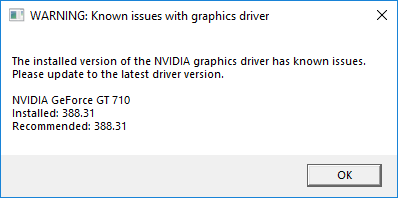
i cant get onto any servers at all since yesterday (was working before i logged). i tried updating my driver says it already up to day when joining it goes from 38%-100% (thats when i know it wont work) and says connection lost?https://i.imgur.com/JvY8q95.png
 hardy pumice
win10
neat thorn
Your drivers are extremely out of date. Should be using nVidia for driver updates and not windows
Download this to update: https://www.geforce.com/drivers/results/146343
hardy pumice
ah, thank you 😆
neat thorn
I'd also recommend downloading GeForce Experience to keep your drivers up to date.
hardy pumice
yeah i jsut find it weird when i try update them it says they are already up to date?
hardy pumice
ah ok xD
neat thorn
ALways go to the manufacturer for driver updates. Windows won't find them .
 slow halo
not sure if this is the proper chat to put this in, or if there's even a solution for it, but I've been having this issue that after 3-4 failed attempts at getting into a server, the server list doesn't show any servers (says no servers found) and I have to verify game files in order for any servers to even show up again. it's incredibly frustrating when I'm trying to join friends on a server and it takes me half an hour just to get in. internet connection is just fine as I can load other games, chat on discord, and open up things on my web browser without issue
neat thorn
First thing is to do this: No server found solution :
At the top left of Steam you’ll see a little button labeled “Steam”, left click that and select settings > in-game > and adjust the dropdown menu at the bottom to around 1000. You may need to tinker around and find the magic number that works for you, afterwards simply hit ok and launch The Isle.
If that doesn't work, do this!
Steam Subsystem Error OR No servers showing.
Open an Administrator level command prompt
Windows Search - CMD
Right click CMD - Run as Admin
Type ipconfig /flushdns
netsh winsock reset
Reboot your computer
 scarlet dock
Was wondering if someone could help me I'm currently running a i7-8700k CPU with x2 rtx 2080 gpus in nvlink. I have a 3440 x 1440 alienware ultrawide g-sync 120hz monitor and I cant for the the lowlife of me figure why I cant get past 62fps.
neat thorn
Ah, there's a setting for that. hang tight and I'll get it for you!
Set your FPS limit from 0 to something like 250
With a single RTX2060 I get up to 150 FPS
In Game, Settings, Graphics settings
scarlet dock
I'll check ot as soon as I get home thank you :)
neat thorn
Welcome!
 twilit quest
i cannot use any servers, it says "No servers found" i have tried everything.
amber tide
Open an Administrator level command prompt
Windows Search - CMD
Right click CMD - Run as Admin
Type ipconfig /flushdns
netsh winsock reset
Reboot your computer
@twilit quest
twilit quest
didn't work.
amber tide
At the top left of Steam you’ll see a little button labeled “Steam”, left click that and select settings > in-game > and adjust the dropdown menu at the bottom to around 1000. You may need to tinker around and find the magic number that works for you, afterwards simply hit ok and launch The Isle.
You have to play around with the ping, if one number doesn't work then try the rest
twilit quest
ok
neat thorn
@modern rune in here. Let me see if I can find a fix. Hang on...
For the Update Game issue that's already up to date
Go to your Steam folder - Common - The Isle - The Isle - Binaries - Win64 - TheIsle-Win64-Shipping.exe
Run the shipping exe
 modern rune
Steam folder as in my computer files? Just making sure. 😃
Okay yes, sorry me just being dumb
neat thorn
Yes
modern rune
Do I run it as an Admin?
modern rune
Okay
Should I try joining this server now after this?
I'm assuming so @neat thorn 😃
neat thorn
Yes
modern rune
Okay
It worked! Thank you!
I'll just open the game like this from now on
until recode.
LOL
neat thorn
Yes please do!
modern rune
Thanks so much! ❤ 😄
neat thorn
Welcome e!
scarlet dock
@neat thorn so I did that but I'm only getting 80fps up from 62
Is the game sli compatible? My evga precision x is showing both cards are being utilized
neat thorn
I wouldn't worry. The game won't use both gpus
scarlet dock
What do you think the issue is ? I got another friend he has a 2060 trex as well
He is getting about 135
My drivers are up to date
scarlet dock
That's probally it I guess 85 at epic settings at that resolution is still nothing to complain about
I appreciate the help
neat thorn
It's still under heavy development and not optimized. I wouldn't worry too much yet.
neat thorn
twilit quest
The isle says "no server found" and nothing has worked.
neat thorn
New to the game or new issue playing previously?
pearl oxide
@round dawn Check the pinned messages in this channel. If you still have issues let us know.
 round dawn
@pearl oxide ill done everything from my knowledge to try to fix this and it's still broken
but i can join threw friend
neat thorn
@round dawn Sup? What's the issue?
round dawn
i have the no servers found glich
neat thorn
Steam Subsystem Error OR No servers showing.
Open an Administrator level command prompt
Windows Search - CMD
Right click CMD - Run as Admin
Type ipconfig /flushdns
netsh winsock reset
Reboot your computer
And
No server found solution :
At the top left of Steam you’ll see a little button labeled “Steam”, left click that and select settings > in-game > and adjust the dropdown menu at the bottom to around 1000. You may need to tinker around and find the magic number that works for you, afterwards simply hit ok and launch The Isle.
 tough cedar
Hello my name is Joey, and i just bought the game. I seem to be freezing every so often in the customize dino thing. I have a ok PC at 16 gig ram and a 4.22-4.33 ghz cpu. I dont know what wrong
can i increase ram?
 copper axle
@neat thorn bacon this new bacon need some help
neat thorn
Probably not a RAM issue. AMD CPU?
tough cedar
how do i check to see what kind of CPU i have? im on windows 7
tough cedar
Computer Information:
Manufacturer: To be filled by O.E.M.
Model: To be filled by O.E.M.
Form Factor: Desktop
No Touch Input Detected
Processor Information:
CPU Vendor: AuthenticAMD
CPU Brand: AMD FX(tm)-8350 Eight-Core Processor
CPU Family: 0x15
CPU Model: 0x2
CPU Stepping: 0x0
CPU Type: 0x0
Speed: 4334 Mhz
8 logical processors
4 physical processors
HyperThreading: Supported
FCMOV: Supported
SSE2: Supported
SSE3: Supported
SSSE3: Supported
SSE4a: Supported
SSE41: Supported
SSE42: Supported
AES: Supported
AVX: Supported
CMPXCHG16B: Supported
LAHF/SAHF: Supported
PrefetchW: Unsupported
Operating System Version:
Windows 7 (64 bit)
NTFS: Supported
Crypto Provider Codes: Supported 311 0x0 0x0 0x0
Video Card:
Driver: NVIDIA GeForce GTX 960
DirectX Driver Name: nvd3dum.dll
Driver Version: 23.21.13.9077
DirectX Driver Version: 23.21.13.9077
Driver Date: 1 23 2018
OpenGL Version: 4.6
Desktop Color Depth: 32 bits per pixel
Monitor Refresh Rate: 60 Hz
DirectX Card: NVIDIA GeForce GTX 960
VendorID: 0x10de
DeviceID: 0x1401
Revision: 0xa1
Number of Monitors: 1
Number of Logical Video
Cards: 1
No SLI or Crossfire Detected
Primary Display Resolution: 1920 x 1080
Desktop Resolution: 1920 x 1080
Primary Display Size: 26.65" x 15.00" (30.55" diag)
67.7cm x 38.1cm (77.6cm diag)
Primary Bus: PCI Express 16x
Primary VRAM: 2047 MB
Supported MSAA Modes: 2x 4x 8x
Sound card:
Audio device: Speakers (2- Logitech G430 Gami
Memory:
RAM: 16282 Mb
Miscellaneous:
UI Language: English
Media Type: DVD
Total Hard Disk Space Available: 1411726 Mb
Largest Free Hard Disk Block: 561849 Mb
OS Install Date: Dec 31 1969
Game Controller: None detected
VR Headset: None detected
Do i need to lower game settings?
would that help?
neat thorn
AMD FX
Known issue with Unreal Engine
Turn all your sounds down in the character screen, then back up in game
has nothing to do with graphics, unfortunately
tough cedar
ah ok thank you for the tip
round dawn
@neat thorn should i just wait for the glich to go
or just join thought friend and shit
round dawn
yup
neat thorn
Try this and see if they show up.
For the Update Game issue that's already up to date
Go to your Steam folder - Common - The Isle - The Isle - Binaries - Win64 - TheIsle-Win64-Shipping.exe
Run the shipping exe
The other thing could be your firewall
round dawn
yeah
neat thorn
Allowing steam through but not the isle
Do you have origin running? It uses some isle ports....
neat thorn
K
neat thorn
@polar hedge IN here, I'll help ya!
neat thorn
Reset Controls/Controls not working properly | Method Two
Open File Explorer from the taskbar.
Select View > Options > Change folder and search options.
Select the View tab and, in Advanced settings, select Show hidden files, folders, and drives and OK.
Afterwards, at the bottom left of your taskbar there should be a white search bar. Type %APPDATA% in there and open your %APPDATA% folder.
At the top you'll see the filepath, click "Appdata" to go back to the actual Appdata folder, then to local > TheIsle > delete the "Saved" folder.
Follow those instructions.
And it'll be fixed.
 polar hedge
Sorry, my brother is on the pc right now but I'll tell you how it went tomorrow
neat thorn
@odd acorn Are you having issues or wondering why it's not sponsored by nVidia?
 cobalt void
Hello I am an old player of the Isle but I am currently experiencing a problem that I have never had I can not join any server is the game says to me "expel from the server " I ask the server admin where I play but nothing he saw no problem a person could help me settle se problem (sorry for my English I use Google translate)
amber tide
"expel from the server" is not a valid error, please type exactly what it says
@cobalt void
amber tide
Please provide your pc specs
cobalt void
Computer Information:
Manufacturer: To Be Filled By O.E.M.
Model: To Be Filled By O.E.M.
Form Factor: Desktop
No Touch Input Detected
Processor Information:
CPU Vendor: GenuineIntel
CPU Brand: Intel(R) Core(TM) i5-4670 CPU @ 3.40GHz
CPU Family: 0x6
CPU Model: 0x3c
CPU Stepping: 0x3
CPU Type: 0x0
Speed: 3399 Mhz
4 logical processors
4 physical processors
HyperThreading: Unsupported
FCMOV: Supported
SSE2: Supported
SSE3: Supported
SSSE3: Supported
SSE4a: Unsupported
SSE41: Supported
SSE42: Supported
AES: Supported
AVX: Supported
CMPXCHG16B: Supported
LAHF/SAHF: Supported
PrefetchW: Unsupported
Operating System Version:
Windows 10 (64 bit)
NTFS: Supported
Crypto Provider Codes: Supported 311 0x0 0x0 0x0
Video Card:
Driver: NVIDIA GeForce GTX 970
DirectX Driver Name: nvldumd.dll
Driver Version: 26.21.14.3039
DirectX Driver Version: 26.21.14.3039
Driver Date: 4 17 2019
OpenGL Version: 4.6
Desktop Color Depth: 32 bits per pixel
Monitor Refresh Rate: 60 Hz
DirectX Card: NVIDIA GeForce GTX 970
VendorID: 0x10de
DeviceID: 0x13c2
Revision: 0xa1
Number of Monitors: 1
Number of Logical Video Cards: 1
No SLI or Crossfire Detected
Primary Display Resolution: 1920 x 1080
Desktop Resolution: 1920 x 1080
Primary Display Size: 20.00" x 11.26" (22.91" diag)
50.8cm x 28.6cm (58.2cm diag)
Primary Bus: PCI Express 16x
Primary VRAM: 4095 MB
Supported MSAA Modes: 2x 4x 8x
Sound card:
Audio device: Haut-parleurs (Realtek High Def
Memory:
RAM: 16303 Mb
Miscellaneous:
UI Language: English
Media Type: DVD
Total Hard Disk Space Available: 952506 Mb
Largest Free Hard Disk Block: 158902 Mb
OS Install Date: janv. 01 1970
Game Controller: None detected
VR Headset: None detected
amber tide
I'm sorry but I've never heard of anyone with the error "ejected from the server"
cobalt void
its the fisrt time for me too
amber tide
Are you trying to translate what it says?
cobalt void
excluded from the server
amber tide
That's not what I asked, are you trying to translate the message it says?
cobalt void
that says nothing i dont get any message
just back to menu and exluded from the server
amber tide
If it says no message then why did you mention "excluded from the server"
cobalt void
you know when you lost the connection to a server
amber tide
Yes, and it tells you exactly that.. lost connection to the server, not excluded
cobalt void
its this but not lost connection
amber tide
Open File Explorer from the taskbar.
Select View > Options > Change folder and search options.
Select the View tab and, in Advanced settings, select Show hidden files, folders, and drives and OK.
Afterwards, at the bottom left of your taskbar there should be a white search bar. Type %APPDATA% in there and open your %APPDATA% folder.
At the top you'll see the filepath, click "Appdata" to go back to the actual Appdata folder, then to local > TheIsle > delete the "Saved" folder.
amber tide
Yes go try it and see what happens
amber tide
It just kicks you out of the game without saying anything at all?
amber tide
Go to your Steam folder - Common - The Isle - The Isle - Binaries - Win64 - TheIsle-Win64-Shipping.exe
Run the shipping exe
cobalt void
dont wok too
amber tide
Open an Administrator level command prompt
Windows Search - CMD
Right click CMD - Run as Admin
Type ipconfig /flushdns
netsh winsock reset
Reboot your computer
@cobalt void
cobalt void
if i reboot my computer i need to R-install all the game ?
pale pike
No, restarting your computer does not delete the games on it
cobalt void
i think its work i will try more later thx for you help ^^
cobalt void
good night ^^
ruby vale
@nova stirrup last time i saw this "host closed the connection", the person received a vac ban on their account. so check for that
neat thorn
Nah, that's not it
neat thorn
Do this:
Steam Subsystem Error OR No servers showing.
Windows Search - CMD
Open an Administrator level command prompt
Right click CMD - Run as Admin
Type ipconfig /flushdns
netsh winsock reset
Reboot your computer
 nova stirrup
@-@... reseting my PC uh, if it doesn’t work I’ll.. try, that
ruby vale
vac bans are issued by valve, it basically just bans you from a game if you have a cheat tool open on your pc
but i was just making sure
nova stirrup
I will, try. And I don’t have anything like that
neat thorn
@alpine nest
No server found solution :
At the top left of Steam you’ll see a little button labeled “Steam”, left click that and select settings > in-game > and adjust the dropdown menu at the bottom to around 1000. You may need to tinker around and find the magic number that works for you, afterwards simply hit ok and launch The Isle.
neat thorn
Steam Subsystem Error OR No servers showing.
Windows Search - CMD
Open an Administrator level command prompt
Right click CMD - Run as Admin
Type ipconfig /flushdns
netsh winsock reset
Reboot your computer
 alpine nest
nah its been like this for me for like 2 weeks now
neat thorn
These fixes work but OK
neat thorn
Yep, I get it. Try the fixes I posted above
alpine nest
alright
neat thorn
It happens randomly for no reason
 weary bloom
Q: every time i search for official servers i only get a few at random, sometimes eu, sometimes US, sometimes a bit of both, how do i fix?
amber tide
There's 2 possible fixes,
Try this one first: At the top left of Steam you’ll see a little button labeled “Steam”, left click that and select settings > in-game > and adjust the dropdown menu at the bottom to around 1000. You may need to tinker around and find the magic number that works for you, afterwards simply hit ok and launch The Isle.
Second fix: Windows Search - CMD
Open an Administrator level command prompt
Right click CMD - Run as Admin
Type ipconfig /flushdns
netsh winsock reset
Reboot your computer
@weary bloom
weary bloom
this worked i put it on 1500 but im missing US3 and if i go up i lose all but eu1 and
amber tide
For us3 to show up you cannot have the box for Official checked
But glad we were able to fix your issue 😋
 blazing heron
Any one know why my ping is unreasonably high on any server I play on? I'm on the west coast of canada, so at the very highest, if the US servers are on the east coast I should get like 70-80, but I'm rarely below 400
My internet is quite good so I know it isn't that
amber tide
The ping shown on the servers isn’t an accurate representation of your ping
@blazing heron
blazing heron
Ahh good do know haha, thanks :)
amber tide
You're welcome 😉
pale pike
@honest river you'll find a few fix for not finding servers in the pinned messages of this channel!
@elder bison same solutions as I mentionned above^ should also help you
 elder bison
Thx
neat thorn
Start with this:
No server found solution :
At the top left of Steam you’ll see a little button labeled “Steam”, left click that and select settings > in-game > and adjust the dropdown menu at the bottom to around 1000. You may need to tinker around and find the magic number that works for you, afterwards simply hit ok and launch The Isle.
If that doesn't work, move on to this one:
Steam Subsystem Error OR No servers showing.
Open an Administrator level command prompt
Windows Search - CMD
Right click CMD - Run as Admin
Type ipconfig /flushdns
netsh winsock reset
Reboot your computer
elder bison
I did the first one it worked
neat thorn
Awesome!
elder bison
Thx lethal
 raven gyro
<@&505047238674874368> Uh hey somehow got stuck and the /stuck command doesn't work.. is it possible for an admin to fix that?
 bright tartan
veggie state that in the server you are in not in troubleshooting
raven gyro
Oh, which channel?
bright tartan
official servers
raven gyro
ah nvm just saw, gotcha ^^ thank you
 inner yew
are there some solution somewhere if you arent able to scent? A friend of mine cant scent so Im asking for him
modern spear
does it do the animation or nothing at all? If it does nothing maybe rebind it to another key, if the scent option is not there this should help: go to %localappdata%>The Isle and delete the 'Saved' folder while the game is closed
modern spear
nice
pale pike
@honest river about your #401481402782056460, there is something you can do to maybe fix that actually.
start by doing this :
No server found solution :
At the top left of Steam you’ll see a little button labeled “Steam”, left click that and select settings > in-game > and adjust the dropdown menu at the bottom to around 1000. You may need to tinker around and find the magic number that works for you, afterwards simply hit ok and launch The Isle.
if it still doesn't work, you can try this one :
Steam Subsystem Error OR No servers showing.
Open an Administrator level command prompt
Windows Search - CMD
Right click CMD - Run as Admin
Type ipconfig /flushdns
netsh winsock reset
Reboot your computer
honest river
i did the 1000, thing but i got it figured out @pale pike thanks, i added a solution to the bottom of it, for any other people that have the same issue
neat thorn
To further what El Paco says, you can in fact use Steam Server browser to find The Isle servers and click connect to open The Isle and connect to a server
But if you do both of the above posts, it will correct the IN Game server browser
neat thorn
@sonic mantle Let's have a look.... https://gyazo.com/8c1cac40ec65c922d4950386d9d19aba
 sonic mantle
ok one sec, let me boot up my computer
Computer Information:
Manufacturer: HP
Model: 870-213w
Form Factor: Desktop
No Touch Input Detected
Processor Information:
CPU Vendor: GenuineIntel
CPU Brand: Intel(R) Core(TM) i7-7700 CPU @ 3.60GHz
CPU Family: 0x6
CPU Model: 0x9e
CPU Stepping: 0x9
CPU Type: 0x0
Speed: 3600 Mhz
8 logical processors
4 physical processors
HyperThreading: Supported
FCMOV: Supported
SSE2: Supported
SSE3: Supported
SSSE3: Supported
SSE4a: Unsupported
SSE41: Supported
SSE42: Supported
AES: Supported
AVX: Supported
CMPXCHG16B: Supported
LAHF/SAHF: Supported
PrefetchW: Unsupported
Operating System Version:
Windows 10 (64 bit)
NTFS: Supported
Crypto Provider Codes: Supported 311 0x0 0x0 0x0
Video Card:
Driver: NVIDIA GeForce GTX 1080
DirectX Driver Name: nvldumd.dll
Driver Version: 25.21.14.1735
DirectX Driver Version: 25.21.14.1735
Driver Date: 12 11 2018
OpenGL Version: 4.6
Desktop Color Depth: 32 bits per pixel
Monitor Refresh Rate: 165 Hz
DirectX Card: NVIDIA GeForce GTX 1080
VendorID: 0x10de
DeviceID: 0x1b81
Revision: 0xa1
Number of Monitors: 1
Number of Logical Video Cards: 1
No SLI or Crossfire Detected
Primary Display Resolution: 1920 x 1080
Desktop Resolution: 1920 x 1080
Primary Display Size: 22.05" x 11.81" (25.00" diag)
56.0cm x 30.0cm (63.5cm diag)
Primary Bus: PCI Express 16x
Primary VRAM: 8191 MB
Supported MSAA Modes: 2x 4x 8x
Sound card:
Audio device: Speakers (Realtek High Definiti
Memory:
RAM: 16319 Mb
Miscellaneous:
UI Language: English
Media Type: DVD
Total Hard Disk Space Available: 1197058 Mb
Largest Free Hard Disk Block: 920914 Mb
OS Install Date: Dec 31 1969
Game Controller: None detected
VR Headset: None detected
sonic mantle
yeah I know, the thing is I had the latest version and the flickering was unbearable
I googled and someone said try rolling back your driver
and I did but it didn't help
neat thorn
Also, your monitor refresh rate is at 165 hz
sonic mantle
so I kinda just left it there
neat thorn
Which is a huge part of the problem also.
sonic mantle
hmm alright imma limit it to 60Hz in the display setting
neat thorn
Update drivers, set monitor to 60hz and it should be much better.
sonic mantle
no I'm still getting it
neat thorn
Did you set it in Windows Display settings or nVidia Control Panel?
sonic mantle
windows
neat thorn
Check the nVidia Control panel also
sonic mantle
also its automatically set to 60hz in NVidia control pnel
sonic mantle
it didn't help...
look, like Ive tried everything, and did tons of research, lots of people have this issue and it appears to be unfixable just by messing with software settings, or any setting for that matter
neat thorn
What's the FPS set to? 0?
neat thorn
Ok, I'll leave it alone then
neat thorn
No, because it's most likely an issue on your end, not theirs.
They read bug reports though.
sonic mantle
the fact that lots of people are getting this
means
its not an uncommon problem
so yeah maybe the problem is solvable on my end but ive tried everything, i even reinstalled my driver
i contacted NVidia and they said its problem with the game
Z-fighting or whatever
from the game not officially support some sort of anti-aliasing
I'm not a software expert but if any dev sees this please, just know that i have friends who also have this issue, and you can go on twitch, some streamers also do but others don't, and I don't know why, a GTX 1080 should be enough to power any game on this planet
amber tide
If it was directly from the game, then EVERYONE would have this issue, if a few people have the issue then it's more than likely a setting that's preset on your hardware/computer
What kind of flickering is it
neat thorn
Shadow flickering on a GTX1080
amber tide
that's a known issue that pops up randomly every once in a while in amd/nvidia cards.
Try opening the nvidia control panel, go into manage 3d settings, and just make sure ambient occlusion isn't turned on
That has helped some people before in the past, but unfortunately it's an issue with a software setting and isn't related to the game specifically
@sonic mantle
Also turn off smooth fps
If the above doesn't work, turn off smooth fps and lower the shadow quality in the game settings
honest river
somehow my download fails. i unintsalled the game since it was crashing and now i cant download it
when i uninstall it and click download it starts a 10gbb download and at 9,8 it says download failed
and i know the game is 20gb+
how to fix this*
?
ping me with a answer if you know
honest river
ive checked other games and the isle was the only one corrupted
so i need a fix for that
honest river
this is what i get
neat thorn
Try verifying game files instead of updating.
amber tide
What OS are you trying to download it on?
The issue is caused because of a corrupted file in your folder,
Go to your folder for steam---> Steam \ SteamApps \ Common \ The Isle and delete your isle folder entirely
honest river
windows
done that too
several times
only thing i can think of is that there are files in other folders that keep this game from downloading/playing
amber tide
Yes there are other files somewhere on the computer because it would be downloading new files and not updating files
honest river
and how do i find them and delete them?
i tried restarting the pc and steam and redownloaded and verified the files
still nothing
i even tried clearing the download cache
amber tide
Steam library > Right click The Isle> Properties> Local files>Browse local files, delete that folder.
Right click the isle again in the steam library and hit uninstall
honest river
ive done that
ive deleted the folder
restarted the pc and steam
and redownloaded
verified
still the same thing
fixed it
no idea how
honest river
no
on the download where it said failed to verify
i clicked again thinking it will redownload again
not redownload, i meant re-verify
and it was doing that and it was fixed
i even tried that before
amber tide
Yeah, steam likes to do whatever it wants sometimes
honest river
but if i can join a server then its fixed since last time i tried to join gave me a crash
amber tide
We have some fixes ready to go if it does crash
honest river
it works
amber tide
Sounds great! Welcome back!
neat thorn
@vast berry Steam Subsystem Error OR No servers showing.
Open an Administrator level command prompt
Right click CMD - Run as Admin
Type ipconfig /flushdns
netsh winsock reset
Reboot your computer
 visual temple
Im having trouble connecting to my friends server. It doesnt show up on the server list, no matter if i put max results at 500, all the way to 5000. Ive tried direct connecting and it gives me a black screen, have to exit the game using the taskbar. Please help. 😃
neat thorn
@visual temple Try this:
team Subsystem Error OR No servers showing.
Open an Administrator level command prompt
Right click CMD - Run as Admin
Type ipconfig /flushdns
netsh winsock reset
Reboot your computer
If that doesn't work, you might have to use the Steam Server Browser, unless that's what you mean by direct connect?
visual temple
I tried adjusting the ping in settings and that worked . Thanks!
 cobalt crystal
She was putting +connect and the servers ip and port in the set launch options, Bacon
neat thorn
Ah, understood
Better to use the Steam Server Browser as that option doesn't work right now, as she found out. 😉
cobalt crystal
It does 😛
neat thorn
Does it really?
cobalt crystal
just not for the particular error she was having
neat thorn
Huh, well, learned something new.
vast berry
@neat thorn that didn't seem to work
neat thorn
What was your issue?
I can't seem to find it now
Ah, found it. Still the Frender issue or just no servers showing up?
vast berry
fender
wait no both
but i use the view > servers then get on a server like you recommended to me a while back
neat thorn
For the servers: No server found solution :
At the top left of Steam you’ll see a little button labeled “Steam”, left click that and select settings > in-game > and adjust the dropdown menu at the bottom to around 1000. You may need to tinker around and find the magic number that works for you, afterwards simply hit ok and launch The Isle.
vast berry
i've tried that, i dont think you remember. < also i don't mean this is a rude way
neat thorn
Ok, let me look at the other issue
vast berry
for the server issue, i dont mind going to steam client > view > servers. its not a huge problem
the main thing im needing help to is when i pick a server and it brings me to another server that i didn't pick or it does the fatal crash thing
neat thorn
Let's do this so we know what we're looking at
If you're encountering an issue with the game that you'd like assistance with be sure to provide your system specifications, which you can find using this gif below:
vast berry
alright do you want me to PM this to you or just send it here?
neat thorn
Just paste it here.
vast berry
Computer Information:
Manufacturer: Hewlett-Packard
Model: HP EliteBook 8570p
Form Factor: Laptop
Touch Input Detected
Processor Information:
CPU Vendor: GenuineIntel
CPU Brand: Intel(R) Core(TM) i7-3540M CPU @ 3.00GHz
CPU Family: 0x6
CPU Model: 0x3a
CPU Stepping: 0x9
CPU Type: 0x0
Speed: 2993 Mhz
4 logical processors
2 physical processors
HyperThreading: Supported
FCMOV: Supported
SSE2: Supported
SSE3: Supported
SSSE3: Supported
SSE4a: Unsupported
SSE41: Supported
SSE42: Supported
AES: Supported
AVX: Supported
CMPXCHG16B: Supported
LAHF/SAHF: Supported
PrefetchW: Unsupported
Operating System Version:
Windows 10 (64 bit)
NTFS: Supported
Crypto Provider Codes: Supported 311 0x0 0x0 0x0
Video Card:
Driver: AMD Radeon HD 7570M
DirectX Driver Name: lci_proxyumd32.dll
Driver Version: 15.201.1301.0
DirectX Driver Version: 2.0.32505.0
Driver Date: 8 19 2015
OpenGL Version: 4.5
Desktop Color Depth: 32 bits per pixel
Monitor Refresh Rate: 40 Hz
DirectX Card: AMD Radeon HD 7570M
VendorID: 0x1002
DeviceID: 0x6841
Revision Not Detected
Number of Monitors: 2
Number of Logical Video Cards: 2
No SLI or Crossfire Detected
Primary Display Resolution: 1600 x 900
Desktop Resolution: 3040 x 900
Primary Display Size: 13.58" x 7.64" (15.55" diag)
34.5cm x 19.4cm (39.5cm diag)
Primary Bus Type Not Detected
Primary VRAM: 1024 MB
Supported MSAA Modes: 2x 4x 8x
Sound card:
Audio device: Speakers (High Definition Audio
Memory:
RAM: 8123 Mb
Miscellaneous:
UI Language: English
Media Type: DVD
Total Hard Disk Space Available: 475244 Mb
Largest Free Hard Disk Block: 153264 Mb
OS Install Date: Dec 31 1969
Game Controller: None detected
VR Headset: None detected
neat thorn
Um, it looks like it
The newest drivers from AMD are dated 2015
But you can't because it's a laptop....not replaceable GPU
vast berry
2 years? and yea i got some mods installed
neat thorn
Ok, delete all those, they don't work anymore and might cause issues
nd one more thing
Do this:Reset Controls/Controls not working properly | Method Two
Open File Explorer from the taskbar.
Select View > Options > Change folder and search options.
Select the View tab and, in Advanced settings, select Show hidden files, folders, and drives and OK.
Afterwards, at the bottom left of your taskbar there should be a white search bar. Type %APPDATA% in there and open your %APPDATA% folder.
At the top you'll see the filepath, click "Appdata" to go back to the actual Appdata folder, then to local > TheIsle > delete the "Saved" folder.
and if that doesn't help, try this also:
Go to your Steam folder - Common - The Isle - The Isle - Binaries - Win64 - TheIsle-Win64-Shipping.exe
Run the shipping exe
Sorry to shotgun but it's hard to say with 4 year old drivers
vast berry
alright i'll try it and it's totally understandable. Thank you for your time and effort.
and the mods were most likely uninstalled because i don't see them lol
if none of these work, i may have to get a new computer because i need a new one anyways even though this laptop has been good to me
neat thorn
Won't give up that easily. ;)
vast berry
nope, never have
vast berry
method Two worked. thank you!
saved me from taking 1k out of my savings xD ( i was one step away from getting a gaming laptop, i'll get one later this year though )
neat thorn
Saweet!
 whole tiger
Hi when i charging battery in my laptop game crash evry time with that error pls help 😮
but if i not charging game dont crash
neat thorn
Well, that's a new one
Try running the Isle in Windowed Fullscreen mode.
IF you're running in Fullscreen mode already, try WIndowed mode
@whole tiger
neat thorn
I need this. Please post the whole spec in here
If you're encountering an issue with the game that you'd like assistance with be sure to provide your system specifications, which you can find using this gif below:
whole tiger
Informacje o komputerze:
Producent: HP
Model: OMEN by HP Laptop
Rodzaj: Laptop
Nie wykryto panelu dotykowego
Informacje o procesorze:
Dostawca CPU: GenuineIntel
Marka procesora: Intel(R) Core(TM) i5-6300HQ CPU @ 2.30GHz
Rodzina CPU: 0x6
Model CPU: 0x5e
Stepping CPU: 0x3
Typ CPU: 0x0
Częstotliwość: 2304 MHz
Rdzenie logiczne: 4
Rdzenie fizyczne: 4
HyperThreading: Nieobsługiwane
FCMOV: Obsługiwane
SSE2: Obsługiwane
SSE3: Obsługiwane
SSSE3: Obsługiwane
SSE4a: Nieobsługiwane
SSE41: Obsługiwane
SSE42: Obsługiwane
AES: Obsługiwane
AVX: Obsługiwane
CMPXCHG16B: Obsługiwane
LAHF/SAHF: Obsługiwane
PrefetchW: Nieobsługiwane
Wersja systemu operacyjnego:
Windows 10 (64-bitowy)
NTFS: Obsługiwane
Klucze szyfrujące: Obsługiwane 311 0x0 0x0 0x0
Karta graficzna:
Sterownik: Intel(R) HD Graphics 530
Nazwa sterownika DirectX: nvldumd.dll
Wersja sterownika: 26.20.100.6709
Wersja sterownika DirectX: 26.21.14.3039
Data sterownika: 4 11 2019
Wersja OpenGL: 4.6
Głębia kolorów pulpitu: 32 bitów na piksel
Częstotliwość odświeżania monitora: 60 Hz
Karta DirectX: NVIDIA GeForce GTX 960M
ID producenta: 0x10de
ID urządzenia: 0x139b
Wersja: 0xa2
Liczba monitorów: 1
Liczba logicznych układów graficznych: 1
Nie wykryto SLI ani Crossfire
Rozdzielczość głównego ekranu: 1920 x 1080
Rozdzielczość pulpitu: 1920 x 1080
Rozmiar głównego ekranu: 13.54" x 7.64" (15.51" diag)
34.4cm x 19.4cm (39.4cm diag)
Szyna: PCI Express 8x
Ilość pamięci VRAM: 1024 MB
Obsługiwane tryby MSAA: 2x 4x 8x
Karta dźwiękowa:
Dźwięk: Głośnik/Słuchawki (Realtek High
Pamięć:
RAM: 8081 MB
Dodatki:
Język interfejsu: Polski
Rodzaj nośnika: Nieokreślony
Dostępne miejsce na twardym dysku: 1074709 MB
Największy wolny blok na twardym dysku: 910066 MB
Data instalacji systemu operacyjnego: sty 01 1970
Wykryte kontrolery gier: None
Gogle VR: Nie wykryto
neat thorn
Ah, the issue is that it's defaulting to the Intel integrated Graphics
Need to swap it to nVidia.
whole tiger
y i do it
neat thorn
Getting you instructions....
From NVIDIA Control Panel
3D Settings->Manage 3D Settings
Tab "Global setttings"
Preferred Graphics Processor
Select : High performance NVIDIA rocessor
whole tiger
neat thorn
So, is it already set to nVidia there?
whole tiger
y
neat thorn
Do it for the Programs tab too
neat thorn
Are the power settings on your Laptop set to Maximum performance? This would be in the Windows Power Management
neat thorn
ERm, that doesn't sound right. Check the wattage on your power adapter and let me know what it is?
You can also try this: https://www.tenforums.com/tutorials/76183-change-power-mode-level-windows-10-a.html

How to Change Power Mode Level in Windows 10
whole tiger
Ac Adapter Regulatory model HSTNN-DA25 OUTPUT19,5V=6.15 A WIDE RANGE INPUT 120W
neat thorn
What is the model number of your laptop?
I think it's either a power plan setting or they sent you the wrong power adapter, too low wattage.
I'd try the power plan setting above.
whole tiger
sec
W7Y44EA#AKD
i try in cmd comand change to hight performence but this dotn work
still crash
 wise island
Not sure if it's the server we're on, but a friend and I are having some issues with the game. I'm a juvie rex on survival and my hunger/thirst/stamina was not depleting, growth wasn't working, my camera suddenly zoomed into my rex's body, so i relogged thinking that might fix it, only to find when I logged back in i'm frozen on the 'sky camera' before the game actually loads me in, i have to force quit the game to get out of that, upon trying to relogin 2 more times i get the same frozen result. My friend is having an issue where they can't see what they're typing, can't see who's online, they're frozen in their spot as an adult rex, and is suddenly starving to death and they weren't a few moments ago.
is this something wrong with the server we're on? or the game itself?
this is a normal survival server with nothing altered that I'm aware of
neat thorn
best way to troubleshoot this is to grow another dino on a completely different server. If the issue persists, it's on your PC. If the issue goes away, it's a server issue.
@modern bridge there are issues with 7.,1 surround and Unreal Engine 4. Disable it if you can and go stereo to hear things behind you.
 modern bridge
I think I have the 7.1 surround
neat thorn
Yeah, that's why you can't hear things behind you. It's documented....hopefully fixed with the recode and a new UE4 version
For now, disable it somehow if you can. Not sure what your setup is so I can't tell you how.
modern bridge
It hasn't been a problem for me it's just when my teammates talk I cant hear it and then I turn around and I hear it like 10 secs later thinking it's another dino talking lol
neat thorn
I thought you couldn't hear footsteps behind you?