
#Help me move this linux thing
1 messages · Page 1 of 1 (latest)
 digital copper
 orchid loom
First thing that popped up for me in search
https://www.thewindowsclub.com/how-to-add-or-remove-linux-from-file-explorer-navigation-pane-in-windows-11-10
Seems registry editing is required.
This is my search
https://duckduckgo.com/?q=windows+11+file+explorer+hide+wsl&ia=web
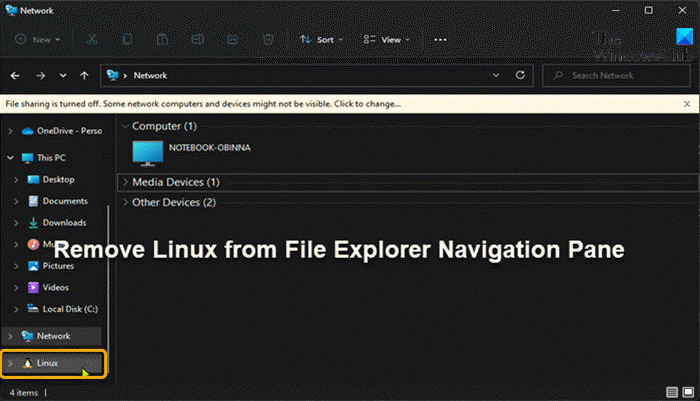
This post provides guidance on how PC users can easily Add or Remove Linux from File Explorer Navigation Pane in Windows 11/10.
DuckDuckGo. Privacy, Simplified.
digital copper
ok let me try
orchid loom
But to be clear, that showing up isn't an issue.
Really depends on the instructions you were following for your lego server
digital copper
so I did
I made the file
and then clicked it
the icon is still their
Windows Registry Editor Version 5.00
[HKEY_CURRENT_USER\Software\Classes\CLSID{B2B4A4D1-2754-4140-A2EB-9A76D9D7CDC6}]
@="Linux"
"System.IsPinnedToNameSpaceTree"=dword:00000000
this is the stuff it told me to do
orchid loom
Did you do 1, 2 or both?
 digital copper
I did the second one
should have I put this title for it
Remove-Linux-FENP.reg
I did the .reg part
orchid loom
Did you also do the parts from part 1 that part 2 said to do?
digital copper
wait where is part 2
digital copper
yea I made the file
but I named it remove
should I have put the title to Remove-Linux-FENP.reg
and clicked it
orchid loom
the exact name doesn't matter except for the .reg extension
digital copper
I did .reg
orchid loom
Did you also run notepad with win+R?
orchid loom
Did you get the UAC prompt when you double clicked it?
digital copper
yes
orchid loom
hmm
orchid loom
Maybe. I don't use windows much but you shouldn't have to
Did you close and open file explorer?
orchid loom
cool
digital copper
ty
orchid loom
 digital copper
I saved the link but now I have to takedown this forum part thing
Can I friend you if you dont mind\
cuz I gotta go soon
orchid loom
I don't do friends on here. But feel free to ping me if you need to open another support thread
digital copper
sure