#networking
1 messages · Page 229 of 1
 thorny vector
 hollow marlin
Thanks! Biggest worry was AMD virtualization. EVE just support 3900/3950x and not all images. But with vMX, vSRX, vQFX, vIOS, Mikrotik I was able to get all working. Oh and if you go AMD you have to go Pro license for the most recent kernel that supports AMD
8 vMXs were almost pegging my 6700k and the same lab is around ~5-6% 💦
thorny vector
Yeah, I can't wait until AMD gets their virtualization better supported. Intel has run that market for so long, its crazy how much better their support ecosystem is.
Oh, I got something that would make you facepalm, hard. Past few weeks, I was reworking our golden image lab. That no one documented, networking was all borked, and no documentation in sight. So instead of networking with the really nice catalyst routers that are a part of that kit, pfsense came out, and I just bypassed everything
hollow marlin
Good on you. Its better to support with what you know rather than fart around with zero documentation and trying to rebuild the f'ing thing
thorny vector
Yeah. A coworker walked in and asked why none of the routers were plugged in. I told him he could have the hosts, or the cisco networking. You pick.
And whoever used the switches last decided every other port needed a new vlan -_-
hollow marlin
Many people in networking for a living actually don't fully understand what VLANs are for. The amount of network engineers for customers I speak with showed me a long time ago you don't have to actually know what you are doing to succeed
thorny vector
^
Oh, and this is a network they want to be able to update all of our images from, but not touch the internet

 nova igloo
Hi, any expert here knows about TCP BBR and TCP C2TCP ?
hollow marlin
I know a high level, what questions do you have about them?
hollow marlin
BBR and C2TCP are congestion control. I cannot see a game that utilizes TCP.
thorny vector
and as far as I know, BBR is more bandwidth related, and I hope you're not hosting a gaming server behind a cellular connection. Although @hollow marlin can fact check me on that
hollow marlin
BBR does use bandwidth part of its CC. C2TCP is something I have only heard about and have not looked into though. Both of these do not affect ping but instead react to loss/winodwing and adjust windowing on their algorithm.
thorny vector
You make me dearly wish we had a purely networking position on my team.
hollow marlin
If it can take voice off my plate Ill take it
thorny vector
No pbx in sight
nova igloo
@hollow marlin Thank you for the correction and info!
@thorny vector Nonono ofc not hosting game servers on cellular network XD
So u mean C2TCP only works on Cell Network
thorny vector
It’s in the name, Cellular Controlled
 thick minnow
C2TCP = Cellular Controlled?
I recently setup a NAS
sorta?
raspberry pi using wifi
I'm getting nowhere near wifi speeds of the pi
I mean, I expected them to be low
using SMB
thorny vector
What speed?
thick minnow
oh sorry, my bad, I mean like 1 - 2 MB/s
thorny vector
And don’t crap on my beautiful SMB, it works just fine 👌
That is below expected though
thick minnow
I am using a pi zero w though?
thorny vector
Hmm.
thick minnow
and that's write speed
thorny vector
The WiFi chip should be the same though.
thick minnow
what are you getting?
thorny vector
I don’t use wireless at all. You should be getting at least 20-40 mbps though.
thick minnow
that's what I thought
everything is in the same room too,
so it's not a glorius Samba problem
?
I am very new to samba so
(it all stilll works, so it's fine!)
 lethal marlin
how do i make my ISP fix my stupid internet weve told them to fix at least 20 times already
 violet tapir
swear at some poor 16 year old on the phone
seriously tho, we had a problem, ours was in our walls so maybe get an electrician to test the wires in your walls
lethal marlin
there are no wires in my walls
it comes from the road to my router, thats it
and its the nbn, so yeah its probably trash
and probably needs fixing
violet tapir
just make sure it is good
lethal marlin
then its under the garden
lethal marlin
is there any way of getting them to do it for free given that our internet doesnt work a lot
like at all sometimes
violet tapir
we got telstra to not charge
bc it wasn't working
but check the wires on your side
lethal marlin
we were barely able to disconnect our not at all working phone connection because we are on a contract, but eventually we got a refund for that
our ISP is shit
violet tapir
who are you w./
violet tapir
telstra is alright
lethal marlin
telstra is expensive though
violet tapir
tho their default router is dogshit to configure
violet tapir
lol
lethal marlin
kinda hard to get to, we have to dig up the garden
violet tapir
we had to put new port in
no get an electrician to test
ours put a thing on one end and other to check
and replaced the wall port
lethal marlin
hmmmmmmm
violet tapir
ok?
lethal marlin
we have two wall ports for some reason, one of which doesnt do anything
and its the newer looking one that doesnt work
lethal marlin
maybe, but one of them is downstairs (basement basically) and one is upstairs
 scenic void
I'm getting 14MB/s on this download instead of 11MB/s that's 30 more Mbps, will this cause the isp to throttle me? Or is it in an acceptable range?
lethal marlin
isnt the speed they tell you you will get the average speed, meaning (great pun) it could be higher
they shouldnt throttle you
scenic void
Oh, alright then. but if i do get throttled then fucks sake.
scenic void
ok.
 bold canyon
xD
scenic void
i get 110 plan
bold canyon
i get 150 plan
scenic void
but am downloading at 14MB
bold canyon
unlimited data
scenic void
they do 10GB network too right?
scenic void
ofc
bold canyon
not 10gig yet
scenic void
how much indian rupees in pound sterling
scenic void
and 1 dollar is 70p here
bold canyon
almost the same then
scenic void
a pakistani rupee is about 1 pound to 200rupees
bold canyon
yea lol
scenic void
Holy
scenic void
bold canyon
we get bikes for like 75,000 to 1,00,000 rupeees
bold canyon
yea
scenic void
jesus
bold canyon
yeah
but what do you need those speeds for
100 itself is good enough
idk what people do with those speeds
scenic void
one for faster browsing, like i got this download going but i cant use google quick since the download is taking all the bandwidth
bold canyon
i mean yeah it's cool
scenic void
i set it to taking all the bandwidth myself on the pc
bold canyon
lol
scenic void
occasionally it takes a while for a discord message to send
scenic void
Pound sterling? wheres that from
bold canyon
Germany?
thick minnow
how do I do port forwarding
 shut perch
but what do you need those speeds for
@bold canyon Needed especially when multiple users are using the internet at the same time, for example, Netflix. Two people could be streaming Netflix, one person YouTube HD and one or more gaming.
 peak cloak
@thick minnow depends on your router and if you have a public ip
thick minnow
how do I check if I have a public ip
peak cloak
In your router, check the wan inteferface address
peak cloak
Ok then just assume you have a public ip
thick minnow
ok
peak cloak
Then go to that link
thick minnow
I did
peak cloak
Trash isp router
 hollow marlin
Needed especially when multiple users are using the internet at the same time, for example, Netflix. Two people could be streaming Netflix, one person YouTube HD and one or more gaming.
@shut perch You can easily do that with a 60/10. It takes a lot outside raw downloads to get close to saturating a gig
 tame carbon
one HD videostream is like 7-8mbit compressed
peak cloak
Yeah, streaming doesn't take up that much bandwidth
tame carbon
UHD 4K streaming is anywhere from 15-30mbit/s
hollow marlin
Not even just the stream bit rate. As congestion begins hit TCP will begin pulling back and with Netflix's RENO and Googles BBR they will begin to burst and eventually the flows will be within each buffer period
If it was say a 4k live stream that is different but with streaming people definitely do not gig
shut perch
I was looking at the 100mb image I never even noticed the 2 gig comment 😆
 waxen scroll
anyone in here electrician(good theory knowledge), industrial controls eng, or electronics eng? I have a weird question that doesn't fit in any of the channels lol
where's brian the electrician
waxen scroll
i want to know if an unclean sine wave causes A/C or D/C motor whine even with a clamping circuit infront of the motor. if so, how can i test it and what filtering options can take the load of a furnace at 120v/20A max
tame carbon
the former, I can answer, the latter, no idea
generally, poor sine waves on AC motors causes higher current
loss in efficiency
But a motor is a big coil, so whine is expected
waxen scroll
its basically making a high freq whine that not everyone can hear but I can and the ducts basically make it echo throughout the house
waxen scroll
so far ive replace the motor and blower chassis, replaced the whole furnace with same model, replaced the furnace again with a different blower type (not 100% variable) and still the same noise persists
tame carbon
have you had a scope on the inputs?
waxen scroll
nope. thats why im asking these weird questions cause i'd have to pay for it
tame carbon
does this happen without a load attached?
waxen scroll
hm so that can mean a few things? what exactly do you mean
tame carbon
Sources say, with synchronous motors or DC wound
In such device, dynamic electromagnetic forces come from variations of magnetic field, which either comes from a steady AC winding or a rotating DC field source (permanent magnet or DC winding).
stator itself
Could be bad windings
or bad signal
or it is not electrical at all
and just a bearing
with a scope you could rule out electrical issues
but beyond that, I'm at a loss, as much as you are
waxen scroll
the only other tests ive done was to:
- remove all extra furnace accessories like zoning panel, humidifier, 24v transformer, etc from the circuits
- remove "load" by opening up all ducts/openings so theres no air resistance
- Switched the power phase to the B side
oh and i opened the coil chassis up and the sound is coming from the furnace for sure
tame carbon
furnace?
waxen scroll
yes, where the motor in question is
waxen scroll
pretty much. my last furnace didnt do this though... but it was 16 year old motor tech
i dunno about this new stuff
tame carbon
try attaching some magnets to the side, so it changes properties of the duct
cloth, or some dampening
but high pitched noise with synchronous motors is quite normal
old CRTs drive me mad too
they make a high pitched sound
waxen scroll
i want to get directly at the motor and run it in my view but this model furnace makes it quite difficult. theres a lot of stuff infront of the door and its such a pain to wire it up to run with the door open
just want to make sure its the motor doing it and not something dumb like bad chassis design
thick minnow
yes
I'm having trouble port forwarding, can someone help me out here? google isn't a bit of help
thick minnow
It's a calix router, i just got fiber optic
peak cloak
well can you login
thick minnow
Yeah I can log in, I go through all the steps to port forward but the ports aren't open when i check them
I also think it's a dynamic ip but i dont know how to check
peak cloak
what's the IP of the wan interface of the router
you can block the last 2 lbocks
like 123.123.x.x
thick minnow
is that in ipconfig?
thick minnow
thick minnow
using pf network utilities it says the internal router ip is 192.168.1.1
thick minnow
I guess so?
I picked up Mullvad VPN and it works perfectly, and so I decided to add their DNS host to my router, this way all PC's on my network are behind their server - afaik this means I don't have DNS leaks and stuff - however my question is - When I do that, unless the PC in question is using Mullvad app, they can't connect to the network - Do I also have to add the same DNS IP from the router, to each PC via the Network Adapter > Properties, and if so can I use the same IP, or would each PC need a different IP
But idk if I have a dynamic IP or not, and i know it has issues with port forwarding if i do
peak cloak
@thick minnow "DNS Leaks", why is that a concern
thick minnow
wouldn't have a clue tbh
peak cloak
@thick minnow I mean for server hosting it is
thick minnow
Yeah i'm trying to open my ports for Minecraft
peak cloak
you would need a dynamic dns
thick minnow
how do i get one of those?
peak cloak
dynu is good or no-ip, but it wouldn't matter yet if the port is saying it's not open
 primal ice
¯_(ツ)_/¯
peak cloak
how do your settings looks like
thick minnow
Settings for what?
peak cloak
port forwarding
thick minnow
- https://mullvad.net/en/help/dns-leaks/
They have information on how to prevent leaks

This is their DNS Server
Mullvad’s DNS server IP: 193.138.218.74

I added that IP range to my router's Primary DNS Server

And when I'm not using the VPN app - I have to add the Primary DNS range to my Ethernet adapter

Q.) do i add the same IP to my other computers - or do they need a different IP```@thick minnow well you didn't fill anything in
thick minnow
shadow, each pc has a unique ip address
 abstract magnet
it is really easy to port forwars for minecraft
thick minnow
I know it's easy to port forward for minecraft lol, but the new router doesn't like it
thick minnow
I had filled in the info before but it did nothing so i removed the port forward
calix i believe
peak cloak
thick minnow
how would i go about setting up my second computer to connect to the same DNS Server if i have to use a different IP range, wouldn't that mean it would then not be connecting to that DNS Server? /confused
abstract magnet
you need a static ip
thick minnow
How do i get a static ip?
thick minnow
windows
abstract magnet
ah ok
thick minnow
10 to be specific if that matters
peak cloak
@thick minnow if it's a public dns server, it should work from anywhere unless there are firewalls in place
abstract magnet
if it was like linux you could set it there
thick minnow
yeah its a public dns server - so i could just add the same ip to each computer on my network?
peak cloak
you could just set it in DHCP lease
 clear igloo
@thick minnow Just do it on the router in DHCP settings
abstract magnet
@thick minnow also set the port end to 22565
thick minnow
I think I read something about DNS servers logging records, and using some private ones who specificaly state they dont log is more ideal
abstract magnet
@thick minnow can we dm?
thick minnow
yeah we can dm
clear igloo
25565*
thick minnow
Using Mullvad’s DNS server ensures that you don't leak information to a DNS server provider that may be logging which sites you are visiting. And if, for some reason, your traffic ends up on the public internet, it goes to our non-logging DNS server.```yeah true
clear igloo
Unless you're doing DoH then anyone can see it regardless
clear igloo
Besides, your ISP still can log which IPs you browse to and coordinate that to high level sites anyway 
(if not using a VPN and whatnot)
thick minnow
I think ideally you want a non logging VPN that's not based in specific countries like America and are able to not release information if a governing agency requests that data - afaik your ISP when using a VPN can only see you're using a VPN, but not the traffic you're requesting, except for small bits of information like >at this time something was requested
peak cloak
I mean HTTPS is encrypted
clear igloo
But that's the contents, not the destination IP address
clear igloo
while logged into facebook right? 😛
thick minnow
You are at risk of leaking DNS requests to Cloudflare, no matter which Mullvad setup you have. To prevent this, open Firefox Options > General > Network settings > Settings, then deselect “Enable DNS over HTTPS.”```So "Don't expose it to cloudflare with firefox, expose it to your ISP instead", seems legit
peak cloak
yep, if Mullvad doesn't use encrypted DNS, your ISP can see it anyway
unless you are on a vpn of course
clear igloo
Yah
thick minnow
So.
Point the routers DNS to Mullvad’s DNS server IP: 193.138.218.74
Point each PC's Primary DNS to the same IP ^
Use Firefox and disable DNS over HTTPS (only while using the VPN tunnel)
But enable DNS over HTTPS (when not using the VPN tunnel)
peak cloak
Point each PC's Primary DNS to the same IP
just do that in DHCP
thick minnow
I'm not quite sure what that is or how to do that
peak cloak
example for me
that's the ip of pihole
then pihole forwards to my router which resolves hostnames, and then forwards to 1.1.1.1 or 8.8.8.8
thick minnow
So I would set a DHCP address to the ^ ip above instead of the primary dns?
thick minnow
i dont even think my router has a dhcp setting
i can only see a table and i cant edit it
peak cloak
what router
thick minnow
So what would I change here to get all my PC's on the network to use Mullvads DNS server
peak cloak
so you can test it, by setting windows back to automatic and see what dns server is uses
nothing
you can test by doing ipconfig /all
thick minnow
what am i looking for exactly
DNS Servers in CMD just shows the IP range to connect to my router
(atm i haven't got the mullvad dns applied, all default settings for now)
peak cloak
thick minnow
yup so for me that one is 192.168.1.254 (ip i use to connect to router)
and when i apply the mullvad dns in my router page it changes to that one
peak cloak
so it probably is doing dns forwarding
so it goes to the router first, then the mullvad dns
thick minnow
if i add 193.138.218.74 <-- mulvads dns to my routers dns page - unless i use the vpn app i cant connect to the internet (ie the other pcs on the network)
so i then add the same ip to the ethernet adapter ipv4 address and it conneects
peak cloak
you can connect to the internet
just it's not resolving hostnames
so I think the dns server is vpn only
because you need to pay right, so they want only vpn users to use that
thick minnow
if i dont use the VPN app, and i set both these IP's here - im able to use mullvads public dns - and connect to the net
but if i dont set it on the ethernet properties (left) it doesn't connect
primal ice
peak cloak
yep, just try that and don't use router DNS forwarding
primal ice
then any device you connect to your network will use those settings. (up to 20 devices) unless you increase your dhcp pool.
peak cloak
oh yeah, why is the dhcp pool so low
primal ice
cause its a isp dslv2 router.
thick minnow
DNS Servers . . . . . . . . . . . : 193.138.218.74
awesome!
cmd shows the ip set in the router - without needing to change the adapter
and without using the VPN it's all green lights
happy days
so this means that all other pc's on my network will be able to connect without needing to configure them
primal ice
paranoia averted subverted ---- correct
thick minnow
thank you guys for your help! much appreciated, enjoy your day/night
primal ice
dito
thick minnow
Alright im back again, port forwarding still not working
 topaz quarry
port forwarding is an easy task, just take the port and present to the IP address you care about internally
peak cloak
@thick minnow windows firewall open?
topaz quarry
use a firewall that makes your life easy
thick minnow
firewall is turned off
topaz quarry
if your ISP blocked the port you're trying forward
there's like 0 point in doing this
thick minnow
I have BrightRidge
topaz quarry
btw you need to create a firwall rule for port forwarding to work
peak cloak
With an srv record you can tell mc to go to a specific port too
topaz quarry
so if you're not using pfsense or a firewall
which will automatically create that firewall rule
the port will remain closed
thick minnow
I just turned back on my firewall so how do i create a rule
topaz quarry
look it up for your specific firewall
btw i'm talking about the firewall at the network level
not on Windows
thick minnow
oh lmao
topaz quarry
in Windows you just tell it the application is okay
port forwarding = port rule + firewall rule
responsible network firewalls automate the second rule for you
thick minnow
what does pfsense do
peak cloak
It's a router
topaz quarry
pfsense is responsible
if you're doing port forwarding in pfsense
and it's not working
it's because you pissed off Lucifer in your past life
thick minnow
well i don't have pfsense
 thick minnow
yeah tell me about it
topaz quarry
you probably need to create TCP and UDP rules
thick minnow
I have
topaz quarry
then add a firewall rule
your modem probably has a firewall
it's very popular for ISPs
because people meme themselves
if it's your ISP's equipment
you have the virtue that you can just file a support ticket
remote ip address has to be any
wan ports has to be your desired port
local lan ports has to be your locally mappend port (probably the same)
local lan IP has to be the IP of your MC host
verify your MC host is actually running
if nothing responds to the port, it will simply respond as down
it's like saying we should go to room number 5 to ask joe for coffee
thick minnow
woah thats a lot information
thick minnow
I guess i'm not gonna port forward anytime soon lol
topaz quarry
is MC actually running?
thick minnow
yeah
topaz quarry
can you connect to it locally?
eg another laptop or something
can it connect to your MC server on your LAN?
topaz quarry
make sure it's running locally first
and you can connect to it from outside your PC
thick minnow
cant connect from outside the pc
topaz quarry
otherwise all of this is pointless
thick minnow
can connect inside of pc
peak cloak
I feel like it's firewall
thick minnow
not available currently
topaz quarry
then when you know you can connect to it from something that isn't the MC server
peak cloak
True, phoenix
topaz quarry
you can proceeed
thick minnow
wanna try connecting?
topaz quarry
can you connect to an MC server from a phone?
thick minnow
you can
thick minnow
It's the same thing isn't it?
topaz quarry
not necessarily
thick minnow
I connected to the actual server but i can only chat
thick minnow
nobody
thick minnow
what vpn do you recommend
peak cloak
I mean, I used tunnel bear
topaz quarry
and then you can all pretend to be in a LAN
thick minnow
Phoenix, I used hamachi previously, im just tired of using it
topaz quarry
he needs something to test his MC connection
topaz quarry
then find a coputer that can test it
zero-tier can help you eliminate MC server as problem
i'm not sure himachi and zero-tier work the same way
peak cloak
Hamachi is just a vpn I think, zero tier works in a different way I think
thick minnow
i can try zero tier
clear igloo
1.16.3?
thick minnow
yeah
clear igloo
I can give it a shot
thick minnow
192.168.1.50 is what the ip is set to
clear igloo
You'll need to DM the WAN address for me to connect
thick minnow
you're not accepting friend requests
waxen scroll
@rocky badge slide ur new WAN address in my DMs. lets make communications
 weary bronze
hey is there someone here who might be able to help me with a problem installing pfsense on my unraid server? 🙂
peak cloak
@spiral rapids well what are you buying from your ISP?
 spiral rapids
W
peak cloak
for what
spiral rapids
For absolute garbadge
peak cloak
what's advertized?
spiral rapids
I’m planning to get metronet
It gives 200MBPS download and 150 upload
Pretty good
For 60$ a month
W
 little schooner
Is there a port-security feature that satisfies the following requirements?
1. The switch access port must only allow traffic to flow from a device with a specific MAC address AND a specific IP address
2. The switch access port must be protected from spoofing attempts
3. The computer must be dropped into a generic VLAN until it proves its identity to be assigned into the correct VLAN
I don't know if the edgeswitch provides the first two
I haven't used these type of policy before.
waxen scroll
Are you making us do homework?
waxen scroll
For #3, 802.1x
Spoofing attempts.... Like what
You're not going to detect a spoofed mac
#1, the switch doesn't speak IP
And all you smart asses be quiet

@little schooner Google your homework
little schooner
@waxen scroll It got me wondering how the college's switches were doing all this crazy security
topaz quarry
via magic
little schooner
they even block outbound requests after observing just a little bit of the traffic coming from the device
topaz quarry
it's via magic
little schooner
no.
@waxen scroll It clears it up a little bit. I may have been looking for the wrong thing
nova igloo
Do Ping of Death and Smurf Attack still happens these days?
primal ice
if you piss the right person off yes.
waxen scroll
@hollow marlin NAC is just placebo for a school
@little schooner it will go unnoticed that an attacker went into a computer lab and used it to jump to the datacenter
lab computer is white listed in NAC
students are also real easy to phish with fake school emails
theres enough of them that someones going to give up a login
tame carbon
@little schooner 3. The computer must be dropped into a generic VLAN until it proves its identity to be assigned into the correct VLAN
that makes no sense
waxen scroll
access ports get assigned to a single vlan
tame carbon
yes
waxen scroll
and that vlan can be changed
tame carbon
yes, but isnt there easier ways to manage per client traffic like that?
waxen scroll
thats all automated, its easy
first vlan is not trusted and only has basic network access, like to patching servers. then when security policy is satisfied it switches vlans
topaz quarry
you can automate stuff like that
tame carbon
interesting
topaz quarry
the routerOS API is really fascinating
topaz quarry
for non smart switches eg ones that don't have an API
you use ansible or something
and use managed ssh access
waxen scroll
its a NAC like Cisco ISE or Forescout
topaz quarry
like with autheniticated telport access (a ssh key manager)
you can use ansible with a variety of things
it has plugins for a lot of stuff
tame carbon
I wonder if you can buy a hardware ssh server
tame carbon
RJ45 ethernet on one side, RJ45 console on other
topaz quarry
switches already let you ssh into them?
tame carbon
not this old managed switch I got
its not important
just thought about it for a sec
topaz quarry
how do you manage it?
topaz quarry
oh so there is an answer
tame carbon
9600 baud
topaz quarry
you can use ansible with anything
as long as you can make a connection between point A and point B
tame carbon
would be interesting if you can configure getty to spawn a telnet session when you ssh into it
instead of bash
topaz quarry
there's stuff to take Serial connections and put them on a network
like Serial to RJ45 signaling and stuff
normally they're used with fpgas for random af reasons
but it's the same principle
tame carbon
could do this on a pi quite ez
topaz quarry
you could
 hardy mica
Anyone have a recommendation for network card for my pc. Wireless. I have a really really slow connection
I'm downloading cod mw rn at 5 mb/s and its a 250gb file
 flint matrix
Rip
little schooner
@waxen scroll I haven't been keeping up my network knowledge since I finish the Cisco ccna exam. I'm forgetting the stuff.
I haven't had a need to touch a Cisco switch or apply it to a problem as of yet
On the flip side, I've been creating some powershell scripts to automate more and more parts of system and application deployments
I've changed enough of it to make a big impact
The position is more automation with scripts
tame carbon
can the shield itself reach the internet?
@mystic latch I'm not too familair with pfsense
but two vlans, shouldnt be an issue if the router can route between them
peak cloak
I had an issue like this before, I needed to enable hairpin NAT
It's also called NAT loopback
or NAT reflection
but it shouldn't matter, because the original problem is the intervlan thing
probobly not
it may work, but you need to find the root cause
inter vlan routing / firewall rules
tame carbon
are you properly untagging the traffic?
@mystic latch try see if you can reach the device with arping
router is not routing
odd.
Im at a loss
peak cloak
maybe it didn't automatically make routes?
example for the automatically made routes in my er-x
but internet works, right so idk
tame carbon
@peak cloak not entirely sure
on mtiks if you have two subnets on different VLANs, you can just route between them
as long as they are on the same bridge itll work
peak cloak
yeah, idk pfsense
tame carbon
@peak cloak kek. just watched protests in Italy
started seeing a pattern
its not a real riot, without a dumpsterfire
tame carbon
@glass coral welcome to the home of networking
peak cloak
and linux
tame carbon
its also the secret place all the linux gurus hang out
peak cloak
can't do networking with windows, or can you🤔
tame carbon
you can try
 glass coral
Cisco and Linux is pretty much the only thing i have on my resume
glass coral
Windows, very good for what its made for. Not so good for what it is not made for.
I tried to do software raid on windows server once
had to give up
peak cloak
Best linux distro for a daily driver desktop?
Planning on making the switch
Ubuntu? Fedora?
peak cloak
I like Fedora, is it stable though
tame carbon
also easiest to find support for on the net
not sure what fedoras release schedule is
with Debian you can use stable, or testing
debian testing is rolling release
openSUSE
Discover Tumbleweed and get the newest Linux packages with our rolling release. Fast! Integrated! Stabilized! Tested!. Discover Leap and get the most complete Linux distribution with openSUSE’s latest regular-release version!
peak cloak
oh yeah opensuse too
tame carbon
Tumbleweed is quite nice
peak cloak
never tried it
tame carbon
its a pure rolling release
peak cloak
For me, OS choice comes down to the package manager
and any flavor of debian satisfies my needs
 naive tartan
anyone care to discuss coaxial router/modem work arounds? in laymans terms?
As i attempt to replace my home fios roouter with something better
peak cloak
@naive tartan fios uses moca in your home
It doesn't need a modem
On the ont there are 2 outputs, moca or ethernet
naive tartan
currently Im using the fios provided gateway router which is hooked up to the coaxial outlet on the wall and its spitting out wifi, ive relocated my desk to a room with no coaxial for the router as such im wanting to buy a new better router for the home and run ethernet to it from my PC, the issue is the newer routers dont hav coaxial ports
so im wondering if i can run a moca adapter out of the coaxial in the wall to a new router
peak cloak
You need to know the difference between different coax protocols
Dociss is for cable
You need modem for dociss
@naive tartan where is your ont?
naive tartan
in my closet, i live in a condo
peak cloak
If you aren't using tv, you can switch it to ethernet and run that to a router
naive tartan
so currently im using the coaxial on the tv wall for the tv but im switching over to youtube tv so ill be able to switch that coaxial line to whatever it needs to be on the ONT, but the new router still likely wont have a coaxial plug on it, hence my question of will i be able to get a ethernet/coax adapter just to be able to use the newer router
thick minnow
What is the best way to fix A Verizon FiOS G3100 Gigabit Wifi Stuttering and Lagging? without resetting it and having a new password or SSID
naive tartan
im trying to not run and fish new line in the wall
peak cloak
It's not ethernet/coax adapter, but a moca/ethernet converter, just to make sure you get the right thing
naive tartan
ahh
peak cloak
The problem is, is that they are expensive
For me it was cheaper to run ethernet
It's like 100 bucks for a pair
And gigabit isn't guaranteed on moca
naive tartan
the easier solution would be just trying to find a router with a coaxial port i guess
peak cloak
Moca port
Make sure it's not dociss
Also I would strongly advise against all in ones like that
thick minnow
Can I use my laptop as a rounter?
naive tartan
@peak cloak are they just problematic
peak cloak
@naive tartan lack of configuration and stuff like that. If you just need wifi then sure go for it. But I need more more than just that
@thick minnow if you have ethernet and a wireless card then yes
thick minnow
@thick minnow Use seperate internet than everyone else better speed and for security and customazation
naive tartan
@peak cloak I need wifi for general home things but the need for this new router or a hardline is to run to my gaming PC for streaming, im capped on bandwidth by my plan anyway at 200/200 so gigabit isnt 100% needed at this point
thick minnow
im asking because of my question above about the router
peak cloak
Like show a diagram
thick minnow
@thick minnow How would I do that what is the name of the OS?
peak cloak
@naive tartan I guess it could work. You only need one moca adapter not a pair because the ont output is already mic
@thick minnow pfsense
Wifi support is lacking
naive tartan
@peak cloak so the moca adapter would go from the wall where the cable currently is to the new router, and that would work for 200/200
thick minnow
@peak cloak Is it possible to install it to a usb instead of a hard drive?
peak cloak
well yeah
thick minnow
im using 64 bit
peak cloak
I honestly don't know the different between serial vs vga consol
select vga
The serial image is for a serial console, connected to a laptop with a serial cable for example. You probably want the VGA image
thick minnow
how come?
peak cloak
I used it in virtual machines
 peak cloak
true
never uses OPNSense myself
I knew a bit, I used it initially as an edgerouter for my homelab
thick minnow
so use that instead
peak cloak
yeah
thick minnow
ok
peak cloak
I just use an ER-X
not a fan of software routers
planning on upgrading to a mikrotik later

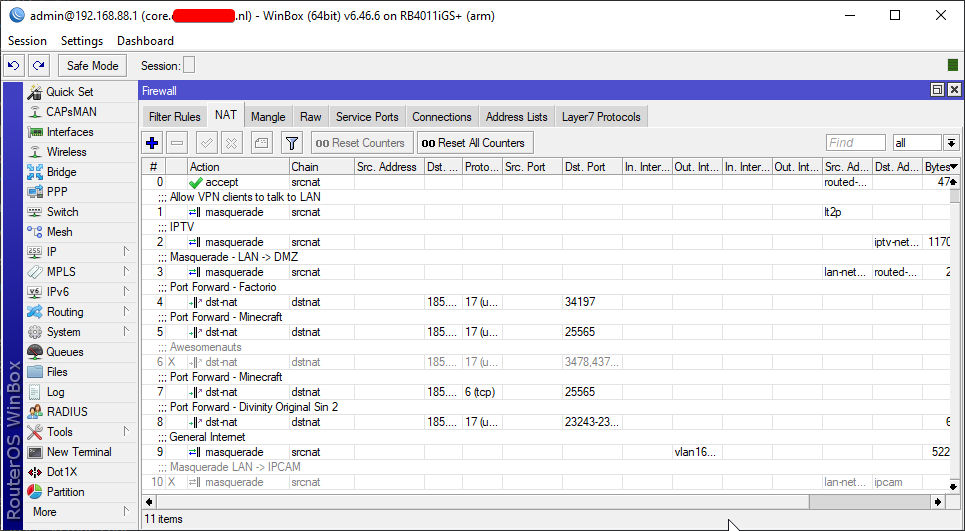
MikroTik is a Latvian company which was founded in 1996 to develop routers and wireless ISP systems. MikroTik now provides hardware and software for Internet connectivity in most of the countries around the world.
thick minnow
does anyone have a response to my question about my verizon router?
peak cloak
not really, pretty vague of a question
@tame carbon
powerful, but not the prettiest or the easiest
thick minnow
Im hungry Like the wolf xD
peak cloak
@mystic latch http://demo.mt.lv/webfig/
they have a demo online
I use pihole, what can pfBlockedNG do that pihole can't.
shame you can't install it standalone
also what up with yewtu.be
some open source youtube mirror?
tame carbon
@peak cloak The Hex S seems nice
its got good specs for 2gbit/s
the enc chip is only 400mbit/s but oh well
peak cloak
what the enc chip?
tame carbon
IPsec acceleration
peak cloak
ah
tame carbon
most mtik routers have support for that
peak cloak
won't be doing ipsec so that's fine
peak cloak
out of budget lol
tame carbon
yeah, its expensive
@mystic latch you'll find that RouterOS is a lot more intuitive once you know what you want to do on your network


 hollow garnet
if my link speed to my router is 866mbps, i should be getting a bit over half of that when I do a speed test right? im getting only 200mbps on wifi
 obtuse hollow
it depends on your wifi version
topaz quarry
wifi is complicated
the maximum speeds for consumer wifi is about 450 Mbps if you do everything basically perfectly
that means one AP per room, with a wired backhaul
hollow garnet
im on ac
topaz quarry
it doesn't matter
hollow garnet
even next to the router its at 220
topaz quarry
then either you're to close (yes that's possible)
your WLAN NIC on your testing device is really bad (yes that's possible)
you're not in the expected dicharge area of the AP (yes that's possible)
you have band conflicts somehow
clear igloo
Number of wireless devices on the network and number of other wireless signals can impact it as well although less so on 5GHz
hollow garnet
what speed should I be expecting?
topaz quarry
also keep in mind that some consumer equipment simply can't do better than what you're seeing
hollow garnet
at least half right?
clear igloo
Wireless is not a X to Y comparison
topaz quarry
correct
you basically asked the same thing 3 times
the answer is your expected speed is based on a bunch of factors
some of which are honestly uknown
clear igloo
Also, are you paying for over 200 to 300Mbps (assuming you're doing a speedtest) from your ISP?
hollow garnet
yeah i have a gigabit connection, over ethernet i get around 950mbps
topaz quarry
are you using the modem's AP capability?
clear igloo
How many wireless devices do you have connected? a dozen? two dozen?
topaz quarry
are you only using the black box the ISP gave you?
hollow garnet
yes
topaz quarry
then that's why
clear igloo
ISP hardware isn't going to be the end all be all of performance. They give you something cheap to get you started and if you're lucky it's got some wireless capabilities
topaz quarry
the black box is responsible for 3 roles right now, authenticating (modem), routing, and access point management
200/200 is remarkable for what the ISP gave you
remember the contract you both signed
probably only stipulates they're responsible for gigabit up to the modem
not past it
hollow garnet
I see
topaz quarry
ISPs just do all this stuff for customer retention
clear igloo
If you can go wired on your main downloading devices and get ~200 on wifi for the rest, I'd call that pretty good
topaz quarry
since requiring customers to have a 9th degree blackbelt in network fuuu
hollow garnet
I am considering a powerline adapter, but i dont think that will get me anywhere near 1gbps
waxen scroll
9th degree blackbelt in network fuuu means we all get paid
topaz quarry
it depends on the layout of your house
waxen scroll
lets keep it that way
clear igloo
Yah, you might get decent or you might get junk speeds
You could look at an aftermarket AP that's wired to your ISP's box and then turn off wifi on their box
topaz quarry
yea like I don't use the wireless capabilities from my iSP's box
hollow garnet
yeah i thought of that too, its cheaper than getting a new router
topaz quarry
okay cool fun fax
modem != router != access point
you can route but not be an access point
you can be an access point and not route
most consumer boxes do routing and act as an ap
so that black box you have would only be responsible for authenticating
which in reality is the whole point of the box from your ISP

YouTube
Lawrence Systems YouTube channel offers a look at how we run our company, the products we use and solutions we provide for our clients. We discuss and create...

YouTube
Crosstalk Solutions is a VoIP consulting and application development company. Please visit http://crosstalksolutions.com for more info.
they both explain the stuff with more words and better english
clear igloo
yup
 pine bridge
anyone knows about MTU and how to get the perfect value
waxen scroll
The perfect value is over 9000
topaz quarry
LZDanger is correct
waxen scroll
It's both a shit post and the truth
topaz quarry
it's shitastically true
clear igloo
9216 or bust 😛
hollow marlin
L2 - 9192
L3 - 1500
Golden
 vagrant verge
Not sure how to explain this but I need help hooking up our Ethernet around our house we just finished building
Wifi etc is working but not quite sure how to get the Ethernet part
vagrant verge
Yes
peak cloak
or is there wiring already installed
peak cloak
oh
vagrant verge
Just hooking it up from there
peak cloak
is it terminated?
vagrant verge
I know nothing about this so dumb it down
 dark kayak
What room do all these points go back to - garage, study...?
peak cloak
there are ports connected?
dark kayak
Terminated meaning there's an RJ45 socket on the wall.
and that connects to another endpoint.
peak cloak
if you took a pic that would help
dark kayak
Okay, so in that room, you might have say 8 outlets. They all go to your switch.
peak cloak
ok, so they are all connected?
dark kayak
Eg
peak cloak
first, I would recommend getting a patch panel
vagrant verge
What is that
dark kayak
a mess ;p
vagrant verge
XD @peak cloak
dark kayak
see the white outlet on the wall in my photo? something like that.
though you can get them in different formats, eg a single long panel.
vagrant verge
Can I make it work with what I got ?
dark kayak
you appear to arelady have them all connected.
dark kayak
They should be live on the other end, whereever those cables run back to
vagrant verge
It isn’t though
dark kayak
I would suggest getting some tape and labeling what rooms those cables go to.
dark kayak
oh yeah, okay, hard to see, the black on blue
go plug a device in to the other end. See if you get a link light on the device or on the switchport that goes to that cable.
dark kayak
wel, in that image I can see the end port has a link light
vagrant verge
But no internet
dark kayak
cant make out what model it is but I assume that end port is a wan port.
back soon, meeting.
vagrant verge
Netgear s350 series
peak cloak
@vagrant verge when you plug in a device on the other end, do you see lights on the ports on the switch
vagrant verge
Actually
Hold on
Ok
Only problem is I’m not sure if the cable I made works
Correctly
peak cloak
oh, you made that white cable?
peak cloak
oh
vagrant verge
White
vagrant verge
Nah I’ve got one I’ve bought we can use
peak cloak
oh ok
peak cloak
do you have internet?
peak cloak
can you ping your router?
peak cloak
show the output of ipconfig
vagrant verge
In command prompt?
peak cloak
yeah
vagrant verge
What am I looking for
peak cloak
show a screenshot here, but you are looking for an IP and a default gateway
vagrant verge
Sending
peak cloak
all ip addresses are local, so you can't leak your public ip
peak cloak
can you ping 10.31.3.254
vagrant verge
So ping then that ip
peak cloak
yeah ping 10.31.3.254
peak cloak
did it get a reply?