#networking
1 messages · Page 223 of 1
 peak cloak
 tame carbon

peak cloak
which doesn't even do ipv6 passthough
 small vapor
My router is Technicolor tg389ac HP.
tame carbon
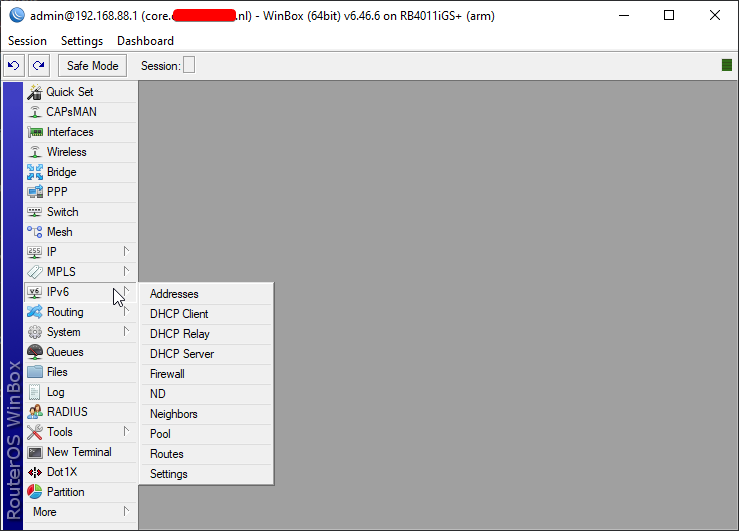
@peak cloak I just installed the v6 package on my mikrotik, ez
small vapor
I can't find any info on it and if it supports v6.
tame carbon
doubt that it supports that
also, never seen that brand
@peak cloak https://i.imgur.com/rotUWn6.png

peak cloak
nice
tame carbon
Almost weekend :o
pre weekend vibes for some reason

🎧 Support on all platforms: https://monster.cat/animevushal
▼ Follow Monstercat
Spotify: https://monster.cat/2biZbkd
Apple: https://apple.co/2xiKWTO
Facebook: https://facebook.com/monstercat
Twitter: https://twitter.com/monstercat
Instagram: https://instagram.com/monstercat
...
turn it to 11
small vapor
Can I just buy a new router to have support for ipv6 or is it more complicated than that?
Assuming my device alr has support for v6.
But the router doesn't.
peak cloak
most devices should, windows had it since xp I think
small vapor
Yeah, so just gonna get a new router and I'm all set?
peak cloak
basically
tame carbon
time 4 shilling
peak cloak
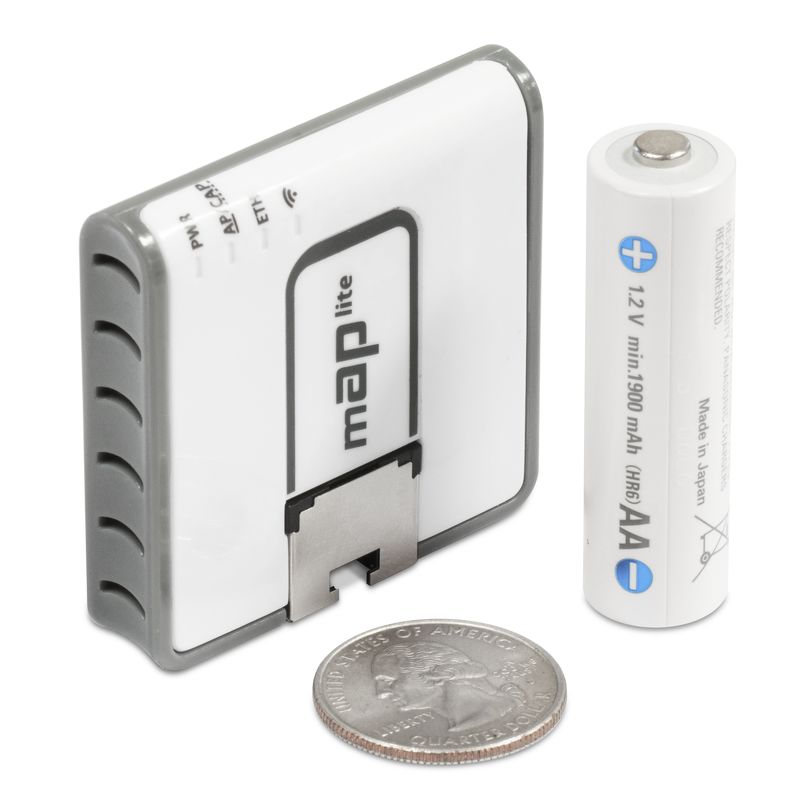
I reccommend the microtik ac3 I think it's called

MikroTik is a Latvian company which was founded in 1996 to develop routers and wireless ISP systems. MikroTik now provides hardware and software for Internet connectivity in most of the countries around the world.
 hollow marlin
Yeah, so just gonna get a new router and I'm all set?
@small vapor Make sure your ISP actually supports v6 before buying anything
 peak cloak
or you can tunnel
small vapor
@hollow marlin Do I just look up the isp's website for that?
hollow marlin
Yeah or just contact to support to verify
small vapor
Ok.
peak cloak
My ISP doesn't have ipv6 so I just use a he tunnelbroker tunnel which is free
 late depot
i wanted to ask this since i do gaming, does transparent DNS proxy (from the isp, or country regulation) affecting the internet latency?
tame carbon
@peak cloak If your ISP peers with HE, its generally quite easy and works without issues or extra latency
when I first used tunnelbroker
first 10 or so packets
had 200ms
then it jumped down to 7ms
like on v4
@late depot if your ISP does not support anycast dns, some can be slower
funny enough, 1.1.1.1 is faster for me, and if it isnt, then I use 8.8.8.8
peak cloak
tame carbon
my ISPs own dns servers have more response latency than 1.1.1.1 does
peak cloak
yes it is
tame carbon
@peak cloak ezgame
my ISP peers with quite a few of those too
I'm on HE, L3, Cogent and Telia too
late depot
@late depot if your ISP does not support anycast dns, some can be slower
@tame carbon hmm then I should check for more information from my isp. thanks
tame carbon
@peak cloak my ISP just reports every issue they have, even if its only couple minutes
most ISPs like KPN, which used to be government owned, now privatized, doesn't disclose anything
you can only search through their zipcode, to see if there's issues
peak cloak
no need to flex /s
tame carbon
Update 15:32 -> Contact gehad met leverancier van de darkfiber, deze heeft vervolgens een engineer gesproken die in de buurt was.
Contacted service provider of darkfiber, engineer was called, who was nearby
Bleek een patchfout te zijn geweest van deze engineer. Alle verbindingen zijn hersteld.
turned out to be a patch mistake of this engineer, booo all connections restored
this was the update, about 40min after the intial fibercut
I mean, I still think thats quite long for a simple patch mistake
but their SLA is 6h
peak cloak
A bunch of stuff
tame carbon
peering and operate fiber networks
and pretty much considered the main provider of BGP data
since it is all mesh by nature
 compact plaza
What's the best website to accurately test my network speed? I feel like Ookla's lying to me
peak cloak
ookla servers are usually right on your ISP's network also
and fast.com usually is too b/c of netflix cdn's
I think
compact plaza
Well that's good to hear.
peak cloak
@tame carbon iperf to what server, I can't find any good public ones
peak cloak
I just use iperf to test local speeds
tame carbon
first 50MiB I download on 0% link usage, goes up to 500mbit/s xD
then the throttle kicks in
peak cloak
I have a chance to get convice my parents to get fiber, now 500/500 or 900/840 ?
Do I really need almost gigabit?
hollow marlin
Nope
If you want to download large files all day sure. Its handy at times but not if the cost is that much higher
hollow marlin
I had Fios over a year now at $79 for gigabit and it has not gone up
peak cloak
I've seen some people say it goes up after 2 years
hollow marlin
Hopefully not. If not my work should have fiber in my area by then
peak cloak
yeah, we'll probobly get 500/500 instead
rn we have 200/30 and it's fine
but it's cable
it would still be more than double the speed
hollow marlin
The biggest improvement will be in latency which will make everything feel faster even if you got lower speeds
peak cloak
yeah, and upload speed
 topaz quarry
@compact plaza you can test your latency to the website you specifically care about with nslookup or some GUI tool built on top of it
as previously stated speed tests will only test between you and your ISP
people kept asking netflix so much about it that they literally have their own speed test
also latency != throughput. I'm not against giving consumers cheap gigabit just not at the cost of latency
it's not like the ISPs haven't been given billions upon billions upon billions of mis-allocated funds
hollow marlin
Latency doesn't equal throughput but latency definitely affects throughput with TCP
topaz quarry
it honestly depends
if you're using the original TCP stack and you're not using QUIC which Chrome defaults to
then yes it's a point of contention
hollow marlin
Well QUIC is UDP so it doesn't apply to my point
hollow marlin
Im pretty sure QUIC doesn't use TCP at all. It is to use UDP with loss detection
I take that back, it runs along side it
Still not in the same packet though thus still my point stands. QUIC is awesome (except for all other congestion algorithms) but TCP still relies on latency
tame carbon
your mom was QUIC last night
topaz quarry
you can run TCP over QUIC to improve TCP response time
it doesn't use TCP, that's correct
Cloudflare went out of its way to provide free improvements to your website by just proxying TCP over QUIC
it's really low hanging fruit
and yes you cannot do it with absolutely everything yet
but it works with most things now
when it first came out it was pretty rough and would apparently legit break things when you ran TCP over it, but it runs a lot better now
remember all TCP is a set of promises
if you can make those promises with different assumptions then the applications don't care
hollow marlin
I get that. But outside my original point. Many OSes/applications don't support it natively so they still rely on TCP. Its improving especially with the new version of Edge that just greatly increased the availability of QUIC. But also is where war is being fought due to QUICs aggressiveness
Im all for expanding UDPs capabilities and hope QUIC makes its full debut and HTTP3 gets finally is pushed out
topaz quarry
i mean i think we can both agree the original TCP implementation just makes assumptions which aren't true in the 21st century
and TCP over UDP is the wayt o just reduce overall stress on networking equipment
i mean applications don't have to support it, you can just put a proxy in front of it that does (like nginx).
I'm sure you can just disguise TCP as TCP over QUIC for operating systems that don't know how
it's also not a war, you can run both native TCP traffic if you want to for some reason and TCP over UDP with QUIC as the implementation
you just pay for what you get
hollow marlin
I wouldn't say it stresses anything. It eases session tables but most is done in the ASIC for transport. TCPs implementation still applies today, just QUIC eliminate many of its downsides.
topaz quarry
reasonable minds can differ on the second point
hollow marlin
How so? Don't have to agree to have a discussion. Im human, I don't always get things right
topaz quarry
right of course
so this stems from a fundamental idea of RISC vs CISC
if you make to many promises up front, you just get burned
TCP makes to many promixes up front, making it's implementation much harder because weirdly enough developers are in fact humans
in stark contrast UDP basically makes no promises only that it will attempt to send the message
make it's implementation much easier and more trivial to accelerate
the benefit of something like QUIC or generically any TCP over UDP implmentation is that the application can choose what's the best stack for it
a generic monolothic TCP/IP stack can never be right for every application 100% of the time
we this with other technologies such as the adoption of Vulkan's ideology with Graphics drivers. Allowing developers to specify what their stack is supposed to look like. The Khronos group has said over and over and over again that Vulkan is not a replacement for OpenGL
we should look at TCP over UDP and TCP native stacks the same way
fundamentally i'm a C++ developer and believe in never breaking ABI
keep old, use old. make new. don't repeat old mistakes
hollow marlin
I agree on that. Its why Id like to see a bigger push for QUIC. I guess my second point TCP implementations still being needed in the 21st, was focused around applications that cannot utilize it or when a proxy is not an option.
There are many routing protocols that are an underlay of UDP for the same reason. TCP is still needed for many protocols for integrity but the simple solution is just push a UDP header or in this case work alongside TCP
Same agreeing points, just different interpretaion
topaz quarry
under what circumstances have you been in when you cannot use a proxy?
also keep in mind that developing a pillowing layer between a TCP/IP stack and a QUIC layer is possible and was probably an intention during the conversations of its creation
in the same way you can just interpret windows calls with WINE, you an do the same thing with TCP/IP. it's just a set of promises :)
hollow marlin
There are some designs, especially with VPNs, where from a business perspective proxies are not viable or even will not produce enough of a benefit. Very few technical reasons but mostly business related reasons as is normal with any product.
 graceful valley
How can I make a virtual lan between my iPhone and pc. So if my pc is plugged into the router through Ethernet and my phone is on lte they can still sync. I tried using ZeroTier but it didn’t seem to work.
peak cloak
what I do is whenever I need to be on the home network, I connect to my vpn
graceful valley
Don’t I need to port forward tho
peak cloak
yeah
graceful valley
That’s not currently an option
peak cloak
hmm
graceful valley
I’ve heard of port map

Portmap.io
Expose your local PC to Internet from behind firewall and without real IP address
Do you think this may work
peak cloak
maybe, idk. Never used it
graceful valley
Ok thanks
Apparently it’s kind of like what TeamViewer does. It sends the data to their server then back to the other device
peak cloak
yeah it creates a vpn connection
but they are on the server end
so no need to have a "server" visible on your end
can we post networking memes here?
https://cdn.discordapp.com/attachments/491885572617535488/766405163220074516/IMG_20201013_135943_439.png
stolen from r/homelab

 dark kayak
I'm so stealing this.
hollow marlin
r/networkingmemes
hollow marlin
@tame carbon You might find this interesting. Makes sense as this is how Ciena uses SVLANs for internal switching https://www.reddit.com/r/mikrotik/comments/ja5bjl/how_mikrotik_uses_switch_chips_to_create_router/
 livid bison
I do not know fi this has been asked and answered but will 5gnr cell phones connect to your wi-fi?
 unborn sluice
mobile 5g isn't 5ghz wifi
peak cloak
5g doesn't run at 5ghz
 waxen scroll
Yep. 5G phones will connect to your wifi
topaz quarry
would a phone manufacturer be so brazen to make a phone that supports 5G but not 5.0 Ghz Wifi?
i can't wait for one to do so
 livid bison
please the 5g nr is a new type of phone not speed
the problem that i herd is that the 5g nr signal will not go therugh walls so you will have a home antenna and internal modem
peak cloak
yeah, you just use wifi indoors?
5g will be useful for cities
outdoors and stuff
malls, large convention center, etc.
but why would you want 5g in your home
livid bison
do you not make calls in your home?
peak cloak
wifi calling, 4g LTE will still exist
5g will not be deployed everywhere
so 4g support is a must
livid bison
but is the 5g nr backwords comp
peak cloak
every single new mobile data tech has been
it would be stupid if it wasn't
there is an EOL eventually, when phones won't support it
like 2g
livid bison
but 5g nr is a completely different set up you would have two phones inone caxe no?
peak cloak
?
5g NR just means it uses higher frequencies
5g LTE uses the 1-6ghz spectrum
5g NR uses 1-100ghz
not that whole freqency space of course
just blocks within that range
livid bison
so will a home wifi connect with the new freqency
topaz quarry
I use voip in my house
because my phone carrier supports it
so i make calls over wifi
livid bison
yes my 4g phone connects with my wifi will a 5g nr?
topaz quarry
i was meming about a phone manufacturer
that would make a 5G phone
that didn't support 5.0 Ghz wifi
it was a meme
you took this way to far
 waxen saddle
WiFi and cell connections to the phone companies tower are 2 completely different and incompatible technologies. It’s why your cell phone has 2 different chips. Your phone treats them as 2 different network connections as well. As long as you have a WiFi router and your even-slightly modern cell phone has a WiFi chip, it should connect just fine as long as the WiFi router and your chip support the same frequency range (both 5ghz or both 2.4ghz)
 thorny vector
So if anyone is interested in white box switch solutions, Nvidia Cumulus is having a conference next friday about their OS
topaz quarry
what is the purpose of this?
 sharp cedar
Guys, i think i stumbled upon a fake windows key
A customer handed it to me and asked me to activate his PC
The packaging feel is way off, the licence key doesnt have the shiny film
unborn sluice
cat5e can gigabit
 charred jetty
ty
 timid fiber
unborn sluice
timid fiber
unborn sluice
The one that says 10 gigabit
peak cloak
@timid fiber gigabit switch https://mikrotik.com/product/crs305_1g_4s_in
MikroTik is a Latvian company which was founded in 1996 to develop routers and wireless ISP systems. MikroTik now provides hardware and software for Internet connectivity in most of the countries around the world.
MikroTik is a Latvian company which was founded in 1996 to develop routers and wireless ISP systems. MikroTik now provides hardware and software for Internet connectivity in most of the countries around the world.
gigabit router
tame carbon
@hollow marlin I've seen those block diagrams before
but the stick part is the 2.5gbit trunk line between the chip and the switching logic?
@timid fiber I have one of those RB4011's at home paired with a CRS305 and some lengths of fiber from https://fs.com/

FS
FS is a new brand in Data Center, Enterprise, Telecom Solutions. We make it easy and cost-effective for IT professionals to enable their business solutions.
https://cdn.discordapp.com/attachments/766214233233817610/766220752495706133/IMG-20200922-WA0001.jpg

You see the RB4011 in this image ^
Its easy 10gbit on the cheap
you have a 10G trunk line between the router & CRS305
and any devices you hook up to that portion of the network, you can manage with vlans
if you only need 10G switching, but no 10G routing, then you can get away with using just a CRS305
the CRS305 has a single 1G ethernet port, which you could use to hook up to your main router
@timid fiber 10gbit on copper is more expensive and less reliable
hollow marlin
@tame carbon I know, I thought you'd be interested in why vlan filitering is so limited on certain tiks
tame carbon
@hollow marlin I only use vlan filtering on the rb4011
the CRS305 is bridge vlans
can be hardware offloaded
 rose gazelle
Bought a ubiquiti switch online
Guy then messaged me that he wants more money
Like... Wtf man
peak cloak
Used I assume?
rose gazelle
It was from a brickck and mortar shop
peak cloak
oh, wow yeah I would cancel
rose gazelle
They have an online shop that they manage
And then proceeds to blame me for not cobfirming the price with them
Like... Wut...

I paid 450 (as listed) They wanted 500
hollow marlin
@tame carbon Yeah the 4011 can handle it no problem. I thought it was interesting because its the same way Ciena logic works with its metro-e but I never put two and two together that Mikrotik was doing the same
rose gazelle
In any case, I am cancelling
Def will not be back again
Like they have the nerve to ask the delivery company to stop the delivery midway and then send the stuff back
Anyway rant over
Sorry. Just wanted to vent a bit
waxen scroll
lmao. shipping is expensive as it is so at least they ate the cost
rose gazelle
Yeah screw em
Anyways, since I'm back in the market after that debacle...
Anyone have insight on the max poe capacity?
I calculated the gear I would like to get eventually tallies to 91.5 watts
And the switch I would like is the unifi 24 poe gen2 switch which has a max power rating of 95 watts
It's the same price as the 250 watt version where I am at, but the fanless design is what drew me to it
But 91.5/95 seems like it would be pushing too hard
tame carbon
PoE power rating is specified in the IEEE standard
802.1af/at
most switches have a per-port power, and a total combined power limit
rose gazelle
What I am asking is, is it a good idea to run it alomost full load all the time
hollow marlin
You're going to want more overhead. Devices will advertise their max power and upon boot will draw more watts for a brief period then their power will drop. If you are pushing it that close you will overload the controller when you plug a device in or reboot it. Ex. most handsets draw ~2-3w but on boot with briefly pull 5-6w.
tame carbon
25% headroom?
tame carbon
I got a 5 port 50 watt PoE switch
rose gazelle
But I hear the 250w version sounds like a jet engine
tame carbon
but the devices use like 6-7watt
rose gazelle
I am planning to install about 10-ish camera s
In addition to a couple of access points
hollow marlin
You want to plan around the advertise max power. Say your switch rebooted, now all the phones are pulling 2-3x the power briefly but now all at once and Ive seen it where the devices are stuck in an endless loop as the controller is shutting and un-shutting the ports as they draw too much
rose gazelle
Thanks for the tip
 clear igloo
If I remember right though, provided all devices are Class 0 (15.4 watts) you need to account for the PoE budget as your limit, not their power draw. I don't believe you can go over the max theoretical budget for PoE on a switch (ie if you have 15.4w devices and a 100 watt switch you're limited to 100 divided by 15.4)
I could be incorrect on that, been a long time since I looked into PoE budget and whatnot
rose gazelle
The devices total to 91,5w maximum by my calculation using ubnt's advertised numbers
But each camera is about 4-5
While an ap is about 9
tame carbon
everytime people shorten unify as 'ubnt', I confuse it with ubuntu
unborn sluice
yea I think you'll be find
tame carbon
ye
unborn sluice
ubuntu dream machine
hollow marlin
@clear igloo Exactly. However with our EX2300s you can exceed the max if you boot up enough devices until their power consumption levels off and plug in one by one. Thats when I got the call from a tech that the switch kept flapping after a reboot. This might be different depending on the vendor though
rose gazelle
yea I think you'll be find
With the 95watt model you mean?
clear igloo
@hollow marlin cool, so I remembered the thing correct 😄
hollow marlin
I wish Juniper would set their controllers on the max LLDP wattage instead of current power for that exact reason
unborn sluice
@hollow marlin so you need to unplug and plug every boot?
clear igloo
So assume each AP and camera is advertising Class 0 through 3 (max 15.4 watts) then you'll need a budget of at least 154 watts for 10 devices
rose gazelle
Safe choice is 250 then
tame carbon
I need a class 4 laser
hollow marlin
@unborn sluice Only if your devices advertised max draw combine exceed the max PoE wattage
tame carbon
not sure wat for
clear igloo
@rose gazelle Yah, and that will give you headroom for more devices too
tame carbon
Weekend vibes
rose gazelle
I bought the 95 watt ver. So I guess the shitty customer experience is a blessing in disguise
hollow marlin
@unborn sluice
tame carbon
show secrets of the universe
unborn sluice

clear igloo
command not found
unborn sluice
seems "hacky" to me
hollow marlin
For example that is one of the HPBX deployments. The phones pull 6.5w max but ~2w after boot
 unborn sluice
are that guy that's standing near the other guy
 hollow marlin
Plot twist, those are SFPs
tame carbon
on a stick?
unborn sluice

clear igloo
QSFPs 😄
unborn sluice
Stick FP
clear igloo
SFP on a stick > router on a stick
unborn sluice
QSFPs 😄
first time I heard of this
 hollow marlin
"temporarily" is a bold term there
clear igloo
first time I heard of this
QSFPs came about for 40G and then for 100G. 400G uses OSFP or QSFP-DD
tame carbon
SFP28 fam
unborn sluice
"temporarily" is a bold term there
temporarily for this life
it would affect the next
clear igloo
I want SFP-DD for 100G 😄
Still in revision though. Currently on Rev 4.2 so maybe one day they'll see the light
clear igloo
QSFP-DD ZR variants mostly
clear igloo
Ah, yah, I see the ZR mostly advertised for interconnect options between DCs
OSPF was championed by Arista iirc and it kind of fell on its face outside of there
hollow marlin
How have I know heard of SFP-DD before?
tame carbon
isnt it very common to just pipe 10G links over a 100G trunk?
I've seen this rigs in a rack before
muxer in the middle
multimode 10G
singlemode 100G
 fading shore
could i use the 2nd unused ethernet port on my motherboard for external storage?
tame carbon
if your external storage speaks ethernet, yes
peak cloak
yeah
tame carbon
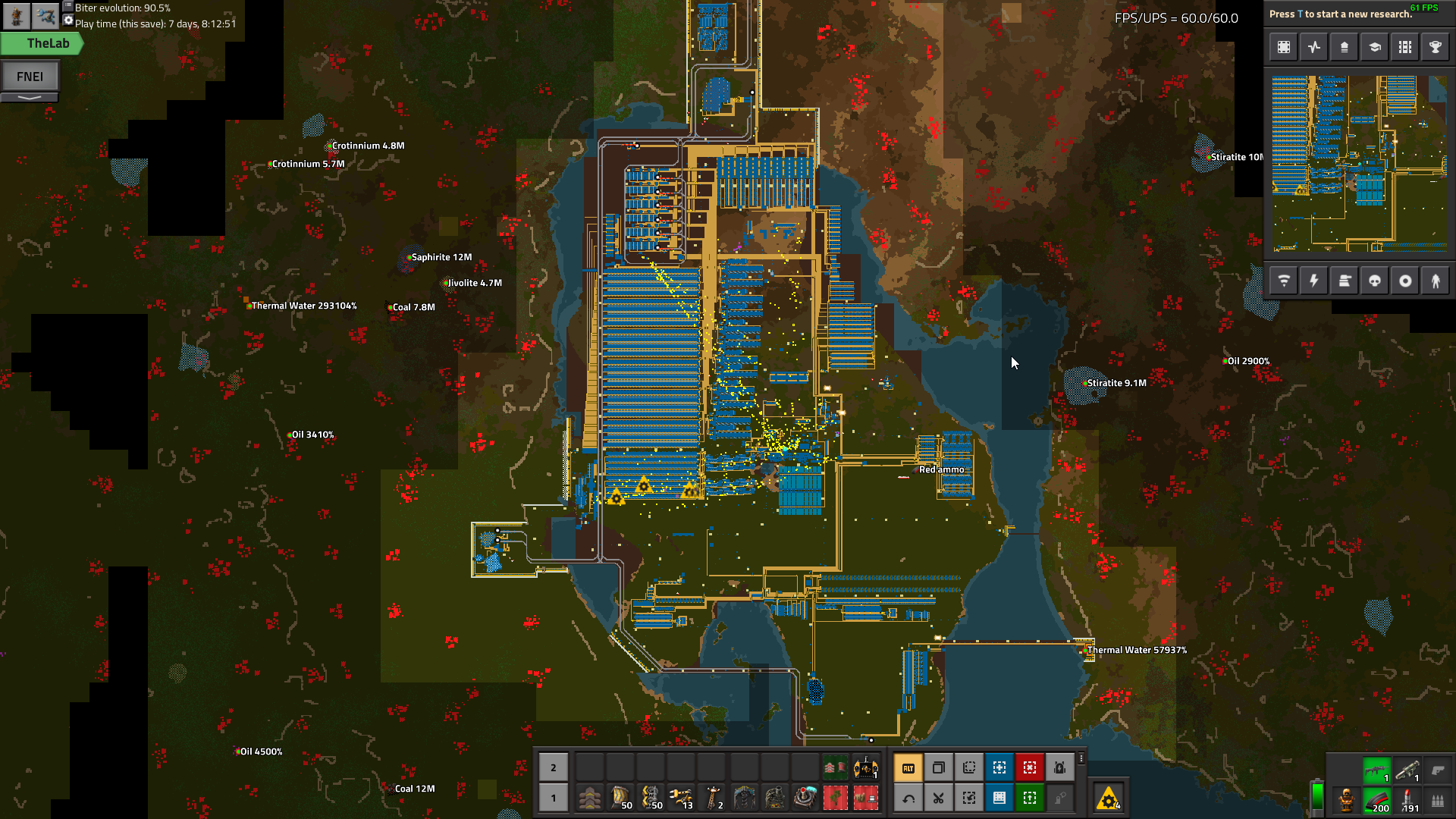
@peak cloak my preoccupation: https://i.imgur.com/VXXrlID.png
 tame carbon
yes
peak cloak
nice, never played it
peak cloak
yeah
tame carbon
factorio has its charm
peak cloak
satisfactory looks nice too
tame carbon
I have that game too
but the problem satisfactory has
is the scaling
with factorio, you can make blueprints and have robots build them out for you

most things you see that look 'complicated' are just simple blocks I've built
and I put them together
because its a logistic game, there's bunch of calculations you have to do ahead of time
base planning and such
peak cloak
oh cool, so there isn't that much manual building
peak cloak
nice, building out factories gets annoying
tame carbon
so "moving" a block of machines 1 to the right
you can just cut and paste
and have robots do it for you
ofc, robots can be upgraded too
to make em faster
@peak cloak I'm hella lazy, so most of the buildings and small components, I just have items delivered to chests by drones
its inefficient, but less belt mess

starter base ^
this is all planned for removal at some point
fading shore
why did i never think to direct connect a nas to my pc before
peak cloak
does your switch/router not support gigabit?
fading shore
it does but i don't want it connect it to the network
sata faster yes, but room for hdd no
hollow marlin
@tame carbon Is this trunk in a LAG when biters knock out your link?
tame carbon
@hollow marlin train lines are my real "trunk"
those are the first to go, and mines produce most pollution xD
 vague storm
tame carbon

that was last image, cus this is bit offtopic
modular blocks that you can just stack, each uses 1 barrel of oil/second
and because of all these mods, there's like usually 2-4 ways you can make something
different byproducts and power/efficiency values
gets complicated quite quickly
space is a consideration too
more space is more machines is more power use = less efficient
that sounds familair, 
but power is usually not problem, just build more nuclear reactors lol
waxen scroll

 fallow python
is there anyway i can use a nic as a passthrough for ethernet?
so get a network connection from my motherboard's ethernet port and use the other port as a passthrough
for other devices
unborn sluice
wdym passthrough
what are you trying to achieve
you mean passthrough the ethernet to a VM?
fallow python
no no
passthrough the ethernet to another pc connected to the first pc through ethernet
if that makes any sence
peak cloak
so a switch?
fallow python
you could call it a switch i guess
unborn sluice
so you're connecting 2 pc using ethernet without any middle hw like a switch or router
are you trying to achieve this
router -> PC -> switch -> other devices
peak cloak
?
fallow python
they most likely wont be using the network at the same time
peak cloak
I would highly highly recommend just getting a switch. You can get a 5 port dumb switch for 15 bucks on sale
fallow python
what does "unmanaged" mean
unborn sluice
@fallow python we recommend against this, even though they wouldn't be using it at the same time
unborn sluice
You see the interface of your current router? forget that
just plug and play that switch
peak cloak
switches have dedicated hardware and chips for switching, your PC doesn't
unborn sluice
Technically, it works, But the headaches that ensue makes the cost of a dumb switch worth it
tame carbon
@peak cloak bridging connections like that on windows requires datacenter edition
windows server
unborn sluice
Interesting, I think some drivers can do that if I'm not wrong
unborn sluice
Yea, I think I am talking about the wrong thing
hollow marlin
NIC teaming in windows does not actually bride the connection right? Ive had to deal with customers looping their shit before trying to bridge their server but I don't deal with the server side
unborn sluice
I think it works, but I honestly never heard of anyone actually doing it in production
hollow marlin
Many using LACP on servers production. Whether Microsoft calls it LAG/teaming or whatever, you need redundancy of some sort
waxen scroll
its not acceptable to have single leg servers in 2020
clear igloo
Multi-home all the servers! 
hollow marlin
@unborn sluice Preferably a LAG with MC-LAG/stack on the switches. All L3 if possible. Every design should revolve around redundancy if in production.
waxen scroll
---------  AT&T IP Services Route Monitor  -----------

*** Log in with username 'rviews', password 'rviews' ***

login: rviews
Password:

--- JUNOS 17.1R1-S1 built 2017-04-07 08:21:13 UTC
rviews@route-server.ip.att.net>
o_o
lets play on juniper
topaz quarry
lol but why
peak cloak
what's that
waxen scroll
@peak cloak HACKERMAN terminal
waxen scroll
i need to do some internet engineering, so im using this to check what type of modification i need to change my routes to look terrible to ATT
rviews@route-server.ip.att.net> show bgp summary
rviews@route-server.ip.att.net> show route receive-protocol bgp 12.122.127.66 <enter a route here>
some commands to play with
rviews@route-server.ip.att.net> show route <enter a route here>
the purpose is to let you see the routing tables on ATTs internet network in multiple locations
peak cloak
hmm, interesting
waxen scroll
if anyone in LTT wants JUNOS experience, there ya go
ATT gracefully put a live one out there
@hollow marlin you wouldnt do it
hollow marlin
We have looking glass but only for internal use and a logical instance for certain customers so they cannot see our super secret internal routes 💩
topaz quarry
super secret
i hear GPU sharing through the looking glass project is great
i can't imagine how that applies to networking :/
clear igloo
I bet you use 10.0.0.0/8 O_O!!!
hollow marlin
Looking glass in networking is different. Its a command set you can use to public BGP routes. Its really just sends commands to a router/route-server and spits the output. Not necessarily just for BGP but most public LGes are
waxen scroll
i feel like i haven't seen xeon talk in a while
 primal ice
his internship has taken over his life?? heh (guessing)
thorny vector
For all you network boys out there, Security Onion 2.3.0 is officially released!
They put out the full release at their conference today
 thick minnow
ok so im hella confused rn
i just factory reset my router
and it kept all my portfowards, passwords, network connections, everything
and im quite confused how
what thing that confuses me even more
I previously wasnt able to access my router admin page
and now i can...
thorny vector
@thick minnow we call that a gift horse. Don’t look it in the mouth.
primal ice
you probably just soft reset it. 😄 normally to fully reset most of the all in one router consumer crap its a 30-30 reset. unplug it hold the reset button for 30 seconds wait another thrity seconds then plug it back in. (that is just to make sure it totally clears the nvram)
primal ice
its a consumer all in one router. price doesn't mean anything.
my 300 dollar buffalo dhp1750 is a consumer all in one piece of crap.
its used as an AP now.
topaz quarry
@hollow marlin i was memeing you
unborn sluice
Jokes went too far
 orchid shell
how can I speed up my wifi and not have random wireless disconnections
unborn sluice
Use ethernet
orchid shell
i have a phone i cant
peak cloak
it could be a lot of different issues
is it only your phone having issues with disconnecting?
or everyone?
unborn sluice
i have a phone i cant
Checkmate can't
 tacit dawn
@orchid shell what's your router, your modem, your isp, and do you have cable, dsl, satellite, fixed wireless, fiber, or dial up?
orchid shell
CGN3ACSMR, no router, rogers, cable iirc
primal ice
CGN3ACSMR is your modem/router/all in one from your ISP. https://www.rogers.com/customer/support/article/bridgemode-cgn3#! shows how to login but don't follow any of the other instructions.. go to the wireless tab at the top.
{{browserSeo.description}}
orchid shell
what do I do at the wireless tab
primal ice
take a pic and send it
primal ice
yes
primal ice
go to the 5g tab and do the same thing
primal ice
change the channel bandwidth on the 5g to 40Mhz
apply save exit. see if you still have disconnect issues.
primal ice
just changes the channel width. narrower ranges means sometimes less interference from outside sources.
orchid shell
and I mean the modem is old af, so my dad is thinking about changing it iirc
im only going to change it if it disconnects again
primal ice
really just depends on how busy your air waves are. I have 8 different AP's in my area and dropping my channel width down to 20mhz helped a lot with connection issues cause of course everyone else is just using standard frequencies - default settings.
topaz quarry
so if you're curious the only way to know what numbers to choose
you need something to sniff the airways
otherwise you're just guessing
if you don't have a fancy spectrometer some apps on some phones can disect 2.4 Ghz and 5 Ghz bands
choose the channel widths which are the least busy
it's the same principle behind choosing what highway at what time of day
unborn sluice
you need something to sniff the airways
What certification does require sniffing radio waves
orchid shell
i mean the waves have to go through probably 2 walls and a whole fridge lol
unborn sluice
Is your fridge 2.4ghz
 dusty osprey
uh-
topaz quarry
some people's fridges are 2.4 Ghz
that there condensor
can provide some fun levels of interference
thick minnow
My office rack is finally wired up and running and looking a lot cleaner than just sitting on my desk. I'm loving this 9U network rack
Now just to get my PiHole running
tame carbon
@thick minnow you got enough ports for a big lan party
rose gazelle
Say, in your setup, how noisy is the udm pro?
tame carbon
my RB4011 is passively cooled :o
rose gazelle
I saw a udm pro on Fullmetal's pics
Was wondering if it's audible
Cause my router is in my bedroom
So noise is a big consideration for me
tame carbon
@rose gazelle https://mikrotik.com/product/rb4011igs_rm
MikroTik is a Latvian company which was founded in 1996 to develop routers and wireless ISP systems. MikroTik now provides hardware and software for Internet connectivity in most of the countries around the world.
does 10gbit
and its 100% quiet, passively cooled
rose gazelle
Will check out 👍
tame carbon
I got one of those at home, and quite happy with it
very reliable, once you get over learning curve, its superior to any and all home routers
thick minnow
I keep getting wifi spikes. Yesterday it ran my games at 50 ping but today its running at 300-10K ping. is there anyway on how to fix this
tame carbon
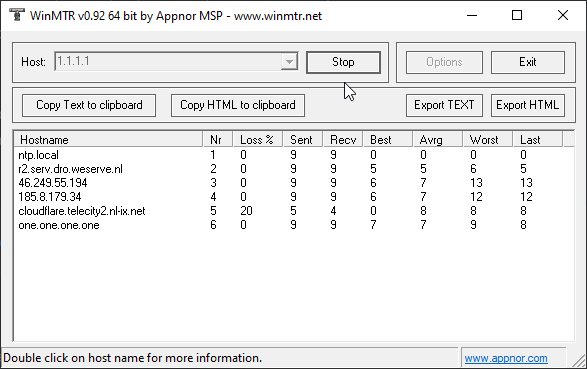
@thick minnow start with identifying where in the network this issue is coming from
I recommend using MTR https://sourceforge.net/projects/winmtr/
SourceForge
Download WinMTR for free. WinMTR is a free MS Windows visual application that combines the functionality of the traceroute and ping in a single network diagnostic tool.
Enter 1.1.1.1 as IP, and it should show you where in the chain, your latency is coming from
also, what kind of internet connection do you have? and are you connected with a cable (not wifi) ?
thick minnow
wireless connection
tame carbon
wifi is already unreliable
thick minnow
sometimes. yesterday it ran at 50 ping for the whole day without spikes but yeah today 300-now 15K
its supposed to be gigabyte and fiber but it runs like crap
tame carbon
you wont get gigabit over wifi
thick minnow
ah kk
I recommend using MTR https://sourceforge.net/projects/winmtr/
@tame carbon so i download this?
SourceForge
Download WinMTR for free. WinMTR is a free MS Windows visual application that combines the functionality of the traceroute and ping in a single network diagnostic tool.
thick minnow
ok thx mate
tame carbon
enter the IP of a server you want to test against
and it shows you all the hops, from your computer -> router -> ISP -> server
thick minnow
ok it downloaded what do i do next doe
 tame carbon
its a zip file...
thick minnow
how do i open it...
thick minnow
this?
tame carbon
just press run
tame carbon
just type 1.1.1.1 into the box at the top, those are cloudflare servers
generally, very good to test with
then press start
after like 1 minute, send me a screenshot
tame carbon
nah,
just the name of your internet provider
you can send it to me in dm, if you prefer
peak cloak
depends on how big/small the isp is
if it's a small local one, maybe
but I can tell you, I have optimum
 heady sentinel
Does anybody know what these 2 flashing lights mean?
I'm trying to set up a new sb8200 cable modem
heady sentinel
Ah ok
peak cloak
@heady sentinel
 mental topaz
Yo, I've got a killer deal on four cisco access points and now I wanna manage them
Problem is, if I've read the model number (cisco air-ap1042n-e-k9) right, they're standalone APs, and because this level of network gear is kinda new to me, I have no clue IF they support a controller based setup and if yes WHICH controller
Anyone got a clue?
peak cloak
https://www.cisco.com/c/en/us/products/wireless/wireless-lan-controller/index.html Cisco Wireless LAN Controller

Cisco
Cisco Wireless LAN Controller (WLAN), wireless controller, provides wireless performance of all mobile devices, offers limited hotspot coverage and more.
I think that's what you need
@mental topaz doesn't seem to be any free to download controller
the thing with this type of enterprise gear is that most of the time you need support subscriptions and licenses
clear igloo
@mental topaz @peak cloak The AP-1042N-E-K9 are actually standalone without the need for a WLC
The LAP1042N-x-K9 are controller based
mental topaz
I know
But wouldn't using a controller make monitoring and such easier?
peak cloak
but can they connect to a controller? From what I read they can
clear igloo
I'm not sure of those standalone models can be converted into lightweight mode
 rocky badge
Cisco Aironet 1040 Series Access Point

• AIR-LAP1042N-x-K9: Dual-band Controller-based 802.11a/g/n
• AIR-LAP1041N-x-K9: Single-band Controller-based 802.11g/n
• AIR-AP1042N-x-K9: Dual-band Standalone 802.11a/g/n
• AIR-AP1041N-x-K9: Single-band Standalone 802.11g/n
• AIR-LAP1042-xK9-10: Eco-pack (dual-band 802.11a/g/n) 10 quantity controller-based access points
• AIR-AP1042-xK9-5: Eco-pack (dual-band 802.11a/g/n) 5 quantity standalone access points
x is variable
clear igloo
It looks like you can convert them but to do that you'll need the lightweight image
mental topaz
Maybe we have a lightweight image kicking around on our work servers, but I can't check rn because I'm supposed to be on vacation
 vagrant raptor
Anyone here using Zerotier?
mental topaz
But anyways, is a conversion really necessary?
clear igloo
If you want to use a single controller, yes
mental topaz
Damn
clear igloo
But one thing to check on, which I can't right now, is if the standalone can act as a controller. Then you just put three in lightweight mode and use the fourth as an ap + controller
mental topaz
That would actually be really sweet, but I don't know how to search for that on Google even .-.
Networking can be very cryptic
rocky badge
@clear igloo Do you configure your APs to tunnel back to the wlc?
clear igloo
used to, yah
Yah, I don't see any Mobility Express software for the 1040 series APs so you'll probably need a 2504 WLC to control them in lightweight mode
rocky badge

cisco wut
aironet-1140-series
Cisco Aironet 1040 Series Access Points Data Sheet
clear igloo
Yah, I noticed that too
rocky badge

vagrant raptor
sorry if I'm rude
what is the problem you guys are trying to solve?
mental topaz
I have four 1040 series APs and I wanna use a controller to make my life easier
rocky badge
Yeah multiple APs and controller makes life a lot easier
clear igloo
Yah, you can just go 2504 wlc and then convert the APs or find the lightweight version already setup for you
vagrant raptor
solution: ubiquity xD
nah, so i guess because its cisco that the controller software is proprietry
mental topaz
Fingers crossed that the 2504 is not too expensive
peak cloak
ew ubiquity
clear igloo
The 2504 is pretty old so it should be cheap-ish
mental topaz
Ouch, 500€ is the cheapest I saw through a quick search
clear igloo
yikes!
mental topaz
Maybe I'm lucky and can shoot another deal
vagrant raptor
tplink is trash my dude

 vagrant raptor
but their consumer stuff (really low end) is absolute trash
peak cloak
yeah
mental topaz
eBay the saviour
200€
And what is this mysterious omada you mentioned @peak cloak ?
vagrant raptor
i would love to replace my poor poor tplink shiddbox but i dont know with what
at least i have a normal coax modem so i can go from a lan cable
ipfire+ubiquity?
peak cloak
@mental topaz it's TP-Link's business access point lineup
it's relatively inexpensive too
I have one
rocky badge
I don't use the USG and ER-X anymore but I use everything else https://blob.rocks/ioZRw59NbF.png
 mental topaz
Ah
Well, I am just a bit locked onto Cisco because I paid 50€ for four of those APs with three Poe injectors
vagrant raptor
or what would you guys recommend as a router
peak cloak
microtik
you just need a router?
MikroTik is a Latvian company which was founded in 1996 to develop routers and wireless ISP systems. MikroTik now provides hardware and software for Internet connectivity in most of the countries around the world.
rocky badge
I'm Ubiquiti, Cisco, and pfSense
vagrant raptor
i dont have one of those dls phonewire boxes
my isp basically gives me an ethernet cable
so i need a router as a nat gateway and an access point - or both in one
i have a little 5 port unmanaged gigabit switch at my disposal btw
peak cloak
if you just need an all-in-one that isn't bad https://mikrotik.com/product/hap_ac3
MikroTik is a Latvian company which was founded in 1996 to develop routers and wireless ISP systems. MikroTik now provides hardware and software for Internet connectivity in most of the countries around the world.
runs routerOS so it's powerful
 charred meadow
Is there any reason to get anything better than a Unifi AP AC Lite for a single room?
charred meadow
It's an extension of a house.
peak cloak
if it's one room with no internal walls or anything, I think it'll work
vagrant raptor
and it doesnt penetrate well enough?
charred meadow
Current wifi is getting 2mbps
peak cloak
that is bad..
mental topaz
I use AVM (German company) products for general networking and the only issues I had with those were caused by me not reading through the options properly or my parents being my parents
vagrant raptor
oh the dreaded frizbox
mental topaz
xD
charred meadow
It has ethernet going to the room right now it's cat5 but I'm planning on replacing the cable.
rocky badge
@clear igloo this device is spamming the crap out of Google's connectivity check 😂 https://blob.rocks/1Td2XgJguU.png
 clear igloo
haha, whoops 😛
rocky badge
10.0.30.69 is the Tesla wall connector 😂 😂
peak cloak
ok good, more people that use the /8
peak cloak
I meant 10.x.x.x
 vagrant raptor
what do you mean
peak cloak
vagrant raptor
you guys do know that its classless now?
rocky badge
I follow this except for management https://blob.rocks/O2z4bHjET2.png

So I always know what VLAN its on
peak cloak
yeah, that's a good system
vagrant raptor
anyone here with a static ip?

 charred meadow
Mine has luckilly not changed in the past couple of years.
rocky badge
Mine's just attached to the MAC address
peak cloak
technically sorta. ipv6 tunnel which is static. using ddns for updating dns name and ipv6 tunnel endpoint
dhcp ip changes every time I restart the router
peak cloak
lucky
I want to separate public facing network for hosting and the ip for general internet use at home
rocky badge

 vagrant raptor
i have a "dynamic ip"
basically infinite lease time and mac-based ip selection so the same router gets the same ip
and if i put the switch infront of the nat gateway i think i have as many pseudo-static ips as i want
oh lol yeah basically same as blob
peak cloak
can't you have multiple ip's on one interface?
vagrant raptor
not with a tplink shitbox
peak cloak
oh ok yeah
rocky badge
Wouldn't you run into a MAC issue lol
you'd need to create a virtual interface
at least on Linux
that's bonded to your current interface
vagrant raptor
do you guys use a vpn or something?
peak cloak
nah, why
rocky badge
I have several
peak cloak
I need to get a vpn setup for access to the network tho
rocky badge
I host one at home, I have one on AWS, and I use a public one
vagrant raptor
i tried to set vpn up on my xpenology box but i couldnt get it to work
now i am using zerotier
basically a per device vpn
virtual switch
charred meadow
I got an openvpn one on my pfsensebox it's super easy to set up.
rocky badge
I'm using Wireguard
peak cloak
openvpn is slow, wireguard the fastest
charred meadow
I'm pretty sure my 10mpbs upload is goint to be the bottleneck for me.
vagrant raptor
do you have it set up securely
peak cloak
@charred meadow yeah..
vagrant raptor
so did you restrict the cryptographic algorythims it uses
 vagrant raptor
wait a minute... i think wireguard and zerotier are basically the same?
vagrant raptor
hello there
peak cloak
zerotier uses openvpn though does't it @vagrant raptor
vagrant raptor
why would it, its layer 2
peak cloak
@vagrant raptor I swear I saw some setup instruction that said to download openvpn to connect
 modern mist
So I am getting into penetration testing (i use kali linux in a virtual machine) and i want to test on a windows virtual machine. How do i get both virtual machines to be connected to the same virtual network?
vagrant raptor
you just install the zerotier client on both sides
peak cloak
hmm, maybe it was something different, idk anymore
@modern mist what are you using as your hypervisor?
peak cloak
yeah, so virtualbox
vagrant raptor
there is a setting for the network interfaces that does this
peak cloak
you need to create a vswitch and connect both VM's to the same vswitch
modern mist
yeah i have both connected to "Nat Network" but when i run a scan on my kali machine the windows IP doesnt show up
@peak cloak What is that?
peak cloak
windows by default blocks ping
modern mist
I dont know if you are familiar with ZenMap but when i ran a scan on my real network all windows computers showed up
peak cloak
idk about virtualbox, but for lets say proxmox which is basically KVM, you can create a virtual switch where both VM's would be connected
modern mist
ok, thx
vagrant raptor
@modern mist check your dms
 tropic jolt
Hi all, so I spoke to my broadband provider as I was having issues with my router and they've upgraded me to have a mesh system? Does this replace the router or is it a add on to the router? I'm just thinking whats the point in having this if it isn't going to fix the router?
peak cloak
depends on the implementation. Usually this means a new router
tropic jolt
They'll send me a new router along with the mesh system or is it just the mesh system and get rid of the router? @peak cloak
peak cloak
you need a mesh complatible router
the easiest thing for the ISP to do is send a whole new kit
the thing about mesh is that there is a wireless backbone, so your devices will connect to the ap that has the strongest signal. It's basically a more advanced repeater
tropic jolt
Ah ok, hoping they send a new router too because, it's the router that is the issue
tropic jolt
I am having random packet loss on both wired and wireless connection? Does anyone a way to troubleshoot this?
 fringe pine
anyone had any experience with networking on the google cloud ? why do the instances not take the subnet of the network but rather a /32 subnet ? and with no apparent default gateway ?
hollow marlin
Most likely BGP with loopback advertisement. The actual routes would be behind the scenes on the VMs
Provides VM mobility
fringe pine
that would make sense , it's just that was trying to run some containers and give them IPs on the network when when I noticed this . never thought cloud networking would be so different from a regular network setup
peak cloak
Why?
 quaint mural
@tropic jolt try pinging your gateway then 8.8.8.8 from a device your having issues from. Should tell us if its a local issue or ISP
waxen scroll
Did you know cisco TAC gets mad if you're using pings to validate network connectivity? If they hate it so should you
@hollow marlin pro tips here 

waxen scroll
It's not tho if you're doing it over the internet
quaint mural
Right, so instead of criticism how about you offer an easy alternative to @tropic jolt
waxen scroll
Call the provider like a normal person before asking the internet
You need all kinds of information a consumer doesn't have to troubleshoot that type of problem
I wish more people would do that. It drives me crazy on reddit. "Why did my bank charge this fee?" How about calling them
It's 2020. You should be thrilled to make a phone call since it's so rare 
tropic jolt
I have spoken to my provider who are 90% of the time useless..... only asking for a bit of help ffs
fringe pine
@waxen scroll who told you that about ping ? I've worked with 3 CCIEs 2 of which were in cisco TAC all of which use ping on the regular. and what do you suggest as an alternative ? it's built on icmp which literally was made to detect network issues ,
 round osprey
does linus have the isp router in his home or the dream machine pro as the router? or he has the isp router connected to the dream machine pro?
i dont understand his installation
can u send a diagram or something?
quaint mural
A+ @waxen scroll
waxen scroll
@fringe pine ping is treated as the lowest of the low in terms of what the devices CPU listens for. it doesn't hesitate to drop it. dropped pings do not necessarily indicate an issue with anything.
pings over the internet, even worse. they'll probably drop first
the ping tool is really meant more as a latency measurement than an uptime checker
I have multiple devices doing that at work right now, right on the lan. So I guess F-, @quaint mural ?
topaz quarry
why would LInus publish his internal networking diagrams?
waxen scroll
@topaz quarry want some lols?
waxen scroll
they ripped out all their vlans and made it a flat network (per a video im too lazy to find) cause they didnt want to hire a network guy to change their network
peak cloak
ew nat64
waxen scroll
they tried to put pfsense in i think and couldnt make the vlan routing work
so YOLO flat network
waxen scroll
they used to
topaz quarry
like if i don't register the vlan tags in the unifi ecosystem
it's like bro this vlan doesn't exist
i get a dumb switch
it just forwards vlan traffic
@peak cloak by default docker does nat6 with ipv6
they deven recommend using fc00/64 and fd00/64 networks too
peak cloak
hmm, I guess maybe in that application it should be fine?
topaz quarry
i mean it 100% works
but it defeats the purpose of ipv6
you could just a bunch of hosts with a bunch containers and every container can just route to each other
docker literally just increments one ip address at a time lol
peak cloak
I think that NAT will never go away, everyone got so used to ipv4 and NATing
but on the server-side, I'm ok with it
also: got a shelf for modem and router, next I need to get a patch panel and PDU
 waxen scroll
yes
rocky badge

Buy Razer Phone on Amazon: http://geni.us/B8T9
Our Affiliates, Referral Programs, and Sponsors: https://linustechtips.com/main/topic/75969-linus-tech-tips-affiliates-referral-programs-and-sponsors
Linus Tech Tips merchandise at http://www.designbyhumans.com/shop/LinusTechTip...
waxen scroll
sadly speaking from a large business perspective nat will still be in for v6
topaz quarry
honestly the whole ipv4 vlan subnet bullshit is a shitshow
why would you want to nat v6
do people think eggshell security is effective?







 topaz quarry
active directory horror stories
waxen scroll
so you can only advertise a large as hell subnet to BGP so if you have local internets at your sites ontop of centralized internet as a backup, you need to assign a large public prefix to your small sites, and thats IF your provider even allows BGP, often its just business internet with an ISP provided block, so you nat v6
topaz quarry
ah i see, so people want fc00/64 and fd00/64 for internal use
rocky badge
Because I asked one time lol
topaz quarry
and want to use public 2000/64 addresses for each node instead of assinging to every device they use
waxen scroll
when i built out an IPv6 plan we did all publics throughout the company but that natting was a thing because ARIN wouldnt give us enough blocks and we got denied
waxen scroll
i dont remember anymore, this was 5 years ago.
topaz quarry
like HE gives /48 prefixes if you ask for it
waxen scroll
we needed a ton. we were in every region of the world... i want to say 300 offices/facilities
topaz quarry
my residential ISP only gives me a /64 unless i misunderstand the modem
but whatever
peak cloak
my residential ISP gives me none
anyone know if Verizon fios gives out ipv6 in the Northern NJ area
rocky badge
Spectrum gives /56 lol
topaz quarry
FIOS gives out ipv6 in certain locations
i haven't tried a /56 yet
i only tried /48
because i'm a nob
peak cloak
yeah, that's why I was asking
peak cloak
I don't have fios yet
topaz quarry
oh, i misunderstood
just make a pre-sales call
my ISP gives me ipv6 in my area but apparently not in all areas
peak cloak
Idk ipv6 that well, so I want to learn it before I set it up in "prod"
topaz quarry
i only use vRouters so i'm testing in it one section of devices at a time
and i use ubiquiti APS to run multiple SSIDs
to adopt devices while i figure it out
peak cloak
I'll probably just run an experimental ipv6 vlan
topaz quarry
i run ipv6 on one of my vlans lol
peak cloak
with it's own SSID
topaz quarry
yea yea
ezmode, so you can backpedal
one thing i wish people had told me when i started learning
you know how with ipv4 you can choose whatever subnet you want?
regardless of your ISP
like 192.168.x.x or 10.x.x.x
peak cloak
the amount of times I was a noob and bricked my internet while the parents while there were watching TV or something...
yeah
topaz quarry
when you do ipv6 you must use the majority of the address they give you
so the first 48 bits, the first 56 bits or the first 64 bits of the address
[48,64] are for vlans
[56,64] are for vlans
if your isp doesn't let you do cool ipv6 vlan stuff
then they just give you a 64 bit prefix
the other 64 bits are for all of your hosts
you can use fc00/64 or fd00/64 you just won't be able to route outside of your local network the same way 192.168.x.x or 10.x.x.x can't route without NAT
the 2000/3 number you see is your "public" IP number
the next set of bits are the ARIN numbers assigned to your ISP
and then you get vlan bits
waxen scroll
@little schooner im worried about u bro. where u been
topaz quarry
ipv6 also has the concept of devices assinging ip addresses to themselves
hollow marlin
There are not strict subnet requirements for v6 outside never get go smaller than /64. You can get a /48 and split it into two /49s
peak cloak
I mostly didn't understand that, but I'll try to make sense of it. Thanks
topaz quarry
oh tl;dr you have to basically use the majority of the address that shows up in the modem
if you want your traffic to route outside your house
peak cloak
wdym by majority? that's what I'm mostly confused about. Does that mean that when you subnet, you have to include the majority of your assigned /64?
topaz quarry
the first 64 bits have to appear on your devices if you're not using ipv6 vlans
hollow marlin
Its the same as subnetting in v4. If they give you a /48 you can break that up how you like. If you get a /64 then your up schites creek
topaz quarry
the second 64 bits are reserved for your host
2001:0000:3238:DFE1: 0063:0000:0000:FEFB
the first number before the colon is non-negotiable
the numbers before the second colon are non-negotiable
hollow marlin
Thats 2001:0:3238:DFE1:63::FEFB you barbarian!!!
topaz quarry
the numbers before the third colon are non-neogtiable
lol yea i didn't wanna confuse
hollow marlin
lol I know
topaz quarry
the last 4 numbers are referred to as the vlan segment
if you get /56 you can change the last two numbers
if you get a /48 you can change all 4 numbers
the stuff on the other side of the space are for hosts
peak cloak
oh ok, so if I only have a /64 then I can''t subnet?
topaz quarry
you now understand
quaint mural
@fringe pine ping is treated as the lowest of the low in terms of what the devices CPU listens for. it doesn't hesitate to drop it. dropped pings do not necessarily indicate an issue with anything.
@waxen scroll haha learn the parts of a computer
topaz quarry
what you can do though if you only have /64
is use math with the host addresses
and use firewall rules to emulate vlans
peak cloak
yeah, that's what I thought
topaz quarry
you basically end up running multiple dhcpv6 servers
hollow marlin
@quaint mural Computer parts =/= routers. He's right. Ping is not cut and dry, especially over the internet
topaz quarry
i'm pretty sure you need ping to get ipv6 to work
at least i keep being told that
i've yet to use wireshark to understand why that is
quaint mural
Is it not the first place you would Stat with an end user @hollow marlin