#networking
1 messages · Page 222 of 1
 hollow marlin
@peak cloak Unfortunately ASA is a whole different OS than IOS and I have never looked into it
@thick minnow A quick google though it should resemble:
`object network MC-server
host 10.10.110.202
nat (inside,outside) static MC-server service tcp 25565 25565
nat (inside,outside) static MC-server service udp 19132 19132
nat (inside,outside) static MC-server service udp 19133 19133
nat (inside,outside) static MC-server service udp 25565 25565
access-list inboundfilter extended permit tcp any any eq 25565
access-list inboundfilter extended permit udp any any eq 19132
access-list inboundfilter extended permit udp any any eq 19133
access-list inboundfilter extended permit udp any any eq 25565`
There might be service objects you can create to clear it up but like I said I know IOS, not ASA
 waxen scroll
You have eve
hollow marlin
Yeah, can't help much with a minecraft server though
I would make sure you have all the ports needed in the config
 thick minnow
remote connection port is not needed (25575)
server port is at 25565
can i try a tracert on the ip and port?
 swift plover
will i be better off running an ethernet cable connected to a router in my room or using those lil range extenders that plug into a wall
idk if this is the right chat
hollow marlin
@thick minnow you'll need to use a tool like nmap. Traceroute uses ICMP which doesn't have a port #.
Is the test a remote test or are you testing within your LAN
thick minnow
remote test
my (in network) pc is trying to remote test to my server
by calling my public ip
this is the device listening
hollow marlin
That will not work. That's called hairpinning. NAT will translate when it goes from an inside zone to outside zone, and vice versa.
You will have to actually test from a public IP
thick minnow
would you mind being test bunny?
 thorny vector
Oh my god, you guys are still at it?
thick minnow
yes!
i've been on this for the past 8 hours
and i need get this fixed/ready
@hollow marlin would you mind being the public?
the slide the ip in dm for a moment
A free open port check tool used to detect open ports on your connection. Test if port forwarding is correctly setup or if your port is being blocked by your firewall or ISP.
hollow marlin
Sorry I don't have MC. Someone in the gaming channels might be available
thorny vector
Can just telnet or nc to the port 🤷♂️
thick minnow
i have a deny all telnet in my router settings somewhere
thorny vector
probably just for the port. Telnet can point to any port, it can be really useful for banner grabbing
hollow marlin
SSH to the port will be better because you'll at least get a TCP reset response
thick minnow
clock timezone GMT +1
clock summer-time CET recurring
dns domain-lookup outside
dns domain-lookup management
dns server-group DefaultDNS
 name-server 208.67.222.222
 name-server 208.67.220.220
same-security-traffic permit intra-interface
object network obj_any
 subnet 0.0.0.0 0.0.0.0
object network inside-out
 subnet 10.10.110.0 255.255.255.0
object network src-v4-inside
 subnet 10.10.110.0 255.255.255.0
object network src-v6-outside
 subnet 2001:DB8::/96
object network dst-v6-outside
 host 2001:DB8::8
object network dst-v4-inside
 host 8.8.8.8
object network MC-server
host 10.10.110.202```nat (inside_1,outside) static MC-server service udp 19132 19132
nat (inside_1,outside) static MC-server service udp 19133 19133
nat (inside_1,outside) static MC-server service udp 25565 25565
nat (inside_2,outside) static MC-server service tcp 25565 25565
nat (inside_2,outside) static MC-server service udp 19132 19132
nat (inside_2,outside) static MC-server service udp 19133 19133
nat (inside_2,outside) static MC-server service udp 25565 25565
nat (inside_3,outside) static MC-server service tcp 25565 25565
nat (inside_3,outside) static MC-server service udp 19132 19132
nat (inside_3,outside) static MC-server service udp 19133 19133
nat (inside_3,outside) static MC-server service udp 25565 25565
nat (inside_4,outside) static MC-server service tcp 25565 25565
nat (inside_4,outside) static MC-server service udp 19132 19132
nat (inside_4,outside) static MC-server service udp 19133 19133
nat (inside_4,outside) static MC-server service udp 25565 25565
nat (inside_5,outside) static MC-server service tcp 25565 25565
nat (inside_5,outside) static MC-server service udp 19132 19132
nat (inside_5,outside) static MC-server service udp 19133 19133
nat (inside_5,outside) static MC-server service udp 25565 25565
nat (inside_6,outside) static MC-server service tcp 25565 25565
nat (inside_6,outside) static MC-server service udp 19132 19132
nat (inside_6,outside) static MC-server service udp 19133 19133
nat (inside_6,outside) static MC-server service udp 25565 25565
nat (inside_7,outside) static MC-server service tcp 25565 25565
nat (inside_7,outside) static MC-server service udp 19132 19132
nat (inside_7,outside) static MC-server service udp 19133 19133
nat (inside_7,outside) static MC-server service udp 25565 25565```nat (inside_2,outside) source static src-v4-inside src-v6-outside destination static dst-v4-inside dst-v6-outside
nat (inside_3,outside) source static src-v4-inside src-v6-outside destination static dst-v4-inside dst-v6-outside
nat (inside_4,outside) source static src-v4-inside src-v6-outside destination static dst-v4-inside dst-v6-outside
nat (inside_5,outside) source static src-v4-inside src-v6-outside destination static dst-v4-inside dst-v6-outside
nat (inside_6,outside) source static src-v4-inside src-v6-outside destination static dst-v4-inside dst-v6-outside
nat (inside_7,outside) source static src-v4-inside src-v6-outside destination static dst-v4-inside dst-v6-outside
access-list inboundfilter remark Deny All Telnet```access-list inboundfilter extended deny tcp any eq telnet any
access-list inboundfilter remark Deny NetBIOS and SMBv1
access-list inboundfilter extended deny tcp any any eq 445
access-list inboundfilter extended deny tcp any any eq 137
access-list inboundfilter extended deny tcp any any eq netbios-ssn
access-list inboundfilter extended deny udp any any eq netbios-ns
access-list inboundfilter extended deny udp any any eq netbios-dgm
access-list inboundfilter extended deny udp any any eq 139
access-list outboundfilter remark Deny NetBIOS and SMBv1 Outbound
access-list outboundfilter extended deny tcp any any eq 445
access-list outboundfilter extended deny tcp any any eq 137
access-list outboundfilter extended deny tcp any any eq netbios-ssn
access-list outboundfilter extended deny udp any any eq 139
access-list outboundfilter extended deny udp any any eq netbios-dgm
access-list outboundfilter extended deny udp any any eq netbios-ns
access-list outboundfilter remark Permit All Other Traffic
access-list outboundfilter extended permit ip any any
access-list inboundfilter extended permit tcp any any eq 25565
access-list inboundfilter extended permit udp any any eq 19132
access-list inboundfilter extended permit udp any any eq 19133
access-list inboundfilter extended permit udp any any eq 25565```that big chunk is running config
DVI makes nat inside so repeditive
thorny vector
Out of my own curiosity, why blacklist acl instead of whitelist?
thick minnow
"i modified a large setup lurik gave me ages ago"
lurick
i only know about 70% what it all does
thorny vector
@hollow marlin I was so happy when my work transitioned from all cisco to mostly pfsense whiteboxes
thick minnow
so you might got a clue why stuff aint reaching?
hollow marlin
Should of went Juniper
thick minnow
(i won the thing, from a competition) i wasn't going to ever stare a given horse in the mouth
thorny vector
We build out a lot of virtual kits, so its advantageous to do pfsense, since it virtualizes so well.
thick minnow
but on the server side i aint doing anything wrong right?
it is listening to the right port
thorny vector
And you can connect locally?
thick minnow
(well i can reach it locally, so it coudn't be wrong could it?)
if my lan pc with 10.10.110.201 (static ip) goes and asks 10.10.110.202 (static ip) to join minecraft i get on
hollow marlin
You'll need a live test from the public to confirm the FW rules and static NAT. If you are able to hotspot or tether over 4g you can try testing that way
 topaz quarry
opnsense makes stuff so easy
thorny vector
shoot me your domain/ip addr, I'll do a port test
topaz quarry
you know you can do port tests with online apps?
hollow marlin
@thorny vector Juniper does have virtual for route/switch/firewall. If I remember the license cost is actually very low
topaz quarry
or just use your phone?
vyos is less complicated then both of these things . . .
and Pfsense/OPNSense are braindead simple
thorny vector
@hollow marlin Cost at all means that its a no go 😄
hollow marlin
Lol. I can't argue that
thorny vector
Turns out our asset manager was tight fisting a shit ton of microsoft product keys, as well as some other products
topaz quarry
is probably the most economical way to get support for your platform
thorny vector
I totally raided that excel document
thick minnow
raided?
topaz quarry
probably used multi-use keys for certain software
and someone kept it all in one place
thick minnow
@thorny vector can i aslo shoot ya the full router config?
thorny vector
Made him put in on my drive. And nope, these babies were FRESH
@thick minnow Yeah, go ahead. No promises, like juan, I never used ASA stuff, just IOS
thick minnow
asa has 8 router interfaces
had to bridge them together
but on nat i have to do nat on each of them individually
somehow
thorny vector
That might be the issue, nat-ing them for each interface. I also just did a port scan of your ip, no open ports at all
thick minnow
so, what could i do if that's the current running config
im 100% sure i fired off
access-list outboundfilter extended permit ip any any
access-list inboundfilter extended permit tcp any any eq 25565
access-list inboundfilter extended permit udp any any eq 19132
access-list inboundfilter extended permit udp any any eq 19133
access-list inboundfilter extended permit udp any any eq 25565
after the others
hollow marlin
If each interface is bridged you are going to have to make the bridge interface (10.10.110.1 or whatever it's set to) the inside and only NAT to that
thorny vector
(Do you not have a switch you can put on the inside, so you can just have a single LAN port, and some sanity?)
thick minnow
unfortunatly: no
dont even have a power adepter to plug it in, and the asa (last i checked) doesnt do poe
1 (inside_1) to (outside) source static src-v4-inside src-v6-outside  destination static dst-v4-inside dst-v6-outside
    translate_hits = 0, untranslate_hits = 0
2 (inside_2) to (outside) source static src-v4-inside src-v6-outside  destination static dst-v4-inside dst-v6-outside
    translate_hits = 505, untranslate_hits = 511
3 (inside_3) to (outside) source static src-v4-inside src-v6-outside  destination static dst-v4-inside dst-v6-outside
    translate_hits = 0, untranslate_hits = 0
4 (inside_4) to (outside) source static src-v4-inside src-v6-outside  destination static dst-v4-inside dst-v6-outside
    translate_hits = 0, untranslate_hits = 0
5 (inside_5) to (outside) source static src-v4-inside src-v6-outside  destination static dst-v4-inside dst-v6-outside
    translate_hits = 0, untranslate_hits = 0
6 (inside_6) to (outside) source static src-v4-inside src-v6-outside  destination static dst-v4-inside dst-v6-outside
    translate_hits = 0, untranslate_hits = 0
7 (inside_7) to (outside) source static src-v4-inside src-v6-outside  destination static dst-v4-inside dst-v6-outside
translate_hits = 0, untranslate_hits = 0```You can get a cheap 5-port dumb switch. You can get those to run off USB 5v
hollow marlin
That or setup an interface under another subnet that only connects to the server
thorny vector
lol, a /30 for it
hollow marlin
Raise you higher and /31
thorny vector
That'd probably be easier to troubleshoot
thick minnow
1 (inside_4) to (outside) source static MC-server MC-server  service udp 25565 25565
    translate_hits = 0, untranslate_hits = 0
2 (inside_1) to (outside) source dynamic obj_any1 interface
    translate_hits = 1098, untranslate_hits = 17
3 (inside_2) to (outside) source dynamic obj_any2 interface
    translate_hits = 5745, untranslate_hits = 16
4 (inside_3) to (outside) source dynamic obj_any3 interface
    translate_hits = 0, untranslate_hits = 0
5 (inside_4) to (outside) source dynamic obj_any4 interface
    translate_hits = 31, untranslate_hits = 0
6 (inside_5) to (outside) source dynamic obj_any5 interface
    translate_hits = 0, untranslate_hits = 0
7 (inside_6) to (outside) source dynamic obj_any6 interface
    translate_hits = 0, untranslate_hits = 0
8 (inside_7) to (outside) source dynamic obj_any7 interface
translate_hits = 0, untranslate_hits = 0```that was from show nat
gigabit 1 is modem (outside world)
interface GigabitEthernet1/4 abd than give it a ip adress range
(problem: my only connection right now to both server and router, both with static ips, is SSH
so if i pull the server's port off the lan network i lose access to it and access to modify ip
thorny vector
Yeah. You can jank through this, but I'd REEEEEEEALLY recommend getting a switch.
thick minnow
i will REAAAAALY do that soon, but it's nothing i can do at (checks clock) 6:14 am
so i assume our 1st start is to alter the config of the server, before i lose access to that?
thorny vector
Do you have any usb nic's laying around? Can use that to set up your server without losing internet
thick minnow
nope, nothing. all i got is a com-port cable that doesnt reach from my desktop to the router
hollow marlin
What is the config for bridging the interfaces?
thick minnow
just slid full config to dm
hollow marlin
Yeah you might want to change the inside_X with just inside thats under the BVI
hollow marlin
It should work. The current setup with NAT, specifically PAT, will be fine. But you are now dealing with static NAT that would not know what zone to forward too
thick minnow
if i can be honest, ya lost me
fyi, witht the thing i gave you, if you want, i can just delete all current config and start over
as long as we keep the ssh
hollow marlin
NAT is just network address translation, really is a 1:1 translation. PAT is port address translation which is a subtype of NAT and dynamically will assign an external port and translate many:1. This is what people are used to.
thick minnow
if i can say my most fervent wish: i can keep my bridge and my current subnet and everything works (if that's possible)
hollow marlin
When you PAT the bridge will keep track of the MAC table and the NAT translation table will keep track of the src IP. With static NAT it needs to know where to forward it and where interface based NAT rules fall apart with bridge domains. At least my assumption ASA would treat it that way as other vendors do
Thats where Junipers commit confirmed is amazing, you can wipe a config, make all the changes and if it breaks it will roll itself back after a set period of time
thick minnow
i got what i got
i can have a Netgear ProSAFE GS108E - Netwerk Switch - Smart managed for 27 euro in about 24 hour
scratch that @hollow marlin it's here in 11 hours
hollow marlin
Quick google on cisco community and apparently on the 5506 BVI and NAT is broke as shit and the work around if for NAT on interfaces. They never fixed it apparently.
thick minnow
so for now, im letting this (issue) rest for the next 11 hours, are you ok with being pinged in 11 hours?
hollow marlin
Well one last thing to try is remove the MC-server NAT rules off every port except for the port the server is plugged into for shits and giggles.
And yeah ill be around
thick minnow
than we have a router with 1 port in 1 port out && a switch
hollow marlin
Yeah much better
hollow marlin
should just be no nat (inside_1,outside) static MC-server service tcp 25565 25565
 orchid shell
can a router that takes WAN get internet from a LAN port
thick minnow
ERROR: nat config not found for object MC-server
hollow marlin
I would just type no and ? each time to see what it allows you to enter. IOS just is no then the config
thick minnow
for acl line 14 would overwrite line 1 right?
thick minnow
@hollow marlin i have a feeling it's my ACL that's been doing me in all this time
and that on the inbound filter rules arent in the right order
access-list inboundfilter line 2 extended deny tcp any any eq telnet log disable (hitcnt=0) 0x4e51306b
access-list inboundfilter line 3 extended deny tcp any eq telnet any (hitcnt=0) 0x5366c6ec
access-list inboundfilter line 4 remark Deny NetBIOS and SMBv1
access-list inboundfilter line 5 extended deny tcp any any eq 445 (hitcnt=0) 0xe7a2bd10
access-list inboundfilter line 6 extended deny tcp any any eq 137 (hitcnt=0) 0xebe3ba0b
access-list inboundfilter line 7 extended deny tcp any any eq netbios-ssn (hitcnt=0) 0xa30a8185
access-list inboundfilter line 8 extended deny udp any any eq netbios-ns (hitcnt=0) 0x07c5ce06
access-list inboundfilter line 9 extended deny udp any any eq netbios-dgm (hitcnt=0) 0xf87b43fa
access-list inboundfilter line 10 extended deny udp any any eq 139 (hitcnt=0) 0x7e4087aa
access-list inboundfilter line 11 extended permit tcp any any eq 25565 (hitcnt=0) 0xc286da98
access-list inboundfilter line 12 extended permit udp any any eq 19132 (hitcnt=0) 0x65b3fc23
access-list inboundfilter line 13 extended permit udp any any eq 19133 (hitcnt=0) 0xd54bf3b9
access-list inboundfilter line 14 extended permit udp any any eq 25565 (hitcnt=0) 0x2a68cad9``` covert sentinel
Hey guys, So my girlfriend just moved into a basement appartment and her internet is horrible there, Shes using their wifi for now, in a couple of days her internet provider is gonn head over and see if they can set up her own internet downstairs, But shes freaking out because she doesnt know if its gonna work out or not, They have a coaxil cord coming from the upstairs into her room,which makes me believe that she'll be fine, but If they end up not being able to setup her own internet is it possible to get her own router from that coaxial cord? Maybe i get a coaxial to ethernet adapater then she can buy her own router?
 ornate jungle
@covert sentinel if they can max the coax cable "active" (aka ensure it has signal coming in from the street) there's no reason she can't have her own modem connected.
This will probably require her setup her own internet account though, at whatever the costs are.
covert sentinel
Okay, yea apparently the cords down there for cable, someone used to have a cable box down there
She has an account, shes just moving it over and is unsure if they can set it up in the basement
i think its 2 different internet providers
ornate jungle
Most cable providers can set up multiple modems as long as the house receives service from the provider. Is this in Canada or USA?
ornate jungle
All good. West or East coast? 😄
ornate jungle
Ah kk, I'm mostly familiar with ISPs out in West Canada. You guys just have a few more resellers to choose from, in addition to the big 2 (Rogers / Bell) but otherwise it should be similar over there when it comes to connecting multiple providers to an address when there's a basement suite or rental.
covert sentinel
So you think she'd be fine?
If not any suggestions on ways she can improve her internet down there? its really bad, we cant even videocall anymore
ornate jungle
Improve the source of wherever the WiFi comes from. Which either a) means upgrading the existing accesspoint or b) moving closer to it. Totally get that a) might be impossible if it's not her's to upgrade, but that's really the best way to make WiFi better.
ornate jungle
Uhhh that's not how Coax works. There are MoCA adapters that can use existing Coax wiring to create an ethernet network, however, that requires an adapter at each end, AND nothing else in the home can really be using Coax for other things unless it's explicitly compatible.
thick minnow
Ur gf is bugging out she has a cable the isp just need to attach a modem and give her a connection
Tell her relax ffs
covert sentinel
Even if its a different isp? @thick minnow
and @ornate jungle Thank you so much, you've informed me about alot lool
thick minnow
Whoever owns the cable network
covert sentinel
shes with a different company
thick minnow
Then call the one who owns the cable network
covert sentinel
they already have internet, she wanted to know if she can move her provider there or if she'd need to join the company thats at the residence already
thick minnow
Ask the isp they should know
covert sentinel
Kk thanks
 dusty harness
Hey guys
I want to work in Data centers or in servers and im trying to learn code for them
any recomendations?
 peak cloak
wdym by code? there are so many sub catergories
kubernetes, ansible, maas, etc.
openshift
openstiack
@dusty harness
dusty harness
Like code to move through the OS. Like a data scientist
ik linux is the go to and i use linux
but i just want to know if there is any automatization that i can make
dusty harness
Is SQL useful?
peak cloak
ansible can be useful
SQL is more on the developer side, but it won't hurt to know it
Ansible is basically a way to automate tasks, like lets say creating a VM and installing an OS on it
dusty harness
Thanks man!
peak cloak
I'm learning ansible rn, in my homelab
peak cloak
I just self-taught, using the docs
a homelab can help with learning, either locally or in the cloud
dusty harness
thank you man!
 swift hornet
Can I “hack” my schools password protected wifi? Its WPA2.
peak cloak
could you, probobly, should you, no. Will I help you? no.
swift hornet
We have got the password to the other wifi but we have another building with a different password
so idk
peak cloak
not your normal router..
hollow marlin
@swift hornet if you want to play make pretend to be be a hacker by clicking a button go for it but no one here will help
swift hornet
sad
 dim willow
Yay
peak cloak
is that a dell or hp caddy?
dim willow
Don't know
peak cloak
take a pic from the front
 jaunty talon
Thats HP indeed
peak cloak
yeah
peak cloak
depends on the SMART data
dim willow
If it relatively healthy?
dim willow
What's special about it?
Idk anything about these drives. Is it good for 24/7 operation?
Ideally to host my Lineage builds for download
peak cloak
yeah it's an enterprise drive
they go for 45 bucks
the caddy is like 5-10 more bucks
peak cloak
plug them in and check smart, if you don't need the caddy, then you can sell the caddies
they look like older caddies though
they newer ones have the drive status light
dim willow
Won't power off of USB, Guessing it'll need to be internal, desktop only?
peak cloak
I have one of those sata to usb readers with an external power brick, I think usb power may not be enough
 tame carbon
look up MTBF on the drive
check how much SMART reports
if its <50%, i would only trust raid 1
using a filesystem that is fault tolerant like btrfs
SMART doesnt always report problems, drive may return corrupt data without any notice
btrfs can at least, verify checksums on both mirrors
peak cloak
yeah, btrfs or zfs for critical data
tame carbon
For more indepth nerding: https://www.youtube.com/watch?v=yAuEgepZG_8

This video is the first in the storage series for managing storage in the enterprise.
This first video we talk about RAID, and the current state of the art for the "next generation" of RAID type devices. What RAID really means in terms of data integrity is shifting and this v...
Level1 has good topic on this
He explains the situations in which SMART may not report correctly
and shows how filesystems can remedy this
Because not every RAID controller can properly read and act on SMART data
 fallow python
i found an old pci express ethernet adapter with product name intel gigabit ct2. Does it have any resell value or should i keep it in case i ever need it?
i found it on newegg for 139.99 but that cant be right
peak cloak
it's from 2008 and gigabit is found on almost every motherboard anyway
fallow python
yeah thats what i thought
fallow python
its just 1
peak cloak
yeah
fallow python
however, i have access to 2 dsl lines, is there anyway i can combine the bandwith now that i have 2 total ethernet ports?
ive heard of some software called speedify but that includes a vpn and i dont want that since you cant turn it off
kinda like what linus did in an old video but with no extra hardware
peak cloak
wdym by 2 dsl lines? 2 from your isp?
fallow python
basicaly
peak cloak
shouldn't they be bonded at your router?
fallow python
its a bit more complicated
i have a line at my apartment with a modem-router
and i have access to the modem-router of the apartment right next to me
so i can get an ethernet cable from there to my pc
fallow python
thanks for your time
if anyone has a solution for this please let me know, internet speeds here are so terrible that it will really make a difference
tame carbon
@fallow python https://www.youtube.com/watch?v=tqbnjgbtDl0

Do you want some of the creature comforts of a business internet line, but don't want to pay the ridiculous price most cable companies offer? There may be another way...
iTel affiliate link: http://itel.com/ltt-bonded/
Freshbooks link: For your unrestricted 30 day free trial...
You need some kind of internet service, that allows you to bond two connections together
that is, if you have more than one way to access the internet
If you can get bonded DSL, its faster and easier
say, 2 phone lines, can be stacked for roughly double speed
fallow python
ive got one line with 30/3 and one with 12/1
tame carbon
Are they both DSL or cable?
fallow python
both dsl
tame carbon
yeah check that video
idk if there's alternatives to what they are shilling for
do some looking around
it wont speed up single downloads!
fallow python
dont i need that weird box to combine them?
tame carbon
but it allows multiple connections to be load balanced over the two connections you have
fallow python
so a load balancing router?
tame carbon
yeah basically
ISPs that provide this, basically provide a way for you to tunnel through their network, and exposing them as a single IP
fallow python
look up "connectify dispatch"
its a discontinued programm that did exactly what i want to
tame carbon
yeah you can do that on windows out of the box
don't need some weird program for that
fallow python
how?
tame carbon
its called wifi tethering
same way that phones can do it
your computer can tether ethernet to its wifi antenna
its under wifi in windows settings
fallow python
im not talking about that
thats connectify hotspot
dispatch lets you combine available connections to increase bandwith
even for single downloads
fallow python
oh well
fallow python
but wait
even if i cant bond the 2 connections, shouldnt i be able to just run 2 ethernet cables to the same router to get better lan speeds?
 peak cloak
@fallow python yeah, if you router supports it
it won't speed up single downloads though
tame carbon
^
one connection can only be one of the two DSL connections
with Per-Traffic Loadbalancing
you can prioritize certain ports and services to use other connection
@hollow marlin enlighten us
hollow marlin
Bonding will get net you true combine bandwidth because it utilizes ATM. The only issue is you will need matching or similar speeds or it can overload the buffer on the blades
fallow python
isnt ~25 simillar enough to 13?
tame carbon
not for adsl
hollow marlin
No, too much of a difference
hollow marlin
Yes, do to the nature that DSL is arse and interference can knock out channels are cause a resync of both lines. Especially when you get to the limit of ADSL2, 25m
tame carbon
fiber ftw
fallow python
no fiber in my area 😦
my isp installed fiber lines directly next to my house but said "it will take a few months for them to be activated"
that was a year ago
fallow python
not sure
tame carbon
the problem
is that they have to do a laser test on that
and requires two people
they literally put laserpointer on the fiber and see if it works lol
in datacenters they do that too, they use special connectors on the fibers that let red light through
so if you put laserpointer on the other side
they light up brightly
fallow python
the fastest internet you can get here is 200/200 but thats only in 2 cities in the entire country. the rest are stuck with 200/20 or 50/5 at best
fallow python
vodafone
tame carbon
what country?
fallow python
greece
tame carbon
oof
fallow python
every isp in greece is terrible
fallow python
exactly
fallow python
if you get adsl 24mbps its 5mbit download
tame carbon
literally ^ every dsl provider
in the world
they need to innovate
fiber is the only way to improve
fallow python
^^^
what are internet prices like in coutries with wide fiber coverage?
here you can get 100/10 with like 40-50euros/month
peak cloak
it's 940/800 fiber advertized for $70 bucks per month but in reality it's more like 120-140
fallow python
there is this one new isp thats starting to pop up that offers 100/100 for 28/month
 unborn sluice
$28 neat
peak cloak
@tame carbon this is my old setup https://cdn.discordapp.com/attachments/387022787480387605/757965429808562256/20200921_201321.jpg

 rocky badge
@clear igloo YEET
tame carbon
the wooden board xD
rocky badge
 tame carbon
@peak cloak I went from pile to rack
peak cloak
now it's in a rack
rocky badge

 peak cloak
you don't have a poe switch?
tame carbon
for the IPcams I bought a cheap 5 port PoE (4 poe) switch
but that's another building
@rocky badge and give up a U in my rack?
its only 12U
rocky badge
Then replace the current switch?
tame carbon
the switch is other side of the building
rocky badge
Core switch has 10 gig
tame carbon
yeah but core switch is elsewhere
rocky badge
All of my networking shit is in one place ¯_(ツ)_/¯
rocky badge
it's not that large lol
tame carbon
they were like three times as deep as the cheapo switches
rocky badge
nor is it really heavy
tame carbon
do you now?
rocky badge
it's only 15" deep
tame carbon
hrhr
rocky badge
My R620's depth is like 28"
 peak cloak
@rocky badge would it be wise to mount such a switch on a 2 post rack
peak cloak
I never have confidence in my 2 post rack
rocky badge
And they're similar to my switches
peak cloak
it's heavy, but like...
tame carbon
two post?
rocky badge
and the IDFs hold like 8 switches
tame carbon
is that just a piece of sheetmetal in a U shape?
rocky badge
some IDFs are 2 post, some are cabinets
tame carbon
mine has lock and key
peak cloak
 tame carbon
but you can take sidepanels out without a key facepalm
peak cloak
that's it
tame carbon
its in the attic, and there's no stairs
rocky badge
then the doors lock
peak cloak
I think I can mount another post in the back if I can find the right part
I got it for 50 bucks
So the other 2 posts will probobly cost me like 2x the original rack
peak cloak
wdym by balanced?
rocky badge
a rack in the school MDF is actually 2 post
not too heavy on one side
you shouldn't have an issue though
looks sturdy
peak cloak
oh ok
rocky badge
some shit supports it
all of our 2 posts at school bolt to the ground though
but here's a smaller IDF at a middle school
peak cloak
how would I mount servers, I've been looking into buying a server like a DL20 G9
yeah, my dad's work has something similar
rocky badge
Ours are just ears
if there's one
but most servers are in cabinets anyways
with rails
peak cloak
hmm, I'll probobly just put them on the bottom
and not mount them
the DL20's aren't deep
rocky badge
Extreme yeet
hollow marlin
I didn't realize Extreme ripped off Calix's color 
waxen scroll
extreme had it first
hollow marlin
Extreme is 3 years older so yeah. Calix went blue during the dark times of the B series and back to purple in the E series
rocky badge
Gonna see if the car talks to the charger directly via the physical connection or over the LAN/internet
Would be interesting
waxen scroll
physical of course
LTE connectivity is an option you dont have to take... so what happens at a public charger and how does the public charger know its your car?
rocky badge
It knows where you're at
and how long you've used it
and how much you've used
So it can bill you
waxen scroll
right but im not talking about just tesla chargers
theres tons of public chargers run by other companies
they also bill you
rocky badge
the public charger doesn't
Because that's handled by the charger
The charger is on their network
waxen scroll
yep
rocky badge
I'm talking within the tesla network
waxen scroll
so why wouldnt the tesla ones be on the network too
 waxen scroll
the charger connects to the car with a physical link
peak cloak
is it normal to have a bunch of ARP broadcast traffic, like every second
waxen scroll
yep
reduce it with static arp!
@hollow marlin lets talk about natting
what happens when my firewall has an address of .10 but nat rules for .11,.12,.13,.14 ?
Yes, @clear igloo , that is correct
it generally wont answer ARP request for .11-.14

@rocky badge how do we fix that?
hollow marlin
We talking WAN or LAN
waxen scroll
LAN but DMZ area
@peak cloak post packet capture to here with arp filter
@hollow marlin i think his network died
waxen scroll
https://www.reddit.com/r/networking/comments/jb9zsq/how_many_network_adminsengineers_should_my_team/
reddit
0 votes and 1 comment so far on Reddit
2 for WAN, 3 for LAN, 3 for wireless, 3 for phones 🤔
engineers ^
operations... lets say 5
 dark kayak
hollow marlin
dark kayak
hollow marlin
@waxen scroll Total 5 under engineer with "and other responsibilities "
peak cloak
@waxen scroll
hollow marlin
Thats normal
waxen scroll
Who is .49?
rocky badge
@peak cloak  https://blob.rocks/APqUi8xj6J.png
 peak cloak
@waxen scroll my desktop which is turned off
waxen scroll
That's normal if something is trying to reach your desktop
peak cloak
yeah thats what I thought
never knew there was this much broadcast traffic on a small LAN
waxen scroll
I always want to slapp blob for using 10 space on a home network
@hollow marlin what do you think
hollow marlin
Wellllll... I use 10.150 because I'm too lazy to type 192.168
peak cloak
I use the 10 space, is that bad
waxen scroll
It's bad because if your company isn't one that forces all traffic though VPN, it's possible that your 10 address conflicts with something on their network and could possibly prevent you from reaching out
So if blobs family uses vpn, his net could conflict
Us IT people expect 192.168.0.0 and 1.0
peak cloak
Hmm, both parents use VPN for work, had no problems
Also I think verizon ISP routers use the 10 space
hollow marlin
All depends on their works subnet. I know my network so it's no problem but yeah it can break things if you use the subnet
The 10 space in your ISP is not involved. You PC is what will decide to either send traffic over the VPN or routed as normal
peak cloak
I meant that verizon provided consumer routers use the 10 space
waxen scroll
VZ mpls also uses 65000. I hate that
Use your public asn idiots
If ATT can have 4 public mpls asn why can't VZ do more than one and not private
VZ, because screw you!
Sprint MPLS... I hope you turned qos on!
peak cloak
I mean if you want to save money, do you really need wifi6?
 heady sentinel
Probably not 😂
Ok I'm pretty much a mesh noob but how does dual band vs tri band mesh compare?
I have a very large older house
peak cloak
Don't know much about mesh myself
heady sentinel
Welp
peak cloak
someone here will probably know though
hollow marlin
@waxen scroll typically when they use private ASNs is because they don't know how to use communities
peak cloak
what's the difference between private ASN's and public ASN's?
waxen scroll
you can rent one
private is free
private not allowed in public networks like the internet
peak cloak
what are ASN's needed for in the internet? Isn't it an identifier for an ISP?
waxen scroll
pretty much
its also used for loop protection
if im ASN 1 and another provider ASN 10 learns my routes and sends them to ASN 2, if ASN 2 sends the routes to me (ASN 1) i drop them
waxen scroll
anyway. worked at a company who used 65000 as their main datacenter ASN and then they onboarded verizon
theres ways around it, but its so stupid VZ is even using private ASNs
 onyx arch
So im looking to get into 10gb networking and I'm thinking of just getting two used sfp nics on ebay since I'll only be the only one in my residence to access my NAS and set it up for p2p but I'm thinking there's no reason for me to get a sfp switch right It would be technically easier but I'm willing to get my hands dirty
waxen scroll
correct. no reason
just keep in mind that you'll have to do static IPs, bla bla cause no router
onyx arch
Yeah i dont have a issue with doing so
heady sentinel
Is there anything better than google nest wifi for the price?
I'm having a hard time trying to find something better
waxen scroll
@rocky badge yesssssss ubnt PDU
thorny vector
Who's excited about SecurityOnion Conference?
peak cloak
what's security onion
never heard of them
hmm

GitHub
Security Onion 16.04 - Linux distro for threat hunting, enterprise security monitoring, and log management - Security-Onion-Solutions/security-onion
this looks interesting
thorny vector
@peak cloak One of, if not the best open source network monitoring suite
and they just put out a new RC of security 2.0 in september
 flint matrix
is there a decent free online tool for doing a network/home layout?
for a network map
unborn sluice
oh no
 timber pulsar
Has anyone has successful with getting vyperVPN to work on a unifi USG?
tame carbon
@olive pine sure
 olive pine
oh thanks
tame carbon
do you know how to get to the control panel of your router?
olive pine
yes i do
olive pine
the router is DIR - 615
tame carbon
Yeah that won't help me
olive pine
d link
tame carbon
screenshots preffered
tame carbon
ok
olive pine
also my internet right now is super trash
flint matrix
used paint instead - thinknig of getting UDM Pro and a few APs and a switch, thoughts?
tame carbon
^ better than most people can come up with
@flint matrix seems reasonable
though I am not a big fan of using unify
but its easier for less tech savvy users
flint matrix
compared to what?
tame carbon
Mikrotik

 elfin socket
@tame carbon Well, I look at it this way. the more comfortable they are with an OS, the more often they'll check it for something.
waxen scroll
u wot m8
you have to use unifi to even configure the damn things
@rocky badge that feel when you want to use animated blobs in LTT but dont want to pay $5/m for it
peak cloak
do the unfi AP's not have their own web ui?
waxen scroll
nope
peak cloak
wow, that's stupid
I like how Omada is just no bs
You want web ui, you have web ui
You want to have a controller, you can have have a controller
waxen scroll
UniFi Command Line Interface - Ubiquiti Networks

   info                      display device information
   set-default               restore to factory default
   set-inform <inform_url>   attempt inform URL (e.g. set-inform http://192.168.0.8:8080/inform)
   upgrade <firmware_url>    upgrade firmware (e.g. upgrade http://192.168.0.8/unifi_fw.bin)
   fwupdate --url <firmware_url|firmware_name> [--dl-only] [--md5sum <sum_of_fw>]
            [--keep-firmware] [--keep-running] [--reboot-sys]
                                   new firmware update command
   reboot                    reboot the device

UBNT-BZ.v4.3.20#
can you setup the AP with the cli, or just basic stuff
peak cloak
that's a meme
yeah, you need the app
literally the apple of networking, makes it so "simple" yet so complicated at the same time
hollow marlin
L3 in a switch is an advanced feature to them so it doesnt surprise me
waxen scroll
i dont think its simple at all
i dont think a normie can just go in and get it working
same with meraki
hollow marlin
Not through CLI but a basic GUI would be more than enough
waxen scroll
i disagree
you have people coming in here going "how do i forward minecraft" on netgear
ON NETGEAR of all thing!
you cant do that, you arent figuring out ubnt
😄
hollow marlin
A copy paste of just the AP section of the GUI in the controller is what I am referring to. SSID, channels, etc. Similar to what the app does I guess
covert sentinel
Can anyone suggest a good wifi extender? My girlfriend recently moved into a basement apartment and their wifi is ass downstairs
covert sentinel
i know but she has no choice, her provider said they cant give her her own internet down there because she doesnt have a phone line, only coax
she can do that?
tame carbon
idk, can she?
covert sentinel
we'd need permission from her landlord, they live upstairs
tame carbon
Powerline ethernet is still superior for home applications
covert sentinel
how expensive?
tame carbon
@covert sentinel you do have internet in that building currently?
covert sentinel
She does yea, shes using wifi but its so bad downstairs
tame carbon
Have you looked into ethernet over powerline?
covert sentinel
the only thing she has in her room is a coax port
tame carbon
They plug into the wall, and use the housewiring to transmit data
covert sentinel
would they need to drill holes?
peak cloak
no
covert sentinel
her lease says she cant damage the walls
tame carbon
It just plugs into the existing house wiring, you have two of them
covert sentinel
aka drill holes for anything
tame carbon
one near the router, and the other wherever you need internet
covert sentinel
Can she do it herself or would their provider need to come out?
peak cloak
no, you can do everything yourself
peak cloak
the only reason you would need a tech if it's something on the ISP's end
tame carbon
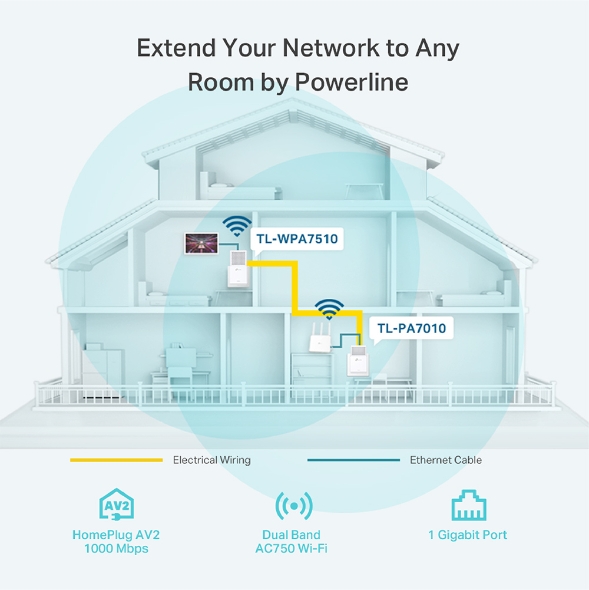
The TL-PA4010 KIT transforms your home's existing electrical circuit into a high-speed network—ideal for daily use. No configuration required.
if you want wifi in the basement, you'd also need to pair that ^ with an access point
tame carbon
router is a router
access point provides a wifi network
most home routers are an "all in one"
covert sentinel
ah okay makes sense
tame carbon
so they are both an AP and a router
@peak cloak we need like a list, or set of "often used solutions" we can link
covert sentinel
Ah can you help me find a ap? cause im confused haha
tame carbon
because amount of times a day, people ask for this exact problem
@covert sentinel mh. I'm afraid my recommendations will fall short for non tech savvy users
peak cloak
yeah
tame carbon
I don't know what else to suggest beyond Mikrotik xD
covert sentinel
i just need anything she can buy and connect to the powerline
peak cloak
omada
tame carbon
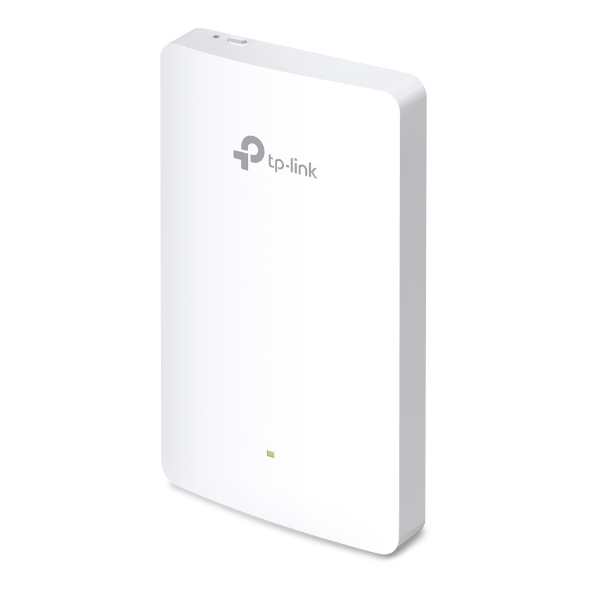
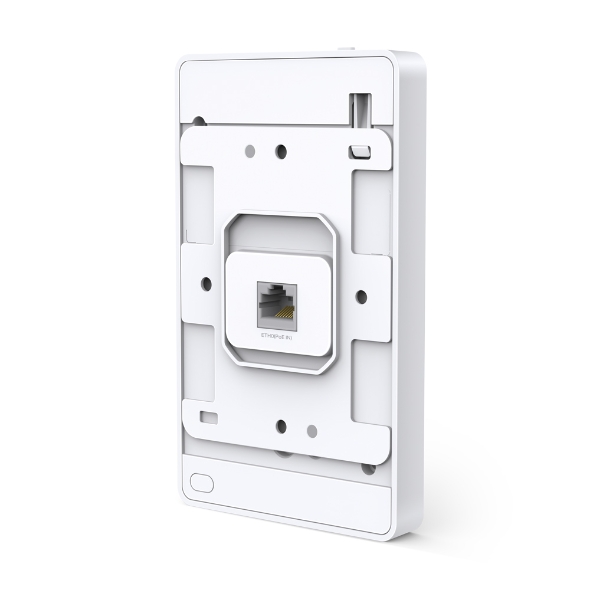
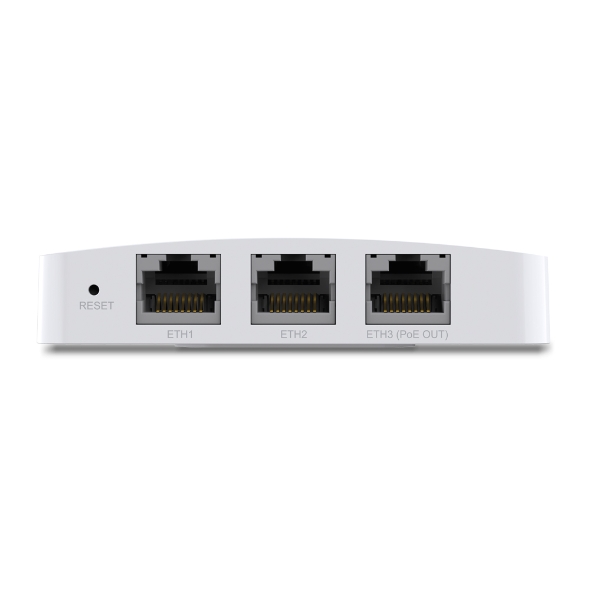
Omada AC1200 Wireless MU-MIMO Wall-Plate Access Point


Thats a wallmounted AP
though I find it rather expensive
tame carbon
@covert sentinel powerline is step 1.
covert sentinel
it depends of they have a empty plug up there
tame carbon
any wifi AP or home router will suffice to provide wireless
covert sentinel
and if the connection will be strong since shes downstairs in the basement
tame carbon
@covert sentinel wifi extenders are the worst solution, because it adds more noise to the signal space
so the better solution, is another access point, that is wired
covert sentinel
yea she was gonna drop 90 on a extender, and i said no
i knew there was a better choice
peak cloak
make sure powerline works well
tame carbon
^
covert sentinel
how would she do that
peak cloak
powerline quality deoends on alot of factors
 lofty pumice
guys is it normal that mesh Wi-Fi doesn't work well? for example my phone doesn't sometimes pick my secondary repeater/access point if I'm not already connected to the access point built in the router or sometimes it keeps connected to the secondary access point even when it isn't the one with the most powerful signal.
tame carbon
Powerline has its niche uses, both sockets need to be on the same phase/circuit
peak cloak
I would buy one and if it doesn't work well return it
tame carbon
@lofty pumice yes wifi mesh is bad
tame carbon
@covert sentinel what PresentMonkey said, order the powerline kit, test it. if you cannot get it to work due to house wiring. Just get a refund
and then consider alternatives
covert sentinel
Alright ill let her know, i really hope it works
lofty pumice
@lofty pumice yes wifi mesh is bad
@tame carbon is there any other methods the extend the wi fi range? I've stted all the settings perfectly on the repeater, frequency, channel, ssid, security, psw.
tame carbon
@lofty pumice scroll up, @covert sentinel had the exact same question
covert sentinel
and if it doesnt what are some good alternatives? Can she set up a router downstairs if she goes through their provider?
like get a extender?
tame carbon
@covert sentinel well, an ethernet cable is the only reasonable solution
peak cloak
extender is a last resort
covert sentinel
not wifi extender, like have the provider come out and add a router downstairs through the coax
is that even possible? sorry im ignorant haha
covert sentinel
yea she'd be willing, i guess she'd have to call and ask
lofty pumice
@covert sentinel isn't having a second access point the same as wi fi mesh?
peak cloak
no
tame carbon
mesh wifi connects to your existing network, and makes another network from that
tame carbon
@peak cloak we need to set world record for longest mesh chain
buy 100 wifi extenders
and see how far we can get, before our pr0n stops streaming
lofty pumice
because the backbone is over ethernet not wifi
@peak cloak my "repeater" it's a powerline one
I use this kit
Equipped with three gigabit Ethernet ports, the TL-WPA8630P KIT extends AC1350 dual-band WiFi and a gigabit network to every room via your home’s existing electrical wiring.
so the backone is not over wi fi @peak cloak
tame carbon
interesting
@covert sentinel https://www.tp-link.com/us/home-networking/powerline/tl-wpa7510-kit/
The TL-WPA7510 KIT uses your home's wiring to transmit a Gigabit network, delivering connections to anywhere with a power outlet, regardless of barriers.
@covert sentinel this does the same, but has the wifi built in
covert sentinel
okay that works
 lofty pumice
@tame carbon but as I said I'm having some minor problems with it
tame carbon
could be the powerline itself that is causing issues
tame carbon
mesh wifi is something else
lofty pumice
what do you mean with mesh wi fi then?
 lofty pumice
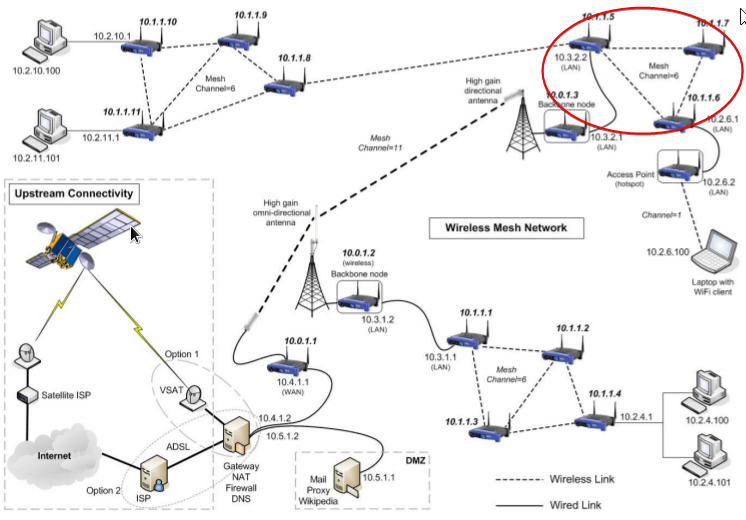
so is my wi fi a mesh?
I have the access point in the router and the one in the powerline
tame carbon
You just said it yourself, it is a powerline backbone
so no
nah, you just have two basestations
a basestation = an AP
tame carbon
if you have both networks configured on your client, client should pick the one with the strongest signal
if you want roaming capabilities, for seamless handoff between access points
you need a controller
lofty pumice
what's a seamless handoff?
tame carbon
roaming
so connection doesnt drop when it switches from one AP to the other
if you move from say, upstairs to downstairs
lofty pumice
I'm not English mother tongue sorry
lofty pumice
if you move from say, upstairs to downstairs
@tame carbon yeah but thats not the problem
it's like the transition is unhaven
lofty pumice
is there any solution?
tame carbon
I just explained that to you
Its called seamless handoff, and is most often used in enterprise grade networks
lofty pumice
ah ok sorry
tame carbon
thats why the wifi in a university just works
lofty pumice
Its called seamless handoff, and is most often used in enterprise grade networks
@tame carbon so you wouldn't suggest that?
tame carbon
@lofty pumice Unify networks has solutions for this, but its rather expensive
hollow marlin
Unifi does support it, 802.11r/k
tame carbon
Not seen that on any consumer grade routing gear
peak cloak
hmm
hollow marlin
At the consumer level Unfi is all I know that does
tame carbon
mtik can do it too
lofty pumice
like 802.1v or k
@peak cloak 802.11f (IAPP)?
tame carbon
@lofty pumice quoting from wikipedia: 802.11k is intended to improve the way traffic is distributed within a network. In a wireless LAN, each device normally connects to the access point (AP) that provides the strongest signal. Depending on the number and geographic locations of the subscribers, this arrangement can sometimes lead to excessive demand on one AP and underutilization of others, resulting in degradation of overall network performance. In a network conforming to 802.11k, if the AP having the strongest signal is loaded to its full capacity, a wireless device is connected to one of the underutilized APs. Even though the signal may be weaker, the overall throughput is greater because more efficient use is made of the network resources.
@hollow marlin does this work with any 802.11b/g/n client?
or does the client hardware also have to have support?
hollow marlin
@tame carbon r/k is probably the top 5 most demanded on Mikrotik forums too. Many want this added with capsman
tame carbon
@hollow marlin I was under the impression, that caps does this already
hollow marlin
Unfortunately no, you have to use access-list for signal to kick clients in the head to roam. I cannot remember is r/k need client support
I do not think it does
I could be wrong though
lofty pumice
so for a seamless handoff I need to get an entirely new ap?
tame carbon
@hollow marlin good that I know this now, before investing xD
I have to set up a big wireless network end of this year for my dad
still unsure what exactly to get
Its supposedly going to be 5+ APs, covering quite a large outdoor area
lofty pumice
anyway thank you for your help @tame carbon
hollow marlin
@tame carbon Proper AP placement and adjusting power matters far more than r/k support. You can add on the access-list rules to then kick a client when it gets to -80 to assist with "roaming"
If you have time listen to some podcast that have wireless engineers for events such as stadiums or conferences. They dig it in heavily that placement/power/bandwidth per user is 90% of the user experience. r/k are just a nice bonus.
It will also reinforce you to never want to be a wireless engineer
For my wedding last year we rented a large tent in my parents backyard in the mountains. Basically zero cell service but they did have a 400meg Spectrum connection. I setup 5 hAP ac2 in capsman and had many 100-150 connected and worked flawlessly.
lofty pumice
@tame carbon Proper AP placement and adjusting power matters far more than r/k support. You can add on the access-list rules to then kick a client when it gets to -80 to assist with "roaming"
@hollow marlin unfortunately my 2 ap don't offer that kind of settings
peak cloak
capsman iirc is a mikrotik thing
lofty pumice
is it important to set the same channel on two different ap for a better transition?
or for a better experience in general
thick minnow
for some reason i cant connect to my router admin page
ive tried all the 192.168. whatever there are
https
nothing
 grizzled cove
What router is it
thick minnow
netgear r7000
frontier is isp
had no issues accessing the admin page 3 months ago
lofty pumice
netgear r7000
@thick minnow just check the ip on the phone, do you have an iphone?
lofty pumice
the problem is that you can't find the address for the control page?
thick minnow
it just connect infinitly
whenever i reset my router i can access it for like a minute
^ ip adress
grizzled cove
So you're trying to access it externally ?
peak cloak
that's you public ip
grizzled cove
Netgear usually set their IP's to 192.168.1.1 for routers
peak cloak
connect to that ip
lofty pumice
exactly
thick minnow
ive been able to connect to it previously
but not anymore
i havent done anything to the settings on the router other than portfowarding
lofty pumice
are you connected to the router?
thick minnow
yeah
lofty pumice
sorry stupid question
thick minnow
over ethernet
all good
same thing happens on my phone
and on firefox, chrome, and edge
tried it with a vpn on
nothing
lofty pumice
so when you reset it you can connect but only for a minute?
thick minnow
yep
when it first boots up i can connect to it
but the second i refresh the page i loose access
grizzled cove
Are you still able to ping the address?
lofty pumice
is it still warranted?
thick minnow
id try to keep factory reseting at a last choice
since i have alot of people using the wifi
peak cloak
do it later, when no one is using it
thick minnow
when i got into the router setting it says most recent update
grizzled cove
Can you try going to www.routerlogin.com and see if it will work?
thick minnow
and when i click check for updates it says i have the most recent version
grizzled cove
thick minnow
nothing for both
also ive tried it in incognito mode on chrome
ands till nothing
peak cloak
if you have zenmap /nmap check if port 80 is open on 192.168.1.1
thick minnow
how do i do that?
peak cloak
I would just wait until later and factory reset it
lofty pumice
These port scanners let you check if any internet programs are running on your computer and/or check to see if port mappings in your routers are functioning properly.
peak cloak
@lofty pumice that won't work
lofty pumice
check here
peak cloak
that's from a public ip
hollow marlin
The port is not open, getting a TCP reset due to that
peak cloak
the website?
thick minnow
peak cloak
don't use that website
thick minnow
ok
thick minnow
yeah now this is getting into territory Im not familiar with
grizzled cove
Or download putty and telnet
peak cloak
why tho?
 misty terrace
you could try with something like fing on your phone and scan ports for that ip
peak cloak
yeah, you don't need putty for that, windows has it iirc
hollow marlin
telnet won't, ssh will
grizzled cove
Yes telnet will
misty terrace
why would telnet be on port 80?
thick minnow
im so confused....
peak cloak
exactly
misty terrace
i would use fing on a phone
you can use to scan the network, then scan the ip for open ports
thick minnow
alright downloading it now
hollow marlin
Guys the port is not open, its a waste of time. Just factory reset it
grizzled cove
I'm starting to doubt many of you have any networking experience. Using putty or installing the telnet client on Windows you can see if any port is open
peak cloak
Guys the port is not open, its a waste of time. Just factory reset it
^
thick minnow
Like i can get into the router settings
but only a minute after restarting it
anyway i can change it there
or just factory reset?
grizzled cove
Sounds like the firewall service starts and blocks the port
hollow marlin
I'm starting to doubt many of you have any networking experience. Using putty or installing the telnet client on Windows you can see if any port is open
@grizzled cove then you would know that anerror_connection_resetis a response from the firewall
This is just confusing them for no apparent reason. The admin page is refusing the connection, could be from a bug, bad firmware, or vulnerability.
thick minnow
with telnet?
grizzled cove
If it hangs it is not open
Fing saying 80 is open I believe it
I still think it's handy to have the telnet service installed for basic troubleshooting in the future
grizzled cove
hollow marlin
Just try http://192.168.1.1
thick minnow
^nothing
tame carbon
telnut
hollow marlin
K, reset it
tame carbon
ssh > telnet
waxen scroll

 small vapor
What are the benefits of switching from IPv4 to IPv6?
tame carbon
hehe
peak cloak
no NAT, usually
hollow marlin
Well if fragmentation is needed its all handled by the application in v6. Outside that v6 all the things
grizzled cove
@thick minnow just factory reset it dude, we could throw all sorts of suggestions at you and get no where
thick minnow
yeah seems like ima just do that
cause this has been a pain in my ass for 2 days
alright thanks for the help
ill let you know how it goes.
small vapor
Well if fragmentation is needed its all handled by the application in v6. Outside that v6 all the things
@hollow marlin I don't really understand.
hollow marlin
Response to Crystal, v4 can fragment if needed, v6 can't and the application must handle it. Nothing you need to worry about
small vapor
Ah ok.
small vapor
How do I know if my router or device support v6?
peak cloak
most modern routers should