#networking
1 messages · Page 203 of 1
 little schooner
 waxen scroll
🤔
little schooner
I can make money now!
There's two positions open here but I have to hand my resume to her at the end of day
@waxen scroll I knew working with prof for this long would eventually lead to something
waxen scroll
but @little schooner you're already close to graduation and will need a 100K/yr job
 vapid dune
need? o.O
 south blade
Is it bad to update pfBlockerNG, if I haven't updated PFSense to the newest version? :/
I'm afraid of something screwing up in the update, that's why I haven't done the PFSense update.
south blade
@thick minnow How's that Totalplay? My grandma needs internet but she's in a small town in Guerrero, not sure if it's available there. The prices sound good if I'm converting this right. LOL, better than the US.
waxen scroll
@vapid dune going to university in 2020? better get that\ 100k
vapid dune
o.O I don't get it
waxen scroll
school is more expensive than ever
vapid dune
oh
I didn't pick up on that. I'm from Canada
hmm anyone know if they make ethernet usb c adapters that can charge your phone at the same time
waxen scroll
cant say C but regular usb they do. i have one
vapid dune
oh? what does regular look like
waxen scroll
its basically a 3 port USB hub with an ethernet jack at the end
vapid dune
wait so you supply power to the hub and it powers your phone?
waxen scroll
yes.. but the hub gets its power from your computer
vapid dune
oh
what I'm looking for is power and ethernet are inputs, and the output is a USB with power/ethernet to the device
waxen scroll
im not aware of ethernet working on phones... does it? i wonder what a chromecast charger would do... i think the new ones are USB-C?
vapid dune
hmm
 misty terrace
on android, it does work. especially on stuff that's compatible with docks
 hollow marlin
I have used my Satechi in some case. Type-c, power, ethernet and both my Ipad and Android phone get full gigabit speeds
 woven jay
@waxen scroll home network and its persisted through a full factory reset of windows
vapid dune
maybe it's not a windows problem...
are they using anything like pihole on their network?
have you tried hardcoding the DNS server to something like 8.8.8.8 on the particular machine to test?
woven jay
Fixed it my friend was having the issue and it was the antennas on the back of the motherboard for the wireless card being a little loose
vapid dune
o.O use wired! lol
woven jay
He cant renting his house and he is upstairs and all the way across the house from the router
He has been trying to get into the bedroom that's directly above the router but his sister refuses to allow him to switch rooms
 plain siren
@vapid dune do you mean PoE
So like Powering a Google Home Mini from Microusb while providing Ethernet data?
 rich stone
made a NAS with XigmaNAS and am having some issues with perms could would someone be able to help?
little schooner
@waxen scroll I'll work my way up but I barely have experience
Documented except internship
little schooner
@waxen scroll I think I made typo. By documented I meant like, work that wasn't internship or free. Though I still include it on my resume
 autumn sky
Howdy folks.
Just got my Nighthawk, the R6700. heard so many good things about them and was excited to try and pair it with my BGW210-700 AT&T modem. Downloaded the app then followed the setup instructions to a T; However halfway into the "quick setup" I noticed I could connect to the router's network yet I wasn't "connected" if that makes any sense? I've been doing some troublshooting/research(Google/other subreddits)but I couldn't find much of anything relating to my issue. Tried it on multiple devices and nope, still some variation of "connected, no internet"... Been trying to figure this thing out through the night but no luck, not sure what else to do. I'm by no means tech-savy when it comes to networking so there's probably a simple solution I'm overlooking but that's why I'm here. Any feedback would be appreciated.
Just some extra information, during the setup it requires you to connect the router to the modem via Ethernet and it tells you to use the "wan/Internet" port on your nighthaeky; doing that gives me the afformentioned issue BUT when I plug it in to one of the 4 other ports I can connect to the router and use the internet just fine, but neither routerlogin.net/com or the nighthawk app recognize the network. It'll tell me "you may not be connected to your routers wifi network" or "connect to NETGEAR## and try again.
waxen scroll
its possible the BGW210-700 needs to be put into bridge mode. im not sure if you can do it or if you have to call ATT.
 clear igloo
You can do it on yourself, it's called Passthrough mode
waxen scroll
wonder if pppoe has anything to do with the problem
if its on with the netgear but the modem isnt bridged maybe thats why
autumn sky
Hm, gonna try to bridge the modem
autumn sky
Nope, still no luck unfortunately
Maybe I missed a step, or did something wrong? Researched how to put the bgw210-700 in bride mode and the internet says to disable home & guest ssid, select passthrough->dhpc-fixed->select router-> save then hard reset everything
waxen scroll
hard reset would put it back into non-bridge, wouldnt it?
@hollow marlin muh DSL expert
autumn sky
Oh. By hard reset I meant I just unplugged everything then plugged it back in
waxen scroll
is this DSL or fiber?
if fiber did you try the firewall disable like on this website?
waxen scroll
maybe factory reset the netgear then. perhaps a setting got screwed up
autumn sky
Still nothing. Should I restore the modem's default settings and ask att to bridge it?
waxen scroll
is it plugged into port 1 on the BGW?
no idea if it will help but sometimes thats how it works
waxen scroll
👺
when you configured the netgear when you first logged in, what kind of questions did it ask for the internet?
autumn sky
Nothing regarding the internet, it just had me setup a netgear account.
During "quick setup" the app told me to plug in the router via Ethernet, connect to the router network and "boom" you're good to go
 gilded ice
is this why i can't connect to my GCP server
vapid dune
?
vapid dune
assume what?
gilded ice
ip forwarding and port forwarding are the same
vapid dune
no
gilded ice
ok
so then what is ip forwarding
i just want to be able to connect to my GCP server but the ip isn't working
vapid dune
what's not working?
gilded ice
im running a server on the VM but i can't connect to it
vapid dune
try harder? 😄
gilded ice
you said "it's pingable"
gilded ice
what ip
vapid dune
the one literally in your screenshot o.O
gilded ice
there is 2
vapid dune
the one that says "external"
vapid dune
sounds like your home network is broken. I'd get that checked
waxen scroll
Firewalls @gilded ice apply! HUEHUEHUE
little schooner
@waxen scroll not bad
 severe wigeon
Now that's a sexy indicator
 pseudo blade
@thick minnow If it's just Minecraft why not just port-forward 25565 for that VM and call it a day?
I mean you wouldn't be forwarding Unraid.
You'd be forwarding/exposing Minecraft. The security concerns involved would be of the minecraft server itself, not Unraid.
 tidal frost
is this a better channel to ask about "no direct connection" issue with qbittorrent? PIA vpn
waxen scroll
@thick minnow i expose stuff i dont want on the internet to the internet ;p
simple firewall rule, or if paranoid a NAT rule on top of it saying to only react to your friends public IP address
vapid dune

ZDNet
FBI believes device vendors won't disable these protocols and warns companies to take preventive and protective measures.
 rocky badge
@chrome hound https://youtu.be/2e9DNwInTE4

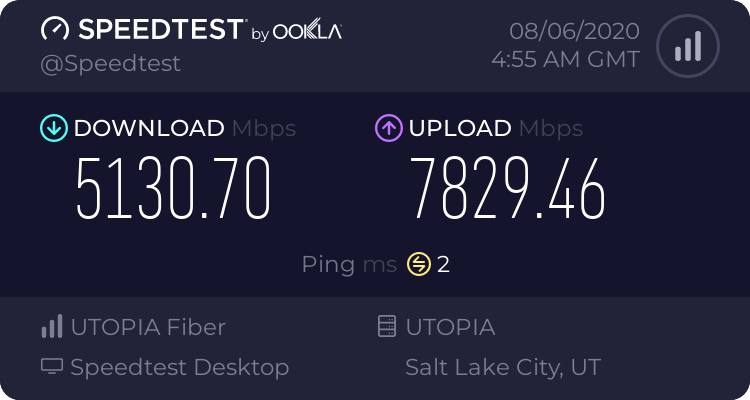
Snazzy Labs gets an exclusive tour inside a fiber internet company's operations and learns how the internet works.
Learn more about the largest open access network in the country here: https://www.utopiafiber.com/
Sponsored by UTOPIA Fiber
Purchase an ASUS ROG Rapture 10 giga...
👀 UTOPIA
 chrome hound
I get mixed up on the two, but if gpon is the time sliced shared, no we have a dedicated fiber to each ONT
vapid dune
fiber ninja would want to clean up that damn room
chrome hound
man he never used the new UTOPIA 40gb speed test server
chrome hound
I had no idea sringra even had a solid speed test server
rocky badge
@chrome hound So is the juniper switch just for monitoring and such?
 delicate drift
Hi guys any help? What is a default gateway?
 rare glade
its the ip address of your router. your computer sends traffic to the default gateway to get to the internet
chrome hound
@rocky badge no it just one of the devices that can handle 10gb, we monitor using Zabbix via ping/SNMP and other heath checks
chrome hound
they have others, they are just more expensive options
delicate drift
@rare glade thank you
hollow marlin
@rocky badge Its AE (Active Ethernet). Its really just a dedicated fiber to each ONT. We have about a 70/30 AE/GPON and I like AE but its expensive as hell compared to GPON but you get full gig/10gig link. In the video the Juniper is just there as an access switch but the model they used is way overpriced
@chrome hound There are plenty of Calix and Adtran 10gig alternatives ONTs that are way cheaper than a 2300-c. And seeing how they did a fiber handoff they could of just handed it directly to him
chrome hound
@hollow marlin get really good pricing as we are treated as a government entity
sure we could have handed him a direct fiber hand off, but that removes our abilities to monitor
hollow marlin
We're Juniper partners and 2300-c is still $750 at cost to us. I can get a Calix 10gig for less than half that
chrome hound
our pricing was around 600 ish
hollow marlin
Monitor at the blade? Why is a remote device needed
chrome hound
but we are also using these in multi tenant installs
hollow marlin
Thats a whole different situation
chrome hound
yep but we have a lot of setups to content with
in a lot of cases the 12 port copper ports would be divided off to 12 customers in a business park setup
or we would drop in a Nokia, it just depends on the setup with QinQ at the end points
most of our true residential setups we use a Zhone simple device, fiber to Copper conversion
hollow marlin
We are full Ciena for multi-tenant deployments. We only will deploy SRX/EX for HPBX setups but for multi-tenant and Juniper's terrible power loss reliability, nah, Ciena only
chrome hound
to each there own
so far up time been awesome, I have a juniper for my 10g connection, no complaints here
 hollow marlin
Our core is all Juniper with around 15k HPBX deployments, I love Juniper, but throwing a single power supply with terrible power loss reliability providing service for 12 customers is terrible IMO. 1 customer, sure, 2+ def no
Uptime is not the problem
chrome hound
well it all depends on the deployment
maybe I miss typed but Nokia is pretty typical for multi tenant deployements
hollow marlin
It is but Ciena has been on its tail over the last 2 years as Verizon began pushing it, so did most. Us as well as 5 other providers all moved to Ciena for multi-tenant and metro-e
The last provider in my region I know of dumped Nokia about a year ago.
 cerulean junco
Hi!
 cedar igloo
hello?
little schooner
so... I don't remember if I was taught this, but if I have a Cisco switch that is capable of L3 operation, it is mandatory to specify a port-channel interface to be configured either switchport or no switchport before interfaces can be added to an LACP channel group. Is that correct?
@rocky badge hey do you use any NFS shares in your esxi environment?
hollow marlin
@little schooner switchportvsno switchport does not matter when the interface are added. The moment they are added they inherit the PO configuration. Switchport and it'll be a typical port-channel, no switchport and it'll be a L3 port channel
little schooner
@rocky badge I am trying to figure how I can deploy template VMs from an NFS share
rocky badge
🤔
little schooner
because it doesn't let me pick NFS datastore to pick a VM to clone
@hollow marlin what is PO again?
hollow marlin
abbreviation for port channel
little schooner
oh
@hollow marlin hmm. So last night I tried it on cisco ws-4948 and it kept giving me error when I added G1/17 and g1/18 to port-channel, then did int range g1/17-18, and tried to specify channel-group 1 mode active
it said an error such as...
let me find it
@hollow marlin command rejected (port channel1 gi1/17 ): either port is L2 and port channel is L3 or vice-versa.
waxen scroll
@little schooner if the Po exists already you need to make the port config exactly like it
hollow marlin
Worst comes to worst run default int gi1/17
little schooner
hm
hollow marlin
You can do it on both to make sure but will default it to a basic switchport
little schooner
@waxen scroll oops... i think i did make the port channel interface first before letting it automatically doing it
@hollow marlin ahh... i knew there had to be a command to reset the int config
can't believe i didn't remember that default
ahhh lol
okay it seemed to have worked now
thanks @hollow marlin and @waxen scroll
@rocky badge Ultimately, I would like to keep my VM master templates on NFS share, and then, in the GUI of vCenter, I can do New > VM from template. Then, it should show my NFS datastore as location to browse for VM templates to clone from
though im getting the feeling that this isn't what NFS share purpose is for esxi
unless it has to be within a Content library, which was something i am going to research
waxen scroll
@clear igloo i should bait the networking forum with a hard issue
clear igloo
lol, "did you try to power cycle it"?
little schooner
@rocky badge I confirmed that content library is the way to go to have templates exist on nfs share that can be deployed to any esxi
 stiff panther
anybody know how i can restrict sites on nginx, that only can be accessed internaly like my network?
and not get out form the port 80 to the public
 carmine ferry
Could someone help me at setting the CNAME DNS for my domain ?
vapid dune
you type in the letters... and you're done?
carmine ferry
When I tried , the admin panel says that there is already the TXT record for my www, and I need to keep that TXT record for ownership domain verification
@vapid dune Do you have a few minutes to help me in detail ?
carmine ferry
@vapid dune In short I need CNAME to point out that the website is hosted on google sites ( ghs.googlehosted.com ) and the TXT to verify that I own the domain. I do have A and AAAA records here, but they are pointing to the IPs. I am a total noob where it comes to the domain management and the website was working fine, but google changed the "sites" and now the "classic sites' are converted to new ones, which does have a different setup than before.
@vapid dune Can I PM you with some screenshots so you could help me in detail? I bet that it will be way faster if you just tell me what to type and where 🙂
vapid dune
no o.o
carmine ferry
@vapid dune You don't know how to help me, or you just don't want the PMs ?
vapid dune
both lol. I don't quite understand what you're trying to do
carmine ferry
I'm just trying to set the DNS records on my domain to make it work with the google sites, it all should be simple if know how it all works ( I don't )
vapid dune
I mean what does google expect you to create. usually it's a @ txt record for verification
carmine ferry
I got the TXT record for verification working, and google confirmed that it's verified. But I can't find a way how to add the CNAME record that google requires ( ghs.googlehosted.com )
chrome hound
who is the DNS service through?
I think you have the confused, you can't add a DNS entry for a domain you don't own, so is ghs.googlehosted.com where you need to forward your CNAME to?
carmine ferry
@chrome hound The domain provider is the HOME.PL , I am on their admin panel page and I'm trying to link the www.acdelektronik.pl to the google sites website
You can use your custom URL with a site on new Google Sites by creating a web address mapping.
Step 1: Check that you own your URL Go to google.com/webmasters/verificatio
I have the step 1 done, and the page verified
vapid dune
I mean they probably might not let you have a cname be your root record
you're trying to set it for whole domain?
ie foobar.com and txt record is on @ ?
I mean the google instructions say to create the cname for www
carmine ferry
on TXT I have the TEXT VALUE ( google-site-verification=------------------ ) , and HOST ( www. ) .acdelektronik.pl
and that's what made the google work fine for the verification , I'm 99% sure that the TXT is ok
vapid dune
is the txt on www?
carmine ferry
the website doesn't allow me to use blank , so I should change it to @ ?
vapid dune
you can also verify using a different method
carmine ferry
the different method was CNAME , but I couldn't get that working
just tried and I can't make it @ or blank in the TXT
vapid dune
where's your domain hosted?
waxen scroll
that feel if network solutions
vapid dune
whoops it says "home.pl" above
yeah can't help you there it's not in english LOL
wait do you own your own domain?
it's not like a sub domain you're using is it?
carmine ferry
no, home.pl is a domain host like godady or domain.com
vapid dune
ah okay
carmine ferry
I can add normal CNAME , A, AAAA and TXT records here, but can't use blank
vapid dune
can you put your domain instead of blank or @ in that case?
just put foobar.com (where that is your domain)
maybe they want FQDN instead of a relative prefix lol
carmine ferry
only the "www" works in that read area, and google says it's fine for verification
so for TXT I think that www will be ok , and I need to know how to add the ghs.googlehosted.com for the CNAME
carmine ferry
Can I have more than one CNAME ?
vapid dune
Not on the same subdomain
carmine ferry
This is the "alt" CNAME method from google on how to verify
@vapid dune I'm not fully sure which text I should paste in which field, and should I include the domain name or not
chrome hound
you need to create a CNAME www. that points to the FQDN of the goole host name
text records and CNAME are seperate entried in DNS
carmine ferry
The top 2 screenshots is all what I have to make the verification working
chrome hound
box 2 should be the google URL
host is your choice, www bob myuncle
you posted it up before, I am jsut to lazy to scroll up to it
I am forgetting the term, but basicly you are saying this host is really over hear on this FQDN
carmine ferry
So it should be like this ??
chrome hound
host should just be www
you still probably need the text record so goolge can keep validating you are the domain owner
but its a separate record
carmine ferry
If I make it just www. for verification, than I can't use the www for ghs.google.com.
chrome hound
I might be mistaking, but I don't think you need www for the verification text record
Google searches your TEXT records in your DNS and looks for there code and if it finds it, it says yep you have control
and just FYI DNS entries like this are public, so blacking that out and posting your domain doesn't stop any one from looking up the FQDN you have blacked out there
carmine ferry
I had the TXT working but TXT is linked to WWW and google also needs the ghs.google.com. linked to WWW ( which can't be both done at the same time ) Google gave me the alt method with CNAME , ( screenshot above ) so I can piint it to ... rxxxxxl.www instead of www ?
ok, looks like I got it working that way
there is only one problem left
chrome hound
but I don't think you have to use up www for your text record it can just point to host, so use the @ symbol
carmine ferry
@ is not allowed
chrome hound
ok every DNS service is a little different poke around there help pages and see if they use another symbol to represent the domain host
but I am pretty sure google is jsut scanning all your TXT records looking for the key
carmine ferry
just got it working with a separate CNAME so not a big deal
chrome hound
well it should work with any cname really, it just depends on yoru needs and use case
carmine ferry
One last thing www.webstie.com , works fine, but the website.com ( without www ) points out to the domain host.
chrome hound
I found this guide on DNS records types that might help explain there use a little better

In this in depth article DNS Record Types Explained and their usage for the imporance of managing your site's online presence.
carmine ferry
How can I fix that ?
chrome hound
I am not sure you can, that base host may not let you point to a FQDN
but if you can change it, there should be a host record entry see if it lets you change from the IP to the google FQDN
but that will effect all of your DNS entries so anything using a dynamic pointer (the @ sign) will change from your IP to the FQDN
carmine ferry
can I do it with A record somehow ?
vapid dune
You can just use other ways of authentication...
carmine ferry
CNAME just worked
carmine ferry
found it , I can use http://wwwizer.com/naked-domain-redirect to redirect my non www to www 🙂
little schooner
@rich crater SpaceX and Amazon needs to get their satellite net up and running soon
 rich crater
cedar igloo
rich crater
cedar igloo
anyone have any preferences on centralized logging solutions for custom application log files?
i was thinking about using Nagios LS but it seems like its terrible with container logs

 vivid moth
Recommendations for any good poe surveillance cameras?
little schooner
@vivid moth I like my dahua and hikvision cameras but I think they are banned in the USA for purchase
I read that somewhere
 mellow vale
...
vapid dune
Looks good
 stable iceBOT
Let's keep screenshots of speedtests out of this channel. If you'd like to share them, #screenshots is the appropriate place. This channel is for the discussion of networking equipment and technology.
stiff panther
Why isn't my subdomain being secured by my ssl wildcard? Your connection to this site is not fully secure
# here's my nginx config
server {
    listen 80;

    server_name site.exaple.net;
    rewrite ^ https://pterodactyl.exaple.net$request_uri permanent;
}

server {
    listen 443 ssl;

    server_name pterodactyl.exaple.net;

    location / {
        proxy_pass http://pterodactyl-panel.cobalt.net;
    }

    ssl_certificate /etc/letsencrypt/live/exaple.net/fullchain.pem;
    ssl_certificate_key /etc/letsencrypt/live/exaple.net/privkey.pem;

    access_log /var/log/nginx/nginx.exaple.net.access.log;
    error_log /var/log/nginx/nginx.exaple.net.error.log;
}
you kinda need to look into it more than just showing a blurred out cropped out screenshot
stiff panther
whym
vapid dune
are you sure you don't just have mixed content?
other than the error message you haven't provided enough information to be useful in helping
stiff panther
thats my thought too, but not sure how to fix it
vapid dune
unmix it...
 thick minnow
my internet bad how2 fix?
vapid dune
don't use http scripts etc
...start by providing a description of your problem instead of a 120 char summary
thick minnow
my internet is very bad and the best speed I can get in my area is 60mbps how can I improve my speeds?
vapid dune
o.O buy faster speed.
if no faster speeds are available. move houses or pay more money until you get faster speeds
not much you can do about slow physical connections
thick minnow
alright supposedly my WiFi company is getting a 350mb connection in my area so I guess I will have to wait
vapid dune
wifi o.O
hollow marlin
He's referring to WISPs
vapid dune
ahh
vapid dune

China's Great Firewall "is now blocking HTTPS connections set up via the new TLS 1.3 encryption protocol and which use ESNI (Encrypted Server Name Indication)," reports ZDNet:
The block has been in place for more than a week, according to a joint report authored by three orga...
waxen scroll
@rocky badge tell us about your first week of class. how was the network
rocky badge
the same as it was last year 😂 with everything on the same network
waxen scroll
you mean one vlan?
rocky badge
There's some stuff on a separate VLAN but it's not firewalled off
waxen scroll
thats pretty oofy
rocky badge
So I should rephrase that lol but lol
All of the iDRACs, Supermicro IPMIs, etc
All of the switch ssh, ap ssh, every Windows VM, etc lol.
All of the printers as well...lol
 plucky juniper
i'm trying to setup a vnc server on a remote computer following this https://www.server-world.info/en/note?os=Ubuntu_20.04&p=desktop&f=5 via an ssh connection but regardless of me doing -localhost no I can't connect to it from my computer
Really need some help
little schooner
@rocky badge hey that sounds exactly like our environment
Switch ssh, idracs, prod network visible from lab net
Hehhh
plucky juniper
@waxen saddle mb! Forgot to say I solved this. It turned out the DNS on the fresh ubuntu install was broke
little schooner
@rocky badge no. Because IT disabled the internet in the room and they powered off all equipment without asking prof
rocky badge
oh lol
 foggy thunder
@vapid dune In case you are interested
There used to be no restriction over ESNI and DoH
So people with the knowledge of enabling ESNI+DoH with a Firefox browser basically gets unfiltered results
hollow marlin
Well now that ESNI is being blocked I don't see how that is of any benefit.
GFWC has the one best engineered IPS ever made and the last podcast I listened to explained how TLS 1.3 was just to much for modern hardware at the moment and this was predicted months ago
foggy thunder
not that "TLS1.3 was too much"
if you view it from the cost effectiveness, you can see why
SNI-based HTTPS RST attack can be pinpoint accurate, with minimal collateral damage
ESNI denied this type of attack
So the solution is to switch off ESNI entirely
 red kettle
I need something with good firewall logs
hollow marlin
@foggy thunder It had to do with more of the transparent inspection if I remember correctly without breaking the connections. It could have changed since. That podcast was back in Oct.
little schooner
@waxen scroll i think I messed up. I didn't read the VMware docs about moving content library contents first before renaming server or deleting datastore
Now everything is inaccessible.
But the data files are still present.
waxen scroll

little schooner
@waxen scroll I can't be making mistakes like this with prod equipment
I have a lot to learn
waxen scroll
you should put ITIL in
little schooner
Yeah that way the processed are documented and nothing is missed if needed to be performed
waxen scroll
@hollow marlin prof should be change board leader
pres of university should have to approve expo's
little schooner
@waxen scroll i think he should take over the department because right now they have a room that is basically empty for the past 4 semesters that was once a Comp. Technology hardware lab
It's free real estate that the prof wanted to transform
waxen scroll
hard to say. IT management is a full time job. he wont have time to be a prof
little schooner
@waxen scroll true
He was once teaching 5 different classes already
Though he had to get certificates for the cyber and Cisco ones and one for red hat
waxen scroll
technically right channel but i dont think most of us do wifi to a point where we're recommending antenna models
 tame needle
well at this point a wire cloths hanger is better than i got
 wary sequoia
does mesh internet actually work or is it just a myth?
gonna get some mesh boxes to improve coverage and get an ethernet port in my room
rocky badge
@clear igloo the school VPN is so slow 😩
 pearl beacon
hey is a router just inherently gonna be way slower than when directly pluged into the modem im getting about 90mb down when pluged into my router through ethernet and while nothing else is connected to it and about 200mb down when plugged directly to my modem
clear igloo
What router? That sounds like the router > Modem is only a 100Mbps connection or the device > router is 100Mbps
clear igloo
How are you connected to the router vs the modem? Direct cable? Powerline?
pearl beacon
also got the smae problem when i was borrowing my friends router
ethernet on both
had the same problem with the Asus RT-AC68U
clear igloo
I'd poke in the router and see what the router WAN port negotiates to when connected to the modem
pearl beacon
mac address wouldn't have anything to do with it correct? sorry if thats a dumb question dont know a whole lot about networking
clear igloo
Nope
Although depending on the ISP and service, I know some ISPs need the modem bounced when swapping devices behind the modem but that's about it and it either would work or not
pearl beacon
k got it does wan setup sound like the right area to look
clear igloo
Possibly, anything that would list the speed of the WAN port
pearl beacon
mtu size is 1500 if that helps
clear igloo
yup, that's normal
pearl beacon
is that what im looking for or is it a different setting
clear igloo
No, it would say Speed 100Mbps or 1000Mbps (or 1Gbps)
Doesn't have to be in settings though, just anything that would give the port speed really, maybe on the main page and hovering over the icon
pearl beacon
does 100m full sound right to you thats what showed up under wan when i clicked on a show statistics thing
oh thank go looks like it was just a cable issue i was using the cable the router came with
now says 1000m and the speed test reflect that thank for the help lurick
clear igloo
Nice 😄
 tender heath
Hey guys my family just recently moved to a new house. For some reason this house blocks 50-80% of mobile data connection. Is there anyway that I can solve this problem? Nobody receives phone call from outside.
little schooner
@tender heath does your phone carrier offer like a box that can boost the indoor signal? I know my carrier sprint has such a thing but it is only upon request
It's like a mini cell tower in your home
Either that or activate wifi calling
 heady iron
My isp is being a royal pain right now. $150 a month for this internet connection. This issue has been going on for everyone in my neighborhood for 7-8 months now. Any ideas on how to make it, less shit?
 copper vale
pearl beacon
copper vale
pearl beacon
yo is there any reason that an amd machine would have better ethernet my pc with r5 1600 is getting around 640 to 900mb in speed tests while my intel machine with an i7 8700k gets aroun 400 to 500 mb all on the same cable and everything with nothing else connected to the internet
should i try getting like a pcie ethernet card?
pearl beacon
I don't think it's my internet connection because Ive tested it 8 or so times
And the ryzen PC is always significantly faster
But I'll try the ipref thing
 hasty kettle
My isp is being a royal pain right now. $150 a month for this internet connection. This issue has been going on for everyone in my neighborhood for 7-8 months now. Any ideas on how to make it, less shit?
@heady iron Contact your ISP and tell them to buy more Huawei equipment to fix the network, nothing more you can do 😄
thick minnow
im taking a networking class, ipv6 do i really need to know it?
 radiant shell
imho Everything going foward will use more & more ipv6 so yes
little schooner
@pearl beacon did you try reverting to an older driver? That helped fix my Intel wireless's slow speeds 4 weeks ago
hollow marlin
Its a driver issue for sure
waxen scroll
@hollow marlin lmao and yet i cant get any corp to do IPv6 seriously. seems like when I make some sort of breakthrough I leave or get laid off
hollow marlin
Big numbers = scary and it already works is the mindset of 99.999% of people
Purposely break something in NAT and then show then how 6 really shines
clear igloo
Maybe @waxen scroll is the problem 
waxen scroll
there are also two major hurdles... one, its rare to work a job more than 2-4 years. two, when you start working at <major company> you have no credibility or experience and it can take 2 years to get there. By the time you start talking POC somethings close to happening.
and yes, the problem is its scary and the lifer employees dont want to have the conversation
clear igloo
But 2001:: is spooky
I love how my customer tells me to test IPv6 on everything but when I ask how goes the roll out they say "Well it's more of a long term strategy" 
wary sequoia
asking here again since no response yesterday, does mesh internet actually work? thinking of getting it for my new house to improve coverage and to give ethernet ports in my room
little schooner
@wary sequoia It didn't work for my home. The walls were just too great of a barrier for it to be stable. I was using it for my cameras
once I ran 5 more cables outside, things were basically the way I wanted it
fast, no delay communication
i stuffed it inside of the soffit
wary sequoia
either the tenda nova mw3-3 or the mercusys halo
and okay, i’m either gonna have three or four boxes. does it work for majority of homes? i don’t know much about it, but the setup would be one in the living room (near our current router), one in my conservatory (other side of the house), one in my bedroom which is about halfway in between the living room and the conservatory but a floor above, and if we buy four one in my parents room
vapid dune
WD Red Pro. has 4 years runtime
 fast gate
networking yay
misty terrace
WD Reds tend to die very quickly. I had a unit starting to lose sectors after a month and it finally died a couple of months ago after 3 years of non-24/7 work
vapid dune
what kind of drives are you using now?
misty terrace
Still on WD Red, but newer ones. It's not my NAS, it's my dad's. I have no control over that device
My cheapo Nas has WD Blue 5400rpm drives... 
vapid dune
I mean hopefully not SMR
misty terrace
Only 2 drives in RAID1, no ZFS or anything, I don't thing SMR would affect performance that hard
vapid dune
the weird part is that the SMART still passed
 steady creek
Anyone had any luck setting up a wireguard server on raspberry pi OS/raspbian?
steady creek
Actually, may have just figured out that supplying my ddns to the client config may be the problem. I will probably have some other questions about the configs separately
 acoustic pagoda
Whats an isp
vapid dune
internet service provider o.o google it
steady creek
wireguard is easy on rpi imo (but yes I do run it)
@vapid dune
Yeah it's not hard, my only issue right now is making it so that I can access both my devices at home (read: other rpi's) and also be able to get out to the internet using my piHole DNS
vapid dune
oh you just need ip forwarding turned on
steady creek
Yeah I turned that on. I'm now seeing my connection on both sides (previously was getting 0bytes received on the client) but since using direct IP (for now) I get receive bytes but content isn't loading properly
I'll reconfirm, I thought I put ip forward on but maybe it didn't take
vapid dune
try rebooting
steady creek
Yeah thought I did
Nope
I had the wrong config? That would certainly be a problem
Knew it would be something dumb
This is what I get for rushing it during a meeting haha
vapid dune
lol
vapid dune
ah lol
I just took some scripts as a base and rolled my own
I like the QR code generation
steady creek
yeah that's useful
vapid dune
so I think the hard drive is bad since I did a resilver and the server is happy again
but... how do I really know the drive is bad
I guess badblocks?
little schooner
@vapid dune do a full write and read and write again test to see. It will force the fault to be discovered
vapid dune
I guess I'll get a hdd dock or something to do that
any windows utilities people use for it?
 primal ice
use the manufacturers software
https://support.wdc.com/downloads.aspx?DL data lifeguard - do the extended test then zero the drive.

List of all WD firmware and software available for download.
 violet plume
Can somebody help me to fix this issue? I have been fighting with it whole year without any fixes
my audio pops in many games in the headphones, its annoying. Its not present in recordings
thick minnow
is there any Significant error in my network?:?
 mint viper
vapid dune
mint viper
vapid dune
Maybe you could describe it.
@primal ice thanks, I'll take a look. need to get a hard drive usb thing first 😅
little schooner
@thick minnow yes, it looks like a very old version of windows 10.
 frozen lava
@thick minnow knowing microshit they probably bricked older version of windows 10
misty terrace
looks like 1507
frozen lava
they remove old isos and you cant update to a certain windows version, say if you're on 1604 and want to update to 1703 it will force you to update to 2004. its a fucking pain in the ass and i dont get why they do it, honestly windows 7 is so much better
clear igloo
You mean why they try to keep people secure and updated? That's a mystery!
little schooner
Windows 7 is not "so much better". Its worse in every single way. None of the fun and modern stuff work on it well and requires more external installations
take powershell gallery or the latest version of powershell
and notepad doesn't have a wrap around
all frustrations that disappear when using latest win10
i want the machine to work with me not against me
waxen scroll
@clear igloo Safe beneath the watchful eye
clear igloo
👁️
chrome hound
hey guys not sure if this belongs here or not, I am looking for a replacement SAN for my aging NetApp mainly I am using ProxMox with NFS shares, so I am trying to match the same share to make my life easer, I am also on a budget so I was looking towards freenas, but have 0 experience with it
vapid dune
I guess you want to move from SAN to NAS?
depends on your budget I would say, but FreeNAS is pretty nice in my limited to FreeNAS experience
chrome hound
tbh I am not sure I understand the difference between SAN and NAS, it more than likely I am all ready in a NAS setup since I am not using any iSCSI targets off the NetApp, its all via NFS shares
so with freenas does it let you have NFS shares?
little schooner
@chrome hound yes
SAN is literally just a network dedicated for storage traffic and rules
If for some reason there is too much performance penalty for coexisting with the regular access layer network
vapid dune
if you just want a bunch of disks with redundancy/integrity and some folders with permissions/shares/etc then freenas is a fine choice imo
especially if you just buy some used server hardware and throw in an HBA card lol
chrome hound
ok I see, so I wouldn't say I have dedicated switches, but I do have dedicated Vlans and Nic ports on each ProxMox server, where the data traffic is separated to a different port and vlan
 jagged cliff
Can someone help me with port forwarding
vapid dune
what about it?
 pliant canopy
any NAS reccomendations? or would it be pretty easy to set one up myself
 modest kayak
@pliant canopy Pretty easy to do yourself
waxen scroll
SMB is the worst. I dont know why ya'll dont work at 20,000+ employee companies
vapid dune
?
pliant canopy
@modest kayak would maricum reflect be my best bet at automation?
vapid dune
context?
 rotund tendon
Trying to decide on which router to get. We have probably about 15 devices and I wasnt sure which 1 to get right now I'm using the spectrum factory modem and router and my internet keeps dropping like every 15 min. So I was thinking it was the router. If yall could, which 1 would be the best.
waxen scroll
the first one
rotund tendon
Really I was leaning on the last 1
 undone cedar
what is the best wifi for gaming
fastest speeds but also being able to connect to lots of devices
rotund tendon
@waxen scroll
little schooner
@rotund tendon the first one has the latest ax wifi technology
but it might be too bleeding edge
The last one looks well established and highest ac speed
rotund tendon
Bleeding edge?
little schooner
@rotund tendon well because I think those hardware don't have wifi 6E support yet
it only has early 802.11ax support
it will be obsolete soon is what im saying
WiFi 6 is definitely an improvement if your home has a bunch of wifi 6 clients
rotund tendon
Not sure if we do
rotund tendon
The ac x6 is 230 at Walmart
undone cedar
what speed would i be getting 0 ping on while other people in my house are on zoom calls, watch netflix at most 10 devices while still having enough devices for parties so about 30-40
is there a specific router good for that
@little schooner ?
little schooner
@undone cedar I wouldn't use any consumer-grade router for that purpose. 0 ping is also unattainable. There is always going to be some delay. A couple of unifi AC lites or AC pros and bandwidth shaping rules at the router for upload and download speeds should make for a good experience with that many people.
Consumer grade routers err more on the side of giving the best speeds for a few clients
undone cedar
Is there anything that would be close to 0 ping
maybe like less than 10 at least
cause right now i have about 30 and i have a 100gbs speed wifi
little schooner
@undone cedar maybe on a wired connection but certainly not on wifi
undone cedar
ya wired is what i mean
undone cedar
i have eithernet port on my computer
little schooner
I didn't do a test recently
undone cedar
oh ok idk is there any good wifi to buy
thats know for being good for gaming and having high device support
little schooner
@undone cedar one like this https://www.amazon.com/dp/B015PRO512/ref=cm_sw_r_cp_apa_i_EnEnFbZSH3NEA
Or their lite versions too
little schooner
@undone cedar so that's the thing, they operate as it's own unit. It's not an all in one unit like those routers
This just has a single port and one up link
You use a separate switch or router
little schooner
@undone cedar I see
undone cedar
i would need at least 4 eithernet ports
3 can have low speed although one should be fairly fast
vapid dune
Yeah APs are the way to go for coverage and reliability
But really if you want the best speed and lowest latency. Use wired
little schooner
@waxen scroll They really must not like to use IPv6. This is from Quest KACE appliance setup instructions
Guess they aren't ready.
little schooner
@waxen scroll no, it is disabled by default
I checked the appliance on first boot.
They should of left it on for default
I should of said that they aren't ready for it to be default for everyone
hollow marlin
Where is my disable IPv4 option
 craggy parcel
Give them abreak... The IPv6 RFC is just about 25 years or so, old... They need a chance to actually implement it...
 glossy tiger
Just wow 😮
craggy parcel
Not exactly impressive speeds.... But decent latency... What is the height of the transmitters?
glossy tiger
550km for the satellites idk for the router itself
craggy parcel
I wasn't sure if it was sattelites, drones, balloons or whatever people experiment with. 😉
glossy tiger
I think others satellite provider are about 5mb/s max (don't quote me on that) with 500ms of ping
craggy parcel
So it's a very low orbit, which explains the low latency. 😉
hollow marlin
I think the latency issue with more that it had hop satellites during transit, where starlink doesn't.
glossy tiger
Yep and that's only with a small part of total constellation
@hollow marlin they're using lasers between them and phased array radio for ground to sat communication
craggy parcel
Apparently the speed for just about any provider, depends on the number of users sharing the bandwidth.. But services with similar possible speeds seems to have the bandwidth to support similar speeds.
glossy tiger
I guess they'll make multiple ground stations in like big cities to have enough bandwidth
Then it's spread out to the entire constellation to choose their routes
craggy parcel
Also I seem to remember, that latency of about 150-300ms is normal for higher orbits, as they you need 4 times the distance to the satellite for the signal to get to the destination and back. It also appears that the lowest orbit before Starlink was about 8000 km, while Starlink is 550km.. That's a BIG increase in distance, and latency. 😉
waxen scroll
can confirm 300ms. old job had a satellite base station
forgot whose satellite we rented channels from 
also idk what spacex is doing but any time anything broadcasted on that channel it was sent all over to 100s of sites
using SSH was baaaaad
i think each satellite has a small zone it services to reduce that problem but I think that means in areas where people are going "screw comcast" it'll actually suck as more people load it up
the farm areas wont have issues
little schooner
@waxen scroll I want this for my mom's house because she pays too much for cable that she doesn't even come close saturating
Comcast bill is like 150
little schooner
@waxen scroll if she cancels TV, they increase the price by another 15 dollars
waxen scroll
nahhhhhhh
waxen scroll
have her cancel the service completely, wait a day, sign up again for a new contract. 100mbit internet should be close to $40/m
little schooner
Does that really work in all areas?
At my apartment it is around $40
For the same thing
waxen scroll
idk. ive been doing it for years in my area
little schooner
Not a bad idea
waxen scroll
i sign up online though, i dont want a human sales person reviewing my address and noticing im not new
vapid dune
so after an extended smart test on a hard drive, what else can I use on windows to test read/write of data?
clear igloo
Take your most important file, put it on the drive, delete all other backups, if you don't lose it after a while then it's safe
primal ice
zero the drive it will mark all bad blocks and "sort of" reset the drive cause everything is marked now. should be good to use again. depending on how you thrash it after that.
little schooner
@waxen scroll I just ripped my shirt from a blade server edge
I didn't know they could be so aggressive during maintenance
waxen scroll
@little schooner that's ok. Someone got too close to my shirt with a sparkler
little schooner
@waxen scroll that's hazardous
@waxen scroll I got a new position but I have to learn how to manage a KACE Appliance
Dell used to own this company before quest
It's overwhelming
little schooner
But not impossible
vapid dune
@primal ice hmm I tried zeroing the drive. no problems it seems
little schooner

KACE Systems Management tool. Best solution to automate endpoint management and protect your increasing variety and number of devices.
And pay is good enough
It will go up another pay grade once I finish my degree
@vapid dune after zeroing the drive, you revisit the smart stats and check for any changes in the values
Like did it find more bad sectors and relocate them?
Compared to the first time you used smart to review the values before zeroing it?
@waxen scroll working with the prof finally paid off
vapid dune
hmm I see, I'll take a look at the numbers @little schooner
vapid dune
nothing seems out of wack with smart values
primal ice
the drive should be good to use then. I would mark it though for being a potential problem down the road though. I had a 500gb drive that about every 2-3 years I would have to zero it out - have it mark the bad sectors. lasted 12 years. before finally just dieing. sadly it took music that I spent 3 years ripping from CDs with it but meh.
take that back the 12 years was the 200gb one. the 500gb one is only 9 years old. (sitting on the desk behind me died in june)
vapid dune
yeah I wonder if it's just cable seating problem or something
super weird because freenas was complaining about it
I'm tempted to pop it back into the array and see what happens
little schooner
@vapid dune it triggered me to only buy the enterprise versions of the drive with their extra safeguards and stuff
Some of the NAS drives I used would completely fail in storage spaces due to some access error and even hault the windows server system for a good 30 minutes
Shutting down safely was impossible
vapid dune
I mean it's a WD Red Pro
little schooner
I was made aware that drives and their firmwares should all be the same for maximum stability in a raid config
little schooner
From a Microsoft case study, different firmware was the cause of poor performance
vapid dune
oh huh
little schooner
I forget where it was linked but
vapid dune
I was gonna say the drive is 5 years since DOM
little schooner
It was a troubleshooting article
@vapid dune hmm WD red pro is nas quality though no?
vapid dune
yea it is
little schooner
Yeah. I mean they should be fine to use
But they don't have all the safeguards like the enterprise versions do
I like how the enterprise versions are even shielded all around
No exposed pcb
vapid dune
oh huh
little schooner
Does it really make sense to create bigger hdds if there access time will always be limited to 6gbps?
Writing 50 TBs isn't going to be fun
 final canopy
Guys does anyone here knows how to get a free nas server to be accessable over different networks? Might be a stupid question but i cant figure it out!😫
 sonic jacinth
Does it really make sense to create bigger hdds if there access time will always be limited to 6gbps?
@little schooner now the speed is limited by the disk itself, not by the interface. so it would make sense because hard drives can become even faster
 waxen saddle
If the networks aren’t firewalled off, you should be able to talk to the NAS just fine.
Try troubleshooting with IP addresses only. Once you get that working, then worry about accessing the server with a DNS name and work that out last.
final canopy
If the networks aren’t firewalled off, you should be able to talk to the NAS just fine.
@waxen saddle See i have setup my nas and my router such that i can access my nas anytime as long as i am connected to my network somehow! But now my neighbour who already has his own network wants to access my nas! (I am not that comfortable to grant him access to my network, and hence i want him to only access my nas via a guest login only)
little schooner
@final canopy guest wifi on those routers sometimes have a setting that prevents same network client-to-client interaction. Is it enabled?
If it is, that will block your neighbor from accessing it
final canopy
no i have all the setting checked as far as i know theres nothing such firewall enabled.
little schooner
@final canopy does it work if you create another Ssid that isn't part of a guest network?
What router do you have, make and model?
final canopy
i have installed a network card and have run cat6 line from my nas to his house and he connects it to his system when he needs access to my nas but this isnt a viable solution!
final canopy
many times my nas just refuses to grant him access and the only way to fix that is to restart which being on a off the shelf hardware takes a long time!
waxen saddle
Can your network handle VLAN?
final canopy
@waxen saddle not sure how to setup one!
waxen saddle
That’s literally the only way to make this work unless you want to set up a 2nd network tier.
final canopy
That’s literally the only way to make this work unless you want to set up a 2nd network tier.
@waxen saddle this sounds expensive to setup!
little schooner
@final canopy you sure it isn't just locking his user account due to failed sign in attempts?
It's weird how a restart suddenly fixes that
final canopy
@little schooner no no thats not the case cause i just made an account specially for him on freenas ! which allows him to read and copy files off the nas but has no write permission
little schooner
I see
final canopy
and he uses that very account to login
waxen saddle
VLAN won’t solve that problem though.
final canopy
no theres no failed signin issues
waxen saddle
Is he using it as a network drive? Or through the web interface?
final canopy
all that there is with my current setup is that it randomly cuts off the access between the nas and his system and as soon as i restart the problem is gone!
Is he using it as a network drive? Or through the web interface?
@waxen saddle windows network drive
waxen saddle
Hmm...
final canopy
waxen saddle
Hold up
What happens when the drive is opened?
“Network connection has not been restored”?
final canopy
right now my nas is getting a harddrive upgrade but when its working it shows green and i and my neighbour both can access without any issue
waxen saddle
Right. That screenshot shows you are using DNS to resolve the IP address. I’m wondering if, when the drive becomes inaccessible to your neighbor, if “Freenas” is pingable. If not, can he ping it by IP address?
I’m also not sure how he is plugged in to your network. Is the cat6 cable plugging in to his network?
Go ahead and finish the drive upgrade and we can go from there.
little schooner
Try connecting with ip address only. Freenas isn't going to be a name neighbor will be able to resolve with a DNS server having record pointing to your freenas instance, especially if it doesn't have a domain name
There is such thing as mDNS though, for local DNS resolution
I think that process is automatic and why he was able to connect a few times in the first place
final canopy
RIGHT NOW
ROUTER
TO (USING CAT 6 )
NAS
(using motherboard integrated network card)
Then
(using another addon network card)
i ran a CAT 6 cable
which goes to my neighbour house
And he then connects it to his main system and voila he has access to my nas
waxen saddle
The NIC with the CAT 6 going to your neighbor, does it have a static IP address?
final canopy
The NIC with the CAT 6 going to your neighbor, does it have a static IP address?
@waxen saddle it just detects to his system as a normal lan network with dynamic IP
but only thing he can access is my nas nothing else not even the internet using this cable
waxen saddle
Right.
The next time he loses access, go ahead and hop on here so we can help troubleshoot.
little schooner
Let's shoot the trouble
waxen saddle
Ignore everything I said about VLAN or what not, your current setup should be decently "secure"
lol @little schooner
final canopy
it might be secure but not painless
Let's shoot the trouble
@little schooner heck yeah!
Go ahead and finish the drive upgrade and we can go from there.
@waxen saddle i think this would be much easy when the upgrades are done
Anyway thanks for the ideas
 waxen saddle
Yea, definitely. And the next time your neighbor can't access it, hop on in here - don't reboot it yet.
final canopy
ok
will definitely take a snap !
by the way how are you guys doing ?
in this rather shitty situation?
little schooner
Good. I recently found a new job and they wanted to hire me as soon as possible
Everyone retired for some reason, maybe because of covid
waxen scroll
@little schooner you're on your way to teaching a class
little schooner
@waxen scroll I saved my prof with a response time of 1 hour after the whole virtual infrastructure was not working for him to provision lab environments
he submitted a ticket to the company but I provided the support for him faster
all that was wrong was that the hostnames of all esxi servers referenced in the appliance was outdated, since all the esxi servers were renamed as part of an organization project that was planned early this month
waxen scroll
👺
 rustic quarry
https://www.anandtech.com/show/15916/at-last-a-25gbps-consumer-network-switch-qnap-releases-qsw11055t-5port-switch does anyone care about multigig networking for home use and if so how excited are you ?
 vapid dune
will it cost an arm and a leg
little schooner
Its nice but if the price for it doesn't come down to 1gbps pricing, 10gbps is still a better investment
 ruby charm
waxen scroll
ruby charm
waxen scroll
@ruby charm rule 1. No screenshots, especially of network speeds. It's not useful to this community
ruby charm
it's not downloading at the speed I got
little schooner
hmm screenshots...
ruby charm
is it the switch I am using
little schooner
yes
ruby charm
i should have 21mbs or so
little schooner
but wait how is the router going faster
are you directly connecting to it and have another switch?
little schooner
yes, it is your switch then
 little schooner
i misinterpreted again
oh man
yes replace your fast ethernet switch with a gbps one
ruby charm
okay :p
little schooner
that qnap 2.5gbps got me all confused just now
the numbers all over the place
@waxen scroll im getting old!!
well not really :p
 severe tendon
Anyone here know of any good tutorials or guides for how to setup and work with mikrotek routers? I'm never had one before and have no experience with their devices. So I wanted to do some homework on how different it is compared to you consumer level TP-Link/Netgear stuff. I'll enter the world of mikrotek routers by getting a used Mikrotik hEX RB750Gr3 in case that is relevant.
hollow marlin
@severe tendon there are a few youtube videos showing the basics. It's much different as it's a prosumer level OS. If you ever get lost their recommendations on their wiki are a pretty good starting point
little schooner
@severe tendon I was able to configure mine reading their wiki. It is a bit dry on the details
cedar igloo
can someone who has used kubernetes in an enterprise setting help with a simple question... I have set up a cluster with 3 masters and 2 nodes. Is Kubernetes like Docker Swarm where over 50% of masters need to be alive at a time or does it only require 1? I've tried powering off 2 masters and it works still but im just not sure if my cluster is configured properly or not
 topaz quarry

YouTube
Welcome to the MikroTik tutorial series (english). MTCNA - MikroTik Certified Network Associate MTCRE - MikroTik Certified Routing Engineer MTCWE - MikroTik ...
 azure bramble
Hello Everypeoples
So... here's been a headscratcher for the past few months. LAN transfers are much slower than WAN. Internet speed reaches 480 Mbps but the LAN transfers barely brake 200.... tried Samba and FTP, and Samba is fastest at 200 MBbps, IPERF maxes around 150 Mbps
tried that auto tuning fix and that made everything really slow, and limited my internet to 220 Mbps
Windows 10 on both machines, using dedicated 802 AC access point, which shouldn't be an issue as I am reaching at least 450 on Wifi (400 on desktop due to distance/interference from router)
waxen scroll
480 over LAN to the internet or 480 from the modem
azure bramble
480 Mbps from internet
150-200 Mbps LAN machine to LAN machine
For purposes of discussion, primary router which has the AC dedicated network both PCs are connected to is a Archer C9
little schooner
480 mbps, doesn't that sound like 1x1 antenna max throughput or something?
azure bramble
480 is the max they set for speed, its 400 Mbps service with 20% overage due to issues
wired to the modem has the same speed
laptop has Killer N1435 Combo (2*2 ac)
plain siren
@azure bramble Is QoS enabled?
azure bramble
No, I use the NAT boost on the network
I don't do much throughput normally so QOS doesn't affect conflicting services
I found with QOS, my speed decreased overal
plain siren
Is there something related to "Shaping" as an option in the router
little schooner
@azure bramble well yeah, thats its job
to take away control from just one client using all the bandwidth
azure bramble
Yeah, thats why I don't use QOS as my normal throughput from my other sources aren't significant
plain siren
QoS shouldnt interfere with LAN transfers normally, although these damn consumer routers like to do wild shit
plain siren
Its more a PITA than anything tbh
azure bramble
I actually have a pretty complex network usually, but now I have limited it a little trying to tinker with this
I usually have a special segment for my ethical hacker stuff
little schooner
qos also almost always disables the offloading of packets, which reduces the throughput you can reach
if the cpu isnt fast enough, qos will always be slower
azure bramble
yeah, even with the dual core of the C9
azure bramble
I normally have the C9 as the primary router, with a slave router or 2 for special purposes
Well. Cisco can have weirdness due to their proprietary software conflicting with standard protocols
at least back when I got my telecommunications degree
little schooner
the term master and slave isnt correct anymore i heard
azure bramble
yeah, I know, its a wired AP
plain siren
Whoever decided that can take the 🚪
little schooner
loool
plain siren
I aint saying "Parent" "Child" or whatever the politk correct termz is
azure bramble
I only call it a slave right now because its literally working as a switch with Wifi
plain siren
Call me Legacy
plain siren
my devices are my slaves, I whip them with cat 7 cables
azure bramble
I had to make my primary router run a secondary guest network because my company switched VPNs to Zscalar
which allows my company to snoop the LAN
plain siren
they are into it
azure bramble
LOL
little schooner
interesting.
little schooner
I dont take sides so i go with open mind
azure bramble

 little schooner
do you break https and snoop too?
azure bramble
this convo makes me miss blackhat/defcon
the online only version of Blackhat wasn't the same this year
azure bramble
oh god yes
I got my ethical hacker cert a few years back
twas a fun time
especially when I pissed off the teacher by breaking into his demo box by doing some weird shit with metasploit
then he just looked at me and handed me his buisness card for if I got bored
plain siren
I got banned for just cutting an ethernet cable and saying "Done" one time
azure bramble
LOL nice
plain siren
the other time, I paid an uber driver to bring a flash drive with a PDF on it to me
cuz we couldnt leave
azure bramble
I interviewed for one position as a linux arch engineer, and I was asked what my favorite linux shell was and I just said metasploit, and the manager just looked at me.... "you can leave".
then someone from cybersecurity pulled me into a different interview
plain siren
metasploit is more of a toolkit than a shell
It sets a shell env
Shell would be more along the lines of ZSH, Bash, Fish, etc
and now... even powershell
azure bramble
It's like a wrapped shell
clear igloo
@plain siren The ASR9K does QoS line rate so if you're "fudging" it up then you're doing it wrong
little schooner
@clear igloo that sounds like a dream
plain siren
Never did it reliably, but I havent gone back to toy with it in ages
Should prob give it another shot
Then again, this thing is so damn close to the end of its service contract, id rather upgrade
waxen scroll
i miss my ASR9912s
little schooner
@waxen scroll I hope I am able to read the docs carefully for KACE and be successful in the position
I did a home lab of it but I just am not excited to use it in my small lab env
I want to see it in action at the school to get a better idea of how best to use
plain siren
@waxen scroll Take my ASR9K's once the contract lapses if you want them
waxen scroll
In your ACI lab, what kind of EPG configuration did you use to let a non-ACI device do routing?
@little schooner i saw that its cloud hosted too. RIP layoffs inc.
little schooner
yeah i think that started after dell sold it off
I remember the old interface before
 supple pier
Hi, I was installing openvas to start learning ethical hacking but once installed, when I try to log into Greenborn Security Assistant it says Unknown Error. What can I do?
azure bramble
Openvas, thats a blast from the past. If I recall, sometimes you want to look for an earlier distro and try that
 tall pagoda


This piece of sh#t i don't want anymore
But the ISP doesn't allow to get my own DOCSIS modem connected to their network

Work internet is fibre. 0MS ping
 fresh rivet
I was wondering if anyone had some experience on building a server? I want to build myself a proxy socks5 server on which I can generate my own proxies for high traffic.(I need to be able to generate at least 300 ip’s atm) I am just really inexperienced and would like to know what parts I should use or where I could find infos online to build my own server.
I am currently paying for 256 different Proxies on proxy6.net and was wondering if it would be more affordable in the end to just build my own server
vapid dune
What's the use case?
waxen scroll
marketing, obviously
vapid dune
Oh you mean spam
waxen scroll
Yep
No valid reason to have 256 unique IPs
For example my torrent proxy service has like 2 with tons of people using it
waxen scroll
reddit
913 votes and 243 comments so far on Reddit
 plush peak
so i've been wanting to try pia but i wont get paid till the end of the month i was thinking of trying to find a trial code or something so i know if i wanna get it since i wanna get it long term if i like it does anyone know where i could find a trial code or gift card or something to test it out?
 open coral
could anyone give me some support if they are free, thanks https://linustechtips.com/main/topic/1236003-internet-speedtest-connection-speed-support-needed/
Linus Tech Tips
Hello, So i recently upgraded to a 900mbps up/down FTTH when the engineers installed they showed me on their device it was around 940/960 down/up. I am getting weird results. So on speedtest.net I get 2 completely different results on ethernet/mobile wifi. On my pc ethernet I ...
vapid dune
try a different cable
oh wait only just saw the screenshot it's 650 / 200 huh
try a different server... you're consistently using the same server that's 100km away
little schooner
@waxen scroll So, I was looking at some more networking jobs, and came across one position at a college and they required that the candidate supports and maintains networking stuff related to EVPN, VXLAN, BGP, Packet/label switching, and some other stuff. And demand that you lead disaster recovery scenarios and know ruby scripting
well I cant say ive played with EVPN, VXLAN or packet label switching
evpn looks cool for what it does
idk if I really want to do too much of the advanced stuff. it seems like a lot of responsiblity and danger if something goes wrong..... if the company doesn't practice ITIL
waxen scroll
@little schooner my job had all that and LISP
reddit
15 votes and 24 comments so far on Reddit
 humble quarry
Is there a way to patch together 4 incoming internet connections into one? I have speed limited by MAC address and was wondering if somehow patching them together could get a faster combined speed.
waxen scroll
Nope. Best you can do is split the load per computer for a max speed of just one of those links
 robust owl
I have a question if anyone can answer please help me. I currently own 1 modem and it is downstairs and I am all the way upstairs so to get a signal i use a wireless extender and connect it with an ethernet cable into my pc. I get roughly 18 PING. And I was wondering if i got a new modem and put it upstairs in my room next to my pc, and connected it to ethernet with no other devices taking bandwith up on my wifi. What ping would I roughly get? Could i reach lower than 5 or 5 at least?
topaz quarry
@robust owl On WIFI the best you can do ping wise to your Router is about 4-9 ms if you engineer the environment correctly
the offset between your router and your modem will be between 0.086 ms (when the router is actually the modem) and 0.500 ms (when the router is a seperate box)
so between 0.086 ms and 0.500 ms
if you want to fix your ping over WIFI, don't use a WIFI extender. The ping time between your first AP to your extender will be roughly between 4-9 ms, while the ping time between your second wireless device (the WNIC in your computer) will also be between 4-9 ms.
if your modem is downstairs and I assume you have the router plugged right into it. Look for coax cables and try to do MOCA over COAX, this will probably be the simplest solution for you
ping time across internal COAX cables range between less than 1 ms to over 15 ms depending the quality of the run
 lime rampart
currently installing sftp cabling in my new home.. finding some conflicting info on whether or not to ground the cables at end points. I got some cables from a patch panel to wall sockets and some keystones (in ceilings). Got my patch panel grounded to the main grounding point of the building.. apparently you can cause ground loops if you ground endpoints (?) but some threads I find are telling me to ground end point as well. any expert here? :)
topaz quarry
the offical standard for CAT has support the grounding of the signal
it just needs to be grounded somewhere. In the patch panel, a switch which is properly ground, something it interacts with has to be grounded
otherwise the electrons that are responsible for transfering your data simply won't move
now if you opt to allow your equipment itself to handle the grounding (you can do that), usually you need to put a Line Conditioner -> Backup Power -> Network Equipment
most Backup Power solutions (usually a UPS) have surge protection as well
lime rampart
otherwise the electrons that are responsible for transfering your data simply won't move
@topaz quarry not sure that's entirely true, a simple UTP cable isn't grounded at all
lime rampart
ah right, I see the confusion, this is more about the grounding of the cable shieldings (they can act as antenna and get some voltage differences)
especially since I am running the networking right next to my electrical
lime rampart
:D way to spice up your data packets lol
topaz quarry
lol i find it amazing that even in 2020 if i don't ground speakers correctly I get radio lol
lime rampart
yeah it's still the same basic tech from 100 years ago
just more refined
anyway I never did networking before so I am pretty pumped that everything worked out of the box pretty much straight away :-)
lime rampart
I didn't. My current setup is very simple and all the default software hasn't let me down yet
I might do that later tho, when stuff starts getting more complex:) I have some extra cat cables to my attic that I hope to make my tech nerd room some day
topaz quarry
strong recomendation to do so, as the Internet is becoming the wild wild west
most off the shelf solutions, although work. usually have a very long list of exploits.
although I don't particularly care if people know i watch LTT when they attempt to snoop on my traffic. I think it's more of a principle thing
like the get off my lawn principle
if you go down that Path, Untangled is really user friendly (but it's $50 a year for home), Pfsese/OpenSense can be intuitive but require tutorials
RouterOS and Vyos are experts only mode
lime rampart
yeah just reading about them right now.. my setup is definitely not complex enough to warrant these kinds of solutions (yet)
topaz quarry
it's more about the firewalling capabilities
all the fancy stuff is secondary
also the security updates lol
they all get amazing security updates
lime rampart
yeah I can see how security is a basic feature:) I'll think about it for sure
topaz quarry
it's all about your comfort level
if all you do is watch netflix, then i'm pretty sure it doesn't matter lol
 sullen elm
Guys, in the following div tag, what is "data-v-2f2b66d8" exactly? Like, is it a class name? id?
https://cdn.discordapp.com/attachments/135645254014468096/745914123140988948/unknown.png


 outer halo
a valueless custom attribute?
little schooner
@robust owl this is my ping over wifi
@robust owl ping over wifi to google.com
very ideal conditions
south blade
Anyone else using PrivateInternetAccess on a PFSense box?
I use to be able to refresh the connection and get a new address, I've had the same one on the Dallas server no matter how many times I refresh. -_-
 normal cloud
could someone help?
cedar igloo
maybe
normal cloud
umm my connection says its limited
 balmy lance
Networking Question: I have a wifi network, works fine. But I also have 2 computers that are not near my router, but are next to each other. Is there a good way to have them linked via an ethernet cable for direct peer:peer transfers? I'm not sure how the network topology would look like, or if I'd be manually mucking around w/ routing tables on each system to have it route over the cable vs. the wifi?
primal ice
@balmy lance a simple switch like https://www.tp-link.com/us/home-networking/5-port-switch/ls1005g/ or https://www.tp-link.com/us/home-networking/5-port-switch/tl-sg105e/ I use the tl-sg105e works great really don't have to manage it unless you really want to.
5-Port, 10/100/1000Mbps, Gigabit, Desktop Switch, fanless, plug and play, simple, affordable
5-Port Gigabit Easy Smart Switch, Plug and Play, Intelligent Management, Desktop, Wall-Mounting, Sturdy Metal Casing, Shielded Ports, Green Technology, Gigabit
balmy lance
@primal ice I wasn't sure that'd work, since each system would have 2 network interfaces (wifi + ethernet). How would the system pick the correct routing
and IP addresses are per-interface normally aren't they? So what IP would get assigned to this tiny island ethernet network
 green hedge
I usually see people with 1 ms or 2 ms ping when they have 30 Mbps Speed but when I have that much I get 59 ping?
balmy lance
bandwidth and ping measure different things.
A car load of external hard drives has extremely high bandwidth, but very slow ping.
Using a traceroute may help you identify if there's a certain spot along the way to the remote server that is particularly slow. Either in or out of your network
possibly you're connecting to a server that's physically far away from you - so more hops between different switches & routers
possibly your wifi is buffering more than it should (look up 'bufferbloat' for more info), so it can maintain a better throughput, at the expense of ping
little schooner
A fine example of latency is Intels 10nm product development
open coral
anyone here got 1gbps internet?
vapid dune
only 750 mbit QQ