#networking
1 messages · Page 195 of 1
 vapid dune
 little schooner
@vapid dune IPMI is the best thing since cheese on bread
@vapid dune my dog is scared of his own food when he eats it
vapid dune
lol what
 thick minnow
@vapid dune IPMI is the best thing since cheese on bread
@little schooner I work as a SRE and I know what you mean
 burnt oasis
 ornate jungle
Remember kids, it's never DNS. It was DNS.
 dire crag
imagine the world without nslookup
 dire flare
love dig
and speaking of exactly that, what's the deal with nslookup and dig
some documentation claims nslookup to be deprecated & some that the deprecated status got revoked
 jaunty talon
@swift hornet that's okey i guess.. I get this..
 swift hornet
not bad
 wary sequoia
wat
h o w
20mbps 😭
download
bro i swear if the internet in my new house isn't better than this
ima
14 upload
 rich barn
Whoooa
That's fast
 hollow marlin
Calm down with the local speed test servers people 🙃
little schooner
Upload speed should be increased across the board
hollow marlin
Can't until AE is widely deployed. Coax, DSL and GPON have inherently been designed to focus on download more be medium
swift hornet
@hollow marlin that was just my microsoft azure server sadly
i only got 1000mbps at home:(
dire crag
imagine being sad about gigabit
hollow marlin
99% of people wouldn't notice a difference between ~125mbps and a gig anyway
 flat yew
I feel sad about my Gigabit now. 😦
is working on getting 10GbaseT setup in the house with the server.
@rocky badge do you know if an X540 works with FreeBSD?
flat yew
It's Intel. I hear those are properly developed.
flat yew
Some no name brand. But they seem to have some promising stuff. :p
swift hornet
ye i heard that they copied amds x86_64 homework
flat yew
Well unless AMD makes 10G NICs for FreeBSD, then no.
swift hornet
im dumb
i know whats freebsd
but i never used that before
whats the big differences between freebsd and uhm
ubuntu
flat yew
FreeBSD is just generally easier to work with when developing a NAS server.
Since they come in flavors such as FreeNAS, or XigmasNAS
swift hornet
oh then nevermind i dont use dataservers
because i dont actually have data that i need to store
 nocturne harness
whats the big differences between freebsd and uhm
@swift hornet One is Linux and one is BSD
BSD is "unix-like"
swift hornet
oh ok ill stay with ubuntu
hollow marlin
BSD is really used in services with one goal because its "stability". Its why most router OS's are built on it
dire crag
99% of people wouldn't notice a difference between ~125mbps and a gig anyway
@hollow marlin people updating COD disagree

hollow marlin
Outside raw downloads, of course
 cedar igloo
How common are proxy servers in companies?
vapid dune
based on the sample size of the company I work for, fairly common since they had all their offices use proxies up until lately
cedar igloo
up until lately? is there a new technology they use instead?
vapid dune
"next generation firewall" is what they switched to
I think the primary thing is trying to actually deep inspect stuff going in/out and a proxy serves as a way to funnel it
cedar igloo
im guessing many are opting for firewalls instead then
 eternal elbow
anyone know a good internet provider in uk?
cedar igloo
Virgin Media is good for speed but thats about it
eternal elbow
were with virgin but their speed are crap in our area
vapid dune
the other part is that they were only allowing http(s) and what not traffic through the proxy @cedar igloo
it's now a bit more open with the ability to use this and that port. and stuff like ping, dns, etc
cedar igloo
when would you use one over the other? would it be based on number of users or security needs?
were with virgin but their speed are crap in our area
@eternal elbow In the South East, Virgin is by far the fastest. they go up to 500mbps when all other ISPs have a max of around 100mbps
nocturne harness
How common are proxy servers in companies?
@cedar igloo all the companies I've worked at (large F500 type) do
Lots of companies use proxies to prevent malicious sites
cedar igloo
is it usually internally in the network (and each device configured to use it) or external (and set up on the router)?
vapid dune
it was done by either pac file or manual config where I work
they switched to the NGFW since then you don't have to have knowledge of the proxy server anymore
cedar igloo
Anyone who uses pfblocker, is it normal to be blocking this many DNS IPs? (10.0.10.10 is my AD DC with DNS)
vapid dune
you're blocking all DNS requests to outside sources?
cedar igloo
tbh, im just following a youtube tutorial, but i dont remember blocking dns
vapid dune
the 213 and 200 ips there seem to both be DNS servers
jaunty talon
@hollow marlin that speedtest server is atleast 15km away from me :D
hollow marlin
It might be physically! But ping of 0 says otherwise :p
jaunty talon
hahaha, it indeed makes it feel very close by :D
And I doubt that there are more than 5 router hops between my border and the server :D
thick minnow
Anyone know how to fix this reinstalling it did not fix it?
vapid dune
try clicking troubleshoot
thick minnow
It loads a webpage that unavailable
vapid dune
what do the logs say
thick minnow
Where do you access logs
thick minnow
?
Port 8080 is used by other programs
i thought that Foling at Home was causeing so i uninstalle it
stiill nothing
thick minnow
yeah but how do you link proccess id to app
TCP 0.0.0.0:8080 0.0.0.0:0 LISTENING 8456
TCP 127.0.0.1:8080 127.0.0.1:58517 TIME_WAIT 0
TCP 127.0.0.1:8080 127.0.0.1:58518 TIME_WAIT 0
TCP 127.0.0.1:8080 127.0.0.1:58554 ESTABLISHED 8456
TCP 127.0.0.1:8080 127.0.0.1:58556 ESTABLISHED 8456
TCP 127.0.0.1:8080 127.0.0.1:58557 ESTABLISHED 8456
TCP 127.0.0.1:58534 127.0.0.1:8080 TIME_WAIT 0
TCP 127.0.0.1:58537 127.0.0.1:8080 TIME_WAIT 0
TCP 127.0.0.1:58538 127.0.0.1:8080 TIME_WAIT 0
TCP 127.0.0.1:58554 127.0.0.1:8080 ESTABLISHED 12936
TCP 127.0.0.1:58556 127.0.0.1:8080 ESTABLISHED 12936
TCP 127.0.0.1:58557 127.0.0.1:8080 ESTABLISHED 12936
vapid dune
do netstat -aon | findstr 8080
thick minnow
yeah
thick minnow
i got ApplicationWebServer.exe
vapid dune
okay go stop that LOL
burnt oasis
LabView?
vapid dune
lol
“They’re tombs, they’re raided, they’ve got redundancy.” I love it and hate it at the same time. Take my upvote, dammit.
Tomb RAIDer. oh god.
 opal raft
Anyone here able to help me with a network switch problem?
 rocky badge
reddit
51 votes and 63 comments so far on Reddit
 lost charm
hey guys i cant ping/connect local connected devices, what can i do?
when i ping a local ipv4 device i get a response from the devie i am pinging from that the destination is not reachable. But i can ping my smart tv from the device
I am on linux btw
firewalls are disabled and this is the output
(sending photo)
dire flare
ip route?
 waxen scroll
my eyes hurt. how the hell did you ping half an IP, have the system claim theres a .0.
@rocky badge esplain
 charred meadow
It looks like it autocompleted to 192.168.0.120
little schooner
@rocky badge I don't know how'd I'd survive losing all my data
I have stuff saved from at least 2000
Lots of old photos older than that too
I should be practicing that 3 2 1 strategy
Right now it's just 1 1
 indigo zenith
hi, hi. My virtual machines stopped working. can't find a fix anywhere. i haven't used them in weeks, but now when I start them, they wont boot up. all I get is a blinking underscore. has someone encountered this problem? host is windows 10 with oracle virtual box and guests are xubuntu and mint.
vapid dune
not really networking related but go check your logs
indigo zenith
I had no idea where to put the question, #public-chat suggested here
the vbox logs are a few thousand lines long. lots of config stuff, cannot see anything with "error" or something that would point me in the right direction
 thorny vector
@indigo zenith try using anything other than virtualbox. It’s probably the most garbage way to do virtualization. Win 10 can run hyper-v, or get VMware player
You should be able to just import the old virtual disks into new VM’s, unless the VHD’s are corrupted somehow
indigo zenith
is it possible that I corrupted virtualbox by installing wsl and ubuntu?
nocturne harness
@vapid dune I suggested here lolol, thought here or dev would have the most ideas on this tbh
thorny vector
Not likely but possible. There shouldn’t be any interaction between em, since wsl is closer to an api remapping rather than virtualization
Again, virtualbox is horrible and notorious for just breaking
indigo zenith
I ask because it was running just fine and then after not using it, the only thing I changed inbetween was installing ubuntu and activating wsl
nocturne harness
Seems weird that installing WSL would cause it to break though
Can you try setting up another VM just to see if it works at all? Maybe VBox broke somehow
 craggy parcel
Unless the Hyper-V layer, interferes with Virtualbox, like it interferes with VMWare?
indigo zenith
yeah, I'm just now googling how to use hyper-v
thorny vector
It shouldn’t interfere, I run wsl on one of my desktops along with Clare workstation
VMware workstation
indigo zenith
or is it easer and fee with vmwareplayer?
craggy parcel
You can test if it's hyper-v by running this in an administrator command prompt (Or admin powershell) bcdedit /set hypervisorlaunchtype off To reverse it, just replace off with on
indigo zenith
it's super frustrating, I wasted a complete workday so far
craggy parcel
You need to reboot after running that command.
thorny vector
I’m always going to say VMware, but that’s just because my entire environment is VMware based
Real easy
indigo zenith
You can test if it's hyper-v by running this in an administrator command prompt (Or admin powershell)
bcdedit /set hypervisorlaunchtype offTo reverse it, just replace off with on
@craggy parcel did not work
same thing
craggy parcel
MS just updated WSL to WSL2 recently, and WSL2 uses HyperV, while WSL does not, if I remember right.
vapid dune
I would go with hyper-v these days
craggy parcel
@indigo zenith Did you reboot after running the command?
vapid dune
though I think vmware started being compatible with hyper-v
indigo zenith
nope... will do.
thorny vector
Nope, VMware and hyper-v still don’t play nice
craggy parcel
@indigo zenith The command edits the boot configuration, so won't take effect until reboot. 😉
thorny vector
@craggy parcel I’m on wsl2, and it still works, at least for me
With workstation
🤷♂️
craggy parcel
Well, I'm not using WSL2 yet. Just read it depends on HyperV as opposed to the previous version that didn't.
And I know VMWare and Hyper-V don't get along.
indigo zenith
nope... still just a blinking dash
thorny vector
Yeah. Now you’re making me wonder why my shits working
craggy parcel
So that's problem solved then?
indigo zenith
it seems so. what did I disable. does that mean I can't use ubuntu via wsl any longer?
indigo zenith
works.
that's strange. there must be a downside on switching that off, right?
and thanks a lot guys. that really made my day a whole lot better
thorny vector
I haven’t found one. Also, if you haven’t already, I highly recommend running an x11 server to, so you can use GUI Linux applications
craggy parcel
@indigo zenith You disabled the Hyper-V hypervisor. Means everything that relies on Hyper-V won't work, unless you turn it back on
@indigo zenith I remembered wrong about turning it on again. The right command for that is bcdedit /set hypervisorlaunchtype auto
indigo zenith
I noticed 😄
thorny vector
Huh. Just confirmed wsl2 uses hyper-v, and I am using it, no issues. And I’m also running workstation no issues. And all documentation says it shouldn’t. I’m confused.
indigo zenith
is that the workaround to get them running @thorny vector ? I read that they will come "natively" sometime later
craggy parcel
What windows version do you run it on?
vapid dune
vmware was working on hyper-v support: https://blogs.vmware.com/workstation/2020/01/vmware-workstation-tech-preview-20h1.html
thorny vector
Yeah. Not really a workaround, so much as using a 3rd party windows x11 server instead of a Linux one
@craggy parcel 2004
vapid dune
oh it's released now https://blogs.vmware.com/workstation/2020/05/vmware-workstation-now-supports-hyper-v-mode.html

VMware Workstation Zealot
With the release of VMware Workstation/Player 15.5.5, we are very excited and proud to announce support for Windows hosts with Hyper-V mode enabled! As you may know, this is a joint project from both Microsoft and VMware. You can also check out Microsoft’s blog here. Direct Do...
craggy parcel
I meant, what edition? Like Home, Pro, Enterprise..
thorny vector
Oh, enterprise
indigo zenith
Pro
craggy parcel
@vapid dune That might explain why it works for @thorny vector if he installed that update.
thorny vector
Pro tip: get a job where they don’t mind a license or two wandering off.
craggy parcel
Or where they don't mind you using your work at home system, for any personal purpose you like. 😛
thorny vector
Government job, no way am I messing about with any system that connects to their networks
indigo zenith
my work laptop has even disabled all usb ports. it's a mess to work with. I don't want that at home 😄
 clear igloo
RIP you both then 😦
vapid dune
lol
clear igloo
Each time I get a refresh laptop I blow away the corp image and go "unsupported" 😛
vapid dune
I've been upgrading all my personal windows licenses
I think I have 3x copies of win 10 pro
craggy parcel
Well Lurick, that makes you the kind of user, I'd do anything to prevent on my network.
thorny vector
I have a home lab just so I don’t have to worry about any security issues
clear igloo
Haha, I follow security standards but I prefer to control my own updates
vapid dune
oh my work just quarantines you on the network if you don't have the right shit installed
ie deep scanning softare and corp image
clear igloo
Yah, I have to have AV and whatnot installed which is cool with me
craggy parcel
If you're not under my control, you're not on my network. 😛
indigo zenith
on my old job, everyone had root. and the vpn did not check for anything. you could login with at an iranian internet cafe, no prob.
vapid dune
they need to be able to remote wipe you really
clear igloo
Yah, I love the freedom to install whatever I want. Even corp image allows that but they push bloat from time to time so I just install my own Windows copy
vapid dune
and make sure your computer is encrypted
thick minnow

Testing the 4G LTE network deployed by Telia in December of 2009. Test was conducted by DOVADO on the 3rd of February, 2010.
Network deployment is very small, serving only 4 pockets of coverage around Stockholm city. It works on a 10MHz wide frequency band in the 2600MHz ran...
Thus is pretty cool
clear igloo
Yah, I use BitDefender and so long as IT doesn't complain or stop me, I'm going to keep on doing it 😛
indigo zenith
I conviced our IT to let me have a virtual machine with internet access without access to the network or the files on the host. so I can do my stuff and be no "danger" 😉
craggy parcel
When even the founder of the company calls it shit, you know it is. 😉
clear igloo
lol, yah
vapid dune
I much prefer win pro over home just for the group policies
clear igloo
Yah
thorny vector
Windows without active directory is like peanut butter and jelly without the bread
hollow marlin
What's wrong with PB&J on it's own
little schooner
@hollow marlin its like a couple without a room
clear igloo
As opposed to a public park? 😛
vapid dune
"networking" can be done in any room of the house
little schooner
you didnt get the joke
nevermind lol
@vapid dune yes, that is why the other day I moved all my modem and the cable runs into a new room where its with the server
now it has a chance to be on battery backup
@clear igloo yes the park is great. the outdoors during summer is good
If only I didn't have so much hw to do for digital circuits class
 woven geyser
little schooner
woven geyser
little schooner
@woven geyser http/s proxy or something like that when connecting to internal network
 icy frigate
Quick question: my wife needs an easy way for customers to upload large files to her for her graphic design business. I've set up a sandboxed, unsecured FTP folder for her to use but in order to link to it from the outside world, she'd have to provide our router's asus-furnished DDNS address & 1) it's a bit too complicated a string of characters & 2) I'm not 100% comfortable with that. She has a number of domains at her disposal & what I want to do is have her set up a redirect from like domain.com/ftp to our asus ddns so that it's cleaner for her customers & more secure for us.
I think it's probably not possible - I was reading that host headers don't really get passed through on the FTP protocol, but I'm hoping I'm wrong.
Thoughts?
vapid dune
o.O use something cloud based might be easier
little schooner
I've seen companies use a Synology NAS to provide restricted download and upload functions for business customers. Ftp would work sure but not sure about security implications
little schooner
The synology one is cloud and you get phone support
But do whatever fits your budget
icy frigate
Wife is trying to make it as simple as possible for non-tech-inclined clients & she asked for FTP. What wife wants, wife gets.
little schooner
Ftp is not as simple as a cloud service
vapid dune
I mean buy a domain if the url is too complicated
yeah ftp can be pretty complex imo
you have to download a client
vapid dune
a google drive folder is simpler lol
icy frigate
In french we say "What wife wants, God wants." I'm not trying to provide alternatives, just see if I can simplify what I've already deployed
LOL
vapid dune
just use a domain pointed to the ftp in that case
I mean that's the only "complex" part you highlighted isn't it
icy frigate
That's the thing, I want a permanent solution - she can change the IP linked to the domain every time the IP changes, but if she can point the domain to the DDNS link, then it can be a permanent fix. Just having her set up a domain that points to the IP is my backup, but I was hoping there was something like that I could do
vapid dune
huh?
you can just run a script to update the domain can't you
I just use ddclient to do that locally
vapid dune
should work with a lot of the ddns providers
icy frigate
Really appreciate it 🙂
vapid dune
I'm only using it for ipv4 fwiw
icy frigate
Just started talking to her about it & she goes "Actually I feel like that'd be complicated now that I think of it - people would have to download FTP software. A lot of people don't even know what that is." which like, was a conversation we had together earlier today.
Oh well, thanks anyway
icy frigate
Agreed
burnt oasis
toss up a wordpress site and use a file upload plugin
Or a simple html site with this -- https://uppy.io/

Uppy fetches files locally and from remote places like Dropbox or Instagram. With its seamless integration, reliability and ease of use, Uppy is truly your best friend in file uploading.
vapid dune
anyone know of a good way to limit the bandwidth used by a freenas jail or nextcloud
hollow marlin
Directly on the box or router/firewall
vapid dune
looks like that's not a good idea on the ERL
 south blade
Anyone else seeing this on pfBlockerNG?
[ DNSBL_EasyList - EasyPrivacy ] Download FAIL [ 06/10/20 22:01:45 ]
[ DNSBL_EasyList - EasyList ] Download FAIL [ 06/10/20 22:01:29 ]
I can go to each link and it loads up fine in browser:
https://easylist-downloads.adblockplus.org/easylist_noelemhide.txt
https://easylist-downloads.adblockplus.org/easyprivacy.txt
Yet they're yellow as if failed to download in pfBlockerNG.
vapid dune
I thought adblock plus wasn't the go to choice anymore anyhow
I usually use these now .-. https://v.firebog.net/hosts/lists.php?type=tick
(but I use pihole)
south blade
_> I kinda left it on the auto setup for the lists, I just assumed that surely they have that as the recommended for a reason, and it's in my uBlock too, so how bad could it be? 😛 I did see that firebog site mentioned on the subreddit, so I'll look around and see if there's a list of actual recommended lists to use. 😛
vapid dune
even with firebog I have to allowlist stuff
 nova igloo
 latent badger
Looks like SC
 pulsar thorn
i love when jank networking works
bruh
two wifi routers, one has DHCP server disabled (duh) but they're both hooked up via LAN1 to each other
like how that works defeats me tbh
craggy parcel
Both are doing NAT, meaning some clients have double NAT.
waxen scroll
@nova igloo the blue connector is SC, the white seems to be some kind of cable kink prevention
vapid dune
I wonder what kind of gear they're handing out for it and what kind I'd need
Probably means when simultaneously using ethernet and wifi though
hollow marlin
Maximum aggregate download speed is 1,500 Mbps. Maximum speeds are not achievable using a single device. Concurrent data streams may be required to access maximum speeds (i.e. 3 or more devices running at 500 Mbps each at the same time).
ONT is acting as the router and given 1.5gig. Still capped at gig per port
vapid dune
they hand out SFP though
so theoretically you can use your own gear
or rather they were handing out SFP+. I'll have to see what gear is used now
south blade
@vapid dune you have everything in green on the Firebog running on the Pi-Hole?
vapid dune
yeah I use all the ticked lists
south blade
I'm guessing the fancy Pi-Hole knows how to use that "tick type" link so you don't have to manually enter each one?
 stuck night
I just upgraded my gear, as I will be having 1gig fiber at my home in few weeks. Was a TL-SG108 (Tp-Link 8 port switch) a good choice for game server hosting and SMB NAS server?
vapid dune
it's probably fine
stuck night
Cool
vapid dune
lol I don't think I'd get the 1.5 gig service. consider all my gear is gigabit
stuck night
1.5 gig is way more practical if you have multiple users try to use WiFi at fast speeds. 2.5 gig would be the entry speed anybody would upgrade their hardware to get full speed on their device
Even though there are multiple uses for those extra 500 megs, it’s still a strange speed to provide service at
vapid dune
lol I live in a two person household. So far 750 has been enough without issue
stuck night
As long as you don’t download big files (which is not the case for me) 100 meg is the best reasonable speed per user
But over 400 meg also doesn’t make sense if your hardware can’t take advantage of faster speeds (most of HDD drive)
vapid dune
Eh I mean I download stuff all the time. Those Linux isos definitely fill my hard drive quick. But it's raid or SSDs
But yeah it's probably reasonable for people to have 100/100
stuck night
Well, Linux ISO’s are only around 2 gig(or less), so for you it’s a difference of 5 seconds of download
vapid dune
lol some of the other stuff is probably like 60-100GB but I'm not usually waiting on it all
I should probably back to my computers to the cloud
But I am not sure where would be both safe and reasonably priced
stuck night
I wouldn’t use cloud solutions
If they are cheap, ask yourself why are they cheap and how they can keep the low price
clear igloo
@vapid dune how often do you see yourself downloading the data you backup?
stuck night
And if they are not violating your privacy, they are more expensive than home made solution
It’s just better to have a NAS and off site backup for important stuff
clear igloo
If you need to backup a lot of stuff then Backblaze b2 is good to funnel everything to a NAS and then offload it up to them but if you're doing a single home PC then Backblaze non-business is good
stuck night
How can they provide unlimited data for this cheap (backblaze)?
I am not even considered the selling information stuff. Just how?
clear igloo
Because they charge by how much you upload/download for the business stuff
Bulk HDD prices, business contracts, etc. They expect 99% of home users won't use more than 500GB to 1TB of data anyway
stuck night
True
clear igloo
I used to use CrashPlan, they had a similar model but charged based on space for the business (non home user)side not upload/download and their upload rate was horrible. Took days to backup 100GB of data compared to Backblaze with the same connection took a day or two
vapid dune
I wouldn't have anywhere to put an offsite NAS
I probably wouldn't have more than 100G or so
stuck night
I use my OneDrive to have copies of my legally downloaded movies. It’s around 819 Gigabytes
clear igloo
I'm not paying to have my legally downloaded movies and shows backed up since that's ~12TB
stuck night
I would consider an external hdd good enough for off site. If your house would be on fire, guess what would be easier to carry out.
I still can’t find a solution for it being located in another place.
rocky badge
I use Google drive lol, Synology cloud sync encrypts before backup
clear igloo
Yah, Backblaze supports encryption too iirc
rocky badge
https://www.reddit.com/r/DataHoarder/comments/gzmo9l/today_i_lost_12_tb_of_backblaze_protected_family/ did you see this @clear igloo
reddit
65 votes and 73 comments so far on Reddit
clear igloo
lol, rip
I use the B2 service which doesn't do that iirc
But to have that as a policy is beyond stupid imo
rocky badge
Yeah
stuck night
I have my OneDrive as part of the office 365 package, which I have for the software side of things. So I decided to make backup of legally obtained movies which are high quality which I wouldn’t be able to download it again in case something went wrong
clear igloo
@rocky badge Just checked, yah B2 is sold as an archival service
7400GB of data in the cloud, 1.1 million files.
RIP if I need to download all of that, lol
rocky badge
Yeah
stuck night
It would take 16 and 1/2 hours on a 1gig connection to download it all
When I had 1 meg, downloading a game like Nier Automata was way worse
clear igloo
True, assuming you download at line rate
clear igloo
Haha, yah
stuck night
I know, I tried it when I was at my friends house. He has a FTTH 1 gig from a good ISP and when I tried to download more than one file, it had a terrible download of 20 megs
Also upload for a bizarre reason is limited to 300 megs
little schooner
Crashplan download speeds are even worse
I don't recommend them if you need to download lots of big files back
clear igloo
Yah, they were awful so I moved away
 queen pelican
Does anyone have any experience with arris modems and could help me read this event log correctly. these arris techs are giving me a headache
craggy parcel
My only experience is delivering VoIP services on one of those.. And that's not always a positive experience... 😛
queen pelican
Now I cant get the stupid web gui to respond
Have any recommendations for a new modem lmfao
craggy parcel
Well, the EPC3925 has always given us the fewest troubles, and we don't even configure them. 😉
queen pelican
I just need a modem not a router modem combo
craggy parcel
Most of them can disable the router part.
vapid dune
lol
Yeah bridge the modem use your own router
My old ISP with the Arris actually commented out the bridge option in the UI. So funny because I just uncommented it...
queen pelican
is there a reasan why this web apge for the modem is slow as shit
gets like 2 inches down the page lol
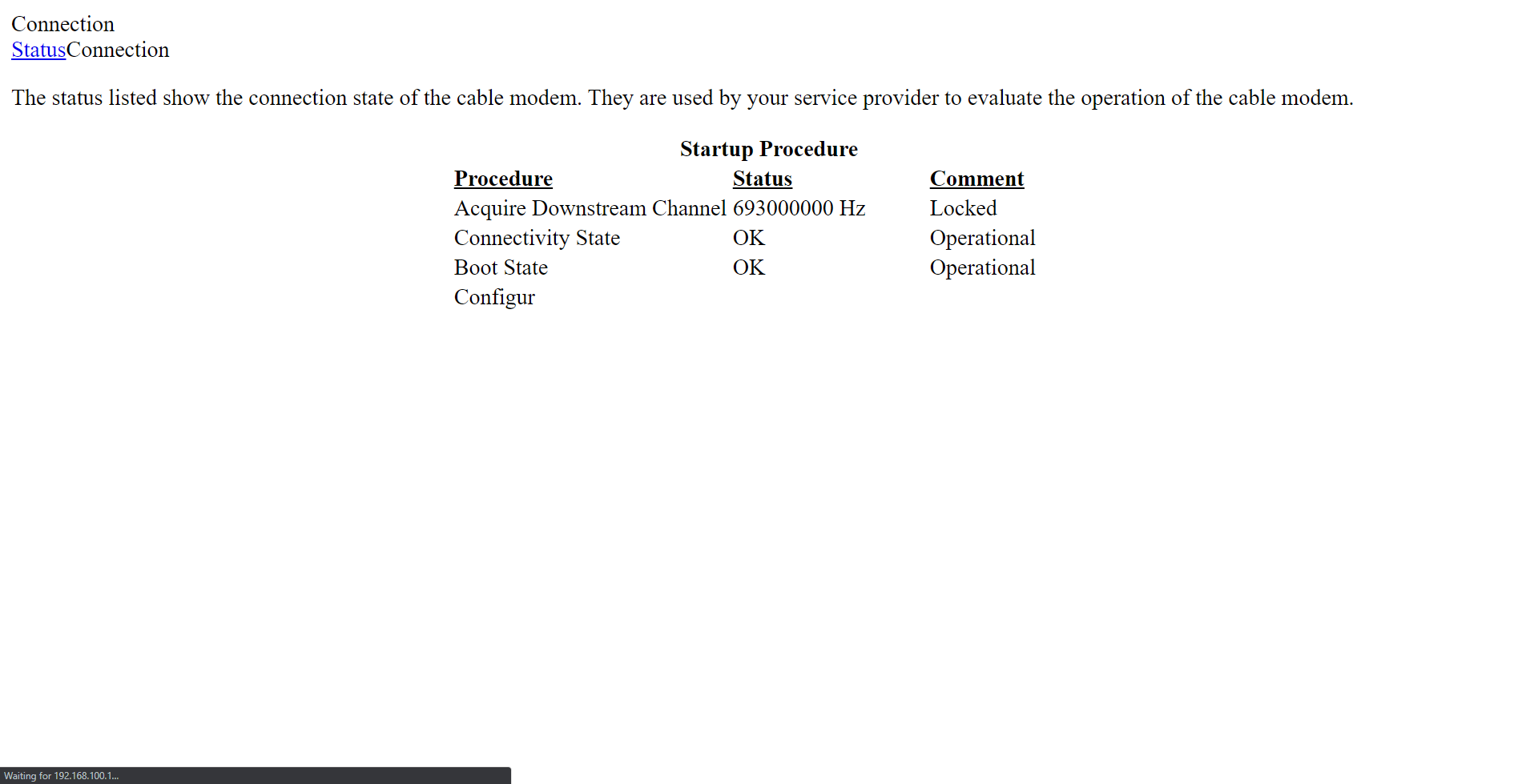
erg
vapid dune
probably because the modem doesn't have a lot of processing power
 steady creek
what do people recommend as a good gateway for those with gigabit internet these days?
i've been happy with my uap-ac-pro that i got a week or so back, so i'm thinking of replacing my google wifi mesh and getting additional ubiquiti APs, which
means i definitely don't need 3 gwifi nodes, so i might as well replace the gateway. i don't have gigabit now, but may be upgrading soon. i hear the er-x is a previous router that worked well but doesn't support higher internet speeds
(which is to say, i'm open to picking up an er-x since it's cheap, and then upgrading to something else if/when i upgrade my internet)
vapid dune
I'm using the edgerouter lite with gigabit and it works well
if you want something "easier" the USG might be a good option too
as long as you aren't enabling the deep inspection stuff
vapid dune
I think the ER-X works as well, I just don't have that one
steady creek
USG too. But I had heard a lot of folks say USG and er-x both don't hold up to gigabit well with some of their key features
(but er-x fares better of those two)
vapid dune
I mean that's if you want/need those features but yeah
if you want the packet inspection at line rate
steady creek
Fair. That's also part of why I was thinking of starting with er-x
vapid dune
you'll be paying a lot more lol
steady creek
And then upgrading "if it winds up being worth it"
But definitely valid, er-x vs er-4 is almost 4x the price
thorny vector
@steady creek get an older i series processor, and make a pfsense box 😄
vapid dune
would the xeon e3-1220v2 work
steady creek
I did some googling on pfsense but wasn't sure I was ready for that 😆
little schooner
Is there a reason accessing the same file over a 1gbps connection and a 10gbps results in the same or worse latency?
I want my file access to be as low latency as possible, like close to iscsi or something
So I should be looking to fiber?
I know for WiFi it can't be fixed because of interference... But one can dream one day it can be as low latency as wire
hollow marlin
10gig will give you lower latency but real world you won't notice it.
Also while fiber is best, copper still transmits 98% the speed of light.
 fathom robin
Hi guys I need some help...I have a MSI gp63 leopard laptop. And yesterday suddenly my computer’s wifi stopped working. And apparently there is a code 10 for my network card which I can’t fix. Can someone help me?? I’ve tried factory resetting my computer and it’s still not working. Updated my drivers and still no good. But my computer can detect the card. Please help me!
thorny vector
@vapid dune don’t see why not. I mention I series because you can get em cheap in old optiplexs
little schooner
@hollow marlin oh that's actually pretty neat
vapid dune
@thorny vector ah interesting. I got one of those CPUs with a supermicro mobo for pretty cheap on ebay
thorny vector
If you look at the hardware inside of networking hardware, none of it is particularly high spec. The advantages they have is that their hardware is optimized/designed around networking. A desktop processor with extra cycles can easily keep up, at least at gbe. Things start falling apart a bit at 10gbe
little schooner
10gbe routing is a pipe dream on low end hardware
thorny vector
Ok, so a bit is a little optimistic ;P
vapid dune
lol
vapid dune
 hollow marlin
I think the PS5 looks dope. Plus easier to modify for rack mount 🙃
cedar igloo
It looks like a white virgin media super hub router
 upper cypress
Any BT users here?
vapid dune
bluetooth?
thorny vector
@vapid dune Big Tuba
 gilded ice
i tried doing this but that makes it so everything goes to the home page
how can i "force www."
gilded ice
hi
thick minnow
so i have like 30-40 pcs all around the UK
and i want to connect server to domain
- how to make server
- how to connect domain to server
- how to link all the pc around england to that domain and server
 thorny apex
@gilded ice Is this a Cloudflare Page Rule?
thick minnow
pls ping me if u have idea what to do
thorny apex
Of course. And I have a plan for you! You know how in NginX you can capture parts of a URL and reuse them in redirects ? Well it's really the same here.
Documentation: https://support.cloudflare.com/hc/en-us/articles/218411427-Understanding-and-Configuring-Cloudflare-Page-Rules-Page-Rules-Tutorial-
Hint: search for "Referencing wildcard matches"

Cloudflare Help Center
Page Rules trigger certain actions whenever a request matches one of the URL patterns you define. Learn to create and edit page rules and understand the different settings available.
This article f...
thick minnow
@thorny apex help pls
gilded ice
but that just makes all urls go to 1 page
thorny apex
Have you tried "www.yourdomain.tld/$1"? Really insisting on the $1 here.
vapid dune
lol
gilded ice
oh does $1 = a user argument so i would redirect $1 to $1
thorny apex
$1 would contain the string matched by the ***** in the page rule, yes.
yourdomain.tld/abcd => $1 contains "abcd"
@thick minnow I could not parse your request. When you say "domain", do you mean AD domain?
thorny apex
Oh. I do not believe my current skill set matches your request then, sorry 😕
hollow marlin
@thick minnow I suggest you do some googling. No offense but creating a domain server and remotely deploying it is more complex than just asking in a chat room
gilded ice
still goes to the home page
vapid dune
why are you trying to do this via CF anyhow
gilded ice
because what else do i do?
vapid dune
no I mean why not on the web server or something
also seems to work fine on my browser btw
thorny apex
@gilded ice Also remember that these are Permanent redirects.
vapid dune
going to the domain will have a "navigated to www." in my browser
permanent in the sense of SEO
thorny apex
Also in the sense that they are cached in your browser.
gilded ice
what does that mean
no I mean why not on the web server or something
@vapid dune try without www.
vapid dune
like I said
gilded ice
my issue is my site only works with www .
gilded ice
so i want to force www
vapid dune
it puts me on the www subdomain
gilded ice
vapid dune
yes that works fine
but really: don't link to it via the non www if you don't want people using it
gilded ice
it redirect sto the home page
thorny apex
If your server told your browser that abc.tld/def will always redirect to www.abc.tld/def, your browser will never ask the server again for that information. Key word here: always.
gilded ice
instead of
vapid dune
no it works fine to www.abc/guild
gilded ice
https://www.neednot.net/guild isn't the same
vapid dune
???
what do you mean it isn't the same
it's exactly what you have as your rewrite rule
thorny apex
Okay. New strategy: please test on a Private session or another browser.
thorny apex
Not the same kind of cache ;)
vapid dune
lol
gilded ice
edge has been opened
vapid dune
...maybe just throw your computer out
thorny apex
If it works now, I will add a final suggestion. Drumroll please 🥁
gilded ice
ok myabe it does work
thorny apex
Good. As for the suggestion: you should remove the trailing slash on the Page Rule URL after the $1. I feel like this will lead you to an unpleasant surprise down the road.
vapid dune
what is this schrodingers redirect?
lol
I suggest you just not send out your damn url without the www
and/or fixing your web server
thorny apex
You know what they say: if it ain't broke… 😁
vapid dune
but it is LOL
thorny apex
@gilded ice What is your main browser? Is it Google Chrome, Firefox, Brave, Opera?
gilded ice
brave
thorny apex
*sigh*… I lucked out. To fix the permanent redirection that failed a few minutes ago and that should still fail now, you will have to search how to clear the redirection cache. The closest browser in the family, Google Chrome, has a procedure that depends on the installed version: https://stackoverflow.com/a/35093587

Stack Overflow
I am debugging a problem with a HTTP 301 Permanent Redirect. After a quick test, it seems that Safari clears its cache of 301s when it is restarted, but Firefox does not.
When do IE, Chrome, Firef...
vapid dune
is brave the browser that mines your personal info for crypto?
thorny apex
And adds affiliate links. Yes, that one!
gilded ice
wait i thought brave just makes you see small ads
and you get 75% of the money it makes
vapid dune
"In June 2018, Brave released a pay-to-surf test version of the browser. This version of Brave was preloaded with approximately 250 ads, and sent a detailed log of the user's browsing activity to Brave for the short-term purpose of testing this functionality. Brave announced that expanded trials would follow"
thorny vector
@vanzh#0001 ever get a solution?
vapid dune
user is no longer with us
waxen scroll
🔪
hollow marlin
Setup a new VPLS and some how the peer over the NNI managed to loop their switches. Still after a month fighting with these guys to get it built
hollow marlin
People might think they have it hard with their ISP but the crap we have to go through with other ISPs is worse at times 🙄
waxen scroll
Thank you for calling ATT enterprise!
I can help you look up your ticket and get the latest status!
I'm sorry. I need to transfer you to a customer care representative. Please stand by.
"Oh i'm sorry sir, thats actually a telephone ticket. I'm going to need to forward you to another agent"
Another time I needed to do a circuit activation with verizon. They had 7 people on the call. VZB, VZW, project managers, a CCIE engineer
oh and a field tech
the field techs are always dumb as dirt
bro. mute your damn phone after you're done talking. the background noise sucks
ive actually noticed that as a trend with older telecom people
you worked in phones all your life, you're aware they can mute
why are you on the conf call every week with an open mic breathing heavy
@clear igloo i got triggered by juan
clear igloo
@waxen scroll heavy breathing, kids screaming, loud typing WHAT DID YOU SAY?
hollow marlin
Silo'd teams is why I cannot work for a larger company. I dont want to have to work with 10 other employees to get a single circuit complete.
waxen scroll
the teams at ATT practically refuse to talk to each other, its all on the customer
hollow marlin
And yes, telcom veterans don't know what mute is. I know, I work with them
All the major carriers don't speak between teams. Check a tick box and forward the ticket/order
Luckily I know a few people each in I can reach out that will get shit complete, except for this current order
 desert tiger
Big carrier customer service suckssssss
waxen scroll
silo is great in enterprise though.... trust me. its such a pain in the ass to manage/support all the network systems yourself, especially if you have to do tickets
hollow marlin
No doubt. But in telcom is terrible.
waxen scroll
its nice that i can just open a ticket and make the datacenter do stuff, then shift focus on something more important
i dunno about ATT but i think VZ is silo'd by OSI model!
the layer 2 people are different than 3
clear igloo
At least VZB can turn up QoS in a reasonable timeframe 😛
hollow marlin
Its nice being L2-4. I can control everything and build it the way I need. I hate building one layer while having to spend time then explaining it to others
 remote fjord
do lagswitches work with wifi?
vapid dune
what's that
do you mean link aggregation?
anyone use unifi with docker?
I was just in the process of setting it up. seems pretty easy to do
https://community.ui.com/questions/How-To-Unifi-Contoller-Docker-home-network/fc6a9441-94b0-48b0-801a-6f38e2d4bb21
I'll probably cut over to this once GCP starts charging me
thick minnow
@upper cypress BT the UK ISP use to be
 strange silo
@waxen scroll I find it worse when it's a residential matter and you know 100% something is possible but because it's not "literally directly their standard" they won't do it. Like I don't care that you have a policy to connect all houses to fibre down the same driveway and due to that it's not possible but my parents one can be, do the one that can dam it!
All or nothing is moronic
 static field
Hi. I want to ssh to a machine behind a particular subnet. How do i access it?
hollow marlin
@strange silo Cost. Still cost us around $10k per mile of fiber. It's very hard to justify for a single customer
 uncut spruce
Hi. I want to ssh to a machine behind a particular subnet. How do i access it?
@static field do you have UPnP enabled in your router or did you setup a static route from a subnet to the other ?
little schooner
For unifi ap radius, do all access points use the same shared secret?
vapid dune
I think so. It's set up in the network page isn't it
Unless you have multiple networks
vapid dune
I mean you can also have multiple radii
vapid dune
I wonder if radius works without the controller running
waxen scroll
@little schooner idk what does the wireshark say
little schooner
@waxen scroll no, it was a configuration issue on my end
I had my connection request policy incorrectly configured to only allow access client if it had two ip addresses
And that section in the config uses regex pattern matching, so I had to write it like a regex expression
Once I did that it's always working now
 red kettle
I wanted to see what speed I got to china unicom 5G from Illinois on ATT fiber

This is the result I got
 fresh copper
I got rejected from an IX by the guy just saying “no thanks”. So sad
waxen scroll
oooooooook
burnt oasis
45 down would suck
I'm pulling 918 down / 926 up to my ISP, 467 down / 509 up to some random server in missouri
steady creek
45 is plenty for a lot of people
100 is more than most people need
Gigabit is very rare as a necessity.
Although as I say this, the context of what discord im on obviously weighs in here...haha
burnt oasis




 blissful yew
i have 45 down and 30 up and I don't notice it
little schooner
@waxen scroll don't you hate it when applications hide under the svchost.exe process?
It wasted 20 minutes just trying to find the dang app using port 8080
Using mobile data to download the troubleshooting tools
Terrible just terrible.
little schooner
@thorny vector yeah that's what I downloaded
I used procexp and netstat command
Pinpointed that bad boy
thorny vector
Procmon is my jam
little schooner
Yes procmon is also very good for locating registry settings
thorny vector
Oh it’s good for more than that. One of the first tools I use for malware analysis
little schooner
@thorny vector like where malware is dropping files and making connections to?
thorny vector
Dropping files, editing files, registry changes, connections, even some memory related data
Plus you can make it log from boot, so it’s that much harder to sneak stuff in before windows is all the way booted up
pulsar thorn
how do you only have 45 down
@vapid dune copper gang
Sorry late replies was busy all day lol
clear igloo
@rocky badge Tell your Ubnt people to make an outdoor wifi camera 😄
 versed nebula
so, my ISP won't renew my rebates, so that means I lose my $15 off monthly. I am currently on 400/50 and I am thinking of switching to 120/20. My main concern is the low upload because since covid19, I work from home and I am all on the time on VPN, citrix and teams...
my new monthly price for 400/50 would be CDN$83 taxes in. It's cable (vidéotron)
the 120/20 is fizz, a false TPIA from vidéotron. same network, shittier modem/wifi
the monthly difference would be $16....for a year, it's about $192 if I keep my current plan.
little schooner
How do you link two OpenVPN sites that use the same local network addresses?
In this article, they want to use NAT to accommplish. Is there a better way?

Endian
Background
This lesson will guide your through the configuration of mapping of local networks in order to make a remote network reachable by using a different subnet address.
With this configuratio...
steady creek
@versed nebula you don't need a ton of upload for a VPN connection, depending if you're doing work locally and shipping it back over the connection or just connecting to a work PC like RDP
If you have other household members eating the connection it has the potential to be an issue, but that should be ok as long as you aren't running a video call all day long
versed nebula
@steady creek I live alone.
Would you rather pay the extra $16 and just be sure you won't have any problems ?
steady creek
I'd personally let it drop, see how it goes for a week, and then re-up after if you have issues
But if the extra $ per month isn't meaningful to you then you could just go for it. I'd just probably drop it and see it in action personally
versed nebula
well, it's a different provider so.....it's kind of complicated
steady creek
Yeah, I'm also not sure how painful going back and forth would be
If there's a contract involved it's more of an issue
versed nebula
and since it's kind of a grandfathered plan, I wont be able to get it back without having to buy some new generation cable terminal
steady creek
I'm not familiar with specifics but there may be ways to artificially limit your connection, to simulate what 120/20 would feel like
And probably go a bit lower to be sure in case it's not consistent at 120/20
versed nebula
you mean, a controler on the computer?
steady creek
That said, if you're in a situation like me where you trust one provider more than you trust another, that might also be enough to answer the question
My first year rate is about to expire and I could switch providers and get a new annual rate from someone else--but I like my provider more than the available alternatives, even at the same speeds
Yeah. I'm not too familiar. I've used latency injectors before and I'm pretty sure I've seen bandwidth throttlers but I couldn't name any
versed nebula
well, the TPIA uses the same network as my current provider, but it offers less speed
steady creek
Charles Proxy. That's the one I used once in the past. I have no idea if it's trustworthy, use at your own risk, etc etc. But the tooling does exist
I don't remember if that covered an entire system/nic or if it was just applicable in browser testing, it's been a long time and I happened to use it for troubleshooting front end browser timing issues
versed nebula
on the router, it wouldn't be possible?
steady creek
Yeah if your router supports that, it would be better
I've never had a router that supported that AND actually implemented it correctly
But if you have that option and it works, that's definitely better
steady creek
No
versed nebula
Thanks for ur input
little schooner
@waxen scroll Im guessing that having two sites using the same network range is a big no no?
Now that I realize it, how would it even know which 192.168.1.10 host to go to? Should it go to the one in Site A or Site B? that is what made me realize that it isn't easy to solve
versed nebula
is there a way to fix this? I am experiencing a couple of disconnects from office365 during working hours
waxen scroll
sure you can use the same, but then you have to nat
little schooner
@waxen scroll but how would it know which host I wanted to reach, say 192.168.1.10, on https port? At both sites, this host and port exist. Wouldn't it just redirect me to my local site's 192.168.1.10 all the time first?
waxen scroll
yep
little schooner
How do I solve that one
waxen scroll
nat
little schooner
But it would hit the host first before it reaches the router to NAT
waxen scroll
yep.
little schooner
So I need to add something else in the mix to make this work
I'm not sure what that is except changing port number on the other site
waxen scroll
why are you asking anyway
little schooner
I am trying to link my home and mom's home together with OpenVPN
But we use the same internal network ranges
waxen scroll
when i used to do that stuff all of us on it would change our subnets
you can do that or nat so she sees your house as another network... the consequence being you need to use the different network to connect to get
her*
but then you also need to nat from her to you since that conflicts too
little schooner
Okay. So it sounds like I should change subnets for the easiest setup
waxen scroll
Local #1: 192.168.0.0/24
VPN GW NAT #1: 192.168.1.0/24 -> 192.168.0.0/24
Local #2: 192.168.0.0/24
VPN GW NAT #2: 192.168.1.0/24 -> 192.168.0.0/24
so if you hit 1.10 on your side, its sent to your mom
if she hits 1.10 on her side its sent to you
im making it sounds easier than it is... its gonna hurt your brain
do the simple thing
little schooner
I wanna say I get it but
I think without NAT and changing subnets is alright for me
waxen scroll
i changed my network to 10.0/24 a decade ago because of this issue and i still use it today even though i dont vpn to anyone

little schooner
I get that NAT thing now. Because it gets corrected when it hits the router if it sees that it doesn't have any other route for it
waxen scroll
NAT rules are processed first if i remember, so it doesnt matter if theres a route or not
waxen scroll
however on the enterprise network if you do this you do need a route for the nat, at least before the NAT translation device. in your case you probably dont have a big setup
 still zephyr
is there a way to uncap the max download speed from a website
waxen scroll
no
if its due to bad routing sometimes a VPN can go around it and make it faster but it would be dumb to pay for a VPN to pray that it makes speeds better
still zephyr
oh ok
 wind bison
my house has no eithernet ports so ive been using a https://www.amazon.com/TP-LINK-Powerline-Pass-Through-TL-PA9020P-KIT/dp/B01H74VKZU and its been fine ish i guess, but i recently learned that our internet plan is like 300mb down and i only get 30mb down in my room over these things (tested directly to the router and got 300mb)
how do you people suggest i get the faster internet to my room
 obsidian hamlet
@wind bison is your router close to your room? Maybe a 100 feet?
wind bison
nope
obsidian hamlet
where is your router and your room?
obsidian hamlet
how far is your router from your room
wind bison
let me figure that out
obsidian hamlet
ok
wind bison
so over wifi it has to go threw 3 or 4 walls at about 50ish feet
my parents all just told me that theres some not done properly wiring in the middle of my house
soooo were gonna get an internet person out here
ornate jungle
Sounds like a plan; you might have to look into PowerLine AV adapters (assuming your home's electrical wiring can support them without interference) or a professionally installed wireless solution using Ubiquiti products. (Or a cheaper but still viable mesh networking option from Netgear, TP-Link, etc.)
ornate jungle
lol yeah I need to scroll up. so if it's limited to 30mbps (and you're sure your speedtest isn't reading in MBPS) then I'd say you're probably limited by your house electrical wiring.
wind bison
lol
obsidian hamlet
you could run a ethernet cable through the roof to your computer possibly
obsidian hamlet
maybe like 100 ft or 150 ft ethernet cable would do the trick
wind bison
a 200ft one is only like 20 bucks
obsidian hamlet
ya thats what i would do
buy a 200 ft ethernet cable and run it through the ceiling
to your pc
wind bison
i would need much more then 200ft for that
south blade
You guys don't know what ContaCam is probably, but maybe you can tell me about ports? It's got port 8800 for HTTP and 8443 for HTTPS, this is their web interface. My question, is there any reason those specific ports are chosen (it was default) or can I switch them to whatever I want? Are there ports I should be avoiding? Apparently it just so happens to be the same port that PFBlockerNG uses, so I'd like to change it incase it's conflicting (and I'm actually not seeing ad blocking on this desktop so maybe it is conflicting, although nslookup to blocked addresses says otherwise). Edit: Well, 8443 was the conflicting port, changed it to 8445 so hopefully that's safe.
wind bison
or on the ceiling?
obsidian hamlet
on the ceiling
south blade
Any clue why pfblockerng would be blocking ads on my phone (data disabled, just on wifi) but not on my desktop?
HOLY SHIT, what the hell is Firefox doing?! I'm over here struggling to figure this out and I think to myself...no way...could it just be this browser? IT FUCKING IS. Why is Firefox getting around my DNS???
nocturne harness
Did you just enable it?
little schooner
@rocky badge did you ever get certificate based radius to work for Android phone?
south blade
I've never been to the settings over there in Firefox, ever. It's set to use Cloudflare and for some reason Proxy was also enabled to use whatever the system was using, instead of default disabled. Well, I guess the "Auto-Detect Proxy Settings" can stay enabled, but I disabled that DNS over HTTPS and instantly I see ad blocking. Fook, thanks Mozilla.
hollow marlin
It's setup that way because they're experimenting with DoH.
south blade
-_- I just asked my sister to check hers, and she never messes with anything settings like this, and her's wasn't even on... Was there an opt-in that I just clicked through and enabled it maybe? My head hurts. xD
hollow marlin
It's currently opt out from a certain version. I think it's disabled right now though because last week they essentially DDOSd their DNS because it couldn't handle the load
I don't use ff but it was on my podcast last week
south blade
Anything I should know about setting my WiFi channel width to 40Mhz? I went back to using the WiFi on my TP-Link and figured out I could get more range by switching that setting., I'm covering channels 1-9 now. 😄
I'm gonna sell this UniFi AP LR (the older one apparently!) and look for the newer stuff once I really need it.
nocturne harness
Its slower
south blade
It is!? I was seeing 5/2 about 70 feet away set to 20Mhz, maybe 2 walls, now about 25/20 on 40Mhz....I am not seeing some of the neighbors show up on WiFi analyzers, so maybe I killed theirs with coverage to make mine work?
hollow marlin
Even on 5 40 is fine. 80/160 provides no real benefits in most cases
Especially in apartment complexes
thick minnow
my house has no eithernet ports so ive been using a https://www.amazon.com/TP-LINK-Powerline-Pass-Through-TL-PA9020P-KIT/dp/B01H74VKZU and its been fine ish i guess, but i recently learned that our internet plan is like 300mb down and i only get 30mb down in my room over these things (tested directly to the router and got 300mb) Hi Im Sorry to be after the conversation but you can get Outdoor Rated Cat 5e if Not the best Option A Indoor Wifi Mesh Solution Like Google Home Nest Routers or Orbi Mesh Wifi System I Hope This Works If U Have Any questions feel free to write me so i can help u better
@wind bison
fresh copper
I wish Canada would allow the two extra channels which would open up the other 160 channel
pulsar thorn
I have a sort of jank mesh setup but I only get 45~Mb down
It’s more just I have two wifi routers, one is the main connection running a DHCP server n stuff. I somehow plugged both into each other via LAN1 and everything works fine.
 queen cairn
I'm currently experimenting with 802.1x authentication with Radius (Network Policy Server) and a switch. Everything is setup and working, except I need internet connection to even attempt to authenticate (since it needs internet to send a request to the NPS). Is there a way to authenticate w/o needing internet? The whole purpose of 802.1x is so people can authenticate to the internet, but I don't get how this needs to be solved.
Perhaps someone could enlighten me in what direction I'd need to be thinking xd
little schooner
OpenVPN to home is so expensive in upload bandwidth
pulsar thorn
Very
pulsar thorn
It depends on your homes upload speed
little schooner
My home upload speed is only 6mbps
thick minnow
I have a sort of jank mesh setup but I only get 45~Mb down
@pulsar thorn i do the same thing for the my internet i have a run to my console media center and have a netgear ac1000 on there acting as a switch and a wifi spot and then i run a 50ft lan cable to my room on the ground because i dont have a way to run a internet cable thru the conduit of my house because is fully built out of cement and to the media console i have one because of the coaxial for the cable box
pulsar thorn
I use softether vpn just because Windows servers but I’m limited to about 20up
little schooner
@pulsar thorn how would a VPS make it easier
little schooner
Oh, and then both homes only use their download speeds?
pulsar thorn
Ok wait what are you trying to do?
little schooner
Basically making it faster to access my homes file share documents over the internet with vpn
pulsar thorn
@thick minnow very complicated dude lol
little schooner
Right now the delay is sooo high
pulsar thorn
Ok
little schooner
Like 10 seconds to load downloads folder
pulsar thorn
Pretty much what I do all the time
thick minnow
yeah but dont have a speed drop
pulsar thorn
@little schooner Unless you host your files on a VPS and somehow tunnel into that with FTP or something it’s all dependant on your upload speed at home
yeah but dont have a speed drop
@thick minnow I mean you probably have better speeds than me already I don’t notice any drops on my 45/20 plan
little schooner
@pulsar thorn right. So I'd have to basically host it on the internet where the pipe is fatter
hollow marlin
Latency plays a huge part
little schooner
Wow I just got a RDR_File_System blue screen
Wth
After moving my folders back to local pc
@hollow marlin I'm using wifi to do all this
But the wifi is fast...
pulsar thorn
Yeah exactly
little schooner
Latency shows 20ms
pulsar thorn
yeah i have 100/90
@thick minnow lucky lol
I’m Australian we have the worst internet speeds available
Our version of the FCC reckons we only need 50down for a small family of four
Like bruh that’s not enough for two people
hollow marlin
@little schooner SMB hates any bit of latency
thick minnow
Wow I just got a RDR_File_System blue screen
@little schooner Hey Dude Be Careful With That Error doh
pulsar thorn
Oh rip
little schooner

Good morning, I am having an issue on some PCs recently after some PCs received the Windows 10 2004 build update. After receiving said update, the machines will BSOD with a 0x027 error code when
Looks like other ppl facing it too in New update
pulsar thorn
I daily a MacBook I don’t need to worry 🙂
But I’ll wait for a while before I update my servers eh
hollow marlin
@pulsar thorn 50 is plenty for 2. Outside downloads, my project showed families never spike over 120mbps while most average around 20-40
pulsar thorn
Yeah right
pulsar thorn
I mean it also depends on how many devices you’ve got n stuff
thick minnow
i did my new update so yeah i should be careful do
pulsar thorn
Whyyyyyy
@little schooner SMB not happy
thick minnow
because if u cant even log in to the computer is going to be harder to downgrade
hollow marlin
@pulsar thorn Not always about amount of devices either. Unless you have other devices just streaming for no reason
People think they need more than they actually do
little schooner
Okay, so I was able to get into safe mode (after it failed 3 times)
thick minnow
try to downgrade if u cant
if not reinstall a previous versions of windows and boot from a drive
pulsar thorn
@pulsar thorn Not always about amount of devices either. Unless you have other devices just streaming for no reason
@hollow marlin yeah true
little schooner
@thick minnow so glad I have onedrive and idrive for a backup
Well and a hard drive at home
thick minnow
Looking to install 2 Ubiquiti Acces points, and 2 cameras (G3 dome) . I had 2 questions: Do i need a cloud key or a router? And for the cameras where does it record?
@jaunty mango the cloud key is to manage everything easier even more if u are not using an ubiquiti router and can record to 1-the cloud thru a paid subscription 2- a local hardrive or a nas on ur network
 kind sky
Hey had a network question
thick minnow
no the cloud key is to fully manage their access point,security cams and everything else
kind sky
I need more ehthernet spots and only have 1 in my room I just bought a TP-Link 5 Port Gigabit Ethernet Network Switch so I can plug about 3 more devices into it. Will this work and if so, will it slow my internet down for my devices connected too it?
little schooner
@kind sky it will work fine
kind sky
Thanks glad to hear it. Got a video explaning something like that? I just am curious how 1 could power 5 and not slow it down I know others who do it but I wanna know why
thick minnow
no i dont think so but i think it would work better if u had a wifi router it would be better so u can have a little switch and also and acces point thats what i did
little schooner
@thick minnow by calling it "safe mode", are they saying normal Windows desktop operation is always dangerous?
thick minnow
basically
kind sky
what does unmanaged me as well?
thick minnow
yeah u will need a poe switch
kind sky
just as an example I will connect the philips hue hub, my desktop, and a laptop as an example
POE is cameras right? thing like that but does a philips hue hub count as a POE?
thick minnow
yeah u can either way because is a managable device from the network
just as an example I will connect the philips hue hub, my desktop, and a laptop as an example
@kind sky if the device has prioritary power its not poe if it has a ethernet port and says poe u will need a power injector or a poe switch
thick minnow
ok good
little schooner
I had put a registry dword value in the wrong place
thick minnow
oh ok
pulsar thorn
I had put a registry dword value in the wrong place
@little schooner bruh 🤣
kind sky
just looked it up the hue hub does not support POE so im good
thanks for the help appreciate it
thick minnow
if it has a separate power input is not poe
pulsar thorn
^
little schooner
@pulsar thorn it was FormatDatabase registry entry because I was trying to remove old references from my old file share name
pulsar thorn
Ahhhh right ok
little schooner
FormatDatabase causes windows to have heart attack if that entry is in wrong place
pulsar thorn
Lol obviously
kind sky
@thick minnow yea it has a power and an ethernet port both
thick minnow
if it says poe or it doesnt have a power input it is poe especially ip cameras
kind sky
then that connects to the splitter which you then use app connect and my desktop and laptop are just the typical ethernet so all good there
pulsar thorn
And you’re mucking around with regedit @little schooner so anything could happen
Is it my internet or is chat dead?
burnt oasis
Those of you that do networking in the enterprise -- how much of a window do you typically get to make major changes? I work in a school district and my only window is pretty much midnight to 4am.
nocturne harness
I feel like weekend windows aren’t too uncommon, from what I’ve seen as an SE
Planned window being like Saturday, with spillage to Sunday if it goes tits up
You probably need a router
burnt oasis
I have a hard time doing weekends usually as well. Right now it wouldn't be so bad but usually we have youth league tournaments, wrestling tournaments, etc in the buildings over the weekends.
hollow marlin
Most windows fall within mid to 6am for companies
As an ISP we stick to weekdays 0-4 and if we hit 4 then we begin rollback
burnt oasis
5am is when people start showing ( mostly food service ), I hate the 12-4 timeline though. Sucks I get to suffer alone. My goal this summer is to strip the racks and redo them. We have an insane number of unused ports that aren't really necessary anymore. So i'm taking this chance to label both ends and pull the patch cables.
hollow marlin
Depends on usage. For schools Id imagine starting at 8/9/10pm would be sufficient
burnt oasis
One would think! I've seen people working at 1am up there before. School employees apparently have no lives.
hollow marlin
Thats what maintenance emails are for! Don't hesitate to push for a time frame you're comfortable with. 2 weeks notice to all employees
nocturne harness
Ah, I did a stint as a network tech for the local school board
During the summer we had free reign for unoccupied schools
Otherwise we gave notice and worked 9-5
Made sure to not leave any lose ends overnight
And we were doing similar work redoing all the network closets at some of the schools
hollow marlin
Yeah right now with US schools and the situation, I've been working on 20-30 difference school circuits where maintenance was done mid day
No ones there
nocturne harness
Yeah that was our take
Or we gave notice so 🤷♂️
Especially during the summer
burnt oasis
I get a little more leeway if it's, say, a full wireless replacement. They get pretty gripey when I start killing closets though.
hollow marlin
You get immune to it
burnt oasis
They don't read my emails anyways - I tried going the notice route in the past.
hollow marlin
Thats their problem then
nocturne harness
Anyone want some gore :/
burnt oasis
That's normally my opinion as well, but i'm apparently an a-hole 😄
oh mine are MUCH worse, which is why they need redone.
hollow marlin
We send out 2 week, 1 week, 2 day, 1 day, today emails to customers. They still cry about not knowing about it
burnt oasis
Previous person in my role used the same length cable for every port so they run top of rack all the way to the floor, then back to the switch. I haven't fixed them in the last 10 years because I hadn't needed to change the switches in most closets. Now i'm starting to replace some, so I want to make it look right.
nocturne harness
How about this one? 😂
hollow marlin
I don't understand how people can think thats ok as they're doing it
burnt oasis
I make mine look as nice as possible, but i'm not going to waste hours being anal and making wire art.
nocturne harness
Right? There were a few schools that had absolutely atrocious racks like that
hollow marlin
"lets make my life harder"
nocturne harness
We were doing network upgrades and cleanups though, so we basically had to fix it
Sometimes though we just had too many cables in one rack, couldn’t even fit when done properly lol
burnt oasis
I'm cutting down on my number of ports to clean up the cabinets. I'm half tempted in the two additions we are adding on, to use that bundled cable with 4xcat6 in each cable to cut down on the number of total runs.
burnt oasis
one of the network guys from another local district had this idea that he wanted to push as kind of a standard in K12 in the area -- 10GB fiber to each classroom, small poe switch in each classroom with a small ups in each room. Instead of the centralized model.
nocturne harness
Comparing schools to DCs is so funny, all the DCs I’ve been in look like they were cables as an art project or something
Or by OCD Germans idk
nocturne harness
True
burnt oasis
In defense of my IT brethren in schools -- we don't in many cases just do networking. I am in charge of the network, every macbook, every iPad, door controls, HVAC controls, etc.
hollow marlin
ISP side its purchasing multiple lengths as raw amount of switchports is not really a thing
Runs all over to different equipment instead of patch panels
burnt oasis
I had to rewire our stage and retrofit it to LED lights this year too. Many hats.
burnt oasis
I had to change a breaker and outlet in my office this last year
only thing I haven't done at this point, is plumbing. Unless you count running underground conduit to pull fiber through from our sports center to our batting facility.
oh fire alarms are me now too, I found that out during this pandemic, when the building manager never showed up to learn about the new fire control system so therefore I learned about it, and am now responsible. Though i'm not certified to work on it, so I don't really have to do anything major, other than maybe replace a detector from time to time.
hollow marlin
Fire alarm panels are the responsibility of the fire alarm company. Leave it 100% up to them because when emergency services are involved, felony charges can be placed on you
At least in my state, each school is required to go through a company
burnt oasis
oh I won't change programming or anything like that, I don't have the software -- they just gave us extra detectors to change them out if they go bad. We use a company, but they are 2 hours away -- so if a sensor needs replaced I can do that and they can reset things remotely or walk me through doing it on the panel.
hollow marlin
Everything should be in email with photos and official confirmation its install correctly. Cover your butt.
If an alarm doesn't go off and someone dies its legal on you. I have special coverage from my workplace when I work on e911 services and if any configuration is incorrect or fault at time of an emergency we are covered
burnt oasis
the install this time around had to be approved by the state fire marshal since we are adding FEMA shelters. So that side is all covered. I keep notes of stuff I do to anything though, really on pretty much anything. I learned by first year to CYA, screenshot, save, tell other people,etc.
I was shocked that they allowed us to drop the phone line and do monitoring over the fiber.
ornate jungle
i mean, ideally you should be monitoring over fiber cable phone and cellular
burnt oasis
our backup to no one being in the building to call if the fiber dialer doesn't work, is the fact that the fire department is a block away and can hear the audible.
they are getting ready to add spoken alarms for the new additions since the code has changed over the old-school sirens. In doing that they were going to give me an output that I could run into our intercom system if I wanted to integrate it into our existing intercom -- I suppose I could take that relay and audio source into our repeater on the roof and broadcast the alarm over the radio as well.
ornate jungle
ah, in that case, yeah you don't really need backup if the FD is down the street... they'll see/hear smoke/fire alarms pretty quick then.
burnt oasis
During the day it's never an issue, 1000 people standing outside draws a lot of attention.
even if the audibles weren't going off
strange silo
@hollow marlin No the fibre is literally already there, it's just a policy that if it's a shared driveway all houses must be connected at the same time or none
Single residence houses either side, fine. All have fibre.
Shared driveway they want to cut and trench that nobody wants to happen or agrees to yet there is an existing duct that goes to the first two houses so they can be done, nope won't do that because the other 4
And cost is not an issue here as it government funded install and there is only 1 way for installation to be refused, if you do not agree to the install plan the fibre installer presents that you have no input in or are allowed to change
@burnt oasis I spend hours doing wire art lol. Colour coded cables for device types and nice labeling with correct length cables tied down in a nice way so you can trace and replace when required. I don't go crazy with colours though, just general data, APs, phone.
hollow marlin
Shared driveway they want to cut and trench that nobody wants to happen or agrees to yet there is an existing duct that goes to the first two houses so they can be done, nope won't do that because the other 4
@strange silo Well that changes the situation. I thought you meant running fiber to a single house on a street instead of a shared drive way
burnt oasis
@burnt oasis I spend hours doing wire art lol. Colour coded cables for device types and nice labeling with correct length cables tied down in a nice way so you can trace and replace when required. I don't go crazy with colours though, just general data, APs, phone.
@strange silo I just do that with vlans instead of spending the money on custom cables that i'd just have to move if a port gets repurposed.
hollow marlin
I don't go crazy with colors either. White for trunks, blue for access, black for backup/redundant connections.
Rest is fiber but until we finally nic the rest of the MM for SM, just the typical colos
desert tiger
Anyone here have xfinity as internet?
little schooner
@desert tiger yes
desert tiger
@little schooner any issues with them? I’m switching to them in August because im moving but I’ve never dealt with them.
little schooner
@desert tiger no issues with them here except for their high prices after the introductory rate
desert tiger
@little schooner can I ask what speeds you went with?
desert tiger
Do they have unlimited data or is there a cap?
desert tiger
Okay cool. Right now I pay $80 for 200 with Mediacom and xfinity have $80 for 1000 for a year
desert tiger
Dang that’s extreme. Do you rent their modem?
little schooner
I own mine
desert tiger
I only have a router and was thinking I should buy a combo instead of renting theirs but I haven’t decided
thick minnow
help 500kb/s
desert tiger
No way really?
thick minnow
yes
desert tiger
Do you live in the country?
desert tiger
That’s crazy haha
vapid dune
o.o
little schooner
Getting radius with certs to work with Microsoft nps is really stupid
Microsoft enforces way too much and their network policies aren't clear when they were applied correctly.
Luckily free radius to the rescue
Instantly works with the same settings
burnt oasis
So i'm getting quotes for Cat6a for the 10 classrooms we are having added -- riser is fine, no plenum air space so no need for that added expense. Local warehouse is coming back at $500 for a 1000' spool...... I can get it half the price at home depot, does anyone have experience with this brand? Is it any good? https://www.homedepot.com/p/Micro-Connectors-Inc-1000-ft-Blue-Solid-Shielded-STP-CAT6A-Bulk-10GB-Ethernet-Cable-TR4-570SH-BL/307835317

The Home Depot
Shielded cables designed to prevent EMI Interference and ensuring best signal possible. 23AWG (American Wire Gauge). Individual solid pure copper conductors for permanent installation. Full 10 Gigabit
hollow marlin
Looks good to me. Solid and all copper is the main focus
burnt oasis
ok thanks! As much as I hate pulling cable, i'm actually looking forward to this one.
pulsar thorn
Finally getting a quote to upgrade from FTTC let’s go
vapid dune
how does that compare to something like monoprice? https://www.monoprice.com/category/cables/bulk-networking-cables/cat6a-bulk-ethernet-cables
ah if you want 650Mhz it's ~500
lol it's apparently a marketing thing
thick minnow
anyone know why my advertised 35mbps internet is peaking at 10 down and 0.4 up?
vapid dune
check your network. then go blame your ISP
thick minnow
okay
vapid dune
I mean it really depends on a bunch of factors but really if you're testing to a nearby speed test server I would expect to get the advertised speeds
thick minnow
any accurate speed tests you know?
vapid dune
I just use speedtest.net usually
thick minnow
alright
vapid dune
sometimes necessary to flip to a different mirror but it's usually decent
thick minnow
okay
hollow marlin
You need to understand your usage before going straight to the ISP. Either your router will show traffic or you eliminate it completely by running a single device. On a 35 a stream or two can consumer 25mbps meaning youll only get 10 on a speed test
thick minnow
today my device was the only one on and connected to the internet, and it still showed 10
 glossy bay
ISPs in germany are horrible. Vodafone has ads showing you can get up to 1gb/s but then only show the prices for 16mbit/s and the actual 1gb/s is available on in city centres and industry areas.
south blade
So, I set my routers 2.4Ghz to 40Mhz, and for the first time ever as far as I remember WiFi disappears, had to reboot it. Does setting it to 40Mhz use more power, would it cause it to malfunction?
This is a TP-Link Archer C7 with DD-WRT.
south blade
I don't...yet (clearing property right now). But like I was saying yesterday, or day before? This was the only way I could get decent speeds at 60-70 feet away.
burnt oasis
Check out this cable management
thick minnow
My school server is bigger than that and its better on organization side
burnt oasis
This is just the MDF closet. I’m stripping it and redoing it starting this week
nocturne harness
Holy crap
 lean pollen
Anyone know why my phone connected to a WiFi router regularly now and then have an X with wifi symbol and stars using 4G?
Is it just the router being shit?
little schooner
@burnt oasis how does one fix that
Is there already cable guides installed in that rack?
I'm actually looking for a circle mount organization thing that let's me loop excess cable neat and tidy
Like a mountable wall ring of some sorts
Or a ring inside of a cabinet
 radiant shell
My Next job is to clean this up
burnt oasis
@burnt oasis how does one fix that
@little schooner by getting rid of not needed drops, and using the proper length cables
Fixed in this instance - is just enough to make it where I can easily swap the switch
thick minnow
 quartz wedge
what would you suggest a dream mechean or a dream mechean pro
thick minnow
I'm really stumbed on this one. In my apartement I have 3 Ap-Ac-Pro's, that are wired to my office-room where a unifi 24-port PoE switch powers that stuff and connects all things wired. E.g. the multi-media 8 port unifi switch in my living room etc. The throughput I managed to get on WiFi devices as the iPhone XS Max, MacBook Pro 15'' (2018) and Lenovo X1 were about 800 Mbps. Now... it never ever peaks anymore over the 350Mbps. I have no idea why this happens now and what has changed. The WiFi is operating on 5GHz only. I have 2.4GHz disabled as there are at least 30 neighbouring networks screaming everywhere. My internet connection is a 900/100Mbps (down/up) FTTH. Also... I'm getting a bit sick of the UFG and how to configure it. Looking for a decent professional replacement. Does anybody know if I can use a SPF port as "WAN" port on e.g. an edgerouter? That would mean I could eleminate the Huawei GPON I have now. Pfff many questions in one run. Sorry for that, but hope someone maybe knows where to start looking. I have a (old) cloudkey in my network, but I cannot seem to find some decent logs that could help me debug this. Thanks all!
Overview of my network
thorny vector
@thick minnow For your wireless, all I can really say is play around with channels to see if you can get any improvements there. The air is really congested, so getting faster could be a challange. As for the edgerouter, I don't see why not as long as that port is individually configurable and not a twin of another port.
Take what I say about the edgerouter with a grain of salt, I'm only familiar with them in passing. I prefer my own boxes
Also cockpit, running some redhat, eh?
thick minnow
And what do you guys think at all of this router stuff. Some people are telling me to change to microtik? But it seems that their routers are 100% software only solutions. My company needs low-latency connections. That's why we have fiber (at insane $$$ unfortunately) but ping is 2 to 10ms to most of our customers. The UFG is however a pain in the ... to configure in my opinion as all stuff is scattered all over the place in the unifi controller.
we do mainly smart home setups and development. We have several products running, like fibaro development platforms, cockpit@home, and some custom boxes. On the screendump you don't see all clients as not all is powered on at the moment.
thorny vector
What would be the feasibility to spin up a pfsense router for you guys? If your speeds are sub-2.5gbe from your ISP, a decent pfsense box might work for you.
My edge router for my lab is a pfsense vm, and although I don't saturate gbe, I don't have any issues with latency, and I'm also doing some packet inspection with snort.
hollow marlin
@thick minnow Well most consumer routers are software based and run a single or no ASICs. There is nothing wrong going Mikrotik and even if you go a software router, latency introduced from it is essentially moot
burnt oasis
I used to love my little mikrotik router, but it was a pain in the ass to setup initially ( 10+ years ago or so )
steady creek
pretty sure @burnt oasis made himself feel old with the statement 🙂
hollow marlin
I still stick with Mikrotik for all my equipment. Rock solid. Configuration is only wishy washy when dealing with switch chips and VLANs in some cases
burnt oasis
well I am old
steady creek
i'm in the same boat
 north maple
Tik's inital setup is slowly getting better, still not brilliant though. But can't beat their prices & the stability of their hardware... even if they STILL don't support RPKI.
hollow marlin
@north maple They added in the latest ROAS v7
north maple
Ayyyy!!
hollow marlin
There are plenty of even enterprise gear that doesn't support it either
north maple
Hope ROS7 comes out fairly soon, and the route processing is now multithreaded woot woot
hollow marlin
Yeah BGP is finally multicore
v7 will probably be in alpha for the next 10 years at this rate
north maple
Aha too right.