#networking
1 messages · Page 192 of 1
 wary sequoia
 cedar igloo
"1. Power off the modem/router from your ISP (e.g. router box from Sky, BT, TalkTalk)
2. Take one of the cubes out of the Tenda box and then connect it to the ISP router (LAN port) using the cable indicated in the instructions (ethernet cable)
3. Go onto your Android or Apple phone and go to the respective app stores and download the Tenda WiFi app (free of charge);
4. Power up both the router and the Tenda cube; this will then make the first connection between your ISP modem and the Tenda cube
5. Ensure that your phone is connected to your existing WiFi network so that it can find the Tenda cube.
6. Open the Tenda WiFi app on your phone and follow the instructions on how to add the other cubes from the Tenda box.
It's as simple as that and should take no more than fifteen minutes.
"
that picture looks correct to me
wary sequoia
alright, thanks very much.
cedar igloo
you may have a modem mode option in your router settings that you'd enable
wary sequoia
yeah, i think virgin media said something about that somewhere
i think i'll figure it out when the time comes. again, thanks for the help
cedar igloo
if you're with virgin, its simple. i did it last month
wary sequoia
oh, cool
you just have to type in that password on the bottom of the router, then find the setting?
because i had to do that recently and i'm pretty sure i saw something about modem
cedar igloo
yeah, the password on the sticker should be correct unless you have changed it. modem mode should be on the left hand side. just make sure you plug the ethernet cable into the top port and you will be fine 🙂
wary sequoia
alright, cool. thank you
 steady creek
i'm going to repost my question due to no response yesterday just in case it was missed...but i'll drop it if there's no response again:
Are there any well regarded consumer priced mesh access points that can be powered over Ethernet? I was starting to look at ubiquiti APs but some earlier conversations here suggested the quality and support (and warranty) are lacking in their offerings
further context:
i've just started wiring my home with cat6. currently using google wifi, but for various reasons, i'd like to move to something a little better suited to what i want, including power over ethernet ideally, plus possibly an outdoor-rated option, which ubiquiti has. but i saw some notes in here suggesting they don't really stand by their unifi products, which aren't built to last, so i'm wondering if there's anything a little better given what i'm looking for
 nocturne harness
The Ubiquiti stuff is generally good
I have my complaints with them, but honestly I would still recommend them
Across the board their products provide great value and quality
 rocky badge
For the price, imo, for something soho/smb you can't beat it @nocturne harness
steady creek
thanks for the update @nocturne harness some of my comments were based on your thoughts/feedback that had come right when i joined here 🙂
appreciate the "recommend, with caveats"
 vapid dune
do you actually want mesh or just a bunch of APs @steady creek
if it's wired, just get some Ubiquiti APs for good coverage imo
steady creek
i needed mesh previously because i wasn't wired
i started running cat6 this spring, and i currently have a run that routes to each mesh node, so the plan would be to replace with straight APs
and add one more for outdoors
that's why i'm looking to switch over from google wifi to (possibly) ubiquiti APs
vapid dune
I mean what's your goal for wifi? good coverage, good speed?
steady creek
the wifi? coverage first
everything speed/latency-sensitive (important ) is going to be hard-wired where possible
coverage more for being in the yard on my phone, etc.
vapid dune
ap-ac-lite is pretty cheap if you just want some aps
steady creek
right, that's what i'm thinking
do a few lites, and then one pro for the outdoor light weather resistance
vapid dune
I don't have any experience in deploying them for business use. but for my household use the ap-ac-pro I have works great
you don't really need to configure it once you have it going
I've been using this AP for 4 years fwiw
I wouldn't recommend buying any of their just released hardware if you want to avoid potential issues
I agree that their QA is lacking
I wouldn't upgrade firmware as soon as it's released either. but I don't keep up unless there's any glaring issues
if it's stable I don't bother touching it for a while. but really I haven't run into issues upgrading it here and there
steady creek
Thanks for the extra info @vapid dune
Sounds like for what I need it's a good option
vapid dune
I mean you can buy it on amazon to try it out. worst case you could return it heh
steady creek
Google WiFi has served me well enough but if I'm not using the wireless mesh, the ubiquitis sound like a better fit now
vapid dune
the part about speed now. I think the google ones might be better in terms of speed compared to the lite
way less config stuff though
steady creek
Yeah. I'm ok with that. The goal of hard wiring was to have everything speed sensitive wired where possible. That includes media centers, stationary computers, and a hookup per bedroom for futureproofing (although the last bit isn't done yet)
I have wired options everywhere reasonable, but wifi coverage is prioritized over speed for me, definitely
vapid dune
I think the lites are a good choice for putting them spaced out in a place. dunno we can see if anyone has better suggestions once they wake up lol
steady creek
Is there a lot of functionality I would be missing out on, if I tried to simply add a POE pro AP for my outdoor setup, behind my Google WiFi gateway? Vs getting knee deep in ubiquiti with the USG/ERL, etc?
vapid dune
if you're happy with the google router then you can keep that for now
I started out with an asus N66u router. then I disabled the wifi once the wifi on it was getting crappy and put in my current AP
eventually I wanted more so I put in the ERL
steady creek
Gotcha
vapid dune
but you don't lose out, just limited by what each device is supposed to be doing
vapid dune
the AP doesn't really talk to the other things in the stack. well maybe if you use guest portal and radius stuff it needs the controller
but ignoring that, you don't even need the controller running. you just set it up once and leave it be
rocky badge
@nocturne harness mall here has UniFi lol
nocturne harness
You'll need a unifi controller if you want to have AP handoff
if I remember correctly
rocky badge
Yes
vapid dune
oh really
rocky badge
The controller handles hand off
vapid dune
in that case, you'll want it running
steady creek
Do you know how that works exactly? I think I read the controller can run on a raspberry pi, in a pinch, also?
vapid dune
I thought it could negotiate it between the ap and the device
yeah you can run it on an rpi
steady creek
That might be old though or maybe I'm thinking of the wrong device
vapid dune
I had it on an rpi
then I moved it to GCP
you can also use cloud offerings like https://hostifi.net/ (free for a few devices)
steady creek
I have spare RPIs. Again, to get started at least, that seems like a good option
nocturne harness
I think if you buy the unifi security gateway it has the controller built in
vapid dune
waiting for my GCP to either start charging me and if they do I'll move it back to a pi I think
nocturne harness
nope
nocturne harness
I have two VMs both with external IPs
vapid dune
weird
nocturne harness
my GCP charge is $0/month
vapid dune
what about egress?
nocturne harness
Yeah there's charges for egress data
vapid dune
I don't think the USG is a controller btw
nocturne harness
it's like $0.15/GB IIRC
vapid dune
maybe the more expensive ones
nocturne harness
ahhh that's what I was thinking of UDM P
rocky badge
I run the controller locally on a VM
vapid dune
ah the controller for roaming is if you want the thing where you can roam while on a voip call without issues https://community.ui.com/questions/active-controller-necessary-for-AP-Roaming/822ef383-6e7b-4bad-b877-fac42891286b
rocky badge
The vsphere mobile app is decent
But not the best lol
It's ok for quick stats, but doing anything else sucks
 south blade
Anyone have an idea as to why I can't access my DD-WRT router after messing with pfBlockerNG, fixing a DNS leak, and then noticing I cant' get to the DD-WRT web interface... This is how I'm setup PC -> DD-WRT -> PFSense -> Modem...so I would think accessing DD-WRT should be easy since I'm on the internet right now and it's literally the next device I'm connected to.
vapid dune
Are you sure you have the right IP?
 ruby ravine
Looks better than their API blob 😂
rocky badge
lmao
steady creek
USG, UDM P, ERL. No wonder I was getting the devices confused 🙃
rocky badge
UniFi Security Gateway
UniFi Dream Machine Pro
EdgeRouter Lite
USG is showing its age
UDM(P) is the latest
steady creek
Yeah I knew 1/3, I have no idea what "dream machine pro" is
rocky badge
EdgeRouter Lite is well, uh, EdgeMAX
steady creek
That sounds like something written for a bad comedy movie
rocky badge
All in one solution
Router, switch (that you shouldn't use), UniFi controller, UniFi Protect, Talk, Access controller
vapid dune
lol
rocky badge
The switch only has a 1 Gig link to the rest of the system
steady creek
Lot of things haha. I do also need more ports on my switch for the remaining lines I'm running
Setting up a proper (small) rack
vapid dune
I'm using the tplink 8 port vlan aware switch
some cheap one heh
I kinda want to get a small rack but I haven't really thought it through
rocky badge
 steady creek
Yeah...I'm early on in the rack considerations. I have a keystone patch panel, but right now I'm running everything through an 8-port cheap Netgear switch
vapid dune
I was considering that server case from rosewill haha
currently my NAS sits in a fractal design r5 case
rocky badge
I want uxg pro
steady creek
Which, when I add my Caseta light controller, my piHole, and the 3 AP cable runs, doesn't leave much room
And I'm not done running cables
vapid dune
I've got a switch for my pis to my main network switch
but /shrug not really an issue since I'm not pushing gigabit off all the devices
it's mostly me generating traffic anyhow and I'm not doing a lot all at once
south blade
@vapid dune Yes, the IP address is 192.168.10.10, I've pinged it and I get a reply lol
vapid dune
lol
south blade
Is there some port I should be forwarding maybe to get to the DD-WRT web interface?
vapid dune
you shouldn't need to if you can ping it though
are you sure you have the right port? lol
south blade
_> I've never put a port
So I don't know what it could be if it has one I can type in...
vapid dune
I mean I assume you've logged into it before?
south blade
Yes, all the time.
vapid dune
ah maybe try plugging your computer into a different port on the device, and/or another browser
seems weird it would stop working
I've had my asus router (that I now use as a switch) do stuff like change the web interface port when I change modes
but not when I don't change anything
south blade
Yeah, I just got pfBlockerNG working the other day, then I fixed a DNS leak, and then I noticed I couldn't reach the router. LOL
vapid dune
hmm
south blade
I found someones screenshot showing the default port is supposed to be 8080, how would I forward that on PFSense?
vapid dune
I mean you're connected directly to the device aren't you?
vapid dune
the dd-wrt is in switch mode?
also what if you set your IP to static, then unplug the link between dd-wrt and pfsense
south blade
Shit >_> can't say I know all the networking jargon....I guess so? I have PFSense handling DHCP, so I disabled that on DD-WRT.
Been so long since I last changed the mode I set it to, I just go in there to switch WIFI passwords or channel really.
vapid dune
ah
south blade
It's a TP-Link Archer C7, should I just toss it out the window and get a Ubiquiti device? LOL
Wifi has not been that great anyways.
vapid dune
I mean if your wifi isn't good then yes ;p
only reason I got an AP was that I kept getting random disconnects while I was playing CR in the bathroom
I don't like losing to the wifi monster
south blade
Yeah, my wifi has been pretty bad, phone showing like 12/40! I would atleast like that backwards, but no upload is almost 4 times higher than download.
south blade
400/40, so I get my full upload over wifi lol
vapid dune
I'm lazy on my phone so I leave VPN on all the time. I get ~125/125 on my phone over wifi + vpn
ah in which case that's crazy slow download
south blade
I just figured out the other day how to have per device VPN over PFSense.
vapid dune
I'm running wireguard on a pi
south blade
A Pi can get you that good a speed!? LOL
vapid dune
hmm it's a tinkerboard now that I think about it. but yeah it has a gigabit port
south blade
Before I got a box to put PFSense on I was trying it on this crap router, I was getting a WHOLE 20Mbps...for my whole house! Had to get rid of that quick.
south blade
Where in the world does download = upload
vapid dune
in the land of fiber
south blade
Korea? >_>
vapid dune
but specifically I'm on the west coast of canada
lol
nah most of the residential ISPs have asymmetric
steady creek
how long of a stretch would you say is relevant before you consider switching from an indoor rated network cable to an outdoor rated cable?
vapid dune
I mean are you going outdoors?
steady creek
yeah, that's what i thought 🙂
vapid dune
cat 6?
south blade
I have a 4 port NIC in my PFSense box...I only use 1 port on it to hook up my router, and then my wired and wireless off of that...can I get a long range AP Ubiquiti and be done with it for now? Or does that thing need something else to work?
steady creek
i'm doing cat6 and planning the exit exactly where the AP is. i.e. it's not "running a length to a destination outdoors" it's just "going through the wall and immediately plugging in (with loop to avoid water entry)
hence my desire for POE access points like the ubiquiti 🙂
steady creek
yeah
i will probably just run my indoor spool right up to the wall
and then do an interconnect/coupler to get outdoors. probably some degradation, but again, coverage/reliability over speed, so i think i can live with that
vapid dune
I wonder what the best practice is
steady creek
vs buying a full run from my panel to the outdoor location
vapid dune
I mean they sell couplers lol
steady creek
yeah
i have several 🙂
but fewer terminations is better, in theory. that said, i don't want to buy 30ft of outdoor rated cable just for this, either
vapid dune
well I mean you shouldn't do stuff like hiding a coupler inside a wall
that gets patched up and forgotten about
steady creek
oh yeah definitely, it would be in my basement or attic
inside the accessible space
vapid dune
terminating into a jack is essentially a coupler lol
it's not an active process I mean
agree with fewer points of failure etc though. but if the cost of outdoor vs indoor for the one inside run is high enough then it might be worth it to use two types
steady creek
yeah. that's the way i'm leaning
vapid dune
depending where you mount it, be weary of lightning
steady creek
also not something i had given any real thought to
vapid dune
oh the other thing you can do is run the cable all the way up to where the outdoor can reach and put the POE injector there lol
assuming you don't have a POE switch
steady creek
i don't yet--but that's part of the upgrade plan when i replace the 8-port and rack mount everything
steady creek
🙂
nocturne harness
I mean outdoor rated cables are just beefier for... outdoors
@vapid dune normally the cable jacket is also UV resistant
vapid dune
and water
steady creek
yeah, i was planning to have this under the roof overhang, where it wouldn't get direct UV
nocturne harness
yeah
steady creek
and would be somewhat shielded from the elements
vapid dune
I mean what's the price difference of running it all the way?
nocturne harness
I would suggest terminating into an outdoor rated faceplate
and then using a super short patch cable
vapid dune
like is it an extra 100 ft? lol
steady creek
hmm...that probably changes where i'd locate things, but i can look into it
eh. maybe ~30-40ft
vapid dune
ah
nocturne harness
I think it's the best long-term option
and probably the only one that compliant with building code--haha
steady creek
also it's "i have 700ft of cat6 left" and "i have 0ft of outdoor rated" 🙂
nocturne harness
Yeah it's cabling efficient too 🙂
steady creek
(i'll be using a chunk of that on additional wired runs to various locations already)
if i go the short patch route, i can spend less than $20 (extra) to do it probably, so that's likely a winner
 charred meadow
Could you put it in conduit?
steady creek
i could put it in conduit to pass it through the wall, but i eventually need to deal with termination one way or another
sealing where the conduit exits the wall, and where iit connects to the AP
or
sealing where the patch cable exits, and sealing connections
i don't really know the best practice
 bitter magnet
yes
 thick minnow
Hi
bitter magnet
hi
thick minnow
So I really want to get into networking by configuring my own VPN service that I would use from home and w/ AWS it's fairly cheap
bitter magnet
vpn from home
thick minnow
Although seeing your comment I'm a bit intimidated
thick minnow
So in the AWS marketplace they have the option of setting up an OpenVPN server
vapid dune
what do you mean by home VPN on AWS
thick minnow
I'm currently using an OpenVPN server on AWS
vapid dune
you could just use this https://www.pivpn.io/ if you want an easy setup
vapid dune
should run just fine on debian
bitter magnet
you mean you want to set up your own web stuff but host the thing on an AWS machine somewhere?
vapid dune
what kind of problem are you trying to solve with the VPN?
bitter magnet
yeh
thick minnow
I'm thinking about buying a router flashing it w/ DD-WRT and installing an OpenVPN connection on the router
If that makes sense
I could use a service like PIA however w/ that approach you don't have a static IP address
bitter magnet
you don't even have to like- flash it necessarily
thick minnow
Do you mean getting it through FlashRouters?
vapid dune
is the idea you want to hide your IP?
thick minnow
O.o
vapid dune
to me this just makes your life harder not easier
ie port forwarding with a VPN is a hassle
unless you're going to do split tunneling
even then, more hassle
I'm just curious what problem are you trying to solve
thick minnow
I'm just kind of bored and don't trust my ISP 100% to be honest
bitter magnet
what's your isp
bitter magnet
perhaps if you want to like- remote control LAN-controlled things like a management network for servers a vpn is good
on your own router
but
it's not necessary
vapid dune
if you don't trust your ISP
then there's no reason to trust AWS in the same region
unless you're going to use AWS in a different country? not sure about the legality of stuff when that occurs
thick minnow
I'm just kind of weird
I have a lot of time on my hands and want to get into networking
¯_(ツ)_/¯
cedar igloo
i've recently started learning networking and found it really helpful to virtualize a pfsense router on my local network. you can configure your own dns server, subnets, vlans, firewall rules.
vapid dune
I was gonna say I don't think VPN is really typical networking constraint
the routing, dns, vlan, etc stuff definitely
not saying don't go for it either, since that's what you want to do
I'm just trying to figure out why lol
thick minnow
Ever since I've been about 16 I've been very interested in VPNs and cloud computing
Like
Extremely obsessed w/ it
To the extent that some people are w/ gaming rigs
Again I'm a bit weird
cedar igloo
The past month, i have created a whole enterprise network for fun. absolutely no need for it. i just find it cool
rocky badge
small network :^)
cedar igloo
yours probably has a purpose
cedar igloo
Just curious. What does your home assistant do?
rocky badge
Handles all IoT
thick minnow
Is my obsession with cloud computing weird
cedar igloo
No
vapid dune
cloud computing is kinda a buzz word to me lol
like if we're talking about elastic services and what not, then sure we're into cloud computing
rocky badge
full cloud and hybrid is the future imo lol
vapid dune
but a server that's hosted isn't what I think of as cloud computing
I mean maybe that's just being pedantic about "cloud computing"
cedar igloo
Does docker swarm and k8s count as cloud computing if it's running locally (not in an actual cloud)?
thick minnow
The cloud refers to a server @vapid dune
vapid dune
I would call that a local cloud @cedar igloo
rocky badge
@cedar igloo That's using tech usually used in a cloud
vapid dune
people use kubernetes deployed on a small cluster of PIs as a way to demonstrate/test/run locally
it's pretty interesting, I haven't found a need for it yet but interesting
cedar igloo
I swear by docker swarm at the moment at work. Need to get into k8s
bitter magnet
I want to have a proxmox server up with like a bunch of different applications running but the problem is my server is loud and my mum is angery at the bill
rocky badge
 vapid dune
what's the bill like
cedar igloo
I want to have a proxmox server up with like a bunch of different applications running but the problem is my server is loud and my mum is angery at the bill
@bitter magnet exactly the same situation as me. I have to turn my server off between 9pm and 8am
bitter magnet
I can't really run it like at all
vapid dune
servers definitely need to be in the basement or something if you're running it with stock fans lol
they're so loud
bitter magnet
supermicros are loud
vapid dune
maybe if you Noctua the heck out of it for home use
vapid dune
1U sized fans are pretty loud
bitter magnet
supermicros are loud
@bitter magnet
I have a tower with like 12 fans psus included, but those fans are like blowie matrons
bitter magnet
my mum doesn't understand the importance of having ipmi running and she's like the server can only run for the time you are actually running it
cedar igloo
What os is that iot VM using? It looks kinda cool
vapid dune
ipmi runs when the server is "off" 😉
rocky badge
@cedar igloo https://www.home-assistant.io/getting-started/
bitter magnet
and when I decide to play a bit of zelda whilst installing stuff, she's like ONE OR THE OTHER NOT BOTH TOO MUCH POWER
rocky badge
vapid dune
it's like a large spike in power use
bitter magnet
I could sleep to that
rocky badge
yea
bitter magnet
and I wouldn't have to run my heater
rocky badge
it actually doesn't kick out a lot of heat either....
cedar igloo
and when I decide to play a bit of zelda whilst installing stuff, she's like ONE OR THE OTHER NOT BOTH TOO MUCH POWER
@bitter magnet recently I started powering the server from two separate extension cables with the cables a mess. My parents cant see which cable to unplug
rocky badge
rocky badge
not a lot of power usage as well
cedar igloo
That would take out CCTV and internet. My dad won't last an hour without his candy crush
rocky badge
my network isn't reliant on the server
vapid dune
their house their rules I suppose
rocky badge
the core network can function without the server
bitter magnet
time to get a bunch of 2nd hand raspberry pis and noctua fans
and make a cluster
doesn't sound noisy
so it doesnt noticeably drain power cos my mum doesnt have to know it exists or runs
cedar igloo
I always found storage an issue with those
rocky badge
mine's shoved in the basement
vapid dune
crawl space
cedar igloo
I always found storage an issue with those
@cedar igloo I meant like hard drive storage
 hollow marlin
Well they just added boot from USB support to the Pi4.
vapid dune
that's not out of beta is it yet @hollow marlin
hollow marlin
Dont think so. Saw it last week
 waxen scroll
@hollow marlin im sick of using SD cards
i did finally find a stable one but not sure how long it will last. i think its been in there a year now
i cant find the link but its some kind of SD card marketed for running apps off of
 craggy parcel
SanDisk high endurance?
hollow marlin
@waxen scroll I wish m.2 was just a standard on it. Its on many other micro boards
waxen scroll
@craggy parcel sounds right. For some reason it's not in my Amazon history
craggy parcel
Would an M2 slot fit on the pi?
Not using those cards myself. But heard then recommended for SBC usage.
south blade
I think I'm going to buy a used UAP-LR to try out. Any ethernet cable should work for POE right? Most sellers don't seem to include them.
 little schooner
@south blade I have the LR and it worked great for my dad's home
The signal reaches everywhere in his house
In his home, it was best case because there was a clear center in his house that was the perfect mount
south blade
Yeah, hoping to be able to get good signal outside. >_> Building on 4 acres and not that I want this to reach 3 buildings but would like it to reach as far as it can.
I'm probably gonna have one of these in each place with wire underground to each place. LOL
little schooner
If it's arces, like getting signal to a barn, you can use their high ghz antenna products
I forget what they are called
Air max or something

Technology platforms for Internet Access, Enterprise, and SmartHome applications.
south blade
Yeah, I'm watching videos on how all this works, cause I thought you needed another piece of hardware to control/setup this thing, but looks like I can hook it up straight to PFSense and setup from there.
little schooner
Yeah. It's only used to connect over long distance
But then you still need an additional access point for clients to connect to
The airmax units just make a clear, stable fast connection over radio
If you don't want to run long wire
south blade
I got a lot of trees, don't know how many I'm keeping, but line of sight MIGHT not be possible....will consider it though if I don't get the courage to dig a trench through a power line easement on my property. LOL
little schooner
Hehe yeah
south blade
One day I'll get a projector and put a big ass screen somewhere in here. xD
vapid dune
I wouldn't bother with LR for using it outside
I mean I'm going to assume the limit is actually the client device not the AP
that could be misinformation or outdated info though
those airmax are kinda slow .-.
just run a cable into the woods
south blade
Hmmm, let me see how much the Pro comes out to used on eBay, like I said I'm imagining having to get 3 of these anyways, one for each place, so just to try it out.
vapid dune
I mean if you aren't too concerned about getting as fast as possible speeds and what not. just go with lite
the lite is 2x2 and the pro is 3x3
south blade
That's the only difference?
vapid dune
south blade
I mean sounds good...but to me, a noob, the TP-Link Archer C7 sounded fine too...No comparison to this garbage? LOL
vapid dune
fwiw I turn my transmit power on 2.4Ghz to low on my ap-ac-pro
otherwise my phone stays connected well outside my unit (and there's terrible connection since my phone can't actually talk to the AP properly)
I'm in a small 1k sqft townhouse though
south blade
I'm thinking either the LR or the Pro, but the LR is the one that's got a bigger discount used, the price for Pro is too close to new to buy used. 😛
steady creek
Just ordered a Pro on eBay. We'll see how it goes
south blade
How much you get it for?
steady creek
$120 shipped? Includes the poe injector.
I "made an offer" to a seller. I probably could have gone cheaper if I waited and/or bid
south blade
Not bad, you didn't see the one for $110 from a guy named brookstick?
Shoot! I just thought of something, I see the Pro for $70 without PoE, the PoE is $12 on Amazon....
Ah maybe next time, I'm probably gonna need a few of these anyways.
steady creek
Yeah. My plan was just to get one with less hassle for now, and if i wind up getting more, I'll hunt a little harder for deals
But I'm not getting multiple pro's anyway. One pro and the rest Lites
Pro for technically being mildly weather resistant. I don't need LR or pro for indoors
vapid dune
mixing and matching based on needs isn't an issue
just gotta make sure they don't overlap too much etc
steady creek
i also need to start shopping for a PoE switch with 16+ ports (not all requiring POE) 🙂
little schooner
It's a good idea yeah
Power over a cable that is easy to throw around and get long length of is nice
No need for an electrician, etc
No extensions
No bulgy power supply
steady creek
yeah, for now the plan is to use the injector at my patch panel, but i'm planning to rack everything in the next month or so and as i add cable runs, i'm going to run out of switch ports quickly 🙂
 hollow island
Not sure where to put this but. For the past 4 years our internet company replaced the fiber optic line to our house 8 times in the last 4 years. The issue is something is chewing the cable, They have put the cabling underground and still got chewed. The issue is we are surrounded by woods/trees. I'm wondering if there is something I can coat the cable in to deter rodents. They have on 3 occasions denied to replace it and offer us service. Sadly they are the only internet company that services our area.
south blade
Wow, is it cable straight into the ground? No conduit or anything?
Gravel couldn't be a problem for the cable would it, that'd probably deter rodents...
Or sand? I don't know about ways this is done but if it has sand they can't tunnel into it unless they want it collapsing on them! >:)
hollow island
They put the cable in half inch pvc pipe
and they still chewed thru it
the problem is the Utility poles are on the otherside of the road so having the cable going under the road (Which is paved) requires a permit to get
they have put the cable under the road 4 different times
Last fall when this happened, they put it up in the air and encased it in a spring type substance
they still managed to chew it
This time they wanted me to pay a certain percentage of the price to replace the line
from the pole to the home is 85 ft
little schooner
@hollow island tell them to treat the line as if a nuclear bomb was going to go off and destroy it
They need that protection
south blade
Besides rock, I'm not sure what'd help then, cause if it's been in PVC and they're chewing threw that then it won't make a difference what else it could be coated in. 😛
hollow island
for 85ft of fiberoptic they said its around 500$ usd, not including labor to have someone to do the job. They want me to pay 50$ usd (10%)
the problem is the line coating is a soy based.
south blade
sounds delicious.
hollow island
^
little schooner
They need to use one that isn't then
hollow island
i agree
hollow island
this happens twice a year
little schooner
They should be asking for help if they can't figure it out
south blade
Rock I say
little schooner
Not payment help only to have it happen again
hollow island
I have no issue paying a smidge for a better coating
little schooner
@hollow island I'd say that should be the condition you tell them
hollow island
They are having a tech come out and fix the issue.
tomorrow
5/28
My idea is to Put the cable in Stainless steel piping
south blade
Shoot, sounds like they're having a good days work for them with these issues.
steel will rust, you'll have other issues eventually.
hollow island
this road is an active one so they have to shut the road down to do the job everytime
Rodents are trash
 thorny vector
If you're trying jank solutions, maybe spray foam around it as well?
south blade
Something fishy going on here then cause cables are buried under roads all the time and you don't hear this being a common issue.
hollow island
our township wants permits done when lines go under a highly traveled road
south blade
Spray foam might make good bedding material for a rodent. 😛
south blade
I know! Get the line placed back on the pole and buy a pellet gun! 😄
thorny vector
So they'll chew on the foam instead of the cable 😜
hollow island
lmao
Right now the line is suspended in the air going from the home to the utility pole
Not sure what they are going to do.
galvanized metal could work
south blade
I've had rodents chew down to the wire mesh on my coax but they seem to stop there, haven't had anyone actually have to come out and fix any lines in the house before. Them having to come out multiple times to fix the same issue is time punched in for them now. 😛
hollow island
Can they deny me service because this issue keeps happening? because they have before.
And i'm not touching Satellite internet
Never had an issue when they served Cable internet
because of the wire mesh in the coax
I'm wondering if they can convert Optic to cable
south blade
Burying cable isn't anything new, but you don't see streets being dug up all the time because of stuff like this. Fiber isn't new either, if it was delicious to a rodent we wouldn't be using what's already there....
hollow island
They upgraded everything in 2016 ish to fiber from Cable
south blade
Hey, now that you mention it, I thought a lot of places did have optical to a certain point and then coax to the home.
hollow island
I know
My current speed plan is 500-800 Down and 250-300 up
coax most likely wouldn't bottleneck it
south blade
No shouldn't, that's what they use here in my city, my brother just got 1Gps and it's over caox. He actually just put in like 500ft from a house nearby his and ran it to his actual house. xD
No one lives in that other house, it's his inlaws property. ISP wanted $1.5k to run it to his house, he got 500ft of coax instead. xD
hollow island
wondering if they put it underground or in the air this time
They said they will have this problem fixed once in for all.
thats what the Rep said
but they say that everytime
¯_(ツ)_/¯
south blade
🤑
hollow island
Just getting fed up with this
south blade
I know I'd be. The neighbors have the same services?
south blade
Offer to pay for part of the monthly bill and you buy some hardware to send signal to your place. xD
hollow island
We have a huge oak tree in our front yard and our whole west and south side of our house is wooded
so some rodent likes snacking on our line
little do they know i'll hire a firing squad to kill anything that goes near that line
I was on the phone with them for 1 1/2 hours troubleshooting. wanted me to reset my router and switch, make sure the fiber line is in all the way.
im 90% sure the line is the issue
Able to communicate with everything locally
They have said that, themselves can't even communicate with the router and it's not connected to their systems. Meaning its most likely the line again.
south blade
You mean the modem
hollow island
yes
south blade
have you gone into the modems web interface just to take a look around in it?
hollow island
Ive done tons of stuff to it
was hesitant to reset it.
changed the dns etc
woke up and went to watch netflix to only find out i have no connection.
I knew something was up the day before because my latency was a fair bit higher like 90ms from a normal 5
vapid dune
needs conduit
vapid dune
fiber is definitely a better choice than coax
really even in pvc conduit there's issues?
hollow island
Yep
vapid dune
wtf kind of rats are these
hollow island
they chew thru it underground
vapid dune
I wonder if they bury metal conduit lol
south blade
That's what I was wondering, sounds like it'd rust.
vapid dune
I mean rust isn't a problem is it
south blade
Not an immediate problem I guess. 😛
vapid dune
I mean it's probably not cheap
vapid dune
o.o
hollow island
they tried tons of stuff
vapid dune

Question: Can RMC, IMC, and EMT ( Conduit Fittings ) be used for Direct Burial? Answer: The 2011 National Electrical Code (NEC) allows the direct burial of all three products as noted in their respective Articles: Galvanized Steel RMC Section 344.10 (B) Corrosion Environments....
hollow island
the current way they have it set up is in the air
vapid dune
I'm just glad my fiber is in the sewers lol
hollow island
yea
vapid dune
or deep trench if it's expensive / long term planning
my ISP was doing fiber in my entire area
hollow island
it was 4ft under the ground, they used a machine to shoot the cable under the road
hollow island
but with fiber you have to be careful
rocky badge
Local ISP did aerial and underground lol
vapid dune
their fiber testing tools are pretty awesome though
tells you the length of the fiber and if it's good
rocky badge
AT&T is doing underground only iirc in my area
hollow island
At&t pulled out of my area do to a lawsuit
vapid dune
I mean you definitely want to be careful with fiber but done right it's way better
my latency to stuff around here is just awesome
rocky badge
AT&T and Local ISP are the only fiber ISPs, Then you also have Spectrum with docsis
hollow island
i knew something was wrong when my latency was 90ms when its always 3-5
vapid dune
4ms latency to ping google. is great. I mean that's because the server it's going to isn't that far
welp
rocky badge
cries in docsis
rocky badge
I'm on WiFi as well, but my WiFi latency isn't bad lol
I get 1-2ms to local shit over WiFi
rocky badge
this is local*
 upper cypress
@rocky badge Nice! but also very lucky lol
rocky badge
lol
upper cypress
@rocky badge My download is like 900kbs and my upload is 1mbps, my ping is around 24ms
so yea big oof
it took me about two days to install gta v on pc
 thick minnow
So I'm going to rant here a bit. Apologies
So I live in arizona, which one of the main ISP'S is Cox Communications. I've rarely had issues with them, and we have had service with them for oh... 20 years or more for internet in multiple houses. Currently we are in a new build home. Today randomly my internet went out. I looked over all of my devices to see what was going on, and tried to see using mobile data if there was an outage. No outage reported that I could see. So as the night went on i left it alone to see if it would fix itself. So far no go. I went online to chat with their support to check the fiber modem we have (gigablast is great. 800 down 900 up on most days). They said they couldn't get a signal and couldn't do anything on there end. I asked if they could send a tech out and they said yes, but they couldn't come inside because of the scary thing going on. Also, they have maintenance tonight. Normal maintenance it seems so hopefully it fixes it, but if not, we are screwed out of having internet unless we temporarily switch to a coax modem I think, as I don't have the tools to to terminate new fiber.
Basically I'm mad that this virus causes problems with services that are needed for work purposes, and that my internet is out.
little schooner
@rocky badge how do you get such low ping over wifi
Is there a secret to it because I'm literally next to mine and it's still like 30ms
 clear igloo
@little schooner Local latency or remote?
I get ~4ms over wireless but I've got fiber 😄
 burnt oasis
@little schooner are you pinging our router or something outside of your network? I'm sure you are 0 to your router.
your*
little schooner
Local
Let me check again
This is right next to the AP
It can be as high as 11
@clear igloo local
clear igloo
oh wow, yah, I get 1ms local on wireless
little schooner
What the heck
I might have more bad cables here then
Well from where I'm at, I have to hop in 3 switches before it hits router
Does the switch count mess with the latency that much?
clear igloo
It can, depending on the load and ASIC
little schooner
I have a netgear one that I really dispise
clear igloo
Usually I'd expect 1-2ms tops from a generic switch
little schooner
It crashed on me One time
The most generic switch I have is a dlink dg1100 05
@clear igloo kinda want to borrow a cable certifier to make sure the runs I got are good
Since the Tester doesn't really do all that
hollow marlin
iPerf with udp and -b 1000m and see what loss you get over the cable if you can instead
you'll get some loss depending on PCs but it should give you an idea of the cable without a tester
@little schooner
little schooner
@hollow marlin thx I'll give that a try
Does it matter if I run iperf Linux or windows?
hollow marlin
nah. not for a gig
hollow island
Update: Isp came out and replaced the 85ft of fiber optic cabling, They put the cable in the air again, This time they put a metal rodent resistant mesh over the full 85ft.
Hopefully this is the last time they have to fix this issue.
vapid dune
lol wow
hollow island
lol
little schooner
if it can go wrong, it will
but lets see if their workman/womanship pays off.
if not, time to get consultant to help them
@hollow marlin ugh i really hate this conversion stuff
hollow marlin
Having worked with fiber I can say I have never seen that mesh.
hollow marlin
 little schooner
Hex to decimal
After this assignment, I'm just using formulas in excel to do all the conversions
She just wants us to suffer this one time
hollow marlin
Wolframalpha is your friend
little schooner
Oh nice thx
@hollow marlin my teacher is using slang in the school email
i think she was trying to say ima
but
little schooner
shes older
She said she's retiring this year or next year
We taught her how to use discord yesterday
We made a class group and everything
hollow marlin
Her last message should be "Alight, imma head out" or it was all for nothing
hollow marlin
Discord is the best chat platform. Im glad you showed her. We actually push it at work because teams...well yeah...teams
Its just missing the businessy features like calendar and such
If they had a self host option it would of been a go
little schooner
yeah that would be fantastic
last semester for my linux class, no one really used teams
i was the only one sending prof messages there
which he wouldn't respond to half the time
hollow marlin
Well he probably didnt get notified 🙃
Biggest problem I have with teams
Also Xeon, I know you like diagrams. I have built 3d stencils so I can test for some presentations
Just testing at the moment trying to get a feel how to improve on it
rocky badge
@little schooner idk
little schooner
@hollow marlin i really like em yeah
looks cool
@rocky badge ill just set everything to Wumbo setting then and see if it fixes it
rocky badge
lol
little schooner
/s
 steady creek
i think she was trying to say ima
@little schooner
She was saying "I am"
...
"I am setting up..."
little schooner
@hollow marlin ```
1 0 0 1 1 0 1 1
128 | 64 | 32 | 16 | 8 | 4 | 2 | 1
128 + 16 + 8 + 2 + 1 = 155
1 = 0001, 5 = 0101
BCD = 0001 0101 0101
professor marked this wrong. Its Binary to Binary-Coded Decimal
but it should be right.
hollow marlin
Im guessing it should be, I have never worked with BCD other than knowing its what binary clocks use
charred meadow
That looks right to me.
vapid dune
oh wow the new rpi has 8GB ram
and then they'll be releasing a 64-bit os https://www.tomshardware.com/news/raspberry-pi-4-8gb-tested
clear igloo
y u no Modem -> Switch -> Clients -> Switch -> USG 😄
clear igloo
I mean you can if you pay 😛


 ruby ravine
load balancing much?
rocky badge
I only have a single WAN connection
the Spectrum Gateway is the CMTS or whatever from Spectrum lol
the MAC OUI is Cadant
iirc, Arris acquired Cadant
ruby ravine
still. You had above 1gbit. Don't often see that for WANs apart from data centers :p
rocky badge
Internally
clear igloo
He did a local speedtest on the LAN
rocky badge
I have 10 gig on my switch
ruby ravine
ahh ok
rocky badge
and 10 gig on server and desktop
I NEED MORE 10 gig ports though
Using all of my 10 gig ports 😦
ruby ravine
well you have two more unless those are not sfp+
rocky badge
SFP
my server has one more 10 gig
and if I get the UXG-Pro whenever it comes out, that thing has SFP+
ruby ravine
haha I guess you could somehow bond them to 2gbit at least :p
rocky badge
smh
I was thinking about this
But I want to stay in UniFi ecosystem lol
So my VLANs and port profiles carry over
ruby ravine
yeah. 'tis why I went for 8 port and 4port mikrotik
rocky badge
Since that's sold out on their store
and has been for a week or so idk
and listed under the "Other" section
aka, not gen 2, not pro, not latest lol
ruby ravine
well you and get the edge one... but it uses UNMS instead of the unifi stuff
not sure if they are the same
ruby ravine
fair enough :p
rocky badge
@clear igloo can you tracert with your Spectrum WAN
clear igloo
Yah
rocky badge
Can you IPv4 tracert to google.com
@clear igloo I would fucking laugh if I can get multiple IPs from Spectrum
What subnet size is your Spectrum connection
Some are reporting they have a /19, I'm in a /24
clear igloo
/21
rocky badge
Hmm
hollow marlin
@rocky badge the glory of port isolation
steady creek
Is there a preferred way to do a LAN speed test?
rocky badge
iperf3
steady creek
Thanks
little schooner
@hollow marlin tried a udp iperf and it just isn't starting
hollow marlin
Did you open up your firewall 😋
little schooner
I will check
@hollow marlin both ways or one way?
Just open it for server side right
this is the client cmd .\iperf3.exe -c 10.0.100.100 -u -b 1000m
and the server cmd is .\iperf3.exe -s
Yeah firewall checks out fine
I can try disabling it completely
Lol that worked
Now I see the speed tests
Dang
I'm losing CRAZY amounts of datagrams
What's a normal amount?
It says 40% lost
@hollow marlin
hollow marlin
You will get a ton of loss with iperf and udp. But you should still be getting a gig. Those are definitely indicating an issue with the cable
little schooner
Dang it
I'm guessing I have to trace it by starting at the very first switch
Or something
Actually that test was from my workstation in my room, and it's directly connected to the switch that this server is on
Ahhhhhh work to do lol
@hollow marlin but what does yours look like
it changed to this now
well....
Im a victim of that
hollow marlin
@little schooner Just tried it and got between 0.3-10% loss
Forgot to tell you add the buffer
Client - -c 10.150.0.x -p 5003 -l 8k -u -b 1G
Server - -s -p 5003
little schooner
alright I'll try that
little schooner
@hollow marlin
thorny vector
Jesus
little schooner
I can try another cable but I think all I have are fakes then lol
The spares are all cat 7
 high sundial
my school needs help with going 10gigabit. but the IT guy and I dont know what type of network switches we should get. what is a good network switch. (for the server room as a file transfer system. not internet) we are looking at a cheap kind of switch that is capable of 10 gigabit networking. we already have CAT7 throughout the school. but we are unsure of what the best 10 gigabit network switch is. (about half the school computers has 10 gigabit capable network cards in them lol)
we dont feel like upgrading the networking cables btw
hollow marlin
@high sundial Highly doubt it's Cat7 but 6a. There needs to be more info such as budget or how many PC's need 10gig. Something sounds strange that a school would have spent the money on 10gig nics for half the PC's as schools tends to cheap out and that's not cheap.
high sundial
my school aint cheaping out this time
they are going big
go big or go home
and we had cat7 put into the school last year
and we are still uprading
little schooner
@hollow marlin I am still getting some huge losses
hollow marlin
Well how many ports are going to be needed? That will be how expensive this will be. But you said they are cheaping out but asked for cheap 10gig switches
@little schooner can you maintain decent speeds in iperf with TCP at least?
hollow marlin
@little schooner Try with the -P 4 flag
hollow marlin
Client side
 radiant shell
@high sundial if they are spending big money then it might be worth consulting an IT firm as there are lots of considerations that need to be taken in
little schooner
k @hollow marlin .\iperf3.exe -c 10.0.100.100 -p 5003 -l 8k -u -b 1G -P 4
whoops
without the -u
hollow marlin
Oh and no -p...lol
little schooner
I got this now
hollow marlin
UDP doesnt support parallel. thats what the -b was for to try to push that amount.
little schooner
i see
hollow marlin
Id say hold off on the UDP. Even on my end with some test it became erratic on windows.
Was all over the place
hollow marlin
iperf3 changed some things that people hated. Like you need -P to throw extra streams at it because I think it was a kernel level change. Where in linux its not really needed
Id imagine this is where the problems for UDP come also
little schooner
hmm makes sense
little schooner
@hollow marlin I ran into this program while searching a few minutes ago
Used to profile and measure Windows networking performance, NTttcp is one of the primary tools Microsoft engineering teams leverage to validate network function and utility.
I did a test run with the example command and I am getting like 990 mbps during a transfer
Waiting for udp to finish
Though I'm not actually at the pc now to check
It's probably done
cedar igloo
if there's anyone who uses docker ucp, how can you deploy a service which uses port 443 without it clashing with the main ucp page?
sorry, this could be considered a development question. not really sure where to put it
vapid dune
haven't used docker ucp before but in normal docker you can just change the port remapping
cedar igloo
well, ive now messed up my docker ucp install 😦 Changed ucp controller port to 8443 which isnt working now
was trying to swap around ucp ports and proxy ports
 flint niche
@here any Computer Science student?
vapid dune
I'm not a student. but did study CS
vapid dune
try google
nocturne harness
@here any Computer Science student?
@flint niche hm?
 uncut spruce
Im into network and security
little schooner
My masters will be in security but I'm networking now
 fervent brook
Armed or unarmed?
thorny vector
@little schooner eeew, that's too much school
cedar igloo
Is it possible to have a load balancer which receives port 443 and forwards port 8443? If so, any free suggestions for good software based solutions to run on linux?
thorny vector
@cedar igloo Don't need any special software, iptables will do that
nocturne harness
How complex of a solution do you want
cedar igloo
as basic as possible, but one that allows ha with something like keepalived
*virtual ip
thorny vector
http traffic, right?
cedar igloo
https
nocturne harness
nginx probably would be sufficient
thorny vector
same difference. Just use nginx then, make a reverse proxy
cedar igloo
Im looking for something to do the "load balancing" part of this diagram (first group). receive https port 443 and forward https port 8443
thorny vector
yes. Nginx
cedar igloo
is it easy to set up?
thorny vector
As long as you're comfortable setting up config files
cedar igloo
if there's youtube videos on it, i think ill manage then
sorry, another question, can you change the https to http?
thorny vector
yeah
cedar igloo
im guessing the cert on the load balancer?
nocturne harness
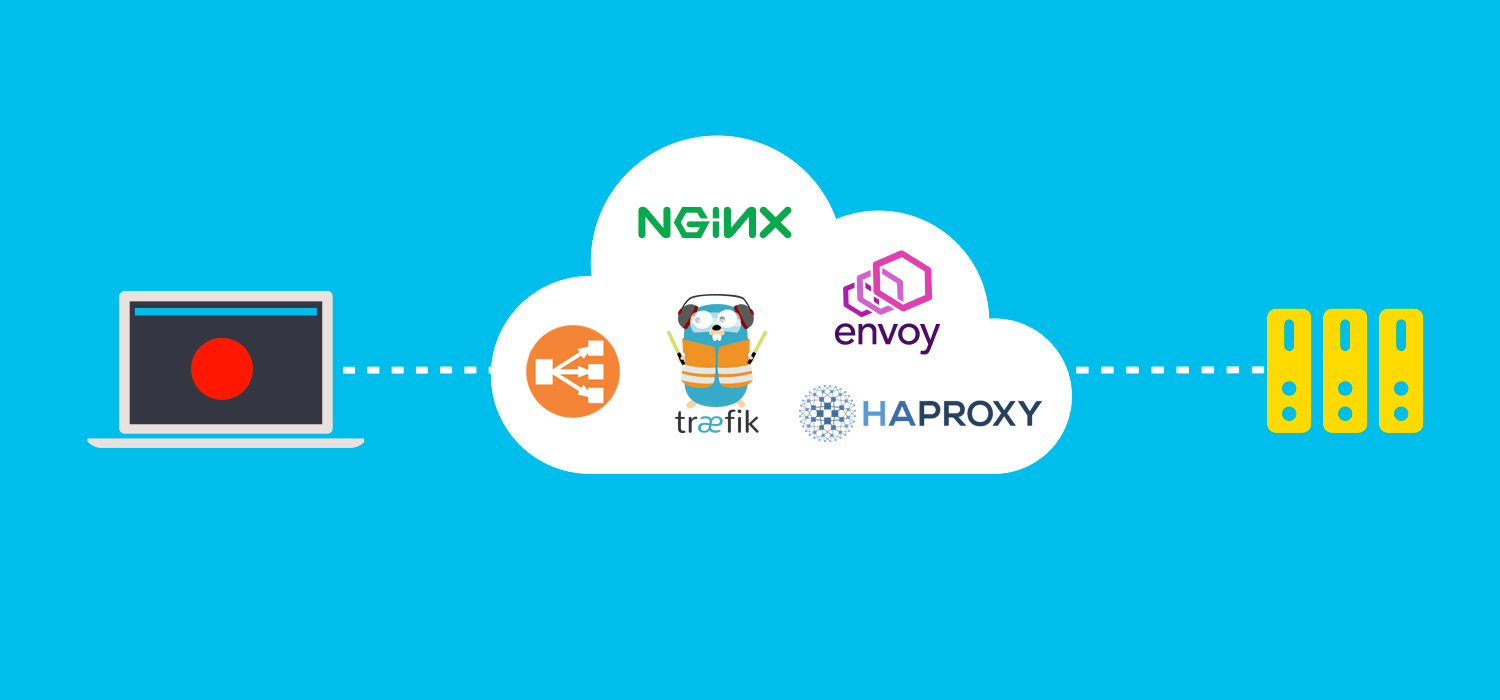
We will test five different popular load balancers, analyze their performance, and give you the tools to understand them.
thorny vector
yep, and upstream server is just http
nocturne harness
It's a benchmark, but they provide sample configs
thorny vector
yeah, but thats too much school for me.
little schooner
Oh. Yes it's a lot of school
The bacholers was the worst one
Lots of stuff they made me take in program study that didn't really have to be
vapid dune
What ever pays the big bucks
For me a bachelor's is sufficient to land a good paying software job
south blade
What GeoIP blocking do you guys use? I keep seeing Switzerland IP addresses show up on my PC and it's making me uncomfortable...
south blade
Like looking at PFSense my PC is sending and receiving a lot from Switzerland IP addresses....
nocturne harness
Sending and receiving???
hmm
If you have proper firewall rules I wouldn't worry about it
but if you're also sending a lot of data are you sure you're not using something that's hosted in switzerland?
south blade
Not sure, trying to figure that out. Can Wireshark filter by IP address? Maybe I can identify what's sending it with that?
vapid dune
everything else is just things probing you and false positives
south blade
I got Top Spammers under pfBlocker's GeoIP blocked both ways, any other ones I should enable? >_>
south blade
Basically
south blade
Unexpected issue now that I've got a way to toggle VPN, I don't have static IP addresses! I want to assign IP addresses to devices on my network, but PFSense doesn't allow to assign to IPs in the range I set DHCP to hand out, 192.168.10.100 - 192.168.10.120, so my question: Will assigning IP addresses outside that range still show up as available devices like I see them now. ie, if my printer is on 192.168.10.112 but I want to assign it somewhere in 192.168.10.80 - 192.168.10.99, since it's DHCP assigning it, other devices will still see it?
thorny vector
Yeah, I'm assuming the printer is using some PnP protocol
nocturne harness
Yeah the range is just for what DHCP will hand out
anything in the network block should be trivially addressable
i.e. if you have 192.168.10.0/24, you should trivially be able to address anything from 192.168.1.1 to 192.168.1.254
south blade
Hmmm, I don't know what I'm doing. LOL, I added a pool, which I thought would count as outside the DHCP Server's but again it's telling me I can't assign static mapping to addresses in DHCP Server pool.
thorny vector
i.e. if you have 192.168.10.0/24, you should trivially be able to address anything from 192.168.1.1 to 192.168.1.254
@nocturne harness
lol
nocturne harness
Yeah, the static addresses cannot be in a pool
Imagine the server rolls a dice to pick from the pool
what would it mean if that address it lands on is static?
thorny vector
Total network meltdown 😛
rocky badge
On my network, devices keep the same 4th octet even across VLANs, assuming they aren't in use already lol.
So my desktop is 10.0.x.223 across every VLAN, since I have multiple tagged lol
south blade
Ok, but I thought since it was an added pool it didn't count toward the main pool in DHCP server. So the second part of my guess on how this works is right? Since I'm assigning IP addresses with DHCP server, outside that pool set in DHCP server the other devices can still see them?
nocturne harness
devices do not use DHCP to discover each other
they use DHCP to learn how to connect to the network
host discovery is done through other protocols, like ARP
hollow marlin
@nocturne harness you can most definitely have a static in the pool. RFC defines the standard to ping the IP before and listen to a response before offering. Not absolute though
thorny vector
@hollow marlin I've worked on networks so slow that the ping didn't get back in time, and it got duplicate addresses
Worst client ever
hollow marlin
Well then there are more problems that DHCP at that point
thorny vector
Oh yeah there were
They were trying to serve a high i/o application internally over fast ethernet to start
because upgrading would be too expensive /s
nocturne harness
@hollow marlin the DHCP server can check before offer, but it does not have to
The RFC says that both the client and server should check
south blade
@nocturne harness you can most definitely have a static in the pool. RFC defines the standard to ping the IP before and listen to a response before offering. Not absolute though
@hollow marlin PFSense doesn't allow it, according to Netgate, to avoid that very issue.
 stable iceBOT
Add the entire IP set you're looking to work with to the DHCP pool, but only DHCP assign from the subset you want, then assign the rest with static reservations.
south blade
The bot is sentient?! >_>
hollow marlin
@south blade I mean it makes sense, point was it can be done on OSes without issues...mostly anyway
little schooner
@hollow marlin yeah like Cisco doesn't barf at the config if you make a reservation within a dhcp range pool
little schooner
@rocky badge it makes no pfsense that dhcp res doesn't work
rocky badge
😂
hollow marlin
@little schooner Major vendors don't bark back on configs much as there is always "that one case" where it's needed
thorny vector
DHCP is better coming from a windows DC ;)
vapid dune
I couldn't figure out the IPMI password with the mobo I bought .-.
that was fun trying to figure out how to reset it
little schooner
@vapid dune admin admin no?
vapid dune
got it used so needed to factory reset it
little schooner
Ahhh
south blade
😖 I think someones been accessing my wifi camera
south blade
tcp 192.168.10.20:42742 -> 47.89.216.146:50920 ESTABLISHED:ESTABLISHED 3.537 K / 3.532 K 262 KiB / 200 KiB
That IP shows up as from San Mateo, California
vapid dune
what kind of camera is it?
south blade
Cheap eBay camera...which I thought I blocked from accessing anything outside of LAN, but apparently I changed the IP address on it and forgot to update the floating rule!
thorny vector
Though shalt not expose iot devices to anything other than the local net
south blade
Hopefully I'm just seeing it's cloud function only or something, trying to figure that out now...
Ah, hopefully false alarm in a way? I logged into their fishy cloud service app on my phone, off the WiFi, and while camera is exposed to the net, it seems to be that same IP address the data is getting sent to. So it's only them that have my nudes. 🙂
thorny vector
Zoneminder might be a good look for you
south blade
I tried, I couldn't even begin to figure out how to add my camera. Easier was that Pi one, but I got a faulty Pi Zero, so I gave up on that route as I was low on cash.
MotionEye, couldn't remember the name.
Actually I don't remember how I even managed to get ZoneMinder cause I think I was getting some error like the file wasn't available when I was putting it in the terminal, then I found another command/link, whatever you call it on Linux, and that managed to download it. But yeah, very difficult compared to these crappy programs I've tried and am using. :/