#networking
1 messages · Page 187 of 1
 strange silo
🙂
always loved the news stories about places that nuked themselves doing that
even happened in my last job, someone rang me for help and all I could do was "LOLOLOLLL!!OLOL!!!!"
pushed out a Windows 7 Audit mode image to everything
strange silo
S? T?
 rocky badge
student/teacher
strange silo
That for wired or wireless? I've never done wired separation of staff and student personally. Always used user based firewall rules and ACLs etc
rocky badge
both
strange silo
Base all my wired stuff on physical location, so I know where to go for problems
rocky badge
mainly wireless for students now
strange silo
Per building per floor vlans etc (if building is big enough for per floor to make sense)
 thorny vector
soooo, whatever you do, don't do a bunch of repeated characters. Just got muted for 5 mins for trying to do an underline
thorny vector
very touchy bot, I like it
strange silo
"Earlier today, _____________________ LLC network admins were found wandering around the grounds in a daze. When asked what was going on, all we got out of the was 'Ports flapping..... Links saturated..... there is no god...'"
what? it truncated the underscores lol
thorny vector
yep!
real story though, I was at a site where all of a sudden a bunch of switches started flapping for no reason.
strange silo
has them all in the logs and that's what I copy/pasted
thorny vector
During the following 3-4 hours of trouble shooting, nothing was figured out
then all of a sudden, it all stoped
strange silo
loop, please tell me loop
thorny vector
We checked, no loop
the closest thing we tracked it down too before it stopped was alternating macs coming from somewhere
but the port that it was coming from was only connected to a single device, and it was a short run we could verify, so no one was jacking in
strange silo
we always had the cleaners being helpful picking up ends of cables in rooms and plugging it in to the other outlet, to tidy the cable
thanks
thorny vector
in other news, I heard a cleaner was found dead in the dumpsters
strange silo
Or power socket in closet with tape over it and big sign saying do not unplug
"Yep I need that for the vacuum cleaner"
thorny vector
wut
 hollow marlin
Flapping MAC pretty much guarantee a loop
strange silo
^
strange silo
or virtual mac on a badly configured team plugged in to switch pair not configured properly for that usage causing spanning tree update every time it swaps paths
thorny vector
who knows. it was a while ago, when I barely knew what I was doing
I was still making cat cables at that point 😉
strange silo
mac hopping is one way to kill our DC network right now still 🙂
hollow marlin
Depending on size, loops can be a nightmare. L3 all the things
strange silo
TOR are not stacked so teaming has to be active/passive or mac per link
hollow marlin
Spine and leaf and what all your problems go away
strange silo
it is we just choose not to use stacking tech in the DC
every outage we have ever had is from stacking tech going bad lol
hollow marlin
We still stack but no more that 2 for redundancy. Anything more has always been a nightmare.
strange silo
Cisco: "It's just plug and play"
rocky badge
@strange silo nah, there's only 2 floors depending on the building
hollow marlin
Cisco I have had little stack issues but Juniper VC are the worst
thorny vector
screw cisco, and the horse it rode in on
strange silo
Cisco Switch: "Here have the broken configuration new stack member"
thorny vector
I can't control what hardware I have at work, but cisco will never again touch my homelab
hollow marlin
Cisco is love, Cisco is life
strange silo
🙂
thorny vector
you probably would cringe at my lan solution
hollow marlin
We are 50/50 Cisco/Juniper for core. Love Cisco but Juniper is a major love hate relationship
strange silo
HP brought Aruba and I was like, yay we can use Aruba in our network replacement project
thorny vector
why use someone else's switch when you can build your own?
strange silo
immediately move away from HP, sad face
hollow marlin
Unless you have the money and pushing force building your own at an ISP level is out of the equation
strange silo
why buy butter when you can make it yourself?
thorny vector
I did actually make my own "switch", of a sort
esxi host with a crap ton of network cards slotted in, all used as uplinks in a vSwitch
strange silo
software switches is a thing now though
hollow marlin
For home use, sure. Production. Nah
thorny vector
yeah
strange silo
Tell that to Cumulus
thorny vector
I wish I could really saturate it properly to test how much it can take
hollow marlin
We'll Cumulus had the pushing force as stated before
thorny vector
and i've tried out cumulus vx, or whatever its called. Never really got it set up properly, but it looks cool
hollow marlin
They are pretty much down the throat of major NIC vendors
strange silo
In 2014 Dell made a deal with Cumulus to offer the option of the Cumulus Linux network OS with their switches.[8]
In 2015, Hewlett Packard Enterprise made a deal with Cumulus Networks to offer Cumulus Linux on their Altoline switches.[9]
In 2016, Mellanox made a deal with Cumulus Networks to offer Cumulus Linux on their Spectrum switches.[10]
In 2018, Lenovo made a deal with Cumulus networks to offer Cumulus Linux on their ThinkSystem Rackswitch [11] line of switches.[12]
Persistent bunch they are
hollow marlin
Told ya. Listening to some of their sponsored podcast they pretty much have the market for driver support for Cumulus and pretty much any card
Which is good
strange silo
Not sure I'll ever use something like that though
 strange silo
Not unless I get some sweet ebay special hardware that has it
thorny vector
DO IT, a bunch of cheap r610's hit ebay
strange silo
nah I mean real switch hardware that supports it/has it on there already
hollow marlin
The cost benefit is not there when you begin to add in employee cost.
thorny vector
ah, ok
strange silo
Not going to replace my 48 10Gb + 4 40Gb with some old ass servers 🙂
hollow marlin
They do have the support for the new Cisco broadcom 400g chips though
thorny vector
@strange silo look, some of us gotta scrunge in the scrap pile 😛
strange silo
that's where it came from lol
thorny vector
wat
hollow marlin
You would be surprised what enterprises throw away
strange silo
HPE FlexFabric 5900AF 48XG 4QSFP+ is our scrap now
thorny vector
never when I'm around apparently. I always hear the dream stories, but never been around when it happens
strange silo
Also got a Cisco 4900m but that's super power hog cos of how old it is
hollow marlin
I'm waiting for when my previous job is decommissioning their ASR9k that I get. Got it in contract
strange silo
What makes me super sad though is I'm not allowed any of the servers
for what ever reason those are a no
thorny vector
cuz security
strange silo
pff
thorny vector
even volatile memory can have data pulled off of em
strange silo
has nothing to do with that
thorny vector
its fragmented to all hell, but if you're looking for any crumb, its possible
then what?
strange silo
just something something money w/e
thorny vector
ahh, ok
strange silo
so we pay for them to get removed, wiped and then they sell them used on ebay
hollow marlin
Lead just tell them you are "taking it out to the trash" when you decommission them
strange silo
so now I take out all the ram, NICs, CPUs, PSUs
try and sell that hah!
so now we have like 3TB-6TB of ddr3 ram in our build room cabinet
but I'm totally not spiteful at all
thorny vector
You should totally send me some
Also, apparently all caps also makes the bot angry
 pulsar needle
hey all im still running a wndr3700 netgear router lol and finally looking to upgrade. need something that will cover the whole house and also have good wifi speeds. Right now i was just about to buy a netgear XR500 router and the mesh unit but noticed that its not wifi 6. and for the same price i can get a Asus RT-AX92U AX6100 Tri-Band Wi-Fi 6 mesh system.
i really wanted the netgear because i game and would love to have the netduma software to control buffer bloat and region lock what servers i connect to for games.
i figured that i should go with the wifi 6 system being that buying the netgear router would be buying old tech.
what are your guys thoughts? is the netduma routers worth it or should i just go with the asus wifi 6 option
 clear igloo
What AP or Router?
If it's multi-band then 64 will be the middle band I believe and the others will space out from there
 fervent brook
is 64 shared with radar?
yes
50-144 in the US are DFS, which means they must be dynamically chosen using best practices. if RADAR is detected by the router, it must choose not to use that channel
same range
not use it
overpower it locally
or negotiate with the user
or pay the iron price
0-50 and 144- whatever
@pulsar needle what country?
how many routers do you own?
how much cat5-7 do you own?
how many people live with you?
i dont see anything except phones needing WiFi 6.
then do 149
fervent brook
then go below 50
and if you say you can't, im gonna tell you you should really reconsider if your router is capable of 5GHz
 little schooner
I would certainly use wifi 6 for my laptop
I use sync tool to transfer my vm vhdx over network
Every end of week
fervent brook
i'd use CAT6
 glacial rain
Networking
fervent brook
can we get cell phones with an 8P8C connector?
hollow marlin
Sure its called type-c
fervent brook
mini could do otg
hollow marlin
Still going to be over C
fervent brook
can you do 10gb over usb c while charging?
 flat lion
Does it piss anyone else off that Google still refuses to support DHCPv6 in Android? I really don't give a fuck what their reasoning is, I honestly think they ought to be forced at proverbial gunpoint (i.e. law or court order) to implement it
As the last comment on https://issuetracker.google.com/issues/36949085 puts it: "It is not Android's job as an operating system to dictate the architecture of networks regardless of internal opinion.
clear igloo
I hate it myself
flat lion
At least I'm not the only one lol. I asked in #tech-chat-1 last night and got crickets lol. There must be dozens of us!
I mean, I don't even run an enterprise network, this is just me with my Pi (default SLAAC+DHCPv6 fucks up the pi-hole logging/stats/graphs and shows like 30 devices instead of ~a dozen), I'd be abso-fucking-lutely furious if I had to deal with deployments of hundreds or thousands of devices
clear igloo
Well technically you shouldn't subnet IPv6 smaller than a /64 unless absolutely needed (p2p links for example should be /127 most of the time) then there really isn't an issue per-say but if you need to do a /96 for some reason then SLAAC breaks
There are other reasons for DHCPv6 support though but that's a common one I see as a detractor for SLAAC and a pro for DHCPv6
flat lion
Yeah, I get the idea of the simplicity of auto-config, but sometimes you do need to change things, and being locked out of doing so by virtue (vice?) of the design of the protocol is abhorrent to me as someone ardently in favor of FOSS, open standards, open data, etc. The end user should be in complete control of their devices & networks. Period. Google, Apple, Microsoft, et al be damned.
hollow marlin
@fervent brook you don't need 10gig on a phone
flat lion
Blech, I just realize now that you mentioned the subnets that by default this is handing out /128s and thus only the actual ASUS router and the Pi with the statically set /64 are capable of sending globally routable v6... fml (I can manually run ip route add $v6actualrouteraddr here on Arch but that'll only fix this particular machine til I reboot)
What I wouln't give for a fat bowl or a nice tall Long Island iced tea right about now
hollow marlin
Are you getting this /64 from your ISP?
flat lion
More or less, the ASUS' /64 is provided by the ISP, the Pi's is identical to the SLAAC address it was assigned when the router proper was sending out RAs and providing SLAAC addresses. Unfortunately I can't configure the RT-AC1200 quite the way I need to. It doesn't properly/consistently resolve local hostnames to v4 or v6 addresses from DHCP, among other things (that's not even touching the fact the fucker apparently only has 10/100s despite being an 802.11ac capable router 🤦♂️ )
fervent brook
My router is old. but the model number has a 69 in it, which is nice
hollow marlin
@flat lion Well if you are being handed off a /64 DHCPv6 from your ISP will also include a useable /64 for your clients which is separate from the original prefix given to the router. This prefix is then what your router will use for SLAAC for your clients.
flat lion
@hollow marlin Right the issue though is that royally screws the stats on my pi-hole and makes them utterly useless with multiple v6 addresses (SLAAC from the router proper, DHCPv6 from the pi, and the randomized privacy extension addresses) that it won’t associate with the proper devices and I can’t map the v6s on the router to the friendly names on the network. E.g. tv, stb for the Samsung smart tv and directv set top box neither of which provide a hostname/client ID. If I assign 172.16.150 to tv and .151 to stb for the DHCPv4 leases and still have SLAAC+RA on the router querying stb.my.local.domain or tv. for an AAAA record returns nothing even though I damn well know they’ve got v6 addresses (plus the DHCPv6 addresses that the Pi would be handing out)
hollow marlin
So essentially you want the PI hole to handle DHCP and DNS for you clients but instead they're getting two NS for the router and PI hole?
flat lion
Close
They’ll still use the Pi for the nameserver as I’ve got the router configured to point at the Pi for v6 DNS anyway
But then the Pi will see requests coming from any one of the three addresses and log them all as separate individual clients despite being one single device
hollow marlin
Oh your problem is with SLAAC itself
flat lion
Yep
Why I put FML at the end there and griped about needing a fat bowl or stiff drink lol
Or both
hollow marlin
Well your best bet at this point is mDNS
flat lion
Eh, I’ll figure something out. Gotta be some way I can get dnsmasq to tweak the RAs to provide the appropriate info instead of trying to hit route through the Pi rather than the actual router
rocky badge
I'm surprised my ISP gives me a /56 o.0
hollow marlin
Well if your PI is setup to send RA and actually route there is router priority you can set in the PI so the SLAAC devices choose to route to the PI instead of the router. But not sure why you'd want to route through the PI
flat lion
I don’t, but I do need it to be able to associate any v6 addresses with the appropriate devices which it can’t/won’t unless it’s the one issuing them (I mean I could add each individual v6 address to its hosts file but lolno fuck that)
hollow marlin
Like I said, mDNS will solve your issue
flat lion
I’ve tried that before and that still wasn’t enough
hollow marlin
Router should be handling the RAs and the PI just DNS/mDNS and call it a day
flat lion
Like I said a bunch of clients (read: Apple and other “smart” devices) won’t identify themselves properly and I also need a way to set/override the name
hollow marlin
Thats not a problem you can fix. Even if you are doing DHCPv6 on the PI. Many devices dont give out hostnames
flat lion
But I can identify the devices by MAC/DUID and give them DHCPv4/6 addresses respectively that will be tied to the correct name, so it can be fixed in some fashion
kludgey AF but a fix after a fashion nonetheless
hollow marlin
If you are going through that manual work might as well just add their link-local to a static entry instead of DHCP
Unless you begin routing within your LAN which will break it
flat lion
Adding it as a static entry where though?
hollow marlin
Just a static AAAA
little schooner
@flat lion in your hosts file
PiHole can read that and show up in the log with the name you set
I do that
flat lion
Ah yeah so back to the hosts file solution that I’ve been avoiding then. (Or perhaps a more appropriate spot if/when I get unbound up and running to turn the pi-hole from a caching DNS server and sinkhole into a recursive one)
little schooner
Hosts don't advertise their hostnames that often. Actually, that is something I've only seen on management interfaces of things like iDRAC and Intel amt managed stuff
Where you can give the client a hostname or let it pull it from dhcp
For everything else consumer, it gets ignore because they don't request it in dhcp packet
flat lion
I feel I should mention that the reason I’ve been avoiding it has been so that I have to delve into the guts/details of the networking/protocols without taking the path of least resistance/easy way out
little schooner
@flat lion well lucky for you, host file is easy to edit. It's one file, open with vi, and add ip and hostname combination, one per line
It doesn't not require you to know more networking
flat lion
Yeah I know @little schooner 😛 I was specifically looking to learn more about networking with this exercise in pushing the envelope lol. I already have the pi and the routers addresses in there
hollow marlin
DHCPv6 wont teach you much networking rather than just frustrate your to hell. Reason why its avoided as much as possible even in the enterprise world
little schooner
Or my prof would say "it's already working, why should we change it?"
Hehe
I think lzdanger said he finished converting over to ipv6
flat lion
@hollow marlin I'm an Arch-er who's thinking about spinning up a VM and building gentoo from stage 1 tarballs like their release engineering team does for shits and giggles, I'm already quite mad 🐰🎩 (and now I've got White Rabbit stuck in my head lol)
flat lion
D'oh.
I feel real fuckin stupid now. sysctl -w net.ipv6.conf.all.forwarding=1 is literally all I needed to get everything else to be routeable lol. That solves the issue of them having global v6 addresses but not being able to do a damn thing with them outside the local network. (Yeah it does route through the pi, which I said I didn't want to do but that's farther down my list of concerns than proper local name resolution, sane logging, and other things)
Actually, that should probably be just .eth0.forwarding really Never mind, it's not happy with that, guess it needs to be .all.
little schooner
Proxies can decrypt traffic if they use a certificate trusted by the end user right?
little schooner
I got some hikvision cameras that are trying to go out
But I don't know the path it's trying
To reach
I am thinking of putting it on them so I can see exactly what it's trying to do
rocky badge
VLAN, no internet, record to local NVR
fervent brook
after having a synology nas, I think I'm gonna be spoiled
 primal cave
I am upgrading part of my house network to 10gig for my homelab
strange silo
@little schooner Milestone?
 waxen scroll
@strange silo 1 year
@hollow marlin homelab should be 25G minimum if starting new
 👨🍳
👨🍳
strange silo
@waxen scroll Milestone NVR slap
little schooner
@strange silo are they any good?
 jovial estuary
could anyone pleas help me with a srx5038 netgear router
I want to configure a port forwarding to 192.168.1.4 on ports 139 and 445
I found the configuration for the forwarding but the ports are still closed
and i don't know how to change this
fervent brook
are you using an operating system?
strange silo
@little schooner Yea it's one of the best software out there and has a free edition, but it's the NVR software only so you need to get your own camera. Your current hikvision's will likely work
fervent brook
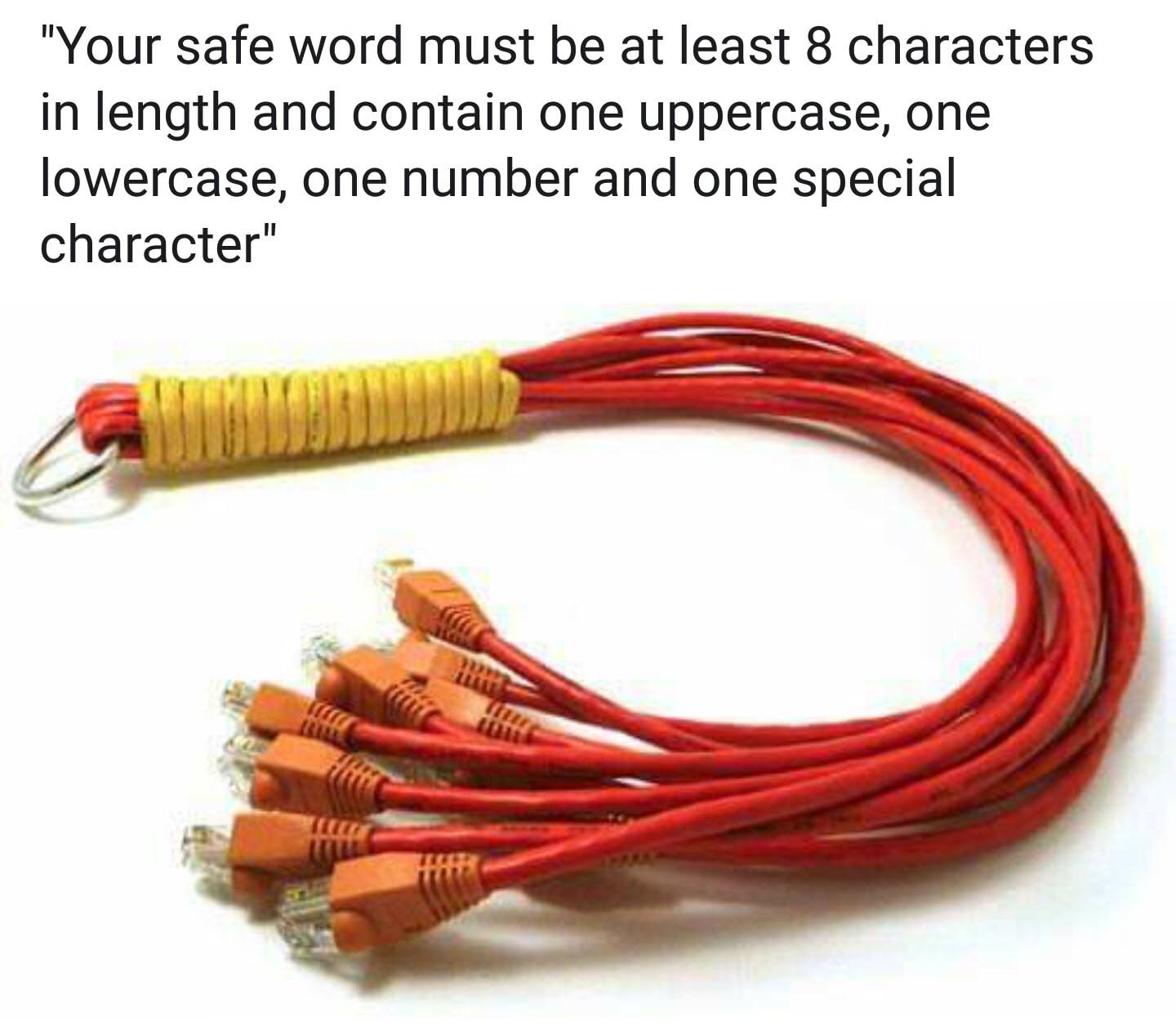 clear igloo
LUL
fervent brook
I remember when passwords were 6 characters
my fear is that if i ever don't pay attention enough, im gonna set my password to cisco or class
clear igloo
cisco.123 - most secure 😛
fervent brook
i forget what it was. something like all passwords 8 characters and under were already documented, so dont use them
that is, if you actually care
little schooner
@fervent brook I know a Comcast technician set a customer router to Password@123
I changed it for them to a secure one when we did work for them
@strange silo I tried to look to see if they had AI features like smart alerts, line crossing and object detection (human, animal)
I didn't find it
strange silo
It does, sometimes those are extra modules or needs support for it in the camera like license plate reading
we use plate readers on the entry to car parks and main campus entry points
 thick minnow
Question to the world I’m new to pfsense I’m trying to setup this computer with two wan ports and a 4 1gb nic and I’m trying to achieve load balance on the dual wan and the 4 port nic to be a switch with the same IPaddress 192.168.1.1 and I’m not sure why my port range is 192.168.1.1 to 192.168.1.2 I’m new to this if someone can give me dummy details please maybe I’m doing something wrong
There’s my setup
I know the wans aren’t connected I managed to get the wans to work but the land and port range is not letting me change the range
 vernal ivy
Anyone ever deal with WiFi can't config Ip before
I just bought a Netgear A7000 and I keep getting that error at random times
I windows troubleshoot and it comes up with that
I've tried alot of fixes expect for using a static IP I'm going to try that when I get home
And if that doesn't work idk what else to do
little schooner
@strange silo k
@vernal ivy are there any firmware updates for it that you can apply?
If not if you bought it recently, maybe exchange for a replacement?
If your computer is set to get a dhcp ip, it should be automatic. Also, the default settings for the router should have dhcp server enabled too.
fervent brook
when you can't get an ip, what does ipconfig say your ip is?
@vernal ivy ever try dhcp reservation?
I thick I have a 7000. it's that a nighthawk?
oh, an a7000, I think mine is r7000
did you factory reset it since you last did a firmware update?
vernal ivy
@little schooner I've tried all the firmwares old and new
@fervent brook yes it a nighthawk
fervent brook
and windows sometimes days you don't have an ip address?
hollow marlin
@thick minnow You need to bridge your LAN interfaces together and assign the IP to the bridge instead. Instead of typing it out refer to this video https://www.youtube.com/watch?v=bz45r_4BREw

pfsense step by step tutorial to create switch with extra ports on router. This makes pfsense behave like those small business cisco routers.
thick minnow
Thanks
vernal ivy
welp
 primal ice
a deep hole with p in it?
little schooner
Wish unifi could release an 802.11ax access point already
All my laptops and smartphone devices have ax
rocky badge
Is AX even finalized yet? 🤔
 spare bay
It’s too early for ax
Every device that you have now doesn’t even support the full ax standard since they keep adding to it
Hasn’t been ratified yet
hollow marlin
Outside stadiums and enterprise AX provides no real benefit (excluding some battery enhancements to IOT) I wouldnt buy it until its finalized and becomes the new norm on all routers
 novel spindle
I have a question those that have a better idea on networking than I do.
hollow marlin
Go for it, this is the networking channel lol
fervent brook
@novel spindle did you die?
fervent brook
well. R.I.P.
novel spindle
No sorry I was out... I figured the issue out though anyways but thanks guys
fervent brook
yay. you figured it out
 earnest wasp
ax == WiFi 6, right?
clear igloo
Yes
fervent brook
wifi 7 = AZ
 balmy lance
Is there a guide to upgrading my wifi to be more reliable. Right now I have a Nighthawk R7000P which is fine while it works, but slowly gets slower until I restart it. ~2000sq ft house, but wifi is in one far corner due to house shape.
I'm willing to buy fancier equipment, as long as it works, and I can get away w/o having to wire
spare bay
if you don't have ethernet, a mesh network is the way to go
balmy lance
yeah, I could wire up my house but it'd be a giant pain
like, hire an electrician because I'm not gonna
well, networking guy or something
spare bay
I've heard good things about eero
although they were acquired by amazon which is a bit of a turn off to me
balmy lance
ugh, that's probably a no....
spare bay
Netgear orbi is another one I read about a lot
balmy lance
ubiquiti amplifi any good?
balmy lance
just found a "top 5 mesh wifi" article so looking at options out there.
I didn't know about it 30 seconds ago 🙂
rocky badge
The Amplifi is a nice mesh system imo, if I had to go mesh that would be the one I'd go with
spare bay
I think the orbi's have a unique backhaul that is the fastest on the market
reddit
0 votes and 13 comments so far on Reddit
here's someone who's owned both
amplifi has a nicer app, orbi has better performance
and the orbi's have ethernet ports which is nice
balmy lance
the wired backhaul isn't too useful to me I think.
both look better than I've got now 🙂
thank you
actually, for pulling wires around my house, what job title would I call? Electrician seems wrong, "network tech" of some sort
spare bay
I meant the wireless backhaul
I could be wrong but I’ve read stuff that implies it’s different than all the others
balmy lance
yeah, did more reading. Interesting idea to have a second wifi network on a diff channel to avoid stepping on clients vs. node<=>node comms
little schooner
What additional things were added to ax since the s10 came out?
are they groundbreaking?
They have products out but couldn't they add any additional changes with software update?
spare bay
6ghz
little schooner
right. hmm
waxen scroll
@balmy lance low voltage electrician, however you might want to check labor prices from home theater installers because in my area they are significantly less than people who have electrician in their title
i ran a bunch of wire to my attic, but didnt want to do the work to drop them in walls because it was dangerous. 1hr of work.... Electrician: $1400, Low Voltage Electrician: $1000, Home Theater Installer: $350
to their credit, the electricians would have done extra unwanted work such as installing wire hangars
hollow marlin
Perks of having a grandfather who is an electrician. I do my own electrical work from what he taught me but yes it is dangerous and still scares the sht out of me when I do it.
waxen scroll
i have a weird roof line, so the attic has tight spaces and beams all over
hollow marlin
Always fun working in crawl spaces. God I hate it
 dire flare
crawl spaces with nails sticking out of everything and the itchy kind of insulation everywhere
my one true passion
balmy lance
@waxen scroll awesome, that sounds cool. I think I have an easy enough attic, but I don't have any handiness in me... I think the first approach would be to just try the Orbi wifi which I think I landed on. And a short run of ethernet from one room to the next to hardwire my main PC. That'd probably get me 90% of the way to what I need
but the tip about 'home theater tech' is good. They do speaker wiring and such through walls all the time
waxen scroll
yeah
honestly who cares if the person has no cat6 skills... you just need a wire dropped. you can do the rest if they cant
balmy lance
exactly. It's been a while since I did any actual cable work, but it's not hard. I just don't wanna go crashing through my ceiling from my attic 🙂
 devout mason
If you just need something stable to back up your wifi, you can run 10mbps over your home's existing phone lines if you re-route the other end of it
that way you don't have to drop any wires
or use a powerline adapter
 cloud zinc
stuck a something
type "http://test.localhost/index.php" in chrome and it works
type the same in in Firefox and fox make it "http://www.test.localhost/index.php" of and can't connect, dude wtf
clear igloo
do it in firefox without www
cloud zinc
it add it automatic
(change de child from 'test' to 'www' )
put in http://www.localhost/index.php
firefox give's back http://www.localhost.com/index.php
(ping me if you know or might know the answer )
cloud zinc
www.127.0.0.1 .....
clear igloo
Yah, FF shouldn't prepend www unless something is messed up
rocky badge
I thought FF prepended www if non www NXDOMAINs
Type your web searches in the address bar and Firefox will take you to your default search engine results page. Learn how to customize this.
 ancient osprey
Best way to setup my home network securely on my mrc?
ancient osprey
what about vlans for different devices?
fervent brook
ohhhh
you meant how to set up your network to be secure
learn to use ACLs and whatever your equipment maker calls mac address filtering for physical ports
ancient osprey
yeah, and what does one do with iot devices and ipv6
fervent brook
not sure ipv6 is much more secure than 4
and as far as iot devices, don't use them
rocky badge
I've got my IoT on a VLAN that has restricted access to the network and Internet
As well as limited to 100Mbps per device so they can't chew my entire bandwidth
ancient osprey
how should I do my vlans?
fervent brook
0-127, 128-191, 192-223, 224-239, 240-247, 248-251, 252-255
little schooner
@fervent brook the powers of 2
Go 2!
@waxen scroll home theater installer is really going to run new wires through the wall?
rocky badge
i do 10, 20, 30, etc
ancient osprey
Currently running my CenturyLink mrc and a Linksys WRT and I want to go down to my mrc but seperating devices away from each other for better security
waxen scroll
Yes they are
A big part of home theater is hiding wires and installing jacks
The people who don't aren't hiring home theater installers anyway unless they're extremely intimidated
They won't do high voltage as far as I know. Guess it depends on who you hire
fervent brook
what about home theatre?
 silk warren
Need some help regarding CISCO QoS. I have
mls qos map cos-dscp 0 8 16 24 32 46 48 56
mls qos
and on access ports
mls qos trust cos
Is that a valid configuration for VoIP? (DSCP values 46 and 26 being used for media and signalling)
I’m a noob when it comes to QoS
 languid shale
I have a router connected to my isps provided router via an Ethernet cable but since I connected my router to it tye wifi just stops and only comes back after restarting the ISP router a few times could my router be causing the issue
fervent brook
any reason you're double routering?
languid shale
The ISP router is locked down so I can't change the settings
fervent brook
why use it at all?
languid shale
So is it an option to use my router instead
languid shale
As far as I know, I'm In a rural area so it's coming in via an antennae
languid shale
No sorry, they have broadcasting towers around the country on the highest point in a given area
This seems to be the router
languid shale
Ye lol
fervent brook
does the "router" have a BNC or coaxial or terrestrial antennae connector?
languid shale
Just a standard rj45 jack
fervent brook
just one?
fervent brook
what happens if you just connect the cable going into the one port directly into the WAN port on our router?
languid shale
Do you mean complete remove the ISP router from the system
fervent brook
yes
languid shale
Ok I'll try that
fervent brook
you might need to turn off both for 5 minutes(ive heard 30 minutes) and then booth them at the same time. or doing a refresh renew on the router
languid shale
Ok that doesn't work I think that they cable is broke between the router and the antennae thanks tho
fervent brook
do you know what the antennae looks like?
hollow marlin
@silk warren Is there any issues you are running into where you might need QoS? You will not want cos-dscp because most devices dont do cos.
languid shale
It's a box hanging out the front of the house I think the modem is integrated
fervent brook
ahh, the old pizza box internet
 surreal finch
Anybody here ever use INE?
hollow marlin
@surreal finch Yeah, what questions you have about it
rocky badge
https://www.theregister.co.uk/2020/04/16/cloudflare_outage/
https://blob.pcmr.rocks/InfatuatedMidnightblueBlob.png

Single point of failure, imprecise instructions and not enough labels are a bad, bad, mix
 thick minnow
That poor man prob lost his job from that
Question so I’ve been getting performance drops on pfsense I was on 950D and 55UP then it dropped to 8D and 5 up did a reset and I’m getting 255D and 42up
I’m not sure if it’s something has to do with that pfsense
hollow marlin
@thick minnow Whats your CPU and current bandwidth usage on pfsense?
thick minnow
@rocky badge I would say thats actually their designers/architects fault - what sort of real enterprise the size of cloudflare has just 1 patch panel that could kill the whole thing - for someone whose business is the internet itself - thats just bad design - I have been to some datacenters where there were no where near as important as cloudflare that had at least 2 levels of failover - so its not that 1 guys fault
silk warren
@hollow marlin there’s no issues with the QoS, as I’ve not actually deployed the phones yet - that QoS configuration was pre-existing on the switches and wasn’t sure if it was ‘appropiate’. I basically need to prioritise DSCP values 46 and 26
rocky badge
@thick minnow yupppp
silk warren
24*
hollow marlin
@thick minnow It wasnt just one patch. Essentially a whole rack was marked as decommissioned and all patches were removed. Cloudflare does not have a single point of failure like that
thick minnow
still a single patch should not be that important when you are trying to say you can 'run large parts of the internet'
hollow marlin
Again it wasnt a single patch. The entire patch panel was removed
Multiple patches removed is what caused this
thick minnow
still - cloudflare should be held to a higher standard - like what if the building got hit by an earthquake - they are sort of at that level of expectation
hollow marlin
If you'd read the blog very little of actual network impact was affected
This data center houses Cloudflare’s main control plane and database and as such, when we lost connectivity, the Dashboard and API became unavailable immediately. The Cloudflare network itself continued to operate normally and proxied customer websites and applications continued to operate. As did Magic Transit, Cloudflare Access, and Cloudflare Spectrum. All security services, such as our Web Application Firewall, continued to work normally.
thick minnow
I read that part - but the question becomes - that 'very little part' could be important to a lot of people
its like AWS or Azure at this point - when they are down - it impacts a lot of other people - for example - this Cloudflare thing impact one of my clients in their ability to manange their systems for a few hours - based on their revenue - it was measured as a $30,000 impact to them
just saying - customers of these companies have pretty high expectations because their services aren't cheap
hollow marlin
Welcome to the main problem with SaaS
There will always be a single point of failure somewhere in the chain no matter how much you try to mitigate it
This just happened to have all the cross connects on the single patch panel which unfortunately lead to this issue
rocky badge
The API died, so did Argo tunnel, etc. etc.
So the "normal" proxy, WAF, and FW worked
you couldn't modify DNS, configs, analytics, etc.
But if your site uses Argo tunnel, that died
So actual customer sites didn't die, but basically everything management wise did
hollow marlin
Exactly. While service affecting, really only for management. It only fired me up as if someone is going to say CF needs to do better. @thick minnow Like sure lost $30,000? So um, where was their backup plan? I mean if CF is to be held at that level where is their plan for cloud issues?
thick minnow
But they pay Cloudflare to be up, that’s the whole point for SaaS - you pay a premium to have someone else maintain it.
Sure, their free CDN customers can’t complain - but if I pay for a service and you sell it with “5 9s uptime” well that means you can be down .00001 minutes a year or 5.3 minutes
I get that it happens, but because they say 99.99999 - the expectation was not met
hollow marlin
You have an unrealistic view of the real world. You want 5 9s you need to do the same for your network including a SaaS backup solution.
There is a point where no matter how many 9s you promise it will not be met
This whole situation is outside the 9s guidelines. Someone literally ripped equipment out
thick minnow
My expectations are based on what companies put on paper.
How so? 5 9s means we as a company are prepared and will prepare to be only down at most 5 minutes a year, 4 9s means 53 minutes, etc - there’s a reason some SaaS providers only say 3 9s
30000 for my client is chump change, their website generates close to 450K/hour in sales even now - the issue is just saying it’s quantifiable
hollow marlin
Uptime does not include human error. There are very very few applications that can maintain 5 9s and is limited in guaranteed services. Guarantee the company cannot pull 5 9's in its own network let alone relying on CF to do it for them
thick minnow
I guess we work at very different places, we outsource to vendors so they are better than we are, as they have expertise and skill we don’t, we design to prevent human error and plan for it happening - so we expect it of others who say they do the same
Does anyone know how i could setup a network on proxmox to only use one mac address via one eth device if that makes sense
I am trying to rout all trafic through one eth port since my isp does not allow more then 2 ips
ancient osprey
=
hollow marlin
@thick minnow They have excellent planning. You can't plan for a tech removing an entire rack worth of gear on accident. Again, you are going against a companies that does indeed have one of the more robust redundant networks but yet the company complaining failed to plan for all eggs in one basket.
little schooner
I just want my networking degree.
thick minnow
I get the strong feeling that you work at Cloudflare @hollow marlin - I have never met someone defend a 3rd party like this - I will leave it be
hollow marlin
@thick minnow No I dont work for them. Been at an ISP enough to know when mistakes are made an when 5 9s can be expected. I perform 2-3 maintenances a week, MOP down to every possible outcome. But to say they should have planned for a tech going ham on a rack is ludicrous.
My main point is 99.999 is not attainable between services without full planning. Your customer missed the very first most obvious checkbox on the whatif list of if CF goes down. That alone shows they really dont understand how to prepare for even the slightest outage.
CF owned up to it in the RFO on what a stupid mistake it was. I could back you up if they were walking circles or pointing fingers later to find out what actually happened but this is not the case.
surreal finch
@hollow marlin sorry for the delay lol. I was trying to compare it to CBT Nuggets. I decided to just pull the trigger on at least 1 month of it to see how much I like it compared. I hear it is a bit more in depth compared to CBT Nuggets
 half valley
 thick minnow
So im about to buy a vps from 100up.org and im going to use it as an OVH VPN essentially, whats the difference between their game vps plan and their kvm plan? what even is a kvm plan?
they say something about kernal modifications but not sure if that will affect openvpn when i use it for a vpn
 sudden bay
epic
hollow marlin
@surreal finch I wish you would have asked this last weekend. They just had a sale from Fri-Sun for half off a year :(. I picked up an extra year of INE
 wintry river
I need some help with port forwarding
can someone help?
 paper rampart
@wintry river What's going on?
wintry river
I'm pretty much confused
I don't know what is my NAT type
I want to setup port forwarding for R6S
fervent brook
probably in the same place where setting your ip address is or routing protocol
which router? or at least the brand
hollow marlin
Home routers do not have a section to setup a routing protocol
It will be under firewall most likely as that is what handles NAT in consumer space
fervent brook
maybe im thinking of my switch
hollow marlin
Switches dont typically support NAT either lol
fervent brook

NETGEAR
GS724Tv2 — 24-Port Gigabit Ethernet Smart Managed Pro Switch with 2 SFP Ports
@wintry river what brand is your router?
fervent brook
bien
wintry river
I found it but the Details I have to fill in is my problem
I don't know what to enter
fervent brook
what does it ask for?
wintry river
Destination IP
source IP
service: Which i set to SIP-UDP
Below are the ports you need for Rainbow Six: Siege:

TCP: 80, 443, 13000, 13005, 13200, 14000, 14001, 14008, 14020, 14021, 14022, 14023 and 14024
UDP: 6015```I think destination is your device's ip. source is the ip of the remote server
wintry river
remote server I don't know that
fervent brook
which doesn't exactly make sense, since server ip can change every match
wintry river
It was set to Any
fervent brook
that'll send all comms directly to your computer from any ip using those ports
thick minnow
@hollow marlin core i5 4 core 16gb and 256gb ssd and 6 gigabit nic
wintry river
fervent brook
"block always"
hollow marlin
@thick minnow Are you able to pull any live data on usage by chance?
fervent brook
you're seeing up afirewall
fervent brook
are you trying to block a game?
thick minnow
On pfsense
fervent brook
oh
thick minnow
How to check that @hollow marlin
fervent brook
set destination to your computer our console's local ip
hollow marlin
Havent been in PFsense in a while. Let me check some docs
fervent brook
"services" are profiles
all those things use specific ports. as soon as you specify different ports, it won't matter what you picked
wintry river
should I select SIP-UDP
fervent brook
if it says to
wintry river
what are the options for port type?
wintry river
Below are the ports you need for Rainbow Six: Siege:

TCP: 80, 443, 13000, 13005, 13200, 14000, 14001, 14008, 14020, 14021, 14022, 14023 and 14024
UDP: 6015```
you mean this?this thing might be just applying to udp and tcp automatically
wintry river
which one should I select in the drop down menu?
fervent brook
what does it offer you?
wintry river
fervent brook
that's this channel
fervent brook
sip udp
wintry river
is that enough or should I do it for tcp also?
fervent brook
might need to make two whole entries
fervent brook
why not both?
primal ice
@thick minnow install the darkstat or bandwidthd packages
fervent brook
@wintry river is the rainbow 6 server gonna be communicating with you via dns requests?
hollow marlin
No DNS should ever be done in port forwarding
wintry river
@fervent brook No?
hollow marlin
@thick minnow Just under status> Monitoring should give you info you need https://docs.netgate.com/pfsense/en/latest/monitoring/monitoring-graphs.html
fervent brook
sip tcp
wintry river
TCP: 80, 443, 13000, 13005, 13200, 14000, 14001, 14008, 14020, 14021, 14022, 14023 and 14024
there are lot of ports?
thick minnow
fervent brook
make lots of entries. set ranges for ports numbered in series
hollow marlin
@thick minnow Kind of hard to see but is is there a process utl under Data summary if you scroll down?
I see process is at 700 which means 7/8 threads are pinned but that i5 doesnt shouldnt have HT which confuses me a bit
@fervent brook SIP has nothing to do with any of those ports. Please stop telling him to forward SIP
fervent brook
@hollow marlin I didn't tell him to
he says the instructions he's using told him to
thick minnow
wintry river
@fervent brook when did I?
hollow marlin
@thick minnow is there a system activity tab under diagnostics?
If not try logging in through SSH and running top
wintry river
@hollow marlin is it wrong then?
hollow marlin
SIP is a voice signaling protocol. That is definitely not what you want to forward. That section you showed as an image looks like actual firewall rules. You will want to find port forwarding within that section
wintry river
Yea I found it under firewall section
You will want to find port forwarding within that section
within which section?
hollow marlin
Typically port forwarding is under firewall or NAT in consumer routers.
wintry river
I already found it
this is what I found in port forwarding when I clicked add new
surreal finch
@hollow marlin Well that sucks!!!
Well I am hoping that after this whole Covid thing settles down I can just get my company to pay for it anyways 😛
sudden bay
wowo
hollow marlin
@wintry river That is to add a new firewall rule. Different than port forwarding
fervent brook
it almost looks like those options could be either. unless you're gonna add a firewall based on destination address
which sounds like the sort of oddly specific thing you'd do with an ACL
thick minnow
little schooner
ugh, windows 10 build 2004 breaks Intel NIC VLANs again....
I get intel has some of the strictest driver quality assurance, but this is getting ridiculous
How does a build number version end up breaking everything? unless they have it hard coded, I dont see how it can happen
 stoic tendon
hello there, so there is this online multiplayer game on steam, server based, but someone claimed that he had been ddosed. is this possible, ddossing a person when you are both connected to a server? im questioning my knowledge right here, not that i have any bad intentions. because from what i know its not possible to fetch a persons ip like that
 pale marsh
if its ARK or Atlas, hell yes. lol
fervent brook
if the question is: can someone know my ip by playing an online game with me? the answer is: yes, if the server tells them. or, if you're doing p2p
thick minnow
Anyone have a recommendation for a good router that I can buy which also allows me to change my ip whenever I choose with like mac address change and stuff like that
thick minnow
Honestly pfsense has worked out for me so far only thing is you need a computer and if you got 4 port bridged nic @thick minnow
Wym by bridged nic?
I got an xfinity router that i can turn on bridge mode if thats what you mean
 spiral hornet
I am struggling with my streaming connection, my wi-fi randomly cuts out and stops. I am using a ethernet cable and I need to restart it for the router to work again. It keeps stopping every few minutes. What should I do to fix this?
fervent brook
stop using wifi
thick minnow
does anybody know if drivers for the huawei b528s-23a for openvpn exist
 slow pivot
@thick minnow most home routers allow you to change both your internal and external IPs any time you want. Whether or not changing your public address manually like that will work is dependent on your ISP
thick minnow
xfinity's router doesnt allow me to do that, they even told me on the phone "changing your IP is illegal and breaks this and that law"
it was funny
little schooner
@thick minnow I think they say that to scare common customers away
thick minnow
welp thats stupid
 silk oracle
Anyone got any recommendations for a domain registrar? looking into getting a domain for myself, considering TLD and Registrar, probably going to use our google overlords (google domains) to actually hold the domain, not sure if there is a "best" place to grab the domain?
thick minnow
namecheap
thick minnow
because you just pay for the year, thats standard
silk oracle
good old $700 domains for the one I want, I wish registrars weren't soo greedy
 manic nebula
refreshing your external IP is in no way illegal xDDD
and most times even recommended, because you can be vulnerable to external attacks if you keep the same IP for years as a private customer
btw, you can sue your ISP for that particular reason, because they're intentionally making their customers vulnerable to hackers with such methods. I get why they do it, because the threshold of IPv4 addresses is coming to an end, but still
 warped lance
How do I keep my nas connected to the network but not able to go to the internet
little schooner
@silk oracle because the renewal price will be much more
They assume that once you standardized on a name for a year its okay for them to charge more because it's core to your business name
As if you don't have a choice
It's like a either pay or customers lose access to your site
warped lance
It's freenas and connected directly to the router. I have it setup as dhcp to get address and reserved address on the router side.
little schooner
In your case, it will cause no frustration to change domain names
manic nebula
@warped lance you can block the internet access of every device in your router settings
that's what every router should be capable of
 gloomy mortar
Pfsense peeps here ?
little schooner
@gloomy mortar I use it but not sure if I can answer the question
gloomy mortar
ok
so
cant figure out how to have two xbox's on a single network behind pfsense
which is behind a xfi gateway in bridge mode
little schooner
Do you have NAT enabled? It should let more than one device access the internet that way by default
The automatic outbound nat setting
gloomy mortar
cant do auto cause of upnp
little schooner
@gloomy mortar maybe you have to use NAT-pmp setting? https://docs.netgate.com/pfsense/en/latest/services/configuring-upnp-and-nat-pmp.html
gloomy mortar
i am
little schooner
What exactly is happening? One isn't able to reach the internet ?
gloomy mortar
no no no
surreal finch
Anybody here use cisco Virl?
thick minnow
btw, you can sue your ISP for that particular reason, because they're intentionally making their customers vulnerable to hackers with such methods. I get why they do it, because the threshold of IPv4 addresses is coming to an end, but still
@manic nebula so im told the only way to get a new ip with xfinity is to unplug router for 3 days so it can refresh then plug it back in, is that true or is it 3-5 minutes? People say the only xfinity accounts with static ips are businesses but how do i check that?
 junior flint
@thick minnow I'm guessing you want to change your Public IP? If so then the 3-5 minutes should work I'll link a wikihow and ik wikihow is ehh but ehh try that and see if that works https://www.wikihow.com/Acquire-a-New-IP-Address
thick minnow
so i can just be safe and unplug it for 10m and chill on the couch and wait then plug it in, its just anything over 3-5m which will change it or is the time window specific?
junior flint
Not specific make sure you don't shutdown via windows start menu. press windows key+d then alt+f4 and shutdown
junior flint
Shutting down from windows start is dumb it doesn't actually shutdown it goes into a hibernate mode because when it boots back up it will restore everything you had open before you shutdown
thick minnow
ah
junior flint
You need to shutdown your device because the device isn't using the router
thick minnow
so it will change the ip for one device but not the others? that doesnt sound like how it works
junior flint
What kind of router do you have
junior flint
Oh ok the same one shaw uses let me research
does you admin panel look something like this but not shaw
thick minnow
yeah it looks like that
junior flint
are you wanting to change your public or private IP
thick minnow
public, i think, the one where when you goto whatsmyip.org that ip
junior flint
yup ok check your dm
 ashen depot
You can see local IP by opening CMD and typing ipconfig
hollow marlin
@surreal finch use VIRL for the images then EVE-NG for labbing. VIRL2.0 is supposed to come out soon but currently it's buggy
 obsidian lance
VIRL 2 is renamed to CML2.0
the CML2.0 Enterprise is released on April 14th, the consumer/home-lab version is released I believe on May 14th or 12th
 severe kiln
what is a good router which supports 2gbps WAN internet? I can get this internet though 1 optical fibre or i was thinking to get 2x 1gbps cables and use a router which support aggregation (2 wan ports), because it seams it will be cheaper overall
 cedar igloo
Wanting to learn about VLANs but not sure where to start. I am wanting to have a local-only network in vSphere / ESXI using a dSwitch but not sure what machines i will need to make this work. E.G. PfSense, DHCP, DNS, DC etc
fervent brook
pretty sure you don't need a Dreamcast
cedar igloo
i didnt mean dreamcast. DC was meant to be domain controller (which im pretty sure i wont need, however it is an easy way of making a dns server)
fervent brook
write homebrew for dreamcast and make the dreamcast handle dns and dhcp
hollow marlin
@severe kiln what SFP connection is required 2.5g or 10gig. You cannot just slap a router with two gig ports and get 2gig
severe kiln
from what i understood i will receive something like this. (only 1 cable), therefore this will go into a media converter of 1gbps and convert it into rj45 which will go into a router (this is my plan)
so if i have 2 converters with 2x 1gbps links and router with aggregation i should be cheaper than going enterprise to use 1 2gbps connection
i believe
@hollow marlin
i never done something like this, so im still getting informed of how everything works
hollow marlin
Yeah that is use UPC SC fiber. If you go the single 2gbps connection they will tell you what handoff they will have.
Aggregation is not the same in routing as it is switching. If you want two gig connections to properly load balance your getting into peering with your ISP.
LAG in switching will also not load balance. It's based off flow (day/src IP/mac) which means a single flow can only go over one link, in your case just a gig.
There is a lot more involved that just purchasing two single gig connections
 nova igloo
Nowadays why do Routers/Switch Providers calling the Router as Switch???
hollow marlin
@nova igloo Should be a bit more clear on what router is being called a switch? Switches can route and some routers can switch
nova igloo
So you mean Switches can act as Routers?
clear igloo
They are called multi-layer switches, yes
surreal finch
@hollow marlin I'll Look into EVE-NG
nova igloo
So Routers r on L2 and Switches on L3
hollow marlin
Routing is L3, switching is L2
little schooner
@nova igloo just think of it as a switch getting promoted to a higher position at a job. It has additional responsibilities and can do more stuff
waxen scroll
@clear igloo use fex everywhere
waxen scroll
@little schooner and you have to pay it more
 raw timber
thow to tell why a isp give 100mb and we only get 9.5
they need it for a live stream 9.5 is not cut it at all
 sick patio
Is the 100mb download or upload @raw timber
raw timber
i doint know we doint see 100 dowlaod before we hard wire in to a switch on the network and got 10
sick patio
So is it wired into your access point
My internet is at 300mb/s but where I am in my house, I get 150mb/s (I’m wired to another access point).
Also depends on how many people are connected to your internet
raw timber
i am conect direct to a switch that wired to router
at that tim almose no one
it a church
so we were test ing durn the week when no one is there and have permission to be there the paster give my dad a key
sick patio
What Ethernet cable did you use, CAT5, 6, 7
sick patio
Ethernet doesn’t really change things from 100 to 10.
Did you run a speed test on your pc
raw timber
yes laptop many differ wifi netwokr many differ port all the same exact speed i thnk it a old switch that only 10
what the best way to figuer out when we get to look in the network room tomoroy to test it
i know it verizon enprize i doint know if it is fiber or not
sick patio
Are there many houses nearby
 nimble saddle
@opaque osprey so can you help me?
im trying to get a hamburger menu working
last time i made a website was when html was at version 4
this is what i have rn
so the open/close menu is more java
problem is i know 0 java
anything i can read up on thatll help me solve this problem? or do i gotta learn java from scratch
ignore the onclick attrib
all it does is open the div
doesnt close it
cedar igloo
I have a virtualization server which i am wanting to configure with its own router on that server. I cannot change my existing LAN network. Is there a way to give my server a public IP that is routed through my existing LAN?
Internet -> Home LAN -> Virtualized pfSense -> Lab LAN
 stray pelican
On this edition of Dumbass Review:
New York dumbass @stray pelican fails to realize the bottom line of iperf contains the final result.
thick minnow
Hey question idk if anyone had any success on making a static internet IP over residential Comcast xfinity provider without calling?
fervent brook
can you switch to a business account without calling?
hollow marlin
@thick minnow You have to pay for a static
thick minnow
Dang even if I payed its double for business class
cedar igloo
Not sure what its like in the US, but with my ISP (in the UK), my public IP only changes when the router's MAC changes. Is there a way on your router to give it a default MAC address?
thick minnow
Nope
hollow marlin
All depends when the lease expires, it will expire eventually. Also depending on what router and bandwidth you have, changing the MAC will trash your performance as you just offloaded your hardware into software
raw timber
how would that differ @sick patio andthere are some but only get 10 out of 100 any isp would fix that no mather what
sick patio
cos of the wifi channels
you might be on a densely populated channel restricting your speeds @raw timber
hollow marlin
Take the switch out of the equation and try directly off the router
raw timber
yeah that what we try but it a gig switch i am start to think it a 10mb router
and they gto a free speed upgrade and no one upgrade the equcment
hollow marlin
Doesn't matter if the switch is gig. Should always try directly connected. There could be negotiation issues , etc.
If it is a router with 10mb ports it's should quite obvious
raw timber
i doint even know what the room look like what mess i have to go around it did say verizon enprize
little schooner
@waxen scroll I heard advice for job searching that you shouldn't put so many IT/Programming related skills on your resume when applying for a specific position. The reasoning behind it was that the company could then tell you to be two or more positions and get paid the same amount.
Because you know how to do so many different things that they don't need to pay more employees
 jaunty talon
Can't say it better myself! :D
waxen scroll
@little schooner i dont know how to respond to that. i only apply for megacorps and the jobs are more siloed and defined.... they like seeing what you have experience with but rarely ask you to go outside your silo
like sure, i could know python, but its up to me if i actually want to use it
little schooner
@jaunty talon xD
waxen scroll
they'll provide training on stuff they want you to do for them. python is you doing extra
you should aim for what you're worth
when i graduated i refused to do internships or blatant entry level jobs
they need to PAY
jaunty talon
you should aim for positions that let's you grow :)
little schooner
@waxen scroll that's true. I guess the advice circumstantial and can't be blanketly applied
Yeah I was thinking more smaller not. The big corps
Big corps I imagine really like to see verbose
@jaunty talon cloud administration is what I'm trying to go for
waxen scroll
yeah. unfortunately you need to have an advantage over others. all i need to do is go YO.... 10 years network eng @ companies not smaller than 10,000 employees and that alone helps get past other candidates
little schooner
More power to you
I'm gonna be starting my career late xD but I think it'll be okay
waxen scroll
the fact that you know networking helps a ton... too many cloud people have no idea
jaunty talon
I have never worked for a company with more than 1000 employees, but yet Google, Facebook and Amazon headhunters are after me each month! You really dont need to work at big companies only, what you need to do is make sure your name is known in the industry, know ppl and even more be an expert or broad with skills in many areas!
and with known name in industry its not about fame, its about being active with vendors, forums etc
waxen scroll
yeah, im not that guy though.... i dont go to events, meetups, etc. i prefer to be an introvert
lol
jaunty talon
that's fine also :)
I mean, I am introvert also but I love to be at events and meetups where I have other friends. So fun to chat about problems and solutions and then you always make one or two new connections through some of your friends :)
waxen scroll
dont you hate it when friend hires arent friend hires?
i had to work for it last job lol
jaunty talon
haha
havent really had that problem
but i almost never employ friends into my group
old colleagues, no problem
but close friends never
waxen scroll
i knew the manager but he let his team grill me and if any of them said no, it would have been no deal. thats not how friend hire works
😛
almost none of my IRL friends are IT/technical more than gamer
its weird how that worked out
fervent brook
pretty sure what you call "friend hires" is so close to nepotism it's probably included in most policies.
raw timber
Hum update wire get 100
little schooner
@waxen scroll @jaunty talon my brother must be doing something right, because he was able to convince hiring managers to hire 7 of his friends
But yeah, maybe it's not good idea to recommend close friends to work at the same Job as you
jaunty talon
haha =)
little schooner
@jaunty talon do you think unifi sells replacement leds?
fervent brook
i think everyone sells LEDs
little schooner
@fervent brook mine are dim and idk if it's a lot of hassle to replace them inside ap
fervent brook
just hit the AP against a rock until the plastic shell loosens enough to reveal the PCB. then replace the surface mount leds
or you could dissasemble it using a guide, but that might be too much hassle
 charred meadow
@little schooner it looks like the LED is surface mounted. So if you're comfortable with soldering it would not be that hard to replace. If Unifi does not sell any replacements you could probably get one of a site like digikey.
little schooner
k
thick minnow
Im having problems with openvpn where its not installing a network adapter for it and i cant connect to my vpn
Any way to fix it
 alpine plover
do anyone knows if its possible to bond broadband and lte? I don't have a really great bandwidth on both but combining them would be nice
slow pivot
@alpine plover pretty sure that won’t work in the way you want.
@alpine plover more specifically, you can aggregate the two links, but no one client will be able to use more than one of the links at a time
So if there are multiple computers on your network, the network can take advantage of the bandwidth of both links
alpine plover
oh okay, thanks! I guess it depends also on the applications because it works on battle.net but I noticed it did not worked anywhere else
slow pivot
@alpine plover it works with battle.net because for downloads it uses a multi-connection (sorta a bittorrent like system) download system
alpine plover
understood. thanks again 😄
thick minnow
Hello folks
I need help with in house networking
I have a router a fibergateway from portuguese ISP
And i have a DLink dir 880L, is there any advantage on setting up the dlink has a switch to increase Lan tranfers speeds?
Will I lose overall internet speed... Pro and cons
 blazing gorge
anyone use a pi-hole or anything there is some site you should block https://www.reddit.com/r/cybersecurity/comments/g61chl/hackers_have_breached_60_ad_servers_to_load_their/fo706d3/

reddit
93 votes and 14 comments so far on Reddit
thick minnow
thank you
i have added the rules to my pi-hole
i need a way to port forward 5 or 6 ports with out showing my ip
so ddns are not a posability
and i think ngork can only forward one port
thick minnow
or would a vps be better
thick minnow
Alright so i got my vpn working finally on my ovh, my only problem is, ovh doesnt like certain websites for some reason. as of right now it doesnt like loading gmail or raft multiplayer. any way to fix these?
 lost charm
Hello networking chat anyone here familiar with windows firewall and network adapter settings
?
little schooner
@lost charm yes. what about it
lost charm
I have an app (spacedesk to extend display) and want to restrict it to only use/apear on one network adapter
little schooner
Ahh. So you would use an Outbound Program firewall rule
lost charm
idk what that rule is
little schooner
It's in the wf.msc console
If you type wf.msc in search
It should appear right?
lost charm
wait let me check
opened windows defender firewall setting thing
I wanna force the app to only use 1 network adapter. As the app has virtually no security in it
lost charm
yup
little schooner
Screenshot? I guess they changed the name
lost charm
little schooner
Lol they did
OK so from there
Click Outbound rules
And right click that and create New rule
lost charm
okay new rule what now
lost charm
its fine im following along
okay executable found selected
now at action part
next what?
lost charm
I dont understand why block? I wanna force it to be only using one network adapter?
lost charm
okay
little schooner
Once rule is created, right click it
little schooner
Yes
lost charm
alright let me set name and description
little schooner
k
little schooner
Now find the rule, right click and properties
Then you'll see something like this https://ptgmedia.pearsoncmg.com/images/chap8_9780735651609/elementLinks/httpatomoreillycomsourcemspimages1886087.jpg

Click the Scope tab
lost charm
alright
little schooner
Can you screenshot the scope section
lost charm
what ip do i type in?
little schooner
And here you will add the interfaces it's NOT allowed to use
By IP address or network
So if your ip is 192.168.1.5 in a 255.255.255.0 network, you type 192.168.1.5
Or you can type in an entire subnet, 192.168.1.0/24
lost charm
so i have to findout the local ip of my whole network and force it to use one network?
im on a 192.168.1.125 network for wifi (which i dont want app to use)
little schooner
Yes, so for that, you can type in 192.168.1.125
Since you don't want it to use that
lost charm
Is there an easier way to type this in? like block use of the network adapter
little schooner
You can open up command prompt and type ipconfig /all to find out all your IPs on your system
@lost charm not that I remember no
lost charm
cus if i connect to a new network that might not be covered here and i dont want to be exposed
little schooner
Not sure
little schooner
The problem is that windows is setup as allow all outbound
lost charm
is this valid
little schooner
Remember this only blocks the app from going out, not coming in
lost charm
well now it should work perfectly
little schooner
Delete the IP rules you set
lost charm
nah ip rules just in case
little schooner
k
lost charm
here wireless and remote access block
ill copy this setup for inbound as i dont want ppl knowing its active
thanks for the help
little schooner
Np
@waxen scroll do you think its easier to work with Firewall zones or firewall rules with ip/network/port combination? or can they work best when used together?
im reading up on Firewalld in fedora and now realize that Windows Private/Public/Domain profiles are like zones
waxen scroll
zones
sometimes you have multiple interfaces in one zone
you dont need multiple acls
zones still have ip/port
little schooner
I see.
hollow marlin
Somethings gone f'd up in Cogent and Hurricane
 onyx loom
Hey guys. I bought a TP link SG108 switch a while back to get some more ports. Sadly, it would only work for about 2 minutes then shut off. Ive reused many times over a few months, and no luck. I have FiOS, and get a free Wifi-6 router for my 1 gig fiber connection, so I dont want a new AP. Anyone know a fix?
hollow marlin
Like does it actually power off?
hollow marlin
@onyx loom Is there any link activity when this happens? aka lights go blinky blinky
onyx loom
On the switch? Yes @hollow marlin
hollow marlin
How many ports are being used up on the switch?
hollow marlin
Its a dumb switch so typically when they die they die outright since its basically all ASICs. If it goes down but lights are still showing activity then its still passing traffic.
When it goes down are you able to try to reach your router through the switch
onyx loom
@hollow marlin No, I get nothing after 2 min
hollow marlin
@onyx loom Well if you want to do a deep dive I would suggest running wireshark to see if traffic is actually forwarding, if not the switch is only $18
onyx loom
How do i run wireshark?
cedar igloo
Not sure what to search to find the answer to this, but what is the number after the / in the following subnet: 255.255.255.0/xx
My network is 192.168.2.xx
 radiant shell
For the subnet 255.255.255.0 it is /24
radiant shell
Under subnet do 192.168.2.0/24
cedar igloo
Ah yes. What was i on about then? whats that called?
radiant shell
so the 255 number is the netmask that identifies how many available ips there are.
the subnet is the base ip in the netmask range hence the 0 and the end of the 192 address. hope that makes sense
cedar igloo
makes sense, thanks
radiant shell
This free online IP subnet calculator covers both IPv4 and IPv6 protocols, providing information such as IP address, network address, subnet mask, IP range, and more. Also, explore hundreds of other math, financial, fitness, and health calculators.
This website will help explain it a bit more. The table down the page a bit is nice
 cunning viper
Hello, anyone have experience in cisco vrf-lite
clear igloo
I do, yes, what platform?
clear igloo
Later, I got some meetings right now
If you can post what you're trying to do now I can get some stuff prepared for later
or is it a general question?
cunning viper
okay I will explain, thanks
I use my cisco 1940 as home router and have VLANs setup for different segments, VLAN for wifi, VLAN for IOT devices, ..etc
the plan is to use VRF to isolate IOT VLAN but still allow it to access the internet
hollow marlin
You will have to leak the routes from the WAN to the IOT VRF
cunning viper
Internet is connect via g0/1 and vlans are NATed
to add further issues the IOT VLAN need to be allowed on a Cisco AP
Cisco AP hold different wifi
clear igloo
Where does your SVI live? I would just do sub-interfaces on the router down to the switch if you're switch is L2 only and then an ACL to prevent IoT traffic from going to the other VLANs
clear igloo
Yah, unless you want to do VRF route leaking and other stuff, the easier path would be to just do an ACL to prevent traffic from the IOT VLAN from talking to anything on the other VLANs
Since a VLAN will keep traffic segmented until it hits an L3 boundary the ACL will stop it from going back into the network via another sub-interface
cunning viper
Thanks, I know how I do it with an ACL
but I want to improve my understanding of VRF
clear igloo
Gotcha, so more an exercise in learning then 🙂
cunning viper
yes 🙂
clear igloo
I would start with, as @hollow marlin mentioned, looking into VRF route leaking
 tawny pebble
just thought id mention it. i still use satellite internet for gaming cus we can't get anything else. 1000 ping all the way baby!
hollow marlin
@cunning viper VRF-lite is pretty straight forward, VRF to L3 is equivalent to VLAN to L2. Cisco has some good explainations in their documents. Just make sure you stick with VRF-lite and not VRF. VRF is MPLS based
cunning viper
Thanks will look into it
rocky badge
@clear igloo This honeypot hasn't even been on for 24 hours 😂 https://blob.pcmr.rocks/IntentionalSardonicBlob.png
 clear igloo
lol!
hollow marlin
To be honest, attacks from Iceland was unexpected


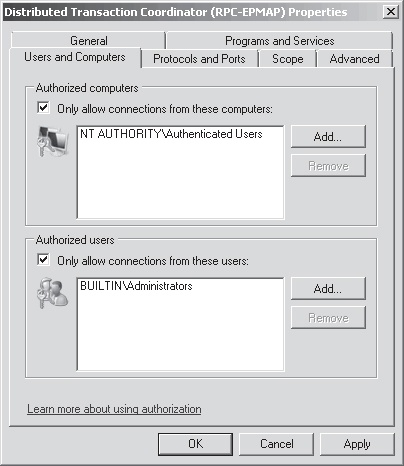

 cedar igloo
Whats the normal/default IPV6 address? Such as IPV4 = 192.168.1.1. Is there an equivalent in IPV6?
hollow marlin
192.168.1.1 isnt a default IP. Just commonly used
rocky badge
But link local isn't also guessable
cedar igloo
i'm setting up LAN. Is there a common used IPV6?
rocky badge
Like, these will vary depending on your IPv6 block and setup https://blob.pcmr.rocks/FocusedLightpinkBlob.png

 thick minnow
i guess he means the link to the router settings but it's ipv6
hollow marlin
v6 doesnt have a common. It all depends on setup
rocky badge
Find the IPv6 default gateway, there's your link local IPv6 on the router
cedar igloo
in pfsense, i am wanting to use both ipv4 and 6 just because for some reason
i only have an ipv4 public ip
rocky badge
Check your console
Also, make sure your IPv6 is setup correctly
Does your ISP do prefix delegation, DHCPv6, etc?
cedar igloo
probably not
hollow marlin
If you want to setup IPv6 you will need to first get the address from your ISP
cedar igloo
my isp is living in the stone age. they dont even allow web hosting
hollow marlin
Thats for business reasons
cedar igloo
or open port 80
hollow marlin
I would look at setting up IPv6 on the WAN in pfsense and see what address it gets
v6 is different than v4, you cannot just assign any IP you like unless you are doing NAT66
nova igloo
Do singlemode Duplex 2x faster than Simplex?
or open port 80
@cedar igloo Also 443 for HTTPS
 vapid dune
ipv6 has a link local address range though
clear igloo
fc00::/7 is the unique local address space for IPv6 which is like the private address space for IPv4
hollow marlin
Which is where NAT66 is needed but that defeats the whole benefit of v6
clear igloo
Yes
 sharp zenith
has anyone tried the new cloudflare DNS 1.1.1.2 and 1.1.1.3 I have found that they work very well on my network I just wanted to know if anyone else has had any experience with the new ones
hollow marlin
Been using 1.1.1.2 since announcement and its been fine so far