#networking
1 messages · Page 184 of 1
 vapid dune
screen just lets you not have it taking up your main terminal
and so you can detach/reattach
kinda like tmux
https://en.wikipedia.org/wiki/Terminal_multiplexer see bottom of this
 waxen scroll
oh sweet summer child. i see that @little schooner has never used IRC/Shells before
 sturdy mirage
@craggy parcel I have 2 Cisco routeurs with usb, 2 switches with USB but this damn layer 3 switch has this weird RJ-45 connection ant this is extremely annoying
 craggy parcel
@craggy parcel what's the purpose of screen?
@little schooner Screen is a perfect terminal program on mac and linux. 😉
@craggy parcel I have 2 Cisco routeurs with usb, 2 switches with USB but this damn layer 3 switch has this weird RJ-45 connection ant this is extremely annoying
@sturdy mirage Old or new switch? I think the 2901 was the first cisco product I saw with a USB console.
There aren't any native USB comm servers that I'm aware of
@clear igloo ANYTHING with sufficient USB ports will work. Perhaps powered hubs will make it great as well.
 clear igloo
@craggy parcel When you have over 600 devices in a small lab to deal with you need a proper console device
craggy parcel
No idea how those so called console devices works.. So perhaps you're right, perhaps it can be archived with a linux box with LOTS of USB ports.
clear igloo
When I can get 32 ports in 2RU for console connections and don't have to troubleshoot some powered USB hub and just plug RJ-45 into a patch panel, it's so much simpler 🙂
It's just a 2801 router with 4x octal cables to a patch panel
You just SSH or Telnet to a single IP/port similar to how the USB stuff works but you don't have dozens of USB dongles everywhere 😛
craggy parcel
I suppose you can make something nice, also you can have a much higher port density with USB. 😉
Actually, you should be able to make a USB->RJ45 cable, as USB are only what? 5 wires?
sturdy mirage
it's an old one, I haven't used it for months, idk the référence ...
@craggy parcel usb have 4 pins, 5v, 0v, data+, data-
@craggy parcel
craggy parcel
Nice, that makes it possible to have 2 USB lines in one RJ45 port. 🙂
Don't know if the lines will interfere with each other, though..
 little schooner
@waxen scroll I guess I'm very used to just using Ctrl Alt F<1-3> keys changing terminal sessions
But wait, screen doesn't work if there's no GUI right?
How am I going to deattach it to a blank space
little schooner
I'll have to try it
waxen scroll
you can run many of them at once but theres other commands you need
craggy parcel
@little schooner screen is a text mode application, similar to tmux, that seems to have become more popular. I've never had a need for features screen didn't have.
vapid dune
screen -r r for reattach
craggy parcel
If it will even work. 😉 But in that case, there's -D -RR never had that fail.
 fervent brook
if you ever get the chance, use a terminal without a monitor
craggy parcel
@fervent brook And that would be done how? Blindly typing, and hoping for the best?
Or old mainframe style, with a line printer and a "typewriter"?
fervent brook
i mean, the first option works if you're good enough
sturdy mirage
I'm quite New to Linux shell and the whole idea of typing commands blindly is frightening 😭
craggy parcel
Well, I've shutdown a machine blindly once. It had a CRT screen, that has become so dim, it was impossible to see anything. Had to shut down the machine, before disassembling and adjusting the monitor.
vapid dune
just pull the power cable 😄
craggy parcel
The machine was in the way. 😉 Unless you meant, to the machine, without shutting down.
fervent brook
was the monitor attached to the System?
vapid dune
o.O I wonder how long until we start seeing WPA3
little schooner
@vapid dune is it already cracked?
vapid dune
I mean among other vulnerabilities
I've been using VPN on my phones and laptops mostly
maybe I should go WPA2 enterprise but it's annoying to run multiple auths (for devices that don't support it)
craggy parcel
was the monitor attached to the System?
@fervent brook Yes. Via a VGA cable, that was not detachable on the monitor side.
little schooner
@vapid dune I tried using wpa2 enterprise with unifi ap but the way they implemented radius client, it stops working for no reason
So I had to give up on it because it was causing many calls from family
Unifi doesn't implement it right
vapid dune
hmm I've been using mac assigned vlan with a radius server. no issues so far
little schooner
Using a Cisco AP never has failed me. I tried that at the school I volunteered at
vapid dune
I'm too lazy to set it up lol
if the radius server were built into the ui it would be nice...
vapid dune
like I'd probably consider one of those rack mounted routers if it had more features
little schooner
That got me thinking, how safe from corruption are virtual disk files if I am running them over iscsi?
I tried running VM over network with workstation pro and it corrupts so easily
sturdy mirage
if you have workstation pro, why not just add an esxi server ?
you cal litteraly drag n drop VM's between servers and workstation ?
little schooner
@sturdy mirage well, I'm trying to centralize where all my VMs run from
How to make sure that another server can read the VM? iSCSI I presume but I don't know it's reliability
I tried SMB and it was failure
craggy parcel
That got me thinking, how safe from corruption are virtual disk files if I am running them over iscsi?
@little schooner I've had production systems run from FreeNAS machines with iSCSI for a few years, with no problems.
How to make sure that another server can read the VM? iSCSI I presume but I don't know it's reliability
@little schooner I don't really like the idea myself, but a lot of people uses NFS. However, a proper SAN would be the right way to go.
little schooner
@craggy parcel NFS because it doesn't require a thin or thick provision?
And easier to configure?
Or for a different set of reasons?
craggy parcel
@little schooner No idea why people like it. It's old, and insecure. (I think some authentication has been implemented by now, but still.. )
I think it's just the fact that it's well supported, and easy to setup, and works quite well for multi host access, with stable networks.
 strange silo
NFS is really only insecure if you set it up insecurely, just have to do it right. Plus it's not like NFS hasn't actually gotten updates to make it better i.e. pNFS
iSCSI is way easier to multipath if you need the extra performance at the host level but the down side to iSCSI is that since it's block based if you have deduplication and compression on the backend storage the space savings are not shown at the datastore because storage controller isn't the one doing the filesystem
NFS you see all space savings directly
waxen scroll
@jaunty talon did you work dreamhack anahein 2020? i see theres a video from JayzTwoCents on the network there
 jaunty talon
I did not, my last event as CTO was DreamHack Atlanta 2019
waxen scroll
😦
jaunty talon
=)
waxen scroll
they were confused in the video on why juniper switches blink 3 times
they meaning DH staff
 subtle glen
an enterprise gave me a server (dell PowerEdge T320) and there are 3 SAS drives in it connected to a raid card. For some reason the don't show up in VMware. The drives had windows server and other files on it. Do i have to do something particular so that they show up in VMware?
waxen scroll
you need to make a virtual disk using the raid card and after that, initialize it
little schooner
@subtle glen and if you want them to each show up as a separate disk, you need to create a RAID 0 for each drive
@waxen scroll Cisco sent me a 200 level badge on acclaim
I don't know what to think about it
waxen scroll
oooook
little schooner
@waxen scroll what I do know is that my prof just told me he purchased yet another NAS
That we don't need
I'm a little disappointed
subtle glen
How do you make the virtual disk?
craggy parcel
Depends on the hardware. Also, if it booted with windows, that part would probably already be done for you.
Also, some times you need a vendor specific version of VMWare to get the needed drivers.
subtle glen
Oh so like this os?
craggy parcel
Yes.
The HPE servers we use at work, needed an image from HPE, and I even think that was the drivers for the storage that were missing.
subtle glen
Does the internal raid card (drives connector on mobo) counts as external raid card?
Cause I've tried that and the hdd's weren't turning on at all
craggy parcel
I'd say no.
waxen scroll
@subtle glen CTRL+R on POST unless your dell doesnt support that it should say "press ctrl+r" during raid card post
craggy parcel
Seems like the latest version don't have a dell ISO yet. But 6.7.0 u3 does. Also make sure your server is actually supported by the VMWare version you try to install. That makes it so much easier. 😉
subtle glen
@waxen scroll yeah I think I saw something like that during booting. I'll check
@craggy parcel yeah maybe that's a goos idea
waxen scroll
also some servers dont power up the drives until after raid card post, not sure if thats why yours arent on
subtle glen
The drives do power up when using the pcie raid card
It's just the on board connector that seems disabled, but I wasnt gonna use it anyways
waxen scroll
@little schooner lets run the "Implement MP-BGP EVPN VxLAN Control Plane Lab"
little schooner
@waxen scroll I'm ill prepared
waxen scroll
😦
clear igloo
@little schooner You need to learn on the fly
sturdy mirage
@subtle glen
you probable have à PERC H710 on a PCi slot in your server, the correct combination is ctrl+r, you should connect the drives backplane to the PCi card, because it is way more powerful than thé onboard raid controller, if you have any question, just @me I work à lot with Dell raid controller, I know them by heart :)
waxen scroll
TBH i dont know how hes connecting them onboard, usually dells use those trunk cables to the cards and theres no individual satas in the drive bays to bypass it
< owner of an R710 / H700
lol
subtle glen
@sturdy mirage yeah I think that's the model name. I will probably pm you 😄
little schooner
@waxen scroll I'm but a wee CCNA candidate. Nothing like enterprise advanced networking stuff
I'll get there though. With time
Or maybe something in Cybersecurity
little schooner
Heh
Right now I'm asking prof to see if I can fix the quote for the synology NAS
To see if we can exchange it for another qnap
I really want the money to be well spent and have everything connected well
Whether that's with backup or single pane management
They have apps that work really nice if Nas brand is the same
@waxen scroll I only have up to ccna cert
 deft veldt
So, when on public wifi, vpn's can protect you from hackers. But can 1.1.1.1 protect you from hackers on public wifi?
 spice dew
no
Does anyone have Win10 updates to do, and access to iperf? I'm looking for samples to test my theory that WIn10 updates overwhelm a networtk
waxen scroll
lmao
vapid dune
I would just use vpn on public wifi. well actually I wouldn't use public wifi at all
little schooner
I end up using public wifi at trusted locations like my university
And they have a proxy that does malware and ad blocking
I wonder how they are doing that
It's stupid fast
clear igloo
Could even be openDNS or something as well @little schooner
little schooner
Yeah hmm...
Because it works so well
https://support.opendns.com/hc/en-us/articles/227986647-Can-I-Block-Advertisers-and-Ad-Servers-
Or maybe not opendns

OpenDNS
No, but for good reason. Blocking advertising providers at the DNS level can have adverse affects on browsing behavior and speed.
Significant reduction in speed is partially due to the process use...
vapid dune
by public wifi I usually mean unencrypted / open
fwiw I run pihole and haven't noticed any adverse effects on dns blocking
 uneven shadow
Can anyone tell me why the Aquantia 10G-Pro cards have disappeared from the earth for nearly a year.
 lament wraith
My home wifi wont let me connect to certain sites and especially discord doesnt work. Does anyone want to help me find the issue?
 dire flare
DNS not resolving websites properly or a particularly restrictive firewall policy come to mind
Either way you'll have to tell us more
which sites do work & which don't
lament wraith
ive tried changing dns to 8.8.8.8 and 1.1.1.1 but didnt work at all
dire flare
Pay attention to HTTP or HTTPS being used in the sites that work and those that don't
lament wraith
ooh okay
dire flare
HTTP uses destination port 80 & HTTPS uses destination port 443
If only one particular type of website works then you could be looking at a firewall related issue
lament wraith
okay thanks, will check out after my game
lament wraith
so my home wifi connection has a router with a usb stick with a sim card in which supplies us with mobile broadband since we dont have any internet cables coming in from the street. for some reason that one blocks certain websites. i bought my own usb stick with a sim card in for mobile broadband and everything works perfectly with it.
dire flare
Which sites are blocked
And your own usb stick you plug directly into your computer, without the router?
lament wraith
ah yea ive tried taking the router usb to my pc and discord wont work either
dire flare
If so, look at your routers settings panel, check firewall settings or possible parental control website filters
I'd also try turning off your Windows Firewall and seeing if the websites connect (then turn it back on again)
Different connections have different firewall profiles & yours could be restricture.
In that case it could be a restrictive policy on your ISPs side & you should be contacting them
lament wraith
i think i need to run a permanent vpn for it to work
 trail trench
Is this Firefox DNS-over-HTTPS really as useless as it looks like to me? Like sure, the first time you access a website, you get its in an encrypted way from someone else, but after that the IP is cached on your computer, so you don't use it anymore, plus your ISP or whomever through you are connecting to the internet will see the IP of the site you are accessing and can get its domain with a simple nslookup
vapid dune
it's not quite so simple with stuff like cloudflare @trail trench
I'd say there is a benefit but you're probably not too far off that it isn't that great a benefit
 raw timber
What can cause a home sever to just Power off
vapid dune
power outage
raw timber
evevery was still up i can down to sever off and my home pc still up @vapid dune
so cant be power outage
dire flare
@raw timber What's installed on the server?
If it's a GNU/Linux distro you've got logs you can look at you know
raw timber
proxmos
dire flare
I think proxmox should still have a /var/log/ directory?
dire flare
How to find it through the webUI I wouldn't know. I've never used proxmox.
But you can probably ssh into the server & navigate to that directory through the shell
trail trench
oh i see, havent heard of SNI before 🤔 that definitely makes a bit more useful, but still isn't super convincing
vapid dune
Best to get a VPN if you're concerned
It's not like a DNS server is especially hard to set up at home either lol. I use pihole backed by DoT to Google
dire flare
You guys think you could help me explain some file transfer speed results I got?
Here's the relevant hardware
The machine with the user Swift
Intel i3-380m @ 2.53GHz
SATA SSD
The machine with the user Media
Intel Atom D425 @ 1.8GHz
5400RPM HDD
They were connected via Cat 5e cable on a gigabit connection (confirmed through iperf3)
I performed file transfers of a Windows iso (tar.gz'd) 3 times in both directions for one set of settings.
The results in picture related are as follows top to bottom
Swift -> Media @ MTU 1500 (default)
Media -> Swift @ MTU 1500 (default)
Swift -> Media @ MTU 6000 (max of Media)
Media -> Swift @ MTU 6000
In both cases the transfer speeds are faster in Media -> Swift direction, presumably because the mechanical drive has better read than write speed?
However once I bump up the ethernet frame size to 6000 the ratio becomes even more drastic. Swift -> Media speeds tank, but Media -> Improve.
One thing to note however, before doing these tests I performed one file transfer (same file) with MTU 6000 in a Swift -> Media direction & the transfer completed considerably quicker, with a time of 01:52
I'm wondering what the reason for the MTU 6000 speed tanking in that particular direction this time around, because otherwise keeping the frame size at 6000 makes more sense, correct?
little schooner
@dire flare at 6000 MTU, more data is going over the wire. More data incoming means increased delay for the hard drive to write it to disk. Since those bigger chunks are coming in so fast, the hard drive is probably falling behind writing those bigger chunks and takes longer whereas 1500 bursts are handled with ease
And yes perhaps your drive is read biased
 tawny fox
Any mikrotik lovers? How to reset a ccr router to factory defaults when I know zero creds on it?
 knotty tartan
Anyone use PIA and could give me some anecdotal results in regards to ping time in game and overall speed?
 ornate jungle
It would be prudent to list the exact make and model of router you have. Why? Because some makes and models are absolute crap, overheating whenever they can't handle the load anymore, causing the chipset to reboot internally, which may explain why your wireless is dropping.
sturdy mirage
@tawny fox maybe you can change the registre by pressing break on your key board while it reboots, thiss way, you May be able to delete the old config....
lament wraith
could anyone help me find the problem with my mobile broadband router? the usb that goes into it works in a pc but it wont work while in the router. can anyone dm me so we can talk about it? would make me glad.
craggy parcel
And the router is compatible with the USB device?
 naive terrace
I hate when ISPs apply CGNAT on your network... Now i can't play online games because my NAT type is strict..
Do you guys know any other way to fix this other than VPN?
 fresh copper
Unless you can convince your provider to give you a static IP (they sometimes will but it usually costs more) then not really. There are a few things that you can do for LAN games but not much that you can do for normal online games. There are things that the game companies could do (and a few are starting to try) but nothing on your end
little schooner
@fresh copper welp, no forza online for me it seems
fresh copper
:(
 tropic leaf
Help
I factory reset my router
And now I don’t know what to do
And I’m going to die
 gentle trout
i, dont know what to say
tropic leaf
How do I sign in and stuff
I watched like a dozen tutorials
and now I’m even more clueless
 thick minnow
@tropic leaf make sure youre connected to your router and type 192.168.0.1 into a browser. Then look on the router for an admin username and password.
tropic leaf
@thick minnow What if the router doesn’t say what the username and password are
I see what the password and username are supposed to be online
What when I type them in it says they are wrong
thick minnow
What router is it
 fallow frost
Try this.
admin
password
fallow frost
admin
admin
tropic leaf
nah
fallow frost
One site I just saw said leave the username blank, and try admin as the password.
And to use 192.168.1.1
tropic leaf
Still nothing
fallow frost
Well I'm out of stuff
dire flare
which combinations of user & pwd have you checked so far?
fallow frost
This site is brilliant
tropic leaf
Lmao
 primal ice
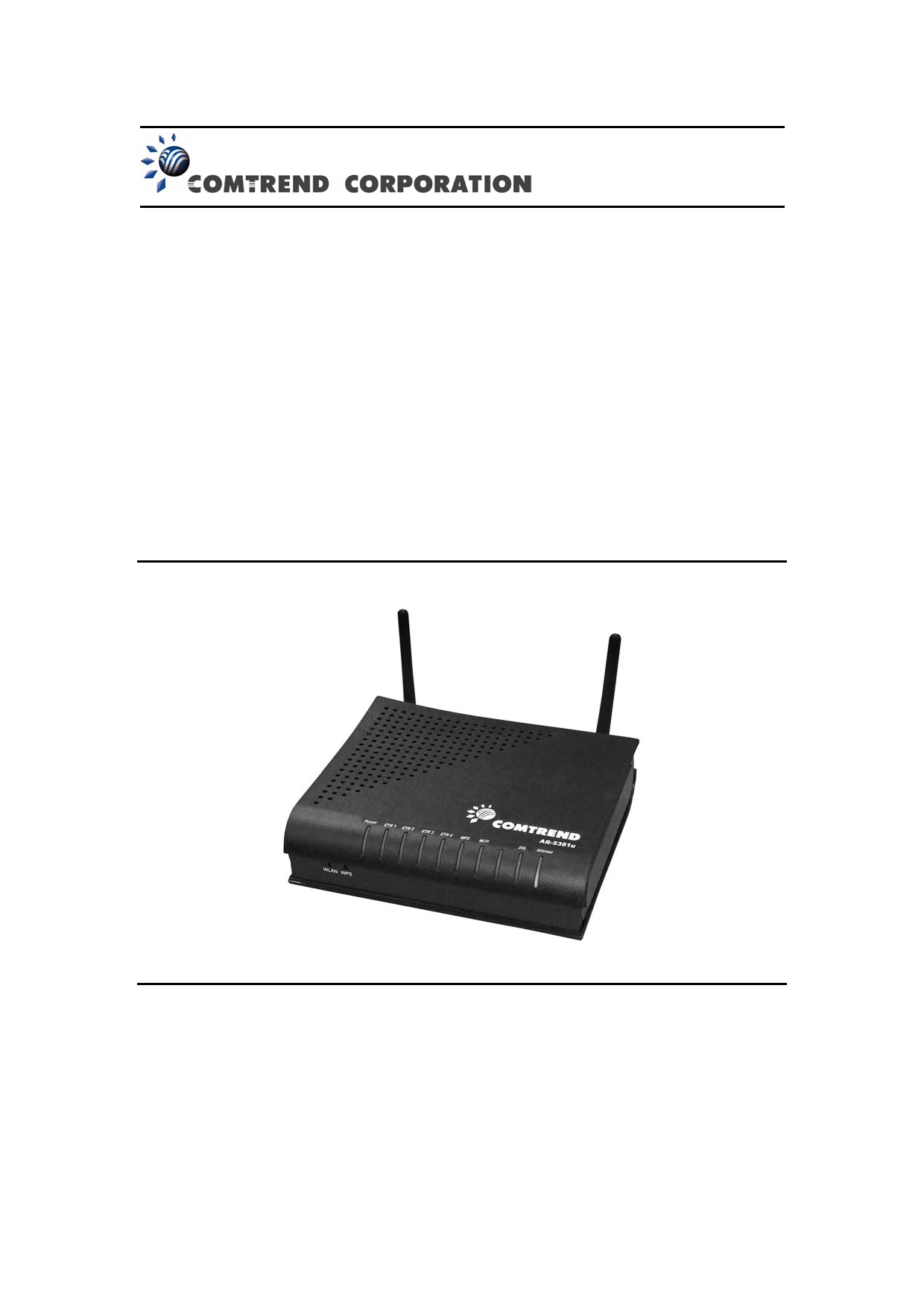
FCC ID
Wireless ADSL2+ router 5.Users manual-1 details for FCC ID L9VAR-5381U made by Comtrend Corporation. Document Includes User Manual UM_AR-5381u_A2 0
30 seconds of googling
fallow frost
tbf, I only did 30 seconds of googling as well
dire flare
Being able to read & search for information truly is a lost art
 proven abyss
Try in the browser, typing in 192.168.0.1 this could be your routers address. username: admin password: password
 mild turtle
If answered please @ me.
I'm having trouble with my router. Every few months or more I have issues with wireless devices disconnecting and taking multiple attempts to connect manually. I've used the cycle button on the router each time and the problem sometimes goes away. No idea why this keeps happening. On only channel 11/12 and next to no one near me can access it, so little traffic.
 austere scroll
Anyone here use Cloudflare as their domain hosting?
jaunty talon
Is domain hosting in this case them as registrar or their DNS services?
austere scroll
DNS services
austere scroll
Basically, every month or so, my main A record reverts from "proxied" to "DNS only" . . . is this happening to anyone else? Is it because my account is the free tier?
 random void
I just got 1000/100 internet, should I change from Cat 5E?
clear igloo
Why would you need to?
clear igloo
Cat5e is good for gigabit up to 100m or 2.5Gb up to I think 55m
clear igloo
Yah, sorry if I came off like a jerk
clear igloo
100m is the spec for ethernet cable length
 rocky badge
100m = 328 ft, that's correct
clear igloo
faster speeds on the same spec lead to shorter distance before issues though
random void
I just wondered cause I rarely hit the speed, but I guess there's a bottleneck somewhere else then
clear igloo
What are you getting, average?
clear igloo
Weird, what router?
random void
Err let me find out
dire flare
Better cabling is necessary in situations where density of cabling (multiple lines) causes interference
And well, really long runs
random void
Sagem Fast 3890
dire flare
You should do some iperf tests within your local network though and go by that
It takes out some variability of it all
If you're going by speedtest.net speeds, you could simply not have the adequate connection runs to the speedtest server you're connecting to
random void
My cables are pretty separated but pretty long
None are over 50m though
It's not just speedtest, even if I do multiple downloads from different places its the same
dire flare
Just do an iperf test and you'll know for sure what you're working with
dire flare
You need two computers, one on each end of the network
Download the iperf3 program on both (make sure it's the same version)
Open cmd, navigate to the directory the iperf3 exe is in then do iperf3.exe -s on one side to set the server & iperf3.exe -c <ip address of server>
That'll test the connection one way, then modify the client command a little to iperf3.exe -R -c <ip of server> to reverse the test and check the uplink speed
random void
Ah alright
clear igloo
@rocky badge When you power off your dock by accident and it takes 10 minutes to get it working again x.x
rocky badge
rip
clear igloo
and it's a brand new laptop 😦
rocky badge
@clear igloo
clear igloo
@rocky badge 👀
dire flare
@random void That's kinda uhh, not a gigabit
Confirm that both your NICs are running at gigabit speeds
But it's pretty much pinned 100mbps
random void
they both say 100
dire flare
Assuming your network adapters are capable of gigabit, you need to set them to operate at such speeds.
Autonegotiation of ethernet speed can at times fail
dire flare
(though keep in mind that autonegotiation failing can sometimes be an indicator of cabling issues)
But not always, for now just manually set both to gigabit, see if the connection stays up & run iperf again
random void
Set it to 1 Gbps full duplex
Which made the connection drop
But I dunno if it just takes a bit
 slow pivot
@random void are both test computers plugged directly into that router of yours?
dire flare
If it doesn't reconnect soon, replug the ethernet cable
Otherwise I'd say you definitely have an issue somewhere in the cable run
random void
One of them reconnected, the other didnt
dire flare
Be sure the NIC port isn't dirty and the RJ45 connector makes proper contact
Had a dumb issue with corroded contacts on my ThinkPads NIC yesterday that caused more or less the same symptoms you're having
If you have switches between computers A and B I'd suggest you just bring them closer & test each line of ethernet cable individually, perhaps there's only one bad egg in the basket
random void
hm yeah, it connects just fine in 100 mbps full duplex but fails to connect in 1000
im going to try the same cable but with a different pc
Same thing on the other computer, except it runs at 100 even if I set it to do 1000 full duplex
while the other pc just disconnects if i force it
Seems like it might be this cable then
dire flare
Do you have a shorter ethernet cable laying around to test just computer to computer?
random void
Yeah somewhere
dire flare
Just to eliminate the dumb off chance that something might be wrong with the NIC
then we can conclude that the cable run is problematic
random void
if I manually set the desktop to 1 gigabit then it wont connect
dire flare
To confirm, this is just a relatively short cable plugged into Computer A NIC directly into Computer B NIC, without any switches or other network hardware?
random void
yeah
dire flare
That's extra weird then
random void
they run at 100, if i force 1000 then the desktop wont connect
the laptop can run 1 gbps fine
dire flare
If you were going through a switch I'd assume you might need to configure the switch to run at gigabit ethernet or something like that, but directly NIC to NIC things should just work
You've got a 3rd machine, right? Can you run gigabit between those two?
Sooo laptop & whatever the 3rd machine is
random void
yeah let me test, its an older machine but should still have gigabit
dire flare
Here's just a quick disclaimer though before we start ordering new components
I've only ever done NIC to NIC connections between Linux & Linux and Linux & Windows, never between two Windows hosts
Soooo if there's some arcane button you need to press to get Gigabit between two Windows hosts I'd appreciate someone telling us
random void
yeah they show full 1 gbps
dire flare
Ah alright
random void
the two laptops
dire flare
Well use these two machines to test the long run
dire flare
If the long run shows up fine, then I'd consider shopping for a new NIC in your desktop
random void
and this was linux to windows
dire flare
ah
random void
yeah both laptops run at gigabit
with the long run
desktop does not connect to anything if set to gigabit full duplex, only 100 mbps
which is odd, newest drivers and it should support it
oh well.
dire flare
Guess the NIC isn't doing alright
Maybe try to revert to an older driver? I dunno
I'd do a few web searches on the particular NIC and see whats up
random void
well its a very common one, I219-V
dire flare
I mean, if you ||google|| the NIC model with "failing to run at gigabit" you get a few articles
random void
Yeah I know
yeah it seems to be common ish problem
maybe i should just get an actual card
dire flare
Well a gigabit NIC should cost less than the cabling lmao
dire flare
blessing in disguise
way less effort than pulling new cables too
rocky badge
@clear igloo Spinny wheel of waiting https://blob.pcmr.rocks/5e358e32.png
 clear igloo
@rocky badge spin spin spin 😄
rocky badge
 random void
i get about 600 mbps on the laptops in speedtest, so i guess thats the max to that server
dire flare
If it's more stable than the stuff you were getting before then yeah, I guess so
 clear igloo
ooof
dire flare
@random void Oh & did you actually do an iperf test to confirm the long run is a proper gigabit? Wasn't entirely clear
That's the only thing I've got on my mind still
In general though you'd have losses at one point or another on gigabit ethernet, ideally you'd have an order of magnitude faster networking at home to make full use of the gigabit, I wouldn't really expect more than ~800Mbps
850-950Mbps is what you can expect an iperf score to show on a short cable between gigabit NICs
random void
I did iperf with the long run between desktop and laptop, but not between the two laptops
dire flare
If you've got the time & will I'd do that, just for the heck of it.
iperf is cross-platform anyways
dire flare
Bloody hell, they must be reading chat

Get an unrestricted 30-day free trial of FreshBooks at https://www.freshbooks.com/techquickie
Find out why you would use a 2.5 Gbps connection instead of fully upgrading to 10 Gbps connection!
Thanks to Ben Benson and Ben Hacker for the help on this video! Learn more about I...
Very appropriate
vapid dune
Any reasonable switches to buy lol
 hybrid flume
Anyone here used ubiquiti APs?
Trying to find the lowest latency/most stable small-home wifi setup I can
Wifi 6 is an option, location is fairly crowded (apartment building), need to find someone who actually knows what they’re talking about lol
Trying to upgrade from a shitty ISP-provided wifi router, first time in my life wired connection is not an option 😦
 floral thorn
The mikrotik switches are pretty good
@little schooner 3XX only
MikroTik trainer recommended only 300 series switches
 hollow marlin
Only go 300 series because better hardware and their "simplified" vlan configuration. 1/200 series shit the bed when l3 gets involved with vlan routing
 faint iron
PSA: TP-Link C7 can't even handle PPTP (Yes I know that it's insecure, but OVPN just don't work) and 1Gb/s downlink
 stiff panther

my subnet with vlan seems not able to resolve the dns
even if i added a rule for the interface to allow all traficc
little schooner
Whoever said it was a good idea to have PiHole be the DNS for adblocking and for AD domain resolution... Yes, it works really well.
hollow marlin
@stiff panther well what does the routing table look like
waxen scroll
#doubt @little schooner
DNS based filters are crap compared to a solution like ublock and you should feel bad for mentioning them
stiff panther
@hollow marlin turns out it worked after i waited
little schooner
@waxen scroll oh, I just need the basic DNS blocking just for one mobile phone
And from that, it does it very well
vapid dune
ublock doesn't block ad servers in games
I mean really pihole is just blocking stuff that isn't in a browser for me
 buoyant plaza
so I need some advice on networking
anyone who can help?
Can you judge multimode and singlemode fibre by the amount of strands?
hollow marlin
@buoyant plaza not reliably. If you are dealing with a bundle then most likely is SM. All you can go off is the shielding color
clear igloo
Agreed. Yellow in most cases is SM and Blue or Orange is MM
jaunty talon
depends if you're looking at a patch cable or trunk
if it's a trunk it can basically be what ever color
but then you would likely be able to say that from the patchpanel the trunk is connected to where blue would be SM and grey connectors would be MM
 remote gazelle
I get around 60 Mbps out of my 100 Mbps on 2.4G with Ubiquiti
rocky badge
@clear igloo Only DM gives you the ability to deliver standalone and hybrid solutions that mix 4K60 HDBaseT®, 4K60 fiber, H.264 streaming AV, and 4K60 4:4:4 HDR over your existing 1Gb Ethernet infrastructure. bullshit lmao
clear igloo
LUL
thick minnow
Hey guys, how bad is my connection to the net,
Specifically the Attenuation and noise
Aussie nbn (lol)
thick minnow
Rip
hollow marlin
@thick minnow attenuation means nothing without distance but you margin with rates looks fine for DSL
jaunty talon
Time for the first PoC :)
One missing device tho, since I am waiting for a beta of QFX5120-48T
clear igloo
Nice @jaunty talon What are you proofing out? Just new distro stuff?
clear igloo
Oooo, very nice :3
jaunty talon
nah, each workstation gets one 10G port
clear igloo
aww 😦
jaunty talon
Dont wanna have problems with loops and shit
clear igloo
Yah, I can see that in a user network more 😛
jaunty talon
Since I dont want to have IT connect each cable every time a colleague moves desk
clear igloo
Fair enough
jaunty talon
And it's for sure not needed with 2x 10G to each workstation and then setup LAG's etc on WIn10
clear igloo
Yah, that's a big pain setting up LAG in Windows
jaunty talon
a lot of potential problems for very little gain
clear igloo
100Gb spine I assume? Or are those 40Gb links?
clear igloo
Very nice!
jaunty talon
to start with, and then just add 2x 100G more if ever needed
clear igloo
Yup
jaunty talon
QFX5120-48T in this case comes with 6x100G QSFP28
clear igloo
Yah, I was just looking at the picture and was about to say
But the other is good for a POC for now
jaunty talon
the copper switch up there is a EX4300-48MP which will be used for WIFI6 setup
clear igloo
mmmmm, WiFi 6
jaunty talon
still waiting for the beta of QFX5120-48T
clear igloo
beta? psh
jaunty talon
supposedly it was sent to me yesterday
indeed
it's not released yet
only QFX5110-48T is released, but I dont want 40G uplinks :)
jaunty talon
QFX5120 isnt
clear igloo
Ah, so just pure copper 1/10
jaunty talon
cisco fell out of the process due to their super high price on optics
clear igloo
conf t
service unsupported-transceiver
😛
jaunty talon
juniper and arista are left, and doing PoC with both of them
clear igloo
I kid though, I understand the desire for full support
jaunty talon
yeah, but problem is both juniper and arista offered with extremely good prices on original optics
clear igloo
Fair enough
jaunty talon
so there is really no point to not go with original if you can
clear igloo
Yah
jaunty talon
if all of them would have been crazy with the prices as back in the day, then cisco would have been in the process still
and cisco is also missing a good mGIG product with 100G uplinks
clear igloo
Soon :>
jaunty talon
they only have 40G uplinks
catalyst 9300 or whatever its called seemed OK but only 40G
clear igloo
Yah, there may or may not be an mGig N9K on the horizon
jaunty talon
interesting that it would be in nexus productline
clear igloo
Yah, BU has waffled on it a bit though so not set in stone
jaunty talon
Wonder what market they would attempt to go with there, as not many servers comes with mGIG, its either 1G or 10G
clear igloo
Yah, it's weird, I heard there is a PoE N9K too which is just bizarre to me but it's out there
jaunty talon
that's strange indeed
one would think there would be a new version of the c9300 with 100G interfaces
clear igloo
Yah, I don't really work with catalyst stuff too much so I don't get all the juicy insights into that stuff
jaunty talon
aye :)
clear igloo
But I am getting more 400G boxes soon :>
Got my Spirent all ready to blast them
clear igloo
Yah, spine and border
jaunty talon
i was out drinking yesterday with the telia ic guys who built the new 400G network for as1299
clear igloo
That's awesome. That's some extra fancy ISP stuff
jaunty talon
their new backbone is cool as fuck
clear igloo
I'm sure, and Verizon just tested a 800G single wavelength with Ciena too recently I saw
jaunty talon
a lot of testing of that indeed
but verizon has too crappy fiber in US to be able to fully deploy it
clear igloo
I'm not surprised, lol
jaunty talon
a lot of fiberwork needs to be done to deploy even 400G
telia has done so much work with changing suppliers and vendors and new routes in order to get all up to 400G
sturdy mirage
I really like how extreme networks have become, super High quality fiber, ultra precise wavelength
this is really interesting and cool...
meanwhile I'm here with Dlink 10gbps and dac câbles
fallow frost
Verizon is also ass and only offers tv and internet near major cities
hollow marlin
Well fiber hasn't improved much and we can already push the boundaries for wavelength, the biggest hurdle we need to overcome now is power and heat output for these SFPs. 400gb has been around for a while but only now have they been able to keep the power and heat down enough for deployment. They were previously testing years ago with SFPs the size of switches
With 800gig I'd assume they are using a dwdm type solution where the biggest issue is fiber bends and wave shifting
Were the actual fiber bends cause the light towards the edge to take a longer oath and cause sync issues due to it taking the light 1000th of nano seconds longer than the rest
jaunty talon
Indeed, but cuts in fibers are problems also as they add db's for every fix they need to make to the cable
hollow marlin
True but that is not an inherent problem with fiber
Blame heat seeking backhoes and drunk drivers running into poles
ornate jungle
Sort of, I run AdvancedTomato on my Netgear R7000 router, used to run DD-WRT. What router model do you have?
 sharp shell
@ornate jungle
I have got a DGN2200V4 (N300) & a CG3100D-2BPAUS.
My ultimate goal is to get USB tethering to work along with 1 Ethernet port, hopefull ythe wireless network as well.
ornate jungle
Doesn't appear to be on the list of OpenWRT supported routers, and v1 / v2 of the DGN2200V4 are listed as having VERY little flash / memory, so they're not recommended. https://openwrt.org/toh/netgear/start
sharp shell
yeah i had a read through all that stuff before on their page. I was just hoping that i may have mis-read or been mis-informed about me actually being able to do it if that makes sense..
so even if i have a V4 it is still not recommended to flash it and give it a go anyway?? because I honestly don't mind if i end up bricking it if that happens i will just go and buy one of those "travel routers" that have it enabled by default in a couple weeks time
ornate jungle
erm i mean, its up to you. i don't own one so worst case it bricks, best case it works?
sharp shell
are you able to assist me with the process at all?
I have got no idea on where to start with doing this
I have never really been into rooting devices etc
ornate jungle
Basically, you just find a flashable firmware update file and flash it as an update.
sharp shell
so just as if i where to update the firmware normally to a new version? because from what I read it involved a heap of command lines and a bunch of other stuff
are you able to link me to the proper firmware I need to download so i have the best chance of possibly getting this to work
ornate jungle
probly not, because there isn't anyone making it for your model, it seems
sharp shell
would using the firmware for the V1 or V2 not work??
ornate jungle
usually it won't, but you can try.
sharp shell
is openWRT the only option?
this is seeming to be more and more difficult the more i look into it lol
ornate jungle
OpenWRT is usually the source of all the other WRTs in some way shape or fashion, so if they don't support it, chances are neither do any of the others, but you can certainly keep looking if you like.
sharp shell
hmm
yeha I give up..
yeah*
just gonna wait a few weeks and buy a travel router
which of these 3 would you recommend?

Kogan Australia
Buy Kogan N300 4G LTE CAT4 Modem & Wireless Router from Kogan.com. Get the most out of your high-speed 4G internet connection with the powerful Kogan N300 4G LTE CAT4 Modem & Wireless Router, offering fast download speeds, a powerful connection and easy set-up so you can get o...
ornate jungle
I've actually owned a very similar version of the TP-Link one, the others I have zero experience with. Never tried supplying it with internet via a cellular USB modem / phone though, so not sure if that works.
sharp shell
the tplink one? it has a dedicated 35/45 USB tethering port.
3G/4G**
so it should work for me, and it is coming from amazon (AU), so it should theoretically be unlocked to all networks I hope.
clear igloo
@hollow marlin Spot the issue before it disappears :D
https://linustechtips.com/main/topic/1162489-issue-10gbits-ports-not-working/
Linus Tech Tips
After inserting modules to WS-C385012X48UL, 10Gbit ports, see image, are in err-disable state with a reason gbic-invalid. Media type is unknown. Where is the problem? .... i need to configure something or these are incompatible devices or something else ?
craggy parcel
And it's gone...
clear igloo
Lol, yah, mod removed it I see
craggy parcel
For what reason?
clear igloo
It was a bot post
They tried to be sneaky, posting about an issue with a Catalyst 3850 with a link to their resale site tucked away in the post. They failed to realize that an X2 transceiver doesn't fit in any 3850 module 😛
craggy parcel
Haha...
clear igloo
It helps when the username is also the name of the site they posted a link to
craggy parcel
Those spammers will NEVER learn...
clear igloo
Nope, they are trying to get sneaky but most fail pretty miserably
craggy parcel
Yeah... At least it makes it easier to get rid of them.
 onyx loom
Hey guys
I just got Fios for my home, and now my pc gets about 900mbps on download and 800 on upload, but whenever im downloading something off of any game platform on my PC, and keep in mind nothing else in my house is using bandwidth, I get about 30 or 40mbps with steam, and the most ive ever gotten is about 100 with origin. Is there anyway i can get my full download speeds on these. I have looked in the settings and the downloads and uploads are uncapped
dire flare
Let's get the dumb thing out of the way first
You are aware that Mbps & MB/s are two different things? I'm asking because the 100 with origin would be just about right for gigabit internet speeds
clear igloo
Did you change how Steam displays things by default? By default it's MBs for Steam and Origin iirc and you have to change settings to show in bits/sec instead
waxen scroll
@clear igloo when i ran phpbb for friends I made a script which got inserted into the application process
If you put anything in the QQ box, the script killed the application submission and added you to the ban list
Every spammer had a QQ and no legit users did
clear igloo
Haha, nice
stiff panther
DocumentRoot /home/*/public_html
How would my apache config know wich user to pick?
userdir module?
ornate jungle
Erm, normally apache should not be using a public_html folder inside the /home directory unless you have multi-user mode enabled.
https://httpd.apache.org/docs/2.4/howto/public_html.html
Then again, it's been a long time since over configured apache on Linux because I'm lazy and prefer running Lightspeed on CloudLinux with cPanel.
craggy parcel
@stiff panther What exactly are you trying to do?
little schooner
To setup Grafana in a free way, is it best to use Telegraf, influxdb and Grafana packages?
Also, if I am creating a VMware esxi cluster, is it best practice that each Esxi server has their own iscsi datastore connections and then add them to cluster?
craggy parcel
Also, if I am creating a VMware esxi cluster, is it best practice that each Esxi server has their own iscsi datastore connections and then add them to cluster?
@little schooner What would the alternative be?
little schooner
@craggy parcel I don't know, it's just I didn't want to waste time when I was on site
Last time it felt like time waste
waxen scroll
@little schooner hi big guy~
little schooner
by waste of time, I meant searching it up during the actual job time
Because there is never enough time to reschedule it
@waxen scroll hi hi
clear igloo
@waxen scroll I don't see that mentioned?
waxen scroll
last comment
clear igloo
Ah, interesting
clear igloo
Smart licensing can be permanent licenses too, not just time based
waxen scroll
please
you really think they're not gonna make virl time based?
xD
im sure its a small team and they need income to happen in order not to get shitcanned
clear igloo
I doubt they will but if they do it will likely be 3 or 5 years. They are converting over v1 keys so that makes me think it's not going to be time based
craggy parcel
@craggy parcel I don't know, it's just I didn't want to waste time when I was on site
@little schooner Well, if I don't remember wrong, once you've setup the iSCSI connection on each host in the cluster, you add the datastore once, and every host automatically picks it up. No additional configuration needed. But you will have to configure the iSCSI connection on each host individually.
little schooner
@craggy parcel thanks
 winged oak
Someone here?
vapid dune
no
little schooner
Not today
clear igloo
crickets.wav
fallow frost
Back in 15, gone fishing.
little schooner
Ever since the release of TNSR by Netgate, they've mostly ignored regular pfsense releases
Instead they release more TNSR than anything else.
waxen scroll
muh xeon
little schooner
I am hearing rumors that some students aren't quarentining here but idk if it's real or not
I hope the guy was joking. He did say he had drinks in his bag
waxen scroll
@little schooner cough that guy
primal ice
pfsense will not talk across vlans no matter what rules you set. bridge the ports into one vlan.
jaunty talon
yes it will. If you have vlan X and vlan Y configured in pfsense and have clients in both X and Y and their default GW (or static route for the other vlan's IP-network) is the pfSense address for both vlans and there is firewall rules in place to allow these two networks to speak with each other it will work just fine!
craggy parcel
pfsense will not talk across vlans no matter what rules you set. bridge the ports into one vlan.
@primal ice Doesn't PFSense handle vlans? I'm pretty sure I've seen subinterface configuration in the interface, for that purpose, but I did not try it in a vlan enabled environment though.
clear igloo
@waxen scroll LUL
 ebon wasp
@craggy parcel PFsense does VLANning correctly
You need to set rules that an interface is allowed to be reached from the other interface
So I don't understand the remark from @primal ice
jaunty talon
Indeed.
 grand flower
is there a way to host a minecraft server with ipv6
port forwarding doesn't work for me on ipv6
jaunty talon
do you nat ipv6?
clear igloo
^
jaunty talon
else you would not need to portforward with ipv6
might have to allow it through our router which acts like a firewall in the ipv6 case
you would then apply the rules on your wan interface if it's a decent device you have
grand flower
idk, I have a shitty router from my provider connected to coax with wifi turned off, and a netgear router connected to the router from the provider, and my pc is connected to the provider router with a powerline adapter. I've tried a lot of things to port forward the port but nothing works so maybe it's all because of the shitty router
craggy parcel
@grand flower Do you have a public IPv6 address on your computer? (Addresses starting with fe80: is a local address, and will not be reachable outside your network segment. Other special ranges exists.)
Does the minecraft server listen on IPv6? (Not all applications listen to IPv6 by default, and some doesn't support it at all. )
If you have verified the above, check the manual for your router, most of them will block IPv6 traffic inbound by default, and you need to allow traffic from the outside. Some routers will allow you to select specific IPs and ports to allow, others will only have an all or nothing option.
grand flower
@craggy parcel I assume I have a public ipv6. I only tried joining my server with localhost and my local and public ipv4. I can join the server if I'm on my network, but not outside my network.
also I tried port forwarding the minecraft server port for inbound and outbound, but when I do a port test its closed.
craggy parcel
Well, you can try visiting ipv6.minipadresse.dk (Site is mine, and only answers on IPv6) if you get a site where you IP is shown, you have a usable IPv6 connection.
 💁
craggy parcel
💁
craggy parcel
@waxen scroll When? Are you sure it's really NAT, not just allowing traffic through a firewall?
waxen scroll
so you can only advertise a /48 minimum to service providers. if you have a big datacenter you are advertising there for your sites to get ipv6 internet. if you install local internet circuits at the remote site you need to either give the whole site a /48, which is wasteful for small offices and you might not have been assigned enough space to do it, or you need to NAT to an ipv6 address that the local provider assigned you
when the remote sites internet fails, it then flips to the main datacenter and no NAT
further, many local providers dont accept BGP
clear igloo
I've had to do IPv6 NAT because TWC sucks with IPv6
craggy parcel
@waxen scroll Ok, if your ISP sucks, I see the need. But apart from that, I don't. 😉
craggy parcel
A decent provider will give you a subnet to use on your site of the router.
waxen scroll
you dont want that though
you want a block you "own" assigned by ARIN or whomever
i dont want to readdress the whole company because i changed internet providers 😄
@jaunty talon yes, lets NAT ipv6
craggy parcel
Well, that's just you Well, in most cases the address management can be handled via DHCP, if I recall correctly, you can even assign ipv6 subnets with DHCPv6. Also for most users, not big enough for a /48, a single /64 will be enough.
hollow marlin
If you change providers with v6 you are changing all addresses not just NAT'd v4 on the edge. You want your own block.
grand flower
does stripping an ethernet cable affect the speed
vapid dune
what kind of cable
vapid dune
I think with 6a you're not supposed to have any exposed wire anymore?
are you asking about reterminating your own cable or using the pairs for random purposes
grand flower
well the problem is I'm trying to get a cat6a cable up through the roof but I will have to get the top off, otherwise it's too wide for the hole
in the roof
vapid dune
o.O your hole is that small?
 karmic forge

vapid dune
if I'm reading that correctly: the RJ45 won't fit through the hole but the cable will
 grand flower
wait a second lemme see
vapid dune
lol
I mean you can remove it... but the question is: do you have the tools to add a new one
grand flower
i haven't made the hole yet but I have already bought the drill thing
craggy parcel
@hollow marlin Depends on your network size. Most devices use auto discovery, so renumbering a network is really not a big issue for most smaller networks. Using NAT is usually asking for trouble with too many applications. For networks where it's just a matter of assigning new scopes in DHCP, it's no big deal to change the addresses, but in huge deployments with a lot of internal routing, sure, you want something that does not have to change, but then you would also have a size where a /48 would be ok. A /48 is btw the minimum recommended allocation for end users, if I remember correctly.
vapid dune
I'd argue your drill bit is too small
from what I understand terminating cat 6a is harder to do right than cat 5
at least to make sure you get 10gig
grand flower
yeah
craggy parcel
Well, instead of using a cable with the RJ45 connector mounted on it, you could terminate the cable in a wall plug, and terminate the cable there, using premade cables for connecting devices to the wall plug..
The wall plugs are usually easier to mount.
grand flower
you mean like an ethernet connector in the wall
craggy parcel
Exactly.
grand flower
I dont have that
vapid dune
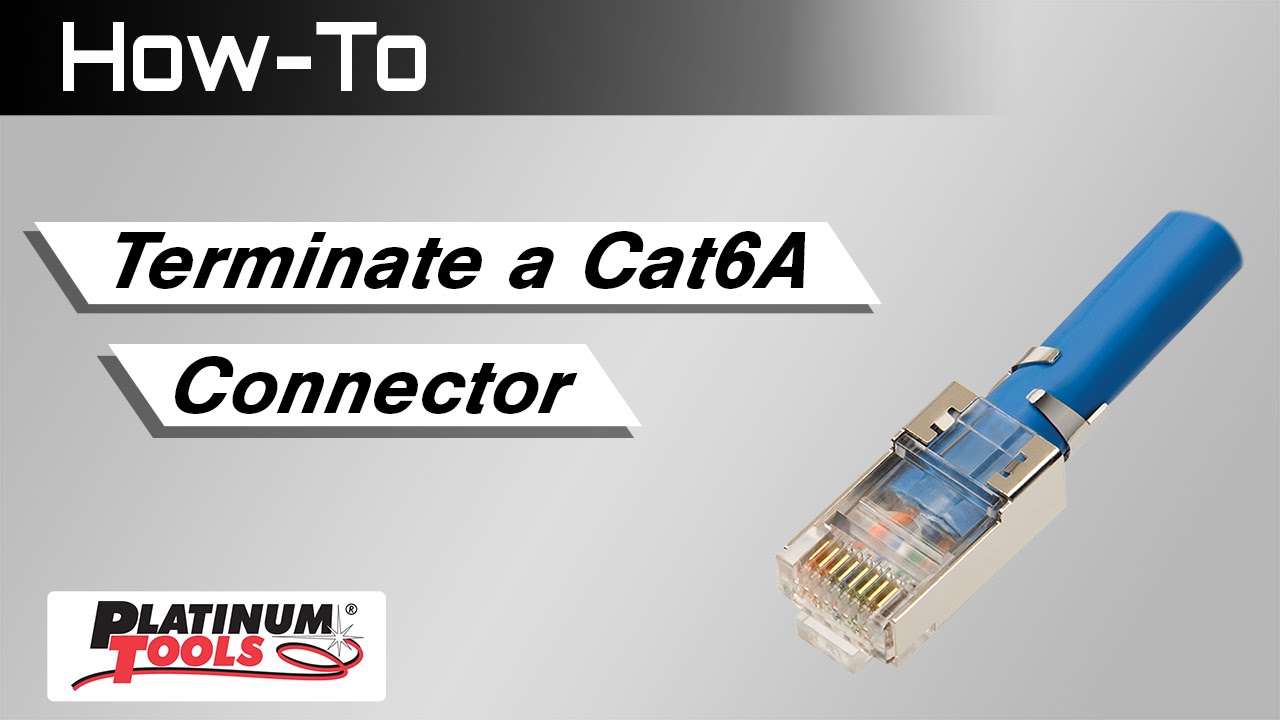
Streaming media whether data, audio or video, is on a sharp rise and users are demanding more bandwidth. That means bigger cable, commonly referred to as CAT6e, CAT6A and CAT7, and usually shielded. For maximum performance, connector and crimp tool choice is critical. Our CAT6...
I think the problem is dealing with the shielding and terminating as close as possible to the jacket
I'm assuming it's a cable you bought that's pre-terminated?
hollow marlin
@craggy parcel Sure only in a small business but there isn't much an issue but anything there than a handful of routers, no, you buy a block and are set. Even if you autodiscover between routers one side still needs to be statically set. End users get a /64
craggy parcel
Hmm.. I was under the impression that DHCPv6 could assign the subnets for routers as well.. But I might remember it wrong...
little schooner
Is there a diagram that explains how router can pass down public Ipv6 addresses into an internal network when it's setup like this
ISP --> Router --> Switch > Ipv6 clients with routable Ipv6 address
vapid dune
either SLAAC or DHCPv6
vapid dune
I thought the router just sends out advertisements periodically
clear igloo
@little schooner L2 or L3 switch?
little schooner
L2
vapid dune
https://chrisgrundemann.com/index.php/2012/introducing-ipv6-neighbor-discovery-slaac/ ah it's done in 2 phases
clear igloo
L2 switch is easy, clients get DHCP from the router. The Router says "Hey give me an IPv6 PD (prefix delegation)" and it uses that for the pool to assign to clients
It will get a /128 + a PD assignment (at least in most consumer scenarios)
little schooner
And that's how it divides it up to internal clients to all have public Ipv6?
craggy parcel
The ISP tells the router what it's internal public prefix is, and the router does the rest.
clear igloo
Yah, it uses the PD assignment from the ISP. Could be a /64 or a /60 or /56 or /48 even, just depends on the ISP policy
little schooner
I see.
clear igloo
If you get a /60 then you could subnet it per VLAN from there
craggy parcel
@clear igloo Do you need to assign a global IP to the WAN side of the router? If it's just a point to point link, couldn't you just use link local addresses?
little schooner
@vapid dune yeh
vapid dune
misunderstood your question
little schooner
It's OK
clear igloo
@craggy parcel The ISP will give you a /128 for the WAN side
vapid dune
it's weird that there's even SLAAC vs DHCPv6 you need to consider imo
clear igloo
coughandroidcough
clear igloo
Yah 😦
craggy parcel
@clear igloo But is it required?
vapid dune
at least they have private addresses
clear igloo
@craggy parcel Yah, you have to use the WAN IP the ISP gives you
for your PD assignment though, if you can do NAT66 then you don't have to
vapid dune
I haven't bothered doing anything about my ipv6 stuff at home
they get outbound ipv6 but no inbound lol
I probably mentioned this previously, but I gave up at the point where you configure the firewall for the devices lol
craggy parcel
@craggy parcel Yah, you have to use the WAN IP the ISP gives you
@clear igloo I'm not sure if you understand my question. If I were the ISP, would I have to assign my global IPv6 addresses to the wan side of customer CPEs? Or could I just let them use link-local addresses and skip the global address part? I mean ISPs seems to routinely use RFC1918 IPs in IPv4 networks, they are no global, and not reachable for me, as the end user, even though they appear in traces.
vapid dune
Isn't IPv6 supposed to have fully routable addresses everywhere
clear igloo
You have some local only addresses, fe80::
@craggy parcel The ISP gives the global IPv6 address as a /128 from a pool to the customer WAN interface. At least that's been my experience
That's public routable*
little schooner
Heh this shows how little experience I have with Ipv6
I almost never deal with it
I wish it was more common like ipv4
No real way to practice it if I struggle to find a use case for it
craggy parcel
@little schooner Yeah, I'd wish so as well, only reason I have IPv6 at home, is because I can made a tunnel for the purpose, as my provider doesn't provide IPv6 for no apparent reason.
vapid dune
my isp has both v4 and v6 thankfully
I just don't have any services exposed on v6 .-.
craggy parcel
Fortunately those ISPs does exist, but they are still few. 😦
vapid dune
fwiw there's only 2 major ISPs in my area. and only one of them supports v6 natively lol
I'd say the other major hurdle is getting routers that play nice/well with v6
primal ice
 mental plinth
vapid dune
mental plinth
vapid dune
Cable gore
little schooner
Just why
craggy parcel
Looks a little like my ISDN loopback plugs. 😉
subtle glen
Quick question. to set up a wifi bridge to bring internet from an office to a close building, is it required to have (for example) 2 nano stations pointing each other? Or is it possible to only have one nano station sending the signal from the office and put a normal wifi router to pick up the signal or directly connect a wifi device?
craggy parcel
Any device capable of acting as a wifi client, can do the trick. But not any device is equally suited. To send WiFI between 2 buildings, you will get the best result with the least work, using hardware designed for wireless point to point links.
subtle glen
Alright, thank you
 stone harness
what is your average download and upload speed? mine is 38mbs down and 19 up(wireless)
grand flower
sometimes I have 200mbs down and 30mbs up
and sometimes I have 50mbs down and 20mbs up
wireless on 5ghz
clear igloo
960/940 on wire and, depending on the device and location, 300/300 on wireless
raw timber

IQrouter
In a recent discussion, we got into the definitions for these two words: Quick : it happens in a short amount of time Fast : it has higher speed When it comes to going somewhere, I generally prefer to get there quickly. It doesn’t matter how f
What do people think
craggy parcel
I disagree with the car analogy.. If a sports car waits at the lights you are synchronized with, you will but get to the end point at about the same time, as you will pass the lights roughly at the same time.
Also it smells a lot like snake oil to me.
clear igloo
Exactly, smells like QoS with a bit of intelligent marking and won't do squat once it leaves your home
waxen scroll
wow, so bitter @clear igloo
clear igloo
LUL @waxen scroll 😛
waxen scroll
just use NBAR
raw timber
But I see a huge difference vs the router my isp give me
Which would lock up Evey one one I a while and have to be restarted
clear igloo
"Works on any kind of line"
Has no ability to work with DSL unless it's coming in as RJ45 from something else
craggy parcel
@raw timber Most routers will be better than the ISP supplied.
raw timber
Thry keep say there router have software to work the best vs other router the isp
craggy parcel
@clear igloo Their "How we do it" is a whole lot of nothing... Kinda like how to draw an owl...
raw timber
How
waxen scroll
@clear igloo i cant even tell, it just works
it keeps working. i never have to touch it
craggy parcel
See your uptime and raise with a bit... uptime is 5 years, 33 weeks, 1 day, 12 hours, 50 minutes
waxen scroll
you should really keep your firmware updated
craggy parcel
Service contract ran out long time ago, and we're working on how to replace the box anyway. Also there's a firewall in front of it that blocks any remote access traffic to the box itself. (I know not from inside sources, however, that's part of the risk profile)
raw timber
What should I have got instead
craggy parcel
I think we have a server with a similar uptime, if not higher.. No need to say, that it also needs an update.
little schooner
My server uptime is always low. Too many bios updates from supermicro
Windows updates
waxen scroll
@little schooner good boy
craggy parcel
@raw timber Well, I doubt the router is bad, however, I don't think their claim about reducing latency, is true, compared with any other router.
raw timber
@clear igloothey make dsl modems which are way better then all in one
craggy parcel
@little schooner When we have hardware updates, we just migrate all the VMs to another server, upgrade one, then migrates to the updated, updates the other one, then balances the machines again.
little schooner
@craggy parcel my prof didn't want to have failover
It was unfortunate
He said it was too complicated
waxen scroll
LOL
little schooner
I even made the whole lab here to test it
craggy parcel
Well if you have a vCenter cluster, you get it more or less for free, depending on definition of failover.
little schooner
Works just fine
waxen scroll
@little schooner now you just need to ask prof about VXLAN or OTV
craggy parcel
If one of the physical servers in our environment crashes, everything on that server goes down, but within about a minute, they are all booted on the other host.
clear igloo
This means that as speeds increase, the shaping progressively limits the maximum size of the packets being sent at any one time such that low latency and fairness is achieved. This impacts the maximum flows any one client can effectuate, and means a speed test will progressively get further and further from the line maximum as line speed goes up. So on 12Mbps DSL, speedtests typically measure 15% lower (or 10Mbps) with traffic management. But a 300Mbps line might only measure 160Mbps, or 53% lower, as allowing the big packets necessary to saturate the line would interfere with other, possibly more time-sensitive traffic. But overall, the traffic can move at line speed when there is no congestion, and multiple connections from multiple devices all get fair access and good throughput at all times.
The bigger my packet the faster it goes 😄
craggy parcel
In other words, dynamic MTU? Sounds strange handling more packets should improve latency..
clear igloo
Basically, that's about the gist of what they are saying best I can tell, they cut down on MTU sizes to share the speed
craggy parcel
Well, I suppose if they can't really explain in details how it works, it most likely doesn't. 😉
raw timber
Is this funny
little schooner
@raw timber it much like how a poor 1000 mbps nic will only do 960mbps vs a 2500 mbps nic being able to pull the whole 1gbps connection out of a 1gbps isp connection
raw timber
What do you mean
They say good luck and you be back because of issue
@little schooner are you agree or not Agee hard to understand
little schooner
If your current setup supports the 200, then they shouldn't upsell one that you won't get any real benefit from
raw timber
they say it doint have enouth head room i think all copany area usell becae they want the mony
i think i may if need get a edge r router or pfsence
 full fern
 narrow sedge
little schooner
narrow sedge
little schooner
@waxen scroll I tried to Wireshark the path between my Hikvision NVR to my computer, testing web Live View with Websockets and couldn't identify the source of the problem
When I'm connected to NVR web interface via HTTP, live view Websockets operate fine and work as should
On https, I see a tcp connection get established but nothing afterwards. Everything breaks
It's so weird
This is where Wireshark didn't help me out :(
hollow marlin
It did help you out. It helped you narrow where the problem isn't
little schooner
@hollow marlin oh
What could I do next? Call a support line?
They said they don't want to handle my case and deferred me to bhphotovideo for support
I hope that translates to bhphotovideo being able to escalate bug reports that they can't fix to hikvision
little schooner
@waxen scroll how would you proceed with this
I mean I really want it to work over https
waxen scroll
the webpage doesnt load at all on https?
little schooner
The web page loads the squares where a live camera feed can go into, but it doesn't play
With http, it does play the live feed no problem
Websockets
Hikvisions docs are terrible in the nvr lol
Clicking help goes to unfinished docs
waxen scroll
why no firmware update
you said it opens TCP connection but nothing happens
soooooo is websocket opening a second https somewhere? is it actually http?
sometimes browsers dont like http content loading over a main https page
little schooner
I have to look at the Wireshark logs again, but it was simply them TCP communication entries.
- one initiated from my computer to nvr
- nvr back to my computer
- nvr sends another tcp communication back
- nothing happens after that
I will get you the Wireshark logs so you can see in a bit
vapid dune
completely random, but my openvpn stopped working and I couldn't figure out why for a while. turns out the certificate expired lmao
little schooner
That would of happened to my professor's website too, but I let him know about 1 day in advance with the whole Lets Encrypt revocation thing
craggy parcel
@little schooner Do you get any errors in the browser console? Is the protocol ws:// on the websocket request, or wss://? Does the NVR support https natively, or did you put a proxy in front of it?
little schooner
@craggy parcel omg now I can see an error related to Websockets after you pointed that out
craggy parcel
Well, suppose that explains it.
little schooner
Ill try pasting again
Mixed Content: The page at '<webpageURL>.asp' was loaded over HTTPS, but attempted to connect to the insecure WebSocket endpoint 'ws://host:7682/?version=0.1&cipherSuites=0. This request has been blocked; this endpoint must be available over WSS.
So yes, they are connecting with ws instead of wss
BUG
craggy parcel
So the NVR actually supports https, but fails to setup the websocket connection correctly?
little schooner
Correct
also this
Its literally under the options where TLS and certificates are
why wouldn't it properly implement wss...
craggy parcel
Perhaps the checkboxes not checked, controls that?
craggy parcel
Well, only thing that might happen, the way I see it, is you're wasting time. 😉
little schooner
@craggy parcel I've also seen it where placing a checkmark in an option means "use the insecure version of it" and unchecked means "Secure version preferred"
that is very confusing
craggy parcel
Yup... I've seen a lot of bad interfaces...
What can make it better, is when a Chinese interface has been machine translated to Danish, and not checked by someone with knowledge of the language, and context...
little schooner
Still the same error
craggy parcel
@thick minnow If you don't mind having to type the path for the shares, you should be able to turn off discovery.
@little schooner Well, at least you now know what to tell tech support, or ask google about. 😉
little schooner
True
craggy parcel
You can drag shortcuts to network folders to wherever you want them, or map them persistently as drives.


 little schooner
Hope they still keep that on and not cancel
vapid dune
I just hope they don't get screwed for money
ie cancel too late and you don't get your money out
faint iron
Does anybody know if I can configure SFP port on edgerouter 12 as a LAN port?
waxen scroll
edgerouter doesnt care what you use the port for
faint iron
but, when I connected my switch to it with DAC cable, the switch and my computer couldn't get DHCP address, and when I set static IP on computer I still couldn't access webui
waxen scroll
the port on the switch needs to be untagged unless you told the edgerouter to tag
im not sure about DAC cables either, ive never used them on ubnt
faint iron
I'm using UBNT's dac cable
and switch is from mikrotik
And auto-negotiation is disabled and set to 1G
waxen scroll
link light is good?
faint iron
yes it starts blinking
waxen scroll
🤔
clear igloo
EdgeRouter is probably configured all ports as L3 ports so you'll need to set them to L2 as a trunk if that's what you want to do.
waxen scroll
i was just gonna say i dont tag on my router, but i forgot i switched it
im not aware that you can set them to "L2" though
you just make a sub interface and put a vlan ID in
 queen pelican
Anyone have experience getting a new fiber line layer to a residential location?
strange silo
How many stacks of $100's you got?
Unless fibre is a standard option in your area for residential then it's going to cost a lot
fallow frost
I have no experience getting fiber run to a residential location because I don't have a metric fuck ton of hundreds to blow.
strange silo
lol
clear igloo
@strange silo You've got crisp thousand dollar bills like a boss right? 😄
hollow marlin
~$10k per mile baby
little schooner
@craggy parcel remember that NVR settings screenshot I posted yesterday? So, the option Enable HTTPS allows both HTTP and HTTPS be active at the same time while Enable HTTPS Browsing is another way of saying Only allow HTTPS connections
And another Wireshark discovers that the Auto update page simply does nothing when I click "Check Upgrade" button
Very badly worded settimgs
waxen scroll
meanwhile ATT has fiber parked outside of my neighborhood from last year and claims FTTH is in my city, but its not.
fallow frost
Fiber is just over a mile away from my house at work, but I don't feel like going through the hassle of getting a quote that I will not be able to afford.
little schooner
@waxen scroll I've setup RSPAN for all future Wireshark attempts so it should be easier for me to get packets without additional configuration
Before it was required to always change which vlan I want to capture traffic from
Rather than do that every time, I can simply enable and disable sessions I need to capture on demand
craggy parcel
@craggy parcel remember that NVR settings screenshot I posted yesterday? So, the option
Enable HTTPSallows both HTTP and HTTPS be active at the same time whileEnable HTTPS Browsingis another way of sayingOnly allow HTTPS connectionsAnd another Wireshark discovers that the Auto update page simply does nothing when I click "Check Upgrade" button
@little schooner Fantastic UI.. What about the HTTPS streaming option in the SDK section?
little schooner
@craggy parcel haven't tested that but I think that's if you want your camera stream encrypted with a passphrase. If you want to see it, you provide the passphrase
craggy parcel
Passphrase in HTTPS? Never heard of that..
little schooner
Yeah. So the NVR client software supports reading passphrase-protected streams to prevent anyone from simply connecting to cameras via rstp or something
You would need to know the passphrase to decrypt the live view
The client software using sdk functions and that's how it communicates with the cameras and determine what features it actually supports to let you configure
I see. Dll messages when I'm using their ivms software
I still have to call bhphotovideo to at least start the bug report for me since hikvision is completely ignoring my request
craggy parcel
Ok.
mild turtle
Does anyone here use Ubiquiti Networks? If so what do you think?
craggy parcel
Depends. UniFi is pretty easy to setup and maintain, however, for my specific purpose, which was certainly not something they designed it for, I had to mess a little around with how to twist the system into what I wanted to do. I did however setup a regular home network for a colleague, with all UniFi equipment, and the hardest part was getting the router online, due to the ISP locking the connection to the MAC address of the equipment for a few hours. Also the controller I setup is an external controller to the network it controls, so had to use L3 adoption, but once the router was running, the switch and APs were just plug and play.
rocky badge
My network is all UniFi lol
little schooner
If I could move away from them, I could. It just nothing in price matches it feature wise
waxen scroll
My network is all UniFi
craggy parcel
If I had the money to burn, I'd replace my home network with a unifi network as well, but my current network kinda works, and suits my needs. Which makes it hard to justify getting some new toys. 😉
little schooner
I'd rather switch to FS branded gear
craggy parcel
Well, I'd consider ANYTHING, that has a controller as easy to use as the UniFi one, and does not require any subscription.
little schooner
Now, that, unfortunately, ubnt is the only one that has the unified controller and free updates
Also, unrelated, mullvad is a very slow vpn provider
craggy parcel
Well, I know other companies has controllers for their equipment, however, most common are access points, while it's less common to have one for routers and switches. But is there really no other vendor, that provides a similar system where no subscriptions are required?
little schooner
Yeah, your right, really no other vendor that has everything, from ap to router to switch, unified all under one umbrella with FREE updates
craggy parcel
What paid options are available? Cisco meraki?
little schooner
@waxen scroll do you know if the feature set of Edgerouter can be implemented on unifi router?
Like cli
stiff panther
do any of ubiquiti gateways have some sort of vpn like openvpn?
craggy parcel
@stiff panther They have the option of making site-to-site IPSec VPN automatically, when both gateways are on the same controller (But in different sites). You can also setup IPSec manually, or use OpenVPN. Finally it can act as a PPTP or L2TP server, and PPTP client. (That's the USG in the UniFi Series)
raw timber
How to decide pfsence vs edge router lite
Or edgu router x need to be able to handle a200 mb internet connection
little schooner
The edge router x is better at switching but a router doesn't need to do all that. Just get the edge router lite
Edge router lite does line speed
raw timber
Or a usg @little schooner since I unfi ap
Or pfsence
I do need to limit stuff
I do need mroe then a basic router
slow pivot
@thick minnow Not sure I understand what you want to do. You want to have an inbound (to your servers) VPN?
 unreal spoke
I have a Amplifi Instant Router hooked up to my Gateway. Is there anyway to give my Amplifi the public IP Without bridge mode? Right now the IP on the Amplifi says 192.168.100.2
waxen scroll
@unreal spoke the only way is to be assigned a block of static public IPs from the provider, otherwise you need to bridge
unreal spoke
@waxen scroll I would put it into bridge mode but it wouldn't work. Later I found out that Orange (My ISP) need this thing called "DS-Lite". I can't turn it on in bridge mode because it always gives me the error that it can't be used in ipv4 only mode. There is no toggle in the bridge mode setting for this "IPv4 Only Mode" so that's why it won't work with bridge. Any suggestions?
dire flare
Is there some setting in particular I need to be ticking to get NIC to NIC ethernet between two computers going?
For context, I have an Asus laptop with Debian 10 & a new ThinkPad T530 with Windows 10
I want to connect ethernet between the two devices & transfer files over a gigabit link.
This is pretty much plug & play on an older ThinkPad I have (SL500) but that one runs Windows 7
Both NICs and cable function fine when connected to a switch, but directly the T530 just says there's no network cable connected
waxen scroll
no link light?
the link should come up right away as long as your cable isnt bad...
preferably after that you need to put static IPs on both sides
dire flare
It's acting like it'd need a cross-over cable
I set static IPs on both sides & the cables are definitely good
No idea honestly
Either way I'm gonna be nuking the W10 install with Debian sooo that'll tell me for sure if it's a software or hardware issue
clear igloo
NIC drivers installed?
Link come up to another device such as a router/switch/etc?
dire flare
Yep, link comes up just fine on a switch
Unfortunately I've only got 100mbps switches
fervent brook
should my dad be suspicious if a special offer for a tier of internet seems to require "professional installation"?
i mean...it's a modem and a router...we've done that about 15 times by now
is the tier/deal only that cheap because the technician is required and he's gonna do something while in the house?
clear igloo
@fervent brook Who is the ISP?
fervent brook
Cox
clear igloo
Is it a 1Gb plan or something? Spectrum did something similar with their 1Gb plan where you had to have a tech come out regardless
fervent brook
im a customer, so im having trouble looking at the same plans my dad did
but i think it was the 60Mb plan
clear igloo
Hmm, shouldn't need a tech for that kind of plan
jaunty talon
Damn WireGuard works well :D I set up a box with a C3758, 16GB Ram and X710-DA2 for our remote workers, and they're pushing 2Gbit/s peak traffic with 0.4 load on the box =)
Way over my expectations :)
 river ridge
can anyone recommend a wifi access point with fairly good range and excellent transfer speeds, thanks (to be used for normal home use, netflix etc. but also large file transfers to file servers)
rocky badge
@jaunty talon Yeah, WireGuard is amazing for high traffic VPNs that don't eat system resources 😄
fervent brook
@river ridge get two routers or APs and just split the load
fervent brook
unless you need more than AC1200 or AC1600 for either task, you can probably get along with 15 dollars at the thrift store
vapid dune
how fast is your internet @river ridge
fervent brook
he said "file servers", but i dont know if those servers are on the internet or in his home
river ridge
@vapid dune internet is 100megabit, but i would like to go as fast as possible (within reason) as my file servers r on local gigabit
vapid dune
okay do you have any 4x4 mimo capable wifi devices?
in any case, just start with a centrally placed AP and then move to two if that's not sufficient. depending on the size of your place. something like nanoHD, or AP-AC-Pro, or Lite... I mean wired will always be faster
rocky badge
@clear igloo o_O https://rma.ui.com/
Find almost every ubiquiti device by mac address
clear igloo

rocky badge
gets nanostation 5 ac loco, puts in scan mode, gets mac of surrounding airmax devices
river ridge
ok i'll look into it, thanks @vapid dune
fervent brook
also, in what scenario are you sending files to a server from a wifi only device?
vapid dune
probably a laptop
fervent brook
get a usb ethernet adapter
river ridge
i only have ethernet to some rooms, and even if i did i wouldn't want an ethernet cable trailing across the room to wherever im sitting
rocky badge
I'd rather get a 802.11ac 4x4 160mhz AP or 802.11ax AP and use wireless on my laptop vs being stuck to Ethernet
vapid dune
wire when possible but still having good wifi is important
I just have a laptop dock with ethernet at my desk. but if I'm wandering around the house it's wifi all the way lol
if only we had wireless power!
rocky badge
Lmao
vapid dune
then again with wireless power we could just microwave signals back to the AP
(and of course die from radiation in the process)
fervent brook

The Home Depot
Organize and secure harnesses, cable or tubing for years to come by using this Plastic cable clamps from Gardner Bender.
The Home Depot
Get free 2-day shipping on qualified Electrical Staples products or buy Electrical department products today with Buy Online Pick Up in Store.
waxen scroll
@fervent brook what about them?
waxen scroll
i do ghetto hangers
i use the first product you linked (with a screw) then put a big zip tie in it. the network cable goes into the zip tie
fervent brook
i just use wood staples
waxen scroll
i tried, they fall out
 unkempt ferry
How do I go about configuring Host Records for my domain if I'm using a nginx reverse proxy that differentiates with subdomains?
waxen scroll
A record for example.com, CNAME record for subdomain pointing to example.com
 oblique aurora
hey. any tips on subnetting?
strange silo
Learning the theory of it or the practical application?
oblique aurora
practical. i had a class and...
little schooner
Power of 2s and the structure of 128, 64, 32 16, 8, 4, 2, 1
That makes it largely easy
waxen scroll
im not sure if this helps but lets say i have a global corporate network. I have 10.0.0.0/8 network to use. I might go OK.... North America gets 10.0.0.0/10 , South America gets 10.64.0.0/10, Asia gets 10.128.0.0/10 , EMEA gets 10.192.0.0/10
Now I make a subnet plan for the region. EMEA... 10.192.0.0/10 , Now i go OK I need to keep carving out that space... point to point addresses, loopback addresses, remote site user subnets, datacenter, etc
The reason I lay it out that way is because i can summarize that address space in my WAN without polluting the routing tables