#networking
1 messages · Page 146 of 1
 clear igloo
We had one guy who bought himself 8x 24" monitors. He was the most unproductive person on the floor =/
 toxic quartz
Same
I have a good one
Me like, what?
We have that kind of person to
But did you read mine?
clear igloo
Customer emails me "We thought you tested VACLs and you said they worked, blah blah blah. We applied it and it's not working"
I look at the config
Well you have an ingress VACL applied to a VLAN with traffic coming off an L3 hop, that would be considered egress traffic.....
toxic quartz
Because i need to delete
#avg
Yes
Its not a problem to share but delete afterwards
Avg is a bitch
clear igloo
You need some more fiber in that diet then 😛
toxic quartz
Me: finally order the storage
Avg: you used customer names
Me: yes
Avg: not allowd
Me:
toxic quartz
Btw
We schoud meet at ltx lol

Then we where masks
Haha
Just kidding
See you guys!
The ones next to the beardman?
Haha
Or is that you? No one will know

clear igloo
The world may never know O_O
toxic quartz
Censord?
Maby its all mussle?
Heavy bones
But i go sleep for real now

I am gonna fix a trip to america
Thats canada
No, holiday
3 weeks driving arround in america
I did that last year
 remote kernel
Anybody know about pfSense
 fresh copper
I hate PfSense, that being said, I know a lot about it
Any of us Networking people going to LTX? I could easily go (I live 1h away) but I have not decided yet
 little schooner
I hate it when companies create dependencies on old OSes
Why can't they make programs work neutually across OSes
fresh copper
Most of the programs that the checkout people at supermarkets use are dependent on DOS because that makes sense
little schooner
There's no way the Picture looking one's depend on dos
But the others that are text only yeah
fresh copper
Yea
Not the picture looking ones
But a lot of them that I see are text-only with some really looking like they are from the DOS era
remote kernel
Is there any real reason to get the Ubiquiti USG Pro over the USG other than the fact that it rackmounts?
I wish the normal USG was rackmountable
 hardy kestrel
Hi, Which brand is Better? TP Link or D Link?
We have some Cat6 Wall jacks in our house and I want to connect them all to our Modem/Router/Access Point and I found a Switch from D Link and TP Link for $10-12
little schooner
@hardy kestrel well I've read somewhere here that someone had a hard time with tplink hardware so I'm going to say get dlink
Also I've had a dlink 4500 game fuel router before and it failed like 8 years later due to abuse though
hardy kestrel
dlink then?
little schooner
Yeah I guess so. I have their switches two and they are also good
Would buy their brand again
 thick minnow
When it comes to non-managed network switch guts, there isn't anything different between TP Link, DLink or Netgear beyond capacitors(cheap capacitors vs solid capacitors) and the case design. If you need a reliable switch the solid capacitor based "business" version of Netgear's switch is worth the extra $10-15.
 gritty owl
@remote kernel If you wanted to enable IDS / IPS, the USG Pro can handle up to 150Mb/s where the USG gets crippled to 80 Mb/s
But ah, I had a USG Pro and had issues with it continually restarting because it didn't like the RAM stick it had in it from factory. Yes, you can upgrade it to 4GB of RAM pretty easily
Ended up getting an Edgerouter 4
clear igloo
Give it a stern talking to and tell it to get it's life sorted 😛
not sure, don't deal with pfsense =/
I was just saying that I don't deal with pfsense. There should be a way to create a loopback though
fresh copper
I did loopback before
I know it’s related to the virtual IPs but there are so many types and they are all different
clear igloo
whoops 😛
 unreal wedge
I mean, I tend to disable port 80 on websites, but ¯_(ツ)_/¯
whatever floats your boat
 rocky badge
When didn't he?
clear igloo
He accident the sheet
clear igloo
Dat booty wax - $150,000
rocky badge
o_0
little schooner
@unreal wedge how will people redirect to Port 443 if 80 is blocked
If they Google search its not a big deal but if people type it in by name, it will default to 80 first
unreal wedge
Cloudflare.
 frail rover
Hey uhh, trying to make a minecraft server and cant seem to work. i heard you dont have to portforward with ipv6
but you have to set up your firewall or smthin
thick minnow
i just installed a pihole.... why haven't i done this before
 orchid kraken
@thick minnow how big is the house?
Look into the google router, yes, it AC1200, but its compact, has very easy setup, and its in your budget for a 2 pack.
fresh copper
I have this one guy who uses 1337 in his IPv6 addresses every time he can.
This one takes the cake
thick minnow

thick minnow
you could always go with a ubiquity solution
i hear they have a "good" mesh product if that is what you are going for
 mighty galleon
I'm using a phone tethering right now (counting 11 now, because often replugged my phone), but other still down "no internet", because it was power outrage in 10 second then this happened.
So, I'll need a reset router/modem from optical fiber, this is tiring....
Before reset router, I've checked "network diagnostics" but there was problem DNS, I usually set the default 1.1.1.1 and 8.8.8.8 but nothing solved
Reset router usually works
toxic quartz
No
running 2 AP Pro's on an simple tp linkl switch
and setup is easy in a normal network
clear igloo
VOIP. ewww 😛
I don't mess with collab stuff so it's all evil upper layer mumbo jumbo XD
 cedar wren
So I had a blender project that I needed to render but I don't want to tie up my desktop. I have an old desktop server. I could just do the render on that right?
toxic quartz
if it's powerfull enough
toxic quartz
or rent some GPU power
cedar wren
Aight thanks. I don't mind if it takes 2-3 times longer. I got it months ago but I haven't even bothered using it. Might as well use it for this.
 rose rain
How do you fellas feel about running a pair of pfSense box's as core routers on a small business network? (50-60 users)
clear igloo
How much RAM and what CPU? So long as you have enough resources and someone, be it you or another person, can maintain it then I don't see any downsides in doing it
rose rain
Still not sure on hardware specs atm, and doing more research in that regard. It'll need 10 gig networking internally, but the outgoing connection is going to be about 2gbps. Looking for a more cost effective solution as I would be doing it for a nonprofit. I have only ever used it as a firewall in the past, so I haven't seen its routing capabilities first hand/what kind of resources I would need for it.
clear igloo
For some reason I was thinking each connection used 100KB of RAM but after checking it's just 1KB so I guess as long as you've got a couple GB of RAM you'll be good most likely
Not sure about it's routing abilities myself, I know others have dealt with pfSense a good bit in here, so I won't speak to that stuff but I don't see any routing protocol taking up much resources for a small business since I doubt you're peering BGP and receiving anything more than a default route from the ISP
 rose rain
Yeah it isn't going to be a complex network by any means. They are currently using a Linksys router from best buy and a couple of unmanaged switches. Naturally they can barely operate anymore at their scale.
clear igloo
Yah, I think a pfSense box would be perfect with a second for backup perhaps but I would maybe focus on getting them better switches before going to a second box, just depends on their needs though
rose rain
Oh yeah, all those switches are gonna go. I'm purging everything for sure.
unreal wedge
Wonder why the bot hasn't automuted yet 🤔
clear igloo
Have you given the bot it's daily feeding of souls and a cookie?
unreal wedge
Bot doesn't need souls. It's sentient, and Skynet 5.
clear igloo
Skynet 5.0GHz?
unreal wedge
No, the bot doesn't need such wasteful frequencies.
 fresh copper
I can’t believe you got those. I mean, USG is ok but rather limited if you want to do something non-standard. Most non-standard things are possible but require writing weird config files on the controller.
The NanoHD is really meant for something like a conference room, something small that has a huge number of devices. For most situations, an AC pro is better in my opinion.
thick minnow
yeah i would have gotten the AC-LR.
remote kernel
@fresh copper my house is pretty small (1300ish square feet) and I'm not a power user when it comes to routing
When I move to a larger house I'll buy more nanoHDs
fresh copper
Then why not an AC-Lite?
The AC-Pro has a larger range than the Nano HD and can handle only slightly fewer users
And the AC Lite has about the same range and can handle a reasonable number of users
The Nano HD only has that short range and is intended for a small room like a meeting room or a lecture hall that has potentially hundreds of devices
If you don’t have hundreds of devices then you don’t need a nano HD
remote kernel
Well I wanted the AC wave 2 and the mu-mimo
Future proof
What is the range on a nanoHD?
fresh copper
About the same as an AC lite. Like any wifi it is very dependent on the situation
remote kernel

It seems to me that the NanoHD really is an upgraded Pro. Given that the NanoHD is not really much more expensive than the Pro, why would you ever choose to use the Pro over the NanoHD?
fresh copper
If you really wanted futureproofing then the AC XG is the way to go (/s that thing is $800) https://www.ui.com/unifi/unifi-ap-xg/

802.11AC Wave2 Quad-Radio WiFi AP with 10 Gigabit Ethernet and 1,500 Client Capacity SupportModel: UAP‑XG
4.2 Gbps Real AggregateThroughput
1,500 Clients Capacity for Big Crowds
MU-MIMO Low Latency QoS
XG Ethernet 10 Gigabit Ethernet
remote kernel
If I was gonna spend that much cash I'd probably go with Cisco Meraki
 unreal kestrel
Question? So I'm planning to get into networking for future employment because I find networking to be enjoyable even if I barely know anything. So my question is this it there a way I can get into the field without programming? because I tried programming once before and it was overwhelming I mean I'm open to learning but it takes me more time to learn. I literally dropped my programming class in college because they were going way faster than the rate I could learn it at.
remote kernel
Networking ≠ programming
clear igloo
You don't need programming to be a good network engineer, knowing how to program or read code can help, but it's not required by any means and will highly depend on what you do in the field of networking itself
remote kernel
I consider myself a decent programmer but I suck at networking so it goes both ways really
clear igloo
Being able to pick up coding to some degree can definitely help if it will make you better at the specific role is good but by no means do you need to be a programmer first. I'm a validation engineer and I know a tad bit of Python, mostly from Google, and I know how to write Robot scripts which is pretty damn easy since it's a natural programming language but that's it and the reason is because it allows me to do repetitive testing faster and more efficiently but I still have to know networking first and foremost
fresh copper
The main programming skill used in networking is reading logs
clear igloo
Being able to read logs and show commands is huge 😃
unreal kestrel
Ah okay I'll work on reading logs. Thanks
 split vessel
Anyone know what constitutes a good router?
gritty owl
Fast CPU, good amount of RAM, features, and power efficient?
split vessel
Any recommendations?
for a family of five with many devices such as phones, PS4, WiiU, Laptops and a Desktop PC?
 forest ice
Depending on what you want to spend, really
And what features you really need. If you just need a simple firewall, some of the ubiquiti stuff is really nice and cheap. If you want more features its a wide r market: pfsense, untangle, etc
It routes 😉
Routers get confused with a lot of other terms, but the best way I can put it is it directs traffic. If you want the more network-y answer, it'd be a device that can do layer 3 of the OSI, in that it can direct traffic based on routes either statically or dynamically (BGP/OSPF)
Firewalls can be routers, switches can be routers, routers can firewall features
If you're looking for something at home, you're usually looking for a device that can simply NAT WAN traffic from your LAN traffic and provide some basic firewall protection
yes
a WAP is essentially a wireless switch, in that its only duty is to provide SSID access
Usually your DHCP in that situation sits on the router
Think of a WAP as a wireless connection to a switch
switch eventually connects to router, which in most cases, serves as the gateway to the internet
remote kernel
@split vessel what is your budget, and do you need wifi?
I just bought a Ubiquiti USG so we'll see how I like it
split vessel
@remote kernel $100 or less
 zenith ridge
I assume those will be 100Mbps ports?

eBay
You are Buying 1-Lot of 5 UNIFI AP SWX-UAP Access points. TESTED for Key Functions-R2 Ready for Resale. We are always willing to help. We can wait longer if notified or we can cancel the order. make Supersized seem small. | eBay!
Can'f find them anywhere, only in ebay listings
clear igloo
@unreal kestrel it's not just reading logs but knowing how to interpret them but it all depends on what you do. If you'll mostly work on configs then you need to know the ins and outs of configurations and how to read logs as well. Other people might focus on knowing a specific technology like crazy and be able to speak to it for hours. Just depends on what you want to do, there is a lot more to the networking field than configs and troubleshooting 😃
 pseudo blade
This is certainly an unusual rule to see on a router...
little schooner
@pseudo blade this is true
toxic quartz
What did you found?
 hallow nimbus
Just go to that address
 slow belfry
Lol
hallow nimbus
😂
pseudo blade
Indeed.
 thick minnow
How do I make my Internets go faster?
Tell me your industry secrets!
Confess than the greedy companies could give us all Gigabit Internet if they really wanted to, but they are stalling because they want to protect their ludicrous profits
CONFESS!
little schooner
Comcast increases prices and decreases value. They shunned out any attempt for local ISPs to exist too
fresh copper
Lol Comcast is so bad
I’m waiting to switch to a new small local ISP from Shaw which is really bad. The guy who owns it tells me that I might be able to get transit to my ASN at my house. If not, I can at least get good latency to a VM he gave me that is on a local Internet exchange
That was a word mess
fresh copper
I feel happy about this one http://www.speedtest.net/result/7996010699.png

I wonder why it says Calgary, it'n in Vancouver
Pretty nice for a VM I was given for free
Convinced it to do a closer server: http://www.speedtest.net/result/7996017946.png

Ok, back to install ing Bird
 final horizon
Telus Fibre ^.^
thick minnow
Ya'll making me want to upgrade to Gigabit speed
zenith ridge
Be happy if you have the option
pseudo blade
Meanwhile... https://www.speedtest.net/result/7996559658.png
 thick minnow
Could be worse. Still so so so so so much better than dial up
pseudo blade
It's better than my home one for downloads.
I get 3/3 at home during peak time.
I've been MITMing and queueing Netflix traffic inside my house so I can lower its priority below everything else.
Also Faster than 65% of the AU
thick minnow
Thing is I highly doubt I'd use 1 Gb connection to it's full potential most of the time
pseudo blade
Oh, I wouldn't either, but that's true of almost any connection.
Main benefit is high performance in short bursts and more consistent latency.
Plus if I did want to redownload a bunch of my Steam games it wouldn't take literal weeks.
thick minnow
I have more consistent ping times than people who have faster connections because I have fiber
pseudo blade
Government internet where I live is Fixed Wireless (LTE-based)
Connection shown in the picture is a VDSL connection.
thick minnow
I'll take fiber over fixed wireless
thick minnow
Couldn't care less about 5G either
pseudo blade
They want comfortably over a million to provide FTTP there, though.
And that's for 100mbps max. (They don't offer any faster)
thick minnow
Odd
pseudo blade
Oh, it's pricing intended to scare you away. Government policy is that nobody needs FTTP.
100mbps is pushing VDSL, so anything faster simply isn't available.
thick minnow
I am very grateful that my fiber connection is fiber all the way to the ISP provided bridge/router
pseudo blade
Technically pricing structures exist for faster, but they are priced so absurdly that literally no ISP in the country offers it.
thick minnow
I hate that on a principle level, but I also admit that 100 Mbps is enough for most people right now
10 years from now....who knows
pseudo blade
They have no plans to upgrade until at least 2040.
clear igloo
Until 4K streaming becomes more mainstream, I agree that generally people are good at 100Mbps
clear igloo
1TB usage caps though, that's bull
pseudo blade
Also most people are incompetent and do not know how to use computers.
The rest offer significant benefits to the economy.
I'm more than a little interested to see how badly we'll be screwed over when companies in the US start expecting 100mbps or gigabit to everything and we're still well below that.
100mbps is the max they offer, remember? Only 24% of FTTN services can actually offer 100mbps.
The rest offer some value below that, down to 25mbps or lower.
clear igloo
ouch 😦
I don't think US companies will expect 100Mbps any time soon since most ISPs have a stupid low cap on data but that could change (I hope)
thick minnow
I don't believe I have ever used 1 TB in a month
clear igloo
I use, on average, 2TB of data/month >..>
pseudo blade
How funny. We used to have unreasonably low caps everywhere and companies have basically stopped doing that in the last 3 years.
Now we just have awful throughput.
clear igloo
There was a report that said 8% or 10% of users with 1TB caps are now hitting those caps
pseudo blade
Plans down to about $60/mo might have 1TB caps here, but $20 more and you're getting double the promised (though unlikely delivered) speeds and an unlimited cap.
thick minnow
I really thought we'd all be using iPv6 by now. I remember hearing about it years ago
pseudo blade
This network is IPv4 only, but my home one has intermittent IPv6.
clear igloo
Why do IPv6 when you can just CGNAT everything 😄
pseudo blade
^ Endlessly use IPv4 everywhere! Network engineers HATE him!
pseudo blade
We have an entire fleet of VPN'ed devices, all behind CGNAT (mobile network).
clear igloo
AT&T couldn't properly do IPv6 if their company depended upon it =/
Oh, you want to request a /56 or /48? Here is a /64 instead with no way to ask for more on certain routers but other's will give you a /60 just fine, because lul
clear igloo
It is, but when you have multiple VLANs at home and Android doesn't do well with anything smaller
pseudo blade
So SLAAC.
clear igloo
yup 😛
pseudo blade
I don't know why that limitation still exists. It isn't a kernel problem as far as I'm aware.
clear igloo
Yah, just feels like someone is being lazy or something
pseudo blade
Meh. Google should fix their shit and then basically everyone will be fine with a /64. Second step: Getting vendors to actually distribute newer versions of Android with the feature...
clear igloo
So, 20never?
pseudo blade
I can't wait until we run out of IPv6 addresses because they were allocated in a completely braindead fashion.
thick minnow
Run out of IPv6 addresses? Are you crazy?
clear igloo
I mean, there are technically enough IPv6 addresses to cover the planet in nanites and every one gets 3 IPv6 addresses >.>
thick minnow
We will find a need to upgrade to a 128-bit OS before that happens
pseudo blade
You see.... It's a lot of IP addresses... but we allocate immense quantities to single hosts.
thick minnow
Yes, I have 5 devices that require an IP address, but I only need 1 public IP address
I kind of like security through obscurity that NAT unintentionally offers.
clear igloo
I have ~100 devices on my network. 50-ish wireless devices, 30 wired things, and various VMs and PCs
clear igloo
No, home
clear igloo
I already do (internally) 😛
clear igloo
My NAS has 2x10GbE uplinks, my main desktop has a 1x10GbE uplink, and my servers all have their own 10GbE uplinks. I have a 1000/1000 internet connection from AT&T though so I'm 1/10th of the way to 10gbit 😛
thick minnow
ATT? Hmmmm. I hope you don't care about privacy
They are joined at the hip with the NSA
clear igloo
Yah, anything important goes over a VPN 😃
But most of my stuff is streaming, Plex, downloads, etc. so I don't care much about it. All my DNS entries are routed via OpenDNS which helps a little bit
clear igloo
For the most part, yes
thick minnow
If I could afford to, I'd have a NAS as a digital jukebox for movies
I want a drobo hooked up to a cheap computer connected to a TV
clear igloo
that would be cool to see
thick minnow
Getting sleepy. Time for bed. Night
clear igloo
later
little schooner
My college has gig speed up and down, but one classroom in particular only has a Cisco asa 5506 limiting it at 100 mbps. Even the uplink between two switches was only 100 mbps. For 20 computers that is just not a good enough setup
clear igloo
Really? The 5506 has all gig ports iirc
slow belfry
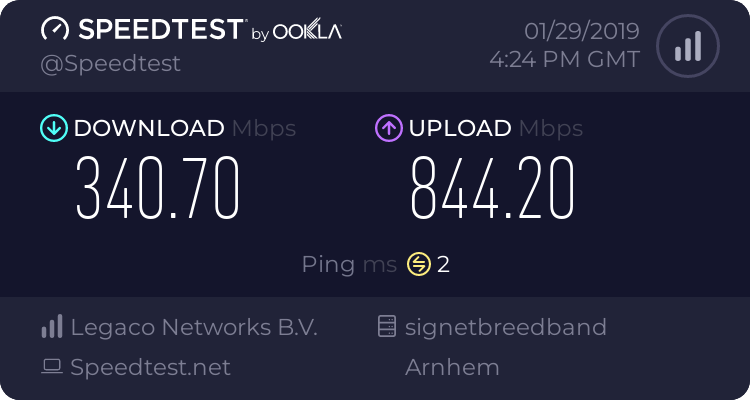
https://www.speedtest.net/result/7997316959.png @pseudo blade wifi lol
 modern forge
What ports are likely to be not blocked on a school except 80, 443 and 53?
(@ me please)
 subtle depot
@modern forge 8080 
subtle depot
https://openvpn.net/community-resources/how-to/#security @modern forge Try doing this
 regal chasm
openvpn is yikes, but yea, you can also try 8080 or 8000
subtle depot
tls-auth HMAC should make it harder for the school to block I think
modern forge
Ok
subtle depot
@ancient vigil is that proper shutdown procedure? 🤔
Oh and @modern forge make sure the openVPN server is listening on TCP
modern forge
Yeah I know
subtle depot
Yeah I figured just wanted to make sure
regal chasm
Doesn't most vpns use udp?
little schooner
VPN is no good if the equipment can do dpi correctly
I was at a school where it blocked any VPN you can think of
regal chasm
Same, my school blocks tor, tunnelbear, nordvpn and others.
little schooner
They recently let up on the restriction though and now openvpn is functional
regal chasm
That's nice
slow belfry
@modern forge 3389, windows rdp 😃
slow belfry
I think it will as all of the Dutch systems are based on Windows
I manage a whole network for a school 😃
Or well, I managed.
slow belfry
It is because of the less schooled IT-admins at schools. I hate them, but also will help them to improve their bullshit
regal chasm
Well I wouldn't rely on rdp port, because no normal human will allow it out of security concerns
clear igloo
I fixeth the VM
I breaketh the VM
hallow nimbus
😂
 lean pollen
The school I went to didnt block anything that I know of
slow belfry
Well that sucks @modern forge
clear igloo
It's fine
Everything is fine
fresh copper
I use my own VPN via Zerotier and it works at most schools I’ve been to. Then again, they don’t block normal VPNs
It’s really not an optimal solution anyway
 prisma rock
hey, i don't suppose someone could walk me through setting up a vpn on windows 10?
i tried using an online guide but for some reason my second machine won't connect...
btw i have no experience with vpn... or networking before this...
remote kernel
So I got a UniFi Security Gateway and it's working great
Is there any way to bridge LAN 1 and LAN 2?
toxic quartz
ask limp bizkit 😃
final horizon
No @remote kernel not without losing hardware acceleration and throughput.
remote kernel
Alright, I'll just use my old broken wifi router as a switch lol
final horizon
I ended up going with a relatively inexpensive PoE switch from TP-Link.
remote kernel
Yeah I'll flash DD WRT on my old RT-AC66u
little schooner
@remote kernel but does dd wrt support hardware acceleration?
remote kernel
my router has a switching ASIC
 warm raven
I need some help
Something about my computer is producing intermittent ping spikes
not no 150ms weaksauce either
Talking 3500ms+ ping to my router
The wireshark (Which I have no idea how to decipher) logs on the right are around the time the 3300ms ping happened
fresh copper
I can’t really read the image. Send me the wireshark capture and I will take a look. I can’t guarantee I can fix it but I can at least tell you if there is anything unordinary.
May I ask if this is over wifi or if it is wired?
warm raven
Over WiFi
Only happens on a single device
Every other device over the same network doesn't have these spikes
and I no longer have that, let me recreate and I'll send you that
Numbers in the title are the timestamps of the 3000ms+ spikes @fresh copper
warm raven
On second thought ill DM that file to ya
little schooner
Good idea
fresh copper
Basically, what I see, is that during the times that you say that you see higher ping times, there are a number of TCP retransmission packets from both sides of a couple of connections. But, these packets do arrive as the ACKs for these packets are seen. This implies that there is some packet loss that appears to be due to wifi rather than an issue on either device. However, the error correction in wifi appears to work properly at get the packets though. The question is why there is this wifi packet loss. There are a number of reasons why this may be. I am a bit busy right now but I will add some info on these types of reasons later. Some other people may chime in in the meantime.
little schooner
@fresh copper yeah I get the same problem with unifi aps
Lots of retransmissions
remote kernel
Quick DNS question
I want to map jacknet.local:3443 to unifi.jacknet.local
I need an SRV record right?
so why doesnt this work?

 delicate kettle
A useful trick I was taught in programming is to explain very clearly what you're trying to do to a plush toy or a rubber duck or something
delicate kettle
Did you check syntax
remote kernel
Yeah
delicate kettle
I dunno much about networking, but I'm pretty sure your problem is unifi. In front of your jacket.local
So you're trying to have a host link to a port or what?
remote kernel
Yeah
I want the subdomain to be unifi.jacknet.local
Basically I want to equate jacknet.local:3443 to unifi.jacknet.local
I did this a long time ago for a Minecraft server but that was on Linux not Windows Server
fresh copper
As long as _unifi is a real service then it would work. I think you want to set the domain to unifi.jacknet.local and the “Host offering this service” to jacknet.local though. I may be wrong because I don’t do GUIs that much
remote kernel
Figured it out
Browsers don't like SRV records so i am gonna setup a reverse proxy
fresh copper
SRV records only work with specific services
And you have to have the SRV record specify that service
Yours specifies a service called _unifi. So only devices using the _unifi protocol will understand the SRV record. The browser uses HTTP or HTTPS, neither of which can have SRV records (as only some services allow SRV records) so pointing your browser to that address will not go through the SRV record
warm raven
@fresh copper am I'm thinking it's a router / WiFi adapter combo
I just recently got a new router, that's when the bad ping spikes started
Tests fine on everything but my computer, currently running a test on my machine using a raspberry pi as a makeshift WiFi adapter to see I still experience the spikes
That'll narrow it down to something about me pc or specifically the adapter I'm using
I'd think it should at least, I barely know anything in terms of networking
 slow pivot
Retransmits mean either a weak signal in at least one direction or possibly interference from another signal where your computer is
warm raven
Can tell ya it's not interference
and by direction I assume you mean either to the router or to my PC
and not the literal direction of WiFI wavies
(orbi is my network)
No RF interference and the only thing between my router and my adapter is some drywall and maybe an inch of wood collectively
Ordered https://www.asus.com/us/Networking/PCEAC68/ and that should be here tomorrow
Hopefully that fixes the issue
- Big boy antennas so if it's merely signal instability for some reason that might mitigate it
little schooner
Big boy antennas would mean ones like the ones Cisco has where it can be tilted on its side and the antenna are able to hold the entire unit up, despite is metal housing
Now those are big boy antennas
 narrow parcel
Anyone dealt with FreeNas and Hyper-V 2016 for VM storage?
narrow parcel
so far hypoer-v fails to create the vm or even just a vhdx, saying server not capable
and these aren't the same server. Im using freenas storage over a 10 GbE link and SMB3
fresh copper
I should just replace my random consumer APs with UBNT stuff. It’s not too expensive but it is a bit more than I wish
But maybe I want MU-MIMO
But then I loose out on other stuff
narrow parcel
a good inbetween is the EnGenius EAP1300
@fresh copper
can get on amazon for $95
and has 2x2 MU-MIMO
little schooner
@fresh copper I did replace my stuff with ubnt but I miss the very fast single user speeds from my asus equipment
If you want to keep that for like one or two devices you can keep a consumer AP around just for that
warm raven
@little schooner Well big boy antennas relative to my current adapter 😛
clear igloo
I get ~400/200 on single stream and ~~400/500 on multi-stream >.>
fresh copper
@narrow parcel I need the UBNT stuff because I have to have multiple with proper steering. My current APs are more than good enough but because they are meant as standalone, I can't easily steer between them. I mean, it's possible on OpenWRT which is what I am running, but I gave up after a couple hours of failing
I also need some of the other features
 tawny seal
narrow parcel
tawny seal
narrow parcel
@fresh copper the Engenius supports all of that as well.
fresh copper
Yea, but I also like to manage using UNMS with my other UBNT stuff. I also have a lot of experience with Ubiquity stuff as that is the most common thing that I install for clients.
narrow parcel
nods nods, you just mentioned you didn't want to spend that price
so I pointed out a completely viable one for about 67% the cost
fresh copper
The main thing it is missing for me is VHT80. I wish that either them or UBNT had VHT160. I feel like my access point is the only one in the world with it. It is a decent AP though but it's not really want I am looking for.
fresh copper
In other news, G Suit pricing went up from $10 to $12
But it’s still worth it for the 3TB that I have stored in it
narrow parcel
Check out BackBlaze B2B.
rocky badge
o_0
warm raven
It does seem like this new WiFi card has solved my ping issue
little schooner
@fresh copper it has VHT80, the problem is that it lacks VHT160 on the AC pro and you need to have the Nano or the uap HD line of products
But even then, it still lacks full speed for a single client because the firmware is written to give balanced speed to all clients, even if only one is connected to it
They do not write the firmware with the intent to give maximum speed. They write it to give always reliable wifi
fresh copper
@little schooner I know the Pro does. But yea, I don’t really care about single client speed as much as the reliability as that it the main thing I lack at the moment.
Oh, and for the record, Backblaze is way better than Google Drive but I am fine with the limitations on Google Drive
lean pollen
@warm raven I have the two antenna version of that, its good. I also had some problems with the USB one I had before that
thick minnow
wifi sucks
hallow nimbus
Lmao
slow belfry
Thie is becausr my phone simply can't handle it
wifi card from my MacBook Pro (2017)
Have an Edge Router + Amplifi HD with 2 mesh points (143sqft)
sqyds*
rocky badge
👌
thick minnow
how well does Amplifi HD mesh work?
 green gazelle
it works
 spice ledge
I use UniFi gear and it’s amazing, though I have heard that the amplifi has some issues... though not usually a problem for a normal user
Do t get me wrong though it better than like every other consumer networking platform I’ve seen, especially mesh but....
fresh copper
I mean, no mesh is perfect. The Amplifi ones are decent but I have heard of issues with it
But it is way better than a lot of the mesh options out there
fresh copper
Yea, Asus Mesh is is really good
But once you get to enterprise there are a number of better options
spice ledge
As I said I’m loving UniFi
Got a nano HD and I get usable signal from about 4 houses down at my mailbox....
thick minnow

spice ledge
?
little schooner
If only the Nano used the same mount plate as pro
It was hard enough to drill through the drywall here and not hit a live wire behind the wall
I lucked out the first time. I don't think I can do it a second time
slow belfry
@thick minnow I have no matter where I am in my house +/- 200 mbit with my phone, so it works seamlessly here.
 hexed vault
Anyone knows if Junos supports Flowspec redirect to IP at all?
clear igloo
@hexed vault It appears so, yes
https://www.reddit.com/r/networking/comments/9ukxkj/junos_bgpflowspec_redirect/
 hexed vault
@clear igloo It looks like this one is done using the extended bgp community. This based on the first draft of the ietf draft.
I'm talking about actual redirect to IP, not community.
It should be the part of the second ietf draft
clear igloo
Gotcha
hexed vault
Got some hint's online that it may be supported starting from Release 18.4R1. But nothing sertain.
clear igloo
That's about what I've seen too
 subtle glen
thought someone hacked into our Netflix account from germany, apparently it was my dad checking the credentials from his office where the traffic gets routed to other offices in Germany, Spain, etc
lol
clear igloo
lol
 unborn gulch
I want to build an server/router for my home network. Preferably in the same box. Would want the server to act as an router using some Linux distro, a NAS and an HTPC for 4K HDR video playback. I'm thinking that using unraid and two vm should do the work? One for the router and one for the HTPC. Would an 8th gen i3 be sufficient enough for this kind of task?
spice ledge
I would recommend having at least 2 cores per vm, and at least 1 for unraid, with that said if you plan to use docker as well unraid should have more like 3-4 cores depending on the items in docker
So I would say a 6 core so like an 8400 as an example
@unborn gulch
I’ve wanted to do something like for years.... but one thing I always want does not exist.... a cable model pcie card....
unborn gulch
I'm thinking if i can do the router with only one core as it's used as an local DNS and vpn client
I could make it work getting an asus router running merlin, but I'd rather not get another router for my setup..
spice ledge
I would still say 2core or 1 core and 2 threads
But if you have cable may I recommend a Plex server on that as well
unborn gulch
I don’t have cable, but iptv though
So an 8gen i5, mini atx board with dual intel gigabit network, 8 gig ram sounds reasonable?
spice ledge
You may need a little more ram for like a vm, and you may want to get a 4 port nic but ya
Oh and if you want an htpc you will need a GPU
To pass to Windows or warever
unborn gulch
Won’t be acting as a real router though. Just forwarding packets depending on if the traffic needs to go through a VPN
Planning to stick in an 1030 or 1050
spice ledge
Ah
Well the only other thing you may want or need is a USB card for plug and play for the HTPC but you will need to look at how the USB is split on your motherboard, you may not need it
unborn gulch
Something like fiber box - server - router where the server acts as an vpn client and performs PPOE
Was initially thinking about running a Linux Distrito with no vm, not sure about how Linux handles 4K HDR though
spice ledge
No idea....
unborn gulch
A lot of people has been using 3215u for my intended router usecase...
fresh copper
Deleting files from Google Drive (technically moving to trash) Elapsed time: 25h28m13s
fresh copper

 tepid olive
is that google fiber?
hallow nimbus
I dunno but i like it
 fresh copper
Friend of mine runs https://unmetered.direct/ This was a VM he gave me
UNMETERED.IO ClearingHouse WebProperty - direct
Now I just have to convince him to give me transit to my house
clear igloo
Teach it ARP, guide it and show it the way 😄
fresh copper
I get emails every time ARP finds a new mac address or IP address on EVIX
clear igloo
Unless you convert the AP from lightweight mode then it shouldn't save any config after being powered off as far as I know
Are the APs directly attached or in the same VLAN as the controller? Is the controller setup or are you still working on that?
rocky badge
@clear igloo https://cdn.discordapp.com/attachments/184324186284621824/541354498132672522/image0.jpg can you point out all of the Cisco :p
 clear igloo
5585-X firewall with SSP-10
Nimble (maybe all flash) Storage
2951 router with some VWIC and T1 modules
2x Nexus 7004 with dual Sup2s and probably a 48 port F248 or similar linecard
clear igloo
I mean, I can see most of it but the linecard on the N7K could be an M1 card, hard to tell 😛
rocky badge
@clear igloo https://blob.linusdrop.tips/1FkhK0t7XhtL.png
 clear igloo
I think I see green which means it would be an F series card though
 clear igloo
Do it!
rocky badge
 clear igloo
woo!
rocky badge
woot
 shrewd pier
That's a ... tiny uptime
fresh copper
||I'm not qualified for any of the jobs that LMG is looking for :( When are they going to ask for a network engineer, that's the one thing I could do for them. (I mean, they already have a person who does that stuff for them and it really does not seem like they need one but if they ever did, I would be there, it's like a 25min drive)||
 lofty musk
Am I able to get some server rack and rails advice here?
fresh copper
Yes
lofty musk
So I have a 4 post rack I'm looking at but I'm assuming I can't use 1U Rails on a 4U Case?
Is there some sort of guide I can follow since I never messed with racks, rails, and these type of cases before?
fresh copper
Rails are often specific to brands of server but I have heard of more generic rails. Though I’m not sure how it would work with a whitebox case. I don’t know of any good guides on them.
I believe that if a 4U case would just use multiple 1U rails if required which it might not.
 strange silo
@clear igloo How could you tell there was a Nimble storage array 😉
 hexed pilot


 chrome hound
@lofty musk you can always use a shelf to support the 4u device weight then mount the ears in the rack, most shelves that I have uses take a 1/2 U space so effectively you lose a 1, I have seen L: shaped holders that don't waist the 1/2 but they have weight limits
strange silo
@lofty musk There's also universal rails (not really just can't think of proper name) that are just L-bends that you slide the server on to. Mostly commonly used on rackmount UPSs.

 fresh copper
He is basically getting a shelf
fresh copper
This one specifically https://www.amazon.com/NavePoint-Adjustable-Mount-Server-2-Pack/dp/B01C4TDDB2/
strange silo
Yea, nice
lofty musk
Is that a good choice?
strange silo
Looks good to me, has full support front to back
strange silo
Sort of not really a server rack, you'll only get short depth stuff in to it or things will hang out the back, 1m depth I find adequate but not great when using doors
strange silo
Yea I get that, just something to be aware of because things out the back can be a problem. Weight and balance wise etc
That doesn't mean you'll be putting in full depth servers in to though so it might not matter
strange silo
Yea that rack will be fine then
strange silo
Won't be far till yours is setup more than mine, I brought a 42U rack about a year ago and stripped it down to get it in to the house. Still in bits now haha
@lofty musk You got a forum account? I'd be interested to hear how you find that Rosewill case, I've been eyeing them up since they are so cheap
lofty musk
No I don't have one, i would like to make one though
fresh copper
I should make a forum account. I think I might have one but I don’t use it
lofty musk
@strange silo Have any advice?
strange silo
Advice for?
lofty musk
First time user for building a rack and messing with it
strange silo
Don't break it 😃
Really not much different to building a PC hardware wise, the more custom servers from HPE/Dell do require a bit more knowledge and troubleshooting skills if there is an issue but once you know more about them it's actually way easier
lofty musk
Well I already have a server, just moving it from a mid tower with no HDDs with a case that has HDDs
Its a Ryzen lmao
strange silo
If you want/need a lot of HDDs IBM M1015 HBAs with SAS to 4 SATA breakout cables are great, plenty on ebay
lofty musk
I mean I don't have the money to splurge on HDDs tbh
strange silo
Anything based on the LSI 9207/9211 are great
strange silo
I tend to overbuy then never find a use for what I have, don't make that mistake
lofty musk
Thats what I'm thinking about with the huge rack lmao
But Wheels
I honestly want to use this when I move out for a networking closet
 tame parrot
okay i need some help
So i have a netgear router connected to a fios router
fios router has wifi disabled
I want to be able to use steam in home streaming from my desktop pc connected to the fios router to my laptop connected to my netgear router
what do i have to enable?
Is it vlan?
lofty musk
Is there a way to configure the fios router to act as just a switch? DHCP off and not use NAT. I never tried that
tame parrot
okay @lofty musk i disabled DHCp
lofty musk
Whats the IP for each Router to access them?
192.168.0.1 for both?
(Even though that can't happen)
lofty musk
Is 10.0.0.1 the Netgear router?
tame parrot
yes
lofty musk
Turn DHCP on the FIOS, Turn off DHCP on Netgear and have the cable from FIOS go into the WAN Port on the Netgear
That might work
tame parrot
should i just configure one as as a relay?
should it be wan to wan or ethernet to wan
lofty musk
Ethernet to WAN I believe
lofty musk
You can use Steam on the laptop?
tame parrot
ip addresses are still different
lofty musk
Same subnet though?
tame parrot
idk what that is. sorry.
tame parrot
10.0.0.9
lofty musk
And desktop?
tame parrot
192.168.1.3
lofty musk
Same subnet but different IP class
fresh copper
Here is what you do
So he had you disable DHCP on one router
Now just connect a cable between a lan port on each router
lofty musk
Yeah Ethernet to Ethernet then?
fresh copper
You will have to disconnect and reconnect devices to get them to work
So the one where DHCP was turned off, will have nothing in the WAN port
fresh copper
There is usually a way to do it with the cable going to the WAN port but it’s more difficult and does not always work. This is the easiest way
lofty musk
I thought the WAN Port would work with DHCP from the other router
tame parrot
im not getting any internet on router anymore
lofty musk
Is there a way you can connect into the Netgear router and set it up as a switch?
lofty musk
Not for this, you need to get the same IP Class for everything on your home network
So everything using 192.168.0.XXX as a example
@fresh copper Right?
tame parrot
okay i did
lofty musk
Reconnect it to the LAN Port
Does your desktop have a different IP?
If you do ipconfig /release and then ipconfig /renew in command prompt
lofty musk
Even your laptop?
lofty musk
Try those commands on the laptop
lofty musk
So just restart the pc then
lofty musk
Steam in home works but no internet on the laptop?
tame parrot
yep
lofty musk
Whats the ip of the laptop?
lofty musk
same for desktop but different last numbers?
tame parrot
yep
lofty musk
I feel really stupid right now
Can you change the FIOS router to use 192.168.1.0 for its IP?
strange silo
Not follow exactly where you are up to and what's been tried but you likely want to have the FIOS router setup as DHCP/NAT and connect the netgear LAN to LAN (same as any other PC etc). That way the netgear is just a basic switch+AP
lofty musk
I thought we already did that
tame parrot
i can't change ip of fios router
strange silo
If that is what you are doing then 👍
tame parrot
should i set netgear to ap
tame parrot
yes
lofty musk
Not WAN from the FIOS Router
tame parrot
yep
lofty musk
I feel I'm missing something
strange silo
Yea that doesn't make much sense, if the FIOS is giving out IPs correctly and the devices have the correct gateway and DNS then internet should be working
lofty musk
If you do 10.0.0.1 in the browser does that make you connect to the FIOS Router?
tame parrot
no
lofty musk
192.168.1.1?
strange silo
Not being able to connect to the netgear is correct, you'd need to change the IP on that to the same as the FIOS IP range
unreal wedge
Open cmd and run ipconfig if you're on windows to grab your gateway IP. If you can't reach it in your browser, reboot your gateway and wait like 5 mins, then try again. If all fails, call the ISP if it's ISP hardware.
tame parrot
fios router is now showing netgear as inactive
unreal wedge
@strange silo my two cents reading literally two messages 
tame parrot
i did change the ip range
unreal wedge
DHCP is fun, eh.
lofty musk
Honestly just make everything 10.0.0.xxx
strange silo
@unreal wedge Sometimes I wish teleportation was a thing, so much quicker 😃
lofty musk
I feel the FIOS router doesn't like 192.168.1.xxx for NAT
strange silo
Pop in and just fix it lol
lofty musk
@strange silo Exactly dude
unreal wedge
If it's all set to DHCP, make sure the gateway address was updated first, then update the DHCP range. If it doesn't assign IPs, kill all attached devices, reboot the DHCP server, then bring everything back up.
lofty musk
Honestly restart the router after 10.0.0.xxx is set for DHCP
tame parrot
well i just restarted netgear router and its still say inactive yet my laptop connected to it and got the correct ip
lofty musk
Restart FIOS router now
lofty musk
Do what Dooley said
unreal wedge
If you want the runaround, Kill all DHCP-reliant devices, then kill the FIOS. Turn the FIOS back on and wait for it to fully boot. Once it's fully online, check to see that your PC was assigned an IP address via DHCP. If so, power on all other DHCP devices.
If your Netgear isn't getting a DHCP address, you could possibly try it in AP mode, manually assign one, or check that you're actually plugged into the WAN port and set to DHCP mode.
gritty owl
@tame parrot Weird, netgear router should work just fine in AP mode
Had it running just fine with my AC-Pro (and previous old router as AP before that)
unreal wedge
My office configuration is bat-out-of-hell crazy, but works properly in a similar configuration.
Also, don't use an out-of-the-box router for an office. Those pieces of shit aren't HIPAA compliant at all.
unreal wedge
Plug your PC into one of the Netgear's LAN ports.
gritty owl
^
unreal wedge
If you still don't have access, be lazy and factory reset it, because factory default settings work in 99% of DHCP master/slave configurations, but can be insecure/cringe af.
strange silo
and don't have it connected to the fios
unreal wedge
I mean, when your slaved AP/cascaded router's name is Netgear69 and the password is magiccarrot420, you're asking to be criticized.
strange silo
lol
unreal wedge
You could connect it to the FIOS in a cascaded configuration after the factory reset without issue, though.
strange silo
^
gritty owl
lol, one of my dad's clients I set up an unifi system for and they personally requested to keep the netgear69 SSID name...
unreal wedge
Also, don't be a total idiot like the rest of us. Disable UPNP like a well-trained professional.
unreal wedge
15 seconds on the reset pin, then powercycle will do.
strange silo
Looks at Fortigate Hmm no UPnP option here
gritty owl
Fortigate so nice.
unreal wedge
Looks at Nighthawk X8 with custom firmware *What's UPNP* 
fresh copper
Main thing he wants is to have one router as a standard combo and one as AP/switch only for some mdns based service. I’ve lost track of which is which at this point. I would reset everything and start from scratch at this point.
Fortigate is an awesome firewall
strange silo
Yea reset everything and get the FIOS working for all the normal stuff, once that is good then add in the netgear
fresh copper
And probably configure the netgear without it being connected and actually put it in proper bridge mode if that’s an optiom
unreal wedge
There's no harm in leaving it connected as long as the FIOS is connected to it via the WAN port on the Netgear and a LAN port on the FIOS.
Next bit is to set it to AP mode if it has that option.
One of my office's network setup is as follows:
ONT >> Router (DHCP only) + External Pihole VM (DNS over HTTPS only) >> UniFi AP Pros + Netgear in AP mode >> End users in a mesh network
Something like that ^
fresh copper
I was doing some reading and some netgear router/APs have a bridge mode and an AP mode where bridge is for wifi to ethernet bridging so stick with AP mode if there are both
tame parrot
Well imma work on this tommorow
unreal wedge
Bridged mode is old and not recommended for this setup, lol
strange silo
$5 you'll get it working tomorrow first try 😃
fresh copper
Some routers have bridge mode mean bridging WAN and LAN and use that to mean AP mode so it can be confusing. Oh how much I can hate consumer APs sometimes
unreal wedge
Uh, reported for gambling 
strange silo
haha
tame parrot
If i understand properly: set dhcp server on fios + disable dhcp on netgear + drink a gallon of coffee + set ap mode on netgear.
unreal wedge
Bridged is an option in older firmwares. Only don't recommend it because older firmwares generally mean easy to break into.
gritty owl
You should only need to turn on AP mode on the netgear if I remember them correctly
tame parrot
Idk what i hate more, home networking or stage (lighting and sound) networking
fresh copper
I had a friend who would always argue that what consumer routers called NAT should really be called Stateful PAT. No one understood him and he had to explain every time.
unreal wedge
@gritty owl correct, then set the SSID, etc.
tame parrot
Okay
fresh copper
And with what Scotty said, if the netgear ‘should’ automatically turn off DHCP server when AP mode is set but you never know
tame parrot
Well i believe the most fun i will have tommorow is finding the login info and then entering in a combination of numbers and letters like someone had a stroke on a keyboard
strange silo
Just be thankful you don't have to find a rollover cable and a PC with a serial port or a USB to serial adapter that works correctly, so glad network equipment is using USB now
fresh copper
I had a client with a modem/router/ap/switch combo once where the password was 241118604. I still remember it because they client would not let me change it
There is still a lot of equipment that uses serial. Especially if it’s used
lofty musk
Well that can easily be bruteforced
fresh copper
Sure can
strange silo
Yea I mean new stuff
everyone keeps around that super old garbage laptop with the serial port lol
fresh copper
It was that same password pattern (9 numbers) for every modem of that type and they all had the same username
lofty musk
ouch
gritty owl
that's painful
fresh copper
The ISP gives out different modems now as this was years ago
strange silo
seen worse, ISP here used to have the exact same username, password, SSID and SSID password on all of them
lofty musk
.....
strange silo
with no instruction to change it
fresh copper
I’ve seen that before too
strange silo
why, because it's easy to support
fresh copper
I’ve seen ones where the consume admin passwords were all different but the easy to figure out isp admin accounts all had the same username password
A lot of stuff still does that to make it easy to support
pseudo blade
Also easy to compromise.
strange silo
That's just free support 😃
pseudo blade
I'm sure you wanted all these machines mining cryptocurrency for us anyways.
There was a bunch of hackers going around securing Mikrotiks so that other hackers couldn't mess with their personal backdoors.
fresh copper
I was just going to mention that
pseudo blade
It happens to internet-enabled embedded devices in general - Don't just slap their control and management interfaces on the public internet!
Anyone who puts SSH/Winbox/etc on the internet is basically asking for trouble anyways.
VPNs aren't hard.
fresh copper
I love looking at failed SSH attempts on my boxes
pseudo blade
IMO if you're seeing that you're already making a mistake, key auth or not.
All it takes is one vulnerability in your SSH server (seen that happen a few times) and you're hosed.
fresh copper
Yea. I should really get around to disabling SSH. I can watch from the firewall log like all the people looking for open SMTP ports
I see scans for SMB too
Sometime full scans of all the ports
strange silo
VPN comes with it's own risk too, you can put firewalls and access lists in to help but the main down side is greater network access from a remote device
I personally like application publishing
pseudo blade
VPN is a layer of defence.
fresh copper
It all depends on how you have everything set up
strange silo
not when the device connecting is compromised
pseudo blade
If you're connecting untrusted devices, isolate them from your management VPN.
strange silo
doesn't matter, in an actually usable network for a large business VPNs are and have been risks
fresh copper
I have a lot of my stuff connected with VPNs anyway because of other reasons that I can’t avoid so I might as well have one less port open
pseudo blade
Same daemon's probably fine, just assign creds that can't talk to routers etc.
strange silo
that's why we app publish first then fall back on VPNs
strange silo
not in my view, I've seen malware walk right in through a VPN connected device
strange silo
it's honestly not that simple
gritty owl
I'm just taking notes as a homelab noob. lol
pseudo blade
Have routed networks, firewalls +IPS between VPN and other networks.
strange silo
still won't stop an SMB exploit to a file server
pseudo blade
SMB over a VPN?
strange silo
sure make sure you're up to date with security patches etc
strange silo
SMB is the predominate network storage access method so you just have to live with that devil
strange silo
To me the only thing VPNs do security wise is make the tunnel itself encrypted, beyond that it is not a security tool/method
pseudo blade
It also removes other services from your edge.
strange silo
You can do that with application publishing behind RDS Gateway or Citrix etc
strange silo
RDS Gateway and RDS are not the same thing
fresh copper
The best VPN setup really is basically. Firewall lets only VPN port (non-standard not the security by obscurity is any good). VPN server then only lets you get to another firewall that has a few more ports for the hopefully small number of services you need.
That’s probably the best you can do outside of literally just airgapping it
strange silo
Yep, and add on client isolation
fresh copper
Maybe put it IPv6 only too
pseudo blade
It moves your edge behind an extra layer.
Some people literally just expose SMB directly to the internet.
strange silo
some people are insane, I don't worry about them 😉
pseudo blade
I'm not pretending it's the only step for a good design.
But certainly an important one.
fresh copper
It’s always tradeoffs. Sometimes leaving SSH open is fine. I don’t think leaving SMB open is ever fine. The fewer open ports the better but sometimes with services that are known to be somewhat secure it’s ok
I’m just hoping we don’t find an exploit to NTP because I run 3 NTP servers in the ntppool
strange silo
I'm actually glad I've never encountered anyone that has opened up SMB to the internet
pseudo blade
I consider HTTPS to be a necessary evil where customers are concerned. All else should be hidden where possible.
HTTP to upgrade to HTTPS.
lofty musk
I only have SSH Open on my external IP
fresh copper
I’ve seen SMB ports open before. They got ransomware. They were lucky to have offline backups
lofty musk
Now we are talking about open externally right? @fresh copper
pseudo blade
Yes.
lofty musk
Okay good, Its late for me.
unreal wedge
Did that router ever start working?
lofty musk
high fives @strange silo
fresh copper
They use a VPN to access their network now but now VPN just opens to the whole internal network. They are not my client but I wish they were so that I could fix their stuff
strange silo
@unreal wedge we'll have to wait till tomorrow *to find out
unreal wedge
¯_(ツ)_/¯
fresh copper
Anyway, I should head off now. It’s 11pm
lofty musk
Goodnight guys, thanks for the help earlier
unreal wedge
@strange silo got you a song playing in that other channel, btw.
It's technically for Luke, but uh... yeah.
strange silo
other channel?
unreal wedge
init 1
hallow nimbus
And whats ur internet speeds ?
hallow nimbus
Nope
clear igloo
@strange silo It was tough, I thought it could be a no-name storage server at first but the green gave it away 😛
pseudo blade
@bleak plover I'm seeing a 4G modem with wifi built in. What's your mobile coverage like at your house with Vodaphone?
 bleak plover
What you mean by that?
pseudo blade
So you get your internet via the 4G mobile network.
bleak plover
Yep
pseudo blade
Do you have any phones that use Vodaphone?
bleak plover
Yes
pseudo blade
Yeah, that'll do it.
Basically, the problem lies in the fact that your router needs good mobile coverage to work properly, and wherever it is right now doesn't have that.
pseudo blade
Take your phone for a walk and see where in your house has the best signal (try near windows)
bleak plover
Ok
Come on phone get on your lead
😄
The reason I don't I have fibre is because there is non out here
😠
pseudo blade
Problem is that you barely have 4G either. This kind of device isn't really suited to your conditions.
bleak plover
Ok
pseudo blade
But let's see what you can make of it anyways.
pseudo blade
You can. Basically find a spot with 2 or more bars, 3 if possible.
bleak plover
Ok
pseudo blade
Then you can try moving the router there and seeing what happens.
bleak plover
Ok
Thank you
Vodafone Slogan:Power to you
Reality:0.5 for you
The place where my wifi is it is 5 bars
pseudo blade
The wifi signal strength is irrelevant, because it's emitted by your router.
If the router can't get a signal, wifi strength isn't going to matter.
pseudo blade
Yes. And the fact that your 4G signal sucks.
bleak plover
ok
pseudo blade
You'd do a lot better with something using directional antennas and preferably some method of mounting said antennas (and modem) up high outside.
unreal wedge
Got modded by the bot for too many user tags, but they got their FIOS working.
@tame parrot you can retag them if you like, but I think the max is like 4 tags per post.
 slate thunder
@bleak plover i have the same thing you can increase the signal with external antennas. I get about 30mbps in the middle of nowhere.
tame parrot
Got it working just had to turn ap on
lofty musk
Factory reset with changing to AP? @tame parrot
bleak plover
Can I have the link pls @slate thunder
bleak plover
@slate thunder Where did you get them and what is the link
slate thunder
@bleak plover I just bought a cheap external antenna on amazon and bought an adapter for the connectors on the 4g router.
slate thunder
This one is inside on a window
bleak plover
ok
slate thunder
And don't forget the adapters
bleak plover
what do you get without the thingies
slate thunder
I went from 4-5 to 30
bleak plover
ok
slate thunder
Also be careful with the connectors they are super fragile
slate thunder
I don't remember