#networking
1 messages · Page 139 of 1
 subtle glen
 hallow nimbus
XD
subtle glen
thought the biggest piece of equipment were 4U's things. Apparently stacked switches beat that easily
that thing can literally fill up half of your rack
tf is that, a skyscraper?
"each device is a 10U thing"
subtle glen
i na 45U chassis
oh ok, 1 u sounds reasonable
wait, why are those switches in the pic above in vertical position
that has a lot of console ports
LOL
do you stack them with QSFP?
yeah i think it is SFP+
thought it was wider at first
thought they had a special stacking port on the back like cisco switches
that are probably 2k dollars each
- the price for the cards
that has a lot of fiber plugs
so i am planning of wiring up my home. I should forget the cat6 cables i pulled out from an office and use fiber
xD
well, cat 6 can do 10g too
is there even someone with a fiber home network
i mean not just 10g servers link etc
why can't you do it now?
it's just drywall, right?
and firebricks*
cant you like use the attic? Not totally sure but i know that a lot of US houses have one
lol
btw there is always a way to run cables, you need to be creative
oh c'mon
you can give them to me if you want
i'm free tomorrow
What's that machine
hallow nimbus
Its a fucking server 😂
subtle glen
This is a christian server @hallow nimbus
Moderate language
I meant what does that server do
 little schooner
those must be some slow cores if there are 167 of them
 fresh copper
I’m guessing 100mhz
fresh copper
My calculator runs at about 140mhz
I think it’s like 136 or so
And yes, it’s overclocked
 oak crag
well we should see if he over clocked his
he might be at like 115mhz
at that point he could probably play hl2
fresh copper
“Overclocking your calculator gives better fps in games?????” - Next LTT video
It actually does make my gba emulator run a lot faster even at the highest graphics settings
I should make a parody video
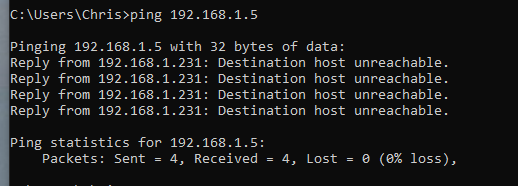
 stone condor
Rip
hallow nimbus
😂
 jolly grotto
ive just given up with it
fresh copper
Here’s something I don’t understand; why is it that on one of my linux systems, as soon as I added a single gretap interface, there became a gre0 interface and a gretap0 interface that refuse to be deleted and refuse to be properly configured. I have to start at gre1 and gretap1 for all of my tunnels
fresh copper
Finally found a serverfault post that actually explains it
 thick minnow
do any of y'all have any tips on terminating ethernet or is just practice the best way to improve?
 rocky badge
I don't see why you would want to run it on a Pi anyways
 reef valve
why wouldn't i?
rocky badge
By the time you get a Pi you could pay a little more and get the Cloud Key
reef valve
I had a pi lying around
i didn't have 80$ lying around
I can also use the Pi as a jump point for RDPing
via openVPN, which, you might've guessed, is also on the pi
...
rocky badge
RD Gateway works 
reef valve
rd what
rocky badge
RD Gateway
reef valve
and that is?
do you think he'll notice i sent the exact same log
i think he might be onto me
Stay tuned for more ubiquiti stories
 weary kestrel
 thick minnow
just use supported hardware 
thick minnow
 you sound like me.
reef valve
and anyhow

Ubiquiti Networks Support and Help Center
Overview
After reading through this article readers should expect to have a cursory knowledge about how to identify database issues on the UniFi Controller software.
NOTES & REQUIREMEN...
It's a known issue and it's not just on my RPI
thick minnow
is it a arm bug?
reef valve
they just refuse to give me the exact same steps they would give someone on a ubuntu
no
it's a problem with mongodb
thick minnow
ah
reef valve
i have to say
100% happy with the unifi products
but their support is just
no words to describe the knowledge of their technicians
to me it seems as if they get a question and they start searching thorugh a database of Q&A's
literally none of their reponses seemed like someone who didn't know what AWS was could write
 gritty owl
Yeah, I like unifi, but wow, the support is just lolz territory at times.

Check out the Massdrop x AKG K7XX Red Edition Headphones on Massdrop: https://dro.ps/linus-redk7xx Check out the available position at Memory Express at http...
This wasn't the router I was expecting. lol
reef valve
i guess i fixed it
i purged everything i saw
and reinstalled unifi without using any cache
then restored the old backup which they said was a bad backup because the database had issues
it fixed itself, restored and is now running without an error
Also all of the functions that were dead before are now wokring
working*
thick minnow
yeah i have found that i can fix most problems better without the unifi "support" team.
maybe it is just something that has fallen through the cracks as they have grown.
fresh copper
@gritty owl I was hoping for a multi 100Gbit router like the kind that tier one providers use
little schooner
@reef valve what if it were to break again?
 vagrant heath
owo
rocky badge
@vagrant heath are those Dell drive caddies in a non Dell bay? 
vagrant heath
That's a Dell bay
gritty owl
@fresh copper Same, i thought Linus when hardcore with the router finally

 zenith ridge
@thick minnow Why need a tower?
I just changed from a tower to a rack server case
zenith ridge
hm?
tower is a bit bigger then a rack server (4u)
but i want to expend my network gear so i bough a 14u rack, and there is no reason to have a tower next to a rack
 clear igloo
When you reload the virtual firewall and not a moment later the vcenter goes down but you don't know about that so you think you broke the firewall XD
hallow nimbus
😂
thick minnow

little schooner
I can't fit a rack in the room I want to place it in so I had to go with a tower
I am using cooler master haf x full size atx tower and with a xeon 1245 as the server. It has pfsense vm to handle my vpn connections in and out
I have a highly edited firewall in place, but I am still working out kinks here and there and do inspections on it every 3 months or so. I will say this though, I have everything out in the open and anyone can really just unplug the power and everything just goes down. The firewall security is only as good as if the equipment is guarded within a locked rack cabinet of some sort
subtle glen
What firewall
 unkempt ferry
So I'm trying to use pfSense to port forward a MC server. Its port is 25565. I have a port forward setup in NAT. Is there anything else I need to do? My previous router just worked. I'm not sure if pfSense has something special I need to set
little schooner
NAT is different from port forwarding. port forwarding opens the port all the time while NAT translates destination to a new destination
Make sure your NAT rules are correct and that your firewall allows traffic hitting on 25565 to come in
only then will NAT rules take effect next i believe...
that how it work in edgerouter
fresh copper
It’s very similar on PFsense. I think it might auto-create the firewall rules but it’s been a few months
@unkempt ferry if you send a couple screenshots then I can check if it’s correct
fresh copper
@unkempt ferry Only thing that needs to be changed, the firewall comes before NAT so that firewall rule needs the destination as the WAN address not the actual server address
unkempt ferry
The firewall rule was created when I made the NAT rule. So I am unable to change it.
little schooner
@fresh copper I'm going to be in the same situation soon. I'm supposed to be upgrading my college networking security WAN router with pfsense PC, since the Cisco asa we have only does 100mbps
I'm assuming NAT and firewall will be same concept but
Hoping it works out the first go around
This router is just for the cyber department not the school
We have extra wan access for our stuff
Luckily, the rest is handled by IT dept
fresh copper
I’ve never used PFsense as a sort of main router so I’m not the best with firewall and NAT on it. I can help with most other things though
little schooner
Were giving it a try because our college did not want to give a budget for something more expensive like HP or Cisco
The pfsense will set us back about $500
We tried to fight it but they want to keep the grant money to themselves
They dont see the innate ability waiting in the students
little schooner
It will be serving multiple colleges so that why the cost it up there
subtle glen
why not using a more advanced cisco router or like an edgerouter?
little schooner
Edgerouter wasn't accepted as an option at the meeting
And our budget is tight for a cisco router
If it were up to me, i'd pick up watchguard or fortinet devices
clear igloo
Lot of options out there, hopefully pfsense suits all the needs 😃
little schooner
@clear igloo yeah, hoping for the best.
So far though, it checked off all the features were were going to need
clear igloo
That's good
 spring shard
Is it possible to run two 2 bay NAS drives at the same time working together? or would I need to upgrade to a 4 bay NAS?
clear igloo
Depends, I know QNAP and Synology both have options to do something like that
rocky badge
Some models of both brands support expanding storage with more units
clear igloo
Yah, just depends on the model
spring shard
Ok, thanks for the help
little schooner
Synologys are very nice with their GUI. I miss mine but it really was too underpowered compared to a 1245 v5 cpu
 neon sluice
What's the general advice for small budget nas cases these days?
subtle glen
@ancient vigil info about that juniper router (ssg-20)
when you asked me if it had Junos installed
subtle glen
ScreenOS
 ornate jungle
Oh the irony of closed source software. I'd never trust a Cisco or Juniper switch, firewall, or other network appliance, as IOS and JunOS are both security holes in and of themselves.
subtle glen
who needs a firewall anyways xD
rocky badge
Top 10 last things said before disaster
thick minnow
yea i always leave my ports open and keep a list of all chinese bots knocking on my SSH port
what could possibly go wrong
subtle glen
i have firewall disabled, default password on the router, pc unlocked as well as the security camera, nas, etc
what could go wrong
my friend actually has it's router that is not protected by a password and the firewall is disabled
clear igloo
Any OS is a security hole, closed or open source, if you don't configure it properly
rocky badge
@ornate jungle Why don't you trust those? It doesn't really matter if it's open source or closed
subtle glen
well, if there is a backdoor there isn't much you can do
rocky badge
Plus, you've probably used a network with Cisco or Juniper
clear igloo
Aside whitebox hardware and software, no major network vendor is 100% open source that I know of
ornate jungle
Because if it's closed source I have no way to flash new versions of the firmware myself, and I can't look at the code to fix the flaws either. pfSense may not be as industry standard, but at least anyone can analyze and fix flaws without having to rely on another party to vet the work.
subtle glen
well, you can flash firmware versions
ornate jungle
Yes, you can if you have an active maintenance contract, and if they actually fix the flaws in a timely fashion. (to be fair, Cisco does fix a lot of security flaws, both for their own hardware, but also for networking devices in general.)
clear igloo
You can buy a nexus box and put your own software on it now 😃
rocky badge
and let the Cisco employee speak with you 
clear igloo
I know they announced it, not sure if it's available yet
rocky badge
@ornate jungle So do you not trust any closed source software?
ornate jungle
If I had it my way, that's correct. Unfortunately, the world doesn't operate like that, so I have to trust in some closed source services and software, especially because the corporate world still does. I do use open source software where possible though, such as web-based technology, router firmware, and many desktop utilities & media players, even though they're clunkier than the paid closed source alternatives.
subtle glen
you make your own firmware?
ornate jungle
No, but I enjoy reading over the commit logs and looking at changes to learn about changes.
rocky badge
There's nothing wrong with trusting closed source software
clear igloo
It's blind trust that some people have that's the issue imo
subtle glen
i blindly trust cisco xD
rocky badge
For networking I trust: Cisco, Aruba Networks, some of Extreme Networks, Netgear, and Ubnt/Ubiquiti
ornate jungle
This exactly - what @clear igloo said is what I'm trying to get at, but couldn't find the words for. If you understand the risks of whatever product or service you're using, then go right ahead and use it. Primary example is any closed source password manager on the market. (Unless it has an open source client - at least then you can change the encryption method before the data is uploaded to their service, making it impossible for them to use any kind of backdoor they may have built in.)
clear igloo
shreds the paper
subtle glen
uuu
rocky badge
I only use Google Passwords 😄
subtle glen
i trust google but i dont feel to give them my passwords
ornate jungle
just put post it notes everywhere 😄 and same - I'm a die hard Chromium user, but never save my passwords in any browser.
subtle glen
nah, security hazard
clear igloo
subtle glen
i have all my routers and stuff passwords on sticky notes
rocky badge
They're not hidden anymore
subtle glen
find me
ornate jungle
Get him, boys! 🚨
rocky badge
*in the house with a cat on the router
subtle glen
like people say in youtube comments "192.168.1.132" thats my ip, track me down"
ornate jungle
lol part of me wishes I had some rackmount gear so my cat could enjoy the warmth
subtle glen
my cat doesnt go on the switch anymore now that it is on the rack 😦
probably too high?
i tried to put her inside the rack but she goes away
clear igloo
Cat's are not routers
subtle glen
the tail fits into the ethernet port...
rocky badge
I don't own any pets and if I did I wouldn't let it in the same room as the rack 😄
rocky badge
I'd rather not have pet hair in my servers and switches 😛
subtle glen
pffff
clear igloo
Lol, you think keeping them out of the room will stop it from getting in there?
rocky badge
dog or cat chews on fiber
subtle glen
one of my cats like to bite stuff, like my mom's charger
too late about keeping cat hairs away*
i should clean it up tho
 half valley
tell the Cat(5/5e/6) to stop biting things 
little schooner
@subtle glen hmm do you use keepass or something though? I actually am using Lastpass and Keepass simultaneously... I really like the sync of passwords across devices with LastPass
And the ability to delegate members to access only particular passwords and such
subtle glen
@half valley hahahaha
@little schooner i don't use any of those password keeping things
thick minnow
So my internet keeps getting disconnected pretty often. And to get it back I disable and enable the Ethernet adapter. Once in a while my Wi-Fi will disconnect. And to add to it I'm getting a double NAT scenario in Plex when I try to enable remote access. Which used to work fine before btw.
This is a router issue, isn't it?
No amount of tweaking the router settings helped. Neither did port forwarding which leads me to believe it's my crappy router.
Help is appreciated
zenith ridge
How good is ubnt USG loadbalance/fail over options?
We have one at work, we can get a cheap option for second ISP, and we just had another 15min that our ISP went down
And are you able to manage what pc uses a certain wan port? or is it per lan that you can set wan port + fail over or load balance?
zenith ridge
Been looking around in the USG and it looks like its a 1 setup deal only, because selecting wan2 for network wan setup will give you the option for load balance or fail over, but that port will not be usable anymore for another network
So now, how good is USG with load balance/fail over
and will load balance be smart enough to fail over by itself?
fresh copper
Load balance will automatically fail over if one goes down. If you want some of the more complicated stuff you were mentioning like managing what pc uses a certain wan port you might want something like an Edgerouter Pro instead which has more of the advanced options if you learn the Vyatta/VyOS cli
zenith ridge
You I had pfsense in a vm at home, and that was able to do those things, loved it.
But we just got the new USG at work, so not going to change that, at least we could set up a failover and even make it work with load balance, but bank sites dont like load balance, because the clients ip will change for them
So I guess I'll only suggest the fail over part
Thanks for the reaction @fresh copper !
One small question
Can you still port forward to both wans, even if fail over is selected?
or will a port forward be done for both automatically
fresh copper
I believe that port forwarding is always separate from the load balance
zenith ridge
Not so important, don't need that at work, for now, was fun to know for work
subtle glen
So Load balancer doesn't mean it splits the traffic to your WAN's (in this case)? Only one WAN is active and the other one kicks in in case the first one doesn't work anymore?
Reminder: i know that an ethernet port is not a LAN or a WAN, it's just an example here
zenith ridge
Load balance splits all request over the 2 connections, where fail over will only use the second connection if the first is down
load balance would also include fail over but, as i already told, some services wont like it when you change ip's between requests, where load balance becomes a problem
subtle glen
so, in the load balancing section i can also set up failover ?
cause i haven't seen that option in there
zenith ridge
in usg you just create a new network, telling its wan, your last unused port will be used, and then you say fail over or load balance
subtle glen
i think i got it. Tho my router is an edgerouter
little schooner
Isnt load balancing only useful when you got two different WAN options? That adds cost
subtle glen
think so, also what else requires load balancing (speaking in terms of bandwith)
nothing i guess. Or maybe you can do some load balancing like between 2 switches?
little schooner
@subtle glen load balancing for switches would be like etherchannel
Or like lacp
clear igloo
or VPC, L3 uplinks (ECMP), etc.
little schooner
Ohh and now I remember the other name for it, LAG
subtle glen
But why does internet crash if i do something like this.? why do you have to specify the link aggregation thing
fresh copper
Switches hate if there is more than one way to get to the same MAC address. That’s why they have special protocols to allow it to work sometimes and have failover or link aggregation or some other special thing
It also doesn’t break with some form of STP as that will disable a port so that there is no loop
I don’t know the details on why it was designed in that way but that’s how it was designed
subtle glen
Wifi computer cable 😁
 latent badger
I'll take 10!
 brave crypt
stupid question. for a home lab and temp solution can i some how rig up a 3.5 hdd to use in 2.5 hdd bay? Of coarse it wont fit with size but maybe a cable or something?
brave crypt
just ordered that. thank you. I will see if that works @jolly grotto
subtle glen
if it doesn't, you refund @jolly grotto
brave crypt
lol
fresh copper
Any thoughts on this layer 3 switch? https://vancouver.craigslist.ca/rds/ele/d/nortel-networks-baystackt/6726612000.html

craigslist
Features: -------------------------------------------------------------------------------------------------------------------------------------------------------------- Subtype - Gigabit Ethernet...
clear igloo
wow, that's an old switch 😛
I mean, it works if you don't mind old software and less than easy to find documentation
subtle glen
just because it's not a cisco one
clear igloo
Because Nortel went bust back in 2009 iirc
subtle glen

guess if there is still support for equipment xD
@fresh copper why not spending a little bit more and get something more recent?
fresh copper
I knew there would be a reason it was so inexpensive
I like it because switches of any kind don’t often come up on Craigslist and that one happens to be very close to me
But I may go for something more recent
Also, the emoji goes perfect in this situation
subtle glen
that is perfect for every situation
clear igloo
@chrome hound What chassis is that?
clear igloo
Nice!
 inner hound
thanks, i still have to get some hardware for the disk chassis... and an HBA for the controller
 steady zephyr
zenith ridge
steady zephyr
zenith ridge
rip
 meager hazel
Could it be any slower
zenith ridge
anyday I work is a sad day, slower then at home
 chrome hound
@clear igloo if I am not mistaken, that's a Nokia SR-12e
hallow nimbus
👀
subtle glen
is that the kind of router an isp use?
chrome hound
we are an ISP, well kind of
inner hound
same
subtle glen
frick off
zenith ridge
How hard would it be to get some gigabit connection and then sell it to your neigbords, officially
chrome hound
lol that router won't have any 10g ports, all 100g
not possible, officially, because its an open access network its ran by the Citys that own UTOPIA, and that is against the TOS
inner hound
so its free?
zenith ridge
^
chrome hound
lol open access doesn't mean free
the model just means layer 2 transport is provided to ISP's and as a customer you have choice of service, we like 20 ish ISP that provide that final connection to the internet, we do have our own internet path, but due to the nature of who we are, we are not allowed to compete with the ISP officially
inner hound
oh i see
chrome hound
now some of the member cities are subsidizing the network costs to there residents by paying the connection to the Home fees, or part of them
hallow nimbus
So when so i get 10gig again?
chrome hound
if you are in a Utah cities that has UTOPIA its available now, but that does mean you have be in range of the network
hallow nimbus
...
chrome hound
😄
zenith ridge
We don't even have gigabit, 400/40 is the best you can get,
inner hound
spectrum @zenith ridge ?
zenith ridge
spectrum ?
zenith ridge
Its not even an isp over here
inner hound
o wow
zenith ridge
I don't live in the USA
inner hound
ahhhh
zenith ridge
also 400/40 is like new, I have 200/20 at home, and thats the second fastest connection we can get
inner hound
i just want a decent upload speed
zenith ridge
same
inner hound
until i have one hosting from home is shitty
zenith ridge
20Mbps is enough, usually, but I really wouldn't complain to have more
inner hound
what do you use it for
zenith ridge
plex, hosting games for friends, owncloud
inner hound
ahh yeah
same
thats why id like itto be a bit faster
i kind of want to sell some "cloud" space with nextcloud
zenith ridge
isn't nextcloud just owncloud clone with dedicated hardware?
or did i mis something?
 wild loom
Is this in megabits or Megabyte?
clear igloo
Megabits
wild loom
oof
zenith ridge
you payed for it?
subtle glen
not yet
zenith ridge
then why would they connect it
subtle glen
they didn't connect the building cable to the street one
and they started the job in august
so it is not active, you cannot buy it
zenith ridge
prob wont connect it until someone will use it
subtle glen
pretty sure they have to connect the junction box to the street cable first
and then hook up the single apartment if you pay
hallow nimbus
But you cant use it since they didnt connect it yet
zenith ridge
In Belgium they dont even put fiber ready to connect until you need it, just the tubes ready to run fiber into new buildings
subtle glen
i am pretty sure that the trenches under the street are still empty
they are digging to get to more homes, maybe they will finish up the trenches and then run the cable (?)
zenith ridge
why not contact them about it
if you want to pay for it, why wouldn't they connect you
subtle glen
actually the isp put the signs about the fiber, but i thought it was only to start advertising it
they don't wire up a building just for one person, they do it for everyone and then you get connected to it if you pay
inner hound
i dont know what either of those are
brave crypt
ha
fresh copper
I’ve got like $150 in Google add credit that I have to use by dec31 but I won’t need ads until spring so what should I advertise. Any funny ideas?
thick minnow
@fresh copper Advertise phub on roblox 😉
 thick minnow
Same here. So close but still so far.. fiber in the garden since 1. august. Connection date inhouse. 20-25 februar
subtle glen
:/
subtle glen
where
 daring plover
The orange cable in your pic and the pic from Plenki xD
subtle glen
Fiber
subtle glen
well, i mean, fiber is just glass
daring plover
Here they just pull the cable through your foundation to wherever you want etc xD
 fluid sigil
Who’s your ISP? BaCkfromthedeath
 terse geyser
You know, was Bing's "Bing It On" just survey information for their machine learning algorithms?
 tulip pecan
hallow nimbus
tulip pecan
hallow nimbus
👀
thick minnow
does pfSense work well on a VM for testing?
subtle glen
My current one is wind @fluid sigil . The one that lays down the fiber is a 3rd party company where isp's then buy the space to use the fiber. Then you can choose your operator (wind, fastweb, vodafone, tim etc)
terse geyser
An RJ45 jack?
subtle glen
you can choose if you want the cable to be crossover or straight
i think B is straight and A cross
subtle glen
use the straight setup (should be B). check before doing it. also the colors dont really matter as long as it is the same on the other side of the cable
terse geyser
The colors are wiring guides for different types of CAT cables I'm assuming. Common ethernet cable is CAT5e
subtle glen
there are a lot of tutorials on internet
i did something similar with keystones and i used the B setup
since i cut this keystone from a cable someone already connected, i copied the design
you could
there are keystones that you can install in wall plates
search for keystone plate (or keystone wall plate)
there are even ones with 4 or 6 holes
ofc if you want to use the female to female keystone you need a lot of space inside the wall
or the box where the plate will screw in
you put the keystone i sent
or this
thick minnow
yeah you will need a low voltage box in the wall to install this properly
terse geyser
Like 58V PoE?
subtle glen
but i don't think the female to female+the ethernet plug of the cable would fit. I'd recommend the keystone you have to punchdown
thick minnow
some keystones don't require a punchdown tool or include a cheep one for one time installs
subtle glen
thats for drywall
for concrete you use the one i sent or if you want it outside the wall you use this or a pre made one
thick minnow
oh he has a concrete wall?
subtle glen
well, i know that switzerland houses are pretty much concrete
thick minnow
oh sorry i am NA
subtle glen
knock it and you can feel if it is concrete
yeah, or a pre made one
like i said, for the female to female method, you would need a lot of space behind the wallplate
that's not enough
technically the black one is not a wall keystone but you get the idea
subtle glen
and then you would have to leave a little bit of space behind the ethernet jack cause you can't bend a cable 90 degrees
terse geyser
Well that makes more sense
subtle glen
cat 5e is gigabit too
terse geyser
Hm that's true
subtle glen
and 10G in a range of 40 meters or something
terse geyser
My university is it's own ISP somehow lol
They lock out the gigabit to only certain campus entities
subtle glen
punching down a plug isn't that hard, you can even do it with a screw driver or buy a really cheap tool for it
this also cuts the cable (strips the insulation)
terse geyser
3D print a tool lol
subtle glen
1 grand, tf you buying, a gold plated printer?
yeah i know
do it yourself
dude...
then spend hundreds of euros to punch down a keystone
basically that you connect the wires to the ethernet plug thing
strip the insulation, yeah
hallow nimbus
👀
subtle glen
20/10
can't give a good answer to that but i wouldn't even consider that parameter
you are welcome
trust me, it is easy to do it
thick minnow
cat 6 is a good idea since it isn't that expansive and supports full 10 gigabit.
cat5e can only do up to like 4-6 gigabit if i remember correctly
fresh copper
It depends a lot on length
A 1 meter run of cat5e might be able to do 10G but it’s not rated to do that. cat5e is only rated to do 1G no matter the length
thick minnow
let's be real. i don't think home 10G networking will come in the next 4 years.
 glad marsh
depends where you live 😛
thick minnow
companies aren't even making home routers for it yet so 
subtle glen
guys, reasons for not using cat7 cables for home usage
@frozen charm i don't recommend it
glad marsh
again, depends where you live given you have crazy things going on like south korea planning 50% home coverage of 10gig ¯_(ツ)_/¯
thick minnow
cat 7 is for like HEAVY interference areas
glad marsh
by like 2022
subtle glen
not even offices uses it
thick minnow
cat 6a is is the max you need
glad marsh
isnt cat7 just cat6 with lots of shielding? xD
thick minnow
yes
glad marsh
makes sense
thick minnow
cat6a
glad marsh
I mean its all just more and more shielding as you go up xD
thick minnow
no the winding is different and the copper is better
inner hound
imaging all of these all the time sucks
hallow nimbus
Do you want me dead
clear igloo
0 updates needed 😛
inner hound
im imaging that particular server with a usb stick
chrome hound
tbh I won't ever go back to 1g home networking, 10g just removes all lag issues related to network congestion, but than again I am not sure my home qualifies as a normal home network
subtle glen
lag with 10G for home usage, wtf
chrome hound
no lag with 1g
subtle glen
whoops
chrome hound
but than again that could have just been the crappy switchs, unmanaged switches just don't have much back plain
subtle glen
so do you have a fiber keystone in each room? xD
chrome hound
hehe who needs a keystone when you can just drop the fiber from the roof 😄
subtle glen
cleaner look? But who really cares about it when you have a fiber home network in the first place
chrome hound
it would be kind of hard to install the fiber into the cedar block my external walls are made of
subtle glen
external conduit?
chrome hound
yea but at that point its more oblivious then a thin blue line
subtle glen
eeh
chrome hound
I mean it doesn't look pretty in the room where all my network runs out of
and I do have copper running for lower end switchs and like gaming consoles
chrome hound
lol I don't think Microsoft is targeting the 10g xbox 1 gamer
subtle glen
:/
chrome hound
pulls heat out of that room and pushes it in the attic space, I have a stack of server running there
thats what is right below that fan
subtle glen
you could use a fiber link , then a media converter with 20 cm ethernet cable that goes into the console
for extreme lag reduction
chrome hound
lol I don't think I will really gain any lag reduction going through a converter
subtle glen
naaah
chrome hound
I use these >> https://www.fs.com/products/14210.html in my 10g switch for 1g copper runs

https://www.fs.com
Check Extreme Networks 10065 Compatible 10/100/1000BASE-T SFP transceiver module data sheet (Copper, 100m, RJ-45 connector) & price list on FS.COM, buy it now!
subtle glen
maybe we should contact Ps4 or Xbox for a 10g SFP+ console
chrome hound
lol I am sure they will want to rework that just for us 😄
subtle glen
well, some games take a long time to download..
hallow nimbus
Kugh Gta,cod on steam
subtle glen
now i actually backed up all my games on the nas, cause waiting 2 days to download r6s is a little bit unconvenient
i wanted the CACHE server tho 😢
subtle glen
naaaaah
hallow nimbus
😂
subtle glen
20/10 is enough
hallow nimbus
You sure ?
subtle glen
for you, yes
fresh copper
@chrome hound I always love looking at your rack; it’s so much better than mine.
chrome hound
wha not on the first date mister
zenith ridge
Anyone knows a 1 or 2U server cheap enough for pfsense to do some load balancing?
 glad marsh
was about to say its not really super great compared to the $250-300 servers, but I guess there is a lot of initial cost for the platform itself lul
inner hound
for just load balancing its probably fine
glad marsh
yeah
inner hound
my pfsense is a supermicro from work with 16gb of ram and a single cpu
glad marsh
it was just the contrast of $75 getting you 4GB of RAM and $300 usually yielding 72GB for these old servers
inner hound
true
glad marsh
but as I said, mobo/chassis/PSU kinda have a set base cost I guess
zenith ridge
Looks like it even has a slot free to use, and ram should be able to upgrade that
so some 4x gigabit card
glad marsh
maybe look for some cheapo low-config hp proliant
dl380 or dl360 (I think they both have it) seem to have 4 gigabit ports on the base board + a management port
so you wouldnt need a PCI-E card most likely
zenith ridge
I've also heard pfsense is to slow to handle 10gbit port?
Like i have a single server atm, it would be a waste to connect the server and pfsense with 10gbit link?
glad marsh
wouldnt be a waste, how much it can handle really depends on the CPU in question
I dare to say the typical quadcore Xeon you get in these old servers should handle over gigabit, cant really say it will do full 10gig tho
zenith ridge
So the one he posted, should handle up to like 4gbit or something well? its a 8core machine
rocky badge
Routing 10 gigabit with PfSense can be hard
inner hound
you could saturate 10gb with most used xeon servers these days id think
but i havent actually tried
zenith ridge
these days maybe, I'm looking into cheap options, so old xeons
zenith ridge
I don't need the full 10gbit speed tho, still home use, but I do see full load on gbit lan
glad marsh
dont go older than first gen Xeons that is
zenith ridge
What is like the first gen xeons? I'm currently running E5 2665 in my server
glad marsh
like E5xxx/X5xxx or maybe E4xxx series Xeons is the lowest Id go for personally
idk guys 
rocky badge
Yeah, routing 10 gigabit is hard xd
glad marsh
those are only 4c8t Xeons tho, high clocks than what you would get with cheaper stuff tho
the ones they upgraded to are 10c20t tho xD
zenith ridge
yea, insane
glad marsh
depends how much youre willing to spend tbh
for $200 you can probably get a dual X5650 server, which would give you 24 threads
Id think that could do the 7 or so gigabit stated in the post
rocky badge
I wonder how much of a performance impact is when you run PfSense on esxi
Assuming you have the hardware that can route 10 gigabit perfectly
inner hound
ig it depends on the resources u give it
glad marsh
should be near zero if you PCI passthrough the NIC
inner hound
and what sort of datastore youre using
glad marsh
although depends if youre on Intel or AMD
cuz on Intel you will get fucked by meltdown patches either way
inner hound
personally wouldnt run esxi on (older) amd chips
glad marsh
given that literally halved my server's VM disk IO performance, Id imagine high performance networking also gets hit hard
yea Im more thinking FX/Ryzen tbf
rocky badge
glad marsh
the old Opterons wouldnt really do much better than meltdown patched Intel probably xD
zenith ridge
1more question, does unraid even handle 10gbit well? and for the vms
glad marsh
none of this is about unraid 😛
inner hound
why use unraid
glad marsh
I mean unraid is just Linux and QEMU/KVM
so for that matter it handles 10 gigabit better than windows
but in terms of VM performance you have other factors
zenith ridge
@inner hound because I'm a developer, my knowledge about servers and network is self taught, and i'm all about being lazy
👀
rocky badge
kvm
glad marsh
such as how well your CPU implements virtualization, if it has to have meltdown patches or not and if youre thinking about passing the NIC into a VM, you gotta realise that depends on the motherboard
inner hound
yeah but youll get better performance out of esxi afaik
glad marsh
you will actually a lot better IO performance out of unraid
that is if it allows you to use virtIO drivers and doesnt lock you into typical SATA emulation 😐
zenith ridge
I'm pretty happy about unraid so far, I have a usb controller and gpu passtrough to a vm
zenith ridge
no
glad marsh
inb4 Matrox
inner hound
yeah i guess it depends on your usecase
glad marsh
so you passed through an nvidia card huh
zenith ridge
yea GTX 1060
glad marsh
I guess unraid hides the fact its a VM lol
rocky badge
guacamole at school 👌
glad marsh
it doesnt tell the OS that its virtualized
glad marsh
no
inner hound
not going to school 👌
zenith ridge
it wont free the gpu
glad marsh
that has nothing to do with either AMD or unraid xD
rocky badge
@inner hound XD I have to ;-;
glad marsh
that was (now a pretty old and fixed) bug in the Linux kernel
rocky badge
Freshman oof
zenith ridge
@glad marsh oh cool, good to know
glad marsh
and it only happened with Vega cards and only on some systems
inner hound
dam
glad marsh
threadripper mainly, the rest of the world worked fine-ish
glad marsh
afaik it was a matter of threadripper internally using PCI-E bridges, and the specification on how the PCI-E resets propagate through bridges is very vague, so AMD implemented it slightly differently than Intel
rocky badge
Playing around with this winsrv 2019
glad marsh
and thus the kernel didnt know how to properly reset devices
inner hound
don't mind my messy ass desk
glad marsh
but yea thats been fixed a long time ago
rocky badge
trackpad 👌
glad marsh
AMD generally works much better with virt than nvidia (and also doesnt get hit as much in terms of performance)
rocky badge
And guacamole is actually really snappy
glad marsh
but as I said, unraid doesnt tell the VM that its actually a VM
if it did you would have many issues with the drivers 😛
inner hound
lmao i was thinking you meant like the food
glad marsh
cuz NVIDIA checks if its running in a VM and if its the geforce driver it will just return an error code and not work
rocky badge
Even though it's going
docker > vm > router > Google cloud instance > cloudflare
glad marsh
yea... "error code 43"
yea thats cuz unraid lies to the VM and doesnt tell it that its virtualized
inner hound
this is the other half. of my desk lol
zenith ridge
the only 'problem' i have is that my cpu's are a bit to low clocked, for older games
glad marsh
which does have performance implications on Windows actually 😛
rocky badge
@inner hound pizza aka grease on a server 
glad marsh
when I was testing this, telling a Windows VM that its not virtualized (thus making it do all the typical hardware management work) made it basically Linux+Windows overhead slow
rocky badge
lol
glad marsh
telling it that its virtualized (and thus loading optimized VM-only drivers) actually made the Windows VM give me higher scores in a few benchmarks than Windows on bare metal xD
(on avg I think it was like 3-4% faster lol)
zenith ridge
how even
glad marsh
#windows
rocky badge
@inner houndoh wanna hear something funny
inner hound
yeet
rocky badge
glad marsh
well and ya know
inner hound
lmao
glad marsh
1630 points typically in windows is what I get
1760 was peak in linux with wine
go fucking figure...
glad marsh
@zenith ridge anyways with virtualization feel free to ping me any time :P
Ive done quite a bit of research into it as I also used to use a GPU+USB passthrough VM on a Linux host as my daily setup for over a year xD
 glad marsh
not self hosting screenshots
 inner hound
im lazy
glad marsh
same 😐
rocky badge
I host mine on Google cloud storage with a nginx reverse proxy
glad marsh
👌
inner hound
well when i check out from ebay i can host them on my SAN within 3-5 business days
lol
rocky badge
inner hound
except this one card is coming from china and i really dont want it to lol
oh yeah i forgot i need an hba too

RIP
rocky badge
Oof

 cunning shoal
Ok, so i have an internet speed issue that I am not sure how to fix. My download speeds are about 30mbs, and my upload speeds are around 21mbps. These sound more like wifi speeds, but the thing is, I am using an ethernet cable. I don't have a separate network card, but I would still think that the speeds would be higher. I have the MSI b250m Pro VDH MB. I am connected directly to its ethernet jack
chrome hound
@cunning shoal can you provide more details on your setup? is there a switch between you and the modem? who else is using the network?
subtle glen
Maybe it's just the isp router that's bad?
cunning shoal
I have tried bypassing my router, and going directly to my modem, but that doesnt do anything
I have 4gb of ddr4
a measly amount ik
cunning shoal
comporium
inner hound
never heard of them
cunning shoal
They pretty much have a monopoly in North and South Carolina
btw my cable length is around 30 ft
clear igloo
Not sure where in NC you're looking at but I've never heard of them
But to the question, have you ever gotten the speeds before or on anything else?
fresh copper
I should probably put all of my idle VPSs onto the folding project. Not much point of just having them all do nothing all day
inner hound
those specs
rocky badge
@clear igloo @chrome hound Which one should I use for a space heater?
PowerEdge 2950 or a real space heater
clear igloo
Real space heater is probably more efficient and quiet 😛
rocky badge
😄
chrome hound
dude the PE2950 of course, because not only will it heat the room, but will also host web sites
rocky badge
LOL
subtle glen
Limited edition guys
clear igloo
lol
rocky badge
Lol
 spare void
 high anchor
If it's manageable (which looks it is), heck yeah
Specially for an "enterprise grade" gigabit switch at 5$
clear igloo
👴 😄
rocky badge
That's you, Lurick.
hallow nimbus
😂
high anchor
Currently testing folding on 2x PowerEdge R510 (which each have 2x Xeon X5650 6c/12t @ 2.66GHz).
hallow nimbus
👀
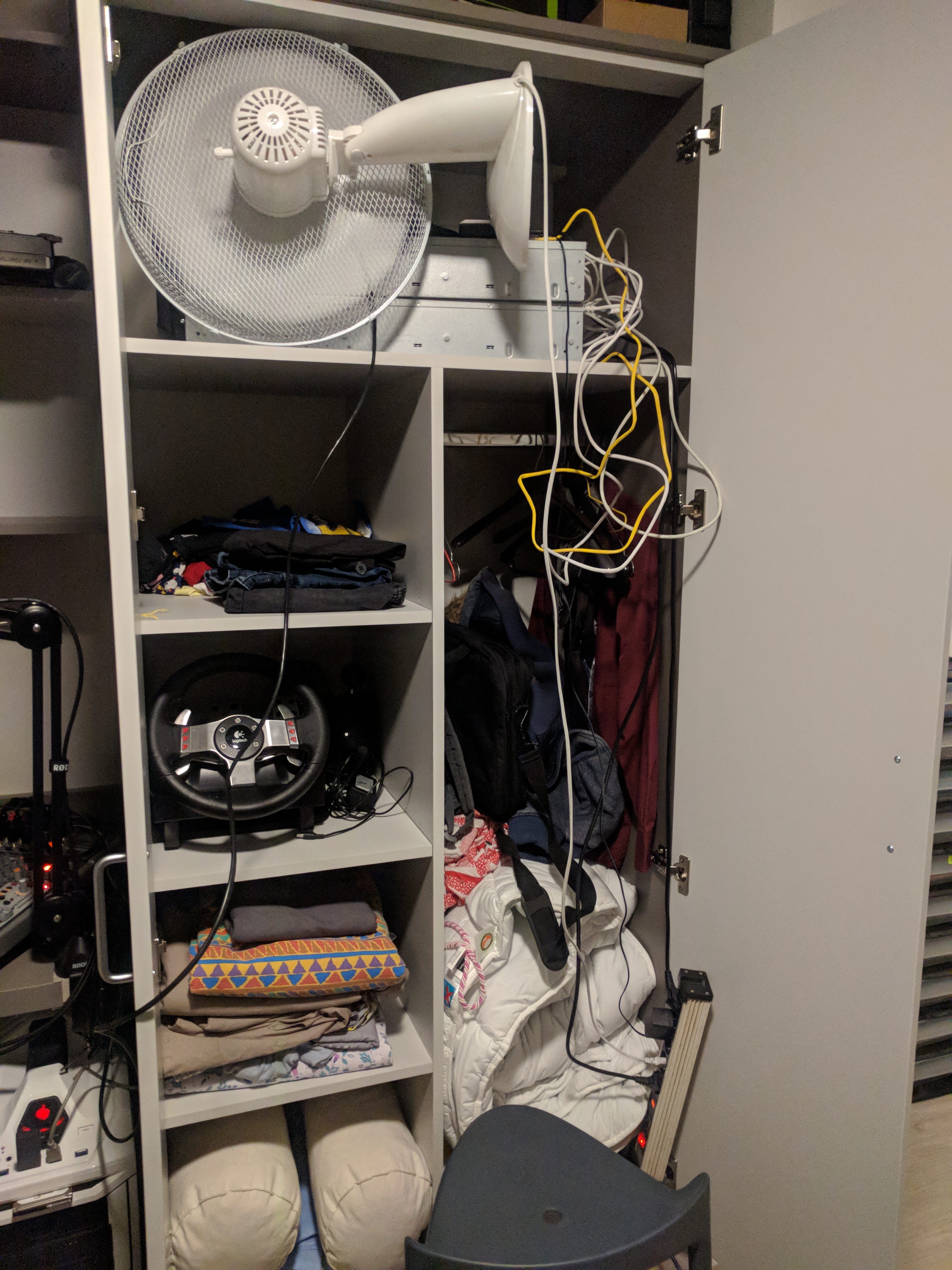 subtle glen
heh
fresh copper
@tranquil burrow just to confirm what others have said, it’s a good deal. That is a managed switch probably similar to (if not exactly) one of these (I have one similar myself) https://www.downloads.netgear.com/files/GDC/GS716TV3/GS716Tv3_GS724Tv4_GS748Tv5_SWA_25Sept2013.pdf
chrome hound
lol now thats a closet sever
subtle glen
i would swap that fan with this
hallow nimbus
😂
fresh copper
Probably need this one
thick minnow
@high anchor thosae are the same machines i fold on
except my school sold me a server rack
so i was able to mount my stuff
high anchor
I may buy one in the next few weeks. I got those servers (+ 2 more that aren't here) for free because a school where a friend was working upgraded theirs so they planned to throw them, or give them to anyone who wanted them. I took 4 of them plus some spare parts ^^
hallow nimbus
👀
high anchor
And that small fan added the very small airflow that those servers needed to run at reasonable temperature while manually decreasing server fans speeds, from 10k RPM without the fan, to 5k RPM at full load with a constant 75°C on all cores, which is 5°C below Max Tcase for this CPU.
hallow nimbus
😂
high anchor
And yes, 10k RPM is loud
high anchor
Idle fan speed for this server is about 2500 to 3000 RPM
I even replaced thermal paste in those two servers to ensure a better cooling and so a lower fan speed
(but Dell's fan controller on this server, managed by iDRAC 6, is using only an ambiant temp sensor (or at least not a really great speed curve using CPU temps))
thick minnow
yeah dell rack servers idle a bit high
they are probably optimized for high density applications
fresh copper
A program just gave me an error code but rather than saying something like Error Code: 7081 it said Badness 7081.
 solemn sinew
why did Bell set up my landline base and router in the basement furnace room
thanks bell
also removed the ethernet port near my desk
thank you canadian Telecom companies
ornate jungle
Were you home watching the installer during the appointment @solemn sinew ? I'm not defending them here - a properly trained technician knows that WiFi AP's need to be installed in a central location for proper coverage in homes up to 1600-2000 sqft in size, but at the same time, I never let service people do anything in my home without supervising them, or at least going over the plans before they do the job. Ever. Period.
solemn sinew
yeah, there was someone in the house with them on my behalf, but they didn't understand as much as i thought
@opal hare I have 150mb/s
 opal hare
nice
solemn sinew
I'm not 100% sure what I'm paying, but not alot
opal hare
got that 300mb/s fiber boys
opal hare
ouch
solemn sinew
I need to set up my 2nd router
solemn sinew
I think there's a bottleneck with my network adapter
opal hare
it works well
solemn sinew
Yeah, I have some tp-link router rated for 150mb/s
little schooner
I'm supposed to be getting 200 mbps but I'm only getting 150 mbps
I think my modem caps at 147mbps so I just bought a new one yesterday
I'm glad comcast increases the speed every few months
fresh copper
Lol, Canadian ISPs are not fun
I have Shaw as my main connection
300/20 which about 20ms to my first hop because DOCSIS
My Telus connection is a lot better though but I wish they would let me have an SFP ONT which I know a few people managed to get but not I
terse geyser
https://www.amazon.com/dp/B00DWFPDNO/ref=psdc_300189_t5_B003Y5RYNY Is this router any good by today's standards?
Really all I'm doing is trying to make myself a local network within my University's network so that I can have my computer, printer, Philips Hue, PS4 and mobile devices all on the same local network. Especially for Philips Hue. It helps with the latency if the phone and the hue bridge are on the same network.. so yeah
zenith ridge
https://www.amazon.com/dp/B01IUDUJE0/ref=psdc_300189_t2_B00DWFPDNO
is at least dualband, not that much more expensive
Amazon.com: TP-Link AC1200 Smart WiFi Router - 5GHz Gigabit Dual Band Wireless Internet Router for Home(Archer C1200): Computers & Accessories
But if you just need to connect most things by cable, any router with enough gigabit ports will do
subtle glen
Also I think that router has 100mbps ports, not sure tho
zenith ridge
https://tweakers.net/pricewatch/294256/apc-smart-ups-1500va-lcd-rm-2u-230v.html
949€
or
https://tweakers.net/pricewatch/297310/apc-smart-ups-smt1500i.html
669€
or something simular to the last one for 359€ (less watt)
power went down at home, So maybe it's time to order one of these things for the future
little schooner
I have the same requirement too. All my data corruption problems disappeared once I did that
I was getting a lot of storage spaces issues
 hallow nimbus
👀


 terse geyser
@zenith ridge Thanks for reccomending this router. On a side note, I may have to hide the MAC address of my router so that campus IT won't be able to find it. I'm assuming that's possible with this router's firmware? https://www.amazon.com/dp/B01IUDUJE0/ref=psdc_300189_t2_B00DWFPDNO
zenith ridge
@terse geyser Some routers have the option to clone your pc mac adress yes, idk about this one, mail TP-link support?
terse geyser
I may do that. I also recall some indian youtube video showing some TP-link router where you could clone your PC's MAC address, idk.
Does anyone happen to know how much more difficult it would to find my router on the university network if I change its MAC address? Is searching for MAC addresses the most straight forward way you would search for routers on a network?
zenith ridge
they prob wont even notice you
because a mac adress in that large of a pool, wont jump out
fresh copper
@inner hound 8.8.8.8 will block ICMP from you if you ping it for too long. You might have a long enough interval that it’s not an issue though
terse geyser
@zenith ridge In the past, they've caught people for routers. My friend has an Apple AirPort and IT has emailed him multiple times to remove the router
Sometimes they've sent emails to the wrong rooms here at the University apartments. Like they get the apartment number correct, but the incorrect resident who has the router. I think they may just have ports listed to the wrong redistents
subtle glen
My tp link router has a MAC cloning feature. If i remember correctly, it asks you to choose between using the device's MAC address or clone one from the router
Why aren't private networks allowed?
vagrant heath
@fresh copper it will not
Google for the most part never blocks a connection
They have so much throughput there response to a DDoS attack is to serve the requests
terse geyser
@subtle glen This is helpful. I think this also explains why some of my equipment wasn't granted an IP address. Like my router would assign my device an IP address, but the university's DHCP server wouldn't assign me an IP address and actually wouldn't allow me to connect with a manual IP address
By "My Device", I mean some wireless STB's by AT&T. They're TV boxes that connect through ethernet and each TV box has an ethernet port out the back of it, allowing me to get ethernet to a room without laying cable
subtle glen
i am reading here that some colleges do allow you to create a network as long as you use their own dhcp server
vagrant heath
Yeah
Most don't allow you to use NAT
subtle glen
cause you know, security reasons
terse geyser
Well what's the security threat where someone uses their own DHCP?
vagrant heath
Or you have WPI who does not allow NAT's and only allows whitelisted MAC addresses
vagrant heath
@terse geyser because a NAT would allow you to have devices network admin could not see
WPI is a college
terse geyser
ohhh
subtle glen
well, but even if you have an AP connected to their network using their own DHCP server, and you leave the AP Wlan open, that could be a security hazard anyways
terse geyser
Explain AP Wlan?
subtle glen
ap access point and WLAN wireless lan
vagrant heath
Access Point wireless local area network
subtle glen
eeh
vagrant heath
Mostly
terse geyser
Except for wireless lan
vagrant heath
Most AP's have a DHCP server
terse geyser
So in english you're just saying that if you don't put a password on the AP, it's a security threat anyways
subtle glen
the college gives you an ethernet jack, right?
vagrant heath
Unless you have high end gear
terse geyser
Yeah, they have ethernet jacks. We also have an AP in our apartment using PoE
subtle glen
i think so, cause anyone can connect to it and maybe breach in
vagrant heath
No reason you should ever have an AP without a password
terse geyser
What's funny is that I've had a very very low end router connected to the university network for a while. It had, at its MOST secure encryption, WPA (not WPA2). And IT didn't notice it.
vagrant heath
Don't do that
terse geyser
I'm getting a switch too but I think I need a router for what I'm doing
vagrant heath
Why?
terse geyser
My printer, the PS4 and a lot of other devices don't like the encryption of the AP's that the university is using. They only like the encryption on the VLAN "GUEST" and that's too slow to be used for anything, really.
Also, I want a local network for my Phillips Hue system
terse geyser
No it's VLAN
I'm told
By many many people
The AP accepts one ethernet cable and broadcasts 3 different networks
subtle glen
I wouldn't like to have my devices on the main network of the college, but if they don't allow you to create your own separated network..
terse geyser
but?
vagrant heath
But the only way to have more then one vlan on a single cable is setup a vlan trunk between 2 devices that support it
terse geyser
Well I have no idea how it's done, but they broadcast "CPP", "eduroam", and "GUEST" all from the same AP
vagrant heath
They have a vlan trunk running to the AP
And the AP uses 3 radios to broadcast each wlan
terse geyser
Oof. The AP is secured by a single torx screw holding the release button down and I can't find my torx screwdriver
I also have class in 20 mins lol
vagrant heath
You could not plug that cable into a computer
Since it's a trunk
terse geyser
But I really appreciate helping me understand the university's enterprise network
vagrant heath
Actually you might be able to depending on how it's setup
Who makes the AP
Aruba?
terse geyser
@vagrant heath Yeahhh I was wondering if that cable could be used with the PS4 in the den. But I was told it probably wouldn't work because of "VLANs". But the correct term might be trunking. Don't know. But I wouldn't do it because IT would get piiiiised if an AP was missing or disconnected, especially when they're torx'd into place
YUP! Aruba!
terse geyser
Do you go to WPI @vagrant heath ?
vagrant heath
No. I do not
terse geyser
I also go to a polytechnic - nvm
vagrant heath
WPI has one of the best college networks I have seen
They also have the whole school on WAN
uwu
terse geyser
We have full on gigabit here and our uni is our own ISP
vagrant heath
That's just means they are leaseing lines
terse geyser
They don't grant gigabit to regular people here on campus though
vagrant heath
That moment when my community college has 10gig
terse geyser
Yeah they probably are leasing lines
I have no idea what the full capacity of our network is lol
But anyways I gotta go
Ttyl hopefully!
 edgy wadi
It's funny I got in here since I work for an ISP that does hotels and supplies hospitality Wifi, and I just missed that conversation
lol
terse geyser
Class is in 10 mins
can scooter there in about 6 mins with my Xiaomi m365 "bird" scooter
subtle glen
Pssss @edgy wadi hook me up with 10g
edgy wadi
Residential on Cox only recently got access to 1G sym
subtle glen
pff we don't even use coax here
edgy wadi
That's fair. Residential with us though doesn't get anything higher than gig atm tho
Like...fiber isn't really avail
Mostly because no one wants to pay the construction costs for it
And honestly @vagrant heath You don't really need your CCNA to get into the field. The only time you really need it for most telecommunications companies is when you're hitting either fiber main support, or working in a NOC